















@HatemMahmoud ExpressionLab.com April 21, 2011
Agenda Introduction
History
Features
Conclusion
References
Introduction
HTML HTML * is the core technology of the World Wide Web
With HTML, authors describe the structure of Web pages using markup  <tags> *HyperText Markup Language
HTML5 The  new standard  for HTML, XHTML, and HTML DOM
Improves  interoperability
Introduces markup and APIs for  Web applications
History
1989 Tim Berners-Lee  proposed an Internet-based hypertext system for CERN* researchers to use and share documents *Conseil Européen pour la Recherche Nucléaire
1990 Tim published the first HTML specifications in a document called  HTML Tags
Tim wrote the  first Web browser
Tim wrote the  first Web server
1991 HTML   1.0  published by  IETF * *Internet Engineering Task Force
1994 Tim  founded  W3C * as the standards organization for the World Wide Web *World Wide Web Consortium
1995 HTML   2.0  published by  IETF
1997 HTML   3.2  was the first version developed by W3C and published as a Recommendation
HTML   4.0  was published as a W3C Recommendation
1999 HTML 4.1  was published as a W3C Recommendation
2000 XHTML 1.0  was published as a W3C Recommendation
Because XHTML is an  XML  application, other XML tools can be used (for example, XSLT for transforming XML content)
2001 XHTML 1.1  was published as a W3C Recommendation
2004 XHTML 2.0  drafts
Most major browser vendors were unwilling to implement the new features
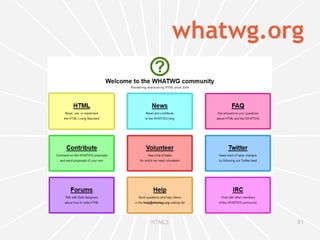
2004 WHATWG * was formed by individuals from  Mozilla ,  Opera  and  Apple  to work on advancing HTML in response to W3C's decision to abandon HTML in favor of XML-based technologies *Web Hypertext Application Technology Working Group
2007 W3C formed  HTML Working Group  to work with  WHATWG
Since then, both groups have been working together on the development of the  HTML5  specification
2009 “ While we recognize the value of the XHTML 2 Working Group’s contributions over the years, after discussion with the participants, W3C management has decided to allow the Working Group’s charter to expire at the end of 2009 and not to renew it”
2011
2011 W3C announced  2014  as the target for Recommendation
Features
Syntax No longer  based on  SGML *
Backward compatible  with common parsing of older versions of HTML *Standard Generalized Markup Language
DOCTYPE DOCTYPE is  not a tag , it is an instruction to the browser about the markup language
SGML-based DOCTYPE required a reference to a DTD* *Document Type Definition
HTML 4.01 Strict DTD does  not  include presentational or deprecated elements
Framesets are  not  allowed <!DOCTYPE HTML PUBLIC &quot;-//W3C//DTD HTML 4.01//EN&quot; &quot;http://www.w3.org/TR/html4/strict.dtd&quot;>
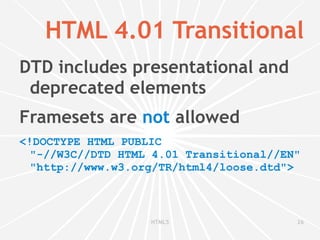
HTML 4.01 Transitional DTD includes presentational and deprecated elements
Framesets are  not  allowed <!DOCTYPE HTML PUBLIC &quot;-//W3C//DTD HTML 4.01 Transitional//EN&quot; &quot;http://www.w3.org/TR/html4/loose.dtd&quot;>
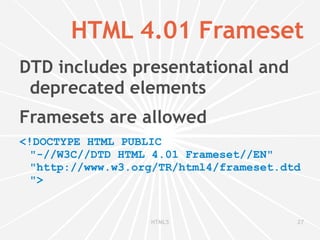
HTML 4.01 Frameset DTD includes presentational and deprecated elements
Framesets are allowed <!DOCTYPE HTML PUBLIC &quot;-//W3C//DTD HTML 4.01 Frameset//EN&quot; &quot;http://www.w3.org/TR/html4/frameset.dtd&quot;>
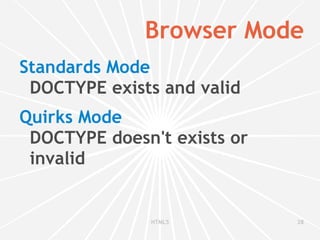
Browser Mode Standards Mode DOCTYPE exists and valid
Quirks Mode DOCTYPE doesn't exists or invalid
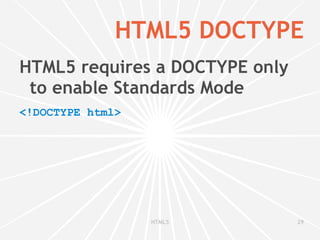
HTML5 DOCTYPE HTML5 requires a DOCTYPE only to enable Standards Mode <!DOCTYPE html>
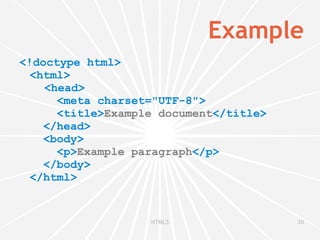
Example <!doctype html> <html> <head>   <meta charset=&quot;UTF-8&quot;>   <title> Example document </title>   </head>   <body>   <p> Example paragraph </p>   </body> </html>
 
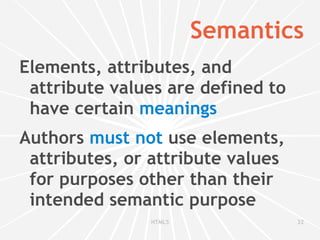
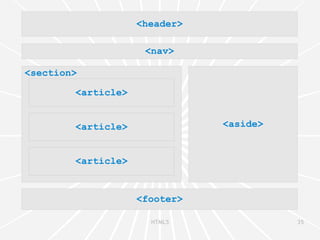
Semantics Elements, attributes, and attribute values are defined to have certain  meanings
Authors  must not  use elements, attributes, or attribute values for purposes other than their intended semantic purpose


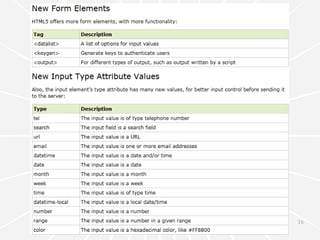
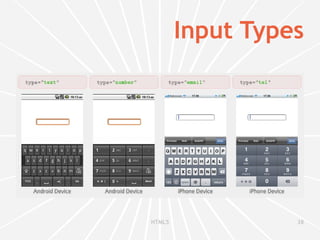
Input Types
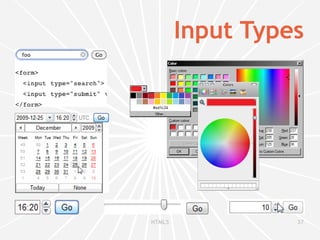
Input Types
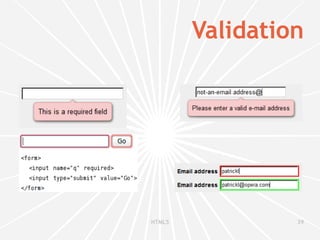
Validation
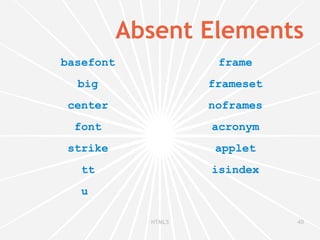
Absent Elements basefont big center font strike tt u  frame frameset noframes acronym applet isindex
 
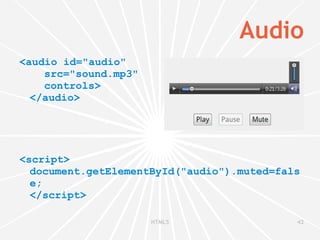
Audio <audio id=&quot;audio&quot; src=&quot;sound.mp3&quot; controls> </audio> <script> document.getElementById(&quot;audio&quot;).muted=false; </script>
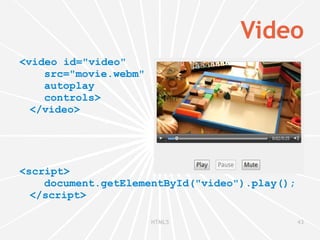
Video <video id=&quot;video&quot; src=&quot;movie.webm&quot; autoplay controls> </video> <script> document.getElementById(&quot;video&quot;).play(); </script>
 
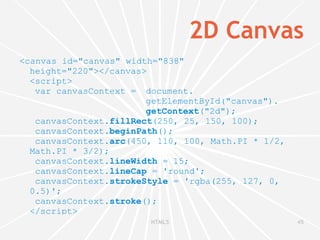
2D Canvas <canvas id=&quot;canvas&quot; width=&quot;838&quot; height=&quot;220&quot;></canvas> <script>  var canvasContext =  document. getElementById(&quot;canvas&quot;). getContext (&quot;2d&quot;);  canvasContext. fillRect (250, 25, 150, 100);  canvasContext. beginPath ();  canvasContext. arc (450, 110, 100, Math.PI * 1/2, Math.PI * 3/2);  canvasContext. lineWidth  = 15;  canvasContext. lineCap  = 'round';  canvasContext. strokeStyle  = 'rgba(255, 127, 0, 0.5)';  canvasContext. stroke (); </script>
2D Canvas
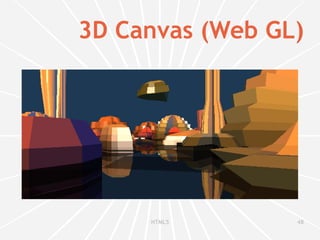
3D Canvas (Web GL) <canvas id=&quot;canvas&quot; width=&quot;838&quot; height=&quot;220&quot;></canvas> <script> var gl = document. getElementById(&quot;canvas&quot;). getContext (&quot;experimental-webgl&quot;); gl. viewport (0, 0, canvas.width, canvas.height); ... </script>
3D Canvas (Web GL)
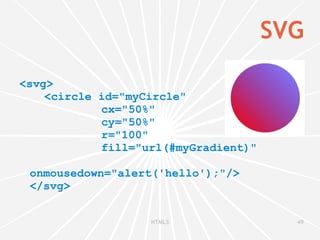
SVG <svg> <circle id=&quot;myCircle&quot;    cx=&quot;50%&quot;    cy=&quot;50%&quot;    r=&quot;100&quot;    fill=&quot;url(#myGradient)&quot;   onmousedown=&quot;alert('hello');&quot;/> </svg>
SVG
 
Web Storage key/value pairs Key: string
Value: any JavaScript type
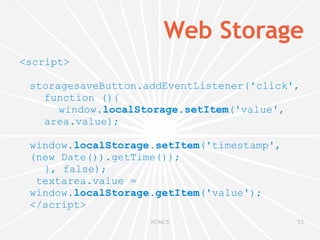
Web Storage <script>  storagesaveButton.addEventListener('click',  function (){ window. localStorage.setItem ('value',  area.value);   window. localStorage.setItem ('timestamp',  (new Date()).getTime()); }, false);  textarea.value =  window. localStorage.getItem ('value'); </script>
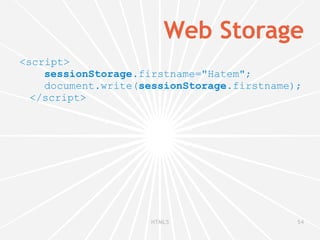
Web Storage <script> sessionStorage .firstname=&quot;Hatem&quot;; document.write( sessionStorage .firstname); </script>
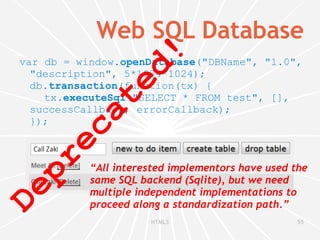
Web SQL Database var db = window. openDatabase (&quot;DBName&quot;, &quot;1.0&quot;, &quot;description&quot;, 5*1024*1024); db. transaction (function(tx) { tx. executeSql (&quot;SELECT * FROM test&quot;, [], successCallback, errorCallback); }); Deprecated! “ All interested implementors have used the same SQL backend (Sqlite), but we need multiple independent implementations to proceed along a standardization path.”
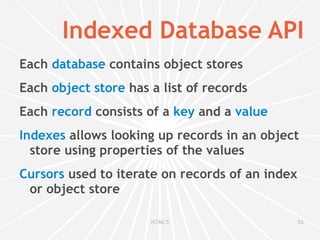
Indexed Database API Each  database  contains object stores
Each  object store  has a list of records
Each  record  consists of a  key  and a  value
Indexes  allows looking up records in an object store using properties of the values
Cursors  used to iterate on records of an index or object store
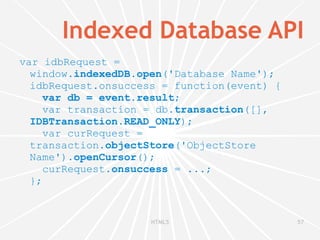
Indexed Database API var idbRequest = window. indexedDB . open ('Database Name'); idbRequest.onsuccess = function(event) {   var db = event.result ;   var transaction = db. transaction ([], IDBTransaction.READ_ONLY );   var curRequest = transaction. objectStore ('ObjectStore Name'). openCursor ();   curRequest. onsuccess  = ...; };
Offline Web applications Offline browsing
Cached resources load faster
Only download resources that have changed
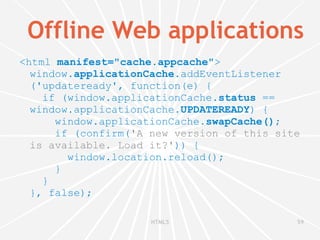
Offline Web applications <html  manifest=&quot;cache.appcache&quot; > window. applicationCache .addEventListener ('updateready', function(e) {   if (window.applicationCache. status  == window.applicationCache. UPDATEREADY ) {   window.applicationCache. swapCache() ;   if (confirm( 'A new version of this site is available. Load it?' )) {   window.location.reload();   }   } }, false);

HTML5

  • 1.
  • 2.
  • 3.
  • 4.
  • 5.
  • 6.
  • 7.
  • 8.
    HTML HTML *is the core technology of the World Wide Web
  • 9.
    With HTML, authorsdescribe the structure of Web pages using markup <tags> *HyperText Markup Language
  • 10.
    HTML5 The new standard for HTML, XHTML, and HTML DOM
  • 11.
  • 12.
    Introduces markup andAPIs for Web applications
  • 13.
  • 14.
    1989 Tim Berners-Lee proposed an Internet-based hypertext system for CERN* researchers to use and share documents *Conseil Européen pour la Recherche Nucléaire
  • 15.
    1990 Tim publishedthe first HTML specifications in a document called HTML Tags
  • 16.
    Tim wrote the first Web browser
  • 17.
    Tim wrote the first Web server
  • 18.
    1991 HTML 1.0 published by IETF * *Internet Engineering Task Force
  • 19.
    1994 Tim founded W3C * as the standards organization for the World Wide Web *World Wide Web Consortium
  • 20.
    1995 HTML 2.0 published by IETF
  • 21.
    1997 HTML 3.2 was the first version developed by W3C and published as a Recommendation
  • 22.
    HTML 4.0 was published as a W3C Recommendation
  • 23.
    1999 HTML 4.1 was published as a W3C Recommendation
  • 24.
    2000 XHTML 1.0 was published as a W3C Recommendation
  • 25.
    Because XHTML isan XML application, other XML tools can be used (for example, XSLT for transforming XML content)
  • 26.
    2001 XHTML 1.1 was published as a W3C Recommendation
  • 27.
  • 28.
    Most major browservendors were unwilling to implement the new features
  • 29.
    2004 WHATWG *was formed by individuals from Mozilla , Opera and Apple to work on advancing HTML in response to W3C's decision to abandon HTML in favor of XML-based technologies *Web Hypertext Application Technology Working Group
  • 30.
    2007 W3C formed HTML Working Group to work with WHATWG
  • 31.
    Since then, bothgroups have been working together on the development of the HTML5 specification
  • 32.
    2009 “ Whilewe recognize the value of the XHTML 2 Working Group’s contributions over the years, after discussion with the participants, W3C management has decided to allow the Working Group’s charter to expire at the end of 2009 and not to renew it”
  • 33.
  • 34.
    2011 W3C announced 2014 as the target for Recommendation
  • 35.
  • 36.
    Syntax No longer based on SGML *
  • 37.
    Backward compatible with common parsing of older versions of HTML *Standard Generalized Markup Language
  • 38.
    DOCTYPE DOCTYPE is not a tag , it is an instruction to the browser about the markup language
  • 39.
    SGML-based DOCTYPE requireda reference to a DTD* *Document Type Definition
  • 40.
    HTML 4.01 StrictDTD does not include presentational or deprecated elements
  • 41.
    Framesets are not allowed <!DOCTYPE HTML PUBLIC &quot;-//W3C//DTD HTML 4.01//EN&quot; &quot;http://www.w3.org/TR/html4/strict.dtd&quot;>
  • 42.
    HTML 4.01 TransitionalDTD includes presentational and deprecated elements
  • 43.
    Framesets are not allowed <!DOCTYPE HTML PUBLIC &quot;-//W3C//DTD HTML 4.01 Transitional//EN&quot; &quot;http://www.w3.org/TR/html4/loose.dtd&quot;>
  • 44.
    HTML 4.01 FramesetDTD includes presentational and deprecated elements
  • 45.
    Framesets are allowed<!DOCTYPE HTML PUBLIC &quot;-//W3C//DTD HTML 4.01 Frameset//EN&quot; &quot;http://www.w3.org/TR/html4/frameset.dtd&quot;>
  • 46.
    Browser Mode StandardsMode DOCTYPE exists and valid
  • 47.
    Quirks Mode DOCTYPEdoesn't exists or invalid
  • 48.
    HTML5 DOCTYPE HTML5requires a DOCTYPE only to enable Standards Mode <!DOCTYPE html>
  • 49.
    Example <!doctype html><html> <head> <meta charset=&quot;UTF-8&quot;> <title> Example document </title> </head> <body> <p> Example paragraph </p> </body> </html>
  • 50.
  • 51.
    Semantics Elements, attributes,and attribute values are defined to have certain meanings
  • 52.
    Authors mustnot use elements, attributes, or attribute values for purposes other than their intended semantic purpose
  • 53.
  • 54.
  • 55.
  • 56.
  • 57.
  • 58.
  • 59.
  • 60.
    Absent Elements basefontbig center font strike tt u frame frameset noframes acronym applet isindex
  • 61.
  • 62.
    Audio <audio id=&quot;audio&quot;src=&quot;sound.mp3&quot; controls> </audio> <script> document.getElementById(&quot;audio&quot;).muted=false; </script>
  • 63.
    Video <video id=&quot;video&quot;src=&quot;movie.webm&quot; autoplay controls> </video> <script> document.getElementById(&quot;video&quot;).play(); </script>
  • 64.
  • 65.
    2D Canvas <canvasid=&quot;canvas&quot; width=&quot;838&quot; height=&quot;220&quot;></canvas> <script> var canvasContext = document. getElementById(&quot;canvas&quot;). getContext (&quot;2d&quot;); canvasContext. fillRect (250, 25, 150, 100); canvasContext. beginPath (); canvasContext. arc (450, 110, 100, Math.PI * 1/2, Math.PI * 3/2); canvasContext. lineWidth = 15; canvasContext. lineCap = 'round'; canvasContext. strokeStyle = 'rgba(255, 127, 0, 0.5)'; canvasContext. stroke (); </script>
  • 66.
  • 67.
    3D Canvas (WebGL) <canvas id=&quot;canvas&quot; width=&quot;838&quot; height=&quot;220&quot;></canvas> <script> var gl = document. getElementById(&quot;canvas&quot;). getContext (&quot;experimental-webgl&quot;); gl. viewport (0, 0, canvas.width, canvas.height); ... </script>
  • 68.
  • 69.
    SVG <svg> <circleid=&quot;myCircle&quot; cx=&quot;50%&quot; cy=&quot;50%&quot; r=&quot;100&quot; fill=&quot;url(#myGradient)&quot; onmousedown=&quot;alert('hello');&quot;/> </svg>
  • 70.
  • 71.
  • 72.
    Web Storage key/valuepairs Key: string
  • 73.
  • 74.
    Web Storage <script> storagesaveButton.addEventListener('click', function (){ window. localStorage.setItem ('value', area.value); window. localStorage.setItem ('timestamp', (new Date()).getTime()); }, false); textarea.value = window. localStorage.getItem ('value'); </script>
  • 75.
    Web Storage <script>sessionStorage .firstname=&quot;Hatem&quot;; document.write( sessionStorage .firstname); </script>
  • 76.
    Web SQL Databasevar db = window. openDatabase (&quot;DBName&quot;, &quot;1.0&quot;, &quot;description&quot;, 5*1024*1024); db. transaction (function(tx) { tx. executeSql (&quot;SELECT * FROM test&quot;, [], successCallback, errorCallback); }); Deprecated! “ All interested implementors have used the same SQL backend (Sqlite), but we need multiple independent implementations to proceed along a standardization path.”
  • 77.
    Indexed Database APIEach database contains object stores
  • 78.
    Each objectstore has a list of records
  • 79.
    Each record consists of a key and a value
  • 80.
    Indexes allowslooking up records in an object store using properties of the values
  • 81.
    Cursors usedto iterate on records of an index or object store
  • 82.
    Indexed Database APIvar idbRequest = window. indexedDB . open ('Database Name'); idbRequest.onsuccess = function(event) { var db = event.result ; var transaction = db. transaction ([], IDBTransaction.READ_ONLY ); var curRequest = transaction. objectStore ('ObjectStore Name'). openCursor (); curRequest. onsuccess = ...; };
  • 83.
    Offline Web applicationsOffline browsing
  • 84.
  • 85.
    Only download resourcesthat have changed
  • 86.
    Offline Web applications<html manifest=&quot;cache.appcache&quot; > window. applicationCache .addEventListener ('updateready', function(e) { if (window.applicationCache. status == window.applicationCache. UPDATEREADY ) { window.applicationCache. swapCache() ; if (confirm( 'A new version of this site is available. Load it?' )) { window.location.reload(); } } }, false);