Session ID:
Session Classification:
Scott Anderson
Microsoft Corporation
HT-W25
Intermediate
GETTING UNDER THE OS:
HOW REAL ARE
FIRMWARE THREATS AND
WHAT CAN BE DONE?
Presenter Logo
Link Discovered Between
TDSS Rootkit and
DNSchanger Trojan
TDSS rootkit, the sophisticated and
difficult to remove malware behind
many advanced attacks also
appears to have helped spread the
DNSchanger Trojan.
Researcher find attack on
Millions of printers
Can a hacker take control of your
printer? Using it to sniff information
from the network, steal confidential
information, or evn attack other
machines. Researchers have found an
attack impacting millions of printers
around the world.
Presenter Logo
► Threat and Implications
► UEFI Secure Boot
► Trusted Boot in Windows 8
► Impact on Linux and other Operating Systems
► Secure Boot Keys and Linux
► Threats beyond the System Firmware
► Secure Firmware Updates
► Conclusion Q&A
Agenda
Presenter Logo
► Increase in attacks
► Still a small overall number – so why care?
► Hard to detect and remove
► Alureon
► Network Card Infection (Defcon)
► Physical damage possible
► Battery Firmware
► Iran centrifuges (Stuxnet)
► True Bricking of machines
Threat and Implications
Presenter Logo
► Firmware threats impact all aspects of computing
► All Devices and Hardware have firmware
► If the firmware can be updated or modified there is risk
► There is also risk if firmware cannot be updated
► The operating system is vulnerable to firmware
► Can be close to impossible to remove firmware based Malware
from within the OS
► Industry efforts are underway to protect from these
threats
► UEFI Secure Boot
► NIST Special Publication 800-147 - BIOS Protection Guidelines
Firmware-based Malware
Presenter Logo
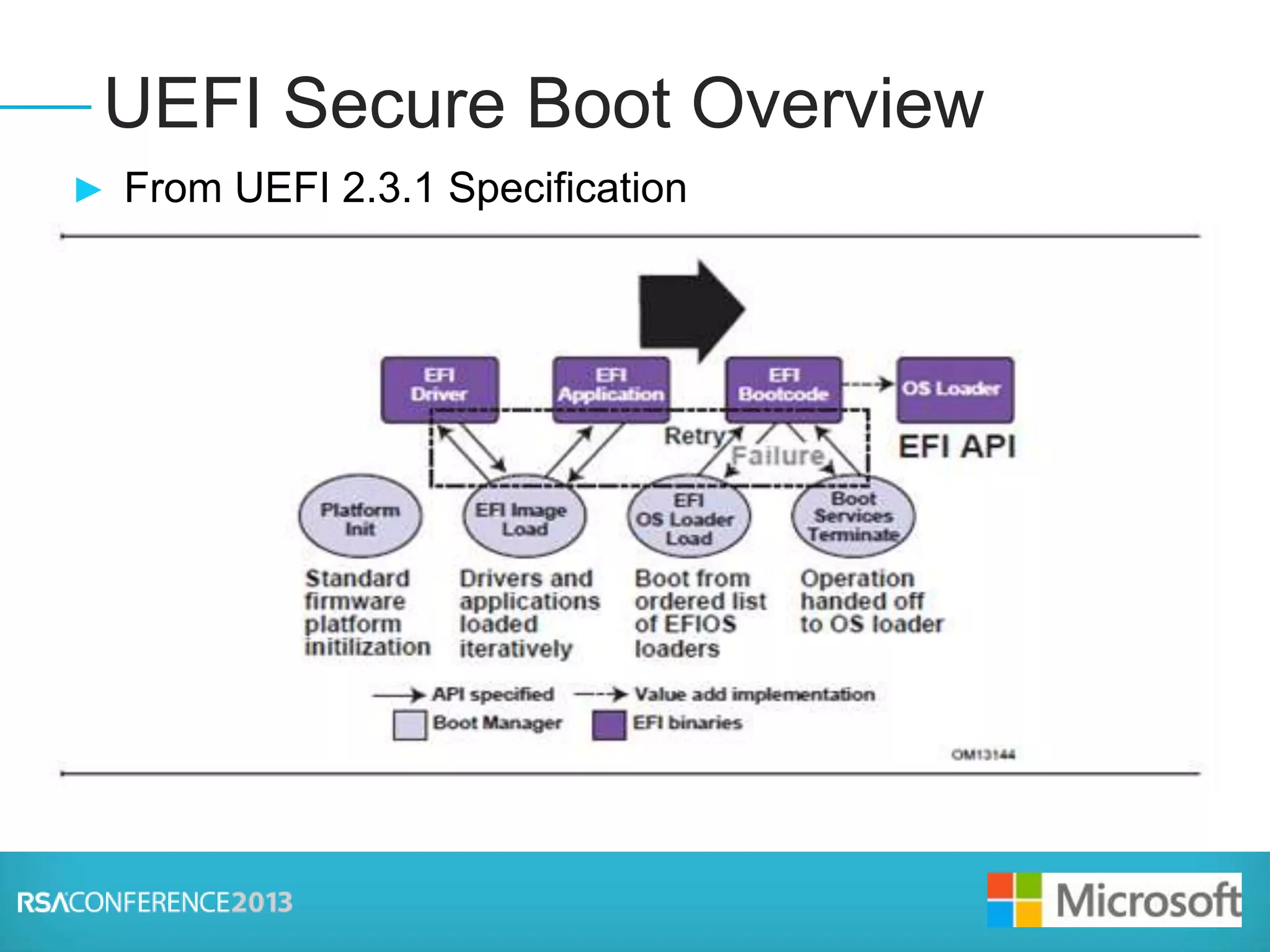
► From UEFI 2.3.1 Specification
► Your next talking point bullet here
► Third talking point, etc.
► Bullet can be indented by pressing the Tab Key
► Third level bullet is created by pressing Tab again
► Reverse indents by pressing the Shift + Tab keys
UEFI Secure Boot Overview
Presenter Logo
Secure and Trusted Boot Flow
Windows 7 BIOS
OS Loader
(Malware)
3rd Party
Drivers
(Malware)
Anti-Malware
Software
Start
Windows
Logon
Windows 8 Native
UEFI
Windows 8
OS Loader
Anti-Malware
Software
Start
3rd Party
Drivers
Windows
Logon
• Malware is able to boot before Windows and Anti-malware
• Malware able to hide and remain undetected
• Systems can be compromised before AM starts
• UEFI Secure Boot ensures trusted OS loader starts first
UEFI Secure Boot Windows Trusted Boot
• Trusted Boot protects remainder of boot process and anti-malware driver
• All boot critical files (kernel, system drivers, etc) protected
• Windows starts AM software (ELAM) before any 3rd party boot drivers
• Windows automatically remediates if any tampering is detected.
Presenter Logo
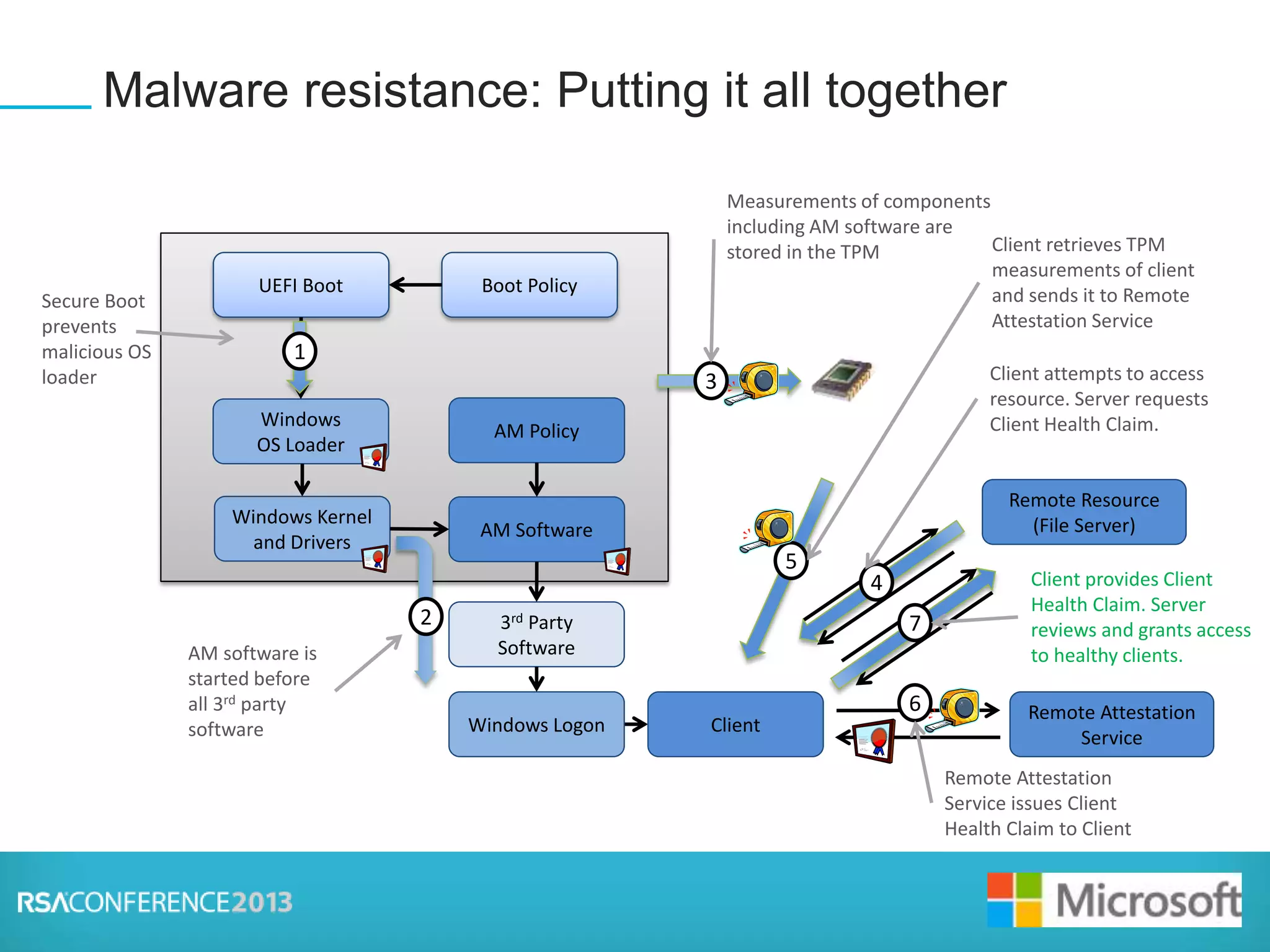
Malware resistance: Putting it all together
Windows
OS Loader
UEFI Boot
Windows Kernel
and Drivers
AM Software
AM software is
started before
all 3rd party
software
Boot Policy
AM Policy
3rd Party
Software
2
TPM3
Measurements of components
including AM software are
stored in the TPM
Client
Remote Attestation
Service
5
Client retrieves TPM
measurements of client
and sends it to Remote
Attestation Service
Windows Logon
Client Health
Claim
6
Remote Attestation
Service issues Client
Health Claim to Client
Secure Boot
prevents
malicious OS
loader
1
Remote Resource
(File Server)
4
Client attempts to access
resource. Server requests
Client Health Claim.
7
Client provides Client
Health Claim. Server
reviews and grants access
to healthy clients.
Presenter Logo
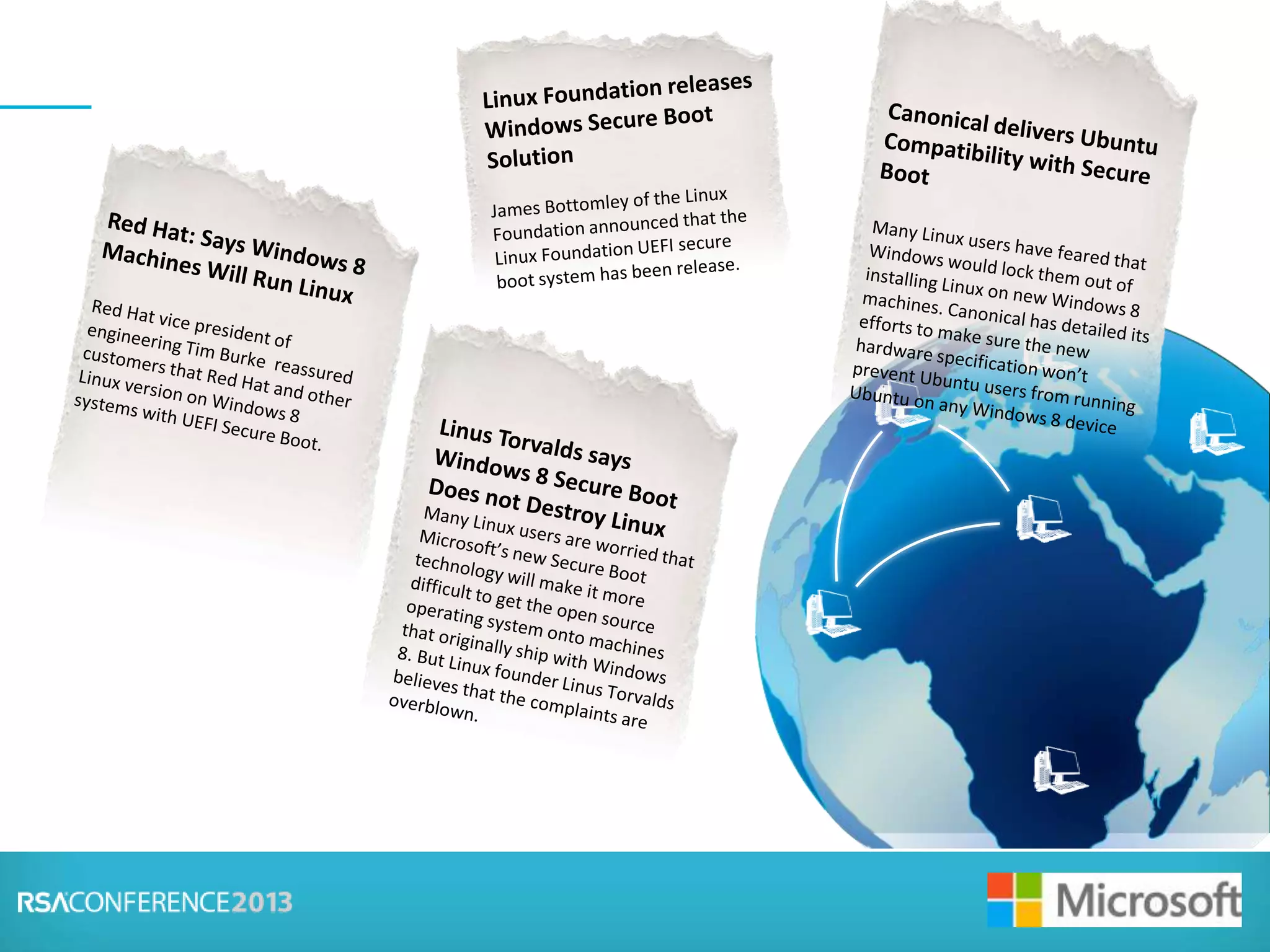
Microsoft will stop Linux
from running on Windows
8 PCs
It looks to me like Microsoft will be
using the new UEFI Secure Boot
feature to stop other Oses from
running on Windows 8 PCs.
Presenter Logo
Presenter Logo
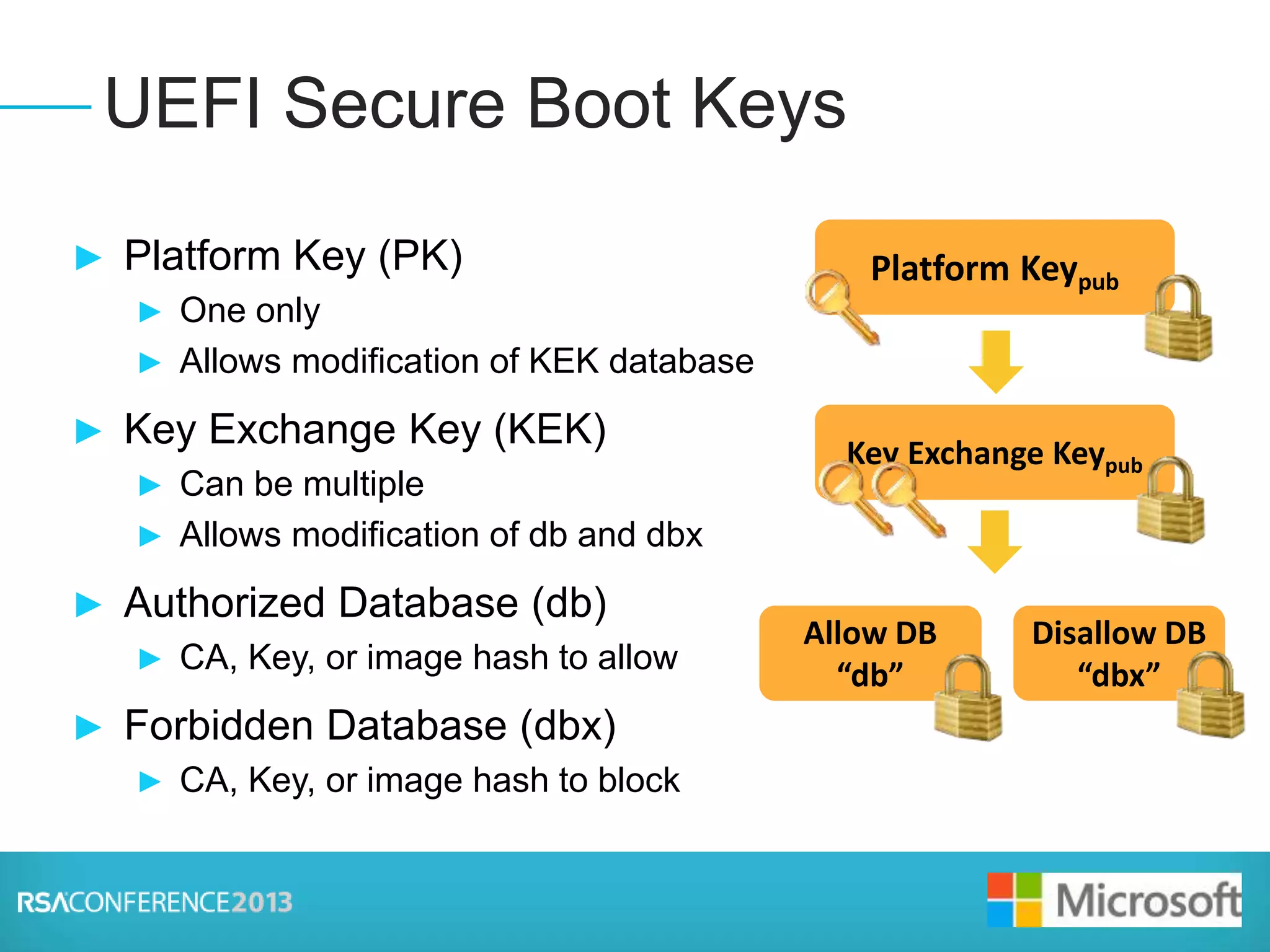
► Platform Key (PK)
► One only
► Allows modification of KEK database
► Key Exchange Key (KEK)
► Can be multiple
► Allows modification of db and dbx
► Authorized Database (db)
► CA, Key, or image hash to allow
► Forbidden Database (dbx)
► CA, Key, or image hash to block
UEFI Secure Boot Keys
Presenter Logo
► To enable Secure Boot need to sign code with a trusted
signer
► To make this scale need a global trusted party
► No service was available, so Microsoft set up a service
► No Charge
► Linux distributions can be signed
► Need to ensure code is also secure
► Users can also turn off Secure Boot
► Linux solutions already available
► Fedora, Linux Software Foundation, Canonical have all released
compatible solutions
Keys and Linux
Presenter Logo
► Devices themselves have FW different than Option
Roms
► Not directly verified during boot
► Secure Firmware Updates critical
► Non-PC devices may not have ability to verify signatures
► Firmware updates need to come through the System Firmware
so they can be verified
Threats Beyond System Firmware
Presenter Logo
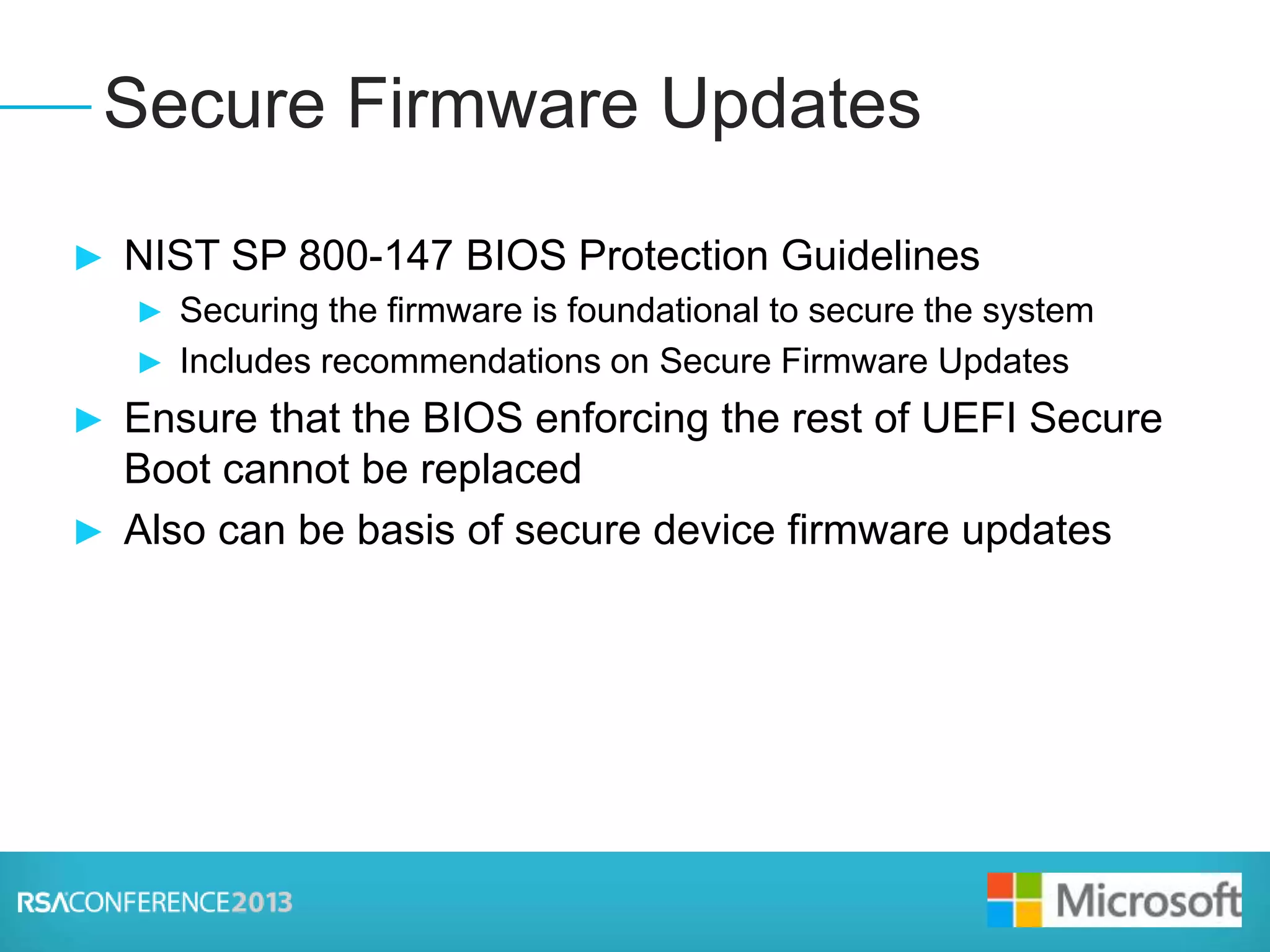
► NIST SP 800-147 BIOS Protection Guidelines
► Securing the firmware is foundational to secure the system
► Includes recommendations on Secure Firmware Updates
► Ensure that the BIOS enforcing the rest of UEFI Secure
Boot cannot be replaced
► Also can be basis of secure device firmware updates
Secure Firmware Updates
Presenter Logo
► UEFI Capsule Update standardizes communication of
updates from OS to firmware
► Windows supports this to help simplify firmware updates
Capsule Update
Windows
OS Loader
UEFI Boot
Windows
Windows Stages Certified Firmware
Update that are signed like drivers
Firmware Update
The firmware
verifies the
signature of
the update
and ensures it
is not a
rollback to a
vulnerable
version, then
updates
firmware and
reboots.
1
Windows verifies
the firmware
update and sends
to the Firmware
using Capsule
Update
2
3
Presenter Logo
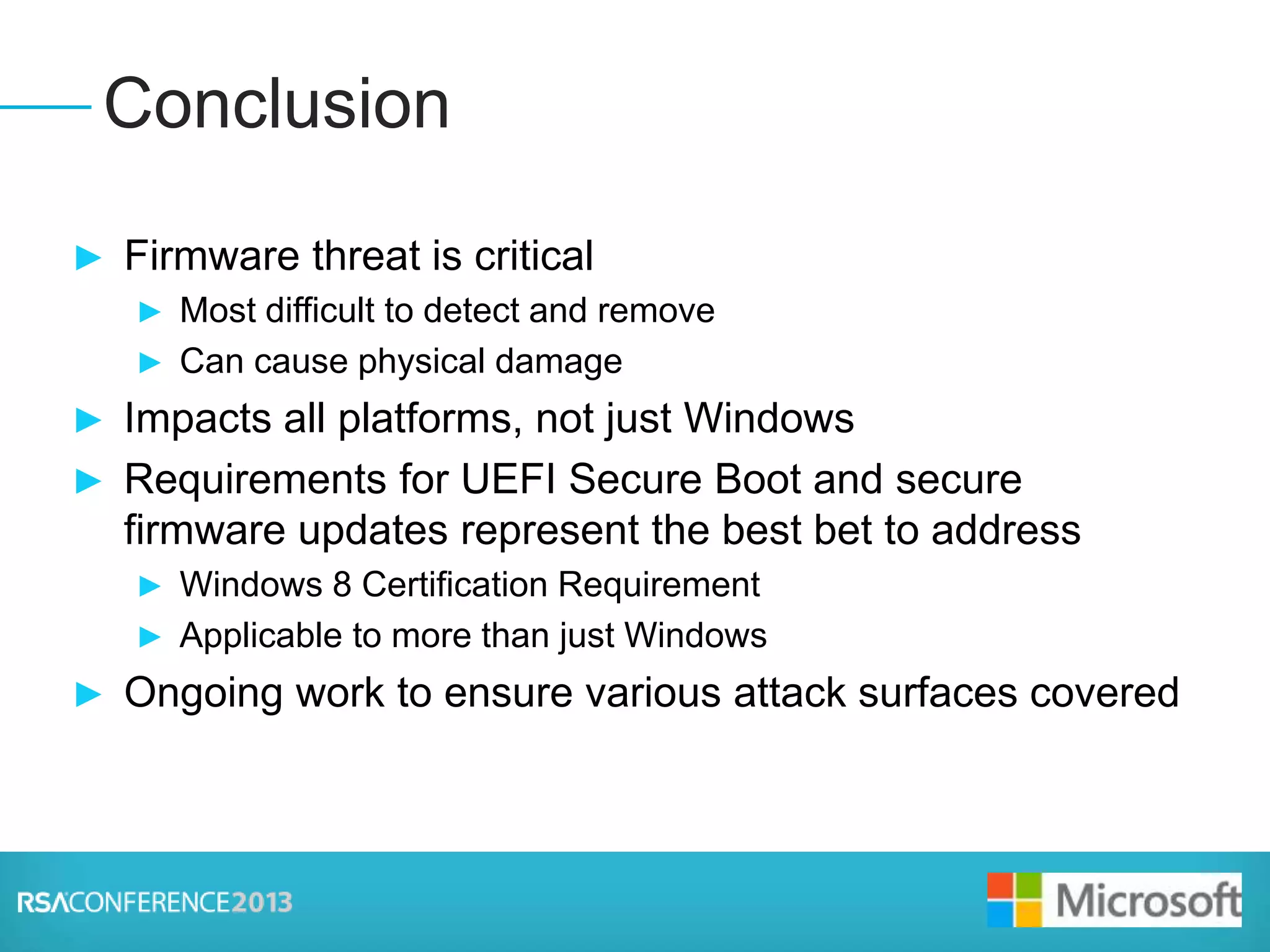
► Firmware threat is critical
► Most difficult to detect and remove
► Can cause physical damage
► Impacts all platforms, not just Windows
► Requirements for UEFI Secure Boot and secure
firmware updates represent the best bet to address
► Windows 8 Certification Requirement
► Applicable to more than just Windows
► Ongoing work to ensure various attack surfaces covered
Conclusion
Presenter Logo
► Scott Anderson
► scander@microsoft.com
Questions?
GETTING UNDER
THE OS:
HOW REAL ARE
FIRMWARE
THREATS AND
WHAT CAN BE
DONE?

Ht w25

  • 1.
    Session ID: Session Classification: ScottAnderson Microsoft Corporation HT-W25 Intermediate GETTING UNDER THE OS: HOW REAL ARE FIRMWARE THREATS AND WHAT CAN BE DONE?
  • 2.
    Presenter Logo Link DiscoveredBetween TDSS Rootkit and DNSchanger Trojan TDSS rootkit, the sophisticated and difficult to remove malware behind many advanced attacks also appears to have helped spread the DNSchanger Trojan. Researcher find attack on Millions of printers Can a hacker take control of your printer? Using it to sniff information from the network, steal confidential information, or evn attack other machines. Researchers have found an attack impacting millions of printers around the world.
  • 3.
    Presenter Logo ► Threatand Implications ► UEFI Secure Boot ► Trusted Boot in Windows 8 ► Impact on Linux and other Operating Systems ► Secure Boot Keys and Linux ► Threats beyond the System Firmware ► Secure Firmware Updates ► Conclusion Q&A Agenda
  • 4.
    Presenter Logo ► Increasein attacks ► Still a small overall number – so why care? ► Hard to detect and remove ► Alureon ► Network Card Infection (Defcon) ► Physical damage possible ► Battery Firmware ► Iran centrifuges (Stuxnet) ► True Bricking of machines Threat and Implications
  • 5.
    Presenter Logo ► Firmwarethreats impact all aspects of computing ► All Devices and Hardware have firmware ► If the firmware can be updated or modified there is risk ► There is also risk if firmware cannot be updated ► The operating system is vulnerable to firmware ► Can be close to impossible to remove firmware based Malware from within the OS ► Industry efforts are underway to protect from these threats ► UEFI Secure Boot ► NIST Special Publication 800-147 - BIOS Protection Guidelines Firmware-based Malware
  • 6.
    Presenter Logo ► FromUEFI 2.3.1 Specification ► Your next talking point bullet here ► Third talking point, etc. ► Bullet can be indented by pressing the Tab Key ► Third level bullet is created by pressing Tab again ► Reverse indents by pressing the Shift + Tab keys UEFI Secure Boot Overview
  • 7.
    Presenter Logo Secure andTrusted Boot Flow Windows 7 BIOS OS Loader (Malware) 3rd Party Drivers (Malware) Anti-Malware Software Start Windows Logon Windows 8 Native UEFI Windows 8 OS Loader Anti-Malware Software Start 3rd Party Drivers Windows Logon • Malware is able to boot before Windows and Anti-malware • Malware able to hide and remain undetected • Systems can be compromised before AM starts • UEFI Secure Boot ensures trusted OS loader starts first UEFI Secure Boot Windows Trusted Boot • Trusted Boot protects remainder of boot process and anti-malware driver • All boot critical files (kernel, system drivers, etc) protected • Windows starts AM software (ELAM) before any 3rd party boot drivers • Windows automatically remediates if any tampering is detected.
  • 8.
    Presenter Logo Malware resistance:Putting it all together Windows OS Loader UEFI Boot Windows Kernel and Drivers AM Software AM software is started before all 3rd party software Boot Policy AM Policy 3rd Party Software 2 TPM3 Measurements of components including AM software are stored in the TPM Client Remote Attestation Service 5 Client retrieves TPM measurements of client and sends it to Remote Attestation Service Windows Logon Client Health Claim 6 Remote Attestation Service issues Client Health Claim to Client Secure Boot prevents malicious OS loader 1 Remote Resource (File Server) 4 Client attempts to access resource. Server requests Client Health Claim. 7 Client provides Client Health Claim. Server reviews and grants access to healthy clients.
  • 9.
    Presenter Logo Microsoft willstop Linux from running on Windows 8 PCs It looks to me like Microsoft will be using the new UEFI Secure Boot feature to stop other Oses from running on Windows 8 PCs.
  • 10.
  • 11.
    Presenter Logo ► PlatformKey (PK) ► One only ► Allows modification of KEK database ► Key Exchange Key (KEK) ► Can be multiple ► Allows modification of db and dbx ► Authorized Database (db) ► CA, Key, or image hash to allow ► Forbidden Database (dbx) ► CA, Key, or image hash to block UEFI Secure Boot Keys
  • 12.
    Presenter Logo ► Toenable Secure Boot need to sign code with a trusted signer ► To make this scale need a global trusted party ► No service was available, so Microsoft set up a service ► No Charge ► Linux distributions can be signed ► Need to ensure code is also secure ► Users can also turn off Secure Boot ► Linux solutions already available ► Fedora, Linux Software Foundation, Canonical have all released compatible solutions Keys and Linux
  • 13.
    Presenter Logo ► Devicesthemselves have FW different than Option Roms ► Not directly verified during boot ► Secure Firmware Updates critical ► Non-PC devices may not have ability to verify signatures ► Firmware updates need to come through the System Firmware so they can be verified Threats Beyond System Firmware
  • 14.
    Presenter Logo ► NISTSP 800-147 BIOS Protection Guidelines ► Securing the firmware is foundational to secure the system ► Includes recommendations on Secure Firmware Updates ► Ensure that the BIOS enforcing the rest of UEFI Secure Boot cannot be replaced ► Also can be basis of secure device firmware updates Secure Firmware Updates
  • 15.
    Presenter Logo ► UEFICapsule Update standardizes communication of updates from OS to firmware ► Windows supports this to help simplify firmware updates Capsule Update Windows OS Loader UEFI Boot Windows Windows Stages Certified Firmware Update that are signed like drivers Firmware Update The firmware verifies the signature of the update and ensures it is not a rollback to a vulnerable version, then updates firmware and reboots. 1 Windows verifies the firmware update and sends to the Firmware using Capsule Update 2 3
  • 16.
    Presenter Logo ► Firmwarethreat is critical ► Most difficult to detect and remove ► Can cause physical damage ► Impacts all platforms, not just Windows ► Requirements for UEFI Secure Boot and secure firmware updates represent the best bet to address ► Windows 8 Certification Requirement ► Applicable to more than just Windows ► Ongoing work to ensure various attack surfaces covered Conclusion
  • 17.
    Presenter Logo ► ScottAnderson ► scander@microsoft.com Questions?
  • 18.
    GETTING UNDER THE OS: HOWREAL ARE FIRMWARE THREATS AND WHAT CAN BE DONE?