Chapter 2 Systems Threats and Risks Security+ Guide to Network Security Fundamentals, Third Edition
Objectives Describe the different types of software-based attacks List types of hardware attacks Define virtualization and explain how attackers are targeting virtual systems
Software-Based Attacks
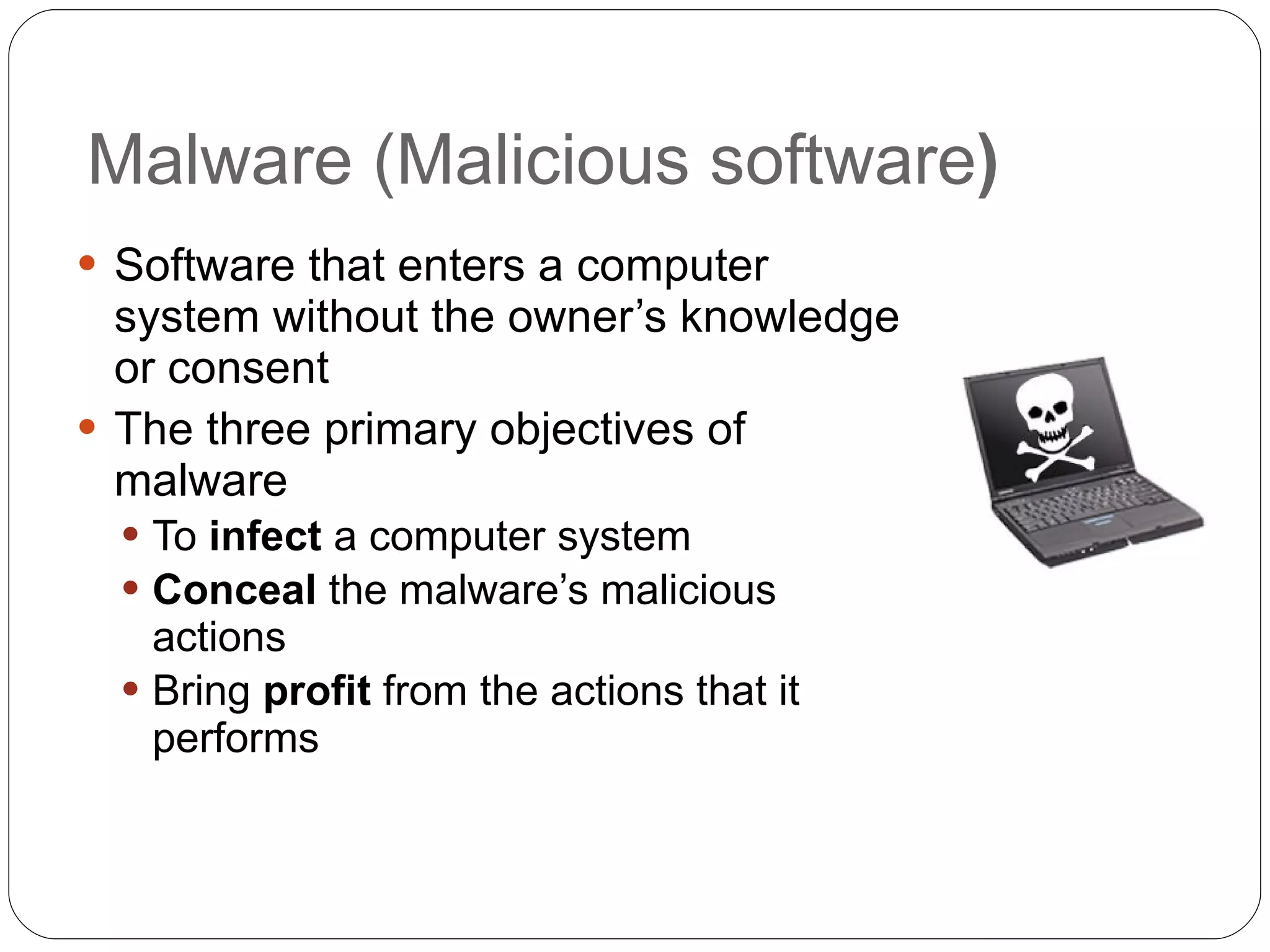
Malware (Malicious software ) Software that enters a computer system without the owner’s knowledge or consent The three primary objectives of malware To  infect  a computer system Conceal  the malware’s malicious actions Bring  profit  from the actions that it performs
Viruses Programs that secretly attach to file and execute when that file is opened Once a virus infects a computer, it performs two separate tasks Replicates  itself by spreading to other computers Activates its malicious  payload Payload examples Encrypt data and charge money to decrypt it Reformat the hard drive Use your computer to send spam Many others
Types of computer viruses File infector virus  – attached to EXE or COM file Resident virus  – lives in RAM Boot virus  – Infects the boot sector of a floppy disk Companion virus  – second file with similar name users execute by mistake, like  cmd.bat Macro virus  – lives inside a Microsoft Office document Metamorphic viruses Avoid detection by altering how they appear Polymorphic viruses Also encrypt their content differently each time
Worms Program designed to take advantage of a vulnerability in an application or an operating system in order to enter a system Worms are different from viruses in two regards: A worm can travel by itself (over a network) A worm does not require any user action to begin its execution Actions that worms have performed: deleting files on the computer; allowing the computer to be remote-controlled by an attacker
Trojans Trojan Horse (or just  Trojan ) Program advertised as performing one activity that but actually does something else User is tricked into installing the software
Rootkits System files are replaced by counterfeits Hides files and processes from the operating system Intruder gains remote control of the computer VERY hard to detect and remove Usually reformatting the drive and restoring from read-only backup is recommended
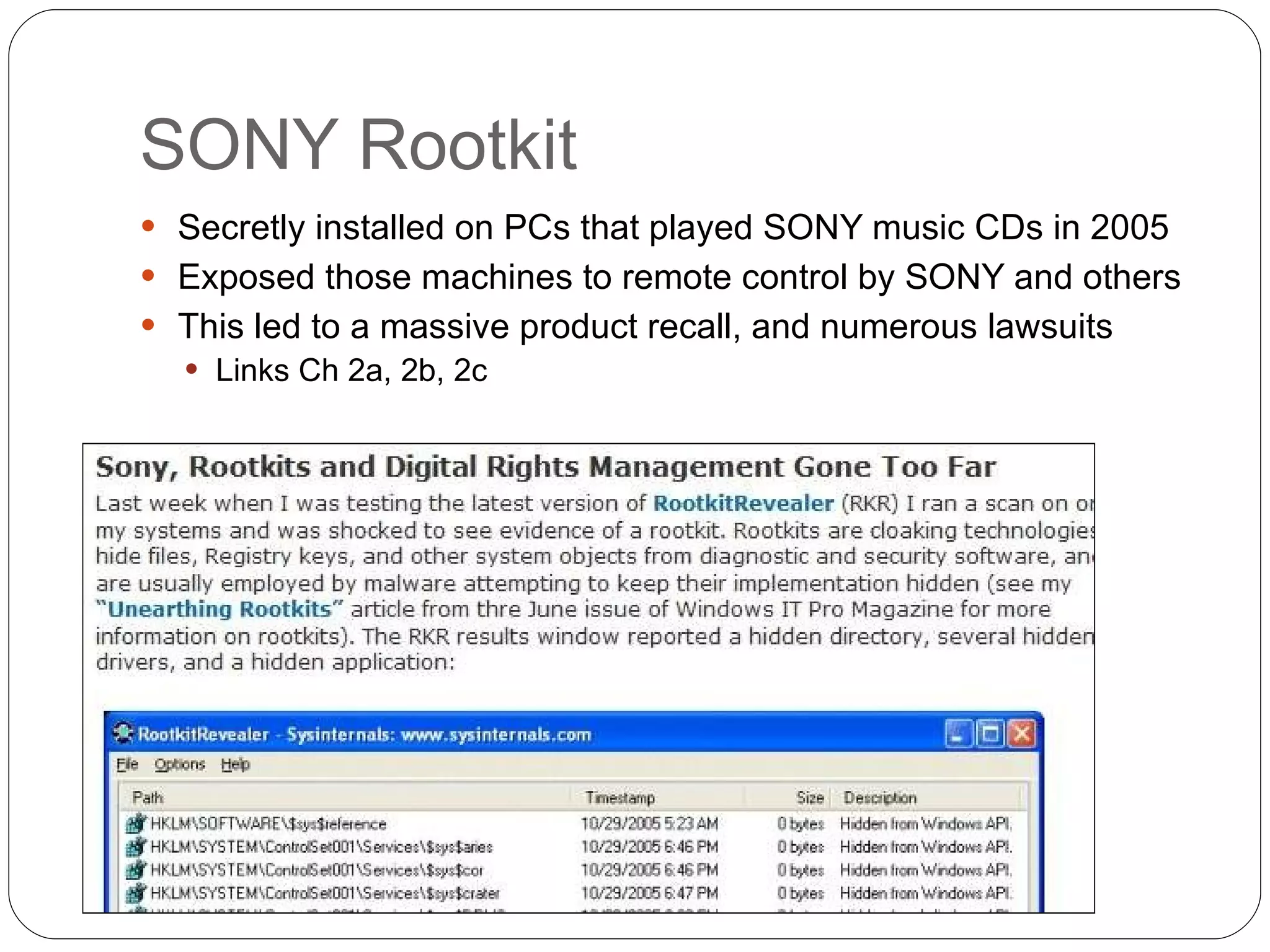
SONY Rootkit Secretly installed on PCs that played SONY music CDs in 2005 Exposed those machines to remote control by SONY and others This led to a massive product recall, and numerous lawsuits Links Ch 2a, 2b, 2c
Logic bomb Program waits for a  trigger event  such as a date, or the programmer being fired Once triggered, the  payload  executes, deleting files or causing other damage Logic bombs are extremely difficult to detect before they are triggered
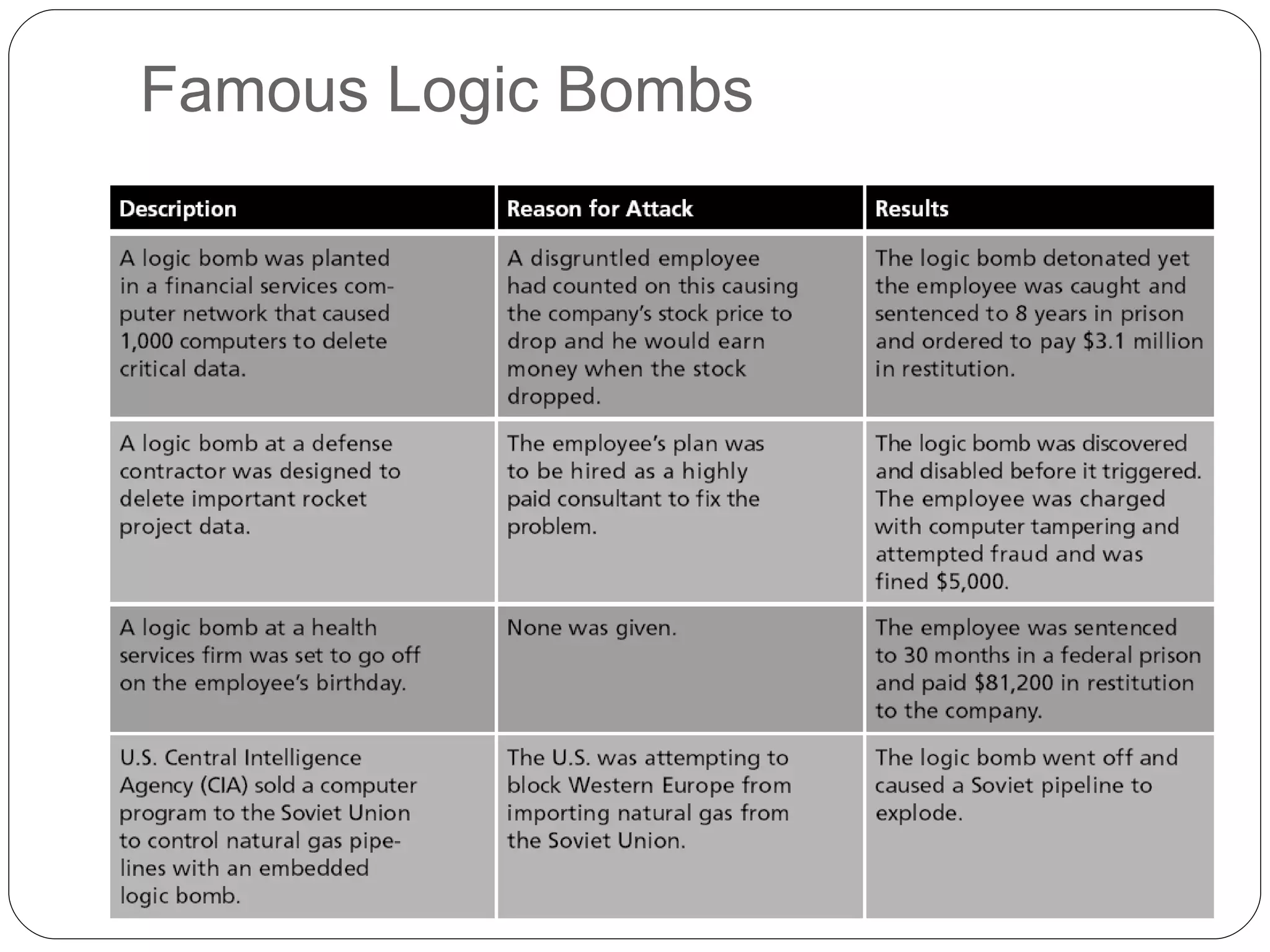
Famous Logic Bombs
Privilege Escalation Gaining rights that the user should not have Types of privilege escalation Gain higher system rights, usually Administrator Gain another user’s rights
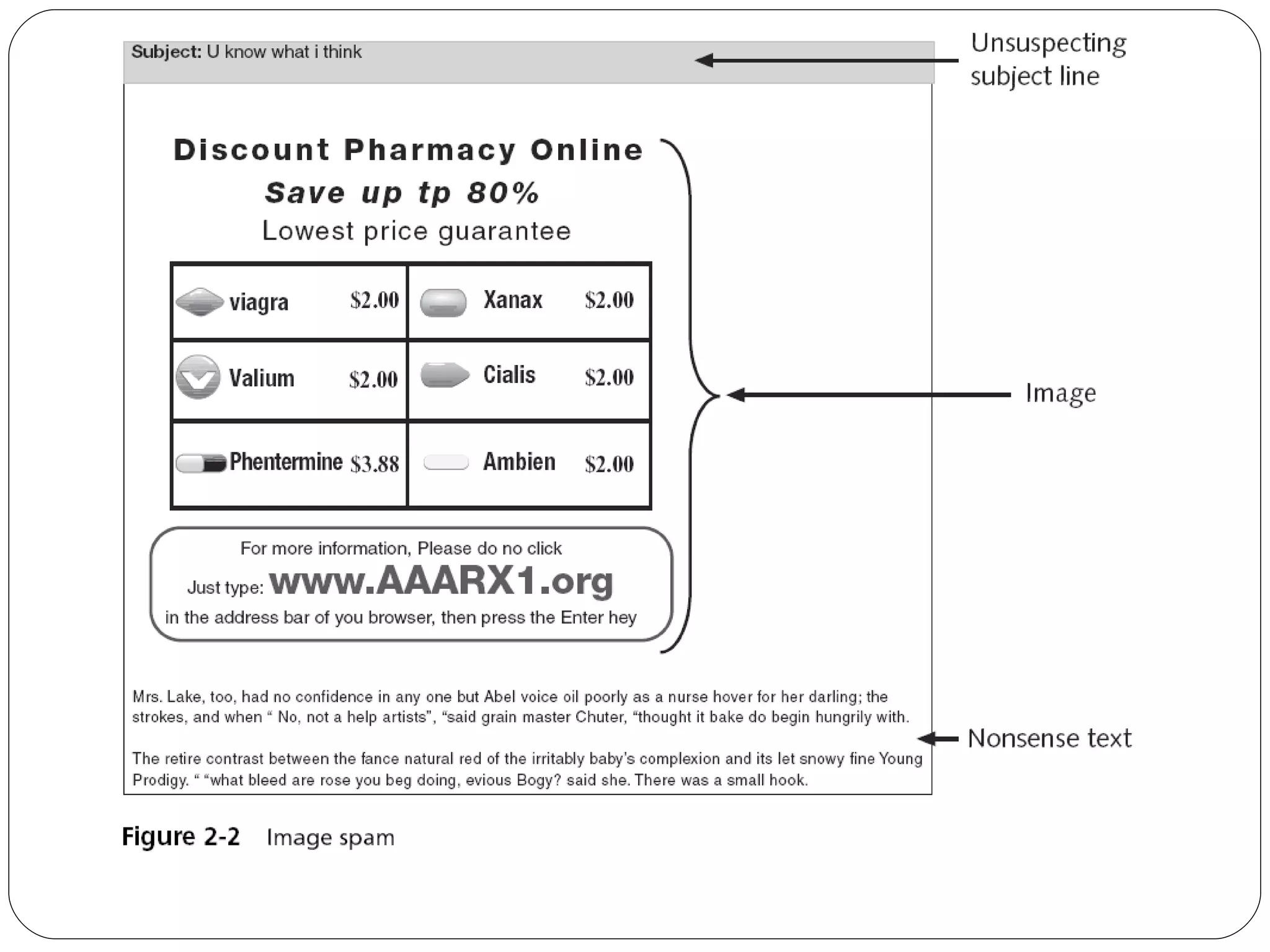
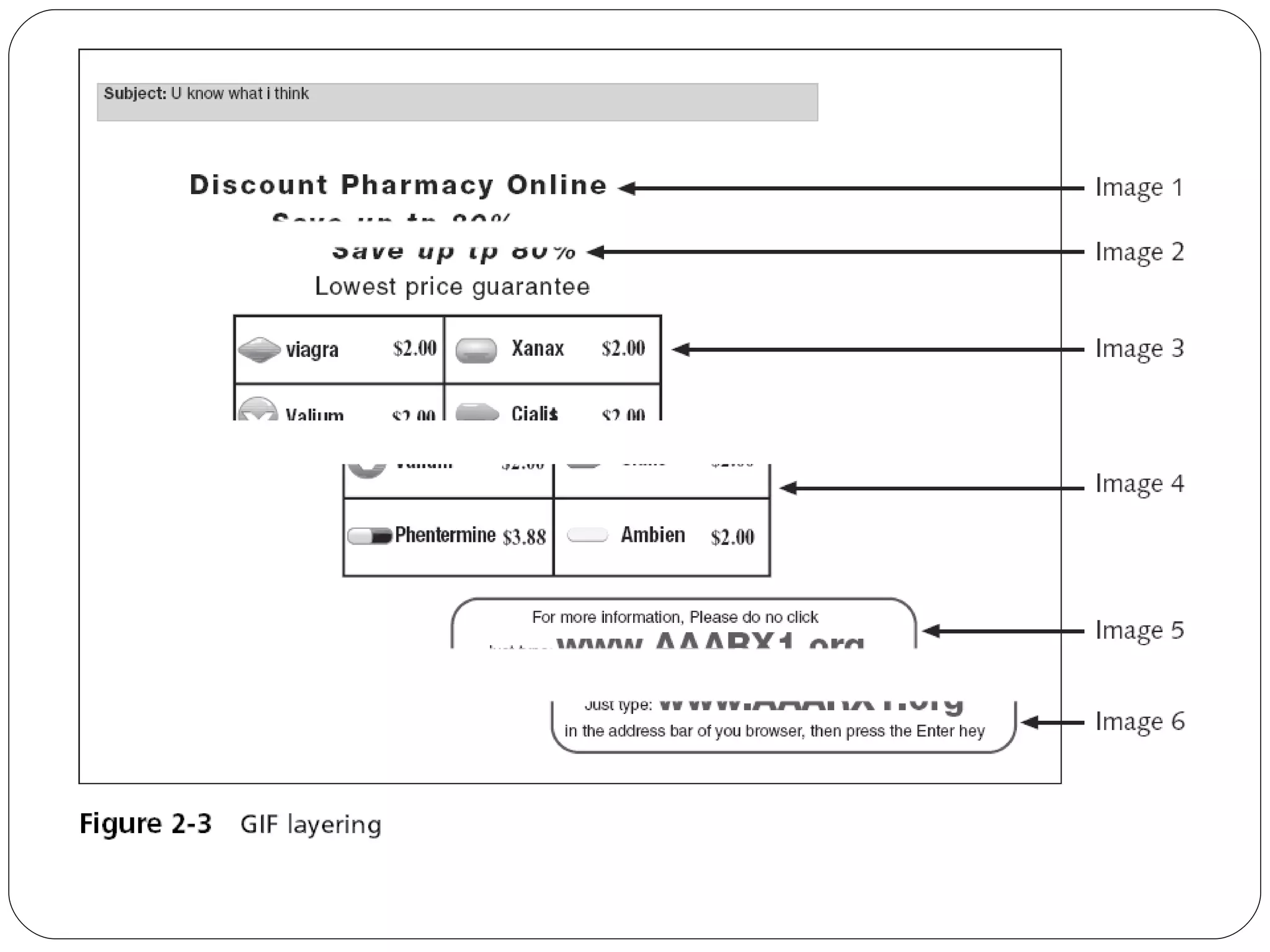
Spam Unsolicited e-mail Text-based spam messages can easily by trapped by special filters Image spam  uses graphical images of text in order to circumvent text-based filters
 
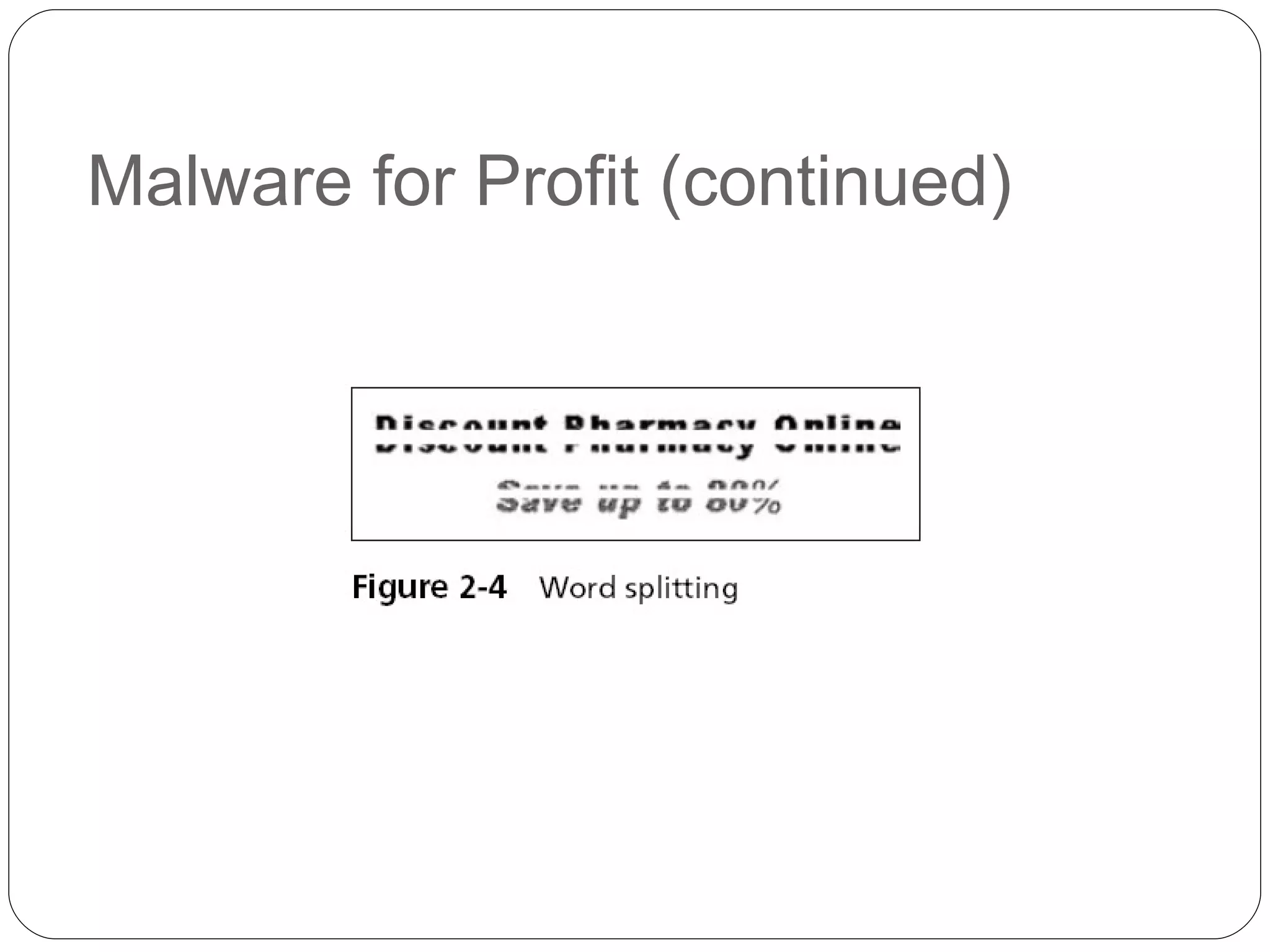
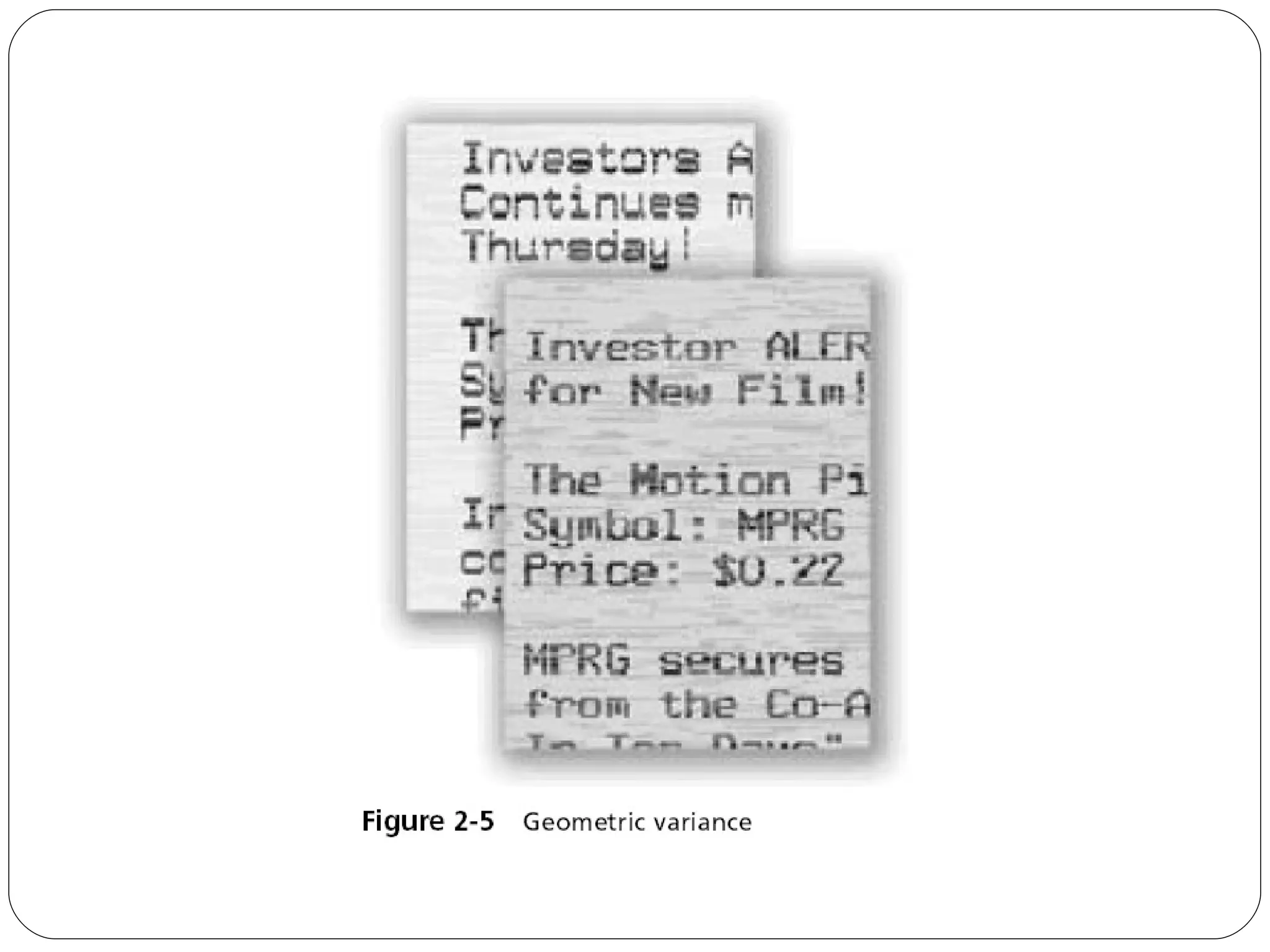
Evading Spam Filters Techniques GIF layering Word splitting Geometric variance See link Ch 2d
 
Malware for Profit (continued)
 
Blocking Spam Image spam cannot be easily filtered based on the content of the message To detect image spam, one approach is to examine the context of the message and create a profile, asking questions such as: Who sent the message? What is known about the sender? Where does the user go if she responds to this e-mail? What is the nature of the message content? How is the message technically constructed?
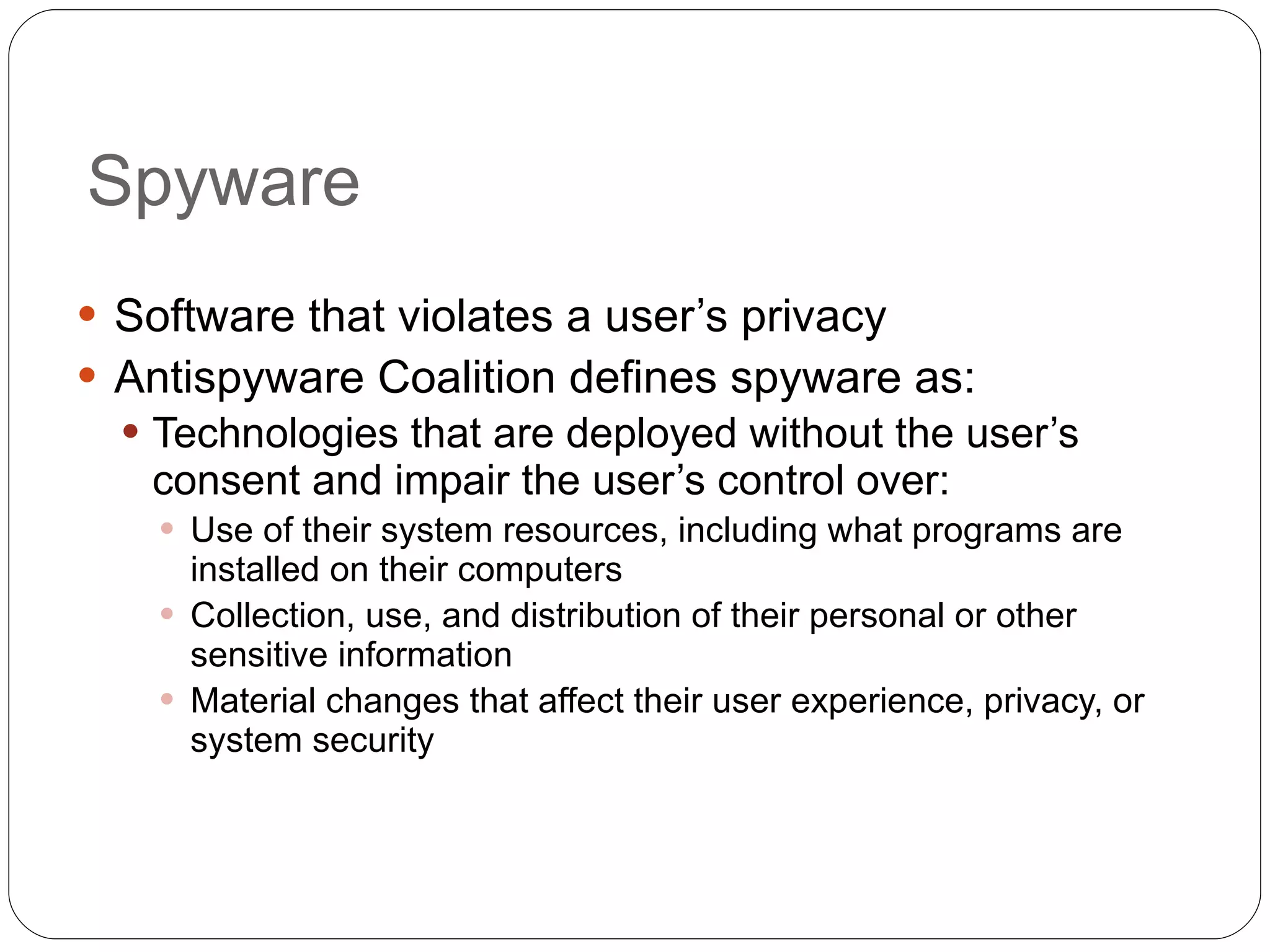
Spyware Software that violates a user’s privacy Antispyware Coalition defines spyware as: Technologies that are deployed without the user’s consent and impair the user’s control over: Use of their system resources, including what programs are installed on their computers Collection, use, and distribution of their personal or other sensitive information Material changes that affect their user experience, privacy, or system security
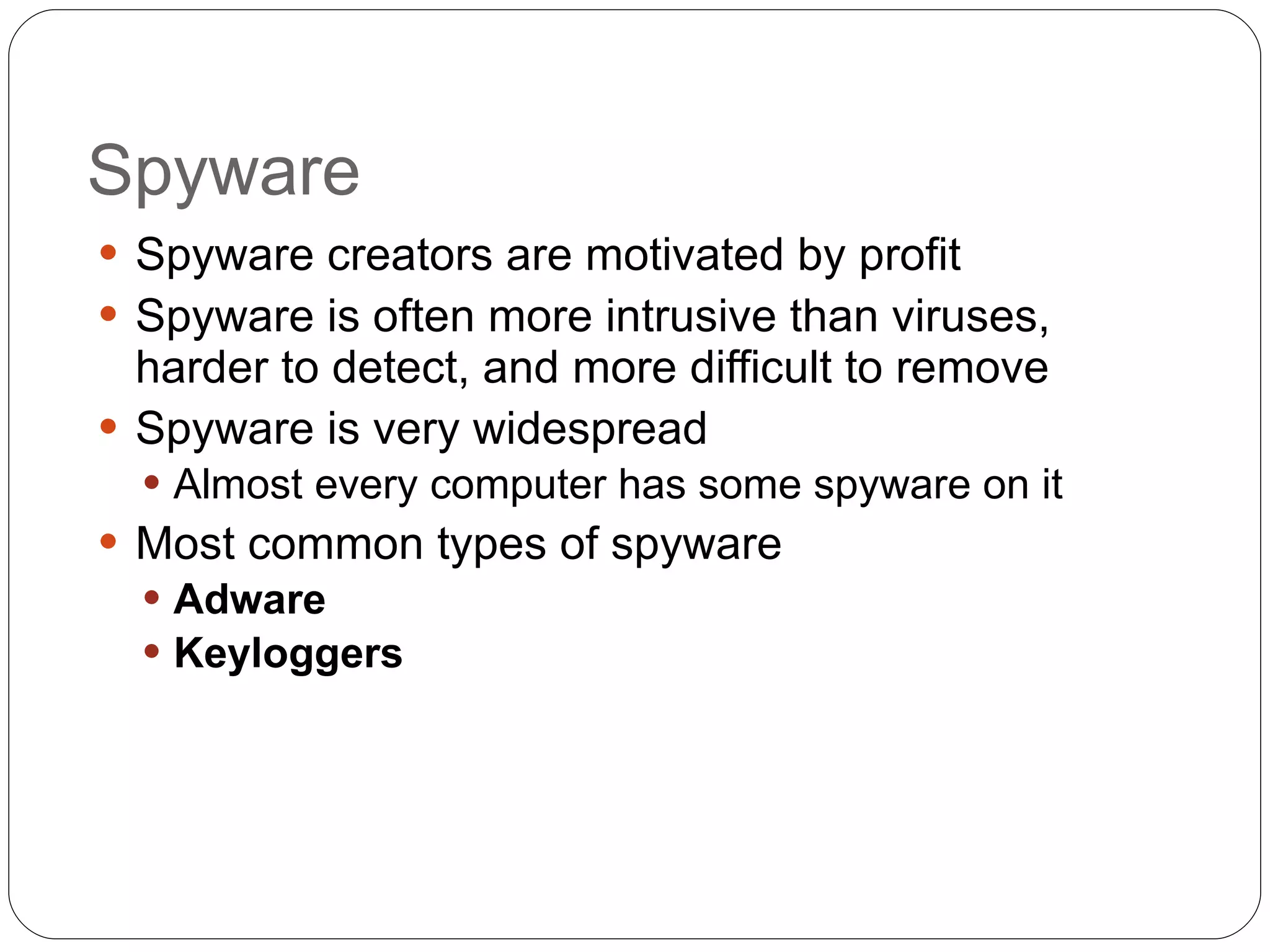
Spyware Spyware creators are motivated by profit Spyware is often more intrusive than viruses, harder to detect, and more difficult to remove Spyware is very widespread Almost every computer has some spyware on it Most common types of spyware Adware   Keyloggers
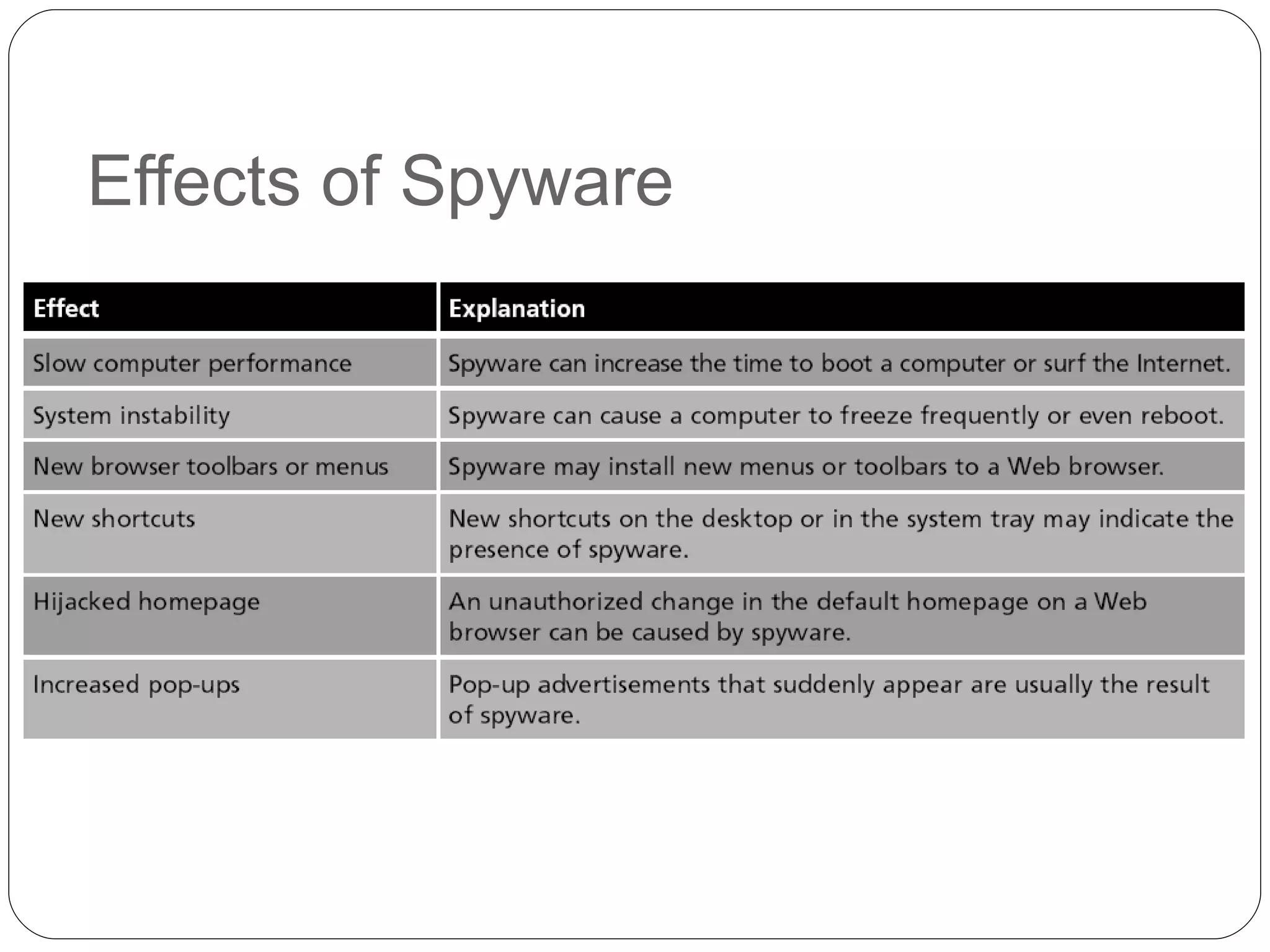
Effects of Spyware
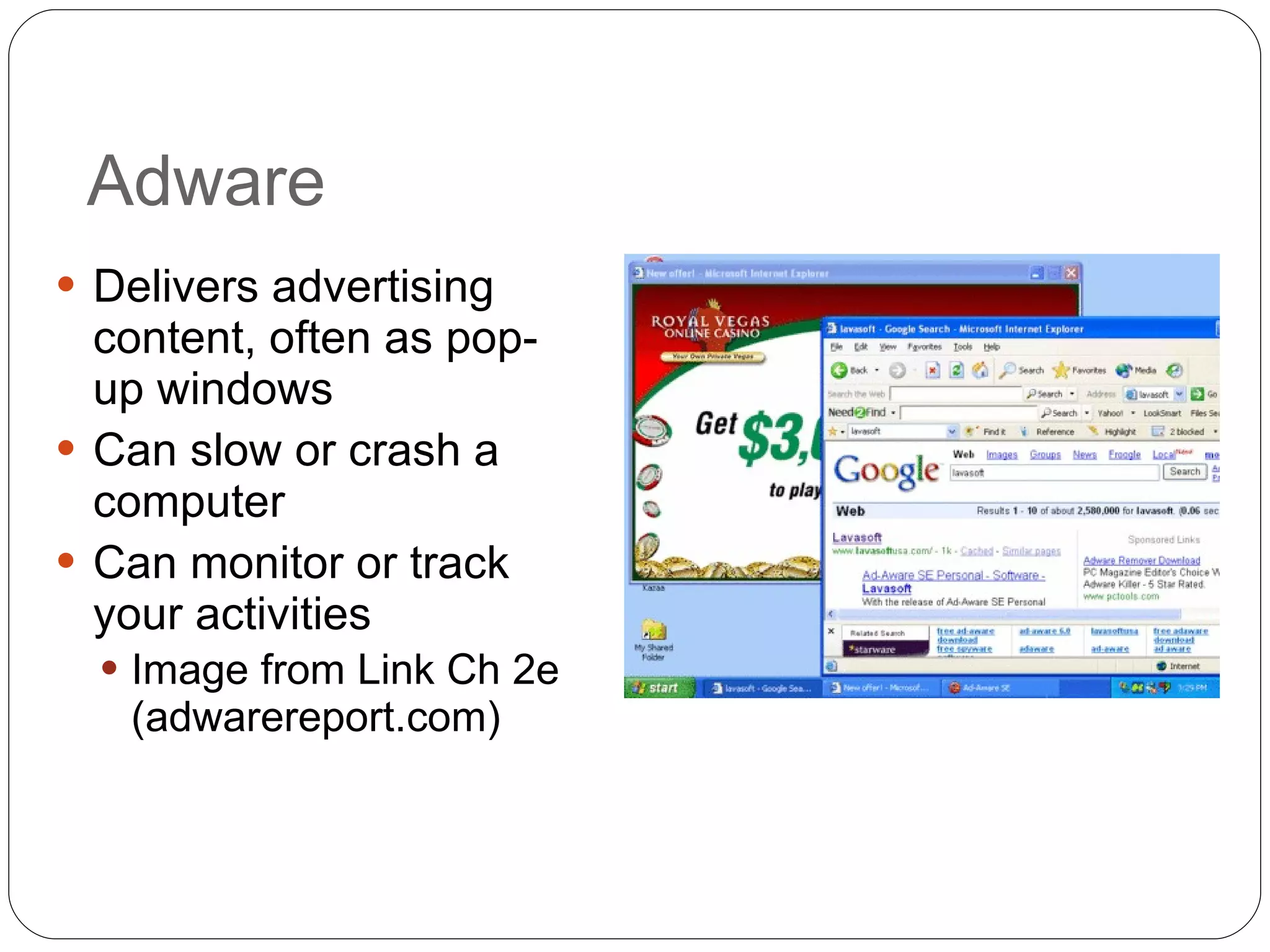
Adware Delivers advertising content, often as pop-up windows Can slow or crash a computer Can monitor or track your activities Image from Link Ch 2e (adwarereport.com)
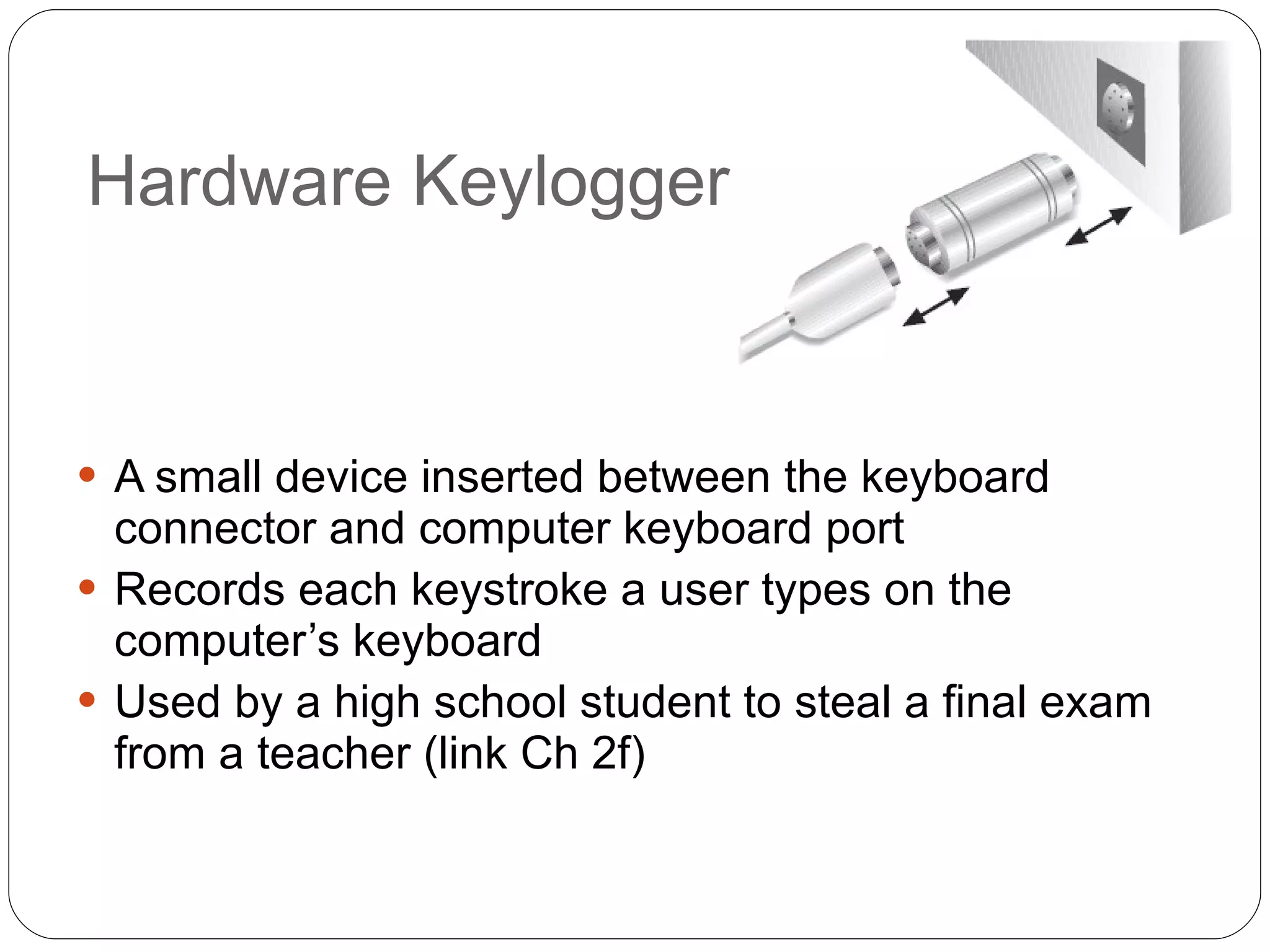
Hardware Keylogger A small device inserted between the keyboard connector and computer keyboard port  Records each keystroke a user types on the computer’s keyboard Used by a high school student to steal a final exam from a teacher (link Ch 2f)
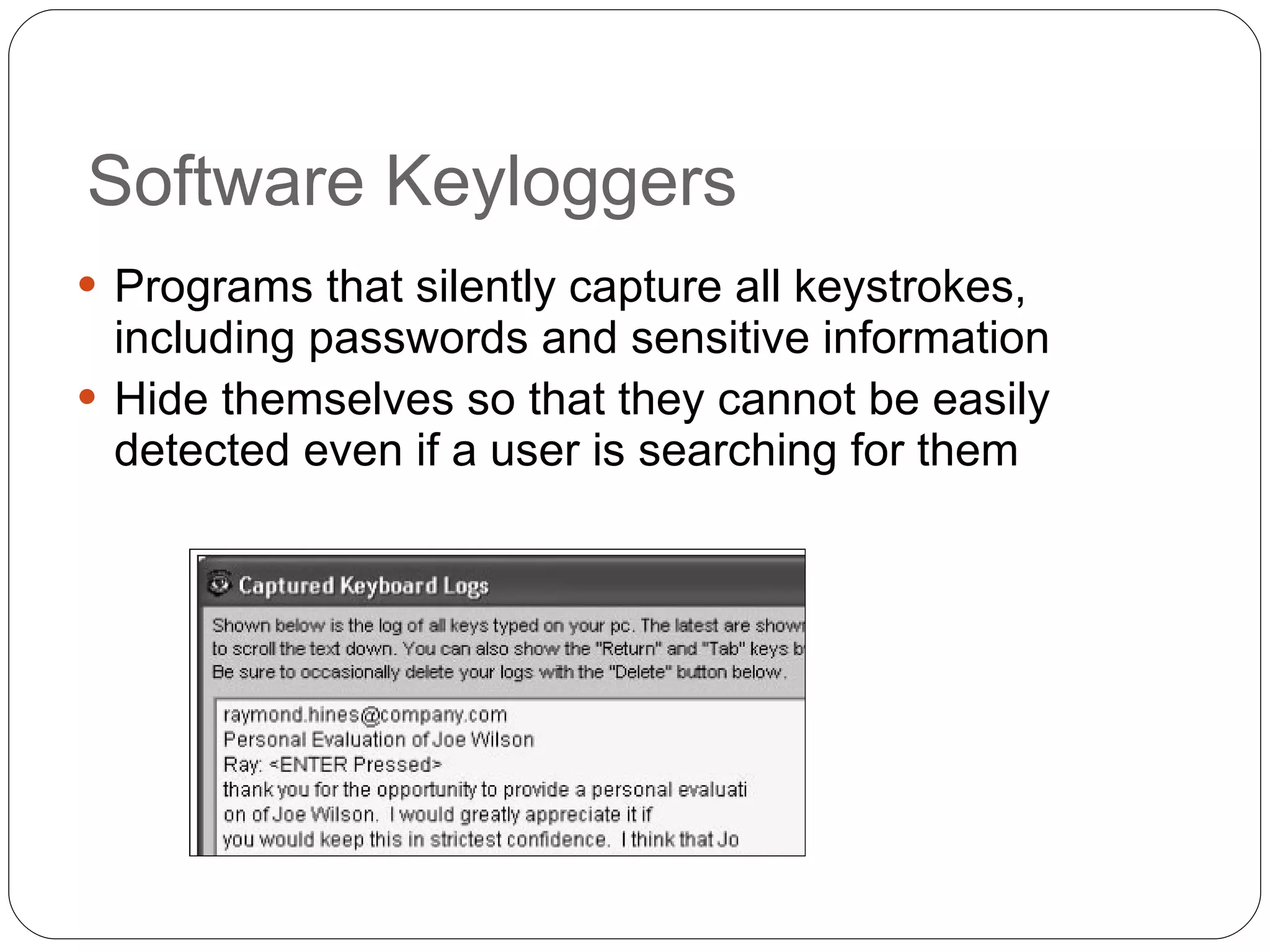
Software Keyloggers Programs that silently capture all keystrokes, including passwords and sensitive information Hide themselves so that they cannot be easily detected even if a user is searching for them
Botnets Hundreds or thousandsof zombie computers are under the control of an attacker Zombie An infected computer with a program that will allow the attacker to remotely control it Attackers use  Internet Relay Chat (IRC)  to remotely control the zombies Attacker is knows as a  bot herder
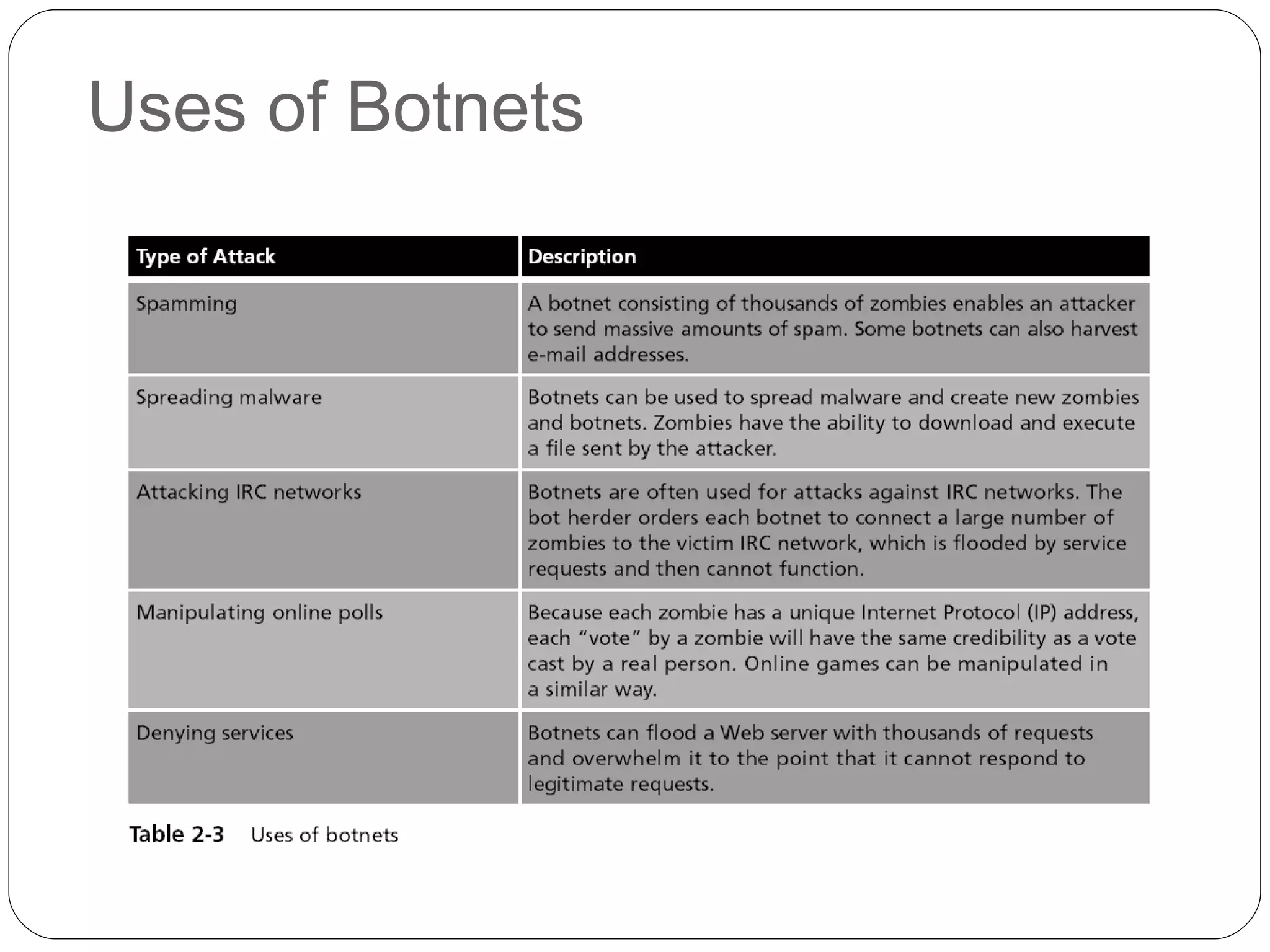
Uses of Botnets
Hardware-Based Attacks
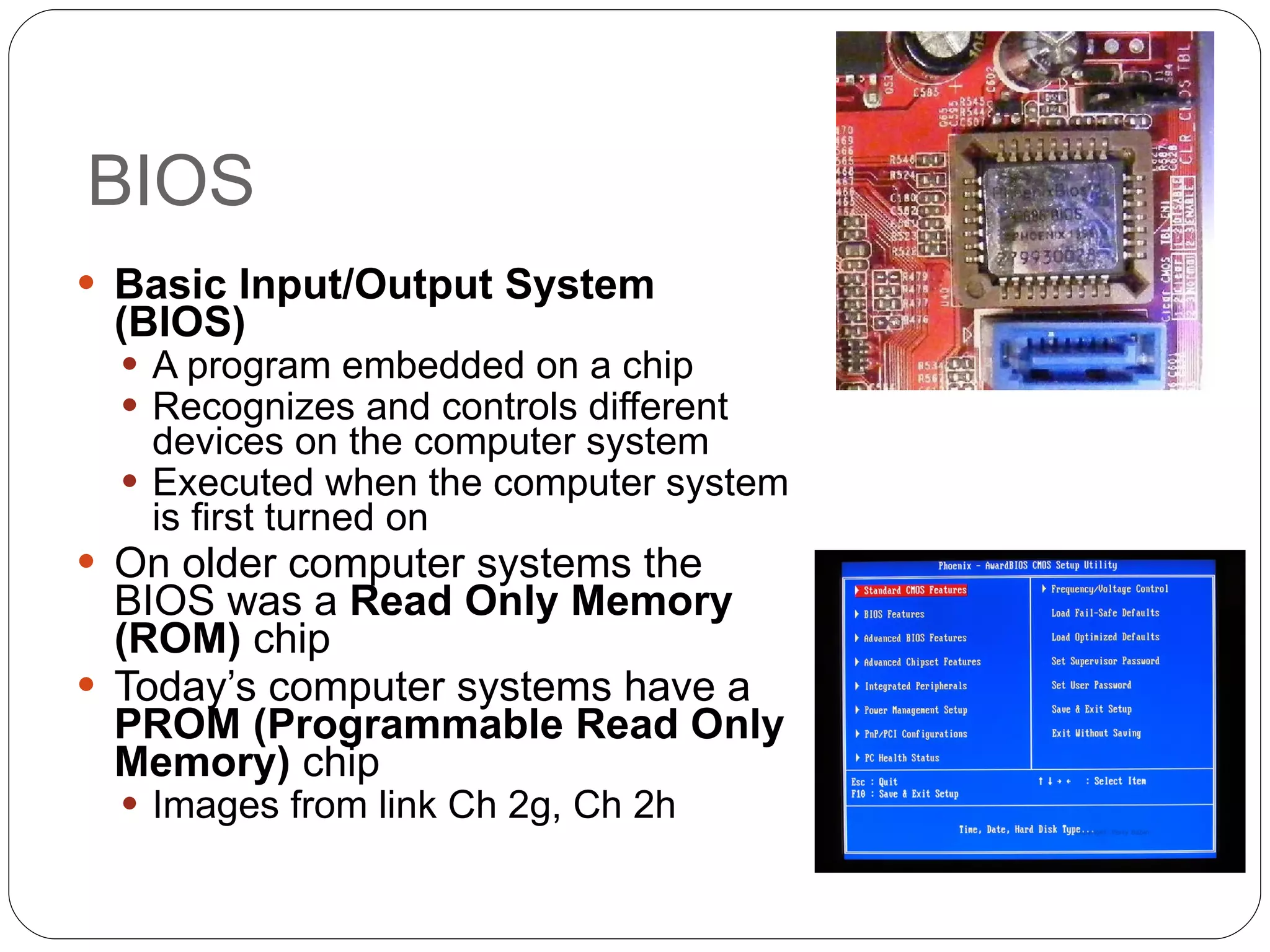
BIOS Basic Input/Output System (BIOS)   A program embedded on a chip Recognizes and controls different devices on the computer system Executed when the computer system is first turned on On older computer systems the BIOS was a  Read Only Memory (ROM)  chip Today’s computer systems have a  PROM (Programmable Read Only Memory)  chip Images from link Ch 2g, Ch 2h
BIOS Attacks One virus overwrites the contents of the BIOS and the first part of the hard disk drive, rendering the computer completely dead A BIOS virus or rootkit won’t be removed even by reformatting or replacing the hard drive One defense is to block BIOS flashing on the motherboard
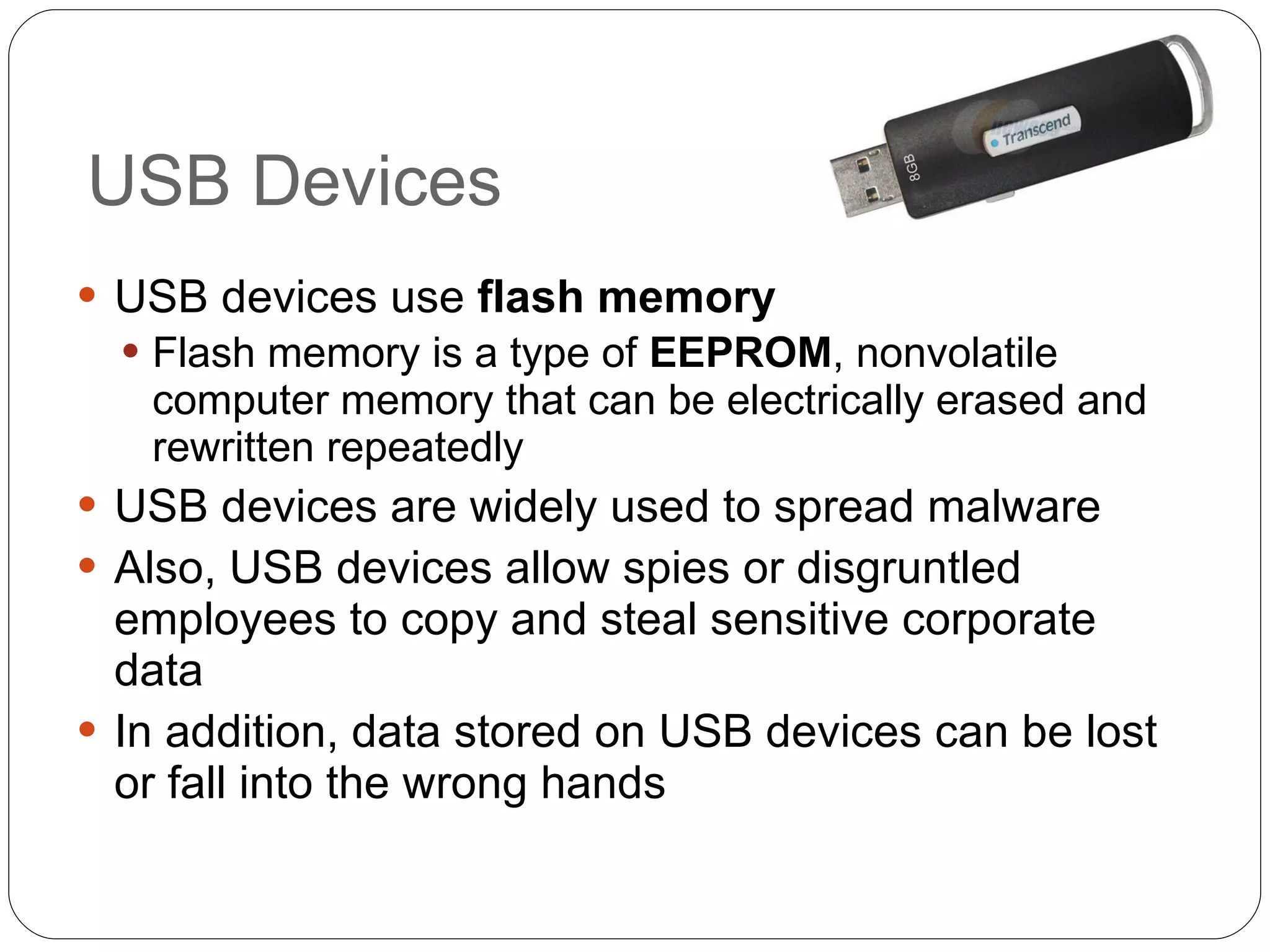
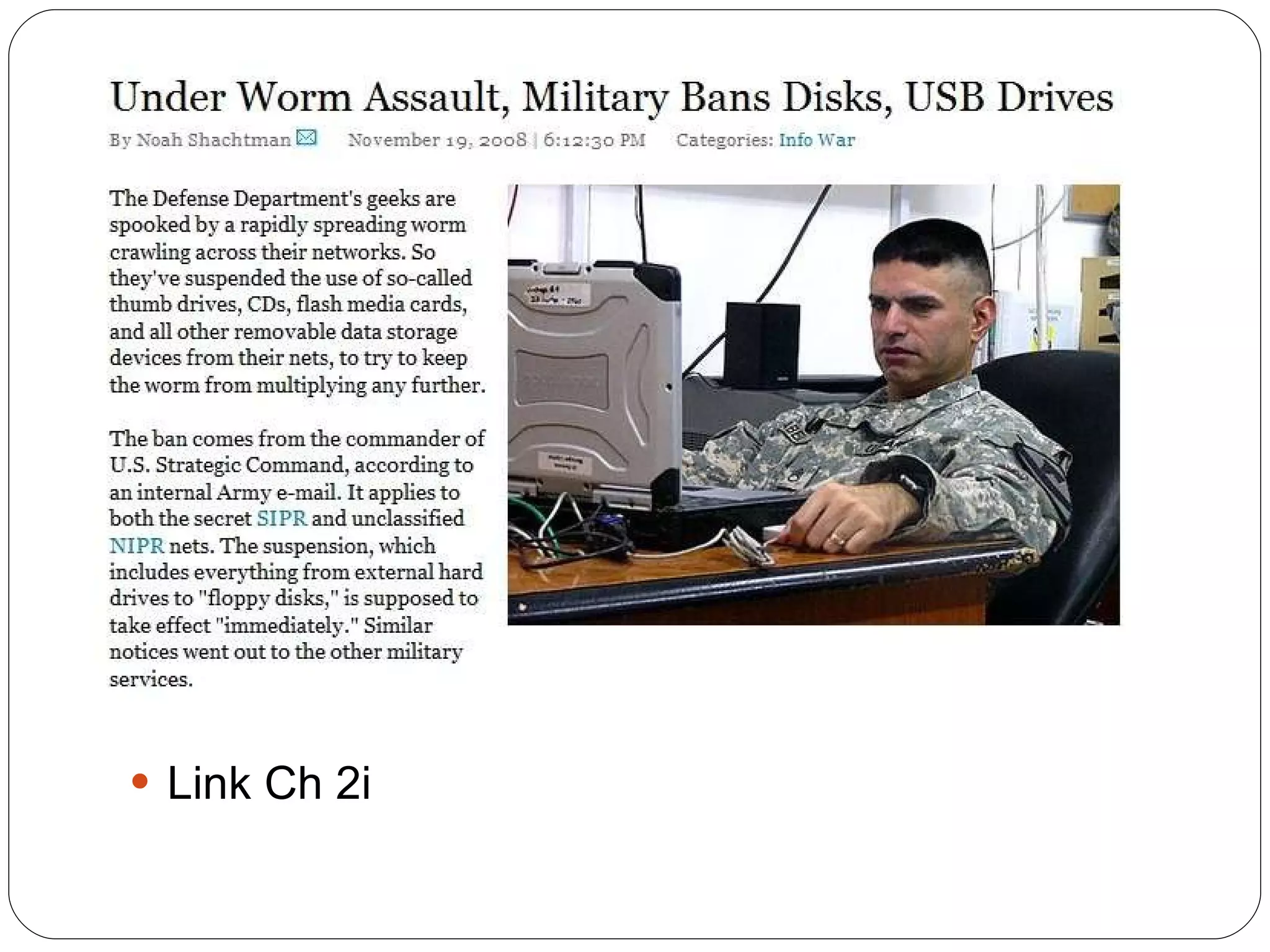
USB Devices USB devices use  flash memory Flash memory is a type of  EEPROM , nonvolatile computer memory that can be electrically erased and rewritten repeatedly USB devices are widely used to spread malware Also, USB devices allow spies or disgruntled employees to copy and steal sensitive corporate data In addition, data stored on USB devices can be lost or fall into the wrong hands
Link Ch 2i
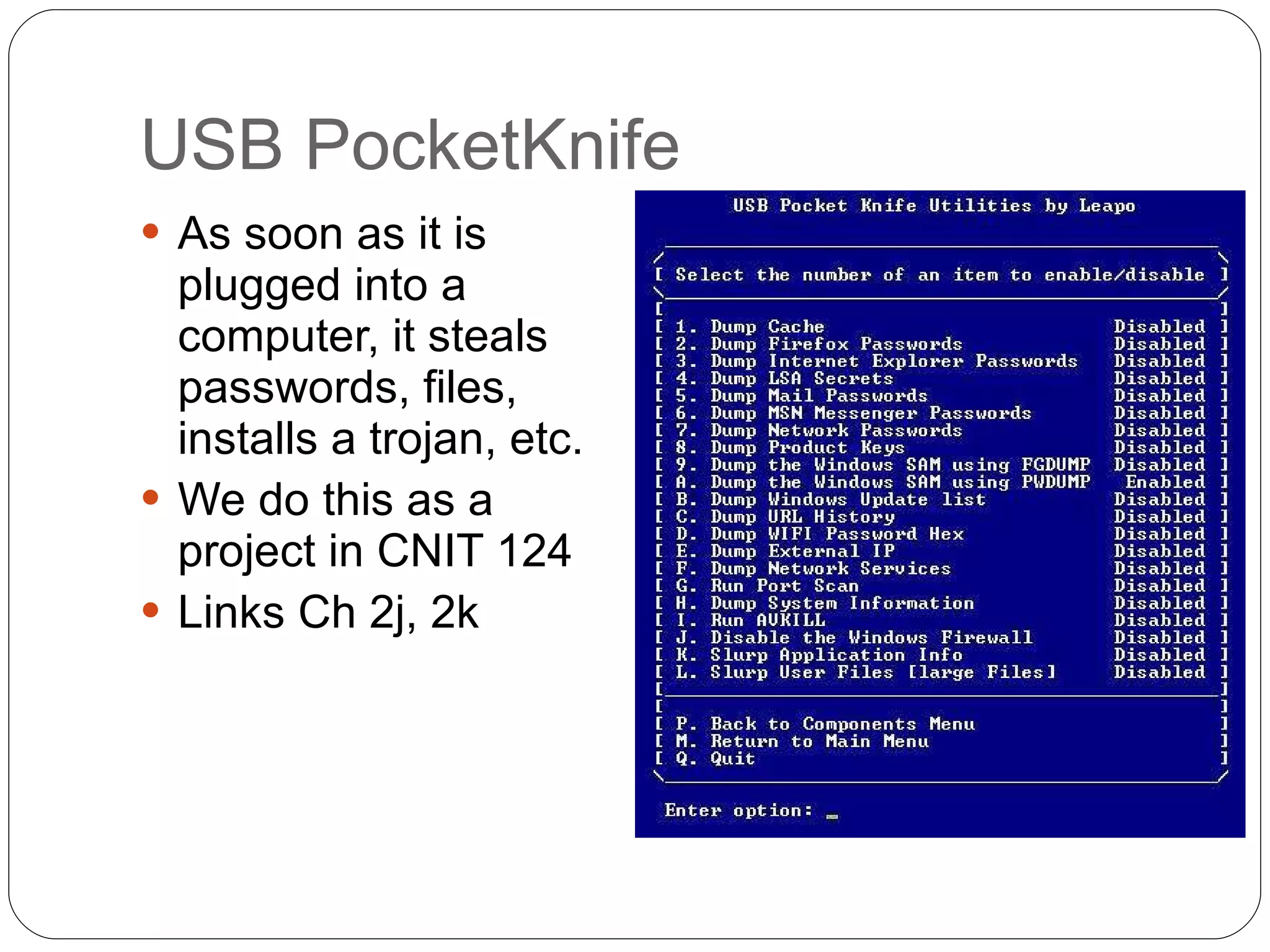
USB PocketKnife As soon as it is plugged into a computer, it steals passwords, files, installs a trojan, etc. We do this as a project in CNIT 124 Links Ch 2j, 2k
USB Devices To reduce the risk introduced by USB devices: Disable the USB in hardware Disable the USB through the operating system Use third-party software
Better Solution: IEEE 1667 Standard Protocol for Authentication in Host Attachments of Transient Storage Devices USB devices can be signed and authenticated, so only authorized devices are allowed Will be implemented in Windows 7 Link Ch 2l
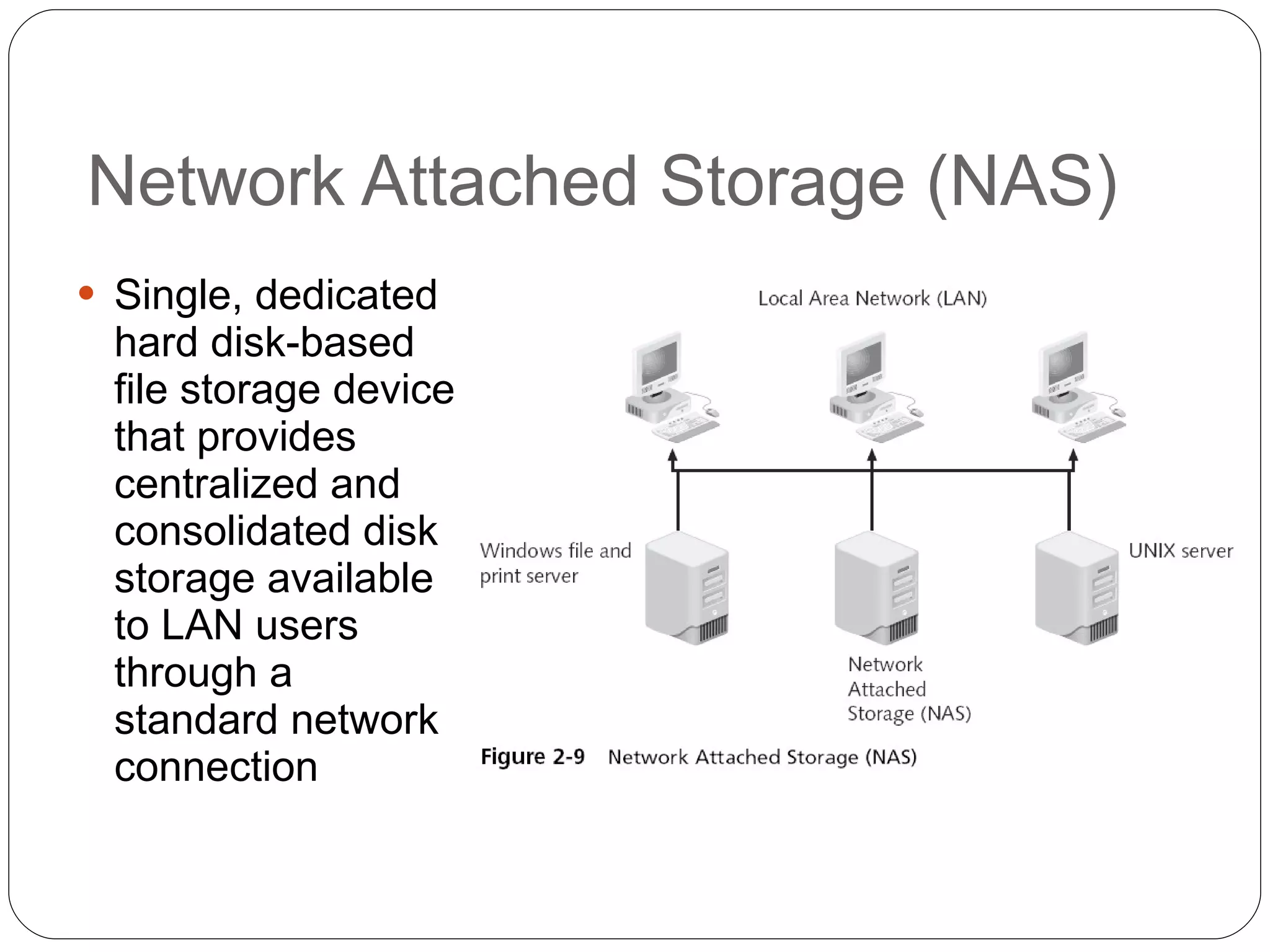
Network Attached Storage (NAS) Single, dedicated hard disk-based file storage device that provides centralized and consolidated disk storage available to LAN users through a standard network connection
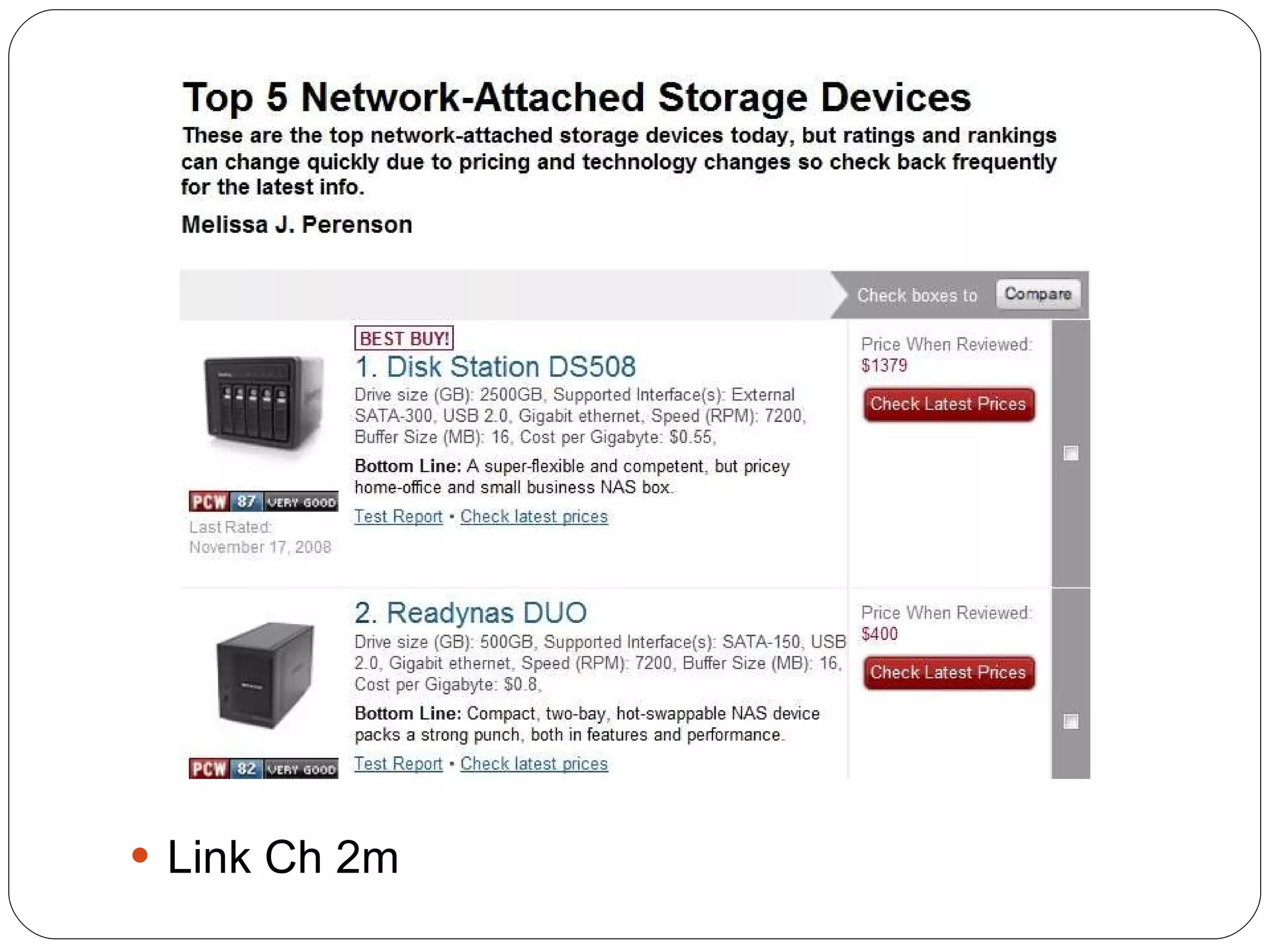
Link Ch 2m
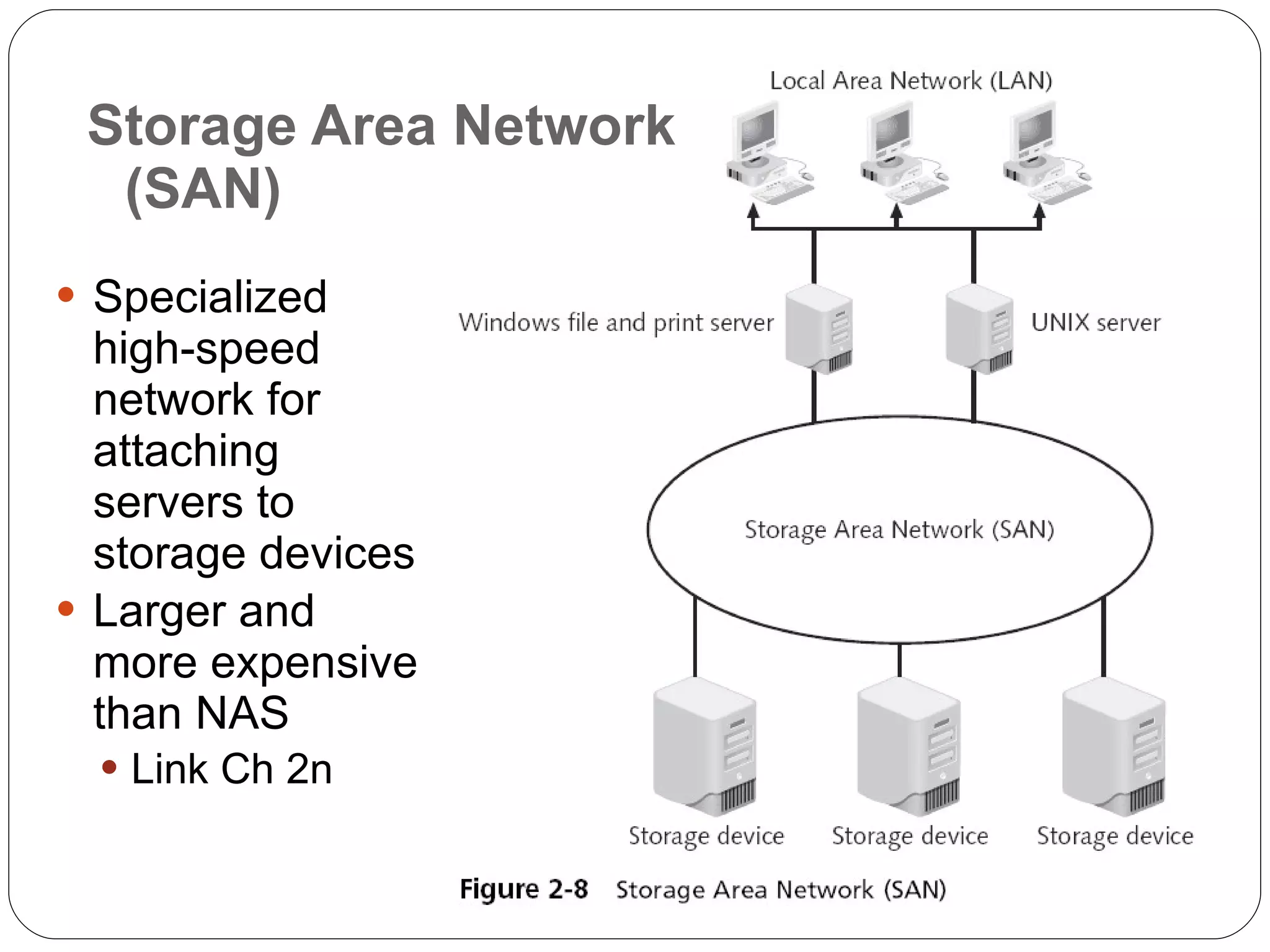
Storage Area Network (SAN) Specialized high-speed network for attaching servers to storage devices Larger and more expensive than NAS Link Ch 2n
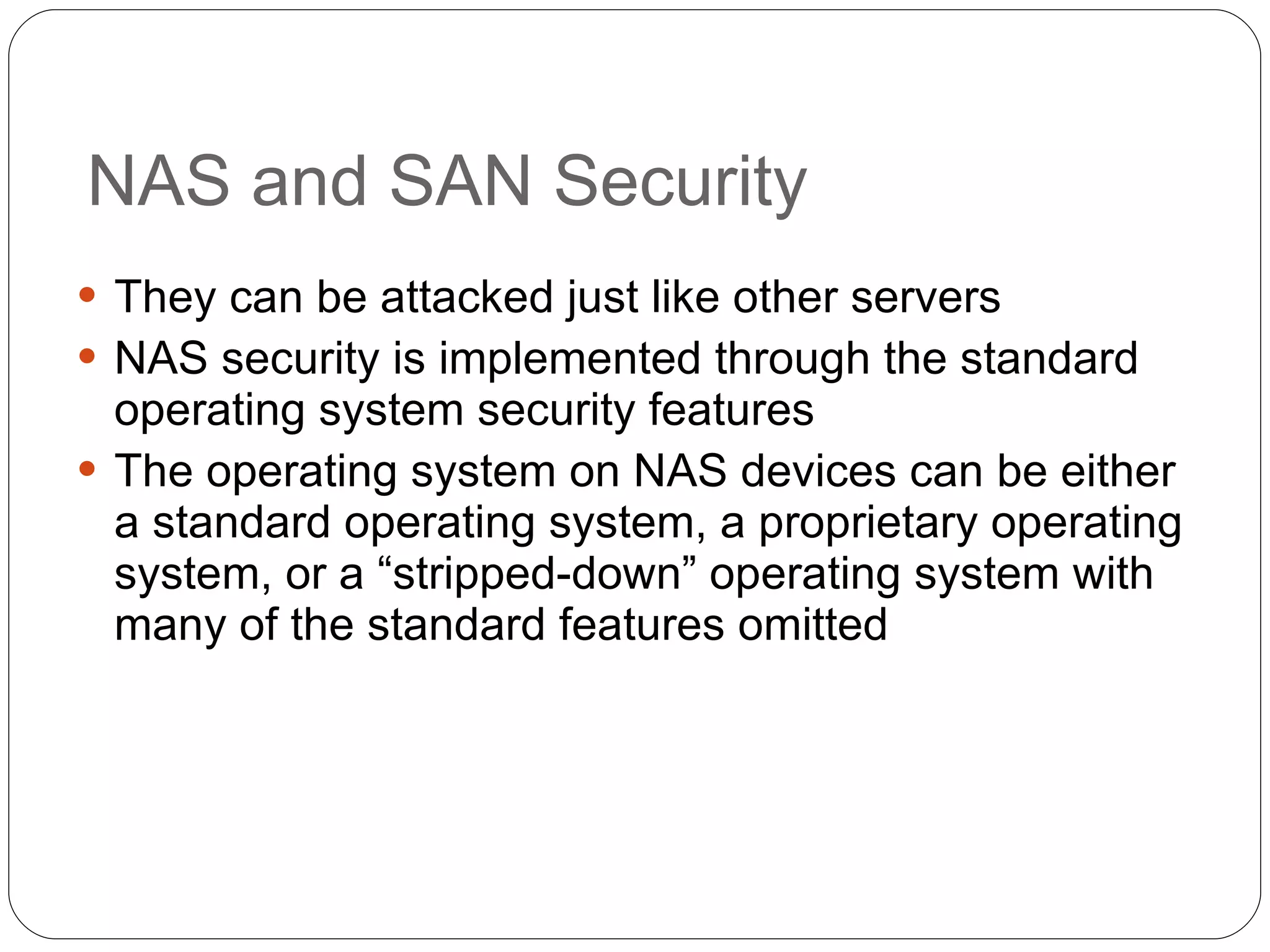
NAS and SAN Security They can be attacked just like other servers NAS security is implemented through the standard operating system security features The operating system on NAS devices can be either a standard operating system, a proprietary operating system, or a “stripped-down” operating system with many of the standard features omitted
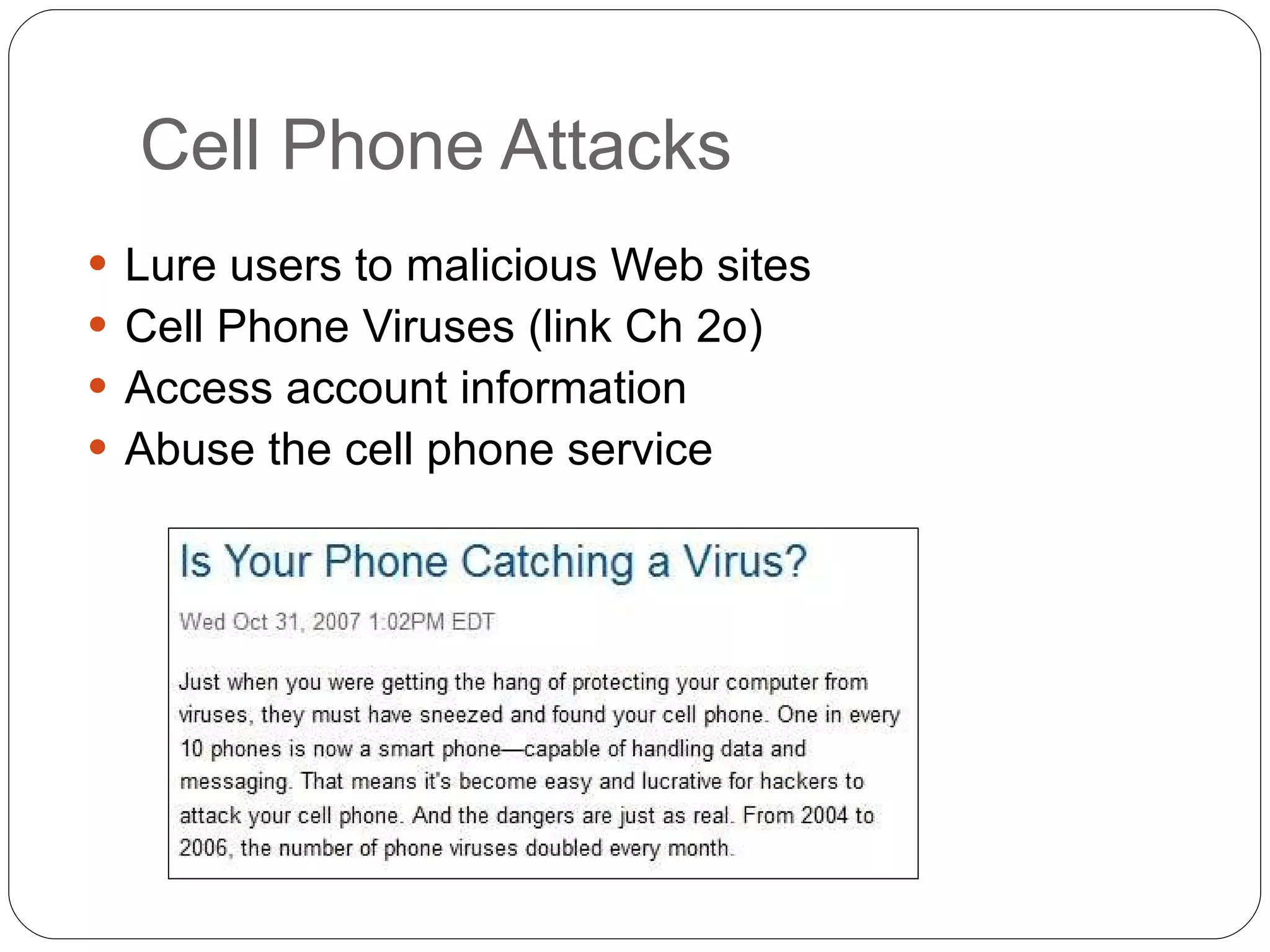
Cell Phone Attacks Lure users to malicious Web sites Cell Phone Viruses (link Ch 2o) Access account information Abuse the cell phone service
Attacks on Virtualized Systems
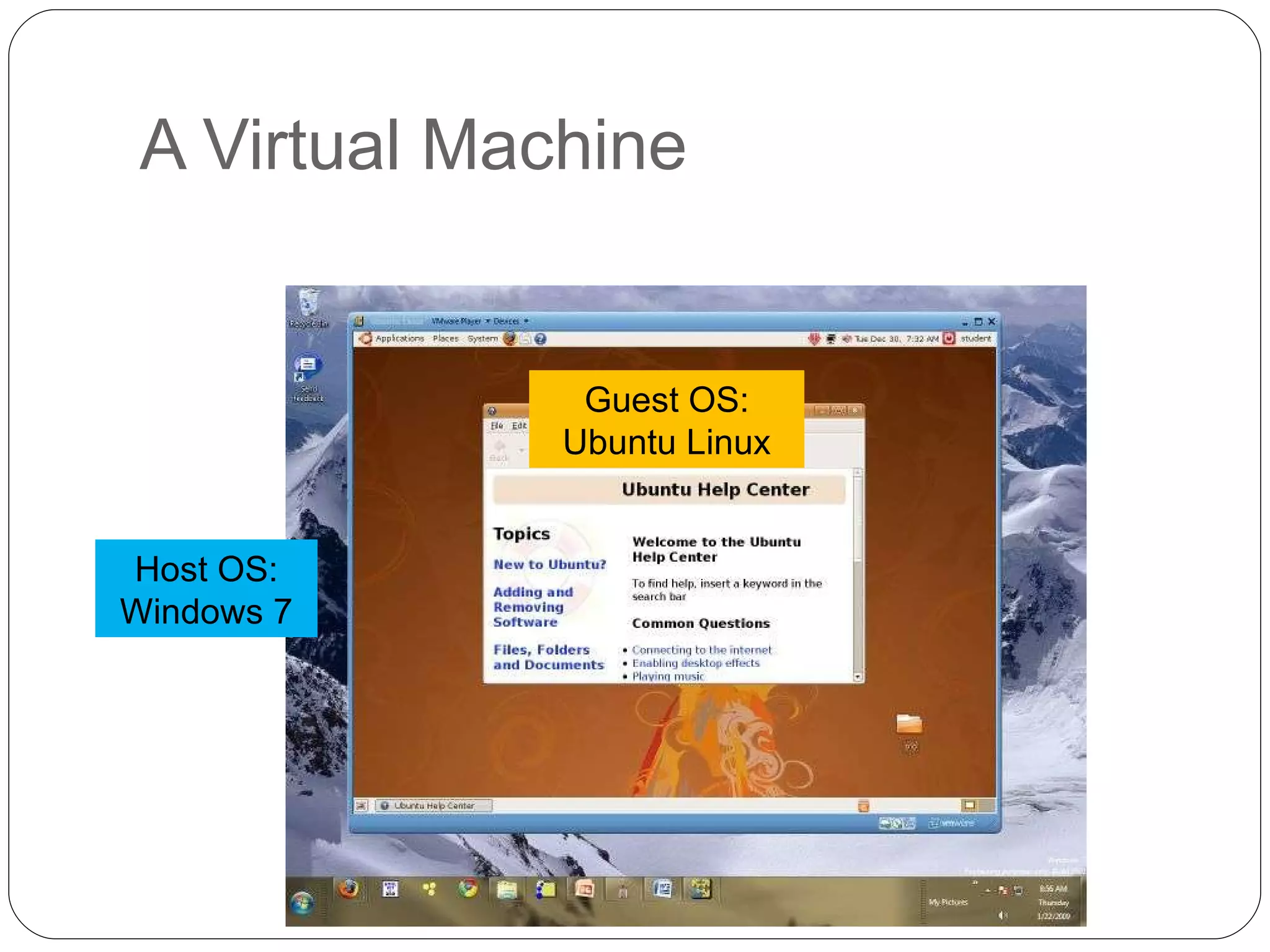
What Is Virtualization? Virtualization Simulating hardware (or other things) on a computer Operating system virtualization A  virtual machine  is a whole simulated computer running as a program on another computer
A Virtual Machine Host OS: Windows 7 Guest OS: Ubuntu Linux
Virtual Servers Virtual servers are Easier to set up and repair More reliable Cheaper – because many virtual servers can run on a single physical computer Use less energy 100% of the Fortune 100 companies use VMware Link Ch 2p
Attackers Use Virtual Machines A single computer can use both Windows and Linux tools
Security of Virtual Machines Security for virtualized environments can be a concern for two reasons Existing security tools were designed for single physical servers and do not always adapt well to multiple virtual machines Virtual machines not only need to be protected from the outside world, but they also need to be protected from other virtual machines on the same physical computer Virtual Machines can be used as security devices running security software, such as a firewall and intrusion detection system

Ch02 System Threats and Risks

  • 1.
    Chapter 2 SystemsThreats and Risks Security+ Guide to Network Security Fundamentals, Third Edition
  • 2.
    Objectives Describe thedifferent types of software-based attacks List types of hardware attacks Define virtualization and explain how attackers are targeting virtual systems
  • 3.
  • 4.
    Malware (Malicious software) Software that enters a computer system without the owner’s knowledge or consent The three primary objectives of malware To infect a computer system Conceal the malware’s malicious actions Bring profit from the actions that it performs
  • 5.
    Viruses Programs thatsecretly attach to file and execute when that file is opened Once a virus infects a computer, it performs two separate tasks Replicates itself by spreading to other computers Activates its malicious payload Payload examples Encrypt data and charge money to decrypt it Reformat the hard drive Use your computer to send spam Many others
  • 6.
    Types of computerviruses File infector virus – attached to EXE or COM file Resident virus – lives in RAM Boot virus – Infects the boot sector of a floppy disk Companion virus – second file with similar name users execute by mistake, like cmd.bat Macro virus – lives inside a Microsoft Office document Metamorphic viruses Avoid detection by altering how they appear Polymorphic viruses Also encrypt their content differently each time
  • 7.
    Worms Program designedto take advantage of a vulnerability in an application or an operating system in order to enter a system Worms are different from viruses in two regards: A worm can travel by itself (over a network) A worm does not require any user action to begin its execution Actions that worms have performed: deleting files on the computer; allowing the computer to be remote-controlled by an attacker
  • 8.
    Trojans Trojan Horse(or just Trojan ) Program advertised as performing one activity that but actually does something else User is tricked into installing the software
  • 9.
    Rootkits System filesare replaced by counterfeits Hides files and processes from the operating system Intruder gains remote control of the computer VERY hard to detect and remove Usually reformatting the drive and restoring from read-only backup is recommended
  • 10.
    SONY Rootkit Secretlyinstalled on PCs that played SONY music CDs in 2005 Exposed those machines to remote control by SONY and others This led to a massive product recall, and numerous lawsuits Links Ch 2a, 2b, 2c
  • 11.
    Logic bomb Programwaits for a trigger event such as a date, or the programmer being fired Once triggered, the payload executes, deleting files or causing other damage Logic bombs are extremely difficult to detect before they are triggered
  • 12.
  • 13.
    Privilege Escalation Gainingrights that the user should not have Types of privilege escalation Gain higher system rights, usually Administrator Gain another user’s rights
  • 14.
    Spam Unsolicited e-mailText-based spam messages can easily by trapped by special filters Image spam uses graphical images of text in order to circumvent text-based filters
  • 15.
  • 16.
    Evading Spam FiltersTechniques GIF layering Word splitting Geometric variance See link Ch 2d
  • 17.
  • 18.
    Malware for Profit(continued)
  • 19.
  • 20.
    Blocking Spam Imagespam cannot be easily filtered based on the content of the message To detect image spam, one approach is to examine the context of the message and create a profile, asking questions such as: Who sent the message? What is known about the sender? Where does the user go if she responds to this e-mail? What is the nature of the message content? How is the message technically constructed?
  • 21.
    Spyware Software thatviolates a user’s privacy Antispyware Coalition defines spyware as: Technologies that are deployed without the user’s consent and impair the user’s control over: Use of their system resources, including what programs are installed on their computers Collection, use, and distribution of their personal or other sensitive information Material changes that affect their user experience, privacy, or system security
  • 22.
    Spyware Spyware creatorsare motivated by profit Spyware is often more intrusive than viruses, harder to detect, and more difficult to remove Spyware is very widespread Almost every computer has some spyware on it Most common types of spyware Adware Keyloggers
  • 23.
  • 24.
    Adware Delivers advertisingcontent, often as pop-up windows Can slow or crash a computer Can monitor or track your activities Image from Link Ch 2e (adwarereport.com)
  • 25.
    Hardware Keylogger Asmall device inserted between the keyboard connector and computer keyboard port Records each keystroke a user types on the computer’s keyboard Used by a high school student to steal a final exam from a teacher (link Ch 2f)
  • 26.
    Software Keyloggers Programsthat silently capture all keystrokes, including passwords and sensitive information Hide themselves so that they cannot be easily detected even if a user is searching for them
  • 27.
    Botnets Hundreds orthousandsof zombie computers are under the control of an attacker Zombie An infected computer with a program that will allow the attacker to remotely control it Attackers use Internet Relay Chat (IRC) to remotely control the zombies Attacker is knows as a bot herder
  • 28.
  • 29.
  • 30.
    BIOS Basic Input/OutputSystem (BIOS) A program embedded on a chip Recognizes and controls different devices on the computer system Executed when the computer system is first turned on On older computer systems the BIOS was a Read Only Memory (ROM) chip Today’s computer systems have a PROM (Programmable Read Only Memory) chip Images from link Ch 2g, Ch 2h
  • 31.
    BIOS Attacks Onevirus overwrites the contents of the BIOS and the first part of the hard disk drive, rendering the computer completely dead A BIOS virus or rootkit won’t be removed even by reformatting or replacing the hard drive One defense is to block BIOS flashing on the motherboard
  • 32.
    USB Devices USBdevices use flash memory Flash memory is a type of EEPROM , nonvolatile computer memory that can be electrically erased and rewritten repeatedly USB devices are widely used to spread malware Also, USB devices allow spies or disgruntled employees to copy and steal sensitive corporate data In addition, data stored on USB devices can be lost or fall into the wrong hands
  • 33.
  • 34.
    USB PocketKnife Assoon as it is plugged into a computer, it steals passwords, files, installs a trojan, etc. We do this as a project in CNIT 124 Links Ch 2j, 2k
  • 35.
    USB Devices Toreduce the risk introduced by USB devices: Disable the USB in hardware Disable the USB through the operating system Use third-party software
  • 36.
    Better Solution: IEEE1667 Standard Protocol for Authentication in Host Attachments of Transient Storage Devices USB devices can be signed and authenticated, so only authorized devices are allowed Will be implemented in Windows 7 Link Ch 2l
  • 37.
    Network Attached Storage(NAS) Single, dedicated hard disk-based file storage device that provides centralized and consolidated disk storage available to LAN users through a standard network connection
  • 38.
  • 39.
    Storage Area Network(SAN) Specialized high-speed network for attaching servers to storage devices Larger and more expensive than NAS Link Ch 2n
  • 40.
    NAS and SANSecurity They can be attacked just like other servers NAS security is implemented through the standard operating system security features The operating system on NAS devices can be either a standard operating system, a proprietary operating system, or a “stripped-down” operating system with many of the standard features omitted
  • 41.
    Cell Phone AttacksLure users to malicious Web sites Cell Phone Viruses (link Ch 2o) Access account information Abuse the cell phone service
  • 42.
  • 43.
    What Is Virtualization?Virtualization Simulating hardware (or other things) on a computer Operating system virtualization A virtual machine is a whole simulated computer running as a program on another computer
  • 44.
    A Virtual MachineHost OS: Windows 7 Guest OS: Ubuntu Linux
  • 45.
    Virtual Servers Virtualservers are Easier to set up and repair More reliable Cheaper – because many virtual servers can run on a single physical computer Use less energy 100% of the Fortune 100 companies use VMware Link Ch 2p
  • 46.
    Attackers Use VirtualMachines A single computer can use both Windows and Linux tools
  • 47.
    Security of VirtualMachines Security for virtualized environments can be a concern for two reasons Existing security tools were designed for single physical servers and do not always adapt well to multiple virtual machines Virtual machines not only need to be protected from the outside world, but they also need to be protected from other virtual machines on the same physical computer Virtual Machines can be used as security devices running security software, such as a firewall and intrusion detection system