
Enhance Security and ControlNarendaWicaksonoIT Pro Advisor, Microsoft Indonesia
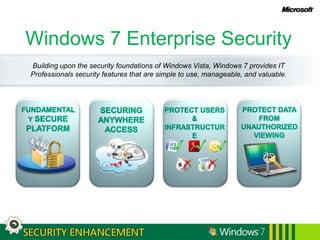
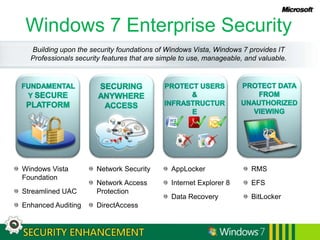
Windows 7 Enterprise SecurityBuilding upon the security foundations of Windows Vista, Windows 7 provides IT Professionals security features that are simple to use, manageable, and valuable.FUNDAMENTALY SECURE PLATFORMSECURING ANYWHERE ACCESSPROTECT DATA FROM UNAUTHORIZED VIEWINGPROTECT USERS & INFRASTRUCTURE
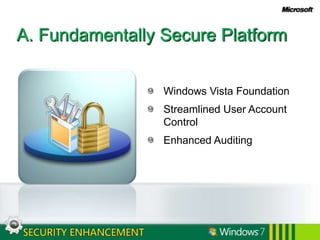
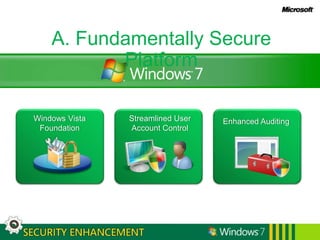
A. Fundamentally Secure PlatformWindows Vista FoundationStreamlined User Account ControlEnhanced Auditing
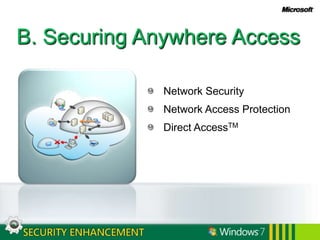
B. Securing Anywhere AccessNetwork SecurityNetwork Access ProtectionDirect AccessTM
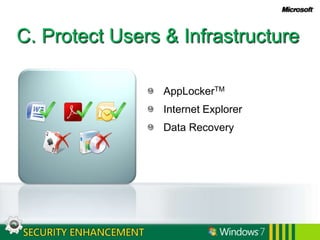
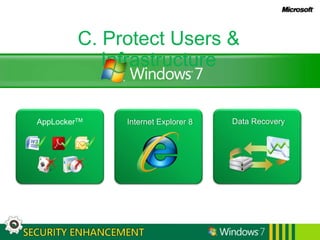
C. Protect Users & InfrastructureAppLockerTMInternet ExplorerData Recovery
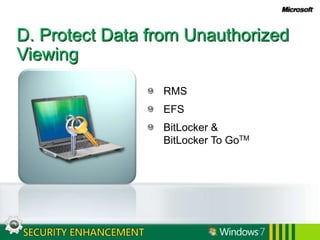
D. Protect Data from Unauthorized ViewingRMSEFSBitLocker & BitLocker To GoTM
A. Fundamentally Secure PlatformWindows Vista FoundationStreamlined User Account ControlEnhanced Auditing
Windows Vista FoundationSecurity Development Lifecycle processKernel Patch ProtectionWindows Service HardeningDEP & ASLRIE 8 inclusiveMandatory Integrity Controls
Streamlined User Account ControlMake the system work well for standard usersAdministrators use full privilege only for administrative tasksFile and registry virtualization helps applications that are not UAC compliant
Enhanced AuditingXML basedGranular audit categoriesDetailed collection of audit resultsSimplified compliance management
User Account Control – Windows VistaSystem Works for Standard UserAll users, including administrators, run as Standard User by defaultAdministrators use full privilege only for administrative tasks or applicationsCHALLENGESUser provides explicit consent before using elevated privilegeDisabling UAC removes protections, not just consent prompt
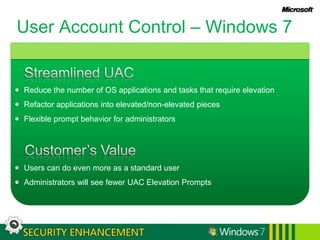
User Account Control – Windows 7Streamlined UACReduce the number of OS applications and tasks that require elevationRefactor applications into elevated/non-elevated piecesFlexible prompt behavior for administratorsCustomer’s ValueUsers can do even more as a standard userAdministrators will see fewer UAC Elevation Prompts
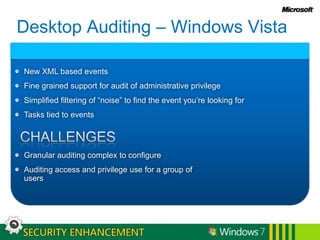
Desktop Auditing – Windows VistaNew XML based eventsFine grained support for audit of administrative privilegeSimplified filtering of “noise” to find the event you’re looking forTasks tied to eventsCHALLENGESGranular auditing complex to configureAuditing access and privilege use for a group of users
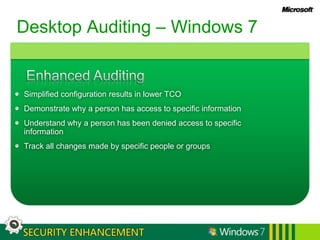
Desktop Auditing – Windows 7Enhanced AuditingSimplified configuration results in lower TCODemonstrate why a person has access to specific informationUnderstand why a person has been denied access to specific informationTrack all changes made by specific people or groups
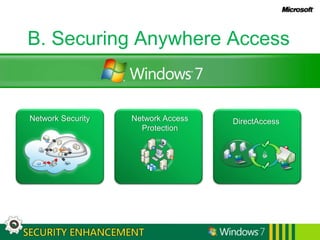
B. Securing Anywhere AccessNetwork SecurityNetwork Access ProtectionDirectAccess
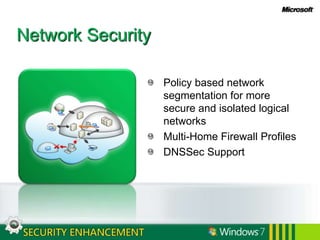
Network SecurityPolicy based network segmentation for more secure and isolated logical networksMulti-Home Firewall ProfilesDNSSec Support
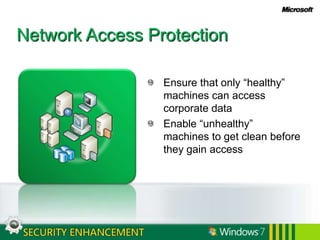
Network Access ProtectionEnsure that only “healthy” machines can access corporate dataEnable “unhealthy” machines to get clean before they gain access
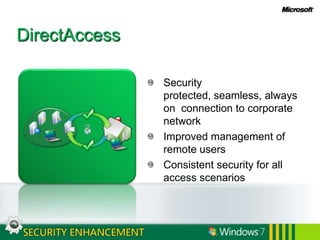
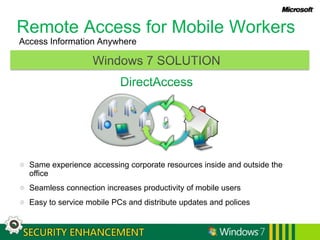
DirectAccessSecurity protected, seamless, always on  connection to corporate networkImproved management of remote users Consistent security for all access scenarios
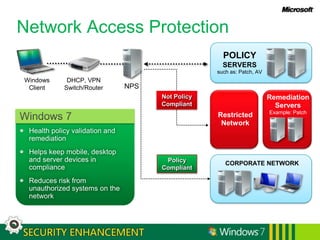
Network Access ProtectionRemediationServersExample: PatchRestrictedNetworkCORPORATE NETWORKWindows 7Health policy validation and remediationHelps keep mobile, desktop and server devices in complianceReduces risk from unauthorized systems on the networkPOLICY SERVERSsuch as: Patch, AVWindowsClientDHCP, VPNSwitch/Router NPSNot Policy CompliantPolicy Compliant
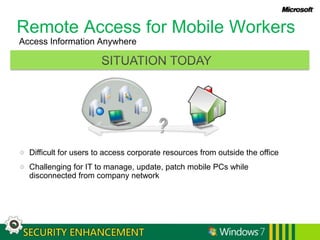
Remote Access for Mobile Workers Access Information AnywhereSITUATION TODAYDifficult for users to access corporate resources from outside the officeChallenging for IT to manage, update, patch mobile PCs while disconnected from company network
Remote Access for Mobile Workers Access Information AnywhereDirectAccessWindows 7 SOLUTIONSame experience accessing corporate resources inside and outside the officeSeamless connection increases productivity of mobile usersEasy to service mobile PCs and distribute updates and polices
C. Protect Users & InfrastructureData RecoveryAppLockerTMInternet Explorer 8
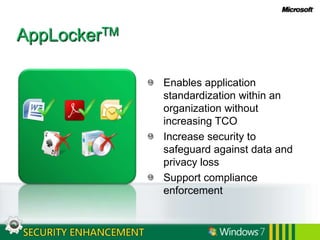
AppLockerTMEnables application standardization within an organization without increasing TCOIncrease security to safeguard against data and privacy lossSupport compliance enforcement
Internet Explorer 8Protect users against social engineering and privacy exploitsProtect users against browser based exploitsProtect users against web server exploits
Data RecoveryFile back up and restoreCompletePC™ image-based backup System RestoreVolume Shadow CopiesVolume Revert
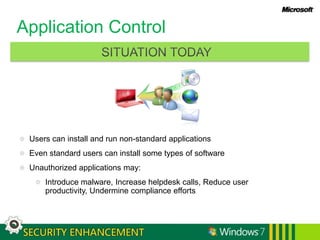
Application ControlSITUATION TODAYUsers can install and run non-standard applicationsEven standard users can install some types of softwareUnauthorized applications may:Introduce malware, Increase helpdesk calls, Reduce user productivity, Undermine compliance efforts
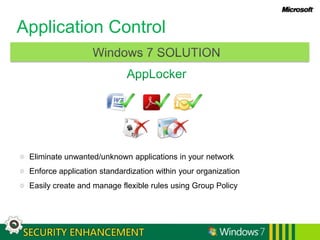
Application ControlAppLockerWindows 7 SOLUTIONEliminate unwanted/unknown applications in your networkEnforce application standardization within your organizationEasily create and manage flexible rules using Group Policy
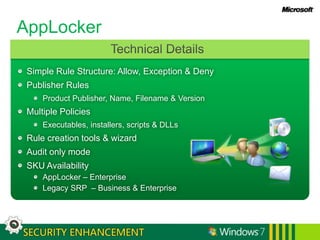
AppLockerTechnical DetailsSimple Rule Structure: Allow, Exception & DenyPublisher RulesProduct Publisher, Name, Filename & VersionMultiple PoliciesExecutables, installers, scripts & DLLsRule creation tools & wizardAudit only modeSKU AvailabilityAppLocker – EnterpriseLegacy SRP  – Business & Enterprise
Building on IE7 and addressing the evolving threat landscapeSocial Engineering & ExploitsReduce unwanted communicationsFreedom from intrusionInternational Domain NamesPop-up BlockerIncreased usability  Browser & Web Server ExploitsProtection from deceptive websites, malicious code, online fraud, identity theftProtection from harmSecure Development LifecycleExtended Validation (EV) SSL certsSmartScreen® FilterDomain HighlightingXSS Filter/ DEP/NXActiveX ControlsChoice and controlClear notice of information useProvide only what is neededControl of informationUser-friendly, discoverable noticesP3P-enabled cookie controlsDelete Browsing HistoryInPrivate™ Browsing & FilteringInternet Explorer 8 Security
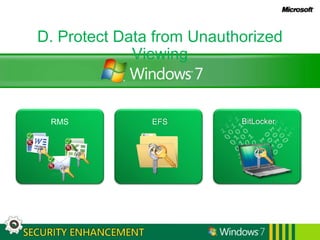
D. Protect Data from Unauthorized ViewingBitLockerRMSEFS
RMSPolicy definitionand enforcementProtects information wherever it travelsIntegrated RMS Client Policy-based protection of document libraries in SharePoint
EFSUser-based file and folder encryption Ability to store EFS keys on a smart card
BitLockerEasier to configure and deployRoam protected data between work and homeShare protected data with co-workers, clients, partners, etc.Improve compliance and data security
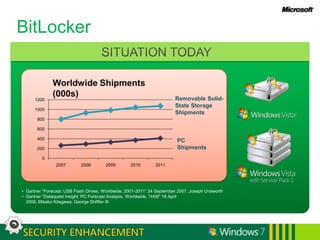
BitLockerSITUATION TODAYWorldwide Shipments (000s)Gartner “Forecast: USB Flash Drives, Worldwide, 2001-2011” 24 September 2007, Joseph Unsworth  
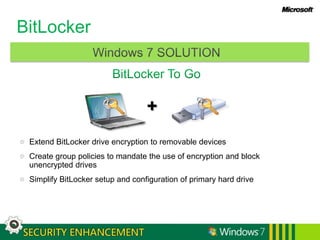
Gartner “Dataquest Insight: PC Forecast Analysis, Worldwide, 1H08” 18 April 2008, Mikako Kitagawa, George Shiffler III BitLockerBitLocker To Go+Windows 7 SOLUTIONExtend BitLocker drive encryption to removable devicesCreate group policies to mandate the use of encryption and block unencrypted drives Simplify BitLocker setup and configuration of primary hard drive
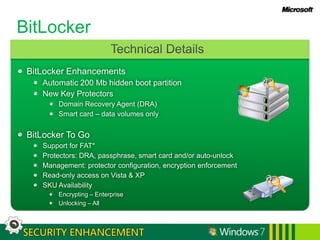
BitLockerTechnical DetailsBitLocker EnhancementsAutomatic 200 Mb hidden boot partitionNew Key ProtectorsDomain Recovery Agent (DRA)Smart card – data volumes onlyBitLocker To GoSupport for FAT*Protectors: DRA, passphrase, smart card and/or auto-unlockManagement: protector configuration, encryption enforcementRead-only access on Vista & XPSKU AvailabilityEncrypting – EnterpriseUnlocking – All
Windows 7 Enterprise SecurityBuilding upon the security foundations of Windows Vista, Windows 7 provides IT Professionals security features that are simple to use, manageable, and valuable.SECURING ANYWHERE ACCESSPROTECT DATA FROM UNAUTHORIZED VIEWINGFUNDAMENTALY SECURE PLATFORMPROTECT USERS & INFRASTRUCTUREWindows Vista FoundationStreamlined UACEnhanced AuditingNetwork SecurityNetwork Access ProtectionDirectAccessAppLockerInternet Explorer 8Data RecoveryRMSEFSBitLocker
Next StepsPartner with your Microsoft Account Team to create or review your Security Action Plan Talk about Infrastructure Optimization and the value it could bring to your organizationImplement a Defense-in-Depth security architecture using our advanced security technologies Leverage Microsoft prescriptive security guidance and online security training Stay informed through Microsoft Security Bulletins,Security Newsletters and Security Events
Security Guidance and ResourcesWindows 7 Information:Windows Enterprise: http://www.microsoft.com/windows/enterprise/products/windows-7.aspxWindows For IT Pros:http://technet.microsoft.com/en-us/windows/default.aspxGeneral Security Information:Microsoft Security Home Page:  www.microsoft.com/securityMicrosoft Live Safety Center: http://safety.live.comMicrosoft Security Response Center:  www.microsoft.com/security/msrcSecurity Development Lifecycle: http://msdn.microsoft.com/security/sdlGet the Facts on Windows and Linux: www.microsoft.com/getthefactsGuidance Centers:Security Guidance Centers:  www.microsoft.com/security/guidanceSecurity Guidance for IT Professionals: www.microsoft.com/technet/securityThe Microsoft Security Developer Center: msdn.microsoft.com/securityThe Security at Home Consumer Site:  www.microsoft.com/athome/security
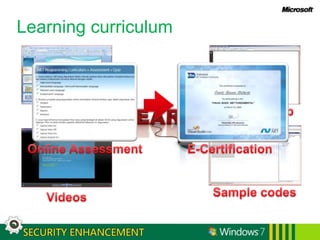
Learning curriculumHands on labSample codesVideosSlidesE-CertificationOnline Assessment
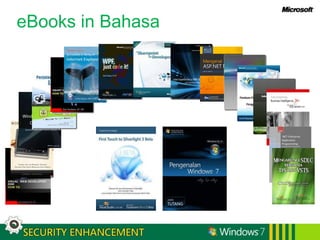
eBooks in Bahasa
Indonesia Developer Portalhttp://geeks.netindonesia.net
IT Professional Portalhttp://wss-id.org

Windows 7 Security Enhancements

  • 1.
    Enhance Security andControlNarendaWicaksonoIT Pro Advisor, Microsoft Indonesia
  • 2.
    Windows 7 EnterpriseSecurityBuilding upon the security foundations of Windows Vista, Windows 7 provides IT Professionals security features that are simple to use, manageable, and valuable.FUNDAMENTALY SECURE PLATFORMSECURING ANYWHERE ACCESSPROTECT DATA FROM UNAUTHORIZED VIEWINGPROTECT USERS & INFRASTRUCTURE
  • 3.
    A. Fundamentally SecurePlatformWindows Vista FoundationStreamlined User Account ControlEnhanced Auditing
  • 4.
    B. Securing AnywhereAccessNetwork SecurityNetwork Access ProtectionDirect AccessTM
  • 5.
    C. Protect Users& InfrastructureAppLockerTMInternet ExplorerData Recovery
  • 6.
    D. Protect Datafrom Unauthorized ViewingRMSEFSBitLocker & BitLocker To GoTM
  • 7.
    A. Fundamentally SecurePlatformWindows Vista FoundationStreamlined User Account ControlEnhanced Auditing
  • 8.
    Windows Vista FoundationSecurityDevelopment Lifecycle processKernel Patch ProtectionWindows Service HardeningDEP & ASLRIE 8 inclusiveMandatory Integrity Controls
  • 9.
    Streamlined User AccountControlMake the system work well for standard usersAdministrators use full privilege only for administrative tasksFile and registry virtualization helps applications that are not UAC compliant
  • 10.
    Enhanced AuditingXML basedGranularaudit categoriesDetailed collection of audit resultsSimplified compliance management
  • 11.
    User Account Control– Windows VistaSystem Works for Standard UserAll users, including administrators, run as Standard User by defaultAdministrators use full privilege only for administrative tasks or applicationsCHALLENGESUser provides explicit consent before using elevated privilegeDisabling UAC removes protections, not just consent prompt
  • 12.
    User Account Control– Windows 7Streamlined UACReduce the number of OS applications and tasks that require elevationRefactor applications into elevated/non-elevated piecesFlexible prompt behavior for administratorsCustomer’s ValueUsers can do even more as a standard userAdministrators will see fewer UAC Elevation Prompts
  • 13.
    Desktop Auditing –Windows VistaNew XML based eventsFine grained support for audit of administrative privilegeSimplified filtering of “noise” to find the event you’re looking forTasks tied to eventsCHALLENGESGranular auditing complex to configureAuditing access and privilege use for a group of users
  • 14.
    Desktop Auditing –Windows 7Enhanced AuditingSimplified configuration results in lower TCODemonstrate why a person has access to specific informationUnderstand why a person has been denied access to specific informationTrack all changes made by specific people or groups
  • 15.
    B. Securing AnywhereAccessNetwork SecurityNetwork Access ProtectionDirectAccess
  • 16.
    Network SecurityPolicy basednetwork segmentation for more secure and isolated logical networksMulti-Home Firewall ProfilesDNSSec Support
  • 17.
    Network Access ProtectionEnsurethat only “healthy” machines can access corporate dataEnable “unhealthy” machines to get clean before they gain access
  • 18.
    DirectAccessSecurity protected, seamless,always on connection to corporate networkImproved management of remote users Consistent security for all access scenarios
  • 19.
    Network Access ProtectionRemediationServersExample:PatchRestrictedNetworkCORPORATE NETWORKWindows 7Health policy validation and remediationHelps keep mobile, desktop and server devices in complianceReduces risk from unauthorized systems on the networkPOLICY SERVERSsuch as: Patch, AVWindowsClientDHCP, VPNSwitch/Router NPSNot Policy CompliantPolicy Compliant
  • 20.
    Remote Access forMobile Workers Access Information AnywhereSITUATION TODAYDifficult for users to access corporate resources from outside the officeChallenging for IT to manage, update, patch mobile PCs while disconnected from company network
  • 21.
    Remote Access forMobile Workers Access Information AnywhereDirectAccessWindows 7 SOLUTIONSame experience accessing corporate resources inside and outside the officeSeamless connection increases productivity of mobile usersEasy to service mobile PCs and distribute updates and polices
  • 22.
    C. Protect Users& InfrastructureData RecoveryAppLockerTMInternet Explorer 8
  • 23.
    AppLockerTMEnables application standardizationwithin an organization without increasing TCOIncrease security to safeguard against data and privacy lossSupport compliance enforcement
  • 24.
    Internet Explorer 8Protectusers against social engineering and privacy exploitsProtect users against browser based exploitsProtect users against web server exploits
  • 25.
    Data RecoveryFile backup and restoreCompletePC™ image-based backup System RestoreVolume Shadow CopiesVolume Revert
  • 26.
    Application ControlSITUATION TODAYUserscan install and run non-standard applicationsEven standard users can install some types of softwareUnauthorized applications may:Introduce malware, Increase helpdesk calls, Reduce user productivity, Undermine compliance efforts
  • 27.
    Application ControlAppLockerWindows 7SOLUTIONEliminate unwanted/unknown applications in your networkEnforce application standardization within your organizationEasily create and manage flexible rules using Group Policy
  • 28.
    AppLockerTechnical DetailsSimple RuleStructure: Allow, Exception & DenyPublisher RulesProduct Publisher, Name, Filename & VersionMultiple PoliciesExecutables, installers, scripts & DLLsRule creation tools & wizardAudit only modeSKU AvailabilityAppLocker – EnterpriseLegacy SRP – Business & Enterprise
  • 29.
    Building on IE7and addressing the evolving threat landscapeSocial Engineering & ExploitsReduce unwanted communicationsFreedom from intrusionInternational Domain NamesPop-up BlockerIncreased usability Browser & Web Server ExploitsProtection from deceptive websites, malicious code, online fraud, identity theftProtection from harmSecure Development LifecycleExtended Validation (EV) SSL certsSmartScreen® FilterDomain HighlightingXSS Filter/ DEP/NXActiveX ControlsChoice and controlClear notice of information useProvide only what is neededControl of informationUser-friendly, discoverable noticesP3P-enabled cookie controlsDelete Browsing HistoryInPrivate™ Browsing & FilteringInternet Explorer 8 Security
  • 30.
    D. Protect Datafrom Unauthorized ViewingBitLockerRMSEFS
  • 31.
    RMSPolicy definitionand enforcementProtectsinformation wherever it travelsIntegrated RMS Client Policy-based protection of document libraries in SharePoint
  • 32.
    EFSUser-based file andfolder encryption Ability to store EFS keys on a smart card
  • 33.
    BitLockerEasier to configureand deployRoam protected data between work and homeShare protected data with co-workers, clients, partners, etc.Improve compliance and data security
  • 34.
    BitLockerSITUATION TODAYWorldwide Shipments(000s)Gartner “Forecast: USB Flash Drives, Worldwide, 2001-2011” 24 September 2007, Joseph Unsworth  
  • 35.
    Gartner “Dataquest Insight:PC Forecast Analysis, Worldwide, 1H08” 18 April 2008, Mikako Kitagawa, George Shiffler III BitLockerBitLocker To Go+Windows 7 SOLUTIONExtend BitLocker drive encryption to removable devicesCreate group policies to mandate the use of encryption and block unencrypted drives Simplify BitLocker setup and configuration of primary hard drive
  • 36.
    BitLockerTechnical DetailsBitLocker EnhancementsAutomatic200 Mb hidden boot partitionNew Key ProtectorsDomain Recovery Agent (DRA)Smart card – data volumes onlyBitLocker To GoSupport for FAT*Protectors: DRA, passphrase, smart card and/or auto-unlockManagement: protector configuration, encryption enforcementRead-only access on Vista & XPSKU AvailabilityEncrypting – EnterpriseUnlocking – All
  • 37.
    Windows 7 EnterpriseSecurityBuilding upon the security foundations of Windows Vista, Windows 7 provides IT Professionals security features that are simple to use, manageable, and valuable.SECURING ANYWHERE ACCESSPROTECT DATA FROM UNAUTHORIZED VIEWINGFUNDAMENTALY SECURE PLATFORMPROTECT USERS & INFRASTRUCTUREWindows Vista FoundationStreamlined UACEnhanced AuditingNetwork SecurityNetwork Access ProtectionDirectAccessAppLockerInternet Explorer 8Data RecoveryRMSEFSBitLocker
  • 38.
    Next StepsPartner withyour Microsoft Account Team to create or review your Security Action Plan Talk about Infrastructure Optimization and the value it could bring to your organizationImplement a Defense-in-Depth security architecture using our advanced security technologies Leverage Microsoft prescriptive security guidance and online security training Stay informed through Microsoft Security Bulletins,Security Newsletters and Security Events
  • 39.
    Security Guidance andResourcesWindows 7 Information:Windows Enterprise: http://www.microsoft.com/windows/enterprise/products/windows-7.aspxWindows For IT Pros:http://technet.microsoft.com/en-us/windows/default.aspxGeneral Security Information:Microsoft Security Home Page: www.microsoft.com/securityMicrosoft Live Safety Center: http://safety.live.comMicrosoft Security Response Center: www.microsoft.com/security/msrcSecurity Development Lifecycle: http://msdn.microsoft.com/security/sdlGet the Facts on Windows and Linux: www.microsoft.com/getthefactsGuidance Centers:Security Guidance Centers: www.microsoft.com/security/guidanceSecurity Guidance for IT Professionals: www.microsoft.com/technet/securityThe Microsoft Security Developer Center: msdn.microsoft.com/securityThe Security at Home Consumer Site: www.microsoft.com/athome/security
  • 40.
    Learning curriculumHands onlabSample codesVideosSlidesE-CertificationOnline Assessment
  • 41.
  • 42.
  • 43.

Editor's Notes

  • #12 UAC was introduced in Windows Vista to help provide customers more control of their system by enabling IT administrators to lock down the system for certain users by running them within standard, non privileged user accounts. UAC has delivered successfully on this in the Windows Vista timeframe and customers continue to value the ability to create a standard user and be confident an administrator can make the decisions on what software is added to the system and what changes should be allowed. However, we have received substantial feedback about the number of notifications for change. In Windows 7, we have invested in addressing the key customer feedback around UAC, while still maintaining the ability for IT administrators to be confident about a standard user environment.We have enabled the Windows operations that users do often to be done in a standard user environment with the goal of providing prompt free daily activities. For example, a standard user can now adjust the readability of the screen (dpi) without having to change it for the entire system. Additionally, we have reduced key duplicate notifications for common activities such as installing applications from IE. We have also made it easier for IT to look at key setting on the system without needing administrative privileges by refactoring many of our control panel applications into read only and write sections.In line with our overall Windows 7focus on user-in-control, we have enabled a person running as a protected administrator to determine the range of notifications s/he receives. Based on customer feedback and actual instrumented data from our customers’ response to UAC prompts, we default the initial setting for UAC such that administrators are notified when software other than Windows is requesting to change the overall system and such that standard users will receive a request for administrator authorization for any change to the overall system. We believe this default setting has the right balance of establishing an ecosystem where a broad range of ISV software can be run in a standard user environment while providing administrators with control over the experience of configuring Windows.
  • #13 UAC was introduced in Windows Vista to help provide customers more control of their system by enabling IT administrators to lock down the system for certain users by running them within standard, non privileged user accounts. UAC has delivered successfully on this in the Windows Vista timeframe and customers continue to value the ability to create a standard user and be confident an administrator can make the decisions on what software is added to the system and what changes should be allowed. However, we have received substantial feedback about the number of notifications for change. In Windows 7, we have invested in addressing the key customer feedback around UAC, while still maintaining the ability for IT administrators to be confident about a standard user environment.We have enabled the Windows operations that users do often to be done in a standard user environment with the goal of providing prompt free daily activities. For example, a standard user can now adjust the readability of the screen (dpi) without having to change it for the entire system. Additionally, we have reduced key duplicate notifications for common activities such as installing applications from IE. We have also made it easier for IT to look at key setting on the system without needing administrative privileges by refactoring many of our control panel applications into read only and write sections.In line with our overall Windows 7focus on user-in-control, we have enabled a person running as a protected administrator to determine the range of notifications s/he receives. Based on customer feedback and actual instrumented data from our customers’ response to UAC prompts, we default the initial setting for UAC such that administrators are notified when software other than Windows is requesting to change the overall system and such that standard users will receive a request for administrator authorization for any change to the overall system. We believe this default setting has the right balance of establishing an ecosystem where a broad range of ISV software can be run in a standard user environment while providing administrators with control over the experience of configuring Windows.
  • #14 UAC was introduced in Windows Vista to help provide customers more control of their system by enabling IT administrators to lock down the system for certain users by running them within standard, non privileged user accounts. UAC has delivered successfully on this in the Windows Vista timeframe and customers continue to value the ability to create a standard user and be confident an administrator can make the decisions on what software is added to the system and what changes should be allowed. However, we have received substantial feedback about the number of notifications for change. In Windows 7, we have invested in addressing the key customer feedback around UAC, while still maintaining the ability for IT administrators to be confident about a standard user environment.We have enabled the Windows operations that users do often to be done in a standard user environment with the goal of providing prompt free daily activities. For example, a standard user can now adjust the readability of the screen (dpi) without having to change it for the entire system. Additionally, we have reduced key duplicate notifications for common activities such as installing applications from IE. We have also made it easier for IT to look at key setting on the system without needing administrative privileges by refactoring many of our control panel applications into read only and write sections.In line with our overall Windows 7focus on user-in-control, we have enabled a person running as a protected administrator to determine the range of notifications s/he receives. Based on customer feedback and actual instrumented data from our customers’ response to UAC prompts, we default the initial setting for UAC such that administrators are notified when software other than Windows is requesting to change the overall system and such that standard users will receive a request for administrator authorization for any change to the overall system. We believe this default setting has the right balance of establishing an ecosystem where a broad range of ISV software can be run in a standard user environment while providing administrators with control over the experience of configuring Windows.
  • #15 UAC was introduced in Windows Vista to help provide customers more control of their system by enabling IT administrators to lock down the system for certain users by running them within standard, non privileged user accounts. UAC has delivered successfully on this in the Windows Vista timeframe and customers continue to value the ability to create a standard user and be confident an administrator can make the decisions on what software is added to the system and what changes should be allowed. However, we have received substantial feedback about the number of notifications for change. In Windows 7, we have invested in addressing the key customer feedback around UAC, while still maintaining the ability for IT administrators to be confident about a standard user environment.We have enabled the Windows operations that users do often to be done in a standard user environment with the goal of providing prompt free daily activities. For example, a standard user can now adjust the readability of the screen (dpi) without having to change it for the entire system. Additionally, we have reduced key duplicate notifications for common activities such as installing applications from IE. We have also made it easier for IT to look at key setting on the system without needing administrative privileges by refactoring many of our control panel applications into read only and write sections.In line with our overall Windows 7focus on user-in-control, we have enabled a person running as a protected administrator to determine the range of notifications s/he receives. Based on customer feedback and actual instrumented data from our customers’ response to UAC prompts, we default the initial setting for UAC such that administrators are notified when software other than Windows is requesting to change the overall system and such that standard users will receive a request for administrator authorization for any change to the overall system. We believe this default setting has the right balance of establishing an ecosystem where a broad range of ISV software can be run in a standard user environment while providing administrators with control over the experience of configuring Windows.
  • #20 One of the most time-consuming challenges that network administrators we talk to face is ensuring that computers that connect to private networks are up to date and meet health policy requirements. This complex task is commonly referred to as maintaining computer health. Enforcing requirements is even more difficult when the computers, such as home computers or traveling laptops, are not under the administrator’s control. Yet failure to keep computers that connect to the network up to date is one of the most common ways to jeopardize the integrity of a network. Network Access Protection NAP was introduced in Windows Vista and remains a key component of Windows 7. While there are no major additions in Windows 7, NAP is a core Windows technology that provides components that can help you enforce compliance with health requirement policies for network access or communication. With NAP, you can create solutions for validating computers that connect to your networks, provide needed updates or access to needed health update resources, and limit the access or communication of noncompliant computers. The enforcement features of NAP can be integrated with software from other vendors or with custom programs. One point to really understand, NAP is not designed to protect a network from malicious users. It is designed to help your administrators automatically maintain the health of the computers on the network, which in turn helps maintain your network’s overall integrity.
  • #21 UAC was introduced in Windows Vista to help provide customers more control of their system by enabling IT administrators to lock down the system for certain users by running them within standard, non privileged user accounts. UAC has delivered successfully on this in the Windows Vista timeframe and customers continue to value the ability to create a standard user and be confident an administrator can make the decisions on what software is added to the system and what changes should be allowed. However, we have received substantial feedback about the number of notifications for change. In Windows 7, we have invested in addressing the key customer feedback around UAC, while still maintaining the ability for IT administrators to be confident about a standard user environment.We have enabled the Windows operations that users do often to be done in a standard user environment with the goal of providing prompt free daily activities. For example, a standard user can now adjust the readability of the screen (dpi) without having to change it for the entire system. Additionally, we have reduced key duplicate notifications for common activities such as installing applications from IE. We have also made it easier for IT to look at key setting on the system without needing administrative privileges by refactoring many of our control panel applications into read only and write sections.In line with our overall Windows 7focus on user-in-control, we have enabled a person running as a protected administrator to determine the range of notifications s/he receives. Based on customer feedback and actual instrumented data from our customers’ response to UAC prompts, we default the initial setting for UAC such that administrators are notified when software other than Windows is requesting to change the overall system and such that standard users will receive a request for administrator authorization for any change to the overall system. We believe this default setting has the right balance of establishing an ecosystem where a broad range of ISV software can be run in a standard user environment while providing administrators with control over the experience of configuring Windows.
  • #27 The longer a computer has been deployed, the more the software on them drifts away from their desired configuration. These inconsistencies are greatly accelerated by installation and execution of non-standard software within the desktop environment. Users today bring software into the environment by bringing in software from home, Internet downloads (intended and not intended!), and through email. The result is higher incidence of malware infections, more help desk calls, and difficulty in ensuring that your PCs are running only approved, licensed software. Coupled with the required on compliance in the enterprise through OCI, SOX, HIPPA and other compliance regulations, enterprises are renewing efforts to lock down their desktops as a means to: Reduce total cost of ownership (TCO)Increase security to safeguard against data loss and the threat of IT theft and to secure privacySupport compliance solutions by validating which users can run specific applicationsWith Windows XP and Windows Vista, we gave IT administrators Software Restriction Policies to enable the definition of a relatively secure application lockdown policy. SRP has been utilized with tremendous success in many customer situations, but customers have requested more flexibility and control over the applications in their desktop environment.Windows 7 reenergizes application lockdown policies with a totally revamped set of capabilities in AppLocker. AppLocker provides a flexible mechanism that allows administrators to specify exactly what is allowed to run on their systems and gives users the ability to run applications, installation programs, and scripts that administrators have explicitly granted permission to execute. As a result, IT can enforce application standardization within their organization with minimal TCO implications.
  • #29 AppLocker provides a flexible mechanism that allows IT administrators to specify exactly which applications, install packages, and scripts are allowed to run on their systems. When enabled, the feature operates as an “allow list” by default. Users may only run applications, installation programs, and scripts that administrators have approved. Within these allow lists, IT administrators can call out exceptions to the allow list (e.g. allow everything in c:windowssystem32 to run, except the registry editor). In specific instances, where required, specific deny rules can also be enforced. AppLocker enables IT to enforce application standardization within their organization with minimal cost implications. AppLocker enables IT administrators to manage applications beyond the traditional file name and hash mechanisms that are prevalent. This gives AppLocker rules a resiliency throughout the software update lifecycle. For example, a rule could be written that says “allow all versions greater than 8.1 of the program Photoshop to run if it is signed by the software publisher Adobe.” Such a rule can be associated with existing security groups within an organization, providing controls that allow an organization to support compliance requirements by validating and enforcing which users can run specific applications.AppLocker is a totally new feature that will only be available in the premium SKUs, while the legacy Software Restriction Policies will be available in the Business and Enterprise SKUs.
  • #30 Delivering a Web browser that helps protect an organizations security posture in addition to a user’s privacy has been a focus for Microsoft for several years. From the ability to block cookies from Web sites without privacy policies that comply with user settings that was introduced in IE 6 to the first integrated browser based phishing filter in IE 7, Microsoft has been a leader in browser security and privacy controls.User safety, choice, and control also were key themes in the development of Internet Explorer 8, which includes many innovations that contribute to a more trustworthy Web browsing experience. For example, the SmartScreen® Filter helps protect against known phishing and malware sites. Internet Explorer 8 also highlights the domain name in the URL string in the Address Bar in black text, making it easier for users to identify deceptive sites. And the new Cross-Site Scripting Filter (XSS), helps prevent against type-1 cross-site scripting attacks, which can be used to capture keystrokes, steal user credentials, deface Web pages, or launch more exotic attacks.From a privacy standpoint, Internet Explorer 8 includes an enhanced Delete Browsing History option that enables users to retain cookies and temporary Internet files for their favorite Web sites when deleting their browsing history, so that those favorite sites can continue to retain user preferences providing users increased browsing productivity.InPrivate™ Browsing is another new feature which helps prevent users’ browsing history, temporary Internet files, form data, cookies, and usernames/passwords from being stored or retained locally by the browser.InPrivate Filtering provides greater user choice and control over the third-parties from which content is retrieved and displayed on Web sites that the user visits—and thus how those same third parties can potentially track and aggregate users’ Web browsing activities.