May Not Be
Social Media is the Social Equalizer
Philadelphia Federal Executive Board (FEB) EEO/Diversity Day


Andrew Krzmarzick
Director of Community Engagement, GovLoop
Our Time Together Today…

1. What is social media?
2. Who is using it?
3. What’s the impact on our workplaces?
4. How is it being addressed?
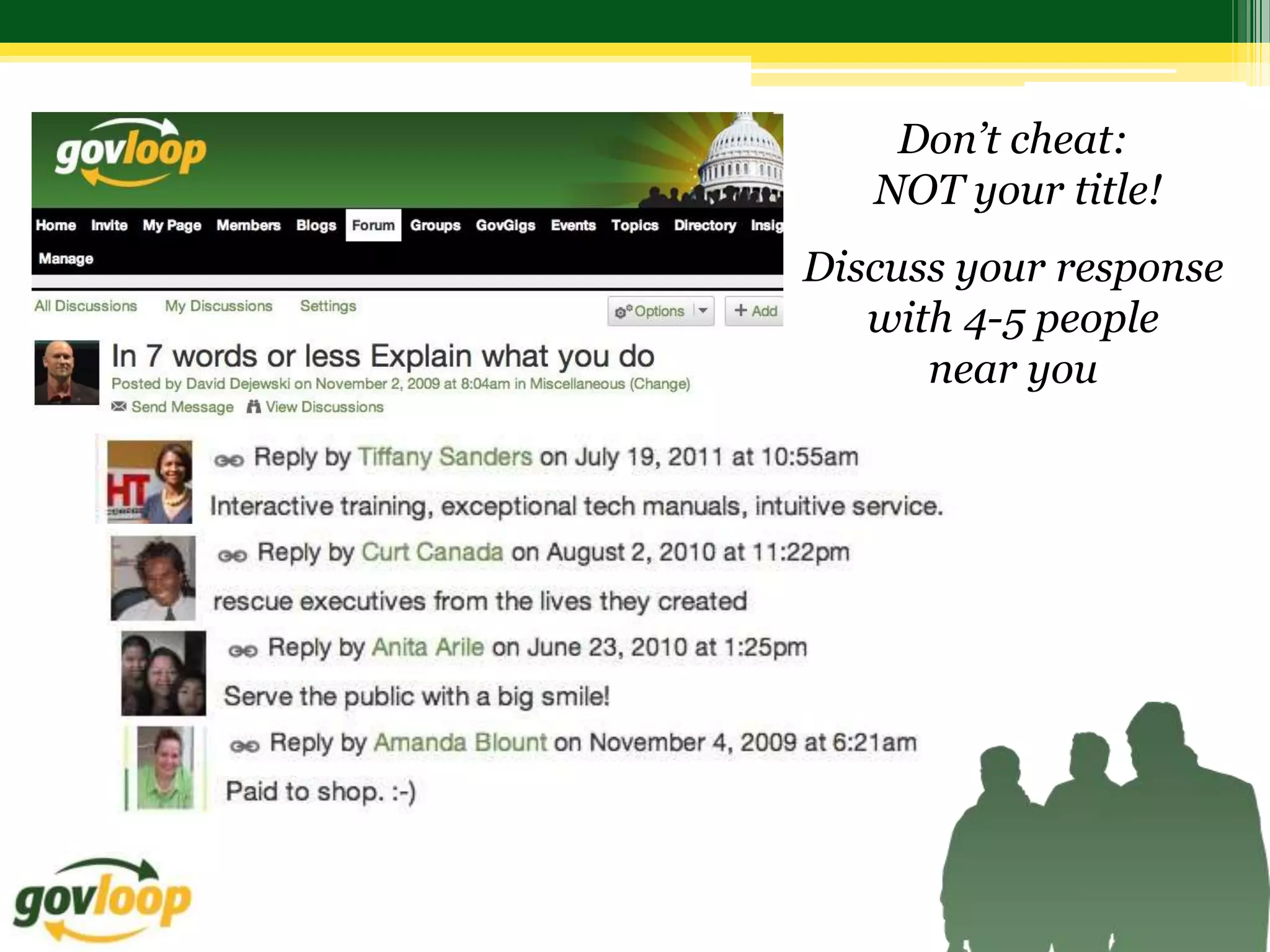
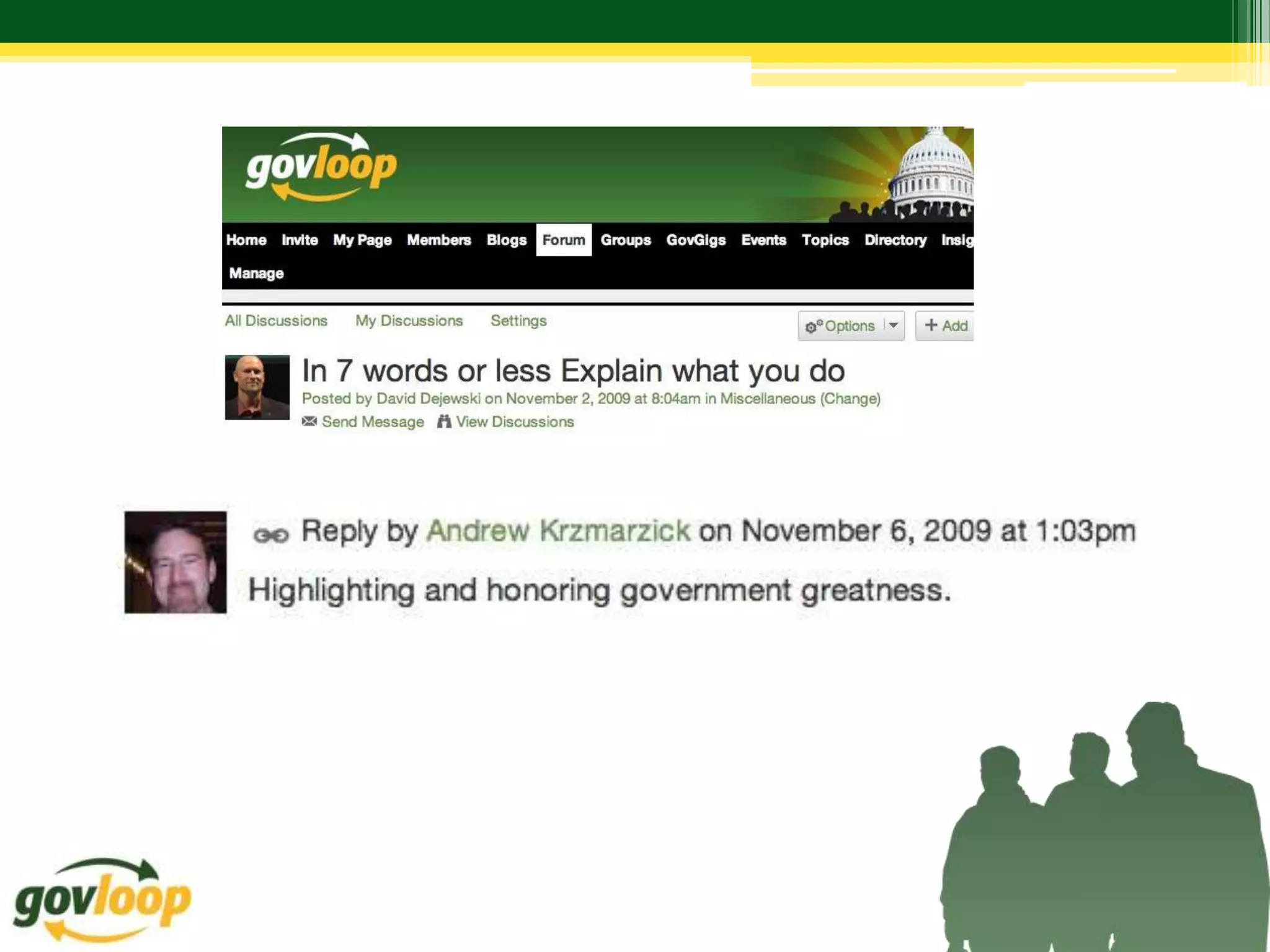
What do you do (in 7 words or less)?

1. In 7 words or less, explain what you do
   (Don’t cheat: NOT your title!)
2. Discuss your response with 4-5 people near you
Don’t cheat:
   NOT your title!
Discuss your response
   with 4-5 people
      near you
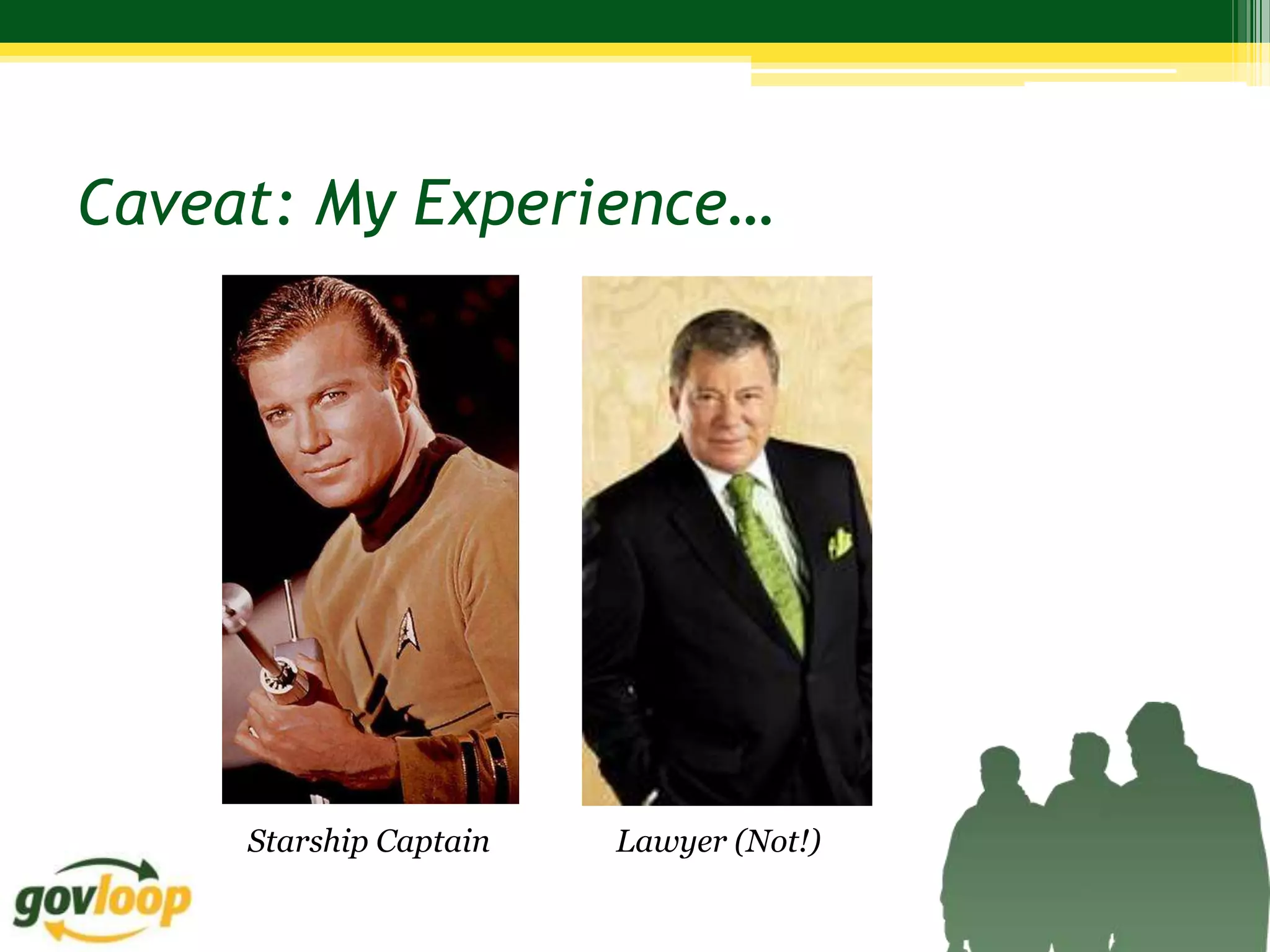
Caveat: My Experience…


     Starship Captain   Lawyer (Not!)
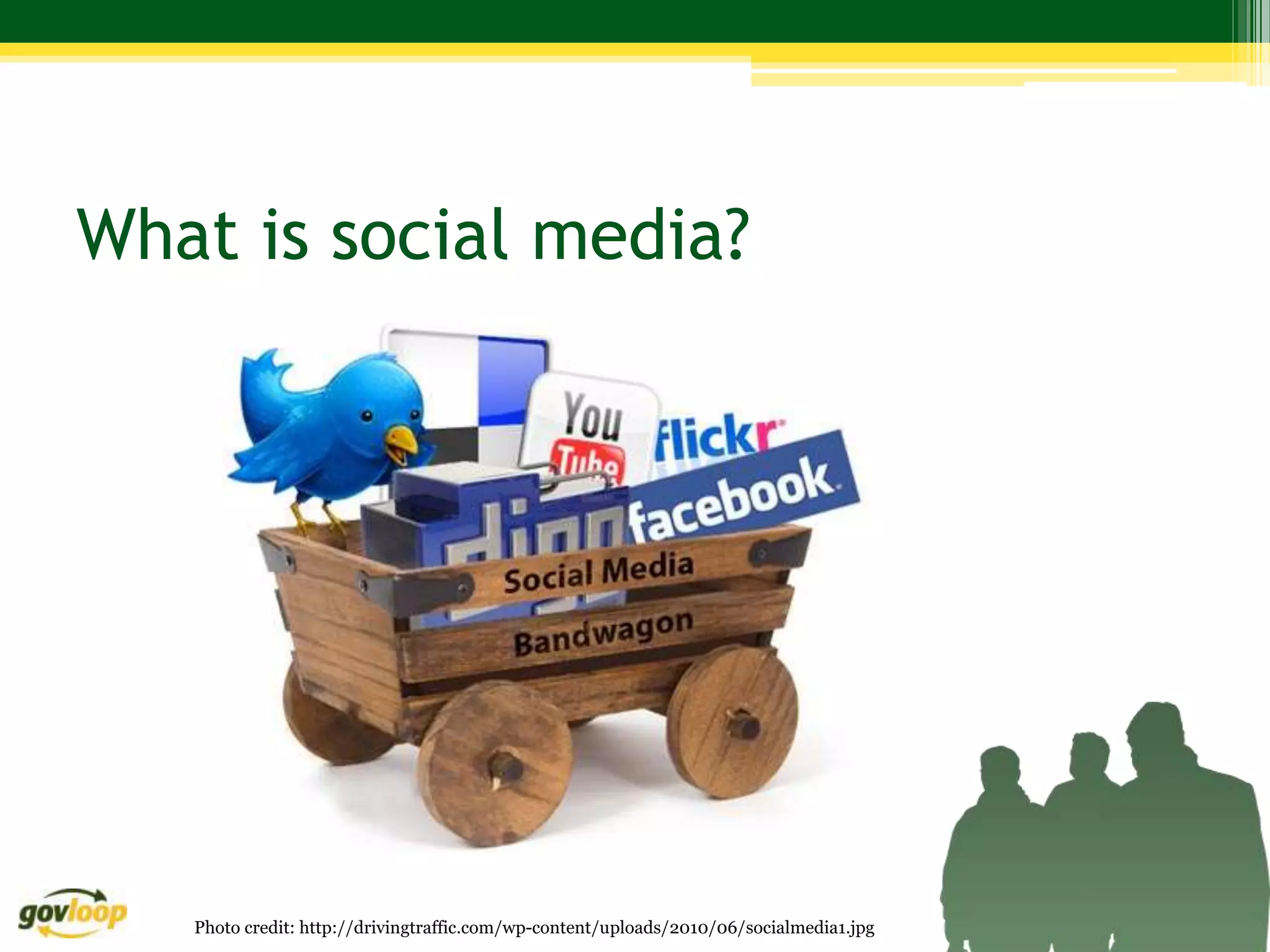
What is social media?


   Photo credit: http://drivingtraffic.com/wp-content/uploads/2010/06/socialmedia1.jpg
What is social media?
“media for social interaction, using highly accessible and scalable communication
techniques…web-based and mobile technologies to turn communication into
interactive dialogue.”

“platforms that enable the interactive web by engaging users to participate in,
comment on and create content as means of communicating…”

“not about what each one of us does or says, but about what we do and say
together, worldwide, to communicate in all directions at any time…”

“a reflection of conversations happening every day, whether at the
supermarket, a bar, the train, the watercooler or the playground. It just
allows for those conversations to reach a broader audience…”


       http://heidicohen.com/social-media-definition/
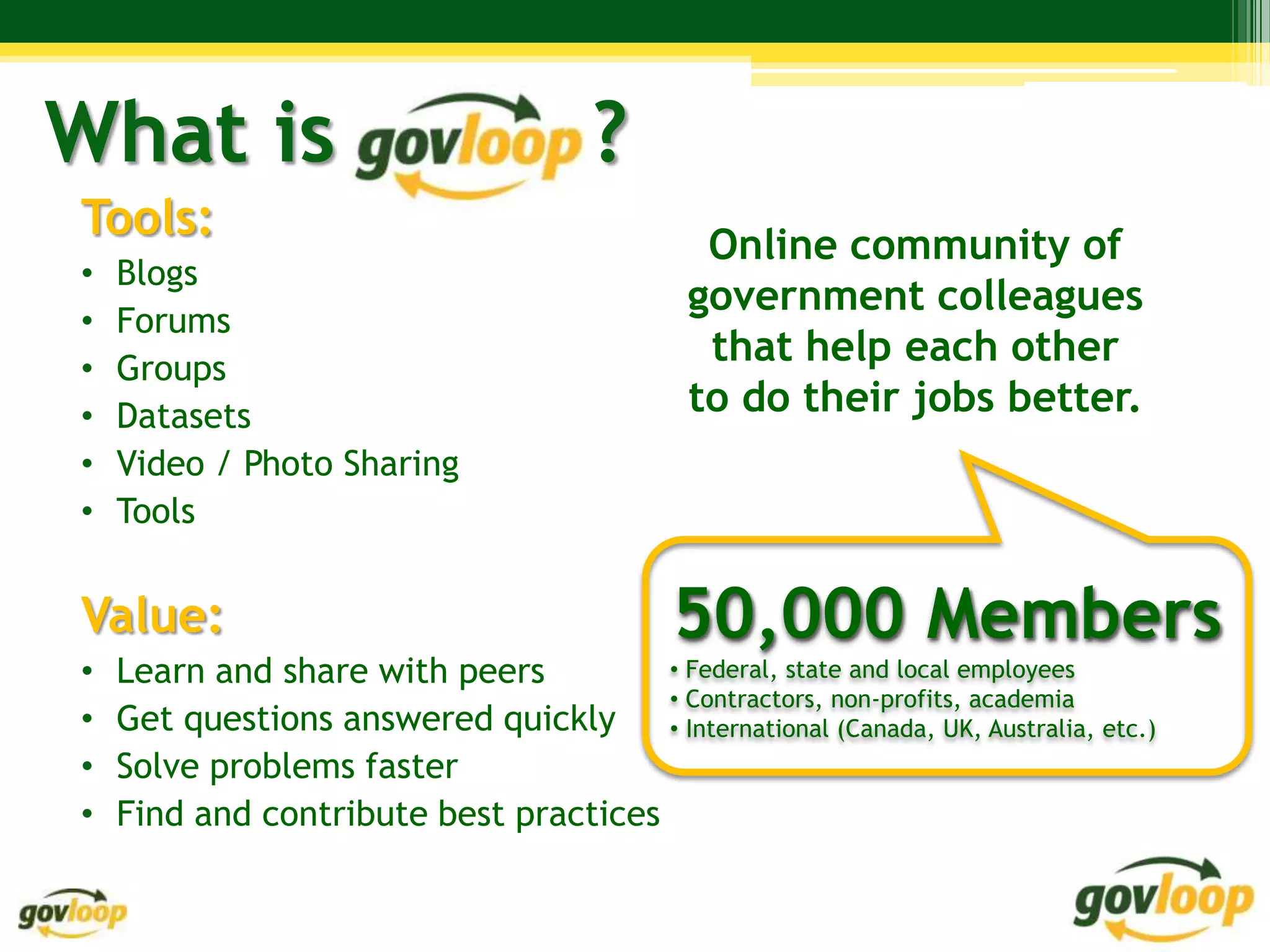
What is                                 ?
Tools:
                                                Online community of
•   Blogs
                                               government colleagues
•   Forums
•   Groups
                                                that help each other
•   Datasets                                   to do their jobs better.
•   Video / Photo Sharing
•   Tools


Value:                                        50,000 Members
•   Learn and share with peers         • Federal, state and local employees
                                       • Contractors, non-profits, academia
•   Get questions answered quickly     • International (Canada, UK, Australia, etc.)
•   Solve problems faster
•   Find and contribute best practices
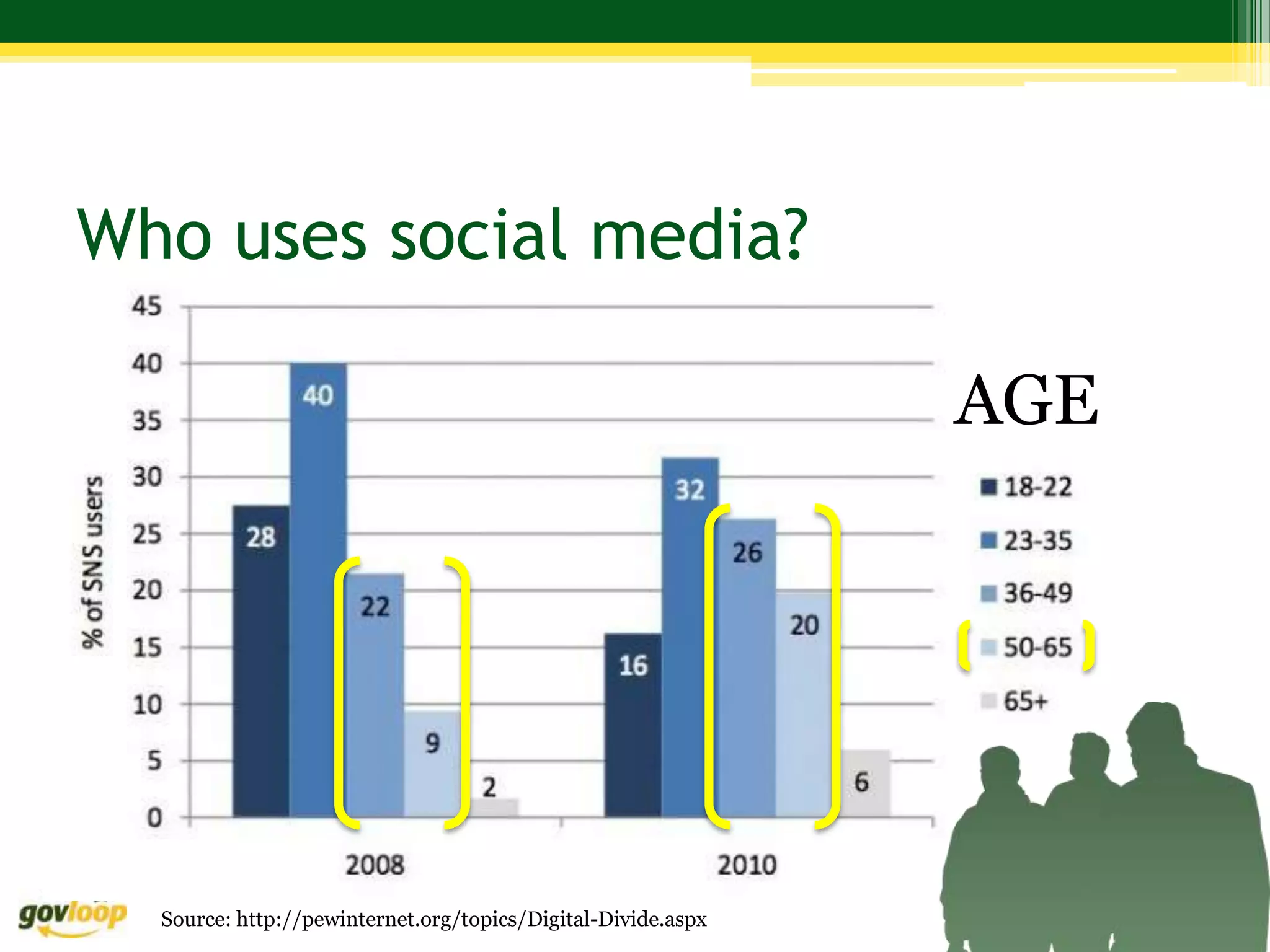
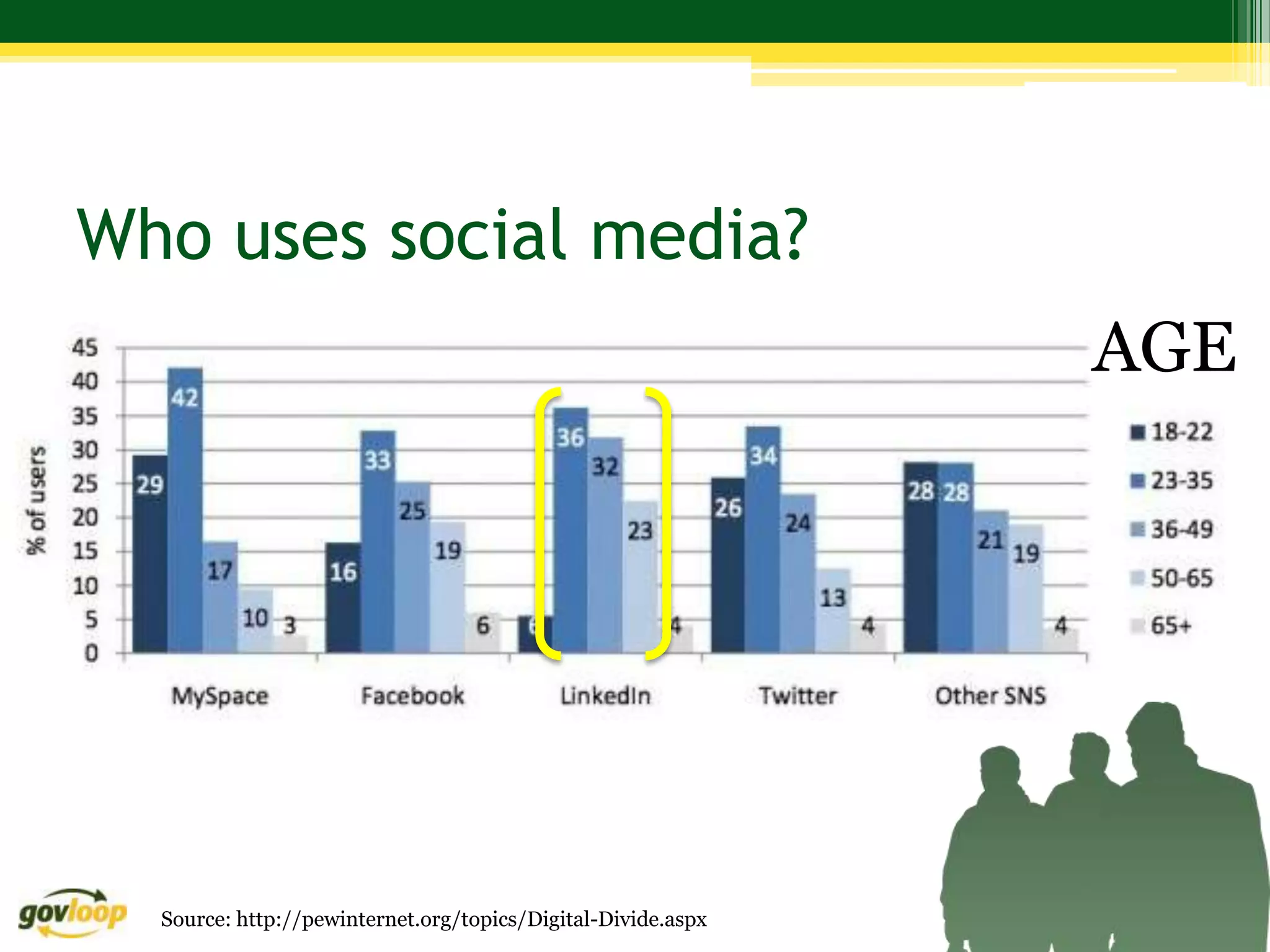
Who uses social media?

                                                              AGE


  Source: http://pewinternet.org/topics/Digital-Divide.aspx
Who uses social media?
                                                              AGE


  Source: http://pewinternet.org/topics/Digital-Divide.aspx
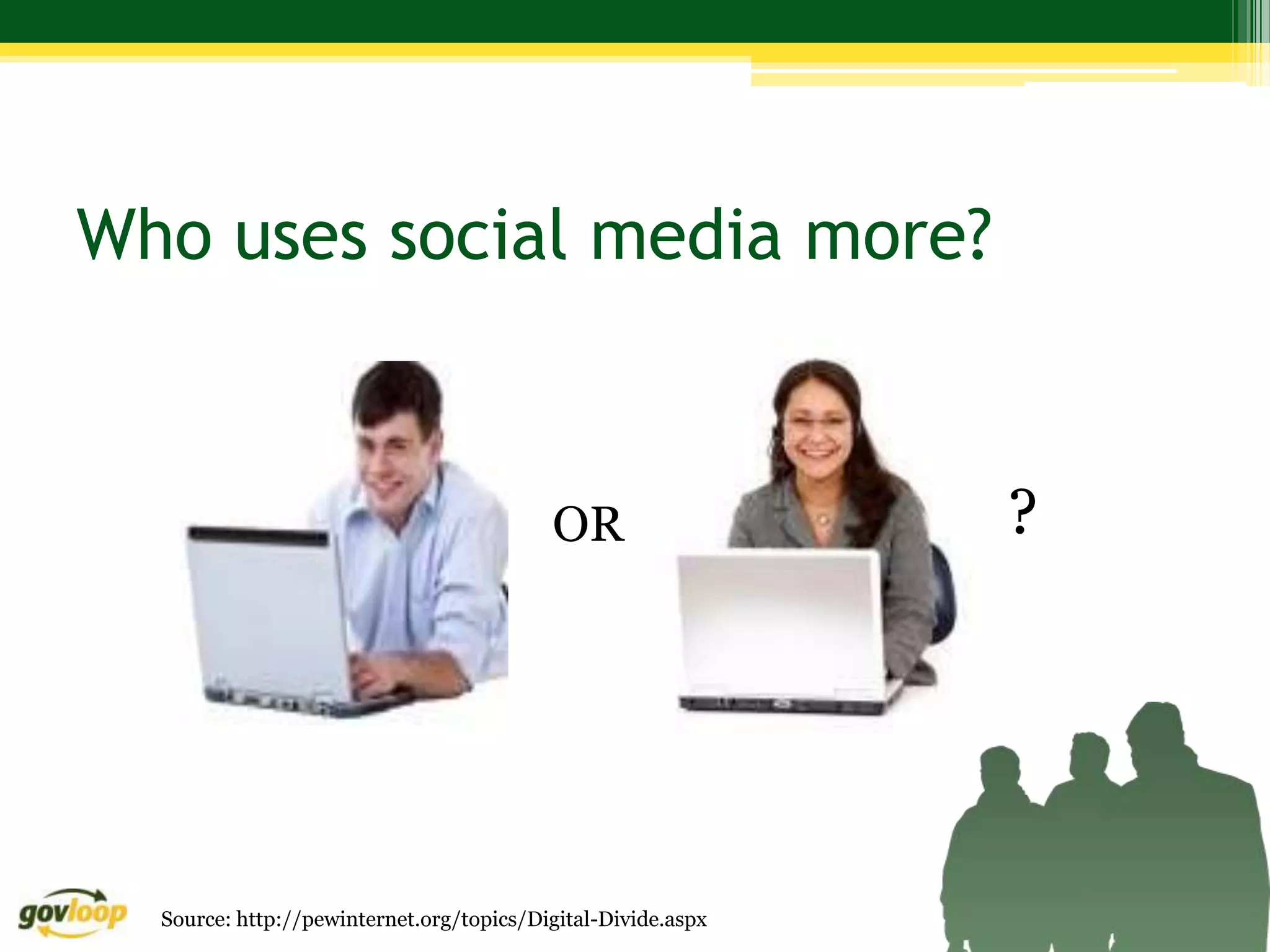
Who uses social media more?


                                          OR                  ?


  Source: http://pewinternet.org/topics/Digital-Divide.aspx
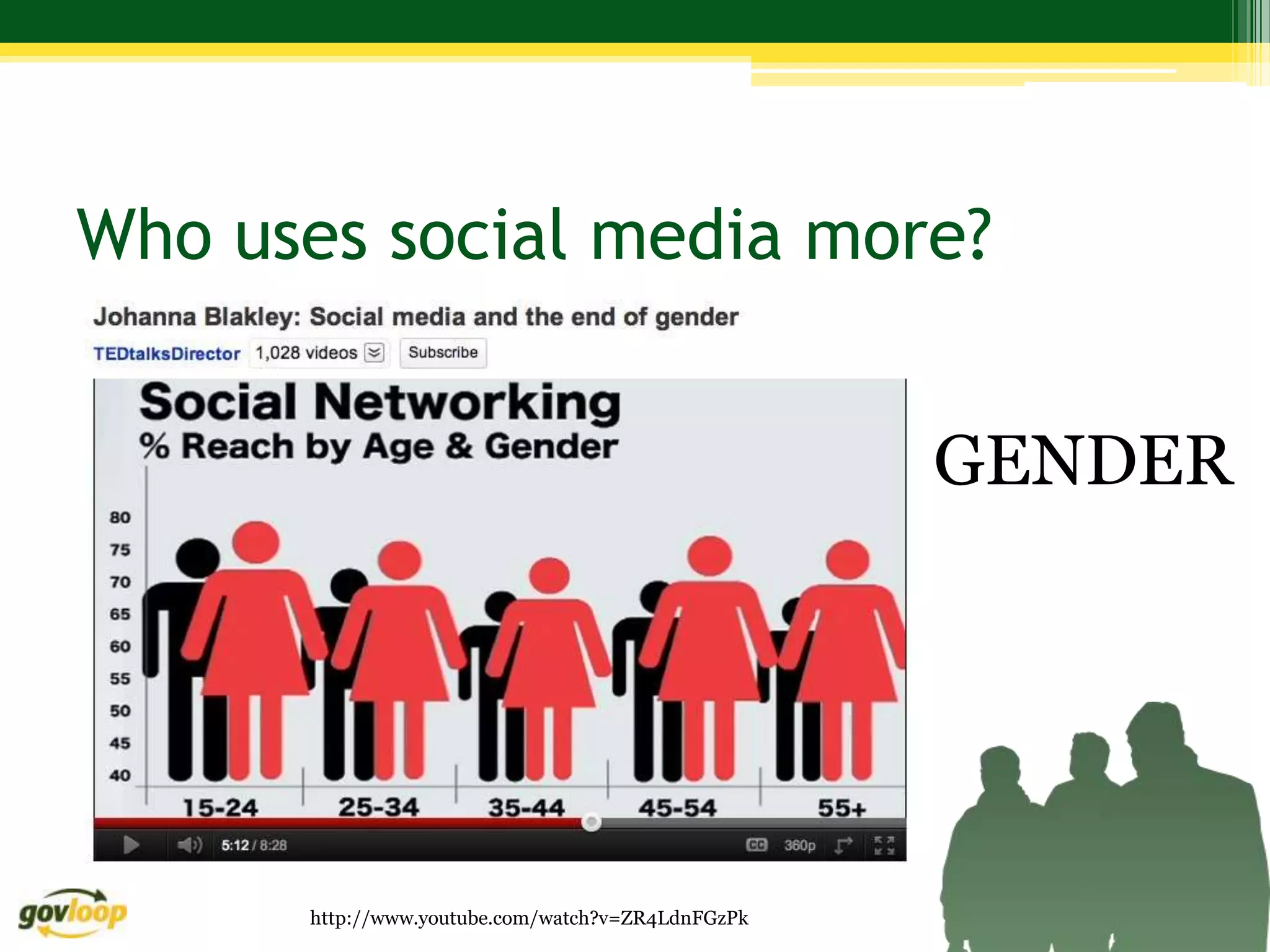
Who uses social media more?


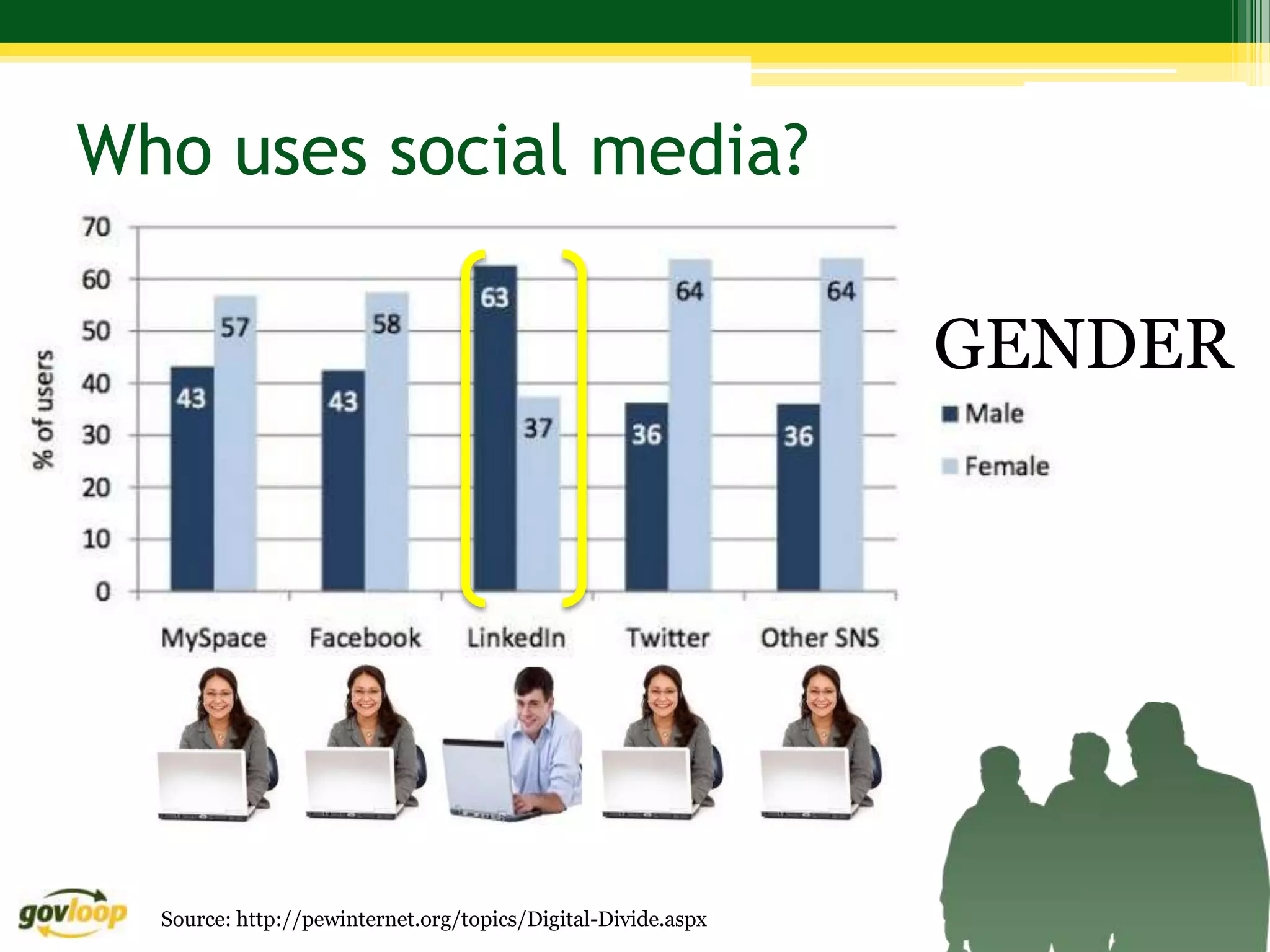
                                                   GENDER


      http://www.youtube.com/watch?v=ZR4LdnFGzPk
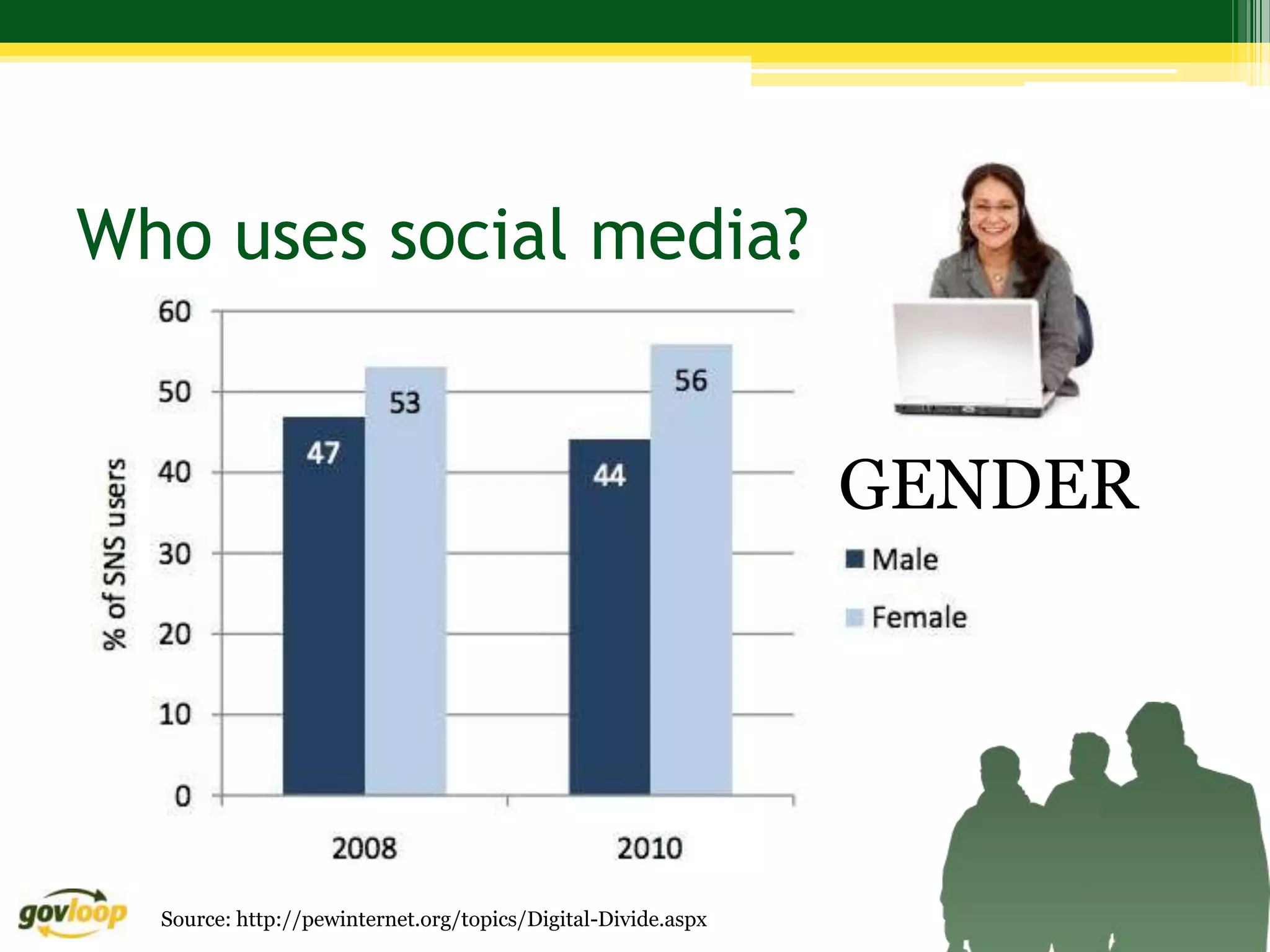
Who uses social media?


                                                              GENDER


  Source: http://pewinternet.org/topics/Digital-Divide.aspx
Who uses social media?

                                                              GENDER


  Source: http://pewinternet.org/topics/Digital-Divide.aspx
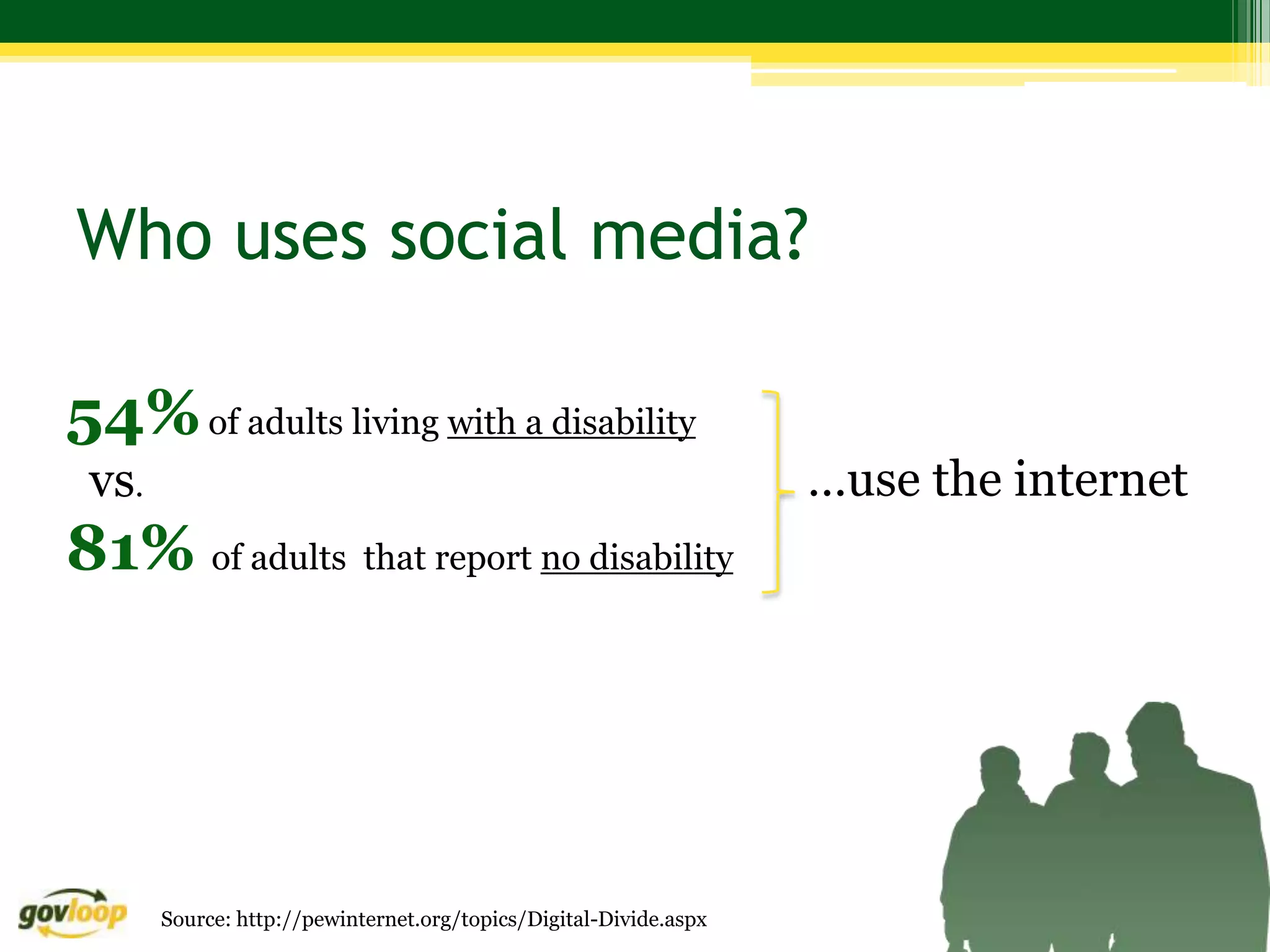
Who uses social media?

54% of adults living with a disability
 vs.                                                               …use the internet
81% of adults that report no disability


       Source: http://pewinternet.org/topics/Digital-Divide.aspx
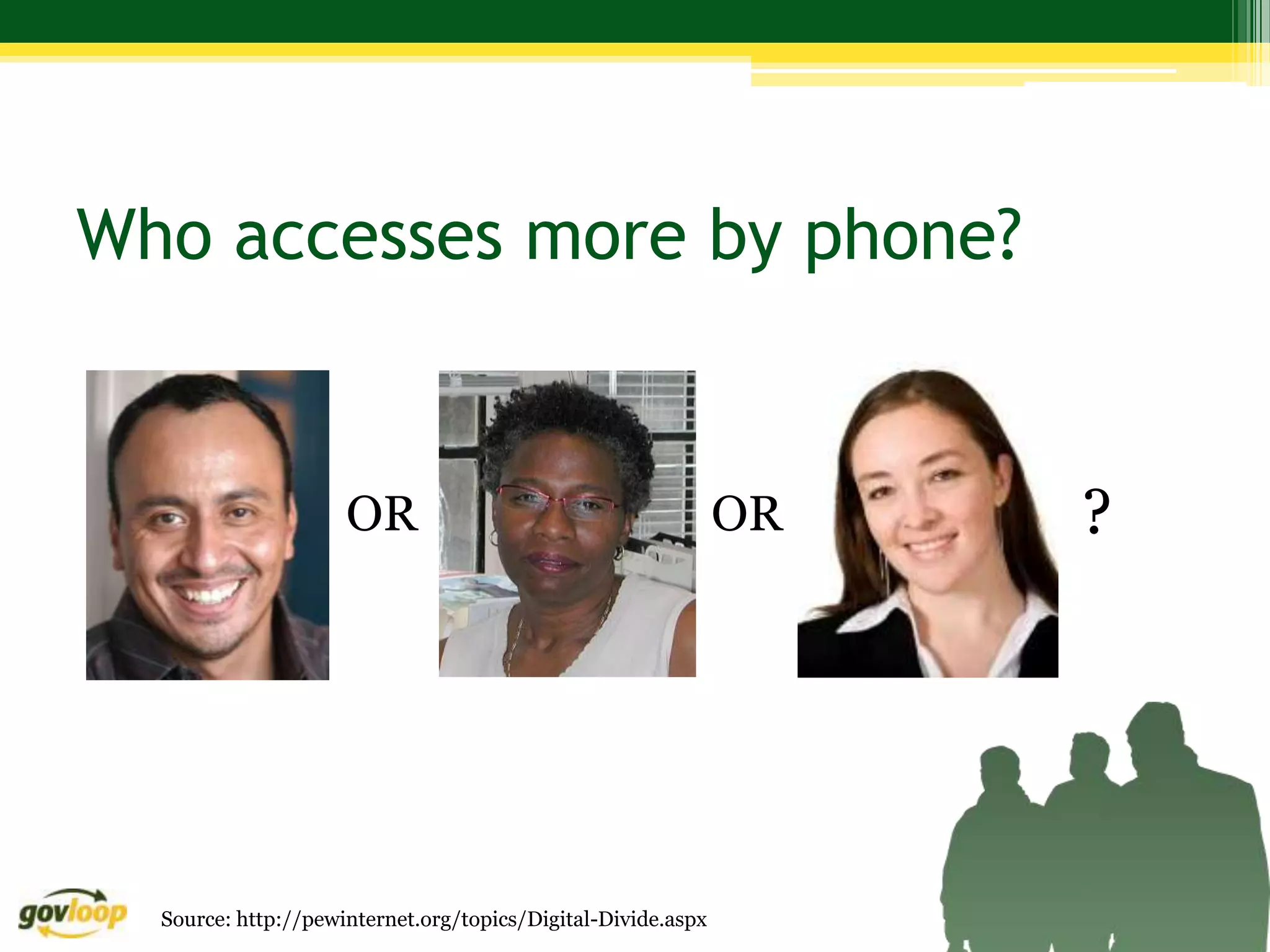
Who accesses more by phone?


                     OR                                       OR   ?


  Source: http://pewinternet.org/topics/Digital-Divide.aspx
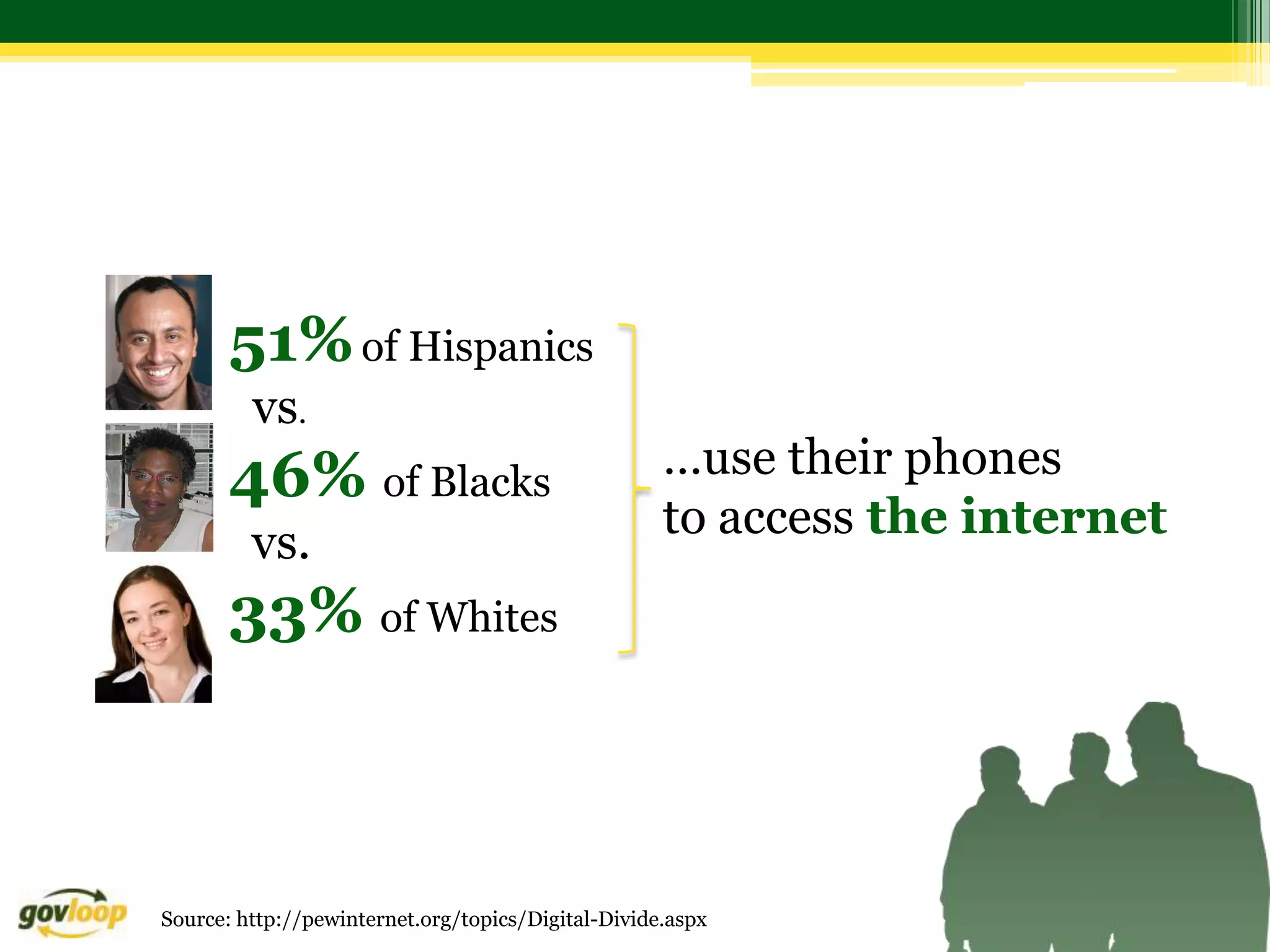
51% of Hispanics
         vs.
       46% of Blacks                                …use their phones
                                                    to access the internet
         vs.
       33% of Whites


Source: http://pewinternet.org/topics/Digital-Divide.aspx
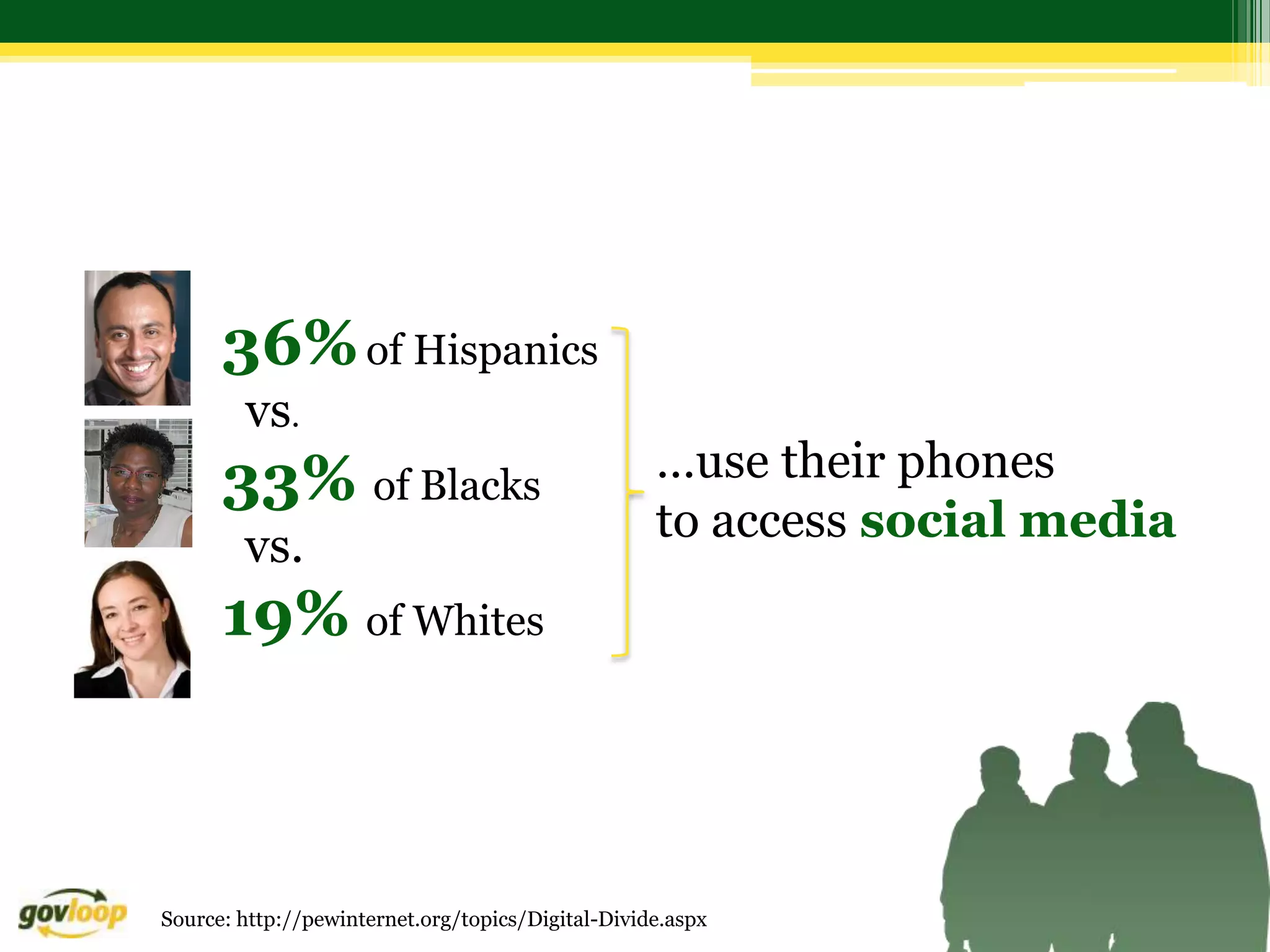
36% of Hispanics
        vs.
      33% of Blacks                                …use their phones
                                                   to access social media
        vs.
      19% of Whites


Source: http://pewinternet.org/topics/Digital-Divide.aspx
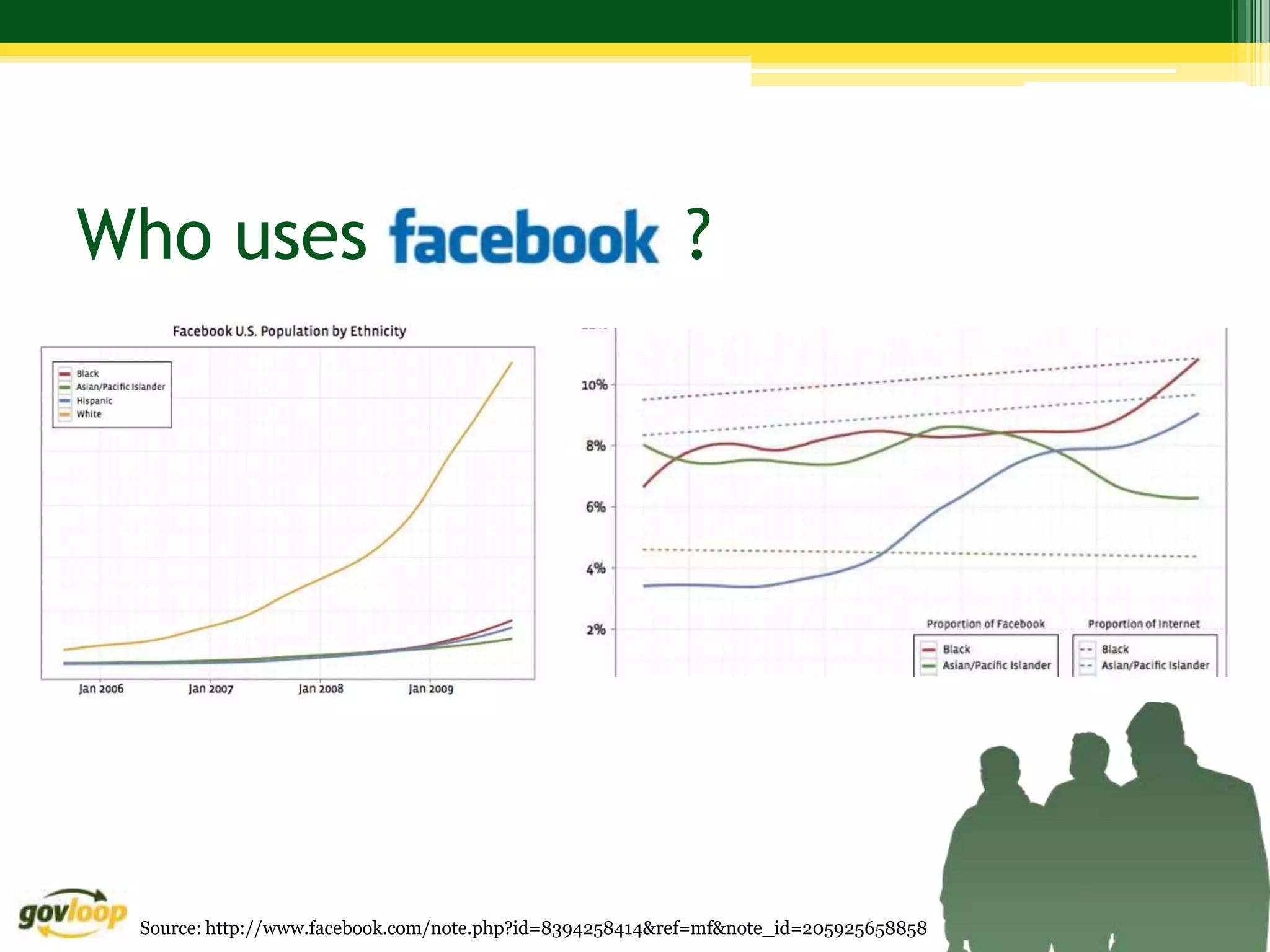
Who uses                                                 ?


 Source: http://www.facebook.com/note.php?id=8394258414&ref=mf&note_id=205925658858
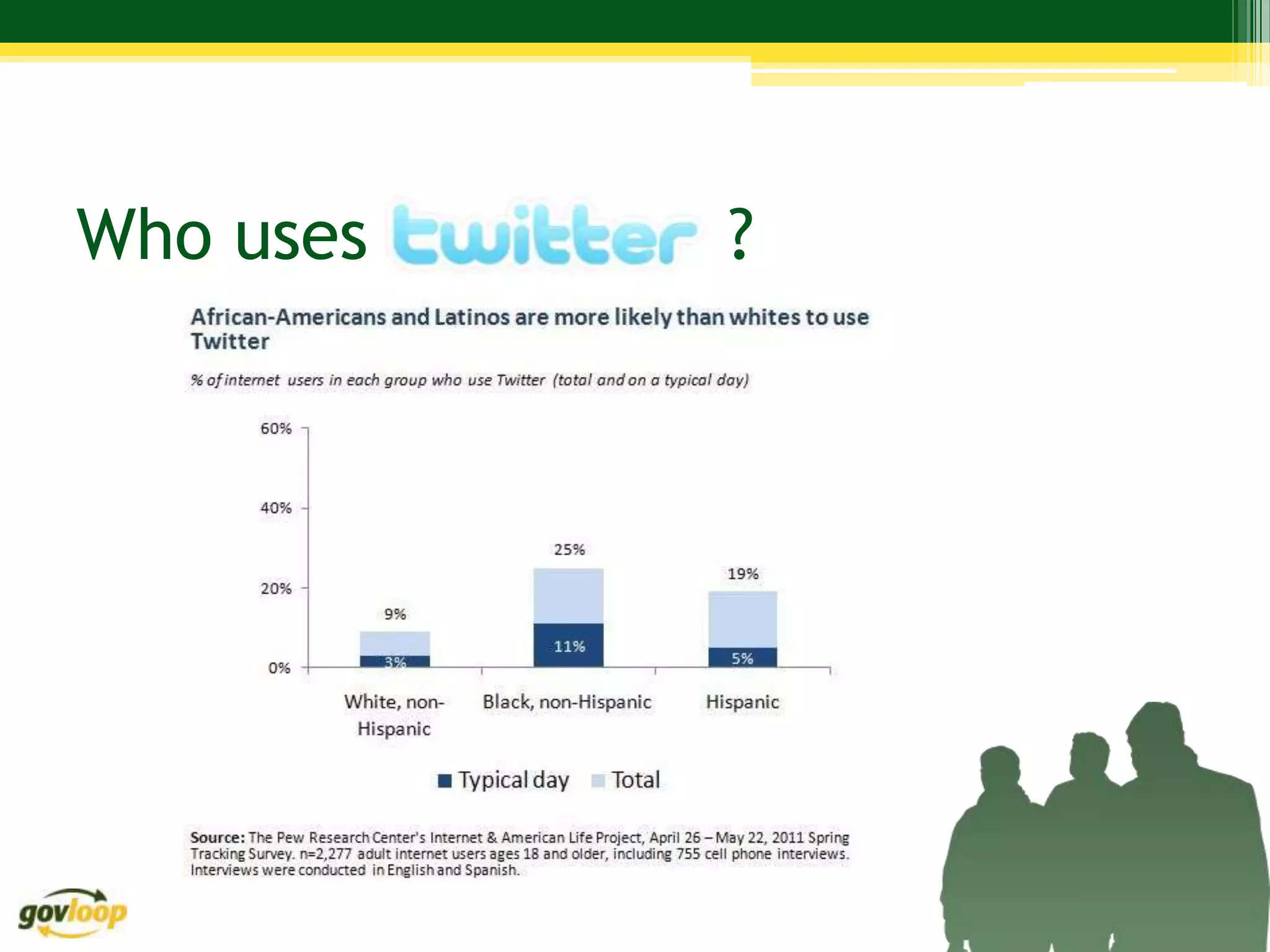
Who uses   ?
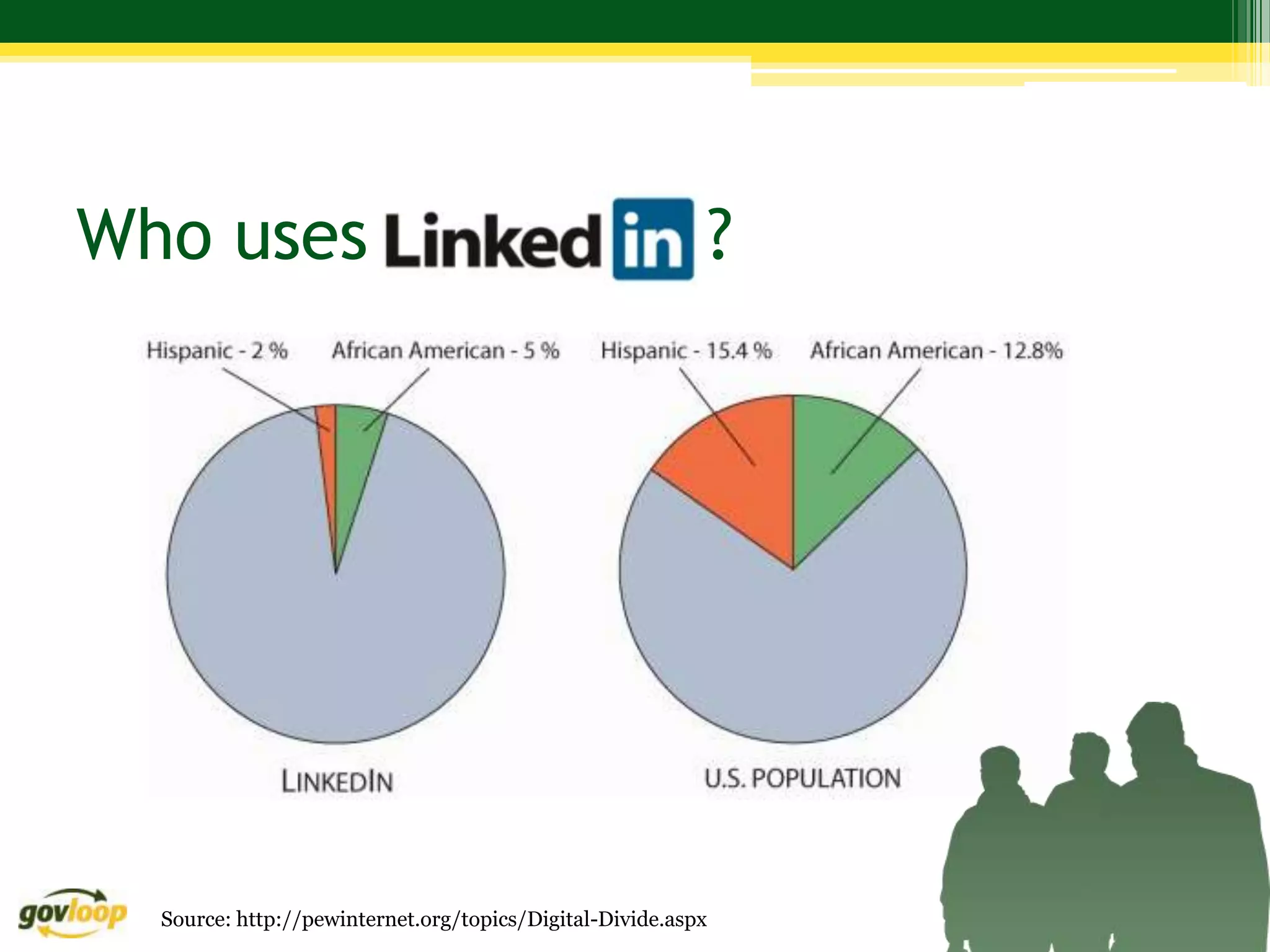
Who uses                                                      ?


  Source: http://pewinternet.org/topics/Digital-Divide.aspx
A greater percentage of whites
              than blacks and Latinos still
              have broadband access at home
…but
              laptop ownership is now about even
              for all these groups


   Source: http://pewinternet.org/topics/Digital-Divide.aspx
“…mobile Internet access
               may not be the great equalizer.
               Aaron Smith, a Pew senior research specialist,
…so            says there are obvious limitations on
               what you can do on a mobile device —

               updating a resume being the classic example.”


      Source: http://pewinternet.org/topics/Digital-Divide.aspx
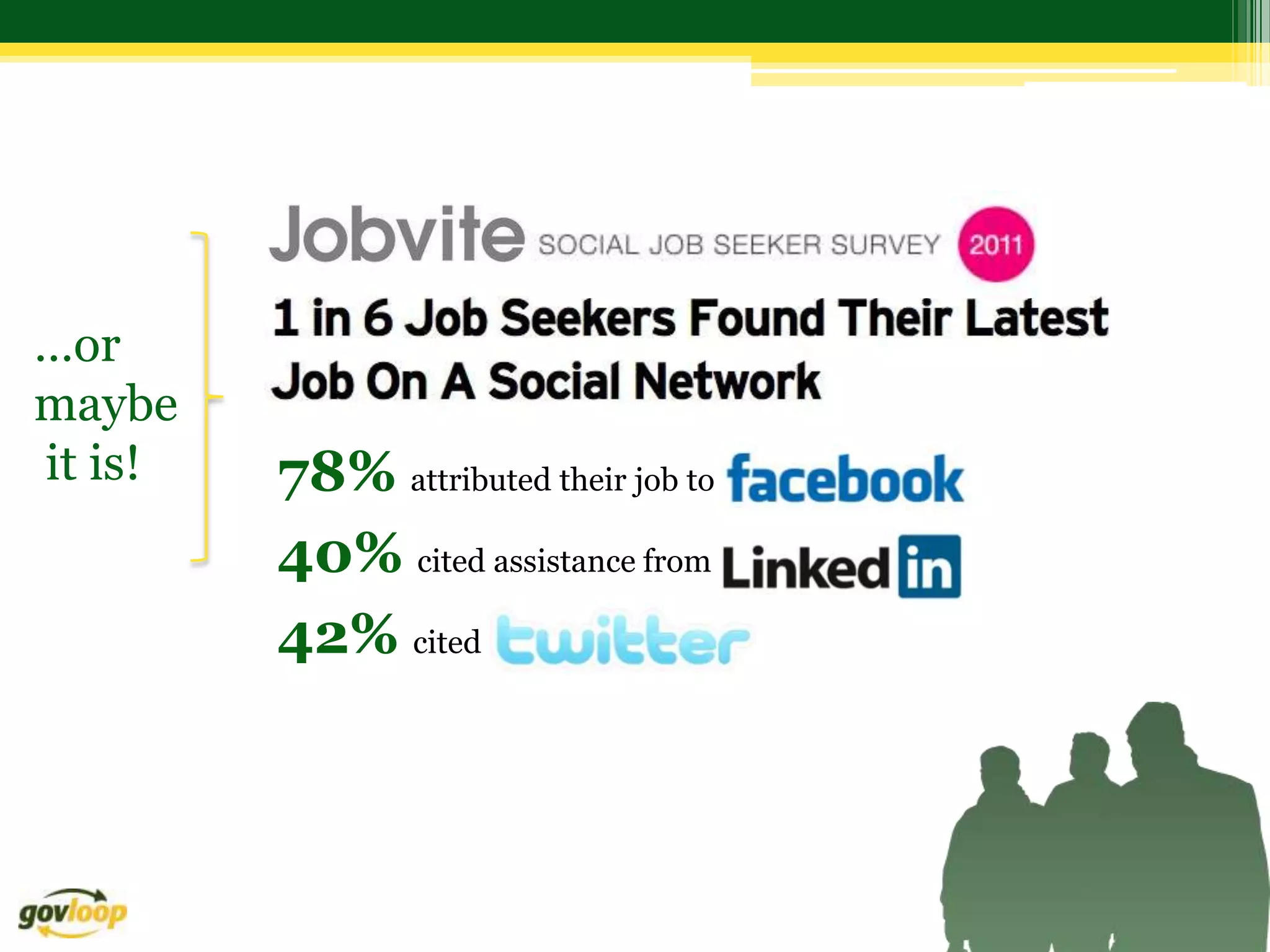
…or
maybe
it is!   78% attributed their job to
         40% cited assistance from
         42% cited
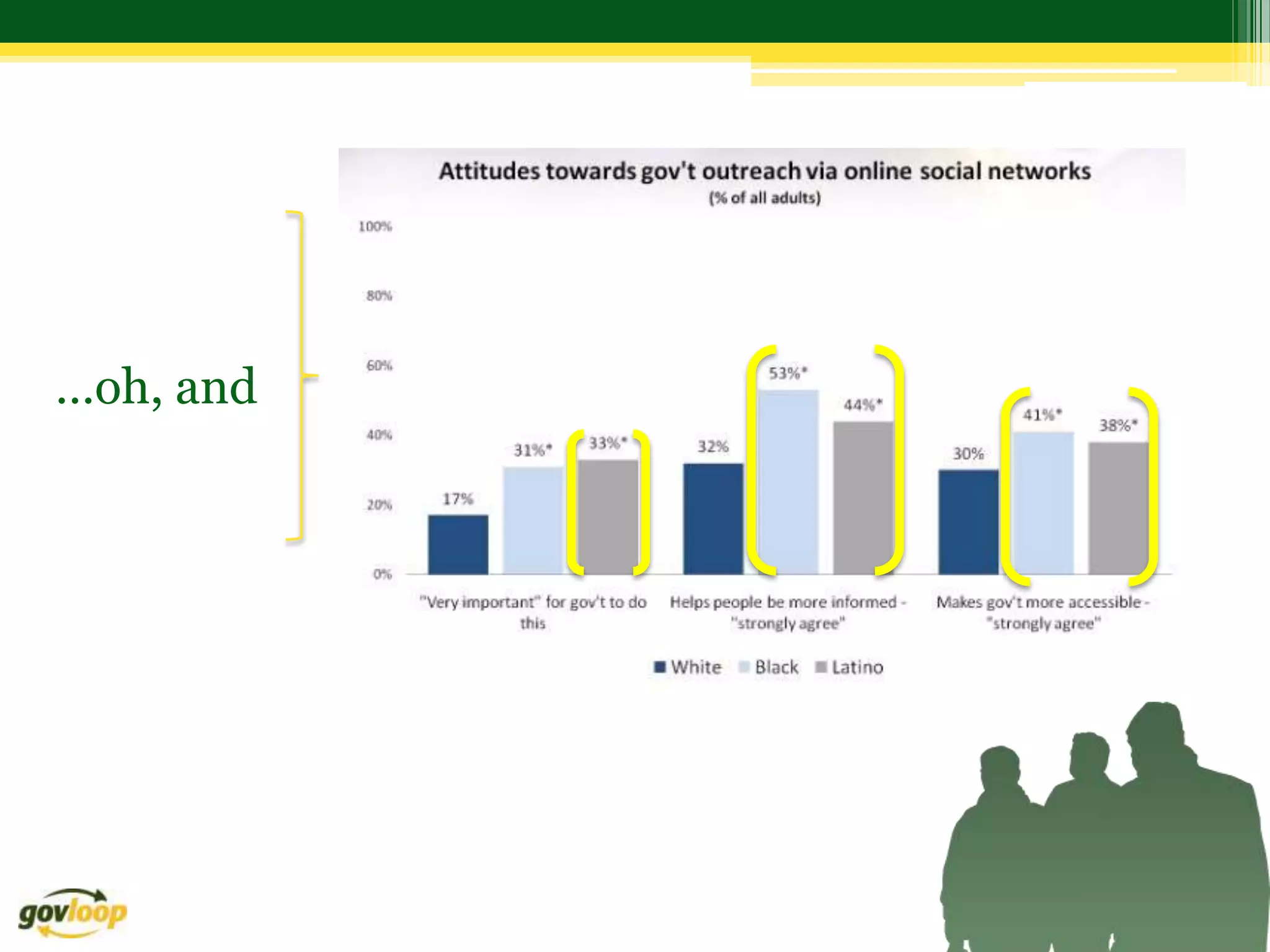
…oh, and
…and


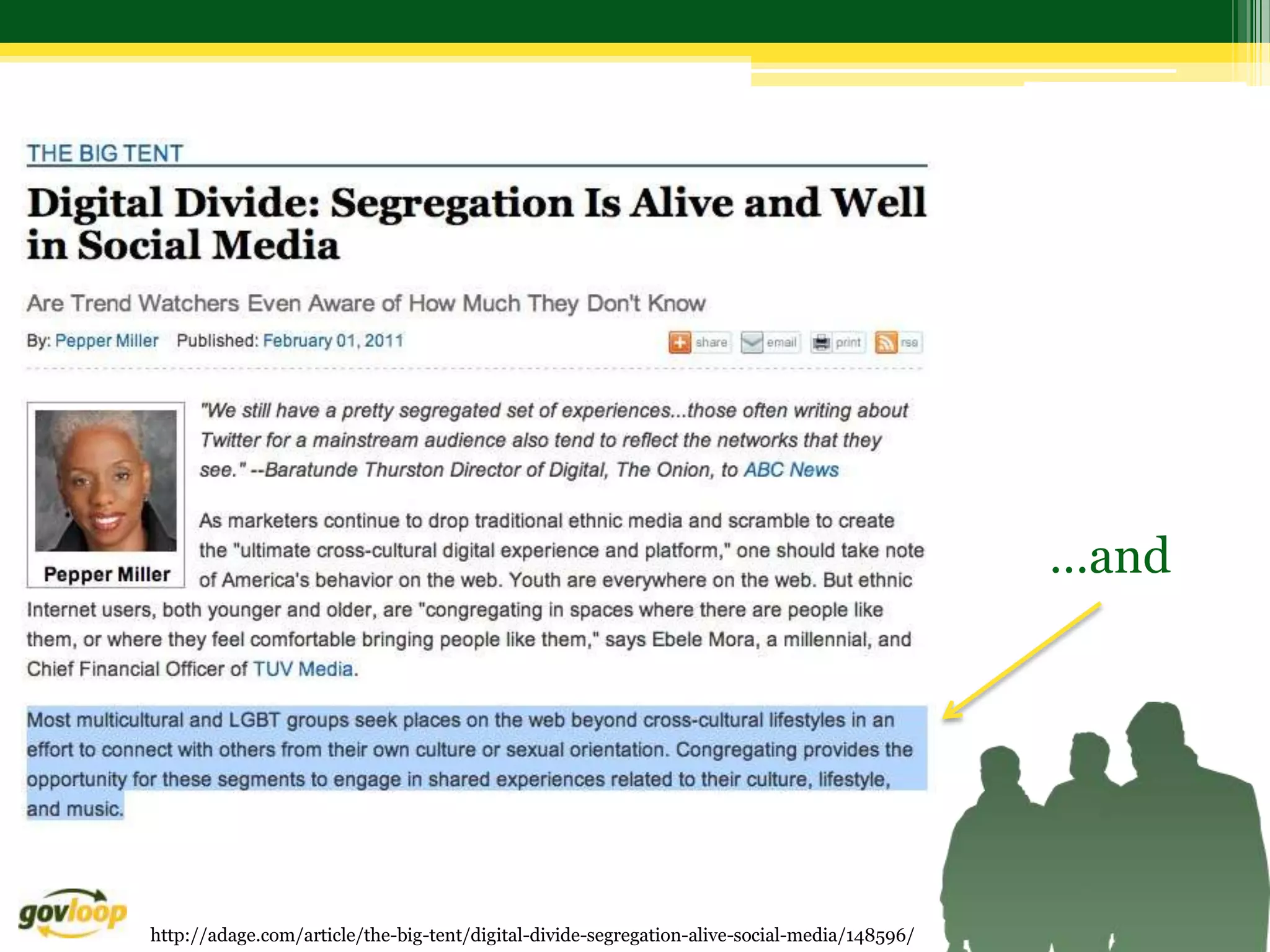
http://adage.com/article/the-big-tent/digital-divide-segregation-alive-social-media/148596/
Reactions?
What’s the impact at work?
• Can a supervisor fire someone based on
  Facebook?
• Can you turn down someone for a job based on
  information you find on Google?
• Is it harmless to take a look and “snoop”?
What’s the Impact at Work?
 • Form a small group with 4-5 people around you

 • You will receive one of 4 scenarios

 • Assign a spokesperson / note-taker

 • Using the worksheet, take 10 minutes to address the scenario
   assigned to your group

 • Be ready to share with the large group

 • We’ll address each scenario for 5-10 minutes
Scenario 1 – To Friend or Not To Friend?
When Eva hears the news she has earned a spot at the prestigious State
 Department International Fellow program, she is ecstatic as she prepares
 to leave Latvia and travel to the US for one year. Her fellow students in the
 program are from all over the world and want to know all about her -
 where she is from, what languages she speaks, what her hometown looks
 like. “Are you on Facebook?” they ask.

After much convincing, Eva decides to join Facebook and begins accepting
  friend requests from everyone in the program. Since DC has a great
  nightlife, she starts posting lots of pictures from outings with her new
  friends. One afternoon, she gets a friend request from her supervisor. This
  supervisor was the one who originally accepted her application into the
  program, and will be on the panel to decide if she will be placed
  in a select group of students to intern with a US company
  when the program ends.
Scenario 1 – To Friend or Not To Friend?
Questions:
• Should Eva accept the friend request from her
  supervisor?
• How can Eva ensure that she doesn’t miss out on
  valuable connections while maintaining a comfortable
  level of privacy and maintain her reputation?
• Should a supervisor send a friend request to direct
  reports?
Scenario 1: “To Friend or Not to Friend?”
• Recommendation: Create personal guidelines/policies on
  sending and accepting invitations on social networks, and define
  your objective for engagement on each platform first.
       • A) Accept friend requests from all colleagues to gain better camaraderie
       • B) Accept all friend requests, but create different levels of viewing access for
         different groups of people.
       • C) Keep Facebook strictly for family and friends, and politely send a message to
         all who friend you, stating this is the protocol you follow - no feelings hurt.
•

• How to limit who sees what on your profile.
    • Click on the top right of your FB page, and select Account >> Edit Friends.
    • Select different people for different groups, and then set the different groups as
      having different profile view rights.
    • For more information - check out this Facebook help center resource.
Scenario 2: The Office Offense
Dan and Jeff are like oil and water in the office. Despite sharing a common
mission, they can't seem to get along. They're always taking not-so-subtle
digs at one another in meetings and small camps of sympathetic colleagues
have formed around each of them.

 The problem: they are both excellent performers overall, meeting deadlines
and accomplishing team goals. However, things really seemed to have gone
too far when Dan found an unflattering personal photo of Jeff on Flickr,
posted it on his Facebook page and used it as his screen saver at the office.
Jeff spoke with Dan's supervisor and reported the incident to HR. Dan was
forced to take the image off his work computer but refused to remove it from
his Facebook page, stating that he could do what he wanted with his personal
account.
Scenario 2: The Office Offense
Questions:
• How would you handle this type of situation from the
  perspective of Dan's supervisor?
• How about from the vantage point of HR?
• As a colleague?
Scenario 2: “Venting in the Wrong Venue”

Recommendation for the Supervisor:
• The behavior issues, including the Facebook photo, should be addressed as
  performance elements and considered as part of Dan’s evaluation.
• Set a concrete date for removal of the photo.
• If the supervisor is responsible for both Jeff and Dan, s/he should sit them
  down together and address the issues jointly
Recommendation for HR:
• Establish a clear policy for this type of scenario.
• Tie into existing policy that prohibits the posting of inappropriate photos or
  images in the office place, or addresses the appropriate use of the Internet.
• Work with the supervisor and legal counsel to develop the most appropriate
  course of action, then stand behind the supervisor in his/her decision.
Recommendation for Colleague:
• Encourage Dan to remove the photo from Facebook. Recommend that Jeff
  check the Internet for other photos of himself that could be troublesome.
Scenario 3: Venting in the Wrong Venue
Karla is a Human Resources Specialist at an agency. After a
particularly difficult day, Karla is frustrated with a difficult
employee and makes the following comment on Twitter: “Ridiculous
how [name of agency] keeps incompetent people around. Time to
clean house!” There are rumors of a reduction in force coming on the
horizon, but nothing official has been announced. She makes the
comment after work hours from a home computer on her personal
Twitter account.
Scenario 3: Venting in the Wrong Venue
Questions
• Would / should Karla lose her job?
• What would be a fair policy in terms of how agency employees
  should use social media during their personal time?
• What if colleagues join her in commenting about the work
  situation and begin to organize to do something about it?
Scenario 3: Venting in the Wrong Venue
• Recommendation 1:
  • An employee should be extremely careful in posting anything
    about work, especially if it casts the agency, a colleague or a
    customer in a negative light.

• Recommendation 2:
  • A fair policy would seek to clarify the difference between
    professional and personal use and connect online behavior to
    current guidance on the appropriate conduct of an employee in a
    public setting.
Scenario 4: Digging Up Dirt
Vanessa is a hiring manager for your agency. She has discovered that
Google, Twitter, Facebook and LinkedIn are all effective tools for rounding
out the qualifications and determining the cultural fit of potential candidates
for position vacancies. One candidate is highly qualified for an opening, but
Vanessa discovers in her web search that the individual belongs to a special
interest group with which she strongly disagrees. For that reason, Vanessa
does not forward the candidate's information to the supervisor for review
and consideration. Another member of the HR team learns about Vanessa's
decision and elevates the issue to the Office of the Chief Human Capital
Officer.
Scenario 4: Digging Up Dirt
Questions
• What kind of policy would you develop to protect potential
  candidates from experiencing this kind of discrimination?
• What if the person truly would not have been a solid culture fit (i.e.
  could create significant tension among team members) based on
  their affiliation?
• What if you learned that this happened to you in applying for a job?
  How would you react?
Scenario 4: Digging Up Dirt
Recommendation For You:*
• Remember that everything you place online may be subject to search.
• Conduct personal audits using various search tools...or have a Google Alert
  set up to inform you in real-time what information is being indexed.
Recommendation For HR:
• You may discover information that you wouldn't be allowed to ask about in
  a job interview
• Have someone other than the interviewers / selection committee conduct
  this research to avoid those discoveries
• Keep detailed records of why you did or didn't hire everyone you
  considered, so a complete and transparent paper trail will be on hand if
  auditors come calling or a plaintiff's lawyer formally requests documents.
* Excerpts from:
http://management.fortune.cnn.com/2011/03/02/checking-out-job-applicants-on-facebook-better-ask-a-lawyer/
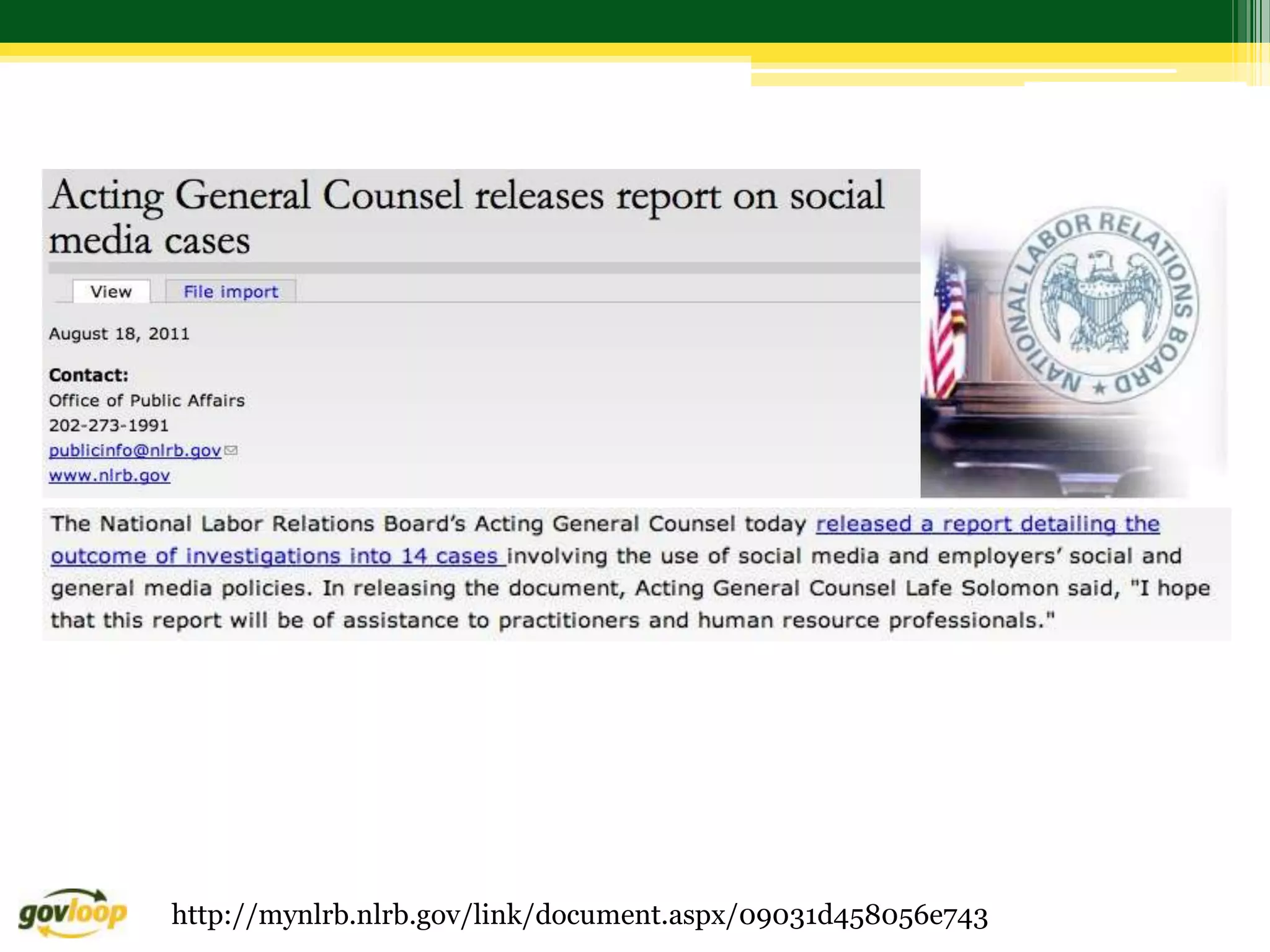
http://mynlrb.nlrb.gov/link/document.aspx/09031d458056e743
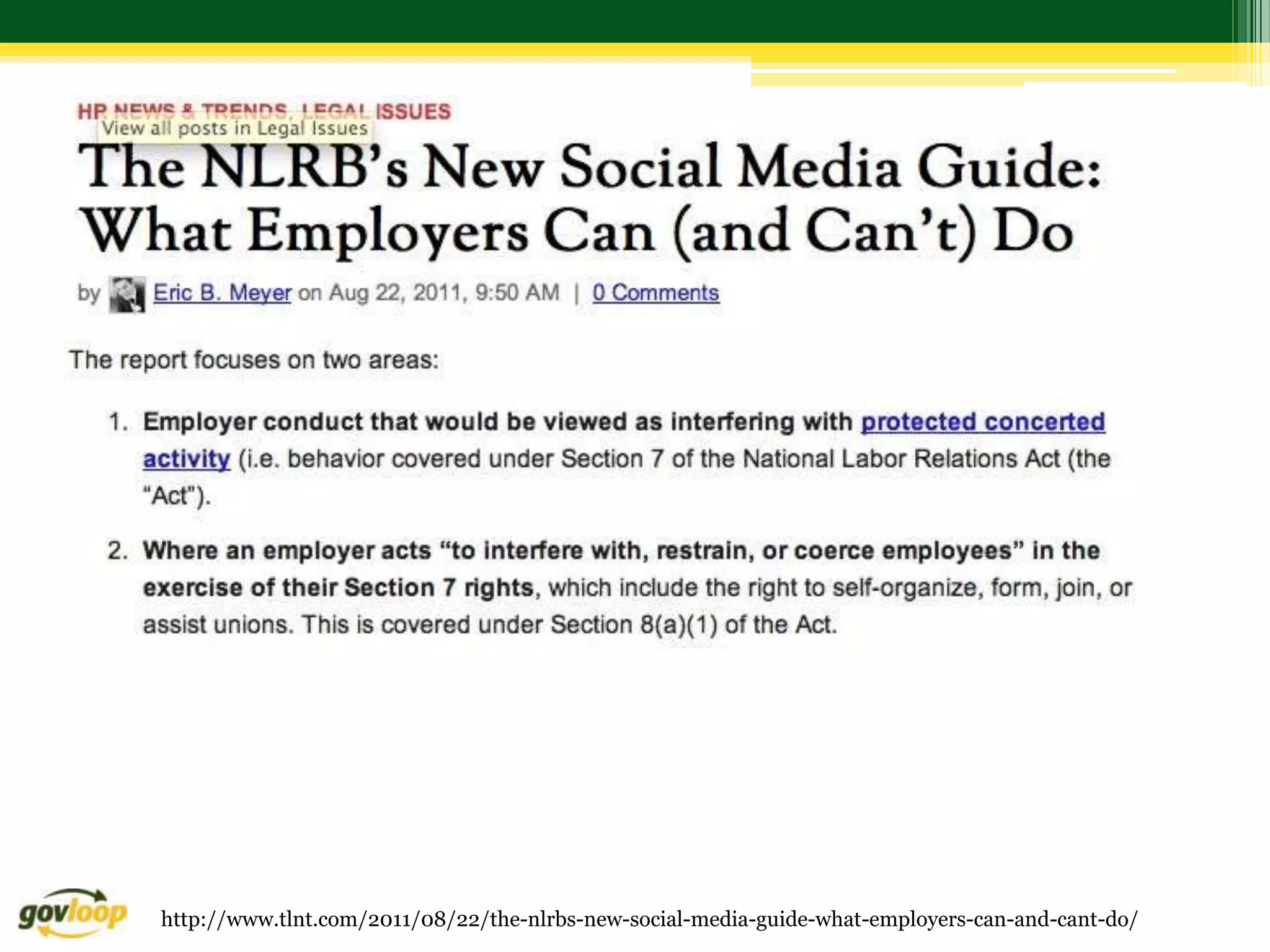
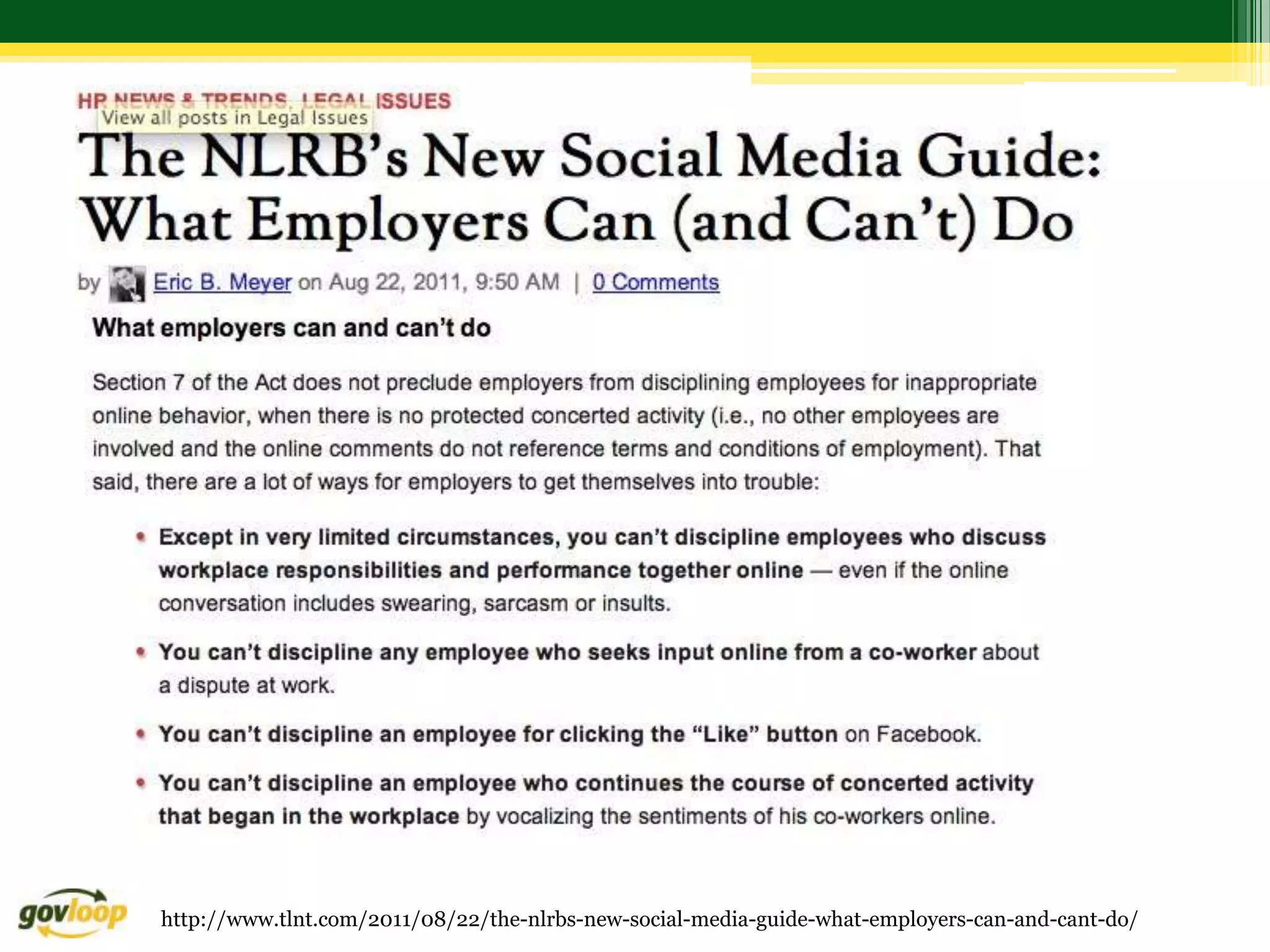
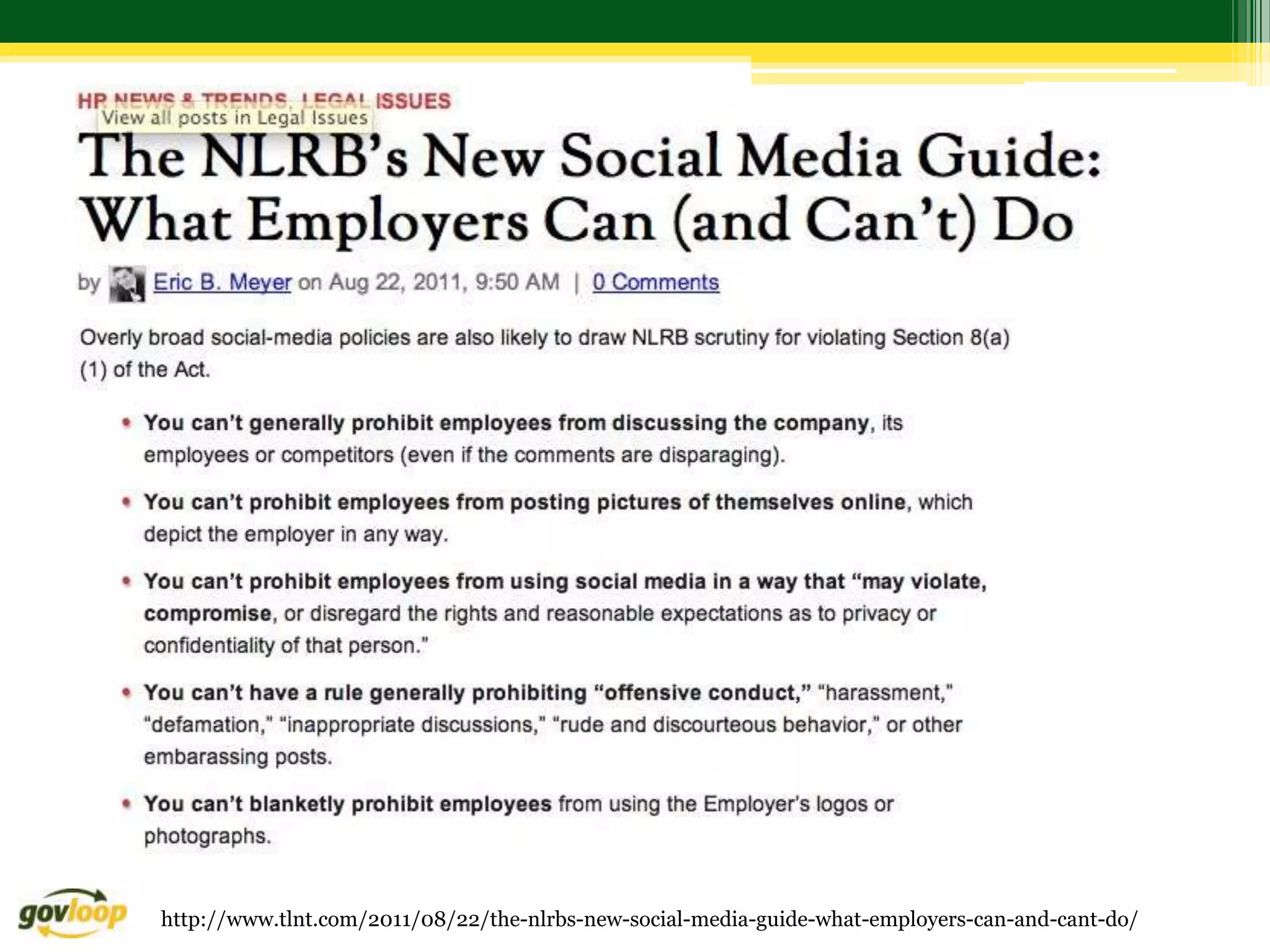
http://www.tlnt.com/2011/08/22/the-nlrbs-new-social-media-guide-what-employers-can-and-cant-do/
http://www.socialmedialawupdate.com/
You might be thinking, "what could possibly be
wrong with finding public information that the
job candidate has freely shared on the
Internet?" "Having shared that information, the
company should be able to ask him about it. After all,
the job applicant is not making a secret of it."


  http://www.socialmedialawupdate.com/2011/10/articles/social-media/legal-issues-surrounding-social-media-background-checks/
Subjects that are considered off limits for employers to ask job applicants
about:
• Title VII of the Civil Rights Act prohibits discrimination in hiring,
  discipline and termination decisions based on race, color, national origin,
  religion and gender.
• Age Discrimination in Employment Act (ADEA) adds to the list with a
  prohibition on discrimination against individuals who are 40 years or older.
• Americans With Disabilities Act of 1990 prohibits discrimination against
  "qualified disabled" individuals. Employment decisions are defined broadly and
  include promotion, demotion, compensation, and transfers.
• Many states add additional areas that are off limits for making
  employment decisions (i.e. California => sexual orientation, marital status,
  pregnancy, cancer, political affiliation, genetic characteristics, and gender
  identity.
        http://www.socialmedialawupdate.com/2011/10/articles/social-media/legal-issues-surrounding-social-media-background-checks/
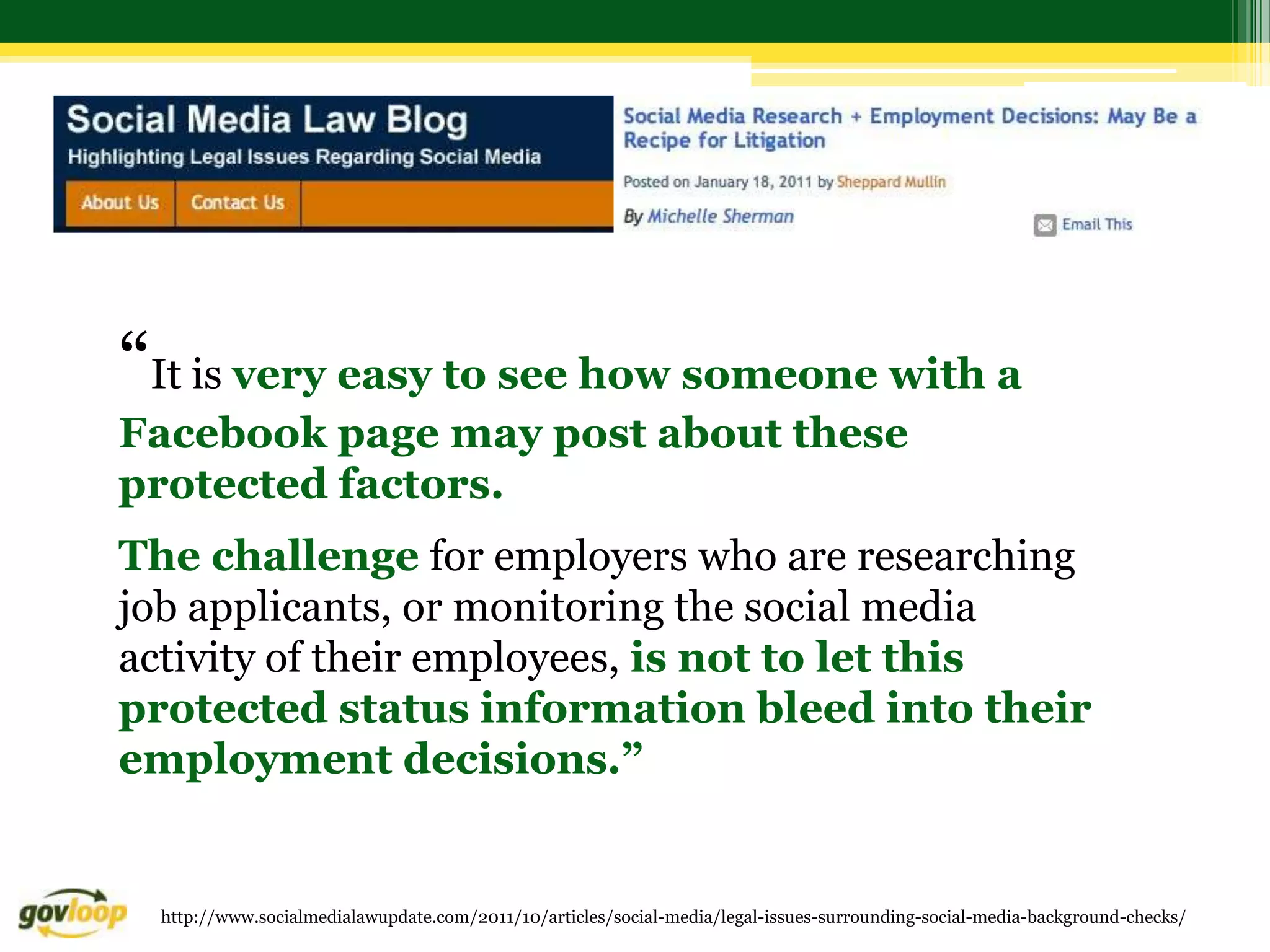
“It is very easy to see how someone with a
Facebook page may post about these
protected factors.
The challenge for employers who are researching
job applicants, or monitoring the social media
activity of their employees, is not to let this
protected status information bleed into their
employment decisions.”


  http://www.socialmedialawupdate.com/2011/10/articles/social-media/legal-issues-surrounding-social-media-background-checks/
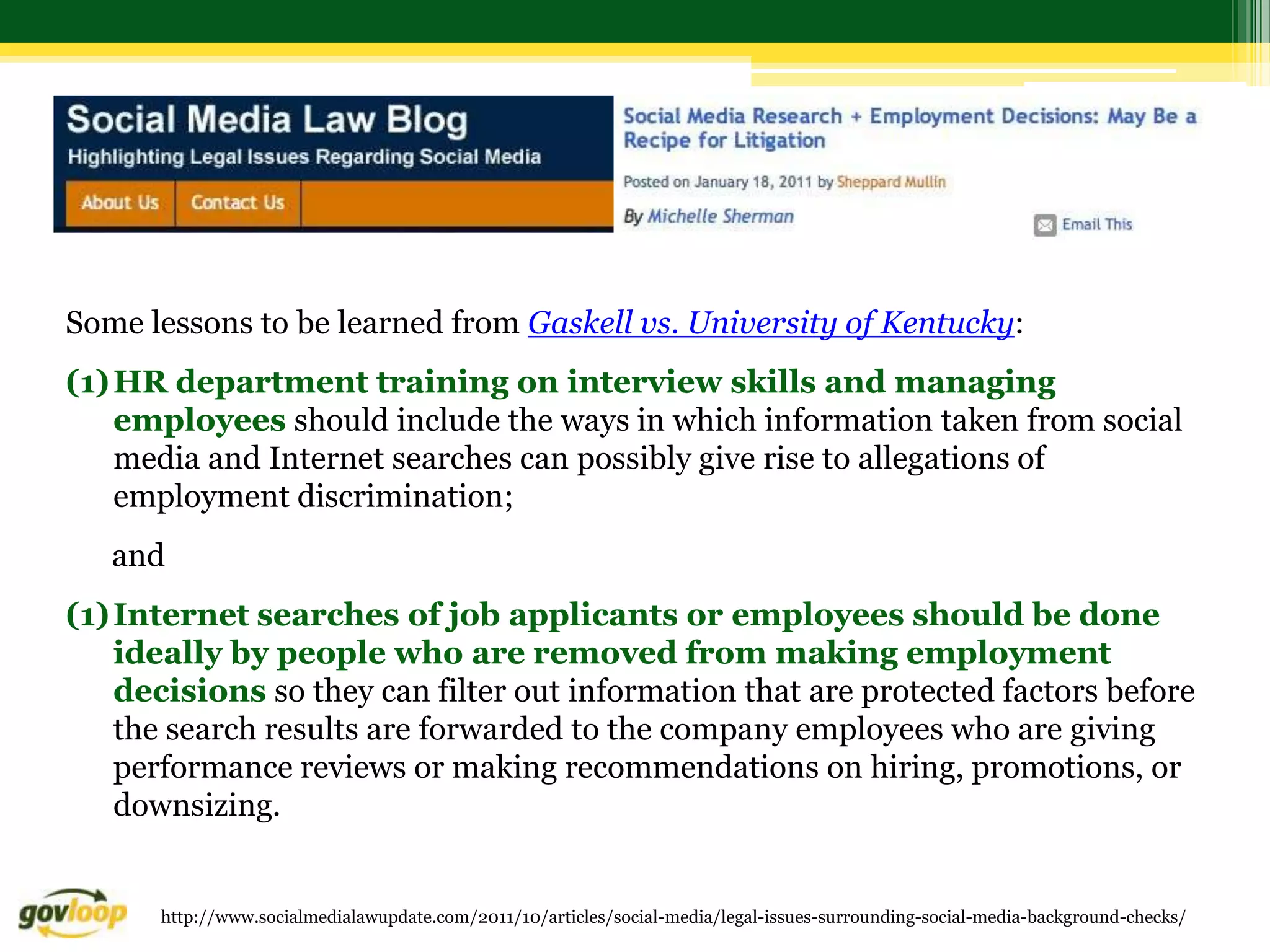
Some lessons to be learned from Gaskell vs. University of Kentucky:
(1) HR department training on interview skills and managing
    employees should include the ways in which information taken from social
    media and Internet searches can possibly give rise to allegations of
    employment discrimination;
   and
(1) Internet searches of job applicants or employees should be done
    ideally by people who are removed from making employment
    decisions so they can filter out information that are protected factors before
    the search results are forwarded to the company employees who are giving
    performance reviews or making recommendations on hiring, promotions, or
    downsizing.


      http://www.socialmedialawupdate.com/2011/10/articles/social-media/legal-issues-surrounding-social-media-background-checks/
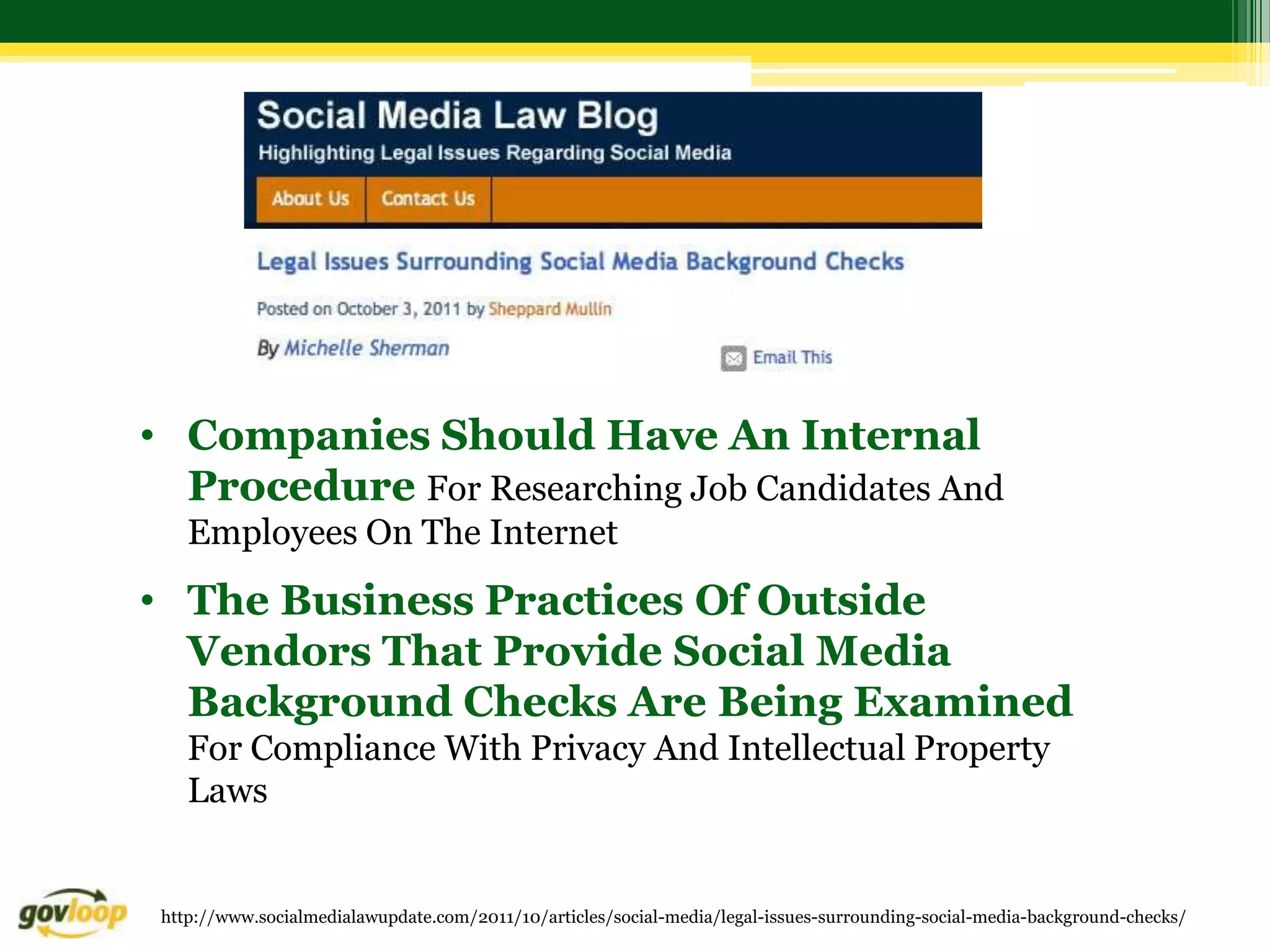
• Companies Should Have An Internal
  Procedure For Researching Job Candidates And
    Employees On The Internet
• The Business Practices Of Outside
  Vendors That Provide Social Media
  Background Checks Are Being Examined
    For Compliance With Privacy And Intellectual Property
    Laws


 http://www.socialmedialawupdate.com/2011/10/articles/social-media/legal-issues-surrounding-social-media-background-checks/
Policy Considerations               (from Federal CIO Council)

• Goal: not to say “No” to social media websites
  and block them completely, but to say “Yes,
  following security guidance,” with effective and
  appropriate information assurance security and privacy
  controls.

• Focus on user behavior, both personal and
  professional, and to address information confidentiality,
  integrity, and availability when accessing data or
  distributing government information.
Training Considerations                         (from Federal CIO Council)

 • Provide periodic awareness and training of policy,
   guidance, and best practices:
   what information to share, with whom they can share it, and
    what not to share.
   mindful of blurring their personal and professional life - don’t
    establish relationships with working groups or affiliations that may
    reveal sensitive information about their job responsibilities.
   Operations Security (OPSEC) awareness and training to
    educate users about the risks of information disclosure and various
    attack mechanisms
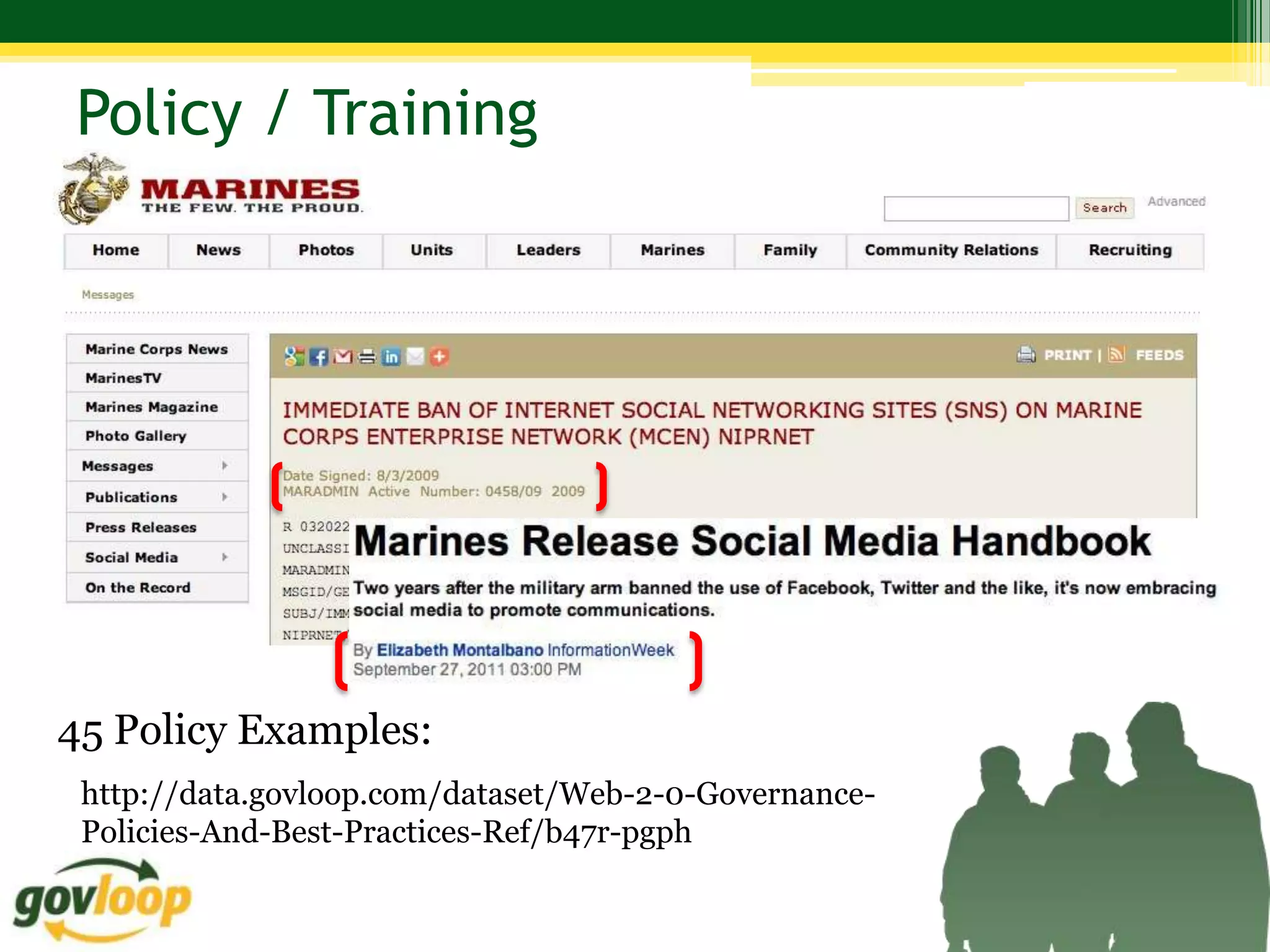
Policy / Training


45 Policy Examples:
 http://data.govloop.com/dataset/Web-2-0-Governance-
 Policies-And-Best-Practices-Ref/b47r-pgph
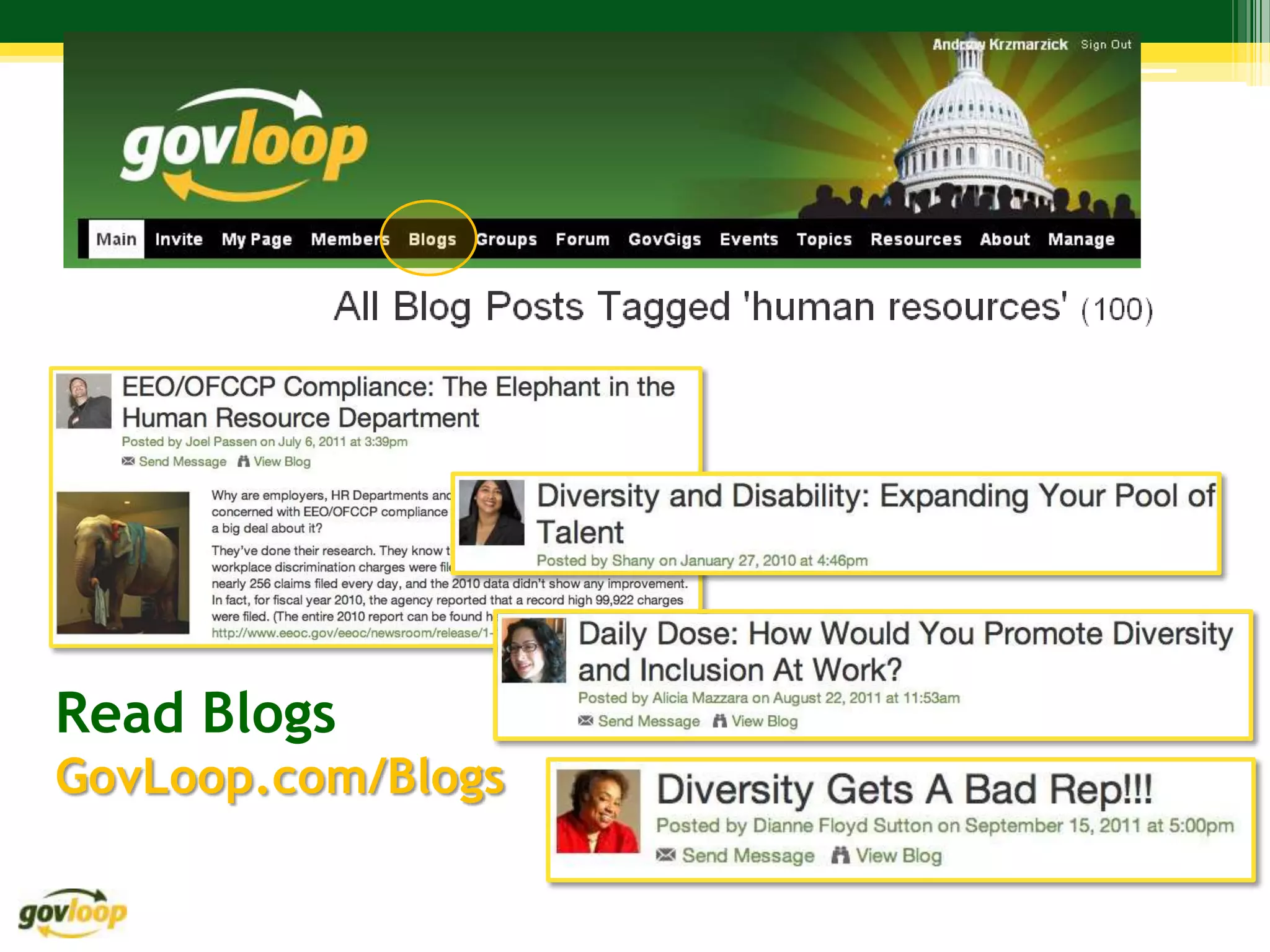
Read Blogs
GovLoop.com/Blogs
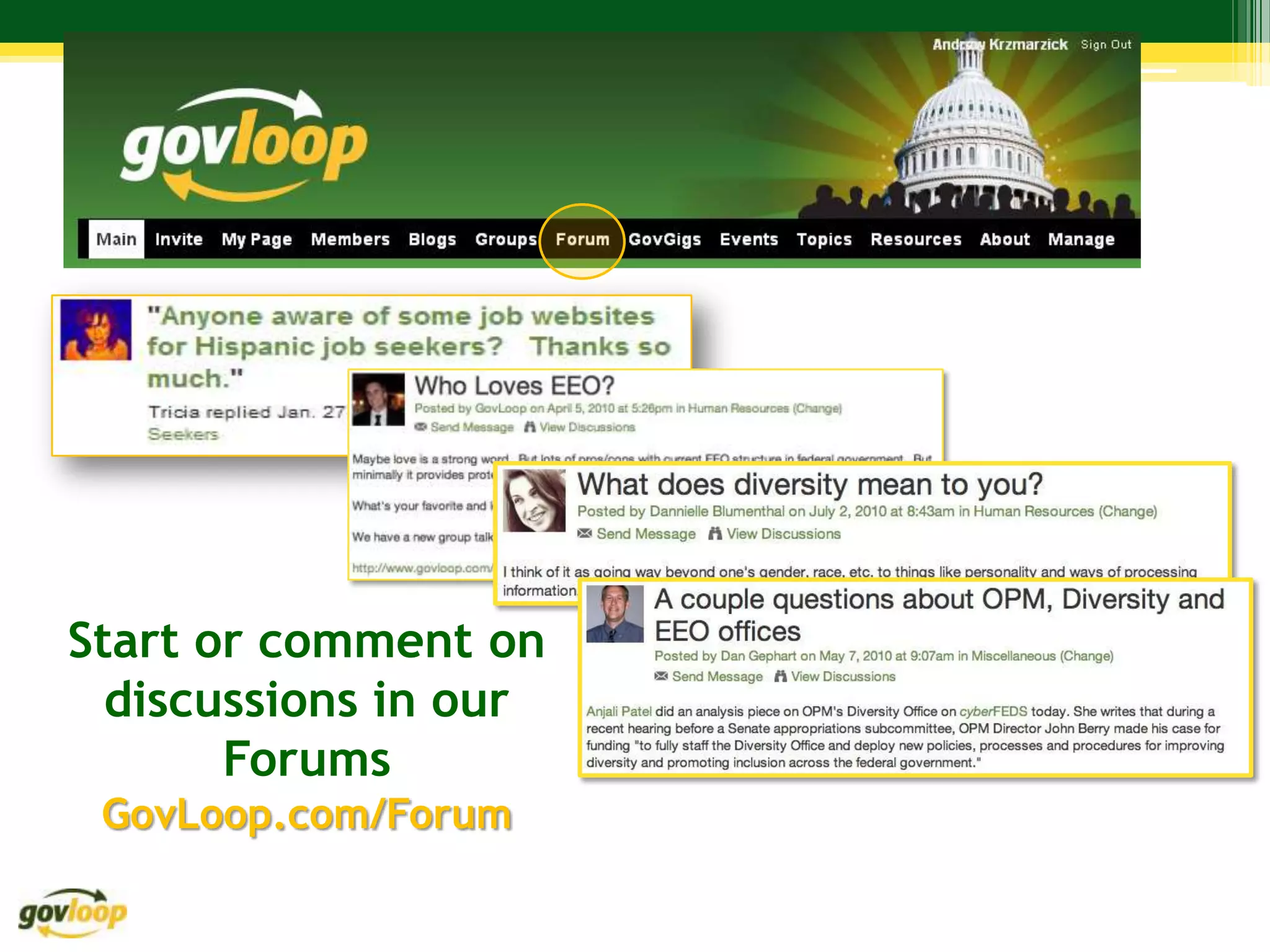
Start or comment on
  discussions in our
       Forums
 GovLoop.com/Forum
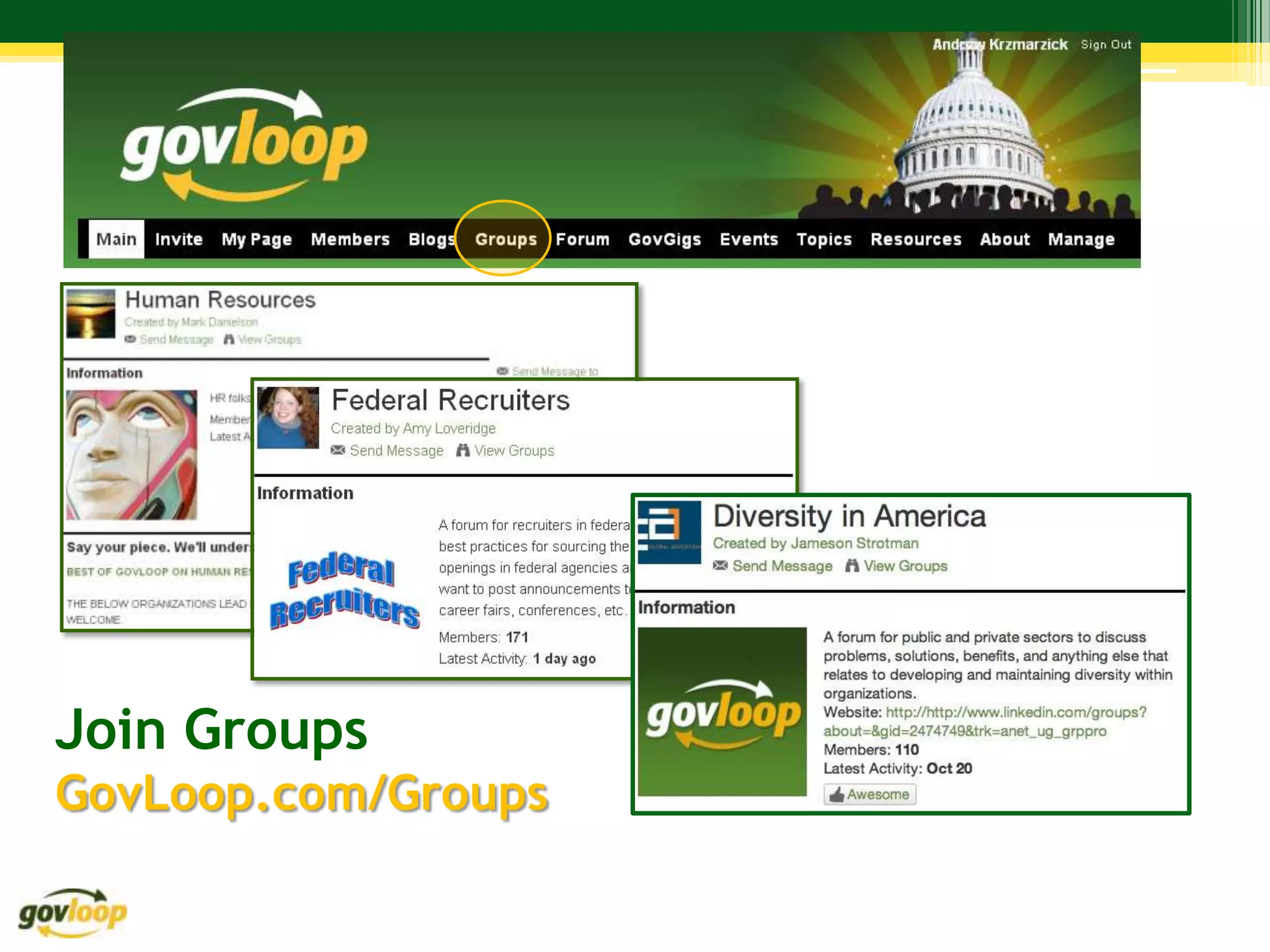
Join Groups
GovLoop.com/Groups
Andrew Krzmarzick

andrew@govloop.com

GovLoop.com/profile/AndrewKrzmarzick

202-352-1806

How Not to Get Fired Using Social Media at Work - EEO, Diversity and Social Media

  • 1.
    May Not Be SocialMedia is the Social Equalizer Philadelphia Federal Executive Board (FEB) EEO/Diversity Day Andrew Krzmarzick Director of Community Engagement, GovLoop
  • 2.
    Our Time TogetherToday… 1. What is social media? 2. Who is using it? 3. What’s the impact on our workplaces? 4. How is it being addressed?
  • 3.
    What do youdo (in 7 words or less)? 1. In 7 words or less, explain what you do (Don’t cheat: NOT your title!) 2. Discuss your response with 4-5 people near you
  • 4.
    Don’t cheat: NOT your title! Discuss your response with 4-5 people near you
  • 6.
    Caveat: My Experience… Starship Captain Lawyer (Not!)
  • 7.
    What is socialmedia? Photo credit: http://drivingtraffic.com/wp-content/uploads/2010/06/socialmedia1.jpg
  • 8.
    What is socialmedia? “media for social interaction, using highly accessible and scalable communication techniques…web-based and mobile technologies to turn communication into interactive dialogue.” “platforms that enable the interactive web by engaging users to participate in, comment on and create content as means of communicating…” “not about what each one of us does or says, but about what we do and say together, worldwide, to communicate in all directions at any time…” “a reflection of conversations happening every day, whether at the supermarket, a bar, the train, the watercooler or the playground. It just allows for those conversations to reach a broader audience…” http://heidicohen.com/social-media-definition/
  • 9.
    What is ? Tools: Online community of • Blogs government colleagues • Forums • Groups that help each other • Datasets to do their jobs better. • Video / Photo Sharing • Tools Value: 50,000 Members • Learn and share with peers • Federal, state and local employees • Contractors, non-profits, academia • Get questions answered quickly • International (Canada, UK, Australia, etc.) • Solve problems faster • Find and contribute best practices
  • 10.
    Who uses socialmedia? AGE Source: http://pewinternet.org/topics/Digital-Divide.aspx
  • 11.
    Who uses socialmedia? AGE Source: http://pewinternet.org/topics/Digital-Divide.aspx
  • 12.
    Who uses socialmedia more? OR ? Source: http://pewinternet.org/topics/Digital-Divide.aspx
  • 13.
    Who uses socialmedia more? GENDER http://www.youtube.com/watch?v=ZR4LdnFGzPk
  • 14.
    Who uses socialmedia? GENDER Source: http://pewinternet.org/topics/Digital-Divide.aspx
  • 15.
    Who uses socialmedia? GENDER Source: http://pewinternet.org/topics/Digital-Divide.aspx
  • 16.
    Who uses socialmedia? 54% of adults living with a disability vs. …use the internet 81% of adults that report no disability Source: http://pewinternet.org/topics/Digital-Divide.aspx
  • 17.
    Who accesses moreby phone? OR OR ? Source: http://pewinternet.org/topics/Digital-Divide.aspx
  • 18.
    51% of Hispanics vs. 46% of Blacks …use their phones to access the internet vs. 33% of Whites Source: http://pewinternet.org/topics/Digital-Divide.aspx
  • 19.
    36% of Hispanics vs. 33% of Blacks …use their phones to access social media vs. 19% of Whites Source: http://pewinternet.org/topics/Digital-Divide.aspx
  • 20.
    Who uses ? Source: http://www.facebook.com/note.php?id=8394258414&ref=mf&note_id=205925658858
  • 21.
  • 22.
    Who uses ? Source: http://pewinternet.org/topics/Digital-Divide.aspx
  • 23.
    A greater percentageof whites than blacks and Latinos still have broadband access at home …but laptop ownership is now about even for all these groups Source: http://pewinternet.org/topics/Digital-Divide.aspx
  • 24.
    “…mobile Internet access may not be the great equalizer. Aaron Smith, a Pew senior research specialist, …so says there are obvious limitations on what you can do on a mobile device — updating a resume being the classic example.” Source: http://pewinternet.org/topics/Digital-Divide.aspx
  • 25.
    …or maybe it is! 78% attributed their job to 40% cited assistance from 42% cited
  • 26.
  • 27.
  • 28.
  • 29.
    What’s the impactat work? • Can a supervisor fire someone based on Facebook? • Can you turn down someone for a job based on information you find on Google? • Is it harmless to take a look and “snoop”?
  • 30.
    What’s the Impactat Work? • Form a small group with 4-5 people around you • You will receive one of 4 scenarios • Assign a spokesperson / note-taker • Using the worksheet, take 10 minutes to address the scenario assigned to your group • Be ready to share with the large group • We’ll address each scenario for 5-10 minutes
  • 31.
    Scenario 1 –To Friend or Not To Friend? When Eva hears the news she has earned a spot at the prestigious State Department International Fellow program, she is ecstatic as she prepares to leave Latvia and travel to the US for one year. Her fellow students in the program are from all over the world and want to know all about her - where she is from, what languages she speaks, what her hometown looks like. “Are you on Facebook?” they ask. After much convincing, Eva decides to join Facebook and begins accepting friend requests from everyone in the program. Since DC has a great nightlife, she starts posting lots of pictures from outings with her new friends. One afternoon, she gets a friend request from her supervisor. This supervisor was the one who originally accepted her application into the program, and will be on the panel to decide if she will be placed in a select group of students to intern with a US company when the program ends.
  • 32.
    Scenario 1 –To Friend or Not To Friend? Questions: • Should Eva accept the friend request from her supervisor? • How can Eva ensure that she doesn’t miss out on valuable connections while maintaining a comfortable level of privacy and maintain her reputation? • Should a supervisor send a friend request to direct reports?
  • 33.
    Scenario 1: “ToFriend or Not to Friend?” • Recommendation: Create personal guidelines/policies on sending and accepting invitations on social networks, and define your objective for engagement on each platform first. • A) Accept friend requests from all colleagues to gain better camaraderie • B) Accept all friend requests, but create different levels of viewing access for different groups of people. • C) Keep Facebook strictly for family and friends, and politely send a message to all who friend you, stating this is the protocol you follow - no feelings hurt. • • How to limit who sees what on your profile. • Click on the top right of your FB page, and select Account >> Edit Friends. • Select different people for different groups, and then set the different groups as having different profile view rights. • For more information - check out this Facebook help center resource.
  • 34.
    Scenario 2: TheOffice Offense Dan and Jeff are like oil and water in the office. Despite sharing a common mission, they can't seem to get along. They're always taking not-so-subtle digs at one another in meetings and small camps of sympathetic colleagues have formed around each of them. The problem: they are both excellent performers overall, meeting deadlines and accomplishing team goals. However, things really seemed to have gone too far when Dan found an unflattering personal photo of Jeff on Flickr, posted it on his Facebook page and used it as his screen saver at the office. Jeff spoke with Dan's supervisor and reported the incident to HR. Dan was forced to take the image off his work computer but refused to remove it from his Facebook page, stating that he could do what he wanted with his personal account.
  • 35.
    Scenario 2: TheOffice Offense Questions: • How would you handle this type of situation from the perspective of Dan's supervisor? • How about from the vantage point of HR? • As a colleague?
  • 36.
    Scenario 2: “Ventingin the Wrong Venue” Recommendation for the Supervisor: • The behavior issues, including the Facebook photo, should be addressed as performance elements and considered as part of Dan’s evaluation. • Set a concrete date for removal of the photo. • If the supervisor is responsible for both Jeff and Dan, s/he should sit them down together and address the issues jointly Recommendation for HR: • Establish a clear policy for this type of scenario. • Tie into existing policy that prohibits the posting of inappropriate photos or images in the office place, or addresses the appropriate use of the Internet. • Work with the supervisor and legal counsel to develop the most appropriate course of action, then stand behind the supervisor in his/her decision. Recommendation for Colleague: • Encourage Dan to remove the photo from Facebook. Recommend that Jeff check the Internet for other photos of himself that could be troublesome.
  • 37.
    Scenario 3: Ventingin the Wrong Venue Karla is a Human Resources Specialist at an agency. After a particularly difficult day, Karla is frustrated with a difficult employee and makes the following comment on Twitter: “Ridiculous how [name of agency] keeps incompetent people around. Time to clean house!” There are rumors of a reduction in force coming on the horizon, but nothing official has been announced. She makes the comment after work hours from a home computer on her personal Twitter account.
  • 38.
    Scenario 3: Ventingin the Wrong Venue Questions • Would / should Karla lose her job? • What would be a fair policy in terms of how agency employees should use social media during their personal time? • What if colleagues join her in commenting about the work situation and begin to organize to do something about it?
  • 39.
    Scenario 3: Ventingin the Wrong Venue • Recommendation 1: • An employee should be extremely careful in posting anything about work, especially if it casts the agency, a colleague or a customer in a negative light. • Recommendation 2: • A fair policy would seek to clarify the difference between professional and personal use and connect online behavior to current guidance on the appropriate conduct of an employee in a public setting.
  • 40.
    Scenario 4: DiggingUp Dirt Vanessa is a hiring manager for your agency. She has discovered that Google, Twitter, Facebook and LinkedIn are all effective tools for rounding out the qualifications and determining the cultural fit of potential candidates for position vacancies. One candidate is highly qualified for an opening, but Vanessa discovers in her web search that the individual belongs to a special interest group with which she strongly disagrees. For that reason, Vanessa does not forward the candidate's information to the supervisor for review and consideration. Another member of the HR team learns about Vanessa's decision and elevates the issue to the Office of the Chief Human Capital Officer.
  • 41.
    Scenario 4: DiggingUp Dirt Questions • What kind of policy would you develop to protect potential candidates from experiencing this kind of discrimination? • What if the person truly would not have been a solid culture fit (i.e. could create significant tension among team members) based on their affiliation? • What if you learned that this happened to you in applying for a job? How would you react?
  • 42.
    Scenario 4: DiggingUp Dirt Recommendation For You:* • Remember that everything you place online may be subject to search. • Conduct personal audits using various search tools...or have a Google Alert set up to inform you in real-time what information is being indexed. Recommendation For HR: • You may discover information that you wouldn't be allowed to ask about in a job interview • Have someone other than the interviewers / selection committee conduct this research to avoid those discoveries • Keep detailed records of why you did or didn't hire everyone you considered, so a complete and transparent paper trail will be on hand if auditors come calling or a plaintiff's lawyer formally requests documents. * Excerpts from: http://management.fortune.cnn.com/2011/03/02/checking-out-job-applicants-on-facebook-better-ask-a-lawyer/
  • 43.
  • 44.
  • 45.
  • 46.
  • 47.
  • 48.
    You might bethinking, "what could possibly be wrong with finding public information that the job candidate has freely shared on the Internet?" "Having shared that information, the company should be able to ask him about it. After all, the job applicant is not making a secret of it." http://www.socialmedialawupdate.com/2011/10/articles/social-media/legal-issues-surrounding-social-media-background-checks/
  • 49.
    Subjects that areconsidered off limits for employers to ask job applicants about: • Title VII of the Civil Rights Act prohibits discrimination in hiring, discipline and termination decisions based on race, color, national origin, religion and gender. • Age Discrimination in Employment Act (ADEA) adds to the list with a prohibition on discrimination against individuals who are 40 years or older. • Americans With Disabilities Act of 1990 prohibits discrimination against "qualified disabled" individuals. Employment decisions are defined broadly and include promotion, demotion, compensation, and transfers. • Many states add additional areas that are off limits for making employment decisions (i.e. California => sexual orientation, marital status, pregnancy, cancer, political affiliation, genetic characteristics, and gender identity. http://www.socialmedialawupdate.com/2011/10/articles/social-media/legal-issues-surrounding-social-media-background-checks/
  • 50.
    “It is veryeasy to see how someone with a Facebook page may post about these protected factors. The challenge for employers who are researching job applicants, or monitoring the social media activity of their employees, is not to let this protected status information bleed into their employment decisions.” http://www.socialmedialawupdate.com/2011/10/articles/social-media/legal-issues-surrounding-social-media-background-checks/
  • 51.
    Some lessons tobe learned from Gaskell vs. University of Kentucky: (1) HR department training on interview skills and managing employees should include the ways in which information taken from social media and Internet searches can possibly give rise to allegations of employment discrimination; and (1) Internet searches of job applicants or employees should be done ideally by people who are removed from making employment decisions so they can filter out information that are protected factors before the search results are forwarded to the company employees who are giving performance reviews or making recommendations on hiring, promotions, or downsizing. http://www.socialmedialawupdate.com/2011/10/articles/social-media/legal-issues-surrounding-social-media-background-checks/
  • 52.
    • Companies ShouldHave An Internal Procedure For Researching Job Candidates And Employees On The Internet • The Business Practices Of Outside Vendors That Provide Social Media Background Checks Are Being Examined For Compliance With Privacy And Intellectual Property Laws http://www.socialmedialawupdate.com/2011/10/articles/social-media/legal-issues-surrounding-social-media-background-checks/
  • 53.
    Policy Considerations (from Federal CIO Council) • Goal: not to say “No” to social media websites and block them completely, but to say “Yes, following security guidance,” with effective and appropriate information assurance security and privacy controls. • Focus on user behavior, both personal and professional, and to address information confidentiality, integrity, and availability when accessing data or distributing government information.
  • 54.
    Training Considerations (from Federal CIO Council) • Provide periodic awareness and training of policy, guidance, and best practices:  what information to share, with whom they can share it, and what not to share.  mindful of blurring their personal and professional life - don’t establish relationships with working groups or affiliations that may reveal sensitive information about their job responsibilities.  Operations Security (OPSEC) awareness and training to educate users about the risks of information disclosure and various attack mechanisms
  • 55.
    Policy / Training 45Policy Examples: http://data.govloop.com/dataset/Web-2-0-Governance- Policies-And-Best-Practices-Ref/b47r-pgph
  • 56.
  • 57.
    Start or commenton discussions in our Forums GovLoop.com/Forum
  • 58.
  • 59.