Everyone has a success mechanism and a failure mechanism. The failure mechanism goes off by itself. The success mechanism only goes off with a goal. Every time we write down and talk about a goal we push the button to start the success mechanism.   Charles Jones
Create a Web Page Right Now Sams Teach Yourself HTML and CSS in 24 Hours, 7th Edition
Objectives Using Notepad Getting Started Learn simple codes HTML Tags Every Web Page Must Have Create a look and feel Organizing a Page with Paragraphs and Line Breaks
Objectives Emphasize your content Calling Out Text with Headings Looking under the hood Peeking at Other People’s Pages Suitable Structure Validating Your Pages
Getting Started with a Simple Web Page Working with a simple text editor Save as plain, standard ASCII text Don’t forget to add .html after the file name
Getting Started with a Simple Web Page HTML Tag – a coded command used to indicate how part of a web page should be displayed
HTML Tags Every Web Page Must Have* <?xml version=“1.0” encoding=“UTF-8” XML – Extensible Markup Language UTF-8 – Unicode Transformation Format ASCII – American Standard Code for  Information Interchange *element
HTML Tags Every Web Page Must Have* <!DOCTYPE html Public “-//W3C// DTD XHTML 1.1//en” http://www.we.org/TR/xhtml11/DTD/xhtml11.dtd> *element
HTML Tags Every Web Page Must Have Most HTML tags have two parts: Opening tag - <html> Closing tag - </html> Another type - empty tag No matching pair of tags - <br />
HTML Tags Every Web Page Must Have <html>…</html> Encloses the entire HTML document Always close every web page with </html>
HTML Tags Every Web Page Must Have <head>…</head> Encloses the head of the html document Describes the page and is not displayed in browser
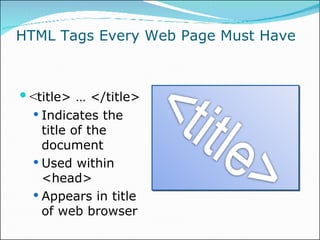
HTML Tags Every Web Page Must Have < title> … </title> Indicates the title of the document Used within <head> Appears in title of web browser
HTML Tags Every Web Page Must Have <body>…</body> Encloses the body of  the HTHL document Everything between the tags will appear in the browser window
Organizing a Page with  Paragraphs and Line Breaks <p> … </p> Skip a line between paragraphs Open and close
Organizing a Page with Paragraphs and Line Breaks <br /> Line break within a paragraph Empty tag Not <br>
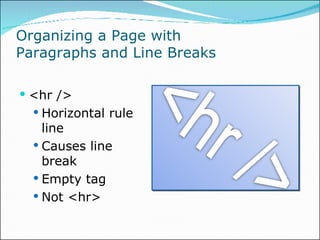
Organizing a Page with  Paragraphs and Line Breaks <hr /> Horizontal rule line Causes line break Empty tag Not <hr>
Calling Out Text with Headings Heading Tags <h1> … </h1>  Heading One <h2> … </h2>  Heading Two <h3> … </h3>  Heading Three <h4> … </h4>  Heading Four <h5> … </h5>  Heading Five <h7> … </h6>  Heading Six
Peeking at Other People’s Pages Just the tip of the HTML iceberg! View Source Building on a solid foundation
Validating Your Page - validator.w3.org Looking to the future Published = Yes Computer = YES! On the fly = YES!


Summary Using Notepad Getting Started Learn simple codes HTML Tags Every Web Page Must Have Create a look and feel Organizing a Page with Paragraphs and Line Breaks
Summary Emphasize your content Calling Out Text with Headings Looking under the hood Peeking at Other People’s Pages Suitable Structure Validating Your Pages
Creativity

Hour 02

  • 1.
    Everyone has asuccess mechanism and a failure mechanism. The failure mechanism goes off by itself. The success mechanism only goes off with a goal. Every time we write down and talk about a goal we push the button to start the success mechanism. Charles Jones
  • 2.
    Create a WebPage Right Now Sams Teach Yourself HTML and CSS in 24 Hours, 7th Edition
  • 3.
    Objectives Using NotepadGetting Started Learn simple codes HTML Tags Every Web Page Must Have Create a look and feel Organizing a Page with Paragraphs and Line Breaks
  • 4.
    Objectives Emphasize yourcontent Calling Out Text with Headings Looking under the hood Peeking at Other People’s Pages Suitable Structure Validating Your Pages
  • 5.
    Getting Started witha Simple Web Page Working with a simple text editor Save as plain, standard ASCII text Don’t forget to add .html after the file name
  • 6.
    Getting Started witha Simple Web Page HTML Tag – a coded command used to indicate how part of a web page should be displayed
  • 7.
    HTML Tags EveryWeb Page Must Have* <?xml version=“1.0” encoding=“UTF-8” XML – Extensible Markup Language UTF-8 – Unicode Transformation Format ASCII – American Standard Code for Information Interchange *element
  • 8.
    HTML Tags EveryWeb Page Must Have* <!DOCTYPE html Public “-//W3C// DTD XHTML 1.1//en” http://www.we.org/TR/xhtml11/DTD/xhtml11.dtd> *element
  • 9.
    HTML Tags EveryWeb Page Must Have Most HTML tags have two parts: Opening tag - <html> Closing tag - </html> Another type - empty tag No matching pair of tags - <br />
  • 10.
    HTML Tags EveryWeb Page Must Have <html>…</html> Encloses the entire HTML document Always close every web page with </html>
  • 11.
    HTML Tags EveryWeb Page Must Have <head>…</head> Encloses the head of the html document Describes the page and is not displayed in browser
  • 12.
    HTML Tags EveryWeb Page Must Have < title> … </title> Indicates the title of the document Used within <head> Appears in title of web browser
  • 13.
    HTML Tags EveryWeb Page Must Have <body>…</body> Encloses the body of the HTHL document Everything between the tags will appear in the browser window
  • 14.
    Organizing a Pagewith Paragraphs and Line Breaks <p> … </p> Skip a line between paragraphs Open and close
  • 15.
    Organizing a Pagewith Paragraphs and Line Breaks <br /> Line break within a paragraph Empty tag Not <br>
  • 16.
    Organizing a Pagewith Paragraphs and Line Breaks <hr /> Horizontal rule line Causes line break Empty tag Not <hr>
  • 17.
    Calling Out Textwith Headings Heading Tags <h1> … </h1> Heading One <h2> … </h2> Heading Two <h3> … </h3> Heading Three <h4> … </h4> Heading Four <h5> … </h5> Heading Five <h7> … </h6> Heading Six
  • 18.
    Peeking at OtherPeople’s Pages Just the tip of the HTML iceberg! View Source Building on a solid foundation
  • 19.
    Validating Your Page- validator.w3.org Looking to the future Published = Yes Computer = YES! On the fly = YES!
  • 20.
  • 21.
  • 22.
  • 23.
    Summary Using NotepadGetting Started Learn simple codes HTML Tags Every Web Page Must Have Create a look and feel Organizing a Page with Paragraphs and Line Breaks
  • 24.
    Summary Emphasize yourcontent Calling Out Text with Headings Looking under the hood Peeking at Other People’s Pages Suitable Structure Validating Your Pages
  • 25.