
introduction to

html
Basic syntax and elements
what is html?
• HTML: Hyper Text Markup Language
• Language which defines webpages
  • Structure
  • Appearance
  • Description
• Worldwide standard
• Composed of HTML tags
html tags
• Basic unit of an HTML document
• Contained in brackets: <tag>
• Usually in pairs
  • Opening: <tag>
  • Closing: </tag>
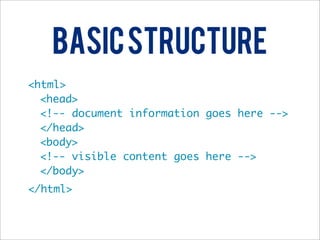
Basic Structure
• HTML document: <html></html>
• Head: <head></head>
• Body: <body></body>
Basic Structure
<html>
  <head>
  <!-- document information goes here -->
  </head>
  <body>
  <!-- visible content goes here -->
  </body>
</html>
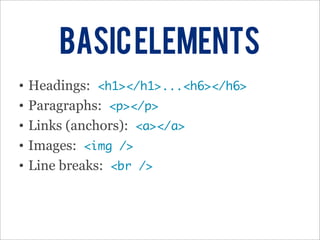
Basic Elements
•   Headings: <h1></h1>...<h6></h6>
•   Paragraphs: <p></p>
•   Links (anchors): <a></a>
•   Images: <img />
•   Line breaks: <br />
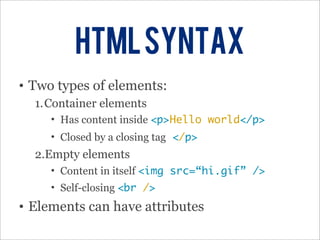
HTML Syntax
• Two types of elements:
  1.Container elements
     • Has content inside <p>Hello world</p>
     • Closed by a closing tag </p>
  2.Empty elements
     • Content in itself <img src=“hi.gif” />
     • Self-closing <br />
• Elements can have attributes
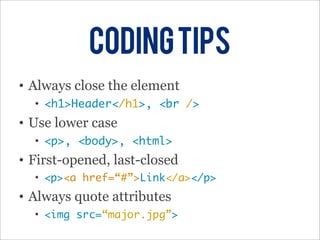
Coding Tips
• Always close the element
  • <h1>Header</h1>, <br />
• Use lower case
  • <p>, <body>, <html>
• First-opened, last-closed
  • <p><a href=“#”>Link</a></p>
• Always quote attributes
  • <img src=“major.jpg”>
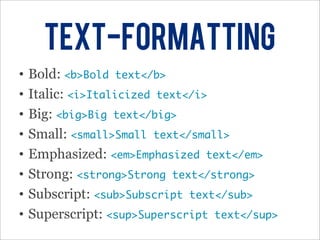
TExt-formatting
•   Bold: <b>Bold text</b>
•   Italic: <i>Italicized text</i>
•   Big: <big>Big text</big>
•   Small: <small>Small text</small>
•   Emphasized: <em>Emphasized text</em>
•   Strong: <strong>Strong text</strong>
•   Subscript: <sub>Subscript text</sub>
•   Superscript: <sup>Superscript text</sup>
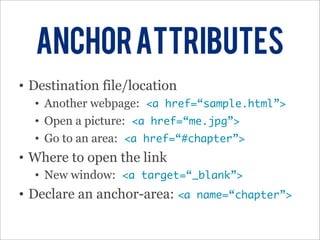
Anchor Attributes
• Destination file/location
  • Another webpage: <a href=“sample.html”>
  • Open a picture: <a href=“me.jpg”>
  • Go to an area: <a href=“#chapter”>
• Where to open the link
  • New window: <a target=“_blank”>
• Declare an anchor-area: <a   name=“chapter”>
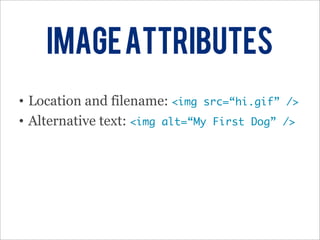
image attributes
• Location and filename: <img src=“hi.gif” />
• Alternative text: <img alt=“My First Dog” />
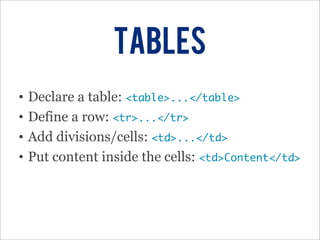
tables
•   Declare a table: <table>...</table>
•   Define a row: <tr>...</tr>
•   Add divisions/cells: <td>...</td>
•   Put content inside the cells: <td>Content</td>
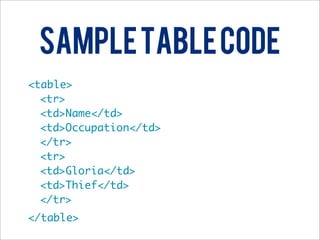
Sample Table Code
<table>
  <tr>
  <td>Name</td>
  <td>Occupation</td>
  </tr>
  <tr>
  <td>Gloria</td>
  <td>Thief</td>
  </tr>
</table>
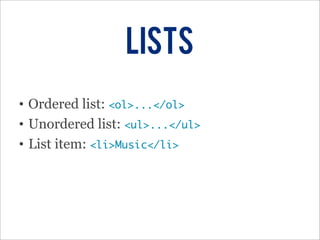
Lists
• Ordered list: <ol>...</ol>
• Unordered list: <ul>...</ul>
• List item: <li>Music</li>
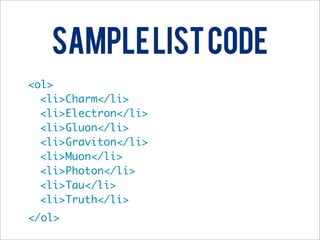
Sample List Code
<ol>
  <li>Charm</li>
  <li>Electron</li>
  <li>Gluon</li>
  <li>Graviton</li>
  <li>Muon</li>
  <li>Photon</li>
  <li>Tau</li>
  <li>Truth</li>
</ol>

Intro to HTML

  • 1.
  • 2.
    what is html? •HTML: Hyper Text Markup Language • Language which defines webpages • Structure • Appearance • Description • Worldwide standard • Composed of HTML tags
  • 3.
    html tags • Basicunit of an HTML document • Contained in brackets: <tag> • Usually in pairs • Opening: <tag> • Closing: </tag>
  • 4.
    Basic Structure • HTMLdocument: <html></html> • Head: <head></head> • Body: <body></body>
  • 5.
    Basic Structure <html> <head> <!-- document information goes here --> </head> <body> <!-- visible content goes here --> </body> </html>
  • 6.
    Basic Elements • Headings: <h1></h1>...<h6></h6> • Paragraphs: <p></p> • Links (anchors): <a></a> • Images: <img /> • Line breaks: <br />
  • 7.
    HTML Syntax • Twotypes of elements: 1.Container elements • Has content inside <p>Hello world</p> • Closed by a closing tag </p> 2.Empty elements • Content in itself <img src=“hi.gif” /> • Self-closing <br /> • Elements can have attributes
  • 8.
    Coding Tips • Alwaysclose the element • <h1>Header</h1>, <br /> • Use lower case • <p>, <body>, <html> • First-opened, last-closed • <p><a href=“#”>Link</a></p> • Always quote attributes • <img src=“major.jpg”>
  • 9.
    TExt-formatting • Bold: <b>Bold text</b> • Italic: <i>Italicized text</i> • Big: <big>Big text</big> • Small: <small>Small text</small> • Emphasized: <em>Emphasized text</em> • Strong: <strong>Strong text</strong> • Subscript: <sub>Subscript text</sub> • Superscript: <sup>Superscript text</sup>
  • 10.
    Anchor Attributes • Destinationfile/location • Another webpage: <a href=“sample.html”> • Open a picture: <a href=“me.jpg”> • Go to an area: <a href=“#chapter”> • Where to open the link • New window: <a target=“_blank”> • Declare an anchor-area: <a name=“chapter”>
  • 11.
    image attributes • Locationand filename: <img src=“hi.gif” /> • Alternative text: <img alt=“My First Dog” />
  • 12.
    tables • Declare a table: <table>...</table> • Define a row: <tr>...</tr> • Add divisions/cells: <td>...</td> • Put content inside the cells: <td>Content</td>
  • 13.
    Sample Table Code <table> <tr> <td>Name</td> <td>Occupation</td> </tr> <tr> <td>Gloria</td> <td>Thief</td> </tr> </table>
  • 14.
    Lists • Ordered list:<ol>...</ol> • Unordered list: <ul>...</ul> • List item: <li>Music</li>
  • 15.
    Sample List Code <ol> <li>Charm</li> <li>Electron</li> <li>Gluon</li> <li>Graviton</li> <li>Muon</li> <li>Photon</li> <li>Tau</li> <li>Truth</li> </ol>