Intro to HCI


                    Andrea Valente
Department of Architecture, Design and Media Technology
       Aalborg University Esbjerg (AAU-Esbjerg)


             email: av@create.aau.dk
        web-page: http://www.create.aau.dk/av


                                                 3-4 Nov. 2011
HCI
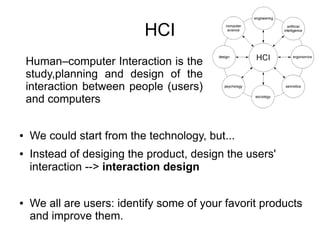
    Human–computer Interaction is the
    study,planning and design of the
    interaction between people (users)
    and computers


●   We could start from the technology, but...
●   Instead of desiging the product, design the users'
    interaction --> interaction design


●   We all are users: identify some of your favorit products
    and improve them.
Task:
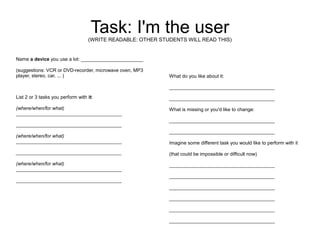
fill in the ”I'm the user” paper


              2 minutes
Task: I'm the user
                                   (WRITE READABLE: OTHER STUDENTS WILL READ THIS)


Name a device you use a lot: _______________________

(suggestions: VCR or DVD-recorder, microwave oven, MP3
player, stereo, car, ... )                                   What do you like about it:

                                                             _______________________________________

List 2 or 3 tasks you perform with it:                       _______________________________________

(where/when/for what)                                        What is missing or you'd like to change:
_______________________________________
                                                             _______________________________________
_______________________________________
                                                             _______________________________________
(where/when/for what)
_______________________________________                      Imagine some different task you would like to perform with it
_______________________________________                      (that could be impossible or difficult now)

(where/when/for what)                                        _______________________________________
_______________________________________
                                                             _______________________________________
_______________________________________
                                                             _______________________________________

                                                             _______________________________________

                                                             _______________________________________

                                                             _______________________________________
User-centered approach
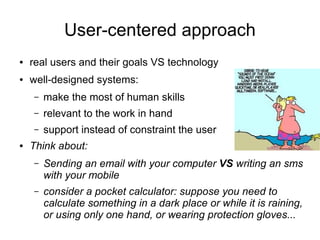
●   real users and their goals VS technology
●   well-designed systems:
    –   make the most of human skills
    –   relevant to the work in hand
    –   support instead of constraint the user
●   Think about:
    –   Sending an email with your computer VS writing an sms
        with your mobile
    –   consider a pocket calculator: suppose you need to
        calculate something in a dark place or while it is raining,
        or using only one hand, or wearing protection gloves...
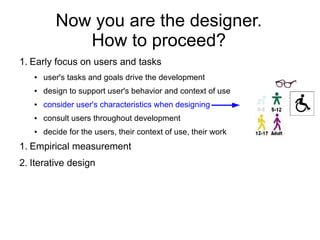
Now you are the designer.
             How to proceed?
1. Early focus on users and tasks
   ●   user's tasks and goals drive the development
   ●   design to support user's behavior and context of use
   ●   consider user's characteristics when designing
   ●   consult users throughout development
   ●   decide for the users, their context of use, their work
1. Empirical measurement
2. Iterative design
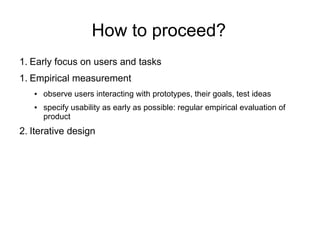
How to proceed?
1. Early focus on users and tasks
1. Empirical measurement
   ●   observe users interacting with prototypes, their goals, test ideas
   ●   specify usability as early as possible: regular empirical evaluation of
       product
2. Iterative design
How to proceed?
1. Early focus on users and tasks
1. Empirical measurement
2. Iterative design
                                                                 Establish
   ●   identify needs / establish requirements                requirements [*]
       for user experience
   ●   cycle: design, test, measure, re-design
                                                 (re)Design                       Test +
   ●   develop alternative designs:                  [**]                        Measure

       conceptual and physical design
   ●   build interactive versions of the                           Build
       designs: paper-based, role-playing, or                   interactive
       software                                                   version

   ●   evaluate w.r.t. user experiences                                             Final
                                                                                    product

                                                     [*] requirements = user needs
                                                     [**] how to invent many designs?
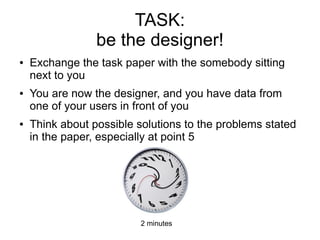
TASK:
                 be the designer!
●   Exchange the task paper with the somebody sitting
    next to you
●   You are now the designer, and you have data from
    one of your users in front of you
●   Think about possible solutions to the problems stated
    in the paper, especially at point 5


                          2 minutes
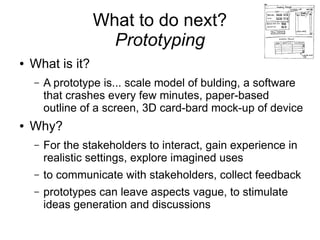
What to do next?
                    Prototyping
●   What is it?
    –   A prototype is... scale model of bulding, a software
        that crashes every few minutes, paper-based
        outline of a screen, 3D card-bard mock-up of device
●   Why?
    –   For the stakeholders to interact, gain experience in
        realistic settings, explore imagined uses
    –   to communicate with stakeholders, collect feedback
    –   prototypes can leave aspects vague, to stimulate
        ideas generation and discussions
Prototyping (...)
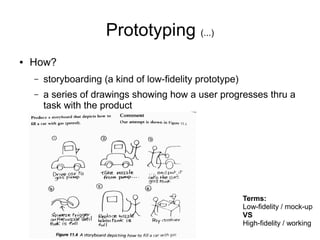
●   How?
    –   storyboarding (a kind of low-fidelity prototype)
    –   a series of drawings showing how a user progresses thru a
        task with the product


                                                           Terms:
                                                           Low-fidelity / mock-up
                                                           VS
                                                           High-fidelity / working
Homework (...kind of)
●   Take your user needs paper and your ideas
    about how to design one of the new tasks
    he/she wanted
●   Use the lifecycle:
        –   make a prototype of the interaction with pen,
             paper and scissors, post-its, ...
●   How to evaluate the designed product?
Free tools
●   Download scratch (free) and use it to quickly create working
    prototypes of apps, games:
http://scratch.mit.edu/
Scratch is a programming language that makes it easy to create your
own interactive stories, animations, games, music, and art -- and share
your creations on the web.
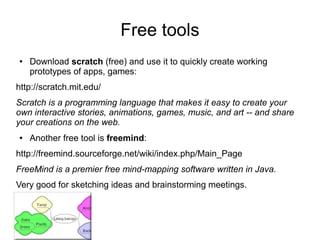
●   Another free tool is freemind:
http://freemind.sourceforge.net/wiki/index.php/Main_Page
FreeMind is a premier free mind-mapping software written in Java.
Very good for sketching ideas and brainstorming meetings.

Hci intro + task

  • 1.
    Intro to HCI Andrea Valente Department of Architecture, Design and Media Technology Aalborg University Esbjerg (AAU-Esbjerg) email: av@create.aau.dk web-page: http://www.create.aau.dk/av 3-4 Nov. 2011
  • 2.
    HCI Human–computer Interaction is the study,planning and design of the interaction between people (users) and computers ● We could start from the technology, but... ● Instead of desiging the product, design the users' interaction --> interaction design ● We all are users: identify some of your favorit products and improve them.
  • 3.
    Task: fill in the”I'm the user” paper 2 minutes
  • 4.
    Task: I'm theuser (WRITE READABLE: OTHER STUDENTS WILL READ THIS) Name a device you use a lot: _______________________ (suggestions: VCR or DVD-recorder, microwave oven, MP3 player, stereo, car, ... ) What do you like about it: _______________________________________ List 2 or 3 tasks you perform with it: _______________________________________ (where/when/for what) What is missing or you'd like to change: _______________________________________ _______________________________________ _______________________________________ _______________________________________ (where/when/for what) _______________________________________ Imagine some different task you would like to perform with it _______________________________________ (that could be impossible or difficult now) (where/when/for what) _______________________________________ _______________________________________ _______________________________________ _______________________________________ _______________________________________ _______________________________________ _______________________________________ _______________________________________
  • 5.
    User-centered approach ● real users and their goals VS technology ● well-designed systems: – make the most of human skills – relevant to the work in hand – support instead of constraint the user ● Think about: – Sending an email with your computer VS writing an sms with your mobile – consider a pocket calculator: suppose you need to calculate something in a dark place or while it is raining, or using only one hand, or wearing protection gloves...
  • 6.
    Now you arethe designer. How to proceed? 1. Early focus on users and tasks ● user's tasks and goals drive the development ● design to support user's behavior and context of use ● consider user's characteristics when designing ● consult users throughout development ● decide for the users, their context of use, their work 1. Empirical measurement 2. Iterative design
  • 7.
    How to proceed? 1.Early focus on users and tasks 1. Empirical measurement ● observe users interacting with prototypes, their goals, test ideas ● specify usability as early as possible: regular empirical evaluation of product 2. Iterative design
  • 8.
    How to proceed? 1.Early focus on users and tasks 1. Empirical measurement 2. Iterative design Establish ● identify needs / establish requirements requirements [*] for user experience ● cycle: design, test, measure, re-design (re)Design Test + ● develop alternative designs: [**] Measure conceptual and physical design ● build interactive versions of the Build designs: paper-based, role-playing, or interactive software version ● evaluate w.r.t. user experiences Final product [*] requirements = user needs [**] how to invent many designs?
  • 9.
    TASK: be the designer! ● Exchange the task paper with the somebody sitting next to you ● You are now the designer, and you have data from one of your users in front of you ● Think about possible solutions to the problems stated in the paper, especially at point 5 2 minutes
  • 10.
    What to donext? Prototyping ● What is it? – A prototype is... scale model of bulding, a software that crashes every few minutes, paper-based outline of a screen, 3D card-bard mock-up of device ● Why? – For the stakeholders to interact, gain experience in realistic settings, explore imagined uses – to communicate with stakeholders, collect feedback – prototypes can leave aspects vague, to stimulate ideas generation and discussions
  • 11.
    Prototyping (...) ● How? – storyboarding (a kind of low-fidelity prototype) – a series of drawings showing how a user progresses thru a task with the product Terms: Low-fidelity / mock-up VS High-fidelity / working
  • 12.
    Homework (...kind of) ● Take your user needs paper and your ideas about how to design one of the new tasks he/she wanted ● Use the lifecycle: – make a prototype of the interaction with pen, paper and scissors, post-its, ... ● How to evaluate the designed product?
  • 13.
    Free tools ● Download scratch (free) and use it to quickly create working prototypes of apps, games: http://scratch.mit.edu/ Scratch is a programming language that makes it easy to create your own interactive stories, animations, games, music, and art -- and share your creations on the web. ● Another free tool is freemind: http://freemind.sourceforge.net/wiki/index.php/Main_Page FreeMind is a premier free mind-mapping software written in Java. Very good for sketching ideas and brainstorming meetings.