Intelligent Interactive Systems (2012-2013):
Introduction to Prototyping: what, why, how!


                                                                      Abdallah	
  ‘Abdo’	
  El	
  Ali	
  
                                                              http://staff.science.uva.nl/~elali/


      Some	
  slides	
  taken	
  and	
  adapted	
  from	
  “Interac3on	
  Design:	
  Beyond	
  Human-­‐Computer	
  
      Interac3on”	
  (Ch.	
  11)	
  
      hCp://www.id-­‐book.com/	
  
Outline!

    1.  What	
  is	
  Interac3on	
  Design?	
  
    2.  Prototyping:	
  	
  
        what	
  	
  
        why	
  
        how	
  
    3.  Group	
  exercise:	
  	
  
        sketching	
  interac3on	
  with	
  ING’s	
  ATM	
  
    4.  Group	
  presenta3ons	


2
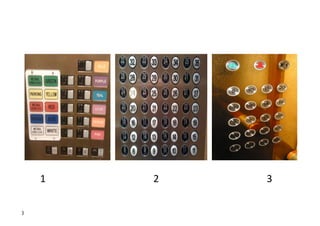
1	


  2   	


  3	
  

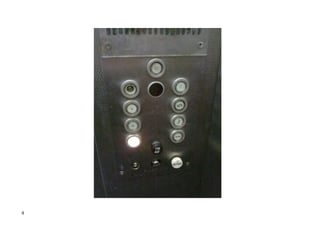
3
4
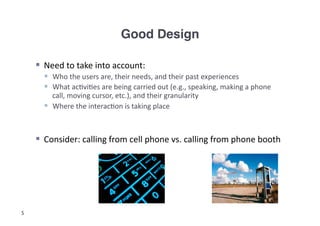
Good Design!

      Need	
  to	
  take	
  into	
  account:	
  
         Who	
  the	
  users	
  are,	
  their	
  needs,	
  and	
  their	
  past	
  experiences	
  
         What	
  ac3vi3es	
  are	
  being	
  carried	
  out	
  (e.g.,	
  speaking,	
  making	
  a	
  phone	
  
          call,	
  moving	
  cursor,	
  etc.),	
  and	
  their	
  granularity	
  
         Where	
  the	
  interac3on	
  is	
  taking	
  place	


      Consider:	
  calling	
  from	
  cell	
  phone	
  vs.	
  calling	
  from	
  phone	
  booth	


5
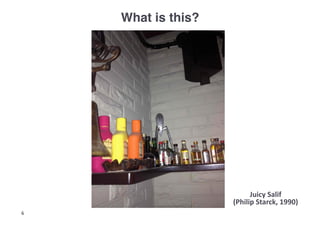
What is this?!


                           Juicy	
  Salif	
  
                     (Philip	
  Starck,	
  1990)	
  
6
What is Interaction Design?!


      Designing	
  interac3ve	
  products	
  to	
  support	
  the	
  way	
  people	
  
       communicate	
  and	
  interact	
  in	
  their	
  everyday	
  and	
  working	
  lives	
  
                 Sharp,	
  Rogers	
  and	
  Preece	
  (2007)	


      Goals:	
  
       1.  Develop	
  usable	
  products	
  
                 Usability	
  means	
  easy	
  to	
  learn,	
  effec3ve	
  to	
  use	
  and	
  provide	
  an	
  
                  enjoyable	
  experience	
  
       2.  Involve	
  users	
  in	
  the	
  design	
  process	
  

7
Prototyping: what!

      In	
  interac3on	
  design	
  it	
  can	
  be:	
  
         a	
  series	
  of	
  screen	
  sketches	
  
         a	
  storyboard,	
  i.e.	
  a	
  cartoon-­‐like	
  series	
  of	
  
           scenes	
  	
  
          a	
  Powerpoint	
  slide	
  show	
  
          a	
  video	
  simula3ng	
  the	
  use	
  of	
  a	
  system	
  
          a	
  lump	
  of	
  wood	
  (e.g.	
  PalmPilot)	
  
          […]	
  
      In	
  prac3ce,	
  designers	
  prototype:	
  	
  
         Technical	
  issues	
  
         Work	
  flow,	
  task	
  design	
  
         Screen	
  layouts	
  and	
  informa3on	
  display	
  
         Difficult,	
  controversial,	
  cri3cal	
  areas	
  	
  
8
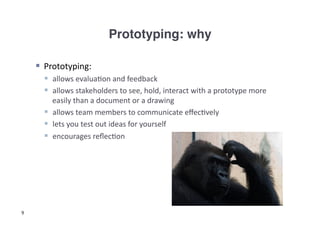
Prototyping: why!

      Prototyping:	
  
        allows	
  evalua3on	
  and	
  feedback	
  
        allows	
  stakeholders	
  to	
  see,	
  hold,	
  interact	
  with	
  a	
  prototype	
  more	
  
         easily	
  than	
  a	
  document	
  or	
  a	
  drawing	
  
        allows	
  team	
  members	
  to	
  communicate	
  effec3vely	
  
        lets	
  you	
  test	
  out	
  ideas	
  for	
  yourself	
  	
  
        encourages	
  reflec3on	


9
Prototyping: how!

       Low-­‐fidelity	
  Prototyping	
  
          Uses	
  a	
  medium	
  which	
  is	
  unlike	
  the	
  final	
  medium,	
  e.g.	
  paper,	
  cardboard	
  
          Is	
  quick,	
  cheap	
  and	
  easily	
  changed	
  
          Examples:	
  Sketches	
  of	
  screens	
  and	
  task	
  sequences	
  using	
  ‘Post-­‐it’	
  notes,	
  
            Storyboards	
  
       Storyboards	
  
          Ogen	
  used	
  with	
  scenarios,	
  bringing	
  more	
  detail,	
  and	
  a	
  chance	
  to	
  role	
  play	
  
          Series	
  of	
  sketches	
  used	
  early	
  in	
  design	
  showing	
  how	
  a	
  user	
  might	
  progress	
  
            through	
  a	
  task	
  using	
  the	
  device	
  	
  
       Sketching	
  
          Important	
  for	
  low-­‐fidelity	
  prototyping	
  
          Don’t	
  be	
  inhibited	
  by	
  drawing	
  ability	


10
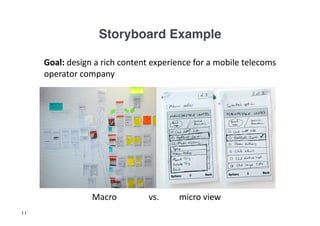
Storyboard Example!

     	
  Goal:	
  design	
  a	
  rich	
  content	
  experience	
  for	
  a	
  mobile	
  telecoms	
  
         operator	
  company	


  Macro	
  	
        	
  vs.    	
  	
  micro	
  view	
  
11
Sketching Exercise (1)!
       Design	
  Scenario:	
  
          You	
  are	
  being	
  asked	
  to	
  come	
  up	
  with	
  a	
  new	
  design	
  for	
  the	
  ING	
  ATM	
  
           machines.	
  Their	
  main	
  goal	
  is	
  to	
  improve	
  their	
  customer	
  experience	
  of	
  
           drawing	
  out	
  money	
  on	
  a	
  day-­‐to	
  day	
  basis.	
  To	
  do	
  that,	
  they	
  would	
  like	
  
           to	
  have	
  their	
  en3re	
  ATM	
  interface	
  redesigned.	
  	
  
       Task:	
  
          Reflect	
  on	
  the	
  basic	
  opera3ons	
  of	
  the	
  ATM,	
  the	
  seing,	
  and	
  how	
  a	
  
           typical	
  person	
  interacts	
  with	
  the	
  machine,	
  and	
  sketch	
  out	
  the	
  
           interac3on.	
  
          How	
  can	
  you	
  embed	
  intelligent	
  techniques	
  in	
  the	
  process?	
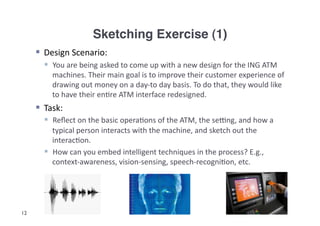
  E.g.,	
  
           context-­‐awareness,	
  vision-­‐sensing,	
  speech-­‐recogni3on,	
  etc.	


12
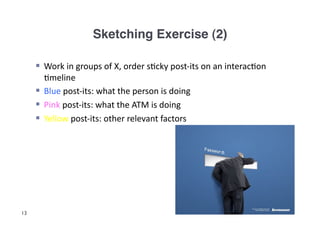
Sketching Exercise (2)!

       Work	
  in	
  groups	
  of	
  X,	
  order	
  s3cky	
  post-­‐its	
  on	
  an	
  interac3on	
  
        3meline	
  
       Blue	
  post-­‐its:	
  what	
  the	
  person	
  is	
  doing	
  	
  
       Pink	
  post-­‐its:	
  what	
  the	
  ATM	
  is	
  doing	
  
       Yellow	
  post-­‐its:	
  other	
  relevant	
  factors	


13
Group Presentations

     (3 min. elevator pitch!)


        1 positive point

        1 negative point

        (from audience)!


14
Questions?!


15
References!


     Sharp,	
  H.,	
  Y.	
  Rogers	
  and	
  J.	
  Preece.	
  (2007).	
  Interac(on	
  Design:	
  
       Beyond	
  Human−Computer	
  Interac(on.	
  New	
  York:	
  John	
  Wiley	
  
       and	
  Sons,	
  second	
  edi3on,	
  chapter	
  11.	


16
Intelligent Interactive Systems (2012-2013): 

Brainstorming!


                                   Abdallah	
  ‘Abdo’	
  El	
  Ali	
  
                           http://staff.science.uva.nl/~elali/
Outline!


     1.  PLEX	
  cards	
  exercise	
  

     2.  Group	
  presenta3ons	


18
Topics!

       Context-­‐awareness	
  &	
  Ambient	
  Intelligence	
  
       Speech	
  
       Vision	
  
       Biometrics	
  	
  
       Home	
  Systems	
  (e.g.,	
  interac3ve	
  TVs)	
  
       Public	
  Displays	
  
       Robo3cs	
  
       Affec3ve	
  Compu3ng	
  
       Wearables	
  
       Mobile	
  

19
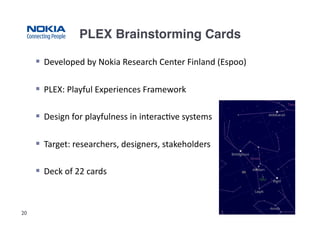
PLEX Brainstorming Cards!

       Developed	
  by	
  Nokia	
  Research	
  Center	
  Finland	
  (Espoo)	
  

       PLEX:	
  Playful	
  Experiences	
  Framework	
  

       Design	
  for	
  playfulness	
  in	
  interac3ve	
  systems	
  

       Target:	
  researchers,	
  designers,	
  stakeholders	
  

       Deck	
  of	
  22	
  cards	


20
PLEX Exercise: Rules!

       Each	
  group	
  receives	
  3	
  random	
  PLEX	
  cards.	
  

       Player	
  1	
  starts	
  by	
  placing	
  her	
  card	
  face	
  up	
  on	
  the	
  table,	
  and	
  then	
  
         explores	
  an	
  idea	
  related	
  to	
  both	
  the	
  topics	
  and	
  the	
  card.	
  

       Player	
  2	
  and	
  player	
  3	
  listen	
  carefully	
  and	
  engage	
  in	
  discussion.	
  When	
  
         one	
  of	
  them	
  feels	
  his/her	
  card	
  is	
  relevant	
  to	
  the	
  discussion,	
  s/he	
  
         places	
  her	
  card	
  on	
  the	
  table.	


       Record	
  your	
  ideas.	
  

       CONTEXT:	
  interac3ve	
  system	
  for	
  your	
  final	
  report	
  

       You	
  have	
  20-­‐25	
  min.	
  

21
Issues to Consider (Always…!)!
         Usability	
  
         Feasibility	
  (cost,	
  effort)	
  
         Robustness	
  (can	
  withstand	
  different	
  condi3ons)	
  
         Scalability	
  (can	
  change	
  in	
  size	
  or	
  scale)	
  
         Privacy	
  
         Security	
  
         Safety	
  (health)	
  
         Maintainability	
  
         Durability	
  
         Trust	
  
         Playfulness	
  
         Originality	
  
         Transparency	
  
         Intelligibility	
  
         Extensibility	
  
         Likeability	
  
         Enjoyability	
  
         Collabora3ve	
  
         Compe33ve	
  
22       […]	
  
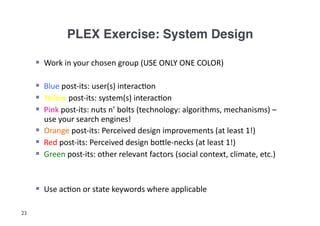
PLEX Exercise: System Design!

       Work	
  in	
  your	
  chosen	
  group	
  (USE	
  ONLY	
  ONE	
  COLOR)	
  

       Blue	
  post-­‐its:	
  user(s)	
  interac3on	
  
       Yellow	
  post-­‐its:	
  system(s)	
  interac3on	
  
       Pink	
  post-­‐its:	
  nuts	
  n’	
  bolts	
  (technology:	
  algorithms,	
  mechanisms)	
  –	
  
        use	
  your	
  search	
  engines!	
  
       Orange	
  post-­‐its:	
  Perceived	
  design	
  improvements	
  (at	
  least	
  1!)	
  
       Red	
  post-­‐its:	
  Perceived	
  design	
  boCle-­‐necks	
  (at	
  least	
  1!)	
  
       Green	
  post-­‐its:	
  other	
  relevant	
  factors	
  (social	
  context,	
  climate,	
  etc.)	


       Use	
  ac3on	
  or	
  state	
  keywords	
  where	
  applicable	
  

23
Group Presentations


     Elevator pitch (3 min.)


            (at least)

        1 positive point

        1 negative point!


24
Questions?!


25

Introduction to Prototyping: What, Why, How

  • 1.
    Intelligent Interactive Systems(2012-2013): Introduction to Prototyping: what, why, how! Abdallah  ‘Abdo’  El  Ali   http://staff.science.uva.nl/~elali/ Some  slides  taken  and  adapted  from  “Interac3on  Design:  Beyond  Human-­‐Computer   Interac3on”  (Ch.  11)   hCp://www.id-­‐book.com/  
  • 2.
    Outline! 1.  What  is  Interac3on  Design?   2.  Prototyping:       what       why     how   3.  Group  exercise:       sketching  interac3on  with  ING’s  ATM   4.  Group  presenta3ons   2
  • 3.
    1          2        3   3
  • 4.
  • 5.
    Good Design!   Need  to  take  into  account:     Who  the  users  are,  their  needs,  and  their  past  experiences     What  ac3vi3es  are  being  carried  out  (e.g.,  speaking,  making  a  phone   call,  moving  cursor,  etc.),  and  their  granularity     Where  the  interac3on  is  taking  place     Consider:  calling  from  cell  phone  vs.  calling  from  phone  booth   5
  • 6.
    What is this?! Juicy  Salif   (Philip  Starck,  1990)   6
  • 7.
    What is InteractionDesign?!   Designing  interac3ve  products  to  support  the  way  people   communicate  and  interact  in  their  everyday  and  working  lives     Sharp,  Rogers  and  Preece  (2007)     Goals:   1.  Develop  usable  products     Usability  means  easy  to  learn,  effec3ve  to  use  and  provide  an   enjoyable  experience   2.  Involve  users  in  the  design  process   7
  • 8.
    Prototyping: what!   In  interac3on  design  it  can  be:     a  series  of  screen  sketches     a  storyboard,  i.e.  a  cartoon-­‐like  series  of   scenes       a  Powerpoint  slide  show     a  video  simula3ng  the  use  of  a  system     a  lump  of  wood  (e.g.  PalmPilot)     […]     In  prac3ce,  designers  prototype:       Technical  issues     Work  flow,  task  design     Screen  layouts  and  informa3on  display     Difficult,  controversial,  cri3cal  areas     8
  • 9.
    Prototyping: why!   Prototyping:     allows  evalua3on  and  feedback     allows  stakeholders  to  see,  hold,  interact  with  a  prototype  more   easily  than  a  document  or  a  drawing     allows  team  members  to  communicate  effec3vely     lets  you  test  out  ideas  for  yourself       encourages  reflec3on   9
  • 10.
    Prototyping: how!   Low-­‐fidelity  Prototyping     Uses  a  medium  which  is  unlike  the  final  medium,  e.g.  paper,  cardboard     Is  quick,  cheap  and  easily  changed     Examples:  Sketches  of  screens  and  task  sequences  using  ‘Post-­‐it’  notes,   Storyboards     Storyboards     Ogen  used  with  scenarios,  bringing  more  detail,  and  a  chance  to  role  play     Series  of  sketches  used  early  in  design  showing  how  a  user  might  progress   through  a  task  using  the  device       Sketching     Important  for  low-­‐fidelity  prototyping     Don’t  be  inhibited  by  drawing  ability     10
  • 11.
    Storyboard Example!  Goal:  design  a  rich  content  experience  for  a  mobile  telecoms   operator  company        Macro      vs.    micro  view   11
  • 12.
    Sketching Exercise (1)!   Design  Scenario:     You  are  being  asked  to  come  up  with  a  new  design  for  the  ING  ATM   machines.  Their  main  goal  is  to  improve  their  customer  experience  of   drawing  out  money  on  a  day-­‐to  day  basis.  To  do  that,  they  would  like   to  have  their  en3re  ATM  interface  redesigned.       Task:     Reflect  on  the  basic  opera3ons  of  the  ATM,  the  seing,  and  how  a   typical  person  interacts  with  the  machine,  and  sketch  out  the   interac3on.     How  can  you  embed  intelligent  techniques  in  the  process?  E.g.,   context-­‐awareness,  vision-­‐sensing,  speech-­‐recogni3on,  etc.     12
  • 13.
    Sketching Exercise (2)!   Work  in  groups  of  X,  order  s3cky  post-­‐its  on  an  interac3on   3meline     Blue  post-­‐its:  what  the  person  is  doing       Pink  post-­‐its:  what  the  ATM  is  doing     Yellow  post-­‐its:  other  relevant  factors   13
  • 14.
    Group Presentations
 (3 min. elevator pitch!)
 1 positive point
 1 negative point
 (from audience)! 14
  • 15.
  • 16.
    References! Sharp,  H.,  Y.  Rogers  and  J.  Preece.  (2007).  Interac(on  Design:   Beyond  Human−Computer  Interac(on.  New  York:  John  Wiley   and  Sons,  second  edi3on,  chapter  11.   16
  • 17.
    Intelligent Interactive Systems(2012-2013): 
 Brainstorming! Abdallah  ‘Abdo’  El  Ali   http://staff.science.uva.nl/~elali/
  • 18.
    Outline! 1.  PLEX  cards  exercise   2.  Group  presenta3ons   18
  • 19.
    Topics!   Context-­‐awareness  &  Ambient  Intelligence     Speech     Vision     Biometrics       Home  Systems  (e.g.,  interac3ve  TVs)     Public  Displays     Robo3cs     Affec3ve  Compu3ng     Wearables     Mobile   19
  • 20.
    PLEX Brainstorming Cards!   Developed  by  Nokia  Research  Center  Finland  (Espoo)     PLEX:  Playful  Experiences  Framework     Design  for  playfulness  in  interac3ve  systems     Target:  researchers,  designers,  stakeholders     Deck  of  22  cards   20
  • 21.
    PLEX Exercise: Rules!   Each  group  receives  3  random  PLEX  cards.     Player  1  starts  by  placing  her  card  face  up  on  the  table,  and  then   explores  an  idea  related  to  both  the  topics  and  the  card.     Player  2  and  player  3  listen  carefully  and  engage  in  discussion.  When   one  of  them  feels  his/her  card  is  relevant  to  the  discussion,  s/he   places  her  card  on  the  table.       Record  your  ideas.     CONTEXT:  interac3ve  system  for  your  final  report     You  have  20-­‐25  min.   21
  • 22.
    Issues to Consider(Always…!)!   Usability     Feasibility  (cost,  effort)     Robustness  (can  withstand  different  condi3ons)     Scalability  (can  change  in  size  or  scale)     Privacy     Security     Safety  (health)     Maintainability     Durability     Trust     Playfulness     Originality     Transparency     Intelligibility     Extensibility     Likeability     Enjoyability     Collabora3ve     Compe33ve   22   […]  
  • 23.
    PLEX Exercise: SystemDesign!   Work  in  your  chosen  group  (USE  ONLY  ONE  COLOR)     Blue  post-­‐its:  user(s)  interac3on     Yellow  post-­‐its:  system(s)  interac3on     Pink  post-­‐its:  nuts  n’  bolts  (technology:  algorithms,  mechanisms)  –   use  your  search  engines!     Orange  post-­‐its:  Perceived  design  improvements  (at  least  1!)     Red  post-­‐its:  Perceived  design  boCle-­‐necks  (at  least  1!)     Green  post-­‐its:  other  relevant  factors  (social  context,  climate,  etc.)     Use  ac3on  or  state  keywords  where  applicable   23
  • 24.
    Group Presentations
 Elevator pitch (3 min.)
 (at least)
 1 positive point
 1 negative point! 24
  • 25.