Syllabus Overview
Interaction Design Fundament


                               Hu Ying
                               School of Design, HNU
                               whoing@gmail.com
Goals

•   To become familiar with the fundamental design
    principles of interaction.

•   Develop an understanding of the conceptual and
    technical aspects of the interaction design process.

•   Acquire the skills necessary to conceive, design and
    develop an interactive product or service system.

•   Develop communication and presentation skills necessary
    to discuss interactive projects in a team environment.
Objectives
Students will…


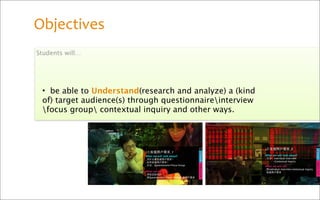
 • be able to Understand(research and analyze) a (kind
 of) target audience(s) through questionnaireinterview
 focus group contextual inquiry and other ways.
•be capable of using scenario
storyboarduse case and
persona to Descript and Define
User(s)+Needs and Wants .

•be capable of making flowchart
and wireframe in preparation of
LoFi prototype .


•have the capability to persuade(convince) people to
appreciate your concept design .

•understand and know how to present and discuss
their research in an interactive presentation.
Class Structure
               6
               weeks
++++
++++
++++
++++
++++
++++
++++
++++
++++
++++
++++
++++

•Students present work assignments due ++++
++++
++++
++++
•Critique - of new work ++++
++++
•Lecture - new material ++++
++++
++++
++++
•In class work on assignments ++++
++++
(Finally, the percentage of time spent on each will be determined by project phase)
Grades
1.Based upon attendance, class
participation and successful
completion of assignments by
specified due dates.

2.Demonstration of subject
comprehension

3.Fulfillment of assignment
specifications and revisions as
requested

4.Deadline adherence             Attendance Policy
                                 3 absences result in failure for the semester.
                                 Late arrival to class (15 minutes or more) results in an absence for the
                                 class.
5.Be prepared with materials
                                 Note: There is much to cover in this class. It is full of techniques and
requested by instructor for      technical terms that you must learn each week. Missing even one class
                                 can cause significant disruption in your progress.
participation in class work,
demonstrations and lectures.
Project Overview
The creation of your works is divided into a number of steps
grouped into three main parts of instructions.


In Part I, you will:

 (Due September 28 –October 8)


  •Setup project folders on an external drive as per instructions
  below
  •Creation of Blog using (Baidu's) hi.baidu.com
  •Find your interesting topic
  •Find your interesting audience (people and place).
  •Find marketing research on your users for tastes and habits
  or relevant something.
  •Find existing service aimed at this audience for design
  inspiration and discussing problems and possible solutions.
  •Present a Power Point Presentation that shows your works
  about above.
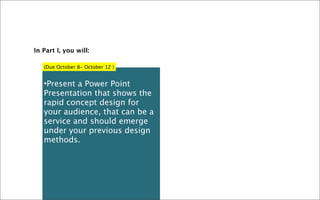
In Part I, you will:

   (Due October 8- October 12 )


   •Present a Power Point
   Presentation that shows the
   rapid concept design for
   your audience, that can be a
   service and should emerge
   under your previous design
   methods.
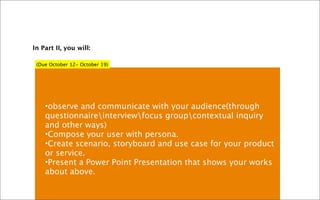
In Part II, you will:

 (Due October 12- October 19)


    •observe and communicate with your audience(through
    questionnaireinterviewfocus groupcontextual inquiry
    and other ways)
    •Compose your user with persona.
    •Create scenario, storyboard and use case for your product
    or service.
    •Present a Power Point Presentation that shows your works
    about above.
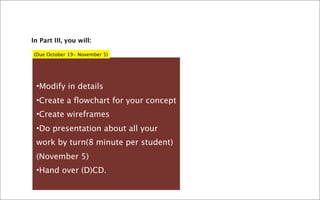
In Part III, you will:

(Due October 19- November 5)


 •Modify in details
 •Create a flowchart for your concept
 •Create wireframes
 •Do presentation about all your
 work by turn(8 minute per student)
 (November 5)
 •Hand over (D)CD.
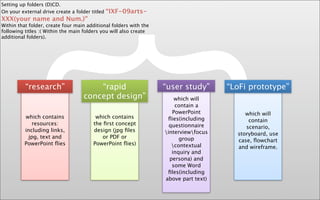
Setting up folders (D)CD.
On your external drive create a folder titled   “IXF-09arts-
XXX(your name and Num.)”
Within that folder, create four main additional folders with the
following titles :( Within the main folders you will also create


            {
additional folders).


          “research”


          which contains
             resources:
          including links,
           jpg, text and
          PowerPoint flies
                                       “rapid
                                   concept design”

                                         which contains
                                        the first concept
                                        design (jpg files
                                           or PDF or
                                        PowerPoint flies)
                                                                   “user study”
                                                                       which will
                                                                       contain a
                                                                      PowerPoint
                                                                    flies(including
                                                                     questionnaire
                                                                   interviewfocus
                                                                         group
                                                                      contextual
                                                                      inquiry and
                                                                     persona) and
                                                                      some Word
                                                                    files(including
                                                                   above part text)
                                                                                      “LoFi prototype”


                                                                                           which will
                                                                                            contain
                                                                                           scenario,
                                                                                        storyboard, use
                                                                                        case, flowchart
                                                                                        and wireframe.
http://hi.baidu.com/interactiondesign1hub


             Thank you!

Syllabus Overview

  • 1.
    Syllabus Overview Interaction Design Fundament Hu Ying School of Design, HNU whoing@gmail.com
  • 2.
    Goals • To become familiar with the fundamental design principles of interaction. • Develop an understanding of the conceptual and technical aspects of the interaction design process. • Acquire the skills necessary to conceive, design and develop an interactive product or service system. • Develop communication and presentation skills necessary to discuss interactive projects in a team environment.
  • 3.
    Objectives Students will… •be able to Understand(research and analyze) a (kind of) target audience(s) through questionnaireinterview focus group contextual inquiry and other ways.
  • 4.
    •be capable ofusing scenario storyboarduse case and persona to Descript and Define User(s)+Needs and Wants . •be capable of making flowchart and wireframe in preparation of LoFi prototype . •have the capability to persuade(convince) people to appreciate your concept design . •understand and know how to present and discuss their research in an interactive presentation.
  • 5.
    Class Structure 6 weeks ++++
++++ ++++
++++ ++++
++++ ++++
++++ ++++
++++ ++++
++++ •Students present work assignments due ++++
++++
++++
++++ •Critique - of new work ++++
++++ •Lecture - new material ++++
++++
++++
++++ •In class work on assignments ++++
++++ (Finally, the percentage of time spent on each will be determined by project phase)
  • 6.
    Grades 1.Based upon attendance,class participation and successful completion of assignments by specified due dates. 2.Demonstration of subject comprehension 3.Fulfillment of assignment specifications and revisions as requested 4.Deadline adherence Attendance Policy 3 absences result in failure for the semester. Late arrival to class (15 minutes or more) results in an absence for the class. 5.Be prepared with materials Note: There is much to cover in this class. It is full of techniques and requested by instructor for technical terms that you must learn each week. Missing even one class can cause significant disruption in your progress. participation in class work, demonstrations and lectures.
  • 7.
    Project Overview The creation ofyour works is divided into a number of steps grouped into three main parts of instructions. In Part I, you will: (Due September 28 –October 8) •Setup project folders on an external drive as per instructions below •Creation of Blog using (Baidu's) hi.baidu.com •Find your interesting topic •Find your interesting audience (people and place). •Find marketing research on your users for tastes and habits or relevant something. •Find existing service aimed at this audience for design inspiration and discussing problems and possible solutions. •Present a Power Point Presentation that shows your works about above.
  • 8.
    In Part I,you will: (Due October 8- October 12 ) •Present a Power Point Presentation that shows the rapid concept design for your audience, that can be a service and should emerge under your previous design methods.
  • 9.
    In Part II,you will: (Due October 12- October 19) •observe and communicate with your audience(through questionnaireinterviewfocus groupcontextual inquiry and other ways) •Compose your user with persona. •Create scenario, storyboard and use case for your product or service. •Present a Power Point Presentation that shows your works about above.
  • 10.
    In Part III,you will: (Due October 19- November 5) •Modify in details •Create a flowchart for your concept •Create wireframes •Do presentation about all your work by turn(8 minute per student) (November 5) •Hand over (D)CD.
  • 11.
    Setting up folders(D)CD. On your external drive create a folder titled “IXF-09arts- XXX(your name and Num.)” Within that folder, create four main additional folders with the following titles :( Within the main folders you will also create { additional folders). “research” which contains resources: including links, jpg, text and PowerPoint flies “rapid concept design” which contains the first concept design (jpg files or PDF or PowerPoint flies) “user study” which will contain a PowerPoint flies(including questionnaire interviewfocus group contextual inquiry and persona) and some Word files(including above part text) “LoFi prototype” which will contain scenario, storyboard, use case, flowchart and wireframe.
  • 12.