By Mike Sedgley, Remeca Akins,
and Jeff Carroll
What is it?
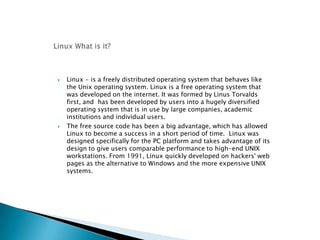
 Linux - is a freely distributed operating system that behaves like
the Unix operating system. Linux is a free operating system that
was developed on the internet. It was formed by Linus Torvalds
first, and has been developed by users into a hugely diversified
operating system that is in use by large companies, academic
institutions and individual users.
 The free source code has been a big advantage, which has allowed
Linux to become a success in a short period of time. Linux was
designed specifically for the PC platform and takes advantage of its
design to give users comparable performance to high-end UNIX
workstations. From 1991, Linux quickly developed on hackers' web
pages as the alternative to Windows and the more expensive UNIX
systems.
 Each new version becoming more user friendly.
◦ Disk installation no longer confusing.
◦ Installation interface more intuitive.
◦ Graphical environment becoming much more mature.
 More and more companies are embracing &
supporting Linux.
◦ IBM has teams of developers working on it.
◦ Apple’s OS now has a UNIX-like core.
◦ Novell is now in the Linux business.
 More and more devices are now running Linux
◦ Personal Devices: Cell Phones & PDA’s.
◦ Electronics: Video Recorders, MP3 Players.
 Reliability
 Scalability
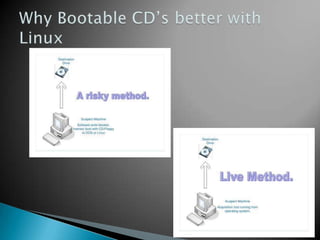
 Flexibility-boot from a CD (to a complete
OS), file system support, platform support,
etc.
 Security -not just over your forensic
software, but the whole OS and attached
hardware.
 Price –Free (no license fee, open source)
 Power – A Linux distribution is (or can be) a
forensic tool.
 Almost all types of computer users now use Linux
Engineers and scientists use it for code development
and simulation.
 System administrators. Network providers:
networking is one of the real strengths of Linux
(share files, remote logins, SAMBA, ...)
 Kernel hackers: lots of talented people on web for
help .
 Multimedia authors : works with almost all sound &
video cards. OpenGL has been ported.
 Even some Virtual Reality machines now use Linux.
Very handy graphics tools called Gimp too.
 Antartica research stations Oceanography vessels
Students
Some Linux
distrobutions “Flavors”
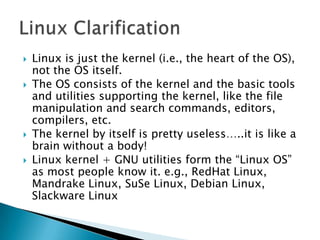
 Linux is just the kernel (i.e., the heart of the OS),
not the OS itself.
 The OS consists of the kernel and the basic tools
and utilities supporting the kernel, like the file
manipulation and search commands, editors,
compilers, etc.
 The kernel by itself is pretty useless…..it is like a
brain without a body!
 Linux kernel + GNU utilities form the “Linux OS”
as most people know it. e.g., RedHat Linux,
Mandrake Linux, SuSe Linux, Debian Linux,
Slackware Linux
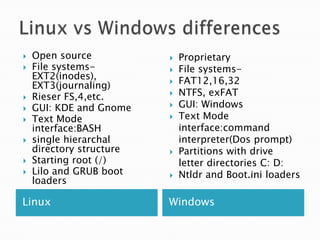
Linux Windows
 Open source
 File systems-
EXT2(inodes),
EXT3(journaling)
 Rieser FS,4,etc.
 GUI: KDE and Gnome
 Text Mode
interface:BASH
 single hierarchal
directory structure
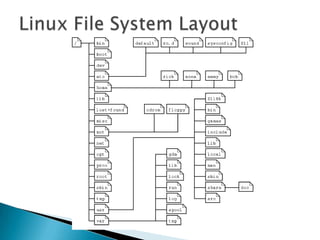
 Starting root (/)
 Lilo and GRUB boot
loaders
 Proprietary
 File systems-
 FAT12,16,32
 NTFS, exFAT
 GUI: Windows
 Text Mode
interface:command
interpreter(Dos prompt)
 Partitions with drive
letter directories C: D:
 Ntldr and Boot.ini loaders
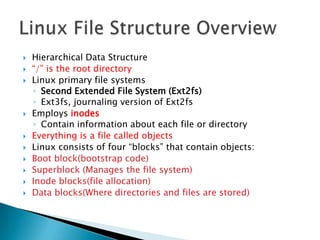
 Hierarchical Data Structure
 “/” is the root directory
 Linux primary file systems
◦ Second Extended File System (Ext2fs)
◦ Ext3fs, journaling version of Ext2fs
 Employs inodes
◦ Contain information about each file or directory
 Everything is a file called objects
 Linux consists of four “blocks” that contain objects:
 Boot block(bootstrap code)
 Superblock (Manages the file system)
 Inode blocks(file allocation)
 Data blocks(Where directories and files are stored)
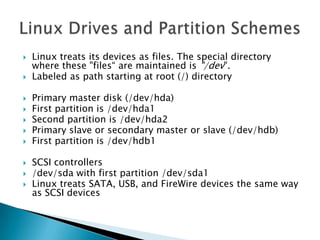
 Linux treats its devices as files. The special directory
where these "files“ are maintained is "/dev".
 Labeled as path starting at root (/) directory
 Primary master disk (/dev/hda)
 First partition is /dev/hda1
 Second partition is /dev/hda2
 Primary slave or secondary master or slave (/dev/hdb)
 First partition is /dev/hdb1
 SCSI controllers
 /dev/sda with first partition /dev/sda1
 Linux treats SATA, USB, and FireWire devices the same way
as SCSI devices
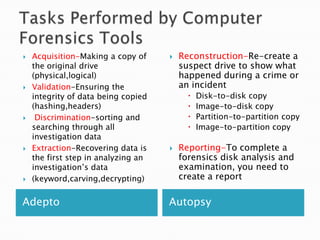
Adepto Autopsy
 Acquisition-Making a copy of
the original drive
(physical,logical)
 Validation-Ensuring the
integrity of data being copied
(hashing,headers)
 Discrimination-sorting and
searching through all
investigation data
 Extraction-Recovering data is
the first step in analyzing an
investigation’s data
 (keyword,carving,decrypting)
 Reconstruction-Re-create a
suspect drive to show what
happened during a crime or
an incident
 Disk-to-disk copy
 Image-to-disk copy
 Partition-to-partition copy
 Image-to-partition copy
 Reporting-To complete a
forensics disk analysis and
examination, you need to
create a report
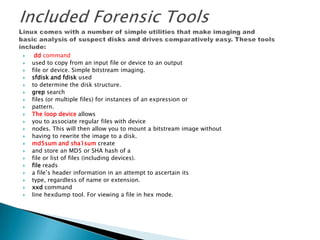
 dd command
 used to copy from an input file or device to an output
 file or device. Simple bitstream imaging.
 sfdisk and fdisk used
 to determine the disk structure.
 grep search
 files (or multiple files) for instances of an expression or
 pattern.
 The loop device allows
 you to associate regular files with device
 nodes. This will then allow you to mount a bitstream image without
 having to rewrite the image to a disk.
 md5sum and sha1sum create
 and store an MD5 or SHA hash of a
 file or list of files (including devices).
 file reads
 a file’s header information in an attempt to ascertain its
 type, regardless of name or extension.
 xxd command
 line hexdump tool. For viewing a file in hex mode.
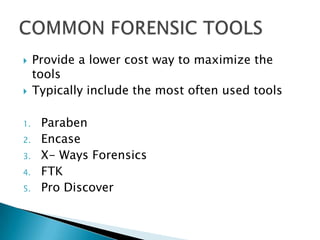
 Provide a lower cost way to maximize the
tools
 Typically include the most often used tools
1. Paraben
2. Encase
3. X- Ways Forensics
4. FTK
5. Pro Discover
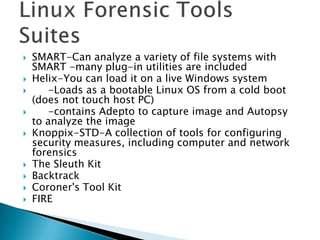
 SMART-Can analyze a variety of file systems with
SMART -many plug-in utilities are included
 Helix-You can load it on a live Windows system
 -Loads as a bootable Linux OS from a cold boot
(does not touch host PC)
 -contains Adepto to capture image and Autopsy
to analyze the image
 Knoppix-STD-A collection of tools for configuring
security measures, including computer and network
forensics
 The Sleuth Kit
 Backtrack
 Coroner's Tool Kit
 FIRE
Using Helix on a Linux System
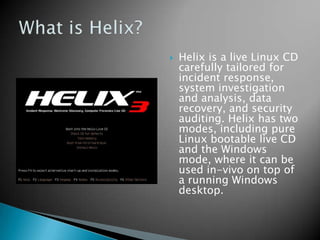
 Helix is a live Linux CD
carefully tailored for
incident response,
system investigation
and analysis, data
recovery, and security
auditing. Helix has two
modes, including pure
Linux bootable live CD
and the Windows
mode, where it can be
used in-vivo on top of
a running Windows
desktop.
 Open Source Platform.
 Linux platform
◦ Bootable Linux OS from a cold boot
◦ Easier to script and perform operations
 Has better compatibility tools i.e. (Adepto and
Autopsy)
 Windows platform-used for safer “Live”
captures on running systems
 Compiled toolkit
◦ Lesser dependency at client side
 Easy to use – Ubuntu + GUI interface
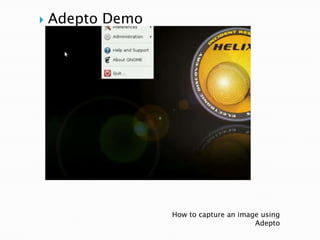
 Adepto Demo
How to capture an image using
Adepto
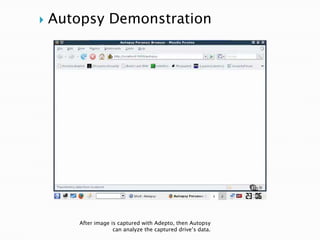
After image is captured with Adepto, then Autopsy
can analyze the captured drive’s data.
 Autopsy Demonstration
Let’s
Recap

Group project linux helix

  • 1.
    By Mike Sedgley,Remeca Akins, and Jeff Carroll
  • 2.
  • 3.
     Linux -is a freely distributed operating system that behaves like the Unix operating system. Linux is a free operating system that was developed on the internet. It was formed by Linus Torvalds first, and has been developed by users into a hugely diversified operating system that is in use by large companies, academic institutions and individual users.  The free source code has been a big advantage, which has allowed Linux to become a success in a short period of time. Linux was designed specifically for the PC platform and takes advantage of its design to give users comparable performance to high-end UNIX workstations. From 1991, Linux quickly developed on hackers' web pages as the alternative to Windows and the more expensive UNIX systems.
  • 4.
     Each newversion becoming more user friendly. ◦ Disk installation no longer confusing. ◦ Installation interface more intuitive. ◦ Graphical environment becoming much more mature.  More and more companies are embracing & supporting Linux. ◦ IBM has teams of developers working on it. ◦ Apple’s OS now has a UNIX-like core. ◦ Novell is now in the Linux business.  More and more devices are now running Linux ◦ Personal Devices: Cell Phones & PDA’s. ◦ Electronics: Video Recorders, MP3 Players.
  • 5.
     Reliability  Scalability Flexibility-boot from a CD (to a complete OS), file system support, platform support, etc.  Security -not just over your forensic software, but the whole OS and attached hardware.  Price –Free (no license fee, open source)  Power – A Linux distribution is (or can be) a forensic tool.
  • 6.
     Almost alltypes of computer users now use Linux Engineers and scientists use it for code development and simulation.  System administrators. Network providers: networking is one of the real strengths of Linux (share files, remote logins, SAMBA, ...)  Kernel hackers: lots of talented people on web for help .  Multimedia authors : works with almost all sound & video cards. OpenGL has been ported.  Even some Virtual Reality machines now use Linux. Very handy graphics tools called Gimp too.  Antartica research stations Oceanography vessels Students
  • 7.
  • 8.
     Linux isjust the kernel (i.e., the heart of the OS), not the OS itself.  The OS consists of the kernel and the basic tools and utilities supporting the kernel, like the file manipulation and search commands, editors, compilers, etc.  The kernel by itself is pretty useless…..it is like a brain without a body!  Linux kernel + GNU utilities form the “Linux OS” as most people know it. e.g., RedHat Linux, Mandrake Linux, SuSe Linux, Debian Linux, Slackware Linux
  • 11.
    Linux Windows  Opensource  File systems- EXT2(inodes), EXT3(journaling)  Rieser FS,4,etc.  GUI: KDE and Gnome  Text Mode interface:BASH  single hierarchal directory structure  Starting root (/)  Lilo and GRUB boot loaders  Proprietary  File systems-  FAT12,16,32  NTFS, exFAT  GUI: Windows  Text Mode interface:command interpreter(Dos prompt)  Partitions with drive letter directories C: D:  Ntldr and Boot.ini loaders
  • 12.
     Hierarchical DataStructure  “/” is the root directory  Linux primary file systems ◦ Second Extended File System (Ext2fs) ◦ Ext3fs, journaling version of Ext2fs  Employs inodes ◦ Contain information about each file or directory  Everything is a file called objects  Linux consists of four “blocks” that contain objects:  Boot block(bootstrap code)  Superblock (Manages the file system)  Inode blocks(file allocation)  Data blocks(Where directories and files are stored)
  • 14.
     Linux treatsits devices as files. The special directory where these "files“ are maintained is "/dev".  Labeled as path starting at root (/) directory  Primary master disk (/dev/hda)  First partition is /dev/hda1  Second partition is /dev/hda2  Primary slave or secondary master or slave (/dev/hdb)  First partition is /dev/hdb1  SCSI controllers  /dev/sda with first partition /dev/sda1  Linux treats SATA, USB, and FireWire devices the same way as SCSI devices
  • 15.
    Adepto Autopsy  Acquisition-Makinga copy of the original drive (physical,logical)  Validation-Ensuring the integrity of data being copied (hashing,headers)  Discrimination-sorting and searching through all investigation data  Extraction-Recovering data is the first step in analyzing an investigation’s data  (keyword,carving,decrypting)  Reconstruction-Re-create a suspect drive to show what happened during a crime or an incident  Disk-to-disk copy  Image-to-disk copy  Partition-to-partition copy  Image-to-partition copy  Reporting-To complete a forensics disk analysis and examination, you need to create a report
  • 16.
     dd command used to copy from an input file or device to an output  file or device. Simple bitstream imaging.  sfdisk and fdisk used  to determine the disk structure.  grep search  files (or multiple files) for instances of an expression or  pattern.  The loop device allows  you to associate regular files with device  nodes. This will then allow you to mount a bitstream image without  having to rewrite the image to a disk.  md5sum and sha1sum create  and store an MD5 or SHA hash of a  file or list of files (including devices).  file reads  a file’s header information in an attempt to ascertain its  type, regardless of name or extension.  xxd command  line hexdump tool. For viewing a file in hex mode.
  • 17.
     Provide alower cost way to maximize the tools  Typically include the most often used tools 1. Paraben 2. Encase 3. X- Ways Forensics 4. FTK 5. Pro Discover
  • 18.
     SMART-Can analyzea variety of file systems with SMART -many plug-in utilities are included  Helix-You can load it on a live Windows system  -Loads as a bootable Linux OS from a cold boot (does not touch host PC)  -contains Adepto to capture image and Autopsy to analyze the image  Knoppix-STD-A collection of tools for configuring security measures, including computer and network forensics  The Sleuth Kit  Backtrack  Coroner's Tool Kit  FIRE
  • 19.
    Using Helix ona Linux System
  • 20.
     Helix isa live Linux CD carefully tailored for incident response, system investigation and analysis, data recovery, and security auditing. Helix has two modes, including pure Linux bootable live CD and the Windows mode, where it can be used in-vivo on top of a running Windows desktop.
  • 22.
     Open SourcePlatform.  Linux platform ◦ Bootable Linux OS from a cold boot ◦ Easier to script and perform operations  Has better compatibility tools i.e. (Adepto and Autopsy)  Windows platform-used for safer “Live” captures on running systems  Compiled toolkit ◦ Lesser dependency at client side  Easy to use – Ubuntu + GUI interface
  • 23.
     Adepto Demo Howto capture an image using Adepto
  • 24.
    After image iscaptured with Adepto, then Autopsy can analyze the captured drive’s data.  Autopsy Demonstration
  • 25.