Google Apps
  An introduction
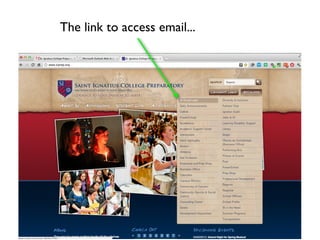
The link to access email...
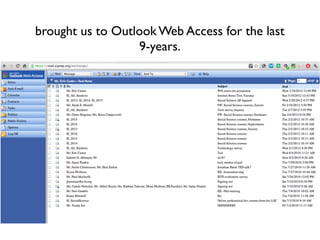
brought us to Outlook Web Access for the last
                  9-years.
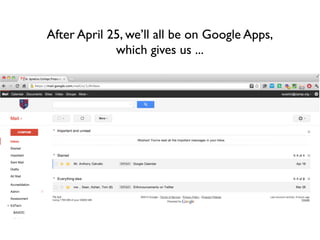
After April 25, we’ll all be on Google Apps,
             which gives us ...
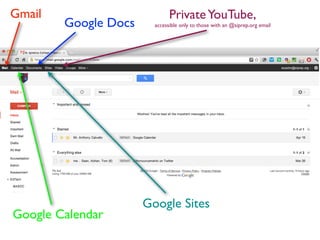
Gmail                         Private YouTube,
        Google Docs     accessible only to those with an @siprep.org email


                      Google Sites
Google Calendar
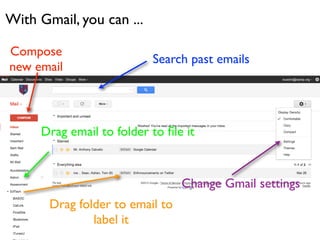
With Gmail, you can ...

Compose
                          Search past emails
new email


     Drag email to folder to file it


                                 Change Gmail settings
       Drag folder to email to
               label it
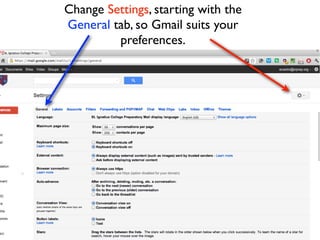
Change Settings, starting with the
General tab, so Gmail suits your
         preferences.
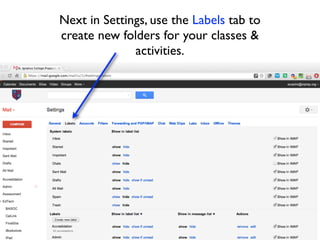
Next in Settings, use the Labels tab to
create new folders for your classes &
              activities.
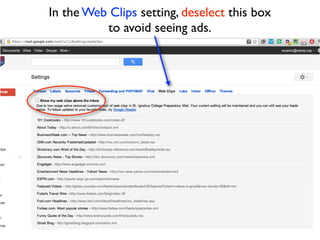
In the Web Clips setting, deselect this box
          to avoid seeing ads.
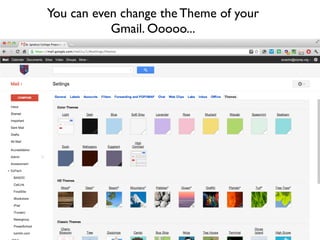
You can even change the Theme of your
           Gmail. Ooooo...
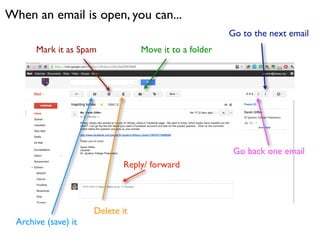
When an email is open, you can...
                                                        Go to the next email
       Mark it as Spam            Move it to a folder


                                                         Go back one email
                             Reply/ forward


                      Delete it
  Archive (save) it
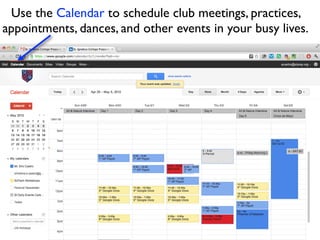
Use the Calendar to schedule club meetings, practices,
appointments, dances, and other events in your busy lives.
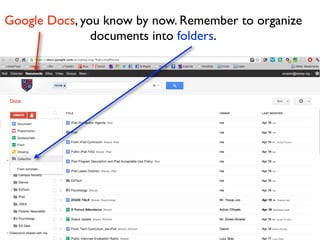
Google Docs, you know by now. Remember to organize
               documents into folders.
If you have any questions about Google Apps, see Mr
Castro in the Beta Lab, or anybody in the Tech Office.

Google apps introduction

  • 1.
    Google Apps An introduction
  • 2.
    The link toaccess email...
  • 3.
    brought us toOutlook Web Access for the last 9-years.
  • 4.
    After April 25,we’ll all be on Google Apps, which gives us ...
  • 5.
    Gmail Private YouTube, Google Docs accessible only to those with an @siprep.org email Google Sites Google Calendar
  • 6.
    With Gmail, youcan ... Compose Search past emails new email Drag email to folder to file it Change Gmail settings Drag folder to email to label it
  • 7.
    Change Settings, startingwith the General tab, so Gmail suits your preferences.
  • 8.
    Next in Settings,use the Labels tab to create new folders for your classes & activities.
  • 9.
    In the WebClips setting, deselect this box to avoid seeing ads.
  • 10.
    You can evenchange the Theme of your Gmail. Ooooo...
  • 11.
    When an emailis open, you can... Go to the next email Mark it as Spam Move it to a folder Go back one email Reply/ forward Delete it Archive (save) it
  • 12.
    Use the Calendarto schedule club meetings, practices, appointments, dances, and other events in your busy lives.
  • 13.
    Google Docs, youknow by now. Remember to organize documents into folders.
  • 14.
    If you haveany questions about Google Apps, see Mr Castro in the Beta Lab, or anybody in the Tech Office.