Google Apps for
the Classroom
26 Feb 2015
Kaitlin Springmier, Library Practicum Student
springmier@wisc.edu
Welcome!
As you enter the classroom….
Please go to this web page:
http://tinyurl.com/googleappsfortheclassroom
and answer the 4 short questions.
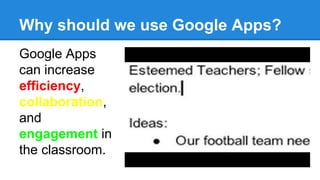
Why should we use Google Apps?
Google Apps
can increase
efficiency,
collaboration,
and
engagement in
the classroom.
Google Apps + UW-Madison
A select suite of Google Apps is available to the UW
community, including: Drive (includes Documents,
Spreadsheets, Presentations, and Forms), Sites,
Hangouts, Groups, Contacts and Google+.
● License protects your intellectual property and individual privacy
rights
● Collaboration with classmates and UW-Madison colleagues
● Accounts are administered by UW-Madison
How do you use Google Apps?
Google Drive
● Share documents, spreadsheets, presentations, forms
and drawings.
● Collaborate in real-time with your team or with your
whole school.
● You can publish final documents to the entire world, too.
Let’s get started. Log into Google Drive.
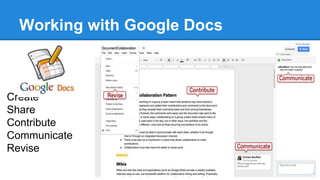
Working with Google Docs
Create
Share
Contribute
Communicate
Revise
Google Docs Activity
In class activity: Join the class Google Doc by typing in:
http://tinyurl.com/GoogleAppsDoc
Do you know how to...
● Chat in the document?
● Share the document?
● See the revision history of the document?
● Feel free to take notes in the doc as the presentation
continues, see how collaboration works!
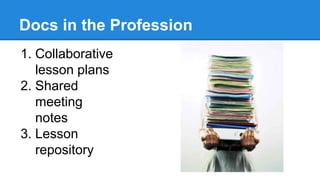
Docs in the Profession
1. Collaborative
lesson plans
2. Shared
meeting
notes
3. Lesson
repository
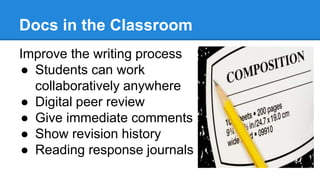
Docs in the Classroom
Improve the writing process
● Students can work
collaboratively anywhere
● Digital peer review
● Give immediate comments
● Show revision history
● Reading response journals
Forms
You’ve just used one!
Results
How can you use Google Forms in your
classroom?
● Formative and summative assessments
● Survey student’s interest
● Teacher observation forms
● Collecting information from parents
● Tests!
Sheets
● Make a student gradebook that you can
access anywhere & share
● Make sign-up sheets for parent-teacher
conferences
● Use for science projects- Create sheets
to store research data & make charts!
Slides
● Access, create, and edit anywhere.
● All your changes are automatically
saved as you type.
● Converts to many file formats
● Share your lectures!
Drawings
● Lay out diagrams, create flow charts, make
posters
● Easily add to other documents or embed on a
website
● Students can collaborate on:
o posters or diagrams
o concept mapping
o get feedback from the teacher
Sites
● Build sites to share and collaborate on
documents, videos, schedules, and more.
● Create a site for your class. Embed a class
calendar, videos, and presentations
● Have students learn how to build a website or
create an ePortfolio!
Google For Education
Google has many great resources for education.
● They have a lesson plan library
● They provide information literacy instruction
● They will teach you and your students how to code
● And many more!
Thank you!
Evaluate: tinyurl.com/meriteval
Questions?
Contact me:
Kaitlin Springmier
springmier@wisc.edu

Google apps for the classroom

  • 1.
    Google Apps for theClassroom 26 Feb 2015 Kaitlin Springmier, Library Practicum Student springmier@wisc.edu
  • 2.
    Welcome! As you enterthe classroom…. Please go to this web page: http://tinyurl.com/googleappsfortheclassroom and answer the 4 short questions.
  • 3.
    Why should weuse Google Apps? Google Apps can increase efficiency, collaboration, and engagement in the classroom.
  • 4.
    Google Apps +UW-Madison A select suite of Google Apps is available to the UW community, including: Drive (includes Documents, Spreadsheets, Presentations, and Forms), Sites, Hangouts, Groups, Contacts and Google+. ● License protects your intellectual property and individual privacy rights ● Collaboration with classmates and UW-Madison colleagues ● Accounts are administered by UW-Madison How do you use Google Apps?
  • 5.
    Google Drive ● Sharedocuments, spreadsheets, presentations, forms and drawings. ● Collaborate in real-time with your team or with your whole school. ● You can publish final documents to the entire world, too. Let’s get started. Log into Google Drive.
  • 6.
    Working with GoogleDocs Create Share Contribute Communicate Revise
  • 7.
    Google Docs Activity Inclass activity: Join the class Google Doc by typing in: http://tinyurl.com/GoogleAppsDoc Do you know how to... ● Chat in the document? ● Share the document? ● See the revision history of the document? ● Feel free to take notes in the doc as the presentation continues, see how collaboration works!
  • 8.
    Docs in theProfession 1. Collaborative lesson plans 2. Shared meeting notes 3. Lesson repository
  • 9.
    Docs in theClassroom Improve the writing process ● Students can work collaboratively anywhere ● Digital peer review ● Give immediate comments ● Show revision history ● Reading response journals
  • 10.
    Forms You’ve just usedone! Results How can you use Google Forms in your classroom? ● Formative and summative assessments ● Survey student’s interest ● Teacher observation forms ● Collecting information from parents ● Tests!
  • 11.
    Sheets ● Make astudent gradebook that you can access anywhere & share ● Make sign-up sheets for parent-teacher conferences ● Use for science projects- Create sheets to store research data & make charts!
  • 12.
    Slides ● Access, create,and edit anywhere. ● All your changes are automatically saved as you type. ● Converts to many file formats ● Share your lectures!
  • 13.
    Drawings ● Lay outdiagrams, create flow charts, make posters ● Easily add to other documents or embed on a website ● Students can collaborate on: o posters or diagrams o concept mapping o get feedback from the teacher
  • 14.
    Sites ● Build sitesto share and collaborate on documents, videos, schedules, and more. ● Create a site for your class. Embed a class calendar, videos, and presentations ● Have students learn how to build a website or create an ePortfolio!
  • 15.
    Google For Education Googlehas many great resources for education. ● They have a lesson plan library ● They provide information literacy instruction ● They will teach you and your students how to code ● And many more!
  • 16.
    Thank you! Evaluate: tinyurl.com/meriteval Questions? Contactme: Kaitlin Springmier springmier@wisc.edu