
GAFE: Google Apps
for Education
&
Classroom
Integration
Examples of a few of our favorite tricks and
tools
by:
Michelle Mihalik
English/French
Beth Walton
FACS
Organization with
Classroom
When Google Classroom opened it made the
organization and workflow of sending and collecting
GAFE so much easier.
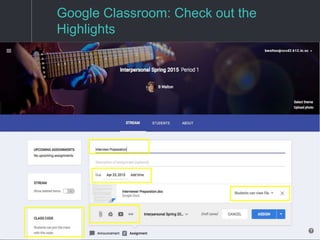
Google Classroom Highlights
❖ Easily add students to the class with a join code
❖ Easily assign a Google Doc, Slide, Sheet.
❖ Select “make a copy” and every student will get their
own digital copy of the assignment.
❖ Allow everyone to edit the same Doc, Slide, or
Sheet. Nice for group work.
❖ Easily collect assignments, display assignment
information, due dates, and points possible.
❖ Easily view who has/has not completed assignments.
❖ Students cannot edit the document once they hit
“turn in”.
❖ Also submit links, pdf’s, and videos.
❖ Consistent sign-in across apps!!!!!!!
Google Classroom: Check out the
Highlights
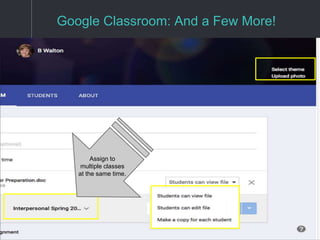
Google Classroom: And a Few More!
Assign to
multiple classes
at the same time.
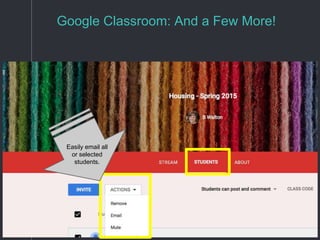
Google Classroom: And a Few More!
Easily email all
or selected
students.
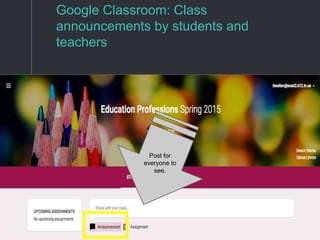
Google Classroom: Class
announcements by students and
teachers
Post for
everyone to
see.
Organization and Collection with
Forms
Forms can help quiz, poll, test, survey, and collect
information.
Google Forms Highlights
❖ Collect class information for groups, preferences,
blog links, goals etc.
❖ Survey (with or without names)
❖ Quiz/Test (with or without names)
❖ Results will be submitted to a spreadsheet for easy
viewing.
❖ Create self-graded tours.
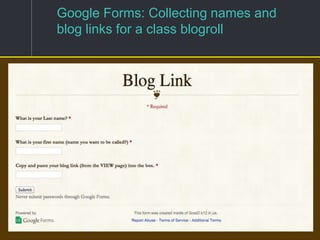
Google Forms: Collecting names and
blog links for a class blogroll
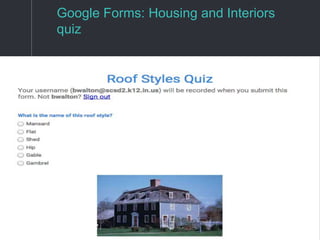
Google Forms: Housing and Interiors
quiz
Creation with
Slideshow
Information, creation, collaboration, presentation
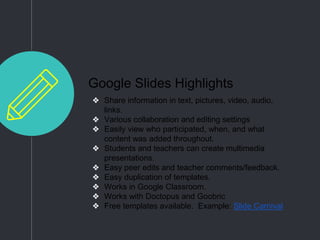
Google Slides Highlights
❖ Share information in text, pictures, video, audio,
links.
❖ Various collaboration and editing settings
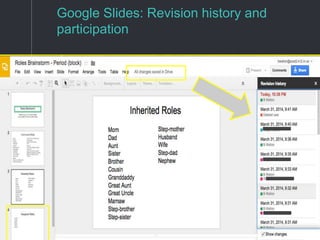
❖ Easily view who participated, when, and what
content was added throughout.
❖ Students and teachers can create multimedia
presentations.
❖ Easy peer edits and teacher comments/feedback.
❖ Easy duplication of templates.
❖ Works in Google Classroom.
❖ Works with Doctopus and Goobric
❖ Free templates available. Example: Slide Carnival
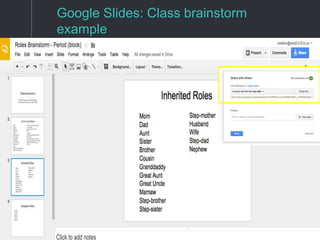
Google Slides: Class brainstorm
example
Google Slides: Revision history and
participation
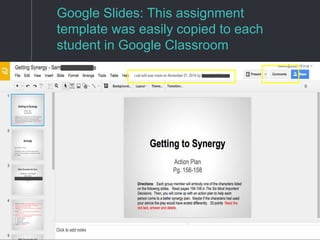
Google Slides: This assignment
template was easily copied to each
student in Google Classroom
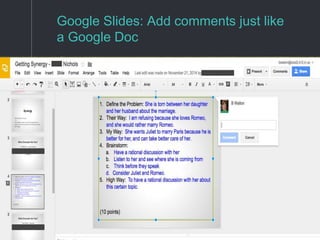
Google Slides: Add comments just like
a Google Doc
The sky is the limit with
Docs
Docs are a go to tool for a wide variety of tasks.
Agendas, lesson plans, assignments, collaboration,
creativity, multimedia.....
Google Docs Highlights
❖ Weekly: Lesson plans are posted on continuing
Google Doc each week throughout the year.
❖ Problem Solver: Solves the problem of absent
students needing information about missed work.
❖ Parent information: Agendas are easily shared and
emailed to parents, as well as, administrators,
department heads, and co-teachers.
❖ Students: Use for assignments, word processing,
collaboration, multimedia presentations, outlines,
group planning etc.
❖ Commenting and feedback
❖ Works with Google Classroom, Doctopus, Goobric.
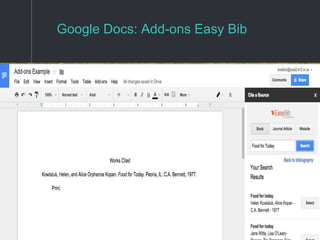
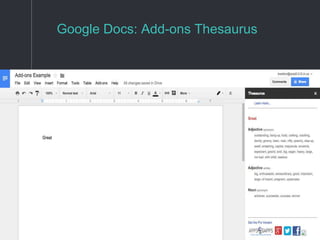
❖ Current favorite add-ons are Easybib and
Thesaurus.
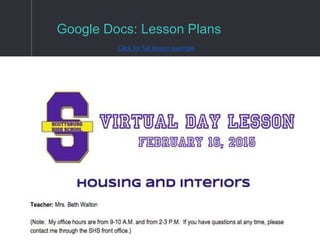
Google Docs: Lesson Plans
Click for full lesson example
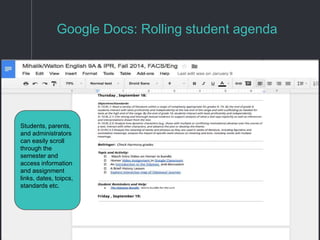
Google Docs: Rolling student agenda
Students, parents,
and administrators
can easily scroll
through the
semester and
access information
and assignment
links, dates, toipcs,
standards etc.
Google Docs: Add-ons Easy Bib
Google Docs: Add-ons Thesaurus
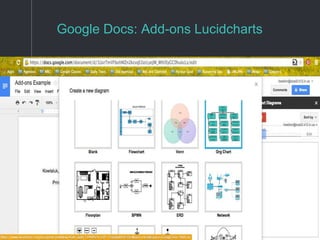
Google Docs: Add-ons Lucidcharts
Organization
Calendar
Calendars can help with planning, organization,
scheduling, and pushing information.
Google Docs Highlights
❖ Multiple calendars can be created within Google
Calendars.
❖ Each calendar can be customized with a different
color.
❖ Each calendar can be turned off and on.
❖ Each calendar can be shared in various ways.
❖ Use with IFTTT to create a “recipe” that will
automatically push calendar information to social
media sites.
❖ Share calendars with students, parents, teachers etc.
and share within other web pages with Calendar’s
export options.
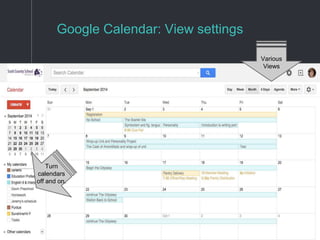
Google Calendar: View settings
Various
Views
Turn
calendars
off and on.
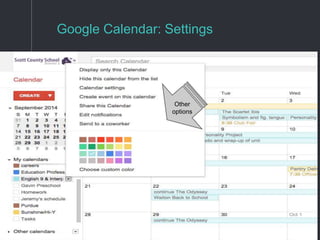
Google Calendar: Settings
Other
options
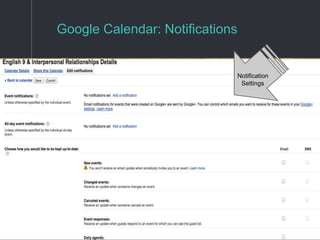
Google Calendar: Notifications
Notification
Settings
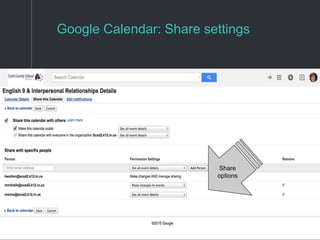
Google Calendar: Share settings
Share
options
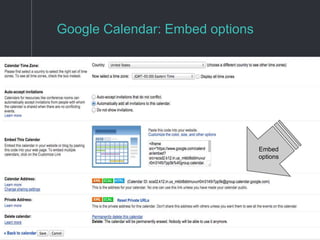
Google Calendar: Embed options
Embed
options
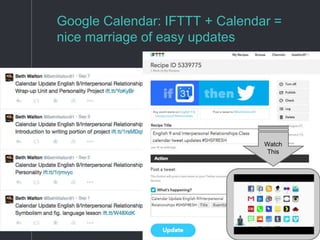
Google Calendar: IFTTT + Calendar =
nice marriage of easy updates
Watch
This
Organization
Google Classroom + Rubrics
Provide effective and less cumbersome feedback.
Google Classroom + Rubrics
Highlights
❖ Add a “Goobric” to almost any opened assignment in
Google Classroom.
❖ Provide quick, clear, and informative feedback to
students.
❖ Rubrics will display within students’ assignments.
❖ All scores will be sent to a spreadsheet for easy
viewing by the educator.
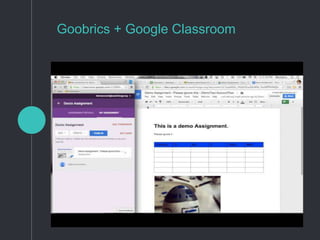
❖ (See video on next slide)
Goobrics + Google Classroom
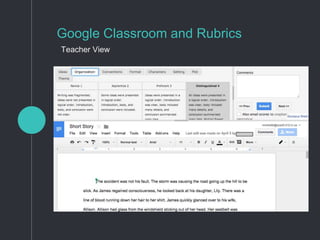
Google Classroom and Rubrics
Teacher View
Google Classroom and Rubrics
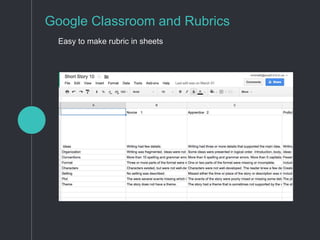
Easy to make rubric in sheets
Google Classroom and Rubrics
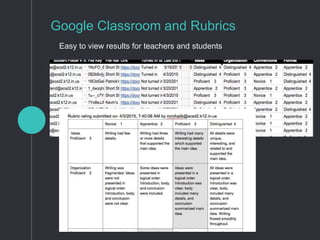
Easy to view results for teachers and students
Social learning
Blogger
Creativity, publishing, authentic, creative,
collaboration.
Google Blogger
❖ Share projects, writing, thoughts in an authentic and
published environment.
❖ Same login!
❖ Add media and app smash!
❖ Personalize blog
❖ Interact and respond to others.
❖ Learn from others.
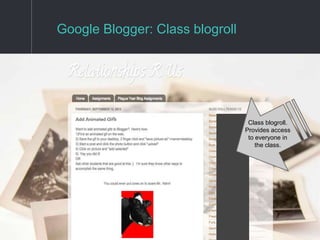
Google Blogger: Class blogroll
Class blogroll.
Provides access
to everyone in
the class.
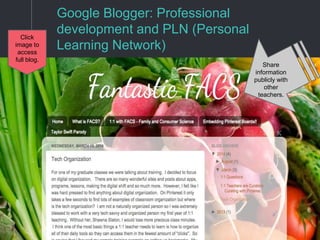
Google Blogger: Professional
development and PLN (Personal
Learning Network)
Share
information
publicly with
other
teachers.
Click
image to
access
full blog.
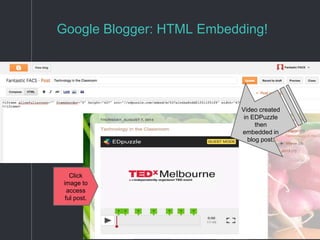
Google Blogger: HTML Embedding!
Click
image to
access
ful post.
Video created
in EDPuzzle
then
embedded in
blog post.
Questions?
Email Us
Michelle Mihalik
mmihalik@scsd2.k12.in.us
Beth Walton
bwalton@scsd2.k12.in.us
Thank You
We hope this was helpful to you.

Gafe: google apps and classroom integration

  • 1.
    GAFE: Google Apps forEducation & Classroom Integration
  • 2.
    Examples of afew of our favorite tricks and tools by: Michelle Mihalik English/French Beth Walton FACS
  • 3.
    Organization with Classroom When GoogleClassroom opened it made the organization and workflow of sending and collecting GAFE so much easier.
  • 4.
    Google Classroom Highlights ❖Easily add students to the class with a join code ❖ Easily assign a Google Doc, Slide, Sheet. ❖ Select “make a copy” and every student will get their own digital copy of the assignment. ❖ Allow everyone to edit the same Doc, Slide, or Sheet. Nice for group work. ❖ Easily collect assignments, display assignment information, due dates, and points possible. ❖ Easily view who has/has not completed assignments. ❖ Students cannot edit the document once they hit “turn in”. ❖ Also submit links, pdf’s, and videos. ❖ Consistent sign-in across apps!!!!!!!
  • 5.
    Google Classroom: Checkout the Highlights
  • 6.
    Google Classroom: Anda Few More! Assign to multiple classes at the same time.
  • 7.
    Google Classroom: Anda Few More! Easily email all or selected students.
  • 8.
    Google Classroom: Class announcementsby students and teachers Post for everyone to see.
  • 9.
    Organization and Collectionwith Forms Forms can help quiz, poll, test, survey, and collect information.
  • 10.
    Google Forms Highlights ❖Collect class information for groups, preferences, blog links, goals etc. ❖ Survey (with or without names) ❖ Quiz/Test (with or without names) ❖ Results will be submitted to a spreadsheet for easy viewing. ❖ Create self-graded tours.
  • 11.
    Google Forms: Collectingnames and blog links for a class blogroll
  • 12.
    Google Forms: Housingand Interiors quiz
  • 13.
  • 14.
    Google Slides Highlights ❖Share information in text, pictures, video, audio, links. ❖ Various collaboration and editing settings ❖ Easily view who participated, when, and what content was added throughout. ❖ Students and teachers can create multimedia presentations. ❖ Easy peer edits and teacher comments/feedback. ❖ Easy duplication of templates. ❖ Works in Google Classroom. ❖ Works with Doctopus and Goobric ❖ Free templates available. Example: Slide Carnival
  • 15.
    Google Slides: Classbrainstorm example
  • 16.
    Google Slides: Revisionhistory and participation
  • 17.
    Google Slides: Thisassignment template was easily copied to each student in Google Classroom
  • 18.
    Google Slides: Addcomments just like a Google Doc
  • 19.
    The sky isthe limit with Docs Docs are a go to tool for a wide variety of tasks. Agendas, lesson plans, assignments, collaboration, creativity, multimedia.....
  • 20.
    Google Docs Highlights ❖Weekly: Lesson plans are posted on continuing Google Doc each week throughout the year. ❖ Problem Solver: Solves the problem of absent students needing information about missed work. ❖ Parent information: Agendas are easily shared and emailed to parents, as well as, administrators, department heads, and co-teachers. ❖ Students: Use for assignments, word processing, collaboration, multimedia presentations, outlines, group planning etc. ❖ Commenting and feedback ❖ Works with Google Classroom, Doctopus, Goobric. ❖ Current favorite add-ons are Easybib and Thesaurus.
  • 21.
    Google Docs: LessonPlans Click for full lesson example
  • 22.
    Google Docs: Rollingstudent agenda Students, parents, and administrators can easily scroll through the semester and access information and assignment links, dates, toipcs, standards etc.
  • 23.
  • 24.
  • 25.
  • 26.
    Organization Calendar Calendars can helpwith planning, organization, scheduling, and pushing information.
  • 27.
    Google Docs Highlights ❖Multiple calendars can be created within Google Calendars. ❖ Each calendar can be customized with a different color. ❖ Each calendar can be turned off and on. ❖ Each calendar can be shared in various ways. ❖ Use with IFTTT to create a “recipe” that will automatically push calendar information to social media sites. ❖ Share calendars with students, parents, teachers etc. and share within other web pages with Calendar’s export options.
  • 28.
    Google Calendar: Viewsettings Various Views Turn calendars off and on.
  • 29.
  • 30.
  • 31.
    Google Calendar: Sharesettings Share options
  • 32.
    Google Calendar: Embedoptions Embed options
  • 33.
    Google Calendar: IFTTT+ Calendar = nice marriage of easy updates Watch This
  • 34.
    Organization Google Classroom +Rubrics Provide effective and less cumbersome feedback.
  • 35.
    Google Classroom +Rubrics Highlights ❖ Add a “Goobric” to almost any opened assignment in Google Classroom. ❖ Provide quick, clear, and informative feedback to students. ❖ Rubrics will display within students’ assignments. ❖ All scores will be sent to a spreadsheet for easy viewing by the educator. ❖ (See video on next slide)
  • 36.
  • 37.
    Google Classroom andRubrics Teacher View
  • 38.
    Google Classroom andRubrics Easy to make rubric in sheets
  • 39.
    Google Classroom andRubrics Easy to view results for teachers and students
  • 40.
    Social learning Blogger Creativity, publishing,authentic, creative, collaboration.
  • 41.
    Google Blogger ❖ Shareprojects, writing, thoughts in an authentic and published environment. ❖ Same login! ❖ Add media and app smash! ❖ Personalize blog ❖ Interact and respond to others. ❖ Learn from others.
  • 42.
    Google Blogger: Classblogroll Class blogroll. Provides access to everyone in the class.
  • 43.
    Google Blogger: Professional developmentand PLN (Personal Learning Network) Share information publicly with other teachers. Click image to access full blog.
  • 44.
    Google Blogger: HTMLEmbedding! Click image to access ful post. Video created in EDPuzzle then embedded in blog post.
  • 45.
    Questions? Email Us Michelle Mihalik mmihalik@scsd2.k12.in.us BethWalton bwalton@scsd2.k12.in.us Thank You We hope this was helpful to you.