Git Heaven with Wakanda

    Juergen Fesslmeier
  Wakanda Product Manager
         @chinshr
About Git
Linus Torvalds
 http://bit.ly/linusongit
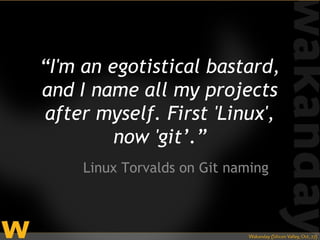
“I'm an egotistical bastard,
and I name all my projects
 after myself. First 'Linux',
         now 'git’.”
     Linux Torvalds on Git naming
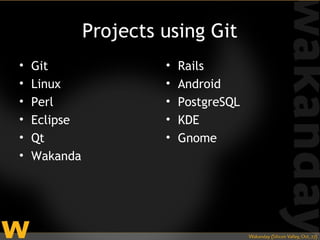
Projects using Git
•   Git                •   Rails
•   Linux              •   Android
•   Perl               •   PostgreSQL
•   Eclipse            •   KDE
•   Qt                 •   Gnome
•   Wakanda
What is Git?
Git is an open source,
 distributed version
    control system
 designed for speed
    and efficiency.
git-scm.com
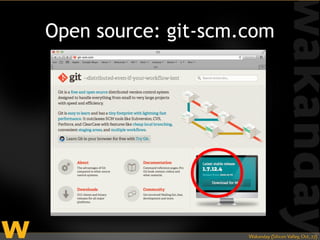
Open source: git-scm.com
History of
Versioning
Local File System
Local Version Control System
Centralized Version Control
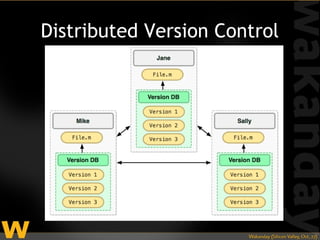
Distributed Version Control
Distributed Version
  Control System
Everything is local
     (almost)
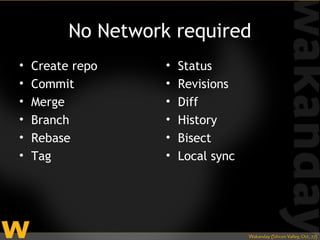
No Network required
•   Create repo     •   Status
•   Commit          •   Revisions
•   Merge           •   Diff
•   Branch          •   History
•   Rebase          •   Bisect
•   Tag             •   Local sync
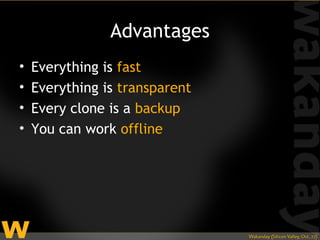
Advantages
•   Everything is fast
•   Everything is transparent
•   Every clone is a backup
•   You can work offline
Designed for Speed
  and Efficiency
Snapshots, not
   Patches
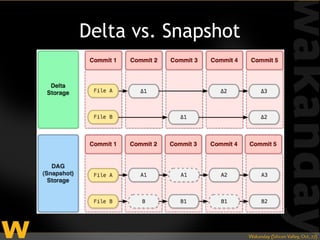
Delta vs. Snapshot
How is it different
from cvs, svn, etc.?
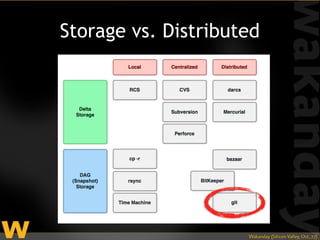
Storage vs. Distributed
How do I use
   Git?
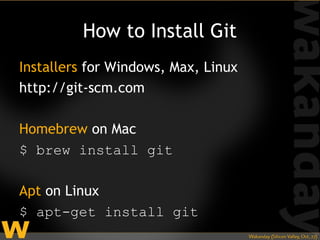
How to Install Git
Installers for Windows, Max, Linux
http://git-scm.com

Homebrew on Mac
$ brew install git

Apt on Linux
$ apt-get install git
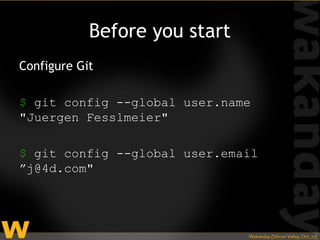
Before you start
Configure Git

$ git config --global user.name
"Juergen Fesslmeier"

$ git config --global user.email
”j@4d.com"
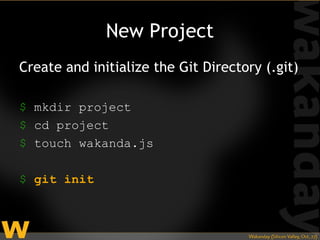
New Project
Create and initialize the Git Directory (.git)

$ mkdir project
$ cd project
$ touch wakanda.js

$ git init
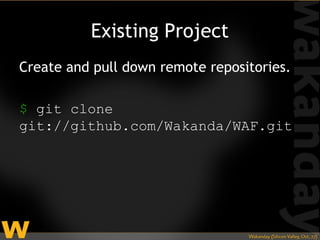
Existing Project
Create and pull down remote repositories.

$ git clone
git://github.com/Wakanda/WAF.git
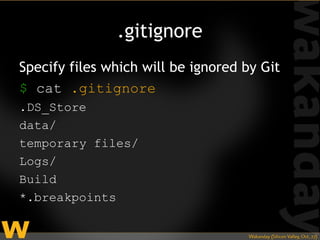
.gitignore
Specify files which will be ignored by Git
$ cat .gitignore
.DS_Store
data/
temporary files/
Logs/
Build
*.breakpoints
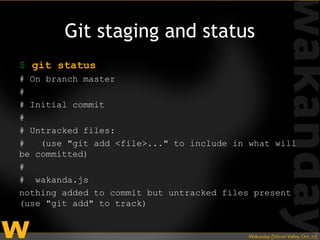
Git staging and status
$ git status
# On branch master
#
# Initial commit
#
# Untracked files:
#   (use "git add <file>..." to include in what will
be committed)
#
# wakanda.js
nothing added to commit but untracked files present
(use "git add" to track)
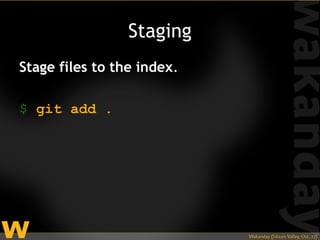
Staging
Stage files to the index.

$ git add .
Committing
Create a commit tagged with a message.

$ git commit -m "first commit"
Remotes
Remote == URL
Protocols    Example
ssh://       git@github.com:Wakanda/WAF.git

http[s]://   https://github.com/Wakanda/WAF.g
             it


git://       git://github.com/Wakanda/WAF.git


file://
rsync://
ftp://
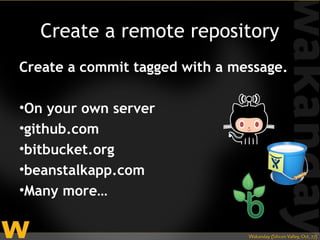
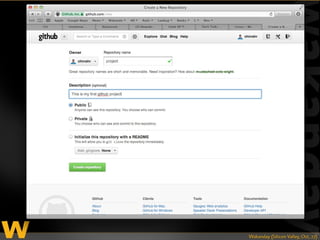
Create a remote repository
Create a commit tagged with a message.

•On your own server
•github.com
•bitbucket.org
•beanstalkapp.com
•Many more…
Adding remote
Connect your local with a remote
repository is called “adding remote”

$ git add remote
git@github.com:chinshr/project.gi
t
Project config file
$ cat .git/config
[remote "origin"]
  url =
git@github.com:chinshr/project.git
  fetch =
+refs/heads/*:refs/remotes/origin/*
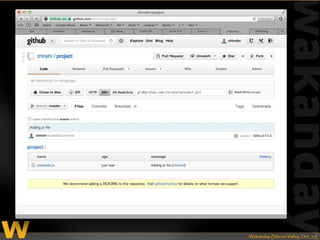
Adding remote
Connect your local with a remote repo
$ git push -u origin master
Counting objects: 5, done.
Delta compression using up to 8 threads.
Compressing objects: 100% (2/2), done.
Writing objects: 100% (5/5), 384 bytes,
done.
Total 5 (delta 0), reused 0 (delta 0)
To git@github.com:chinshr/project.git
 * [new branch]      master -> master
Git Heaven with Wakanda

Git Heaven with Wakanda

Editor's Notes

  • #3 What is Git?
  • #4 http://bit.ly/linusongit
  • #7 What is Git?
  • #8 What is Git?
  • #9 Let’s go pack and see the progression
  • #11 Let’s go pack and see the progression
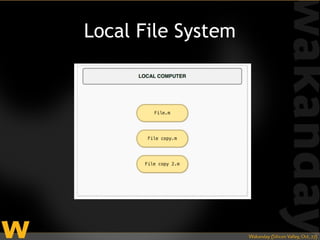
  • #12 So, we’ve all done this: right-click, duplicate It starts to get unmanageable really fast. Whose ever gone back to their project and couldn’t remember which file is the correct one, or maybe what bits you wanted to save for later, or even why? Basically, we do this out of paranoia.
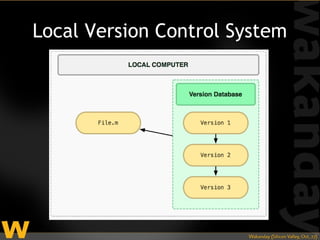
  • #13 So, it didn’t take long for someone to come up with this. RCS, one of the first LVCS, was released in 1982 (29 years ago!) But if your computer crashes, it’s all gone.
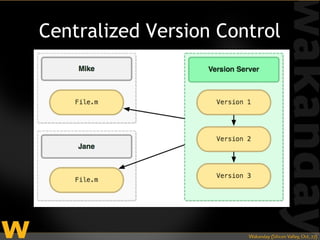
  • #14 So, the natural progression was to store things on the server, and projects like CVS, SVN and others popped up. CVS in 1990, SVN in 2000 Problem: everything is on the server. You need access to the server and you’d better not lose the server.
  • #15 DVCS came along to solve a lot of the problems with existing VCS. Linux, for instance, switched to using BitKeeper to deal with their growth problems, and eventually switched to Git. Both Git and Mercurial popped up in 2005.
  • #16 In many ways Distributed Version Control Systems (DVCS) solve a lot of problems. It retains the best aspects of both local and centralized VCS, and has several benefits on top of that.
  • #17 One huge benefit is that almost all version control operations happen locally, aside from sync, and then only if sync is not between two local repositories.
  • #18 None of these tasks require you to be connected to a server or any kind of network. You can be on a place 30,000 ft up and do this stuff.
  • #19 That means…by transparent I mean you can literally inspect and see what Git is doing.
  • #20 In many ways Distributed Version Control Systems (DVCS) solve a lot of problems. It retains the best aspects of both local and centralized VCS, and has sever beneifts on top of that.
  • #21 Direct Acrylic Graph just means a graph where if you follow the nodes from one node to the next you can’t get back to that node. Doesn’t really matter…just think of it as “snapshot” storage.
  • #22 So the point is that with the snapshot model, each commit takes a full snapshot of your entire working directory. That might seem weird, but has some advantages and it can be done really efficiently. We’ll see when we get into the internals. Also, this is kind of how we think as developers. Typically you commit when your codebase reaches a certain state regardless of which files you had to mess with.
  • #23 Git is a distributed VCS that uses the snapshot storage model.
  • #24 Git is a distributed VCS that uses the snapshot storage model.
  • #25 What is Git?
  • #33 Git will force you to add a commit message.
  • #34 Git does not have a concept of a central server. It only has the concept of nodes -- other repositories. That can be another computer, or somewhere else on your file system.
  • #36 Git will force you to add a commit message.
  • #38 Git will force you to add a commit message.
  • #39 Git will force you to add a commit message.
  • #40 Git will force you to add a commit message.