Copyright © 2015 Mirantis, Inc. All rights reserved
www.mirantis.com
Docker “Off the Grid”
Matthew Mosesohn
Senior Deployment Engineer
Copyright © 2015 Mirantis, Inc. All rights reserved
Agenda
● What are Docker images?
● How to interact with Docker images?
● Where it can go wrong...
● When do you need a base image?
● Building images for production
● Distributing images...
● via tarball
● via Docker Registry
Copyright © 2015 Mirantis, Inc. All rights reserved
Docker Images
Copyright © 2015 Mirantis, Inc. All rights reserved
What is in a Docker image?
● Base image
● Additional image layers that stack on top of base
● Metadata (links to layers and tags)
Copyright © 2015 Mirantis, Inc. All rights reserved
Docker pull
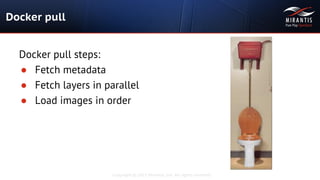
Docker pull steps:
● Fetch metadata
● Fetch layers in parallel
● Load images in order
Copyright © 2015 Mirantis, Inc. All rights reserved
Think carefully
● 300mb+ uncompressed
● Depends on external service
● Depends on external build hosts
● Depends on benevolent dictator
Copyright © 2015 Mirantis, Inc. All rights reserved
Who is unaffected?
● Public cloud users
● One time deployments with few changes
● Demos/POCs
Copyright © 2015 Mirantis, Inc. All rights reserved
Who should be concerned?
● Deployers of custom base images
● Proprietary/unpublished code
● Those concerned about bandwidth
● Those with no direct Internet connection
● Those concerned about consistency 24/7/365
● Those who do CI/CD and need performance
Copyright © 2015 Mirantis, Inc. All rights reserved
Where to start?
● Start with a base image
● Take default centos:centos6 or ubuntu image
● Or create your own base
● https://github.com/CentOS/sig-cloud-instance-images
● Keep it simple
Copyright © 2015 Mirantis, Inc. All rights reserved
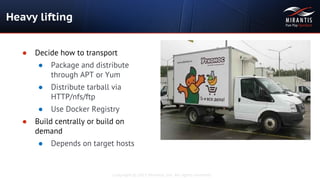
Heavy lifting
● Decide how to transport
● Package and distribute
through APT or Yum
● Distribute tarball via
HTTP/nfs/ftp
● Use Docker Registry
● Build centrally or build on
demand
● Depends on target hosts
Copyright © 2015 Mirantis, Inc. All rights reserved
Making the tarball
● Build your images (based on your base image)
● docker save image1 image2 image3 > myimages.tar
● Try lrzip for compression
● Faster than xz
● Better compression than gzip/bzip2
● Try docker-squash to save more time (by Jason Wilder)
● https://github.com/jwilder/docker-squash
Copyright © 2015 Mirantis, Inc. All rights reserved
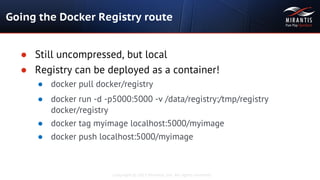
Going the Docker Registry route
● Still uncompressed, but local
● Registry can be deployed as a container!
● docker pull docker/registry
● docker run -d -p5000:5000 -v /data/registry:/tmp/registry
docker/registry
● docker tag myimage localhost:5000/myimage
● docker push localhost:5000/myimage
Copyright © 2015 Mirantis, Inc. All rights reserved
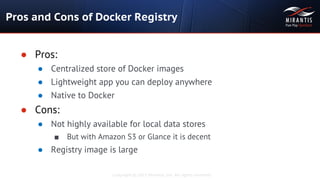
Pros and Cons of Docker Registry
● Pros:
● Centralized store of Docker images
● Lightweight app you can deploy anywhere
● Native to Docker
● Cons:
● Not highly available for local data stores
■ But with Amazon S3 or Glance it is decent
● Registry image is large
Copyright © 2015 Mirantis, Inc. All rights reserved
Thank you
for your time

Docker off the grid

  • 1.
    Copyright © 2015Mirantis, Inc. All rights reserved www.mirantis.com Docker “Off the Grid” Matthew Mosesohn Senior Deployment Engineer
  • 2.
    Copyright © 2015Mirantis, Inc. All rights reserved Agenda ● What are Docker images? ● How to interact with Docker images? ● Where it can go wrong... ● When do you need a base image? ● Building images for production ● Distributing images... ● via tarball ● via Docker Registry
  • 3.
    Copyright © 2015Mirantis, Inc. All rights reserved Docker Images
  • 4.
    Copyright © 2015Mirantis, Inc. All rights reserved What is in a Docker image? ● Base image ● Additional image layers that stack on top of base ● Metadata (links to layers and tags)
  • 5.
    Copyright © 2015Mirantis, Inc. All rights reserved Docker pull Docker pull steps: ● Fetch metadata ● Fetch layers in parallel ● Load images in order
  • 6.
    Copyright © 2015Mirantis, Inc. All rights reserved Think carefully ● 300mb+ uncompressed ● Depends on external service ● Depends on external build hosts ● Depends on benevolent dictator
  • 7.
    Copyright © 2015Mirantis, Inc. All rights reserved Who is unaffected? ● Public cloud users ● One time deployments with few changes ● Demos/POCs
  • 8.
    Copyright © 2015Mirantis, Inc. All rights reserved Who should be concerned? ● Deployers of custom base images ● Proprietary/unpublished code ● Those concerned about bandwidth ● Those with no direct Internet connection ● Those concerned about consistency 24/7/365 ● Those who do CI/CD and need performance
  • 9.
    Copyright © 2015Mirantis, Inc. All rights reserved Where to start? ● Start with a base image ● Take default centos:centos6 or ubuntu image ● Or create your own base ● https://github.com/CentOS/sig-cloud-instance-images ● Keep it simple
  • 10.
    Copyright © 2015Mirantis, Inc. All rights reserved Heavy lifting ● Decide how to transport ● Package and distribute through APT or Yum ● Distribute tarball via HTTP/nfs/ftp ● Use Docker Registry ● Build centrally or build on demand ● Depends on target hosts
  • 11.
    Copyright © 2015Mirantis, Inc. All rights reserved Making the tarball ● Build your images (based on your base image) ● docker save image1 image2 image3 > myimages.tar ● Try lrzip for compression ● Faster than xz ● Better compression than gzip/bzip2 ● Try docker-squash to save more time (by Jason Wilder) ● https://github.com/jwilder/docker-squash
  • 12.
    Copyright © 2015Mirantis, Inc. All rights reserved Going the Docker Registry route ● Still uncompressed, but local ● Registry can be deployed as a container! ● docker pull docker/registry ● docker run -d -p5000:5000 -v /data/registry:/tmp/registry docker/registry ● docker tag myimage localhost:5000/myimage ● docker push localhost:5000/myimage
  • 13.
    Copyright © 2015Mirantis, Inc. All rights reserved Pros and Cons of Docker Registry ● Pros: ● Centralized store of Docker images ● Lightweight app you can deploy anywhere ● Native to Docker ● Cons: ● Not highly available for local data stores ■ But with Amazon S3 or Glance it is decent ● Registry image is large
  • 14.
    Copyright © 2015Mirantis, Inc. All rights reserved Thank you for your time