Geoscience for GIS

              Andrew Zolnai


                 1
Let’s use what we already have at hand

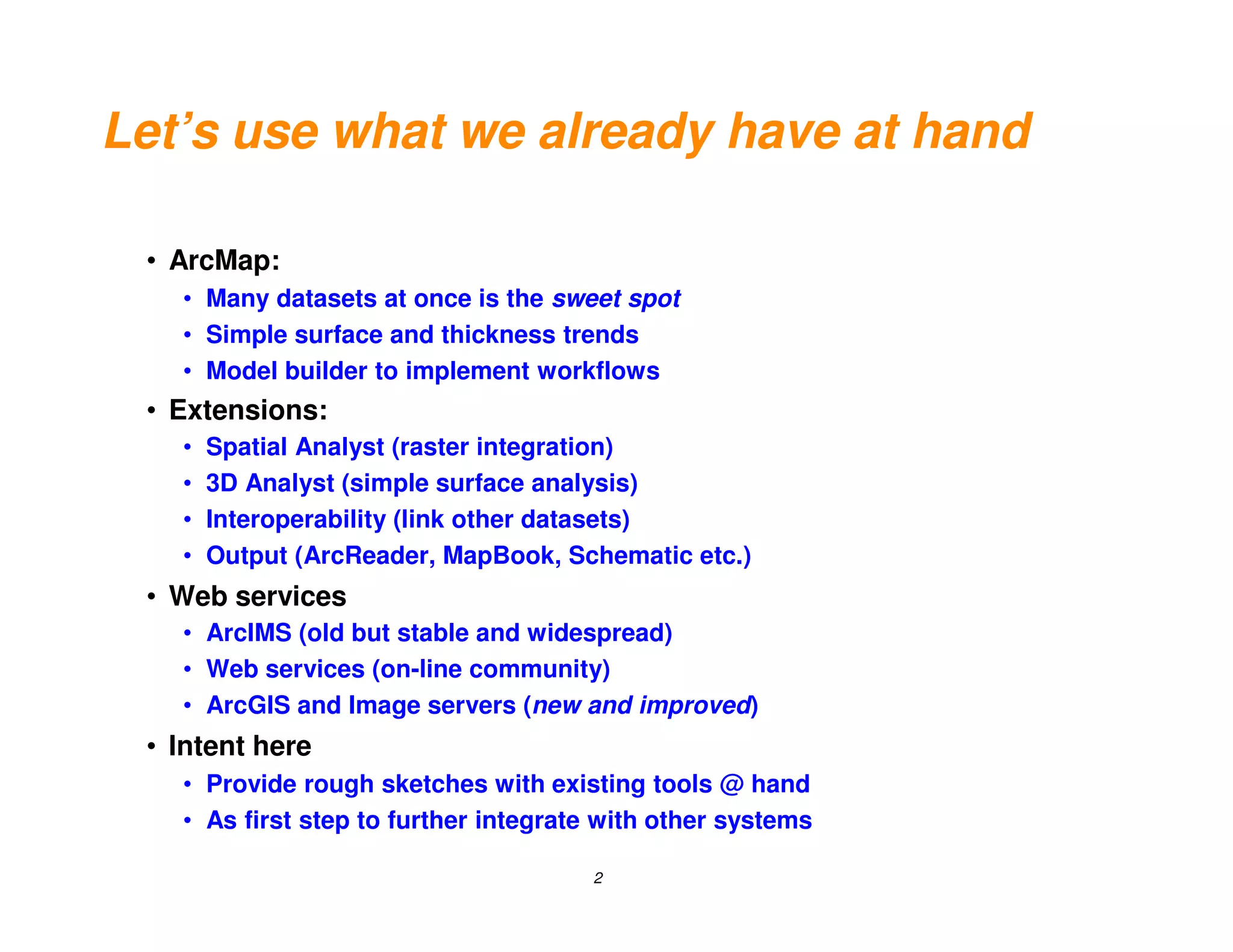
 • ArcMap:
   • Many datasets at once is the sweet spot
   • Simple surface and thickness trends
   • Model builder to implement workflows
 • Extensions:
   •   Spatial Analyst (raster integration)
   •   3D Analyst (simple surface analysis)
   •   Interoperability (link other datasets)
   •   Output (ArcReader, MapBook, Schematic etc.)
 • Web services
   • ArcIMS (old but stable and widespread)
   • Web services (on-line community)
   • ArcGIS and Image servers (new and improved)
 • Intent here
   • Provide rough sketches with existing tools @ hand
   • As first step to further integrate with other systems

                                      2
ESRI tools                                vs.           Other tools

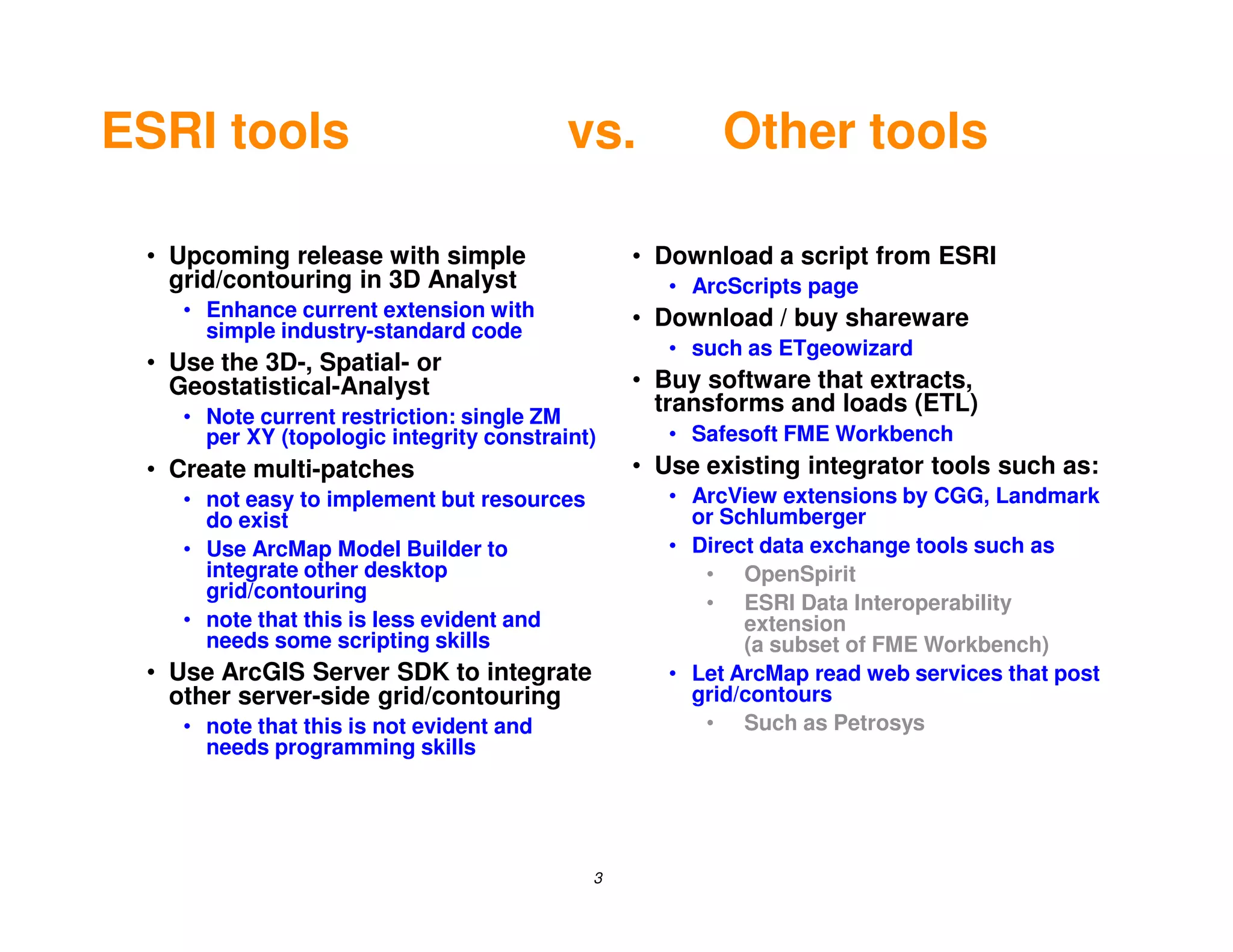
 • Upcoming release with simple                 • Download a script from ESRI
   grid/contouring in 3D Analyst                   • ArcScripts page
    • Enhance current extension with            • Download / buy shareware
      simple industry-standard code
                                                   • such as ETgeowizard
 • Use the 3D-, Spatial- or
   Geostatistical-Analyst                       • Buy software that extracts,
                                                  transforms and loads (ETL)
    • Note current restriction: single ZM
      per XY (topologic integrity constraint)      • Safesoft FME Workbench
 • Create multi-patches                         • Use existing integrator tools such as:
    • not easy to implement but resources          • ArcView extensions by CGG, Landmark
      do exist                                       or Schlumberger
    • Use ArcMap Model Builder to                  • Direct data exchange tools such as
      integrate other desktop                         • OpenSpirit
      grid/contouring
                                                      • ESRI Data Interoperability
    • note that this is less evident and                  extension
      needs some scripting skills                         (a subset of FME Workbench)
 • Use ArcGIS Server SDK to integrate              • Let ArcMap read web services that post
   other server-side grid/contouring                 grid/contours
    • note that this is not evident and               • Such as Petrosys
      needs programming skills


                                            3
ESRI tools                                vs.         Grid/contours

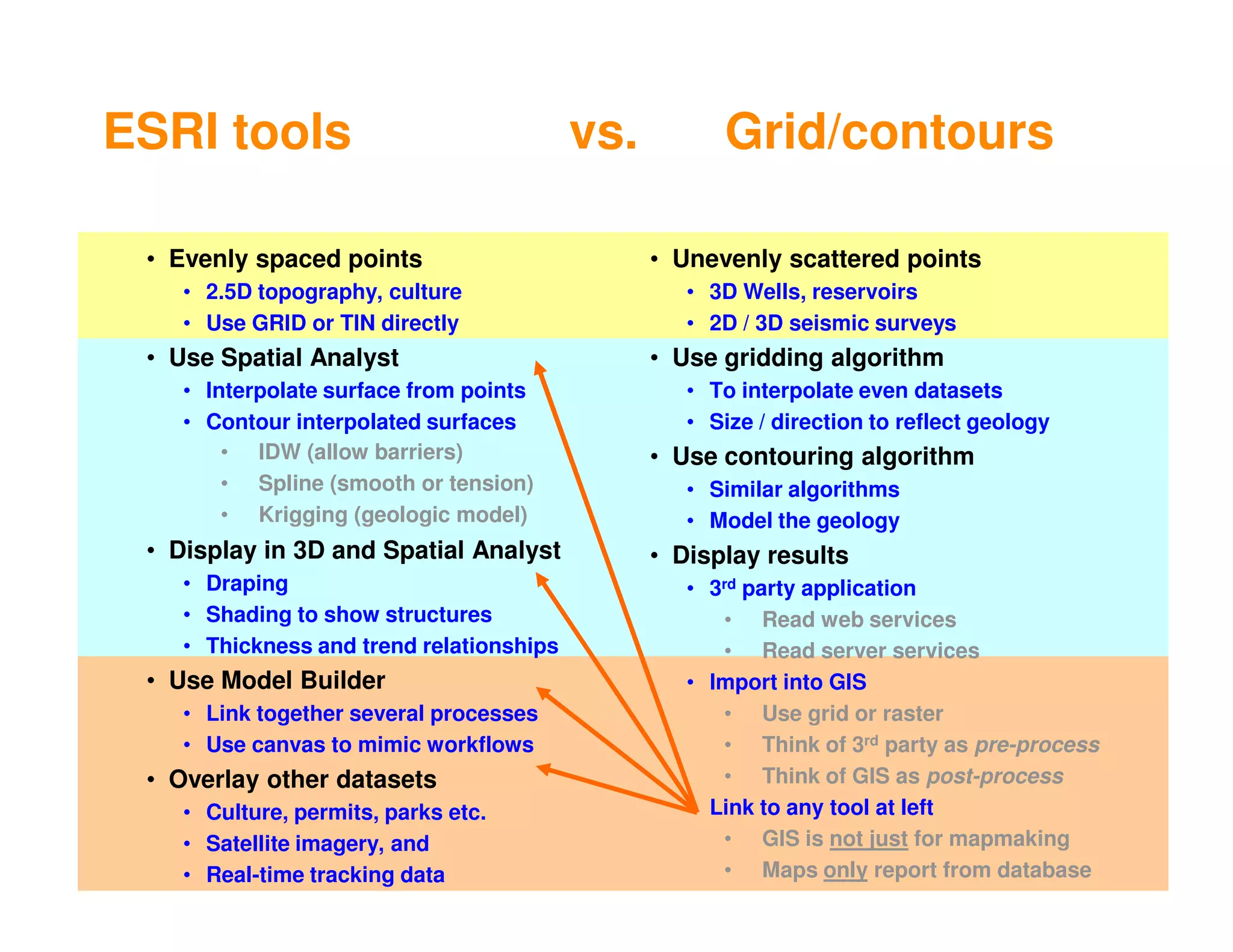
 • Evenly spaced points                         • Unevenly scattered points
    • 2.5D topography, culture                     • 3D Wells, reservoirs
    • Use GRID or TIN directly                     • 2D / 3D seismic surveys
 • Use Spatial Analyst                          • Use gridding algorithm
    • Interpolate surface from points              • To interpolate even datasets
    • Contour interpolated surfaces                • Size / direction to reflect geology
        • IDW (allow barriers)                  • Use contouring algorithm
        • Spline (smooth or tension)               • Similar algorithms
        • Krigging (geologic model)                • Model the geology
 • Display in 3D and Spatial Analyst            • Display results
    • Draping                                      • 3rd party application
    • Shading to show structures                      • Read web services
    • Thickness and trend relationships               • Read server services
 • Use Model Builder                               • Import into GIS
    • Link together several processes                 • Use grid or raster
    • Use canvas to mimic workflows                   • Think of 3rd party as pre-process
 • Overlay other datasets                             • Think of GIS as post-process
    • Culture, permits, parks etc.                 • Link to any tool at left
    • Satellite imagery, and                          • GIS is not just for mapmaking
    • Real-time tracking data              4          • Maps only report from database
Simple Thickness Workflow

 • ArcMap
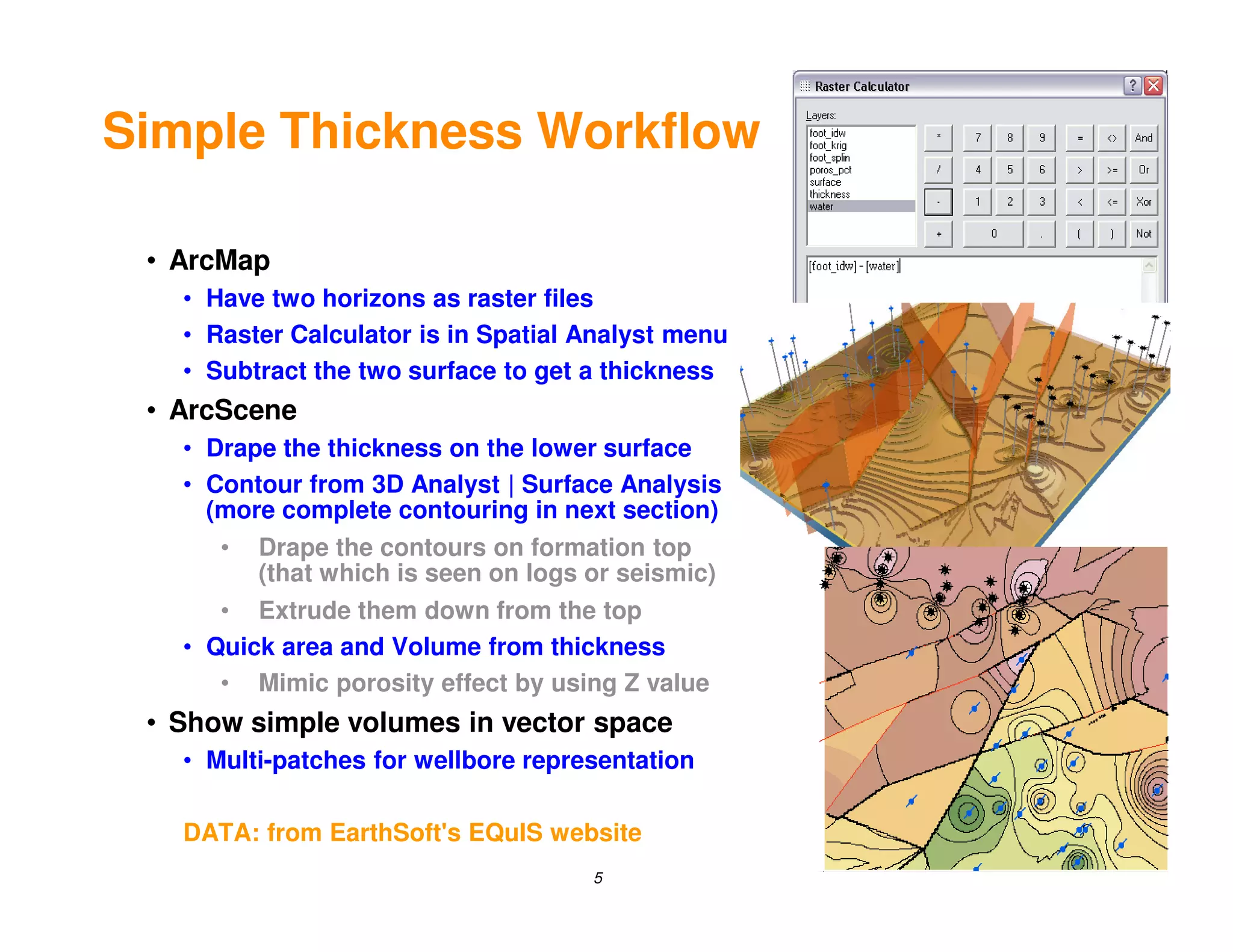
   • Have two horizons as raster files
   • Raster Calculator is in Spatial Analyst menu
   • Subtract the two surface to get a thickness
 • ArcScene
   • Drape the thickness on the lower surface
   • Contour from 3D Analyst | Surface Analysis
     (more complete contouring in next section)
      •   Drape the contours on formation top
          (that which is seen on logs or seismic)
      • Extrude them down from the top
   • Quick area and Volume from thickness
      • Mimic porosity effect by using Z value
 • Show simple volumes in vector space
   • Multi-patches for wellbore representation

   DATA: from EarthSoft's EQuIS website
                                      5
Contouring Workflow

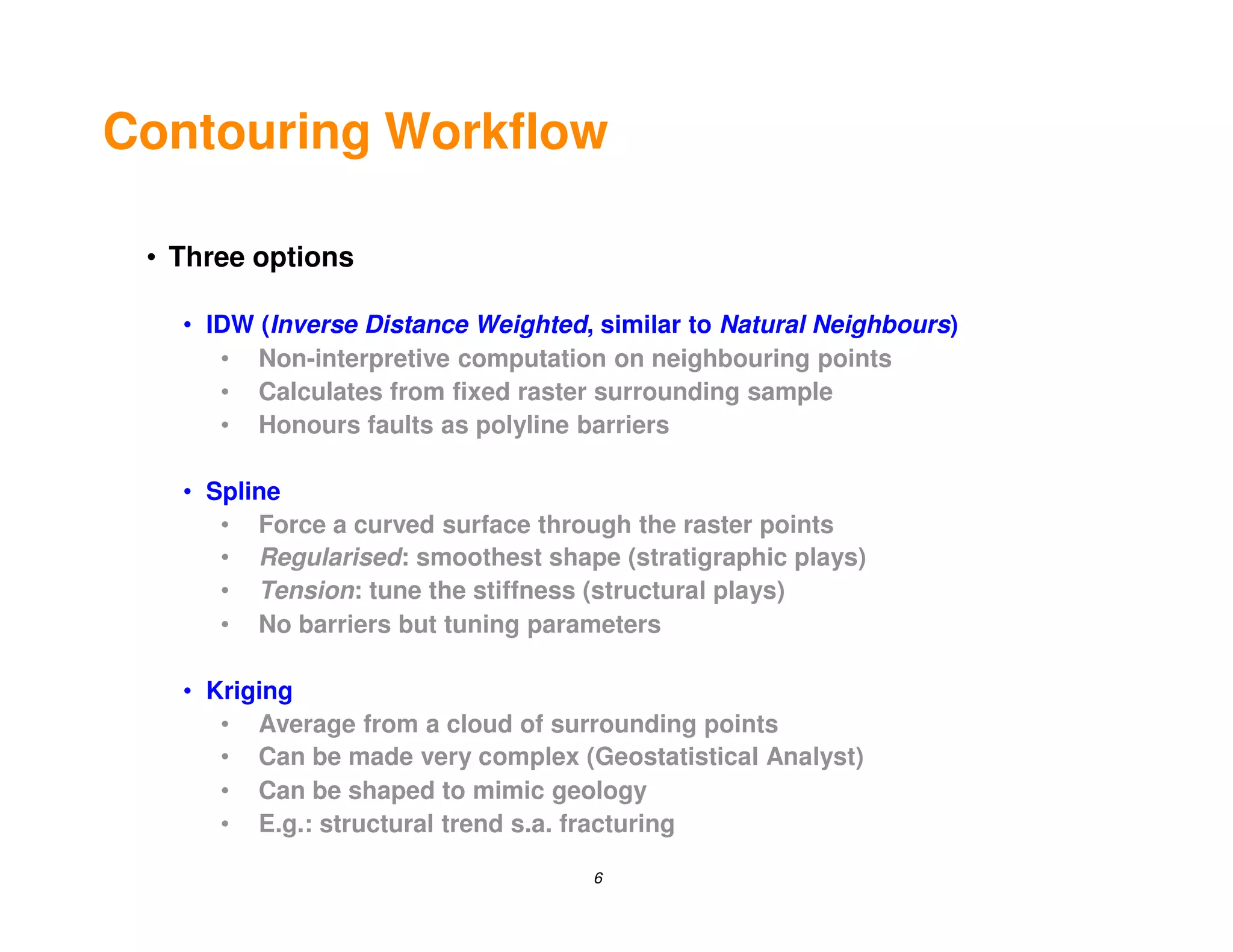
 • Three options

   • IDW (Inverse Distance Weighted, similar to Natural Neighbours)
      • Non-interpretive computation on neighbouring points
      • Calculates from fixed raster surrounding sample
      • Honours faults as polyline barriers

   • Spline
      • Force a curved surface through the raster points
      • Regularised: smoothest shape (stratigraphic plays)
      • Tension: tune the stiffness (structural plays)
      • No barriers but tuning parameters

   • Kriging
      • Average from a cloud of surrounding points
      • Can be made very complex (Geostatistical Analyst)
      • Can be shaped to mimic geology
      • E.g.: structural trend s.a. fracturing

                                    6
Display Options

 • Viewing the data

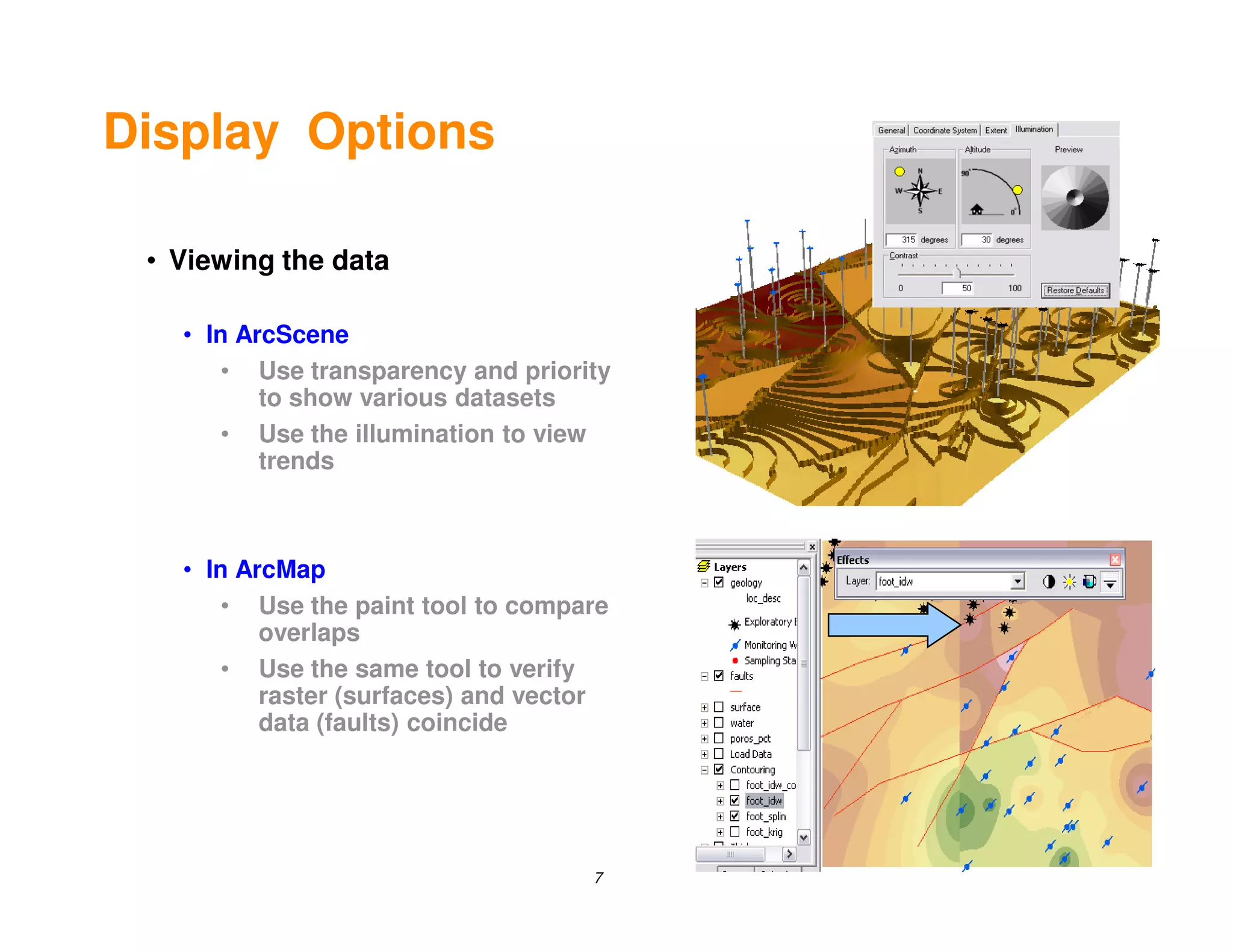
   • In ArcScene
       • Use transparency and priority
          to show various datasets
       • Use the illumination to view
          trends


   • In ArcMap
       • Use the paint tool to compare
          overlaps
       • Use the same tool to verify
          raster (surfaces) and vector
          data (faults) coincide


                                    7
Interpretation

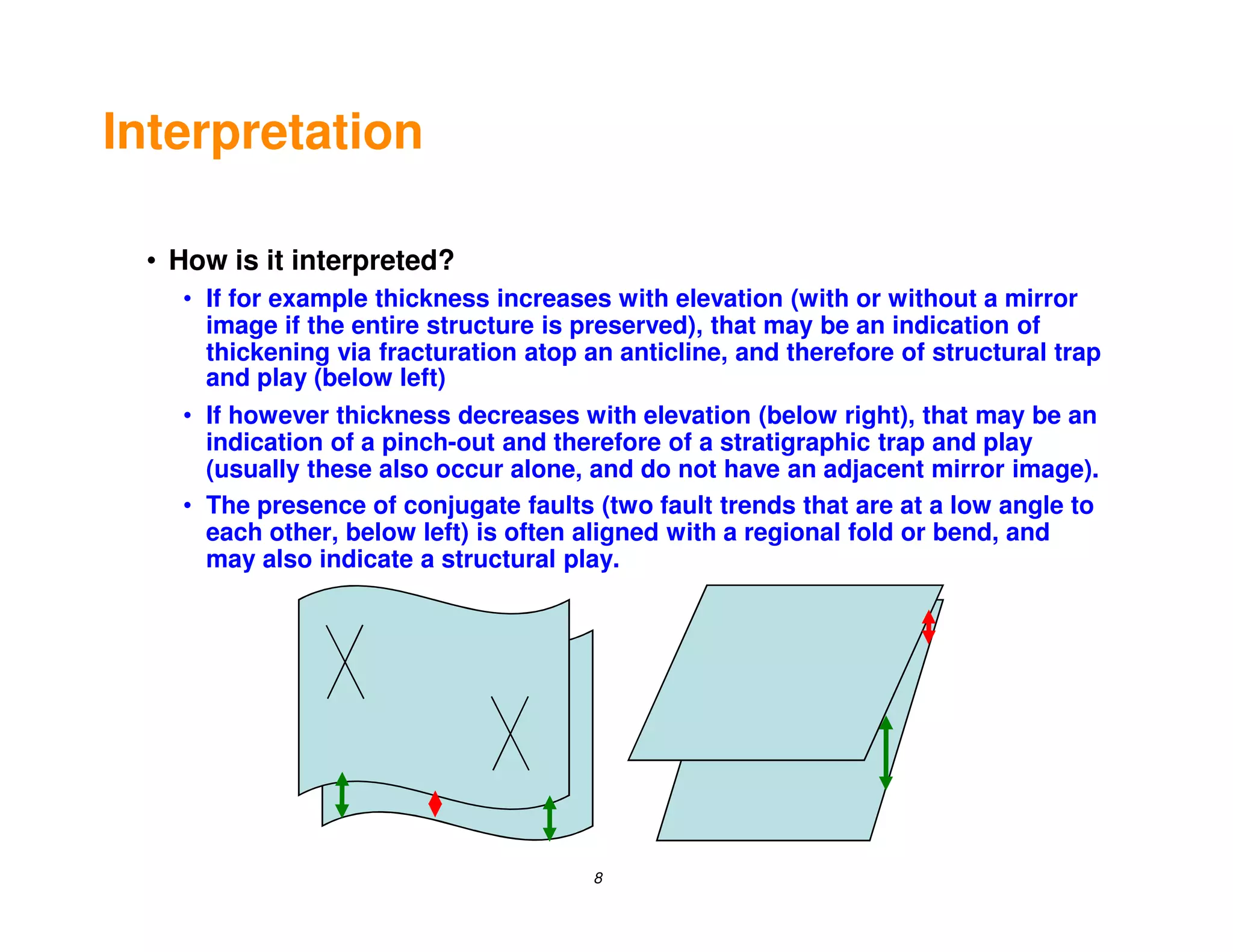
 • How is it interpreted?
   • If for example thickness increases with elevation (with or without a mirror
     image if the entire structure is preserved), that may be an indication of
     thickening via fracturation atop an anticline, and therefore of structural trap
     and play (below left)
   • If however thickness decreases with elevation (below right), that may be an
     indication of a pinch-out and therefore of a stratigraphic trap and play
     (usually these also occur alone, and do not have an adjacent mirror image).
   • The presence of conjugate faults (two fault trends that are at a low angle to
     each other, below left) is often aligned with a regional fold or bend, and
     may also indicate a structural play.


                                       8
Conclusion

 • What more can be done?
   • More factors can be taken into consideration using more Spatial
     or 3D Analyst and other extensions
   • Model Builder can be used to
      • concatenate several repetitive calculations and operations
      • thus mimic entire workflows
      • briefly described in next section
 • Note
   • ArcMap tools are used out-of-the-box to show what can be with
     GIS tools as-is
      • neither scripting nor programming was used here
   • This will not replace gridding / contouring or reservoir analysis
     packages
      • GIS is meant to work in conjunction with those packages,
         as noted in the opening table


                                      9
Thank you

             http://www.zolnai.ca
            Course notes available


                    10
Model Builder

                Optional


                 11
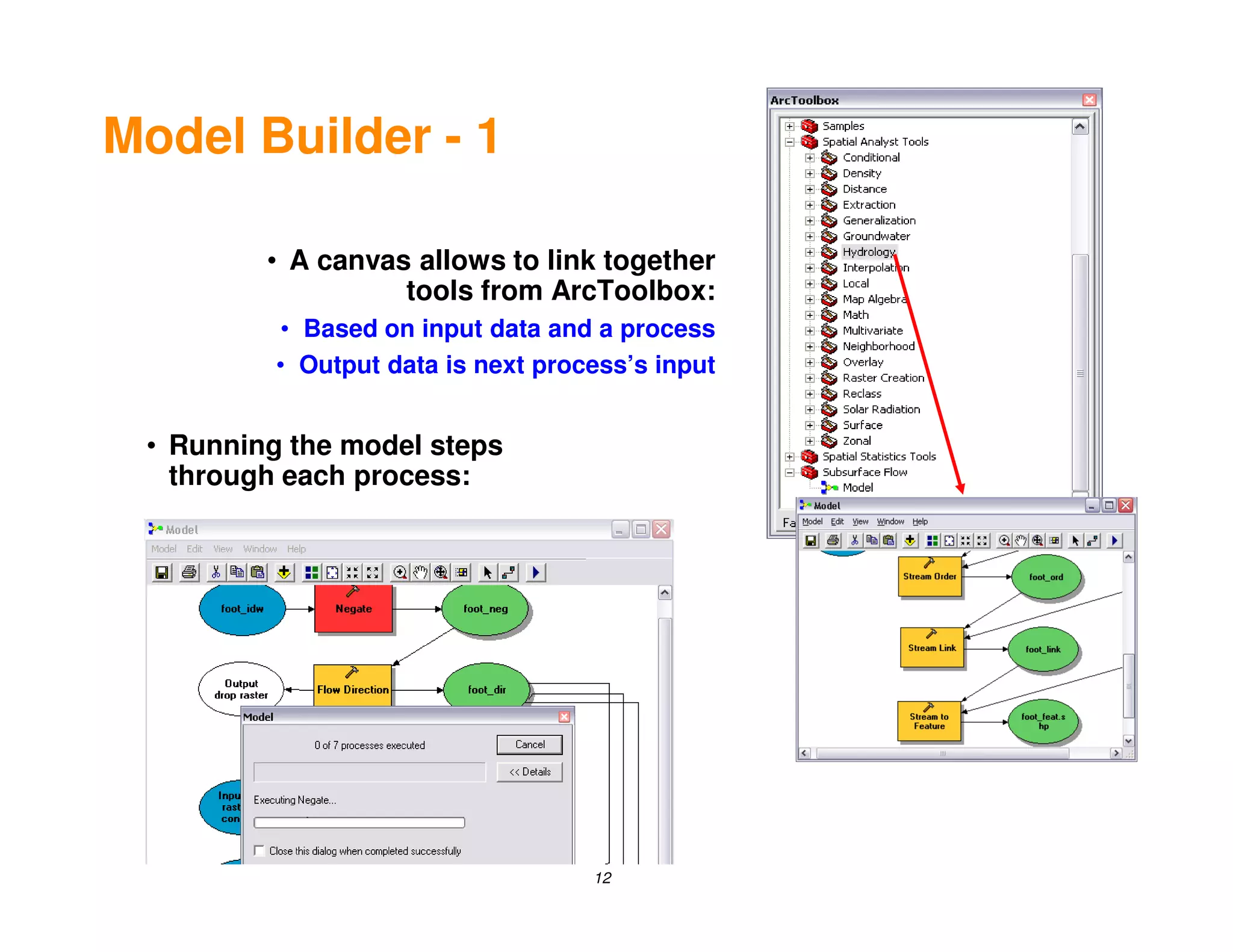
Model Builder - 1

         • A canvas allows to link together
                   tools from ArcToolbox:
          • Based on input data and a process
          • Output data is next process’s input


 • Running the model steps
   through each process:


                                    12
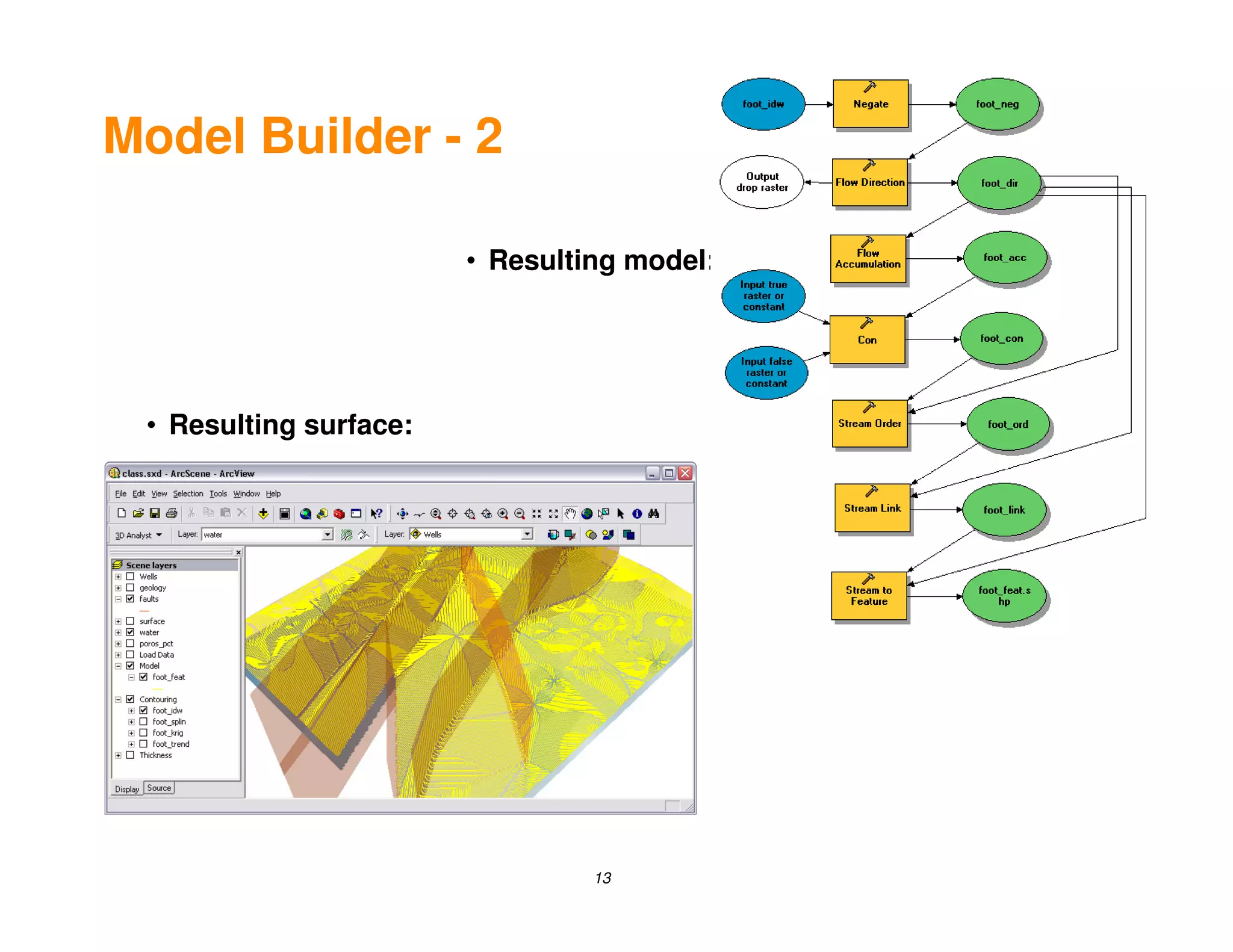
Model Builder - 2

                        • Resulting model:


 • Resulting surface:


                                 13
Model Builder - 3

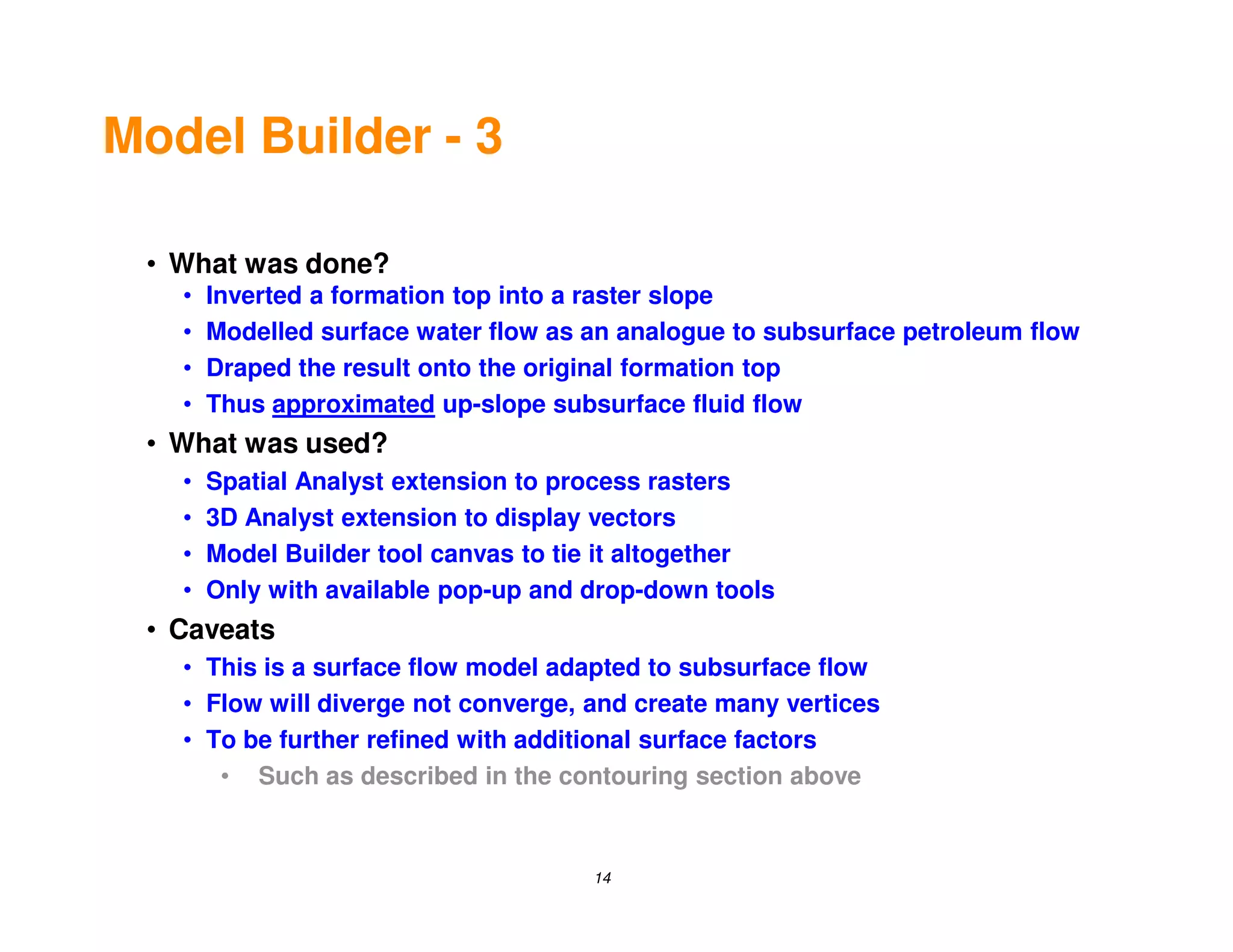
 • What was done?
   •   Inverted a formation top into a raster slope
   •   Modelled surface water flow as an analogue to subsurface petroleum flow
   •   Draped the result onto the original formation top
   •   Thus approximated up-slope subsurface fluid flow
 • What was used?
   •   Spatial Analyst extension to process rasters
   •   3D Analyst extension to display vectors
   •   Model Builder tool canvas to tie it altogether
   •   Only with available pop-up and drop-down tools
 • Caveats
   • This is a surface flow model adapted to subsurface flow
   • Flow will diverge not converge, and create many vertices
   • To be further refined with additional surface factors
      • Such as described in the contouring section above


                                      14
Resources

 • Best Practices: GIS for Petroleum
   • ESRI 2007, online PDF
 • Visualizing integrated three-dimensional datasets (multipatches)
   • Ford, A
   • ArcUser (ESRI), January - March 2007
 • Introduction to GIS for the Petroleum Industry
   • Gaddy, D.E.
   • PennWell, 2003
 • Geographic Information Systems in Petroleum Exploration and
   Development
   • Coburn, T.C. and J.M. Yarus
   • AAPG, 2000
 • Contouring Geologic Surfaces with the Computer
   • Jones, T.A., D.E. Hamilton, and C.R. Johnson
   • Van Nostrand Reinhold, 1986


                                    15

Geoscience For Gis A

  • 1.
    Geoscience for GIS Andrew Zolnai 1
  • 2.
    Let’s use whatwe already have at hand • ArcMap: • Many datasets at once is the sweet spot • Simple surface and thickness trends • Model builder to implement workflows • Extensions: • Spatial Analyst (raster integration) • 3D Analyst (simple surface analysis) • Interoperability (link other datasets) • Output (ArcReader, MapBook, Schematic etc.) • Web services • ArcIMS (old but stable and widespread) • Web services (on-line community) • ArcGIS and Image servers (new and improved) • Intent here • Provide rough sketches with existing tools @ hand • As first step to further integrate with other systems 2
  • 3.
    ESRI tools vs. Other tools • Upcoming release with simple • Download a script from ESRI grid/contouring in 3D Analyst • ArcScripts page • Enhance current extension with • Download / buy shareware simple industry-standard code • such as ETgeowizard • Use the 3D-, Spatial- or Geostatistical-Analyst • Buy software that extracts, transforms and loads (ETL) • Note current restriction: single ZM per XY (topologic integrity constraint) • Safesoft FME Workbench • Create multi-patches • Use existing integrator tools such as: • not easy to implement but resources • ArcView extensions by CGG, Landmark do exist or Schlumberger • Use ArcMap Model Builder to • Direct data exchange tools such as integrate other desktop • OpenSpirit grid/contouring • ESRI Data Interoperability • note that this is less evident and extension needs some scripting skills (a subset of FME Workbench) • Use ArcGIS Server SDK to integrate • Let ArcMap read web services that post other server-side grid/contouring grid/contours • note that this is not evident and • Such as Petrosys needs programming skills 3
  • 4.
    ESRI tools vs. Grid/contours • Evenly spaced points • Unevenly scattered points • 2.5D topography, culture • 3D Wells, reservoirs • Use GRID or TIN directly • 2D / 3D seismic surveys • Use Spatial Analyst • Use gridding algorithm • Interpolate surface from points • To interpolate even datasets • Contour interpolated surfaces • Size / direction to reflect geology • IDW (allow barriers) • Use contouring algorithm • Spline (smooth or tension) • Similar algorithms • Krigging (geologic model) • Model the geology • Display in 3D and Spatial Analyst • Display results • Draping • 3rd party application • Shading to show structures • Read web services • Thickness and trend relationships • Read server services • Use Model Builder • Import into GIS • Link together several processes • Use grid or raster • Use canvas to mimic workflows • Think of 3rd party as pre-process • Overlay other datasets • Think of GIS as post-process • Culture, permits, parks etc. • Link to any tool at left • Satellite imagery, and • GIS is not just for mapmaking • Real-time tracking data 4 • Maps only report from database
  • 5.
    Simple Thickness Workflow • ArcMap • Have two horizons as raster files • Raster Calculator is in Spatial Analyst menu • Subtract the two surface to get a thickness • ArcScene • Drape the thickness on the lower surface • Contour from 3D Analyst | Surface Analysis (more complete contouring in next section) • Drape the contours on formation top (that which is seen on logs or seismic) • Extrude them down from the top • Quick area and Volume from thickness • Mimic porosity effect by using Z value • Show simple volumes in vector space • Multi-patches for wellbore representation DATA: from EarthSoft's EQuIS website 5
  • 6.
    Contouring Workflow •Three options • IDW (Inverse Distance Weighted, similar to Natural Neighbours) • Non-interpretive computation on neighbouring points • Calculates from fixed raster surrounding sample • Honours faults as polyline barriers • Spline • Force a curved surface through the raster points • Regularised: smoothest shape (stratigraphic plays) • Tension: tune the stiffness (structural plays) • No barriers but tuning parameters • Kriging • Average from a cloud of surrounding points • Can be made very complex (Geostatistical Analyst) • Can be shaped to mimic geology • E.g.: structural trend s.a. fracturing 6
  • 7.
    Display Options •Viewing the data • In ArcScene • Use transparency and priority to show various datasets • Use the illumination to view trends • In ArcMap • Use the paint tool to compare overlaps • Use the same tool to verify raster (surfaces) and vector data (faults) coincide 7
  • 8.
    Interpretation • Howis it interpreted? • If for example thickness increases with elevation (with or without a mirror image if the entire structure is preserved), that may be an indication of thickening via fracturation atop an anticline, and therefore of structural trap and play (below left) • If however thickness decreases with elevation (below right), that may be an indication of a pinch-out and therefore of a stratigraphic trap and play (usually these also occur alone, and do not have an adjacent mirror image). • The presence of conjugate faults (two fault trends that are at a low angle to each other, below left) is often aligned with a regional fold or bend, and may also indicate a structural play. 8
  • 9.
    Conclusion • Whatmore can be done? • More factors can be taken into consideration using more Spatial or 3D Analyst and other extensions • Model Builder can be used to • concatenate several repetitive calculations and operations • thus mimic entire workflows • briefly described in next section • Note • ArcMap tools are used out-of-the-box to show what can be with GIS tools as-is • neither scripting nor programming was used here • This will not replace gridding / contouring or reservoir analysis packages • GIS is meant to work in conjunction with those packages, as noted in the opening table 9
  • 10.
    Thank you http://www.zolnai.ca Course notes available 10
  • 11.
    Model Builder Optional 11
  • 12.
    Model Builder -1 • A canvas allows to link together tools from ArcToolbox: • Based on input data and a process • Output data is next process’s input • Running the model steps through each process: 12
  • 13.
    Model Builder -2 • Resulting model: • Resulting surface: 13
  • 14.
    Model Builder -3 • What was done? • Inverted a formation top into a raster slope • Modelled surface water flow as an analogue to subsurface petroleum flow • Draped the result onto the original formation top • Thus approximated up-slope subsurface fluid flow • What was used? • Spatial Analyst extension to process rasters • 3D Analyst extension to display vectors • Model Builder tool canvas to tie it altogether • Only with available pop-up and drop-down tools • Caveats • This is a surface flow model adapted to subsurface flow • Flow will diverge not converge, and create many vertices • To be further refined with additional surface factors • Such as described in the contouring section above 14
  • 15.
    Resources • BestPractices: GIS for Petroleum • ESRI 2007, online PDF • Visualizing integrated three-dimensional datasets (multipatches) • Ford, A • ArcUser (ESRI), January - March 2007 • Introduction to GIS for the Petroleum Industry • Gaddy, D.E. • PennWell, 2003 • Geographic Information Systems in Petroleum Exploration and Development • Coburn, T.C. and J.M. Yarus • AAPG, 2000 • Contouring Geologic Surfaces with the Computer • Jones, T.A., D.E. Hamilton, and C.R. Johnson • Van Nostrand Reinhold, 1986 15