Firebird on Linux


           Firebird on Linux


 Author:   Philippe Makowski IBPhoenix
  Email:   pmakowski@ibphoenix.com
Licence:   Public Documentation License
   Date:   2011-11-22


               Philippe Makowski - IBPhoenix - 2011-11-22
Firebird on Linux

                               How to install


• Project packages
     • rpm
     • tar.gz
• Distributions packages
• Build from sources


                           Philippe Makowski - IBPhoenix - 2011-11-22
Firebird on Linux

                        Project packages - rpm
• pro
     •   easy ?
     •   secure (sysdba password)
     •   project build (no patch)
     •   project build easier to debug
• con
     •   too generic
     •   not support update (rpm )
     •   not always check dependencies
     •   all in /opt
     •   pre 2.5 builds with old libc
     •   old and not full icu


                             Philippe Makowski - IBPhoenix - 2011-11-22
Firebird on Linux

                       Project packages - tar.gz
• pro
     •   easy (extract, install)
     •   secure (sysdba password)
     •   project build (no patch)
     •   project build easier to debug
• con
     •   not support update
     •   not check dependencies
     •   pre 2.5 builds with old libc
     •   old and not full icu


                              Philippe Makowski - IBPhoenix - 2011-11-22
Firebird on Linux

                     Project packages - check list
• classic server
     • xinetd:

           yum install xinetd

• all
        • libc for pre 2.5 (libstdc++.so.5):

           urpmi libstdc++5
           yum install compat-glibc

        • problem ? support list


                               Philippe Makowski - IBPhoenix - 2011-11-22
Firebird on Linux

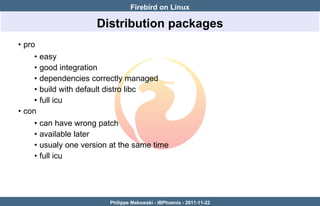
                        Distribution packages
• pro
     •   easy
     •   good integration
     •   dependencies correctly managed
     •   build with default distro libc
     •   full icu
• con
     •   can have wrong patch
     •   available later
     •   usualy one version at the same time
     •   full icu


                            Philippe Makowski - IBPhoenix - 2011-11-22
Firebird on Linux

                           Build from sources
   • pro
        • choice
   • con
        • time
   • what you need to build
        • g++, awk, sed, autoconf
        • lib headers
example under debian:

 apt-get install g++ autoconf automake libtool sed libncurses5-dev make


                            Philippe Makowski - IBPhoenix - 2011-11-22
Firebird on Linux

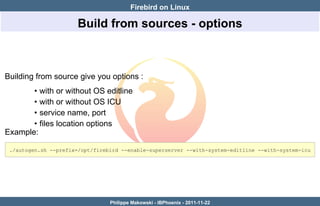
                      Build from sources - options


Building from source give you options :
       • with or without OS editline
       • with or without OS ICU
       • service name, port
       • files location options
Example:

 ./autogen.sh --prefix=/opt/firebird --enable-superserver --with-system-editline --with-system-icu


                                 Philippe Makowski - IBPhoenix - 2011-11-22
Firebird on Linux
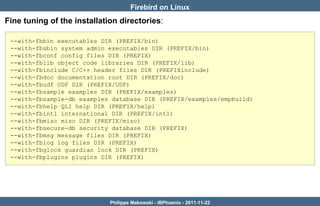
Fine tuning of the installation directories:

 --with-fbbin executables DIR (PREFIX/bin)
 --with-fbsbin system admin executables DIR (PREFIX/bin)
 --with-fbconf config files DIR (PREFIX)
 --with-fblib object code libraries DIR (PREFIX/lib)
 --with-fbinclude C/C++ header files DIR (PREFIXinclude)
 --with-fbdoc documentation root DIR (PREFIX/doc)
 --with-fbudf UDF DIR (PREFIX/UDF)
 --with-fbsample examples DIR (PREFIX/examples)
 --with-fbsample-db examples database DIR (PREFIX/examples/empbuild)
 --with-fbhelp QLI help DIR (PREFIX/help)
 --with-fbintl international DIR (PREFIX/intl)
 --with-fbmisc misc DIR (PREFIX/misc)
 --with-fbsecure-db security database DIR (PREFIX)
 --with-fbmsg message files DIR (PREFIX)
 --with-fblog log files DIR (PREFIX)
 --with-fbglock guardian lock DIR (PREFIX)
 --with-fbplugins plugins DIR (PREFIX)


                             Philippe Makowski - IBPhoenix - 2011-11-22
Firebird on Linux

After installation
Some points you have may have to check :
       • xinetd
       • max open files
       • file system


                           Philippe Makowski - IBPhoenix - 2011-11-22
Firebird on Linux

                             Classic and xinetd
Below is a sample /etc/xinetd.conf file:

 defaults
 {
        instances                  =   500
        log_type                   =   SYSLOG authpriv
        log_on_success             =   HOST PID
        log_on_failure             =   HOST
        cps                        =   5000 1000
        per_source                 =   200
 }
 includedir /etc/xinetd.d


instances — Sets the maximum number of requests xinetd can handle at once
cps — Configures xinetd to allow no more than 5000 connections per second to any
given service. If this limit is reached, the service is retired for 1000 seconds.
per_source — Defines the maximum number of instances for a service per source IP
address.
                              Philippe Makowski - IBPhoenix - 2011-11-22
Firebird on Linux

                             Firebird and Systemd
systemd is a replacement for the System V init daemon for Linux. It is intended to
provide a better framework for expressing services' dependencies, allow more work to
be done in parallel at system startup, and to reduce shell overhead.
Website: http://www.freedesktop.org/wiki/Software/systemd/
With systemd Classic not use anymore xinetd, but a socket activation. For example in
Fedora, we have to files :
        • /lib/systemd/system/firebird-classic.socket
        • /lib/systemd/system/firebird-classic@.service

To start Firebird Classic:

 systemctl start firebird-classic.socket


                              Philippe Makowski - IBPhoenix - 2011-11-22
Firebird on Linux

                          Check max open files
You have to check :
         • file-max
         • ulimit
On Linux systems, there is a limit set in the kernel on how many open file descriptors
are allowed on the system
To check this value:

 # sysctl fs.file-max
 fs.file-max = 203786


usually this number is high enough, but if you need to change it:

 # sysctl -w fs.file-max=360000
 fs.file-max = 360000


                              Philippe Makowski - IBPhoenix - 2011-11-22
Firebird on Linux
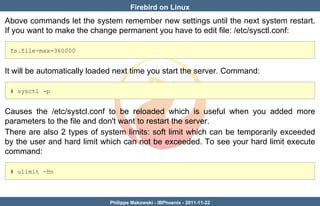
Above commands let the system remember new settings until the next system restart.
If you want to make the change permanent you have to edit file: /etc/sysctl.conf:

 fs.file-max=360000


It will be automatically loaded next time you start the server. Command:

 # sysctl -p


Causes the /etc/systcl.conf to be reloaded which is useful when you added more
parameters to the file and don't want to restart the server.
There are also 2 types of system limits: soft limit which can be temporarily exceeded
by the user and hard limit which can not be exceeded. To see your hard limit execute
command:

 # ulimit -Hn


                             Philippe Makowski - IBPhoenix - 2011-11-22
Firebird on Linux
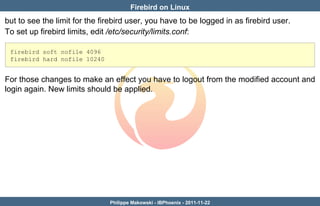
but to see the limit for the firebird user, you have to be logged in as firebird user.
To set up firebird limits, edit /etc/security/limits.conf:

 firebird soft nofile 4096
 firebird hard nofile 10240


For those changes to make an effect you have to logout from the modified account and
login again. New limits should be applied.


                               Philippe Makowski - IBPhoenix - 2011-11-22
Firebird on Linux

                                    File system
No obvious rules there
       • kernel dependant
       • choose the file system you trust
What can have performance influence :
       • mount option
            • sync / async : How the input and output to the filesystem should be
              done. sync means it's done synchronously (more secure)
            • atime / noatime : atime (update on access), noatime (do not update) last
              accessed time.
   you can check this in /etc/fstab
       • scheduler : often deadline scheduler perform better than cfq
    you can check the scheduler used with:

     # cat /sys/block/sda/queue/scheduler
     noop deadline [cfq]

                             Philippe Makowski - IBPhoenix - 2011-11-22
Firebird on Linux
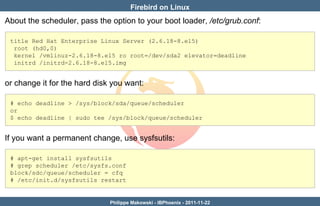
About the scheduler, pass the option to your boot loader, /etc/grub.conf:

 title Red Hat Enterprise Linux Server (2.6.18-8.el5)
  root (hd0,0)
  kernel /vmlinuz-2.6.18-8.el5 ro root=/dev/sda2 elevator=deadline
  initrd /initrd-2.6.18-8.el5.img


or change it for the hard disk you want:

 # echo deadline > /sys/block/sda/queue/scheduler
 or
 $ echo deadline | sudo tee /sys/block/queue/scheduler


If you want a permanent change, use sysfsutils:

 # apt-get install sysfsutils
 # grep scheduler /etc/sysfs.conf
 block/sdc/queue/scheduler = cfq
 # /etc/init.d/sysfsutils restart


                              Philippe Makowski - IBPhoenix - 2011-11-22
Firebird on Linux


Make your own tests, read


Article about Firebird and Linux File Systems :
http://www.ibphoenix.com/resources/documents/search/doc_26


                            Philippe Makowski - IBPhoenix - 2011-11-22
Firebird on Linux

      Thank you !


Philippe Makowski - IBPhoenix - 2011-11-22

Firebird on Linux

  • 1.
    Firebird on Linux Firebird on Linux Author: Philippe Makowski IBPhoenix Email: pmakowski@ibphoenix.com Licence: Public Documentation License Date: 2011-11-22 Philippe Makowski - IBPhoenix - 2011-11-22
  • 2.
    Firebird on Linux How to install • Project packages • rpm • tar.gz • Distributions packages • Build from sources Philippe Makowski - IBPhoenix - 2011-11-22
  • 3.
    Firebird on Linux Project packages - rpm • pro • easy ? • secure (sysdba password) • project build (no patch) • project build easier to debug • con • too generic • not support update (rpm ) • not always check dependencies • all in /opt • pre 2.5 builds with old libc • old and not full icu Philippe Makowski - IBPhoenix - 2011-11-22
  • 4.
    Firebird on Linux Project packages - tar.gz • pro • easy (extract, install) • secure (sysdba password) • project build (no patch) • project build easier to debug • con • not support update • not check dependencies • pre 2.5 builds with old libc • old and not full icu Philippe Makowski - IBPhoenix - 2011-11-22
  • 5.
    Firebird on Linux Project packages - check list • classic server • xinetd: yum install xinetd • all • libc for pre 2.5 (libstdc++.so.5): urpmi libstdc++5 yum install compat-glibc • problem ? support list Philippe Makowski - IBPhoenix - 2011-11-22
  • 6.
    Firebird on Linux Distribution packages • pro • easy • good integration • dependencies correctly managed • build with default distro libc • full icu • con • can have wrong patch • available later • usualy one version at the same time • full icu Philippe Makowski - IBPhoenix - 2011-11-22
  • 7.
    Firebird on Linux Build from sources • pro • choice • con • time • what you need to build • g++, awk, sed, autoconf • lib headers example under debian: apt-get install g++ autoconf automake libtool sed libncurses5-dev make Philippe Makowski - IBPhoenix - 2011-11-22
  • 8.
    Firebird on Linux Build from sources - options Building from source give you options : • with or without OS editline • with or without OS ICU • service name, port • files location options Example: ./autogen.sh --prefix=/opt/firebird --enable-superserver --with-system-editline --with-system-icu Philippe Makowski - IBPhoenix - 2011-11-22
  • 9.
    Firebird on Linux Finetuning of the installation directories: --with-fbbin executables DIR (PREFIX/bin) --with-fbsbin system admin executables DIR (PREFIX/bin) --with-fbconf config files DIR (PREFIX) --with-fblib object code libraries DIR (PREFIX/lib) --with-fbinclude C/C++ header files DIR (PREFIXinclude) --with-fbdoc documentation root DIR (PREFIX/doc) --with-fbudf UDF DIR (PREFIX/UDF) --with-fbsample examples DIR (PREFIX/examples) --with-fbsample-db examples database DIR (PREFIX/examples/empbuild) --with-fbhelp QLI help DIR (PREFIX/help) --with-fbintl international DIR (PREFIX/intl) --with-fbmisc misc DIR (PREFIX/misc) --with-fbsecure-db security database DIR (PREFIX) --with-fbmsg message files DIR (PREFIX) --with-fblog log files DIR (PREFIX) --with-fbglock guardian lock DIR (PREFIX) --with-fbplugins plugins DIR (PREFIX) Philippe Makowski - IBPhoenix - 2011-11-22
  • 10.
    Firebird on Linux Afterinstallation Some points you have may have to check : • xinetd • max open files • file system Philippe Makowski - IBPhoenix - 2011-11-22
  • 11.
    Firebird on Linux Classic and xinetd Below is a sample /etc/xinetd.conf file: defaults { instances = 500 log_type = SYSLOG authpriv log_on_success = HOST PID log_on_failure = HOST cps = 5000 1000 per_source = 200 } includedir /etc/xinetd.d instances — Sets the maximum number of requests xinetd can handle at once cps — Configures xinetd to allow no more than 5000 connections per second to any given service. If this limit is reached, the service is retired for 1000 seconds. per_source — Defines the maximum number of instances for a service per source IP address. Philippe Makowski - IBPhoenix - 2011-11-22
  • 12.
    Firebird on Linux Firebird and Systemd systemd is a replacement for the System V init daemon for Linux. It is intended to provide a better framework for expressing services' dependencies, allow more work to be done in parallel at system startup, and to reduce shell overhead. Website: http://www.freedesktop.org/wiki/Software/systemd/ With systemd Classic not use anymore xinetd, but a socket activation. For example in Fedora, we have to files : • /lib/systemd/system/firebird-classic.socket • /lib/systemd/system/firebird-classic@.service To start Firebird Classic: systemctl start firebird-classic.socket Philippe Makowski - IBPhoenix - 2011-11-22
  • 13.
    Firebird on Linux Check max open files You have to check : • file-max • ulimit On Linux systems, there is a limit set in the kernel on how many open file descriptors are allowed on the system To check this value: # sysctl fs.file-max fs.file-max = 203786 usually this number is high enough, but if you need to change it: # sysctl -w fs.file-max=360000 fs.file-max = 360000 Philippe Makowski - IBPhoenix - 2011-11-22
  • 14.
    Firebird on Linux Abovecommands let the system remember new settings until the next system restart. If you want to make the change permanent you have to edit file: /etc/sysctl.conf: fs.file-max=360000 It will be automatically loaded next time you start the server. Command: # sysctl -p Causes the /etc/systcl.conf to be reloaded which is useful when you added more parameters to the file and don't want to restart the server. There are also 2 types of system limits: soft limit which can be temporarily exceeded by the user and hard limit which can not be exceeded. To see your hard limit execute command: # ulimit -Hn Philippe Makowski - IBPhoenix - 2011-11-22
  • 15.
    Firebird on Linux butto see the limit for the firebird user, you have to be logged in as firebird user. To set up firebird limits, edit /etc/security/limits.conf: firebird soft nofile 4096 firebird hard nofile 10240 For those changes to make an effect you have to logout from the modified account and login again. New limits should be applied. Philippe Makowski - IBPhoenix - 2011-11-22
  • 16.
    Firebird on Linux File system No obvious rules there • kernel dependant • choose the file system you trust What can have performance influence : • mount option • sync / async : How the input and output to the filesystem should be done. sync means it's done synchronously (more secure) • atime / noatime : atime (update on access), noatime (do not update) last accessed time. you can check this in /etc/fstab • scheduler : often deadline scheduler perform better than cfq you can check the scheduler used with: # cat /sys/block/sda/queue/scheduler noop deadline [cfq] Philippe Makowski - IBPhoenix - 2011-11-22
  • 17.
    Firebird on Linux Aboutthe scheduler, pass the option to your boot loader, /etc/grub.conf: title Red Hat Enterprise Linux Server (2.6.18-8.el5) root (hd0,0) kernel /vmlinuz-2.6.18-8.el5 ro root=/dev/sda2 elevator=deadline initrd /initrd-2.6.18-8.el5.img or change it for the hard disk you want: # echo deadline > /sys/block/sda/queue/scheduler or $ echo deadline | sudo tee /sys/block/queue/scheduler If you want a permanent change, use sysfsutils: # apt-get install sysfsutils # grep scheduler /etc/sysfs.conf block/sdc/queue/scheduler = cfq # /etc/init.d/sysfsutils restart Philippe Makowski - IBPhoenix - 2011-11-22
  • 18.
    Firebird on Linux Makeyour own tests, read Article about Firebird and Linux File Systems : http://www.ibphoenix.com/resources/documents/search/doc_26 Philippe Makowski - IBPhoenix - 2011-11-22
  • 19.
    Firebird on Linux Thank you ! Philippe Makowski - IBPhoenix - 2011-11-22