













Distributed Compiler
Icecc
Harder Better Faster Stronger
SZ LIN
szlin@cs.nctu.edu.tw
1
Date: 2013/5/8
2
SZLIN (林上智)
 Debian Developer
 Industrial Grade Linux Distribution R&D
 https://szlin.me
About Me
3
4
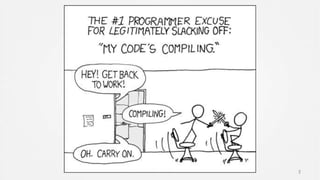
Compiler takes lots of time
All we can do is wait and pray
5
6
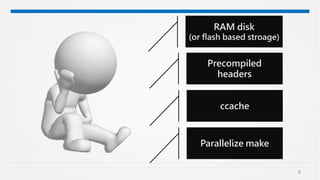
RAM disk
(or flash based stroage)
Precompiled
headers
ccache
Parallelize make
7
8
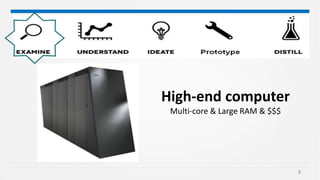
High-end computer
Multi-core & Large RAM & $$$
9
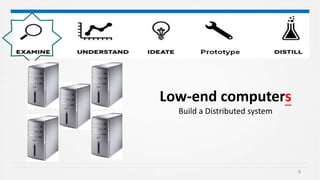
Low-end computers
Build a Distributed system
10
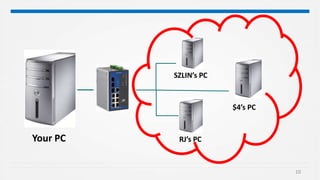
Your PC
SZLIN’s PC
RJ’s PC
$4’s PC
11
How it works
fundamental concept in C compilation
12
13
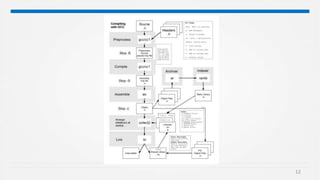
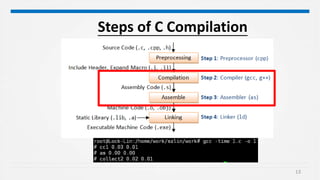
Steps of C Compilation
14
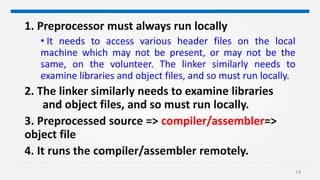
1. Preprocessor must always run locally
• It needs to access various header files on the local
machine which may not be present, or may not be the
same, on the volunteer. The linker similarly needs to
examine libraries and object files, and so must run locally.
2. The linker similarly needs to examine libraries
and object files, and so must run locally.
3. Preprocessed source => compiler/assembler=>
object file
4. It runs the compiler/assembler remotely.
15
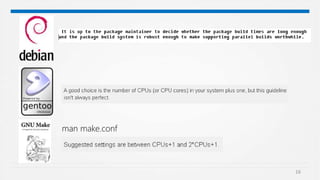
Make –j option
Specifies the number of jobs to run
simultaneously
16
man make.conf
17
紙上得來終覺淺
絕知此事要躬行
陸游(1125-1210)
18
IceCream based on Distcc’s source code
•Improve performance
•Dynamic scheduler of the compilation jobs
19
Requirement
Same version (icecream)
• icecc-scheduler scheduler 1.0.90
• ICECC 1.0.90
Fast network connection
• > 100 Mbps
One scheduler
• neither less nor more
Toolchain Installed
• All toolchain should be the same
20
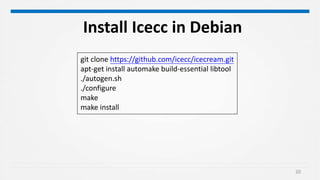
git clone https://github.com/icecc/icecream.git
apt-get install automake build-essential libtool
./autogen.sh
./configure
make
make install
Install Icecc in Debian
21
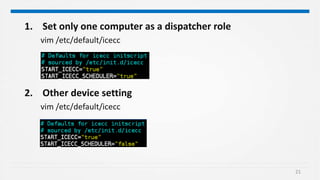
1. Set only one computer as a dispatcher role
vim /etc/default/icecc
2. Other device setting
vim /etc/default/icecc
22
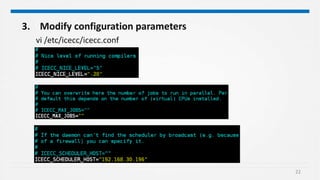
3. Modify configuration parameters
vi /etc/icecc/icecc.conf
23
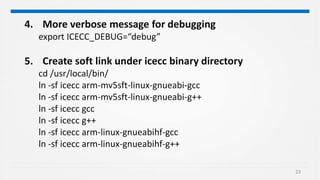
4. More verbose message for debugging
export ICECC_DEBUG=“debug”
5. Create soft link under icecc binary directory
cd /usr/local/bin/
ln -sf icecc arm-mv5sft-linux-gnueabi-gcc
ln -sf icecc arm-mv5sft-linux-gnueabi-g++
ln -sf icecc gcc
ln -sf icecc g++
ln -sf icecc arm-linux-gnueabihf-gcc
ln -sf icecc arm-linux-gnueabihf-g++
24
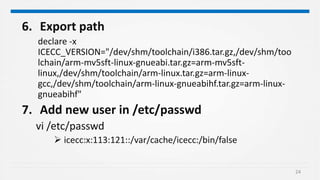
6. Export path
declare -x
ICECC_VERSION="/dev/shm/toolchain/i386.tar.gz,/dev/shm/too
lchain/arm-mv5sft-linux-gnueabi.tar.gz=arm-mv5sft-
linux,/dev/shm/toolchain/arm-linux.tar.gz=arm-linux-
gcc,/dev/shm/toolchain/arm-linux-gnueabihf.tar.gz=arm-linux-
gnueabihf"
7. Add new user in /etc/passwd
vi /etc/passwd
 icecc:x:113:121::/var/cache/icecc:/bin/false
25
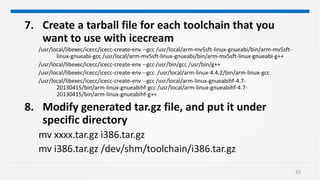
7. Create a tarball file for each toolchain that you
want to use with icecream
/usr/local/libexec/icecc/icecc-create-env --gcc /usr/local/arm-mv5sft-linux-gnueabi/bin/arm-mv5sft-
linux-gnueabi-gcc /usr/local/arm-mv5sft-linux-gnueabi/bin/arm-mv5sft-linux-gnueabi-g++
/usr/local/libexec/icecc/icecc-create-env --gcc /usr/bin/gcc /usr/bin/g++
/usr/local/libexec/icecc/icecc-create-env --gcc /usr/local/arm-linux-4.4.2/bin/arm-linux-gcc
/usr/local/libexec/icecc/icecc-create-env --gcc /usr/local/arm-linux-gnueabihf-4.7-
20130415/bin/arm-linux-gnueabihf-gcc /usr/local/arm-linux-gnueabihf-4.7-
20130415/bin/arm-linux-gnueabihf-g++
8. Modify generated tar.gz file, and put it under
specific directory
mv xxxx.tar.gz i386.tar.gz
mv i386.tar.gz /dev/shm/toolchain/i386.tar.gz
26
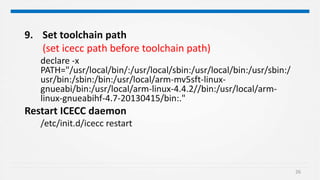
9. Set toolchain path
(set icecc path before toolchain path)
declare -x
PATH="/usr/local/bin/:/usr/local/sbin:/usr/local/bin:/usr/sbin:/
usr/bin:/sbin:/bin:/usr/local/arm-mv5sft-linux-
gnueabi/bin:/usr/local/arm-linux-4.4.2//bin:/usr/local/arm-
linux-gnueabihf-4.7-20130415/bin:."
Restart ICECC daemon
/etc/init.d/icecc restart
27
28
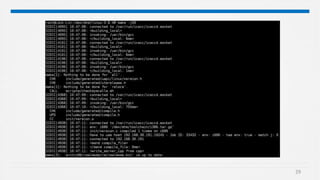
One Click Solution
29
30
31
32
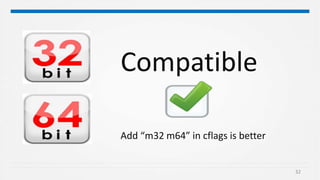
Compatible
Add “m32 m64” in cflags is better
33
Caution
34
Only allow Trusted Network
All machines &users must be trusted
35
0
1,000
2,000
3,000
4,000
5,000
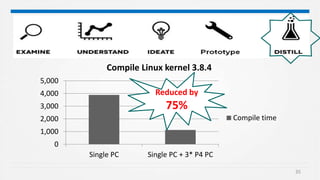
Single PC Single PC + 3* P4 PC
Compile Linux kernel 3.8.4
Compile time
Reduced by
75%
36
Thank you
37
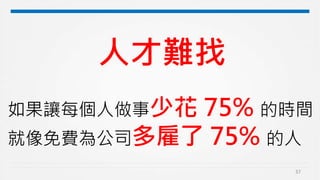
人才難找
如果讓每個人做事少花 75% 的時間
就像免費為公司多雇了 75% 的人
Distributed Compiler Icecc

Distributed Compiler Icecc

Editor's Notes

  • #2 112192
  • #5 application fulfillment
  • #7 Ccache 第一次clean build會花比較久時間,往後就會節省大約20%的時間
  • #8 application fulfillment
  • #13 預處理:.c 到.i,由cc完成 彙編:.i到.s ,由cc完成 編譯:.s到.o,由as完成 鏈接:.o 到可執行文件,由collect2完成
  • #14 預處理:.c 到.i,由cc完成 彙編:.i到.s ,由cc完成 編譯:.s到.o,由as完成 鏈接:.o 到可執行文件,由collect2完成
  • #16 Make –j 若後面不加則umlimit 默認情況下,make 是一個順序工作的工具。它按次序調用底層編譯器來編譯 C/C++ 源。 (一般多核皆沒有用到) –j -- 10 的參數是編譯過程開始後能同時進行的最大編譯數。如果沒有給 -j 提供任何參數,則所有源文件都會在系統中排隊,等待同時編譯。在運行多核系統上的編譯時,使用 -j 選項特別有用。要使用 -j 選項,必須先解決幾個關鍵問題;這些問題將在下面部分討論。 If a recipe fails (is killed by a signal or exits with a nonzero status), and errors are not ignored for that recipe (see Errors in Recipes), the remaining recipe lines to remake the same target will not be run. If a recipe fails and the ‘-k’ or ‘--keep-going’ option was not given (see Summary of Options), make aborts execution. If make terminates for any reason (including a signal) with child processes running, it waits for them to finish before actually exiting. When the system is heavily loaded, you will probably want to run fewer jobs than when it is lightly loaded. You can use the ‘-l’ option to tell make to limit the number of jobs to run at once, based on the load average. The ‘-l’ or ‘--max-load’ option is followed by a floating-point number. For example, -l 2.5