1. Connect both ends of Ethernet
cable to the two computers.
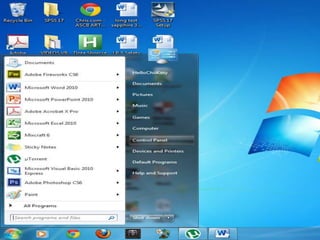
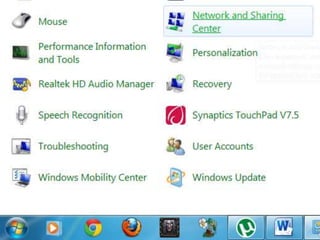
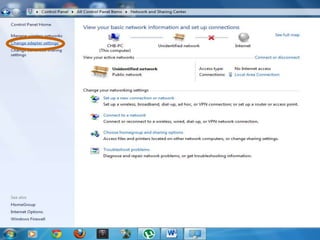
2. Change the Adapter Settings. Go
the Control Panel > Network and
Sharing Center and then Click Change
Adapter Settings.
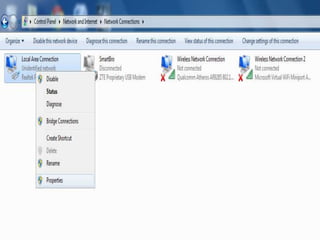
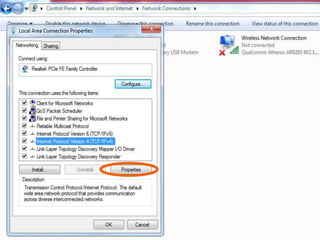
3. Right click the Local Area
Connection then click
properties.
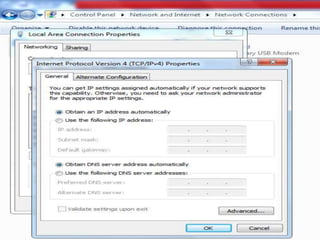
4. Choose the Internet
Protocol Version4 then click
properties.
5. Choose both the Obtain
an IP address and DNS
server address automatically
then Click Ok.
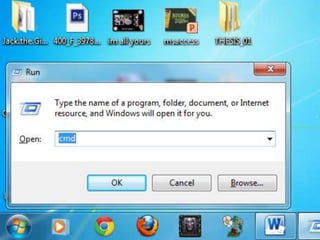
6. Open the Command
Prompt.
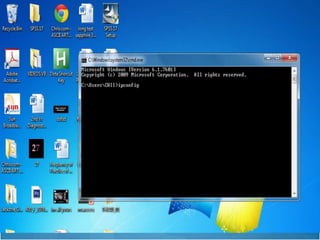
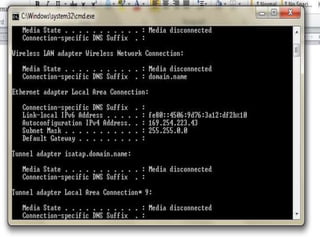
7. Determine the IP Address
of the computer you will
share of.
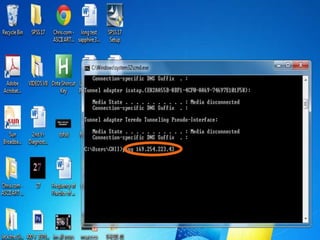
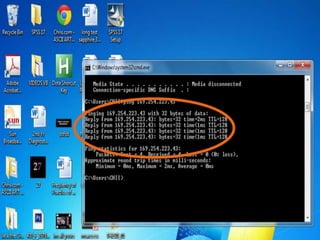
8. To determine if the
computer already connected
to the other computer, type
ping and IP Address of it.
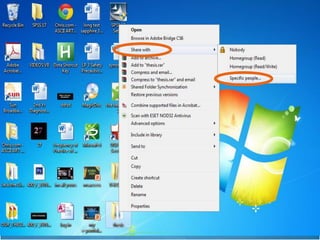
9. Right click the folder then
choose Share with the
Specific people and click Ok.
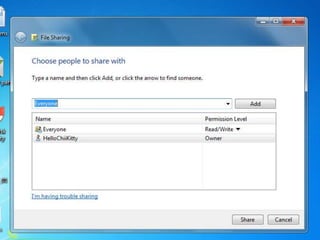
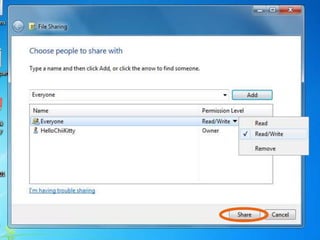
10. From the drop down
menu, choose Everyone then
add. Don’t forget to change
the category from Read to
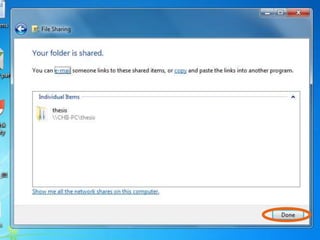
Read/Write. Last. Click share
then done.
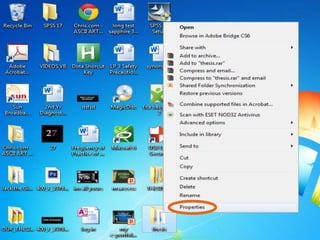
11. Right click again the
desired folder then chooses
Properties.
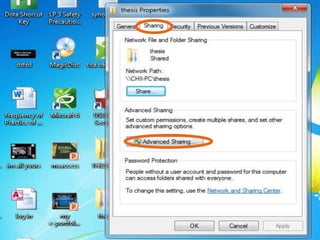
12. Click Sharing then
choose Advanced sharing.
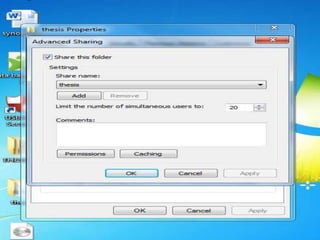
13. Check the Share This

Folder, then Apply and click
Ok.
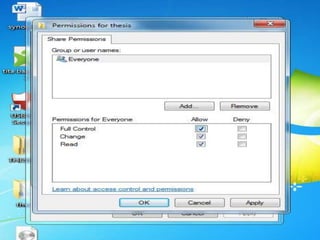
14. Click Permissions then
Click Full Control, then
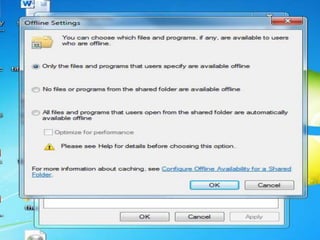
Apply, Click Caching then
Ok.
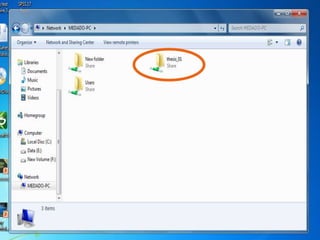
15. Check if the folder has
been already shared. Go to
Start menu> Computer> and
then network.
QUIZ!
True or False
1. Connect both ends of Ethernet cable to
the two computers.
2. Click General then choose Advanced
sharing.
3. Right click the folder then choose Share
with the Specific people and click Ok.
4. Determine the IP Address of the
computer you will share of.
5. Double click the folder then choose
Share with the Specific people and click
Ok.
6. From the drop down menu, choose
Everyone then add. Don’t forget to change
the category from Read to Read/Write. Last.
Click share then done.
7. Choose the Internet Protocol Version6
then click properties.
8. Right click the Local Area Connection
then click properties.
9. Check if the folder has been already
shared. Go to Start menu> Computer> and
then Local disk.
10. Open the command Prompt.
Assignment:
1. How to share a file in Windows
XP to Windows 7? Windows
Server to Windows XP?
Windows XP to Windows XP?

File sharing ppt

  • 2.
    1. Connect bothends of Ethernet cable to the two computers.
  • 3.
    2. Change theAdapter Settings. Go the Control Panel > Network and Sharing Center and then Click Change Adapter Settings.
  • 7.
    3. Right clickthe Local Area Connection then click properties.
  • 9.
    4. Choose theInternet Protocol Version4 then click properties.
  • 11.
    5. Choose boththe Obtain an IP address and DNS server address automatically then Click Ok.
  • 13.
    6. Open theCommand Prompt.
  • 16.
    7. Determine theIP Address of the computer you will share of.
  • 18.
    8. To determineif the computer already connected to the other computer, type ping and IP Address of it.
  • 21.
    9. Right clickthe folder then choose Share with the Specific people and click Ok.
  • 23.
    10. From thedrop down menu, choose Everyone then add. Don’t forget to change the category from Read to Read/Write. Last. Click share then done.
  • 27.
    11. Right clickagain the desired folder then chooses Properties.
  • 29.
    12. Click Sharingthen choose Advanced sharing.
  • 31.
    13. Check theShare This Folder, then Apply and click Ok.
  • 33.
    14. Click Permissionsthen Click Full Control, then Apply, Click Caching then Ok.
  • 36.
    15. Check ifthe folder has been already shared. Go to Start menu> Computer> and then network.
  • 38.
  • 39.
    True or False 1.Connect both ends of Ethernet cable to the two computers. 2. Click General then choose Advanced sharing. 3. Right click the folder then choose Share with the Specific people and click Ok. 4. Determine the IP Address of the computer you will share of. 5. Double click the folder then choose Share with the Specific people and click Ok.
  • 40.
    6. From thedrop down menu, choose Everyone then add. Don’t forget to change the category from Read to Read/Write. Last. Click share then done. 7. Choose the Internet Protocol Version6 then click properties. 8. Right click the Local Area Connection then click properties. 9. Check if the folder has been already shared. Go to Start menu> Computer> and then Local disk. 10. Open the command Prompt.
  • 41.
    Assignment: 1. How toshare a file in Windows XP to Windows 7? Windows Server to Windows XP? Windows XP to Windows XP?