
FILEHANDLING IN C++
SOBIN JOSE
Sobin.jose@outlook.com
Sobin jose
Sobin jose
Typing speed:21wpm
Disclaimer: This presentation is prepared by trainees of
baabtra.com as a part of mentoring program. This is not
official document of baabtra.com – Mentoring Partner
What is a File?
• A file is a collection on information, usually
stored on a computer’s disk. Information
can be saved to files and then later reused.
Classes for file stream operation
ofstream: Stream class to write on files
ifstream: Stream class to read from files
fstream: Stream class to both read and write from/to files.
The Process of Using a File
• Using a file in a program is a simple three-
step process
– The file must be opened. If the file does not
yet exits, opening it means creating it.
– Information is then saved to the file, read from
the file, or both.
– When the program is finished using the file,
the file must be closed.
Opening a File
• Before data can be written to or read from
a file, the file must be opened.
ifstream inputFile;
inputFile.open(“customer.dat”);
// This program demonstrates the declaration of an fstream
// object and the opening of a file.
#include <iostream.h>
#include <fstream.h>
void main(void)
{
fstream dataFile; // Declare file stream object
char fileName[81];
cout << "Enter the name of a file you wish to openn";
cout << "or create: ";
cin.getline(fileName, 81);
dataFile.open(fileName, ios::out);
cout << "The file " << fileName << " was opened.n";
}
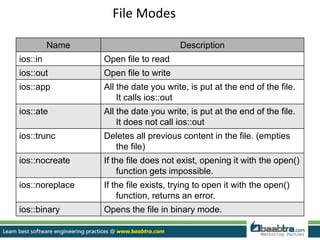
File Modes
Name Description
ios::in Open file to read
ios::out Open file to write
ios::app All the date you write, is put at the end of the file.
It calls ios::out
ios::ate All the date you write, is put at the end of the file.
It does not call ios::out
ios::trunc Deletes all previous content in the file. (empties
the file)
ios::nocreate If the file does not exist, opening it with the open()
function gets impossible.
ios::noreplace If the file exists, trying to open it with the open()
function, returns an error.
ios::binary Opens the file in binary mode.
#include<fstream>
int main()
{
ofstream fout;
fout.open("out.txt");
char str[300]="Time is a great teacher
but unfortunately it kills all its pupils.
Berlioz";
fout<<str;
fout.close();
return 0;
}
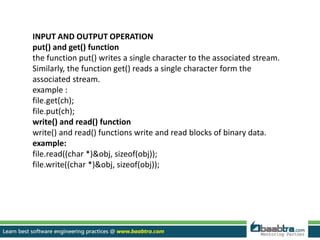
INPUT AND OUTPUT OPERATION
put() and get() function
the function put() writes a single character to the associated stream.
Similarly, the function get() reads a single character form the
associated stream.
example :
file.get(ch);
file.put(ch);
write() and read() function
write() and read() functions write and read blocks of binary data.
example:
file.read((char *)&obj, sizeof(obj));
file.write((char *)&obj, sizeof(obj));
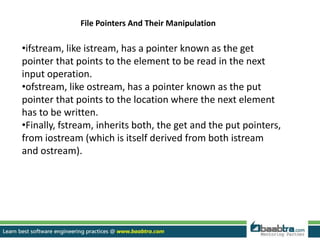
File Pointers And Their Manipulation
•ifstream, like istream, has a pointer known as the get
pointer that points to the element to be read in the next
input operation.
•ofstream, like ostream, has a pointer known as the put
pointer that points to the location where the next element
has to be written.
•Finally, fstream, inherits both, the get and the put pointers,
from iostream (which is itself derived from both istream
and ostream).
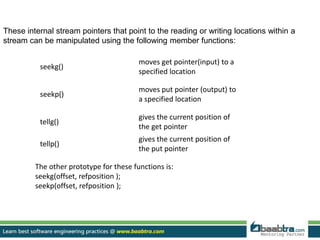
seekg()
moves get pointer(input) to a
specified location
seekp()
moves put pointer (output) to
a specified location
tellg()
gives the current position of
the get pointer
tellp()
gives the current position of
the put pointer
These internal stream pointers that point to the reading or writing locations within a
stream can be manipulated using the following member functions:
The other prototype for these functions is:
seekg(offset, refposition );
seekp(offset, refposition );
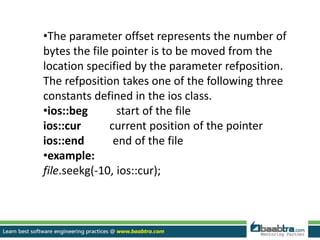
•The parameter offset represents the number of
bytes the file pointer is to be moved from the
location specified by the parameter refposition.
The refposition takes one of the following three
constants defined in the ios class.
•ios::beg start of the file
ios::cur current position of the pointer
ios::end end of the file
•example:
file.seekg(-10, ios::cur);
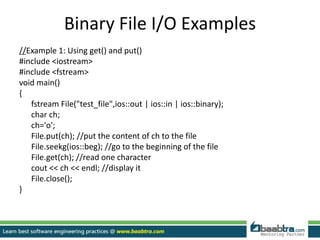
Binary File I/O Examples
//Example 1: Using get() and put()
#include <iostream>
#include <fstream>
void main()
{
fstream File("test_file",ios::out | ios::in | ios::binary);
char ch;
ch='o';
File.put(ch); //put the content of ch to the file
File.seekg(ios::beg); //go to the beginning of the file
File.get(ch); //read one character
cout << ch << endl; //display it
File.close();
}
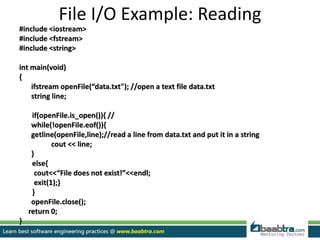
File I/O Example: Reading
#include <iostream>
#include <fstream>
#include <string>
int main(void)
{
ifstream openFile(“data.txt"); //open a text file data.txt
string line;
if(openFile.is_open()){ //
while(!openFile.eof()){
getline(openFile,line);//read a line from data.txt and put it in a string
cout << line;
}
else{
cout<<“File does not exist!”<<endl;
exit(1);}
}
openFile.close();
return 0;
}
Want to learn more about programming or Looking to become a good programmer?
Are you wasting time on searching so many contents online?
Do you want to learn things quickly?
Tired of spending huge amount of money to become a Software professional?
Do an online course
@ baabtra.com
We put industry standards to practice. Our structured, activity based courses are so designed
to make a quick, good software professional out of anybody who holds a passion for coding.
Follow us @ twitter.com/baabtra
Like us @ facebook.com/baabtra
Subscribe to us @ youtube.com/baabtra
Become a follower @ slideshare.net/BaabtraMentoringPartner
Connect to us @ in.linkedin.com/in/baabtra
Give a feedback @ massbaab.com/baabtra
Thanks in advance
www.baabtra.com | www.massbaab.com |www.baabte.com
Emarald Mall (Big Bazar Building)
Mavoor Road, Kozhikode,
Kerala, India.
Ph: + 91 – 495 40 25 550
NC Complex, Near Bus Stand
Mukkam, Kozhikode,
Kerala, India.
Ph: + 91 – 495 40 25 550
Cafit Square,
Hilite Business Park,
Near Pantheerankavu,
Kozhikode
Start up Village
Eranakulam,
Kerala, India.
Email: info@baabtra.com
Contact Us

File handling in cpp

  • 2.
    FILEHANDLING IN C++ SOBINJOSE Sobin.jose@outlook.com Sobin jose Sobin jose Typing speed:21wpm
  • 3.
    Disclaimer: This presentationis prepared by trainees of baabtra.com as a part of mentoring program. This is not official document of baabtra.com – Mentoring Partner
  • 4.
    What is aFile? • A file is a collection on information, usually stored on a computer’s disk. Information can be saved to files and then later reused.
  • 5.
    Classes for filestream operation ofstream: Stream class to write on files ifstream: Stream class to read from files fstream: Stream class to both read and write from/to files.
  • 6.
    The Process ofUsing a File • Using a file in a program is a simple three- step process – The file must be opened. If the file does not yet exits, opening it means creating it. – Information is then saved to the file, read from the file, or both. – When the program is finished using the file, the file must be closed.
  • 7.
    Opening a File •Before data can be written to or read from a file, the file must be opened. ifstream inputFile; inputFile.open(“customer.dat”);
  • 8.
    // This programdemonstrates the declaration of an fstream // object and the opening of a file. #include <iostream.h> #include <fstream.h> void main(void) { fstream dataFile; // Declare file stream object char fileName[81]; cout << "Enter the name of a file you wish to openn"; cout << "or create: "; cin.getline(fileName, 81); dataFile.open(fileName, ios::out); cout << "The file " << fileName << " was opened.n"; }
  • 9.
    File Modes Name Description ios::inOpen file to read ios::out Open file to write ios::app All the date you write, is put at the end of the file. It calls ios::out ios::ate All the date you write, is put at the end of the file. It does not call ios::out ios::trunc Deletes all previous content in the file. (empties the file) ios::nocreate If the file does not exist, opening it with the open() function gets impossible. ios::noreplace If the file exists, trying to open it with the open() function, returns an error. ios::binary Opens the file in binary mode.
  • 10.
    #include<fstream> int main() { ofstream fout; fout.open("out.txt"); charstr[300]="Time is a great teacher but unfortunately it kills all its pupils. Berlioz"; fout<<str; fout.close(); return 0; }
  • 11.
    INPUT AND OUTPUTOPERATION put() and get() function the function put() writes a single character to the associated stream. Similarly, the function get() reads a single character form the associated stream. example : file.get(ch); file.put(ch); write() and read() function write() and read() functions write and read blocks of binary data. example: file.read((char *)&obj, sizeof(obj)); file.write((char *)&obj, sizeof(obj));
  • 12.
    File Pointers AndTheir Manipulation •ifstream, like istream, has a pointer known as the get pointer that points to the element to be read in the next input operation. •ofstream, like ostream, has a pointer known as the put pointer that points to the location where the next element has to be written. •Finally, fstream, inherits both, the get and the put pointers, from iostream (which is itself derived from both istream and ostream).
  • 13.
    seekg() moves get pointer(input)to a specified location seekp() moves put pointer (output) to a specified location tellg() gives the current position of the get pointer tellp() gives the current position of the put pointer These internal stream pointers that point to the reading or writing locations within a stream can be manipulated using the following member functions: The other prototype for these functions is: seekg(offset, refposition ); seekp(offset, refposition );
  • 14.
    •The parameter offsetrepresents the number of bytes the file pointer is to be moved from the location specified by the parameter refposition. The refposition takes one of the following three constants defined in the ios class. •ios::beg start of the file ios::cur current position of the pointer ios::end end of the file •example: file.seekg(-10, ios::cur);
  • 15.
    Binary File I/OExamples //Example 1: Using get() and put() #include <iostream> #include <fstream> void main() { fstream File("test_file",ios::out | ios::in | ios::binary); char ch; ch='o'; File.put(ch); //put the content of ch to the file File.seekg(ios::beg); //go to the beginning of the file File.get(ch); //read one character cout << ch << endl; //display it File.close(); }
  • 16.
    File I/O Example:Reading #include <iostream> #include <fstream> #include <string> int main(void) { ifstream openFile(“data.txt"); //open a text file data.txt string line; if(openFile.is_open()){ // while(!openFile.eof()){ getline(openFile,line);//read a line from data.txt and put it in a string cout << line; } else{ cout<<“File does not exist!”<<endl; exit(1);} } openFile.close(); return 0; }
  • 17.
    Want to learnmore about programming or Looking to become a good programmer? Are you wasting time on searching so many contents online? Do you want to learn things quickly? Tired of spending huge amount of money to become a Software professional? Do an online course @ baabtra.com We put industry standards to practice. Our structured, activity based courses are so designed to make a quick, good software professional out of anybody who holds a passion for coding.
  • 18.
    Follow us @twitter.com/baabtra Like us @ facebook.com/baabtra Subscribe to us @ youtube.com/baabtra Become a follower @ slideshare.net/BaabtraMentoringPartner Connect to us @ in.linkedin.com/in/baabtra Give a feedback @ massbaab.com/baabtra Thanks in advance www.baabtra.com | www.massbaab.com |www.baabte.com
  • 19.
    Emarald Mall (BigBazar Building) Mavoor Road, Kozhikode, Kerala, India. Ph: + 91 – 495 40 25 550 NC Complex, Near Bus Stand Mukkam, Kozhikode, Kerala, India. Ph: + 91 – 495 40 25 550 Cafit Square, Hilite Business Park, Near Pantheerankavu, Kozhikode Start up Village Eranakulam, Kerala, India. Email: info@baabtra.com Contact Us