Basic file operations in C++
Dr. Ahmed Telba
1
2
Learning Objectives
C++ I/O streams.
Reading and writing sequential files.
Reading and writing random access files.
3
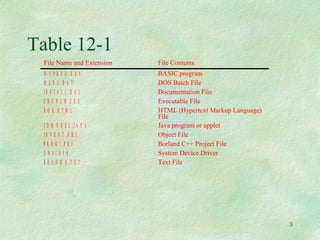
Table 12-1
File Name and Extension File Contents
M Y P R O G .B A S BASIC program
M E N U .B A T DOS Batch File
I N S T A L L .D O C Documentation File
C R U N C H .E X E Executable File
B O B .H T M L HTML (Hypertext Markup Language)
File
3 D M O D E L .J A V A Java program or applet
I N V E N T .O B J Object File
P R O G 1 .P R J Borland C++ Project File
A N S I .S Y S System Device Driver
R E A D M E .T X T Text File
4
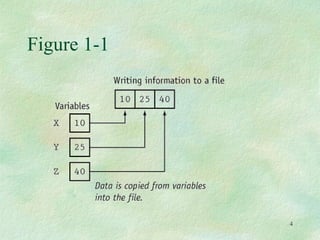
Figure 1-1
5
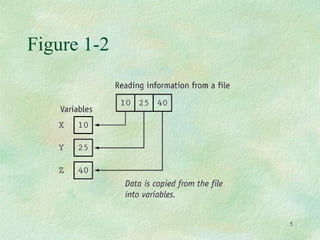
Figure 1-2
6
4.1 What is a File?
A file is a collection on information, usually
stored on a computer’s disk. Information
can be saved to files and then later reused.
7
4.2 File Names
All files are assigned a name that is used for
identification purposes by the operating
system and the user.
8
Setting Up a Program for File Input / Output
Before file I/O can be performed, a C++
program must be set up properly.
File access requires the inclusion of
# include <fstream>
Input &Output with files
Input / Output with files
C++ provides the following classes to perform
output and input of characters to/from files:
ofstream: Stream class to write on files
ifstream: Stream class to read from files
fstream: Stream class to both read and write
from/to files.
9
10
Path of file
Before data can be written to or read from a
file, the file must be opened.
ifstream inputFile;
inputFile.open(“customer.dat”);
// Path of file using :
ifstream fin("D:data.txt ");
11
C++ Files and Streams
Why use File Handling
For permanent storage.
The transfer of input - data or output - data
from one computer to another can be easily
done by using files.
For read and write from a file you need
another standard C++ library called fstream,
which defines three new data types:
How to achieve File Handling
For achieving file handling in C++ we
need follow following steps
• Naming a file
• Opening a file
• Reading data from file
• Writing data into file
• Closing a file
12
Input &Output with files
Input / Output with files
C++ provides the following classes to perform
output and input of characters to/from files:
ofstream: Stream class to write on files
ifstream: Stream class to read from files
fstream: Stream class to both read and write
from/to files.
13
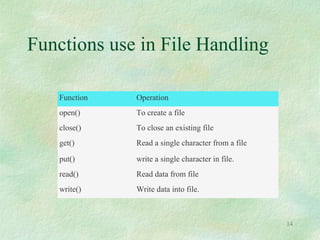
Functions use in File Handling
Function Operation
open() To create a file
close() To close an existing file
get() Read a single character from a file
put() write a single character in file.
read() Read data from file
write() Write data into file.
14
15
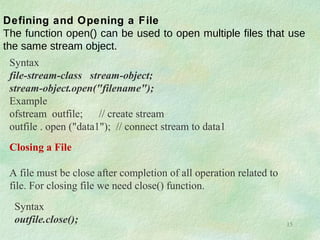
Closing a File
A file must be close after completion of all operation related to
file. For closing file we need close() function.
Syntax
outfile.close();
Defining and Opening a File
The function open() can be used to open multiple files that use
the same stream object.
Syntax
file-stream-class stream-object;
stream-object.open("filename");
Example
ofstream outfile; // create stream
outfile . open ("data1"); // connect stream to data1
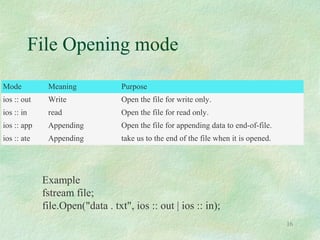
File Opening mode
Mode Meaning Purpose
ios :: out Write Open the file for write only.
ios :: in read Open the file for read only.
ios :: app Appending Open the file for appending data to end-of-file.
ios :: ate Appending take us to the end of the file when it is opened.
16
Example
fstream file;
file.Open("data . txt", ios :: out | ios :: in);
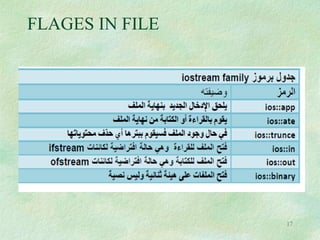
FLAGES IN FILE
FLAGES IN FILE
17
18
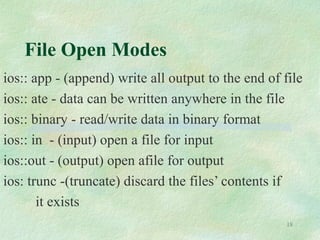
File Open Modes
ios:: app - (append) write all output to the end of file
ios:: ate - data can be written anywhere in the file
ios:: binary - read/write data in binary format
ios:: in - (input) open a file for input
ios::out - (output) open afile for output
ios: trunc -(truncate) discard the files’ contents if
it exists
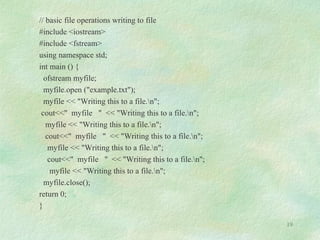
// basic file operations writing to file
#include <iostream>
#include <fstream>
using namespace std;
int main () {
ofstream myfile;
myfile.open ("example.txt");
myfile << "Writing this to a file.n";
cout<<" myfile " << "Writing this to a file.n";
myfile << "Writing this to a file.n";
cout<<" myfile " << "Writing this to a file.n";
myfile << "Writing this to a file.n";
cout<<" myfile " << "Writing this to a file.n";
myfile << "Writing this to a file.n";
myfile.close();
return 0;
}
19
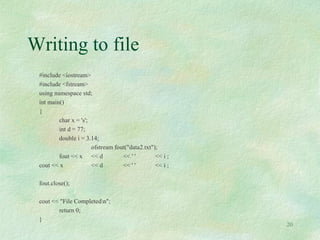
Writing to file
#include <iostream>
#include <fstream>
using namespace std;
int main()
{
char x = 's';
int d = 77;
double i = 3.14;
ofstream fout("data2.txt");
fout << x << d << ' ' << i ;
cout << x << d << ' ' << i ;
fout.close();
cout << "File Completedn";
return 0;
}
20
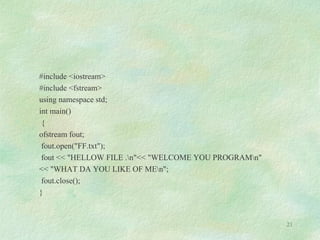
#include <iostream>
#include <fstream>
using namespace std;
int main()
{
ofstream fout;
fout.open("FF.txt");
fout << "HELLOW FILE .n"<< "WELCOME YOU PROGRAMn"
<< "WHAT DA YOU LIKE OF MEn";
fout.close();
}
21
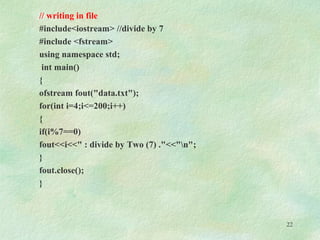
// writing in file
#include<iostream> //divide by 7
#include <fstream>
using namespace std;
int main()
{
ofstream fout("data.txt");
for(int i=4;i<=200;i++)
{
if(i%7==0)
fout<<i<<" : divide by Two (7) ."<<"n";
}
fout.close();
}
22
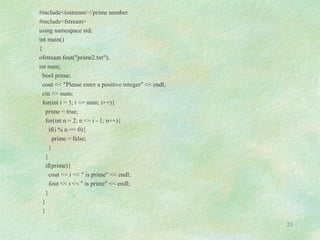
#include<iostream>//prime number
#include<fstream>
using namespace std;
int main()
{
ofstream fout("prime2.txt");
int num;
bool prime;
cout << "Please enter a positive integer" << endl;
cin >> num;
for(int i = 3; i <= num; i++){
prime = true;
for(int n = 2; n <= i - 1; n++){
if(i % n == 0){
prime = false;
}
}
if(prime){
cout << i << " is prime" << endl;
fout << i << " is prime" << endl;
}
}
}
23
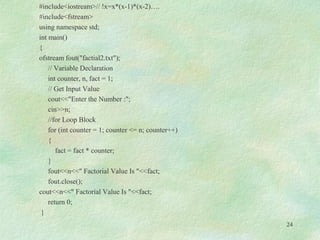
#include<iostream>// !x=x*(x-1)*(x-2)….
#include<fstream>
using namespace std;
int main()
{
ofstream fout("factial2.txt");
// Variable Declaration
int counter, n, fact = 1;
// Get Input Value
cout<<"Enter the Number :";
cin>>n;
//for Loop Block
for (int counter = 1; counter <= n; counter++)
{
fact = fact * counter;
}
fout<<n<<" Factorial Value Is "<<fact;
fout.close();
cout<<n<<" Factorial Value Is "<<fact;
return 0;
}
24
25
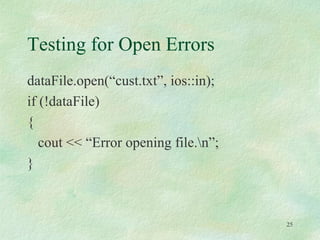
Testing for Open Errors
dataFile.open(“cust.txt”, ios::in);
if (!dataFile)
{
cout << “Error opening file.n”;
}
26
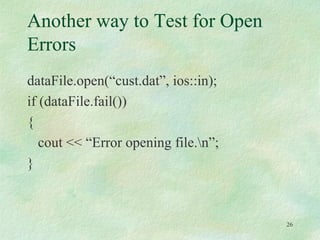
Another way to Test for Open
Errors
dataFile.open(“cust.dat”, ios::in);
if (dataFile.fail())
{
cout << “Error opening file.n”;
}
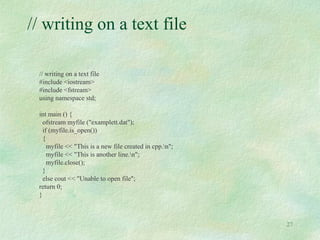
// writing on a text file
#include <iostream>
#include <fstream>
using namespace std;
int main () {
ofstream myfile ("examplett.dat");
if (myfile.is_open())
{
myfile << "This is a new file created in cpp.n";
myfile << "This is another line.n";
myfile.close();
}
else cout << "Unable to open file";
return 0;
}
27
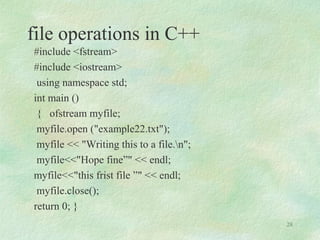
file operations in C++
#include <fstream>
#include <iostream>
using namespace std;
int main ()
{ ofstream myfile;
myfile.open ("example22.txt");
myfile << "Writing this to a file.n";
myfile<<"Hope fine”" << endl;
myfile<<"this frist file ”" << endl;
myfile.close();
return 0; }
28
#include <fstream>
#include <iostream>
using namespace std;
int main()
{ char FirstName[30], LastName[30];
int Age;
char FileName[20];
cout << "Enter First Name: ";
cin >> FirstName;
cout << "Enter Last Name: ";
cin >> LastName;
cout << "Enter Age: ";
cin >> Age;
cout << "nEnter the name of the file you want to create:. .txt ";
cin >> FileName;
ofstream Students(FileName, ios::out);
Students << FirstName << "n" << LastName << "n" << Age;
cout << "nn";
return 0;
}
29
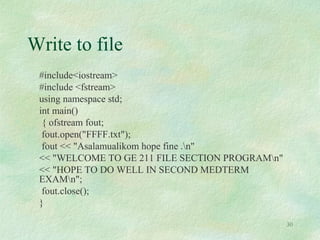
Write to file
#include<iostream>
#include <fstream>
using namespace std;
int main()
{ ofstream fout;
fout.open("FFFF.txt");
fout << "Asalamualikom hope fine .n"
<< "WELCOME TO GE 211 FILE SECTION PROGRAMn"
<< "HOPE TO DO WELL IN SECOND MEDTERM
EXAMn";
fout.close();
}
30
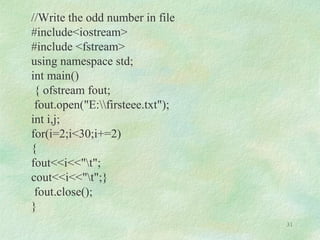
//Write the odd number in file
#include<iostream>
#include <fstream>
using namespace std;
int main()
{ ofstream fout;
fout.open("E:firsteee.txt");
int i,j;
for(i=2;i<30;i+=2)
{
fout<<i<<"t";
cout<<i<<"t";}
fout.close();
}
31
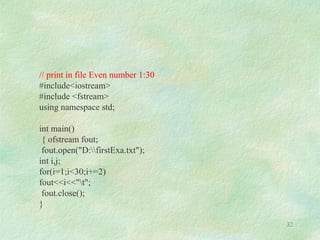
// print in file Even number 1:30
#include<iostream>
#include <fstream>
using namespace std;
int main()
{ ofstream fout;
fout.open("D:firstExa.txt");
int i,j;
for(i=1;i<30;i+=2)
fout<<i<<"t";
fout.close();
}
32
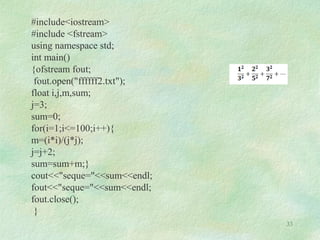
#include<iostream>
#include <fstream>
using namespace std;
int main()
{ofstream fout;
fout.open("ffffff2.txt");
float i,j,m,sum;
j=3;
sum=0;
for(i=1;i<=100;i++){
m=(i*i)/(j*j);
j=j+2;
sum=sum+m;}
cout<<"seque="<<sum<<endl;
fout<<"seque="<<sum<<endl;
fout.close();
}
33
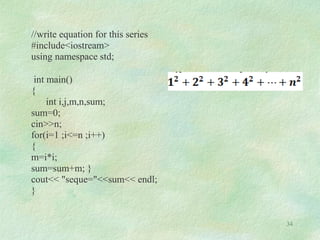
//write equation for this series
#include<iostream>
using namespace std;
int main()
{
int i,j,m,n,sum;
sum=0;
cin>>n;
for(i=1 ;i<=n ;i++)
{
m=i*i;
sum=sum+m; }
cout<< "seque="<<sum<< endl;
}
34
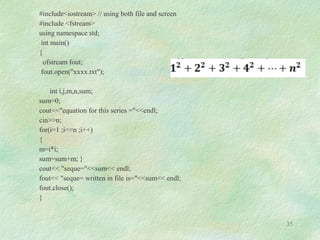
#include<iostream> // using both file and screen
#include <fstream>
using namespace std;
int main()
{
ofstream fout;
fout.open("xxxx.txt");
int i,j,m,n,sum;
sum=0;
cout<<"equation for this series ="<<endl;
cin>>n;
for(i=1 ;i<=n ;i++)
{
m=i*i;
sum=sum+m; }
cout<< "seque="<<sum<< endl;
fout<< "seque= written in file is="<<sum<< endl;
fout.close();
}
35
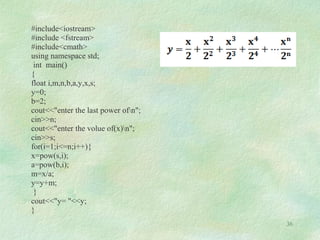
#include<iostream>
#include <fstream>
#include<cmath>
using namespace std;
int main()
{
float i,m,n,b,a,y,x,s;
y=0;
b=2;
cout<<"enter the last power ofn";
cin>>n;
cout<<"enter the volue of(x)n";
cin>>s;
for(i=1;i<=n;i++){
x=pow(s,i);
a=pow(b,i);
m=x/a;
y=y+m;
}
cout<<"y= "<<y;
}
36
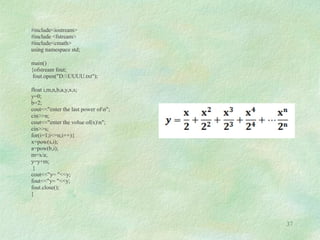
#include<iostream>
#include <fstream>
#include<cmath>
using namespace std;
main()
{ofstream fout;
fout.open("D:UUUU.txt");
float i,m,n,b,a,y,x,s;
y=0;
b=2;
cout<<"enter the last power ofn";
cin>>n;
cout<<"enter the volue of(x)n";
cin>>s;
for(i=1;i<=n;i++){
x=pow(s,i);
a=pow(b,i);
m=x/a;
y=y+m;
}
cout<<"y= "<<y;
fout<<"y= "<<y;
fout.close();
}
37
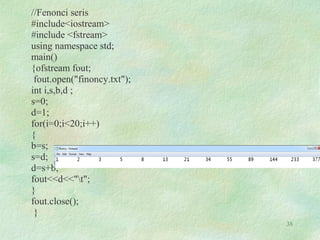
//Fenonci seris
#include<iostream>
#include <fstream>
using namespace std;
main()
{ofstream fout;
fout.open("finoncy.txt");
int i,s,b,d ;
s=0;
d=1;
for(i=0;i<20;i++)
{
b=s;
s=d;
d=s+b;
fout<<d<<"t";
}
fout.close();
}
38
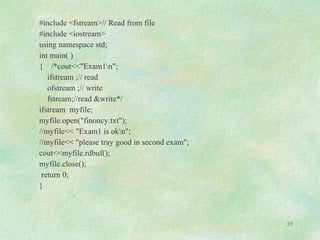
#include <fstream>// Read from file
#include <iostream>
using namespace std;
int main( )
{ /*cout<<"Exam1n";
ifstream ;// read
ofstream ;// write
fstream;//read &write*/
ifstream myfile;
myfile.open("finoncy.txt");
//myfile<< "Exam1 is okn";
//myfile<< "please tray good in second exam";
cout<<myfile.rdbuf();
myfile.close();
return 0;
}
39
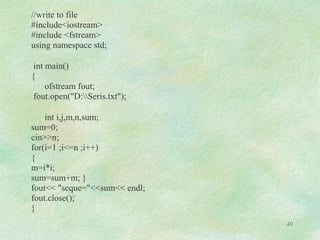
//write to file
#include<iostream>
#include <fstream>
using namespace std;
int main()
{
ofstream fout;
fout.open("D:Seris.txt");
int i,j,m,n,sum;
sum=0;
cin>>n;
for(i=1 ;i<=n ;i++)
{
m=i*i;
sum=sum+m; }
fout<< "seque="<<sum<< endl;
fout.close();
}
40
Read from file
#include <fstream>
#include <iostream>
using namespace std;
int main()
{ char array [80];
ifstream fin;
fin.open("firstExa.txt");
while(!fin.eof())
{fin.getline(array,80);
cout<<array<<endl;}
fin.close();
}
41
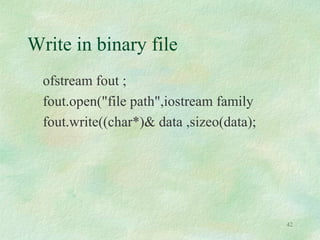
Write in binary file
ofstream fout ;
fout.open("file path",iostream family
fout.write((char*)& data ,sizeo(data);
42
Binary form
#include<iostream.h>
#include <fstream.h>
main()
{ int Array[80],i;
for(i=0;i<10;i++)
cin>> Array[i];
ofstream fout;
fout.open("D:ahmed.bin",ios::binary);
fout .write((char *) & Array , sizeof(Array));
fout.close();
system("pause");
}
43
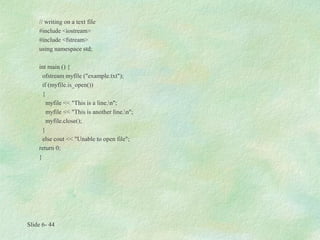
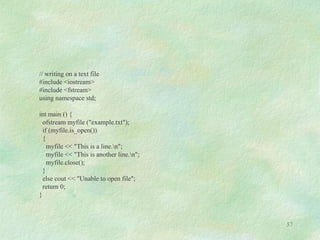
// writing on a text file
#include <iostream>
#include <fstream>
using namespace std;
int main () {
ofstream myfile ("example.txt");
if (myfile.is_open())
{
myfile << "This is a line.n";
myfile << "This is another line.n";
myfile.close();
}
else cout << "Unable to open file";
return 0;
}
Slide 6- 44
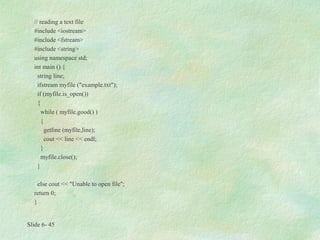
// reading a text file
#include <iostream>
#include <fstream>
#include <string>
using namespace std;
int main () {
string line;
ifstream myfile ("example.txt");
if (myfile.is_open())
{
while ( myfile.good() )
{
getline (myfile,line);
cout << line << endl;
}
myfile.close();
}
else cout << "Unable to open file";
return 0;
}
Slide 6- 45
Using fout
Slide 6- 46
#include <iostream>
#include <fstream>
#include <cstdlib>
using namespace std;
int main (int aaa,char *avg[])
{
ofstream fout ("my_out.txt");
fout<<" Assalamualikom Hope fine" << endl;
fout<<"Please tray good in second exam this frist file " << endl;
return 0;}
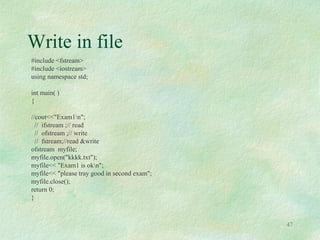
Write in file
#include <fstream>
#include <iostream>
using namespace std;
int main( )
{
//cout<<"Exam1n";
// ifstream ;// read
// ofstream ;// write
// fstream;//read &write
ofstream myfile;
myfile.open("kkkk.txt");
myfile<< "Exam1 is okn";
myfile<< "please tray good in second exam";
myfile.close();
return 0;
}
47
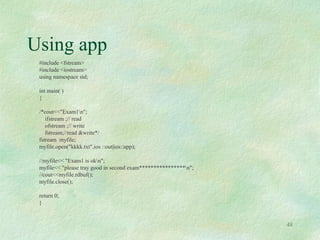
Using app
#include <fstream>
#include <iostream>
using namespace std;
int main( )
{
/*cout<<"Exam1n";
ifstream ;// read
ofstream ;// write
fstream;//read &write*/
fstream myfile;
myfile.open("kkkk.txt",ios ::out|ios::app);
//myfile<< "Exam1 is okn";
myfile<< "please tray good in second exam****************n";
//cout<<myfile.rdbuf();
myfile.close();
return 0;
}
48
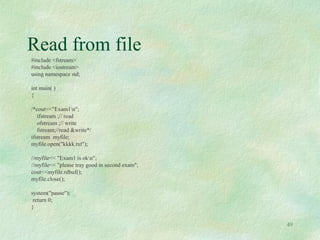
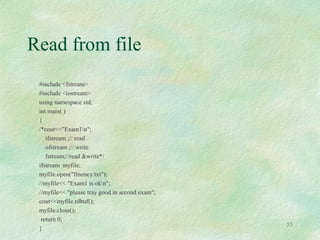
Read from file
#include <fstream>
#include <iostream>
using namespace std;
int main( )
{
/*cout<<"Exam1n";
ifstream ;// read
ofstream ;// write
fstream;//read &write*/
ifstream myfile;
myfile.open("kkkk.txt");
//myfile<< "Exam1 is okn";
//myfile<< "please tray good in second exam";
cout<<myfile.rdbuf();
myfile.close();
system("pause");
return 0;
}
49
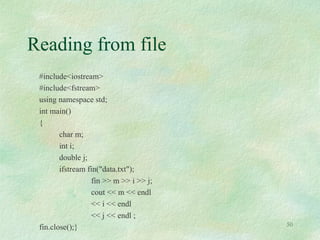
Reading from file
#include<iostream>
#include<fstream>
using namespace std;
int main()
{
char m;
int i;
double j;
ifstream fin("data.txt");
fin >> m >> i >> j;
cout << m << endl
<< i << endl
<< j << endl ;
fin.close();} 50
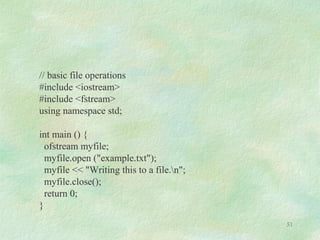
// basic file operations
#include <iostream>
#include <fstream>
using namespace std;
int main () {
ofstream myfile;
myfile.open ("example.txt");
myfile << "Writing this to a file.n";
myfile.close();
return 0;
}
51
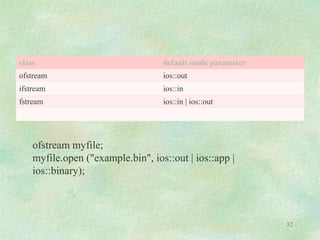
class default mode parameter
ofstream ios::out
ifstream ios::in
fstream ios::in | ios::out
ofstream myfile;
myfile.open ("example.bin", ios::out | ios::app |
ios::binary);
52
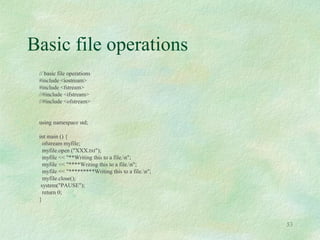
Basic file operations
// basic file operations
#include <iostream>
#include <fstream>
//#include <ifstream>
//#include <ofstream>
using namespace std;
int main () {
ofstream myfile;
myfile.open ("XXX.txt");
myfile << "**Writing this to a file.n";
myfile << "****Writing this to a file.n";
myfile << "*********Writing this to a file.n";
myfile.close();
system("PAUSE");
return 0;
}
53
Basic file operations
#include <iostream>
#include <fstream>
using namespace std;
int main (int argc, char *arvg[ ])
{
ofstream fout("XXX.txt");
fout << "**Writing this to a file.n";
fout << "****Writing this to a file.n";
fout << "*********Writing this to a file.n";
system("PAUSE");
return EXIT_SUCCESS;
}
54
Read from file
#include <fstream>
#include <iostream>
using namespace std;
int main( )
{
/*cout<<"Exam1n";
ifstream ;// read
ofstream ;// write
fstream;//read &write*/
ifstream myfile;
myfile.open("finoncy.txt");
//myfile<< "Exam1 is okn";
//myfile<< "please tray good in second exam";
cout<<myfile.rdbuf();
myfile.close();
return 0;
}
55
// reading a text file
#include <iostream>
#include <fstream>
#include <stdlib.h>
using namespace std;
int main () {
char buffer[256];
ifstream examplefile ("kk.txt");
if (! examplefile.is_open())
{ cout << "Error opening file"; exit (1); }
while (! examplefile.eof() )
{
examplefile.getline (buffer,100);
cout << buffer << endl;
}
return 0;
} 56
// writing on a text file
#include <iostream>
#include <fstream>
using namespace std;
int main () {
ofstream myfile ("example.txt");
if (myfile.is_open())
{
myfile << "This is a line.n";
myfile << "This is another line.n";
myfile.close();
}
else cout << "Unable to open file";
return 0;
}
57

File in cpp 2016

  • 1.
    Basic file operationsin C++ Dr. Ahmed Telba 1
  • 2.
    2 Learning Objectives C++ I/Ostreams. Reading and writing sequential files. Reading and writing random access files.
  • 3.
    3 Table 12-1 File Nameand Extension File Contents M Y P R O G .B A S BASIC program M E N U .B A T DOS Batch File I N S T A L L .D O C Documentation File C R U N C H .E X E Executable File B O B .H T M L HTML (Hypertext Markup Language) File 3 D M O D E L .J A V A Java program or applet I N V E N T .O B J Object File P R O G 1 .P R J Borland C++ Project File A N S I .S Y S System Device Driver R E A D M E .T X T Text File
  • 4.
  • 5.
  • 6.
    6 4.1 What isa File? A file is a collection on information, usually stored on a computer’s disk. Information can be saved to files and then later reused.
  • 7.
    7 4.2 File Names Allfiles are assigned a name that is used for identification purposes by the operating system and the user.
  • 8.
    8 Setting Up aProgram for File Input / Output Before file I/O can be performed, a C++ program must be set up properly. File access requires the inclusion of # include <fstream>
  • 9.
    Input &Output withfiles Input / Output with files C++ provides the following classes to perform output and input of characters to/from files: ofstream: Stream class to write on files ifstream: Stream class to read from files fstream: Stream class to both read and write from/to files. 9
  • 10.
    10 Path of file Beforedata can be written to or read from a file, the file must be opened. ifstream inputFile; inputFile.open(“customer.dat”); // Path of file using : ifstream fin("D:data.txt ");
  • 11.
    11 C++ Files andStreams Why use File Handling For permanent storage. The transfer of input - data or output - data from one computer to another can be easily done by using files. For read and write from a file you need another standard C++ library called fstream, which defines three new data types:
  • 12.
    How to achieveFile Handling For achieving file handling in C++ we need follow following steps • Naming a file • Opening a file • Reading data from file • Writing data into file • Closing a file 12
  • 13.
    Input &Output withfiles Input / Output with files C++ provides the following classes to perform output and input of characters to/from files: ofstream: Stream class to write on files ifstream: Stream class to read from files fstream: Stream class to both read and write from/to files. 13
  • 14.
    Functions use inFile Handling Function Operation open() To create a file close() To close an existing file get() Read a single character from a file put() write a single character in file. read() Read data from file write() Write data into file. 14
  • 15.
    15 Closing a File Afile must be close after completion of all operation related to file. For closing file we need close() function. Syntax outfile.close(); Defining and Opening a File The function open() can be used to open multiple files that use the same stream object. Syntax file-stream-class stream-object; stream-object.open("filename"); Example ofstream outfile; // create stream outfile . open ("data1"); // connect stream to data1
  • 16.
    File Opening mode ModeMeaning Purpose ios :: out Write Open the file for write only. ios :: in read Open the file for read only. ios :: app Appending Open the file for appending data to end-of-file. ios :: ate Appending take us to the end of the file when it is opened. 16 Example fstream file; file.Open("data . txt", ios :: out | ios :: in);
  • 17.
  • 18.
    18 File Open Modes ios::app - (append) write all output to the end of file ios:: ate - data can be written anywhere in the file ios:: binary - read/write data in binary format ios:: in - (input) open a file for input ios::out - (output) open afile for output ios: trunc -(truncate) discard the files’ contents if it exists
  • 19.
    // basic fileoperations writing to file #include <iostream> #include <fstream> using namespace std; int main () { ofstream myfile; myfile.open ("example.txt"); myfile << "Writing this to a file.n"; cout<<" myfile " << "Writing this to a file.n"; myfile << "Writing this to a file.n"; cout<<" myfile " << "Writing this to a file.n"; myfile << "Writing this to a file.n"; cout<<" myfile " << "Writing this to a file.n"; myfile << "Writing this to a file.n"; myfile.close(); return 0; } 19
  • 20.
    Writing to file #include<iostream> #include <fstream> using namespace std; int main() { char x = 's'; int d = 77; double i = 3.14; ofstream fout("data2.txt"); fout << x << d << ' ' << i ; cout << x << d << ' ' << i ; fout.close(); cout << "File Completedn"; return 0; } 20
  • 21.
    #include <iostream> #include <fstream> usingnamespace std; int main() { ofstream fout; fout.open("FF.txt"); fout << "HELLOW FILE .n"<< "WELCOME YOU PROGRAMn" << "WHAT DA YOU LIKE OF MEn"; fout.close(); } 21
  • 22.
    // writing infile #include<iostream> //divide by 7 #include <fstream> using namespace std; int main() { ofstream fout("data.txt"); for(int i=4;i<=200;i++) { if(i%7==0) fout<<i<<" : divide by Two (7) ."<<"n"; } fout.close(); } 22
  • 23.
    #include<iostream>//prime number #include<fstream> using namespacestd; int main() { ofstream fout("prime2.txt"); int num; bool prime; cout << "Please enter a positive integer" << endl; cin >> num; for(int i = 3; i <= num; i++){ prime = true; for(int n = 2; n <= i - 1; n++){ if(i % n == 0){ prime = false; } } if(prime){ cout << i << " is prime" << endl; fout << i << " is prime" << endl; } } } 23
  • 24.
    #include<iostream>// !x=x*(x-1)*(x-2)…. #include<fstream> using namespacestd; int main() { ofstream fout("factial2.txt"); // Variable Declaration int counter, n, fact = 1; // Get Input Value cout<<"Enter the Number :"; cin>>n; //for Loop Block for (int counter = 1; counter <= n; counter++) { fact = fact * counter; } fout<<n<<" Factorial Value Is "<<fact; fout.close(); cout<<n<<" Factorial Value Is "<<fact; return 0; } 24
  • 25.
    25 Testing for OpenErrors dataFile.open(“cust.txt”, ios::in); if (!dataFile) { cout << “Error opening file.n”; }
  • 26.
    26 Another way toTest for Open Errors dataFile.open(“cust.dat”, ios::in); if (dataFile.fail()) { cout << “Error opening file.n”; }
  • 27.
    // writing ona text file // writing on a text file #include <iostream> #include <fstream> using namespace std; int main () { ofstream myfile ("examplett.dat"); if (myfile.is_open()) { myfile << "This is a new file created in cpp.n"; myfile << "This is another line.n"; myfile.close(); } else cout << "Unable to open file"; return 0; } 27
  • 28.
    file operations inC++ #include <fstream> #include <iostream> using namespace std; int main () { ofstream myfile; myfile.open ("example22.txt"); myfile << "Writing this to a file.n"; myfile<<"Hope fine”" << endl; myfile<<"this frist file ”" << endl; myfile.close(); return 0; } 28
  • 29.
    #include <fstream> #include <iostream> usingnamespace std; int main() { char FirstName[30], LastName[30]; int Age; char FileName[20]; cout << "Enter First Name: "; cin >> FirstName; cout << "Enter Last Name: "; cin >> LastName; cout << "Enter Age: "; cin >> Age; cout << "nEnter the name of the file you want to create:. .txt "; cin >> FileName; ofstream Students(FileName, ios::out); Students << FirstName << "n" << LastName << "n" << Age; cout << "nn"; return 0; } 29
  • 30.
    Write to file #include<iostream> #include<fstream> using namespace std; int main() { ofstream fout; fout.open("FFFF.txt"); fout << "Asalamualikom hope fine .n" << "WELCOME TO GE 211 FILE SECTION PROGRAMn" << "HOPE TO DO WELL IN SECOND MEDTERM EXAMn"; fout.close(); } 30
  • 31.
    //Write the oddnumber in file #include<iostream> #include <fstream> using namespace std; int main() { ofstream fout; fout.open("E:firsteee.txt"); int i,j; for(i=2;i<30;i+=2) { fout<<i<<"t"; cout<<i<<"t";} fout.close(); } 31
  • 32.
    // print infile Even number 1:30 #include<iostream> #include <fstream> using namespace std; int main() { ofstream fout; fout.open("D:firstExa.txt"); int i,j; for(i=1;i<30;i+=2) fout<<i<<"t"; fout.close(); } 32
  • 33.
    #include<iostream> #include <fstream> using namespacestd; int main() {ofstream fout; fout.open("ffffff2.txt"); float i,j,m,sum; j=3; sum=0; for(i=1;i<=100;i++){ m=(i*i)/(j*j); j=j+2; sum=sum+m;} cout<<"seque="<<sum<<endl; fout<<"seque="<<sum<<endl; fout.close(); } 33
  • 34.
    //write equation forthis series #include<iostream> using namespace std; int main() { int i,j,m,n,sum; sum=0; cin>>n; for(i=1 ;i<=n ;i++) { m=i*i; sum=sum+m; } cout<< "seque="<<sum<< endl; } 34
  • 35.
    #include<iostream> // usingboth file and screen #include <fstream> using namespace std; int main() { ofstream fout; fout.open("xxxx.txt"); int i,j,m,n,sum; sum=0; cout<<"equation for this series ="<<endl; cin>>n; for(i=1 ;i<=n ;i++) { m=i*i; sum=sum+m; } cout<< "seque="<<sum<< endl; fout<< "seque= written in file is="<<sum<< endl; fout.close(); } 35
  • 36.
    #include<iostream> #include <fstream> #include<cmath> using namespacestd; int main() { float i,m,n,b,a,y,x,s; y=0; b=2; cout<<"enter the last power ofn"; cin>>n; cout<<"enter the volue of(x)n"; cin>>s; for(i=1;i<=n;i++){ x=pow(s,i); a=pow(b,i); m=x/a; y=y+m; } cout<<"y= "<<y; } 36
  • 37.
    #include<iostream> #include <fstream> #include<cmath> using namespacestd; main() {ofstream fout; fout.open("D:UUUU.txt"); float i,m,n,b,a,y,x,s; y=0; b=2; cout<<"enter the last power ofn"; cin>>n; cout<<"enter the volue of(x)n"; cin>>s; for(i=1;i<=n;i++){ x=pow(s,i); a=pow(b,i); m=x/a; y=y+m; } cout<<"y= "<<y; fout<<"y= "<<y; fout.close(); } 37
  • 38.
    //Fenonci seris #include<iostream> #include <fstream> usingnamespace std; main() {ofstream fout; fout.open("finoncy.txt"); int i,s,b,d ; s=0; d=1; for(i=0;i<20;i++) { b=s; s=d; d=s+b; fout<<d<<"t"; } fout.close(); } 38
  • 39.
    #include <fstream>// Readfrom file #include <iostream> using namespace std; int main( ) { /*cout<<"Exam1n"; ifstream ;// read ofstream ;// write fstream;//read &write*/ ifstream myfile; myfile.open("finoncy.txt"); //myfile<< "Exam1 is okn"; //myfile<< "please tray good in second exam"; cout<<myfile.rdbuf(); myfile.close(); return 0; } 39
  • 40.
    //write to file #include<iostream> #include<fstream> using namespace std; int main() { ofstream fout; fout.open("D:Seris.txt"); int i,j,m,n,sum; sum=0; cin>>n; for(i=1 ;i<=n ;i++) { m=i*i; sum=sum+m; } fout<< "seque="<<sum<< endl; fout.close(); } 40
  • 41.
    Read from file #include<fstream> #include <iostream> using namespace std; int main() { char array [80]; ifstream fin; fin.open("firstExa.txt"); while(!fin.eof()) {fin.getline(array,80); cout<<array<<endl;} fin.close(); } 41
  • 42.
    Write in binaryfile ofstream fout ; fout.open("file path",iostream family fout.write((char*)& data ,sizeo(data); 42
  • 43.
    Binary form #include<iostream.h> #include <fstream.h> main() {int Array[80],i; for(i=0;i<10;i++) cin>> Array[i]; ofstream fout; fout.open("D:ahmed.bin",ios::binary); fout .write((char *) & Array , sizeof(Array)); fout.close(); system("pause"); } 43
  • 44.
    // writing ona text file #include <iostream> #include <fstream> using namespace std; int main () { ofstream myfile ("example.txt"); if (myfile.is_open()) { myfile << "This is a line.n"; myfile << "This is another line.n"; myfile.close(); } else cout << "Unable to open file"; return 0; } Slide 6- 44
  • 45.
    // reading atext file #include <iostream> #include <fstream> #include <string> using namespace std; int main () { string line; ifstream myfile ("example.txt"); if (myfile.is_open()) { while ( myfile.good() ) { getline (myfile,line); cout << line << endl; } myfile.close(); } else cout << "Unable to open file"; return 0; } Slide 6- 45
  • 46.
    Using fout Slide 6-46 #include <iostream> #include <fstream> #include <cstdlib> using namespace std; int main (int aaa,char *avg[]) { ofstream fout ("my_out.txt"); fout<<" Assalamualikom Hope fine" << endl; fout<<"Please tray good in second exam this frist file " << endl; return 0;}
  • 47.
    Write in file #include<fstream> #include <iostream> using namespace std; int main( ) { //cout<<"Exam1n"; // ifstream ;// read // ofstream ;// write // fstream;//read &write ofstream myfile; myfile.open("kkkk.txt"); myfile<< "Exam1 is okn"; myfile<< "please tray good in second exam"; myfile.close(); return 0; } 47
  • 48.
    Using app #include <fstream> #include<iostream> using namespace std; int main( ) { /*cout<<"Exam1n"; ifstream ;// read ofstream ;// write fstream;//read &write*/ fstream myfile; myfile.open("kkkk.txt",ios ::out|ios::app); //myfile<< "Exam1 is okn"; myfile<< "please tray good in second exam****************n"; //cout<<myfile.rdbuf(); myfile.close(); return 0; } 48
  • 49.
    Read from file #include<fstream> #include <iostream> using namespace std; int main( ) { /*cout<<"Exam1n"; ifstream ;// read ofstream ;// write fstream;//read &write*/ ifstream myfile; myfile.open("kkkk.txt"); //myfile<< "Exam1 is okn"; //myfile<< "please tray good in second exam"; cout<<myfile.rdbuf(); myfile.close(); system("pause"); return 0; } 49
  • 50.
    Reading from file #include<iostream> #include<fstream> usingnamespace std; int main() { char m; int i; double j; ifstream fin("data.txt"); fin >> m >> i >> j; cout << m << endl << i << endl << j << endl ; fin.close();} 50
  • 51.
    // basic fileoperations #include <iostream> #include <fstream> using namespace std; int main () { ofstream myfile; myfile.open ("example.txt"); myfile << "Writing this to a file.n"; myfile.close(); return 0; } 51
  • 52.
    class default modeparameter ofstream ios::out ifstream ios::in fstream ios::in | ios::out ofstream myfile; myfile.open ("example.bin", ios::out | ios::app | ios::binary); 52
  • 53.
    Basic file operations //basic file operations #include <iostream> #include <fstream> //#include <ifstream> //#include <ofstream> using namespace std; int main () { ofstream myfile; myfile.open ("XXX.txt"); myfile << "**Writing this to a file.n"; myfile << "****Writing this to a file.n"; myfile << "*********Writing this to a file.n"; myfile.close(); system("PAUSE"); return 0; } 53
  • 54.
    Basic file operations #include<iostream> #include <fstream> using namespace std; int main (int argc, char *arvg[ ]) { ofstream fout("XXX.txt"); fout << "**Writing this to a file.n"; fout << "****Writing this to a file.n"; fout << "*********Writing this to a file.n"; system("PAUSE"); return EXIT_SUCCESS; } 54
  • 55.
    Read from file #include<fstream> #include <iostream> using namespace std; int main( ) { /*cout<<"Exam1n"; ifstream ;// read ofstream ;// write fstream;//read &write*/ ifstream myfile; myfile.open("finoncy.txt"); //myfile<< "Exam1 is okn"; //myfile<< "please tray good in second exam"; cout<<myfile.rdbuf(); myfile.close(); return 0; } 55
  • 56.
    // reading atext file #include <iostream> #include <fstream> #include <stdlib.h> using namespace std; int main () { char buffer[256]; ifstream examplefile ("kk.txt"); if (! examplefile.is_open()) { cout << "Error opening file"; exit (1); } while (! examplefile.eof() ) { examplefile.getline (buffer,100); cout << buffer << endl; } return 0; } 56
  • 57.
    // writing ona text file #include <iostream> #include <fstream> using namespace std; int main () { ofstream myfile ("example.txt"); if (myfile.is_open()) { myfile << "This is a line.n"; myfile << "This is another line.n"; myfile.close(); } else cout << "Unable to open file"; return 0; } 57