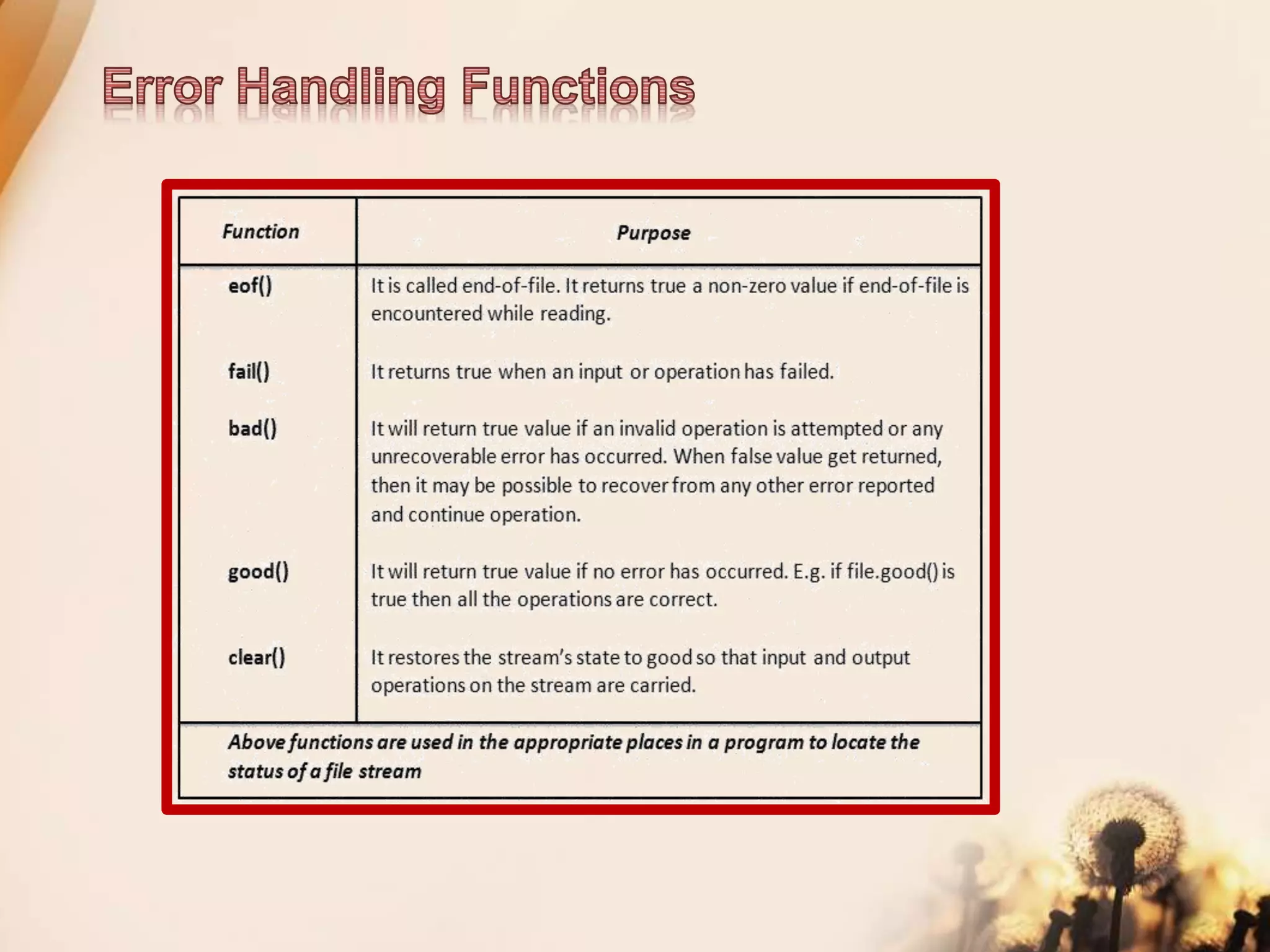
File handling
.
It is a file that stores information in ASCII
characters. In text files, each line of text is
terminated with a special character known
as EOL (End of Line) character or delimiter
character. When this EOL character is read
or written, certain internal translations take
place.
It is a file that contains information in the
same format as it is held in memory. In
binary files, no delimiters are used for a line
and no translations occur here.
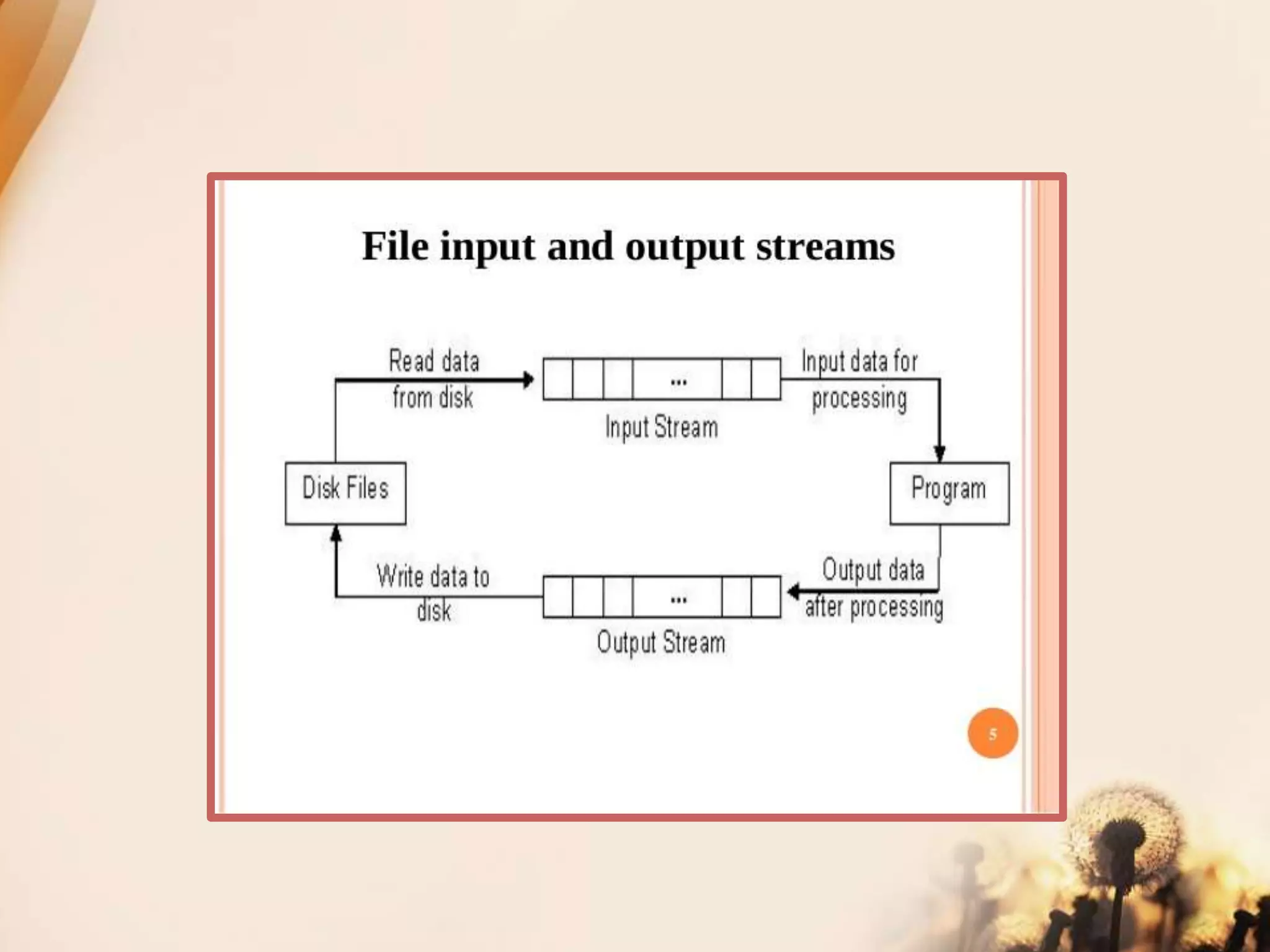
ofstream: Stream class to write on
files
ifstream: Stream class to read
from files
fstream: Stream class to both read
and write from/to files.
Opening a file
ofstream outFile("sample.txt"); //output only
ifstream inFile(“sample.txt”); //input only
Stream-object.open(“filename”, mode)
ofstream outFile;
outFile.open("sample.txt");
ifstream inFile;
inFile.open("sample.txt");
outFile.close();
inFile.close();
put() and get() function
the function put() writes a single character to the associated stream.
Similarly, the function get() reads a single character form the associated
stream.
example :
file.get(ch);
file.put(ch);
write() and read() function
write() and read() functions write and read blocks of binary data.
example:
file.read((char *)&obj, sizeof(obj));
file.write((char *)&obj, sizeof(obj));
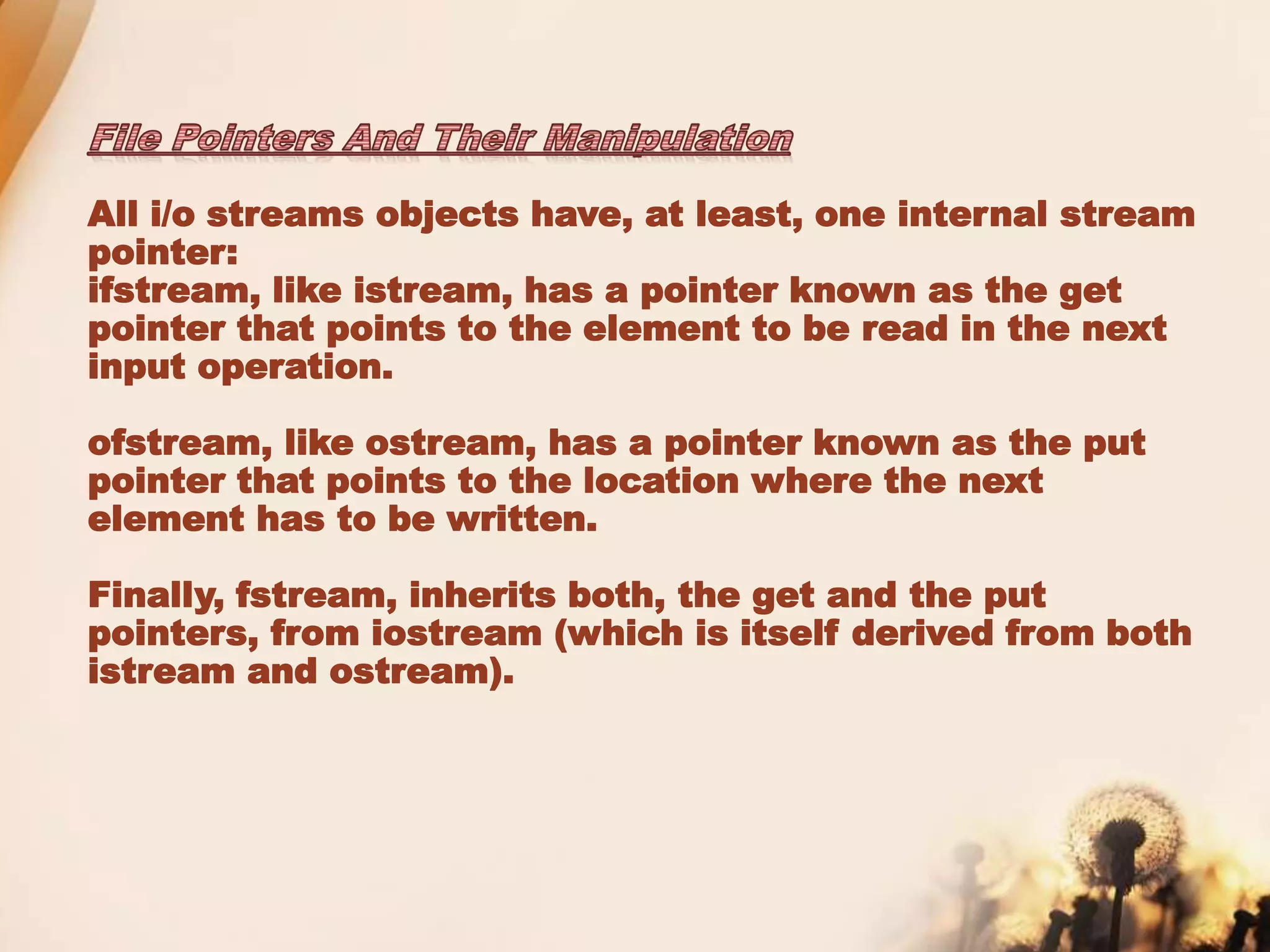
All i/o streams objects have, at least, one internal stream
pointer:
ifstream, like istream, has a pointer known as the get
pointer that points to the element to be read in the next
input operation.
ofstream, like ostream, has a pointer known as the put
pointer that points to the location where the next
element has to be written.
Finally, fstream, inherits both, the get and the put
pointers, from iostream (which is itself derived from both
istream and ostream).
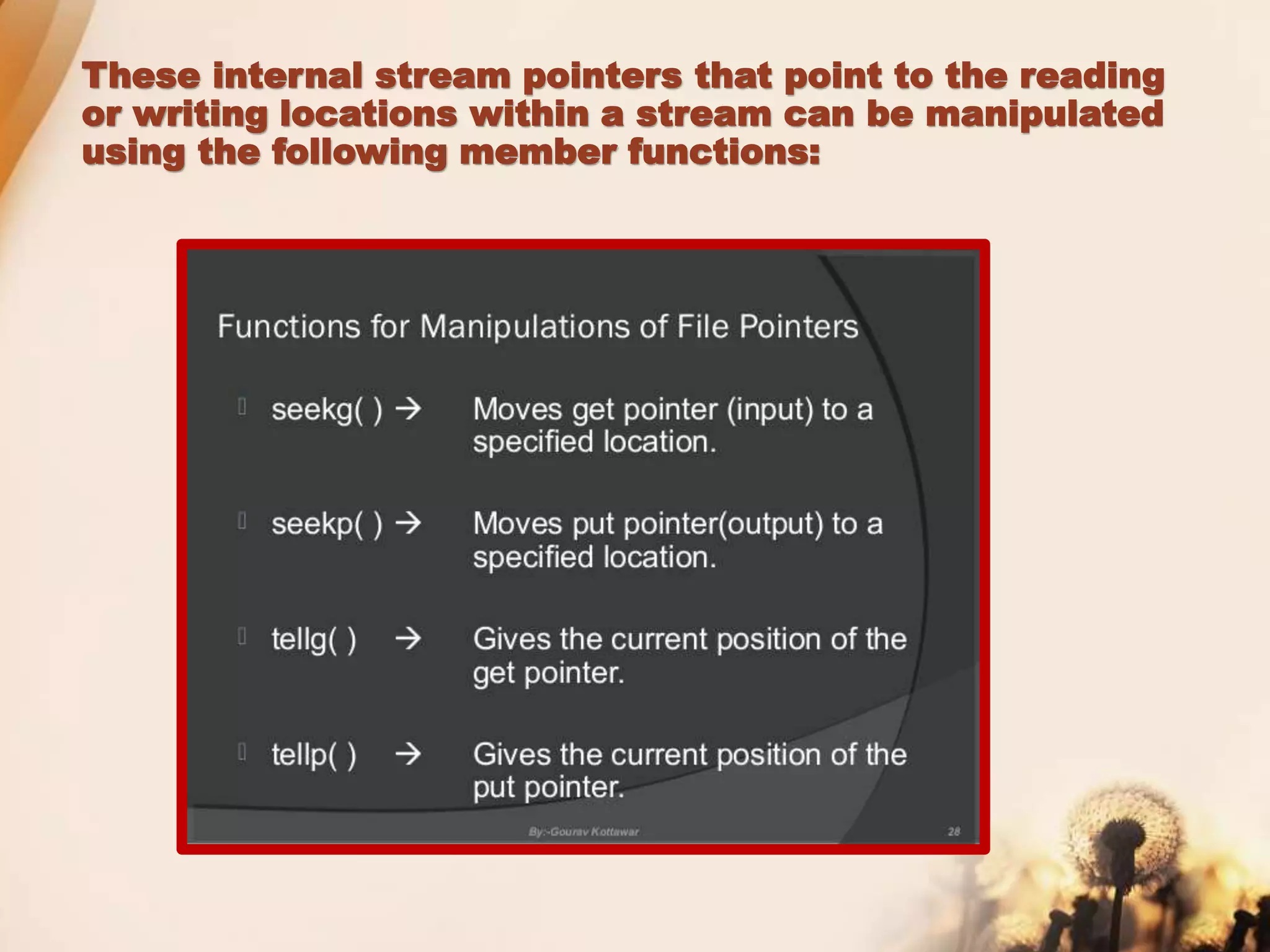
These internal stream pointers that point to the reading
or writing locations within a stream can be manipulated
using the following member functions:
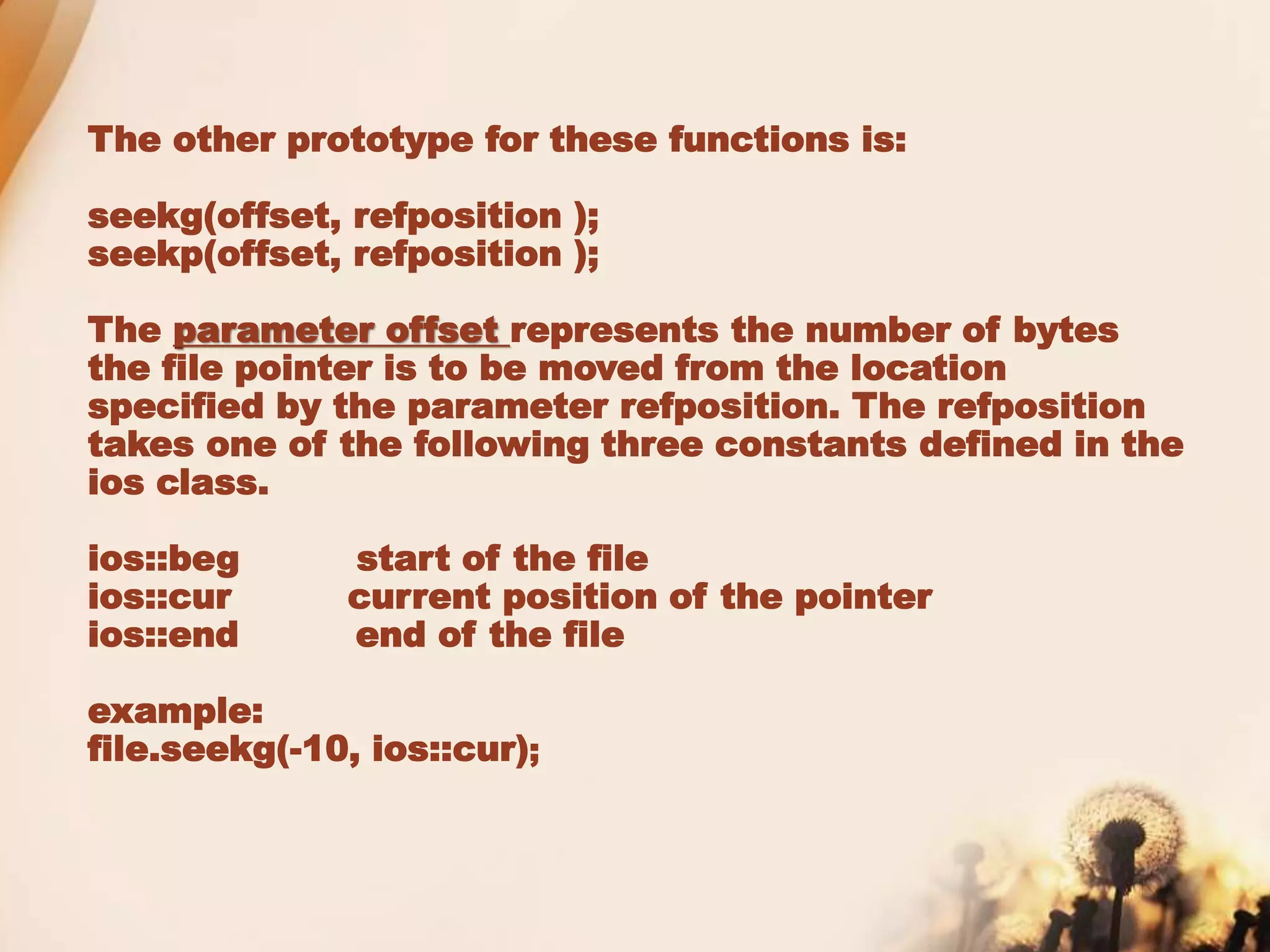
The other prototype for these functions is:
seekg(offset, refposition );
seekp(offset, refposition );
The parameter offset represents the number of bytes
the file pointer is to be moved from the location
specified by the parameter refposition. The refposition
takes one of the following three constants defined in the
ios class.
ios::beg start of the file
ios::cur current position of the pointer
ios::end end of the file
example:
file.seekg(-10, ios::cur);
File I/O is a five-step process:
1. Include the header file fstream in the
program.
2. Declare file stream object.
3. Open the file with the file stream object.
4. Use the file stream object with >>, <<, or
other input/output functions.
5. Close the files.
When data is stored in a file in the binary
format, reading and writing
data is faster because no time is lost in
converting the data from one format to
another format. Such files are called binary
files. This following program explains how to
create binary files and also how to read,
write, search, delete and modify data from
binary files.
File handling

File handling

  • 1.
  • 2.
  • 4.
    It is afile that stores information in ASCII characters. In text files, each line of text is terminated with a special character known as EOL (End of Line) character or delimiter character. When this EOL character is read or written, certain internal translations take place. It is a file that contains information in the same format as it is held in memory. In binary files, no delimiters are used for a line and no translations occur here.
  • 5.
    ofstream: Stream classto write on files ifstream: Stream class to read from files fstream: Stream class to both read and write from/to files.
  • 6.
    Opening a file ofstreamoutFile("sample.txt"); //output only ifstream inFile(“sample.txt”); //input only Stream-object.open(“filename”, mode) ofstream outFile; outFile.open("sample.txt"); ifstream inFile; inFile.open("sample.txt");
  • 8.
    outFile.close(); inFile.close(); put() and get()function the function put() writes a single character to the associated stream. Similarly, the function get() reads a single character form the associated stream. example : file.get(ch); file.put(ch); write() and read() function write() and read() functions write and read blocks of binary data. example: file.read((char *)&obj, sizeof(obj)); file.write((char *)&obj, sizeof(obj));
  • 10.
    All i/o streamsobjects have, at least, one internal stream pointer: ifstream, like istream, has a pointer known as the get pointer that points to the element to be read in the next input operation. ofstream, like ostream, has a pointer known as the put pointer that points to the location where the next element has to be written. Finally, fstream, inherits both, the get and the put pointers, from iostream (which is itself derived from both istream and ostream).
  • 11.
    These internal streampointers that point to the reading or writing locations within a stream can be manipulated using the following member functions:
  • 12.
    The other prototypefor these functions is: seekg(offset, refposition ); seekp(offset, refposition ); The parameter offset represents the number of bytes the file pointer is to be moved from the location specified by the parameter refposition. The refposition takes one of the following three constants defined in the ios class. ios::beg start of the file ios::cur current position of the pointer ios::end end of the file example: file.seekg(-10, ios::cur);
  • 13.
    File I/O isa five-step process: 1. Include the header file fstream in the program. 2. Declare file stream object. 3. Open the file with the file stream object. 4. Use the file stream object with >>, <<, or other input/output functions. 5. Close the files.
  • 14.
    When data isstored in a file in the binary format, reading and writing data is faster because no time is lost in converting the data from one format to another format. Such files are called binary files. This following program explains how to create binary files and also how to read, write, search, delete and modify data from binary files.