FINANCIAL ACCOUNTING
             &
       CONTROLLING
     BUSINESS BLUEPRINT

               Submitted to


  Druk Green Power Corporation Limited
                    &
Dagachhu Hydropower Corporation Limited


                     By


                Wipro Ltd.
                26/10/2010
               Version 01.00
eGreen – FICO Business Blueprint


                                     DOCUMENT APPROVALS

        Prepared By

(Mr. Amit Mundada)
  Wipro Lead Consultant                                                  Dated Signature


      Prepared By

      (Mr. Shinas Hamza)                                            Dated Signature
      Wipro Consultant


      Reviewed By

      (Mr. T.B. Monger) Core Team Lead Dated Signature


      (Ms.Sonam Choeden- CTM)                                                    Dated Signature


      (Mr. Samgay - CTM)                                              Dated Signature


      (Mr. Kunzang Dorji - CTM)                                                    Dated Signature


      (Mr. Kelzang Thukten - CTM)                                                      Dated Signature


Wipro Ltd.                                                                                                              Page 2 of 146
© Wipro Limited, 2010, All Rights Reserved.
This document is proprietary to Wipro Infotech, a division of Wipro Limited.
You may not modify, copy, reproduce, republish, upload, post, transmit or distribute any material from this document,
in any form or by any means, nor may you modify or create derivative works based on the text of any file, or any part
thereof for public, private or commercial use, without prior written permission from Wipro Limited.
eGreen – FICO Business Blueprint


        Reviewed by

    (Rajneesh Sharma)
    Wipro Project Lead                                       Dated Signature


        Reviewed by

 (Balaji Srinivasamurthy)
 Wipro Project Manager                                                Dated Signature


        Reviewed by

(Jambay Tshering)
    Project Manager
    eGreen Project                                 Dated Signature


        Approved by

    (Ugyen Namgyal)
    Project Director
    eGreen Project
    & BPO, FICO                                                 Dated Signature


       Wipro Ltd.                                                                                                              Page 3 of 146
       © Wipro Limited, 2010, All Rights Reserved.
       This document is proprietary to Wipro Infotech, a division of Wipro Limited.
       You may not modify, copy, reproduce, republish, upload, post, transmit or distribute any material from this document,
       in any form or by any means, nor may you modify or create derivative works based on the text of any file, or any part
       thereof for public, private or commercial use, without prior written permission from Wipro Limited.
eGreen – FICO Business Blueprint

 DOCUMENT INFORMATION

   Project Name Document Name Document Location
  eGreen FICO Business Blueprint Document Server


 DOCUMENT HISTORY

   Version Document                                    Date Authors Reviewed                                                 Change
             Name                                                                                                       By   Control
        0.1 Business                                   03.09.2010 Shinas
                 Blueprint                                              Hamza/ Amit
                                                                        Mundada

       1.00 Business                                   26.10.2010 Shinas
                Blueprint                                               Hamza/ Amit
                                                                        Mundada


Wipro Ltd.                                                                                                                    Page 4 of 146
© Wipro Limited, 2010, All Rights Reserved.
This document is proprietary to Wipro Infotech, a division of Wipro Limited.
You may not modify, copy, reproduce, republish, upload, post, transmit or distribute any material from this document,
in any form or by any means, nor may you modify or create derivative works based on the text of any file, or any part
thereof for public, private or commercial use, without prior written permission from Wipro Limited.
eGreen – FICO Business Blueprint


                                             TABLE OF CONTENTS
1     EXECUTIVE SUMMARY ........................................................................................ 9
  1.1     Background. .................................................................................................... 9
  1.2     Business Blueprint Overview ...................................................................... 10
  1.3     Financial Accounting .................................................................................... 12
  1.4     Module Integration ........................................................................................ 14
2     ORGANISATION STRUCTURE ........................................................................... 16
  2.1     Client .............................................................................................................. 19
  2.2     Company........................................................................................................ 19
  2.3     Company Code .............................................................................................. 19
  2.4     Chart of Accounts (COA) .............................................................................. 20
  2.5     Group Chart of Accounts (GCOA) ............................................................... 20
  2.6     Chart of Depreciation ................................................................................... 21
  2.7     Profit Center ........................................................                   Error! Bookmark not defined.
  2.8     Controlling Area ............................................................................................ 22
  2.9     Cost Centers .................................................................................................. 22
3     MASTER DATA.................................................................................................... 23
  3.1     General Ledger Master ................................................................................. 23
  3.2     Asset Master .................................................................................................. 26
  3.3     Vendor Master ............................................................................................... 27
  3.4     Customer Master ........................................................................................... 27
  3.5     Bank Master ................................................................................................... 28
  3.6     Cost Elements ............................................................................................... 29
4     BUSINESS PROCESSES .................................................................................... 29
  4.1     Configuration Settings ................................................................................. 29
     4.1.1 Currency ............................................................................... 29
     4.1.2 Fiscal Year and Fiscal Year Variant                              .............................................. 30
     4.1.3 Document Type ...................................................................... 31
     4.1.4 Posting Key ........................................................................... 33
     4.1.5 Extended Withholding Tax .......................................................... 34
  4.2     General Ledger Postings.............................................................................. 35
     4.2.1 Master Data ........................................................................... 37
     4.2.2 Solution in SAP ....................................................................... 40
     4.2.3 FSBP Link ............................................................................. 51
     4.2.4 Integration Requirement ............................................................ 53
     4.2.5 Description of Improvements                         ....................................................... 54
     4.2.6 Process Control ...................................................................... 55
     4.2.7 Description of Functional Deficits / Gaps                                 ......................................... 56


Wipro Ltd.                                                                                                              Page 5 of 146
© Wipro Limited, 2010, All Rights Reserved.
This document is proprietary to Wipro Infotech, a division of Wipro Limited.
You may not modify, copy, reproduce, republish, upload, post, transmit or distribute any material from this document,
in any form or by any means, nor may you modify or create derivative works based on the text of any file, or any part
thereof for public, private or commercial use, without prior written permission from Wipro Limited.
eGreen – FICO Business Blueprint

     4.3     Account Payables ......................................................................................... 56
        4.3.1 Master Data ........................................................................... 57
        4.3.2 Solution in SAP ....................................................................... 60
        4.3.3 FSBP Link ............................................................................. 69
        4.3.4 Description of Improvements                  ....................................................... 70
        4.3.5 Process Control ...................................................................... 70
        4.3.6 Description of Functional Deficits / Gaps                          ......................................... 71
     4.4     Account Receivables .................................................................................... 71
        4.4.1 Master Data. .......................................................................... 72
        4.4.2 Solution in SAP ....................................................................... 73
        4.4.3 FSBP Link ............................................................................. 79
        4.4.4 Description of Improvements                  ....................................................... 79
        4.4.5 Process Control ...................................................................... 80
        4.4.6 Description of Functional Deficits / Gaps                          ......................................... 80
     4.5     Asset Accounting ......................................................................................... 81
        4.5.1 Master Data ........................................................................... 82
        4.5.2 Solution in SAP ....................................................................... 82
        4.5.3 FSBP Link ............................................................................. 93
        4.5.4 Description of Improvements                  ....................................................... 93
        4.5.5 Description of Functional Deficits / Gaps                          ......................................... 93
     4.6     Bank Accounting .......................................................................................... 94
        4.6.1 Master data ........................................................................... 94
        4.6.2 Solution in SAP ....................................................................... 95
        4.6.3 FSBP Link ............................................................................. 98
        4.6.4 Description of Improvements                  ....................................................... 99
     4.7     Module Integration (MM-FI) ........................................................................ 100
        4.7.1 Material purchase Accounting & SAP                           .......................................... 100
        4.7.2 Inventory Valuation ................................................................ 101
        4.7.3 Goods Receipt ...................................................................... 103
        4.7.4 Material Retur n to Vendor ........................................................ 103
        4.7.5 Vendor Invoice Processing                ....................................................... 103
        4.7.6 Accounting for Goods Movement                        ............................................... 103
        4.7.7 Stock Transfer Between Plants                    .................................................. 104
        4.7.8 Physical Verification. .............................................................. 105
        4.7.9 Transfer of Service ................................................................ 105
        4.7.10 Accounting for Consumption of Material                           ....................................... 105
        4.7.11 FSBP Link ........................................................................... 106
        4.7.12 Description of Functional Deficits / Gaps                         ....................................... 106


Wipro Ltd.                                                                                                              Page 6 of 146
© Wipro Limited, 2010, All Rights Reserved.
This document is proprietary to Wipro Infotech, a division of Wipro Limited.
You may not modify, copy, reproduce, republish, upload, post, transmit or distribute any material from this document,
in any form or by any means, nor may you modify or create derivative works based on the text of any file, or any part
thereof for public, private or commercial use, without prior written permission from Wipro Limited.
eGreen – FICO Business Blueprint

  4.8     Employee Welfare Scheme (EWS) ............................................................. 107
     4.8.1 Master Data ......................................................................... 107
     4.8.2 Solution in SAP ..................................................................... 110
     4.8.3 FSBP Link ........................................................................... 115
     4.8.4 Reports ......................................                      Error! Bookmark not defined.
  4.9     Controlling. .................................................................................................. 115
     4.9.1 Module Integration ................................................................. 118
     4.9.2 Organizational Structure                 – Controlling. ......................................... 121
     4.9.3 Business Process .................................................................. 127
5     STANDARD INFORMATION SYSTEM .............................................................. 143
6     ANNEXURES ..................................................................................................... 146
  6.1     Annexure 1 – Key Data Structure .............................................................. 146
  6.2     Annexure 2 – Business Process Master List ............................................ 146
  6.3     Annexure 3 – FRICE Objects ..................................................................... 146


Wipro Ltd.                                                                                                              Page 7 of 146
© Wipro Limited, 2010, All Rights Reserved.
This document is proprietary to Wipro Infotech, a division of Wipro Limited.
You may not modify, copy, reproduce, republish, upload, post, transmit or distribute any material from this document,
in any form or by any means, nor may you modify or create derivative works based on the text of any file, or any part
thereof for public, private or commercial use, without prior written permission from Wipro Limited.
eGreen – FICO Business Blueprint

Abbreviations and Acronyms.
The following abbreviations and acronyms have been used in this document:
 Abbreviation/Acronym Description
DGPC Druk Green Power Corporation Limited
AA Asset Ac counting
AP Accounts Payable
AR Accounts Receivable
AUC Asset under Construction
BBP Business Blueprint Process
CCA Cost Center Accounting
CO Controlling
COA Chart Of Account
CSBP Current State Business Process
CWIP Capital Work In Progress
DMS Document Management System
EWS Employee Welfare Scheme
FI Financial Acc ounting
FRICE Format, Reports, Interface, Configuration & Enhancement
FSBP Future State Business Process
G/L or GL. General Ledger
GR Goods Receipt
IM Investment Management
JEMR Joint Energy Meter Reading
IR Invoice Receipts
JV Journal Voucher
MAP Moving Average Price
MM Material Management
PCA Profit Center Accounting
PM Plant Maintenance
PO Purchase Order
PS Project Sys tem
SAP System, Applications and Products
SD Sales and Distribution
STO Stock Trans fer Order
T-Code Transaction Code
TDS Tax Deducted at Source
WBS Work Breakdown Structure


Wipro Ltd.                                                                                                              Page 8 of 146
© Wipro Limited, 2010, All Rights Reserved.
This document is proprietary to Wipro Infotech, a division of Wipro Limited.
You may not modify, copy, reproduce, republish, upload, post, transmit or distribute any material from this document,
in any form or by any means, nor may you modify or create derivative works based on the text of any file, or any part
thereof for public, private or commercial use, without prior written permission from Wipro Limited.
eGreen – FICO Business Blueprint


1 EXECUTIVE SUMMARY
1.1 Background
Druk Green Power Corporation Limited (DGPC) was incorporated under the Companies Act of the
Kingdom of Bhutan on 1st January, 2008 through a merger of the erstwhile Basochhu, Chhukha, and
Kurichhu Hydro Power Corporations. Further, Druk Green took over the Tala Hydropower Plant from
the Tala Hydroelectric Project Authority on 1st April, 2009.

In order to further proliferate its growth, Dagachhu Hydroelectric project, a joint venture was
conceived in the year 2006 and got incorporated in March 2008 under Companies Act of the Kingdom
of Bhutan as Dagachhu Hydropower Corporation Limited.
Today, Druk Green is one of the largest corporate bodies in Bhutan contributing to 20% of the GDP
and 45% of the direct revenues to the Royal Government of Bhutan.

Amongs t its many mandates, the two major missions of Druk Green are “to effectively and efficiently
manage hydropower plants”, which was the traditional role of the ers twhile Hydro Power Corporations,
and now more importantly “to take a lead role in accelerating                          hydropower development in the
Kingdom by developing new hydropower projects independently, through joint ventures, or through
any other arrangement with domestic and international partners ”. Considering these mandates and
especially with the plans of the Royal Government of Bhutan to develop an additional generation
capacity of 10,000 MW by 2020, Druk Green is set to grow in leaps and bounds within this decade
itself.

Given its present size and the expected huge growth and expansion in the size and scale of its
operations over the next decade, the already diverse and c omplex business processes and
operations will become even more demanding and arduous. Implementation of SAP ERP Solutions
is one of the initiatives that DGPC has taken up to address these and run the power plants more
efficiently. The SAP implementation project has been initiated with effect from 15th May 2010 with the
following vision and mission and objectives.

Vision:

To transform and leverage business processes of Druk Green and Druk Holdings and Investments
through the use of SAP s best practice.

Mission:

To implement SAP ECC 6.0 project in time with minimum customization through co-operation of all;
by giving prominence to larger objectives and to avail benefits of integration and industry best
practice.

Objectives:

The primary objectives of the Project are as follows:

         Integrate all business process across the organization, under single SAP platform with
             minimum interfaces.

         Elimination of duplication of activities across business processes by capturing data at sourc e
             point.

         Develop central and sec ured MIS for better analysis of operations and decision-making
            process.


Wipro Ltd.                                                                                                              Page 9 of 146
© Wipro Limited, 2010, All Rights Reserved.
This document is proprietary to Wipro Infotech, a division of Wipro Limited.
You may not modify, copy, reproduce, republish, upload, post, transmit or distribute any material from this document,
in any form or by any means, nor may you modify or create derivative works based on the text of any file, or any part
thereof for public, private or commercial use, without prior written permission from Wipro Limited.
eGreen – FICO Business Blueprint


         Improved responsiveness to changing business scenarios.

         Develop history of various types of data for statistical analysis and decision-making systems

         Enhance efficiency in Finance and Controlling s ystem, based on regularly updated data.

         Reduction in inventory carrying cost through better inventory planning and management.
         Achieve better Investment management by proper reporting sys tem.

         Adopt best business practices, tak ing advantage of SAP best practices.

         Common understanding and methodology of work, for majority of the processes, within
            various departments, plants, units.

         Form basic infrastructure of communication and networking for adoption of advanced
            business software - SAP.

         Improve on timely availability of MIS/ analytical reports

         Remove present need for reconciliations of various databases.

         Facilitate in compilation and generation of statutory reports as per requirement.


1.2                  Business Blueprint Overview

A Business Blueprint documents the business process requirements of a company. The Business
Blueprint gives a general idea of how business processes could be mapped in one or more SAP
Systems. The Business Blueprint documents in detail the scope of business scenarios, business
processes, process steps, and the requirements of SAP solution implementation.

The purpose of this document is to present a comprehens ive Business Blueprint document for
Financials and Controlling Module. This document also summarizes the findings of the Wipro
consulting team and DGPC team, with respect to SAP processes to be implemented at DGPC. On
completion of the blueprint, the consultants will determine the SAP functionality required to run the
DGPC business. The Blueprint presents a summarized perspective of functional business processes
that will be implemented.

Following activities were carried out during Project Preparation phase of the project;


              CSBP-Current State Business Process Mapping

              FSBP-Future State Business Process Mapping

              GAP Analysis

              CSBP & FSBP Workshops


The following activities have been covered in the business blueprint phase:

       1. Organization structure finalization. : FSBP process definitions and identification with reference
            to CSBP processes (attached is the matrix of CSBP vis-à-vis FSBP Mapping with the final
            FSBP Codes and names of business proc esses)


Wipro Ltd.                                                                                                              Page 10 of 146
© Wipro Limited, 2010, All Rights Reserved.
This document is proprietary to Wipro Infotech, a division of Wipro Limited.
You may not modify, copy, reproduce, republish, upload, post, transmit or distribute any material from this document,
in any form or by any means, nor may you modify or create derivative works based on the text of any file, or any part
thereof for public, private or commercial use, without prior written permission from Wipro Limited.
eGreen – FICO Business Blueprint


 S. No. Attachment Description


1                                                                                                  CSBP-FSBP Link
                                  2_BP_FSBP_F ICO_0.
                                           3.xls


       2. FSBP discussion along with changes in existing Organization structure, standard reports
            available in SAP.

       3. Incorporation of comments from CTMS, BPOs, and DGPC management, wherever justified
            and applicable.

       4. Depiction of FSBP in the form of Flow Chart.

       5. Gap discussion with CTMs and formulation of Gap removal / mitigation plans.

       6. FRICE requirements discussion, prioritization and finalization.

       7. Discussion of configuration blueprint document in the form of KEY DATA STRUCTURE
            attached as Configuration Values in this Busines s Blueprint Document.

The information gathered and documented in the Blueprint are sufficient for the team to go forward
into the Realization phase. However, it is critical that both the Consultants and DGPC team agree on
the scope of the project as presented in this doc ument. Acceptance - by both teams - is required to
move the project into the next phase.


Objective of this document                                   :

       1. To identify and document the configuration values applicable FSBP-wise post discussion with
            CTMs.
       2. Have one comprehensive document with referenc e to capturing of Gaps and FRICE
            requirements.
       3. Brief about the module s standard functionalities,                  its integration with other modules, master
            data requirements and relevant organization structure.


Wipro Ltd.                                                                                                              Page 11 of 146
© Wipro Limited, 2010, All Rights Reserved.
This document is proprietary to Wipro Infotech, a division of Wipro Limited.
You may not modify, copy, reproduce, republish, upload, post, transmit or distribute any material from this document,
in any form or by any means, nor may you modify or create derivative works based on the text of any file, or any part
thereof for public, private or commercial use, without prior written permission from Wipro Limited.
eGreen – FICO Business Blueprint


1.3 Financial Accounting

The Financial Accounting (FI) module component addresses the financial requirements of an
organization. It is used for the purpose of the external reporting as well as internal reporting. External
reporting is for external parties like Government Authorities, Creditors, Banks, and Financial
Institutions etc. Internal reporting is used for the purpose of reporting to the management of the
company. It provides the following features:

         Management and representation of all accounting data: All business transactions are

              recorded with an unbroken audit trail from the financial statements to the individual

              documents.

         Open and integrated data flow: Data is available in real time within Financial Accounting.

              Postings made in the sub ledgers always generate a corresponding posting in the General

              Ledger.

         All accounting relevant transactions made in Logistics are posted real-time to Financial

              Accounting by means of automatic account determination. This data can also be passed on to

              Controlling (CO). This ensures that logistical goods movements (such as goods receipts and

              goods issues) are exactly reflected in the value-based updates in accounting.

         Audit Trail: Each document created has its details stored in system. This provides the audit

              trail.

         Decision              m aking: The systems give the real time information at all the point of time. This
              plays a crucial role in the management reporting & strategic decision making.


Financial Accounting:

The Financial Accounting (FI) application component fulfils all the external reporting requirements that
must be met by the organization whether national or international. The SAP FI application provides
the following features;


         General Ledger (FI-GL)

         Accounts Payable (FI-AP)

         Accounts Receivable (FI-AR)

         Bank Accounting (FI-BA)

         Asset Accounting (FI-AA)


Wipro Ltd.                                                                                                              Page 12 of 146
© Wipro Limited, 2010, All Rights Reserved.
This document is proprietary to Wipro Infotech, a division of Wipro Limited.
You may not modify, copy, reproduce, republish, upload, post, transmit or distribute any material from this document,
in any form or by any means, nor may you modify or create derivative works based on the text of any file, or any part
thereof for public, private or commercial use, without prior written permission from Wipro Limited.
eGreen – FICO Business Blueprint


General Ledger:

The central task of G/L accounting is to provide a comprehensive picture for ex ternal reporting and
accounting. Recording is done for all business transactions (primary postings as well as settlements
from internal accounting) in a software system that is fully integrated with all the other operational
areas of DGPC ensuring that the accounting data is always complete and accurate. Accounts
Payable, Accounts Receivable, Asset etc., will be c ategorized as subsidiary ledgers.


Accounts Payable:

The Accounts Payable application component records and manages accounting data for all vendors.
It is also an integral part of the purchasing system: Deliveries and invoices are managed according to
vendors . The system automatically triggers postings in response to the operative transactions in MM.

Accounts Receivable:

The Accounts Rec eivable applic ation component records and manages accounting data of all
customers with respect to the company. It is also an integral part of sales management. All postings in
Accounts Receivable are also recorded directly in the General Ledger. Different G/L accounts are
updated depending on the transactions involved (For Eg: Receiv ables, Down Payments).


Wipro Ltd.                                                                                                              Page 13 of 146
© Wipro Limited, 2010, All Rights Reserved.
This document is proprietary to Wipro Infotech, a division of Wipro Limited.
You may not modify, copy, reproduce, republish, upload, post, transmit or distribute any material from this document,
in any form or by any means, nor may you modify or create derivative works based on the text of any file, or any part
thereof for public, private or commercial use, without prior written permission from Wipro Limited.
eGreen – FICO Business Blueprint


Bank Accounting:

This component is used to handle accounting transactions that the Company processes with its
banks. It includes the management of bank master data, cash balance management (Cheque and
DD), and the creation and processing of incoming and outgoing payments.

Asset Accounting:

The Asset Accounting component is used for managing and supervising fixed assets in the system. In
Financial Accounting, Asset accounting serves as a subsidiary ledger to the FI General Ledger,
providing detailed information on transactions involving fixed assets with respect to the company.

Withholding Tax:

SAP FI uses the standard functions for calculating and collecting withholding taxes. However,
withholding tax come with additional functions for tax remittance, journal vouchers, creating
withholding tax certificates, and preparing returns whic h will be useful to DGPC                                       .

1.4 Module Integration

Integration of Financial Accounting with other Components

Every posting that is made in the sub ledgers generates a corresponding posting to the assigned G/L
accounts. The basic concept of SAP integration is ; document once entered should not be entered
twice anywhere in all the applications. As FI module is the important module and involves monetary
issues whether external or internal, all the documents in other modules pertaining to accounting will
be automatically updated in FI module.

The following are some of the integrations: -

Materials Management (MM):

Material Management is used to manage the inventory related transactions. All accounting-relevant
transactions with respect to the following will be made automatically in FI.

                       Goods receipt against the purchase order.

                       Goods issue against production order / process order.

                       Finished goods receipt.

                       Valuation of material as and when required

                            Invoice verification( The MM will park the invoice and Finance will post the invoice)


Sales & Distribution

All the sales bills shall be routed through S&D module to FI module in following sequence.

                       Sales order

                       Billing

                       Incoming payment


Wipro Ltd.                                                                                                                  Page 14 of 146
© Wipro Limited, 2010, All Rights Reserved.
This document is proprietary to Wipro Infotech, a division of Wipro Limited.
You may not modify, copy, reproduce, republish, upload, post, transmit or distribute any material from this document,
in any form or by any means, nor may you modify or create derivative works based on the text of any file, or any part
thereof for public, private or commercial use, without prior written permission from Wipro Limited.
eGreen – FICO Business Blueprint


Human Capital Management (HCM):

All accounting-relevant transactions with respect to the following will be posted automatically in FI.


                       Payroll, Allowances, Deductions, Employee contribution to welfare, etc.


Project System

All accounting-relevant transactions with respect to the following will be made aut omatically in FI.

                       WBS Elements

                       Cost settlement with respect to Project/WBS Element.


Plant Maintenance
All accounting-relevant transactions with respect to the following will be made automatically in FI.

                       Maintenance order

                            Cost settlement with respect to maintenance order (Settlement is being carried out by

                            Finance).


Integration within Financial Accounting (with respect to FI and CO)

Every posting that is made in the sub ledgers (Accounts Payable, Accounts Receivable & Assets)
generates a corresponding posting to the assigned G/L accounts. This ensures that the sub ledgers
are always reconciled with the general ledger. Controlling (CO) and Financial Accounting (FI) are
independent components in the SAP system. The data flow between the two components tak es place
on a regular basis. Therefore, all the data relevant to costing flows automatically to Controlling from
Financial Accounting.


Wipro Ltd.                                                                                                              Page 15 of 146
© Wipro Limited, 2010, All Rights Reserved.
This document is proprietary to Wipro Infotech, a division of Wipro Limited.
You may not modify, copy, reproduce, republish, upload, post, transmit or distribute any material from this document,
in any form or by any means, nor may you modify or create derivative works based on the text of any file, or any part
thereof for public, private or commercial use, without prior written permission from Wipro Limited.
eGreen – FICO Business Blueprint


2 ORGANISATION STRUCTURE

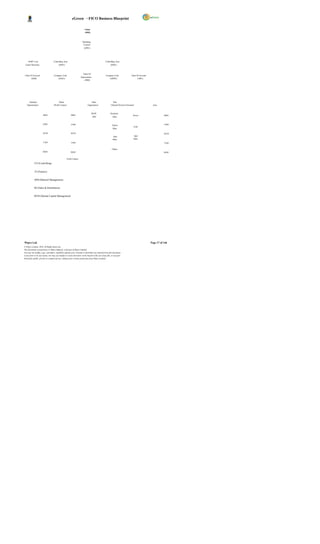
                                                 Enterprise Structure for DGPC


Wipro Ltd.                                                                                                              Page 16 of 146
© Wipro Limited, 2010, All Rights Reserved.
This document is proprietary to Wipro Infotech, a division of Wipro Limited.
You may not modify, copy, reproduce, republish, upload, post, transmit or distribute any material from this document,
in any form or by any means, nor may you modify or create derivative works based on the text of any file, or any part
thereof for public, private or commercial use, without prior written permission from Wipro Limited.
eGreen – FICO Business Blueprint

                                                                            Client
                                                                            (DHI)


                                                                         Operating
                                                                          Concern
                                                                           (OP01)


     DGPC Cost                     Controlling Area                                               Controlling Area
 Center Hierarchy                         (DP01)                                                        (DS01)


                                                                          Chart Of
 Chart Of Account                   Company Code                                                  Company Code                 Chart Of Account
                                                                        Depreciation
        (3000)                          (DG01)                                                       (DSWF)                           (3001)
                                                                           (3000)


     Purchase                              Plants                                  Sales                  Dstr.
   Organizations                    (Profit Centers)                           Organisation             Channel Division Personnel                 Area


                                                                                     DGPC               Domestic
                       BS01                                 BS01                                                                Power                        BS01
                                                                                       2001               Sales


                      CH01                                  CH01                                          Export                                             CH01
                                                                                                                                 COE
                                                                                                          Sales

                       KU01                                 KU01                                                                                             KU01
                                                                                                           Spot                   Spot
                                                                                                          Sales                  Sales
                       TA01                                 TA01                                                                                             TA01

                                                                                                          Others
                      DG01                                 DG01                                                                                              DG01


                                                       Profit Centers

            CO (Controlling)


            FI (Finance)


            MM (Material Management)


            SD (Sales & Distribution)


            HCM (Human Capital Management)


Wipro Ltd.                                                                                                                                        Page 17 of 146
© Wipro Limited, 2010, All Rights Reserved.
This document is proprietary to Wipro Infotech, a division of Wipro Limited.
You may not modify, copy, reproduce, republish, upload, post, transmit or distribute any material from this document,
in any form or by any means, nor may you modify or create derivative works based on the text of any file, or any part
thereof for public, private or commercial use, without prior written permission from Wipro Limited.
eGreen – FICO Business Blueprint


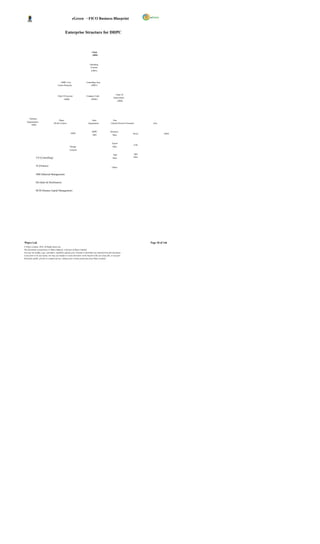
                                                  Enterprise Structure for DHPC


                                                                                 Client
                                                                                 (DHI)


                                                                               Operating
                                                                               Concern
                                                                                 (OP01)


                                           DHPC Cost                       Controlling Area
                                        Center Hierarchy                        (DP01)


                                                                                                              Chart Of
                                        Chart Of Account                   Company Code
                                                                                                            Depreciation
                                                (3000)                           (DH01)
                                                                                                                  (3000)


      Purchase
                                           Plants                                Sales                    Dstr.
   Organizations
                                    (Profit Centers)                         Organisation               Channel Division Personnel         Area
       DH01


                                                                                 DHPC                   Domestic
                                                          DH01                                                                  Power               DH01
                                                                                  2002                    Sales


                                                                                                          Export
                                                                                                                                 COE
                                                         Storage                                          Sales
                                                         Location

                                                                                                           Spot                   Spot
              CO (Controlling)                                                                            Sales                  Sales


              FI (Finance)
                                                                                                          Others


              MM (Material Management)


              SD (Sales & Distribution)


              HCM (Human Capital Management)


Wipro Ltd.                                                                                                                               Page 18 of 146
© Wipro Limited, 2010, All Rights Reserved.
This document is proprietary to Wipro Infotech, a division of Wipro Limited.
You may not modify, copy, reproduce, republish, upload, post, transmit or distribute any material from this document,
in any form or by any means, nor may you modify or create derivative works based on the text of any file, or any part
thereof for public, private or commercial use, without prior written permission from Wipro Limited.
eGreen – FICO Business Blueprint


2.1 Client

Client is the highest level in the SAP hierarchy.

         Specifications or data which will be valid for all organizational units in all SAP applications are

              entered at the client level, eliminating the need to enter this information more than once (e.g.

              exchange rates).

         Each client is a self-contained unit which has separate master records and a complete set of

              tables and data.

         A client key is used automatically in all master records in background, which ensures that

              they are stored per client.

         Users must enter a client k ey and have a user master record in the client in order to log on to

              the system.

The Enterprise Structure in SAP Finance module consists of the following entities under Client:


         Company

         Company Code

         Chart of Accounts

         Chart of Depreciation


There will be one Client (DHI1) for DHI and DGPC.


2.2 Company

A Company represents a group of entities (one or more Company codes) in SAP. This entity is used
for consolidation of accounts of multiple entities (Company Codes). All company codes within a
company can use the same operational Chart of Accounts and the same Fiscal Year breakdown.
However, the company code currencies can be different.


2.3 Company Code

A Company Code represents an independent legal accounting entity in SAP. Balance Sheets and
Profit/Loss statements required will be created at the Company Code level. In other words, a
company code is an organizational unit for which a complete self-contained set of accounts can be
drawn up for external reporting purpose. The process of external reporting involves recording all
relevant transactions and generating all supporting documents required for financial statements.


Wipro Ltd.                                                                                                              Page 19 of 146
© Wipro Limited, 2010, All Rights Reserved.
This document is proprietary to Wipro Infotech, a division of Wipro Limited.
You may not modify, copy, reproduce, republish, upload, post, transmit or distribute any material from this document,
in any form or by any means, nor may you modify or create derivative works based on the text of any file, or any part
thereof for public, private or commercial use, without prior written permission from Wipro Limited.
eGreen – FICO Business Blueprint


 Company Code Company Code Description
DG01 Druk Green Power Corporation Limited ( DGPC)

DH01 Dagachhu Hydropower Corporation Limited (DHPC)

DSWF DGPC Staff Welfare Fund(DSWF)


2.4 Chart of Accounts (COA)

A Chart of Accounts is a classification consisting of a group of General Ledger (G/L) accounts under a
Client.

         It provides a framework for the recording of values, in order to ensure an orderly rendering of

              accounting data.

         The chart of accounts contains the definitions of all G/L accounts in an ordered form.

         The definitions consist mainly of the account number, account name, and the type of G/L

              account, that is, whether the account is a P&L type account or a BS type ac count.

         One or more Chart of Accounts can be created for the same Client

         A Chart of Accounts can be used by one or more Company Codes.

The following COA will be maintained at company code level.

  Chart of Accounts Company Code Description
  3000 DGPC Chart Of Accounts
  3000 DHPC Chart Of Accounts

  3001 DSWF Chart Of Accounts


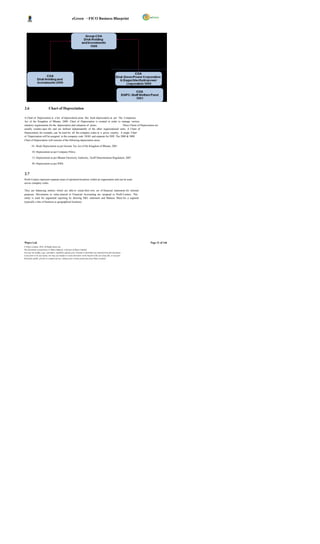
2.5 Group Chart of Accounts (GCOA)
The group Chart of Accounts contains the G/L accounts that are used by the entire corporate group.
This allows the company to provide reports for the entire corporate group.
There would be one group COA at DHI (Client Level) and all other COA would be mapped to group
COA for the purpose of consolidation.

One group Chart of Accounts can be assigned to different charts of accounts as shown below:


Wipro Ltd.                                                                                                              Page 20 of 146
© Wipro Limited, 2010, All Rights Reserved.
This document is proprietary to Wipro Infotech, a division of Wipro Limited.
You may not modify, copy, reproduce, republish, upload, post, transmit or distribute any material from this document,
in any form or by any means, nor may you modify or create derivative works based on the text of any file, or any part
thereof for public, private or commercial use, without prior written permission from Wipro Limited.
eGreen – FICO Business Blueprint


2.6                          Chart of Depreciation

A Chart of Depreciation is a list of depreciation areas like book depreciation as per The Companies
Act of the Kingdom of Bhutan, 2000. Chart of Depreciation is created in order to manage various
statutory requirements for the depreciation and valuation of assets.                     These Charts of Depreciation are
usually country-spec ific and are defined independently of the other organizational units. A Chart of
Depreciation, for example, can be used for all the company codes in a given country. A single Chart
of Depreciation will be assigned to the company code DG01 and separate for DHI. The 2000 & 3000
Chart of Depreciation will consists of the following depreciation areas:

         01- Book Depreciation as per Income Tax Act of the Kingdom of Bhutan, 2001.

         10- Depreciation as per Company Policy.

         15- Depreciation as per Bhutan Electricity Authority, Tariff Determination Regulation, 2007.

         20- Depreciation as per IFRS.


2.7
Profit Centers represent separate areas of operation/locations within an organization and can be used
across company codes.

They are balancing entities which are able to create their own set of financial statements for internal
purposes. Movements in value entered in Financial Accounting are assigned to Profit Centers. This
entity is used for segmental reporting by drawing P&L statement and Balance Sheet for a segment
(typically a line of business or geographical location).


Wipro Ltd.                                                                                                              Page 21 of 146
© Wipro Limited, 2010, All Rights Reserved.
This document is proprietary to Wipro Infotech, a division of Wipro Limited.
You may not modify, copy, reproduce, republish, upload, post, transmit or distribute any material from this document,
in any form or by any means, nor may you modify or create derivative works based on the text of any file, or any part
thereof for public, private or commercial use, without prior written permission from Wipro Limited.
eGreen – FICO Business Blueprint


Following are the Profit Centers for DGPC,

 Profit Center Description
BS01 Basochhu Hydropower Plant

CH01 Chhukha Hydropower Plant
KU01 Kurichhu Hydropower Plant

TA01 Tala Hydropower Plant

DG01 Corporate Office


2.8 Controlling Area

The controlling area is the business unit where cost accounting is carried out. Controlling Area
delimits the company s managerial accounting operations. Organization structure is replicated in the
controlling system. The company code and cont rolling area uses identical chart of accounts, currency
& business area. Cost centers, internal orders, profit centers are used to classify the controlling area.
All inter organizational allocations refers to objects within the same controlling area.

DGPC will have DP01 as its Controlling Area.
DSWF will have DS01 as its Controlling Area.


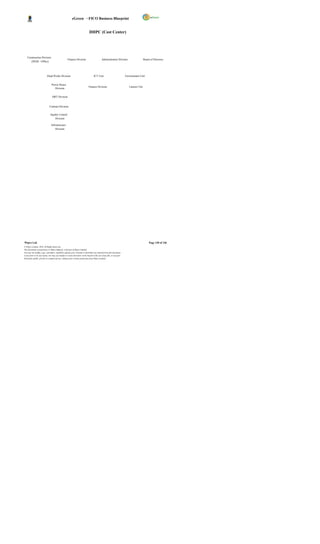
2.9 Cost Centers

Cost Center in SAP is an organizational unit within a company that is used to track where costs
occurred within the organization (i.e., as a cost collector).In other words, Cost Centers are
respons ibility areas for costs within the organization. Cost Centers are logical units or functional areas
or locations of a company.

Before cost center is created, a hierarchical s tructure (called Standard Hierarchy) is set up and
assigned to the controlling area. Once created, it cannot be deleted or changed in Controlling Area.

The Cost Center is the lowest node of the hierarchical structure.

A standard hierarchy (DGPC) is to be assigned to the controlling area DP01 and cost centers
are created considering the company’s overall operational structure.


Wipro Ltd.                                                                                                              Page 22 of 146
© Wipro Limited, 2010, All Rights Reserved.
This document is proprietary to Wipro Infotech, a division of Wipro Limited.
You may not modify, copy, reproduce, republish, upload, post, transmit or distribute any material from this document,
in any form or by any means, nor may you modify or create derivative works based on the text of any file, or any part
thereof for public, private or commercial use, without prior written permission from Wipro Limited.
eGreen – FICO Business Blueprint


3 MASTER DATA

3.1 General Ledger Master

The General Ledger master data contains data that control General Ledger postings.
General Ledger master contains;


GL Naming Conventions
GL Number Ranges
Types of Accounts
Description and
Control Data


3.1.1 General Ledger Naming Convention
In DGPC, the naming convention of GL Accounts is done in such a way that the user can identify
whether the GL A/c is Asset or Liability or Income etc . as shown below:

       1.   1000000000       :   Asset
       2.   2000000000       :   Liabilities
       3.   3000000000       :                   Owners’ Equity
       4.   4000000000       :   Income
       5.   5000000000       :   Expenses
       6.   6000000000       :   Clearing Accounts
       7.   9000000000       :   Initial Uploads

Transactions will be processed in the FI module using G/L acc ounts grouped under Chart of
Accounts. Groups of accounts are as under;

 S. No General Ledger Groups Number Range
 1 Assets: From To
Cash                                                                                                        1010110010              1010119999
Bank of Bhutan 1010120010 1010129999

Bhutan National Bank 1010130010 1010139999
Central Bank Of India 1010140010 1010149999
Druk Punjab National Bank 1010150010 1010159999
Tashi Bank 1010160010 1010169999
Short Term Investment 1010210001 1010229999
Inventories 1010300001 1010309999
Sundry Debtors 1010410001 1010429999
Prepaid Expenses, Deposit & Accrued Interest 1010510001 1010549999
Advances 1010610001 1010629999
Long Term Investments 1020110001 1020129999
Equity Investments 1020200001 1020209999
Land                                                                                                        1030100001 1030109999
Civil Structures 1030200001 1030299999


Wipro Ltd.                                                                                                                             Page 23 of 146
© Wipro Limited, 2010, All Rights Reserved.
This document is proprietary to Wipro Infotech, a division of Wipro Limited.
You may not modify, copy, reproduce, republish, upload, post, transmit or distribute any material from this document,
in any form or by any means, nor may you modify or create derivative works based on the text of any file, or any part
thereof for public, private or commercial use, without prior written permission from Wipro Limited.
eGreen – FICO Business Blueprint

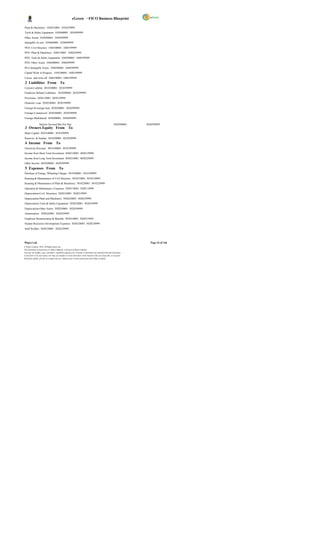
Plant & Machinery 1030310001 1030329999
Tools & Safety Equipment 1030400001 1030499999
Other Assets 1030500001 1030599999
Intangible As sets 1030600001 1030699999
PFD- Civil Structure 1040100001 1040199999
PFD- Plant & Machinery 1040210001 1040229999
PFD- Tools & Safety Equipment 1040300001 1040399999
PFD- Other Assets 1040400001 1040499999
PFA-Intangible Assets 1040500001 1040599999
Capital Work in Progress 1050100001 1050199999
Losses and write off 1060100001 1060199999
 2 Liabilities From To
Current Liability 2010100001 2010199999
Employee Related Liabilities 2010200001 2010299999
Provisions 2020110001 2020129999
Domestic Loan 2030100001 2030199999
Foreign Sovereign loan 2030200001 2030299999
Foreign-Commercial 2030300001 2030399999
Foreign-Multilateral 2030400001 2030499999

                  Interest Accrued But Not Due                                                              2030500001   2030599999
 3 Owners Equity From To
Share Capital 3010100001 3010199999
Reserves & Surplus 3010200001 3010299999
 4 Income From To
Electricity Revenue 4010100001 4010199999
Income from Short Term Investment 4020110001 4020129999
Income from Long Term Investment 4020210001 4020229999
Other Income 4020300001 4020399999
 5 Expenses From To
Purchase of Energy, Wheeling Charges 5010100001 5010199999
Running & Maintenance of Civil Structure 5010210001 5010219999
Running & Maintenance of Plant & Machinery 5010220001 5010229999
Operation & Maintenanc e Expenses 5020110001 5020119999
Depreciation-Civil Structures 5020210001 5020219999
Depreciation-Plant and Machinery 5020220001 5020239999
Depreciation-Tools & Safety Equipment 5030230001 5030239999
Depreciation-Other Assets 5020240001 5020249999
Amortization 5020250001 5020259999
Employee Remuneration & Benefits 5020310001 5020319999
Human Recourses Development Expenses 5020320001 5020329999
Staff Welfare 5020330001 5020339999


Wipro Ltd.                                                                                                                  Page 24 of 146
© Wipro Limited, 2010, All Rights Reserved.
This document is proprietary to Wipro Infotech, a division of Wipro Limited.
You may not modify, copy, reproduce, republish, upload, post, transmit or distribute any material from this document,
in any form or by any means, nor may you modify or create derivative works based on the text of any file, or any part
thereof for public, private or commercial use, without prior written permission from Wipro Limited.
eGreen – FICO Business Blueprint

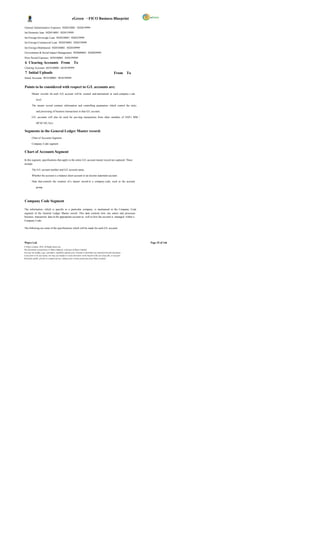
General Administrative Expenses 5020410001 5020419999
Int-Domestic loan 5020510001 5020519999
Int-Foreign-Sovereign Loan 5020520001 5020529999
Int-Foreign-Commercial Loan 5020530001 5020539999
Int-Foreign-Multilateral 5020540001 5020549999
Environment & Social Impact Management 5020600001 5020699999
Prior Period Expenses 5030100001 5030199999
 6 Clearing Accounts From To
Clearing Accounts 6010100001 6010199999
 7 Initial Uploads                                                                                          From To
Initial Accounts 9010100001 9010199999


Points to be considered with respect to G/L accounts are:
         Master records for each G/L account will be created and maintained at each company c ode

              level.

         The master record contains information and controlling parameters which control the entry

              and processing of business transactions in that G/L account.

         G/L accounts will also be used for pos ting transactions from other modules of SAP.( MM /

              HCM/ SD, Etc)


Segments in the General Ledger Master record:
         Chart of Accounts Segment

         Company Code segment


Chart of Accounts Segment

In this segment, specifications that apply to the entire G/L account master record are captured. These
include:

         The G/L account number and G/L account name.

         Whether the account is a balance sheet account or an income statement account .

         Data that controls the creation of a master record in a company code, such as the account

              group.


Company Code Segment

The information, which is specific to a particular company, is maintained in the Company Code
segment of the General Ledger Master record. This data controls how one enters and processes
business transaction data in the appropriate account as well as how the account is managed within a
Company Code.

The following are some of the specifications which will be made for each G/L account:


Wipro Ltd.                                                                                                              Page 25 of 146
© Wipro Limited, 2010, All Rights Reserved.
This document is proprietary to Wipro Infotech, a division of Wipro Limited.
You may not modify, copy, reproduce, republish, upload, post, transmit or distribute any material from this document,
in any form or by any means, nor may you modify or create derivative works based on the text of any file, or any part
thereof for public, private or commercial use, without prior written permission from Wipro Limited.
eGreen – FICO Business Blueprint

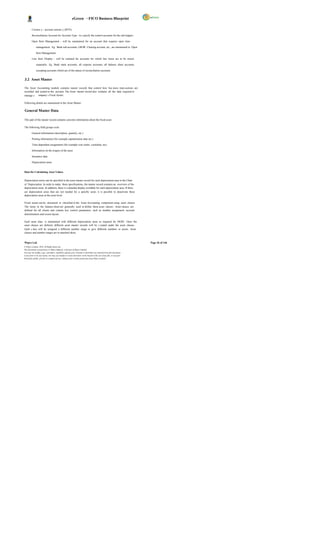
         Currenc y - account currenc y (BTN)

         Reconciliation Account for Account Type - to s pecify the control accounts for the sub ledgers .

         Open Item Management - will be maintained for an account that requires open item

              management. Eg. Bank sub-accounts, GR/IR Clearing account, etc., are maintained in Open
              Item Management.
         Line Item Display - will be retained for accounts for which line items are to be stored

              separately. Eg. Bank main accounts, all expense accounts, all balance sheet accounts,

              excepting accounts which are of the nature of reconciliation accounts.


3.2 Asset Master

The Asset Accounting module contains master records that control how bus iness trans actions are
recorded and posted to the account. The Asset master record also contains all the data required to
manage c ompany s Fixed Assets.

Following details are maintained in the Asset Master:

General Master Data

This part of the master record contains concrete information about the fixed asset.

The following field groups exist:

         General information (description, quantity, etc.)

         Posting information (for example capitalization date etc.)

         Time-dependent assignments (for example cost center, custodian, etc)

         Information on the origins of the asset

         Insurance data

         Depreciation areas


Data for Calculating Asset Values


Depreciation terms can be specified in the asset master record for each depreciation area in the Chart
of Depreciation. In order to make these specifications, the master record contains an overview of the
depreciation areas. In addition, there is a detailed display available for each depreciation area. If there
are depreciation areas that are not needed for a specific asset, it is possible to deactivate these
depreciation areas at the asset level.

Fixed assets can be structured or classified in the Asset Accounting component using asset classes.
The items in the balance sheet are generally used to define these asset classes. Asset classes are
defined for all clients and contain key control parameters, such as number assignment, account
determination and screen layout.

Each asset class is maintained with different depreciation areas as required for DGPC. Once the
asset classes are defined, different asset master records will be c reated under the asset classes.
Each c lass will be assigned a different number range to give different numbers to assets. Asset
classes and number ranges are in attached sheet;


Wipro Ltd.                                                                                                              Page 26 of 146
© Wipro Limited, 2010, All Rights Reserved.
This document is proprietary to Wipro Infotech, a division of Wipro Limited.
You may not modify, copy, reproduce, republish, upload, post, transmit or distribute any material from this document,
in any form or by any means, nor may you modify or create derivative works based on the text of any file, or any part
thereof for public, private or commercial use, without prior written permission from Wipro Limited.
eGreen – FICO Business Blueprint


    A sset Class.xls


3.3 Vendor Master

The AP component contains Vendor master records that control how business transactions are
recorded and posted to the account. Creation and maintenance of Vendor Mas ter for material
suppliers and other type of vendor is documented in MM module. Master data for service vendors will
be created on similar lines. Specifications as made in master records are used:

         As default values when the items are posted to account. For example, the terms of payment

              as specified in the master record are defaulted for document entry.

         For processing business transactions for instance, bank details and the payment methods

              (cheque or bank transfer, for example) are required for automatic payments.

              For work ing with master records, certain users can be prevented from accessing an account

              by setting up authorization groups.

In addition,        line item display              and     open item management                         are defined automatically for each vendor
account.

In DGPC, it is proposed to create separate Vendor accounts for employees. Separate special GL
indic ators will be created to track EMD, Security Deposit from vendors.

Vendor Reconciliation Account

Vendor Reconciliation account is the G/L account for a group of vendors in FI-AP module. The
number of Vendor Reconciliation accounts will depend on the grouping of the vendor in FI.

When posting items to a subsidiary ledger, the system automatically posts the same data to the
general ledger. These reconciliation accounts ensure that the difference balance of G/L accounts and
subsidiary ledger is always equal. This means that balance sheets can be drawn up at any time
without having to trans fer totals from the sub ledgers to the general ledger. A reconciliation account
should be specified in every vendor master record.

TDS Codes

TDS tax codes will be assigned to the individual vendors, wherever applicable, for processing
invoices/payment and relevant tax deductions. Withholding tax codes will be maintained for different
rates of TDS. Multiple tax details can also be assigned to a Vendor. Relevant tax code will be
selected at the time of posting of the individual line item.


3.4 Customer Master

All business transactions are posted to and managed by means of accounts. Master record is to be
created for required accounts. The master record contains data that controls how business
transactions are entered in the account and how posting data is processed. In the master record, all
the data that is needed for conducting busines s with the customer can be maintained.


Wipro Ltd.                                                                                                                                  Page 27 of 146
© Wipro Limited, 2010, All Rights Reserved.
This document is proprietary to Wipro Infotech, a division of Wipro Limited.
You may not modify, copy, reproduce, republish, upload, post, transmit or distribute any material from this document,
in any form or by any means, nor may you modify or create derivative works based on the text of any file, or any part
thereof for public, private or commercial use, without prior written permission from Wipro Limited.
eGreen – FICO Business Blueprint

Customer master records are used by both the Financial Accounting Department (accounts receivable
processing) and the Sales & Distribution                              .

Customer Reconciliation Account

Customer Reconciliation account is the G/L account for a group of customers in FI-AR module. The
number of Customer Reconciliation accounts will depend on the grouping of the customers in FI.

Customer Payment Terms

Terms of payment are conditions established between business partners to settle the payment of
invoices. The conditions define the invoice payment due date and the cash discount offered for early
settlement of the invoice. Within SAP, some common payment terms have been predefined; new
payment terms may be created as required. Payment terms enable the system to calculate a cash
discount and invoice due date.

In order to perform this calculation, the system needs the following three data elements i.e., Baseline
date, cash discount period and cash discount percentage rate. When processing a document, the
payment term is entered in order for the system to calculate the required conditions of payment. The
payment term will be defaulted if it has been assigned on the master record, or can be entered or
changed by the user during transaction processing.

Payment terms                 0001 (Immediate payment) will be defined in SAP and assigned to individual
customers.

Customer Vendor Cross Clearing Transactions

If a customer who is also a vendor, at the time of processing a clearing transaction, such as an
incoming/outgoing payment or account maintenance, the system also selects the open vendor items
automatically, provided that the vendor number is entered in the customer master record and the
Clearing with Vendor indicator has been set. The same rule applies for a vendor that is also a
customer during a clearing transaction.


3.5 Bank Master

The information about a bank that is required to conduct business transactions is mentioned in Bank
Master. This information is stored centrally in the SAP System.

The house bank and account ID are in attached sheet:


   Bank Master.xlsx


For each house bank, several bank accounts can be maintained. The bank accounts will have a G/L
account attached to it and the currency of payment. For each bank , there are three different G/L
accounts;

XXXXXXXX0                   – Main A/C
XXXXXXXX1                   – Incoming A/C
XXXXXXXX2                   – Outgoing A/C


Wipro Ltd.                                                                                                              Page 28 of 146
© Wipro Limited, 2010, All Rights Reserved.
This document is proprietary to Wipro Infotech, a division of Wipro Limited.
You may not modify, copy, reproduce, republish, upload, post, transmit or distribute any material from this document,
in any form or by any means, nor may you modify or create derivative works based on the text of any file, or any part
thereof for public, private or commercial use, without prior written permission from Wipro Limited.
eGreen – FICO Business Blueprint


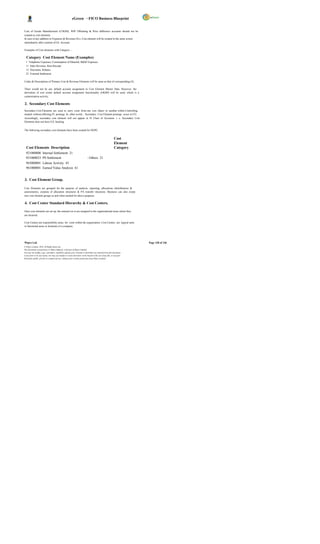
3.6 Cost Elements

A cost element is an item in a chart of accounts, which is used within controlling area to record the
value-assigned consumption of production fac tors.

Cost elements are of two types: The Primary Cost Element and Secondary Cost Element.

Primary Cost or Revenue element must have a corresponding GL account in Financial Accounting.

Business will create the primary cost elements at the time of creating the G/L account with the
appropriate cost element category (i.e Primary Cost (1), Revenue (11), Sales Deduction (12) etc.)

Secondary c ost element exists only in CO and is used to allocate costs within CO. Secondary cost
elements are strictly for internal controlling postings like assessments and settlements.


4 BUSINESS PROCESSES

4.1 Configuration Settings

The purpose of this chapter is to document the global configuration settings in Financial Accounting
for the DGPC business. These settings control the transaction entry and the dependant controls in
SAP across all the modules.

Parameter Settings

Posting of transactions in SAP require the following settings:

         Currenc y

         Fiscal Year in which the transaction is to be posted

         Fiscal year variant for determining the posting periods

         Document Types

         Document Numbering

         Document Pos ting Keys (debit/credit)

         Posting Period Variant to determine the open and c lose periods

         Tax Deducted at Source (Extended Withholding Tax )


4.1.1 Currency

For each Company Code, a currency must be specified. Accounts are managed in the Company
Code currenc y. All other currencies are indicated as foreign currency. The system converts the
amounts posted in a foreign currency into the Company Code (Local) currency. The currency defined
in the Company Code is k nown as the local currency within SAP.


Wipro Ltd.                                                                                                              Page 29 of 146
© Wipro Limited, 2010, All Rights Reserved.
This document is proprietary to Wipro Infotech, a division of Wipro Limited.
You may not modify, copy, reproduce, republish, upload, post, transmit or distribute any material from this document,
in any form or by any means, nor may you modify or create derivative works based on the text of any file, or any part
thereof for public, private or commercial use, without prior written permission from Wipro Limited.
eGreen – FICO Business Blueprint

DGPC will use Bhutan Ngultrum i.e. BTN as Local Currency.
Controlling area currency will be BTN & Group currency will also be BTN.


4.1.2 Fiscal Year and Fiscal Year Variant

To separate business transactions into different periods, a fiscal year with posting periods has to be
defined.

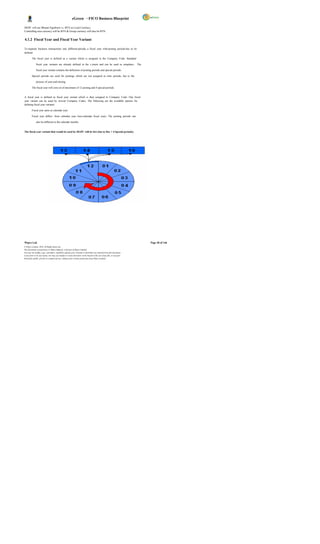
         The fiscal year is defined as a variant which is assigned to the Company Code. Standard

              fiscal year variants are already defined in the s ystem and can be used as templates. The

              fiscal year variant contains the definition of posting periods and special periods.

         Special periods are used for postings which are not assigned to time periods, but to the

              process of year-end closing.

         The fiscal year will cons ist of maximum of 12 posting and 4 special periods.


A fiscal year is defined as fiscal year variant which is then assigned to Company Code. One fiscal
year variant can be used by several Company Codes. The following are the available options for
defining fiscal year variants:

         Fiscal year same as calendar year.

         Fiscal year differs from calendar year (non-calendar fiscal year). The posting periods can

              also be different to the calendar months.


The fiscal year variant that would be used by DGPC will be K4 (Jan to Dec + 4 Special periods).


Wipro Ltd.                                                                                                              Page 30 of 146
© Wipro Limited, 2010, All Rights Reserved.
This document is proprietary to Wipro Infotech, a division of Wipro Limited.
You may not modify, copy, reproduce, republish, upload, post, transmit or distribute any material from this document,
in any form or by any means, nor may you modify or create derivative works based on the text of any file, or any part
thereof for public, private or commercial use, without prior written permission from Wipro Limited.
eGreen – FICO Business Blueprint

4.1.3 Document Type

         The document type controls the document header and is used to differentiate the business

              transactions to be posted, e.g. Customer invoice, Vendor payments, etc.

         Document types are required in SAP to create and post financial documents (e.g. Bank

              Payment Voucher, Receipt Voucher etc.).

         Document types are defined at the client level and are therefore valid for all company codes.

         The standard system is delivered with document types which can be used, changed, or

              copied.

         SAP has the standard Document Types, which will be adopted by DGPC.

         The document number range defines the allowable range in which a document number must

              be positioned and cannot overlap.

         The document number range has to be defined for the year in which it is used.

              The system stores the last used document number from the number range in the field “current

              number” and takes the subsequent number for the next document


The following document types will be used:


                                                                             No.
  Document                      Document                                     Range              Number                  Number
  Type                          Description                                  Object             Range(From)             Range(To)
  SA G/L Account Document 1 100000000 199999999
  SB G/L Account Posting 2 200000000 299999999


Wipro Ltd.                                                                                                                          Page 31 of 146
© Wipro Limited, 2010, All Rights Reserved.
This document is proprietary to Wipro Infotech, a division of Wipro Limited.
You may not modify, copy, reproduce, republish, upload, post, transmit or distribute any material from this document,
in any form or by any means, nor may you modify or create derivative works based on the text of any file, or any part
thereof for public, private or commercial use, without prior written permission from Wipro Limited.
eGreen – FICO Business Blueprint

  SK Cash Document 3 300000000 399999999
  AB Accounting Document 4 400000000 499999999
  AA Asset Posting 5 500000000 599999999
  AF Depreciation Posting 6 600000000 699999999
  AN Net Asset Posting 7 700000000 799999999
  CC Cross Company Code 8 800000000 899999999
  IU Initial Uploads 9 900000000 999999999
  DA Customer Document 10 1000000000 1099999999
  DR Customer Invoice 11 1100000000 1199999999
  DG Customer Credit Memo 12 1200000000 1299999999
  WN Net Goods Receipt 13 1300000000 1399999999
  DZ Customer Payment 14 1400000000 1499999999
  PR Price Change 15 1500000000 1599999999
  RB Reserve for Bad Debt 16 1600000000 1699999999
  TR Travel Posting 17 1700000000 1799999999
  ZR Bank Reconciliation 18 1800000000 1899999999
  WL Goods Issue/Delivery 19 1900000000 1999999999
  KA Vendor Document 20 2000000000 2099999999
  RE Invoice - Gross 21 2100000000 2199999999
  KR Vendor Invoice 22 2200000000 2299999999
  KZ Vendor Payment 23 2300000000 2399999999
  KG Vendor Credit Memo 24 2400000000 2499999999
  WA Goods Issue 25 2500000000 2599999999
  WE Goods Receipt 26 2600000000 2699999999
  WI Inventory Document 27 2700000000 2799999999
  IZ Imprest Advance 28 2800000000 2899999999
  KN Net Vendors 29 2900000000 2999999999
  EG EMD For Goods 30 3000000000 3099999999
  ES EMD For Services 31 3100000000 3199999999
  EW EMD For Works 32 3200000000 3299999999
  GG Guar Adv Paymt Goods 33 3300000000 3399999999
  GS Guar Adv Paymt Servc 34 3400000000 3499999999
  GW Guar Adv Paymt Works 35 3500000000 3599999999
  PG Per.Guaran for Goods 36 3600000000 3699999999
  PS Per.Guar for Service 37 3700000000 3799999999
  PW Per.Guaran for Works 38 3800000000 3899999999
  PY Payroll Document 40 4000000000 4099999999
  CH Contract Settlement 41 4100000000 4199999999
  EU Euro Rounding Diff. 42 4200000000 4299999999
  EX External Number 43 4300000000 4399999999
  KP Account Maintenance 44 4400000000 4499999999


Wipro Ltd.                                                                                                              Page 32 of 146
© Wipro Limited, 2010, All Rights Reserved.
This document is proprietary to Wipro Infotech, a division of Wipro Limited.
You may not modify, copy, reproduce, republish, upload, post, transmit or distribute any material from this document,
in any form or by any means, nor may you modify or create derivative works based on the text of any file, or any part
thereof for public, private or commercial use, without prior written permission from Wipro Limited.
eGreen – FICO Business Blueprint

  ML ML Settlement 45 4500000000 4599999999
  RA Sub.Cred.Memo Stlmt 46 4600000000 4699999999
  RN Invoice - Net 47 4700000000 4799999999
  UE Data Transfer 48 4800000000 4899999999
  ZC Cash Journal 49 4900000000 4999999999
  ZH Payment By Cheque 50 5000000000 5099999999
  ZP Payment Posting 51 5100000000 5199999999
  SU Adjustment Document 52 5200000000 5299999999
  ZS Project Settlements 53 5300000000 5399999999


4.1.4 Posting Key

            Posting Key controls Debit or Credit account indicator for each line item.

            The posting key also describes the type of transaction that is entered in a line item and

                  allowable account type, which will be entered for the respective line item.

            SAP provides certain predefined posting keys. These predefined posting keys will be used

                  wherever applicable. For every posting key, properties control the entry of the line item.

            For each Posting Key, a reversal-posting k ey may be defined. The reversal-posting key is

                  used to reverse a document posted in Financial Accounting.


Wipro Ltd.                                                                                                              Page 33 of 146
© Wipro Limited, 2010, All Rights Reserved.
This document is proprietary to Wipro Infotech, a division of Wipro Limited.
You may not modify, copy, reproduce, republish, upload, post, transmit or distribute any material from this document,
in any form or by any means, nor may you modify or create derivative works based on the text of any file, or any part
thereof for public, private or commercial use, without prior written permission from Wipro Limited.
eGreen – FICO Business Blueprint

Some of the Posting Keys are:

Posting keys Transaction Debit/Credit Account                                                                                      Reversal
                                                                                                                        Types
01 Invoice Dr D 12
02 Reverse Credit Memo Dr D 11
09 Special G/L Debit Dr D 19
11 Credit Memo Cr D 02
19 Special G/L Credit Cr D 09
21 Credit Memos Dr K 32
29 Special G/L Debit Dr K 39
31 Invoice Cr K 22
32 Reverse Credit Memo Cr K 21
39 Special G/L Credit Cr K 29
40 Debit Entry Dr S 50
50 Credit Entry Cr S 40
70 Assets Debit Dr A 75
75 Assets Credit CR A 70
Standard Account Types in SAP are as follows:

                  S-General Ledger

                  A-Assets

                  K-Vendors

                  D- Customers

                  M- Materials

DGPC will use the Standard Posting Keys and the Account Types wherever applicable.


4.1.5 Extended Withholding Tax

As SAP standard system allows defining two different tax types in withholding tax namely invoice
posting and payment posting, the DGPC requirement can be achieved with SAP standard
functionality. The tax collected will be deposited in a separate GL accounts through automatic
assignment, so at the time of pos ting, automatically tax account will be updated. All the withholding
settings can be done by using SAP standard system so that the requisite forms will be automatically
updated and available for printing.


For Company Code                     DG01, following sections of Income tax Act, 2001 will be covered in Extended
Withholding Tax of SAP:
 Section Description
18 TDS deducted on Domestic Contractors/Suppliers
18 TDS deducted on Non Domestic Contractors/Suppliers
12 TDS on employees are bas ed on slabs
12 TDS on House Rent
13 TDS on Div idend

The following diagram explains the flow of TDS (Deduction, Remittance and Certificate Printing)


Wipro Ltd.                                                                                                                      Page 34 of 146
© Wipro Limited, 2010, All Rights Reserved.
This document is proprietary to Wipro Infotech, a division of Wipro Limited.
You may not modify, copy, reproduce, republish, upload, post, transmit or distribute any material from this document,
in any form or by any means, nor may you modify or create derivative works based on the text of any file, or any part
thereof for public, private or commercial use, without prior written permission from Wipro Limited.
eGreen – FICO Business Blueprint


4.2 General Ledger Postings

The General Ledger forms the back bone of all the financial systems. General ledger is the main
accounting record of a business which uses double-entry bookkeeping. It captures all business
transactions in FI and through integration with other operational areas of the company ensures that
accounting data is always complete and accurate.


General ledger is a comprehensive financial management solution that enhances financials controls,
data collec tion, information access and financial reporting. It is the central repository of all the
accounting information of the organization as on date. Most of the transactions will be handled in
respective sub-ledgers (Accounts Payable, Accounts Receivable, Assets) and subsequently
consolidated and posted to General Ledger. However, the module shall provide specific functions of
passing journal entries (Manual, Provisional, Recurring and Reversal Journals) and posting them,
which will be purely rectification and provisional in nature.

Essentially, the general ledger serves as a complete record of all business transactions of DGPC
business. Actual individual transactions can be check ed at any time in real-time proc essing by
displaying the original documents, line items, and transaction figures at various levels.


Features of GL Accounting

            GL Account maintenance

            Open item clearing

            Foreign currency valuation

            Recurring journal entry

            Accrual/ reversal posting

            Balance Sheet & Profit & Loss statements.


Wipro Ltd.                                                                                                              Page 35 of 146
© Wipro Limited, 2010, All Rights Reserved.
This document is proprietary to Wipro Infotech, a division of Wipro Limited.
You may not modify, copy, reproduce, republish, upload, post, transmit or distribute any material from this document,
in any form or by any means, nor may you modify or create derivative works based on the text of any file, or any part
thereof for public, private or commercial use, without prior written permission from Wipro Limited.
eGreen – FICO Business Blueprint

Features of SAP FI New General Ledger                                                   :

       1. Document Splitting

              Each business transaction entered is analyzed during the document splitting procedure. In
              this analysis, the system determines for each line item whether it is an item that will remain
              unchanged or an item that is to be split. In order that document splitting recognizes how the
              indiv idual document items are to be handled, user needs to classify them, by assigning them
              to an item category. The item category is determined by the account number.

              • Revenue account

              • Expense account

              • Bank account/cash account

              • Balance sheet account


For DGPC, document splitting is based on the Profit Centers.


       2. General Ledger Reporting

              The SAP GL Account Information System, based on Drilldown Reporting, provides for a
              dialog-oriented information system. It allows for the evaluation of the dataset, based on all
              characteristics contained in the data description. GL account transaction figures and the
              financial statement versions serve as the primary data source for the General Ledger
              Information System.

              In addition, Financial Statement analysis allows for the comparison of financial statements
              from two time periods, and the determination of the differences in the individual financial
              statement items. The report is based technically on the financial statement version. Financial
              statement analys is can be carried out for the following time periods:

              • Year to year comparisons

              • Half-year comparisons

              • Quarterly comparisons

              • Monthly comparisons

In addition to financial statement analysis, a Balance Display report (Trial Balance) is also provided.
This report facilitates the evaluation of transaction figures.

       3. Parallel Accounting

              In the new General Ledger, one can display the parallel accounting using parallel accounts
              (as in R/3) or using parallel ledgers. Parallel accounting allows performing parallel accounting
              by managing several parallel ledgers for different accounting requirements. The FI standard
              functions and reports are available for all parallel ledgers.

       4. Integration of Statutory and Management Reporting

              In General Ledger Accounting, it is possible to generate internal management reporting in
              parallel with statutory reporting. For this purpose, the Profit Center Accounting functions are


Wipro Ltd.                                                                                                              Page 36 of 146
© Wipro Limited, 2010, All Rights Reserved.
This document is proprietary to Wipro Infotech, a division of Wipro Limited.
You may not modify, copy, reproduce, republish, upload, post, transmit or distribute any material from this document,
in any form or by any means, nor may you modify or create derivative works based on the text of any file, or any part
thereof for public, private or commercial use, without prior written permission from Wipro Limited.
eGreen – FICO Business Blueprint

              integrated with General Ledger Accounting. Furthermore, financial statements can be
              generated for any dimension (such as profit center).

       5. Profit Center wise Balance Sheet ( Plant wise)

              With the help of using the new 'Document Splitting' function (online split), financial statements
              can be created at company code level and profit center / plant level. For each document, the
              system then creates a zero balance for the relevant entity.                      In DGPC, each plant is considered
              as a profit center.

              To facilitate this, Zero balancing acc ounting should be activated (It is a Clearing A/C).

Features of SAP FI General Ledger:

            A number of accounting transactions will be carried out by way of automatic ac count

                  assignments. For example, inventory account is updated and a provision created in GL at

                  the time of raising a GR in Materials Management.
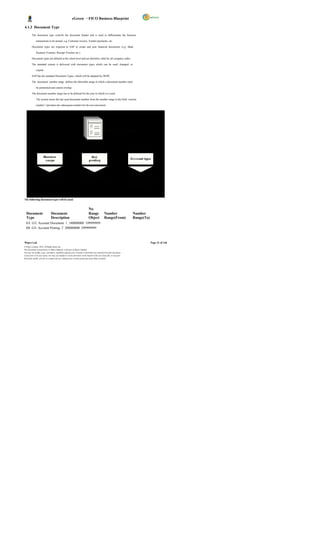
            Automatic and simultaneous posting of all sub-ledger items in the appropriate general

                  ledger accounts (reconciliation accounts).

            Simultaneous updating of general ledger and cost accounting areas.

            Real-time evaluation of and reporting on current acc ounting data, in the form of account

                  displays, financial statements with different financial statement versions and additional

                  analyses.

            Detailed Profit and Loss/Balance Sheet reporting, allowing for review by profit centre, by

                  account, by month, to prior year

            Cash Journal will be used for posting cash transactions. Cash Journal will be maintained at

                  locations wise or plant wise.

            Postings in previous periods in FI can be done to the extent the posting periods are open.

                  However, in MM & SD, postings can only be done for maximum two months that are open.

4.2.1 Master Data

GL account master records contain the data that is always needed by the general ledger to
determine the account's function. The G/L account master records control the posting of accounting
transactions to G/L accounts and the processing of the posting data. Prior to postings to a G/L
account, creation of master record in the system for the account is required.

G/L account master records are divided into two areas so that Company Codes with the same chart of
accounts can use the same G/L accounts.


                  Chart of Accounts Area

              The chart of accounts area contains the data that is valid for all Company Codes, such as the
              account number.


Wipro Ltd.                                                                                                               Page 37 of 146
© Wipro Limited, 2010, All Rights Reserved.
This document is proprietary to Wipro Infotech, a division of Wipro Limited.
You may not modify, copy, reproduce, republish, upload, post, transmit or distribute any material from this document,
in any form or by any means, nor may you modify or create derivative works based on the text of any file, or any part
thereof for public, private or commercial use, without prior written permission from Wipro Limited.
eGreen – FICO Business Blueprint

                  Company Code Specific Area


              The Company Code specific area contains data that may vary from one Company Code to
              another, such as the currency in which the account may be posted.

The following objects play a central role in the creation and management of master records:

            Chart of accounts

            Account group

The account group           is a summary of characteristics that control the creation of master records.
These can be used to determine which fields must or can be filled when creating the master record.
In addition, it can be used to predefine a number interval, from which the numbers for the master
records should be chosen. Acc ounts that require the same master record fields and use the same
number interval are created within the same account group.

The G/L account master record in the Company Code                                     contains company code-specific
information which c ontrols the entry of data to this account and the management of the account.
The account group determines :

            The number interval from which the account number is selected when a G/L account is

                  created.

            The screen layout for creating G/L accounts in the company code-specific area.

While defining an account group, it is also required to determine the number interval in which the
accounts of this group must lie. When creating a G/L account, the system checks whether the number
entered lies in the predefined number interval.

For each account group, a screen layout is determined, that is, it determines which fields are relevant
for this group of G/L accounts.

Account Currency:

When creating a G/L account, the currency must be defined in which the account is to be maintained.
This defines the following:

         The currency used for postings made to this account

         The currency in which transaction figures are updated and the account balance is displayed

Specify the account currency in the company code area of the G/L account master data. This allows
keeping the G/L account in the local currency of each company code.

Note: - DGPC will use Bhutan Ngultrum i.e. BTN as Local Currency.

The system automatically uses the local currency that has been defined when creating the company
code as the default value. This allows posting to the G/L account in any currency. When making a
posting in a foreign currency, the amount is translated into the local currency. The transaction figures
are kept as follows:
                 o In the local currenc y, that is, the total of all the amounts posted in the local currency
                     o In the individual currencies, that is, the total of all the amounts posted in various
                             currencies.


Wipro Ltd.                                                                                                              Page 38 of 146
© Wipro Limited, 2010, All Rights Reserved.
This document is proprietary to Wipro Infotech, a division of Wipro Limited.
You may not modify, copy, reproduce, republish, upload, post, transmit or distribute any material from this document,
in any form or by any means, nor may you modify or create derivative works based on the text of any file, or any part
thereof for public, private or commercial use, without prior written permission from Wipro Limited.
eGreen – FICO Business Blueprint

Balances in Local Currency:

When creating a G/L account in a Company Code, it requires deciding whether the transaction figures
should only be kept in the local currency for this account. This indicator has to be set for                                  clearing
accounts     that will be used to clear line items in various currencies with one local currency amount
and without posting any exchange rate differences that may occur.


Note: - Do not set this indicator for A/P A/R reconciliation accounts.

       i) The indic ator usually set for the following accounts:

                Cash discount clearing accounts

                Clearing acc ounts for goods receipt / invoice receipt

       ii) The indic ator is usually set for the following balance sheet accounts:

                Accounts without open item management in which no foreign currencies are managed.


 Reconciliation Account for Account Type:

This field is used to indicate G/L accounts as being reconciliation accounts. For each                                    sub ledger
account , there should be at least one reconciliation account in the general ledger. When there is
posting to an account in the sub ledger, the system automatically posts to the corresponding
reconciliation account. The reconciliation accounts is defined by specifying in the G/L account master
record the account type (such as fixed assets, vendor or customer) for which the account is to be
used. In this way, the account can only be assigned to accounts in the corresponding sub ledger. It is
required to set the assignment of the sub ledger account to a reconciliation account in the master
record of the sub ledger account. Manual posting is not possible to reconciliation accounts.

Open Item Management:

If “ Open item management" indicator is set in the master record for an account, the line items in this
account is marked as open or c leared. The balance of an account with open item management is
equal to the balance of the open items. General ledger accounts are kept with open item
management if there is need to check whether there is an offsetting posting for a given business
transaction.


Line Item Display:

If the "Line item display" indicator is set in the mas ter record for an account, all line items that have
been posted to this account are displayed if they have not been archived. Line item display is used to
display the document line items from the account. For line item display, the system lists all the line
items for an ac count.

Field Status Group:

This field is to be defined outside the master record. Mark the field status for each field or field group
under a field status group. Then assign the field status group to individual G/L accounts in the G/L
account master records. Field status groups are independent of company code, attaching instead to
the field status variant. A separate variant exists in each company code for field status groups in the
standard system. The name of the variant is identical to the Company Code. Each Company Code is
assigned to the variant with the same name.


Wipro Ltd.                                                                                                              Page 39 of 146
© Wipro Limited, 2010, All Rights Reserved.
This document is proprietary to Wipro Infotech, a division of Wipro Limited.
You may not modify, copy, reproduce, republish, upload, post, transmit or distribute any material from this document,
in any form or by any means, nor may you modify or create derivative works based on the text of any file, or any part
thereof for public, private or commercial use, without prior written permission from Wipro Limited.
eGreen – FICO Business Blueprint

A field may have one of the following statuses:

   Field Status                      Description

  Required entry This field                           requires       an entry when creating a G/L account

  Optional entry One                         may make an entry in this field when creating a G/L account

  Display The field is displayed, but one cannot make an entry in it.
                             You should not use this status, since the fields should be available for entry
                             when creating a G/L acc ount.

  Suppressed The field is not displayed, that is, one does not see the field when creating a
                            G/L account.


Automatic Postings:

When posting documents, the system automatically adds line items to manually entered items as
needed. For example, the tax amount, the cash discount amount, and profits or losses from foreign
currency trans lations (exchange rate differences) can all be calculated and posted automatically by
the system. Accounts that have been decided to which these automatic postings will be made can
only be posted to automatically             . This will prevent any manual postings to such an account.


Tax Category:

In tax accounts, one can specify the type of tax on sales/purchases (input or output tax) that can be
posted to the account. In rare cases, it is useful to assign a certain tax code to an account. Tax code
can be entered in the master record in this case. Only this tax code can be used when posting to this
account. If a G/L account is not tax relevant, no specification is required to be made in this field.


Posting without Tax Allowed:

If this indic ator is selected, no tax code needs to be entered when posting to this account. If a tax
code is entered, it is checked according to the tax category for this account. This indicator is used if
taxable and non-taxable postings are to be entered to an account at the same time. In such a case,
normally own tax code is set up to allow for non-taxable transactions.


4.2.2 Solution in SAP

DGPC needs to prepare independent Financial Statements for the business unit. Apart from this , the
Financial Statements need to be separated at each plant level; each plant is treated as profit center -
which means Financial Statements of each unit will be prepared at profit center level. Apart from the
profit center wise Profit & Loss and Balance Sheet, the financial statement is required to be prepared
as per other statutory requirement. This requirement can be met by the process known as Leading
and Non Leading Ledgers.


Wipro Ltd.                                                                                                              Page 40 of 146
© Wipro Limited, 2010, All Rights Reserved.
This document is proprietary to Wipro Infotech, a division of Wipro Limited.
You may not modify, copy, reproduce, republish, upload, post, transmit or distribute any material from this document,
in any form or by any means, nor may you modify or create derivative works based on the text of any file, or any part
thereof for public, private or commercial use, without prior written permission from Wipro Limited.
eGreen – FICO Business Blueprint

Leading Ledger

The Leading Ledger is bas ed on the main reporting requirement of the company. All the posting to the
Company Code will be automatically posted to leading ledger unless an accounting document is
specifically posted to the ledger group consisting of only non-leading ledger.

In case of DGPC, one Leading Ledger with K4 as Fiscal Year variant and currency BTN is created.

Non-Leading Ledger (Parallel Ledger)

The Non-Leading ledgers are parallel ledgers to the leading ledger. Non-leading ledger is activated
for the other reporting purpose. Any adjustment entries required as per other reporting purposes have
to be made in ledger group which consists of only non-leading ledgers.


      4.2.2.1 GL Posting

Any journal entry can be posted in SAP through transaction code F-02 or FB50. The debit and credit
postings to the GL accounts can be made using the posting keys 40 and 50 respectively. For
transactions involving other types of accounts, relevant posting keys to be used. Manual postings
cannot be done for GL Accounts, which are reconciliation accounts, or which are marked for posting
automatically only.

       o Presently, DGPC is using account group, sub account group concept to post the general
            ledger transactions. In addition to that, other activities like Accruals, Journal entries, Payroll
            accounting, Inventory accounting, Revenue recognition, Inter unit transactions, Bank
            Transactions and Cash transactions are carried out through GL accounts.

       o The SAP GL process does not use sub account group concept, instead the sub account
            groups will be defined in reports.

       o SAP GL process also takes care of all existing GL process of DGPC and in addition, it has
           integration with MM, SD, CO and HR modules. Purchases, sales, inventory postings, payroll
           postings are tightly integrated with GL and other modules and entries are reconciled always.
           All inventory accounts and payroll accounts have account determination and GL accounts are
           defaulted during posting of these transactions.

       o Presently, DGPC is using inter unit transactions for transfer of funds to respective bank
            accounts of plants from corporate office, for receipt of payment from customer but revenue
            recognized in respective plants, for transfer of material from one plant to other plant. In SAP,
            the inter unit transactions are addressed using profit c enter clearing accounts concept and
            will replace the existing process of manual monthly reconciliation of inter unit transactions by
            corporate office and plants.

       o Presently, foreign currenc y valuation entries are not done automatically for DGPC. In SAP,
            foreign currency valuation for foreign currency GL balances, foreign currency open items of
            vendor and customer are done automatically.

       o Transactions in foreign currency are recorded using the exchange rate prevailing at the date
            of transaction. In SAP, exchange rate table can be maintained in the system and as and
            when transaction happens, system c an pick the exchange rate from the table automatically.
            Also user can overwrite the value at the document posting level. If the rate is not available at
            the date of transaction, the rate prevailing prior to the date of transaction will be considered.


Wipro Ltd.                                                                                                              Page 41 of 146
© Wipro Limited, 2010, All Rights Reserved.
This document is proprietary to Wipro Infotech, a division of Wipro Limited.
You may not modify, copy, reproduce, republish, upload, post, transmit or distribute any material from this document,
in any form or by any means, nor may you modify or create derivative works based on the text of any file, or any part
thereof for public, private or commercial use, without prior written permission from Wipro Limited.
eGreen – FICO Business Blueprint

       o All items of expenses / incomes relating to prior year, exceeding Nu. 5,000 in each case not
            charged in the accounts in the earlier year due to errors or omission, are accounted for under
            prior period adjustments account.

       o Revenue expenditure on R&D is expensed in the year in which they are incurred. Items of
            capital nature are included in Fixed Assets.

The following are some of the transactions that will be operated through General Ledger
Posting sub-module in SAP:

       o Cash Accounting           – Receipts of cash (withdrawals from bank or refund of advances from
            employees etc), payments to employees for expenses like travel expenses, reimbursement of
            conveyance expenses, advances etc.

       o Interest accruals for fixed deposit and bonds , loans and advances will be covered in GL
             posting. Investment analysis will be an offline process under FICO Module but can be an
             online process under FSCM (Financial Supply Chain Management) and when DGPC makes
             deposit against investment, accounting will be done through GL posting. Transactions on
             maturity, encashment or reinvestment of investment are also routed through GL posting.

       o Income from sale of tender documents, income from services, rent from employee or others
            and income from hire c harges (Machineries) can be booked as GL posting. For rent from
            other, customer master will be created firs t and then income will be booked directly in FI.

       o LD charges calculation will be an offline process and it will be posted through normal GL
           posting. At the time of MIRO, it can be done with a credit memo or as a separate GL posting.

       o Exchange rate difference will be calculated by the s ystem automatically and posted to the
            exchange rate gain/ loss account automatically by the system. For this, DGPC has to
            maintain exchange rate table in system. Also, user can maintain the currency value at time of
            document posting.


       o Payments on wheeling charges c an be done at Corporate Office with delivery plant wise and
            this will be routed through GL posting directly.

       o Expenses identification like Running & Maintenance, Advertisement, CSR, A                                       uditor s fee,
            Dividend to DHI, etc will also be routed through GL posting. Advertisement expenses, if
            related to bringing the asset into ex istence, will be c apitalized to the asset through WBS
            element etc. at the time of GL posting.

       o For telephone expenses, payables are created and payment will be made on receipt of
            verified telephone bills. For emp           loyee s personal calls, the same will be recovered from
            employee salary at the time of payroll run.

       o Adjustment and rectification entries.

       o Clearing of G/L open item managed accounts for. e.g. TDS Accounts, Outstanding liabilities.
            TDS posting will be done at the time of outgoing payments and posting to the corresponding
            GL accounts will be made by the system automatically.

       o Prepaid expenses (Insurances).

       o Payroll entries lik e deductions, allowances and employee c ontributions.

       o Reconciliation and finalization of accounts.


Wipro Ltd.                                                                                                              Page 42 of 146
© Wipro Limited, 2010, All Rights Reserved.
This document is proprietary to Wipro Infotech, a division of Wipro Limited.
You may not modify, copy, reproduce, republish, upload, post, transmit or distribute any material from this document,
in any form or by any means, nor may you modify or create derivative works based on the text of any file, or any part
thereof for public, private or commercial use, without prior written permission from Wipro Limited.
eGreen – FICO Business Blueprint

The values posted to the G/L accounts will appear in the trial balance which will provide financial
statements like Balance Sheet, Profit and Loss Statement.

The following diagram explains the process flow for GL Posting.


                                                                        I n vo i ce s W it h
                                    Wo r k O rd e r
                                                                          A t t a ch m e n t B i ll s


                                                                  NO
                                                                         V e ri f i ca t i o n


                                                                                                 Yes


                                                                             Pa r k t h e
                                                                                                          GL A cc o u n t Am o u n t Co s t Ce n t e r
                                                                           Do cu m e n t


                                                                              Pa r ke d
                               R e vi e w t h e Pa r ke d              Do c u m e n t No .
                                       Do c u m e nt                             001


                                      Ch a n g e s I f
                                       r e q u ir ed


                                                                                                           S y st e m A u t o m a t ic a ll y P o s t t h e
                                  Ex ch a n g e Ra t e
                                                                                                               E xc h a n g e Ra t e Dif f e r en c e .
                                       Dif f e r e n ce
                                                                                                        Us e rs ca n a l so c h a n g e t h e r a t e a t
                                    (I f a p p li ca b l e )
                                                                                                                           P o st i n g L e ve l


                              P o s t Th e Do c um e n t

                                                                              Pa r ke d
                                                                       Do c u m e n t No .
                                                                                 001


      4.2.2.2 Parked Documents
An incomplete document may be parked and then posted at a later date; this may be done by the
same or a different user. Generally, the documents are parked when the user is waiting for an
approval from his superior. Subsequently, the user can book the same as a G/L document.

One advantage of parking is that data in documents can be evaluated online for reporting purposes
from the moment they are parked, rather than having to wait until they have been completed and
posted. A list of park ed documents can be generated in the SAP for the benefit of the
supervisor/manager. The document can then be checked and corrected by the user. This document
can then be posted in the General ledger. Parked documents can be modified or deleted before
posting.

The documents can be parked by the accountant or dealing staff and posted by the supervisor after
verification.


      4.2.2.3 Posting with Clearing

Wipro Ltd.                                                                                                                                                    Page 43 of 146
© Wipro Limited, 2010, All Rights Reserved.
This document is proprietary to Wipro Infotech, a division of Wipro Limited.
You may not modify, copy, reproduce, republish, upload, post, transmit or distribute any material from this document,
in any form or by any means, nor may you modify or create derivative works based on the text of any file, or any part
thereof for public, private or commercial use, without prior written permission from Wipro Limited.
eGreen – FICO Business Blueprint


There are some GL accounts that need to be maintained as open item. Ex amples of GL Account to
be managed in open items are-

                - Bank clearing accounts,
                - Clearing accounts for goods receipt/invoice receipt
                - Salary clearing accounts.

By posting with clearing, system clears the open item in the account.

      4.2.2.4 Document Reversal

It is possible for a user to make an input error. As a result, the document created will contain incorrect
information. In order to provide an audit of the correction, the user must firs t reverse the document in
error, and then capture the document correctly.

            The system provides a function to reverse G/L, A/R and A/P documents both individually or

                  in mass.

            When reversing a document, a reversal reason code must be entered to explain the reason

                  for reversal. The reason c ode also controls if the reversal date is allowed to be different

                  from the original posting date.

            DGPC can use standard reversal reasons or can define its own reasons.

            Documents with cleared items cannot be revers ed. The document must first be reset.

Some standard Reversal Reasons;

            01 - Reversal in current period
02   -   Reversal in closed period
05   -   Accrual
06   -   Asset transactions reversal
07   -   Incorrect document date

However, it needs to be noted that reversal of any document will affect the allocation cycles in case if
these processes are completed. It will be required to re-run all these cycles once again after reversing
the document.


The following diagram explains the process flow for document reversal;


Wipro Ltd.                                                                                                              Page 44 of 146
© Wipro Limited, 2010, All Rights Reserved.
This document is proprietary to Wipro Infotech, a division of Wipro Limited.
You may not modify, copy, reproduce, republish, upload, post, transmit or distribute any material from this document,
in any form or by any means, nor may you modify or create derivative works based on the text of any file, or any part
thereof for public, private or commercial use, without prior written permission from Wipro Limited.
eGreen – FICO Business Blueprint


 GL Account Reversal


                                  Request for GL
                                     Reversal


                             NO                                            Reverse The                                    R eve rsa l D oc um en t
                                        Verify YES                          Document                                              N o. 00 2
                                                                              No.001


                                                                                                                          N e w D oc um en t N o .
                                                                              New GL                           Park the
                                                                                                                                    0 03
                                                                           Transaction.                       document


                                                                             Review the
                                                                                Park
                                                                             Document


                                                                                                                          N e w D oc um en t N o .
                                                                                                              Save as
                                                                              Changes NO                                             0 03
                                                                                                              Complete


                                                                                 Yes

                                                                               Make
                                                                              Changes


      4.2.2.5 Sample Document
This is a template accounting entry. This helps the user in having a pre- entered accounting entry.
The document and posting dates can be changed at the time of posting the document. Such sample
transactions may be used for repetitive kind of transactions like conveyance expense to save time at
user level.

For DGPC, similar entries can be identified for using this sample document feature in SAP.


Wipro Ltd.                                                                                                                         Page 45 of 146
© Wipro Limited, 2010, All Rights Reserved.
This document is proprietary to Wipro Infotech, a division of Wipro Limited.
You may not modify, copy, reproduce, republish, upload, post, transmit or distribute any material from this document,
in any form or by any means, nor may you modify or create derivative works based on the text of any file, or any part
thereof for public, private or commercial use, without prior written permission from Wipro Limited.
eGreen – FICO Business Blueprint

      4.2.2.6 Recurring Entries

For pos tings that occur on a regular bas is, such as payments for rent or interest, legal fees, and
property taxes, the recurring entry program can be used to have the necessary documents generated
automatically.

            The recurring business transactions must be stored in the system as recurring entry original

                  documents.

            Each recurring entry original document contains the date of the first and last posting, the

                  frequency at which posting should be made, and the date of the next planned posting.

            The recurring entry program must be started at regular intervals within a specified period.

                  The program selects all recurring entry original documents in which the date of the next

                  posting falls within the s pecified period, and then generates a batch input session.

            When the session is processed, an FI document that corresponds to the original document

                  is posted, and the date of the next posting is changed accordingly in the recurring entry

                  original document.

DGPC can use this for booking of recurring expens e like monthly rental, monthly remittance to DHI,
etc.

      4.2.2.7 Interest Calculation / Interest Indicator
The Bank s, Institutions and the Lenders from whom loans are availed will be created as Vendors. In
SAP, Vendors or GL for loan will be created for interest calculation, so interest calculation will be
automated by using the interest calculation functionality and by assigning the interest calculation
indic ator to the Vendor master or GL master. Interest indicators required by DGPC need to be created
in SAP.

Interest will be calculated on monthly basis at an agreed rate of interest. From the systems it is also
possible to calculate the interest on a daily basis for the month and on posting the s ystem will post the
last date on which the interest run was done in the master data of the loan account in General ledger.

      4.2.2.8 Foreign Currency Valuation for Open Items
This process performs the revaluation of all foreign currency open items, primarily in customer and
vendor accounts, using the month end rate. This process carries out foreign currency valuation for
accounts managed on an open item basis. Valuation takes place according to the single valuation
principle. This means that individual open item on the key date only are taken into consideration for
the valuation.

SAP selects open items for customers, vendors and G/L accounts posted in foreign currencies. Based
on the exchange rate on the key date, exchange rate difference is calculated automatically and
valuation document is posted.

The balance of the foreign currency balance sheet accounts, i.e., the balance of the G/L account
managed in a foreign currenc y forms the basis of the valuation. The exchange rate profit or loss from
the valuation is pos ted to a separate expense or revenue account for exchange rate differences.


Wipro Ltd.                                                                                                              Page 46 of 146
© Wipro Limited, 2010, All Rights Reserved.
This document is proprietary to Wipro Infotech, a division of Wipro Limited.
You may not modify, copy, reproduce, republish, upload, post, transmit or distribute any material from this document,
in any form or by any means, nor may you modify or create derivative works based on the text of any file, or any part
thereof for public, private or commercial use, without prior written permission from Wipro Limited.
eGreen – FICO Business Blueprint

      4.2.2.9 Items Accruals & Reversal of Provision
A provision document will be created for entering provision entries. At the time of entry of a provision,
document date for reversal will be entered. Entry of reverse document date facilitates reversal
program to pick up such transactions to be reversed. The provision will be made with the combination
of G/L accounts and cost centers or internal order. Reversal of the provision will be performed on the
stipulated date.

      4.2.2.10 Closing of Open Periods (Monthly and Yearly)

In FI, define 1 to 12 for posting periods and 13 to 16 for special posting periods. Special posting
periods are mainly used for Audit entries purpose. In FI, all the periods or specific periods can be k ept
open. For each and every Company Code, these periods can be opened through the dedicated
posting period variant. Usually, only the current posting period is open for posting, all other posting
periods are closed. At the end of this posting period, the period is closed, and the next posting period
is opened.

Special periods can be kept open for closing postings during the period-end closing.

      4.2.2.11 Closing Fiscal Year for Asset Accounting

The program blocks the current fiscal year to further posting to assets. Once the fiscal year is closed,
no transactions can be posted or values changed within Asset Accounting

      4.2.2.12 Balance Carry Forward
Account balances are carried forward from one fiscal year to the next fiscal year by using the standard
SAP carry forward program after the accounts are finalized.

The balance sheet accounts are carried forward onto themselves                                                          (T-Code: F.16)   . The income
statement accounts are carried forward into retained earnings accounts.

      4.2.2.13 Closing Procedures

For DGPC, January to December is identified as financial year with 12 accounting period and 4
special periods and closing activity will happen every month. Monthly closing will be happening in
respective plants for plant specific activities & some closing activities will happen in a centralized
manner, like depreciation run etc. The clos ing operations are to be performed on a monthly or
quarterly and yearly basis. Some of the Closing Procedures are explained below:

            Complete Bank Reconciliation                               (FF67) .

            Confirm that a sum of Inter Unit balances is Zero.

            Ensure that all documents related to MM & SD have been entered in system.

            Ensure that all billing documents are released to accounting.

            Foreign Currency Valuation for Open Items.

            Accruals and Reversal of provisions                                  (FBS1 & F.81)            .

            Close MM period                     (MMPV) .

            Carry out GR/IR clearing                         (F.13) transaction.

            Depreciation Run                     (AFAB) has been carried out for the month.

            Settlement of Internal Orders to AUC (KO88)


Wipro Ltd.                                                                                                                               Page 47 of 146
© Wipro Limited, 2010, All Rights Reserved.
This document is proprietary to Wipro Infotech, a division of Wipro Limited.
You may not modify, copy, reproduce, republish, upload, post, transmit or distribute any material from this document,
in any form or by any means, nor may you modify or create derivative works based on the text of any file, or any part
thereof for public, private or commercial use, without prior written permission from Wipro Limited.
eGreen – FICO Business Blueprint

            Review of Parked Documents(FBV0)

            Close FI posting period after the month end closing activity is over                                        (OB52)

            Calculate & post Balance Sheet adjustments.

            Balance carried forward                         (F.16) .

            Open FI posting periods (For New Year).

            Document Number Ranges for New Year


                  Month – End Process:


Wipro Ltd.                                                                                                                       Page 48 of 146
© Wipro Limited, 2010, All Rights Reserved.
This document is proprietary to Wipro Infotech, a division of Wipro Limited.
You may not modify, copy, reproduce, republish, upload, post, transmit or distribute any material from this document,
in any form or by any means, nor may you modify or create derivative works based on the text of any file, or any part
thereof for public, private or commercial use, without prior written permission from Wipro Limited.
eGreen – FICO Business Blueprint

                  Year – End Process:


      4.2.2.14 Cash Transactions

Cash transactions are handled through Cash Journal in SAP. Each cash journal should be assigned
to one G/L account, which represents the cash journal in the general ledger. Cash transactions will be
recorded based on an authorized payment document received by the Cas hier. Cash Journal
functionality will be used for handling cash transaction at each plant level. The Cash Journal is like a
cash book in which system automatically calculates and displays the opening and closing balances
and the receipts & payments total. There can be any number of Cash Journal under one Company
Code.

Following are the standard transactions in Cash Journal.
     1. E: Expense
     2. R: Revenue
     3. B: Cash transfer from cash journal to bank
     4. C: Cash transfer from bank to cash journal
     5. D: Customers-incoming/outgoing payment
     6. K: Vendors-outgoing/incoming payment

In DGPC, Cash Journal will be maintained at plant level.


Wipro Ltd.                                                                                                              Page 49 of 146
© Wipro Limited, 2010, All Rights Reserved.
This document is proprietary to Wipro Infotech, a division of Wipro Limited.
You may not modify, copy, reproduce, republish, upload, post, transmit or distribute any material from this document,
in any form or by any means, nor may you modify or create derivative works based on the text of any file, or any part
thereof for public, private or commercial use, without prior written permission from Wipro Limited.
eGreen – FICO Business Blueprint


The following diagram explains the process of cash journal                                                                                                     ,
 Cash Journal Or Imprest


                                                                                                                                        E : Exp e n se
                                                                                                                                        R : R ev e nu e
                                                                                                                                        B : Ca s h tr a n sfe r c a sh j ou r n a l to b an k
                                                                                                                                        C : C as h tr a n sf e r Fro m b a nk t o ca s h jo u rn a l
                      Pr op o s al fo r      R ec e ip t o f                                                                            D : C us to me r s- in co m ing / o ut g oin g pa y me n t
                         Imp r e st           Imp r e st                                                                                K : Ve n do r s- o u tg o in g /in co mi ng pa y me n t


                                                                         I n cu r            En te r i n Ca s h Jo u r n al
                                                                                                                                        1. Emp l oy ee T ol e ra nce L i mi t fo r Po sti n g.
                                                                      Ex p e ns e s          A) .E xp e n se s


                                                                                                                                             R e ce ip t o f         Up d a te Ca s h Jo u r na l
             NO                                                                                                                                                                                             Re f un d in g
                                                                                                     Sa v e Th e                              Ch e q u e             A) . Ca s h Tr a ns fe r Fr o m
                                                                                                                                                                                                             ( Cl os in g )
                                                                                                    Ca s h jo u rn a l                                               Ba n k to C a sh Jo u rn a l.
                                                                                       YES
                                                         NO


                       APPRO VAL

                                                                       App ro val of
                                                                      Ca sh Me m os
                                   YES


                        Sa n c tio n /
                     Ap p ro v e O r de r


                                              CHEQ UE
                                                                                                                                                                                                       Cl os e C a sh
                                                                                                 Ve r ify An d S a ve         P r ep a r e
                                                                                                                                                                                                       Jo u r na l.
                                                                                                   A s Co mp le t e           Ch e q u e
                                                                                                                                                                                                       A) . Ca s h tr a n sf er
                                                                                                                                                                                                       Fr om c a sh
                       R e le as e o f        P re p a re
                                                                                                                                                                                                       jo u rn a l t o Ba n k
                         Imp r e st           C h e q ue


                    Pa r k th e Im pr e st
                             GL

                                                     D o cu me n t


                    Po s t Imp r es t G L


         Online Process


         Off- line Process


      4.2.2.15 Financial Statement Version

The financial statement version forms the basis for creating a balance sheet and profit and loss
statement, as well as a structure for entering GL planning values. In DGPC, the financial statement is
prepared in compliance with Generally Ac cepted Accounting Principles and the relevant provisions of
the Companies Act of The Kingdom of Bhutan, 2000, etc. By using the financial s tatement version,
the following points are considered:


            Grouping of the GL accounts & creation of hierarchy.

            Items to be included in the financial statements

            The sequence in which these items are listed on the statements


Wipro Ltd.                                                                                                                                                                                  Page 50 of 146
© Wipro Limited, 2010, All Rights Reserved.
This document is proprietary to Wipro Infotech, a division of Wipro Limited.
You may not modify, copy, reproduce, republish, upload, post, transmit or distribute any material from this document,
in any form or by any means, nor may you modify or create derivative works based on the text of any file, or any part
thereof for public, private or commercial use, without prior written permission from Wipro Limited.
eGreen – FICO Business Blueprint

            The item texts and the language in which they should be printed

            The charts of accounts and the individual ac counts that are relevant to the Balance Sheet

                  and Profit and Loss statement (accounts can be assigned to particular balance sheet items

                  depending on whether the balance is a debit or a credit)

            Totals/subtotals that are to be presented on the statements (these may be displayed as

                  group totals or graduated totals).

While framing FSV, ranges may be assigned so as to facilitate automatic updating of FSV on any new
GL account creation.

The financial statement version can be maintained as per the requirement.


      4.2.2.16 Reporting

SAP information system provides the following reporting

            Account Balances- The balanc es can be seen at account level for the period. This also

                  includes balance carry forward, debit for the period, credit for the period and accumulated

                  balances.

            Totals and Balances

            Trial Balance


4.2.3 FSBP Link

S.                Main Process CSBP                                                             FSBP No. Process Diagrams
No.                                                                   No.
1 Income from Fixed                                                                                                               2.A
            Deposits 2.A 2.A Annexure 1_FSBP.VSD-

2 Income from Bonds 2.B 2.B Annexure 1_FSBP.VSD-                                                                                  2.B


3 Interest on Loans and                                                                                                           2.C
             Advances 2.C 2.C Annexure 1_FSBP.VSD-

4 Investment on Shares 2.D 2.D


5 Income from Services 2.E 2.E Annexure 1_FSBP.VSD-                                                                               2.E


6 Rent from Employees/                                                                                                            2.F
            Others 2.F 2.F Annexure 1_FSBP.VSD-


7 Income from Hire charges 2.G 2.G Annexure 1_FSBP.VSD-                                                                           2.E


Wipro Ltd.                                                                                                                  Page 51 of 146
© Wipro Limited, 2010, All Rights Reserved.
This document is proprietary to Wipro Infotech, a division of Wipro Limited.
You may not modify, copy, reproduce, republish, upload, post, transmit or distribute any material from this document,
in any form or by any means, nor may you modify or create derivative works based on the text of any file, or any part
thereof for public, private or commercial use, without prior written permission from Wipro Limited.
eGreen – FICO Business Blueprint


8 Income from Sale of tender                                                                                                          2.I
            documents 2.I 2.I Annexure 1_FSBP.VSD-


9 Income from LD 2.J 2.J Annexure 1_FSBP.VSD-                                                                                         3.B,3C


10 Income from Accounting
            Adjustments 2.K 2.K


11 Exchange rate difference 2.L 2.L Annexure 1_FSBP.VSD-11


12 Wheeling charges 3.A 3.A Annexure 1_FSBP.VSD-                                                                                      3.A


13 Running & maintenance
           Expenses 4.A 4.A


14 Telephone & Utilities 4.B 4.B Annexure 1_FSBP.VSD-                                                                                 4.B


15 Purchase of Energy 4.C 4.C


16 Interest on Loan 4.D 4.D Annexure 1_FSBP.VSD-                                                                                      7.B


17 Corporate Social                                                   4.E 4.E Annexure 1_FSBP.VSD-                                    4.E
            Responsibility(CSR)


18 Advertisement expenses 4.F 4.F Annexure 1_FSBP.VSD-                                                                                4.F


19 Auditors fee & expenses 4.G 4.G Annexure 1_FSBP.VSD-                                                                               4.G


20 Prior period expenses 4.H 4.H


                                                                                                                                      4.I &
21 Insurance 4.I 4.I Annexure 1_FSBP.VSD-                                                                               4.I.A


22 Dividend payment to DHI 4.J 4.J Annexure 1_FSBP.VSD-                                                                               4.J


23 Prepaid Expenses 6.G 6.G Annexure 1_FSBP.VSD-                                                                                      4.IA


24 Deposit with Others 6.H 6.H Annexure 1_FSBP.VSD-                                                                                   6.H


Wipro Ltd.                                                                                                                      Page 52 of 146
© Wipro Limited, 2010, All Rights Reserved.
This document is proprietary to Wipro Infotech, a division of Wipro Limited.
You may not modify, copy, reproduce, republish, upload, post, transmit or distribute any material from this document,
in any form or by any means, nor may you modify or create derivative works based on the text of any file, or any part
thereof for public, private or commercial use, without prior written permission from Wipro Limited.
eGreen – FICO Business Blueprint


25 Advance releases 6.I 6.I Annexure 1_FSBP.VSD-                                                                                     6I


26 Share capital 7.A 7.A


27 Withdrawal/repayment of                                                                                                           7.B,7.B3
           Loan 7.B 7.B Annexure 1_FSBP.VSD-

                                                                                                                                      3.D,
28 EMD 7.C 7.C Annexure 1_FSBP.VSD-                                                                                     3.D2


29 Transfer of Fund 8.C 8.C Annexure 1_FSBP.VSD-                                                                                     8.C


30 Cash Journal Accounting 9.B 9.B Annexure 1_FSBP.VSD-                                                                              9.B


31 Tax Accounting 10 10 Annexure 1_FSBP.VSD-                                                                                         10


32 Annual Closing 12.A 12.A


4.2.4 Integration Requirement

FI - CO Integration

Relevant Profit & Loss GL accounts are maintained as cost elements in Controlling. Further, these
cost elements are linked to Cost Centers and Profit Centers. The creation of cost elements and
revenue elements ensures that all transactions posted to those GL accounts in FI also have a
corresponding entry in CO. For Balance Sheet accounts, a default Profit Center will be attached to the
GL Account so that all transactions flow to Profit Center and this allows creating a trial balance at a
Profit Center level.


FI - MM Integration:
MM and FI are integrated by way of automatic account assignments to GL accounts for material
movements types, which have an impact on financial information                           . Valuation classes are entered in
the material master for the purpose of providing automatic account posting. For all movement types,
internal transaction key is assigned and GL accounts are assigned against the valuation class for the
transaction key.


FI- HR Integration:


Wipro Ltd.                                                                                                                     Page 53 of 146
© Wipro Limited, 2010, All Rights Reserved.
This document is proprietary to Wipro Infotech, a division of Wipro Limited.
You may not modify, copy, reproduce, republish, upload, post, transmit or distribute any material from this document,
in any form or by any means, nor may you modify or create derivative works based on the text of any file, or any part
thereof for public, private or commercial use, without prior written permission from Wipro Limited.
eGreen – FICO Business Blueprint

In SAP, Payroll will be done through payroll HR Module.GL Account for basic salary, benefits, gratuity
etc will be assigned to each of the wage type in payroll system through s ymbolic accounts assignment
and s ys tem will automatically identify the GL accounts when month end payroll posting happen. All
details regarding the payroll data will be available in HR Module and available at any point of time.


The following diagram illustrates FI                                                               – HR integration;
 Salary


                                                                                                                                                                                                    Ge n e ra t e &
                       ST AR T                                     Pa y r o ll R u n                       I n tim a tio n to F I                                                                                                     End
                                                                                                                                                                                                  Pr in t P a y sli p


                                                                    Au t om a tic
          S ala ry A/C D r.                                                                                                         Pa y me n t T o                  Sala r y Pa ya ble A/ C Dr .
                                                                    Po s ti ng in
          T o Sala r y Pa ya ble s                                                                                                   Em pl o ye e s                  T o Ba nk O ut go in g A /C
                                                                         FI


                    Bank Loans &           TD S & H e a lth                      PF & N PP F             Ot h e r
                           SW S            C on t r ib u tio n s                       Loan           De d u c tio n s                                                  List o f
                                                                                                                                    I n tim a tio n to               Em plo ye es ,              In t ima t io n Fr o m
                                                                                                                                         Ba n k                       Pa ym en t,                       Bank
                                                                                                                                                                          et c
                       Ou t Go in g          Ou t Go in g                           Ou t Go in g      Ou t Go in g
                        P a ym e n t          Pa y me n t                            Pa y me n t       P a ym e n t


                         Ch e q u e           C h e q ue                               Cheque           Ch e q u e


                                                                                                                                    P a ym e n t to                                                  Pa y me n t
                         Ch e q u e                                                    Cheque                                        Em pl o ye e s                                                  In t ima t io n


                                                                                                                                                         N o te ;-
                                                                                                                                                         1 . In c o me S ta t e me n t is su e d t o E mp lo y e e a t th e Ye a r e n d .
                                                                                                        Ch e q u e                                       2 . N PP F R e la te d Re m itt a n ce s a r e d ir e c tly d e p o s ite d wi th T he
                                                                                                                                                         Ba n k s ( NP PF A /C ) a nd On ly C o p y o f Ch a lla n + L is t s en d to NP PF
                                                                                                                                                         3 . Sa la r y p a ym e n t to a n Em pl o ye e c a n b e d o ne in to Mu lt ip le A /C


                                              C h e q ue


4.2.5 Description of Improvements

   S.No Description of improvements Remarks
                      Parking and Holding the documents. Park and Post option is one of the best options, as
                                                                          this has the facility to store the document with
   1                                                                      document details for any number of documents
                                                                          and also got flexibility to tak e reports on the
                                                                          parked documents.
                      On line currenc y conversions will                  For foreign currency transactions, DGPC has to
   2                  happen at the time of posting the                   maintain different currencies and exchange rate
                      document. At the time of clearing,                  types.


Wipro Ltd.                                                                                                                                                                                           Page 54 of 146
© Wipro Limited, 2010, All Rights Reserved.
This document is proprietary to Wipro Infotech, a division of Wipro Limited.
You may not modify, copy, reproduce, republish, upload, post, transmit or distribute any material from this document,
in any form or by any means, nor may you modify or create derivative works based on the text of any file, or any part
thereof for public, private or commercial use, without prior written permission from Wipro Limited.
eGreen – FICO Business Blueprint

                   exchange rate variation will be
                   accounted. Debits/Credits will be
                   posted to exchange rate differences for
                   loss/gains
                   Automatic clearing program will be run
    3              in test mode for GR/IR accounts before
                   final run is made.

    4 Document history with all references
               are available in the s ystem
               Recurring entries, Recurring entries
    5          are business transactions in Financial
               Acc ounting that are repeated regularly.
               Cheque can be printed in the system
    6          and the same can be used for
               payment.
               Automatic posting of all employee
    7          related transactions in real time at the
               time payroll run in HR Module.
    8 Integrated posting from sub modules.
    9 Tax Reporting and IFRS reporting.
    10 Online cash register (Cash Journal)
               Postings for previous periods in FI can
    11         be done to the extent the posting
               periods are open.


 4.2.6 Process Control

 Following are the internal control processes:

Controls                                                                                                       Comments
The system check s authorizations and tolerances. An                                                           User Authorizations
employee might only be authorized to post to certain
accounts within one company code. Tolerances for each
employee or for a group of employees can be defined.
Tolerances include a maximum cash discount percentage
rate, a maximum amount per customer or vendor line item
and a maximum amount per document.


After the verification, the Supervisor posts the document. To operate as per DOP(Delegation of
                                                                                   Power/Role Matrix)

For each document, System generates document No. Internal Document Number Ranges.

System identifies a document with the document number,                                                         To have document history for future
Company Code and fiscal year.                                                                                  reference
                                                                                                               Authorisation to transactions in SAP
Checks relating to authorization for pos ting and amount
                                                                                                               can be decided and validations for
based check s for cash postings are to be provided.
                                                                                                               amount based limits for posting would


 Wipro Ltd.                                                                                                                                  Page 55 of 146
 © Wipro Limited, 2010, All Rights Reserved.
 This document is proprietary to Wipro Infotech, a division of Wipro Limited.
 You may not modify, copy, reproduce, republish, upload, post, transmit or distribute any material from this document,
 in any form or by any means, nor may you modify or create derivative works based on the text of any file, or any part
 thereof for public, private or commercial use, without prior written permission from Wipro Limited.
eGreen – FICO Business Blueprint

Controls                                                                                                       Comments
                                                                                                               be incorporated.
The authorisation to Reverse document will be as per
Delegation of Power. User Authorizations
Users can Upload the soft copy of bank advice or standing
orders into DMS for later reference.


 4.2.7 Description of Functional Deficits / Gaps

           Ratio Analysis is not available in SAP Standard. But it can be done with help of BI Module.


           Recognition of Long term investment and Short term investment.


               System cannot recognize whether the investment is long term or short term investments
               under FICO Module and therefore, user has to select manually and post into right GL
               accounts. This however, can be addressed through FSCM (Financial Supply Chain
               Management).


 4.3 Account Payables
 In the SAP s ystem, Accounts payable sub-module records and manages the accounting data relating
 to all vendors including employees. It is als o closely integrated with the Material Management. Any

 transaction in procurement, which has a financial implication, would automatically be reflected in
 accounts payable as well as the general ledger. Also, different GL accounts would be affected based
 on the nature of the trans action involved (payables and down payments, for example). The system
 contains due date forecasts and other standard reports that can be used to monitor open items.

 The FI module is integrated with the MM module and the account determinations are defined to
 enable automatic postings in Financ ial Accounting for transactions in MM having a financial
 implication.

 The brief overviews of the trans actions that happen in MM module are:

                      1.   Requisition
                      2.   Purc hase Order
                      3.   Goods Receipt / Invoice Receipt (GR/IR)
                      4.   Invoice Verification (done by Accounting Department)


 Features of Accounts Payable

          Vendor master maintenance.

          Advance payment track ing & settlement of advances (Down payment).

          Non- P.O Invoic e Processing.

          Credit / Debit memo Processing.

          Automatic and manual payment program.

          Open item & GR/ IR Clearing.


 Wipro Ltd.                                                                                                                       Page 56 of 146
 © Wipro Limited, 2010, All Rights Reserved.
 This document is proprietary to Wipro Infotech, a division of Wipro Limited.
 You may not modify, copy, reproduce, republish, upload, post, transmit or distribute any material from this document,
 in any form or by any means, nor may you modify or create derivative works based on the text of any file, or any part
 thereof for public, private or commercial use, without prior written permission from Wipro Limited.
eGreen – FICO Business Blueprint

         Balance confirmations, account statements, and other forms of reports to suit requirements in

              business correspondence with vendors.

         Vendor            – Customer cross adjustments.


4.3.1 Master Data

The AP component contains Vendor master records that control how business transactions are
recorded and posted to the account. The master record is used not only in Accounting but also in
Materials Management.
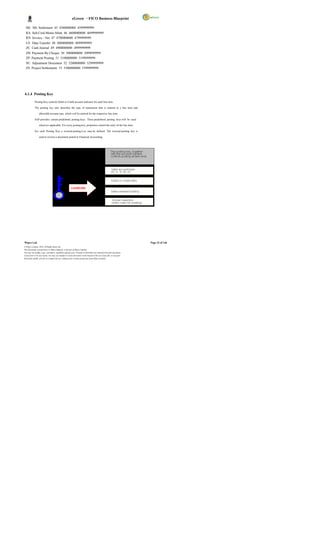
       1. General Data
              This is data that applies to every purc hase organization in the company. The general area
              includes, for example, the customer's name, address, language, and telephone data.
       2. Company Code Data
              This is data that is specific to an individual Company Code. Company Code data includes, for
              example, the reconciliation account number and terms of payment.
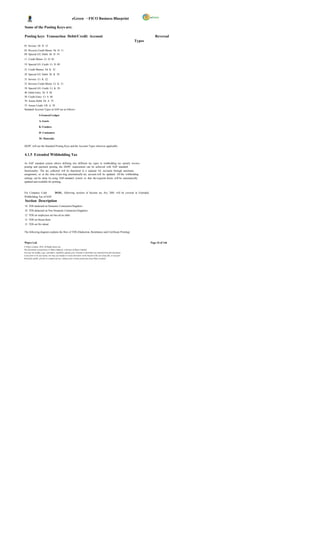


       3. Purchase Organization Data
              This is data relevant to the purchas e organizations and distribution channels of the company.
              Data that is stored in this area includes, for example, data on order processing, shipping, and
              billing.


Following Company Code details are maintained by Finance for DGPC;

General Details Name, Address etc.
Reconciliation Account for                         This Reconciliation Account is the General ledger for the Accounts
the Vendor.                                        Payable sub-ledger.


Wipro Ltd.                                                                                                              Page 57 of 146
© Wipro Limited, 2010, All Rights Reserved.
This document is proprietary to Wipro Infotech, a division of Wipro Limited.
You may not modify, copy, reproduce, republish, upload, post, transmit or distribute any material from this document,
in any form or by any means, nor may you modify or create derivative works based on the text of any file, or any part
thereof for public, private or commercial use, without prior written permission from Wipro Limited.
eGreen – FICO Business Blueprint

Withholding Tax Details TDS details for the Vendor are maintained here

Payment Terms Terms of Payment (Eg. 001 for Immediate payment)

House Bank If the Vendor is always paid through the same Bank, then this field
                                      needs to be maintained.
Customer Code If the Vendor is also a Customer

Payment Methods The mode of payment through which the Vendor will be paid.


Account Group

Each account must be assigned to an account group. The ac count group ensures that only the
relevant screens and fields are displayed and ready for input for each of the customer s different
partner functions. For example, the address, communication, and bank data fields are omitted for the
account group for one-time accounts.

The account group controls:


            The type of number assignment used for the account number

            A number interval from which the acc ount number is chosen. The system uses the account

                  number to identify the customer.

            Which fields are displayed when entering or changing customer master data and whether

                  or not an entry must be made in these fields (field status)

            Whether the account is a one-time account.


Vendor Account Groups

            ZDOM - Domestic Vendors
            ZFRN            - Foreign Vendors
            ZEMP - Employee Vendors
            ZONT - One Time Vendors
            ZIND               -         Indian Vendors
            ZINT               -         Internal Vendors


Payment Methods

                  Bank Advice
                  DD/ TT
                  Cheque
                  E-payment
                  Cash / LC etc.


Wipro Ltd.                                                                                                              Page 58 of 146
© Wipro Limited, 2010, All Rights Reserved.
This document is proprietary to Wipro Infotech, a division of Wipro Limited.
You may not modify, copy, reproduce, republish, upload, post, transmit or distribute any material from this document,
in any form or by any means, nor may you modify or create derivative works based on the text of any file, or any part
thereof for public, private or commercial use, without prior written permission from Wipro Limited.
eGreen – FICO Business Blueprint

Payment Terms

Terms of Payment can be defined for each vendor which will be updated in the Vendor Master and
will be defaulted in the PO. Where the payment terms have been changed in the invoice level, the due
dates will over-ride the original due date (calc ulated based on Purchase Order). Terms of payment will
define the credit period, due date and cash discount, if applicable. The due date will be calculated
from a baseline date as per the payment terms, which will be either of the following dates:


              Document Date
              Posting Date

In payment terms, terms for installment payment can be defined. And this installment terms will differ
from vendor to vendor and P.O to P.O. The installment payment terms can be assigned to vendor
master or P.O.

For e.g.:

10 % - At the time of Purchase Order
80 % - On disposal Inventory / Asset
10 % - On Final Delivery


Numbering Master Records

Each master record has a unique number. This number is required to call up the master record or to
post to the customer account. The account group determines the type of number assignment used
and the valid number range for a customer master record. The customer master record number is
assigned either internally or externally. Internal numbers are assigned by the system, whereas
external numbers are entered manually when creating the customer master record. External numbers
can be alphanumeric.
The system ensures that the numbers assigned are always unique.

With internal assignment                      , the s ystem selects the next number from the interval.

With external assignment                       , the number is assigned externally, the system prevents from entering the

same number twice.


Reconciliation Accounts

A reconciliation account needs to be specified in the master record so that all postings made to a
subsidiary ledger are also posted to the general ledger. When posting of items to a subsidiary ledger,
the SAP system automatically posts the same data to the general ledger at the same time. Each
subsidiary ledger has one or more reconciliation accounts in the general ledger. This means that
financial statements can be drawn up at any time without having to transfer totals from the sub-
ledgers to the general ledger.


Wipro Ltd.                                                                                                                  Page 59 of 146
© Wipro Limited, 2010, All Rights Reserved.
This document is proprietary to Wipro Infotech, a division of Wipro Limited.
You may not modify, copy, reproduce, republish, upload, post, transmit or distribute any material from this document,
in any form or by any means, nor may you modify or create derivative works based on the text of any file, or any part
thereof for public, private or commercial use, without prior written permission from Wipro Limited.
eGreen – FICO Business Blueprint


Withholding Taxes

TDS to be deducted from the Vendors will be handled by withholding taxes functionality. The TDS
certificates and challans can be printed. Withholding tax codes will be maintained for different rates of
TDS. Following TDS rates are applicable and will be created as withholding tax codes and will be
maintained in the Vendor Master.


 TDS           Rec.            Description Tax                                                                                 Surch      Edu.
 Sec.          Type                                                                                                     Rate   arge       Cess
18                             TDS deducted on Domestic Contractors/Suppliers 2%
                               TDS deducted on Non Domestic
18                             Contractors/Suppliers 3%
12                             TDS on employees are bas ed on slabs
12                             TDS on House Rent 5%
13                             TDS on Dividend 10%


4.3.2 Solution in SAP

Postings made in Accounts Payable are simultaneously recorded in the General Ledger, where
different G/L accounts are updated based on the transac tion involved (payables, utilities, down
payments and so on).The vendor master record is used not only in Accounting but also in Materials
Management. By storing vendor master data centrally and sharing it throughout the organization, it
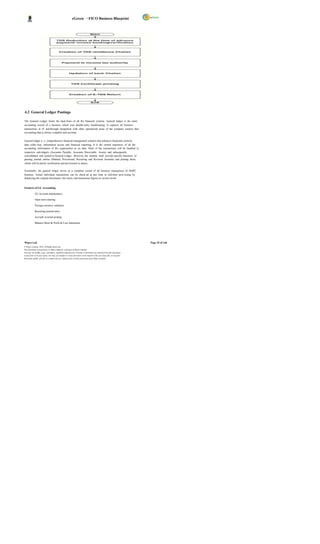
eliminates the process of entering the same data again and again. The process of AP will start from
Invoice Verification, Advance Payment, Services Payments, Direct Payment and will end once the
payment is made.

       o Presently, DGPC is procuring materials, consumables, tools, capital items, etc and also
            making payment to vendors & contractors. Payments are releas ed based on the payment
            terms in purchase order or agreement.
       o DGPC is also making direct payment towards electricity charges, telephone charges etc.

       o In SAP, all purchase related transactions should be routed through Materials Management
            and are integrated with FI Module and invoice is booked by Finance through logistic Invoice
            verification for DGPC.

       o Vendor master will be created for POL and revolving fund and the advance payment will be
            posted with special GL transactions.

       o Vendor Customer relation will be created between plants for the purchase of energy from one
            plant to another plant.
       o Invoice verification is done against the GRN and PO number by Finance. Once the invoice is
            verified, it will be available for payment. If any advance is outstanding against the vendor,
            system will prompt during verification.

       o TDS is deduc ted at the time of invoic e booking or outgoing payment. Part payments can be

              made if required.

       o All other direct payments are booked directly in Vendor bill booking transaction and payment
             will be released after mak ing necessary statutory deductions for which tax codes are
             maintained in vendor master.


Wipro Ltd.                                                                                                                       Page 60 of 146
© Wipro Limited, 2010, All Rights Reserved.
This document is proprietary to Wipro Infotech, a division of Wipro Limited.
You may not modify, copy, reproduce, republish, upload, post, transmit or distribute any material from this document,
in any form or by any means, nor may you modify or create derivative works based on the text of any file, or any part
thereof for public, private or commercial use, without prior written permission from Wipro Limited.
eGreen – FICO Business Blueprint

      4.3.2.1 Vendor Down Payment

Advance payments will be made according to the terms of payments with the vendor. The advance
payments made to the vendor will be tracked as distinct from the normal payments made to the
vendor. The posting for down payments will be carried out to a G/L account other than the standard
General Ledger account for the vendor called as special G/L account.

The following are the Special GL Indicators identified for DGPC;
Reconciliation                         Special                     Description Special
A/C                                    GL                                                                                 G/L
                                                                                                                          Indicator
2010100006                            2010100001                   EMD-Works/Goods/Services(Noted Item) E

2010100006                            2010100001                   EMD-Works/Goods/Services(D/C) D

2010100006                            1010620003                   Down Payment Request F

2010100002 1010620001                                              Down Payment Request F

2010100006                            2010100001                   Guarantee Received G

2010100006                            1010620003                   Advance to Vendors A
2010100002 1010620001                                              Advance to Employees B

2010100006 1010620002                                              Advance to DHI - Dividend C

2010100006 2010100001                                              Security Deposit H

2010100006 1010520001                                              POL                                                   I

2010100006 2010100001                                              PG-Works/Goods/Servic es (D/C) K
2010100002 1010620001                                              Imprest Advances to Employees M
2010100006 2010100001                                              Guarantee Received (D/C)` J

2010100006 2010100001                                              PG-Works/Goods/Servic es-NOTED O

2010100006 1010629999                                              Advances to Others R


The descriptions for above GLs are as below;


1010520001        Deposits for POL
1010620001        Advance-Employees
1010620002        Advance-Dividend
1010620003        Advance-Suppliers/Contractors
1010629999        Advance-Others
2010100001        Security Deposits
2010100002        O/s Lia. Employee
2010100006        Sundry Creditors


Down payment Request and Payment of Advance:


Wipro Ltd.                                                                                                              Page 61 of 146
© Wipro Limited, 2010, All Rights Reserved.
This document is proprietary to Wipro Infotech, a division of Wipro Limited.
You may not modify, copy, reproduce, republish, upload, post, transmit or distribute any material from this document,
in any form or by any means, nor may you modify or create derivative works based on the text of any file, or any part
thereof for public, private or commercial use, without prior written permission from Wipro Limited.
eGreen – FICO Business Blueprint

A Down payment request is rais ed by the authorized person requesting for payment. Based on the
request, a down payment may be released to the particular vendor and request item is cleared. Down
payment request is a noted item special General Ledger account which will not be displayed in the
Balance Sheet            .

Process Flow:

 Down payment request F-47

 Down payment F-48

 Invoice        F- 63

 Down payment clearing F-54

 Payment and clearing F-53


The accounting entries to be passed for recording such transactions are as follows:

              Vendor A/C (Spec ial G/L Indicator                         )………Dr. xx             ,xxx

   To Outgoing                                    Bank a/c………………………..……………xx                                            ,xxx


On receipt of invoice from the vendor and on booking of the expense, the down -payment is cleared
off against the payment to the vendor. The open items chosen for processing would include the
Special G/L transactions regarding that particular vendor to whom the down-payment has been
made.


      4.3.2.2 Invoice booking & settlement of advances

Invoice is a document received from an invoicing party containing the payments to be made based on
business transactions performed in Purchasing (Fixed assets, consumables & services,
inventory).Invoice verification is done by Finance after receipt of invoice from Vendor. Invoice is
entered with reference to the PO and GRN. Liability to the Vendor is created at this point of time. At
the time of Invoice verification the system will prompt the user if any advance payment exists.

In case, TDS already deducted at the time of Down payment, it will be adjusted later at the
time of payment.


At the time of GR (Goods Receipt) - (MIGO), updates in MM,


                             Inventory A/C…………….. Dr. xx,xxx
To GR/IR A/C                                                      ………………………… xx,xxx


At the time of Service entry in MM;


                   Expenses A/C (for expense related services ) Dr…..xx,xxx
                                   To GR/IR A/C…………………………………….xx,                                                       xxx


Invoice Verification (MIRO);


Wipro Ltd.                                                                                                                     Page 62 of 146
© Wipro Limited, 2010, All Rights Reserved.
This document is proprietary to Wipro Infotech, a division of Wipro Limited.
You may not modify, copy, reproduce, republish, upload, post, transmit or distribute any material from this document,
in any form or by any means, nor may you modify or create derivative works based on the text of any file, or any part
thereof for public, private or commercial use, without prior written permission from Wipro Limited.
eGreen – FICO Business Blueprint

The document will be parked under MM Module and posted by FI Module after verification,

                            GR/IR A/C…………………………..Dr. xx,xxx

                                          To Vendor A/C……………………… ……x x,xxx


      4.3.2.3 Outgoing Payment (Vendor Payment)

Outgoing payments are made to vendors using the document type defined for payments. In case of
any down-payments made to the vendor, the same is adjusted at the time of booking outgoing
payment by choosing the special G/L open items for that particular vendor and clearing the same.

By using the SAP standard functionality, all the cheque payments can be managed. The typical
procedure under SAP with respect to cheque will be;

       a) Defining the cheque lots for each and every house bank of DGPC business

       b) Entering the vendor invoice.

       c) Entering the vendor payment by clearing the open item created by invoic e.

       d) Attach cheque to the payment document number generated in step (c).

       e) Check the cheque register to see the cheque updation.

Automatic Payment:

In SAP, automatic payment program generates payment for all vendors whose payment is due on
date. In addition, it has got the feature of blocking the vendor payment for any valid reason and
makes other payment related to the vendor. It has also got the advantage of printing cheque for
multiple vendors at a time. Finally, the FI postings will also be done by the system automatically.

To create automatic payment program, several configuration steps need to be maintained, which will
have details of house bank, acc ount id, rank ing orders, maximum payment limit, payment for Special
GL transactions, etc. This will be configured during realization phase.

Manual Payment Run                              :

Here, the user will have to manually select the parties to whom payment has to be made. TDS will
also be deducted if not already deducted at the time of invoice verification. This transaction will be
executed using SAP transaction code                 F-53 or F-58 . The transaction F-53 will be used when the user
wants to post the payment transaction but does not want to print cheque.

In SAP, there is a feature to record the cheque number for the payment document in case of manual
cheque preparation. The user will attach the cheque number to the payment document through                                       FCH5 .

The transaction        F-58 will be used when the user wants to post the payment transaction and also
prints cheques for the vendor.


Wipro Ltd.                                                                                                              Page 63 of 146
© Wipro Limited, 2010, All Rights Reserved.
This document is proprietary to Wipro Infotech, a division of Wipro Limited.
You may not modify, copy, reproduce, republish, upload, post, transmit or distribute any material from this document,
in any form or by any means, nor may you modify or create derivative works based on the text of any file, or any part
thereof for public, private or commercial use, without prior written permission from Wipro Limited.
eGreen – FICO Business Blueprint

The entry passed will be:

              Vendor A/C                           Dr. xx,xxx

To Outgoing bank A/C                                   xx,xxx

To TDS A/C                xx,xxxx


      4.3.2.4 Tax Deducted at Source (TDS)
Vendor account will be assigned with one or more TDS code, if applicable. This TDS code will be the
default TDS code for all the transactions with the vendor. A user can however, change the TDS code
during the transaction entry. This is provided to ensure correct deduction of tax in cases where more
than one TDS rate is applicable to the same vendor due to different nature of transactions.

TDS deducted during the period has to be remitted to the Government/RRCO. The same needs to be
processed in SAP wherein all TDS entries posted will be debited and bank will be credited. In SAP,
the above process is termed as challan update. Subsequently to challan update, information relating
to bank details needs to be captured which is called as bank challan update.


            Printing of TDS Certificates


Wipro Ltd.                                                                                                              Page 64 of 146
© Wipro Limited, 2010, All Rights Reserved.
This document is proprietary to Wipro Infotech, a division of Wipro Limited.
You may not modify, copy, reproduce, republish, upload, post, transmit or distribute any material from this document,
in any form or by any means, nor may you modify or create derivative works based on the text of any file, or any part
thereof for public, private or commercial use, without prior written permission from Wipro Limited.
eGreen – FICO Business Blueprint


The following diagram explains the process of Accounts Payable;
 Accounts Payable                              – Overview


                                                    V e ndo r                                 M at er i al
           S TA R T
                                                M as t er Dat a                           M a s te r D at a
                                                                                                                                                                                  B y t he Co nc er n ed Di v is io n

                                                                                                                   Check
                                                                                                                                                                             NO         S end T o Co m pet en t
                                                                      P O C r eat io n                            Budge t                         A v ail abl e
                                                                                                                                                                                       A ut hor i ty f or A ppr o v al
                                                                                                               A va i la b ilit y
                                                                                                                                          YE S

            P . O t o S upp lie r


                    I nv en to r y                                                                                                                     C heq ue / D D/
                                                     Is s u e In v oic e                                                                                                                                         T DS Ce r ti fi c at e
                     D eli v er y                                                                                                                             Etc                           E ND


                                                        Re c eip t O f                                          P o s t G ood s                GR
              Re c eiv e s t he
                                                  I nv o ic e & Ot he r            V er if ic a ti on              R ec ei pt s           D oc um e nt
                 D eli v er y                                                                                                                                                        1. In v ent or y A / C D r
                                                             D oc s                                                   ( M I GO )
                                                                                                                                                                                     T o GR / IR


                                                                                                                                                                                         2. GR / IR          A /C D r .
                                                                                                                                                       C heq ue / D D/                   T o V en dor
                                                                                                                  O ut G oi ng
                                          In v oic e                                                                                                       L C/ TT /
                                                                                                                    P ay m en t
                                       V e r if ic at io n                                                                                              E - pay m e nt                   3 . V en dor     A /C Dr .
                                          ( M I RO )                                                                                                                                     T o B an k


                                                                                                                                         NO
                                                                                                               Che c k B a nk /                                                                Req ues t fo r
                                                                                                               P e r fo r m anc e                                                    P er f or m an c e S ec ur i ty /
                                                                                                                 G ua r ant ee                                                         De duc t Fr o m t he B i ll
                                          P ar k i ng
                                                                                                               YE S


                                                                                                          A dj us t A g ain s t Do wn
                                                                                                           P ay m e nt & I nt er es t
                                       Cha nge s I f
                                        Re qui r ed
                                                                                                    A u to m at ic P os t ing o f T DS


                                                                                                                                                                         No te : -
                                                                                                           S y s te m S h ows t he
                                          P os t in g                                                                                                                    Ch ec k all P a y m ent te r m s
                                                                                                               I nv o ic es Du e
                                                                                                                                                                         in c lud ing B a nk & P e r fo r m anc e
                                                                                                                                                                         G uar a nt ee be fo r e r ele as in g th e
                                                                                                                                                                         pa y m ent .
                                                                                                        Che c k ing o f LD C lau s e

                                     Do c um en t No .


        N ot e: -
                                                                                                                      P os t ing
        O r ig ina l Doc u m ent s to b e M ain ta ine d wit h
        F in anc e
                                                                                                                                                  Dom es t ic                  YES                               T DS Ce r ti fi c at e
                                                                                                              D oc um e nt N o.                   V end or s

                                                                                                                                                                TD S C er t if ic at e f or Dom e s ti c V e ndo r s
                                                                                                                                                  NO


                                                                           T DS Rem i tt an c e                                               TD S C er t if ic at e
                                                                               t o RRC O


      4.3.2.5 Process Flow for Non GRN Base Purchase

This process is related to passing of invoices in finance module where material management
department is not involved. Invoices that will be routed through FI include Auditor s remuneration,
insurance payments, subscriptions, telephone expenses, etc. These invoices will be pass ed through
F-63.


Wipro Ltd.                                                                                                                                                                                                                                Page 65 of 146
© Wipro Limited, 2010, All Rights Reserved.
This document is proprietary to Wipro Infotech, a division of Wipro Limited.
You may not modify, copy, reproduce, republish, upload, post, transmit or distribute any material from this document,
in any form or by any means, nor may you modify or create derivative works based on the text of any file, or any part
thereof for public, private or commercial use, without prior written permission from Wipro Limited.
eGreen – FICO Business Blueprint


Process Flow:

         The respective Department will approve the document for expenses.

         The Finance Department verifies the document & updates the payables a/c i.e. creates a

              liability.

         The system prompts the user in case an advance exists for the s ervice.

         Finance processes the payment after adjusting the advance.

         The cheque printing process would be manual / automatic based on requirements and

              specifications.

Flow of Journal entries in SAP:


1. At the time of booking the expense


Expenses A/C                       Dr x,xxxx.
To Vendor A/C                        x,xxxx


2. At the time of outgoing payment


Vendor A/C                                     Dr xx,xxx
Vendor (Advance) A/C                          xx,xxx
Outgoing Bank A/C                             xx,xxx
TDS        A/C                           xx,xxx


      4.3.2.6 Advance to Employees

In SAP, each employee is treated as vendor and is grouped under employee vendor group. This
vendor group is basically to identify and process transactions related to employee vendors. The
employee numbers are identified by HR and are part of HR blue print documentation.

Generally, the advance payment request is approved by the competent authority. The advances to
employees are tracked separately with Special G/L Indicators using the Accounts Payable sub ledger.
For this purpose employee will be created as a vendor.


Wipro Ltd.                                                                                                              Page 66 of 146
© Wipro Limited, 2010, All Rights Reserved.
This document is proprietary to Wipro Infotech, a division of Wipro Limited.
You may not modify, copy, reproduce, republish, upload, post, transmit or distribute any material from this document,
in any form or by any means, nor may you modify or create derivative works based on the text of any file, or any part
thereof for public, private or commercial use, without prior written permission from Wipro Limited.
eGreen – FICO Business Blueprint

The following diagrams illustrate the advance release and settlement of Travel & Medical
claims;


 Travel Management

                                                                                                                  Advance                                 Actual Claim


                                                                     1. Na m e & P er s onal Nu m ber
                     Cr eat e Tr a ve l                              2. T r ip Dat e & T im e                                                                                       1. N a me & P e rs o n al N u mb e r
                         Reque s t                                   3. T r ip Des t ina tio n & Rea so n                                             S ubm is s i on of            2.   Tr ip Da t e & Time
                                                                                                                                                                                    3.   Tr ip De s tin a ti on & Re a s on
                                                                     4. Re quir e d T r ip A dv anc e                                                   A c t ual T our
                                                                                                                                                                                    4.   Tr ip Ad va n c e Ta k en
                                                                                                                                                            Repor t                 5.   M ile a ge Cl ai m
                                                                                                                                                                                    6.   A ct u al To u r C a lim
       NO


                                                                       S y s tem gen er at ed
                        A ppr ov a l                 Y ES            e- m ail no tif ic at io n t o
                                                                                HR & FI
                                                                                                                                                          A ppr ov al


                                               S y s t em g ener at ed                                                              Ded uc t Fr o m
                                               e -m a il not if ic at ion T ic k et B o ok ing                                          S a lar y


                                                                       1.   N a me & P e rs o n a l N u mb e r
                  S y s tem gen er ate d                               2.   Tr ip Da t e & Time
                  e- m ail no ti fi ca ti on                           3.   Tr ip De s tin a ti on & Re a s o n
                                                                       4.   R e q u ire d Tri p Ad v a n ce

                                                                                                                                                                               NO
                                                                                                                                                        If A dv a n ce >                       P r epa r e
                                                                                                                                                        a c tu a l cla im s               Cheq ue/ A dv ic e

                                                                                                                                           OR
                        A dv anc e                                            E mp lo ye e Ve n d or A/ C D r .                                                         Ye s
                        P ay m ent                                                     To B an k A /C


                                                                                                                                                        Re im bur s e
                                                                                                                                                      fr o m E m ploy e e


                         P r epa r e                                                 N OTE: -
                    Cheq ue/ A dv ic e                   Ba n k Ad v ice Se n t to B a nk D ir e ct ly a n d C h e qu e Se n d to
                                                                                    E mp lo y ee


            O nli ne P roc es s


            O ff- l ine P r oces s


Wipro Ltd.                                                                                                                                                                                  Page 67 of 146
© Wipro Limited, 2010, All Rights Reserved.
This document is proprietary to Wipro Infotech, a division of Wipro Limited.
You may not modify, copy, reproduce, republish, upload, post, transmit or distribute any material from this document,
in any form or by any means, nor may you modify or create derivative works based on the text of any file, or any part
thereof for public, private or commercial use, without prior written permission from Wipro Limited.
eGreen – FICO Business Blueprint


Medical Claim

                                                                                                                          Ad v an c e                                                                                                     Ac tu a l Me d i ca l C l a im


                                                                     1. Na me & Per so na l Nu m be r
                       Su b mi t M e d ica l                         2. Da te & T im e                                                                                               1. Na me & Per so na l Nu m be r
                           Ad va n c e                               3. M ed ica l Re fe re nc e f or                                         Su bm iss ion o f                      2. Da te & T im e
                                                                                                                                             Ac tu al M e dic al                     3. M ed ica l Re fe re nc e f or
                         R eq u ir e me n t                          4. Re qu ire d M ed ica l Adv an ce
                                                                     5. Re fer ra l L et te r f ro m Ho sp ita l                                       Bills                         4. M ed ica l Adv an ce T ak en
                                                                                                                                                                                     5. Actu al M ed ica l Cla im


                                                                                                                                                                                                                                                                             Cheque
                                                                                                                       C h eq u e
                                                                                                                                                                         As k fo r R e f un d fo r
                                                                                                                                                                          Ba la n c e Am o un t


                                                                                                                                                                                                                               Not e:
                                                                                                                                                                                                                               1. F or S o me pa ym en ts ar e m ade in f av or
                                                                    Sy st e m g e n e r a te d                                                                                                                                 of Ho sp it al thr o ugh lia is on Of fi ce r , M .O .H.
                            A p p ro v a l                         e -m a il n o ti fic a tio n t o
                                                                            HR & F I                                                              Ap pr o val


                                                                                          Le ave Bo o king                                                          De d u c t                                S ys te m g e ne r a te d
                                             S ys te m g e n e ra t e d
                                                                                             a nd T ick et                                                           Fr o m                                e- m ai l n o tif ic a tio n t o H R
                                             e - ma il n o tif ica t io n
                                                                                               Bo o king                                                            S a la r y                            To u p d a te L e a v e Bo o k in g


                                                                                                                                                                                             1. Na m e & Per so na l N um be r
                      Sy st e m g e n e r at e d                                                                                                                                             2. Da te & T im e

                      e - ma il n o tif ic at io n                                                                                             Ve r ific a tio n                             3. M ed ica l Re fe re nc e for
                                                                                                                                                                                             4. M ed ica l Ad van ce T a ken                            D e po s it in
                                                                                                                                                                                             5. Act ua l M ed ica l Cla im                            Ch e q u e /C a sh


                            Ad va n c e                                                                                                                                   No
                            P a ym e nt                                                                                                    If Adv an ce <Ac tua l
                                                                                                                                                      C laim                                                                                            P o st /Pa r k
                                                                                                                                                                                                                                                        Do c u me n t
                                                                                                                                               Ye s


                                                                                                                                                                                     Po s t/ Pa r k                                                                          P re p a r e
                                                                                                                                            Pr o ce s s C la im
                           P o st /P a rk                          Pr e p a re                                       Sig n in g o f                                                  D o c u me n t                                                                      C he q u e /A d vi ce
                           D oc u me n t                       Ch e q u e /A d vic e                               Ch e q u e /A dv ic e


          O nli ne P roc es s


          O ff- l ine P r oces s


      4.3.2.7 Emergency Purchase

In case of emergency, certain purchases are made without issue of purchase order by a committee
constituted for that purpose.

The following are the procedures;
      Advance releases to the responsible employee in the purchasing committee after the

                approval from the competent authority.

        Advances posted with special GL indicator in the employee vendor.

        After the purchase, MM creates purc hase order based on the bills and cash memos.

        After the verification of cash memos and bills, advance will be adjusted against the employee

                vendor.


Wipro Ltd.                                                                                                                                                                                                                                            Page 68 of 146
© Wipro Limited, 2010, All Rights Reserved.
This document is proprietary to Wipro Infotech, a division of Wipro Limited.
You may not modify, copy, reproduce, republish, upload, post, transmit or distribute any material from this document,
in any form or by any means, nor may you modify or create derivative works based on the text of any file, or any part
thereof for public, private or commercial use, without prior written permission from Wipro Limited.
eGreen – FICO Business Blueprint

        Payment will be posted against vendor.

The following diagram explains the process of Emergency Purchase


         Emergency Purchase                 – Advance & Settlement


                                                                                                                                                                                                   V e nd or
                                                                                                                                                                                                   Cr ea ti on
                        Req ue st F or                                                                                                                          S ub mi ss i on of
                                                                                                                                                                                                                        Ch equ e
                         A d van ce                                                                           P u rch ase                                        B isl l Ca sh
                                                                                                                                                                       /
                         P a yme nt                                                                                                                                M em os                       Cr eat i on P. O


                                                                                                                                                                                                 MI GO P osti n g


                                           NO
                         A p pro val                                                                                                                  NO
                                                                                                                                                                    A pprov al


                                YES
                                                                                                                                                                            Y ES


                                                R esp ons b l e P e rso n F ro m
                                                          i                                                                                                                                      M IRO Po sti n g
                        E m pl o yee             th e Co nce rn ed Di vi si on
                        V en dor No .            Tr eat ed as a V en do r fo r
                                                     A d van ce r el e ase

                                                                                                                                                                                                    Out gon g
                                                                                                                                                                                                           i
                                                                                     1. P urc has e Ha s to be m ade Wi th i n 3 0 & A d j ustm en t                                                P aym en t
                                                                                     sub mi t wi th i n 4 5 Da ys o f A dv anc e P ay me nt.
                       P o st A d van ce                                                                                                                                                                                P re par e
                                                    P osti n g                       2. Unsp en t am ou nt ha s to be Refu nd wi th i n 1 0 Da ys
                       pay me nt Wt ih                                                                                                                                                                              C heq ue F or the
                                                   Do cum en t                       fr om the l as t da te Pu rch ase .                                          V er i fi cati o n N O
                        S p eci a l
                                 GL                                                                                                                                                                                    A dd i ti on al
                                                                                     3. P ena l ty wi l l be cha rge d i n cas e o f de fau l t o f ab ove
                          Ind i cato r                                                                                                                                                                                  A m oun t
                                                                                     B oth ca ses.
                                                                                     4. Rem i nd er Noti c e b efo re 30 da ys.
                                                                                                                                                                                                                       Out Go i ng
                                                                                                                                                             Ad van ce i s m ore th an     No.                        P aym en t fo r
                                                                                                                                                                  Bi l l Am ou nt                                      A dd i ti on al
                          Ch eq ue                  Ch eq ue                                                                                                                                                            A m oun t
                          Pr i nti n g

                                                                                                                                                                            Yes

                         R em i nde r                                                                                                                 A dj us ti ng & P n g iAd van ce
                                                                                                                                                                        ost                                             P o sti ng
                        Noti c e to th e                                                       A u tom ati c P osti n g o f In ter es t to GL         & A s k Con cer ne d Di v i si on for                            Docu me nt
                        Co nce rn ed                                                                                                                   Refu nd of B al an ce Am ou nt
                          P er son


          O nli ne P roc es s


          O ff- l ine P r oces s


4.3.3 FSBP Link

S.                Major Process CSBP                                                                                     FSBP No. Process Diagrams
No.                                                                                 No.
1 Payment to suppliers 3.B 3.B Annexure 1_FSBP.VSD-                                                                                                                                                                           3.B


2 Payment to                                                                                                                                                                                                                  3.C
          contractors 3.C 3.C Annexure 1_FSBP.VSD-


3 Emergency Purchases 6.E 6.E Annexure 1_FSBP.VSD-                                                                                                                                                                            6.E


Wipro Ltd.                                                                                                                                                                                                               Page 69 of 146
© Wipro Limited, 2010, All Rights Reserved.
This document is proprietary to Wipro Infotech, a division of Wipro Limited.
You may not modify, copy, reproduce, republish, upload, post, transmit or distribute any material from this document,
in any form or by any means, nor may you modify or create derivative works based on the text of any file, or any part
thereof for public, private or commercial use, without prior written permission from Wipro Limited.
eGreen – FICO Business Blueprint


 4.3.4 Description of Improvements

 S.No. Description of Improvement Areas Remarks
1 Payment Terms can be ass igned to Vendor master and therefore,
           system can automatic ally calculate discounts or charges.
2 BST calculation and pos ting will be automatic in System.
3 Automatic TDS Calculation and Posting in real-time by the system.
4 Vendor ageing report as on date.

5 List of overdue items

6 System can prompt and adjust down payment against vendors.

7 If the same vendor served as a Customer, sys tem can adjust
            automatically (Vendor Vs Customer clearing)
8 Vendor due date analysis report can be available on line.

9 Advance payment request of vendor can be track ed as noted items
10 Payments terms can be attached to the vendor master, so that s ystem
           can calculate due dates automatically.
11                Vendor        – Customer cross adjustments by the system.


 4.3.5 Process Control

Controls Comments
The concerned department will fill the vendor                                                Vendor TAX Identification No. will be the
master creation form for creating new vendors.                                               Validation Field
Department head of the concerned department will
verify and forward it to master data maintenanc e
team for checking. AP department will check
whether the record already exists for the respec tive
vendor or not. In case the vendor already exists
then request will be sent back along with
explanation to concerned department. In case of
non-existence of vendor master record, new master
record will be created.
The AP user will enter the invoice, PARK the                                                 Parking for verification by the Supervisor
invoice, record the SAP document number on the
documentation.
The Supervisor will review the parked document
                                                                                             Approval and verification as per Delegation of
and make changes if required, post the Parked
                                                                                             Power
Document.
For each Document, system generates Document
                                                                                             Internal Document Number Ranges.
No.

System identifies a document with the document
number, Company Code and fiscal year. To have document history for future reference

Reversal of Document in case of Errors An authorized user can reverse a posted
                                                                    document.
                                                                    Authorized users can view Vendor Account
Display Vendor Account Balances                                     Balances online using the Account Balance
                                                                    enquiry and entering the Customer account


Wipro Ltd.                                                                                                                                Page 70 of 146
© Wipro Limited, 2010, All Rights Reserved.
This document is proprietary to Wipro Infotech, a division of Wipro Limited.
You may not modify, copy, reproduce, republish, upload, post, transmit or distribute any material from this document,
in any form or by any means, nor may you modify or create derivative works based on the text of any file, or any part
thereof for public, private or commercial use, without prior written permission from Wipro Limited.
eGreen – FICO Business Blueprint

Controls Comments
                                                                                             number.
                                                                                             Authorized users can access Open item Vendor
Clear Vendor Account Open Items                                                              Accounts and assign and clear debits and
                                                                                             credits.
                                                                                             Where the cheque is misplaced or for any other
                                                                                             reason, previous cheque will be voided by
                                                                                             providing the appropriate reason of voidance of
                                                                                             cheque in SAP system. At the same time
Cancellation of Cheques                                                                      Finance will issue stop payment instruction to the
                                                                                             bank. Cheque cancellation process is executed
                                                                                             and actual entry is reversed by resetting the
                                                                                             cleared document. The cheque register is also
                                                                                             updated automatically.
                                                                                             Finance will reprint the cheque from SAP, and
Re-Issuance of Cheques                                                                       the cheque register is also updated & transaction
                                                                                             recorded.


 4.3.6 Description of Functional Deficits / Gaps

              No GAPs
 4.4 Account Receivables

Accounts receivable sub-module of SAP records and manages the accounting data relating to all
customers. It is closely integrated with the Sales and Distribution module. Any transaction in sales,
which has a financial implication, would automatically be reflected in accounts receivables as well as
the general ledger. Also, different GL accounts would be affected based on the nature of the
transaction, for example, advance receipts, bank guarantees and security deposits .

Both the accounting (FI-AR) and the sales (SD) departments of an organization use customer master
records. By storing customer master data centrally, it can be accessed throughout organization, and
avoid the need to enter the same information twice and also avoid inconsistencies in master data. For
example, if the address of a customer changes, it is required to change once centrally whic h enables
both accounting and sales departments to access up-to-date information.

 Features of Account Receivables

            Customer master maintenance

            Customer down payment processing

            Dunning, Balance confirmation etc

            Clearing of incoming payment against Customer invoice will be on FIFO basis & Profit
               center wise.
            Range of tools that can be used to monitor open items, such as account analyses, due date
               lists.


Wipro Ltd.                                                                                                                               Page 71 of 146
© Wipro Limited, 2010, All Rights Reserved.
This document is proprietary to Wipro Infotech, a division of Wipro Limited.
You may not modify, copy, reproduce, republish, upload, post, transmit or distribute any material from this document,
in any form or by any means, nor may you modify or create derivative works based on the text of any file, or any part
thereof for public, private or commercial use, without prior written permission from Wipro Limited.
eGreen – FICO Business Blueprint

4.4.1 Master Data.

       1. General Data
              This is data that applies to every sales organisation in a company. The general area includes,
              for example, the customer's name, address, language and telephone data.
       2. Company Code Data
              This is data that is specific to an individual Company Code. Company Code data includes, for
              example, the reconciliation account number, terms of payment and dunning procedure.

       3. Sales Area Data
              This is data relevant to the sales organizations and dis tribution channels of a company. Data
              that is stored in this area includes, for example, sales order processing, shipping and billing.

Following details will be maintained by Finance:
General Details Name, Address etc.
Reconciliation Account for the Customer Reconciliation Account No. for Customer.

Withholding Tax Details TDS details for the Customer
Payment Terms Terms of Payment
Account Group One time, Domestic & Foreign Customers
Vendor Code If the Customer is also a Vendor


      4.4.1.1 Customer Account Group
An account group is a classific ation or grouping of customers based on the characteristics. A
customer account must be assigned to an account group. The account group ensures that only the
relevant screens and fields are displayed and ready for input for each of the customer s different
partner functions. For example, the address, communication, and bank data fields are omitted for the
account group for one-time accounts.

The account group controls:

            The type of number assignment used for the account number whether internal or external.

            A number interval from which the acc ount number is chosen. The system uses the account

                  number to identify the customer.

            Which fields are displayed when entering or changing customer master data and whether or

                  not an entry must be made in these fields (field status)

            Whether the account is a one-time account

In DGPC, there will be three Account Groups for Customers


                     1. ZDMC - Domestic Customers

                     2. ZFRC - Foreign Customers

                     3. ZOTC - One Time Customers

                     4. ZINC -                Internal Customers

      4.4.1.2 Payment Terms


Wipro Ltd.                                                                                                              Page 72 of 146
© Wipro Limited, 2010, All Rights Reserved.
This document is proprietary to Wipro Infotech, a division of Wipro Limited.
You may not modify, copy, reproduce, republish, upload, post, transmit or distribute any material from this document,
in any form or by any means, nor may you modify or create derivative works based on the text of any file, or any part
thereof for public, private or commercial use, without prior written permission from Wipro Limited.
eGreen – FICO Business Blueprint


The following Payment Terms exist currently in legacy and plan to create in SAP.


Plant PTC BPC
Chhukha Hydropower 45 Days 30 Days

Kurichhu Hydropower 45 Days 30 Days
Tala Hydropower 30 Days 30 Days


      4.4.1.3 Numbering Master Records
Each master record has a unique number. This number is required to call up the master record or to
post to the customer account. The account group determines the type of number assignment used
and the valid number range for a customer master record. The customer master record number is
assigned either internally or externally. Internal numbers are ass igned by the s ystem, whereas
external number range, user need to put number externally at the time of creation of the customer
masters record. External numbers can be alphanumeric.

The system ensures that the numbers assigned are always unique. With internal assignment, the
system selects the next number from the interval and therefore, no duplication of numbers. With
external assignment, the system prevents entering the same number twice. A customer identification
key will be same in all Company Codes.

      4.4.1.4 Reconciliation Accounts
A reconciliation account must be specified in the master record so that all postings made to a
subsidiary ledger are also posted to the general ledger. When post items to a subsidiary ledger, the
SAP system automatically posts the same data to the general ledger at the same time. Each
subsidiary ledger has one or more reconciliation accounts in the general ledger. This means that
financial statements can be drawn at any time without having to transfer totals from the sub-ledgers to
the general ledger.


4.4.2 Solution in SAP

       o Presently, DGPC is billing to foreign and domestic customers. In SAP, the processes related
            to sales are routed through Sales and Distribution Model (SD). The GL accounts for foreign
            customer and domestic customer is maintained in SD module using pricing c ondition.
            Whenever billing happens from SD, revenue accounts and customer accounts are determined
            automatically and posted to FI.

       o The FI module is integrated with the SD module by defining the account determinations in
            the SAP system. Sales ac tiv ities leading to financial implications automatically update the
            respective Customer & G/L accounts.

       o Asset / Material disposal will be routed through SD module and corresponding accounting
            entry will be posted in FI. If the disposal is with Cus tomer, customer master will be created.
            Sales order will be created in SD for the selected customers against approved materials.

      4.4.2.1 Special GL Transactions
 Down payment requests and down payments are special general ledger transactions. Thes e
 transactions are not posted to the G/L account defined in the customer master record but to an
 alternative G/L account. Special G/L transactions are special transactions in accounts receivable
 and accounts payable that are displayed separately in the general ledger and the sub ledger. This


Wipro Ltd.                                                                                                              Page 73 of 146
© Wipro Limited, 2010, All Rights Reserved.
This document is proprietary to Wipro Infotech, a division of Wipro Limited.
You may not modify, copy, reproduce, republish, upload, post, transmit or distribute any material from this document,
in any form or by any means, nor may you modify or create derivative works based on the text of any file, or any part
thereof for public, private or commercial use, without prior written permission from Wipro Limited.
eGreen – FICO Business Blueprint

 is achieved by posting to alternative GL accounts, ins tead of posting to the reconciliation accounts
 for receivables and payables.

The following special G/L transactions are available in standard system:

            Down payments and down payment requests

            Guarantees

            Reserves for bad debt

            Security deposits


Above special procedures are displayed separately from other receivables and payables on the
balance sheet either for statutory reasons, such as with down payments, or for control reasons, such
as with guarantees received. A separate special G/L account is created for each special G/L
transaction. As a result, it is possible to display each transaction in the balance sheet without having
to carry out any transfer postings and to receive an overview via the account limited to this procedure
only.


    Process Flow:
            Down payment request                                      F-37

            Down payment(receipt)                                     F-29

            Invoice                                                   F-64

            Down payment clearing                                     F-39


       1. When the down payment is received from the customers, the entry is to be recorded using
           the special G/L indicator for the respective special G/L trans action.

                            Incoming Bank A/C                …………………………………Dr. xx,xxx

                                          To Customer A/C (Special G/L Indicator)                            xx,xxx


       2. Once the billing is done and a receivable from the Customer is generated, the amount is
           adjusted from the total receivables from the customer and the balance is collected.
           While choosing the open items, the s pecial G/L items are also selected and adjusted
           against the total receivables from that customer.

                            Bank A/C         …………………………….Dr. xx,xxx

   Customer (Spl. G/L)                                          A/C………… Dr.                     xx,xxx

                                          To Customer A/C               …………………………….xx ,xxx


      4.4.2.2 Customer Incoming payment

The system is able to handle customer payments in different modes such as cheque, cash payment
etc. Incoming payment allows user to record receipts from customers in the system and adjust them
against invoices and debit memos.


Wipro Ltd.                                                                                                              Page 74 of 146
© Wipro Limited, 2010, All Rights Reserved.
This document is proprietary to Wipro Infotech, a division of Wipro Limited.
You may not modify, copy, reproduce, republish, upload, post, transmit or distribute any material from this document,
in any form or by any means, nor may you modify or create derivative works based on the text of any file, or any part
thereof for public, private or commercial use, without prior written permission from Wipro Limited.
eGreen – FICO Business Blueprint


Incoming payment can be booked partially or residually depending on situation. Invoices, advances
and debit memos can be partially settled.


      4.4.2.3 Dunning Notice (Reminder Letter)

Sometime the customers may not pay on time. In this case a payment reminder or a dunning notice
can be sent to remind the outstanding dues. The system duns the open items from a customer which
has a debit balance.

      4.4.2.4 Correspondence with Customers

The account statement and balance confirmations can be sent to customers periodically. Reminder
notice can be sent to all customers whose payments are overdue. This is poss ible by using the SAP
standard functionality.


      4.4.2.5 Customer is also a Supplier/ Vendor

If a customer is also a vendor, or vice versa, there can be the payment program and the dunning
program offset the customer and vendor open items against each other. User can also select the
vendor line items at the time of display of the customer line items for this account.

Before clearing items between a vendor and customer account, it is required to;


       1 Create a customer master record for the vendor that is also a customer.

       2. Enter the vendor account number in the Vendor field in the control section of the general data

              in the customer master record.

       3. Enter the customer account number in the Customer field in the control section of the general

              data in the vendor master record.

       4. Choose             Clearing with vendor                    and       clearing with customer                   in the company code data in

              both the customer and vendor master records. In this way, each company code can decide

              separately whether it needs to offset the customer against the vendor.


For DGPC, PTC is also a Customer and Vendor. For this, Customer Vs Vendor relation will be
maintained for PTC if required and system will then automatically adjusts the incoming and outgoing
payments.


Process in DGPC (Accounts Receivable)


Wipro Ltd.                                                                                                                                Page 75 of 146
© Wipro Limited, 2010, All Rights Reserved.
This document is proprietary to Wipro Infotech, a division of Wipro Limited.
You may not modify, copy, reproduce, republish, upload, post, transmit or distribute any material from this document,
in any form or by any means, nor may you modify or create derivative works based on the text of any file, or any part
thereof for public, private or commercial use, without prior written permission from Wipro Limited.
eGreen – FICO Business Blueprint

The following are the main proc ess under A/R;

       o S.O Creation

       o Billing

       o TDS

       o Dunning

       o Incoming Payment


The Following diagram explains the complete flow of Accounts receivable (BPC & PTC);


Wipro Ltd.                                                                                                              Page 76 of 146
© Wipro Limited, 2010, All Rights Reserved.
This document is proprietary to Wipro Infotech, a division of Wipro Limited.
You may not modify, copy, reproduce, republish, upload, post, transmit or distribute any material from this document,
in any form or by any means, nor may you modify or create derivative works based on the text of any file, or any part
thereof for public, private or commercial use, without prior written permission from Wipro Limited.
eGreen – FICO Business Blueprint

 Accounts Receivable - PTC


                                                 Cr eati on of                              Cr eation of
                 S T AR T                         Cus tomer                                    Materi al
                                               Mas ter D ata                               Mas ter Da ta


                                  Customer No.001


                                                                       Cr eati on of
                               Meter
                                                                      Sa les Or der                                                             NO     Ch ange The
                             Readi ng                                                                           V eri fic ati on
                                                                     W ith Bl oc ki ng                                                                 S ales O rder
                                                                             S tatus

                                                                                                                           YES


                                                                                                                 A pprov e &
                                                                                                               R eleas e the
                                                                                                               S al es Or der


                                                                                            C opy of B ank                         P roc es s
                                 B i ll in g                                                      A dv ic e                        Incomi ng
                                                                                                                                   P ayme nt


                                                                                                                Inc omi ng P ayment P i c k T he
                             V eri fic ati on              NO
                                                                                                                  O pen Items Au tomatic al ly .


                                        YES
                                                                                                               Rec ei pts c an be F ull or P ar tial


                             P ark B il li ng
                                                                                                                                                                                P ar k the
                              D ocument
                                                                                                                     Adj us t Down pa yment                                   Do cument


                             P ost B i l li ng                               D un ni ng                                  Dunni ng Char ges
                              D ocument                                       N ot ic e                                                                                                             NO
                                                                                                                                                                              V eri fic ati on
                                                                                                                                                                                                         Change s

                                 B i ll in g                                                                                                                                                 YE S
                              D ocument                               D un ni ng T ex t,
                                                                             D un ni ng                                   P ark O r P os t the                                  P os t the
                                                                             Ch a rge s                                         Doc uments                EN D               D ocumen ts


                                                                 Dunni ng                    B ank A dv i ce                                                           A ck nowl edgement or
                     Mon thly B il l
                                                                  No tic e                         Or TT                                                               Monthly S tatements


                                                                                             B ank Ad vi ce


                                                                                           Cr edit to D GP C
                                                                                                   A /C


       A) Revenue Recognition at Plant.


Wipro Ltd.                                                                                                                                                                          Page 77 of 146
© Wipro Limited, 2010, All Rights Reserved.
This document is proprietary to Wipro Infotech, a division of Wipro Limited.
You may not modify, copy, reproduce, republish, upload, post, transmit or distribute any material from this document,
in any form or by any means, nor may you modify or create derivative works based on the text of any file, or any part
thereof for public, private or commercial use, without prior written permission from Wipro Limited.
eGreen – FICO Business Blueprint

              Based on the Meter reading information, SD creates Sales Order. This sales order can be
              verified by the Competent Authority. On approval, the Competent Authority releases the
              Sales Order for billing.

       B) Billing.

              Once the Sales order is released for billing, the billing is processed. Revenue recognition
              happens when billing document is generated on delivery plant wise. Accounting entries are
              automatically posted to revenue account and debtors account at the time of generation of
              billing document.


            The signed copy of plant wise JEMR Statement will be scanned and attached to DMS.

            Scanned copy of JEMR Statement can be retrieved by the Corporate Office at the time of

                  billing and send a single and centralized bill to the customer along with the JEMR

            Even if the bill date is after the end of the month, the revenue should be accounted within

                  that month only.

       C) Receipt from Customer (Incoming payment)

              Incoming payments are recorded in SAP system by using the respective transaction for
              posting incoming payment. The receipts from Customers are handled through Accounts
              Receivable. The respective document type for receipt from customers is to be used.

              Corporate Finance receives the incoming payment and posting is routed through Profit Centre
              Accounting. Bank payment advice will be the proof of incoming payment from customers.

                     o BPC sends bank payment advice to bank and a copy of bank advice sent to DGPC.
                         This bank advice serve as a proof of incoming payment and posting will be made
                         based on this bank advice.

                     o PTC makes payment to RMA and RMA intimates bank to mak e payment to DGPC
                         A/C. A copy of bank advice sent to DGPC by RMA and this copy serve as a proof of
                         incoming payment form PTC.


       D) Inter Plant Billing

              This is the purchase made between plants. For this process, plants will have Customer
              Vendor relation between them.

                     o Plant will be considered as Customer and Vendor
                     o Selling plant will raise Sales Order.
                     o Selling plant recognizes as revenue and receiving plant recognizes as expense.


Wipro Ltd.                                                                                                              Page 78 of 146
© Wipro Limited, 2010, All Rights Reserved.
This document is proprietary to Wipro Infotech, a division of Wipro Limited.
You may not modify, copy, reproduce, republish, upload, post, transmit or distribute any material from this document,
in any form or by any means, nor may you modify or create derivative works based on the text of any file, or any part
thereof for public, private or commercial use, without prior written permission from Wipro Limited.
eGreen – FICO Business Blueprint

       E) The Royalty Energy Charges

              Royalty energy calculation will be done in Sales & Distribution module and the necessary
              transactions triggered in FI automatically.


4.4.3 FSBP Link

S.           Major Process CSBP                                                     FSBP No. Process Diagrams
No.                                                             No.


1 Electricity Revenue BPC                                                                                                1.A
          1.A 1.A Annexure 1_FSBP.VSD-


2 Royalty energy revenue 1.A5 1.A5 Annexure 1_FSBP.VSD-                                                                  1.A5


3 Electricity Revenue PTC 1.B 1.B Annexure 1_FSBP.VSD-                                                                   1.B


4.4.4 Description of Improvements

S. No. Description of Improvements Remarks
1 Credit Control through system is available in SAP.
2 Down payment can be tracked and adjusted at the time of incoming payment.
3 System can generate Dunning notice for overdue items.
4 Customer Vs Vendor clearing automatically by the system.

5 Plant wise sales order can be created based on the delivery.
6 Online Ageing reports are possible.
7 Online reporting is available.


Wipro Ltd.                                                                                                              Page 79 of 146
© Wipro Limited, 2010, All Rights Reserved.
This document is proprietary to Wipro Infotech, a division of Wipro Limited.
You may not modify, copy, reproduce, republish, upload, post, transmit or distribute any material from this document,
in any form or by any means, nor may you modify or create derivative works based on the text of any file, or any part
thereof for public, private or commercial use, without prior written permission from Wipro Limited.
eGreen – FICO Business Blueprint

4.4.5 Process Control

Controls Comments
User will raise a request for new customer account
using internal Service Request (Request for new
Customer) or proponent will raise a request for
invoice for a new Customer. The Accounts
Receivable user will verify that:                                                            Customer TAX code will be the Validation Field
1. The request is valid and is approved
2. Check that the customer does not exist in the
system.
3. Create the customer and assign the customer to
an Account Group.
The AR user will enter the invoice, PARK the
invoice, record the SAP document number on the                                               Park ing for verification by the Supervisor
documentation.
The Supervisor will review the Park ed document
                                                                                             Approval and verification as per Delegation of
and mak e changes if required, Post the Park ed
                                                                                             Power
Document.
For Each Document, System generates
Document No. Internal Document Number Ranges.

System identifies a document with the document
number, Company code and fiscal year. To have document history for future reference

Reversal of Document in case of Errors An authorized user can reverse a posted
                                                                    document.
                                                                    Authorised users can view Customer Account
                                                                    Balances online using the Account Balance
Display Customer Account Balances
                                                                    enquiry and entering the Customer account
                                                                    number.
                                                                    Authorized users can access Open item
Clear Customer Account Open Items                                   Customer Accounts and assign and clear debits
                                                                    and credits.


4.4.6 Description of Functional Deficits / Gaps

          No Gap


Wipro Ltd.                                                                                                                                 Page 80 of 146
© Wipro Limited, 2010, All Rights Reserved.
This document is proprietary to Wipro Infotech, a division of Wipro Limited.
You may not modify, copy, reproduce, republish, upload, post, transmit or distribute any material from this document,
in any form or by any means, nor may you modify or create derivative works based on the text of any file, or any part
thereof for public, private or commercial use, without prior written permission from Wipro Limited.
eGreen – FICO Business Blueprint

4.5 Asset Accounting

The Asset Accounting (FI-AA) c omponent is used for managing and supervising fixed assets with the
SAP R/3 System. In SAP R/3 Financial Accounting, it serves as a subsidiary ledger to the FI General
Ledger, providing detailed information on transactions involving fixed assets. The Fix ed Asset module
is an integrated asset management solution for additions, updating, tracking, depreciation and
administrative purposes. Assets are depreciated periodically to arrive at their current net value. Once
an asset is capitalized, it can be transferred between locations, cost centres . Assets can be removed
from the Assets Ledger by disposing them.

The Fixed Assets Module will provide following functions:


         New asset addition

         Add to an existing asset

         Modify asset details

         Asset transfer

         Asset retirement

         Depreciation


Features of Asset Accounting


Wipro Ltd.                                                                                                              Page 81 of 146
© Wipro Limited, 2010, All Rights Reserved.
This document is proprietary to Wipro Infotech, a division of Wipro Limited.
You may not modify, copy, reproduce, republish, upload, post, transmit or distribute any material from this document,
in any form or by any means, nor may you modify or create derivative works based on the text of any file, or any part
thereof for public, private or commercial use, without prior written permission from Wipro Limited.
eGreen – FICO Business Blueprint


            Record acquisition of fixed asset

            Record disposal / write-off of asset

            Drill down for a particular asset to view the transaction history for that asset.

            Asset Depreciation

4.5.1 Master Data

The Asset Accounting module contains master records that control how bus iness transactions are
recorded and posted to the account. The Asset master record also contains all the data required to
manage Company s Fixed           Assets. Asset master will be created at plant level.

Following details are maintained in the Asset Master:


General Details                                           Asset Description, Capitalization Date, Acquisition Date etc.


Time Dependent                                            Business Area, Plant, Cost Center , Location, Personal No.
Asset Class                                               The Asset Master is c reated within an Asset Class. The screen
                                                          layout, depreciation terms, account determination are defaulted
                                                          from the As set Class
Chart of Depreciation Charts of Depreciation are used in order to manage various
                                           requirements for the depreciation and valuation of assets. These
                                           charts of depreciation are usually country-specific and are defined
                                           independently of the other organizational units.
Information on the Origin of the           Vendor details, Acquisition date , etc
Asset
Insurance Data Insurance details
Depreciation Area Depreciation key, Useful life in years/periods, Start date for
                                           depreciation calculation etc.
Number Ranges Each Asset Class will have separate number range. There will be
                                           internal number ranges, which means the number get assigned
                                           automatically once ass et master record gets created. The
                                           maximum length of number will be twelve characters.


4.5.1.1           Asset Classes
The asset class is the most important criteria for structuring fixed assets from an accounting point of
view. Every asset has to be assigned to exactly one asset class. The asset class is used to assign
the assets (and their business transactions) to the correct general ledger accounts. Several asset
classes can use the same account assignment. The most important tasks of the asset classes are:

            the assignment of default values when creating assets (particularly depreciation terms)

            the grouping of assets for reporting purposes


4.5.2 Solution in SAP


Wipro Ltd.                                                                                                                  Page 82 of 146
© Wipro Limited, 2010, All Rights Reserved.
This document is proprietary to Wipro Infotech, a division of Wipro Limited.
You may not modify, copy, reproduce, republish, upload, post, transmit or distribute any material from this document,
in any form or by any means, nor may you modify or create derivative works based on the text of any file, or any part
thereof for public, private or commercial use, without prior written permission from Wipro Limited.
eGreen – FICO Business Blueprint

       o Presently, DGPC is using Asset Group, Sub group concept for the c reation of asset
            codification. This asset codification will be continuing in SAP, and in each as set master, asset
            evaluation group will be maintained. This evaluation group can be up to four levels.

       o The PR for Asset is to be created with account assignment category                                             “A”.

       o Asset which can be identified as an asset at the time of PR can be purchased directly as an
            asset without routing through inventory coding. Therefore, inventory code creation is not
            required for those assets. And those ass et which cannot be identified as asset at PR level,
            material code will be created for those assets and later it will be capitalized to asset master.

       o Assets which can be put into us e immediately will be capitalized immediately at the time of
            MIGO posting (Inventory updates) and deprec iation will be charged from the time of
            capitalization. E.g. Assets purchased in the nature of Computer, Furniture & Fixtures and
            Vehicles etc. will be capitalized and start depreciation immediately.

       o Asset which cannot be put to usage immediately are routed through
            AUC(CWIP)/INVENTORY and capitalized at time of put to usage. Depreciation will be run
            only after put to usage.

       o In case of asset 100% funded by grant, amount equal to the annual depreciation on such
            asset should be transferred from capital reserve to depreciation.

       o Any addition of value, improvement or part replacement to a fixed as set that result in
           increasing the utility or capacity or life of the asset shall be capitalized and included in the
           cost of asset. The c ost of asset will be capitalized by settling the internal order.

       o In DGPC, the Straight Line method will be used for depreciation calculation.

       o When the ass ets are not in use / operation, the depreciation for that asset can be shut down
           and location, custodian etc can also be changed.

       o Transfer of asset between plants as and when required can be done by changing the asset
            cost center and custodian in the asset master. The respective plants shall charge
            proportionate depreciation based on the period of holding.

       o Insurance details of individual assets can be maintained in asset master.

       o Asset disposal will be routed through SD and MM module. Asset can be disposed fully or
            partially. SAP provides the option of Amount or Percentage or Quantity in case of partial
            disposal. Depreciation, on assets to be disposed of, will be charged upto the date of disposal.
            This is change from accounting policy, where no depreciation is charged during the year of
            sale.

       o Assets which are fully depreciated and still usable will be maintained @ Nu.1.

       o Depreciation on assets used during cons truction period for construction works is to be
            capitalized till the date of commissioning of the project and thereafter, charged to revenue.


      4.5.2.1 Purchase of Capital Goods (Through MM- MM/FI & AA)


Wipro Ltd.                                                                                                                     Page 83 of 146
© Wipro Limited, 2010, All Rights Reserved.
This document is proprietary to Wipro Infotech, a division of Wipro Limited.
You may not modify, copy, reproduce, republish, upload, post, transmit or distribute any material from this document,
in any form or by any means, nor may you modify or create derivative works based on the text of any file, or any part
thereof for public, private or commercial use, without prior written permission from Wipro Limited.
eGreen – FICO Business Blueprint


All asset purchases should be routed through Materials Management in the form of a Purchase Order.
The Accounts section will create the Asset Master record before Purchase Order is raised through
MM Module.

         Creation of Asset Master

         Creating the Purchase requisition

         Creating the Purchase order

         Posting the Goods receipt

         Posting the Invoice receipt


       1.     Purc hase Order is created with an ac count assignment                                          “A” and the reference of Asset
              number mentioned in the P.O.


       2.     On receipt of the asset, the following entry gets generated under MM Module,

                            Asset A/C……………………Dr. xxx

              To GR/IR A/C                                        ………………………….xxx


       3.     Invoice verification             – The following entry will be parked by the MM module;

              At the time of invoice verification, the system will prompt the user to notify if any advanc e
              payment exists.

                            GR/IR A/          C……………….Dr xx,xxx

                                          To Vendor A/C……………….xx,xxx                                    .


The following diagram explains the Asset Accounting Process (Purchase & Capitalization);


Wipro Ltd.                                                                                                                                     Page 84 of 146
© Wipro Limited, 2010, All Rights Reserved.
This document is proprietary to Wipro Infotech, a division of Wipro Limited.
You may not modify, copy, reproduce, republish, upload, post, transmit or distribute any material from this document,
in any form or by any means, nor may you modify or create derivative works based on the text of any file, or any part
thereof for public, private or commercial use, without prior written permission from Wipro Limited.
eGreen – FICO Business Blueprint

Asset Accounting

                          Fi n an c e           C o n ce rn e d D iv is io n                               MM                                 Ve n d or                                         S t o re


              Re q u e st f ro m
               Co n c er n e d             S TAR T
                 di vis io n


                                                                                                            YES
                   As se t                                              NO     Bu d g e t A p p ro v a l
                  M as te r
                 C r e a tio n
                                                                                        NO


                 Sy st em                               C r e at io n o f             Bu d g et
                Ge n e ra t ed                           Pu r c ha s e         Av ai la bi lity C h e ck T en d e r in g Pr o ce s s
                 N O.0 0 1                              R e q ui sit io n


                                                                                                                      C r e a tio n o f                                       C op y P u rc h a se
                                                                                                                       P ur c h as e                                                Or de r
                                                                                                                         Or d e r


                                                                                                                                          R e ce ip t Of P .O


                                                                                                                                            D el ive r y Of                   R e ce ip t o f                    Ch e c k
                                                                                                                                               Go o d s                         Go o d s                       Wi th P .O


                   As se t                                                                                                                                      I m m ediat e Capit al iz ati on
                                                                                                                                                                                                              Po s t GR/ IR
              Ca p it a liza t io n


                      IR
                                                                                                                                                                                                               Po st A UC
               V e ri fic a tio n
                 (M IR O)
                                                                                                                                                                       Capit al iz ati on at t he Tim e of
                                                                                                                                                                                I s su e f or Us age

                Ou t Go in g
                 Pa y me n t


                                                                                                                                           C h e q u e /D D/                            Onl ine P r oc es s
               C h eq u e /D D /
                                                                                                                                              Ad vi ce / E-
                 A dv ic e /E-
                                                                                                                                          Pa ym e n t/T T/L C
             P ay me n t/ TT/ LC
                                                                                                                                                                                        Of f- line P r oc es s


      4.5.2.2 Asset acquisition through Internal Activity

An acquisition from internal activity is the capitalization of goods or activities that are partly or
completely created within the company. In DGPC, there would be processes of capitalization of AUC
through booking of cost directly to AUC & WBS element in Project System (PS).


      4.5.2.3 Settlement of Investment or WBS Elements

In PS – WBS elements (Work Breakdown Structure) will be created. The cost is then posted to WBS
element via various modules e.g. from MM via goods issue, from FI via posting expenses. The WBS
element is settled periodically to assets. To settle the WBS to AUC,                         the processing type “Automatic”                                                                                    is
selected, and to settle WBS from AUC to Assets                   , select the processing type “Full”.            (T-Code CJ88)


Wipro Ltd.                                                                                                                                                                      Page 85 of 146
© Wipro Limited, 2010, All Rights Reserved.
This document is proprietary to Wipro Infotech, a division of Wipro Limited.
You may not modify, copy, reproduce, republish, upload, post, transmit or distribute any material from this document,
in any form or by any means, nor may you modify or create derivative works based on the text of any file, or any part
thereof for public, private or commercial use, without prior written permission from Wipro Limited.
eGreen – FICO Business Blueprint

      4.5.2.4 Asset under Construction

On setting up of a large project, the expenses incurred on the project including capital and revenue
expenses will be tracked through investment project and in turn through Asset under cons truction.
Asset under construction will be managed as an as set master record, which can be settled to the
receivers (Cost Center or Asset Master). On completion of the project, the line items must be cleared
and then distributed to the various receivers (assets) by defining the distribution rules (name of the
receiver, percent of the v alue to be settled, period for settlement, etc.). At the time of settlement
transaction, actual posting is carried out according to the distribution rules specified in the order
settlement. This helps in distributing various project costs over a range of assets during capitalization.

       o AUC can be settled to one or more Asset master. i.e. Under AUC ,line item wise settlement
           can also be done to one Asset Master or more than one Asset Master.

      4.5.2.5 Capitalization of Inventory at the time of issue from store

Asset which cannot be recognized as an asset at the time of PR and Electro Mechanical items are
routed through inventory. As and when requisition from the concerned division or department are
received, these asset will be issued by selecting movement type               241 and capitaliz ed at the time of put
to usage. Depreciation will be run only after put to usage.

      4.5.2.6 Low Value Asset

Low value Asset costing Nu. 500/- and below are charged off as expenses during the year of
purchas e. Loos e Tools costing above Nu.500/- are depreciated 15 % per annum. For such assets, an
asset class will be created as Loose Tools.

      4.5.2.7 Asset Depreciation

Different depreciation rates are configured using different depreciation keys and they will be attached
with the asset masters at the time of creating an asset master.

Depreciation as per accounting policy will                  be handled by creating Book Depreciation depreciation
area. Whereas , depreciation outside accounting polic y but is required for meeting other requirement
for e.g. as per the Bhutan Electricity Authority, Tariff Determination Regulation, 2007 will be handled
by creating Group assets for each block and attaching the same to every asset created in AS01.
SAP gives a functionality of Depreciation Forecast Report wherein one can analyze the depreciation
of the Asset over a period of years. The planned depreciation is posted to the general ledger at the
time of the monthly depreciation posting run. This posting run is executed as background job to post
the planned deprec iation for each posting level for each individual asset as a lump sum amount.

For DGPC, there would be monthly posting for Book Depreciation                           . The depreciation posting cycle is
determined by entering the length of time (in posting periods) between two depreciation-posting runs.
This means that a setting of 1 indicates monthly posting, 3 means quarterly posting, 6 means semi-
annual, and 12 means annual (for a fiscal year version with 12 posting periods). When a depreciation-
posting run is started, one has to enter the period for which one wants it to be posted.


Wipro Ltd.                                                                                                              Page 86 of 146
© Wipro Limited, 2010, All Rights Reserved.
This document is proprietary to Wipro Infotech, a division of Wipro Limited.
You may not modify, copy, reproduce, republish, upload, post, transmit or distribute any material from this document,
in any form or by any means, nor may you modify or create derivative works based on the text of any file, or any part
thereof for public, private or commercial use, without prior written permission from Wipro Limited.
eGreen – FICO Business Blueprint

The Following diagram explains the depreciation run in SAP;


Depreciation Run


                  1 . L i st Of C o un t ry S p e cif ic D e p re c ia tio n
                  Ar e a s.
                  2 . W e ca n C r e a te o u r Ow n                                     C h a r t Of
                  De p r e ci at io n A re a s .                                        De p r e cia t io n
                  3 . A s sig n C h a r t Of D e p r e cia t io n To
                  Co m p an y C o d e


                  1 . Bu il di ng s
                                                                                                                                                                    1 . C ap it a liz a tio n D a te
                  2 . Ma c h in er ie s
                                                                                        As s et C la s s                               As se t Ma s te r            2 . D ep r e ci at io n A re a
                  3 . Ve h ic le s
                                                                                                                                                                    3 . D ep r e ci at io n K e y
                  4 . As s et U n d e r C on s tr u c tio n s


                                                                                                                                          Mo n th ly
                 1 . D e p re c ia tio n Is C a lcu la t e d u si ng                                                                D ep r e ci a tio n R u n
                 D e p r ec ia ti o n Ke y s.
                                                                                       D e p re c ia ti on
                 2 . I N1       : Ta x De p r e cia t io n - 5 %
                                                                                            Ke y s
                 3 . GL 2 0    : Bu ild in g St ra ig h t L in e
                                                              – 2%
                 4 . G0 0 0    :   N o D ep r e c ia tio n


                                                                                                               U np l an n e d            P la n n ed                    Sp e ci a l
                                                                                                              D ep r e c ia tio n      D e p re c ia ti on           De p r e cia t io n


                                                                                                                                         Te s t R un


                                                                                                                                     Pr o d u ct io n R u n

                      Onl ine P r oc es s


                 Of fl ine P r oc es s                                                                                                Sy s te m Po s ts
                                                                                                                                          t o FI -GL


       o In case of asset overhauling, depreciation will be shutdown at the time when asset is not in
            use/operation and on completion of overhauling, depreciation will be charged on Book Value
            + Overhauled Value.

       o Those assets previously charged depreciation on wrong asset class will be trans ferred to new
            asset class. The deprec iation shall be charged prospectively.

       o Depreciation will be charged on fixed ass et sold or retired during the year up to the date of
            sale.


      4.5.2.8 Asset Revaluation

Asset revaluation will be an offline process. User needs to input the revalued value of asset in the
system. On running          AR29N (Asset Revaluation), s ystem will update the revalued value to the asset
master. Revaluation can be done by uploading the XLS file into the system. For asset revaluation, a
clearing A/C need to be created. Gain or loss on revaluation will be updated to this clearing A/C. On
depreciation run, depreciation will be charged against the revalued amount.


Wipro Ltd.                                                                                                                                                      Page 87 of 146
© Wipro Limited, 2010, All Rights Reserved.
This document is proprietary to Wipro Infotech, a division of Wipro Limited.
You may not modify, copy, reproduce, republish, upload, post, transmit or distribute any material from this document,
in any form or by any means, nor may you modify or create derivative works based on the text of any file, or any part
thereof for public, private or commercial use, without prior written permission from Wipro Limited.
eGreen – FICO Business Blueprint

The following entry will be automatically passed by the system at the time of revaluation;

In case of gain arising from the revaluation of asset, it is transferred to Revaluation Reserves

              Fixed Asset A/C Dr                 ………….xx,xxx

                            Revaluation Reserve A/C……..xx,xxx


In case of loss arising from the revaluation of asset, it is transferred to Loss on revaluation A/C;

              Loss on Revaluation A/C Dr                       …….xx ,xxx

                            Fixed Asset A/           C…………………………xx,xxx


      4.5.2.9 Asset Bar Coding / Asset Identification

DGPC may adopt for Asset Bar Coding for Asset Verification. It is printed using a freely-definable SAP
script form     (program RABARC01)              or with SAP report         S_ALR_87010137           . Printout can be used for
labeling assets for individual identification. The barcode is unique for each asset, since it represents
the asset main number and sub-number or combination of Asset class and Asset No. Various barc ode
formats are available in the SAP System (such as EAN 13). The standard form is set for the format
BC_CD39C. This format allows the barcode conversion of all alpha-numeric characters and the
hyphen (no other special symbols). Barcode reader can be used during physical verification and
compared with Asset Register. To link Bar Code Reader to SAP System, some interfaces or a third
party package will be required.

       o DGPC need an interface to Print bar code with SAP
       o In Asset master, Inventory Number (INVNR) field can be captured with Bar Code.
       o If interface is not used, then use LSMW to capture the field in the asset master.
       o Bar code machine will read the physical asset and gives a report which can be used LSMW
              uploading in SAP.


      4.5.2.10 Asset Physical Verification

Asset physical verification will be an offline process as standard SAP does not have this option. From
the system, complete list of Asset (Location wis e/Plant wise/Cost center wise) can be generated. User
needs to verify the asset physically and any addition or deletion arising out from the verification need
to be updated in the system. All adjustment as a result of verification will be adjusted by the system
automatically.


      4.5.2.1 Asset Warranty

Warranty details of each asset will be captured in the Asset Master. In Ass et Master, under evaluation
group, asset warranty details need to be filled by the user.

      4.5.2.2 Asset Retirement
The asset retirement consists of any of the following:


            Sale of an asset

            Scrapping of an asset


Wipro Ltd.                                                                                                              Page 88 of 146
© Wipro Limited, 2010, All Rights Reserved.
This document is proprietary to Wipro Infotech, a division of Wipro Limited.
You may not modify, copy, reproduce, republish, upload, post, transmit or distribute any material from this document,
in any form or by any means, nor may you modify or create derivative works based on the text of any file, or any part
thereof for public, private or commercial use, without prior written permission from Wipro Limited.
eGreen – FICO Business Blueprint

            Transferring of an asset

The above mentioned items can be done by using SAP standard functionality.

Transactions related to sale of asset are processed in Asset Accounting module. The retirement of
asset with revenue can be done by choosing the respective asset that is to be retired (either
partially or wholly). In case of partial retirement, the same may be in terms of value or quantity or
relative percentage to the actual asset.

The calculations for the profit/loss on sale are calculated internally and the updating of the
respective G/L accounts happens automatically on posting the document.


       A. Retirement Without Revenue/Scrapping

For Retirement without Revenue/Scrapping, the Net Book Value of the As set is the Loss on Scrap.

Loss, Retirement and Scrapping of Assets A                                           /C……………..Dr. xx,xxx
Accumulated Depreciation         A/C                         ………... .... Dr xx,xxx
             To Asset A/C……………..     .................. ...........            xx,xxx


       B. Retirement with Revenue (With Customer)

Retirement with Revenue is to be routed through SD & MM module. Master data creation will happen
for the customer. The calculations for the profit/loss on sale are calculated internally and the updating


Wipro Ltd.                                                                                                              Page 89 of 146
© Wipro Limited, 2010, All Rights Reserved.
This document is proprietary to Wipro Infotech, a division of Wipro Limited.
You may not modify, copy, reproduce, republish, upload, post, transmit or distribute any material from this document,
in any form or by any means, nor may you modify or create derivative works based on the text of any file, or any part
thereof for public, private or commercial use, without prior written permission from Wipro Limited.
eGreen – FICO Business Blueprint

of the respective G/L accounts happens automatically on posting the document. The following
accounting transactions will be passed for retirement with revenue,

1. Entry passed on approval of proposal for write off of assets,

     Loss, Retirement and Sc rapping of Assets (WDV) A/C                                                          … ……… …    ..Dr. xx,xxx
To Provision for Asset Obsolescence A                                                                                /C…… xx,xxx

2. Entry passed on sales and the transaction will be generated automatically from the system,

     Customer A/C ......................................................................................        Dr. xx,xxx
Accumulated Depreciation A/C....................................................................Dr. xx,xxx
G/L on Sale of Asset A/C .............................................................................Dr. xx,xxx
Sale of an Asset A/C.................................................................................... Dr. xx,xxx
To      Asset...........................................................................    Cr.xx,xxx
To Sale of an Asset (Clearing Account)...........................                             Cr. xx,xxx


Note: If there was gain on sale, the Loss on Asset GL would get reflected in the credit side.


3. Entry passed on deposit of cash,


Incoming Bank/Cash A/C ............................Dr. xx,xxx
To Customer A/C .............................Cr. xx,xxx


        4. Entry passed on write back of provision after sale of asset,


Provision for Asset Obsolescence A/C……                                                 ............Dr. xx,xxx
To                             Loss, Retirement and Scrapping of Assets (WDV) A/C                               ……………..Dr. xx,xxx


        C. Retirement with Revenue (Without Customer)


In case of Asset retirement without customer, Master data creation for customer is not required. The
incoming payment will be directly posted to Cash / Bank A/C by crediting sales proceeds.

1. Entry passed on approval of proposal for write off of assets,

   Loss, Retirement and Sc rapping of Ass             ets (WDV) A/C ……………..Dr. xx,xxx
                              To Provision for Asset Obsolesc ence A/C……             Cr.xx,xxx

2. Entry passed on sales,

     Accumulated Depreciation A/C....................................................................Dr. xx,xxx
G/L on Sale of Asset A/C ............................................................................ Dr. xx,xxx
Sale of an Asset A/C.................................................................................... Dr. xx,xxx
To      Asset...........................................................................        Cr. xx,xxx


Wipro Ltd.                                                                                                                                  Page 90 of 146
© Wipro Limited, 2010, All Rights Reserved.
This document is proprietary to Wipro Infotech, a division of Wipro Limited.
You may not modify, copy, reproduce, republish, upload, post, transmit or distribute any material from this document,
in any form or by any means, nor may you modify or create derivative works based on the text of any file, or any part
thereof for public, private or commercial use, without prior written permission from Wipro Limited.
eGreen – FICO Business Blueprint


Note: If there was gain on sale, the Loss on Asset GL would get reflected in the credit
side.


3. Entry passed on deposit of cash,


Incoming Bank/Cash A/C ............................Dr. xx,xxx
To Sale of an Asset A/C .............................Cr. xx,x xx


        5. Entry passed on write back of provision after sale of asset,


Provision for Asset Obsolescence A/C……............Dr. xx,xxx
                  To Loss, Retirement and Sc rapping of Ass ets (WDV) A/C                         ……………..Dr. xx,xxx


      4.5.2.3 Asset Transfer (Inter Unit Transfer)

Asset transfer within Company Code is made mainly for 2 reasons;

                     A) Wrong Asset Class:
                            In case, the asset was created under a wrong asset class, then a new asset has to be
                            created in a correct A       ss et Class and an “Inter         Company Transfer”            is to be executed.

                     B) Change in Location (Segment):                                 In case of a change in location of the asset,
                            the data like Cost centre, location, plant custodian etc. in the master record may also
                            need to be changed.


Wipro Ltd.                                                                                                                     Page 91 of 146
© Wipro Limited, 2010, All Rights Reserved.
This document is proprietary to Wipro Infotech, a division of Wipro Limited.
You may not modify, copy, reproduce, republish, upload, post, transmit or distribute any material from this document,
in any form or by any means, nor may you modify or create derivative works based on the text of any file, or any part
thereof for public, private or commercial use, without prior written permission from Wipro Limited.
eGreen – FICO Business Blueprint


The following diagrams illustrates the Asset transfer (Inter Unit Asset Trans fer)
Inter Unit- Asset Transfer


                                                                                         R eq u e st le t te r
                                                                  ST ART
                                                                                          fo r Tr an s fe r


                                                                                                                 NO

                                                                                             Ap p ro v a l


                                                                                                        YES


                                                                                                                      1 . P la n ne d D e p re c ia tio n .
                                                                                               R un
                                                                                                                      2 . D e p re c ia tio n e f fe ct in t h e
                                                                                          D e p re c ia tio n
                                                                                                                      Cu r r en t C o st ce n t er


                   NO T E : -                                                                                          C h a n ge th e A ss et ma s te r ;
                                                                                                                       1 . C o st C en t e r
                   In A ss e t ma st er , C ha n g e th e Co s t c e n tr e, P la nt ,                                 2 . L o ca t ion
                   L oc a tio n a n d C u st o dia n .                                   A ss et Tr a n sf er          3 . P er s on n e l N o . o r
                                                                                                                       C u s to d ia n
                                                                                                                       f r om c ur r e nt C o st C e nt e r
                                                                                                                       t o n e w C os t Ce n te r


                                Onl ine P ro ces s
                                                                                                                      De p r e cia ti on will tr ig g e r th e
                                                                                             Mo n th ly
                                                                                                                      Co s t Ce n te r a n d th e e f fe ct w ill
                                Of f- line P r oc es s                                    D e p re c ia tio n
                                                                                                                      b e in n e w Co s t Ce n te r


                                                                                                END


Note:-

If the asset transfer is within the same cost center, then depreciation run before the transfer is not
required. But if the transfer of asset is between different cost centers then depreciation should be run
to transfer the accumulated depreciation upto to the date of transfer. Depreciation in the new cost
center will be affected from the date of transfer.


      4.5.2.4 Closing Operations

       A. The year-end closing program is used to close the fiscal year for one or more company codes
           from an accounting perspective. Once the fiscal year is closed, one can no longer post or
           change values within Asset accounting (for example, by recalculating depreciation). The fiscal
           year that is closed is always the year following the last closed fiscal year.

       B. At the time of closing the period, system performs the following checks;

                      o The system found no errors during the calculation of depreciation (such as,
                                 incorrec tly defined calculation keys)


Wipro Ltd.                                                                                                                                                          Page 92 of 146
© Wipro Limited, 2010, All Rights Reserved.
This document is proprietary to Wipro Infotech, a division of Wipro Limited.
You may not modify, copy, reproduce, republish, upload, post, transmit or distribute any material from this document,
in any form or by any means, nor may you modify or create derivative works based on the text of any file, or any part
thereof for public, private or commercial use, without prior written permission from Wipro Limited.
eGreen – FICO Business Blueprint

                     o The planned deprec iation from the automatic posting area has been completely
                            posted to the general ledger.
                     o All incomplete assets (master records) have been completed, since this c heck does
                            not make sense for assets under construction, this check can be prevented from
                            being made for assets under cons truction.


4.5.3 FSBP Link

S. No. Major Process CSBP                                                              FSBP                      Process Diagrams
                                                              No.                      No.
1 Capitalization of                                                                                                                 6.A , 6.A2
               Asset 6.A 6.A Annexure 1_FSBP.VSD-

2 Depreciation of Asset 6.B 6.B Annexure 1_FSBP.VSD-                                                                                6.B


3 Revaluation of Asset 6.J 6.J


4 Physical Verification
             of Asset 6.K 6.K

5 Transfer of Assets 8.B 8.B Annexure 1_FSBP.VSD-                                                                                   8.B


4.5.4 Description of Improvements

 Sl.N           Description of improvements CSBP pain area addressed Remarks
 o
1 Asset Complete History would be
            available in the system
2 Asset transfer report can be generated
            on real-time basis.
3 Different reporting according to
            Accounting/Reporting Standards
5 Equipment Number can be assigned to
            Asset Number
6 Legacy Asset Number can be captured
            to new Asset Master.


4.5.5 Description of Functional Deficits / Gaps

          No GAPs


Wipro Ltd.                                                                                                                          Page 93 of 146
© Wipro Limited, 2010, All Rights Reserved.
This document is proprietary to Wipro Infotech, a division of Wipro Limited.
You may not modify, copy, reproduce, republish, upload, post, transmit or distribute any material from this document,
in any form or by any means, nor may you modify or create derivative works based on the text of any file, or any part
thereof for public, private or commercial use, without prior written permission from Wipro Limited.
eGreen – FICO Business Blueprint


4.6 Bank Accounting

A House Bank is a combination of a Bank and a Branch. Account id is the account number. A house
bank can have multiple account IDs. Each house bank and account ID combination will have one
main General Ledger ac count. Bank Account Master Data will be maintained by the Finance
Department centrally.

Implementation Scope
            Managing cheque receipts and payments

            Printings of bank cheque

            Cheque lot maintenance

            Bank reconc iliation through bank statement upload


4.6.1 Master data

The Bank Master contains all the data relevant to the Bank Accounts required for carrying out the
banking transactions. Following details are maintained in the Bank Master:

House Bank                                – All bank data is determined using this key

Account Id                                – This ID together with the ID for the house bank uniquely defines a bank

                                          account

Description                               – Name of the bank, Location etc.

Bank A/C Number                           – This field contains the number under which the account is managed at the

bank

Currenc y                                 – Currency in which the Bank Account is maintained

Country                                   – The country in which the Bank is located

GL Account                                – The GL Account of the Bank

The following diagram illustrates the relation between Bank and GL account


Wipro Ltd.                                                                                                              Page 94 of 14 6
© Wipro Limited, 2010, All Rights Reserved.
This document is proprietary to Wipro Infotech, a division of Wipro Limited.
You may not modify, copy, reproduce, republish, upload, post, transmit or distribute any material from this document,
in any form or by any means, nor may you modify or create derivative works based on the text of any file, or any part
thereof for public, private or commercial use, without prior written permission from Wipro Limited.
eGreen – FICO Business Blueprint


4.6.2 Solution in SAP

In DGPC, for automatic reconciliation purpose, minimum of three G/L accounts are created for each
combination of house bank and account ID consisting of one main account and two sub account
(Incoming Account & Outgoing Account) and other GL accounts if necessary. Entries are initially
posted to the bank sub-account. From s ub-account, the entries are automatically posted to the main
account based on matching of the entries with the bank statement.


                     1. Bank Main A/C

                     2. Bank Incoming A/C

                     3. Bank Out Going A/C

The Following diagram illustrates posting flow from sub accounts to bank main acc ount;


      4.6.2.1 Cheque Lot Maintenance

Cheque lots are maintained for House Banks. Cheque lot is issued by the respective bank and pre-
printed cheque will be used for making payment. These cheque numbers are serially assigned
internally to the payment documents. The cheque issued appears in cheque register. However, in
case of manual payment transactions and for manual cheque creation, cheque number can be
assigned manually to the payment document through                T-code FCH5        – Manual Cheques                    .

If during cheque printing the cheque gets spoiled, cheques can be reprinted giving appropriate reason
codes. The cheque number gets void and the next free number is assigned to the payment document.
In case of misappropriation or loss of cheques, unused cheques can be voided in SAP. Giving blank
cheques and cheques of type not over a certain amount can be handled by voiding unused cheques
and when the cheque is used, cancelling the voiding information.


SAP provides the following options in cheque management;


Wipro Ltd.                                                                                                              Page 95 of 146
© Wipro Limited, 2010, All Rights Reserved.
This document is proprietary to Wipro Infotech, a division of Wipro Limited.
You may not modify, copy, reproduce, republish, upload, post, transmit or distribute any material from this document,
in any form or by any means, nor may you modify or create derivative works based on the text of any file, or any part
thereof for public, private or commercial use, without prior written permission from Wipro Limited.
eGreen – FICO Business Blueprint


1. Cheque Register
2. Cheque Information
3. Unused cheque
4. Cheque renumbers
5. Reprint the cheque
6. Void issued cheque


The following diagram explains the Cheque Management in SAP;


 Cheque Management


                                S TA RT


                                                                                                                        N ote:-


                                                                                                                        F CHN     Cheq ue Regi s ter
                         M is c ell aneous                                                                              F CH1     Cheque Inform ation
                                                               B i ll i ng In S A P or M IGO or W ork O rder
                        B il l ing or Inv oi c e                                                                        F CH3     Unus ed C heque
                                                                                   or Cas h Memos
                            V e ri fic ati on
                                                                                                                        F CH4     Renum ber
                                                                                                                        F CH5     Manual Che que
                                                                                                                        F CH7     Repr int the Cheq ue
                            P os ti ng out                         P osti ng                                            F CH8     V oid Pa yme nt Cheque
                                G oing                           Do cume nt                                             F CH9     V oid Iss ued C heque
                               P ay ment                                                                                F CHE     D el ete V oi d Cheque s


                               Chequ e                        1. Che que Regi s ter
                             P r int ing i n                  2. Che que Lots
                                  SAP                         3. Is su e Cheque s, E tc


                               Chequ e                        Joi nt or S ing le
                                                                 S i gantur y


                            Che que
                                                                   S TA RT


           Online Process


           Off- line Process


Wipro Ltd.                                                                                                                                                   Page 96 of 146
© Wipro Limited, 2010, All Rights Reserved.
This document is proprietary to Wipro Infotech, a division of Wipro Limited.
You may not modify, copy, reproduce, republish, upload, post, transmit or distribute any material from this document,
in any form or by any means, nor may you modify or create derivative works based on the text of any file, or any part
thereof for public, private or commercial use, without prior written permission from Wipro Limited.
eGreen – FICO Business Blueprint


      4.6.2.2 Bank Reconciliation

The Bank reconciliation process is based on the entries passed through the bank sub account and
main bank account. As there will be time lag between the cheques issued / deposited and the
realization in the bank, there needs to be reconciliation between the bank statement and the book
balance. For this purpose, bank reconciliation statement (BRS) will be prepared at periodic intervals.
After reconciliation, the system will generate the cheques issued but not cleared and cheques
deposited but not realized. For this purpose a house bank & account id will be created for each of the
bank for which BRS is going to be generated.


      4.6.2.3 Bank Reconciliation Process

The outgoing payments will be done and the accounting entry will be;

              Vendor A/C Dr            … ……xx,xxx

              To Outgoing bank                              A/C …..xx,xxx


Similarly, when a receipt from customer is accounted, the accounting entry will be;

              Incoming Bank A/C Dr                    ……xx,xxx

              To Customer A/C                   xx,xxx


All the other bank charges including interest, LC charges will be accounted as payments and all the
credit made by the bank on account of interest on deposits etc will be treated in line with deposits .
When the bank statement is received, the bank reconciliation will be done online.

For posting the transaction, the following details will be entered.

Company Code, House Bank, Account Id, Statement Number, Statement date, Currency, Opening
Balance and Closing Balance of the bank statement and posting date. Press enter and a new screen
will be appearing „Process Manual Bank Statement .

Enter all the relevant information like transaction, value date, amount, allocation (Customer Cheque
Number), document number (if the doc ument no of original transaction is known), bank reference
(Payment Cheque Number), posting date of the amount in bank statement, for all the transactions that
have been found in the bank statement for a particular period. On saving, the following entries will be
passed:


              House Bank A/C (Main Bank Account) Dr                                  …… xx,xxx

To Incoming Bank A                                             /C ………………………..xx,xxx


              Outgoing Bank A/C Dr                  ……………….xx,xxx

To House Bank A/C (Main Bank Account)                                                               …..xx,xxx


The fund transfers will be treated as deposits/ payments and the entries will be passed as above.


Wipro Ltd.                                                                                                              Page 97 of 146
© Wipro Limited, 2010, All Rights Reserved.
This document is proprietary to Wipro Infotech, a division of Wipro Limited.
You may not modify, copy, reproduce, republish, upload, post, transmit or distribute any material from this document,
in any form or by any means, nor may you modify or create derivative works based on the text of any file, or any part
thereof for public, private or commercial use, without prior written permission from Wipro Limited.
eGreen – FICO Business Blueprint

After this, the house bank account will show the balance as per bank statement and the balances in
the Incoming bank account and Outgoing payment account balances will show the cheques deposited
but not realized and cheques issued but not cleared.

The following diagram explains the process of creation of bank master & bank
reconciliation;

 Bank Master & BRS (House Bank)


                                                                          Ba n k N a m e :
                                B a n k Ma s te r                         Ac co u nt No . :    B a n k S ta t e me n t
                                   C r e a tio n                          M I CR Co d e :
                                                                          SW IF T C o de :


                                      Bank
                                I d e n tif ic a tio n                                                               I mp o r t b a n k
                                 U n iq u e Ke y                                                                         S ta t e me n t
                                                                                                                           to S AP


                                P o s tin g D a ily                        Ba nk Ke y :
                                                                                                                     R u n BR S in
                                      Bank                                 Ba nk G L    :
                                                                           O th er G L :                                     S AP
                                Tr a n s a ct io n s


                                                                                                                         A u to m a ti c          P r o vid e d , U s e r
                                   R e a l t im e                               Po s ti n g                          Kn o c ki n g o f f          c a n S e le c t t h e
                                   Up d a t e o f                             d o c u me n t                         Tr a n s a ct io n s          Tr a n sa c ti o n s
                                   b a n k GL


                                                                                                                         A u to m a ti c           Ch ec k dep os it , c h ec k is s ued , ba nk
                                                                                                                         P o s tin g o f
                                                                                                                                                   c ha r ges de bit ed b y b ank , c a s h
                                                                                                                         B u s in e s s
                                                                                                                                                   wi th dr aw al, c as h de pos i ted e tc .
                                                                                                                     Tr a n s a ct io n s


                                                                                                                 U p d a te d Ba n k G L               END


                                                               B a n k St a te m e n t
                                          ST AR T
                                                                   ( Mo n t h ly )


        O nli ne P r oc e s s


        O ff - lin e Pr o c es s


4.6.3 FSBP Link

S.           Major                                       Sub Process Minor Process CSBP                                                                    FSBP                 Process
No.          Process                                                                                                                        No.            No.                  Diagrams
   1 Bank                                                 House Bank Manual Bank                                                             9.A 9.A Annexure
              Accounting                                                     Statement and                                                                                       1_FSBP.VSD-       9.A
                                                                             Electronic Bank
                                                                             Statement


Wipro Ltd.                                                                                                                                                                             Page 98 of 146
© Wipro Limited, 2010, All Rights Reserved.
This document is proprietary to Wipro Infotech, a division of Wipro Limited.
You may not modify, copy, reproduce, republish, upload, post, transmit or distribute any material from this document,
in any form or by any means, nor may you modify or create derivative works based on the text of any file, or any part
thereof for public, private or commercial use, without prior written permission from Wipro Limited.
eGreen – FICO Business Blueprint


4.6.4 Description of Improvements

S.No. Description of improvements Remarks
1 Online Reconciliation

2 Main Bank balance matches with Bank
             balance.


Wipro Ltd.                                                                                                              Page 99 of 146
© Wipro Limited, 2010, All Rights Reserved.
This document is proprietary to Wipro Infotech, a division of Wipro Limited.
You may not modify, copy, reproduce, republish, upload, post, transmit or distribute any material from this document,
in any form or by any means, nor may you modify or create derivative works based on the text of any file, or any part
thereof for public, private or commercial use, without prior written permission from Wipro Limited.
eGreen – FICO Business Blueprint

4.7 Module Integration (MM-FI)

4.7.1 Material purchase Accounting & SAP

Purc hase Order will be raised in the MM module. Accounting of purchases will be c onfigured us ing
account determination in MM module of SAP. The determination will be made using following
parameters:

            Company Code

            Valuation Class

Valuation Class

Valuation Class is basically the broad classification of materials like Raw Material, Semi-Finished,
Finished Goods, Trading Goods, etc. which are assigned in the Material Master.

The valuation class determines the G/L accounts that are updated as a result of a transaction or
event, such as a goods movement. The accounting entries from MM Module are passed based on the
type of transaction and the valuation class. Detailed explanation is given in MM module about
valuation class es, movement type etc.

For DGPC, the following material types will be created;

  Material Type Material Type Description
  ZEM                                                            Electromechanical
  ZVH                                                            Vehicle
  ZTP                                                            Tools and Plants
  ZOE                                                            Office Equipment
  ZMA                                                            Machinery
  ZIT                                                            Information Technology
  ZGN                                                            General Item
  ZFS                                                            Fire Fighting And Safety
  ZCL                                                            Civil Item
  ZCO                                                            Consumables
  ZNBW                                                           Disposals
  ZLI                                                            Liveries
  ZSP                                                            Stationery and Printing

If required, additional valuation classes can be added later.

Following decisions have been taken for material code creation:

                 Material numbering shall be internal within the configured number range for eac h
                         material type.

                 Material codes need to be created for scrap that is to be sold.


Wipro Ltd.                                                                                                              Page 100 of 146
© Wipro Limited, 2010, All Rights Reserved.
This document is proprietary to Wipro Infotech, a division of Wipro Limited.
You may not modify, copy, reproduce, republish, upload, post, transmit or distribute any material from this document,
in any form or by any means, nor may you modify or create derivative works based on the text of any file, or any part
thereof for public, private or commercial use, without prior written permission from Wipro Limited.
eGreen – FICO Business Blueprint

For all stock accounting documents generated from MM, PM and SD, the below mentioned Document
types and Posting keys are automatically defaulted.


Document Types

RE - Invoice receipt                                     –MM
RV - Billing document - SD
WA - Goods issue
WE - Goods receipt.


Inventory Valuation Process

With the integration of FI and MM through account assignments, all transactions involving
inventory movements automatically update inventory value and no manual workings is
required.


4.7.2 Inventory Valuation

Material valuation is the determination of the value of a stock of materials.Material valuation will be at
a plant level. Valuation of goods depends on the price control procedure set in the material master
record. In the SAP system, material valuation can be carried out on the bas is of either of the following
two methods:

FIFO (First in First Out)

FIFO (first in, first out) stands for the assumption that the first stocks of a material to be received are
the first to be consumed. The value of the stock is therefore, calculated based on the last stocks
received.

When you run FIFO valuation, the sys tem calculates the FIFO values of the materials concerned. The
results are displayed in the form of a list that contains the following information:

         The closing stock quantity and closing s tock value for each material for the period in question
            as well as the FIFO value and the difference between that and the stock value

         The net value based on lowest value determination (if you carry out FIFO valuation with
            lowest value comparison)

         The totals for each valuation area or company code by material stock account

         The totals by valuation area or company code


The process of which valuation to be adopted will be taken up at the time of realization.

Period end closing has to be carried out in Materials Management at the end of each period to allow
goods movement in the next period. This is required as the price; stock value and quantity are
managed period wise in the system.


Wipro Ltd.                                                                                                              Page 101 of 146
© Wipro Limited, 2010, All Rights Reserved.
This document is proprietary to Wipro Infotech, a division of Wipro Limited.
You may not modify, copy, reproduce, republish, upload, post, transmit or distribute any material from this document,
in any form or by any means, nor may you modify or create derivative works based on the text of any file, or any part
thereof for public, private or commercial use, without prior written permission from Wipro Limited.
eGreen – FICO Business Blueprint


MAP (Moving Average Price)

In the moving average price procedure (denoted as “V”), the system valuates goods receipts with the
purchas e order price and goods issues with the current moving average price.
The system automatically calculates the goods issues upon every goods movement by dividing the
total value by the total stock quantity.

Posting keys for inventory depending on the transaction,

              89 - Stock Dr                    ……..xx,xxx
              99 - Stock Cr                   …….. xx,xxx


The following diagram explains the complete procurement cycle;


Wipro Ltd.                                                                                                              Page 102 of 146
© Wipro Limited, 2010, All Rights Reserved.
This document is proprietary to Wipro Infotech, a division of Wipro Limited.
You may not modify, copy, reproduce, republish, upload, post, transmit or distribute any material from this document,
in any form or by any means, nor may you modify or create derivative works based on the text of any file, or any part
thereof for public, private or commercial use, without prior written permission from Wipro Limited.
eGreen – FICO Business Blueprint


4.7.3 Goods Receipt

Based on the Purc hase order and the actual quantity received, a Goods Receipt (GR) will be raised in
MM module. The following accounting entry gets automatically passed in the FI.

              Inventory A/C Dr. (Quantity received * PO rate + any other expenses)

To GR / IR (Goods Receipt/Invoice Receipt)

                            To Freight Clearing A/c (Where freight is not from the same vendor and built into the

                                                                      PO as a delivery condition)

4.7.4 Material Return to Vendor
            There will be instances where material purchased from vendor may be returned for various

                  operational reasons.

            Material returned to vendor will be recorded in SAP with reference to Goods Receipt or

                  Purc hase Order in MM.

Stock Returns; the following accounting entry will get generated under MM Module;


              GR/IR A/C Dr               …………….xx,xxx

                            Stock A /C ……….                xx,xxx


4.7.5 Vendor Invoice Processing

Vendor invoices will be processed based on the invoices received from the vendors. In invoice
verification, vendor invoices are compared with the purchase order and the goods receipt, and are
checked for the price and quantity.


            When an invoice is entered with reference to a purchase order, the system suggests data

                  from the purchase order and the goods receipts for the purchase order (for example,

                  vendor, material, quantity still to be invoiced, terms of payment, and so on).

            The posting of the invoice completes the invoice verification process. The sys tem updates

                  the purchase order history and Financial Ac counting initiates payment for the open invoice

                  items. Invoice verific ation creates a link between Materials Management and accounting

                  document.


4.7.6 Accounting for Goods Movement

Goods movement accounting covers the impact of various types of internal and external goods
movement of SD, MM & PM in FI module.


Wipro Ltd.                                                                                                              Page 103 of 146
© Wipro Limited, 2010, All Rights Reserved.
This document is proprietary to Wipro Infotech, a division of Wipro Limited.
You may not modify, copy, reproduce, republish, upload, post, transmit or distribute any material from this document,
in any form or by any means, nor may you modify or create derivative works based on the text of any file, or any part
thereof for public, private or commercial use, without prior written permission from Wipro Limited.
eGreen – FICO Business Blueprint


4.7.7 Stock transfer between Plants

                      1. Stock movements (inter plant) are recorded on-line in the system and corresponding
                           accounting entries are posted automatically.

                      2. Transferee issues requisition to Transferor.

                      3. Transferor plant needs to raise the Stock Transport Order.

                      4. Based on the Stock Transfer Order, sending plant Material Department issue the
                           material.

                      5. Posting MIGO with movement type 351 (Stock in Transit)

                      6. On receipt of goods, receiving plant post MIRO with movement type 101

                                (Goods receipt against STO)

The following diagram explains the process for inter unit material transfer :


   Inter Unit-Material Transfer

                            Transferee                                                    Competent Authority                                               Transferor


                                                                                                     NO


                                                   Requ es t le tt er
                                                      fo r T r ans f er A ppr ov a l


                                                                                              YE S


                                                                                                                 Pu r c has e                    S toc k
                                                       P ur c has e
                                                                                                                R equi s it ion                t r ans f er
                                                      Requ is it ion
                                                                                                                                                  Or de r


                                                      P os t GR/                                                                                                                              1 . M ov e me n t Ty p e
                                                                                                                                            P os t M IG O
                                                              IR                                                                                                                              3 5 1 ( St o ck I n tr a n s it)


                                                                                                                                                                       Se n d in g P la n t In v en t o ry A /C Cr e d ite d
                               1. M ov e me n t Ty p e 1 0 1 (Go o d s
                                                                                                                                                                       a n d R e ce iv in g p la n t In v e n to r y
                               Re c e ip t ag a in s t STO)
                                                                                                                                                                       D e bi te d o n P r o fit C e n te r W is e


                                                                                                                                                                       Not e:
                                                                                                                                                                       Th r o u g h D o cu me n t Fu n ct io n a lity


                I nv ent or y V alue = T r ans f er va lue + I nc ide nt al
                Cha r ges


                                                                                                                                         GL A cc o u nt f o r
                                                                                                                                  In v e n to r y a n d C le a rin g
                                                                                                                                                     A/ C


Wipro Ltd.                                                                                                                                                                   Page 104 of 146
© Wipro Limited, 2010, All Rights Reserved.
This document is proprietary to Wipro Infotech, a division of Wipro Limited.
You may not modify, copy, reproduce, republish, upload, post, transmit or distribute any material from this document,
in any form or by any means, nor may you modify or create derivative works based on the text of any file, or any part
thereof for public, private or commercial use, without prior written permission from Wipro Limited.
eGreen – FICO Business Blueprint


4.7.8 Physical Verification

Shortages/excesses will be adjusted based on appropriate authorizations and the following entries will
be automatically passed.

       A. Shortage of Material

Shortage of Material A/c Dr                                      ……xx ,xxx         .

To Inventory A/c                                        …………………….xx,x                           xx


       B. Excess of Material

               The excess of material shall be recorded at Zero Value.


4.7.9 Transfer of Service

Inter plant sharing of resources like the manpower, machineries and equipments at times of need are
provided if approved by the competent authority. The receiving plant books as expenses while the
service provider plant books as income or reduce the expenses.

The Inter unit transaction will take place through sales and purchase scenario and entry would be as
under:
                                    1. At Plant 1 ; (Provider of Services)

                                                        Customer A/C Dr                        ……….xx,xxx               (PC2)

To Expenses                                                                                   A/C………………………xx,xxx                    (PC1)


                                    2. At Plant 2 : (Receiver of Service)

                                          Expenses A/C           Dr                            ………… …x x,xxx                (PC2)

To Vendor A                                                                                /C………..xx,xxx                (PC1)


The Balance in Inter Unit Account will be Zero at Company Code level due to the Document Splitting
activ ation. The elimination of Revenue as well as Ex penses can be handled through FSV in R/3.


4.7.10 Accounting for Consumption of Material

Issue of Material, Stores and Consumables to Running and Maintenance will be recorded in MM &
PM module.


Wipro Ltd.                                                                                                                            Page 105 of 146
© Wipro Limited, 2010, All Rights Reserved.
This document is proprietary to Wipro Infotech, a division of Wipro Limited.
You may not modify, copy, reproduce, republish, upload, post, transmit or distribute any material from this document,
in any form or by any means, nor may you modify or create derivative works based on the text of any file, or any part
thereof for public, private or commercial use, without prior written permission from Wipro Limited.
eGreen – FICO Business Blueprint


Consumption of Materials

Materials (including spares) issued to plant and maintenance will be valued at FIFO /MAP basis.

Accounting entry generated automatically at the time of confirmation of P&M order:

              Consumption/Running and Maintenance/AUC A/C Dr                                              ….. xx,xxx

                            Inventory A         /C………………………………………………xx,xxx


4.7.11 FSBP Link

S.          Main Process CSBP No. FSBP No. Process Diagrams
No.

1 Return of Material 6.F 6.F


2 Transfer of Material 8.A 8.A Annexure 1_FSBP.VSD-                                                                        8.A


3. Transfer of Services 8.D 8.D Annexure 1_FSBP.VSD-                                                                       8.D


4.7.12 Description of Functional Deficits / Gaps

          No GAP


Wipro Ltd.                                                                                                              Page 106 of 146
© Wipro Limited, 2010, All Rights Reserved.
This document is proprietary to Wipro Infotech, a division of Wipro Limited.
You may not modify, copy, reproduce, republish, upload, post, transmit or distribute any material from this document,
in any form or by any means, nor may you modify or create derivative works based on the text of any file, or any part
thereof for public, private or commercial use, without prior written permission from Wipro Limited.
eGreen – FICO Business Blueprint


4.8 Employee Welfare Scheme (EWS)

The Employee Welfare Scheme came in to force with effect from June 1, 2008 superseding all or any
staff welfare scheme from the effective date. The EWS was introduced by the management with the
noble objective towards providing immediate financial relief to its employees during the time of
distress, as a res ult of death of employee, his/ her parents, children, spouse, and parent -in-laws. The
welfare fund will be mobilized through monthly c ontributions from every employee of DGPC. Every
employee upon joining the corporation shall automatically become the members of the EWS.

Objectives

            Provide financial assistance to the members/ their dependents upon the occurrence of the

                  death of a member or his/her family;

            Foster and strengthen c omradeship among its members; and

            Promote feeling of compassion, love and affection amongst all corporation employees and

                  their families.


4.8.1 Master Data

Master records contain the data that is always needed by the company for long term. The master
records control the posting of transactions to G/L accounts and the processing of the posting data.
Before making postings, create a master record in the system for the account.


      4.8.1.1 Company Code

A Company Code represents an independent legal accounting entity in SAP. Balance Sheets and
Profit/Loss statements required will be created at the Company Code level. In other words, a
Company Code is an organizational unit for which a complete self-contained set of accounts can be
drawn up for external reporting purpose. The process of external reporting involves recording all
relevant transactions and generating all supporting documents required for financial statements.


A separate Company Code DSWF will be created for EWS and this helps to run all necessary
transactions related to EWS separately.


      4.8.1.2 Controlling Area

The controlling area is the business unit where cost accounting is carried out. Controlling Area
delimits the company s managerial accounting operations. Organ                             ization structure is replicated in the
controlling system. The company code and controlling area uses identical chart of accounts, currency
& business area. Cost centers, internal orders, profit centers are used to classify the controlling area.
All inter organizational allocations refers to objects within the same controlling area.


DSWF will have DW01 as its Controlling Area.


Wipro Ltd.                                                                                                              Page 107 of 146
© Wipro Limited, 2010, All Rights Reserved.
This document is proprietary to Wipro Infotech, a division of Wipro Limited.
You may not modify, copy, reproduce, republish, upload, post, transmit or distribute any material from this document,
in any form or by any means, nor may you modify or create derivative works based on the text of any file, or any part
thereof for public, private or commercial use, without prior written permission from Wipro Limited.
eGreen – FICO Business Blueprint


4.8.1.3 Profit Center

Profit Centers represent separate areas of operation/locations within an organization and can be used
across Company Codes.

They are balancing entities which are able to create their own set of financial s tatements for internal
purposes.


Following are the profit centers defined for DSWF Company Code;

  Profit Center Description
  DGWF DGPC Welfare Fund

  DHWF DHPC Welfare Fund


      4.8.1.4 Cost Center

Cost Center in SAP is an organizational unit within a company that is used to track costs within the
organization. The Cost Center is the lowest node of the hierarchical structure.

For DSWF, for the purpose of c apturing costs for GL expenses, the following cost centers have been
defined as below;

1. DGFINA0001 = Finance Division
2. DHFINA0001 = Finance Division

      4.8.1.5 Chart of Accounts

The Chart of Accounts contains the G/L acc ounts that are used by the entire corporate group. This
allows the company to provide reports for the entire corporate group.

The naming convention of GL Accounts is done in such a way that the user can identify whether the
GL is Asset or Liability or Income etc.:

       1.   100000000      :   Asset
       2.   200000000      :   Liabilities
       3.   300000000      :                      Owners’ Equity
       4.   400000000      :   Income
       5.   500000000      :   Expenses
       6.   600000000      :   Clearing Accounts
       7.   900000000            :     Initial Uploads

COA 3001 will be assigned to DSWF Company Code.


Wipro Ltd.                                                                                                              Page 108 of 146
© Wipro Limited, 2010, All Rights Reserved.
This document is proprietary to Wipro Infotech, a division of Wipro Limited.
You may not modify, copy, reproduce, republish, upload, post, transmit or distribute any material from this document,
in any form or by any means, nor may you modify or create derivative works based on the text of any file, or any part
thereof for public, private or commercial use, without prior written permission from Wipro Limited.
eGreen – FICO Business Blueprint

The following are the GL Groups;

 SL No. General Ledger Groups Number Range
 1 Assets From To
Cash & Bank Balances 1010100001 1010199999
Advance/Loans To Members 1010200001 1010299999
             Prov for Loan & Adv. 1010210001 1010219999


Accrued Interest 1010300001 1010399999

Short -Term Investments 1020100001 1020199999

Long- Term Investments 1020200001 1020299999
 2                   Liabilities From                                                                                   To
 3                   Owners Equity From To
                     Share Capital 3010100001 3010199999

                     Reserves & Surplus 3010200001 3010299999

 4                   Income From                                                                                        To

Contribution from Members 4010100001 4010199999
                Income from Short Term Investments 4020100001 4020199999


Income From Long Term Investment 4020200001 4020299999
 5                   Expenses From                                                                                      To
Payment To Members 5010100001 5010199999
General Administrative Expenses 5020100001 5020199999
6                    Clearing Accounts From To
                     Clearing Accounts 6010100001 6010199999

7
                     Initial Uploads From To
Initial Accounts 9010100001 9010199999


       4.8.1.5.1 Currency

For each Company Code a currency must be specified. Accounts are managed in the Company Code
currency. All other currencies are indicated as foreign currenc y. The system converts the amounts
posted in a foreign currenc y into the Company Code (Local) currency. The currency defined in the
Company Code is known as the local currenc y within SAP.

EWS will use Bhutan Ngultrum i.e. BTN as Local Currency.


       4.8.1.5.2 Fiscal year variant

To separate business transactions into different periods, a fiscal year with posting periods has to be
defined.


Wipro Ltd.                                                                                                                   Page 109 of 146
© Wipro Limited, 2010, All Rights Reserved.
This document is proprietary to Wipro Infotech, a division of Wipro Limited.
You may not modify, copy, reproduce, republish, upload, post, transmit or distribute any material from this document,
in any form or by any means, nor may you modify or create derivative works based on the text of any file, or any part
thereof for public, private or commercial use, without prior written permission from Wipro Limited.
eGreen – FICO Business Blueprint

         The fiscal year is defined as a variant which is assigned to the Company Code. Standard

              fiscal year variants are already defined in the s ystem and can be used as templates. The

              fiscal year variant contains the definition of posting periods and special periods.

         Special periods are used for postings which are not assigned to time periods, but to the

              process of year-end closing.

         The fiscal year will cons ist of maximum of 12 posting periods and 4 special periods.

Fiscal year is defined as fiscal year variant which is then as signed to Company Code. One fiscal year
variant can be used by several Company Codes. The following are the available options for defining
fiscal year variants:


         Fiscal year same as calendar year.

         Fiscal year differs from calendar year (non-calendar fiscal year). The posting periods can

              also be different to the calendar months.


The fiscal year variant that would be used by EWS will be K4 (Jan to Dec + 4 Special periods).


       4.8.1.5.3 Employee Master

Employee master data contains all relevant information of employees like Name, Employee ID,
Grade, Address, Contact Details etc. Employee Master Data will be created under DGPC HR Module
by the HR Department. FI Module creates these employees as Employee Vendor under the Employee
Vendor Group with the same Employee Code created by the HR Department.


    4.8.2 Solution in SAP

EWS is a separate fund maintained at Corporate Office for the welfare of the DGPC Staff. The
monthly contributions as per the DGPC Welfare Guidelines are deducted from the payroll and
deposited to bank account maintained and operated separately from DGPC's.


       4.8.2.1 Deduction from Payroll

At the time of payroll run in DGPC Company Code, employee contribution will be deducted based on
employee grade or category. The deduction made by DGPC from employees will be
posted/transferred to SWF A/C in DGPC by the system automatically. User has to post a manual JV,
to transfer the collected amount after payment made on claims if any, from DGPC to SWF.


Employee Contribution:


Wipro Ltd.                                                                                                              Page 110 of 146
© Wipro Limited, 2010, All Rights Reserved.
This document is proprietary to Wipro Infotech, a division of Wipro Limited.
You may not modify, copy, reproduce, republish, upload, post, transmit or distribute any material from this document,
in any form or by any means, nor may you modify or create derivative works based on the text of any file, or any part
thereof for public, private or commercial use, without prior written permission from Wipro Limited.
eGreen – FICO Business Blueprint


Grade / Category of the Employee Contribution Amount (in Nu.)
M3 and above 250.00

O 2 – S 1 200.00

GSC     2
            – O3 150.00


The following diagram explains the deduction of EWS from DGPC and how the transfer is
happening to SWF;


 Employee welfare Scheme


                        S TAR T                          P ay ro ll R u n           I n t im at i on t o FI


                                                          D e d uc ti o n
                                                         f ro m Sa la ry


                      S al ar y A / C D r .               Au t om a ti c
                                                                                                                        P ay me nt    To       S alar y P ay ab le A / C Dr .
                      T o S ala r y P ay a bles           Po st i ng in
                                                                                                                         Emp l oy ee s         T o B a nk Out goi ng A /C
                      T o S WF                                  FI


                                                          JV P os ti n g
                      S WF A /C       Dr .                (O ut Go in g
                      To B an k                            P ay me n t
                                                           P os ti n g)


                                                        C he q ue I ssu e
                                                                                                                        I nt i ma t io n t o
                                                            t o SWF                           END
                                                                                                                             B an k
                                                       C o mp a ny Co d e


                                                            STAR T


                                                          JV P os ti n g
                      B ank A / C     Dr .
                                                          (I n co mi ng
                      DG P C SW F
                                                           P os ti n g)


                                                           C o nt i nu e


Journal entries in the books of DGPC

1. At the time of Payroll Run                                   ;(        This transaction will be triggered from HR)

              Salary A/c Dr xx,xxx


Wipro Ltd.                                                                                                                                     Page 111 of 146
© Wipro Limited, 2010, All Rights Reserved.
This document is proprietary to Wipro Infotech, a division of Wipro Limited.
You may not modify, copy, reproduce, republish, upload, post, transmit or distribute any material from this document,
in any form or by any means, nor may you modify or create derivative works based on the text of any file, or any part
thereof for public, private or commercial use, without prior written permission from Wipro Limited.
eGreen – FICO Business Blueprint

To Salary Payables A/c xx,xxx

To Welfare Scheme A/c                     xx,xxx


2. Transferring the deductions (net) made from the payroll from DGPC
Company Code to SWF Company Code (This transaction will be posted from
Corporate Office)

              Welfare Scheme A/c Dr.                 xx,xxx

              To Outgoing Bank A/c                          xx,xxx


Journal entries in the books of EWS


1. GL posting in SWF Company Code for Incoming Payment (This transaction
will be posted from Corporate Office)

Incoming Bank A/c Dr.                      xx,xxx

To Welfare Scheme A/c                     xx,xxx


       4.8.2.2 Release to Beneficiary.

As and when claimant raise c laim on occurrenc e of distress, as a result of death of employee, his/ her
parents, children, spouse, and parent-in-laws, the claim will be settled from DGPC Company Code
and adjusted later by transferring the fund between DGPC and EWS or adjusted from the
contribution.


Journal entries in the books of DGPC

1. At the time of advance claim from employees ;( This transaction will be
triggered from HR),

              Staff Welfare Advances A/c Dr. xx,xxx

To Salary Payable A/c             xx, xxx


  2. At the time of release of payment from Finance; (This transaction will be
  triggered from respective Plants),

            Salary Payable A/c Dr. xx,xxx

To Outgoing Bank A/c               xx,xxx


Wipro Ltd.                                                                                                              Page 112 of 146
© Wipro Limited, 2010, All Rights Reserved.
This document is proprietary to Wipro Infotech, a division of Wipro Limited.
You may not modify, copy, reproduce, republish, upload, post, transmit or distribute any material from this document,
in any form or by any means, nor may you modify or create derivative works based on the text of any file, or any part
thereof for public, private or commercial use, without prior written permission from Wipro Limited.
eGreen – FICO Business Blueprint

3. Settlement of advances at the time of final settlement; (This transaction will
be triggered from HR),

              Welfare Scheme            Dr.      xx, xxx

                            To Staff Welfare Advances A/c                  xx,xxx

                            To Salary Payable A/c (if the final claim is more than advances)


       4. At the time of balance payment if the claim is more than the advance;
       (This transaction will be triggered from respective plants),
       Salary Payable A/c Dr. xx,xxx

       To Outgoing Bank A/c xx,xxx


     4.8.3 Loan to Employees (Welfare Fund Members)

The providing of loan to employees out of welfare fund account shall come into effect in future with
the noble objective of providing immediate financial relief to its employees at times of need and also
to enable the funds to grow and be self sustainable in the long run.

Journal entries in the books of DGPC

      1. At the time of running of off cycle payroll from HR; ( This transaction will
      be triggered from HR),

                Staff Welfare Advances A/c Dr. xx,xxx

     To Salary Payable A/c                 xx,xx x

       2. At the time of release of payment from Finance ;( This transaction will be
          triggered from respective plants),

              Salary Payable A/c Dr.              xx,xxx

              To Outgoing Bank A/c                    xx,xxx

       3. On refund of loan amount from SWF Company Code ; ( This transaction
          will be triggered from Corporate Office)

              Incoming Bank A/c Dr.                 xx ,xxx

                            To Staff Welfare Advances                       A /c             xx,xxx


       4. At the time of deduction of loan and instalment from payroll ;( This
              transaction will be triggered from HR at the time of payroll run),


Wipro Ltd.                                                                                                              Page 113 of 146
© Wipro Limited, 2010, All Rights Reserved.
This document is proprietary to Wipro Infotech, a division of Wipro Limited.
You may not modify, copy, reproduce, republish, upload, post, transmit or distribute any material from this document,
in any form or by any means, nor may you modify or create derivative works based on the text of any file, or any part
thereof for public, private or commercial use, without prior written permission from Wipro Limited.
eGreen – FICO Business Blueprint


              Salary A/c Dr                         xx,xxx

To Employee Liabilities                                              – Others A/c                  xx,xxx


       5. On transfer of the loan amount and int erest deducted from payroll to
          SWF Company Code; ( This transaction will be triggered from Corporate
          Office)

              Employee Liabilities                – Others         A/c Dr xx,xxx

To Outgoing Bank A/c                                      xx,xxx


Journal entries in the Books of SWF:


1. On refund of loan amount to DGPC ;( This transaction will be triggered from
Corporate Office)
Employee Loan A/c Dr                 xx,xxx.

To Outgoing Bank A/c                        xx,xxx


2. On receipt of deductions from employees (Principal + Interest) ;( This
transaction will be triggered from Corporate Office),
              Incoming         Bank A/c Dr.              xx,xxx

To Employee Loan A/c                      xx,xxx

To Interest Income A/c                    xx,xxx


Wipro Ltd.                                                                                                              Page 114 of 146
© Wipro Limited, 2010, All Rights Reserved.
This document is proprietary to Wipro Infotech, a division of Wipro Limited.
You may not modify, copy, reproduce, republish, upload, post, transmit or distribute any material from this document,
in any form or by any means, nor may you modify or create derivative works based on the text of any file, or any part
thereof for public, private or commercial use, without prior written permission from Wipro Limited.
eGreen – FICO Business Blueprint

NOTE: -         Reports related to employee loans, deductions, no. instalment paid, loan details of employee
wise, etc can be generated from HR module.


     4.8.4 FSBP Link

S.          Major Process CSBP                                                            FSBP No. Process Diagrams
No.                                                                 No.
1 Deduction From Payroll 14.A 14.A
                                                                                                                        Annexure 1_FSBP.VSD-      SWF
2 Release to Beneficiary 14.B 14.B


     4.8.5


       o The following reports related to EWF will be generated from DGPC & SWF Company Code.

                                   1. Contribution per employee

                                   2. Deduction by employee wise

                                   3. Claims details like no. of claims, amount, reasons etc.

                                   4. Employee wis e loan details

                                   5. Loan installment payment (Employee wise)


   4.9 Controlling

Controlling is a Standard Module provided by SAP to c apture organization                              s cost related information.
The information available like which division is performing well in terms of cost by capturing cost of
that division in the form of cost center will help management to take decis ion on whether to continue
with the division. System will provide all c ost and revenue related information cost centre and profit
centre wis e respectively. It facilitates coordination, monitoring and optimization of all processes in an
organization. This involves recording both the consumption of production factors and the services
provided by an organization.

Controlling (CO) and Financial Accounting (FI) are independent components in the SAP system. The
data flow between the two components takes place on real time basis.

Therefore, all cost relevant data flows automatically to CO from FI. At the same time, the system
assigns the costs and revenues to different CO account assignment objec ts, such as Cost Centres,
Business Processes, Projects or Orders. The relevant accounts in FI are managed in CO as cost
elements or revenue elements . This enables to compare and reconcile the values from CO and FI.


Wipro Ltd.                                                                                                                                Page 115 of 146
© Wipro Limited, 2010, All Rights Reserved.
This document is proprietary to Wipro Infotech, a division of Wipro Limited.
You may not modify, copy, reproduce, republish, upload, post, transmit or distribute any material from this document,
in any form or by any means, nor may you modify or create derivative works based on the text of any file, or any part
thereof for public, private or commercial use, without prior written permission from Wipro Limited.
eGreen – FICO Business Blueprint

The following are the basic requirements of Controlling Module for DGPC;


              Cost Center Accounting

              Profit Center Accounting

              Internal Orders


Cost Center Accounting

              1. Costs are tracked at the origin.
              2. Responsibility is fixed for costs incurred.

Cost Control will be achieved through Cost Center Accounting (CCA). The lowes t level of control will
be the cost center. All costs when posted in FI will have a parallel entry to the respective cost centers
in CCA. It is possible to plan costs at the cost center level and check the variances, and variances will
be on Actual against Plan or Actual against Budget. If Cost Centre planning is done in system, then
variances will be against the actual for the month end. The reports can be displayed at any
summation levels of the organization structure hierarchy.

Cost Center output will be measured as Cost Center Activities and activity type price will be calculated
for plan and actual.


Profit Center Accounting
Profit Center Accounting (PCA) evaluates the profit or loss of individual, independent areas within an
organization. These areas are responsible for their costs and revenues. Plants are classified as profit
centers to get complete financ ial statements (i.e. Profit & Loss Accounts and Balance Sheets) and
other c ritical reports for each plant separately.


Apart from company level profits           – location wise profits can be arrived at on a profit center level. Each
profit center will hav e a profit center head, which will be responsible for the revenue & costs of the
profit center.

Reports will show individual profitability of each profit center. Apart from the profit and loss accounts,
balances in the balance sheet accounts will also be available profit center wise.

Drill down is also available in many of the PCA reports to navigate right through the originating
document in FI.

Internal Order


Wipro Ltd.                                                                                                              Page 116 of 146
© Wipro Limited, 2010, All Rights Reserved.
This document is proprietary to Wipro Infotech, a division of Wipro Limited.
You may not modify, copy, reproduce, republish, upload, post, transmit or distribute any material from this document,
in any form or by any means, nor may you modify or create derivative works based on the text of any file, or any part
thereof for public, private or commercial use, without prior written permission from Wipro Limited.
eGreen – FICO Business Blueprint

Internal Order is a Cost Object which can capture cost for Management Reporting. Cost Object is a
tool against which actual cost are captured .Internal Order, Cost Centre, WBS Element, Sales Order
are the examples of Cost Object whic h are used to c apture costs for Management Reporting.

There are two types of Internal Orders in SAP:-

              1. Real Internal Order:
                     Real Internal Order is used to capture the cost of special events/occasion for reporting to
                     management and to further settle the cost to respective Cost Center / Asset after
                     completion of the Event/ Occasion.

                     During booking into real internal order, the real posting goes into Real order and if a cost
                     center is also entered, only statistical entry will flow into cost center.

                     While capturing real time cost if one is not clear about cost object, real internal order can
                     be used as a cost object then settle the cost on actual cost centre.

              2. Statistical Internal Order:
                     Statistical Internal Order helps in parallel recording of expenses in addition to the booking
                     in specific cost center. In this case, the real entry flows into the cost center and only
                     statistical entry flows into the statistical internal order.

                     The Statistical order cannot be settled as it contains only statistical postings since the real
                     posting is already gone to the desired cost center.

                     With the help of Statistical Internal Order, analys es of some of the expenses GLs could
                     be carried out.

Based on the nature of posting (FI postings), DGPC will decide and choose the expense GLs for
which the statistical internal orders are to be created. At the time of manual posting, the statis tical
internal orders can be booked into in addition to the cost center (CO object). This will avoid the period
end activity of transferring cost data from internal order to cost center.

DGPC business is not intending to create real orders as on date. If requirement is realized in future
course of time, it can be created. As per the present requirement, the statistical order relevant
transactions will come from PS, PM, Investment Orders coming from AA which will originate outside
CO.

Geographical Coverage

The following plants are within the scope of SAP implementation at DGPC:


  Plant Other Details
  BHP Basochhu Hydropower Plant
  CHP Chhukha Hydropower Plant
  KHP Kurichhu Hydropower Plant
  THP Tala Hydropower Plant
  CO Corporate Office


Functional Scope

The Controlling System Document contains the configuration details of the Controlling Module as of the
document release date and also describes briefly the maintenance required when there are changes in
SAP Organization Structure, Processes and Master Data.


Wipro Ltd.                                                                                                              Page 117 of 146
© Wipro Limited, 2010, All Rights Reserved.
This document is proprietary to Wipro Infotech, a division of Wipro Limited.
You may not modify, copy, reproduce, republish, upload, post, transmit or distribute any material from this document,
in any form or by any means, nor may you modify or create derivative works based on the text of any file, or any part
thereof for public, private or commercial use, without prior written permission from Wipro Limited.
eGreen – FICO Business Blueprint


The objective of this document is to provide important configuration details of the module to enable the
application system administrator(s) / authorized users to further configuration, if required any. Any
changes in the configuration can affect any of the other CO sub-modules, as such care should be taken
to understand the implications before any changes are made.

The following Controlling sub-modules will be implemented during this implementation:

         Cost & Rev enue Element Accounting

                     o Master Data

                     o Actual Postings

                     o Information System

         Cost Center Accounting

                     o Master Data

                     o Planning

                     o Actual Posting

                     o Period End Processing

                     o Information System


         Profit Center Accounting

                     o Basic Settings

                     o Master Data

                     o Actual Postings

                     o Information System

         Internal Orders

                     o Master Data

                     o Budgeting

                     o Postings

                     o Period End Processing

                     o Information System


     4.9.2 Module Integration

          CO is integrated with FI for all cost related transac tions.

          Sales related data are transferred from SD.

          Material related data are captured from MM.

          Depreciation and Asset related data are transferred / captured from Asset Accounting.

          PM orders are settled from PM.

          Projects/WBSs are settled from PS.


Wipro Ltd.                                                                                                              Page 118 of 146
© Wipro Limited, 2010, All Rights Reserved.
This document is proprietary to Wipro Infotech, a division of Wipro Limited.
You may not modify, copy, reproduce, republish, upload, post, transmit or distribute any material from this document,
in any form or by any means, nor may you modify or create derivative works based on the text of any file, or any part
thereof for public, private or commercial use, without prior written permission from Wipro Limited.
eGreen – FICO Business Blueprint


          4.9.2.1.1 Integration with FI

The Controlling Module is fully integrated with FI module. All the c osts captured in Controlling will be
passed from FI by way of GL accounts.


Wipro Ltd.                                                                                                              Page 119 of 146
© Wipro Limited, 2010, All Rights Reserved.
This document is proprietary to Wipro Infotech, a division of Wipro Limited.
You may not modify, copy, reproduce, republish, upload, post, transmit or distribute any material from this document,
in any form or by any means, nor may you modify or create derivative works based on the text of any file, or any part
thereof for public, private or commercial use, without prior written permission from Wipro Limited.
eGreen – FICO Business Blueprint

                                  F in a n c i a l                                                         Co n tro llin g
                                 Ac c o u nting
                                        unting
                             (In c llu d g P ro fit C e n tr
                                       diin g              e re
                                       A c c o u n tin g )
                                             o un                                            •Cost Centre Accounting
                                                                                             •Internal Orders
                                  Balanc e
                                   S he e t
                                 Ac c o unts

                              Ad jus tme n t
                               d        e
                               Ac c o unts


                        Inc o m e S t at e m e n t
                          c             t                                                                     Prim a ry Co s t
                                                                                                               rm y
                              Ac c o u nts
                                     un ts                                                                     E le m e nts
                                                                                                                Ele me n ts

                   •General Ledger                                                          • Income Statement &
                   •Accounts Payable
                                                                                            Revenue Accounts
                   •Accounts Receivable
                   • Fixed Assets


Wipro Ltd.                                                                                                                       Page 120 of 146
© Wipro Limited, 2010, All Rights Reserved.
This document is proprietary to Wipro Infotech, a division of Wipro Limited.
You may not modify, copy, reproduce, republish, upload, post, transmit or distribute any material from this document,
in any form or by any means, nor may you modify or create derivative works based on the text of any file, or any part
thereof for public, private or commercial use, without prior written permission from Wipro Limited.
eGreen – FICO Business Blueprint


All the income statement accounts will be created as Primary Cost Element/ Revenue Element.

          4.9.2.1.2 Integration with SD

All the rev enues c aptured in Sales and Distribution(S&D) will be passed to Controlling Module through
profit centers by assigning profit center fields to material master. This will help analyze profitability
region wise.

          4.9.2.1.3 Integration with MM

All goods movements and price adjustments in MM also gets reflected in FI and CO via the relevant
account assignment and cost objects.


          4.9.2.1.4 Integration with PM

The broad level integration with PM is for,

         Cost Center Activity Planning

         Calculation of Variances (Variance for Standard to Actual).

All the maintenance costs will be captured from Plant Maintenance Module by settling the Plant
maintenance order. Once the order is settled, the cost center will be debited with the maintenance
cost.

          4.9.2.1.5 Integration with PS

All the cost will be captured from PS Module through WBS element then settled to AUC and then final
Asset.

In addition to Financial Application Module, following module integrations are required,


         MM - for Inventory Values & Material Transactions.

         SD - for Sales Data.

         Asset Accounting                    – Asset Values & Depreciation.

         PM - Orders from PM.

         PS         – Projects & WBS.

     4.9.3 Organizational Structure                                        –Controlling.

In the R/3 s ystem, the user can use several structures to represent the Organizational Structure of the
entity from the point of view of Financial Accounting, Controlling, Materials Management, and Sales
and Distribution. The Organizational Structures form a framework in which all business transactions
can be processed. An Organizational Structure consists of several organizational levels, which are
used by different functional groups within an organization. The organizational levels relevant to
Controlling (CO) are given below.


Wipro Ltd.                                                                                                              Page 121 of 146
© Wipro Limited, 2010, All Rights Reserved.
This document is proprietary to Wipro Infotech, a division of Wipro Limited.
You may not modify, copy, reproduce, republish, upload, post, transmit or distribute any material from this document,
in any form or by any means, nor may you modify or create derivative works based on the text of any file, or any part
thereof for public, private or commercial use, without prior written permission from Wipro Limited.
eGreen – FICO Business Blueprint

                                                                          Operating Concern
                                                                                  1000


                                                                             Controlling Area
                                                                                   DP01


                                                                           Company Code
                                                                                        DG01


        Profit                         Profit                         Profit                         Profit             Profit
        Center                         Center                         Center                         Center             Center
       BS01                            CH01                           KU01                            TA01              DG01


                                  Cost Centers


          4.9.3.1.1 Operating Concern

It is a SAP organizational unit, where market segments are evaluated for their profitability. It
represents a part of the organization for which the sales market is structured in a uniform manner.

By setting off the costs against the revenues, operating profit can be calculated for the individual
market segments, which are defined by a combination of classifying characteristics (such as product
group, customer group or distribution channel). The market segments are called profitability
segments.
Multiple controlling areas can be assigned to one operating concern.

Operating Concern is the highest level in CO organizational structure and can span across multiple
legal entities (Company Codes) within a group.
It has been decided to have one operating concern for DGPC.

As the fiscal year for DGPC is from January to December, the operating concern will have the same
fiscal year variant of Jan to Dec.


Wipro Ltd.                                                                                                                       Page 122 of 146
© Wipro Limited, 2010, All Rights Reserved.
This document is proprietary to Wipro Infotech, a division of Wipro Limited.
You may not modify, copy, reproduce, republish, upload, post, transmit or distribute any material from this document,
in any form or by any means, nor may you modify or create derivative works based on the text of any file, or any part
thereof for public, private or commercial use, without prior written permission from Wipro Limited.
eGreen – FICO Business Blueprint


The decided Operating Concern is:                             OP01

Attributes of Operating Concern:

Operating Concern OP01
Controlling Area Code DP01
Controlling Area Name Druk Green Power Corporation Limited
Type of Profitability Analysis Costing Based
Currenc y BTN
Fiscal Year Variant K4 Jan-Dec
Company Code Currency Active

Create data structure for operating concern. Data structure definition controls which characteristics
and value fields will be used in operating concern.

Fixed characteristics lik e Company Code, Profit Center, Customer Group etc, are part of the operating
concern, which cannot be changed or deleted. User defined characteristics can be added.

Creation of value fields are for amounts and quantities. There are no fixed value fields. Value Fields
are the fields which can be expressed in terms of value (Gross price, Cash discount, Material Price)
However, we c an choose from the value field catalogue.

Once characteristics and value fields have been decided, the next step is to save, activate and
generate the operating concern.

          4.9.3.1.2 Profit Centers

Profit Centers represent separate areas of operation/locations within an organization and can be used
across Company Codes.

They are balancing entities which are able to create their own set of financial s tatements for internal
purposes.

Movements in value entered in Financial Accounting are assigned to profit centers. This entity is used
for segmental reporting by drawing P&L statement and Balance Sheet for a segment (typically a line
of business or geographical location).

Following are the profit centers for DGPC
  Profit Center Description
  BS01 Basochhu Hydropower Plant

  CH01 Chhukha Hydropower Plant
  KU01 Kurichhu Hydropower Plant

  TA01 Tala Hydropower Plant

  DG01 Corporate Office


          4.9.3.1.3 Controlling Area
The Cost Accounting system uses controlling area as an Organizational unit. Controlling area delimits
the company s        Managerial Accounting operations. Organization structure is replicated in the
controlling system. The Company Code and Controlling area use identical Chart of Accounts,


Wipro Ltd.                                                                                                              Page 123 of 146
© Wipro Limited, 2010, All Rights Reserved.
This document is proprietary to Wipro Infotech, a division of Wipro Limited.
You may not modify, copy, reproduce, republish, upload, post, transmit or distribute any material from this document,
in any form or by any means, nor may you modify or create derivative works based on the text of any file, or any part
thereof for public, private or commercial use, without prior written permission from Wipro Limited.
eGreen – FICO Business Blueprint

Currenc y & Business area. Cost Centers, Internal Orders, Profit Centers are used to classify the
controlling area. All inter Organizational allocations refer to objects within the same controlling area.

DGPC will have DP01 as its Controlling Area.

The following are the configuration values;
Controlling area DP01
Name DGPC Controlling Area
Assignment control Cross Company-Code Cost Accounting
Currenc y type 10 Company Code Currenc y
Currenc y BTN
Chart of Accounts 3000
Fiscal year variant K4                                                               – Jan to Dec & 4 special periods
Cost Center Standard Hierarchy DGPC


Activate Components/Control Indicators

Controlling area DP01
Fiscal year 1890 To 9999
Cost Centers 1 (Component active)
Order Management 1 (Component active)
Commitment Management 1 (Component active)
Profit Analysis 1 (Component active)
Activity Based Costing Component not active

Projects X (active)
Cost Objects X (active)

Other Indicators

All Currencies X
Variances X
CC Validation X

Assignment of Company Code to Controlling Area                                                                    – DP01

Company Code Company Name
DG01 Druk Green Power Corporation Limited


The Controlling area settings are defined here. The deciding factor for setting basic data is the
organization of cost accounting, i.e. the assignment of Company Codes to a Controlling area. This
decision, i.e. assignment of Company Code to Controlling area, is irreversible as soon as master data
is created.

The way Company Code and Controlling area are assigned affects the currency settings, i.e.
Currenc y Type, Currency, and Currency updating, in addition to the Controlling area Chart of
Accounts and the fiscal year variant.


Wipro Ltd.                                                                                                                 Page 124 of 146
© Wipro Limited, 2010, All Rights Reserved.
This document is proprietary to Wipro Infotech, a division of Wipro Limited.
You may not modify, copy, reproduce, republish, upload, post, transmit or distribute any material from this document,
in any form or by any means, nor may you modify or create derivative works based on the text of any file, or any part
thereof for public, private or commercial use, without prior written permission from Wipro Limited.
eGreen – FICO Business Blueprint

Further, basic data of the Controlling area are the Currency, Fiscal Year Variant & Standard
Hierarchy. The c ontrol indicators activate or deactivate certain CO components or functions according
to fiscal year.
At DGPC, the Company Code is equal to the Controlling area.

The fiscal year variant will be K4 (Jan-Dec) for the Company Code DG01 and for Controlling area as
well.

          4.9.3.1.4 Version

Vers ions enable to have independent sets of planning and actual data.

In planning, versions can be used to configure alternative scenarios based on different assumptions.
For example, the different versions can represent different employment markets, price and wage
increases, or sales programs.

Configure the most likely scenario in version 1000. The plan data entered there forms the basis for
calculating planned prices for activity types and determines the rates with which activities containing
actual amounts can be settled. Version 1000 also contains all actual data postings. The plan and
actual data for version 1000 can be used in plan/actual comparisons and variance analysis.

For DGPC, standard version 1000 will be used which will save data for both plan and actual.

          4.9.3.1.5 Cost Centers
Cost Centers are responsibility areas for costs within the organiz ation. Cost Centers are logical units
or functional areas or locations of a company. Before Cost center is created, a hierarc hical structure
(called Standard Hierarchy) is set up and assigned to the Controlling area. Once created, it cannot be
deleted or c hanged in Controlling area. The Cost center is the lowest node of the Hierarchical
Structure.

In DGPC, a standard hierarchy (DGPC) is to be assigned to the controlling area DP01 and cost
center s are created considering the company s overall operational st           ructure.

          4.9.3.1.6 Activity Type
Activity Types classifies the activities produced in the cost centers in the controlling area.


To plan and allocate the activities, the s ystem record quantities that are measured in activity units.
Activity Quantities are valuated using a price (allocation price). The prices of the activity type of a cost
center can be either entered manually or calculated by the system based on the c osts allocated to the
activ ities.


In DGPC, conversion costs are allocated to products through activity types. Activity types measures
the quantity output of the cost centers.


At DGPC, the following activity type will be defined,


                                                                                                                        Unit of
  Activity Type Description                                                                                             Measures
  AUXMNT AUXILIARY MAINTENANCE Hours
  AWMMTN VEHICLE AND MACHINARY MAINTENANCE Hours


Wipro Ltd.                                                                                                                 Page 125 of 146
© Wipro Limited, 2010, All Rights Reserved.
This document is proprietary to Wipro Infotech, a division of Wipro Limited.
You may not modify, copy, reproduce, republish, upload, post, transmit or distribute any material from this document,
in any form or by any means, nor may you modify or create derivative works based on the text of any file, or any part
thereof for public, private or commercial use, without prior written permission from Wipro Limited.
eGreen – FICO Business Blueprint

  BLDDIV BUILDING MAINTENANCE Hours
  CAPMTN CAP MAINTENANCE Hours
  CCVMTN CHK CIVIL MAINTENANCE Hours
  CIVDIV CIVIL MAINTENANCE Hours
  CVLMTC CIVIL MAINTENANCE Hours
  CVUACT CIVIL MAINTENANCE Hours
  DAMCIV DAM CIVIL MAINTENANCE Hours
  DAMMTC DAM MAINTENANCE Hours
  DAMMTN DAM MAINTENANCE Hours
  DIAMA DIELE&MATL ANALYSIS Hours
  DISDIV DISTRIBUTION SYSTEM MAINTENANCE Hours
  ELEMNT ELECTRICAL MAINTENANCE Hours
  ELEMTC ELECTRICAL MAINTENANCE Hours
  GENMTN GENERATOR MAINTENANCE UNIT Hours
  HRTMNT HRT MAINTENANCE Hours
  MCHMTN MECHANICAL MAINTENANCE Hours
  MECMTC MECHANICAL MAITNENACE Hours
  MTCACT POWER PLANT MAITENANCE Hours
  PCVMTN PLING CIVIL MAINTENANCE Hours
  RABMNT ROADS AND BUILDING MAINTENANCE Hours
  SYDMTN SWITCHYARD MAINTENANCE UNIT Hours
  TCVMTN TSL CIVIL MAINTENANCE Hours
  TURMTN TURBINE MAINTENANCE UNIT Hours
  VAMMTN VEHICLE AND MACH MAINTENANCE Hours
  VEHMTC VEHICLE AND MACH MAINTENANCE Hours
  VIATA VIBR&THER ANALYSIS Hours


Activity types are created in general and not machinery/resource specific . General activity type can
bring out different combinations with different resources. These values can be defined in Realization
Phase.

          4.9.3.1.7 Profit Centers
Profit Center is a management oriented Organizational unit in SAP used for internal c ontrolling
purpose. It enables to analyze the profitability of the responsibility areas and to delegate responsibility
to such units.

Profit Center will be of Geographical Areas (Regions, Sites, and Offices), Functional Areas
(Production, Sales) or Products (Products or Product lines).

The Standard Hierarc hy of the profit centers will be                                    DGPC.


Wipro Ltd.                                                                                                              Page 126 of 146
© Wipro Limited, 2010, All Rights Reserved.
This document is proprietary to Wipro Infotech, a division of Wipro Limited.
You may not modify, copy, reproduce, republish, upload, post, transmit or distribute any material from this document,
in any form or by any means, nor may you modify or create derivative works based on the text of any file, or any part
thereof for public, private or commercial use, without prior written permission from Wipro Limited.
eGreen – FICO Business Blueprint


                                                                                        DGPC


        BS01                                     CH01                                    KU01                                  TA01
  Basochhu Hydro                                                                                                                                     DG01
                                          Chhukha Hydro                            Kurichhu Hydro                       Tala Hydropower
      power Plant                                                                                                                             Corporate Office
                                            power Plant                              power Plant                               Plant


The List of Profit Centers of DGPC:                                            -

  BS01 Basochhu Hydropower Plant

  CH01 Chhukha Hydropower Plant

  KU01 Kurichhu Hydropower Plant

  TA01 Tala Hydropower Plant

  DG01 Corporate Office

     4.9.4 Business Process

          4.9.4.1.1 Cost & Revenue Element Accounting

There are two types of cost elements:

1. Primary Cost / (Revenue) Elements
Primary c ost and Revenue element form the link between Financial Accounting and Cost Accounting.
Each of these cost elements have a G/L account backing.

Business will create the Primary Cost Elements at the time of creating the G/L ac count with the
appropriate cost element category (i.e Primary Cost (1), Revenue (11), Sales Deduction (12) etc.)

In DGPC, Company Code DG01 is assigned to controlling area DP01.

Primary Cost Element in DP01 Controlling area c orresponds to a Revenue and Expense G/L
accounts in General Ledger. General Ledger accounts are defined by Chart of Accounts of the DGPC
Company Code.

Once the GL account is created, Primary Cost Element is created in CO under the Controlling area by
entering validity period, description and cost element category for it.

All Primary Cost Elements must have G/L backing.

Cost Element Category

Cost Element Category is used to determine the relevant transaction of a cost element. For example,
Cost Element Category 1 is for primary cost postings, Cost Element Category 11 is for revenue
postings from sales accounting and 12 are for sales deductions.


Wipro Ltd.                                                                                                                                Page 127 of 146
© Wipro Limited, 2010, All Rights Reserved.
This document is proprietary to Wipro Infotech, a division of Wipro Limited.
You may not modify, copy, reproduce, republish, upload, post, transmit or distribute any material from this document,
in any form or by any means, nor may you modify or create derivative works based on the text of any file, or any part
thereof for public, private or commercial use, without prior written permission from Wipro Limited.
eGreen – FICO Business Blueprint


Cost of Goods Manufactured (COGM), WIP Offsetting & Price difference accounts should not be
created as cost elements.
In case of any addition to Expenses & Revenue GLs, Cost element will be created in the same screen
immediately after creation of GL Account.

Examples of Cost elements with Category: -

  Category Cost Element Name (Examples)
  1 Telephone Expenses, Consumption of Material, R&M Expenses.
  11 Sales Revenue, Rent Receipt
  12 Discounts, Rebates
  22 External Settlement

Codes & Descriptions of Primary Cost & Revenue Elements will be same as that of corresponding GL.

There would not be any default account assignment in Cost Element Master Data. However, the
derivation of cost center default account assignment functionality (OKB9) will be used, which is a
customization activity.

2. Secondary Cost Elements
Secondary Cost Elements are used to carry costs from one cost object to another within Controlling
module without affecting FI postings. In other words , Secondary Cost Element postings occur in CO.
Accordingly, secondary cost element will not appear in FI Chart of Accounts. i. e. Secondary Cost
Elements does not have G/L backing.


The following secondary cost elements have been created for DGPC.


                                                                                                            Cost
                                                                                                            Element
  Cost Elements Description                                                                                 Category
  921000000 Internal Settlement 21
  921000023 PS Settlement                                                   –Others 21
  943000001 Labour Activity 43
  961000001 Earned Value Analysis 61


3. Cost Element Group.

Cost Elements are grouped for the purpose of analysis, reporting, allocations (distributions &
assessments), creation of allocation structures & PA transfer structures. Business can also create
new cost element groups as and when needed for above purposes.

4. Cost Center Standard Hierarchy & Cost Centers.

Once cost elements are set up, the entered cos ts are assigned to the organizational areas where they
are incurred.

Cost Centers are responsibility areas for costs within the organization. Cost Centers are logical units
or functional areas or locations of a company.


Wipro Ltd.                                                                                                              Page 128 of 146
© Wipro Limited, 2010, All Rights Reserved.
This document is proprietary to Wipro Infotech, a division of Wipro Limited.
You may not modify, copy, reproduce, republish, upload, post, transmit or distribute any material from this document,
in any form or by any means, nor may you modify or create derivative works based on the text of any file, or any part
thereof for public, private or commercial use, without prior written permission from Wipro Limited.
eGreen – FICO Business Blueprint

Before Cost Center is created, a hierarchical structure (called Standard Hierarchy) is set up and
assigned to the controlling area. Once created, it cannot be deleted or changed in Controlling Area.

The Cost Center is the lowest node of the hierarchical structure.

In DGPC, a standard hierarchy (DGPC) is to be assigned to the Controlling Area DP01 and Cost
Center s are created considering the company s overall operational structure.


It is suggested to k eep the no of Cost Centers minimum to the level it can be managed. If Cost
Centers are opened at the further lower level but no data (plan/actual) is flowing to many of them,
then it is not advisable to increase the number of Cost Centers.

On the other hand, it should also be kept in mind that Cost Centers are to be opened at lowest level
for which management needs break-up of cost and at the same time it is also practical to book
expenses at that level.

In view of above, the following Cost Centers are finalized for DGPC.


                                                                                                                                                         C OS T CE N TR E              – DGP C


                                                                                                                                                   He ad s
                                                 O ff ice o f                                                                                                               HR &                                  F in an c e &
                                                                                 Co r po r at e                    P ro je ct                          of                                                                                       M at er ia l     B oa r d of                        Au to                     I nt er n al
     S ec u ri ty        Fi re               Ma n ag in g                                                                                                                  Ad m in .                          In ve st m en t
                                                                                   A ff air s                      D ep tt                                                                                                                    M an ag m e nt     Dir ec to r s                w o rk sh o p                      Au d it
                                                                                                                                                    P lan t s
                                                 Dir ec to r                                                                                                               De pt t.                                  D ep tt .
                                                                                                                                                  ( Of fi ce )


                                                                                                  R es ea rc h                                                                               Co r p or a te                                                              M at er ia l
                                                                                                                                 Co r p or a te                                                                                   Co rp o r at e
                                                                Ce n te rs o f                                                                                      BHP
               Co .                                                                                   An d                                                                                Of fi ce Ad m in                                                          M a na g em e nt
                                 M D Of fic e                   E xc ell en ce                                                     P r o je ct                                                                                       Of fi ce                                                                  V e h icl es E q ui pm e n ts
                                                                                                  De ve lo p -                                                                                                                                                               (CO )
          S ec u ri ty                                                                                                              Of fic e                                                                                       F in an ce
                                                                                                      m e nt                                                                                                                                                                                                                    V eh ic le -   M ac h in er y
                                                                                                                                                                    CHP                                                                                                  M at er ia l
                                                                                                                                                                                      Gu e st            Co .                                                                                                                      BHP              BHP
              BHP                                                                                                                  P r o je ct                                                                                        BHP                           M a na g em e nt
                                                                 Co E V a-                         Dis as te r                                                                        Ho us e         A dm i n
                                   Co . F ir e
          S ec ur it y                                               TA                                                          P l an n in g                                                                                     F in an ce                              ( BHP )
                                                                                                   Ma n ag e-                                                                          - CO .                 .                                                                                                                 V eh ic le -   M ac hi ne r y
                                                                                                                                        &
                                                                                                      ment                                                          KHP                                                                                                                                                             CO
                                                                                                                                                                                                                                                                                                                                                   CH P
                                                                                                                                   D es ig n                                                                                          CHP                                M at er ia l
              CH P
                                 B HP F ir e                      CoE D I-                                                                                                                   BHP A dm i n                          F in an ce                        Ma n ag em e n t                                           V eh ic le -
          S ec u ri ty                                                                            B us in es s                                                                                                                                                                                                                                 M ac hi ne r y
                                                                    MA                                                                                                                                                                                                     ( CHP )                                                 CHP
                                                                                                  De ve lop -                                                       T HP                                                                                                                                                                           KH P
                                                                                                                                    P ro je ct
                                                                                                      m en t                      Co ns tr u ct                                                                                       KHP                                                                                       V eh ic le -
              KHP                                                                                                                                                                                                                                                                                                                              M ac hi ne r y
                                 C HP F ir e                    Co E He R                                                              - io n                                         Gu e st                                      F in an ce                                                                                      KHP
          S ec u ri ty                                                                                                                                                                                  BHP                                                       S to r es &                    Ma te r ial                                       T HP
                                                                    FW                                                                                                                Ho us e
                                                                                                  Co r po r at e                                                                                      A dm i n                                                     Rec ei pt                        Mg t.
                                                                                                                                                                                       - BHP                                                                                                                                    V eh ic le -
                                                                                                   P la n ni ng                                                                                                                                                    ( P /lin g )                   (C HP )
                                                                                                                                                    N ika ch h u                                                                      T ala                                                                                        T HP
              T HP               K HP F ir e                                                                                                           P ro je ct                             CH P HR &                            F in an ce
          S ec ur it y                                            Co E CP                                                                                                                                                                                                         M at er ia l
                                                                                                                                                                                                   Ad m in
                                                                                                                                                                                                                                                                           M an a ge m en t

                                                                                                                                                                                                                                       ICT                                         ( KHP )
                                  TH P F ir e
                                                                                                                                                                                                        CHP                                                                       M at er ia l
                                                                                                                                                                                      Gu es t
                                                                                                                                                                                                        HR &
                                                                                                                                                                                       Ho us e                                                                              Ma n ag em e n t
                                                                                                                                                                                                        A dm
                                                                                                                                                                                                                                                   IC T- BH P                      ( T HP )


                                                                                                                                                                                                                                                                     S to r es &
                                                                                                                                                                                       G ue st               Gu e st                                                                                Ma te r ial
                                                                                                                                                                                                                                                   IC T- CH P        Rec ei pt s
                                                                                                                                                                                      Ho u se -          Ho us e-                                                                                 Mg t (T HP )
                                                                                                                                                                                                                                                                      (P l in g)
                                                                                                                                                                                       S i lig .             C HP


                                                                                                                                                                                                                                                   I CT - C O
                                                                                                                                T HP HR &
                                                                                                                                 A dm i n KH P Ad m in


                                                                                                                                                                                                                                                   ICT - KHP
                                                                                                                                                                                       Gu es t
                                                                                                                                                                                                              K HP
                                                                                           T HP HR &                                              G ue st Ho u se                      Ho us e
                                                                                                                         BH U
                                                                                                Ad m in                                                  - T HP                                              Ad m in .
                                                                                                                                                                                       - K HP .
                                                                                                                                                                                                                                                    ICT - TH P


Wipro Ltd.                                                                                                                                                                                                                                                                                                                  Page 129 of 146
© Wipro Limited, 2010, All Rights Reserved.
This document is proprietary to Wipro Infotech, a division of Wipro Limited.
You may not modify, copy, reproduce, republish, upload, post, transmit or distribute any material from this document,
in any form or by any means, nor may you modify or create derivative works based on the text of any file, or any part
thereof for public, private or commercial use, without prior written permission from Wipro Limited.
eGreen – FICO Business Blueprint


                                                                              DHPC (Cost Center)


   Construction Division
                                                    Finance Division                         Administration Division                      Board of Directors
      (DGM - Office)


                           Head Works Division                                      ICT Unit                            Environment Unit


                                 Power House
                                                                             Finance Division                              Liaison Unit
                                   Division


                                  HRT Division


                              Contract Division

                               Quality Control
                                   Division

                                Infrastructure
                                    Division


Wipro Ltd.                                                                                                                                     Page 130 of 146
© Wipro Limited, 2010, All Rights Reserved.
This document is proprietary to Wipro Infotech, a division of Wipro Limited.
You may not modify, copy, reproduce, republish, upload, post, transmit or distribute any material from this document,
in any form or by any means, nor may you modify or create derivative works based on the text of any file, or any part
thereof for public, private or commercial use, without prior written permission from Wipro Limited.
eGreen – FICO Business Blueprint


                                          Context Diagram for Cost Center Accounting


                 MM Module                                                                                                              FI Module


                                     Indirect Material
                                      Consumption GL Posting with
                                                                                                                        Cost Centre


                                                                         Cost Centre
                                                                         Accounting


                                                                                                            Cost Centre Assessment of
                                                                                                                         Costs
                                                                             Depreciation                                               Profitability
                                                                                                                                         Analysis
                                                                                                                                         (CO-PA)


                                                                               AM Module


5. Cost Center Group

Each Cost Center in SAP can belong to one or more than one Cost Center groups for different
purposes. The Cost Center groups are defined for allocation cycle and reporting purposes.

Besides standard hierarchy, DGPC needs to create Cost Center groups on the basis of the
functionality. In DGPC, the Cost Center groups are HR, Operation and Civil etc.

6. Assessment of Cost Centers

Assessment Cyc le is created to transfer primary and secondary costs by way of secondary cost
elements from a s ender cost center to receiving cost centre.

This functionality will be used for allocation of cost like Servic e Cost Center Costs over Operation
Cost Centers.

In DGPC, assessment will be created to transfer/allocate primary costs by way of secondary cost
elements from a sender Cost Center to receiving Cost Center based on tracing factors such as Plant
Capacity or Employee Numbers etc. In assessment, original cost elements of the sender cost object
will remain at the sender cost object and a secondary cost element (as defined in configuration of
assessment cycle) will carry the amount to the receiver cost object on the basis defined in the c ycle.
However, the process of alloc ating the Corporate Office Cost and Revenue to respective plant for the
purpose of tariff determination without affecting the profit centers reporting may require to be
developed.


Wipro Ltd.                                                                                                                                   Page 131 of 146
© Wipro Limited, 2010, All Rights Reserved.
This document is proprietary to Wipro Infotech, a division of Wipro Limited.
You may not modify, copy, reproduce, republish, upload, post, transmit or distribute any material from this document,
in any form or by any means, nor may you modify or create derivative works based on the text of any file, or any part
thereof for public, private or commercial use, without prior written permission from Wipro Limited.
eGreen – FICO Business Blueprint


  Actual Value Flow to Cost Center

                             MM                                         SD                                          FI CO


                           Vendor
                           Invoice

                                                                                                                                Cost
                                                                                                             Accounting
                                                                                                                             Posting to
                                                                                                             Document
                                                                                                                            Cost Center

                           Goods
                           Issue


                                                                                                             Expenses
                                                                                                             (including
                                                                                                            depreciation
                                                                                                              posting)


                                                                                                                             Revenue
                                                                                                                             posting to
                                                                  Sales Billing Accounting
                                                                                                                 Document      Profit
                                                                                                                              Centers


Wipro Ltd.                                                                                                                  Page 132 of 146
© Wipro Limited, 2010, All Rights Reserved.
This document is proprietary to Wipro Infotech, a division of Wipro Limited.
You may not modify, copy, reproduce, republish, upload, post, transmit or distribute any material from this document,
in any form or by any means, nor may you modify or create derivative works based on the text of any file, or any part
thereof for public, private or commercial use, without prior written permission from Wipro Limited.
eGreen – FICO Business Blueprint


     Period End Closing

                                                                               Cost Centers


                                      Start


                                                                                         Run
                                  Define
                                                                                      Allocation
                                 Allocation
                                                                                        Cycle
                                   Cycle
                                                                                     (Test Run)


                                                                                     Check Log                          Correct the
                                                                                     for Errors                            error


                                                                                    If any errors                       YES


                                                                                            NO

                                                                                      Rerun
                                                                                    Allocation
                                                                                     Cycles-
                                                                                   Posting Run


                                                                                         Run
                                                                                       Reports


                                                                                           End


Wipro Ltd.                                                                                                                    Page 133 of 146
© Wipro Limited, 2010, All Rights Reserved.
This document is proprietary to Wipro Infotech, a division of Wipro Limited.
You may not modify, copy, reproduce, republish, upload, post, transmit or distribute any material from this document,
in any form or by any means, nor may you modify or create derivative works based on the text of any file, or any part
thereof for public, private or commercial use, without prior written permission from Wipro Limited.
eGreen – FICO Business Blueprint

Description of Improvements

   S.No Description of improvements CSBP pain area addressed Remarks
   1 Ass essment is possible in the system.

   2 Online reporting with various
              Combinations

   3 Online capturing of cost on Cost
              Centers.


           4.9.4.1.2 Profit Center Accounting

Profit Center Accounting (PCA) helps to analyze the operating results of the internal organizational
units. Profit Center Reporting is used to control the res ults of the individual areas of responsibility
(profit centers) within the organization.

Broad objective of Profit Center Accounting in DGPC is to get Profit and Loss ac count and Balance
Sheet for each profit center in FI for analysis, reporting and consolidation purposes.


Profit Center Standard Hierarchy
The Standard Hierarchy is a profit center group or tree structure, which contains all the profit centers
in one Controlling Area. The Standard Hierarchy us ually corresponds to the organizational structure
used in PCA. At the time of creation of a profit center, profit centre must be assigned to a node of the
standard hierarchy. The standard hierarchy is used in the information system, allocations and various
planning functions.


       o In DGPC, standard hierarchy of the profit centers will be DGPC.

       o      Creation of Standard Hierarchy is a customizing activity. It is created in „Maintain Controlling
              Area Settings in P     CA.

       o As new GL is activated, PCA need not be activated in Controlling Area.

       o The Standard Hierarchy can be changed in Easy Access Screen.


Evaluation of P & L Ac count and Balance Sheet are done by FI, even though Profit Centers are
created by CO as the data mainly flow from FI.

Assignment to Company Code will determine from which Company Code the profit center will receive
postings.

Create Profit Centers

In DGPC, all the Plants will be created as Profit Centers.


  BS01 Basochhu Hydropower Plant
  CH01 Chhukha Hydropower Plant
  KU01 Kurichhu Hydropower Plant
  TA01 Tala Hydropower Plant
  DG01 Corporate Office


Wipro Ltd.                                                                                                              Page 134 of 146
© Wipro Limited, 2010, All Rights Reserved.
This document is proprietary to Wipro Infotech, a division of Wipro Limited.
You may not modify, copy, reproduce, republish, upload, post, transmit or distribute any material from this document,
in any form or by any means, nor may you modify or create derivative works based on the text of any file, or any part
thereof for public, private or commercial use, without prior written permission from Wipro Limited.
eGreen – FICO Business Blueprint


However, as DGPC is going for profit Center wise Profit & Loss Accounts and Balance Sheets, profit
center s hould be assigned to the following objects : -

       1.   Material Master
       2.   Projects
       3.   Cost Centers
       4.   Internal Orders
       5.   Maintenance Orders
       6.   Fixed Assets (through Cost Center)
       7.   Sales Orders

These assignments s hould be strictly followed.

Like cost centers, time based profit centers can be defined.

Time-based fields let to change information in the profit center master record, such as the person
respons ible for the profit center at a specific point in time, without having to create a new profit center
and without losing any information about the previous person responsible.

Unlike cost centers, profit centers need activation after creation as they are created in inactive status.


Profit Center Group
A Profit Center Group is an alternative hierarchy to the Standard Profit Center Hierarchy. In addition to
the standard hierarchy for controlling area, alternative profit center hierarc hies can also be created
namely "Profit center Groups" for use in the information system, allocations and planning. In contrast
to the standard hierarchy, these profit center groups do not have to contain all the profit centers in the
controlling area. On the c ontrary, profit center groups let to select only certain profit centers and
reorganize them to allow more flexibility.

DGPC will create profit centers for its Plants and Corporate Office, hence no grouping is needed.


Flow for Profit & Loss Account

         For billing documents, profit center will be deriv ed from the material in the s ales order.

         For any goods movement, profit center will be derived from the material and plant

              combination.

         For all FI direct postings, profit center derivation will be through cost centers.

         For asset related postings, profit center deriv ation will be through cost center assigned to the

              asset master. This will be based on the DGPC Cost Center Hierarchy and different cost

              center for different divisions.

         For other P&L Accounts, profit center will be derived through cus tomized automatic account

              assignment.

In brief, for all expenses, data flows from cost center to profit center and revenue profit center will be
derived from material master.


Wipro Ltd.                                                                                                              Page 135 of 146
© Wipro Limited, 2010, All Rights Reserved.
This document is proprietary to Wipro Infotech, a division of Wipro Limited.
You may not modify, copy, reproduce, republish, upload, post, transmit or distribute any material from this document,
in any form or by any means, nor may you modify or create derivative works based on the text of any file, or any part
thereof for public, private or commercial use, without prior written permission from Wipro Limited.
eGreen – FICO Business Blueprint

Flow for Balance Sheet Items
         Flow from Asset Management: Profit center will be derived through the cost center or internal

              order information in the asset master.

         Transfer of Material Stock: For inventory values profit center will be derived from the

              Material/Plant Combination.

         Flow from Accounts Payable and Receivable: Receivables are divided according to the

              corresponding revenue line items and assigned to the profit centers through document

              splitting in FI module. Payables are posted to the profit center through the material ordered in

              purchase orders.

         Other Balance Sheet items will be derived through Document Splitting Structure in FI module.


Flow from Controlling - Period End Closing
For allocations in Cost Acc ounting (distribution or assessment) the following records are updated in
Profit Center Ac counting:

         Whatever allocation will happen in system will affect profit c enter balance als o.

         If allocation is inter profit centre                         s, then balances of respective profit center will be affected
             and if allocation is intra profit c                   entre s , then there will be no effect on balances.

         In case of any inter profit center assessment, system will use document splitting configuration
             to derive the profit center.

Description of Improvements

   S.No Description of improvements CSBP pain area                                                                                Remarks
                                           addressed
   1 Online reports are available
              at Profit Center Level
              System will automatically derive Profit
   2          Center for every transactional entry in
              system


          4.9.4.1.3 Internal Orders

Internal Order is a Cos t Object which can capture Costs for Management Reporting.

In DGPC, the Internal Orders will be Plant specific (Profit Center Specific).
Order types (Plant Specific) will be different and will be driven by the requirement of Account Heads.

Internal Orders are of two types,

       1. Real Internal Order


Wipro Ltd.                                                                                                                      Page 136 of 146
© Wipro Limited, 2010, All Rights Reserved.
This document is proprietary to Wipro Infotech, a division of Wipro Limited.
You may not modify, copy, reproduce, republish, upload, post, transmit or distribute any material from this document,
in any form or by any means, nor may you modify or create derivative works based on the text of any file, or any part
thereof for public, private or commercial use, without prior written permission from Wipro Limited.
eGreen – FICO Business Blueprint

       2. Statistical Internal Order


1. Real Internal Order:

Real Internal Order can be used to capture the cost of special events/occas ion for reporting to
Management and further after completion of the event, the costs can be settled to respective Cost
Centers.

During booking into Real Internal Order, the real posting goes into Real Order and if a Cost Center is
also entered, only statistical entry flows into Cost Center.

If initially the appropriate receiver (Cost Center) of the costs is not known, the costs are s ettled to Real
Internal Order. After completion of the event, the Costs are then settled to respective Cost Centers on
a defined/decided basis maintained in Settlement Rule.

DGPC is not intending to create real orders as on date. If requirement is realized in future course of
time, it will then be l created. As per the present requirement, the orders relevant transactions will
come from PS, PM, Investment Orders coming from AA, which will originate outside CO.

2. Statistical Internal Order                               :

Statistical Internal Order helps in parallel recording of expenses in addition to the booking in Specific
Cost Center. In this case, the real entry flows into the Cost Center and only s tatistical entry flows into
the Statistical Internal Order.

The Statistical Order need not /can not be settled as it contains only statistical postings since the real
posting have already gone to the relevant Cost Center.

With the help of Statistical Internal Order, analysis of some of the expense GLs could be carried out.

Example: -
Telephone Expenses
Annual Conference Expenses

All the telephones and annual conference expenses can be created as Statistic al Internal Orders.

Unlike Real Order, at the time of booking into Statistical Internal Order, the Cost Center is known and
posted into.

Based on the nature of posting (FI postings), DGPC will decide and choose the expense GLs for
which the Statistical Internal Orders are to be created, to which as at the time of manual posting the
Internal Orders can be booked into.

It has been decided to create Statistical Internal Orders for those GLs in which data flows only from FI
entry.

In Internal Order, there is an option to release the order for posting. An unreleased Internal Order
cannot receive postings into it. However, the order can be released automatically when saving by
selecting the appropriate activity in Order Type.

For analysis and reporting purposes, internal order groups can be used, however, in DGPC Internal
Order Group will not be created. Though no Internal Order Group will be created, all analysis and
reporting will still be available at Internal Order Level.


Wipro Ltd.                                                                                                              Page 137 of 146
© Wipro Limited, 2010, All Rights Reserved.
This document is proprietary to Wipro Infotech, a division of Wipro Limited.
You may not modify, copy, reproduce, republish, upload, post, transmit or distribute any material from this document,
in any form or by any means, nor may you modify or create derivative works based on the text of any file, or any part
thereof for public, private or commercial use, without prior written permission from Wipro Limited.
eGreen – FICO Business Blueprint

A. Internal Order Settlement


Real Internal Order can be used to capture the cost of special events /occas ion for reporting to
management and further after completion of the event the costs are settled to respective Cost
Centers.

Only Real Internal Orders can be settled.

During booking into Real Internal Order, the real posting goes into Real Order and if a Cost Center is
also entered, only statistical entry flows into Cost Center.

Hence, the costs booked into the Real Internal Order needs to be settled to the respective Cost
Centers.

If initially, the appropriate receiver (Cost Center) of the costs is not known, the costs are settled to
Real Internal Order. After completion of the event, the Cos ts are then settled to respective Cost
Centers on a defined/decided basis maintained in Settlement Rule.

Settlement needs a Settlement Profile, Allocation Structure and Settlement Rule.

Settlement profile defines the valid receivers and Allocation Structure. Settlement Profile is attached
to Order Type.

Allocation Structure contains the assignments, source cost elements and settlement cost elements.
Allocation Structure is attached to the Settlement Profile.

Settlement Rule contains the type of receiver (that is allowed in Settlement Profile), the rec eivers
(Example    – Cost Centers) and the proportion of settlement.

Different Settlement Rule can be maintained for different periods. However, in case of DGPC, period
dependent settlement scenario does not exist as on date.

Order settled can also be reversed if required.

Statistical Internal Orders cannot/need not be settled as the real posting is already in place while
booking to Statistical Order. An Internal order after Technical completion cannot receive any posting.
However, the TECO s tatus (TECHO is a status of the Order and once user made this status, then that
Internal Order cannot receive any postings) can be revoked. But a closed order cannot be revok ed for
Further use. Hence, all the orders those are fully s ettled and no further posting is expected to it,
should be closed.


Wipro Ltd.                                                                                                              Page 138 of 146
© Wipro Limited, 2010, All Rights Reserved.
This document is proprietary to Wipro Infotech, a division of Wipro Limited.
You may not modify, copy, reproduce, republish, upload, post, transmit or distribute any material from this document,
in any form or by any means, nor may you modify or create derivative works based on the text of any file, or any part
thereof for public, private or commercial use, without prior written permission from Wipro Limited.
eGreen – FICO Business Blueprint

 Internal Order Processing

                             CO                                           FI                                        SD         MM


                             Start


                           Create
                           Internal
                            Order


                           Create                                        Direct
                          Planned                                      posting in
                          Cost and                                     Financial
                         Budget for                                   Accounting
                             I.O


                                                                                                                             Create /
                          Release
                                                                                                                             Release
                            Order
                                                                                                                          P.O w.r.t I.O


                         Automatic
                                                                                                                             Receive
                        posting to
                                                                                                                             goods &
                       IO and Cost
                                                                                                                             services
                           Center


                                                                      Accounting
                                                                      Document
                          Periodic
                                                                         Posting
                            Cost
                         Allocation


                       Settle order
                       cost to Cost
                           Center


                             End


Wipro Ltd.                                                                                                               Page 139 of 146
© Wipro Limited, 2010, All Rights Reserved.
This document is proprietary to Wipro Infotech, a division of Wipro Limited.
You may not modify, copy, reproduce, republish, upload, post, transmit or distribute any material from this document,
in any form or by any means, nor may you modify or create derivative works based on the text of any file, or any part
thereof for public, private or commercial use, without prior written permission from Wipro Limited.
eGreen – FICO Business Blueprint

B. PM Order Settlement
The costs that arise from processing an order (for example - costs for material/stores & spares, issued
to the order) have the individual technical objects (equipment, functional locations) as a reference
object.


The costs are initially collected on the order. They are then transferred to the settlement receiver
specified in the settlement rule.

Orders are mainly settled automatically at regular intervals.

In DGPC, the maintenance orders will be time independent. Hence, they need to be settled on
monthly basis. List of PM order types that will be maintained for DGPC are as below: -


S. No. Order Type Name
1   PM01     Maintenance Order- Preventive
2   PM02     Maintenance Order- Breakdown
3   PM03     Maintenance Order- Notification
4   PM04     Reimbursement Order
5   PM05     Calibration Order
6   PM06     Capital Investment Order


The system settles the order to the specified receivers (Cost Centers).

In DGPC, only Revenue Expenses Postings will happen in PM orders. Hence, they will be settled to
respective Cost Centers. After the settlement, the balance on the order is 0.

In case the life of maintenance order is more than 1 month, at the month end, the order will be
partially settled and only after completion of the order, it will be fully settled.

Partial Settlement:                       -
The total amount booked into the order till the month end will be settled and the Order will be k ept
open for further posting into it.


Full Settlement: -
The final cost booked to the order after the last month will be settled and the order will be closed to
restrict it from further posting.


C. Project System Settlement
Projects are generally part of the internal processes of a c ompany.

One of the first steps in project planning is to break down the work into tasks and set up a hierarchy.

In the Project System, the organization of the work and people in the project can be planned
according to the work breakdown structure (WBS).

The costs that are captured in Project needs to be settled to the receiver (Assets/AUC).


DGPC will create projects to capture Capital Expenditures and at the end of the project it is capitalized
to the respective Assets or to Assets under Construction.


Wipro Ltd.                                                                                                              Page 140 of 146
© Wipro Limited, 2010, All Rights Reserved.
This document is proprietary to Wipro Infotech, a division of Wipro Limited.
You may not modify, copy, reproduce, republish, upload, post, transmit or distribute any material from this document,
in any form or by any means, nor may you modify or create derivative works based on the text of any file, or any part
thereof for public, private or commercial use, without prior written permission from Wipro Limited.
eGreen – FICO Business Blueprint

In the case of WBS elements flagged as capital investment measures, separate settlement runs must
be carried out for costs which can be capitalized and for costs which cannot be capitalized i.e. in WBS
Element, two possibilities are there;

       1. User can s ettle all cost to Asset, and

       2. Out of total cost one can settle some cost on Asset and some can be settled on Cost Centre.

The settlement process has to be run periodically and by cost element.


The cost which can be capitalized will be settled to AUC/Asset and the cost which cannot be
capitalized will be settled to respective Cost Centers.

Where the life of the project is more than one month, at month end, the cost captured in the project
needs to be settled to the respective Assets under Construction (AUC).

With the help of Budget Profile, controlling system c an be established for Project related expenses.

Settlement Profile defines valid Receivers, Allocation Structure and GL Document Type.

Settlement rule defines the category of receiver and the receiver object. Settlement rule can be time
dependent.
Simulate the settlement first in a test run, without saving it and run actual settlement after checking
and confirmation of the correct amount.


Wipro Ltd.                                                                                                              Page 141 of 146
© Wipro Limited, 2010, All Rights Reserved.
This document is proprietary to Wipro Infotech, a division of Wipro Limited.
You may not modify, copy, reproduce, republish, upload, post, transmit or distribute any material from this document,
in any form or by any means, nor may you modify or create derivative works based on the text of any file, or any part
thereof for public, private or commercial use, without prior written permission from Wipro Limited.
eGreen – FICO Business Blueprint

                              Period End Closing

                                                     Cost Centers                                      Internal Orders


                                                                Start                                               Start


                                                                                                                  Select
                                                             Define
                                                                                                                 Internal
                                                           Allocation
                                                                                                                Order for
                                                              Rules
                                                                                                               settlement


                                                                Run
                                                                                                                  Define
                                                            Allocation
                                                                                                               Settlement
                                                               Cycle
                                                                                                                   Rules
                                                           (Test Run)


                                                                                                                    Run
                                                           Check Log                                           Settlement
                                                            for Errors                                             Cycle
                                                                                                               (Test Run)


                                                             Rerun
                                                          Allocation                                            Check log
                                                            Cycles-                                             for errors
                                                         Posting Run


                                                                                                                  Rerun
                                                               Run                                             Settlement
                                                             Reports                                             Cycles-
                                                                                                              Posting Run


                                                                 End                                               Run
                                                                                                                 Reports


                                                                                                                        End


Wipro Ltd.                                                                                                                    Page 142 of 146
© Wipro Limited, 2010, All Rights Reserved.
This document is proprietary to Wipro Infotech, a division of Wipro Limited.
You may not modify, copy, reproduce, republish, upload, post, transmit or distribute any material from this document,
in any form or by any means, nor may you modify or create derivative works based on the text of any file, or any part
thereof for public, private or commercial use, without prior written permission from Wipro Limited.
eGreen – FICO Business Blueprint


Description of Improvements

   S. No Descriptions of improvements CSBP pain area addressed Remarks
        1 Settlement will be very easy in the
                system.

        2 Reports available according to
                Order
        3 Tracking of Expenses will be online


5 STANDARD INFORMATION SYSTEM

SAP as standard functionality offers various module wise reports for various analysis & help in
decision making for the business organization. Lis t of such standard reports is given below:

S_ALR_87012326 Chart of Accounts
S_ALR_87012328 G/L Account List
S_ALR_87012330 Account assignment manual
S_ALR_87012308 Display Changes to G/L Accounts
S_ALR_87012333 G/L Accounts List
S_PL0_86000030 G/L Account Balances- Trail Balance (New)
S_PL0_86000031 Transaction Figures – Account balance
S_PL0_86000032 Structured Account balance
FBL3N GL Line Item Display
FS10N GL Balance Display
KS13 Cost Centers: Master Data Report
KA23 Cost Elements: Master Data Report
S_ALR_87012301 Totals and Balances(trial balance)
S_ALR_87011963                                         Asset Balances by Asset Number
S_ALR_87011964 Asset Balances by Asset Class
S_ALR_87011966 Asset Balances by Cost Center
S_ALR_87011967 Asset Balances by Plant (FAR)
S_ALR_87011979 Physical Inventory by Cost C enter
S_ALR_87011981 Physical Inventory by Asset Class

S_ALR_87011963 Asset Balances A series of query programs based on
                                   different selection criteria.


Wipro Ltd.                                                                                                              Page 143 of 146
© Wipro Limited, 2010, All Rights Reserved.
This document is proprietary to Wipro Infotech, a division of Wipro Limited.
You may not modify, copy, reproduce, republish, upload, post, transmit or distribute any material from this document,
in any form or by any means, nor may you modify or create derivative works based on the text of any file, or any part
thereof for public, private or commercial use, without prior written permission from Wipro Limited.
eGreen – FICO Business Blueprint


                                                       Physical Inventory Lists
                                                       A series of query programs based on different selection
S_ALR_87011979 – 82
                                                       criteria.

                                                       Depreciation on Capitalized Assets (Depn Simulation)
                                                       Simulated depreciation on assets/asset classes and Projects
S_ALR_87012936
                                                       (can be restricted t o specific WBS elements).

                                                       Depreciation Current Year
S_ALR_87012026
                                                       Depreciation analysis by asset.


S_ALR_87012075 Asset history(Asset card maintained
                                      Manually) Complete detailed history of each asset.
AW01N Asset Explorer


FK10N Display Vendor Balances
FBL1N Vendor Line Item Display
S_ALR_87012084 Open Items - Vendor Due Date Forecast
S_ALR_87012078 Due date analysis for open items
S_ALR_87012103 List of vendor line items
S_ALR_87012084 Open item- vendor due date forecast
S_ALR_87012105 List of down payment open on key date
J1IINMIS TDS report
MB51 Material Display Document
MB52 Display Warehouse Stocks
MM54 Consignment Stock
MB59 Material Display Document
MB5T Stock In Transit
MMBE Stock Overview
FBL5N Customer Line item Display
FD10N Customer Balance Display
FD03 Display Customer in Company code
XD03 Display Customer centrally
S_ALR_87012182 Display changes to customers
S_ALR_87012173 List of all customer line items
S_ALR_87012199 List of customer down payments open on key date
S_ALR_87012168 Due date analysis for open items
S_ALR_87012169 Transaction figures: Account balance
S_ALR_87012170 Transaction figures: Special sales
S_ALR_87012171 Transaction figures: Sales
S_ACO_52000887                                         Receivables: Profit center

F.30 Customer Evaluation (Based on Reconciliation Account,
                                       Credit representative, Credit Risk Category)

F.17 Customer balance confirmation
F.27 Customer account statement
FBCJ Cash Journal
FCHN Cheque Register
S_ALR_87009712 Profit Center List: Plan/Actual


Wipro Ltd.                                                                                                              Page 144 of 146
© Wipro Limited, 2010, All Rights Reserved.
This document is proprietary to Wipro Infotech, a division of Wipro Limited.
You may not modify, copy, reproduce, republish, upload, post, transmit or distribute any material from this document,
in any form or by any means, nor may you modify or create derivative works based on the text of any file, or any part
thereof for public, private or commercial use, without prior written permission from Wipro Limited.
eGreen – FICO Business Blueprint

S_ALR_87013340 Profit Center Group: Plan/Actual/Variance
S_ALR_87009717 Profit Center Group: Quarterly Comparison of Actual Data
S_ALR_87013343 Profit Center: Receivables
S_ALR_87013344 Profit Center: Payables


KSB5 CO Documents: Actual Costs
KA23 Cost Element Master List
KALR Cost Elements: CO Line Items
S_ALR_87013611 Cost Centers: Actual/Plan/Variance
S_ALR_87013633 Cost Centers Actual /Plan /variance previous year
S_ALR_87013612 Range: Cost Centers
KP07 Display Cost Element Plan
KP27 Display Activity Plan
KSBL Planning Report for Cost Center
KSBT Cost Centers/ Activity Prices Report
KOK3 List of Internal Orders
S_ALR_87012993 Orders: Actual/Plan/Variance
KO2B Display Budget Document
KOB4 Budget Line Items
S_ALR_87012995 List: Orders
S_ALR_87013001 Orders: Actual Yearly Comparison
S_ALR_87013002 Orders: Actual Quarterly Comparison
S_ALR_87013003 Orders: Actual Period Comparison
S_ALR_87012993 Orders: Actual/Plan/Variance
KOC4 Cost Analysis
S_ALR_87013326 Profit Center Group: Plan/Actual/Variance
KE5Z Profit Center: Actual Line It ems
MCI8 Cost Analysis
IW33 Plant Maintenance Orders
IW39 List of plant maintenance Orders
IW43 Confirmation display for Plant Maintenance Orders
S_ALR_87013532 Plan/Actual/Variance
S_ALR_87100185 Actual Costs for Each Month (Current Fiscal Year)
S_ALR_87100186 Planned Costs for Each Month (Current Fiscal Year)
S_ALR_87100190 Plan/Actual/Variance for Each Project and Person
                                    Responsible
CJI8 Budget
CJI3 Actual Cost/ Revenue booked on PS Order
CJI4 Plan Cost/ Revenue booked on PS Order
S_ALR_87013556 Funds Overview
S_ALR_87013557 Budget/Actual/Variance


Wipro Ltd.                                                                                                              Page 145 of 146
© Wipro Limited, 2010, All Rights Reserved.
This document is proprietary to Wipro Infotech, a division of Wipro Limited.
You may not modify, copy, reproduce, republish, upload, post, transmit or distribute any material from this document,
in any form or by any means, nor may you modify or create derivative works based on the text of any file, or any part
thereof for public, private or commercial use, without prior written permission from Wipro Limited.
eGreen – FICO Business Blueprint


6 ANNEXURES

   6.8 Annexure 1                             – Key Data Structure


2_BP_FSBP_FIC O_0.
       3.vsd


   6.9 Annexure 2                             – Business Process Master List


     A sset_Master.xlsx Bank Master.x lsx                                          GL Master.x lsx                eGreen_FI_BPML.XL
                                                                                                                           S


   6.10 Annexure 3                            – FRICE Objects


 DGPC - Reports.xls                   Report List -RFP.xlsx


Wipro Ltd.                                                                                                                            Page 146 of 146
© Wipro Limited, 2010, All Rights Reserved.
This document is proprietary to Wipro Infotech, a division of Wipro Limited.
You may not modify, copy, reproduce, republish, upload, post, transmit or distribute any material from this document,
in any form or by any means, nor may you modify or create derivative works based on the text of any file, or any part
thereof for public, private or commercial use, without prior written permission from Wipro Limited.

Fico bbp final

  • 1.
    FINANCIAL ACCOUNTING & CONTROLLING BUSINESS BLUEPRINT Submitted to Druk Green Power Corporation Limited & Dagachhu Hydropower Corporation Limited By Wipro Ltd. 26/10/2010 Version 01.00
  • 2.
    eGreen – FICOBusiness Blueprint DOCUMENT APPROVALS Prepared By (Mr. Amit Mundada) Wipro Lead Consultant Dated Signature Prepared By (Mr. Shinas Hamza) Dated Signature Wipro Consultant Reviewed By (Mr. T.B. Monger) Core Team Lead Dated Signature (Ms.Sonam Choeden- CTM) Dated Signature (Mr. Samgay - CTM) Dated Signature (Mr. Kunzang Dorji - CTM) Dated Signature (Mr. Kelzang Thukten - CTM) Dated Signature Wipro Ltd. Page 2 of 146 © Wipro Limited, 2010, All Rights Reserved. This document is proprietary to Wipro Infotech, a division of Wipro Limited. You may not modify, copy, reproduce, republish, upload, post, transmit or distribute any material from this document, in any form or by any means, nor may you modify or create derivative works based on the text of any file, or any part thereof for public, private or commercial use, without prior written permission from Wipro Limited.
  • 3.
    eGreen – FICOBusiness Blueprint Reviewed by (Rajneesh Sharma) Wipro Project Lead Dated Signature Reviewed by (Balaji Srinivasamurthy) Wipro Project Manager Dated Signature Reviewed by (Jambay Tshering) Project Manager eGreen Project Dated Signature Approved by (Ugyen Namgyal) Project Director eGreen Project & BPO, FICO Dated Signature Wipro Ltd. Page 3 of 146 © Wipro Limited, 2010, All Rights Reserved. This document is proprietary to Wipro Infotech, a division of Wipro Limited. You may not modify, copy, reproduce, republish, upload, post, transmit or distribute any material from this document, in any form or by any means, nor may you modify or create derivative works based on the text of any file, or any part thereof for public, private or commercial use, without prior written permission from Wipro Limited.
  • 4.
    eGreen – FICOBusiness Blueprint DOCUMENT INFORMATION Project Name Document Name Document Location eGreen FICO Business Blueprint Document Server DOCUMENT HISTORY Version Document Date Authors Reviewed Change Name By Control 0.1 Business 03.09.2010 Shinas Blueprint Hamza/ Amit Mundada 1.00 Business 26.10.2010 Shinas Blueprint Hamza/ Amit Mundada Wipro Ltd. Page 4 of 146 © Wipro Limited, 2010, All Rights Reserved. This document is proprietary to Wipro Infotech, a division of Wipro Limited. You may not modify, copy, reproduce, republish, upload, post, transmit or distribute any material from this document, in any form or by any means, nor may you modify or create derivative works based on the text of any file, or any part thereof for public, private or commercial use, without prior written permission from Wipro Limited.
  • 5.
    eGreen – FICOBusiness Blueprint TABLE OF CONTENTS 1 EXECUTIVE SUMMARY ........................................................................................ 9 1.1 Background. .................................................................................................... 9 1.2 Business Blueprint Overview ...................................................................... 10 1.3 Financial Accounting .................................................................................... 12 1.4 Module Integration ........................................................................................ 14 2 ORGANISATION STRUCTURE ........................................................................... 16 2.1 Client .............................................................................................................. 19 2.2 Company........................................................................................................ 19 2.3 Company Code .............................................................................................. 19 2.4 Chart of Accounts (COA) .............................................................................. 20 2.5 Group Chart of Accounts (GCOA) ............................................................... 20 2.6 Chart of Depreciation ................................................................................... 21 2.7 Profit Center ........................................................ Error! Bookmark not defined. 2.8 Controlling Area ............................................................................................ 22 2.9 Cost Centers .................................................................................................. 22 3 MASTER DATA.................................................................................................... 23 3.1 General Ledger Master ................................................................................. 23 3.2 Asset Master .................................................................................................. 26 3.3 Vendor Master ............................................................................................... 27 3.4 Customer Master ........................................................................................... 27 3.5 Bank Master ................................................................................................... 28 3.6 Cost Elements ............................................................................................... 29 4 BUSINESS PROCESSES .................................................................................... 29 4.1 Configuration Settings ................................................................................. 29 4.1.1 Currency ............................................................................... 29 4.1.2 Fiscal Year and Fiscal Year Variant .............................................. 30 4.1.3 Document Type ...................................................................... 31 4.1.4 Posting Key ........................................................................... 33 4.1.5 Extended Withholding Tax .......................................................... 34 4.2 General Ledger Postings.............................................................................. 35 4.2.1 Master Data ........................................................................... 37 4.2.2 Solution in SAP ....................................................................... 40 4.2.3 FSBP Link ............................................................................. 51 4.2.4 Integration Requirement ............................................................ 53 4.2.5 Description of Improvements ....................................................... 54 4.2.6 Process Control ...................................................................... 55 4.2.7 Description of Functional Deficits / Gaps ......................................... 56 Wipro Ltd. Page 5 of 146 © Wipro Limited, 2010, All Rights Reserved. This document is proprietary to Wipro Infotech, a division of Wipro Limited. You may not modify, copy, reproduce, republish, upload, post, transmit or distribute any material from this document, in any form or by any means, nor may you modify or create derivative works based on the text of any file, or any part thereof for public, private or commercial use, without prior written permission from Wipro Limited.
  • 6.
    eGreen – FICOBusiness Blueprint 4.3 Account Payables ......................................................................................... 56 4.3.1 Master Data ........................................................................... 57 4.3.2 Solution in SAP ....................................................................... 60 4.3.3 FSBP Link ............................................................................. 69 4.3.4 Description of Improvements ....................................................... 70 4.3.5 Process Control ...................................................................... 70 4.3.6 Description of Functional Deficits / Gaps ......................................... 71 4.4 Account Receivables .................................................................................... 71 4.4.1 Master Data. .......................................................................... 72 4.4.2 Solution in SAP ....................................................................... 73 4.4.3 FSBP Link ............................................................................. 79 4.4.4 Description of Improvements ....................................................... 79 4.4.5 Process Control ...................................................................... 80 4.4.6 Description of Functional Deficits / Gaps ......................................... 80 4.5 Asset Accounting ......................................................................................... 81 4.5.1 Master Data ........................................................................... 82 4.5.2 Solution in SAP ....................................................................... 82 4.5.3 FSBP Link ............................................................................. 93 4.5.4 Description of Improvements ....................................................... 93 4.5.5 Description of Functional Deficits / Gaps ......................................... 93 4.6 Bank Accounting .......................................................................................... 94 4.6.1 Master data ........................................................................... 94 4.6.2 Solution in SAP ....................................................................... 95 4.6.3 FSBP Link ............................................................................. 98 4.6.4 Description of Improvements ....................................................... 99 4.7 Module Integration (MM-FI) ........................................................................ 100 4.7.1 Material purchase Accounting & SAP .......................................... 100 4.7.2 Inventory Valuation ................................................................ 101 4.7.3 Goods Receipt ...................................................................... 103 4.7.4 Material Retur n to Vendor ........................................................ 103 4.7.5 Vendor Invoice Processing ....................................................... 103 4.7.6 Accounting for Goods Movement ............................................... 103 4.7.7 Stock Transfer Between Plants .................................................. 104 4.7.8 Physical Verification. .............................................................. 105 4.7.9 Transfer of Service ................................................................ 105 4.7.10 Accounting for Consumption of Material ....................................... 105 4.7.11 FSBP Link ........................................................................... 106 4.7.12 Description of Functional Deficits / Gaps ....................................... 106 Wipro Ltd. Page 6 of 146 © Wipro Limited, 2010, All Rights Reserved. This document is proprietary to Wipro Infotech, a division of Wipro Limited. You may not modify, copy, reproduce, republish, upload, post, transmit or distribute any material from this document, in any form or by any means, nor may you modify or create derivative works based on the text of any file, or any part thereof for public, private or commercial use, without prior written permission from Wipro Limited.
  • 7.
    eGreen – FICOBusiness Blueprint 4.8 Employee Welfare Scheme (EWS) ............................................................. 107 4.8.1 Master Data ......................................................................... 107 4.8.2 Solution in SAP ..................................................................... 110 4.8.3 FSBP Link ........................................................................... 115 4.8.4 Reports ...................................... Error! Bookmark not defined. 4.9 Controlling. .................................................................................................. 115 4.9.1 Module Integration ................................................................. 118 4.9.2 Organizational Structure – Controlling. ......................................... 121 4.9.3 Business Process .................................................................. 127 5 STANDARD INFORMATION SYSTEM .............................................................. 143 6 ANNEXURES ..................................................................................................... 146 6.1 Annexure 1 – Key Data Structure .............................................................. 146 6.2 Annexure 2 – Business Process Master List ............................................ 146 6.3 Annexure 3 – FRICE Objects ..................................................................... 146 Wipro Ltd. Page 7 of 146 © Wipro Limited, 2010, All Rights Reserved. This document is proprietary to Wipro Infotech, a division of Wipro Limited. You may not modify, copy, reproduce, republish, upload, post, transmit or distribute any material from this document, in any form or by any means, nor may you modify or create derivative works based on the text of any file, or any part thereof for public, private or commercial use, without prior written permission from Wipro Limited.
  • 8.
    eGreen – FICOBusiness Blueprint Abbreviations and Acronyms. The following abbreviations and acronyms have been used in this document: Abbreviation/Acronym Description DGPC Druk Green Power Corporation Limited AA Asset Ac counting AP Accounts Payable AR Accounts Receivable AUC Asset under Construction BBP Business Blueprint Process CCA Cost Center Accounting CO Controlling COA Chart Of Account CSBP Current State Business Process CWIP Capital Work In Progress DMS Document Management System EWS Employee Welfare Scheme FI Financial Acc ounting FRICE Format, Reports, Interface, Configuration & Enhancement FSBP Future State Business Process G/L or GL. General Ledger GR Goods Receipt IM Investment Management JEMR Joint Energy Meter Reading IR Invoice Receipts JV Journal Voucher MAP Moving Average Price MM Material Management PCA Profit Center Accounting PM Plant Maintenance PO Purchase Order PS Project Sys tem SAP System, Applications and Products SD Sales and Distribution STO Stock Trans fer Order T-Code Transaction Code TDS Tax Deducted at Source WBS Work Breakdown Structure Wipro Ltd. Page 8 of 146 © Wipro Limited, 2010, All Rights Reserved. This document is proprietary to Wipro Infotech, a division of Wipro Limited. You may not modify, copy, reproduce, republish, upload, post, transmit or distribute any material from this document, in any form or by any means, nor may you modify or create derivative works based on the text of any file, or any part thereof for public, private or commercial use, without prior written permission from Wipro Limited.
  • 9.
    eGreen – FICOBusiness Blueprint 1 EXECUTIVE SUMMARY 1.1 Background Druk Green Power Corporation Limited (DGPC) was incorporated under the Companies Act of the Kingdom of Bhutan on 1st January, 2008 through a merger of the erstwhile Basochhu, Chhukha, and Kurichhu Hydro Power Corporations. Further, Druk Green took over the Tala Hydropower Plant from the Tala Hydroelectric Project Authority on 1st April, 2009. In order to further proliferate its growth, Dagachhu Hydroelectric project, a joint venture was conceived in the year 2006 and got incorporated in March 2008 under Companies Act of the Kingdom of Bhutan as Dagachhu Hydropower Corporation Limited. Today, Druk Green is one of the largest corporate bodies in Bhutan contributing to 20% of the GDP and 45% of the direct revenues to the Royal Government of Bhutan. Amongs t its many mandates, the two major missions of Druk Green are “to effectively and efficiently manage hydropower plants”, which was the traditional role of the ers twhile Hydro Power Corporations, and now more importantly “to take a lead role in accelerating hydropower development in the Kingdom by developing new hydropower projects independently, through joint ventures, or through any other arrangement with domestic and international partners ”. Considering these mandates and especially with the plans of the Royal Government of Bhutan to develop an additional generation capacity of 10,000 MW by 2020, Druk Green is set to grow in leaps and bounds within this decade itself. Given its present size and the expected huge growth and expansion in the size and scale of its operations over the next decade, the already diverse and c omplex business processes and operations will become even more demanding and arduous. Implementation of SAP ERP Solutions is one of the initiatives that DGPC has taken up to address these and run the power plants more efficiently. The SAP implementation project has been initiated with effect from 15th May 2010 with the following vision and mission and objectives. Vision: To transform and leverage business processes of Druk Green and Druk Holdings and Investments through the use of SAP s best practice. Mission: To implement SAP ECC 6.0 project in time with minimum customization through co-operation of all; by giving prominence to larger objectives and to avail benefits of integration and industry best practice. Objectives: The primary objectives of the Project are as follows: Integrate all business process across the organization, under single SAP platform with minimum interfaces. Elimination of duplication of activities across business processes by capturing data at sourc e point. Develop central and sec ured MIS for better analysis of operations and decision-making process. Wipro Ltd. Page 9 of 146 © Wipro Limited, 2010, All Rights Reserved. This document is proprietary to Wipro Infotech, a division of Wipro Limited. You may not modify, copy, reproduce, republish, upload, post, transmit or distribute any material from this document, in any form or by any means, nor may you modify or create derivative works based on the text of any file, or any part thereof for public, private or commercial use, without prior written permission from Wipro Limited.
  • 10.
    eGreen – FICOBusiness Blueprint Improved responsiveness to changing business scenarios. Develop history of various types of data for statistical analysis and decision-making systems Enhance efficiency in Finance and Controlling s ystem, based on regularly updated data. Reduction in inventory carrying cost through better inventory planning and management. Achieve better Investment management by proper reporting sys tem. Adopt best business practices, tak ing advantage of SAP best practices. Common understanding and methodology of work, for majority of the processes, within various departments, plants, units. Form basic infrastructure of communication and networking for adoption of advanced business software - SAP. Improve on timely availability of MIS/ analytical reports Remove present need for reconciliations of various databases. Facilitate in compilation and generation of statutory reports as per requirement. 1.2 Business Blueprint Overview A Business Blueprint documents the business process requirements of a company. The Business Blueprint gives a general idea of how business processes could be mapped in one or more SAP Systems. The Business Blueprint documents in detail the scope of business scenarios, business processes, process steps, and the requirements of SAP solution implementation. The purpose of this document is to present a comprehens ive Business Blueprint document for Financials and Controlling Module. This document also summarizes the findings of the Wipro consulting team and DGPC team, with respect to SAP processes to be implemented at DGPC. On completion of the blueprint, the consultants will determine the SAP functionality required to run the DGPC business. The Blueprint presents a summarized perspective of functional business processes that will be implemented. Following activities were carried out during Project Preparation phase of the project; CSBP-Current State Business Process Mapping FSBP-Future State Business Process Mapping GAP Analysis CSBP & FSBP Workshops The following activities have been covered in the business blueprint phase: 1. Organization structure finalization. : FSBP process definitions and identification with reference to CSBP processes (attached is the matrix of CSBP vis-à-vis FSBP Mapping with the final FSBP Codes and names of business proc esses) Wipro Ltd. Page 10 of 146 © Wipro Limited, 2010, All Rights Reserved. This document is proprietary to Wipro Infotech, a division of Wipro Limited. You may not modify, copy, reproduce, republish, upload, post, transmit or distribute any material from this document, in any form or by any means, nor may you modify or create derivative works based on the text of any file, or any part thereof for public, private or commercial use, without prior written permission from Wipro Limited.
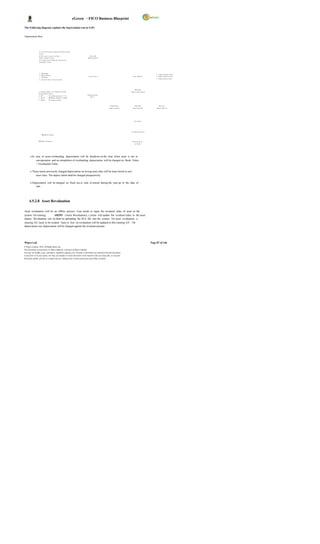
  • 11.
    eGreen – FICOBusiness Blueprint S. No. Attachment Description 1 CSBP-FSBP Link 2_BP_FSBP_F ICO_0. 3.xls 2. FSBP discussion along with changes in existing Organization structure, standard reports available in SAP. 3. Incorporation of comments from CTMS, BPOs, and DGPC management, wherever justified and applicable. 4. Depiction of FSBP in the form of Flow Chart. 5. Gap discussion with CTMs and formulation of Gap removal / mitigation plans. 6. FRICE requirements discussion, prioritization and finalization. 7. Discussion of configuration blueprint document in the form of KEY DATA STRUCTURE attached as Configuration Values in this Busines s Blueprint Document. The information gathered and documented in the Blueprint are sufficient for the team to go forward into the Realization phase. However, it is critical that both the Consultants and DGPC team agree on the scope of the project as presented in this doc ument. Acceptance - by both teams - is required to move the project into the next phase. Objective of this document : 1. To identify and document the configuration values applicable FSBP-wise post discussion with CTMs. 2. Have one comprehensive document with referenc e to capturing of Gaps and FRICE requirements. 3. Brief about the module s standard functionalities, its integration with other modules, master data requirements and relevant organization structure. Wipro Ltd. Page 11 of 146 © Wipro Limited, 2010, All Rights Reserved. This document is proprietary to Wipro Infotech, a division of Wipro Limited. You may not modify, copy, reproduce, republish, upload, post, transmit or distribute any material from this document, in any form or by any means, nor may you modify or create derivative works based on the text of any file, or any part thereof for public, private or commercial use, without prior written permission from Wipro Limited.
  • 12.
    eGreen – FICOBusiness Blueprint 1.3 Financial Accounting The Financial Accounting (FI) module component addresses the financial requirements of an organization. It is used for the purpose of the external reporting as well as internal reporting. External reporting is for external parties like Government Authorities, Creditors, Banks, and Financial Institutions etc. Internal reporting is used for the purpose of reporting to the management of the company. It provides the following features: Management and representation of all accounting data: All business transactions are recorded with an unbroken audit trail from the financial statements to the individual documents. Open and integrated data flow: Data is available in real time within Financial Accounting. Postings made in the sub ledgers always generate a corresponding posting in the General Ledger. All accounting relevant transactions made in Logistics are posted real-time to Financial Accounting by means of automatic account determination. This data can also be passed on to Controlling (CO). This ensures that logistical goods movements (such as goods receipts and goods issues) are exactly reflected in the value-based updates in accounting. Audit Trail: Each document created has its details stored in system. This provides the audit trail. Decision m aking: The systems give the real time information at all the point of time. This plays a crucial role in the management reporting & strategic decision making. Financial Accounting: The Financial Accounting (FI) application component fulfils all the external reporting requirements that must be met by the organization whether national or international. The SAP FI application provides the following features; General Ledger (FI-GL) Accounts Payable (FI-AP) Accounts Receivable (FI-AR) Bank Accounting (FI-BA) Asset Accounting (FI-AA) Wipro Ltd. Page 12 of 146 © Wipro Limited, 2010, All Rights Reserved. This document is proprietary to Wipro Infotech, a division of Wipro Limited. You may not modify, copy, reproduce, republish, upload, post, transmit or distribute any material from this document, in any form or by any means, nor may you modify or create derivative works based on the text of any file, or any part thereof for public, private or commercial use, without prior written permission from Wipro Limited.
  • 13.
    eGreen – FICOBusiness Blueprint General Ledger: The central task of G/L accounting is to provide a comprehensive picture for ex ternal reporting and accounting. Recording is done for all business transactions (primary postings as well as settlements from internal accounting) in a software system that is fully integrated with all the other operational areas of DGPC ensuring that the accounting data is always complete and accurate. Accounts Payable, Accounts Receivable, Asset etc., will be c ategorized as subsidiary ledgers. Accounts Payable: The Accounts Payable application component records and manages accounting data for all vendors. It is also an integral part of the purchasing system: Deliveries and invoices are managed according to vendors . The system automatically triggers postings in response to the operative transactions in MM. Accounts Receivable: The Accounts Rec eivable applic ation component records and manages accounting data of all customers with respect to the company. It is also an integral part of sales management. All postings in Accounts Receivable are also recorded directly in the General Ledger. Different G/L accounts are updated depending on the transactions involved (For Eg: Receiv ables, Down Payments). Wipro Ltd. Page 13 of 146 © Wipro Limited, 2010, All Rights Reserved. This document is proprietary to Wipro Infotech, a division of Wipro Limited. You may not modify, copy, reproduce, republish, upload, post, transmit or distribute any material from this document, in any form or by any means, nor may you modify or create derivative works based on the text of any file, or any part thereof for public, private or commercial use, without prior written permission from Wipro Limited.
  • 14.
    eGreen – FICOBusiness Blueprint Bank Accounting: This component is used to handle accounting transactions that the Company processes with its banks. It includes the management of bank master data, cash balance management (Cheque and DD), and the creation and processing of incoming and outgoing payments. Asset Accounting: The Asset Accounting component is used for managing and supervising fixed assets in the system. In Financial Accounting, Asset accounting serves as a subsidiary ledger to the FI General Ledger, providing detailed information on transactions involving fixed assets with respect to the company. Withholding Tax: SAP FI uses the standard functions for calculating and collecting withholding taxes. However, withholding tax come with additional functions for tax remittance, journal vouchers, creating withholding tax certificates, and preparing returns whic h will be useful to DGPC . 1.4 Module Integration Integration of Financial Accounting with other Components Every posting that is made in the sub ledgers generates a corresponding posting to the assigned G/L accounts. The basic concept of SAP integration is ; document once entered should not be entered twice anywhere in all the applications. As FI module is the important module and involves monetary issues whether external or internal, all the documents in other modules pertaining to accounting will be automatically updated in FI module. The following are some of the integrations: - Materials Management (MM): Material Management is used to manage the inventory related transactions. All accounting-relevant transactions with respect to the following will be made automatically in FI. Goods receipt against the purchase order. Goods issue against production order / process order. Finished goods receipt. Valuation of material as and when required Invoice verification( The MM will park the invoice and Finance will post the invoice) Sales & Distribution All the sales bills shall be routed through S&D module to FI module in following sequence. Sales order Billing Incoming payment Wipro Ltd. Page 14 of 146 © Wipro Limited, 2010, All Rights Reserved. This document is proprietary to Wipro Infotech, a division of Wipro Limited. You may not modify, copy, reproduce, republish, upload, post, transmit or distribute any material from this document, in any form or by any means, nor may you modify or create derivative works based on the text of any file, or any part thereof for public, private or commercial use, without prior written permission from Wipro Limited.
  • 15.
    eGreen – FICOBusiness Blueprint Human Capital Management (HCM): All accounting-relevant transactions with respect to the following will be posted automatically in FI. Payroll, Allowances, Deductions, Employee contribution to welfare, etc. Project System All accounting-relevant transactions with respect to the following will be made aut omatically in FI. WBS Elements Cost settlement with respect to Project/WBS Element. Plant Maintenance All accounting-relevant transactions with respect to the following will be made automatically in FI. Maintenance order Cost settlement with respect to maintenance order (Settlement is being carried out by Finance). Integration within Financial Accounting (with respect to FI and CO) Every posting that is made in the sub ledgers (Accounts Payable, Accounts Receivable & Assets) generates a corresponding posting to the assigned G/L accounts. This ensures that the sub ledgers are always reconciled with the general ledger. Controlling (CO) and Financial Accounting (FI) are independent components in the SAP system. The data flow between the two components tak es place on a regular basis. Therefore, all the data relevant to costing flows automatically to Controlling from Financial Accounting. Wipro Ltd. Page 15 of 146 © Wipro Limited, 2010, All Rights Reserved. This document is proprietary to Wipro Infotech, a division of Wipro Limited. You may not modify, copy, reproduce, republish, upload, post, transmit or distribute any material from this document, in any form or by any means, nor may you modify or create derivative works based on the text of any file, or any part thereof for public, private or commercial use, without prior written permission from Wipro Limited.
  • 16.
    eGreen – FICOBusiness Blueprint 2 ORGANISATION STRUCTURE Enterprise Structure for DGPC Wipro Ltd. Page 16 of 146 © Wipro Limited, 2010, All Rights Reserved. This document is proprietary to Wipro Infotech, a division of Wipro Limited. You may not modify, copy, reproduce, republish, upload, post, transmit or distribute any material from this document, in any form or by any means, nor may you modify or create derivative works based on the text of any file, or any part thereof for public, private or commercial use, without prior written permission from Wipro Limited.
  • 17.
    eGreen – FICOBusiness Blueprint Client (DHI) Operating Concern (OP01) DGPC Cost Controlling Area Controlling Area Center Hierarchy (DP01) (DS01) Chart Of Chart Of Account Company Code Company Code Chart Of Account Depreciation (3000) (DG01) (DSWF) (3001) (3000) Purchase Plants Sales Dstr. Organizations (Profit Centers) Organisation Channel Division Personnel Area DGPC Domestic BS01 BS01 Power BS01 2001 Sales CH01 CH01 Export CH01 COE Sales KU01 KU01 KU01 Spot Spot Sales Sales TA01 TA01 TA01 Others DG01 DG01 DG01 Profit Centers CO (Controlling) FI (Finance) MM (Material Management) SD (Sales & Distribution) HCM (Human Capital Management) Wipro Ltd. Page 17 of 146 © Wipro Limited, 2010, All Rights Reserved. This document is proprietary to Wipro Infotech, a division of Wipro Limited. You may not modify, copy, reproduce, republish, upload, post, transmit or distribute any material from this document, in any form or by any means, nor may you modify or create derivative works based on the text of any file, or any part thereof for public, private or commercial use, without prior written permission from Wipro Limited.
  • 18.
    eGreen – FICOBusiness Blueprint Enterprise Structure for DHPC Client (DHI) Operating Concern (OP01) DHPC Cost Controlling Area Center Hierarchy (DP01) Chart Of Chart Of Account Company Code Depreciation (3000) (DH01) (3000) Purchase Plants Sales Dstr. Organizations (Profit Centers) Organisation Channel Division Personnel Area DH01 DHPC Domestic DH01 Power DH01 2002 Sales Export COE Storage Sales Location Spot Spot CO (Controlling) Sales Sales FI (Finance) Others MM (Material Management) SD (Sales & Distribution) HCM (Human Capital Management) Wipro Ltd. Page 18 of 146 © Wipro Limited, 2010, All Rights Reserved. This document is proprietary to Wipro Infotech, a division of Wipro Limited. You may not modify, copy, reproduce, republish, upload, post, transmit or distribute any material from this document, in any form or by any means, nor may you modify or create derivative works based on the text of any file, or any part thereof for public, private or commercial use, without prior written permission from Wipro Limited.
  • 19.
    eGreen – FICOBusiness Blueprint 2.1 Client Client is the highest level in the SAP hierarchy. Specifications or data which will be valid for all organizational units in all SAP applications are entered at the client level, eliminating the need to enter this information more than once (e.g. exchange rates). Each client is a self-contained unit which has separate master records and a complete set of tables and data. A client key is used automatically in all master records in background, which ensures that they are stored per client. Users must enter a client k ey and have a user master record in the client in order to log on to the system. The Enterprise Structure in SAP Finance module consists of the following entities under Client: Company Company Code Chart of Accounts Chart of Depreciation There will be one Client (DHI1) for DHI and DGPC. 2.2 Company A Company represents a group of entities (one or more Company codes) in SAP. This entity is used for consolidation of accounts of multiple entities (Company Codes). All company codes within a company can use the same operational Chart of Accounts and the same Fiscal Year breakdown. However, the company code currencies can be different. 2.3 Company Code A Company Code represents an independent legal accounting entity in SAP. Balance Sheets and Profit/Loss statements required will be created at the Company Code level. In other words, a company code is an organizational unit for which a complete self-contained set of accounts can be drawn up for external reporting purpose. The process of external reporting involves recording all relevant transactions and generating all supporting documents required for financial statements. Wipro Ltd. Page 19 of 146 © Wipro Limited, 2010, All Rights Reserved. This document is proprietary to Wipro Infotech, a division of Wipro Limited. You may not modify, copy, reproduce, republish, upload, post, transmit or distribute any material from this document, in any form or by any means, nor may you modify or create derivative works based on the text of any file, or any part thereof for public, private or commercial use, without prior written permission from Wipro Limited.
  • 20.
    eGreen – FICOBusiness Blueprint Company Code Company Code Description DG01 Druk Green Power Corporation Limited ( DGPC) DH01 Dagachhu Hydropower Corporation Limited (DHPC) DSWF DGPC Staff Welfare Fund(DSWF) 2.4 Chart of Accounts (COA) A Chart of Accounts is a classification consisting of a group of General Ledger (G/L) accounts under a Client. It provides a framework for the recording of values, in order to ensure an orderly rendering of accounting data. The chart of accounts contains the definitions of all G/L accounts in an ordered form. The definitions consist mainly of the account number, account name, and the type of G/L account, that is, whether the account is a P&L type account or a BS type ac count. One or more Chart of Accounts can be created for the same Client A Chart of Accounts can be used by one or more Company Codes. The following COA will be maintained at company code level. Chart of Accounts Company Code Description 3000 DGPC Chart Of Accounts 3000 DHPC Chart Of Accounts 3001 DSWF Chart Of Accounts 2.5 Group Chart of Accounts (GCOA) The group Chart of Accounts contains the G/L accounts that are used by the entire corporate group. This allows the company to provide reports for the entire corporate group. There would be one group COA at DHI (Client Level) and all other COA would be mapped to group COA for the purpose of consolidation. One group Chart of Accounts can be assigned to different charts of accounts as shown below: Wipro Ltd. Page 20 of 146 © Wipro Limited, 2010, All Rights Reserved. This document is proprietary to Wipro Infotech, a division of Wipro Limited. You may not modify, copy, reproduce, republish, upload, post, transmit or distribute any material from this document, in any form or by any means, nor may you modify or create derivative works based on the text of any file, or any part thereof for public, private or commercial use, without prior written permission from Wipro Limited.
  • 21.
    eGreen – FICOBusiness Blueprint 2.6 Chart of Depreciation A Chart of Depreciation is a list of depreciation areas like book depreciation as per The Companies Act of the Kingdom of Bhutan, 2000. Chart of Depreciation is created in order to manage various statutory requirements for the depreciation and valuation of assets. These Charts of Depreciation are usually country-spec ific and are defined independently of the other organizational units. A Chart of Depreciation, for example, can be used for all the company codes in a given country. A single Chart of Depreciation will be assigned to the company code DG01 and separate for DHI. The 2000 & 3000 Chart of Depreciation will consists of the following depreciation areas: 01- Book Depreciation as per Income Tax Act of the Kingdom of Bhutan, 2001. 10- Depreciation as per Company Policy. 15- Depreciation as per Bhutan Electricity Authority, Tariff Determination Regulation, 2007. 20- Depreciation as per IFRS. 2.7 Profit Centers represent separate areas of operation/locations within an organization and can be used across company codes. They are balancing entities which are able to create their own set of financial statements for internal purposes. Movements in value entered in Financial Accounting are assigned to Profit Centers. This entity is used for segmental reporting by drawing P&L statement and Balance Sheet for a segment (typically a line of business or geographical location). Wipro Ltd. Page 21 of 146 © Wipro Limited, 2010, All Rights Reserved. This document is proprietary to Wipro Infotech, a division of Wipro Limited. You may not modify, copy, reproduce, republish, upload, post, transmit or distribute any material from this document, in any form or by any means, nor may you modify or create derivative works based on the text of any file, or any part thereof for public, private or commercial use, without prior written permission from Wipro Limited.
  • 22.
    eGreen – FICOBusiness Blueprint Following are the Profit Centers for DGPC, Profit Center Description BS01 Basochhu Hydropower Plant CH01 Chhukha Hydropower Plant KU01 Kurichhu Hydropower Plant TA01 Tala Hydropower Plant DG01 Corporate Office 2.8 Controlling Area The controlling area is the business unit where cost accounting is carried out. Controlling Area delimits the company s managerial accounting operations. Organization structure is replicated in the controlling system. The company code and cont rolling area uses identical chart of accounts, currency & business area. Cost centers, internal orders, profit centers are used to classify the controlling area. All inter organizational allocations refers to objects within the same controlling area. DGPC will have DP01 as its Controlling Area. DSWF will have DS01 as its Controlling Area. 2.9 Cost Centers Cost Center in SAP is an organizational unit within a company that is used to track where costs occurred within the organization (i.e., as a cost collector).In other words, Cost Centers are respons ibility areas for costs within the organization. Cost Centers are logical units or functional areas or locations of a company. Before cost center is created, a hierarchical s tructure (called Standard Hierarchy) is set up and assigned to the controlling area. Once created, it cannot be deleted or changed in Controlling Area. The Cost Center is the lowest node of the hierarchical structure. A standard hierarchy (DGPC) is to be assigned to the controlling area DP01 and cost centers are created considering the company’s overall operational structure. Wipro Ltd. Page 22 of 146 © Wipro Limited, 2010, All Rights Reserved. This document is proprietary to Wipro Infotech, a division of Wipro Limited. You may not modify, copy, reproduce, republish, upload, post, transmit or distribute any material from this document, in any form or by any means, nor may you modify or create derivative works based on the text of any file, or any part thereof for public, private or commercial use, without prior written permission from Wipro Limited.
  • 23.
    eGreen – FICOBusiness Blueprint 3 MASTER DATA 3.1 General Ledger Master The General Ledger master data contains data that control General Ledger postings. General Ledger master contains; GL Naming Conventions GL Number Ranges Types of Accounts Description and Control Data 3.1.1 General Ledger Naming Convention In DGPC, the naming convention of GL Accounts is done in such a way that the user can identify whether the GL A/c is Asset or Liability or Income etc . as shown below: 1. 1000000000 : Asset 2. 2000000000 : Liabilities 3. 3000000000 : Owners’ Equity 4. 4000000000 : Income 5. 5000000000 : Expenses 6. 6000000000 : Clearing Accounts 7. 9000000000 : Initial Uploads Transactions will be processed in the FI module using G/L acc ounts grouped under Chart of Accounts. Groups of accounts are as under; S. No General Ledger Groups Number Range 1 Assets: From To Cash 1010110010 1010119999 Bank of Bhutan 1010120010 1010129999 Bhutan National Bank 1010130010 1010139999 Central Bank Of India 1010140010 1010149999 Druk Punjab National Bank 1010150010 1010159999 Tashi Bank 1010160010 1010169999 Short Term Investment 1010210001 1010229999 Inventories 1010300001 1010309999 Sundry Debtors 1010410001 1010429999 Prepaid Expenses, Deposit & Accrued Interest 1010510001 1010549999 Advances 1010610001 1010629999 Long Term Investments 1020110001 1020129999 Equity Investments 1020200001 1020209999 Land 1030100001 1030109999 Civil Structures 1030200001 1030299999 Wipro Ltd. Page 23 of 146 © Wipro Limited, 2010, All Rights Reserved. This document is proprietary to Wipro Infotech, a division of Wipro Limited. You may not modify, copy, reproduce, republish, upload, post, transmit or distribute any material from this document, in any form or by any means, nor may you modify or create derivative works based on the text of any file, or any part thereof for public, private or commercial use, without prior written permission from Wipro Limited.
  • 24.
    eGreen – FICOBusiness Blueprint Plant & Machinery 1030310001 1030329999 Tools & Safety Equipment 1030400001 1030499999 Other Assets 1030500001 1030599999 Intangible As sets 1030600001 1030699999 PFD- Civil Structure 1040100001 1040199999 PFD- Plant & Machinery 1040210001 1040229999 PFD- Tools & Safety Equipment 1040300001 1040399999 PFD- Other Assets 1040400001 1040499999 PFA-Intangible Assets 1040500001 1040599999 Capital Work in Progress 1050100001 1050199999 Losses and write off 1060100001 1060199999 2 Liabilities From To Current Liability 2010100001 2010199999 Employee Related Liabilities 2010200001 2010299999 Provisions 2020110001 2020129999 Domestic Loan 2030100001 2030199999 Foreign Sovereign loan 2030200001 2030299999 Foreign-Commercial 2030300001 2030399999 Foreign-Multilateral 2030400001 2030499999 Interest Accrued But Not Due 2030500001 2030599999 3 Owners Equity From To Share Capital 3010100001 3010199999 Reserves & Surplus 3010200001 3010299999 4 Income From To Electricity Revenue 4010100001 4010199999 Income from Short Term Investment 4020110001 4020129999 Income from Long Term Investment 4020210001 4020229999 Other Income 4020300001 4020399999 5 Expenses From To Purchase of Energy, Wheeling Charges 5010100001 5010199999 Running & Maintenance of Civil Structure 5010210001 5010219999 Running & Maintenance of Plant & Machinery 5010220001 5010229999 Operation & Maintenanc e Expenses 5020110001 5020119999 Depreciation-Civil Structures 5020210001 5020219999 Depreciation-Plant and Machinery 5020220001 5020239999 Depreciation-Tools & Safety Equipment 5030230001 5030239999 Depreciation-Other Assets 5020240001 5020249999 Amortization 5020250001 5020259999 Employee Remuneration & Benefits 5020310001 5020319999 Human Recourses Development Expenses 5020320001 5020329999 Staff Welfare 5020330001 5020339999 Wipro Ltd. Page 24 of 146 © Wipro Limited, 2010, All Rights Reserved. This document is proprietary to Wipro Infotech, a division of Wipro Limited. You may not modify, copy, reproduce, republish, upload, post, transmit or distribute any material from this document, in any form or by any means, nor may you modify or create derivative works based on the text of any file, or any part thereof for public, private or commercial use, without prior written permission from Wipro Limited.
  • 25.
    eGreen – FICOBusiness Blueprint General Administrative Expenses 5020410001 5020419999 Int-Domestic loan 5020510001 5020519999 Int-Foreign-Sovereign Loan 5020520001 5020529999 Int-Foreign-Commercial Loan 5020530001 5020539999 Int-Foreign-Multilateral 5020540001 5020549999 Environment & Social Impact Management 5020600001 5020699999 Prior Period Expenses 5030100001 5030199999 6 Clearing Accounts From To Clearing Accounts 6010100001 6010199999 7 Initial Uploads From To Initial Accounts 9010100001 9010199999 Points to be considered with respect to G/L accounts are: Master records for each G/L account will be created and maintained at each company c ode level. The master record contains information and controlling parameters which control the entry and processing of business transactions in that G/L account. G/L accounts will also be used for pos ting transactions from other modules of SAP.( MM / HCM/ SD, Etc) Segments in the General Ledger Master record: Chart of Accounts Segment Company Code segment Chart of Accounts Segment In this segment, specifications that apply to the entire G/L account master record are captured. These include: The G/L account number and G/L account name. Whether the account is a balance sheet account or an income statement account . Data that controls the creation of a master record in a company code, such as the account group. Company Code Segment The information, which is specific to a particular company, is maintained in the Company Code segment of the General Ledger Master record. This data controls how one enters and processes business transaction data in the appropriate account as well as how the account is managed within a Company Code. The following are some of the specifications which will be made for each G/L account: Wipro Ltd. Page 25 of 146 © Wipro Limited, 2010, All Rights Reserved. This document is proprietary to Wipro Infotech, a division of Wipro Limited. You may not modify, copy, reproduce, republish, upload, post, transmit or distribute any material from this document, in any form or by any means, nor may you modify or create derivative works based on the text of any file, or any part thereof for public, private or commercial use, without prior written permission from Wipro Limited.
  • 26.
    eGreen – FICOBusiness Blueprint Currenc y - account currenc y (BTN) Reconciliation Account for Account Type - to s pecify the control accounts for the sub ledgers . Open Item Management - will be maintained for an account that requires open item management. Eg. Bank sub-accounts, GR/IR Clearing account, etc., are maintained in Open Item Management. Line Item Display - will be retained for accounts for which line items are to be stored separately. Eg. Bank main accounts, all expense accounts, all balance sheet accounts, excepting accounts which are of the nature of reconciliation accounts. 3.2 Asset Master The Asset Accounting module contains master records that control how bus iness trans actions are recorded and posted to the account. The Asset master record also contains all the data required to manage c ompany s Fixed Assets. Following details are maintained in the Asset Master: General Master Data This part of the master record contains concrete information about the fixed asset. The following field groups exist: General information (description, quantity, etc.) Posting information (for example capitalization date etc.) Time-dependent assignments (for example cost center, custodian, etc) Information on the origins of the asset Insurance data Depreciation areas Data for Calculating Asset Values Depreciation terms can be specified in the asset master record for each depreciation area in the Chart of Depreciation. In order to make these specifications, the master record contains an overview of the depreciation areas. In addition, there is a detailed display available for each depreciation area. If there are depreciation areas that are not needed for a specific asset, it is possible to deactivate these depreciation areas at the asset level. Fixed assets can be structured or classified in the Asset Accounting component using asset classes. The items in the balance sheet are generally used to define these asset classes. Asset classes are defined for all clients and contain key control parameters, such as number assignment, account determination and screen layout. Each asset class is maintained with different depreciation areas as required for DGPC. Once the asset classes are defined, different asset master records will be c reated under the asset classes. Each c lass will be assigned a different number range to give different numbers to assets. Asset classes and number ranges are in attached sheet; Wipro Ltd. Page 26 of 146 © Wipro Limited, 2010, All Rights Reserved. This document is proprietary to Wipro Infotech, a division of Wipro Limited. You may not modify, copy, reproduce, republish, upload, post, transmit or distribute any material from this document, in any form or by any means, nor may you modify or create derivative works based on the text of any file, or any part thereof for public, private or commercial use, without prior written permission from Wipro Limited.
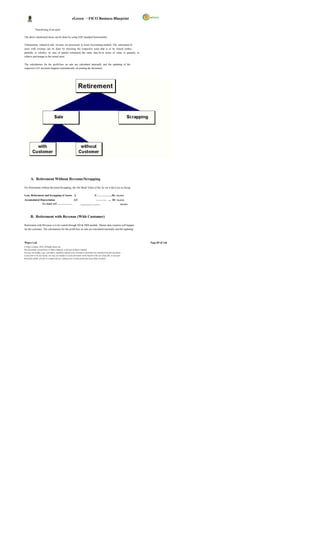
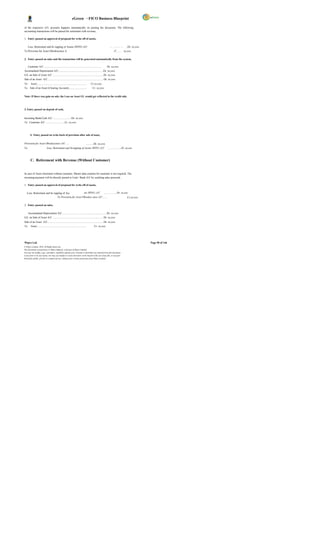
  • 27.
    eGreen – FICOBusiness Blueprint A sset Class.xls 3.3 Vendor Master The AP component contains Vendor master records that control how business transactions are recorded and posted to the account. Creation and maintenance of Vendor Mas ter for material suppliers and other type of vendor is documented in MM module. Master data for service vendors will be created on similar lines. Specifications as made in master records are used: As default values when the items are posted to account. For example, the terms of payment as specified in the master record are defaulted for document entry. For processing business transactions for instance, bank details and the payment methods (cheque or bank transfer, for example) are required for automatic payments. For work ing with master records, certain users can be prevented from accessing an account by setting up authorization groups. In addition, line item display and open item management are defined automatically for each vendor account. In DGPC, it is proposed to create separate Vendor accounts for employees. Separate special GL indic ators will be created to track EMD, Security Deposit from vendors. Vendor Reconciliation Account Vendor Reconciliation account is the G/L account for a group of vendors in FI-AP module. The number of Vendor Reconciliation accounts will depend on the grouping of the vendor in FI. When posting items to a subsidiary ledger, the system automatically posts the same data to the general ledger. These reconciliation accounts ensure that the difference balance of G/L accounts and subsidiary ledger is always equal. This means that balance sheets can be drawn up at any time without having to trans fer totals from the sub ledgers to the general ledger. A reconciliation account should be specified in every vendor master record. TDS Codes TDS tax codes will be assigned to the individual vendors, wherever applicable, for processing invoices/payment and relevant tax deductions. Withholding tax codes will be maintained for different rates of TDS. Multiple tax details can also be assigned to a Vendor. Relevant tax code will be selected at the time of posting of the individual line item. 3.4 Customer Master All business transactions are posted to and managed by means of accounts. Master record is to be created for required accounts. The master record contains data that controls how business transactions are entered in the account and how posting data is processed. In the master record, all the data that is needed for conducting busines s with the customer can be maintained. Wipro Ltd. Page 27 of 146 © Wipro Limited, 2010, All Rights Reserved. This document is proprietary to Wipro Infotech, a division of Wipro Limited. You may not modify, copy, reproduce, republish, upload, post, transmit or distribute any material from this document, in any form or by any means, nor may you modify or create derivative works based on the text of any file, or any part thereof for public, private or commercial use, without prior written permission from Wipro Limited.
  • 28.
    eGreen – FICOBusiness Blueprint Customer master records are used by both the Financial Accounting Department (accounts receivable processing) and the Sales & Distribution . Customer Reconciliation Account Customer Reconciliation account is the G/L account for a group of customers in FI-AR module. The number of Customer Reconciliation accounts will depend on the grouping of the customers in FI. Customer Payment Terms Terms of payment are conditions established between business partners to settle the payment of invoices. The conditions define the invoice payment due date and the cash discount offered for early settlement of the invoice. Within SAP, some common payment terms have been predefined; new payment terms may be created as required. Payment terms enable the system to calculate a cash discount and invoice due date. In order to perform this calculation, the system needs the following three data elements i.e., Baseline date, cash discount period and cash discount percentage rate. When processing a document, the payment term is entered in order for the system to calculate the required conditions of payment. The payment term will be defaulted if it has been assigned on the master record, or can be entered or changed by the user during transaction processing. Payment terms 0001 (Immediate payment) will be defined in SAP and assigned to individual customers. Customer Vendor Cross Clearing Transactions If a customer who is also a vendor, at the time of processing a clearing transaction, such as an incoming/outgoing payment or account maintenance, the system also selects the open vendor items automatically, provided that the vendor number is entered in the customer master record and the Clearing with Vendor indicator has been set. The same rule applies for a vendor that is also a customer during a clearing transaction. 3.5 Bank Master The information about a bank that is required to conduct business transactions is mentioned in Bank Master. This information is stored centrally in the SAP System. The house bank and account ID are in attached sheet: Bank Master.xlsx For each house bank, several bank accounts can be maintained. The bank accounts will have a G/L account attached to it and the currency of payment. For each bank , there are three different G/L accounts; XXXXXXXX0 – Main A/C XXXXXXXX1 – Incoming A/C XXXXXXXX2 – Outgoing A/C Wipro Ltd. Page 28 of 146 © Wipro Limited, 2010, All Rights Reserved. This document is proprietary to Wipro Infotech, a division of Wipro Limited. You may not modify, copy, reproduce, republish, upload, post, transmit or distribute any material from this document, in any form or by any means, nor may you modify or create derivative works based on the text of any file, or any part thereof for public, private or commercial use, without prior written permission from Wipro Limited.
  • 29.
    eGreen – FICOBusiness Blueprint 3.6 Cost Elements A cost element is an item in a chart of accounts, which is used within controlling area to record the value-assigned consumption of production fac tors. Cost elements are of two types: The Primary Cost Element and Secondary Cost Element. Primary Cost or Revenue element must have a corresponding GL account in Financial Accounting. Business will create the primary cost elements at the time of creating the G/L account with the appropriate cost element category (i.e Primary Cost (1), Revenue (11), Sales Deduction (12) etc.) Secondary c ost element exists only in CO and is used to allocate costs within CO. Secondary cost elements are strictly for internal controlling postings like assessments and settlements. 4 BUSINESS PROCESSES 4.1 Configuration Settings The purpose of this chapter is to document the global configuration settings in Financial Accounting for the DGPC business. These settings control the transaction entry and the dependant controls in SAP across all the modules. Parameter Settings Posting of transactions in SAP require the following settings: Currenc y Fiscal Year in which the transaction is to be posted Fiscal year variant for determining the posting periods Document Types Document Numbering Document Pos ting Keys (debit/credit) Posting Period Variant to determine the open and c lose periods Tax Deducted at Source (Extended Withholding Tax ) 4.1.1 Currency For each Company Code, a currency must be specified. Accounts are managed in the Company Code currenc y. All other currencies are indicated as foreign currency. The system converts the amounts posted in a foreign currency into the Company Code (Local) currency. The currency defined in the Company Code is k nown as the local currency within SAP. Wipro Ltd. Page 29 of 146 © Wipro Limited, 2010, All Rights Reserved. This document is proprietary to Wipro Infotech, a division of Wipro Limited. You may not modify, copy, reproduce, republish, upload, post, transmit or distribute any material from this document, in any form or by any means, nor may you modify or create derivative works based on the text of any file, or any part thereof for public, private or commercial use, without prior written permission from Wipro Limited.
  • 30.
    eGreen – FICOBusiness Blueprint DGPC will use Bhutan Ngultrum i.e. BTN as Local Currency. Controlling area currency will be BTN & Group currency will also be BTN. 4.1.2 Fiscal Year and Fiscal Year Variant To separate business transactions into different periods, a fiscal year with posting periods has to be defined. The fiscal year is defined as a variant which is assigned to the Company Code. Standard fiscal year variants are already defined in the s ystem and can be used as templates. The fiscal year variant contains the definition of posting periods and special periods. Special periods are used for postings which are not assigned to time periods, but to the process of year-end closing. The fiscal year will cons ist of maximum of 12 posting and 4 special periods. A fiscal year is defined as fiscal year variant which is then assigned to Company Code. One fiscal year variant can be used by several Company Codes. The following are the available options for defining fiscal year variants: Fiscal year same as calendar year. Fiscal year differs from calendar year (non-calendar fiscal year). The posting periods can also be different to the calendar months. The fiscal year variant that would be used by DGPC will be K4 (Jan to Dec + 4 Special periods). Wipro Ltd. Page 30 of 146 © Wipro Limited, 2010, All Rights Reserved. This document is proprietary to Wipro Infotech, a division of Wipro Limited. You may not modify, copy, reproduce, republish, upload, post, transmit or distribute any material from this document, in any form or by any means, nor may you modify or create derivative works based on the text of any file, or any part thereof for public, private or commercial use, without prior written permission from Wipro Limited.
  • 31.
    eGreen – FICOBusiness Blueprint 4.1.3 Document Type The document type controls the document header and is used to differentiate the business transactions to be posted, e.g. Customer invoice, Vendor payments, etc. Document types are required in SAP to create and post financial documents (e.g. Bank Payment Voucher, Receipt Voucher etc.). Document types are defined at the client level and are therefore valid for all company codes. The standard system is delivered with document types which can be used, changed, or copied. SAP has the standard Document Types, which will be adopted by DGPC. The document number range defines the allowable range in which a document number must be positioned and cannot overlap. The document number range has to be defined for the year in which it is used. The system stores the last used document number from the number range in the field “current number” and takes the subsequent number for the next document The following document types will be used: No. Document Document Range Number Number Type Description Object Range(From) Range(To) SA G/L Account Document 1 100000000 199999999 SB G/L Account Posting 2 200000000 299999999 Wipro Ltd. Page 31 of 146 © Wipro Limited, 2010, All Rights Reserved. This document is proprietary to Wipro Infotech, a division of Wipro Limited. You may not modify, copy, reproduce, republish, upload, post, transmit or distribute any material from this document, in any form or by any means, nor may you modify or create derivative works based on the text of any file, or any part thereof for public, private or commercial use, without prior written permission from Wipro Limited.
  • 32.
    eGreen – FICOBusiness Blueprint SK Cash Document 3 300000000 399999999 AB Accounting Document 4 400000000 499999999 AA Asset Posting 5 500000000 599999999 AF Depreciation Posting 6 600000000 699999999 AN Net Asset Posting 7 700000000 799999999 CC Cross Company Code 8 800000000 899999999 IU Initial Uploads 9 900000000 999999999 DA Customer Document 10 1000000000 1099999999 DR Customer Invoice 11 1100000000 1199999999 DG Customer Credit Memo 12 1200000000 1299999999 WN Net Goods Receipt 13 1300000000 1399999999 DZ Customer Payment 14 1400000000 1499999999 PR Price Change 15 1500000000 1599999999 RB Reserve for Bad Debt 16 1600000000 1699999999 TR Travel Posting 17 1700000000 1799999999 ZR Bank Reconciliation 18 1800000000 1899999999 WL Goods Issue/Delivery 19 1900000000 1999999999 KA Vendor Document 20 2000000000 2099999999 RE Invoice - Gross 21 2100000000 2199999999 KR Vendor Invoice 22 2200000000 2299999999 KZ Vendor Payment 23 2300000000 2399999999 KG Vendor Credit Memo 24 2400000000 2499999999 WA Goods Issue 25 2500000000 2599999999 WE Goods Receipt 26 2600000000 2699999999 WI Inventory Document 27 2700000000 2799999999 IZ Imprest Advance 28 2800000000 2899999999 KN Net Vendors 29 2900000000 2999999999 EG EMD For Goods 30 3000000000 3099999999 ES EMD For Services 31 3100000000 3199999999 EW EMD For Works 32 3200000000 3299999999 GG Guar Adv Paymt Goods 33 3300000000 3399999999 GS Guar Adv Paymt Servc 34 3400000000 3499999999 GW Guar Adv Paymt Works 35 3500000000 3599999999 PG Per.Guaran for Goods 36 3600000000 3699999999 PS Per.Guar for Service 37 3700000000 3799999999 PW Per.Guaran for Works 38 3800000000 3899999999 PY Payroll Document 40 4000000000 4099999999 CH Contract Settlement 41 4100000000 4199999999 EU Euro Rounding Diff. 42 4200000000 4299999999 EX External Number 43 4300000000 4399999999 KP Account Maintenance 44 4400000000 4499999999 Wipro Ltd. Page 32 of 146 © Wipro Limited, 2010, All Rights Reserved. This document is proprietary to Wipro Infotech, a division of Wipro Limited. You may not modify, copy, reproduce, republish, upload, post, transmit or distribute any material from this document, in any form or by any means, nor may you modify or create derivative works based on the text of any file, or any part thereof for public, private or commercial use, without prior written permission from Wipro Limited.
  • 33.
    eGreen – FICOBusiness Blueprint ML ML Settlement 45 4500000000 4599999999 RA Sub.Cred.Memo Stlmt 46 4600000000 4699999999 RN Invoice - Net 47 4700000000 4799999999 UE Data Transfer 48 4800000000 4899999999 ZC Cash Journal 49 4900000000 4999999999 ZH Payment By Cheque 50 5000000000 5099999999 ZP Payment Posting 51 5100000000 5199999999 SU Adjustment Document 52 5200000000 5299999999 ZS Project Settlements 53 5300000000 5399999999 4.1.4 Posting Key Posting Key controls Debit or Credit account indicator for each line item. The posting key also describes the type of transaction that is entered in a line item and allowable account type, which will be entered for the respective line item. SAP provides certain predefined posting keys. These predefined posting keys will be used wherever applicable. For every posting key, properties control the entry of the line item. For each Posting Key, a reversal-posting k ey may be defined. The reversal-posting key is used to reverse a document posted in Financial Accounting. Wipro Ltd. Page 33 of 146 © Wipro Limited, 2010, All Rights Reserved. This document is proprietary to Wipro Infotech, a division of Wipro Limited. You may not modify, copy, reproduce, republish, upload, post, transmit or distribute any material from this document, in any form or by any means, nor may you modify or create derivative works based on the text of any file, or any part thereof for public, private or commercial use, without prior written permission from Wipro Limited.
  • 34.
    eGreen – FICOBusiness Blueprint Some of the Posting Keys are: Posting keys Transaction Debit/Credit Account Reversal Types 01 Invoice Dr D 12 02 Reverse Credit Memo Dr D 11 09 Special G/L Debit Dr D 19 11 Credit Memo Cr D 02 19 Special G/L Credit Cr D 09 21 Credit Memos Dr K 32 29 Special G/L Debit Dr K 39 31 Invoice Cr K 22 32 Reverse Credit Memo Cr K 21 39 Special G/L Credit Cr K 29 40 Debit Entry Dr S 50 50 Credit Entry Cr S 40 70 Assets Debit Dr A 75 75 Assets Credit CR A 70 Standard Account Types in SAP are as follows: S-General Ledger A-Assets K-Vendors D- Customers M- Materials DGPC will use the Standard Posting Keys and the Account Types wherever applicable. 4.1.5 Extended Withholding Tax As SAP standard system allows defining two different tax types in withholding tax namely invoice posting and payment posting, the DGPC requirement can be achieved with SAP standard functionality. The tax collected will be deposited in a separate GL accounts through automatic assignment, so at the time of pos ting, automatically tax account will be updated. All the withholding settings can be done by using SAP standard system so that the requisite forms will be automatically updated and available for printing. For Company Code DG01, following sections of Income tax Act, 2001 will be covered in Extended Withholding Tax of SAP: Section Description 18 TDS deducted on Domestic Contractors/Suppliers 18 TDS deducted on Non Domestic Contractors/Suppliers 12 TDS on employees are bas ed on slabs 12 TDS on House Rent 13 TDS on Div idend The following diagram explains the flow of TDS (Deduction, Remittance and Certificate Printing) Wipro Ltd. Page 34 of 146 © Wipro Limited, 2010, All Rights Reserved. This document is proprietary to Wipro Infotech, a division of Wipro Limited. You may not modify, copy, reproduce, republish, upload, post, transmit or distribute any material from this document, in any form or by any means, nor may you modify or create derivative works based on the text of any file, or any part thereof for public, private or commercial use, without prior written permission from Wipro Limited.
  • 35.
    eGreen – FICOBusiness Blueprint 4.2 General Ledger Postings The General Ledger forms the back bone of all the financial systems. General ledger is the main accounting record of a business which uses double-entry bookkeeping. It captures all business transactions in FI and through integration with other operational areas of the company ensures that accounting data is always complete and accurate. General ledger is a comprehensive financial management solution that enhances financials controls, data collec tion, information access and financial reporting. It is the central repository of all the accounting information of the organization as on date. Most of the transactions will be handled in respective sub-ledgers (Accounts Payable, Accounts Receivable, Assets) and subsequently consolidated and posted to General Ledger. However, the module shall provide specific functions of passing journal entries (Manual, Provisional, Recurring and Reversal Journals) and posting them, which will be purely rectification and provisional in nature. Essentially, the general ledger serves as a complete record of all business transactions of DGPC business. Actual individual transactions can be check ed at any time in real-time proc essing by displaying the original documents, line items, and transaction figures at various levels. Features of GL Accounting GL Account maintenance Open item clearing Foreign currency valuation Recurring journal entry Accrual/ reversal posting Balance Sheet & Profit & Loss statements. Wipro Ltd. Page 35 of 146 © Wipro Limited, 2010, All Rights Reserved. This document is proprietary to Wipro Infotech, a division of Wipro Limited. You may not modify, copy, reproduce, republish, upload, post, transmit or distribute any material from this document, in any form or by any means, nor may you modify or create derivative works based on the text of any file, or any part thereof for public, private or commercial use, without prior written permission from Wipro Limited.
  • 36.
    eGreen – FICOBusiness Blueprint Features of SAP FI New General Ledger : 1. Document Splitting Each business transaction entered is analyzed during the document splitting procedure. In this analysis, the system determines for each line item whether it is an item that will remain unchanged or an item that is to be split. In order that document splitting recognizes how the indiv idual document items are to be handled, user needs to classify them, by assigning them to an item category. The item category is determined by the account number. • Revenue account • Expense account • Bank account/cash account • Balance sheet account For DGPC, document splitting is based on the Profit Centers. 2. General Ledger Reporting The SAP GL Account Information System, based on Drilldown Reporting, provides for a dialog-oriented information system. It allows for the evaluation of the dataset, based on all characteristics contained in the data description. GL account transaction figures and the financial statement versions serve as the primary data source for the General Ledger Information System. In addition, Financial Statement analysis allows for the comparison of financial statements from two time periods, and the determination of the differences in the individual financial statement items. The report is based technically on the financial statement version. Financial statement analys is can be carried out for the following time periods: • Year to year comparisons • Half-year comparisons • Quarterly comparisons • Monthly comparisons In addition to financial statement analysis, a Balance Display report (Trial Balance) is also provided. This report facilitates the evaluation of transaction figures. 3. Parallel Accounting In the new General Ledger, one can display the parallel accounting using parallel accounts (as in R/3) or using parallel ledgers. Parallel accounting allows performing parallel accounting by managing several parallel ledgers for different accounting requirements. The FI standard functions and reports are available for all parallel ledgers. 4. Integration of Statutory and Management Reporting In General Ledger Accounting, it is possible to generate internal management reporting in parallel with statutory reporting. For this purpose, the Profit Center Accounting functions are Wipro Ltd. Page 36 of 146 © Wipro Limited, 2010, All Rights Reserved. This document is proprietary to Wipro Infotech, a division of Wipro Limited. You may not modify, copy, reproduce, republish, upload, post, transmit or distribute any material from this document, in any form or by any means, nor may you modify or create derivative works based on the text of any file, or any part thereof for public, private or commercial use, without prior written permission from Wipro Limited.
  • 37.
    eGreen – FICOBusiness Blueprint integrated with General Ledger Accounting. Furthermore, financial statements can be generated for any dimension (such as profit center). 5. Profit Center wise Balance Sheet ( Plant wise) With the help of using the new 'Document Splitting' function (online split), financial statements can be created at company code level and profit center / plant level. For each document, the system then creates a zero balance for the relevant entity. In DGPC, each plant is considered as a profit center. To facilitate this, Zero balancing acc ounting should be activated (It is a Clearing A/C). Features of SAP FI General Ledger: A number of accounting transactions will be carried out by way of automatic ac count assignments. For example, inventory account is updated and a provision created in GL at the time of raising a GR in Materials Management. Automatic and simultaneous posting of all sub-ledger items in the appropriate general ledger accounts (reconciliation accounts). Simultaneous updating of general ledger and cost accounting areas. Real-time evaluation of and reporting on current acc ounting data, in the form of account displays, financial statements with different financial statement versions and additional analyses. Detailed Profit and Loss/Balance Sheet reporting, allowing for review by profit centre, by account, by month, to prior year Cash Journal will be used for posting cash transactions. Cash Journal will be maintained at locations wise or plant wise. Postings in previous periods in FI can be done to the extent the posting periods are open. However, in MM & SD, postings can only be done for maximum two months that are open. 4.2.1 Master Data GL account master records contain the data that is always needed by the general ledger to determine the account's function. The G/L account master records control the posting of accounting transactions to G/L accounts and the processing of the posting data. Prior to postings to a G/L account, creation of master record in the system for the account is required. G/L account master records are divided into two areas so that Company Codes with the same chart of accounts can use the same G/L accounts. Chart of Accounts Area The chart of accounts area contains the data that is valid for all Company Codes, such as the account number. Wipro Ltd. Page 37 of 146 © Wipro Limited, 2010, All Rights Reserved. This document is proprietary to Wipro Infotech, a division of Wipro Limited. You may not modify, copy, reproduce, republish, upload, post, transmit or distribute any material from this document, in any form or by any means, nor may you modify or create derivative works based on the text of any file, or any part thereof for public, private or commercial use, without prior written permission from Wipro Limited.
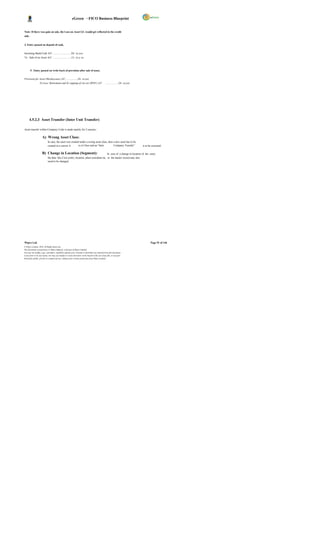
  • 38.
    eGreen – FICOBusiness Blueprint Company Code Specific Area The Company Code specific area contains data that may vary from one Company Code to another, such as the currency in which the account may be posted. The following objects play a central role in the creation and management of master records: Chart of accounts Account group The account group is a summary of characteristics that control the creation of master records. These can be used to determine which fields must or can be filled when creating the master record. In addition, it can be used to predefine a number interval, from which the numbers for the master records should be chosen. Acc ounts that require the same master record fields and use the same number interval are created within the same account group. The G/L account master record in the Company Code contains company code-specific information which c ontrols the entry of data to this account and the management of the account. The account group determines : The number interval from which the account number is selected when a G/L account is created. The screen layout for creating G/L accounts in the company code-specific area. While defining an account group, it is also required to determine the number interval in which the accounts of this group must lie. When creating a G/L account, the system checks whether the number entered lies in the predefined number interval. For each account group, a screen layout is determined, that is, it determines which fields are relevant for this group of G/L accounts. Account Currency: When creating a G/L account, the currency must be defined in which the account is to be maintained. This defines the following: The currency used for postings made to this account The currency in which transaction figures are updated and the account balance is displayed Specify the account currency in the company code area of the G/L account master data. This allows keeping the G/L account in the local currency of each company code. Note: - DGPC will use Bhutan Ngultrum i.e. BTN as Local Currency. The system automatically uses the local currency that has been defined when creating the company code as the default value. This allows posting to the G/L account in any currency. When making a posting in a foreign currency, the amount is translated into the local currency. The transaction figures are kept as follows: o In the local currenc y, that is, the total of all the amounts posted in the local currency o In the individual currencies, that is, the total of all the amounts posted in various currencies. Wipro Ltd. Page 38 of 146 © Wipro Limited, 2010, All Rights Reserved. This document is proprietary to Wipro Infotech, a division of Wipro Limited. You may not modify, copy, reproduce, republish, upload, post, transmit or distribute any material from this document, in any form or by any means, nor may you modify or create derivative works based on the text of any file, or any part thereof for public, private or commercial use, without prior written permission from Wipro Limited.
  • 39.
    eGreen – FICOBusiness Blueprint Balances in Local Currency: When creating a G/L account in a Company Code, it requires deciding whether the transaction figures should only be kept in the local currency for this account. This indicator has to be set for clearing accounts that will be used to clear line items in various currencies with one local currency amount and without posting any exchange rate differences that may occur. Note: - Do not set this indicator for A/P A/R reconciliation accounts. i) The indic ator usually set for the following accounts: Cash discount clearing accounts Clearing acc ounts for goods receipt / invoice receipt ii) The indic ator is usually set for the following balance sheet accounts: Accounts without open item management in which no foreign currencies are managed. Reconciliation Account for Account Type: This field is used to indicate G/L accounts as being reconciliation accounts. For each sub ledger account , there should be at least one reconciliation account in the general ledger. When there is posting to an account in the sub ledger, the system automatically posts to the corresponding reconciliation account. The reconciliation accounts is defined by specifying in the G/L account master record the account type (such as fixed assets, vendor or customer) for which the account is to be used. In this way, the account can only be assigned to accounts in the corresponding sub ledger. It is required to set the assignment of the sub ledger account to a reconciliation account in the master record of the sub ledger account. Manual posting is not possible to reconciliation accounts. Open Item Management: If “ Open item management" indicator is set in the master record for an account, the line items in this account is marked as open or c leared. The balance of an account with open item management is equal to the balance of the open items. General ledger accounts are kept with open item management if there is need to check whether there is an offsetting posting for a given business transaction. Line Item Display: If the "Line item display" indicator is set in the mas ter record for an account, all line items that have been posted to this account are displayed if they have not been archived. Line item display is used to display the document line items from the account. For line item display, the system lists all the line items for an ac count. Field Status Group: This field is to be defined outside the master record. Mark the field status for each field or field group under a field status group. Then assign the field status group to individual G/L accounts in the G/L account master records. Field status groups are independent of company code, attaching instead to the field status variant. A separate variant exists in each company code for field status groups in the standard system. The name of the variant is identical to the Company Code. Each Company Code is assigned to the variant with the same name. Wipro Ltd. Page 39 of 146 © Wipro Limited, 2010, All Rights Reserved. This document is proprietary to Wipro Infotech, a division of Wipro Limited. You may not modify, copy, reproduce, republish, upload, post, transmit or distribute any material from this document, in any form or by any means, nor may you modify or create derivative works based on the text of any file, or any part thereof for public, private or commercial use, without prior written permission from Wipro Limited.
  • 40.
    eGreen – FICOBusiness Blueprint A field may have one of the following statuses: Field Status Description Required entry This field requires an entry when creating a G/L account Optional entry One may make an entry in this field when creating a G/L account Display The field is displayed, but one cannot make an entry in it. You should not use this status, since the fields should be available for entry when creating a G/L acc ount. Suppressed The field is not displayed, that is, one does not see the field when creating a G/L account. Automatic Postings: When posting documents, the system automatically adds line items to manually entered items as needed. For example, the tax amount, the cash discount amount, and profits or losses from foreign currency trans lations (exchange rate differences) can all be calculated and posted automatically by the system. Accounts that have been decided to which these automatic postings will be made can only be posted to automatically . This will prevent any manual postings to such an account. Tax Category: In tax accounts, one can specify the type of tax on sales/purchases (input or output tax) that can be posted to the account. In rare cases, it is useful to assign a certain tax code to an account. Tax code can be entered in the master record in this case. Only this tax code can be used when posting to this account. If a G/L account is not tax relevant, no specification is required to be made in this field. Posting without Tax Allowed: If this indic ator is selected, no tax code needs to be entered when posting to this account. If a tax code is entered, it is checked according to the tax category for this account. This indicator is used if taxable and non-taxable postings are to be entered to an account at the same time. In such a case, normally own tax code is set up to allow for non-taxable transactions. 4.2.2 Solution in SAP DGPC needs to prepare independent Financial Statements for the business unit. Apart from this , the Financial Statements need to be separated at each plant level; each plant is treated as profit center - which means Financial Statements of each unit will be prepared at profit center level. Apart from the profit center wise Profit & Loss and Balance Sheet, the financial statement is required to be prepared as per other statutory requirement. This requirement can be met by the process known as Leading and Non Leading Ledgers. Wipro Ltd. Page 40 of 146 © Wipro Limited, 2010, All Rights Reserved. This document is proprietary to Wipro Infotech, a division of Wipro Limited. You may not modify, copy, reproduce, republish, upload, post, transmit or distribute any material from this document, in any form or by any means, nor may you modify or create derivative works based on the text of any file, or any part thereof for public, private or commercial use, without prior written permission from Wipro Limited.
  • 41.
    eGreen – FICOBusiness Blueprint Leading Ledger The Leading Ledger is bas ed on the main reporting requirement of the company. All the posting to the Company Code will be automatically posted to leading ledger unless an accounting document is specifically posted to the ledger group consisting of only non-leading ledger. In case of DGPC, one Leading Ledger with K4 as Fiscal Year variant and currency BTN is created. Non-Leading Ledger (Parallel Ledger) The Non-Leading ledgers are parallel ledgers to the leading ledger. Non-leading ledger is activated for the other reporting purpose. Any adjustment entries required as per other reporting purposes have to be made in ledger group which consists of only non-leading ledgers. 4.2.2.1 GL Posting Any journal entry can be posted in SAP through transaction code F-02 or FB50. The debit and credit postings to the GL accounts can be made using the posting keys 40 and 50 respectively. For transactions involving other types of accounts, relevant posting keys to be used. Manual postings cannot be done for GL Accounts, which are reconciliation accounts, or which are marked for posting automatically only. o Presently, DGPC is using account group, sub account group concept to post the general ledger transactions. In addition to that, other activities like Accruals, Journal entries, Payroll accounting, Inventory accounting, Revenue recognition, Inter unit transactions, Bank Transactions and Cash transactions are carried out through GL accounts. o The SAP GL process does not use sub account group concept, instead the sub account groups will be defined in reports. o SAP GL process also takes care of all existing GL process of DGPC and in addition, it has integration with MM, SD, CO and HR modules. Purchases, sales, inventory postings, payroll postings are tightly integrated with GL and other modules and entries are reconciled always. All inventory accounts and payroll accounts have account determination and GL accounts are defaulted during posting of these transactions. o Presently, DGPC is using inter unit transactions for transfer of funds to respective bank accounts of plants from corporate office, for receipt of payment from customer but revenue recognized in respective plants, for transfer of material from one plant to other plant. In SAP, the inter unit transactions are addressed using profit c enter clearing accounts concept and will replace the existing process of manual monthly reconciliation of inter unit transactions by corporate office and plants. o Presently, foreign currenc y valuation entries are not done automatically for DGPC. In SAP, foreign currency valuation for foreign currency GL balances, foreign currency open items of vendor and customer are done automatically. o Transactions in foreign currency are recorded using the exchange rate prevailing at the date of transaction. In SAP, exchange rate table can be maintained in the system and as and when transaction happens, system c an pick the exchange rate from the table automatically. Also user can overwrite the value at the document posting level. If the rate is not available at the date of transaction, the rate prevailing prior to the date of transaction will be considered. Wipro Ltd. Page 41 of 146 © Wipro Limited, 2010, All Rights Reserved. This document is proprietary to Wipro Infotech, a division of Wipro Limited. You may not modify, copy, reproduce, republish, upload, post, transmit or distribute any material from this document, in any form or by any means, nor may you modify or create derivative works based on the text of any file, or any part thereof for public, private or commercial use, without prior written permission from Wipro Limited.
  • 42.
    eGreen – FICOBusiness Blueprint o All items of expenses / incomes relating to prior year, exceeding Nu. 5,000 in each case not charged in the accounts in the earlier year due to errors or omission, are accounted for under prior period adjustments account. o Revenue expenditure on R&D is expensed in the year in which they are incurred. Items of capital nature are included in Fixed Assets. The following are some of the transactions that will be operated through General Ledger Posting sub-module in SAP: o Cash Accounting – Receipts of cash (withdrawals from bank or refund of advances from employees etc), payments to employees for expenses like travel expenses, reimbursement of conveyance expenses, advances etc. o Interest accruals for fixed deposit and bonds , loans and advances will be covered in GL posting. Investment analysis will be an offline process under FICO Module but can be an online process under FSCM (Financial Supply Chain Management) and when DGPC makes deposit against investment, accounting will be done through GL posting. Transactions on maturity, encashment or reinvestment of investment are also routed through GL posting. o Income from sale of tender documents, income from services, rent from employee or others and income from hire c harges (Machineries) can be booked as GL posting. For rent from other, customer master will be created firs t and then income will be booked directly in FI. o LD charges calculation will be an offline process and it will be posted through normal GL posting. At the time of MIRO, it can be done with a credit memo or as a separate GL posting. o Exchange rate difference will be calculated by the s ystem automatically and posted to the exchange rate gain/ loss account automatically by the system. For this, DGPC has to maintain exchange rate table in system. Also, user can maintain the currency value at time of document posting. o Payments on wheeling charges c an be done at Corporate Office with delivery plant wise and this will be routed through GL posting directly. o Expenses identification like Running & Maintenance, Advertisement, CSR, A uditor s fee, Dividend to DHI, etc will also be routed through GL posting. Advertisement expenses, if related to bringing the asset into ex istence, will be c apitalized to the asset through WBS element etc. at the time of GL posting. o For telephone expenses, payables are created and payment will be made on receipt of verified telephone bills. For emp loyee s personal calls, the same will be recovered from employee salary at the time of payroll run. o Adjustment and rectification entries. o Clearing of G/L open item managed accounts for. e.g. TDS Accounts, Outstanding liabilities. TDS posting will be done at the time of outgoing payments and posting to the corresponding GL accounts will be made by the system automatically. o Prepaid expenses (Insurances). o Payroll entries lik e deductions, allowances and employee c ontributions. o Reconciliation and finalization of accounts. Wipro Ltd. Page 42 of 146 © Wipro Limited, 2010, All Rights Reserved. This document is proprietary to Wipro Infotech, a division of Wipro Limited. You may not modify, copy, reproduce, republish, upload, post, transmit or distribute any material from this document, in any form or by any means, nor may you modify or create derivative works based on the text of any file, or any part thereof for public, private or commercial use, without prior written permission from Wipro Limited.
  • 43.
    eGreen – FICOBusiness Blueprint The values posted to the G/L accounts will appear in the trial balance which will provide financial statements like Balance Sheet, Profit and Loss Statement. The following diagram explains the process flow for GL Posting. I n vo i ce s W it h Wo r k O rd e r A t t a ch m e n t B i ll s NO V e ri f i ca t i o n Yes Pa r k t h e GL A cc o u n t Am o u n t Co s t Ce n t e r Do cu m e n t Pa r ke d R e vi e w t h e Pa r ke d Do c u m e n t No . Do c u m e nt 001 Ch a n g e s I f r e q u ir ed S y st e m A u t o m a t ic a ll y P o s t t h e Ex ch a n g e Ra t e E xc h a n g e Ra t e Dif f e r en c e . Dif f e r e n ce Us e rs ca n a l so c h a n g e t h e r a t e a t (I f a p p li ca b l e ) P o st i n g L e ve l P o s t Th e Do c um e n t Pa r ke d Do c u m e n t No . 001 4.2.2.2 Parked Documents An incomplete document may be parked and then posted at a later date; this may be done by the same or a different user. Generally, the documents are parked when the user is waiting for an approval from his superior. Subsequently, the user can book the same as a G/L document. One advantage of parking is that data in documents can be evaluated online for reporting purposes from the moment they are parked, rather than having to wait until they have been completed and posted. A list of park ed documents can be generated in the SAP for the benefit of the supervisor/manager. The document can then be checked and corrected by the user. This document can then be posted in the General ledger. Parked documents can be modified or deleted before posting. The documents can be parked by the accountant or dealing staff and posted by the supervisor after verification. 4.2.2.3 Posting with Clearing Wipro Ltd. Page 43 of 146 © Wipro Limited, 2010, All Rights Reserved. This document is proprietary to Wipro Infotech, a division of Wipro Limited. You may not modify, copy, reproduce, republish, upload, post, transmit or distribute any material from this document, in any form or by any means, nor may you modify or create derivative works based on the text of any file, or any part thereof for public, private or commercial use, without prior written permission from Wipro Limited.
  • 44.
    eGreen – FICOBusiness Blueprint There are some GL accounts that need to be maintained as open item. Ex amples of GL Account to be managed in open items are- - Bank clearing accounts, - Clearing accounts for goods receipt/invoice receipt - Salary clearing accounts. By posting with clearing, system clears the open item in the account. 4.2.2.4 Document Reversal It is possible for a user to make an input error. As a result, the document created will contain incorrect information. In order to provide an audit of the correction, the user must firs t reverse the document in error, and then capture the document correctly. The system provides a function to reverse G/L, A/R and A/P documents both individually or in mass. When reversing a document, a reversal reason code must be entered to explain the reason for reversal. The reason c ode also controls if the reversal date is allowed to be different from the original posting date. DGPC can use standard reversal reasons or can define its own reasons. Documents with cleared items cannot be revers ed. The document must first be reset. Some standard Reversal Reasons; 01 - Reversal in current period 02 - Reversal in closed period 05 - Accrual 06 - Asset transactions reversal 07 - Incorrect document date However, it needs to be noted that reversal of any document will affect the allocation cycles in case if these processes are completed. It will be required to re-run all these cycles once again after reversing the document. The following diagram explains the process flow for document reversal; Wipro Ltd. Page 44 of 146 © Wipro Limited, 2010, All Rights Reserved. This document is proprietary to Wipro Infotech, a division of Wipro Limited. You may not modify, copy, reproduce, republish, upload, post, transmit or distribute any material from this document, in any form or by any means, nor may you modify or create derivative works based on the text of any file, or any part thereof for public, private or commercial use, without prior written permission from Wipro Limited.
  • 45.
    eGreen – FICOBusiness Blueprint GL Account Reversal Request for GL Reversal NO Reverse The R eve rsa l D oc um en t Verify YES Document N o. 00 2 No.001 N e w D oc um en t N o . New GL Park the 0 03 Transaction. document Review the Park Document N e w D oc um en t N o . Save as Changes NO 0 03 Complete Yes Make Changes 4.2.2.5 Sample Document This is a template accounting entry. This helps the user in having a pre- entered accounting entry. The document and posting dates can be changed at the time of posting the document. Such sample transactions may be used for repetitive kind of transactions like conveyance expense to save time at user level. For DGPC, similar entries can be identified for using this sample document feature in SAP. Wipro Ltd. Page 45 of 146 © Wipro Limited, 2010, All Rights Reserved. This document is proprietary to Wipro Infotech, a division of Wipro Limited. You may not modify, copy, reproduce, republish, upload, post, transmit or distribute any material from this document, in any form or by any means, nor may you modify or create derivative works based on the text of any file, or any part thereof for public, private or commercial use, without prior written permission from Wipro Limited.
  • 46.
    eGreen – FICOBusiness Blueprint 4.2.2.6 Recurring Entries For pos tings that occur on a regular bas is, such as payments for rent or interest, legal fees, and property taxes, the recurring entry program can be used to have the necessary documents generated automatically. The recurring business transactions must be stored in the system as recurring entry original documents. Each recurring entry original document contains the date of the first and last posting, the frequency at which posting should be made, and the date of the next planned posting. The recurring entry program must be started at regular intervals within a specified period. The program selects all recurring entry original documents in which the date of the next posting falls within the s pecified period, and then generates a batch input session. When the session is processed, an FI document that corresponds to the original document is posted, and the date of the next posting is changed accordingly in the recurring entry original document. DGPC can use this for booking of recurring expens e like monthly rental, monthly remittance to DHI, etc. 4.2.2.7 Interest Calculation / Interest Indicator The Bank s, Institutions and the Lenders from whom loans are availed will be created as Vendors. In SAP, Vendors or GL for loan will be created for interest calculation, so interest calculation will be automated by using the interest calculation functionality and by assigning the interest calculation indic ator to the Vendor master or GL master. Interest indicators required by DGPC need to be created in SAP. Interest will be calculated on monthly basis at an agreed rate of interest. From the systems it is also possible to calculate the interest on a daily basis for the month and on posting the s ystem will post the last date on which the interest run was done in the master data of the loan account in General ledger. 4.2.2.8 Foreign Currency Valuation for Open Items This process performs the revaluation of all foreign currency open items, primarily in customer and vendor accounts, using the month end rate. This process carries out foreign currency valuation for accounts managed on an open item basis. Valuation takes place according to the single valuation principle. This means that individual open item on the key date only are taken into consideration for the valuation. SAP selects open items for customers, vendors and G/L accounts posted in foreign currencies. Based on the exchange rate on the key date, exchange rate difference is calculated automatically and valuation document is posted. The balance of the foreign currency balance sheet accounts, i.e., the balance of the G/L account managed in a foreign currenc y forms the basis of the valuation. The exchange rate profit or loss from the valuation is pos ted to a separate expense or revenue account for exchange rate differences. Wipro Ltd. Page 46 of 146 © Wipro Limited, 2010, All Rights Reserved. This document is proprietary to Wipro Infotech, a division of Wipro Limited. You may not modify, copy, reproduce, republish, upload, post, transmit or distribute any material from this document, in any form or by any means, nor may you modify or create derivative works based on the text of any file, or any part thereof for public, private or commercial use, without prior written permission from Wipro Limited.
  • 47.
    eGreen – FICOBusiness Blueprint 4.2.2.9 Items Accruals & Reversal of Provision A provision document will be created for entering provision entries. At the time of entry of a provision, document date for reversal will be entered. Entry of reverse document date facilitates reversal program to pick up such transactions to be reversed. The provision will be made with the combination of G/L accounts and cost centers or internal order. Reversal of the provision will be performed on the stipulated date. 4.2.2.10 Closing of Open Periods (Monthly and Yearly) In FI, define 1 to 12 for posting periods and 13 to 16 for special posting periods. Special posting periods are mainly used for Audit entries purpose. In FI, all the periods or specific periods can be k ept open. For each and every Company Code, these periods can be opened through the dedicated posting period variant. Usually, only the current posting period is open for posting, all other posting periods are closed. At the end of this posting period, the period is closed, and the next posting period is opened. Special periods can be kept open for closing postings during the period-end closing. 4.2.2.11 Closing Fiscal Year for Asset Accounting The program blocks the current fiscal year to further posting to assets. Once the fiscal year is closed, no transactions can be posted or values changed within Asset Accounting 4.2.2.12 Balance Carry Forward Account balances are carried forward from one fiscal year to the next fiscal year by using the standard SAP carry forward program after the accounts are finalized. The balance sheet accounts are carried forward onto themselves (T-Code: F.16) . The income statement accounts are carried forward into retained earnings accounts. 4.2.2.13 Closing Procedures For DGPC, January to December is identified as financial year with 12 accounting period and 4 special periods and closing activity will happen every month. Monthly closing will be happening in respective plants for plant specific activities & some closing activities will happen in a centralized manner, like depreciation run etc. The clos ing operations are to be performed on a monthly or quarterly and yearly basis. Some of the Closing Procedures are explained below: Complete Bank Reconciliation (FF67) . Confirm that a sum of Inter Unit balances is Zero. Ensure that all documents related to MM & SD have been entered in system. Ensure that all billing documents are released to accounting. Foreign Currency Valuation for Open Items. Accruals and Reversal of provisions (FBS1 & F.81) . Close MM period (MMPV) . Carry out GR/IR clearing (F.13) transaction. Depreciation Run (AFAB) has been carried out for the month. Settlement of Internal Orders to AUC (KO88) Wipro Ltd. Page 47 of 146 © Wipro Limited, 2010, All Rights Reserved. This document is proprietary to Wipro Infotech, a division of Wipro Limited. You may not modify, copy, reproduce, republish, upload, post, transmit or distribute any material from this document, in any form or by any means, nor may you modify or create derivative works based on the text of any file, or any part thereof for public, private or commercial use, without prior written permission from Wipro Limited.
  • 48.
    eGreen – FICOBusiness Blueprint Review of Parked Documents(FBV0) Close FI posting period after the month end closing activity is over (OB52) Calculate & post Balance Sheet adjustments. Balance carried forward (F.16) . Open FI posting periods (For New Year). Document Number Ranges for New Year Month – End Process: Wipro Ltd. Page 48 of 146 © Wipro Limited, 2010, All Rights Reserved. This document is proprietary to Wipro Infotech, a division of Wipro Limited. You may not modify, copy, reproduce, republish, upload, post, transmit or distribute any material from this document, in any form or by any means, nor may you modify or create derivative works based on the text of any file, or any part thereof for public, private or commercial use, without prior written permission from Wipro Limited.
  • 49.
    eGreen – FICOBusiness Blueprint Year – End Process: 4.2.2.14 Cash Transactions Cash transactions are handled through Cash Journal in SAP. Each cash journal should be assigned to one G/L account, which represents the cash journal in the general ledger. Cash transactions will be recorded based on an authorized payment document received by the Cas hier. Cash Journal functionality will be used for handling cash transaction at each plant level. The Cash Journal is like a cash book in which system automatically calculates and displays the opening and closing balances and the receipts & payments total. There can be any number of Cash Journal under one Company Code. Following are the standard transactions in Cash Journal. 1. E: Expense 2. R: Revenue 3. B: Cash transfer from cash journal to bank 4. C: Cash transfer from bank to cash journal 5. D: Customers-incoming/outgoing payment 6. K: Vendors-outgoing/incoming payment In DGPC, Cash Journal will be maintained at plant level. Wipro Ltd. Page 49 of 146 © Wipro Limited, 2010, All Rights Reserved. This document is proprietary to Wipro Infotech, a division of Wipro Limited. You may not modify, copy, reproduce, republish, upload, post, transmit or distribute any material from this document, in any form or by any means, nor may you modify or create derivative works based on the text of any file, or any part thereof for public, private or commercial use, without prior written permission from Wipro Limited.
  • 50.
    eGreen – FICOBusiness Blueprint The following diagram explains the process of cash journal , Cash Journal Or Imprest E : Exp e n se R : R ev e nu e B : Ca s h tr a n sfe r c a sh j ou r n a l to b an k C : C as h tr a n sf e r Fro m b a nk t o ca s h jo u rn a l Pr op o s al fo r R ec e ip t o f D : C us to me r s- in co m ing / o ut g oin g pa y me n t Imp r e st Imp r e st K : Ve n do r s- o u tg o in g /in co mi ng pa y me n t I n cu r En te r i n Ca s h Jo u r n al 1. Emp l oy ee T ol e ra nce L i mi t fo r Po sti n g. Ex p e ns e s A) .E xp e n se s R e ce ip t o f Up d a te Ca s h Jo u r na l NO Re f un d in g Sa v e Th e Ch e q u e A) . Ca s h Tr a ns fe r Fr o m ( Cl os in g ) Ca s h jo u rn a l Ba n k to C a sh Jo u rn a l. YES NO APPRO VAL App ro val of Ca sh Me m os YES Sa n c tio n / Ap p ro v e O r de r CHEQ UE Cl os e C a sh Ve r ify An d S a ve P r ep a r e Jo u r na l. A s Co mp le t e Ch e q u e A) . Ca s h tr a n sf er Fr om c a sh R e le as e o f P re p a re jo u rn a l t o Ba n k Imp r e st C h e q ue Pa r k th e Im pr e st GL D o cu me n t Po s t Imp r es t G L Online Process Off- line Process 4.2.2.15 Financial Statement Version The financial statement version forms the basis for creating a balance sheet and profit and loss statement, as well as a structure for entering GL planning values. In DGPC, the financial statement is prepared in compliance with Generally Ac cepted Accounting Principles and the relevant provisions of the Companies Act of The Kingdom of Bhutan, 2000, etc. By using the financial s tatement version, the following points are considered: Grouping of the GL accounts & creation of hierarchy. Items to be included in the financial statements The sequence in which these items are listed on the statements Wipro Ltd. Page 50 of 146 © Wipro Limited, 2010, All Rights Reserved. This document is proprietary to Wipro Infotech, a division of Wipro Limited. You may not modify, copy, reproduce, republish, upload, post, transmit or distribute any material from this document, in any form or by any means, nor may you modify or create derivative works based on the text of any file, or any part thereof for public, private or commercial use, without prior written permission from Wipro Limited.
  • 51.
    eGreen – FICOBusiness Blueprint The item texts and the language in which they should be printed The charts of accounts and the individual ac counts that are relevant to the Balance Sheet and Profit and Loss statement (accounts can be assigned to particular balance sheet items depending on whether the balance is a debit or a credit) Totals/subtotals that are to be presented on the statements (these may be displayed as group totals or graduated totals). While framing FSV, ranges may be assigned so as to facilitate automatic updating of FSV on any new GL account creation. The financial statement version can be maintained as per the requirement. 4.2.2.16 Reporting SAP information system provides the following reporting Account Balances- The balanc es can be seen at account level for the period. This also includes balance carry forward, debit for the period, credit for the period and accumulated balances. Totals and Balances Trial Balance 4.2.3 FSBP Link S. Main Process CSBP FSBP No. Process Diagrams No. No. 1 Income from Fixed 2.A Deposits 2.A 2.A Annexure 1_FSBP.VSD- 2 Income from Bonds 2.B 2.B Annexure 1_FSBP.VSD- 2.B 3 Interest on Loans and 2.C Advances 2.C 2.C Annexure 1_FSBP.VSD- 4 Investment on Shares 2.D 2.D 5 Income from Services 2.E 2.E Annexure 1_FSBP.VSD- 2.E 6 Rent from Employees/ 2.F Others 2.F 2.F Annexure 1_FSBP.VSD- 7 Income from Hire charges 2.G 2.G Annexure 1_FSBP.VSD- 2.E Wipro Ltd. Page 51 of 146 © Wipro Limited, 2010, All Rights Reserved. This document is proprietary to Wipro Infotech, a division of Wipro Limited. You may not modify, copy, reproduce, republish, upload, post, transmit or distribute any material from this document, in any form or by any means, nor may you modify or create derivative works based on the text of any file, or any part thereof for public, private or commercial use, without prior written permission from Wipro Limited.
  • 52.
    eGreen – FICOBusiness Blueprint 8 Income from Sale of tender 2.I documents 2.I 2.I Annexure 1_FSBP.VSD- 9 Income from LD 2.J 2.J Annexure 1_FSBP.VSD- 3.B,3C 10 Income from Accounting Adjustments 2.K 2.K 11 Exchange rate difference 2.L 2.L Annexure 1_FSBP.VSD-11 12 Wheeling charges 3.A 3.A Annexure 1_FSBP.VSD- 3.A 13 Running & maintenance Expenses 4.A 4.A 14 Telephone & Utilities 4.B 4.B Annexure 1_FSBP.VSD- 4.B 15 Purchase of Energy 4.C 4.C 16 Interest on Loan 4.D 4.D Annexure 1_FSBP.VSD- 7.B 17 Corporate Social 4.E 4.E Annexure 1_FSBP.VSD- 4.E Responsibility(CSR) 18 Advertisement expenses 4.F 4.F Annexure 1_FSBP.VSD- 4.F 19 Auditors fee & expenses 4.G 4.G Annexure 1_FSBP.VSD- 4.G 20 Prior period expenses 4.H 4.H 4.I & 21 Insurance 4.I 4.I Annexure 1_FSBP.VSD- 4.I.A 22 Dividend payment to DHI 4.J 4.J Annexure 1_FSBP.VSD- 4.J 23 Prepaid Expenses 6.G 6.G Annexure 1_FSBP.VSD- 4.IA 24 Deposit with Others 6.H 6.H Annexure 1_FSBP.VSD- 6.H Wipro Ltd. Page 52 of 146 © Wipro Limited, 2010, All Rights Reserved. This document is proprietary to Wipro Infotech, a division of Wipro Limited. You may not modify, copy, reproduce, republish, upload, post, transmit or distribute any material from this document, in any form or by any means, nor may you modify or create derivative works based on the text of any file, or any part thereof for public, private or commercial use, without prior written permission from Wipro Limited.
  • 53.
    eGreen – FICOBusiness Blueprint 25 Advance releases 6.I 6.I Annexure 1_FSBP.VSD- 6I 26 Share capital 7.A 7.A 27 Withdrawal/repayment of 7.B,7.B3 Loan 7.B 7.B Annexure 1_FSBP.VSD- 3.D, 28 EMD 7.C 7.C Annexure 1_FSBP.VSD- 3.D2 29 Transfer of Fund 8.C 8.C Annexure 1_FSBP.VSD- 8.C 30 Cash Journal Accounting 9.B 9.B Annexure 1_FSBP.VSD- 9.B 31 Tax Accounting 10 10 Annexure 1_FSBP.VSD- 10 32 Annual Closing 12.A 12.A 4.2.4 Integration Requirement FI - CO Integration Relevant Profit & Loss GL accounts are maintained as cost elements in Controlling. Further, these cost elements are linked to Cost Centers and Profit Centers. The creation of cost elements and revenue elements ensures that all transactions posted to those GL accounts in FI also have a corresponding entry in CO. For Balance Sheet accounts, a default Profit Center will be attached to the GL Account so that all transactions flow to Profit Center and this allows creating a trial balance at a Profit Center level. FI - MM Integration: MM and FI are integrated by way of automatic account assignments to GL accounts for material movements types, which have an impact on financial information . Valuation classes are entered in the material master for the purpose of providing automatic account posting. For all movement types, internal transaction key is assigned and GL accounts are assigned against the valuation class for the transaction key. FI- HR Integration: Wipro Ltd. Page 53 of 146 © Wipro Limited, 2010, All Rights Reserved. This document is proprietary to Wipro Infotech, a division of Wipro Limited. You may not modify, copy, reproduce, republish, upload, post, transmit or distribute any material from this document, in any form or by any means, nor may you modify or create derivative works based on the text of any file, or any part thereof for public, private or commercial use, without prior written permission from Wipro Limited.
  • 54.
    eGreen – FICOBusiness Blueprint In SAP, Payroll will be done through payroll HR Module.GL Account for basic salary, benefits, gratuity etc will be assigned to each of the wage type in payroll system through s ymbolic accounts assignment and s ys tem will automatically identify the GL accounts when month end payroll posting happen. All details regarding the payroll data will be available in HR Module and available at any point of time. The following diagram illustrates FI – HR integration; Salary Ge n e ra t e & ST AR T Pa y r o ll R u n I n tim a tio n to F I End Pr in t P a y sli p Au t om a tic S ala ry A/C D r. Pa y me n t T o Sala r y Pa ya ble A/ C Dr . Po s ti ng in T o Sala r y Pa ya ble s Em pl o ye e s T o Ba nk O ut go in g A /C FI Bank Loans & TD S & H e a lth PF & N PP F Ot h e r SW S C on t r ib u tio n s Loan De d u c tio n s List o f I n tim a tio n to Em plo ye es , In t ima t io n Fr o m Ba n k Pa ym en t, Bank et c Ou t Go in g Ou t Go in g Ou t Go in g Ou t Go in g P a ym e n t Pa y me n t Pa y me n t P a ym e n t Ch e q u e C h e q ue Cheque Ch e q u e P a ym e n t to Pa y me n t Ch e q u e Cheque Em pl o ye e s In t ima t io n N o te ;- 1 . In c o me S ta t e me n t is su e d t o E mp lo y e e a t th e Ye a r e n d . Ch e q u e 2 . N PP F R e la te d Re m itt a n ce s a r e d ir e c tly d e p o s ite d wi th T he Ba n k s ( NP PF A /C ) a nd On ly C o p y o f Ch a lla n + L is t s en d to NP PF 3 . Sa la r y p a ym e n t to a n Em pl o ye e c a n b e d o ne in to Mu lt ip le A /C C h e q ue 4.2.5 Description of Improvements S.No Description of improvements Remarks Parking and Holding the documents. Park and Post option is one of the best options, as this has the facility to store the document with 1 document details for any number of documents and also got flexibility to tak e reports on the parked documents. On line currenc y conversions will For foreign currency transactions, DGPC has to 2 happen at the time of posting the maintain different currencies and exchange rate document. At the time of clearing, types. Wipro Ltd. Page 54 of 146 © Wipro Limited, 2010, All Rights Reserved. This document is proprietary to Wipro Infotech, a division of Wipro Limited. You may not modify, copy, reproduce, republish, upload, post, transmit or distribute any material from this document, in any form or by any means, nor may you modify or create derivative works based on the text of any file, or any part thereof for public, private or commercial use, without prior written permission from Wipro Limited.
  • 55.
    eGreen – FICOBusiness Blueprint exchange rate variation will be accounted. Debits/Credits will be posted to exchange rate differences for loss/gains Automatic clearing program will be run 3 in test mode for GR/IR accounts before final run is made. 4 Document history with all references are available in the s ystem Recurring entries, Recurring entries 5 are business transactions in Financial Acc ounting that are repeated regularly. Cheque can be printed in the system 6 and the same can be used for payment. Automatic posting of all employee 7 related transactions in real time at the time payroll run in HR Module. 8 Integrated posting from sub modules. 9 Tax Reporting and IFRS reporting. 10 Online cash register (Cash Journal) Postings for previous periods in FI can 11 be done to the extent the posting periods are open. 4.2.6 Process Control Following are the internal control processes: Controls Comments The system check s authorizations and tolerances. An User Authorizations employee might only be authorized to post to certain accounts within one company code. Tolerances for each employee or for a group of employees can be defined. Tolerances include a maximum cash discount percentage rate, a maximum amount per customer or vendor line item and a maximum amount per document. After the verification, the Supervisor posts the document. To operate as per DOP(Delegation of Power/Role Matrix) For each document, System generates document No. Internal Document Number Ranges. System identifies a document with the document number, To have document history for future Company Code and fiscal year. reference Authorisation to transactions in SAP Checks relating to authorization for pos ting and amount can be decided and validations for based check s for cash postings are to be provided. amount based limits for posting would Wipro Ltd. Page 55 of 146 © Wipro Limited, 2010, All Rights Reserved. This document is proprietary to Wipro Infotech, a division of Wipro Limited. You may not modify, copy, reproduce, republish, upload, post, transmit or distribute any material from this document, in any form or by any means, nor may you modify or create derivative works based on the text of any file, or any part thereof for public, private or commercial use, without prior written permission from Wipro Limited.
  • 56.
    eGreen – FICOBusiness Blueprint Controls Comments be incorporated. The authorisation to Reverse document will be as per Delegation of Power. User Authorizations Users can Upload the soft copy of bank advice or standing orders into DMS for later reference. 4.2.7 Description of Functional Deficits / Gaps Ratio Analysis is not available in SAP Standard. But it can be done with help of BI Module. Recognition of Long term investment and Short term investment. System cannot recognize whether the investment is long term or short term investments under FICO Module and therefore, user has to select manually and post into right GL accounts. This however, can be addressed through FSCM (Financial Supply Chain Management). 4.3 Account Payables In the SAP s ystem, Accounts payable sub-module records and manages the accounting data relating to all vendors including employees. It is als o closely integrated with the Material Management. Any transaction in procurement, which has a financial implication, would automatically be reflected in accounts payable as well as the general ledger. Also, different GL accounts would be affected based on the nature of the trans action involved (payables and down payments, for example). The system contains due date forecasts and other standard reports that can be used to monitor open items. The FI module is integrated with the MM module and the account determinations are defined to enable automatic postings in Financ ial Accounting for transactions in MM having a financial implication. The brief overviews of the trans actions that happen in MM module are: 1. Requisition 2. Purc hase Order 3. Goods Receipt / Invoice Receipt (GR/IR) 4. Invoice Verification (done by Accounting Department) Features of Accounts Payable Vendor master maintenance. Advance payment track ing & settlement of advances (Down payment). Non- P.O Invoic e Processing. Credit / Debit memo Processing. Automatic and manual payment program. Open item & GR/ IR Clearing. Wipro Ltd. Page 56 of 146 © Wipro Limited, 2010, All Rights Reserved. This document is proprietary to Wipro Infotech, a division of Wipro Limited. You may not modify, copy, reproduce, republish, upload, post, transmit or distribute any material from this document, in any form or by any means, nor may you modify or create derivative works based on the text of any file, or any part thereof for public, private or commercial use, without prior written permission from Wipro Limited.
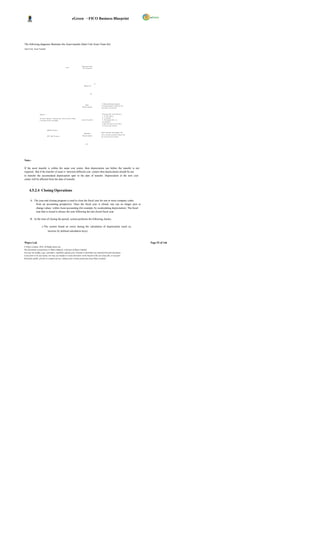
  • 57.
    eGreen – FICOBusiness Blueprint Balance confirmations, account statements, and other forms of reports to suit requirements in business correspondence with vendors. Vendor – Customer cross adjustments. 4.3.1 Master Data The AP component contains Vendor master records that control how business transactions are recorded and posted to the account. The master record is used not only in Accounting but also in Materials Management. 1. General Data This is data that applies to every purc hase organization in the company. The general area includes, for example, the customer's name, address, language, and telephone data. 2. Company Code Data This is data that is specific to an individual Company Code. Company Code data includes, for example, the reconciliation account number and terms of payment. 3. Purchase Organization Data This is data relevant to the purchas e organizations and distribution channels of the company. Data that is stored in this area includes, for example, data on order processing, shipping, and billing. Following Company Code details are maintained by Finance for DGPC; General Details Name, Address etc. Reconciliation Account for This Reconciliation Account is the General ledger for the Accounts the Vendor. Payable sub-ledger. Wipro Ltd. Page 57 of 146 © Wipro Limited, 2010, All Rights Reserved. This document is proprietary to Wipro Infotech, a division of Wipro Limited. You may not modify, copy, reproduce, republish, upload, post, transmit or distribute any material from this document, in any form or by any means, nor may you modify or create derivative works based on the text of any file, or any part thereof for public, private or commercial use, without prior written permission from Wipro Limited.
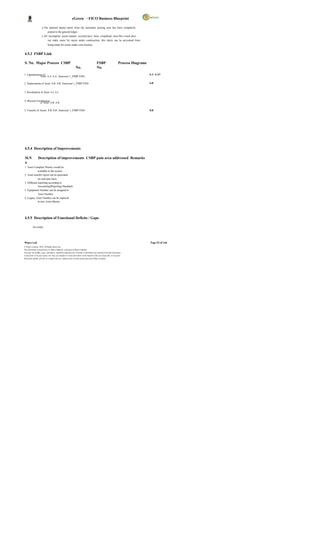
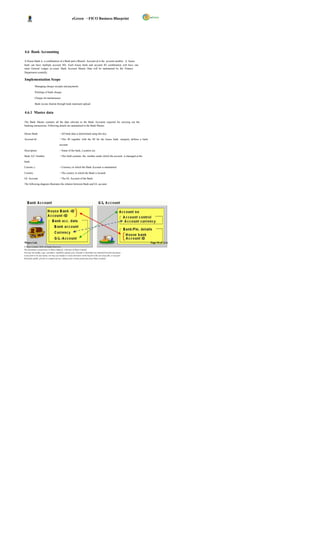
  • 58.
    eGreen – FICOBusiness Blueprint Withholding Tax Details TDS details for the Vendor are maintained here Payment Terms Terms of Payment (Eg. 001 for Immediate payment) House Bank If the Vendor is always paid through the same Bank, then this field needs to be maintained. Customer Code If the Vendor is also a Customer Payment Methods The mode of payment through which the Vendor will be paid. Account Group Each account must be assigned to an account group. The ac count group ensures that only the relevant screens and fields are displayed and ready for input for each of the customer s different partner functions. For example, the address, communication, and bank data fields are omitted for the account group for one-time accounts. The account group controls: The type of number assignment used for the account number A number interval from which the acc ount number is chosen. The system uses the account number to identify the customer. Which fields are displayed when entering or changing customer master data and whether or not an entry must be made in these fields (field status) Whether the account is a one-time account. Vendor Account Groups ZDOM - Domestic Vendors ZFRN - Foreign Vendors ZEMP - Employee Vendors ZONT - One Time Vendors ZIND - Indian Vendors ZINT - Internal Vendors Payment Methods Bank Advice DD/ TT Cheque E-payment Cash / LC etc. Wipro Ltd. Page 58 of 146 © Wipro Limited, 2010, All Rights Reserved. This document is proprietary to Wipro Infotech, a division of Wipro Limited. You may not modify, copy, reproduce, republish, upload, post, transmit or distribute any material from this document, in any form or by any means, nor may you modify or create derivative works based on the text of any file, or any part thereof for public, private or commercial use, without prior written permission from Wipro Limited.
  • 59.
    eGreen – FICOBusiness Blueprint Payment Terms Terms of Payment can be defined for each vendor which will be updated in the Vendor Master and will be defaulted in the PO. Where the payment terms have been changed in the invoice level, the due dates will over-ride the original due date (calc ulated based on Purchase Order). Terms of payment will define the credit period, due date and cash discount, if applicable. The due date will be calculated from a baseline date as per the payment terms, which will be either of the following dates: Document Date Posting Date In payment terms, terms for installment payment can be defined. And this installment terms will differ from vendor to vendor and P.O to P.O. The installment payment terms can be assigned to vendor master or P.O. For e.g.: 10 % - At the time of Purchase Order 80 % - On disposal Inventory / Asset 10 % - On Final Delivery Numbering Master Records Each master record has a unique number. This number is required to call up the master record or to post to the customer account. The account group determines the type of number assignment used and the valid number range for a customer master record. The customer master record number is assigned either internally or externally. Internal numbers are assigned by the system, whereas external numbers are entered manually when creating the customer master record. External numbers can be alphanumeric. The system ensures that the numbers assigned are always unique. With internal assignment , the s ystem selects the next number from the interval. With external assignment , the number is assigned externally, the system prevents from entering the same number twice. Reconciliation Accounts A reconciliation account needs to be specified in the master record so that all postings made to a subsidiary ledger are also posted to the general ledger. When posting of items to a subsidiary ledger, the SAP system automatically posts the same data to the general ledger at the same time. Each subsidiary ledger has one or more reconciliation accounts in the general ledger. This means that financial statements can be drawn up at any time without having to transfer totals from the sub- ledgers to the general ledger. Wipro Ltd. Page 59 of 146 © Wipro Limited, 2010, All Rights Reserved. This document is proprietary to Wipro Infotech, a division of Wipro Limited. You may not modify, copy, reproduce, republish, upload, post, transmit or distribute any material from this document, in any form or by any means, nor may you modify or create derivative works based on the text of any file, or any part thereof for public, private or commercial use, without prior written permission from Wipro Limited.
  • 60.
    eGreen – FICOBusiness Blueprint Withholding Taxes TDS to be deducted from the Vendors will be handled by withholding taxes functionality. The TDS certificates and challans can be printed. Withholding tax codes will be maintained for different rates of TDS. Following TDS rates are applicable and will be created as withholding tax codes and will be maintained in the Vendor Master. TDS Rec. Description Tax Surch Edu. Sec. Type Rate arge Cess 18 TDS deducted on Domestic Contractors/Suppliers 2% TDS deducted on Non Domestic 18 Contractors/Suppliers 3% 12 TDS on employees are bas ed on slabs 12 TDS on House Rent 5% 13 TDS on Dividend 10% 4.3.2 Solution in SAP Postings made in Accounts Payable are simultaneously recorded in the General Ledger, where different G/L accounts are updated based on the transac tion involved (payables, utilities, down payments and so on).The vendor master record is used not only in Accounting but also in Materials Management. By storing vendor master data centrally and sharing it throughout the organization, it eliminates the process of entering the same data again and again. The process of AP will start from Invoice Verification, Advance Payment, Services Payments, Direct Payment and will end once the payment is made. o Presently, DGPC is procuring materials, consumables, tools, capital items, etc and also making payment to vendors & contractors. Payments are releas ed based on the payment terms in purchase order or agreement. o DGPC is also making direct payment towards electricity charges, telephone charges etc. o In SAP, all purchase related transactions should be routed through Materials Management and are integrated with FI Module and invoice is booked by Finance through logistic Invoice verification for DGPC. o Vendor master will be created for POL and revolving fund and the advance payment will be posted with special GL transactions. o Vendor Customer relation will be created between plants for the purchase of energy from one plant to another plant. o Invoice verification is done against the GRN and PO number by Finance. Once the invoice is verified, it will be available for payment. If any advance is outstanding against the vendor, system will prompt during verification. o TDS is deduc ted at the time of invoic e booking or outgoing payment. Part payments can be made if required. o All other direct payments are booked directly in Vendor bill booking transaction and payment will be released after mak ing necessary statutory deductions for which tax codes are maintained in vendor master. Wipro Ltd. Page 60 of 146 © Wipro Limited, 2010, All Rights Reserved. This document is proprietary to Wipro Infotech, a division of Wipro Limited. You may not modify, copy, reproduce, republish, upload, post, transmit or distribute any material from this document, in any form or by any means, nor may you modify or create derivative works based on the text of any file, or any part thereof for public, private or commercial use, without prior written permission from Wipro Limited.
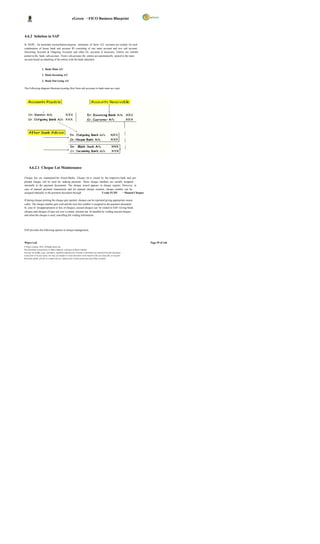
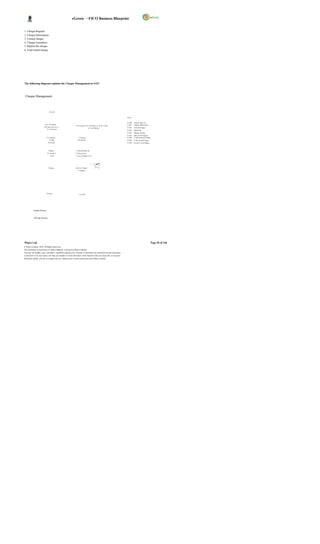
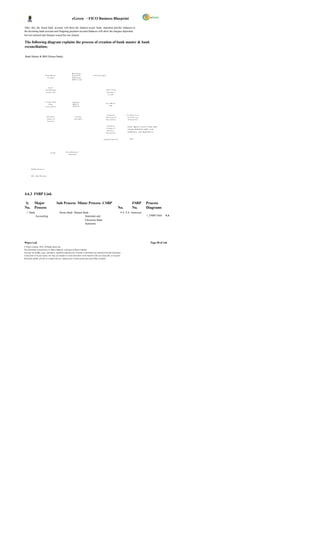
  • 61.
    eGreen – FICOBusiness Blueprint 4.3.2.1 Vendor Down Payment Advance payments will be made according to the terms of payments with the vendor. The advance payments made to the vendor will be tracked as distinct from the normal payments made to the vendor. The posting for down payments will be carried out to a G/L account other than the standard General Ledger account for the vendor called as special G/L account. The following are the Special GL Indicators identified for DGPC; Reconciliation Special Description Special A/C GL G/L Indicator 2010100006 2010100001 EMD-Works/Goods/Services(Noted Item) E 2010100006 2010100001 EMD-Works/Goods/Services(D/C) D 2010100006 1010620003 Down Payment Request F 2010100002 1010620001 Down Payment Request F 2010100006 2010100001 Guarantee Received G 2010100006 1010620003 Advance to Vendors A 2010100002 1010620001 Advance to Employees B 2010100006 1010620002 Advance to DHI - Dividend C 2010100006 2010100001 Security Deposit H 2010100006 1010520001 POL I 2010100006 2010100001 PG-Works/Goods/Servic es (D/C) K 2010100002 1010620001 Imprest Advances to Employees M 2010100006 2010100001 Guarantee Received (D/C)` J 2010100006 2010100001 PG-Works/Goods/Servic es-NOTED O 2010100006 1010629999 Advances to Others R The descriptions for above GLs are as below; 1010520001 Deposits for POL 1010620001 Advance-Employees 1010620002 Advance-Dividend 1010620003 Advance-Suppliers/Contractors 1010629999 Advance-Others 2010100001 Security Deposits 2010100002 O/s Lia. Employee 2010100006 Sundry Creditors Down payment Request and Payment of Advance: Wipro Ltd. Page 61 of 146 © Wipro Limited, 2010, All Rights Reserved. This document is proprietary to Wipro Infotech, a division of Wipro Limited. You may not modify, copy, reproduce, republish, upload, post, transmit or distribute any material from this document, in any form or by any means, nor may you modify or create derivative works based on the text of any file, or any part thereof for public, private or commercial use, without prior written permission from Wipro Limited.
  • 62.
    eGreen – FICOBusiness Blueprint A Down payment request is rais ed by the authorized person requesting for payment. Based on the request, a down payment may be released to the particular vendor and request item is cleared. Down payment request is a noted item special General Ledger account which will not be displayed in the Balance Sheet . Process Flow: Down payment request F-47 Down payment F-48 Invoice F- 63 Down payment clearing F-54 Payment and clearing F-53 The accounting entries to be passed for recording such transactions are as follows: Vendor A/C (Spec ial G/L Indicator )………Dr. xx ,xxx To Outgoing Bank a/c………………………..……………xx ,xxx On receipt of invoice from the vendor and on booking of the expense, the down -payment is cleared off against the payment to the vendor. The open items chosen for processing would include the Special G/L transactions regarding that particular vendor to whom the down-payment has been made. 4.3.2.2 Invoice booking & settlement of advances Invoice is a document received from an invoicing party containing the payments to be made based on business transactions performed in Purchasing (Fixed assets, consumables & services, inventory).Invoice verification is done by Finance after receipt of invoice from Vendor. Invoice is entered with reference to the PO and GRN. Liability to the Vendor is created at this point of time. At the time of Invoice verification the system will prompt the user if any advance payment exists. In case, TDS already deducted at the time of Down payment, it will be adjusted later at the time of payment. At the time of GR (Goods Receipt) - (MIGO), updates in MM, Inventory A/C…………….. Dr. xx,xxx To GR/IR A/C ………………………… xx,xxx At the time of Service entry in MM; Expenses A/C (for expense related services ) Dr…..xx,xxx To GR/IR A/C…………………………………….xx, xxx Invoice Verification (MIRO); Wipro Ltd. Page 62 of 146 © Wipro Limited, 2010, All Rights Reserved. This document is proprietary to Wipro Infotech, a division of Wipro Limited. You may not modify, copy, reproduce, republish, upload, post, transmit or distribute any material from this document, in any form or by any means, nor may you modify or create derivative works based on the text of any file, or any part thereof for public, private or commercial use, without prior written permission from Wipro Limited.
  • 63.
    eGreen – FICOBusiness Blueprint The document will be parked under MM Module and posted by FI Module after verification, GR/IR A/C…………………………..Dr. xx,xxx To Vendor A/C……………………… ……x x,xxx 4.3.2.3 Outgoing Payment (Vendor Payment) Outgoing payments are made to vendors using the document type defined for payments. In case of any down-payments made to the vendor, the same is adjusted at the time of booking outgoing payment by choosing the special G/L open items for that particular vendor and clearing the same. By using the SAP standard functionality, all the cheque payments can be managed. The typical procedure under SAP with respect to cheque will be; a) Defining the cheque lots for each and every house bank of DGPC business b) Entering the vendor invoice. c) Entering the vendor payment by clearing the open item created by invoic e. d) Attach cheque to the payment document number generated in step (c). e) Check the cheque register to see the cheque updation. Automatic Payment: In SAP, automatic payment program generates payment for all vendors whose payment is due on date. In addition, it has got the feature of blocking the vendor payment for any valid reason and makes other payment related to the vendor. It has also got the advantage of printing cheque for multiple vendors at a time. Finally, the FI postings will also be done by the system automatically. To create automatic payment program, several configuration steps need to be maintained, which will have details of house bank, acc ount id, rank ing orders, maximum payment limit, payment for Special GL transactions, etc. This will be configured during realization phase. Manual Payment Run : Here, the user will have to manually select the parties to whom payment has to be made. TDS will also be deducted if not already deducted at the time of invoice verification. This transaction will be executed using SAP transaction code F-53 or F-58 . The transaction F-53 will be used when the user wants to post the payment transaction but does not want to print cheque. In SAP, there is a feature to record the cheque number for the payment document in case of manual cheque preparation. The user will attach the cheque number to the payment document through FCH5 . The transaction F-58 will be used when the user wants to post the payment transaction and also prints cheques for the vendor. Wipro Ltd. Page 63 of 146 © Wipro Limited, 2010, All Rights Reserved. This document is proprietary to Wipro Infotech, a division of Wipro Limited. You may not modify, copy, reproduce, republish, upload, post, transmit or distribute any material from this document, in any form or by any means, nor may you modify or create derivative works based on the text of any file, or any part thereof for public, private or commercial use, without prior written permission from Wipro Limited.
  • 64.
    eGreen – FICOBusiness Blueprint The entry passed will be: Vendor A/C Dr. xx,xxx To Outgoing bank A/C xx,xxx To TDS A/C xx,xxxx 4.3.2.4 Tax Deducted at Source (TDS) Vendor account will be assigned with one or more TDS code, if applicable. This TDS code will be the default TDS code for all the transactions with the vendor. A user can however, change the TDS code during the transaction entry. This is provided to ensure correct deduction of tax in cases where more than one TDS rate is applicable to the same vendor due to different nature of transactions. TDS deducted during the period has to be remitted to the Government/RRCO. The same needs to be processed in SAP wherein all TDS entries posted will be debited and bank will be credited. In SAP, the above process is termed as challan update. Subsequently to challan update, information relating to bank details needs to be captured which is called as bank challan update. Printing of TDS Certificates Wipro Ltd. Page 64 of 146 © Wipro Limited, 2010, All Rights Reserved. This document is proprietary to Wipro Infotech, a division of Wipro Limited. You may not modify, copy, reproduce, republish, upload, post, transmit or distribute any material from this document, in any form or by any means, nor may you modify or create derivative works based on the text of any file, or any part thereof for public, private or commercial use, without prior written permission from Wipro Limited.
  • 65.
    eGreen – FICOBusiness Blueprint The following diagram explains the process of Accounts Payable; Accounts Payable – Overview V e ndo r M at er i al S TA R T M as t er Dat a M a s te r D at a B y t he Co nc er n ed Di v is io n Check NO S end T o Co m pet en t P O C r eat io n Budge t A v ail abl e A ut hor i ty f or A ppr o v al A va i la b ilit y YE S P . O t o S upp lie r I nv en to r y C heq ue / D D/ Is s u e In v oic e T DS Ce r ti fi c at e D eli v er y Etc E ND Re c eip t O f P o s t G ood s GR Re c eiv e s t he I nv o ic e & Ot he r V er if ic a ti on R ec ei pt s D oc um e nt D eli v er y 1. In v ent or y A / C D r D oc s ( M I GO ) T o GR / IR 2. GR / IR A /C D r . C heq ue / D D/ T o V en dor O ut G oi ng In v oic e L C/ TT / P ay m en t V e r if ic at io n E - pay m e nt 3 . V en dor A /C Dr . ( M I RO ) T o B an k NO Che c k B a nk / Req ues t fo r P e r fo r m anc e P er f or m an c e S ec ur i ty / G ua r ant ee De duc t Fr o m t he B i ll P ar k i ng YE S A dj us t A g ain s t Do wn P ay m e nt & I nt er es t Cha nge s I f Re qui r ed A u to m at ic P os t ing o f T DS No te : - S y s te m S h ows t he P os t in g Ch ec k all P a y m ent te r m s I nv o ic es Du e in c lud ing B a nk & P e r fo r m anc e G uar a nt ee be fo r e r ele as in g th e pa y m ent . Che c k ing o f LD C lau s e Do c um en t No . N ot e: - P os t ing O r ig ina l Doc u m ent s to b e M ain ta ine d wit h F in anc e Dom es t ic YES T DS Ce r ti fi c at e D oc um e nt N o. V end or s TD S C er t if ic at e f or Dom e s ti c V e ndo r s NO T DS Rem i tt an c e TD S C er t if ic at e t o RRC O 4.3.2.5 Process Flow for Non GRN Base Purchase This process is related to passing of invoices in finance module where material management department is not involved. Invoices that will be routed through FI include Auditor s remuneration, insurance payments, subscriptions, telephone expenses, etc. These invoices will be pass ed through F-63. Wipro Ltd. Page 65 of 146 © Wipro Limited, 2010, All Rights Reserved. This document is proprietary to Wipro Infotech, a division of Wipro Limited. You may not modify, copy, reproduce, republish, upload, post, transmit or distribute any material from this document, in any form or by any means, nor may you modify or create derivative works based on the text of any file, or any part thereof for public, private or commercial use, without prior written permission from Wipro Limited.
  • 66.
    eGreen – FICOBusiness Blueprint Process Flow: The respective Department will approve the document for expenses. The Finance Department verifies the document & updates the payables a/c i.e. creates a liability. The system prompts the user in case an advance exists for the s ervice. Finance processes the payment after adjusting the advance. The cheque printing process would be manual / automatic based on requirements and specifications. Flow of Journal entries in SAP: 1. At the time of booking the expense Expenses A/C Dr x,xxxx. To Vendor A/C x,xxxx 2. At the time of outgoing payment Vendor A/C Dr xx,xxx Vendor (Advance) A/C xx,xxx Outgoing Bank A/C xx,xxx TDS A/C xx,xxx 4.3.2.6 Advance to Employees In SAP, each employee is treated as vendor and is grouped under employee vendor group. This vendor group is basically to identify and process transactions related to employee vendors. The employee numbers are identified by HR and are part of HR blue print documentation. Generally, the advance payment request is approved by the competent authority. The advances to employees are tracked separately with Special G/L Indicators using the Accounts Payable sub ledger. For this purpose employee will be created as a vendor. Wipro Ltd. Page 66 of 146 © Wipro Limited, 2010, All Rights Reserved. This document is proprietary to Wipro Infotech, a division of Wipro Limited. You may not modify, copy, reproduce, republish, upload, post, transmit or distribute any material from this document, in any form or by any means, nor may you modify or create derivative works based on the text of any file, or any part thereof for public, private or commercial use, without prior written permission from Wipro Limited.
  • 67.
    eGreen – FICOBusiness Blueprint The following diagrams illustrate the advance release and settlement of Travel & Medical claims; Travel Management Advance Actual Claim 1. Na m e & P er s onal Nu m ber Cr eat e Tr a ve l 2. T r ip Dat e & T im e 1. N a me & P e rs o n al N u mb e r Reque s t 3. T r ip Des t ina tio n & Rea so n S ubm is s i on of 2. Tr ip Da t e & Time 3. Tr ip De s tin a ti on & Re a s on 4. Re quir e d T r ip A dv anc e A c t ual T our 4. Tr ip Ad va n c e Ta k en Repor t 5. M ile a ge Cl ai m 6. A ct u al To u r C a lim NO S y s tem gen er at ed A ppr ov a l Y ES e- m ail no tif ic at io n t o HR & FI A ppr ov al S y s t em g ener at ed Ded uc t Fr o m e -m a il not if ic at ion T ic k et B o ok ing S a lar y 1. N a me & P e rs o n a l N u mb e r S y s tem gen er ate d 2. Tr ip Da t e & Time e- m ail no ti fi ca ti on 3. Tr ip De s tin a ti on & Re a s o n 4. R e q u ire d Tri p Ad v a n ce NO If A dv a n ce > P r epa r e a c tu a l cla im s Cheq ue/ A dv ic e OR A dv anc e E mp lo ye e Ve n d or A/ C D r . Ye s P ay m ent To B an k A /C Re im bur s e fr o m E m ploy e e P r epa r e N OTE: - Cheq ue/ A dv ic e Ba n k Ad v ice Se n t to B a nk D ir e ct ly a n d C h e qu e Se n d to E mp lo y ee O nli ne P roc es s O ff- l ine P r oces s Wipro Ltd. Page 67 of 146 © Wipro Limited, 2010, All Rights Reserved. This document is proprietary to Wipro Infotech, a division of Wipro Limited. You may not modify, copy, reproduce, republish, upload, post, transmit or distribute any material from this document, in any form or by any means, nor may you modify or create derivative works based on the text of any file, or any part thereof for public, private or commercial use, without prior written permission from Wipro Limited.
  • 68.
    eGreen – FICOBusiness Blueprint Medical Claim Ad v an c e Ac tu a l Me d i ca l C l a im 1. Na me & Per so na l Nu m be r Su b mi t M e d ica l 2. Da te & T im e 1. Na me & Per so na l Nu m be r Ad va n c e 3. M ed ica l Re fe re nc e f or Su bm iss ion o f 2. Da te & T im e Ac tu al M e dic al 3. M ed ica l Re fe re nc e f or R eq u ir e me n t 4. Re qu ire d M ed ica l Adv an ce 5. Re fer ra l L et te r f ro m Ho sp ita l Bills 4. M ed ica l Adv an ce T ak en 5. Actu al M ed ica l Cla im Cheque C h eq u e As k fo r R e f un d fo r Ba la n c e Am o un t Not e: 1. F or S o me pa ym en ts ar e m ade in f av or Sy st e m g e n e r a te d of Ho sp it al thr o ugh lia is on Of fi ce r , M .O .H. A p p ro v a l e -m a il n o ti fic a tio n t o HR & F I Ap pr o val Le ave Bo o king De d u c t S ys te m g e ne r a te d S ys te m g e n e ra t e d a nd T ick et Fr o m e- m ai l n o tif ic a tio n t o H R e - ma il n o tif ica t io n Bo o king S a la r y To u p d a te L e a v e Bo o k in g 1. Na m e & Per so na l N um be r Sy st e m g e n e r at e d 2. Da te & T im e e - ma il n o tif ic at io n Ve r ific a tio n 3. M ed ica l Re fe re nc e for 4. M ed ica l Ad van ce T a ken D e po s it in 5. Act ua l M ed ica l Cla im Ch e q u e /C a sh Ad va n c e No P a ym e nt If Adv an ce <Ac tua l C laim P o st /Pa r k Do c u me n t Ye s Po s t/ Pa r k P re p a r e Pr o ce s s C la im P o st /P a rk Pr e p a re Sig n in g o f D o c u me n t C he q u e /A d vi ce D oc u me n t Ch e q u e /A d vic e Ch e q u e /A dv ic e O nli ne P roc es s O ff- l ine P r oces s 4.3.2.7 Emergency Purchase In case of emergency, certain purchases are made without issue of purchase order by a committee constituted for that purpose. The following are the procedures; Advance releases to the responsible employee in the purchasing committee after the approval from the competent authority. Advances posted with special GL indicator in the employee vendor. After the purchase, MM creates purc hase order based on the bills and cash memos. After the verification of cash memos and bills, advance will be adjusted against the employee vendor. Wipro Ltd. Page 68 of 146 © Wipro Limited, 2010, All Rights Reserved. This document is proprietary to Wipro Infotech, a division of Wipro Limited. You may not modify, copy, reproduce, republish, upload, post, transmit or distribute any material from this document, in any form or by any means, nor may you modify or create derivative works based on the text of any file, or any part thereof for public, private or commercial use, without prior written permission from Wipro Limited.
  • 69.
    eGreen – FICOBusiness Blueprint Payment will be posted against vendor. The following diagram explains the process of Emergency Purchase Emergency Purchase – Advance & Settlement V e nd or Cr ea ti on Req ue st F or S ub mi ss i on of Ch equ e A d van ce P u rch ase B isl l Ca sh / P a yme nt M em os Cr eat i on P. O MI GO P osti n g NO A p pro val NO A pprov al YES Y ES R esp ons b l e P e rso n F ro m i M IRO Po sti n g E m pl o yee th e Co nce rn ed Di vi si on V en dor No . Tr eat ed as a V en do r fo r A d van ce r el e ase Out gon g i 1. P urc has e Ha s to be m ade Wi th i n 3 0 & A d j ustm en t P aym en t sub mi t wi th i n 4 5 Da ys o f A dv anc e P ay me nt. P o st A d van ce P re par e P osti n g 2. Unsp en t am ou nt ha s to be Refu nd wi th i n 1 0 Da ys pay me nt Wt ih C heq ue F or the Do cum en t fr om the l as t da te Pu rch ase . V er i fi cati o n N O S p eci a l GL A dd i ti on al 3. P ena l ty wi l l be cha rge d i n cas e o f de fau l t o f ab ove Ind i cato r A m oun t B oth ca ses. 4. Rem i nd er Noti c e b efo re 30 da ys. Out Go i ng Ad van ce i s m ore th an No. P aym en t fo r Bi l l Am ou nt A dd i ti on al Ch eq ue Ch eq ue A m oun t Pr i nti n g Yes R em i nde r A dj us ti ng & P n g iAd van ce ost P o sti ng Noti c e to th e A u tom ati c P osti n g o f In ter es t to GL & A s k Con cer ne d Di v i si on for Docu me nt Co nce rn ed Refu nd of B al an ce Am ou nt P er son O nli ne P roc es s O ff- l ine P r oces s 4.3.3 FSBP Link S. Major Process CSBP FSBP No. Process Diagrams No. No. 1 Payment to suppliers 3.B 3.B Annexure 1_FSBP.VSD- 3.B 2 Payment to 3.C contractors 3.C 3.C Annexure 1_FSBP.VSD- 3 Emergency Purchases 6.E 6.E Annexure 1_FSBP.VSD- 6.E Wipro Ltd. Page 69 of 146 © Wipro Limited, 2010, All Rights Reserved. This document is proprietary to Wipro Infotech, a division of Wipro Limited. You may not modify, copy, reproduce, republish, upload, post, transmit or distribute any material from this document, in any form or by any means, nor may you modify or create derivative works based on the text of any file, or any part thereof for public, private or commercial use, without prior written permission from Wipro Limited.
  • 70.
    eGreen – FICOBusiness Blueprint 4.3.4 Description of Improvements S.No. Description of Improvement Areas Remarks 1 Payment Terms can be ass igned to Vendor master and therefore, system can automatic ally calculate discounts or charges. 2 BST calculation and pos ting will be automatic in System. 3 Automatic TDS Calculation and Posting in real-time by the system. 4 Vendor ageing report as on date. 5 List of overdue items 6 System can prompt and adjust down payment against vendors. 7 If the same vendor served as a Customer, sys tem can adjust automatically (Vendor Vs Customer clearing) 8 Vendor due date analysis report can be available on line. 9 Advance payment request of vendor can be track ed as noted items 10 Payments terms can be attached to the vendor master, so that s ystem can calculate due dates automatically. 11 Vendor – Customer cross adjustments by the system. 4.3.5 Process Control Controls Comments The concerned department will fill the vendor Vendor TAX Identification No. will be the master creation form for creating new vendors. Validation Field Department head of the concerned department will verify and forward it to master data maintenanc e team for checking. AP department will check whether the record already exists for the respec tive vendor or not. In case the vendor already exists then request will be sent back along with explanation to concerned department. In case of non-existence of vendor master record, new master record will be created. The AP user will enter the invoice, PARK the Parking for verification by the Supervisor invoice, record the SAP document number on the documentation. The Supervisor will review the parked document Approval and verification as per Delegation of and make changes if required, post the Parked Power Document. For each Document, system generates Document Internal Document Number Ranges. No. System identifies a document with the document number, Company Code and fiscal year. To have document history for future reference Reversal of Document in case of Errors An authorized user can reverse a posted document. Authorized users can view Vendor Account Display Vendor Account Balances Balances online using the Account Balance enquiry and entering the Customer account Wipro Ltd. Page 70 of 146 © Wipro Limited, 2010, All Rights Reserved. This document is proprietary to Wipro Infotech, a division of Wipro Limited. You may not modify, copy, reproduce, republish, upload, post, transmit or distribute any material from this document, in any form or by any means, nor may you modify or create derivative works based on the text of any file, or any part thereof for public, private or commercial use, without prior written permission from Wipro Limited.
  • 71.
    eGreen – FICOBusiness Blueprint Controls Comments number. Authorized users can access Open item Vendor Clear Vendor Account Open Items Accounts and assign and clear debits and credits. Where the cheque is misplaced or for any other reason, previous cheque will be voided by providing the appropriate reason of voidance of cheque in SAP system. At the same time Cancellation of Cheques Finance will issue stop payment instruction to the bank. Cheque cancellation process is executed and actual entry is reversed by resetting the cleared document. The cheque register is also updated automatically. Finance will reprint the cheque from SAP, and Re-Issuance of Cheques the cheque register is also updated & transaction recorded. 4.3.6 Description of Functional Deficits / Gaps No GAPs 4.4 Account Receivables Accounts receivable sub-module of SAP records and manages the accounting data relating to all customers. It is closely integrated with the Sales and Distribution module. Any transaction in sales, which has a financial implication, would automatically be reflected in accounts receivables as well as the general ledger. Also, different GL accounts would be affected based on the nature of the transaction, for example, advance receipts, bank guarantees and security deposits . Both the accounting (FI-AR) and the sales (SD) departments of an organization use customer master records. By storing customer master data centrally, it can be accessed throughout organization, and avoid the need to enter the same information twice and also avoid inconsistencies in master data. For example, if the address of a customer changes, it is required to change once centrally whic h enables both accounting and sales departments to access up-to-date information. Features of Account Receivables Customer master maintenance Customer down payment processing Dunning, Balance confirmation etc Clearing of incoming payment against Customer invoice will be on FIFO basis & Profit center wise. Range of tools that can be used to monitor open items, such as account analyses, due date lists. Wipro Ltd. Page 71 of 146 © Wipro Limited, 2010, All Rights Reserved. This document is proprietary to Wipro Infotech, a division of Wipro Limited. You may not modify, copy, reproduce, republish, upload, post, transmit or distribute any material from this document, in any form or by any means, nor may you modify or create derivative works based on the text of any file, or any part thereof for public, private or commercial use, without prior written permission from Wipro Limited.
  • 72.
    eGreen – FICOBusiness Blueprint 4.4.1 Master Data. 1. General Data This is data that applies to every sales organisation in a company. The general area includes, for example, the customer's name, address, language and telephone data. 2. Company Code Data This is data that is specific to an individual Company Code. Company Code data includes, for example, the reconciliation account number, terms of payment and dunning procedure. 3. Sales Area Data This is data relevant to the sales organizations and dis tribution channels of a company. Data that is stored in this area includes, for example, sales order processing, shipping and billing. Following details will be maintained by Finance: General Details Name, Address etc. Reconciliation Account for the Customer Reconciliation Account No. for Customer. Withholding Tax Details TDS details for the Customer Payment Terms Terms of Payment Account Group One time, Domestic & Foreign Customers Vendor Code If the Customer is also a Vendor 4.4.1.1 Customer Account Group An account group is a classific ation or grouping of customers based on the characteristics. A customer account must be assigned to an account group. The account group ensures that only the relevant screens and fields are displayed and ready for input for each of the customer s different partner functions. For example, the address, communication, and bank data fields are omitted for the account group for one-time accounts. The account group controls: The type of number assignment used for the account number whether internal or external. A number interval from which the acc ount number is chosen. The system uses the account number to identify the customer. Which fields are displayed when entering or changing customer master data and whether or not an entry must be made in these fields (field status) Whether the account is a one-time account In DGPC, there will be three Account Groups for Customers 1. ZDMC - Domestic Customers 2. ZFRC - Foreign Customers 3. ZOTC - One Time Customers 4. ZINC - Internal Customers 4.4.1.2 Payment Terms Wipro Ltd. Page 72 of 146 © Wipro Limited, 2010, All Rights Reserved. This document is proprietary to Wipro Infotech, a division of Wipro Limited. You may not modify, copy, reproduce, republish, upload, post, transmit or distribute any material from this document, in any form or by any means, nor may you modify or create derivative works based on the text of any file, or any part thereof for public, private or commercial use, without prior written permission from Wipro Limited.
  • 73.
    eGreen – FICOBusiness Blueprint The following Payment Terms exist currently in legacy and plan to create in SAP. Plant PTC BPC Chhukha Hydropower 45 Days 30 Days Kurichhu Hydropower 45 Days 30 Days Tala Hydropower 30 Days 30 Days 4.4.1.3 Numbering Master Records Each master record has a unique number. This number is required to call up the master record or to post to the customer account. The account group determines the type of number assignment used and the valid number range for a customer master record. The customer master record number is assigned either internally or externally. Internal numbers are ass igned by the s ystem, whereas external number range, user need to put number externally at the time of creation of the customer masters record. External numbers can be alphanumeric. The system ensures that the numbers assigned are always unique. With internal assignment, the system selects the next number from the interval and therefore, no duplication of numbers. With external assignment, the system prevents entering the same number twice. A customer identification key will be same in all Company Codes. 4.4.1.4 Reconciliation Accounts A reconciliation account must be specified in the master record so that all postings made to a subsidiary ledger are also posted to the general ledger. When post items to a subsidiary ledger, the SAP system automatically posts the same data to the general ledger at the same time. Each subsidiary ledger has one or more reconciliation accounts in the general ledger. This means that financial statements can be drawn at any time without having to transfer totals from the sub-ledgers to the general ledger. 4.4.2 Solution in SAP o Presently, DGPC is billing to foreign and domestic customers. In SAP, the processes related to sales are routed through Sales and Distribution Model (SD). The GL accounts for foreign customer and domestic customer is maintained in SD module using pricing c ondition. Whenever billing happens from SD, revenue accounts and customer accounts are determined automatically and posted to FI. o The FI module is integrated with the SD module by defining the account determinations in the SAP system. Sales ac tiv ities leading to financial implications automatically update the respective Customer & G/L accounts. o Asset / Material disposal will be routed through SD module and corresponding accounting entry will be posted in FI. If the disposal is with Cus tomer, customer master will be created. Sales order will be created in SD for the selected customers against approved materials. 4.4.2.1 Special GL Transactions Down payment requests and down payments are special general ledger transactions. Thes e transactions are not posted to the G/L account defined in the customer master record but to an alternative G/L account. Special G/L transactions are special transactions in accounts receivable and accounts payable that are displayed separately in the general ledger and the sub ledger. This Wipro Ltd. Page 73 of 146 © Wipro Limited, 2010, All Rights Reserved. This document is proprietary to Wipro Infotech, a division of Wipro Limited. You may not modify, copy, reproduce, republish, upload, post, transmit or distribute any material from this document, in any form or by any means, nor may you modify or create derivative works based on the text of any file, or any part thereof for public, private or commercial use, without prior written permission from Wipro Limited.
  • 74.
    eGreen – FICOBusiness Blueprint is achieved by posting to alternative GL accounts, ins tead of posting to the reconciliation accounts for receivables and payables. The following special G/L transactions are available in standard system: Down payments and down payment requests Guarantees Reserves for bad debt Security deposits Above special procedures are displayed separately from other receivables and payables on the balance sheet either for statutory reasons, such as with down payments, or for control reasons, such as with guarantees received. A separate special G/L account is created for each special G/L transaction. As a result, it is possible to display each transaction in the balance sheet without having to carry out any transfer postings and to receive an overview via the account limited to this procedure only. Process Flow: Down payment request F-37 Down payment(receipt) F-29 Invoice F-64 Down payment clearing F-39 1. When the down payment is received from the customers, the entry is to be recorded using the special G/L indicator for the respective special G/L trans action. Incoming Bank A/C …………………………………Dr. xx,xxx To Customer A/C (Special G/L Indicator) xx,xxx 2. Once the billing is done and a receivable from the Customer is generated, the amount is adjusted from the total receivables from the customer and the balance is collected. While choosing the open items, the s pecial G/L items are also selected and adjusted against the total receivables from that customer. Bank A/C …………………………….Dr. xx,xxx Customer (Spl. G/L) A/C………… Dr. xx,xxx To Customer A/C …………………………….xx ,xxx 4.4.2.2 Customer Incoming payment The system is able to handle customer payments in different modes such as cheque, cash payment etc. Incoming payment allows user to record receipts from customers in the system and adjust them against invoices and debit memos. Wipro Ltd. Page 74 of 146 © Wipro Limited, 2010, All Rights Reserved. This document is proprietary to Wipro Infotech, a division of Wipro Limited. You may not modify, copy, reproduce, republish, upload, post, transmit or distribute any material from this document, in any form or by any means, nor may you modify or create derivative works based on the text of any file, or any part thereof for public, private or commercial use, without prior written permission from Wipro Limited.
  • 75.
    eGreen – FICOBusiness Blueprint Incoming payment can be booked partially or residually depending on situation. Invoices, advances and debit memos can be partially settled. 4.4.2.3 Dunning Notice (Reminder Letter) Sometime the customers may not pay on time. In this case a payment reminder or a dunning notice can be sent to remind the outstanding dues. The system duns the open items from a customer which has a debit balance. 4.4.2.4 Correspondence with Customers The account statement and balance confirmations can be sent to customers periodically. Reminder notice can be sent to all customers whose payments are overdue. This is poss ible by using the SAP standard functionality. 4.4.2.5 Customer is also a Supplier/ Vendor If a customer is also a vendor, or vice versa, there can be the payment program and the dunning program offset the customer and vendor open items against each other. User can also select the vendor line items at the time of display of the customer line items for this account. Before clearing items between a vendor and customer account, it is required to; 1 Create a customer master record for the vendor that is also a customer. 2. Enter the vendor account number in the Vendor field in the control section of the general data in the customer master record. 3. Enter the customer account number in the Customer field in the control section of the general data in the vendor master record. 4. Choose Clearing with vendor and clearing with customer in the company code data in both the customer and vendor master records. In this way, each company code can decide separately whether it needs to offset the customer against the vendor. For DGPC, PTC is also a Customer and Vendor. For this, Customer Vs Vendor relation will be maintained for PTC if required and system will then automatically adjusts the incoming and outgoing payments. Process in DGPC (Accounts Receivable) Wipro Ltd. Page 75 of 146 © Wipro Limited, 2010, All Rights Reserved. This document is proprietary to Wipro Infotech, a division of Wipro Limited. You may not modify, copy, reproduce, republish, upload, post, transmit or distribute any material from this document, in any form or by any means, nor may you modify or create derivative works based on the text of any file, or any part thereof for public, private or commercial use, without prior written permission from Wipro Limited.
  • 76.
    eGreen – FICOBusiness Blueprint The following are the main proc ess under A/R; o S.O Creation o Billing o TDS o Dunning o Incoming Payment The Following diagram explains the complete flow of Accounts receivable (BPC & PTC); Wipro Ltd. Page 76 of 146 © Wipro Limited, 2010, All Rights Reserved. This document is proprietary to Wipro Infotech, a division of Wipro Limited. You may not modify, copy, reproduce, republish, upload, post, transmit or distribute any material from this document, in any form or by any means, nor may you modify or create derivative works based on the text of any file, or any part thereof for public, private or commercial use, without prior written permission from Wipro Limited.
  • 77.
    eGreen – FICOBusiness Blueprint Accounts Receivable - PTC Cr eati on of Cr eation of S T AR T Cus tomer Materi al Mas ter D ata Mas ter Da ta Customer No.001 Cr eati on of Meter Sa les Or der NO Ch ange The Readi ng V eri fic ati on W ith Bl oc ki ng S ales O rder S tatus YES A pprov e & R eleas e the S al es Or der C opy of B ank P roc es s B i ll in g A dv ic e Incomi ng P ayme nt Inc omi ng P ayment P i c k T he V eri fic ati on NO O pen Items Au tomatic al ly . YES Rec ei pts c an be F ull or P ar tial P ark B il li ng P ar k the D ocument Adj us t Down pa yment Do cument P ost B i l li ng D un ni ng Dunni ng Char ges D ocument N ot ic e NO V eri fic ati on Change s B i ll in g YE S D ocument D un ni ng T ex t, D un ni ng P ark O r P os t the P os t the Ch a rge s Doc uments EN D D ocumen ts Dunni ng B ank A dv i ce A ck nowl edgement or Mon thly B il l No tic e Or TT Monthly S tatements B ank Ad vi ce Cr edit to D GP C A /C A) Revenue Recognition at Plant. Wipro Ltd. Page 77 of 146 © Wipro Limited, 2010, All Rights Reserved. This document is proprietary to Wipro Infotech, a division of Wipro Limited. You may not modify, copy, reproduce, republish, upload, post, transmit or distribute any material from this document, in any form or by any means, nor may you modify or create derivative works based on the text of any file, or any part thereof for public, private or commercial use, without prior written permission from Wipro Limited.
  • 78.
    eGreen – FICOBusiness Blueprint Based on the Meter reading information, SD creates Sales Order. This sales order can be verified by the Competent Authority. On approval, the Competent Authority releases the Sales Order for billing. B) Billing. Once the Sales order is released for billing, the billing is processed. Revenue recognition happens when billing document is generated on delivery plant wise. Accounting entries are automatically posted to revenue account and debtors account at the time of generation of billing document. The signed copy of plant wise JEMR Statement will be scanned and attached to DMS. Scanned copy of JEMR Statement can be retrieved by the Corporate Office at the time of billing and send a single and centralized bill to the customer along with the JEMR Even if the bill date is after the end of the month, the revenue should be accounted within that month only. C) Receipt from Customer (Incoming payment) Incoming payments are recorded in SAP system by using the respective transaction for posting incoming payment. The receipts from Customers are handled through Accounts Receivable. The respective document type for receipt from customers is to be used. Corporate Finance receives the incoming payment and posting is routed through Profit Centre Accounting. Bank payment advice will be the proof of incoming payment from customers. o BPC sends bank payment advice to bank and a copy of bank advice sent to DGPC. This bank advice serve as a proof of incoming payment and posting will be made based on this bank advice. o PTC makes payment to RMA and RMA intimates bank to mak e payment to DGPC A/C. A copy of bank advice sent to DGPC by RMA and this copy serve as a proof of incoming payment form PTC. D) Inter Plant Billing This is the purchase made between plants. For this process, plants will have Customer Vendor relation between them. o Plant will be considered as Customer and Vendor o Selling plant will raise Sales Order. o Selling plant recognizes as revenue and receiving plant recognizes as expense. Wipro Ltd. Page 78 of 146 © Wipro Limited, 2010, All Rights Reserved. This document is proprietary to Wipro Infotech, a division of Wipro Limited. You may not modify, copy, reproduce, republish, upload, post, transmit or distribute any material from this document, in any form or by any means, nor may you modify or create derivative works based on the text of any file, or any part thereof for public, private or commercial use, without prior written permission from Wipro Limited.
  • 79.
    eGreen – FICOBusiness Blueprint E) The Royalty Energy Charges Royalty energy calculation will be done in Sales & Distribution module and the necessary transactions triggered in FI automatically. 4.4.3 FSBP Link S. Major Process CSBP FSBP No. Process Diagrams No. No. 1 Electricity Revenue BPC 1.A 1.A 1.A Annexure 1_FSBP.VSD- 2 Royalty energy revenue 1.A5 1.A5 Annexure 1_FSBP.VSD- 1.A5 3 Electricity Revenue PTC 1.B 1.B Annexure 1_FSBP.VSD- 1.B 4.4.4 Description of Improvements S. No. Description of Improvements Remarks 1 Credit Control through system is available in SAP. 2 Down payment can be tracked and adjusted at the time of incoming payment. 3 System can generate Dunning notice for overdue items. 4 Customer Vs Vendor clearing automatically by the system. 5 Plant wise sales order can be created based on the delivery. 6 Online Ageing reports are possible. 7 Online reporting is available. Wipro Ltd. Page 79 of 146 © Wipro Limited, 2010, All Rights Reserved. This document is proprietary to Wipro Infotech, a division of Wipro Limited. You may not modify, copy, reproduce, republish, upload, post, transmit or distribute any material from this document, in any form or by any means, nor may you modify or create derivative works based on the text of any file, or any part thereof for public, private or commercial use, without prior written permission from Wipro Limited.
  • 80.
    eGreen – FICOBusiness Blueprint 4.4.5 Process Control Controls Comments User will raise a request for new customer account using internal Service Request (Request for new Customer) or proponent will raise a request for invoice for a new Customer. The Accounts Receivable user will verify that: Customer TAX code will be the Validation Field 1. The request is valid and is approved 2. Check that the customer does not exist in the system. 3. Create the customer and assign the customer to an Account Group. The AR user will enter the invoice, PARK the invoice, record the SAP document number on the Park ing for verification by the Supervisor documentation. The Supervisor will review the Park ed document Approval and verification as per Delegation of and mak e changes if required, Post the Park ed Power Document. For Each Document, System generates Document No. Internal Document Number Ranges. System identifies a document with the document number, Company code and fiscal year. To have document history for future reference Reversal of Document in case of Errors An authorized user can reverse a posted document. Authorised users can view Customer Account Balances online using the Account Balance Display Customer Account Balances enquiry and entering the Customer account number. Authorized users can access Open item Clear Customer Account Open Items Customer Accounts and assign and clear debits and credits. 4.4.6 Description of Functional Deficits / Gaps No Gap Wipro Ltd. Page 80 of 146 © Wipro Limited, 2010, All Rights Reserved. This document is proprietary to Wipro Infotech, a division of Wipro Limited. You may not modify, copy, reproduce, republish, upload, post, transmit or distribute any material from this document, in any form or by any means, nor may you modify or create derivative works based on the text of any file, or any part thereof for public, private or commercial use, without prior written permission from Wipro Limited.
  • 81.
    eGreen – FICOBusiness Blueprint 4.5 Asset Accounting The Asset Accounting (FI-AA) c omponent is used for managing and supervising fixed assets with the SAP R/3 System. In SAP R/3 Financial Accounting, it serves as a subsidiary ledger to the FI General Ledger, providing detailed information on transactions involving fixed assets. The Fix ed Asset module is an integrated asset management solution for additions, updating, tracking, depreciation and administrative purposes. Assets are depreciated periodically to arrive at their current net value. Once an asset is capitalized, it can be transferred between locations, cost centres . Assets can be removed from the Assets Ledger by disposing them. The Fixed Assets Module will provide following functions: New asset addition Add to an existing asset Modify asset details Asset transfer Asset retirement Depreciation Features of Asset Accounting Wipro Ltd. Page 81 of 146 © Wipro Limited, 2010, All Rights Reserved. This document is proprietary to Wipro Infotech, a division of Wipro Limited. You may not modify, copy, reproduce, republish, upload, post, transmit or distribute any material from this document, in any form or by any means, nor may you modify or create derivative works based on the text of any file, or any part thereof for public, private or commercial use, without prior written permission from Wipro Limited.
  • 82.
    eGreen – FICOBusiness Blueprint Record acquisition of fixed asset Record disposal / write-off of asset Drill down for a particular asset to view the transaction history for that asset. Asset Depreciation 4.5.1 Master Data The Asset Accounting module contains master records that control how bus iness transactions are recorded and posted to the account. The Asset master record also contains all the data required to manage Company s Fixed Assets. Asset master will be created at plant level. Following details are maintained in the Asset Master: General Details Asset Description, Capitalization Date, Acquisition Date etc. Time Dependent Business Area, Plant, Cost Center , Location, Personal No. Asset Class The Asset Master is c reated within an Asset Class. The screen layout, depreciation terms, account determination are defaulted from the As set Class Chart of Depreciation Charts of Depreciation are used in order to manage various requirements for the depreciation and valuation of assets. These charts of depreciation are usually country-specific and are defined independently of the other organizational units. Information on the Origin of the Vendor details, Acquisition date , etc Asset Insurance Data Insurance details Depreciation Area Depreciation key, Useful life in years/periods, Start date for depreciation calculation etc. Number Ranges Each Asset Class will have separate number range. There will be internal number ranges, which means the number get assigned automatically once ass et master record gets created. The maximum length of number will be twelve characters. 4.5.1.1 Asset Classes The asset class is the most important criteria for structuring fixed assets from an accounting point of view. Every asset has to be assigned to exactly one asset class. The asset class is used to assign the assets (and their business transactions) to the correct general ledger accounts. Several asset classes can use the same account assignment. The most important tasks of the asset classes are: the assignment of default values when creating assets (particularly depreciation terms) the grouping of assets for reporting purposes 4.5.2 Solution in SAP Wipro Ltd. Page 82 of 146 © Wipro Limited, 2010, All Rights Reserved. This document is proprietary to Wipro Infotech, a division of Wipro Limited. You may not modify, copy, reproduce, republish, upload, post, transmit or distribute any material from this document, in any form or by any means, nor may you modify or create derivative works based on the text of any file, or any part thereof for public, private or commercial use, without prior written permission from Wipro Limited.
  • 83.
    eGreen – FICOBusiness Blueprint o Presently, DGPC is using Asset Group, Sub group concept for the c reation of asset codification. This asset codification will be continuing in SAP, and in each as set master, asset evaluation group will be maintained. This evaluation group can be up to four levels. o The PR for Asset is to be created with account assignment category “A”. o Asset which can be identified as an asset at the time of PR can be purchased directly as an asset without routing through inventory coding. Therefore, inventory code creation is not required for those assets. And those ass et which cannot be identified as asset at PR level, material code will be created for those assets and later it will be capitalized to asset master. o Assets which can be put into us e immediately will be capitalized immediately at the time of MIGO posting (Inventory updates) and deprec iation will be charged from the time of capitalization. E.g. Assets purchased in the nature of Computer, Furniture & Fixtures and Vehicles etc. will be capitalized and start depreciation immediately. o Asset which cannot be put to usage immediately are routed through AUC(CWIP)/INVENTORY and capitalized at time of put to usage. Depreciation will be run only after put to usage. o In case of asset 100% funded by grant, amount equal to the annual depreciation on such asset should be transferred from capital reserve to depreciation. o Any addition of value, improvement or part replacement to a fixed as set that result in increasing the utility or capacity or life of the asset shall be capitalized and included in the cost of asset. The c ost of asset will be capitalized by settling the internal order. o In DGPC, the Straight Line method will be used for depreciation calculation. o When the ass ets are not in use / operation, the depreciation for that asset can be shut down and location, custodian etc can also be changed. o Transfer of asset between plants as and when required can be done by changing the asset cost center and custodian in the asset master. The respective plants shall charge proportionate depreciation based on the period of holding. o Insurance details of individual assets can be maintained in asset master. o Asset disposal will be routed through SD and MM module. Asset can be disposed fully or partially. SAP provides the option of Amount or Percentage or Quantity in case of partial disposal. Depreciation, on assets to be disposed of, will be charged upto the date of disposal. This is change from accounting policy, where no depreciation is charged during the year of sale. o Assets which are fully depreciated and still usable will be maintained @ Nu.1. o Depreciation on assets used during cons truction period for construction works is to be capitalized till the date of commissioning of the project and thereafter, charged to revenue. 4.5.2.1 Purchase of Capital Goods (Through MM- MM/FI & AA) Wipro Ltd. Page 83 of 146 © Wipro Limited, 2010, All Rights Reserved. This document is proprietary to Wipro Infotech, a division of Wipro Limited. You may not modify, copy, reproduce, republish, upload, post, transmit or distribute any material from this document, in any form or by any means, nor may you modify or create derivative works based on the text of any file, or any part thereof for public, private or commercial use, without prior written permission from Wipro Limited.
  • 84.
    eGreen – FICOBusiness Blueprint All asset purchases should be routed through Materials Management in the form of a Purchase Order. The Accounts section will create the Asset Master record before Purchase Order is raised through MM Module. Creation of Asset Master Creating the Purchase requisition Creating the Purchase order Posting the Goods receipt Posting the Invoice receipt 1. Purc hase Order is created with an ac count assignment “A” and the reference of Asset number mentioned in the P.O. 2. On receipt of the asset, the following entry gets generated under MM Module, Asset A/C……………………Dr. xxx To GR/IR A/C ………………………….xxx 3. Invoice verification – The following entry will be parked by the MM module; At the time of invoice verification, the system will prompt the user to notify if any advanc e payment exists. GR/IR A/ C……………….Dr xx,xxx To Vendor A/C……………….xx,xxx . The following diagram explains the Asset Accounting Process (Purchase & Capitalization); Wipro Ltd. Page 84 of 146 © Wipro Limited, 2010, All Rights Reserved. This document is proprietary to Wipro Infotech, a division of Wipro Limited. You may not modify, copy, reproduce, republish, upload, post, transmit or distribute any material from this document, in any form or by any means, nor may you modify or create derivative works based on the text of any file, or any part thereof for public, private or commercial use, without prior written permission from Wipro Limited.
  • 85.
    eGreen – FICOBusiness Blueprint Asset Accounting Fi n an c e C o n ce rn e d D iv is io n MM Ve n d or S t o re Re q u e st f ro m Co n c er n e d S TAR T di vis io n YES As se t NO Bu d g e t A p p ro v a l M as te r C r e a tio n NO Sy st em C r e at io n o f Bu d g et Ge n e ra t ed Pu r c ha s e Av ai la bi lity C h e ck T en d e r in g Pr o ce s s N O.0 0 1 R e q ui sit io n C r e a tio n o f C op y P u rc h a se P ur c h as e Or de r Or d e r R e ce ip t Of P .O D el ive r y Of R e ce ip t o f Ch e c k Go o d s Go o d s Wi th P .O As se t I m m ediat e Capit al iz ati on Po s t GR/ IR Ca p it a liza t io n IR Po st A UC V e ri fic a tio n (M IR O) Capit al iz ati on at t he Tim e of I s su e f or Us age Ou t Go in g Pa y me n t C h e q u e /D D/ Onl ine P r oc es s C h eq u e /D D / Ad vi ce / E- A dv ic e /E- Pa ym e n t/T T/L C P ay me n t/ TT/ LC Of f- line P r oc es s 4.5.2.2 Asset acquisition through Internal Activity An acquisition from internal activity is the capitalization of goods or activities that are partly or completely created within the company. In DGPC, there would be processes of capitalization of AUC through booking of cost directly to AUC & WBS element in Project System (PS). 4.5.2.3 Settlement of Investment or WBS Elements In PS – WBS elements (Work Breakdown Structure) will be created. The cost is then posted to WBS element via various modules e.g. from MM via goods issue, from FI via posting expenses. The WBS element is settled periodically to assets. To settle the WBS to AUC, the processing type “Automatic” is selected, and to settle WBS from AUC to Assets , select the processing type “Full”. (T-Code CJ88) Wipro Ltd. Page 85 of 146 © Wipro Limited, 2010, All Rights Reserved. This document is proprietary to Wipro Infotech, a division of Wipro Limited. You may not modify, copy, reproduce, republish, upload, post, transmit or distribute any material from this document, in any form or by any means, nor may you modify or create derivative works based on the text of any file, or any part thereof for public, private or commercial use, without prior written permission from Wipro Limited.
  • 86.
    eGreen – FICOBusiness Blueprint 4.5.2.4 Asset under Construction On setting up of a large project, the expenses incurred on the project including capital and revenue expenses will be tracked through investment project and in turn through Asset under cons truction. Asset under construction will be managed as an as set master record, which can be settled to the receivers (Cost Center or Asset Master). On completion of the project, the line items must be cleared and then distributed to the various receivers (assets) by defining the distribution rules (name of the receiver, percent of the v alue to be settled, period for settlement, etc.). At the time of settlement transaction, actual posting is carried out according to the distribution rules specified in the order settlement. This helps in distributing various project costs over a range of assets during capitalization. o AUC can be settled to one or more Asset master. i.e. Under AUC ,line item wise settlement can also be done to one Asset Master or more than one Asset Master. 4.5.2.5 Capitalization of Inventory at the time of issue from store Asset which cannot be recognized as an asset at the time of PR and Electro Mechanical items are routed through inventory. As and when requisition from the concerned division or department are received, these asset will be issued by selecting movement type 241 and capitaliz ed at the time of put to usage. Depreciation will be run only after put to usage. 4.5.2.6 Low Value Asset Low value Asset costing Nu. 500/- and below are charged off as expenses during the year of purchas e. Loos e Tools costing above Nu.500/- are depreciated 15 % per annum. For such assets, an asset class will be created as Loose Tools. 4.5.2.7 Asset Depreciation Different depreciation rates are configured using different depreciation keys and they will be attached with the asset masters at the time of creating an asset master. Depreciation as per accounting policy will be handled by creating Book Depreciation depreciation area. Whereas , depreciation outside accounting polic y but is required for meeting other requirement for e.g. as per the Bhutan Electricity Authority, Tariff Determination Regulation, 2007 will be handled by creating Group assets for each block and attaching the same to every asset created in AS01. SAP gives a functionality of Depreciation Forecast Report wherein one can analyze the depreciation of the Asset over a period of years. The planned depreciation is posted to the general ledger at the time of the monthly depreciation posting run. This posting run is executed as background job to post the planned deprec iation for each posting level for each individual asset as a lump sum amount. For DGPC, there would be monthly posting for Book Depreciation . The depreciation posting cycle is determined by entering the length of time (in posting periods) between two depreciation-posting runs. This means that a setting of 1 indicates monthly posting, 3 means quarterly posting, 6 means semi- annual, and 12 means annual (for a fiscal year version with 12 posting periods). When a depreciation- posting run is started, one has to enter the period for which one wants it to be posted. Wipro Ltd. Page 86 of 146 © Wipro Limited, 2010, All Rights Reserved. This document is proprietary to Wipro Infotech, a division of Wipro Limited. You may not modify, copy, reproduce, republish, upload, post, transmit or distribute any material from this document, in any form or by any means, nor may you modify or create derivative works based on the text of any file, or any part thereof for public, private or commercial use, without prior written permission from Wipro Limited.
  • 87.
    eGreen – FICOBusiness Blueprint The Following diagram explains the depreciation run in SAP; Depreciation Run 1 . L i st Of C o un t ry S p e cif ic D e p re c ia tio n Ar e a s. 2 . W e ca n C r e a te o u r Ow n C h a r t Of De p r e ci at io n A re a s . De p r e cia t io n 3 . A s sig n C h a r t Of D e p r e cia t io n To Co m p an y C o d e 1 . Bu il di ng s 1 . C ap it a liz a tio n D a te 2 . Ma c h in er ie s As s et C la s s As se t Ma s te r 2 . D ep r e ci at io n A re a 3 . Ve h ic le s 3 . D ep r e ci at io n K e y 4 . As s et U n d e r C on s tr u c tio n s Mo n th ly 1 . D e p re c ia tio n Is C a lcu la t e d u si ng D ep r e ci a tio n R u n D e p r ec ia ti o n Ke y s. D e p re c ia ti on 2 . I N1 : Ta x De p r e cia t io n - 5 % Ke y s 3 . GL 2 0 : Bu ild in g St ra ig h t L in e – 2% 4 . G0 0 0 : N o D ep r e c ia tio n U np l an n e d P la n n ed Sp e ci a l D ep r e c ia tio n D e p re c ia ti on De p r e cia t io n Te s t R un Pr o d u ct io n R u n Onl ine P r oc es s Of fl ine P r oc es s Sy s te m Po s ts t o FI -GL o In case of asset overhauling, depreciation will be shutdown at the time when asset is not in use/operation and on completion of overhauling, depreciation will be charged on Book Value + Overhauled Value. o Those assets previously charged depreciation on wrong asset class will be trans ferred to new asset class. The deprec iation shall be charged prospectively. o Depreciation will be charged on fixed ass et sold or retired during the year up to the date of sale. 4.5.2.8 Asset Revaluation Asset revaluation will be an offline process. User needs to input the revalued value of asset in the system. On running AR29N (Asset Revaluation), s ystem will update the revalued value to the asset master. Revaluation can be done by uploading the XLS file into the system. For asset revaluation, a clearing A/C need to be created. Gain or loss on revaluation will be updated to this clearing A/C. On depreciation run, depreciation will be charged against the revalued amount. Wipro Ltd. Page 87 of 146 © Wipro Limited, 2010, All Rights Reserved. This document is proprietary to Wipro Infotech, a division of Wipro Limited. You may not modify, copy, reproduce, republish, upload, post, transmit or distribute any material from this document, in any form or by any means, nor may you modify or create derivative works based on the text of any file, or any part thereof for public, private or commercial use, without prior written permission from Wipro Limited.
  • 88.
    eGreen – FICOBusiness Blueprint The following entry will be automatically passed by the system at the time of revaluation; In case of gain arising from the revaluation of asset, it is transferred to Revaluation Reserves Fixed Asset A/C Dr ………….xx,xxx Revaluation Reserve A/C……..xx,xxx In case of loss arising from the revaluation of asset, it is transferred to Loss on revaluation A/C; Loss on Revaluation A/C Dr …….xx ,xxx Fixed Asset A/ C…………………………xx,xxx 4.5.2.9 Asset Bar Coding / Asset Identification DGPC may adopt for Asset Bar Coding for Asset Verification. It is printed using a freely-definable SAP script form (program RABARC01) or with SAP report S_ALR_87010137 . Printout can be used for labeling assets for individual identification. The barcode is unique for each asset, since it represents the asset main number and sub-number or combination of Asset class and Asset No. Various barc ode formats are available in the SAP System (such as EAN 13). The standard form is set for the format BC_CD39C. This format allows the barcode conversion of all alpha-numeric characters and the hyphen (no other special symbols). Barcode reader can be used during physical verification and compared with Asset Register. To link Bar Code Reader to SAP System, some interfaces or a third party package will be required. o DGPC need an interface to Print bar code with SAP o In Asset master, Inventory Number (INVNR) field can be captured with Bar Code. o If interface is not used, then use LSMW to capture the field in the asset master. o Bar code machine will read the physical asset and gives a report which can be used LSMW uploading in SAP. 4.5.2.10 Asset Physical Verification Asset physical verification will be an offline process as standard SAP does not have this option. From the system, complete list of Asset (Location wis e/Plant wise/Cost center wise) can be generated. User needs to verify the asset physically and any addition or deletion arising out from the verification need to be updated in the system. All adjustment as a result of verification will be adjusted by the system automatically. 4.5.2.1 Asset Warranty Warranty details of each asset will be captured in the Asset Master. In Ass et Master, under evaluation group, asset warranty details need to be filled by the user. 4.5.2.2 Asset Retirement The asset retirement consists of any of the following: Sale of an asset Scrapping of an asset Wipro Ltd. Page 88 of 146 © Wipro Limited, 2010, All Rights Reserved. This document is proprietary to Wipro Infotech, a division of Wipro Limited. You may not modify, copy, reproduce, republish, upload, post, transmit or distribute any material from this document, in any form or by any means, nor may you modify or create derivative works based on the text of any file, or any part thereof for public, private or commercial use, without prior written permission from Wipro Limited.
  • 89.
    eGreen – FICOBusiness Blueprint Transferring of an asset The above mentioned items can be done by using SAP standard functionality. Transactions related to sale of asset are processed in Asset Accounting module. The retirement of asset with revenue can be done by choosing the respective asset that is to be retired (either partially or wholly). In case of partial retirement, the same may be in terms of value or quantity or relative percentage to the actual asset. The calculations for the profit/loss on sale are calculated internally and the updating of the respective G/L accounts happens automatically on posting the document. A. Retirement Without Revenue/Scrapping For Retirement without Revenue/Scrapping, the Net Book Value of the As set is the Loss on Scrap. Loss, Retirement and Scrapping of Assets A /C……………..Dr. xx,xxx Accumulated Depreciation A/C ………... .... Dr xx,xxx To Asset A/C…………….. .................. ........... xx,xxx B. Retirement with Revenue (With Customer) Retirement with Revenue is to be routed through SD & MM module. Master data creation will happen for the customer. The calculations for the profit/loss on sale are calculated internally and the updating Wipro Ltd. Page 89 of 146 © Wipro Limited, 2010, All Rights Reserved. This document is proprietary to Wipro Infotech, a division of Wipro Limited. You may not modify, copy, reproduce, republish, upload, post, transmit or distribute any material from this document, in any form or by any means, nor may you modify or create derivative works based on the text of any file, or any part thereof for public, private or commercial use, without prior written permission from Wipro Limited.
  • 90.
    eGreen – FICOBusiness Blueprint of the respective G/L accounts happens automatically on posting the document. The following accounting transactions will be passed for retirement with revenue, 1. Entry passed on approval of proposal for write off of assets, Loss, Retirement and Sc rapping of Assets (WDV) A/C … ……… … ..Dr. xx,xxx To Provision for Asset Obsolescence A /C…… xx,xxx 2. Entry passed on sales and the transaction will be generated automatically from the system, Customer A/C ...................................................................................... Dr. xx,xxx Accumulated Depreciation A/C....................................................................Dr. xx,xxx G/L on Sale of Asset A/C .............................................................................Dr. xx,xxx Sale of an Asset A/C.................................................................................... Dr. xx,xxx To Asset........................................................................... Cr.xx,xxx To Sale of an Asset (Clearing Account)........................... Cr. xx,xxx Note: If there was gain on sale, the Loss on Asset GL would get reflected in the credit side. 3. Entry passed on deposit of cash, Incoming Bank/Cash A/C ............................Dr. xx,xxx To Customer A/C .............................Cr. xx,xxx 4. Entry passed on write back of provision after sale of asset, Provision for Asset Obsolescence A/C…… ............Dr. xx,xxx To Loss, Retirement and Scrapping of Assets (WDV) A/C ……………..Dr. xx,xxx C. Retirement with Revenue (Without Customer) In case of Asset retirement without customer, Master data creation for customer is not required. The incoming payment will be directly posted to Cash / Bank A/C by crediting sales proceeds. 1. Entry passed on approval of proposal for write off of assets, Loss, Retirement and Sc rapping of Ass ets (WDV) A/C ……………..Dr. xx,xxx To Provision for Asset Obsolesc ence A/C…… Cr.xx,xxx 2. Entry passed on sales, Accumulated Depreciation A/C....................................................................Dr. xx,xxx G/L on Sale of Asset A/C ............................................................................ Dr. xx,xxx Sale of an Asset A/C.................................................................................... Dr. xx,xxx To Asset........................................................................... Cr. xx,xxx Wipro Ltd. Page 90 of 146 © Wipro Limited, 2010, All Rights Reserved. This document is proprietary to Wipro Infotech, a division of Wipro Limited. You may not modify, copy, reproduce, republish, upload, post, transmit or distribute any material from this document, in any form or by any means, nor may you modify or create derivative works based on the text of any file, or any part thereof for public, private or commercial use, without prior written permission from Wipro Limited.
  • 91.
    eGreen – FICOBusiness Blueprint Note: If there was gain on sale, the Loss on Asset GL would get reflected in the credit side. 3. Entry passed on deposit of cash, Incoming Bank/Cash A/C ............................Dr. xx,xxx To Sale of an Asset A/C .............................Cr. xx,x xx 5. Entry passed on write back of provision after sale of asset, Provision for Asset Obsolescence A/C……............Dr. xx,xxx To Loss, Retirement and Sc rapping of Ass ets (WDV) A/C ……………..Dr. xx,xxx 4.5.2.3 Asset Transfer (Inter Unit Transfer) Asset transfer within Company Code is made mainly for 2 reasons; A) Wrong Asset Class: In case, the asset was created under a wrong asset class, then a new asset has to be created in a correct A ss et Class and an “Inter Company Transfer” is to be executed. B) Change in Location (Segment): In case of a change in location of the asset, the data like Cost centre, location, plant custodian etc. in the master record may also need to be changed. Wipro Ltd. Page 91 of 146 © Wipro Limited, 2010, All Rights Reserved. This document is proprietary to Wipro Infotech, a division of Wipro Limited. You may not modify, copy, reproduce, republish, upload, post, transmit or distribute any material from this document, in any form or by any means, nor may you modify or create derivative works based on the text of any file, or any part thereof for public, private or commercial use, without prior written permission from Wipro Limited.
  • 92.
    eGreen – FICOBusiness Blueprint The following diagrams illustrates the Asset transfer (Inter Unit Asset Trans fer) Inter Unit- Asset Transfer R eq u e st le t te r ST ART fo r Tr an s fe r NO Ap p ro v a l YES 1 . P la n ne d D e p re c ia tio n . R un 2 . D e p re c ia tio n e f fe ct in t h e D e p re c ia tio n Cu r r en t C o st ce n t er NO T E : - C h a n ge th e A ss et ma s te r ; 1 . C o st C en t e r In A ss e t ma st er , C ha n g e th e Co s t c e n tr e, P la nt , 2 . L o ca t ion L oc a tio n a n d C u st o dia n . A ss et Tr a n sf er 3 . P er s on n e l N o . o r C u s to d ia n f r om c ur r e nt C o st C e nt e r t o n e w C os t Ce n te r Onl ine P ro ces s De p r e cia ti on will tr ig g e r th e Mo n th ly Co s t Ce n te r a n d th e e f fe ct w ill Of f- line P r oc es s D e p re c ia tio n b e in n e w Co s t Ce n te r END Note:- If the asset transfer is within the same cost center, then depreciation run before the transfer is not required. But if the transfer of asset is between different cost centers then depreciation should be run to transfer the accumulated depreciation upto to the date of transfer. Depreciation in the new cost center will be affected from the date of transfer. 4.5.2.4 Closing Operations A. The year-end closing program is used to close the fiscal year for one or more company codes from an accounting perspective. Once the fiscal year is closed, one can no longer post or change values within Asset accounting (for example, by recalculating depreciation). The fiscal year that is closed is always the year following the last closed fiscal year. B. At the time of closing the period, system performs the following checks; o The system found no errors during the calculation of depreciation (such as, incorrec tly defined calculation keys) Wipro Ltd. Page 92 of 146 © Wipro Limited, 2010, All Rights Reserved. This document is proprietary to Wipro Infotech, a division of Wipro Limited. You may not modify, copy, reproduce, republish, upload, post, transmit or distribute any material from this document, in any form or by any means, nor may you modify or create derivative works based on the text of any file, or any part thereof for public, private or commercial use, without prior written permission from Wipro Limited.
  • 93.
    eGreen – FICOBusiness Blueprint o The planned deprec iation from the automatic posting area has been completely posted to the general ledger. o All incomplete assets (master records) have been completed, since this c heck does not make sense for assets under construction, this check can be prevented from being made for assets under cons truction. 4.5.3 FSBP Link S. No. Major Process CSBP FSBP Process Diagrams No. No. 1 Capitalization of 6.A , 6.A2 Asset 6.A 6.A Annexure 1_FSBP.VSD- 2 Depreciation of Asset 6.B 6.B Annexure 1_FSBP.VSD- 6.B 3 Revaluation of Asset 6.J 6.J 4 Physical Verification of Asset 6.K 6.K 5 Transfer of Assets 8.B 8.B Annexure 1_FSBP.VSD- 8.B 4.5.4 Description of Improvements Sl.N Description of improvements CSBP pain area addressed Remarks o 1 Asset Complete History would be available in the system 2 Asset transfer report can be generated on real-time basis. 3 Different reporting according to Accounting/Reporting Standards 5 Equipment Number can be assigned to Asset Number 6 Legacy Asset Number can be captured to new Asset Master. 4.5.5 Description of Functional Deficits / Gaps No GAPs Wipro Ltd. Page 93 of 146 © Wipro Limited, 2010, All Rights Reserved. This document is proprietary to Wipro Infotech, a division of Wipro Limited. You may not modify, copy, reproduce, republish, upload, post, transmit or distribute any material from this document, in any form or by any means, nor may you modify or create derivative works based on the text of any file, or any part thereof for public, private or commercial use, without prior written permission from Wipro Limited.
  • 94.
    eGreen – FICOBusiness Blueprint 4.6 Bank Accounting A House Bank is a combination of a Bank and a Branch. Account id is the account number. A house bank can have multiple account IDs. Each house bank and account ID combination will have one main General Ledger ac count. Bank Account Master Data will be maintained by the Finance Department centrally. Implementation Scope Managing cheque receipts and payments Printings of bank cheque Cheque lot maintenance Bank reconc iliation through bank statement upload 4.6.1 Master data The Bank Master contains all the data relevant to the Bank Accounts required for carrying out the banking transactions. Following details are maintained in the Bank Master: House Bank – All bank data is determined using this key Account Id – This ID together with the ID for the house bank uniquely defines a bank account Description – Name of the bank, Location etc. Bank A/C Number – This field contains the number under which the account is managed at the bank Currenc y – Currency in which the Bank Account is maintained Country – The country in which the Bank is located GL Account – The GL Account of the Bank The following diagram illustrates the relation between Bank and GL account Wipro Ltd. Page 94 of 14 6 © Wipro Limited, 2010, All Rights Reserved. This document is proprietary to Wipro Infotech, a division of Wipro Limited. You may not modify, copy, reproduce, republish, upload, post, transmit or distribute any material from this document, in any form or by any means, nor may you modify or create derivative works based on the text of any file, or any part thereof for public, private or commercial use, without prior written permission from Wipro Limited.
  • 95.
    eGreen – FICOBusiness Blueprint 4.6.2 Solution in SAP In DGPC, for automatic reconciliation purpose, minimum of three G/L accounts are created for each combination of house bank and account ID consisting of one main account and two sub account (Incoming Account & Outgoing Account) and other GL accounts if necessary. Entries are initially posted to the bank sub-account. From s ub-account, the entries are automatically posted to the main account based on matching of the entries with the bank statement. 1. Bank Main A/C 2. Bank Incoming A/C 3. Bank Out Going A/C The Following diagram illustrates posting flow from sub accounts to bank main acc ount; 4.6.2.1 Cheque Lot Maintenance Cheque lots are maintained for House Banks. Cheque lot is issued by the respective bank and pre- printed cheque will be used for making payment. These cheque numbers are serially assigned internally to the payment documents. The cheque issued appears in cheque register. However, in case of manual payment transactions and for manual cheque creation, cheque number can be assigned manually to the payment document through T-code FCH5 – Manual Cheques . If during cheque printing the cheque gets spoiled, cheques can be reprinted giving appropriate reason codes. The cheque number gets void and the next free number is assigned to the payment document. In case of misappropriation or loss of cheques, unused cheques can be voided in SAP. Giving blank cheques and cheques of type not over a certain amount can be handled by voiding unused cheques and when the cheque is used, cancelling the voiding information. SAP provides the following options in cheque management; Wipro Ltd. Page 95 of 146 © Wipro Limited, 2010, All Rights Reserved. This document is proprietary to Wipro Infotech, a division of Wipro Limited. You may not modify, copy, reproduce, republish, upload, post, transmit or distribute any material from this document, in any form or by any means, nor may you modify or create derivative works based on the text of any file, or any part thereof for public, private or commercial use, without prior written permission from Wipro Limited.
  • 96.
    eGreen – FICOBusiness Blueprint 1. Cheque Register 2. Cheque Information 3. Unused cheque 4. Cheque renumbers 5. Reprint the cheque 6. Void issued cheque The following diagram explains the Cheque Management in SAP; Cheque Management S TA RT N ote:- F CHN Cheq ue Regi s ter M is c ell aneous F CH1 Cheque Inform ation B i ll i ng In S A P or M IGO or W ork O rder B il l ing or Inv oi c e F CH3 Unus ed C heque or Cas h Memos V e ri fic ati on F CH4 Renum ber F CH5 Manual Che que F CH7 Repr int the Cheq ue P os ti ng out P osti ng F CH8 V oid Pa yme nt Cheque G oing Do cume nt F CH9 V oid Iss ued C heque P ay ment F CHE D el ete V oi d Cheque s Chequ e 1. Che que Regi s ter P r int ing i n 2. Che que Lots SAP 3. Is su e Cheque s, E tc Chequ e Joi nt or S ing le S i gantur y Che que S TA RT Online Process Off- line Process Wipro Ltd. Page 96 of 146 © Wipro Limited, 2010, All Rights Reserved. This document is proprietary to Wipro Infotech, a division of Wipro Limited. You may not modify, copy, reproduce, republish, upload, post, transmit or distribute any material from this document, in any form or by any means, nor may you modify or create derivative works based on the text of any file, or any part thereof for public, private or commercial use, without prior written permission from Wipro Limited.
  • 97.
    eGreen – FICOBusiness Blueprint 4.6.2.2 Bank Reconciliation The Bank reconciliation process is based on the entries passed through the bank sub account and main bank account. As there will be time lag between the cheques issued / deposited and the realization in the bank, there needs to be reconciliation between the bank statement and the book balance. For this purpose, bank reconciliation statement (BRS) will be prepared at periodic intervals. After reconciliation, the system will generate the cheques issued but not cleared and cheques deposited but not realized. For this purpose a house bank & account id will be created for each of the bank for which BRS is going to be generated. 4.6.2.3 Bank Reconciliation Process The outgoing payments will be done and the accounting entry will be; Vendor A/C Dr … ……xx,xxx To Outgoing bank A/C …..xx,xxx Similarly, when a receipt from customer is accounted, the accounting entry will be; Incoming Bank A/C Dr ……xx,xxx To Customer A/C xx,xxx All the other bank charges including interest, LC charges will be accounted as payments and all the credit made by the bank on account of interest on deposits etc will be treated in line with deposits . When the bank statement is received, the bank reconciliation will be done online. For posting the transaction, the following details will be entered. Company Code, House Bank, Account Id, Statement Number, Statement date, Currency, Opening Balance and Closing Balance of the bank statement and posting date. Press enter and a new screen will be appearing „Process Manual Bank Statement . Enter all the relevant information like transaction, value date, amount, allocation (Customer Cheque Number), document number (if the doc ument no of original transaction is known), bank reference (Payment Cheque Number), posting date of the amount in bank statement, for all the transactions that have been found in the bank statement for a particular period. On saving, the following entries will be passed: House Bank A/C (Main Bank Account) Dr …… xx,xxx To Incoming Bank A /C ………………………..xx,xxx Outgoing Bank A/C Dr ……………….xx,xxx To House Bank A/C (Main Bank Account) …..xx,xxx The fund transfers will be treated as deposits/ payments and the entries will be passed as above. Wipro Ltd. Page 97 of 146 © Wipro Limited, 2010, All Rights Reserved. This document is proprietary to Wipro Infotech, a division of Wipro Limited. You may not modify, copy, reproduce, republish, upload, post, transmit or distribute any material from this document, in any form or by any means, nor may you modify or create derivative works based on the text of any file, or any part thereof for public, private or commercial use, without prior written permission from Wipro Limited.
  • 98.
    eGreen – FICOBusiness Blueprint After this, the house bank account will show the balance as per bank statement and the balances in the Incoming bank account and Outgoing payment account balances will show the cheques deposited but not realized and cheques issued but not cleared. The following diagram explains the process of creation of bank master & bank reconciliation; Bank Master & BRS (House Bank) Ba n k N a m e : B a n k Ma s te r Ac co u nt No . : B a n k S ta t e me n t C r e a tio n M I CR Co d e : SW IF T C o de : Bank I d e n tif ic a tio n I mp o r t b a n k U n iq u e Ke y S ta t e me n t to S AP P o s tin g D a ily Ba nk Ke y : R u n BR S in Bank Ba nk G L : O th er G L : S AP Tr a n s a ct io n s A u to m a ti c P r o vid e d , U s e r R e a l t im e Po s ti n g Kn o c ki n g o f f c a n S e le c t t h e Up d a t e o f d o c u me n t Tr a n s a ct io n s Tr a n sa c ti o n s b a n k GL A u to m a ti c Ch ec k dep os it , c h ec k is s ued , ba nk P o s tin g o f c ha r ges de bit ed b y b ank , c a s h B u s in e s s wi th dr aw al, c as h de pos i ted e tc . Tr a n s a ct io n s U p d a te d Ba n k G L END B a n k St a te m e n t ST AR T ( Mo n t h ly ) O nli ne P r oc e s s O ff - lin e Pr o c es s 4.6.3 FSBP Link S. Major Sub Process Minor Process CSBP FSBP Process No. Process No. No. Diagrams 1 Bank House Bank Manual Bank 9.A 9.A Annexure Accounting Statement and 1_FSBP.VSD- 9.A Electronic Bank Statement Wipro Ltd. Page 98 of 146 © Wipro Limited, 2010, All Rights Reserved. This document is proprietary to Wipro Infotech, a division of Wipro Limited. You may not modify, copy, reproduce, republish, upload, post, transmit or distribute any material from this document, in any form or by any means, nor may you modify or create derivative works based on the text of any file, or any part thereof for public, private or commercial use, without prior written permission from Wipro Limited.
  • 99.
    eGreen – FICOBusiness Blueprint 4.6.4 Description of Improvements S.No. Description of improvements Remarks 1 Online Reconciliation 2 Main Bank balance matches with Bank balance. Wipro Ltd. Page 99 of 146 © Wipro Limited, 2010, All Rights Reserved. This document is proprietary to Wipro Infotech, a division of Wipro Limited. You may not modify, copy, reproduce, republish, upload, post, transmit or distribute any material from this document, in any form or by any means, nor may you modify or create derivative works based on the text of any file, or any part thereof for public, private or commercial use, without prior written permission from Wipro Limited.
  • 100.
    eGreen – FICOBusiness Blueprint 4.7 Module Integration (MM-FI) 4.7.1 Material purchase Accounting & SAP Purc hase Order will be raised in the MM module. Accounting of purchases will be c onfigured us ing account determination in MM module of SAP. The determination will be made using following parameters: Company Code Valuation Class Valuation Class Valuation Class is basically the broad classification of materials like Raw Material, Semi-Finished, Finished Goods, Trading Goods, etc. which are assigned in the Material Master. The valuation class determines the G/L accounts that are updated as a result of a transaction or event, such as a goods movement. The accounting entries from MM Module are passed based on the type of transaction and the valuation class. Detailed explanation is given in MM module about valuation class es, movement type etc. For DGPC, the following material types will be created; Material Type Material Type Description ZEM Electromechanical ZVH Vehicle ZTP Tools and Plants ZOE Office Equipment ZMA Machinery ZIT Information Technology ZGN General Item ZFS Fire Fighting And Safety ZCL Civil Item ZCO Consumables ZNBW Disposals ZLI Liveries ZSP Stationery and Printing If required, additional valuation classes can be added later. Following decisions have been taken for material code creation: Material numbering shall be internal within the configured number range for eac h material type. Material codes need to be created for scrap that is to be sold. Wipro Ltd. Page 100 of 146 © Wipro Limited, 2010, All Rights Reserved. This document is proprietary to Wipro Infotech, a division of Wipro Limited. You may not modify, copy, reproduce, republish, upload, post, transmit or distribute any material from this document, in any form or by any means, nor may you modify or create derivative works based on the text of any file, or any part thereof for public, private or commercial use, without prior written permission from Wipro Limited.
  • 101.
    eGreen – FICOBusiness Blueprint For all stock accounting documents generated from MM, PM and SD, the below mentioned Document types and Posting keys are automatically defaulted. Document Types RE - Invoice receipt –MM RV - Billing document - SD WA - Goods issue WE - Goods receipt. Inventory Valuation Process With the integration of FI and MM through account assignments, all transactions involving inventory movements automatically update inventory value and no manual workings is required. 4.7.2 Inventory Valuation Material valuation is the determination of the value of a stock of materials.Material valuation will be at a plant level. Valuation of goods depends on the price control procedure set in the material master record. In the SAP system, material valuation can be carried out on the bas is of either of the following two methods: FIFO (First in First Out) FIFO (first in, first out) stands for the assumption that the first stocks of a material to be received are the first to be consumed. The value of the stock is therefore, calculated based on the last stocks received. When you run FIFO valuation, the sys tem calculates the FIFO values of the materials concerned. The results are displayed in the form of a list that contains the following information: The closing stock quantity and closing s tock value for each material for the period in question as well as the FIFO value and the difference between that and the stock value The net value based on lowest value determination (if you carry out FIFO valuation with lowest value comparison) The totals for each valuation area or company code by material stock account The totals by valuation area or company code The process of which valuation to be adopted will be taken up at the time of realization. Period end closing has to be carried out in Materials Management at the end of each period to allow goods movement in the next period. This is required as the price; stock value and quantity are managed period wise in the system. Wipro Ltd. Page 101 of 146 © Wipro Limited, 2010, All Rights Reserved. This document is proprietary to Wipro Infotech, a division of Wipro Limited. You may not modify, copy, reproduce, republish, upload, post, transmit or distribute any material from this document, in any form or by any means, nor may you modify or create derivative works based on the text of any file, or any part thereof for public, private or commercial use, without prior written permission from Wipro Limited.
  • 102.
    eGreen – FICOBusiness Blueprint MAP (Moving Average Price) In the moving average price procedure (denoted as “V”), the system valuates goods receipts with the purchas e order price and goods issues with the current moving average price. The system automatically calculates the goods issues upon every goods movement by dividing the total value by the total stock quantity. Posting keys for inventory depending on the transaction, 89 - Stock Dr ……..xx,xxx 99 - Stock Cr …….. xx,xxx The following diagram explains the complete procurement cycle; Wipro Ltd. Page 102 of 146 © Wipro Limited, 2010, All Rights Reserved. This document is proprietary to Wipro Infotech, a division of Wipro Limited. You may not modify, copy, reproduce, republish, upload, post, transmit or distribute any material from this document, in any form or by any means, nor may you modify or create derivative works based on the text of any file, or any part thereof for public, private or commercial use, without prior written permission from Wipro Limited.
  • 103.
    eGreen – FICOBusiness Blueprint 4.7.3 Goods Receipt Based on the Purc hase order and the actual quantity received, a Goods Receipt (GR) will be raised in MM module. The following accounting entry gets automatically passed in the FI. Inventory A/C Dr. (Quantity received * PO rate + any other expenses) To GR / IR (Goods Receipt/Invoice Receipt) To Freight Clearing A/c (Where freight is not from the same vendor and built into the PO as a delivery condition) 4.7.4 Material Return to Vendor There will be instances where material purchased from vendor may be returned for various operational reasons. Material returned to vendor will be recorded in SAP with reference to Goods Receipt or Purc hase Order in MM. Stock Returns; the following accounting entry will get generated under MM Module; GR/IR A/C Dr …………….xx,xxx Stock A /C ………. xx,xxx 4.7.5 Vendor Invoice Processing Vendor invoices will be processed based on the invoices received from the vendors. In invoice verification, vendor invoices are compared with the purchase order and the goods receipt, and are checked for the price and quantity. When an invoice is entered with reference to a purchase order, the system suggests data from the purchase order and the goods receipts for the purchase order (for example, vendor, material, quantity still to be invoiced, terms of payment, and so on). The posting of the invoice completes the invoice verification process. The sys tem updates the purchase order history and Financial Ac counting initiates payment for the open invoice items. Invoice verific ation creates a link between Materials Management and accounting document. 4.7.6 Accounting for Goods Movement Goods movement accounting covers the impact of various types of internal and external goods movement of SD, MM & PM in FI module. Wipro Ltd. Page 103 of 146 © Wipro Limited, 2010, All Rights Reserved. This document is proprietary to Wipro Infotech, a division of Wipro Limited. You may not modify, copy, reproduce, republish, upload, post, transmit or distribute any material from this document, in any form or by any means, nor may you modify or create derivative works based on the text of any file, or any part thereof for public, private or commercial use, without prior written permission from Wipro Limited.
  • 104.
    eGreen – FICOBusiness Blueprint 4.7.7 Stock transfer between Plants 1. Stock movements (inter plant) are recorded on-line in the system and corresponding accounting entries are posted automatically. 2. Transferee issues requisition to Transferor. 3. Transferor plant needs to raise the Stock Transport Order. 4. Based on the Stock Transfer Order, sending plant Material Department issue the material. 5. Posting MIGO with movement type 351 (Stock in Transit) 6. On receipt of goods, receiving plant post MIRO with movement type 101 (Goods receipt against STO) The following diagram explains the process for inter unit material transfer : Inter Unit-Material Transfer Transferee Competent Authority Transferor NO Requ es t le tt er fo r T r ans f er A ppr ov a l YE S Pu r c has e S toc k P ur c has e R equi s it ion t r ans f er Requ is it ion Or de r P os t GR/ 1 . M ov e me n t Ty p e P os t M IG O IR 3 5 1 ( St o ck I n tr a n s it) Se n d in g P la n t In v en t o ry A /C Cr e d ite d 1. M ov e me n t Ty p e 1 0 1 (Go o d s a n d R e ce iv in g p la n t In v e n to r y Re c e ip t ag a in s t STO) D e bi te d o n P r o fit C e n te r W is e Not e: Th r o u g h D o cu me n t Fu n ct io n a lity I nv ent or y V alue = T r ans f er va lue + I nc ide nt al Cha r ges GL A cc o u nt f o r In v e n to r y a n d C le a rin g A/ C Wipro Ltd. Page 104 of 146 © Wipro Limited, 2010, All Rights Reserved. This document is proprietary to Wipro Infotech, a division of Wipro Limited. You may not modify, copy, reproduce, republish, upload, post, transmit or distribute any material from this document, in any form or by any means, nor may you modify or create derivative works based on the text of any file, or any part thereof for public, private or commercial use, without prior written permission from Wipro Limited.
  • 105.
    eGreen – FICOBusiness Blueprint 4.7.8 Physical Verification Shortages/excesses will be adjusted based on appropriate authorizations and the following entries will be automatically passed. A. Shortage of Material Shortage of Material A/c Dr ……xx ,xxx . To Inventory A/c …………………….xx,x xx B. Excess of Material The excess of material shall be recorded at Zero Value. 4.7.9 Transfer of Service Inter plant sharing of resources like the manpower, machineries and equipments at times of need are provided if approved by the competent authority. The receiving plant books as expenses while the service provider plant books as income or reduce the expenses. The Inter unit transaction will take place through sales and purchase scenario and entry would be as under: 1. At Plant 1 ; (Provider of Services) Customer A/C Dr ……….xx,xxx (PC2) To Expenses A/C………………………xx,xxx (PC1) 2. At Plant 2 : (Receiver of Service) Expenses A/C Dr ………… …x x,xxx (PC2) To Vendor A /C………..xx,xxx (PC1) The Balance in Inter Unit Account will be Zero at Company Code level due to the Document Splitting activ ation. The elimination of Revenue as well as Ex penses can be handled through FSV in R/3. 4.7.10 Accounting for Consumption of Material Issue of Material, Stores and Consumables to Running and Maintenance will be recorded in MM & PM module. Wipro Ltd. Page 105 of 146 © Wipro Limited, 2010, All Rights Reserved. This document is proprietary to Wipro Infotech, a division of Wipro Limited. You may not modify, copy, reproduce, republish, upload, post, transmit or distribute any material from this document, in any form or by any means, nor may you modify or create derivative works based on the text of any file, or any part thereof for public, private or commercial use, without prior written permission from Wipro Limited.
  • 106.
    eGreen – FICOBusiness Blueprint Consumption of Materials Materials (including spares) issued to plant and maintenance will be valued at FIFO /MAP basis. Accounting entry generated automatically at the time of confirmation of P&M order: Consumption/Running and Maintenance/AUC A/C Dr ….. xx,xxx Inventory A /C………………………………………………xx,xxx 4.7.11 FSBP Link S. Main Process CSBP No. FSBP No. Process Diagrams No. 1 Return of Material 6.F 6.F 2 Transfer of Material 8.A 8.A Annexure 1_FSBP.VSD- 8.A 3. Transfer of Services 8.D 8.D Annexure 1_FSBP.VSD- 8.D 4.7.12 Description of Functional Deficits / Gaps No GAP Wipro Ltd. Page 106 of 146 © Wipro Limited, 2010, All Rights Reserved. This document is proprietary to Wipro Infotech, a division of Wipro Limited. You may not modify, copy, reproduce, republish, upload, post, transmit or distribute any material from this document, in any form or by any means, nor may you modify or create derivative works based on the text of any file, or any part thereof for public, private or commercial use, without prior written permission from Wipro Limited.
  • 107.
    eGreen – FICOBusiness Blueprint 4.8 Employee Welfare Scheme (EWS) The Employee Welfare Scheme came in to force with effect from June 1, 2008 superseding all or any staff welfare scheme from the effective date. The EWS was introduced by the management with the noble objective towards providing immediate financial relief to its employees during the time of distress, as a res ult of death of employee, his/ her parents, children, spouse, and parent -in-laws. The welfare fund will be mobilized through monthly c ontributions from every employee of DGPC. Every employee upon joining the corporation shall automatically become the members of the EWS. Objectives Provide financial assistance to the members/ their dependents upon the occurrence of the death of a member or his/her family; Foster and strengthen c omradeship among its members; and Promote feeling of compassion, love and affection amongst all corporation employees and their families. 4.8.1 Master Data Master records contain the data that is always needed by the company for long term. The master records control the posting of transactions to G/L accounts and the processing of the posting data. Before making postings, create a master record in the system for the account. 4.8.1.1 Company Code A Company Code represents an independent legal accounting entity in SAP. Balance Sheets and Profit/Loss statements required will be created at the Company Code level. In other words, a Company Code is an organizational unit for which a complete self-contained set of accounts can be drawn up for external reporting purpose. The process of external reporting involves recording all relevant transactions and generating all supporting documents required for financial statements. A separate Company Code DSWF will be created for EWS and this helps to run all necessary transactions related to EWS separately. 4.8.1.2 Controlling Area The controlling area is the business unit where cost accounting is carried out. Controlling Area delimits the company s managerial accounting operations. Organ ization structure is replicated in the controlling system. The company code and controlling area uses identical chart of accounts, currency & business area. Cost centers, internal orders, profit centers are used to classify the controlling area. All inter organizational allocations refers to objects within the same controlling area. DSWF will have DW01 as its Controlling Area. Wipro Ltd. Page 107 of 146 © Wipro Limited, 2010, All Rights Reserved. This document is proprietary to Wipro Infotech, a division of Wipro Limited. You may not modify, copy, reproduce, republish, upload, post, transmit or distribute any material from this document, in any form or by any means, nor may you modify or create derivative works based on the text of any file, or any part thereof for public, private or commercial use, without prior written permission from Wipro Limited.
  • 108.
    eGreen – FICOBusiness Blueprint 4.8.1.3 Profit Center Profit Centers represent separate areas of operation/locations within an organization and can be used across Company Codes. They are balancing entities which are able to create their own set of financial s tatements for internal purposes. Following are the profit centers defined for DSWF Company Code; Profit Center Description DGWF DGPC Welfare Fund DHWF DHPC Welfare Fund 4.8.1.4 Cost Center Cost Center in SAP is an organizational unit within a company that is used to track costs within the organization. The Cost Center is the lowest node of the hierarchical structure. For DSWF, for the purpose of c apturing costs for GL expenses, the following cost centers have been defined as below; 1. DGFINA0001 = Finance Division 2. DHFINA0001 = Finance Division 4.8.1.5 Chart of Accounts The Chart of Accounts contains the G/L acc ounts that are used by the entire corporate group. This allows the company to provide reports for the entire corporate group. The naming convention of GL Accounts is done in such a way that the user can identify whether the GL is Asset or Liability or Income etc.: 1. 100000000 : Asset 2. 200000000 : Liabilities 3. 300000000 : Owners’ Equity 4. 400000000 : Income 5. 500000000 : Expenses 6. 600000000 : Clearing Accounts 7. 900000000 : Initial Uploads COA 3001 will be assigned to DSWF Company Code. Wipro Ltd. Page 108 of 146 © Wipro Limited, 2010, All Rights Reserved. This document is proprietary to Wipro Infotech, a division of Wipro Limited. You may not modify, copy, reproduce, republish, upload, post, transmit or distribute any material from this document, in any form or by any means, nor may you modify or create derivative works based on the text of any file, or any part thereof for public, private or commercial use, without prior written permission from Wipro Limited.
  • 109.
    eGreen – FICOBusiness Blueprint The following are the GL Groups; SL No. General Ledger Groups Number Range 1 Assets From To Cash & Bank Balances 1010100001 1010199999 Advance/Loans To Members 1010200001 1010299999 Prov for Loan & Adv. 1010210001 1010219999 Accrued Interest 1010300001 1010399999 Short -Term Investments 1020100001 1020199999 Long- Term Investments 1020200001 1020299999 2 Liabilities From To 3 Owners Equity From To Share Capital 3010100001 3010199999 Reserves & Surplus 3010200001 3010299999 4 Income From To Contribution from Members 4010100001 4010199999 Income from Short Term Investments 4020100001 4020199999 Income From Long Term Investment 4020200001 4020299999 5 Expenses From To Payment To Members 5010100001 5010199999 General Administrative Expenses 5020100001 5020199999 6 Clearing Accounts From To Clearing Accounts 6010100001 6010199999 7 Initial Uploads From To Initial Accounts 9010100001 9010199999 4.8.1.5.1 Currency For each Company Code a currency must be specified. Accounts are managed in the Company Code currency. All other currencies are indicated as foreign currenc y. The system converts the amounts posted in a foreign currenc y into the Company Code (Local) currency. The currency defined in the Company Code is known as the local currenc y within SAP. EWS will use Bhutan Ngultrum i.e. BTN as Local Currency. 4.8.1.5.2 Fiscal year variant To separate business transactions into different periods, a fiscal year with posting periods has to be defined. Wipro Ltd. Page 109 of 146 © Wipro Limited, 2010, All Rights Reserved. This document is proprietary to Wipro Infotech, a division of Wipro Limited. You may not modify, copy, reproduce, republish, upload, post, transmit or distribute any material from this document, in any form or by any means, nor may you modify or create derivative works based on the text of any file, or any part thereof for public, private or commercial use, without prior written permission from Wipro Limited.
  • 110.
    eGreen – FICOBusiness Blueprint The fiscal year is defined as a variant which is assigned to the Company Code. Standard fiscal year variants are already defined in the s ystem and can be used as templates. The fiscal year variant contains the definition of posting periods and special periods. Special periods are used for postings which are not assigned to time periods, but to the process of year-end closing. The fiscal year will cons ist of maximum of 12 posting periods and 4 special periods. Fiscal year is defined as fiscal year variant which is then as signed to Company Code. One fiscal year variant can be used by several Company Codes. The following are the available options for defining fiscal year variants: Fiscal year same as calendar year. Fiscal year differs from calendar year (non-calendar fiscal year). The posting periods can also be different to the calendar months. The fiscal year variant that would be used by EWS will be K4 (Jan to Dec + 4 Special periods). 4.8.1.5.3 Employee Master Employee master data contains all relevant information of employees like Name, Employee ID, Grade, Address, Contact Details etc. Employee Master Data will be created under DGPC HR Module by the HR Department. FI Module creates these employees as Employee Vendor under the Employee Vendor Group with the same Employee Code created by the HR Department. 4.8.2 Solution in SAP EWS is a separate fund maintained at Corporate Office for the welfare of the DGPC Staff. The monthly contributions as per the DGPC Welfare Guidelines are deducted from the payroll and deposited to bank account maintained and operated separately from DGPC's. 4.8.2.1 Deduction from Payroll At the time of payroll run in DGPC Company Code, employee contribution will be deducted based on employee grade or category. The deduction made by DGPC from employees will be posted/transferred to SWF A/C in DGPC by the system automatically. User has to post a manual JV, to transfer the collected amount after payment made on claims if any, from DGPC to SWF. Employee Contribution: Wipro Ltd. Page 110 of 146 © Wipro Limited, 2010, All Rights Reserved. This document is proprietary to Wipro Infotech, a division of Wipro Limited. You may not modify, copy, reproduce, republish, upload, post, transmit or distribute any material from this document, in any form or by any means, nor may you modify or create derivative works based on the text of any file, or any part thereof for public, private or commercial use, without prior written permission from Wipro Limited.
  • 111.
    eGreen – FICOBusiness Blueprint Grade / Category of the Employee Contribution Amount (in Nu.) M3 and above 250.00 O 2 – S 1 200.00 GSC 2 – O3 150.00 The following diagram explains the deduction of EWS from DGPC and how the transfer is happening to SWF; Employee welfare Scheme S TAR T P ay ro ll R u n I n t im at i on t o FI D e d uc ti o n f ro m Sa la ry S al ar y A / C D r . Au t om a ti c P ay me nt To S alar y P ay ab le A / C Dr . T o S ala r y P ay a bles Po st i ng in Emp l oy ee s T o B a nk Out goi ng A /C T o S WF FI JV P os ti n g S WF A /C Dr . (O ut Go in g To B an k P ay me n t P os ti n g) C he q ue I ssu e I nt i ma t io n t o t o SWF END B an k C o mp a ny Co d e STAR T JV P os ti n g B ank A / C Dr . (I n co mi ng DG P C SW F P os ti n g) C o nt i nu e Journal entries in the books of DGPC 1. At the time of Payroll Run ;( This transaction will be triggered from HR) Salary A/c Dr xx,xxx Wipro Ltd. Page 111 of 146 © Wipro Limited, 2010, All Rights Reserved. This document is proprietary to Wipro Infotech, a division of Wipro Limited. You may not modify, copy, reproduce, republish, upload, post, transmit or distribute any material from this document, in any form or by any means, nor may you modify or create derivative works based on the text of any file, or any part thereof for public, private or commercial use, without prior written permission from Wipro Limited.
  • 112.
    eGreen – FICOBusiness Blueprint To Salary Payables A/c xx,xxx To Welfare Scheme A/c xx,xxx 2. Transferring the deductions (net) made from the payroll from DGPC Company Code to SWF Company Code (This transaction will be posted from Corporate Office) Welfare Scheme A/c Dr. xx,xxx To Outgoing Bank A/c xx,xxx Journal entries in the books of EWS 1. GL posting in SWF Company Code for Incoming Payment (This transaction will be posted from Corporate Office) Incoming Bank A/c Dr. xx,xxx To Welfare Scheme A/c xx,xxx 4.8.2.2 Release to Beneficiary. As and when claimant raise c laim on occurrenc e of distress, as a result of death of employee, his/ her parents, children, spouse, and parent-in-laws, the claim will be settled from DGPC Company Code and adjusted later by transferring the fund between DGPC and EWS or adjusted from the contribution. Journal entries in the books of DGPC 1. At the time of advance claim from employees ;( This transaction will be triggered from HR), Staff Welfare Advances A/c Dr. xx,xxx To Salary Payable A/c xx, xxx 2. At the time of release of payment from Finance; (This transaction will be triggered from respective Plants), Salary Payable A/c Dr. xx,xxx To Outgoing Bank A/c xx,xxx Wipro Ltd. Page 112 of 146 © Wipro Limited, 2010, All Rights Reserved. This document is proprietary to Wipro Infotech, a division of Wipro Limited. You may not modify, copy, reproduce, republish, upload, post, transmit or distribute any material from this document, in any form or by any means, nor may you modify or create derivative works based on the text of any file, or any part thereof for public, private or commercial use, without prior written permission from Wipro Limited.
  • 113.
    eGreen – FICOBusiness Blueprint 3. Settlement of advances at the time of final settlement; (This transaction will be triggered from HR), Welfare Scheme Dr. xx, xxx To Staff Welfare Advances A/c xx,xxx To Salary Payable A/c (if the final claim is more than advances) 4. At the time of balance payment if the claim is more than the advance; (This transaction will be triggered from respective plants), Salary Payable A/c Dr. xx,xxx To Outgoing Bank A/c xx,xxx 4.8.3 Loan to Employees (Welfare Fund Members) The providing of loan to employees out of welfare fund account shall come into effect in future with the noble objective of providing immediate financial relief to its employees at times of need and also to enable the funds to grow and be self sustainable in the long run. Journal entries in the books of DGPC 1. At the time of running of off cycle payroll from HR; ( This transaction will be triggered from HR), Staff Welfare Advances A/c Dr. xx,xxx To Salary Payable A/c xx,xx x 2. At the time of release of payment from Finance ;( This transaction will be triggered from respective plants), Salary Payable A/c Dr. xx,xxx To Outgoing Bank A/c xx,xxx 3. On refund of loan amount from SWF Company Code ; ( This transaction will be triggered from Corporate Office) Incoming Bank A/c Dr. xx ,xxx To Staff Welfare Advances A /c xx,xxx 4. At the time of deduction of loan and instalment from payroll ;( This transaction will be triggered from HR at the time of payroll run), Wipro Ltd. Page 113 of 146 © Wipro Limited, 2010, All Rights Reserved. This document is proprietary to Wipro Infotech, a division of Wipro Limited. You may not modify, copy, reproduce, republish, upload, post, transmit or distribute any material from this document, in any form or by any means, nor may you modify or create derivative works based on the text of any file, or any part thereof for public, private or commercial use, without prior written permission from Wipro Limited.
  • 114.
    eGreen – FICOBusiness Blueprint Salary A/c Dr xx,xxx To Employee Liabilities – Others A/c xx,xxx 5. On transfer of the loan amount and int erest deducted from payroll to SWF Company Code; ( This transaction will be triggered from Corporate Office) Employee Liabilities – Others A/c Dr xx,xxx To Outgoing Bank A/c xx,xxx Journal entries in the Books of SWF: 1. On refund of loan amount to DGPC ;( This transaction will be triggered from Corporate Office) Employee Loan A/c Dr xx,xxx. To Outgoing Bank A/c xx,xxx 2. On receipt of deductions from employees (Principal + Interest) ;( This transaction will be triggered from Corporate Office), Incoming Bank A/c Dr. xx,xxx To Employee Loan A/c xx,xxx To Interest Income A/c xx,xxx Wipro Ltd. Page 114 of 146 © Wipro Limited, 2010, All Rights Reserved. This document is proprietary to Wipro Infotech, a division of Wipro Limited. You may not modify, copy, reproduce, republish, upload, post, transmit or distribute any material from this document, in any form or by any means, nor may you modify or create derivative works based on the text of any file, or any part thereof for public, private or commercial use, without prior written permission from Wipro Limited.
  • 115.
    eGreen – FICOBusiness Blueprint NOTE: - Reports related to employee loans, deductions, no. instalment paid, loan details of employee wise, etc can be generated from HR module. 4.8.4 FSBP Link S. Major Process CSBP FSBP No. Process Diagrams No. No. 1 Deduction From Payroll 14.A 14.A Annexure 1_FSBP.VSD- SWF 2 Release to Beneficiary 14.B 14.B 4.8.5 o The following reports related to EWF will be generated from DGPC & SWF Company Code. 1. Contribution per employee 2. Deduction by employee wise 3. Claims details like no. of claims, amount, reasons etc. 4. Employee wis e loan details 5. Loan installment payment (Employee wise) 4.9 Controlling Controlling is a Standard Module provided by SAP to c apture organization s cost related information. The information available like which division is performing well in terms of cost by capturing cost of that division in the form of cost center will help management to take decis ion on whether to continue with the division. System will provide all c ost and revenue related information cost centre and profit centre wis e respectively. It facilitates coordination, monitoring and optimization of all processes in an organization. This involves recording both the consumption of production factors and the services provided by an organization. Controlling (CO) and Financial Accounting (FI) are independent components in the SAP system. The data flow between the two components takes place on real time basis. Therefore, all cost relevant data flows automatically to CO from FI. At the same time, the system assigns the costs and revenues to different CO account assignment objec ts, such as Cost Centres, Business Processes, Projects or Orders. The relevant accounts in FI are managed in CO as cost elements or revenue elements . This enables to compare and reconcile the values from CO and FI. Wipro Ltd. Page 115 of 146 © Wipro Limited, 2010, All Rights Reserved. This document is proprietary to Wipro Infotech, a division of Wipro Limited. You may not modify, copy, reproduce, republish, upload, post, transmit or distribute any material from this document, in any form or by any means, nor may you modify or create derivative works based on the text of any file, or any part thereof for public, private or commercial use, without prior written permission from Wipro Limited.
  • 116.
    eGreen – FICOBusiness Blueprint The following are the basic requirements of Controlling Module for DGPC; Cost Center Accounting Profit Center Accounting Internal Orders Cost Center Accounting 1. Costs are tracked at the origin. 2. Responsibility is fixed for costs incurred. Cost Control will be achieved through Cost Center Accounting (CCA). The lowes t level of control will be the cost center. All costs when posted in FI will have a parallel entry to the respective cost centers in CCA. It is possible to plan costs at the cost center level and check the variances, and variances will be on Actual against Plan or Actual against Budget. If Cost Centre planning is done in system, then variances will be against the actual for the month end. The reports can be displayed at any summation levels of the organization structure hierarchy. Cost Center output will be measured as Cost Center Activities and activity type price will be calculated for plan and actual. Profit Center Accounting Profit Center Accounting (PCA) evaluates the profit or loss of individual, independent areas within an organization. These areas are responsible for their costs and revenues. Plants are classified as profit centers to get complete financ ial statements (i.e. Profit & Loss Accounts and Balance Sheets) and other c ritical reports for each plant separately. Apart from company level profits – location wise profits can be arrived at on a profit center level. Each profit center will hav e a profit center head, which will be responsible for the revenue & costs of the profit center. Reports will show individual profitability of each profit center. Apart from the profit and loss accounts, balances in the balance sheet accounts will also be available profit center wise. Drill down is also available in many of the PCA reports to navigate right through the originating document in FI. Internal Order Wipro Ltd. Page 116 of 146 © Wipro Limited, 2010, All Rights Reserved. This document is proprietary to Wipro Infotech, a division of Wipro Limited. You may not modify, copy, reproduce, republish, upload, post, transmit or distribute any material from this document, in any form or by any means, nor may you modify or create derivative works based on the text of any file, or any part thereof for public, private or commercial use, without prior written permission from Wipro Limited.
  • 117.
    eGreen – FICOBusiness Blueprint Internal Order is a Cost Object which can capture cost for Management Reporting. Cost Object is a tool against which actual cost are captured .Internal Order, Cost Centre, WBS Element, Sales Order are the examples of Cost Object whic h are used to c apture costs for Management Reporting. There are two types of Internal Orders in SAP:- 1. Real Internal Order: Real Internal Order is used to capture the cost of special events/occasion for reporting to management and to further settle the cost to respective Cost Center / Asset after completion of the Event/ Occasion. During booking into real internal order, the real posting goes into Real order and if a cost center is also entered, only statistical entry will flow into cost center. While capturing real time cost if one is not clear about cost object, real internal order can be used as a cost object then settle the cost on actual cost centre. 2. Statistical Internal Order: Statistical Internal Order helps in parallel recording of expenses in addition to the booking in specific cost center. In this case, the real entry flows into the cost center and only statistical entry flows into the statistical internal order. The Statistical order cannot be settled as it contains only statistical postings since the real posting is already gone to the desired cost center. With the help of Statistical Internal Order, analys es of some of the expenses GLs could be carried out. Based on the nature of posting (FI postings), DGPC will decide and choose the expense GLs for which the statistical internal orders are to be created. At the time of manual posting, the statis tical internal orders can be booked into in addition to the cost center (CO object). This will avoid the period end activity of transferring cost data from internal order to cost center. DGPC business is not intending to create real orders as on date. If requirement is realized in future course of time, it can be created. As per the present requirement, the statistical order relevant transactions will come from PS, PM, Investment Orders coming from AA which will originate outside CO. Geographical Coverage The following plants are within the scope of SAP implementation at DGPC: Plant Other Details BHP Basochhu Hydropower Plant CHP Chhukha Hydropower Plant KHP Kurichhu Hydropower Plant THP Tala Hydropower Plant CO Corporate Office Functional Scope The Controlling System Document contains the configuration details of the Controlling Module as of the document release date and also describes briefly the maintenance required when there are changes in SAP Organization Structure, Processes and Master Data. Wipro Ltd. Page 117 of 146 © Wipro Limited, 2010, All Rights Reserved. This document is proprietary to Wipro Infotech, a division of Wipro Limited. You may not modify, copy, reproduce, republish, upload, post, transmit or distribute any material from this document, in any form or by any means, nor may you modify or create derivative works based on the text of any file, or any part thereof for public, private or commercial use, without prior written permission from Wipro Limited.
  • 118.
    eGreen – FICOBusiness Blueprint The objective of this document is to provide important configuration details of the module to enable the application system administrator(s) / authorized users to further configuration, if required any. Any changes in the configuration can affect any of the other CO sub-modules, as such care should be taken to understand the implications before any changes are made. The following Controlling sub-modules will be implemented during this implementation: Cost & Rev enue Element Accounting o Master Data o Actual Postings o Information System Cost Center Accounting o Master Data o Planning o Actual Posting o Period End Processing o Information System Profit Center Accounting o Basic Settings o Master Data o Actual Postings o Information System Internal Orders o Master Data o Budgeting o Postings o Period End Processing o Information System 4.9.2 Module Integration CO is integrated with FI for all cost related transac tions. Sales related data are transferred from SD. Material related data are captured from MM. Depreciation and Asset related data are transferred / captured from Asset Accounting. PM orders are settled from PM. Projects/WBSs are settled from PS. Wipro Ltd. Page 118 of 146 © Wipro Limited, 2010, All Rights Reserved. This document is proprietary to Wipro Infotech, a division of Wipro Limited. You may not modify, copy, reproduce, republish, upload, post, transmit or distribute any material from this document, in any form or by any means, nor may you modify or create derivative works based on the text of any file, or any part thereof for public, private or commercial use, without prior written permission from Wipro Limited.
  • 119.
    eGreen – FICOBusiness Blueprint 4.9.2.1.1 Integration with FI The Controlling Module is fully integrated with FI module. All the c osts captured in Controlling will be passed from FI by way of GL accounts. Wipro Ltd. Page 119 of 146 © Wipro Limited, 2010, All Rights Reserved. This document is proprietary to Wipro Infotech, a division of Wipro Limited. You may not modify, copy, reproduce, republish, upload, post, transmit or distribute any material from this document, in any form or by any means, nor may you modify or create derivative works based on the text of any file, or any part thereof for public, private or commercial use, without prior written permission from Wipro Limited.
  • 120.
    eGreen – FICOBusiness Blueprint F in a n c i a l Co n tro llin g Ac c o u nting unting (In c llu d g P ro fit C e n tr diin g e re A c c o u n tin g ) o un •Cost Centre Accounting •Internal Orders Balanc e S he e t Ac c o unts Ad jus tme n t d e Ac c o unts Inc o m e S t at e m e n t c t Prim a ry Co s t rm y Ac c o u nts un ts E le m e nts Ele me n ts •General Ledger • Income Statement & •Accounts Payable Revenue Accounts •Accounts Receivable • Fixed Assets Wipro Ltd. Page 120 of 146 © Wipro Limited, 2010, All Rights Reserved. This document is proprietary to Wipro Infotech, a division of Wipro Limited. You may not modify, copy, reproduce, republish, upload, post, transmit or distribute any material from this document, in any form or by any means, nor may you modify or create derivative works based on the text of any file, or any part thereof for public, private or commercial use, without prior written permission from Wipro Limited.
  • 121.
    eGreen – FICOBusiness Blueprint All the income statement accounts will be created as Primary Cost Element/ Revenue Element. 4.9.2.1.2 Integration with SD All the rev enues c aptured in Sales and Distribution(S&D) will be passed to Controlling Module through profit centers by assigning profit center fields to material master. This will help analyze profitability region wise. 4.9.2.1.3 Integration with MM All goods movements and price adjustments in MM also gets reflected in FI and CO via the relevant account assignment and cost objects. 4.9.2.1.4 Integration with PM The broad level integration with PM is for, Cost Center Activity Planning Calculation of Variances (Variance for Standard to Actual). All the maintenance costs will be captured from Plant Maintenance Module by settling the Plant maintenance order. Once the order is settled, the cost center will be debited with the maintenance cost. 4.9.2.1.5 Integration with PS All the cost will be captured from PS Module through WBS element then settled to AUC and then final Asset. In addition to Financial Application Module, following module integrations are required, MM - for Inventory Values & Material Transactions. SD - for Sales Data. Asset Accounting – Asset Values & Depreciation. PM - Orders from PM. PS – Projects & WBS. 4.9.3 Organizational Structure –Controlling. In the R/3 s ystem, the user can use several structures to represent the Organizational Structure of the entity from the point of view of Financial Accounting, Controlling, Materials Management, and Sales and Distribution. The Organizational Structures form a framework in which all business transactions can be processed. An Organizational Structure consists of several organizational levels, which are used by different functional groups within an organization. The organizational levels relevant to Controlling (CO) are given below. Wipro Ltd. Page 121 of 146 © Wipro Limited, 2010, All Rights Reserved. This document is proprietary to Wipro Infotech, a division of Wipro Limited. You may not modify, copy, reproduce, republish, upload, post, transmit or distribute any material from this document, in any form or by any means, nor may you modify or create derivative works based on the text of any file, or any part thereof for public, private or commercial use, without prior written permission from Wipro Limited.
  • 122.
    eGreen – FICOBusiness Blueprint Operating Concern 1000 Controlling Area DP01 Company Code DG01 Profit Profit Profit Profit Profit Center Center Center Center Center BS01 CH01 KU01 TA01 DG01 Cost Centers 4.9.3.1.1 Operating Concern It is a SAP organizational unit, where market segments are evaluated for their profitability. It represents a part of the organization for which the sales market is structured in a uniform manner. By setting off the costs against the revenues, operating profit can be calculated for the individual market segments, which are defined by a combination of classifying characteristics (such as product group, customer group or distribution channel). The market segments are called profitability segments. Multiple controlling areas can be assigned to one operating concern. Operating Concern is the highest level in CO organizational structure and can span across multiple legal entities (Company Codes) within a group. It has been decided to have one operating concern for DGPC. As the fiscal year for DGPC is from January to December, the operating concern will have the same fiscal year variant of Jan to Dec. Wipro Ltd. Page 122 of 146 © Wipro Limited, 2010, All Rights Reserved. This document is proprietary to Wipro Infotech, a division of Wipro Limited. You may not modify, copy, reproduce, republish, upload, post, transmit or distribute any material from this document, in any form or by any means, nor may you modify or create derivative works based on the text of any file, or any part thereof for public, private or commercial use, without prior written permission from Wipro Limited.
  • 123.
    eGreen – FICOBusiness Blueprint The decided Operating Concern is: OP01 Attributes of Operating Concern: Operating Concern OP01 Controlling Area Code DP01 Controlling Area Name Druk Green Power Corporation Limited Type of Profitability Analysis Costing Based Currenc y BTN Fiscal Year Variant K4 Jan-Dec Company Code Currency Active Create data structure for operating concern. Data structure definition controls which characteristics and value fields will be used in operating concern. Fixed characteristics lik e Company Code, Profit Center, Customer Group etc, are part of the operating concern, which cannot be changed or deleted. User defined characteristics can be added. Creation of value fields are for amounts and quantities. There are no fixed value fields. Value Fields are the fields which can be expressed in terms of value (Gross price, Cash discount, Material Price) However, we c an choose from the value field catalogue. Once characteristics and value fields have been decided, the next step is to save, activate and generate the operating concern. 4.9.3.1.2 Profit Centers Profit Centers represent separate areas of operation/locations within an organization and can be used across Company Codes. They are balancing entities which are able to create their own set of financial s tatements for internal purposes. Movements in value entered in Financial Accounting are assigned to profit centers. This entity is used for segmental reporting by drawing P&L statement and Balance Sheet for a segment (typically a line of business or geographical location). Following are the profit centers for DGPC Profit Center Description BS01 Basochhu Hydropower Plant CH01 Chhukha Hydropower Plant KU01 Kurichhu Hydropower Plant TA01 Tala Hydropower Plant DG01 Corporate Office 4.9.3.1.3 Controlling Area The Cost Accounting system uses controlling area as an Organizational unit. Controlling area delimits the company s Managerial Accounting operations. Organization structure is replicated in the controlling system. The Company Code and Controlling area use identical Chart of Accounts, Wipro Ltd. Page 123 of 146 © Wipro Limited, 2010, All Rights Reserved. This document is proprietary to Wipro Infotech, a division of Wipro Limited. You may not modify, copy, reproduce, republish, upload, post, transmit or distribute any material from this document, in any form or by any means, nor may you modify or create derivative works based on the text of any file, or any part thereof for public, private or commercial use, without prior written permission from Wipro Limited.
  • 124.
    eGreen – FICOBusiness Blueprint Currenc y & Business area. Cost Centers, Internal Orders, Profit Centers are used to classify the controlling area. All inter Organizational allocations refer to objects within the same controlling area. DGPC will have DP01 as its Controlling Area. The following are the configuration values; Controlling area DP01 Name DGPC Controlling Area Assignment control Cross Company-Code Cost Accounting Currenc y type 10 Company Code Currenc y Currenc y BTN Chart of Accounts 3000 Fiscal year variant K4 – Jan to Dec & 4 special periods Cost Center Standard Hierarchy DGPC Activate Components/Control Indicators Controlling area DP01 Fiscal year 1890 To 9999 Cost Centers 1 (Component active) Order Management 1 (Component active) Commitment Management 1 (Component active) Profit Analysis 1 (Component active) Activity Based Costing Component not active Projects X (active) Cost Objects X (active) Other Indicators All Currencies X Variances X CC Validation X Assignment of Company Code to Controlling Area – DP01 Company Code Company Name DG01 Druk Green Power Corporation Limited The Controlling area settings are defined here. The deciding factor for setting basic data is the organization of cost accounting, i.e. the assignment of Company Codes to a Controlling area. This decision, i.e. assignment of Company Code to Controlling area, is irreversible as soon as master data is created. The way Company Code and Controlling area are assigned affects the currency settings, i.e. Currenc y Type, Currency, and Currency updating, in addition to the Controlling area Chart of Accounts and the fiscal year variant. Wipro Ltd. Page 124 of 146 © Wipro Limited, 2010, All Rights Reserved. This document is proprietary to Wipro Infotech, a division of Wipro Limited. You may not modify, copy, reproduce, republish, upload, post, transmit or distribute any material from this document, in any form or by any means, nor may you modify or create derivative works based on the text of any file, or any part thereof for public, private or commercial use, without prior written permission from Wipro Limited.
  • 125.
    eGreen – FICOBusiness Blueprint Further, basic data of the Controlling area are the Currency, Fiscal Year Variant & Standard Hierarchy. The c ontrol indicators activate or deactivate certain CO components or functions according to fiscal year. At DGPC, the Company Code is equal to the Controlling area. The fiscal year variant will be K4 (Jan-Dec) for the Company Code DG01 and for Controlling area as well. 4.9.3.1.4 Version Vers ions enable to have independent sets of planning and actual data. In planning, versions can be used to configure alternative scenarios based on different assumptions. For example, the different versions can represent different employment markets, price and wage increases, or sales programs. Configure the most likely scenario in version 1000. The plan data entered there forms the basis for calculating planned prices for activity types and determines the rates with which activities containing actual amounts can be settled. Version 1000 also contains all actual data postings. The plan and actual data for version 1000 can be used in plan/actual comparisons and variance analysis. For DGPC, standard version 1000 will be used which will save data for both plan and actual. 4.9.3.1.5 Cost Centers Cost Centers are responsibility areas for costs within the organiz ation. Cost Centers are logical units or functional areas or locations of a company. Before Cost center is created, a hierarc hical structure (called Standard Hierarchy) is set up and assigned to the Controlling area. Once created, it cannot be deleted or c hanged in Controlling area. The Cost center is the lowest node of the Hierarchical Structure. In DGPC, a standard hierarchy (DGPC) is to be assigned to the controlling area DP01 and cost center s are created considering the company s overall operational st ructure. 4.9.3.1.6 Activity Type Activity Types classifies the activities produced in the cost centers in the controlling area. To plan and allocate the activities, the s ystem record quantities that are measured in activity units. Activity Quantities are valuated using a price (allocation price). The prices of the activity type of a cost center can be either entered manually or calculated by the system based on the c osts allocated to the activ ities. In DGPC, conversion costs are allocated to products through activity types. Activity types measures the quantity output of the cost centers. At DGPC, the following activity type will be defined, Unit of Activity Type Description Measures AUXMNT AUXILIARY MAINTENANCE Hours AWMMTN VEHICLE AND MACHINARY MAINTENANCE Hours Wipro Ltd. Page 125 of 146 © Wipro Limited, 2010, All Rights Reserved. This document is proprietary to Wipro Infotech, a division of Wipro Limited. You may not modify, copy, reproduce, republish, upload, post, transmit or distribute any material from this document, in any form or by any means, nor may you modify or create derivative works based on the text of any file, or any part thereof for public, private or commercial use, without prior written permission from Wipro Limited.
  • 126.
    eGreen – FICOBusiness Blueprint BLDDIV BUILDING MAINTENANCE Hours CAPMTN CAP MAINTENANCE Hours CCVMTN CHK CIVIL MAINTENANCE Hours CIVDIV CIVIL MAINTENANCE Hours CVLMTC CIVIL MAINTENANCE Hours CVUACT CIVIL MAINTENANCE Hours DAMCIV DAM CIVIL MAINTENANCE Hours DAMMTC DAM MAINTENANCE Hours DAMMTN DAM MAINTENANCE Hours DIAMA DIELE&MATL ANALYSIS Hours DISDIV DISTRIBUTION SYSTEM MAINTENANCE Hours ELEMNT ELECTRICAL MAINTENANCE Hours ELEMTC ELECTRICAL MAINTENANCE Hours GENMTN GENERATOR MAINTENANCE UNIT Hours HRTMNT HRT MAINTENANCE Hours MCHMTN MECHANICAL MAINTENANCE Hours MECMTC MECHANICAL MAITNENACE Hours MTCACT POWER PLANT MAITENANCE Hours PCVMTN PLING CIVIL MAINTENANCE Hours RABMNT ROADS AND BUILDING MAINTENANCE Hours SYDMTN SWITCHYARD MAINTENANCE UNIT Hours TCVMTN TSL CIVIL MAINTENANCE Hours TURMTN TURBINE MAINTENANCE UNIT Hours VAMMTN VEHICLE AND MACH MAINTENANCE Hours VEHMTC VEHICLE AND MACH MAINTENANCE Hours VIATA VIBR&THER ANALYSIS Hours Activity types are created in general and not machinery/resource specific . General activity type can bring out different combinations with different resources. These values can be defined in Realization Phase. 4.9.3.1.7 Profit Centers Profit Center is a management oriented Organizational unit in SAP used for internal c ontrolling purpose. It enables to analyze the profitability of the responsibility areas and to delegate responsibility to such units. Profit Center will be of Geographical Areas (Regions, Sites, and Offices), Functional Areas (Production, Sales) or Products (Products or Product lines). The Standard Hierarc hy of the profit centers will be DGPC. Wipro Ltd. Page 126 of 146 © Wipro Limited, 2010, All Rights Reserved. This document is proprietary to Wipro Infotech, a division of Wipro Limited. You may not modify, copy, reproduce, republish, upload, post, transmit or distribute any material from this document, in any form or by any means, nor may you modify or create derivative works based on the text of any file, or any part thereof for public, private or commercial use, without prior written permission from Wipro Limited.
  • 127.
    eGreen – FICOBusiness Blueprint DGPC BS01 CH01 KU01 TA01 Basochhu Hydro DG01 Chhukha Hydro Kurichhu Hydro Tala Hydropower power Plant Corporate Office power Plant power Plant Plant The List of Profit Centers of DGPC: - BS01 Basochhu Hydropower Plant CH01 Chhukha Hydropower Plant KU01 Kurichhu Hydropower Plant TA01 Tala Hydropower Plant DG01 Corporate Office 4.9.4 Business Process 4.9.4.1.1 Cost & Revenue Element Accounting There are two types of cost elements: 1. Primary Cost / (Revenue) Elements Primary c ost and Revenue element form the link between Financial Accounting and Cost Accounting. Each of these cost elements have a G/L account backing. Business will create the Primary Cost Elements at the time of creating the G/L ac count with the appropriate cost element category (i.e Primary Cost (1), Revenue (11), Sales Deduction (12) etc.) In DGPC, Company Code DG01 is assigned to controlling area DP01. Primary Cost Element in DP01 Controlling area c orresponds to a Revenue and Expense G/L accounts in General Ledger. General Ledger accounts are defined by Chart of Accounts of the DGPC Company Code. Once the GL account is created, Primary Cost Element is created in CO under the Controlling area by entering validity period, description and cost element category for it. All Primary Cost Elements must have G/L backing. Cost Element Category Cost Element Category is used to determine the relevant transaction of a cost element. For example, Cost Element Category 1 is for primary cost postings, Cost Element Category 11 is for revenue postings from sales accounting and 12 are for sales deductions. Wipro Ltd. Page 127 of 146 © Wipro Limited, 2010, All Rights Reserved. This document is proprietary to Wipro Infotech, a division of Wipro Limited. You may not modify, copy, reproduce, republish, upload, post, transmit or distribute any material from this document, in any form or by any means, nor may you modify or create derivative works based on the text of any file, or any part thereof for public, private or commercial use, without prior written permission from Wipro Limited.
  • 128.
    eGreen – FICOBusiness Blueprint Cost of Goods Manufactured (COGM), WIP Offsetting & Price difference accounts should not be created as cost elements. In case of any addition to Expenses & Revenue GLs, Cost element will be created in the same screen immediately after creation of GL Account. Examples of Cost elements with Category: - Category Cost Element Name (Examples) 1 Telephone Expenses, Consumption of Material, R&M Expenses. 11 Sales Revenue, Rent Receipt 12 Discounts, Rebates 22 External Settlement Codes & Descriptions of Primary Cost & Revenue Elements will be same as that of corresponding GL. There would not be any default account assignment in Cost Element Master Data. However, the derivation of cost center default account assignment functionality (OKB9) will be used, which is a customization activity. 2. Secondary Cost Elements Secondary Cost Elements are used to carry costs from one cost object to another within Controlling module without affecting FI postings. In other words , Secondary Cost Element postings occur in CO. Accordingly, secondary cost element will not appear in FI Chart of Accounts. i. e. Secondary Cost Elements does not have G/L backing. The following secondary cost elements have been created for DGPC. Cost Element Cost Elements Description Category 921000000 Internal Settlement 21 921000023 PS Settlement –Others 21 943000001 Labour Activity 43 961000001 Earned Value Analysis 61 3. Cost Element Group. Cost Elements are grouped for the purpose of analysis, reporting, allocations (distributions & assessments), creation of allocation structures & PA transfer structures. Business can also create new cost element groups as and when needed for above purposes. 4. Cost Center Standard Hierarchy & Cost Centers. Once cost elements are set up, the entered cos ts are assigned to the organizational areas where they are incurred. Cost Centers are responsibility areas for costs within the organization. Cost Centers are logical units or functional areas or locations of a company. Wipro Ltd. Page 128 of 146 © Wipro Limited, 2010, All Rights Reserved. This document is proprietary to Wipro Infotech, a division of Wipro Limited. You may not modify, copy, reproduce, republish, upload, post, transmit or distribute any material from this document, in any form or by any means, nor may you modify or create derivative works based on the text of any file, or any part thereof for public, private or commercial use, without prior written permission from Wipro Limited.
  • 129.
    eGreen – FICOBusiness Blueprint Before Cost Center is created, a hierarchical structure (called Standard Hierarchy) is set up and assigned to the controlling area. Once created, it cannot be deleted or changed in Controlling Area. The Cost Center is the lowest node of the hierarchical structure. In DGPC, a standard hierarchy (DGPC) is to be assigned to the Controlling Area DP01 and Cost Center s are created considering the company s overall operational structure. It is suggested to k eep the no of Cost Centers minimum to the level it can be managed. If Cost Centers are opened at the further lower level but no data (plan/actual) is flowing to many of them, then it is not advisable to increase the number of Cost Centers. On the other hand, it should also be kept in mind that Cost Centers are to be opened at lowest level for which management needs break-up of cost and at the same time it is also practical to book expenses at that level. In view of above, the following Cost Centers are finalized for DGPC. C OS T CE N TR E – DGP C He ad s O ff ice o f HR & F in an c e & Co r po r at e P ro je ct of M at er ia l B oa r d of Au to I nt er n al S ec u ri ty Fi re Ma n ag in g Ad m in . In ve st m en t A ff air s D ep tt M an ag m e nt Dir ec to r s w o rk sh o p Au d it P lan t s Dir ec to r De pt t. D ep tt . ( Of fi ce ) R es ea rc h Co r p or a te M at er ia l Co r p or a te Co rp o r at e Ce n te rs o f BHP Co . An d Of fi ce Ad m in M a na g em e nt M D Of fic e E xc ell en ce P r o je ct Of fi ce V e h icl es E q ui pm e n ts De ve lo p - (CO ) S ec u ri ty Of fic e F in an ce m e nt V eh ic le - M ac h in er y CHP M at er ia l Gu e st Co . BHP BHP BHP P r o je ct BHP M a na g em e nt Co E V a- Dis as te r Ho us e A dm i n Co . F ir e S ec ur it y TA P l an n in g F in an ce ( BHP ) Ma n ag e- - CO . . V eh ic le - M ac hi ne r y & ment KHP CO CH P D es ig n CHP M at er ia l CH P B HP F ir e CoE D I- BHP A dm i n F in an ce Ma n ag em e n t V eh ic le - S ec u ri ty B us in es s M ac hi ne r y MA ( CHP ) CHP De ve lop - T HP KH P P ro je ct m en t Co ns tr u ct KHP V eh ic le - KHP M ac hi ne r y C HP F ir e Co E He R - io n Gu e st F in an ce KHP S ec u ri ty BHP S to r es & Ma te r ial T HP FW Ho us e Co r po r at e A dm i n Rec ei pt Mg t. - BHP V eh ic le - P la n ni ng ( P /lin g ) (C HP ) N ika ch h u T ala T HP T HP K HP F ir e P ro je ct CH P HR & F in an ce S ec ur it y Co E CP M at er ia l Ad m in M an a ge m en t ICT ( KHP ) TH P F ir e CHP M at er ia l Gu es t HR & Ho us e Ma n ag em e n t A dm IC T- BH P ( T HP ) S to r es & G ue st Gu e st Ma te r ial IC T- CH P Rec ei pt s Ho u se - Ho us e- Mg t (T HP ) (P l in g) S i lig . C HP I CT - C O T HP HR & A dm i n KH P Ad m in ICT - KHP Gu es t K HP T HP HR & G ue st Ho u se Ho us e BH U Ad m in - T HP Ad m in . - K HP . ICT - TH P Wipro Ltd. Page 129 of 146 © Wipro Limited, 2010, All Rights Reserved. This document is proprietary to Wipro Infotech, a division of Wipro Limited. You may not modify, copy, reproduce, republish, upload, post, transmit or distribute any material from this document, in any form or by any means, nor may you modify or create derivative works based on the text of any file, or any part thereof for public, private or commercial use, without prior written permission from Wipro Limited.
  • 130.
    eGreen – FICOBusiness Blueprint DHPC (Cost Center) Construction Division Finance Division Administration Division Board of Directors (DGM - Office) Head Works Division ICT Unit Environment Unit Power House Finance Division Liaison Unit Division HRT Division Contract Division Quality Control Division Infrastructure Division Wipro Ltd. Page 130 of 146 © Wipro Limited, 2010, All Rights Reserved. This document is proprietary to Wipro Infotech, a division of Wipro Limited. You may not modify, copy, reproduce, republish, upload, post, transmit or distribute any material from this document, in any form or by any means, nor may you modify or create derivative works based on the text of any file, or any part thereof for public, private or commercial use, without prior written permission from Wipro Limited.
  • 131.
    eGreen – FICOBusiness Blueprint Context Diagram for Cost Center Accounting MM Module FI Module Indirect Material Consumption GL Posting with Cost Centre Cost Centre Accounting Cost Centre Assessment of Costs Depreciation Profitability Analysis (CO-PA) AM Module 5. Cost Center Group Each Cost Center in SAP can belong to one or more than one Cost Center groups for different purposes. The Cost Center groups are defined for allocation cycle and reporting purposes. Besides standard hierarchy, DGPC needs to create Cost Center groups on the basis of the functionality. In DGPC, the Cost Center groups are HR, Operation and Civil etc. 6. Assessment of Cost Centers Assessment Cyc le is created to transfer primary and secondary costs by way of secondary cost elements from a s ender cost center to receiving cost centre. This functionality will be used for allocation of cost like Servic e Cost Center Costs over Operation Cost Centers. In DGPC, assessment will be created to transfer/allocate primary costs by way of secondary cost elements from a sender Cost Center to receiving Cost Center based on tracing factors such as Plant Capacity or Employee Numbers etc. In assessment, original cost elements of the sender cost object will remain at the sender cost object and a secondary cost element (as defined in configuration of assessment cycle) will carry the amount to the receiver cost object on the basis defined in the c ycle. However, the process of alloc ating the Corporate Office Cost and Revenue to respective plant for the purpose of tariff determination without affecting the profit centers reporting may require to be developed. Wipro Ltd. Page 131 of 146 © Wipro Limited, 2010, All Rights Reserved. This document is proprietary to Wipro Infotech, a division of Wipro Limited. You may not modify, copy, reproduce, republish, upload, post, transmit or distribute any material from this document, in any form or by any means, nor may you modify or create derivative works based on the text of any file, or any part thereof for public, private or commercial use, without prior written permission from Wipro Limited.
  • 132.
    eGreen – FICOBusiness Blueprint Actual Value Flow to Cost Center MM SD FI CO Vendor Invoice Cost Accounting Posting to Document Cost Center Goods Issue Expenses (including depreciation posting) Revenue posting to Sales Billing Accounting Document Profit Centers Wipro Ltd. Page 132 of 146 © Wipro Limited, 2010, All Rights Reserved. This document is proprietary to Wipro Infotech, a division of Wipro Limited. You may not modify, copy, reproduce, republish, upload, post, transmit or distribute any material from this document, in any form or by any means, nor may you modify or create derivative works based on the text of any file, or any part thereof for public, private or commercial use, without prior written permission from Wipro Limited.
  • 133.
    eGreen – FICOBusiness Blueprint Period End Closing Cost Centers Start Run Define Allocation Allocation Cycle Cycle (Test Run) Check Log Correct the for Errors error If any errors YES NO Rerun Allocation Cycles- Posting Run Run Reports End Wipro Ltd. Page 133 of 146 © Wipro Limited, 2010, All Rights Reserved. This document is proprietary to Wipro Infotech, a division of Wipro Limited. You may not modify, copy, reproduce, republish, upload, post, transmit or distribute any material from this document, in any form or by any means, nor may you modify or create derivative works based on the text of any file, or any part thereof for public, private or commercial use, without prior written permission from Wipro Limited.
  • 134.
    eGreen – FICOBusiness Blueprint Description of Improvements S.No Description of improvements CSBP pain area addressed Remarks 1 Ass essment is possible in the system. 2 Online reporting with various Combinations 3 Online capturing of cost on Cost Centers. 4.9.4.1.2 Profit Center Accounting Profit Center Accounting (PCA) helps to analyze the operating results of the internal organizational units. Profit Center Reporting is used to control the res ults of the individual areas of responsibility (profit centers) within the organization. Broad objective of Profit Center Accounting in DGPC is to get Profit and Loss ac count and Balance Sheet for each profit center in FI for analysis, reporting and consolidation purposes. Profit Center Standard Hierarchy The Standard Hierarchy is a profit center group or tree structure, which contains all the profit centers in one Controlling Area. The Standard Hierarchy us ually corresponds to the organizational structure used in PCA. At the time of creation of a profit center, profit centre must be assigned to a node of the standard hierarchy. The standard hierarchy is used in the information system, allocations and various planning functions. o In DGPC, standard hierarchy of the profit centers will be DGPC. o Creation of Standard Hierarchy is a customizing activity. It is created in „Maintain Controlling Area Settings in P CA. o As new GL is activated, PCA need not be activated in Controlling Area. o The Standard Hierarchy can be changed in Easy Access Screen. Evaluation of P & L Ac count and Balance Sheet are done by FI, even though Profit Centers are created by CO as the data mainly flow from FI. Assignment to Company Code will determine from which Company Code the profit center will receive postings. Create Profit Centers In DGPC, all the Plants will be created as Profit Centers. BS01 Basochhu Hydropower Plant CH01 Chhukha Hydropower Plant KU01 Kurichhu Hydropower Plant TA01 Tala Hydropower Plant DG01 Corporate Office Wipro Ltd. Page 134 of 146 © Wipro Limited, 2010, All Rights Reserved. This document is proprietary to Wipro Infotech, a division of Wipro Limited. You may not modify, copy, reproduce, republish, upload, post, transmit or distribute any material from this document, in any form or by any means, nor may you modify or create derivative works based on the text of any file, or any part thereof for public, private or commercial use, without prior written permission from Wipro Limited.
  • 135.
    eGreen – FICOBusiness Blueprint However, as DGPC is going for profit Center wise Profit & Loss Accounts and Balance Sheets, profit center s hould be assigned to the following objects : - 1. Material Master 2. Projects 3. Cost Centers 4. Internal Orders 5. Maintenance Orders 6. Fixed Assets (through Cost Center) 7. Sales Orders These assignments s hould be strictly followed. Like cost centers, time based profit centers can be defined. Time-based fields let to change information in the profit center master record, such as the person respons ible for the profit center at a specific point in time, without having to create a new profit center and without losing any information about the previous person responsible. Unlike cost centers, profit centers need activation after creation as they are created in inactive status. Profit Center Group A Profit Center Group is an alternative hierarchy to the Standard Profit Center Hierarchy. In addition to the standard hierarchy for controlling area, alternative profit center hierarc hies can also be created namely "Profit center Groups" for use in the information system, allocations and planning. In contrast to the standard hierarchy, these profit center groups do not have to contain all the profit centers in the controlling area. On the c ontrary, profit center groups let to select only certain profit centers and reorganize them to allow more flexibility. DGPC will create profit centers for its Plants and Corporate Office, hence no grouping is needed. Flow for Profit & Loss Account For billing documents, profit center will be deriv ed from the material in the s ales order. For any goods movement, profit center will be derived from the material and plant combination. For all FI direct postings, profit center derivation will be through cost centers. For asset related postings, profit center deriv ation will be through cost center assigned to the asset master. This will be based on the DGPC Cost Center Hierarchy and different cost center for different divisions. For other P&L Accounts, profit center will be derived through cus tomized automatic account assignment. In brief, for all expenses, data flows from cost center to profit center and revenue profit center will be derived from material master. Wipro Ltd. Page 135 of 146 © Wipro Limited, 2010, All Rights Reserved. This document is proprietary to Wipro Infotech, a division of Wipro Limited. You may not modify, copy, reproduce, republish, upload, post, transmit or distribute any material from this document, in any form or by any means, nor may you modify or create derivative works based on the text of any file, or any part thereof for public, private or commercial use, without prior written permission from Wipro Limited.
  • 136.
    eGreen – FICOBusiness Blueprint Flow for Balance Sheet Items Flow from Asset Management: Profit center will be derived through the cost center or internal order information in the asset master. Transfer of Material Stock: For inventory values profit center will be derived from the Material/Plant Combination. Flow from Accounts Payable and Receivable: Receivables are divided according to the corresponding revenue line items and assigned to the profit centers through document splitting in FI module. Payables are posted to the profit center through the material ordered in purchase orders. Other Balance Sheet items will be derived through Document Splitting Structure in FI module. Flow from Controlling - Period End Closing For allocations in Cost Acc ounting (distribution or assessment) the following records are updated in Profit Center Ac counting: Whatever allocation will happen in system will affect profit c enter balance als o. If allocation is inter profit centre s, then balances of respective profit center will be affected and if allocation is intra profit c entre s , then there will be no effect on balances. In case of any inter profit center assessment, system will use document splitting configuration to derive the profit center. Description of Improvements S.No Description of improvements CSBP pain area Remarks addressed 1 Online reports are available at Profit Center Level System will automatically derive Profit 2 Center for every transactional entry in system 4.9.4.1.3 Internal Orders Internal Order is a Cos t Object which can capture Costs for Management Reporting. In DGPC, the Internal Orders will be Plant specific (Profit Center Specific). Order types (Plant Specific) will be different and will be driven by the requirement of Account Heads. Internal Orders are of two types, 1. Real Internal Order Wipro Ltd. Page 136 of 146 © Wipro Limited, 2010, All Rights Reserved. This document is proprietary to Wipro Infotech, a division of Wipro Limited. You may not modify, copy, reproduce, republish, upload, post, transmit or distribute any material from this document, in any form or by any means, nor may you modify or create derivative works based on the text of any file, or any part thereof for public, private or commercial use, without prior written permission from Wipro Limited.
  • 137.
    eGreen – FICOBusiness Blueprint 2. Statistical Internal Order 1. Real Internal Order: Real Internal Order can be used to capture the cost of special events/occas ion for reporting to Management and further after completion of the event, the costs can be settled to respective Cost Centers. During booking into Real Internal Order, the real posting goes into Real Order and if a Cost Center is also entered, only statistical entry flows into Cost Center. If initially the appropriate receiver (Cost Center) of the costs is not known, the costs are s ettled to Real Internal Order. After completion of the event, the Costs are then settled to respective Cost Centers on a defined/decided basis maintained in Settlement Rule. DGPC is not intending to create real orders as on date. If requirement is realized in future course of time, it will then be l created. As per the present requirement, the orders relevant transactions will come from PS, PM, Investment Orders coming from AA, which will originate outside CO. 2. Statistical Internal Order : Statistical Internal Order helps in parallel recording of expenses in addition to the booking in Specific Cost Center. In this case, the real entry flows into the Cost Center and only s tatistical entry flows into the Statistical Internal Order. The Statistical Order need not /can not be settled as it contains only statistical postings since the real posting have already gone to the relevant Cost Center. With the help of Statistical Internal Order, analysis of some of the expense GLs could be carried out. Example: - Telephone Expenses Annual Conference Expenses All the telephones and annual conference expenses can be created as Statistic al Internal Orders. Unlike Real Order, at the time of booking into Statistical Internal Order, the Cost Center is known and posted into. Based on the nature of posting (FI postings), DGPC will decide and choose the expense GLs for which the Statistical Internal Orders are to be created, to which as at the time of manual posting the Internal Orders can be booked into. It has been decided to create Statistical Internal Orders for those GLs in which data flows only from FI entry. In Internal Order, there is an option to release the order for posting. An unreleased Internal Order cannot receive postings into it. However, the order can be released automatically when saving by selecting the appropriate activity in Order Type. For analysis and reporting purposes, internal order groups can be used, however, in DGPC Internal Order Group will not be created. Though no Internal Order Group will be created, all analysis and reporting will still be available at Internal Order Level. Wipro Ltd. Page 137 of 146 © Wipro Limited, 2010, All Rights Reserved. This document is proprietary to Wipro Infotech, a division of Wipro Limited. You may not modify, copy, reproduce, republish, upload, post, transmit or distribute any material from this document, in any form or by any means, nor may you modify or create derivative works based on the text of any file, or any part thereof for public, private or commercial use, without prior written permission from Wipro Limited.
  • 138.
    eGreen – FICOBusiness Blueprint A. Internal Order Settlement Real Internal Order can be used to capture the cost of special events /occas ion for reporting to management and further after completion of the event the costs are settled to respective Cost Centers. Only Real Internal Orders can be settled. During booking into Real Internal Order, the real posting goes into Real Order and if a Cost Center is also entered, only statistical entry flows into Cost Center. Hence, the costs booked into the Real Internal Order needs to be settled to the respective Cost Centers. If initially, the appropriate receiver (Cost Center) of the costs is not known, the costs are settled to Real Internal Order. After completion of the event, the Cos ts are then settled to respective Cost Centers on a defined/decided basis maintained in Settlement Rule. Settlement needs a Settlement Profile, Allocation Structure and Settlement Rule. Settlement profile defines the valid receivers and Allocation Structure. Settlement Profile is attached to Order Type. Allocation Structure contains the assignments, source cost elements and settlement cost elements. Allocation Structure is attached to the Settlement Profile. Settlement Rule contains the type of receiver (that is allowed in Settlement Profile), the rec eivers (Example – Cost Centers) and the proportion of settlement. Different Settlement Rule can be maintained for different periods. However, in case of DGPC, period dependent settlement scenario does not exist as on date. Order settled can also be reversed if required. Statistical Internal Orders cannot/need not be settled as the real posting is already in place while booking to Statistical Order. An Internal order after Technical completion cannot receive any posting. However, the TECO s tatus (TECHO is a status of the Order and once user made this status, then that Internal Order cannot receive any postings) can be revoked. But a closed order cannot be revok ed for Further use. Hence, all the orders those are fully s ettled and no further posting is expected to it, should be closed. Wipro Ltd. Page 138 of 146 © Wipro Limited, 2010, All Rights Reserved. This document is proprietary to Wipro Infotech, a division of Wipro Limited. You may not modify, copy, reproduce, republish, upload, post, transmit or distribute any material from this document, in any form or by any means, nor may you modify or create derivative works based on the text of any file, or any part thereof for public, private or commercial use, without prior written permission from Wipro Limited.
  • 139.
    eGreen – FICOBusiness Blueprint Internal Order Processing CO FI SD MM Start Create Internal Order Create Direct Planned posting in Cost and Financial Budget for Accounting I.O Create / Release Release Order P.O w.r.t I.O Automatic Receive posting to goods & IO and Cost services Center Accounting Document Periodic Posting Cost Allocation Settle order cost to Cost Center End Wipro Ltd. Page 139 of 146 © Wipro Limited, 2010, All Rights Reserved. This document is proprietary to Wipro Infotech, a division of Wipro Limited. You may not modify, copy, reproduce, republish, upload, post, transmit or distribute any material from this document, in any form or by any means, nor may you modify or create derivative works based on the text of any file, or any part thereof for public, private or commercial use, without prior written permission from Wipro Limited.
  • 140.
    eGreen – FICOBusiness Blueprint B. PM Order Settlement The costs that arise from processing an order (for example - costs for material/stores & spares, issued to the order) have the individual technical objects (equipment, functional locations) as a reference object. The costs are initially collected on the order. They are then transferred to the settlement receiver specified in the settlement rule. Orders are mainly settled automatically at regular intervals. In DGPC, the maintenance orders will be time independent. Hence, they need to be settled on monthly basis. List of PM order types that will be maintained for DGPC are as below: - S. No. Order Type Name 1 PM01 Maintenance Order- Preventive 2 PM02 Maintenance Order- Breakdown 3 PM03 Maintenance Order- Notification 4 PM04 Reimbursement Order 5 PM05 Calibration Order 6 PM06 Capital Investment Order The system settles the order to the specified receivers (Cost Centers). In DGPC, only Revenue Expenses Postings will happen in PM orders. Hence, they will be settled to respective Cost Centers. After the settlement, the balance on the order is 0. In case the life of maintenance order is more than 1 month, at the month end, the order will be partially settled and only after completion of the order, it will be fully settled. Partial Settlement: - The total amount booked into the order till the month end will be settled and the Order will be k ept open for further posting into it. Full Settlement: - The final cost booked to the order after the last month will be settled and the order will be closed to restrict it from further posting. C. Project System Settlement Projects are generally part of the internal processes of a c ompany. One of the first steps in project planning is to break down the work into tasks and set up a hierarchy. In the Project System, the organization of the work and people in the project can be planned according to the work breakdown structure (WBS). The costs that are captured in Project needs to be settled to the receiver (Assets/AUC). DGPC will create projects to capture Capital Expenditures and at the end of the project it is capitalized to the respective Assets or to Assets under Construction. Wipro Ltd. Page 140 of 146 © Wipro Limited, 2010, All Rights Reserved. This document is proprietary to Wipro Infotech, a division of Wipro Limited. You may not modify, copy, reproduce, republish, upload, post, transmit or distribute any material from this document, in any form or by any means, nor may you modify or create derivative works based on the text of any file, or any part thereof for public, private or commercial use, without prior written permission from Wipro Limited.
  • 141.
    eGreen – FICOBusiness Blueprint In the case of WBS elements flagged as capital investment measures, separate settlement runs must be carried out for costs which can be capitalized and for costs which cannot be capitalized i.e. in WBS Element, two possibilities are there; 1. User can s ettle all cost to Asset, and 2. Out of total cost one can settle some cost on Asset and some can be settled on Cost Centre. The settlement process has to be run periodically and by cost element. The cost which can be capitalized will be settled to AUC/Asset and the cost which cannot be capitalized will be settled to respective Cost Centers. Where the life of the project is more than one month, at month end, the cost captured in the project needs to be settled to the respective Assets under Construction (AUC). With the help of Budget Profile, controlling system c an be established for Project related expenses. Settlement Profile defines valid Receivers, Allocation Structure and GL Document Type. Settlement rule defines the category of receiver and the receiver object. Settlement rule can be time dependent. Simulate the settlement first in a test run, without saving it and run actual settlement after checking and confirmation of the correct amount. Wipro Ltd. Page 141 of 146 © Wipro Limited, 2010, All Rights Reserved. This document is proprietary to Wipro Infotech, a division of Wipro Limited. You may not modify, copy, reproduce, republish, upload, post, transmit or distribute any material from this document, in any form or by any means, nor may you modify or create derivative works based on the text of any file, or any part thereof for public, private or commercial use, without prior written permission from Wipro Limited.
  • 142.
    eGreen – FICOBusiness Blueprint Period End Closing Cost Centers Internal Orders Start Start Select Define Internal Allocation Order for Rules settlement Run Define Allocation Settlement Cycle Rules (Test Run) Run Check Log Settlement for Errors Cycle (Test Run) Rerun Allocation Check log Cycles- for errors Posting Run Rerun Run Settlement Reports Cycles- Posting Run End Run Reports End Wipro Ltd. Page 142 of 146 © Wipro Limited, 2010, All Rights Reserved. This document is proprietary to Wipro Infotech, a division of Wipro Limited. You may not modify, copy, reproduce, republish, upload, post, transmit or distribute any material from this document, in any form or by any means, nor may you modify or create derivative works based on the text of any file, or any part thereof for public, private or commercial use, without prior written permission from Wipro Limited.
  • 143.
    eGreen – FICOBusiness Blueprint Description of Improvements S. No Descriptions of improvements CSBP pain area addressed Remarks 1 Settlement will be very easy in the system. 2 Reports available according to Order 3 Tracking of Expenses will be online 5 STANDARD INFORMATION SYSTEM SAP as standard functionality offers various module wise reports for various analysis & help in decision making for the business organization. Lis t of such standard reports is given below: S_ALR_87012326 Chart of Accounts S_ALR_87012328 G/L Account List S_ALR_87012330 Account assignment manual S_ALR_87012308 Display Changes to G/L Accounts S_ALR_87012333 G/L Accounts List S_PL0_86000030 G/L Account Balances- Trail Balance (New) S_PL0_86000031 Transaction Figures – Account balance S_PL0_86000032 Structured Account balance FBL3N GL Line Item Display FS10N GL Balance Display KS13 Cost Centers: Master Data Report KA23 Cost Elements: Master Data Report S_ALR_87012301 Totals and Balances(trial balance) S_ALR_87011963 Asset Balances by Asset Number S_ALR_87011964 Asset Balances by Asset Class S_ALR_87011966 Asset Balances by Cost Center S_ALR_87011967 Asset Balances by Plant (FAR) S_ALR_87011979 Physical Inventory by Cost C enter S_ALR_87011981 Physical Inventory by Asset Class S_ALR_87011963 Asset Balances A series of query programs based on different selection criteria. Wipro Ltd. Page 143 of 146 © Wipro Limited, 2010, All Rights Reserved. This document is proprietary to Wipro Infotech, a division of Wipro Limited. You may not modify, copy, reproduce, republish, upload, post, transmit or distribute any material from this document, in any form or by any means, nor may you modify or create derivative works based on the text of any file, or any part thereof for public, private or commercial use, without prior written permission from Wipro Limited.
  • 144.
    eGreen – FICOBusiness Blueprint Physical Inventory Lists A series of query programs based on different selection S_ALR_87011979 – 82 criteria. Depreciation on Capitalized Assets (Depn Simulation) Simulated depreciation on assets/asset classes and Projects S_ALR_87012936 (can be restricted t o specific WBS elements). Depreciation Current Year S_ALR_87012026 Depreciation analysis by asset. S_ALR_87012075 Asset history(Asset card maintained Manually) Complete detailed history of each asset. AW01N Asset Explorer FK10N Display Vendor Balances FBL1N Vendor Line Item Display S_ALR_87012084 Open Items - Vendor Due Date Forecast S_ALR_87012078 Due date analysis for open items S_ALR_87012103 List of vendor line items S_ALR_87012084 Open item- vendor due date forecast S_ALR_87012105 List of down payment open on key date J1IINMIS TDS report MB51 Material Display Document MB52 Display Warehouse Stocks MM54 Consignment Stock MB59 Material Display Document MB5T Stock In Transit MMBE Stock Overview FBL5N Customer Line item Display FD10N Customer Balance Display FD03 Display Customer in Company code XD03 Display Customer centrally S_ALR_87012182 Display changes to customers S_ALR_87012173 List of all customer line items S_ALR_87012199 List of customer down payments open on key date S_ALR_87012168 Due date analysis for open items S_ALR_87012169 Transaction figures: Account balance S_ALR_87012170 Transaction figures: Special sales S_ALR_87012171 Transaction figures: Sales S_ACO_52000887 Receivables: Profit center F.30 Customer Evaluation (Based on Reconciliation Account, Credit representative, Credit Risk Category) F.17 Customer balance confirmation F.27 Customer account statement FBCJ Cash Journal FCHN Cheque Register S_ALR_87009712 Profit Center List: Plan/Actual Wipro Ltd. Page 144 of 146 © Wipro Limited, 2010, All Rights Reserved. This document is proprietary to Wipro Infotech, a division of Wipro Limited. You may not modify, copy, reproduce, republish, upload, post, transmit or distribute any material from this document, in any form or by any means, nor may you modify or create derivative works based on the text of any file, or any part thereof for public, private or commercial use, without prior written permission from Wipro Limited.
  • 145.
    eGreen – FICOBusiness Blueprint S_ALR_87013340 Profit Center Group: Plan/Actual/Variance S_ALR_87009717 Profit Center Group: Quarterly Comparison of Actual Data S_ALR_87013343 Profit Center: Receivables S_ALR_87013344 Profit Center: Payables KSB5 CO Documents: Actual Costs KA23 Cost Element Master List KALR Cost Elements: CO Line Items S_ALR_87013611 Cost Centers: Actual/Plan/Variance S_ALR_87013633 Cost Centers Actual /Plan /variance previous year S_ALR_87013612 Range: Cost Centers KP07 Display Cost Element Plan KP27 Display Activity Plan KSBL Planning Report for Cost Center KSBT Cost Centers/ Activity Prices Report KOK3 List of Internal Orders S_ALR_87012993 Orders: Actual/Plan/Variance KO2B Display Budget Document KOB4 Budget Line Items S_ALR_87012995 List: Orders S_ALR_87013001 Orders: Actual Yearly Comparison S_ALR_87013002 Orders: Actual Quarterly Comparison S_ALR_87013003 Orders: Actual Period Comparison S_ALR_87012993 Orders: Actual/Plan/Variance KOC4 Cost Analysis S_ALR_87013326 Profit Center Group: Plan/Actual/Variance KE5Z Profit Center: Actual Line It ems MCI8 Cost Analysis IW33 Plant Maintenance Orders IW39 List of plant maintenance Orders IW43 Confirmation display for Plant Maintenance Orders S_ALR_87013532 Plan/Actual/Variance S_ALR_87100185 Actual Costs for Each Month (Current Fiscal Year) S_ALR_87100186 Planned Costs for Each Month (Current Fiscal Year) S_ALR_87100190 Plan/Actual/Variance for Each Project and Person Responsible CJI8 Budget CJI3 Actual Cost/ Revenue booked on PS Order CJI4 Plan Cost/ Revenue booked on PS Order S_ALR_87013556 Funds Overview S_ALR_87013557 Budget/Actual/Variance Wipro Ltd. Page 145 of 146 © Wipro Limited, 2010, All Rights Reserved. This document is proprietary to Wipro Infotech, a division of Wipro Limited. You may not modify, copy, reproduce, republish, upload, post, transmit or distribute any material from this document, in any form or by any means, nor may you modify or create derivative works based on the text of any file, or any part thereof for public, private or commercial use, without prior written permission from Wipro Limited.
  • 146.
    eGreen – FICOBusiness Blueprint 6 ANNEXURES 6.8 Annexure 1 – Key Data Structure 2_BP_FSBP_FIC O_0. 3.vsd 6.9 Annexure 2 – Business Process Master List A sset_Master.xlsx Bank Master.x lsx GL Master.x lsx eGreen_FI_BPML.XL S 6.10 Annexure 3 – FRICE Objects DGPC - Reports.xls Report List -RFP.xlsx Wipro Ltd. Page 146 of 146 © Wipro Limited, 2010, All Rights Reserved. This document is proprietary to Wipro Infotech, a division of Wipro Limited. You may not modify, copy, reproduce, republish, upload, post, transmit or distribute any material from this document, in any form or by any means, nor may you modify or create derivative works based on the text of any file, or any part thereof for public, private or commercial use, without prior written permission from Wipro Limited.