INTRODUCTION 
What are these? 
• Tools that other websites can use to provide 
people with personalized and social experiences 
• Buttons, Boxes (Ex: Like button, Like box) 
Relevance to businesses 
• Build social capabilities into marketing efforts 
and turn users into brand advocates 
Understanding social plugins
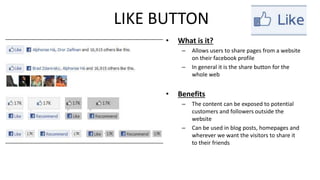
LIKE BUTTON 
• What is it? 
– Allows users to share pages from a website 
on their facebook profile 
– In general it is the share button for the 
whole web 
• Benefits 
– The content can be exposed to potential 
customers and followers outside the 
website 
– Can be used in blog posts, homepages and 
wherever we want the visitors to share it 
to their friends
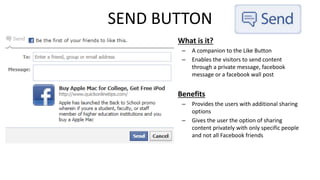
SEND BUTTON 
• What is it? 
– A companion to the Like Button 
– Enables the visitors to send content 
through a private message, facebook 
message or a facebook wall post 
• Benefits 
– Provides the users with additional sharing 
options 
– Gives the user the option of sharing 
content privately with only specific people 
and not all Facebook friends
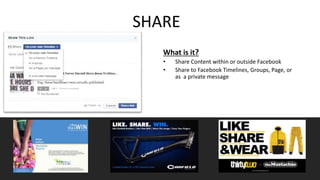
SHARE 
What is it? 
• Share Content within or outside Facebook 
• Share to Facebook Timelines, Groups, Page, or 
as a private message
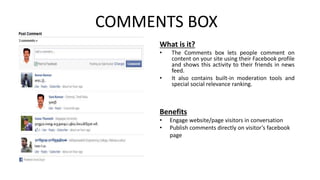
COMMENTS BOX 
What is it? 
• The Comments box lets people comment on 
content on your site using their Facebook profile 
and shows this activity to their friends in news 
feed. 
• It also contains built-in moderation tools and 
special social relevance ranking. 
Benefits 
• Engage website/page visitors in conversation 
• Publish comments directly on visitor’s facebook 
page
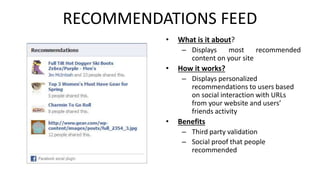
RECOMMENDATIONS FEED 
• What is it about? 
– Displays most recommended 
content on your site 
• How it works? 
– Displays personalized 
recommendations to users based 
on social interaction with URLs 
from your website and users’ 
friends activity 
• Benefits 
– Third party validation 
– Social proof that people 
recommended
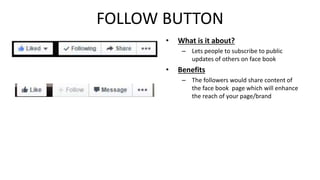
FOLLOW BUTTON 
• What is it about? 
– Lets people to subscribe to public 
updates of others on face book 
• Benefits 
– The followers would share content of 
the face book page which will enhance 
the reach of your page/brand
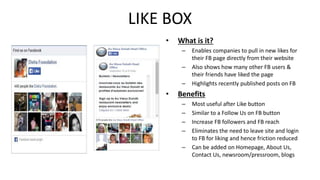
LIKE BOX 
• What is it? 
– Enables companies to pull in new likes for 
their FB page directly from their website 
– Also shows how many other FB users & 
their friends have liked the page 
– Highlights recently published posts on FB 
• Benefits 
– Most useful after Like button 
– Similar to a Follow Us on FB button 
– Increase FB followers and FB reach 
– Eliminates the need to leave site and login 
to FB for liking and hence friction reduced 
– Can be added on Homepage, About Us, 
Contact Us, newsroom/pressroom, blogs
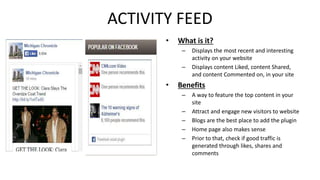
ACTIVITY FEED 
• What is it? 
– Displays the most recent and interesting 
activity on your website 
– Displays content Liked, content Shared, 
and content Commented on, in your site 
• Benefits 
– A way to feature the top content in your 
site 
– Attract and engage new visitors to website 
– Blogs are the best place to add the plugin 
– Home page also makes sense 
– Prior to that, check if good traffic is 
generated through likes, shares and 
comments
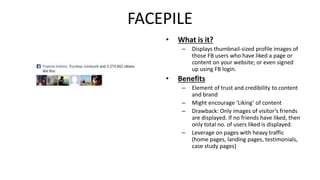
FACEPILE 
• What is it? 
– Displays thumbnail-sized profile images of 
those FB users who have liked a page or 
content on your website; or even signed 
up using FB login. 
• Benefits 
– Element of trust and credibility to content 
and brand 
– Might encourage ‘Liking’ of content 
– Drawback: Only images of visitor’s friends 
are displayed. If no friends have liked, then 
only total no. of users liked is displayed. 
– Leverage on pages with heavy traffic 
(home pages, landing pages, testimonials, 
case study pages)
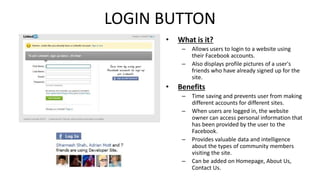
LOGIN BUTTON 
• What is it? 
– Allows users to login to a website using 
their Facebook accounts. 
– Also displays profile pictures of a user's 
friends who have already signed up for the 
site. 
• Benefits 
– Time saving and prevents user from making 
different accounts for different sites. 
– When users are logged in, the website 
owner can access personal information that 
has been provided by the user to the 
Facebook. 
– Provides valuable data and intelligence 
about the types of community members 
visiting the site. 
– Can be added on Homepage, About Us, 
Contact Us.
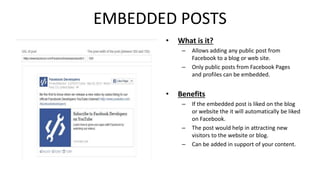
EMBEDDED POSTS 
• What is it? 
– Allows adding any public post from 
Facebook to a blog or web site. 
– Only public posts from Facebook Pages 
and profiles can be embedded. 
• Benefits 
– If the embedded post is liked on the blog 
or website the it will automatically be liked 
on Facebook. 
– The post would help in attracting new 
visitors to the website or blog. 
– Can be added in support of your content.
THANK 
YOU

Facebook plugins

  • 4.
    INTRODUCTION What arethese? • Tools that other websites can use to provide people with personalized and social experiences • Buttons, Boxes (Ex: Like button, Like box) Relevance to businesses • Build social capabilities into marketing efforts and turn users into brand advocates Understanding social plugins
  • 5.
    LIKE BUTTON •What is it? – Allows users to share pages from a website on their facebook profile – In general it is the share button for the whole web • Benefits – The content can be exposed to potential customers and followers outside the website – Can be used in blog posts, homepages and wherever we want the visitors to share it to their friends
  • 6.
    SEND BUTTON •What is it? – A companion to the Like Button – Enables the visitors to send content through a private message, facebook message or a facebook wall post • Benefits – Provides the users with additional sharing options – Gives the user the option of sharing content privately with only specific people and not all Facebook friends
  • 7.
    SHARE What isit? • Share Content within or outside Facebook • Share to Facebook Timelines, Groups, Page, or as a private message
  • 8.
    COMMENTS BOX Whatis it? • The Comments box lets people comment on content on your site using their Facebook profile and shows this activity to their friends in news feed. • It also contains built-in moderation tools and special social relevance ranking. Benefits • Engage website/page visitors in conversation • Publish comments directly on visitor’s facebook page
  • 9.
    RECOMMENDATIONS FEED •What is it about? – Displays most recommended content on your site • How it works? – Displays personalized recommendations to users based on social interaction with URLs from your website and users’ friends activity • Benefits – Third party validation – Social proof that people recommended
  • 10.
    FOLLOW BUTTON •What is it about? – Lets people to subscribe to public updates of others on face book • Benefits – The followers would share content of the face book page which will enhance the reach of your page/brand
  • 11.
    LIKE BOX •What is it? – Enables companies to pull in new likes for their FB page directly from their website – Also shows how many other FB users & their friends have liked the page – Highlights recently published posts on FB • Benefits – Most useful after Like button – Similar to a Follow Us on FB button – Increase FB followers and FB reach – Eliminates the need to leave site and login to FB for liking and hence friction reduced – Can be added on Homepage, About Us, Contact Us, newsroom/pressroom, blogs
  • 12.
    ACTIVITY FEED •What is it? – Displays the most recent and interesting activity on your website – Displays content Liked, content Shared, and content Commented on, in your site • Benefits – A way to feature the top content in your site – Attract and engage new visitors to website – Blogs are the best place to add the plugin – Home page also makes sense – Prior to that, check if good traffic is generated through likes, shares and comments
  • 13.
    FACEPILE • Whatis it? – Displays thumbnail-sized profile images of those FB users who have liked a page or content on your website; or even signed up using FB login. • Benefits – Element of trust and credibility to content and brand – Might encourage ‘Liking’ of content – Drawback: Only images of visitor’s friends are displayed. If no friends have liked, then only total no. of users liked is displayed. – Leverage on pages with heavy traffic (home pages, landing pages, testimonials, case study pages)
  • 14.
    LOGIN BUTTON •What is it? – Allows users to login to a website using their Facebook accounts. – Also displays profile pictures of a user's friends who have already signed up for the site. • Benefits – Time saving and prevents user from making different accounts for different sites. – When users are logged in, the website owner can access personal information that has been provided by the user to the Facebook. – Provides valuable data and intelligence about the types of community members visiting the site. – Can be added on Homepage, About Us, Contact Us.
  • 15.
    EMBEDDED POSTS •What is it? – Allows adding any public post from Facebook to a blog or web site. – Only public posts from Facebook Pages and profiles can be embedded. • Benefits – If the embedded post is liked on the blog or website the it will automatically be liked on Facebook. – The post would help in attracting new visitors to the website or blog. – Can be added in support of your content.
  • 16.