FacebookBy Teaming 4 Technology
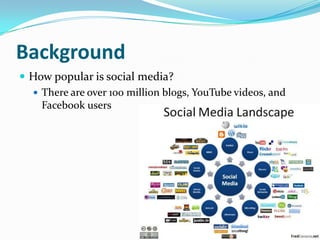
BackgroundHow popular is social media? There are over 100 million blogs, YouTube videos, and Facebook users
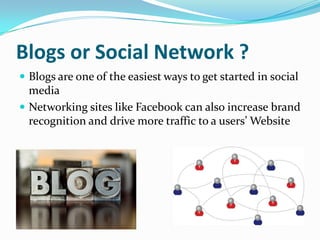
Blogs or Social Network ?Blogs are one of the easiest ways to get started in social media Networking sites like Facebook can also increase brand recognition and drive more traffic to a users’ Website
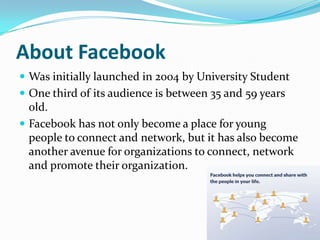
About FacebookWas initially launched in 2004 by University StudentOne third of its audience is between 35 and 59 years old.Facebook has not only become a place for young people to connect and network, but it has also become another avenue for organizations to connect, network and promote their organization.
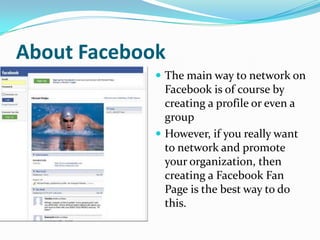
About FacebookThe main way to network on Facebook is of course by creating a profile or even a groupHowever, if you really want to network and promote your organization, then creating a Facebook Fan Page is the best way to do this.
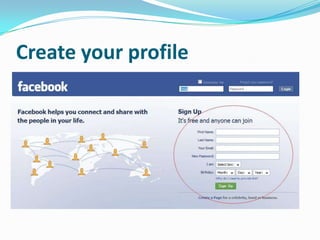
Create your profile
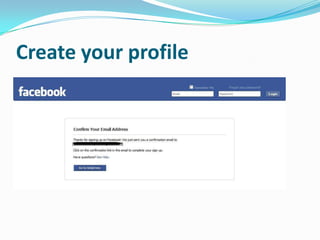
Create your profile
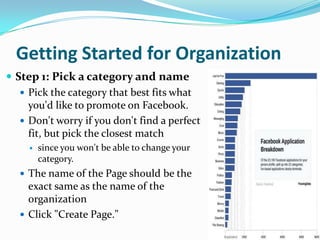
Getting Started for OrganizationStep 1: Pick a category and namePick the category that best fits what you'd like to promote on Facebook. Don't worry if you don't find a perfect fit, but pick the closest match since you won't be able to change your category.The name of the Page should be the exact same as the name of the organizationClick "Create Page."
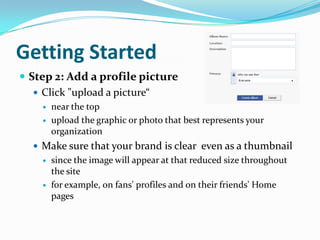
Getting StartedStep 2: Add a profile pictureClick "upload a picture“near the top upload the graphic or photo that best represents your organizationMake sure that your brand is clear  even as a thumbnailsince the image will appear at that reduced size throughout the sitefor example, on fans' profiles and on their friends' Home pages
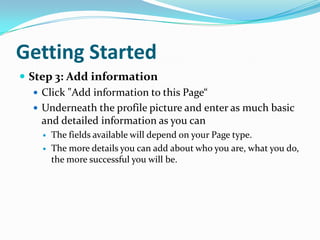
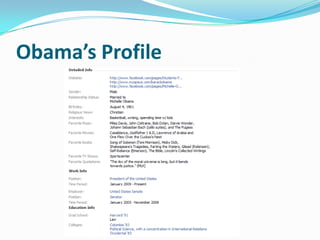
Getting StartedStep 3: Add informationClick "Add information to this Page“Underneath the profile picture and enter as much basic and detailed information as you canThe fields available will depend on your Page type. The more details you can add about who you are, what you do, the more successful you will be.
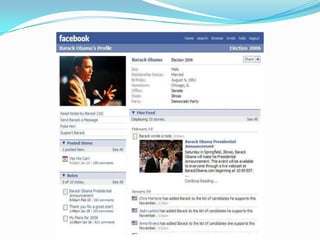
Obama’s Profile
Getting StartedStep 4: Make it rich and engaging
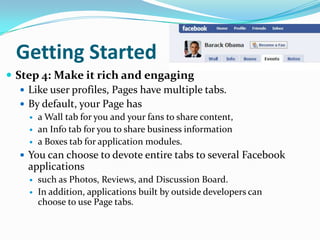
Like user profiles, Pages have multiple tabs.
By default, your Page has
a Wall tab for you and your fans to share content,
an Info tab for you to share business information
a Boxes tab for application modules.
You can choose to devote entire tabs to several Facebook applications
such as Photos, Reviews, and Discussion Board.
In addition, applications built by outside developers can choose to use Page tabs.Getting StartedStep 4: Make it rich and engaging (Continue)
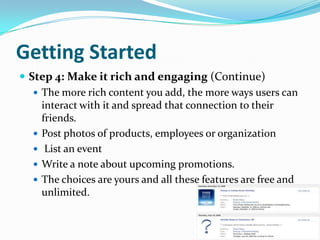
The more rich content you add, the more ways users can interact with it and spread that connection to their friends.

Facebook[1](2)

  • 1.
  • 2.
    BackgroundHow popular issocial media? There are over 100 million blogs, YouTube videos, and Facebook users
  • 3.
    Blogs or SocialNetwork ?Blogs are one of the easiest ways to get started in social media Networking sites like Facebook can also increase brand recognition and drive more traffic to a users’ Website
  • 4.
    About FacebookWas initiallylaunched in 2004 by University StudentOne third of its audience is between 35 and 59 years old.Facebook has not only become a place for young people to connect and network, but it has also become another avenue for organizations to connect, network and promote their organization.
  • 5.
    About FacebookThe mainway to network on Facebook is of course by creating a profile or even a groupHowever, if you really want to network and promote your organization, then creating a Facebook Fan Page is the best way to do this.
  • 6.
  • 7.
  • 8.
    Getting Started forOrganizationStep 1: Pick a category and namePick the category that best fits what you'd like to promote on Facebook. Don't worry if you don't find a perfect fit, but pick the closest match since you won't be able to change your category.The name of the Page should be the exact same as the name of the organizationClick "Create Page."
  • 9.
    Getting StartedStep 2:Add a profile pictureClick "upload a picture“near the top upload the graphic or photo that best represents your organizationMake sure that your brand is clear even as a thumbnailsince the image will appear at that reduced size throughout the sitefor example, on fans' profiles and on their friends' Home pages
  • 11.
    Getting StartedStep 3:Add informationClick "Add information to this Page“Underneath the profile picture and enter as much basic and detailed information as you canThe fields available will depend on your Page type. The more details you can add about who you are, what you do, the more successful you will be.
  • 12.
  • 13.
    Getting StartedStep 4:Make it rich and engaging
  • 14.
    Like user profiles,Pages have multiple tabs.
  • 15.
  • 16.
    a Wall tabfor you and your fans to share content,
  • 17.
    an Info tabfor you to share business information
  • 18.
    a Boxes tabfor application modules.
  • 19.
    You can chooseto devote entire tabs to several Facebook applications
  • 20.
    such as Photos,Reviews, and Discussion Board.
  • 21.
    In addition, applicationsbuilt by outside developers can choose to use Page tabs.Getting StartedStep 4: Make it rich and engaging (Continue)
  • 22.
    The more richcontent you add, the more ways users can interact with it and spread that connection to their friends.