© 2020 ThoughtWorks
Exploring Docker
container security:
Risks and good practices
Marina Kjaer & Mónica Calderaro
Mónica Calderaro
© 2020 ThoughtWorks
Software Developer
Marina Kjaer
Software Developer
@MonicaCRey
Security is a
HUGE topic
© 2020 ThoughtWorks
© 2020 ThoughtWorks
The main challenges are that Containers are
complex, the lack of isolation and the
complexity of the ecosystem.
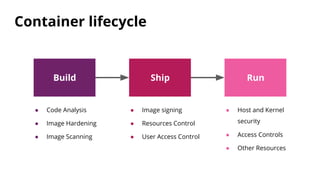
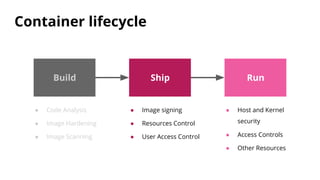
Build Ship Run
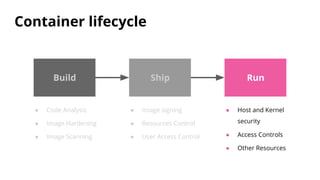
Container lifecycle
● Code Analysis
● Image Hardening
● Image Scanning
● Image signing
● Resources Control
● User Access Control
● Host and Kernel
security
● Access Controls
● Other Resources
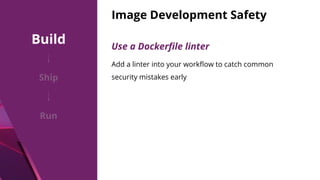
Image Development Safety
Use a Dockerfile linter
Add a linter into your workflow to catch common
security mistakes early
Build
Ship
Run
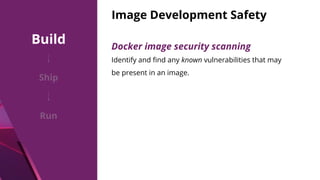
Image Development Safety
Identify and find any known vulnerabilities that may
be present in an image.
Docker image security scanning
Build
Ship
Run
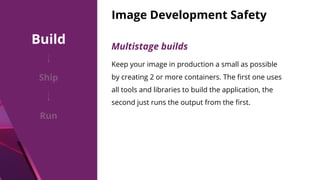
Image Development Safety
Multistage builds
Keep your image in production a small as possible
by creating 2 or more containers. The first one uses
all tools and libraries to build the application, the
second just runs the output from the first.
Build
Ship
Run
Image Development Safety
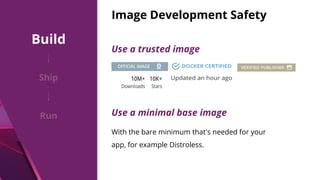
Use a trusted image
Use a minimal base image
With the bare minimum that's needed for your
app, for example Distroless.
Build
Ship
Run
Image Development Safety
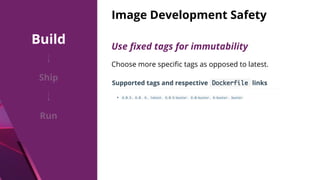
Choose more specific tags as opposed to latest.
Use fixed tags for immutability
Build
Ship
Run
Image Development Safety
Signatures allow client-side or runtime verification
of the integrity and publisher of specific image
tags.
Verify Images to be signed
Build
Ship
Run
Build Ship Run
Container lifecycle
● Code Analysis
● Image Hardening
● Image Scanning
● Image signing
● Resources Control
● User Access Control
● Host and Kernel
security
● Access Controls
● Other Resources
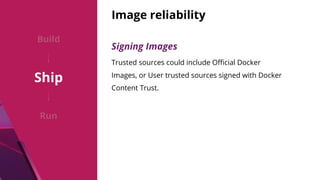
Image reliability
Signing Images
Trusted sources could include Official Docker
Images, or User trusted sources signed with Docker
Content Trust.
Build
Ship
Run
Restrict Resources
Build
Ship
Run
Set resource quotas
Resource quotas allow you to limit the amount of
memory and CPU resources that a container can
consume.
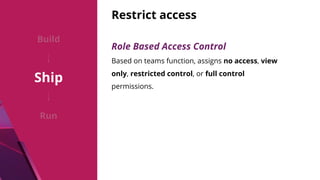
Restrict access
Role Based Access Control
Based on teams function, assigns no access, view
only, restricted control, or full control
permissions.
Build
Ship
Run
Build Ship Run
Container lifecycle
● Code Analysis
● Image Hardening
● Image Scanning
● Image signing
● Resources Control
● User Access Control
● Host and Kernel
security
● Access Controls
● Other Resources
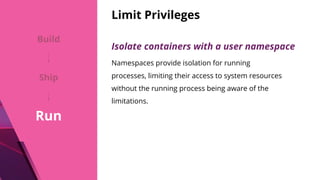
Limit Privileges
Isolate containers with a user namespace
Namespaces provide isolation for running
processes, limiting their access to system resources
without the running process being aware of the
limitations.
Build
Ship
Run
Limit Privileges
Control groups
They provide many useful metrics, but they also
help ensure that each container gets its fair share
of resources.
Build
Ship
Run
Limit Privileges
Rootless mode
Run the Docker daemon as a non-root user.
Build
Ship
Run
Protect resources
API and network security
Docker containers typically rely heavily on APIs and
networks to communicate with each other.
Build
Ship
Run
© 2020 ThoughtWorks
Demo time
© 2020 ThoughtWorks
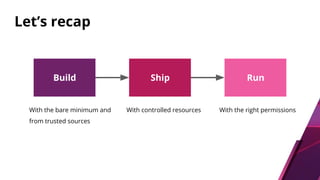
Build Ship Run
Let’s recap
With the bare minimum and
from trusted sources
With controlled resources With the right permissions
Resources
● https://docs.docker.com/
● https://resources.whitesourcesoftware.com/blog-w
hitesource/docker-container-security-challenges-an
d-best-practices
● https://www.trendmicro.com/
● https://snyk.io/
● https://neuvector.com/
● https://containerjournal.com/
● https://www.redhat.com/en/topics/security/contain
er-security
© 2020 ThoughtWorks
● https://docs.mirantis.com/docker-enterprise/v3.0/d
ockeree-products/ucp.html
● https://sysdig.com/blog/7-docker-security-vulnerabil
itie
● https://washraf.gitbooks.io/the-docker-ecosystem/c
ontent/Chapter%201/Section%203/Control%20Grou
ps.html
Continue the
conversation on Slack
© 2020 ThoughtWorks
XConfEurope2020
xconfeurope2020.slack.com
#talk2-docker-container-security
#XConfOnline

Docker container security