Monitoring Docker
Ilan Rabinovitch
Director, Community - Datadog
Agenda
• Monitoring 101 - Crash Course

• Challenges in Monitoring Dynamic Infrastructure 

• Key Docker Metrics
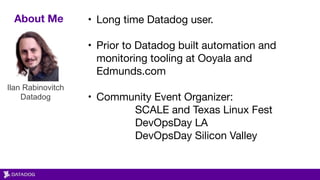
About Me • Long time Datadog user. 

• Prior to Datadog built automation and
monitoring tooling at Ooyala and
Edmunds.com

• Community Event Organizer:

SCALE and Texas Linux Fest

DevOpsDay LA 

DevOpsDay Silicon Valley
Ilan Rabinovitch

Datadog
Quick Overview of Datadog
Datadog gathers performance data from all your application and infrastructure components.
• Monitoring for modern applications

1. Dynamic Infrastructure

2. Containers (Docker, ECS, Mesos, k8s, and more…)

3. Microservices

• Time series storage of metrics and events

• Trending, alerting and anomaly detection.

• We’re hiring! (Remote, NY, Boston, Paris)
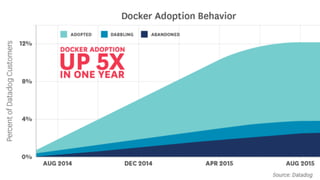
https://www.datadoghq.com/docker-adoption/
Docker Adoption Growth
We’ve see 5x increase of Docker adoption over the last year.
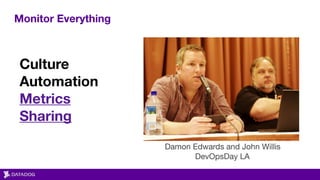
Monitor Everything
Culture
Automation
Metrics
Sharing
Damon Edwards and John Willis

DevOpsDay LA
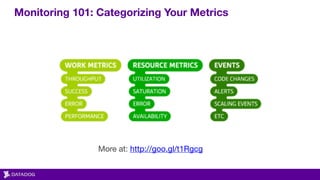
Monitoring 101: Categorizing Your Metrics
More at: http://goo.gl/t1Rgcg
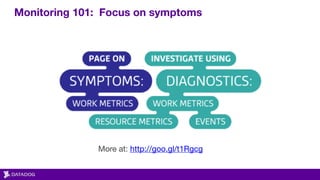
Monitoring 101: Focus on symptoms
More at: http://goo.gl/t1Rgcg
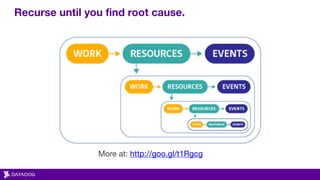
Recurse until you find root cause.
More at: http://goo.gl/t1Rgcg
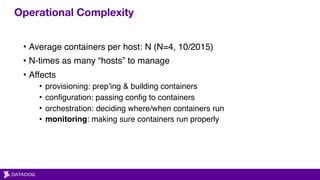
Operational Complexity
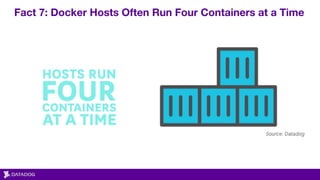
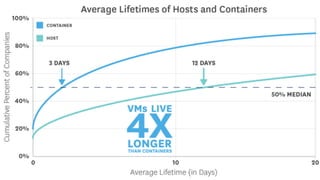
• Average containers per host: N (N=4, 10/2015)
• N-times as many “hosts” to manage
• Affects
• provisioning: prep’ing & building containers
• configuration: passing config to containers
• orchestration: deciding where/when containers run
• monitoring: making sure containers run properly
So what does that mean for
monitoring and management?
Fact 7: Docker Hosts Often Run Four Containers at a Time
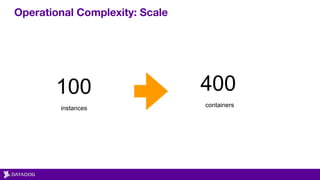
Operational Complexity: Scale
100
instances
400
containers
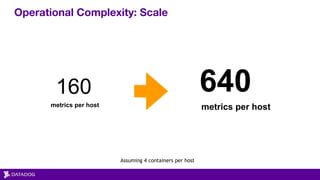
Operational Complexity: Scale
160
metrics per host
640
metrics per host
Assuming 4 containers per host
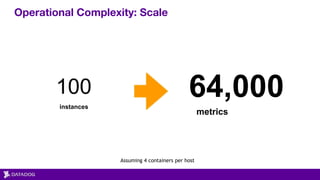
Operational Complexity: Scale
100
instances
64,000
metrics
Assuming 4 containers per host
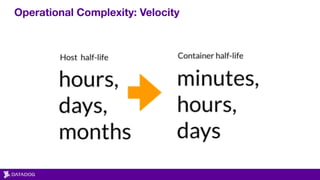
Operational Complexity: Velocity
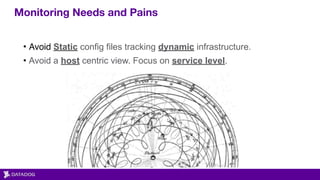
Monitoring Needs and Pains
• Avoid Static config files tracking dynamic infrastructure.
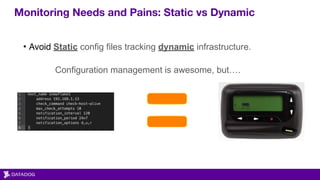
Monitoring Needs and Pains: Static vs Dynamic
• Avoid Static config files tracking dynamic infrastructure.


Configuration management is awesome, but….
Monitoring Needs and Pains
• Avoid Static config files tracking dynamic infrastructure.
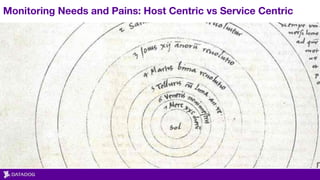
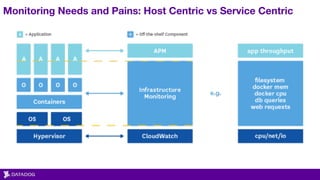
• Avoid a host centric view. Focus on service level.
Monitoring Needs and Pains: Host Centric vs Service Centric
Monitoring Needs and Pains
• Avoid Static config files tracking dynamic infrastructure.
• Avoid a host centric view. Focus on service level.
• Use tags, labels, etc on your hosts and metrics to form queries.
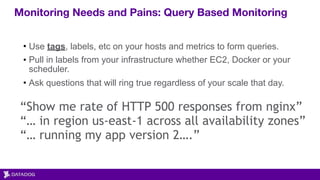
Monitoring Needs and Pains: Query Based Monitoring
“Show me rate of HTTP 500 responses from nginx”
“… in region us-east-1 across all availability zones”
“… running my app version 2….”
• Use tags, labels, etc on your hosts and metrics to form queries.
• Pull in labels from your infrastructure whether EC2, Docker or your
scheduler.
• Ask questions that will ring true regardless of your scale that day.
Monitoring Needs and Pains
• Avoid Static config files tracking dynamic infrastructure.
• Avoid a host centric view. Focus on service level.
• Use tags, labels, etc on your hosts and metrics to form queries.
• Know your underlying tech. In this case Docker and how to pull
metrics from it.
Collecting Docker Metrics
More at http://bit.ly/1j4QXek
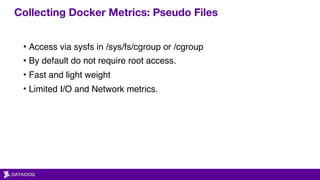
Collecting Docker Metrics: Pseudo Files
• Access via sysfs in /sys/fs/cgroup or /cgroup
• By default do not require root access.
• Fast and light weight
• Limited I/O and Network metrics.
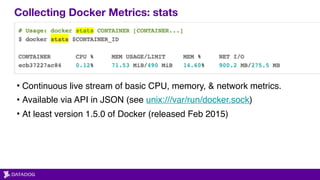
Collecting Docker Metrics: stats
• Continuous live stream of basic CPU, memory, & network metrics.
• Available via API in JSON (see unix:///var/run/docker.sock)
• At least version 1.5.0 of Docker (released Feb 2015)
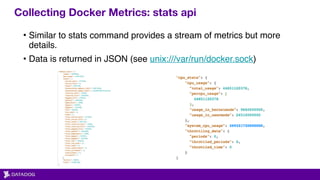
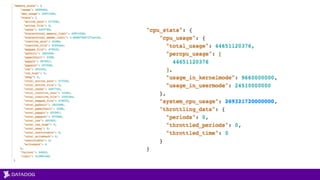
Collecting Docker Metrics: stats api
• Similar to stats command provides a stream of metrics but more
details.
• Data is returned in JSON (see unix:///var/run/docker.sock)
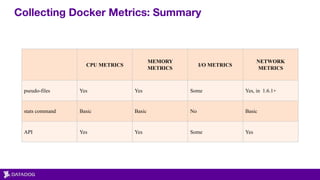
Collecting Docker Metrics: Summary
CPU METRICS
MEMORY
METRICS
I/O METRICS
NETWORK
METRICS
pseudo-files Yes Yes Some Yes, in 1.6.1+
stats command Basic Basic No Basic
API Yes Yes Some Yes

DockerCon EU 2015: Monitoring Docker

  • 1.
  • 2.
    Agenda • Monitoring 101- Crash Course • Challenges in Monitoring Dynamic Infrastructure • Key Docker Metrics
  • 3.
    About Me •Long time Datadog user. • Prior to Datadog built automation and monitoring tooling at Ooyala and Edmunds.com
 • Community Event Organizer: SCALE and Texas Linux Fest DevOpsDay LA DevOpsDay Silicon Valley Ilan Rabinovitch
 Datadog
  • 4.
    Quick Overview ofDatadog Datadog gathers performance data from all your application and infrastructure components. • Monitoring for modern applications 1. Dynamic Infrastructure 2. Containers (Docker, ECS, Mesos, k8s, and more…) 3. Microservices • Time series storage of metrics and events • Trending, alerting and anomaly detection. • We’re hiring! (Remote, NY, Boston, Paris)
  • 5.
  • 6.
    Docker Adoption Growth We’vesee 5x increase of Docker adoption over the last year.
  • 7.
  • 10.
    Monitoring 101: CategorizingYour Metrics More at: http://goo.gl/t1Rgcg
  • 11.
    Monitoring 101: Focuson symptoms More at: http://goo.gl/t1Rgcg
  • 12.
    Recurse until youfind root cause. More at: http://goo.gl/t1Rgcg
  • 14.
    Operational Complexity • Averagecontainers per host: N (N=4, 10/2015) • N-times as many “hosts” to manage • Affects • provisioning: prep’ing & building containers • configuration: passing config to containers • orchestration: deciding where/when containers run • monitoring: making sure containers run properly
  • 15.
    So what doesthat mean for monitoring and management?
  • 17.
    Fact 7: DockerHosts Often Run Four Containers at a Time
  • 19.
  • 20.
    Operational Complexity: Scale 160 metricsper host 640 metrics per host Assuming 4 containers per host
  • 21.
  • 22.
  • 24.
    Monitoring Needs andPains • Avoid Static config files tracking dynamic infrastructure.
  • 25.
    Monitoring Needs andPains: Static vs Dynamic • Avoid Static config files tracking dynamic infrastructure. 
 Configuration management is awesome, but….
  • 26.
    Monitoring Needs andPains • Avoid Static config files tracking dynamic infrastructure. • Avoid a host centric view. Focus on service level.
  • 27.
    Monitoring Needs andPains: Host Centric vs Service Centric
  • 28.
    Monitoring Needs andPains: Host Centric vs Service Centric
  • 29.
    Monitoring Needs andPains • Avoid Static config files tracking dynamic infrastructure. • Avoid a host centric view. Focus on service level. • Use tags, labels, etc on your hosts and metrics to form queries.
  • 30.
    Monitoring Needs andPains: Query Based Monitoring “Show me rate of HTTP 500 responses from nginx” “… in region us-east-1 across all availability zones” “… running my app version 2….” • Use tags, labels, etc on your hosts and metrics to form queries. • Pull in labels from your infrastructure whether EC2, Docker or your scheduler. • Ask questions that will ring true regardless of your scale that day.
  • 31.
    Monitoring Needs andPains • Avoid Static config files tracking dynamic infrastructure. • Avoid a host centric view. Focus on service level. • Use tags, labels, etc on your hosts and metrics to form queries. • Know your underlying tech. In this case Docker and how to pull metrics from it.
  • 32.
    Collecting Docker Metrics Moreat http://bit.ly/1j4QXek
  • 33.
    Collecting Docker Metrics:Pseudo Files • Access via sysfs in /sys/fs/cgroup or /cgroup • By default do not require root access. • Fast and light weight • Limited I/O and Network metrics.
  • 34.
    Collecting Docker Metrics:stats • Continuous live stream of basic CPU, memory, & network metrics. • Available via API in JSON (see unix:///var/run/docker.sock) • At least version 1.5.0 of Docker (released Feb 2015)
  • 35.
    Collecting Docker Metrics:stats api • Similar to stats command provides a stream of metrics but more details. • Data is returned in JSON (see unix:///var/run/docker.sock)
  • 37.
    Collecting Docker Metrics:Summary CPU METRICS MEMORY METRICS I/O METRICS NETWORK METRICS pseudo-files Yes Yes Some Yes, in 1.6.1+ stats command Basic Basic No Basic API Yes Yes Some Yes