A Presentation on-
E- PAPER TECHNOLOGY
DEPT. OF INFORMATION TECHNOLOGY
Name: Rohit D. Egade
Roll No: 2131927
Guide name: S. M. Gaikwad
@ WEL-COME @
CONTENTS
►Introduction
►History
►Construction of e-paper
►Technologies are used
►Properties
►Requirement of e-paper
►Applications
►Comparison of e-paper and LCD
►Advantages
►Disadvantages
►Conclusion
►References
INTRODUCTION
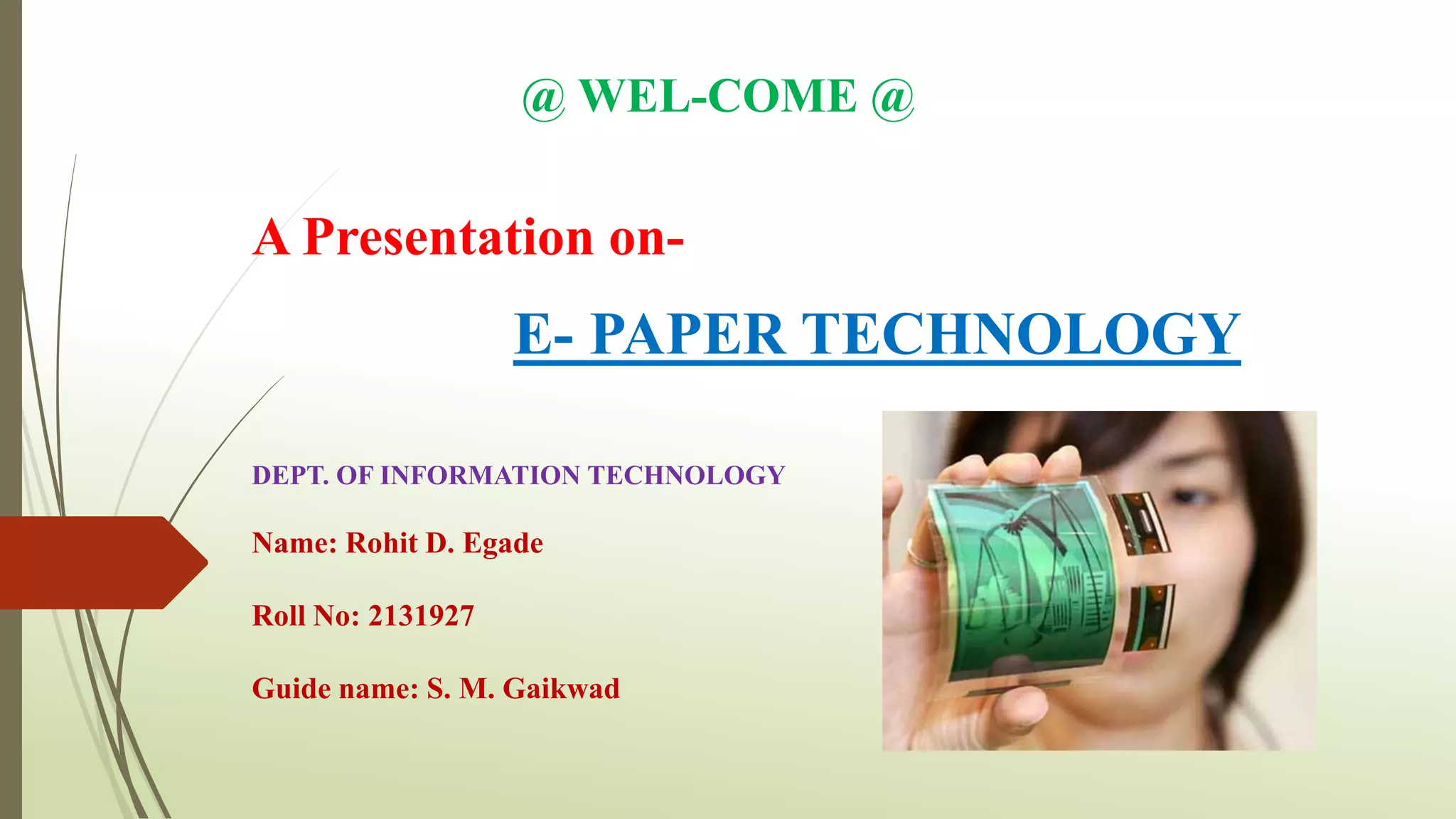
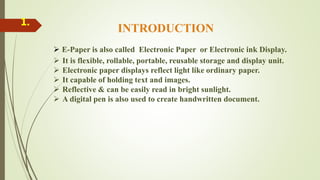
 E-Paper is also called Electronic Paper or Electronic ink Display.
 It is flexible, rollable, portable, reusable storage and display unit.
 Electronic paper displays reflect light like ordinary paper.
 It capable of holding text and images.
 Reflective & can be easily read in bright sunlight.
 A digital pen is also used to create handwritten document.
1.
2. HISTORY
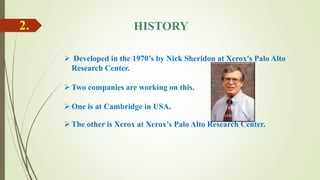
 Developed in the 1970’s by Nick Sheridon at Xerox's Palo Alto
Research Center.
Two companies are working on this.
One is at Cambridge in USA.
The other is Xerox at Xerox’s Palo Alto Research Center.
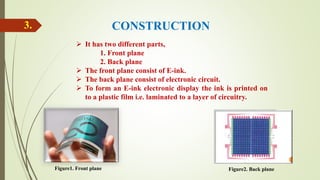
3. CONSTRUCTION
 It has two different parts,
1. Front plane
2. Back plane
 The front plane consist of E-ink.
 The back plane consist of electronic circuit.
 To form an E-ink electronic display the ink is printed on
to a plastic film i.e. laminated to a layer of circuitry.
Figure1. Front plane Figure2. Back plane
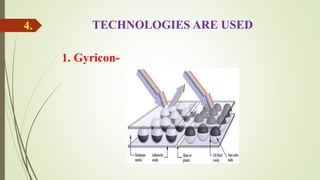
4. TECHNOLOGIES ARE USED
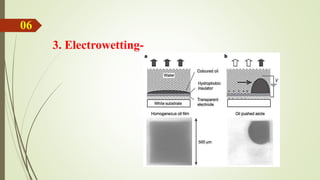
1. Gyricon-
5.
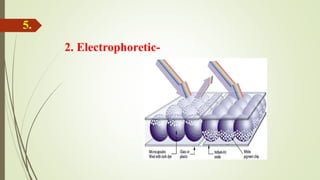
2. Electrophoretic-
06
3. Electrowetting-
07. PROPERTIES
Ultra thin and flexible energy cell.
Eliminates the cost of the battery.
Can be integrated into almost any surface.
Environmentally friendly, no possibility of explosion, burns, or
overheating.
08. REQUIREMENTS FOR E-PAPER
Resolution
Contrast Ratio
Viewing angle
Flexibility
Light weight
Power it should be Bi-stable: Uses zero power to retain a still image.
It should be readable in sunlight, reflectance should be more than 30%.
It should be light weighted as a paper-card.
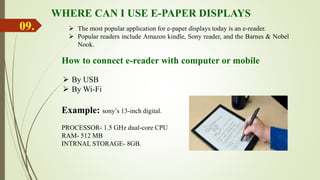
WHERE CAN I USE E-PAPER DISPLAYS
 The most popular application for e-paper displays today is an e-reader.
 Popular readers include Amazon kindle, Sony reader, and the Barnes & Nobel
Nook.
How to connect e-reader with computer or mobile
 By USB
 By Wi-Fi
09.
Example: sony’s 13-inch digital.
PROCESSOR- 1.5 GHz dual-core CPU
RAM- 512 MB
INTRNAL STORAGE- 8GB.
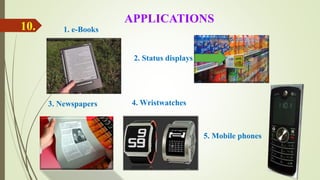
4. Wristwatches
1. e-Books
3. Newspapers
2. Status displays
5. Mobile phones
APPLICATIONS
10.
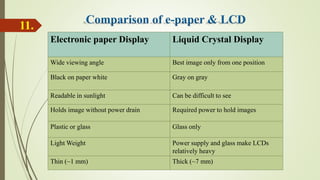
Electronic paper Display Liquid Crystal Display
Wide viewing angle Best image only from one position
Black on paper white Gray on gray
Readable in sunlight Can be difficult to see
Holds image without power drain Required power to hold images
Plastic or glass Glass only
Light Weight Power supply and glass make LCDs
relatively heavy
Thin (~1 mm) Thick (~7 mm)
11.
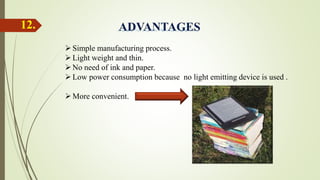
Simple manufacturing process.
Light weight and thin.
No need of ink and paper.
Low power consumption because no light emitting device is used .
More convenient.
12.
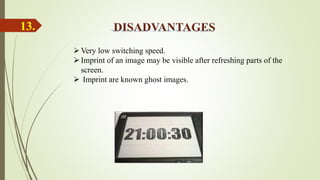
Very low switching speed.
Imprint of an image may be visible after refreshing parts of the
screen.
 Imprint are known ghost images.
13.
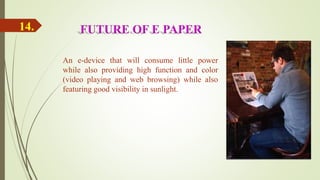
An e-device that will consume little power
while also providing high function and color
(video playing and web browsing) while also
featuring good visibility in sunlight.
14.
Researches found that in just few years this technology can
replace paper in many situations, leading us to think of a truly
paperless world.
15.
REFERENCES
 www.wikipedia.com
 www.studymafia.org
 www.pediain.com
 http://www.displayplus.net
 http://eblog.the-ebook-reader.com
 www.engadget.com
16.
THANK YOU…!!!
17.
Send feedback on- rohitegade1997@gmail.com

E-paper Technology

  • 1.
    A Presentation on- E-PAPER TECHNOLOGY DEPT. OF INFORMATION TECHNOLOGY Name: Rohit D. Egade Roll No: 2131927 Guide name: S. M. Gaikwad @ WEL-COME @
  • 2.
    CONTENTS ►Introduction ►History ►Construction of e-paper ►Technologiesare used ►Properties ►Requirement of e-paper ►Applications ►Comparison of e-paper and LCD ►Advantages ►Disadvantages ►Conclusion ►References
  • 3.
    INTRODUCTION  E-Paper isalso called Electronic Paper or Electronic ink Display.  It is flexible, rollable, portable, reusable storage and display unit.  Electronic paper displays reflect light like ordinary paper.  It capable of holding text and images.  Reflective & can be easily read in bright sunlight.  A digital pen is also used to create handwritten document. 1.
  • 4.
    2. HISTORY  Developedin the 1970’s by Nick Sheridon at Xerox's Palo Alto Research Center. Two companies are working on this. One is at Cambridge in USA. The other is Xerox at Xerox’s Palo Alto Research Center.
  • 5.
    3. CONSTRUCTION  Ithas two different parts, 1. Front plane 2. Back plane  The front plane consist of E-ink.  The back plane consist of electronic circuit.  To form an E-ink electronic display the ink is printed on to a plastic film i.e. laminated to a layer of circuitry. Figure1. Front plane Figure2. Back plane
  • 6.
    4. TECHNOLOGIES AREUSED 1. Gyricon-
  • 7.
  • 8.
  • 9.
    07. PROPERTIES Ultra thinand flexible energy cell. Eliminates the cost of the battery. Can be integrated into almost any surface. Environmentally friendly, no possibility of explosion, burns, or overheating.
  • 10.
    08. REQUIREMENTS FORE-PAPER Resolution Contrast Ratio Viewing angle Flexibility Light weight Power it should be Bi-stable: Uses zero power to retain a still image. It should be readable in sunlight, reflectance should be more than 30%. It should be light weighted as a paper-card.
  • 11.
    WHERE CAN IUSE E-PAPER DISPLAYS  The most popular application for e-paper displays today is an e-reader.  Popular readers include Amazon kindle, Sony reader, and the Barnes & Nobel Nook. How to connect e-reader with computer or mobile  By USB  By Wi-Fi 09. Example: sony’s 13-inch digital. PROCESSOR- 1.5 GHz dual-core CPU RAM- 512 MB INTRNAL STORAGE- 8GB.
  • 12.
    4. Wristwatches 1. e-Books 3.Newspapers 2. Status displays 5. Mobile phones APPLICATIONS 10.
  • 13.
    Electronic paper DisplayLiquid Crystal Display Wide viewing angle Best image only from one position Black on paper white Gray on gray Readable in sunlight Can be difficult to see Holds image without power drain Required power to hold images Plastic or glass Glass only Light Weight Power supply and glass make LCDs relatively heavy Thin (~1 mm) Thick (~7 mm) 11.
  • 14.
    Simple manufacturing process. Lightweight and thin. No need of ink and paper. Low power consumption because no light emitting device is used . More convenient. 12.
  • 15.
    Very low switchingspeed. Imprint of an image may be visible after refreshing parts of the screen.  Imprint are known ghost images. 13.
  • 16.
    An e-device thatwill consume little power while also providing high function and color (video playing and web browsing) while also featuring good visibility in sunlight. 14.
  • 17.
    Researches found thatin just few years this technology can replace paper in many situations, leading us to think of a truly paperless world. 15.
  • 18.
    REFERENCES  www.wikipedia.com  www.studymafia.org www.pediain.com  http://www.displayplus.net  http://eblog.the-ebook-reader.com  www.engadget.com 16.
  • 19.
    THANK YOU…!!! 17. Send feedbackon- rohitegade1997@gmail.com