Elizabeth Years Stevens
     Syracuse University
   How can technology support inquiry based
    learning projects?
   What about that classroom website?
   What Internet tools are available for use to
    support literacy in all content areas?
   How do you "hook" your learners with
    technology?

Leslie Garcea, Instructional Coach
Roberts PreK-8
   Introduction to online inquiry based learning
   Explore and share
    ◦   Internet Reciprocal Teaching
    ◦   Internet Workshops
    ◦   Internet Projects
    ◦   Internet Inquiries
    ◦   Webquests
   Study literacy and the classroom website
    ◦ Literacy instruction and website
    ◦ Features/tools for use on the classroom website
    ◦ Getting started with your own website with Jessica Rice
“Schools for our kids right now have to be places
of deep inquiry where they are solving real world
problems because they have a lot of problems
that they are going to need to solve. Where
classrooms and teachers are learning basically
how to collaborate with global peers to create
beautiful and important work that they can share
with the world that can teach others. Where we
can help them find their passions and support
those passions so they can become the lifelong
learners in these contexts that we all want them
to be…” Will Richardson, March 5, 2011
Purpose/Benefits:
• Teaches comprehension strategies: predicting,
  questioning, clarifying, and summarizing
• Builds online reading comprehension strategies:
  questioning, locating, evaluating, synthesizing, and
  communicating
Steps:
• Phase 1- “The Basics” such as word processing skills, Web
  searching, navigation basics, and e-mail
• Phase 2- “Collaboration” including think aloud
  demonstrations and minilessons by students and teachers
• Phase 3- “Student-Centered Learning” with students
  working both individually and in small groups using
  strategies and skills from the previous phases to develop
  lines of inquiry around curricular topics– focus on inquiry
  not product
Purpose/Benefits:
• Develops independent research skills
• Allows students to pursue special interests
• Develops critical literacy skills
Steps:
1. Develop a question
2. Search for information
3. Evaluate information
4. Compose an answer to your question
5. Share the answer with others
Purpose/Benefits:
• Model for conducting research
• Allows student exchange of learning
Steps:
1. Locate a good site with content related to a
   classroom unit of instruction
2. Develop an activity requiring students to use the
   site (May be assigned over a period of time.)
3. Have students share their discoveries, questions,
   and new literacy strategies during a short
   workshop session
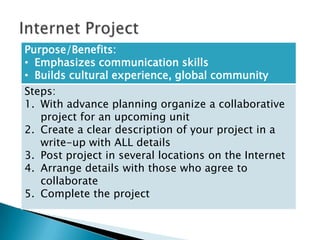
Purpose/Benefits:
• Emphasizes communication skills
• Builds cultural experience, global community
Steps:
1. With advance planning organize a collaborative
   project for an upcoming unit
2. Create a clear description of your project in a
   write-up with ALL details
3. Post project in several locations on the Internet
4. Arrange details with those who agree to
   collaborate
5. Complete the project
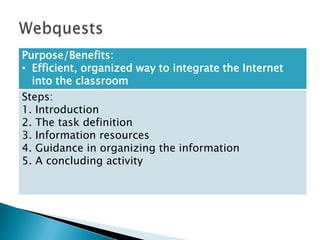
Purpose/Benefits:
• Efficient, organized way to integrate the Internet
  into the classroom
Steps:
1. Introduction
2. The task definition
3. Information resources
4. Guidance in organizing the information
5. A concluding activity
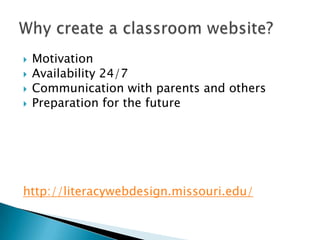
   Motivation
   Availability 24/7
   Communication with parents and others
   Preparation for the future


http://literacywebdesign.missouri.edu/
In Wordle:
 Describe yourself as a teacher


   Describe the literacy instruction in your
    classroom
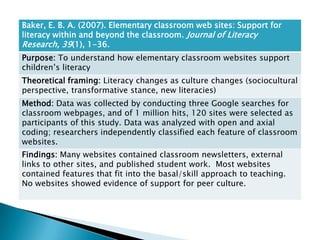
Baker, E. B. A. (2007). Elementary classroom web sites: Support for
literacy within and beyond the classroom. Journal of Literacy
Research, 39(1), 1-36.
Purpose: To understand how elementary classroom websites support
children’s literacy
Theoretical framing: Literacy changes as culture changes (sociocultural
perspective, transformative stance, new literacies)
Method: Data was collected by conducting three Google searches for
classroom webpages, and of 1 million hits, 120 sites were selected as
participants of this study. Data was analyzed with open and axial
coding; researchers independently classified each feature of classroom
websites.
Findings: Many websites contained classroom newsletters, external
links to other sites, and published student work. Most websites
contained features that fit into the basal/skill approach to teaching.
No websites showed evidence of support for peer culture.
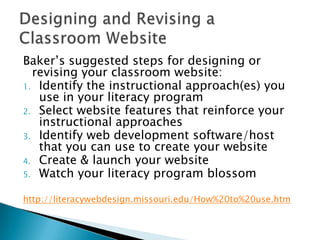
Baker’s suggested steps for designing or
  revising your classroom website:
1. Identify the instructional approach(es) you
   use in your literacy program
2. Select website features that reinforce your
   instructional approaches
3. Identify web development software/host
   that you can use to create your website
4. Create & launch your website
5. Watch your literacy program blossom


http://literacywebdesign.missouri.edu/How%20to%20use.htm
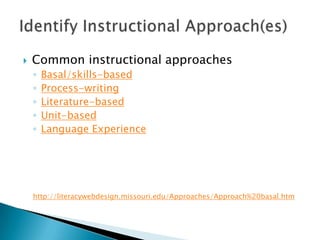
   Common instructional approaches
    ◦   Basal/skills-based
    ◦   Process-writing
    ◦   Literature-based
    ◦   Unit-based
    ◦   Language Experience


    http://literacywebdesign.missouri.edu/Approaches/Approach%20basal.htm
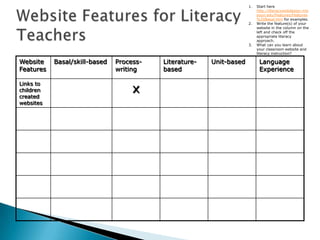
1.   Start here
                                                                          http://literacywebdesign.mis
                                                                          souri.edu/Features/Features
                                                                          %20Basal.htm for examples.
                                                                     2.   Write the feature(s) of your
                                                                          website in the column on the
                                                                          left and check off the
                                                                          appropriate literacy
                                                                          approach.
                                                                     3.   What can you learn about
                                                                          your classroom website and
                                                                          literacy instruction?

Website    Basal/skill-based   Process-   Literature-   Unit-based         Language
Features                       writing    based                            Experience


                                    x
Links to
children
created
websites
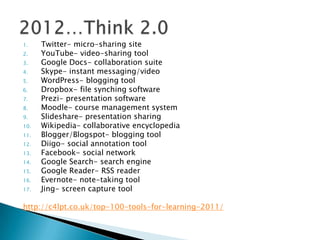
1.    Twitter- micro-sharing site
2.    YouTube- video-sharing tool
3.    Google Docs- collaboration suite
4.    Skype- instant messaging/video
5.    WordPress- blogging tool
6.    Dropbox- file synching software
7.    Prezi- presentation software
8.    Moodle- course management system
9.    Slideshare- presentation sharing
10.   Wikipedia- collaborative encyclopedia
11.   Blogger/Blogspot- blogging tool
12.   Diigo- social annotation tool
13.   Facebook- social network
14.   Google Search- search engine
15.   Google Reader- RSS reader
16.   Evernote- note-taking tool
17.   Jing- screen capture tool

http://c4lpt.co.uk/top-100-tools-for-learning-2011/
   What features are you motivated to add to
    your classroom website?

   What do these features say about your
    instructional approaches?
   Concluding thoughts

   Collaborative work session
   Baker, E. B. A. (2007). Elementary classroom web sites: Support
    for literacy within and beyond the classroom. Journal of Literacy
    Research, 39(1), 1-36.
   Knobel, M., & Wilber, D. (2009). Let's talk 2.0. Educational
    Leadership, 66(6), 20-24.
   Lankshear, C., & Knobel, M. (2006, April 11). Blogging as
    participation: The active sociality of a new literacy. Paper
    presented at the American Educational Research Association, San
    Francisco, CA.
   Leu, D.J., & Leu, D.D., Coiro, J. (2004). Teaching with the
    Internet (Fourth ed.). Norwood, MA: Christopher-Gordon.
   McVerry, J.G., Zawilinski, L., & O'Byrne, W.I. (2009). Internet
    reciprocal teaching: Navigating the C's of change. Educational
    Leadership, 67(1). Available:
    http://www.ascd.org/publications/educational-
    leadership/sept09/vol67/num01/Navigating-the-Cs-of-
    Change.aspx

Enhancing Literacy with Technology

  • 1.
    Elizabeth Years Stevens Syracuse University
  • 2.
    How can technology support inquiry based learning projects?  What about that classroom website?  What Internet tools are available for use to support literacy in all content areas?  How do you "hook" your learners with technology? Leslie Garcea, Instructional Coach Roberts PreK-8
  • 3.
    Introduction to online inquiry based learning  Explore and share ◦ Internet Reciprocal Teaching ◦ Internet Workshops ◦ Internet Projects ◦ Internet Inquiries ◦ Webquests  Study literacy and the classroom website ◦ Literacy instruction and website ◦ Features/tools for use on the classroom website ◦ Getting started with your own website with Jessica Rice
  • 4.
    “Schools for ourkids right now have to be places of deep inquiry where they are solving real world problems because they have a lot of problems that they are going to need to solve. Where classrooms and teachers are learning basically how to collaborate with global peers to create beautiful and important work that they can share with the world that can teach others. Where we can help them find their passions and support those passions so they can become the lifelong learners in these contexts that we all want them to be…” Will Richardson, March 5, 2011
  • 5.
    Purpose/Benefits: • Teaches comprehensionstrategies: predicting, questioning, clarifying, and summarizing • Builds online reading comprehension strategies: questioning, locating, evaluating, synthesizing, and communicating Steps: • Phase 1- “The Basics” such as word processing skills, Web searching, navigation basics, and e-mail • Phase 2- “Collaboration” including think aloud demonstrations and minilessons by students and teachers • Phase 3- “Student-Centered Learning” with students working both individually and in small groups using strategies and skills from the previous phases to develop lines of inquiry around curricular topics– focus on inquiry not product
  • 6.
    Purpose/Benefits: • Develops independentresearch skills • Allows students to pursue special interests • Develops critical literacy skills Steps: 1. Develop a question 2. Search for information 3. Evaluate information 4. Compose an answer to your question 5. Share the answer with others
  • 7.
    Purpose/Benefits: • Model forconducting research • Allows student exchange of learning Steps: 1. Locate a good site with content related to a classroom unit of instruction 2. Develop an activity requiring students to use the site (May be assigned over a period of time.) 3. Have students share their discoveries, questions, and new literacy strategies during a short workshop session
  • 8.
    Purpose/Benefits: • Emphasizes communicationskills • Builds cultural experience, global community Steps: 1. With advance planning organize a collaborative project for an upcoming unit 2. Create a clear description of your project in a write-up with ALL details 3. Post project in several locations on the Internet 4. Arrange details with those who agree to collaborate 5. Complete the project
  • 9.
    Purpose/Benefits: • Efficient, organizedway to integrate the Internet into the classroom Steps: 1. Introduction 2. The task definition 3. Information resources 4. Guidance in organizing the information 5. A concluding activity
  • 10.
    Motivation  Availability 24/7  Communication with parents and others  Preparation for the future http://literacywebdesign.missouri.edu/
  • 11.
    In Wordle:  Describeyourself as a teacher  Describe the literacy instruction in your classroom
  • 12.
    Baker, E. B.A. (2007). Elementary classroom web sites: Support for literacy within and beyond the classroom. Journal of Literacy Research, 39(1), 1-36. Purpose: To understand how elementary classroom websites support children’s literacy Theoretical framing: Literacy changes as culture changes (sociocultural perspective, transformative stance, new literacies) Method: Data was collected by conducting three Google searches for classroom webpages, and of 1 million hits, 120 sites were selected as participants of this study. Data was analyzed with open and axial coding; researchers independently classified each feature of classroom websites. Findings: Many websites contained classroom newsletters, external links to other sites, and published student work. Most websites contained features that fit into the basal/skill approach to teaching. No websites showed evidence of support for peer culture.
  • 13.
    Baker’s suggested stepsfor designing or revising your classroom website: 1. Identify the instructional approach(es) you use in your literacy program 2. Select website features that reinforce your instructional approaches 3. Identify web development software/host that you can use to create your website 4. Create & launch your website 5. Watch your literacy program blossom http://literacywebdesign.missouri.edu/How%20to%20use.htm
  • 14.
    Common instructional approaches ◦ Basal/skills-based ◦ Process-writing ◦ Literature-based ◦ Unit-based ◦ Language Experience http://literacywebdesign.missouri.edu/Approaches/Approach%20basal.htm
  • 15.
    1. Start here http://literacywebdesign.mis souri.edu/Features/Features %20Basal.htm for examples. 2. Write the feature(s) of your website in the column on the left and check off the appropriate literacy approach. 3. What can you learn about your classroom website and literacy instruction? Website Basal/skill-based Process- Literature- Unit-based Language Features writing based Experience x Links to children created websites
  • 16.
    1. Twitter- micro-sharing site 2. YouTube- video-sharing tool 3. Google Docs- collaboration suite 4. Skype- instant messaging/video 5. WordPress- blogging tool 6. Dropbox- file synching software 7. Prezi- presentation software 8. Moodle- course management system 9. Slideshare- presentation sharing 10. Wikipedia- collaborative encyclopedia 11. Blogger/Blogspot- blogging tool 12. Diigo- social annotation tool 13. Facebook- social network 14. Google Search- search engine 15. Google Reader- RSS reader 16. Evernote- note-taking tool 17. Jing- screen capture tool http://c4lpt.co.uk/top-100-tools-for-learning-2011/
  • 18.
    What features are you motivated to add to your classroom website?  What do these features say about your instructional approaches?
  • 19.
    Concluding thoughts  Collaborative work session
  • 20.
    Baker, E. B. A. (2007). Elementary classroom web sites: Support for literacy within and beyond the classroom. Journal of Literacy Research, 39(1), 1-36.  Knobel, M., & Wilber, D. (2009). Let's talk 2.0. Educational Leadership, 66(6), 20-24.  Lankshear, C., & Knobel, M. (2006, April 11). Blogging as participation: The active sociality of a new literacy. Paper presented at the American Educational Research Association, San Francisco, CA.  Leu, D.J., & Leu, D.D., Coiro, J. (2004). Teaching with the Internet (Fourth ed.). Norwood, MA: Christopher-Gordon.  McVerry, J.G., Zawilinski, L., & O'Byrne, W.I. (2009). Internet reciprocal teaching: Navigating the C's of change. Educational Leadership, 67(1). Available: http://www.ascd.org/publications/educational- leadership/sept09/vol67/num01/Navigating-the-Cs-of- Change.aspx

Editor's Notes

  • #6 Read aloud first four paragraphs of Navigating the Cs of Change Reciprocal teaching and Internet reciprocal teaching share core values (i.e., gradual release of responsibility, group discussion and sharing)Phase 1 example: In small groups, the students had to choose appropriate key word searches. Groups shared their strategies for answering the question with the whole class. Next, students recorded how many search results they retrieved when using different combinations of keywords. The teachers then demonstrated how to use a basic Boolean search.Phase 2: moves from searching to critical evaluation and synthesis skills. Teachers challenged students to find information on the Internet connected to what they had been reading in class perhaps through an Internet scavenger hunt. Students share their search strategies with the class. Students use Instant Messaging to share strategies, ideas, and tips. Students might peek over a shoulder of a classmate. A whole class debriefing is held to share new strategies for seeking information online. For example, students searched for articles about zoos and a recent current event. Students had to find 5 to 7 articles and study differences among news articles, blogs, and editorials. In a follow-up student groups had to find websites that criticized or supported zoos and rank them on a continuum of usefulness and truthfulness. Students posted to a blog comments about the strategies they used to evaluate websites. Students chose and wrote about their position on zoos. This can be done with text, video, and audio sources online.Phase 3: This requires clear questions, multiple reliable sources, citations, and a final product that communicates that information to others. Develop a research question, form possible arguments, generate a list of keywords. Students choose three websites and explain why these three sources were more truthful and useful. Students put findings into a presentation.
  • #17 Participation, collaboration, and distribution of expertise