WHY ??


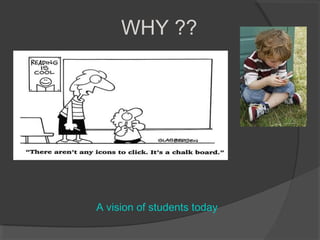
A vision of students today
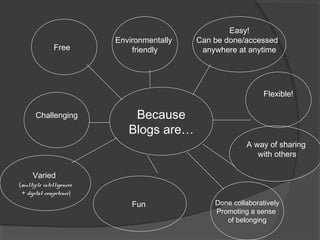
Easy!
                          Environmentally   Can be done/accessed
               Free           friendly       anywhere at anytime


                                                               Flexible!

       Challenging            Because
                             Blogs are…
                                                         A way of sharing
                                                            with others

     Varied
(multiple intelligences
 + digital competence)
                              Fun               Done collaboratively
                                                Promoting a sense
                                                   of belonging
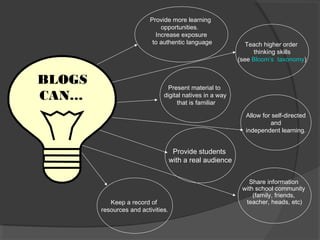
Provide more learning
                              opportunities.
                            Increase exposure
                           to authentic language              Teach higher order
                                                                thinking skills
                                                           (see Bloom’s taxonomy)


BLOGS                            Present material to
CAN…                           digital natives in a way
                                    that is familiar

                                                             Allow for self-directed
                                                                      and
                                                             independent learning.


                                     Provide students
                                    with a real audience


                                                               Share information
                                                            with school community
                                                                (family, friends,
           Keep a record of                                  teacher, heads, etc)
        resources and activities.
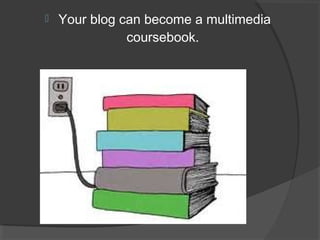
   Your blog can become a multimedia
               coursebook.
?
    ?   HOW???
                     ?
                         ?
?   ?                ?

?

    ?       ?    ?
                     ?
        ?
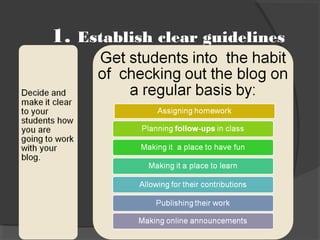
1.   Establish clear guidelines
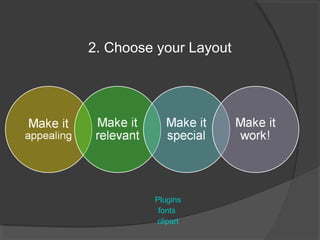
2. Choose your Layout


         Plugins
          fonts
         clipart
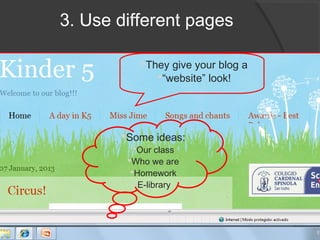
3. Use different pages

           They give your blog a
              “website” look!


       Some ideas:
         Our class
        Who we are
         Homework
          E-library
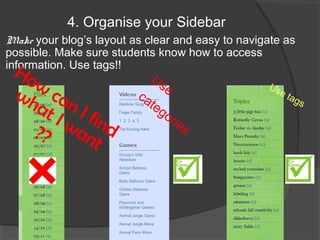
4. Organise your Sidebar
Make your blog’s layout as clear and easy to navigate as
possible. Make sure students know how to access
information. Use tags!!
 Ho                          Us
    w                           e                 Us
 wh can                  ca
                            te
                                                     e   t ag
    at I f                     go
                                                                s
      I w in d                    rie
                                      s
   ?? an
           t
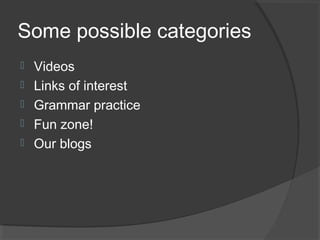
Some possible categories
   Videos
   Links of interest
   Grammar practice
   Fun zone!
   Our blogs
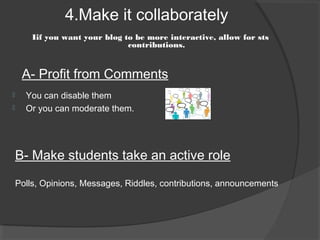
4.Make it collaborately
        Iif you want your blog to be more interactive, allow for sts
                                contributions.


     A- Profit from Comments
     You can disable them
     Or you can moderate them.


    B- Make students take an active role

    Polls, Opinions, Messages, Riddles, contributions, announcements
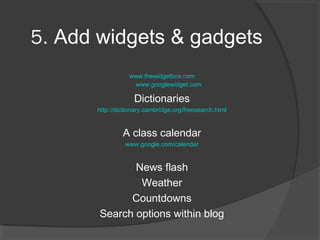
5. Add widgets & gadgets
                 www.thewidgetbox.com
                  www.googlewidget.com

                   Dictionaries
      http://dictionary.cambridge.org/freesearch.html


               A class calendar
                www.google.com/calendar


              News flash
               Weather
             Countdowns
       Search options within blog
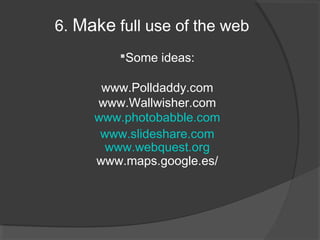
6. Make full use of the web
         Some ideas:

      www.Polldaddy.com
     www.Wallwisher.com
     www.photobabble.com
      www.slideshare.com
       www.webquest.org
     www.maps.google.es/
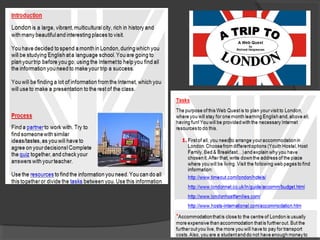
7. Make it a place to learn

I.   Upload the material you want o use

II. Select sources for sts to look for
     information

I.   Organise sts work


              Use Webquests
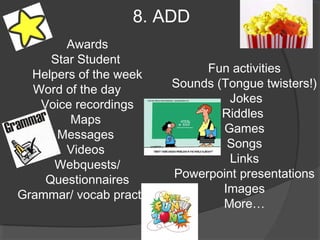
8. ADD
        Awards
     Star Student
  Helpers of the week          Fun activities
  Word of the day         Sounds (Tongue twisters!)
   Voice recordings                Jokes
        Maps                      Riddles
      Messages                    Games
        Videos                     Songs
      Webquests/                   Links
    Questionnaires        Powerpoint presentations
Grammar/ vocab practice           Images
                                  More…
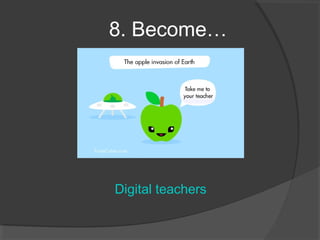
8. Become…


Digital teachers
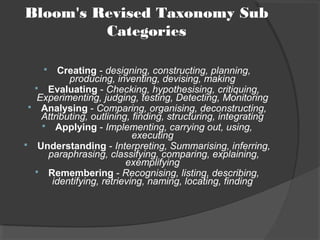
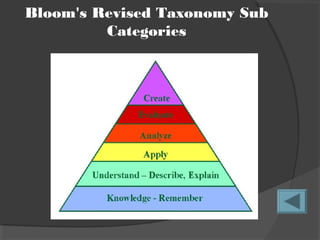
Bloom's Revised Taxonomy Sub
         Categories

        Creating - designing, constructing, planning,
           producing, inventing, devising, making
   Evaluating - Checking, hypothesising, critiquing,
   Experimenting, judging, testing, Detecting, Monitoring
  Analysing - Comparing, organising, deconstructing,
    Attributing, outlining, finding, structuring, integrating
     Applying - Implementing, carrying out, using,
                            executing
 Understanding - Interpreting, Summarising, inferring,
     paraphrasing, classifying, comparing, explaining,
                          exemplifying
   Remembering - Recognising, listing, describing,
       identifying, retrieving, naming, locating, finding
Bloom's Revised Taxonomy Sub
         Categories

Inset. blogs

  • 2.
    WHY ?? A visionof students today
  • 3.
    Easy! Environmentally Can be done/accessed Free friendly anywhere at anytime Flexible! Challenging Because Blogs are… A way of sharing with others Varied (multiple intelligences + digital competence) Fun Done collaboratively Promoting a sense of belonging
  • 4.
    Provide more learning opportunities. Increase exposure to authentic language Teach higher order thinking skills (see Bloom’s taxonomy) BLOGS Present material to CAN… digital natives in a way that is familiar Allow for self-directed and independent learning. Provide students with a real audience Share information with school community (family, friends, Keep a record of teacher, heads, etc) resources and activities.
  • 5.
    Your blog can become a multimedia coursebook.
  • 6.
    ? ? HOW??? ? ? ? ? ? ? ? ? ? ? ?
  • 7.
    1. Establish clear guidelines
  • 8.
    2. Choose yourLayout Plugins fonts clipart
  • 9.
    3. Use differentpages They give your blog a “website” look! Some ideas: Our class Who we are Homework E-library
  • 10.
    4. Organise yourSidebar Make your blog’s layout as clear and easy to navigate as possible. Make sure students know how to access information. Use tags!! Ho Us w e Us wh can ca te e t ag at I f go s I w in d rie s ?? an t
  • 11.
    Some possible categories  Videos  Links of interest  Grammar practice  Fun zone!  Our blogs
  • 12.
    4.Make it collaborately Iif you want your blog to be more interactive, allow for sts contributions. A- Profit from Comments  You can disable them  Or you can moderate them. B- Make students take an active role Polls, Opinions, Messages, Riddles, contributions, announcements
  • 13.
    5. Add widgets& gadgets www.thewidgetbox.com www.googlewidget.com Dictionaries http://dictionary.cambridge.org/freesearch.html A class calendar www.google.com/calendar News flash Weather Countdowns Search options within blog
  • 14.
    6. Make fulluse of the web Some ideas: www.Polldaddy.com www.Wallwisher.com www.photobabble.com www.slideshare.com www.webquest.org www.maps.google.es/
  • 15.
    7. Make ita place to learn I. Upload the material you want o use II. Select sources for sts to look for information I. Organise sts work Use Webquests
  • 17.
    8. ADD Awards Star Student Helpers of the week Fun activities Word of the day Sounds (Tongue twisters!) Voice recordings Jokes Maps Riddles Messages Games Videos Songs Webquests/ Links Questionnaires Powerpoint presentations Grammar/ vocab practice Images More…
  • 18.
  • 19.
    Bloom's Revised TaxonomySub Categories  Creating - designing, constructing, planning, producing, inventing, devising, making  Evaluating - Checking, hypothesising, critiquing, Experimenting, judging, testing, Detecting, Monitoring  Analysing - Comparing, organising, deconstructing, Attributing, outlining, finding, structuring, integrating  Applying - Implementing, carrying out, using, executing  Understanding - Interpreting, Summarising, inferring, paraphrasing, classifying, comparing, explaining, exemplifying  Remembering - Recognising, listing, describing, identifying, retrieving, naming, locating, finding
  • 20.