Karen Brooks
 
Classroom web pages and online classroom spaces are becoming a popular source of innovative support and motivation for students, teachers, library media specialists and parents. It offers our digital natives a classroom resource available 24/7.  They act as a support for students reading, writing and learning in a variety of ways.
 
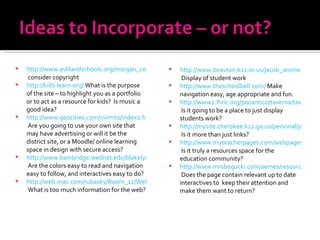
http://www.ashlandschools.org/morgan_cottle/book/index.html  consider copyright http://kids-learn.org/  What is the purpose of the site – to highlight you as a portfolio or to act as a resource for kids?  Is music a good idea? http://www.geocities.com/mirmt1/index2.html  Are you going to use your own site that may have advertising or will it be the district site, or a Moodle/ online learning space in design with secure access? http://www.bainbridge.wednet.edu/blakely/Staff/lmckenzi/index.html  Are the colors easy to read and navigation easy to follow, and interactives easy to do? http://web.mac.com/rubasky/Room_12/Welcome.html  What is too much information for the web? http://www.beavton.k12.or.us/jacob_wismer/leahy/leahy.htm  Display of student work http://www.theschoolbell.com/  Make navigation easy, age appropriate and fun. http://www2.lhric.org/pocantico/taverna/taverna.htm  Is it going to be a place to just display students work? http://mysite.cherokee.k12.ga.us/personal/jeff_pence/site/default.aspx  Is it more than just links? http://www.myteacherpages.com/webpages/KristinHall/index.cfm  Is it truly a resources space for the education community? http://www.mrsbogucki.com/aemes/resource/index.htm#whatinfo  Does the page contain relevant up to date interactives to  keep their attention and make them want to return?
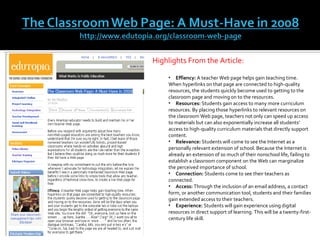
Highlights From the Article: Effiency:  A teacher Web page helps gain teaching time. When hyperlinks on that page are connected to high-quality resources, the students quickly become used to getting to the classroom page and moving on to the resources. Resources:  Students gain access to many more curriculum resources. By placing those hyperlinks to relevant resources on the classroom Web page, teachers not only can speed up access to materials but can also exponentially increase all students' access to high-quality curriculum materials that directly support content. Relevance:  Students will come to see the Internet as a personally relevant extension of school. Because the Internet is already an extension of so much of their nonschool life, failing to establish a classroom component on the Web can marginalize the perceived importance of school. Connection:  Students come to see their teachers as connected. Access:  Through the inclusion of an email address, a contact form, or another communication tool, students and their families gain extended access to their teachers. Experience:  Students will gain experience using digital resources in direct support of learning. This will be a twenty-first-century life skill.
 
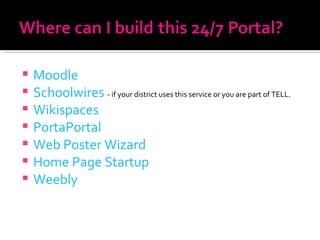
Moodle Schoolwires   - if your district uses this service or you are part of TELL. Wikispaces PortaPortal Web Poster Wizard Home Page Startup Weebly
 
Moodle Extends the Classroom Online  http://tech.yahoo.com/blogs/devlin/16021   Building Educational Websites with Moodle http://www.techsoup.org/learningcenter/internet/archives/page9155.cfm   Sample http://www.roweclassroom.com/courses/course/category.php?id=6   Why Moodle PPT -  http://www.slideshare.net/nosh0502/why-moodle
Video Tutorials on YouTube – http://www.teachertube.com/view_video.php?viewkey=c4fa56eb1e1f8cbe183b http://www.teachertube.com/view_video.php?viewkey=020afeecd95b4009adf4   http://www.teachertube.com/view_video.php?viewkey=1a10a6a8f13750b41bf0 http://www.teachertube.com/view_video.php?viewkey=0a40bbbf8659160069ea http://www.teachertube.com/view_video.php?viewkey=9bc3e051384c7c6d19c9   http://www.teachertube.com/view_video.php?viewkey=3573cddc47a2ef8a1744 http://www.teachertube.com/view_video.php?viewkey=96369ab93e4f3bb068c2
http://www.newpaltz.k12.ny.us/1563201114112625443/site/default.asp http://www.newpaltz.k12.ny.us/1563201114112622910/blank/browse.asp?A=383&BMDRN=2000&BCOB=0&C=57049 http://www.newpaltz.k12.ny.us/1563201114112622910/podcasts/browse.asp?A=399&BMDRN=2000&BCOB=0&C=56174   http://www.newpaltz.k12.ny.us/156220111411545300/site/default.asp   http://www.newpaltz.k12.ny.us/156220111411545300/site/default.asp http://www.newpaltz.k12.ny.us/1564201115125126773/site/default.asp http://www.saugerties.k12.ny.us/4389_70102021233/site/default.asp http://www.saugerties.k12.ny.us/4389_70102021233/blank/browse.asp?A=383&BMDRN=2000&BCOB=0&C=51387 http://www.saugerties.k12.ny.us/4389_70102021233/blank/browse.asp?A=383&BMDRN=2000&BCOB=0&C=49794 http://www.saugerties.k12.ny.us/4389_70102021233/blank/browse.asp?A=383&BMDRN=2000&BCOB=0&C=49466 http://www.saugerties.k12.ny.us/4389_701020212338/blank/browse.asp?A=383&BMDRN=2000&BCOB=0&C=50511
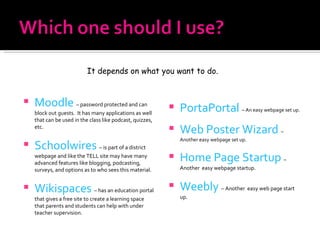
Moodle   – password protected and can block out guests.  It has many applications as well that can be used in the class like podcast, quizzes, etc. Schoolwires   – is part of a district webpage and like the TELL site may have many advanced features like blogging, podcasting, surveys, and options as to who sees this material. Wikispaces   – has an education portal that gives a free site to create a learning space that parents and students can help with under teacher supervision. PortaPortal   – An easy webpage set up. Web Poster Wizard   – Another easy webpage set up. Home Page Startup   –  Another  easy webpage startup. Weebly   – Another  easy web page start up. It depends on what you want to do.
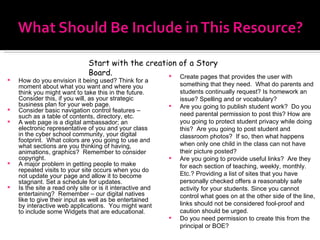
How do you envision it being used? Think for a moment about what you want and where you think you might want to take this in the future. Consider this, if you will, as your strategic business plan for your web page.  Consider basic navigation control features – such as a table of contents, directory, etc. A web page is a digital ambassador; an electronic representative of you and your class in the cyber school community, your digital footprint.  What colors are you going to use and what sections are you thinking of having, animations, graphics?  Remember to consider copyright. A major problem in getting people to make repeated visits to your site occurs when you do not update your page and allow it to become stagnant. Set a schedule for updates. Is the site a read only site or is it interactive and entertaining?  Remember – our digital natives like to give their input as well as be entertained by interactive web applications.  You might want to include some Widgets that are educational. Create pages that provides the user with something that they need.  What do parents and students continually request? Is homework an issue? Spelling and or vocabulary? Are you going to publish student work?  Do you need parental permission to post this? How are you going to protect student privacy while doing this?  Are you going to post student and classroom photos?  If so, then what happens when only one child in the class can not have their picture posted? Are you going to provide useful links?  Are they for each section of teaching, weekly, monthly. Etc.? Providing a list of sites that you have personally checked offers a reasonably safe activity for your students. Since you cannot control what goes on at the other side of the line, links should not be considered fool-proof and caution should be urged.  Do you need permission to create this from the principal or BOE? Start with the creation of a Story Board.
http://www.docstoc.com/docs/272038/Website-Planning-Sheet http://www.uen.org/Lessonplan/downloadFile.cgi?file=7751-2-9456-PlanningSheet.pdf&filename=PlanningSheet.pdf . http://www.cityclicker.net/browncat/portfolio/planning.html   http://cs.wellesley.edu/~cs110/project/webpage_template.pdf   My favorite http://www.webtech.tusc.k12.al.us/courses/plan/u2-6.htm
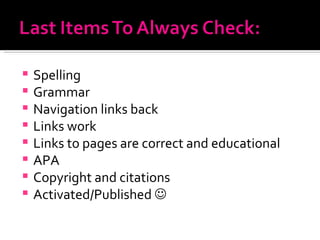
Spelling Grammar Navigation links back Links work Links to pages are correct and educational APA Copyright and citations Activated/Published  
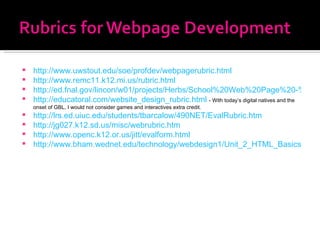
http://www.uwstout.edu/soe/profdev/webpagerubric.html   http://www.remc11.k12.mi.us/rubric.html http://ed.fnal.gov/lincon/w01/projects/Herbs/School%20Web%20Page%20-%20Rubric.htm http://educatoral.com/website_design_rubric.html   - With today’s digital natives and the onset of GBL, I would not consider games and interactives extra credit. http://lrs.ed.uiuc.edu/students/tbarcalow/490NET/EvalRubric.htm http://jg027.k12.sd.us/misc/webrubric.htm http://www.openc.k12.or.us/jitt/evalform.html http://www.bham.wednet.edu/technology/webdesign1/Unit_2_HTML_Basics/MyHTML.htm
Thank you for attending this 3 hour online webinar.  The first 3 hours of a 15 hour professional development class. The remainder of this class (12 hours) is on Moodle.  http://moodle.ucboces.org/  Look for the Moodle class on Wednesday 12/10/08. [email_address]


Developing The 24

  • 1.
  • 2.
  • 3.
    Classroom web pagesand online classroom spaces are becoming a popular source of innovative support and motivation for students, teachers, library media specialists and parents. It offers our digital natives a classroom resource available 24/7. They act as a support for students reading, writing and learning in a variety of ways.
  • 4.
  • 5.
    http://www.ashlandschools.org/morgan_cottle/book/index.html considercopyright http://kids-learn.org/ What is the purpose of the site – to highlight you as a portfolio or to act as a resource for kids? Is music a good idea? http://www.geocities.com/mirmt1/index2.html Are you going to use your own site that may have advertising or will it be the district site, or a Moodle/ online learning space in design with secure access? http://www.bainbridge.wednet.edu/blakely/Staff/lmckenzi/index.html Are the colors easy to read and navigation easy to follow, and interactives easy to do? http://web.mac.com/rubasky/Room_12/Welcome.html What is too much information for the web? http://www.beavton.k12.or.us/jacob_wismer/leahy/leahy.htm Display of student work http://www.theschoolbell.com/ Make navigation easy, age appropriate and fun. http://www2.lhric.org/pocantico/taverna/taverna.htm Is it going to be a place to just display students work? http://mysite.cherokee.k12.ga.us/personal/jeff_pence/site/default.aspx Is it more than just links? http://www.myteacherpages.com/webpages/KristinHall/index.cfm Is it truly a resources space for the education community? http://www.mrsbogucki.com/aemes/resource/index.htm#whatinfo Does the page contain relevant up to date interactives to keep their attention and make them want to return?
  • 6.
    Highlights From theArticle: Effiency: A teacher Web page helps gain teaching time. When hyperlinks on that page are connected to high-quality resources, the students quickly become used to getting to the classroom page and moving on to the resources. Resources: Students gain access to many more curriculum resources. By placing those hyperlinks to relevant resources on the classroom Web page, teachers not only can speed up access to materials but can also exponentially increase all students' access to high-quality curriculum materials that directly support content. Relevance: Students will come to see the Internet as a personally relevant extension of school. Because the Internet is already an extension of so much of their nonschool life, failing to establish a classroom component on the Web can marginalize the perceived importance of school. Connection: Students come to see their teachers as connected. Access: Through the inclusion of an email address, a contact form, or another communication tool, students and their families gain extended access to their teachers. Experience: Students will gain experience using digital resources in direct support of learning. This will be a twenty-first-century life skill.
  • 7.
  • 8.
    Moodle Schoolwires - if your district uses this service or you are part of TELL. Wikispaces PortaPortal Web Poster Wizard Home Page Startup Weebly
  • 9.
  • 10.
    Moodle Extends theClassroom Online http://tech.yahoo.com/blogs/devlin/16021 Building Educational Websites with Moodle http://www.techsoup.org/learningcenter/internet/archives/page9155.cfm Sample http://www.roweclassroom.com/courses/course/category.php?id=6 Why Moodle PPT - http://www.slideshare.net/nosh0502/why-moodle
  • 11.
    Video Tutorials onYouTube – http://www.teachertube.com/view_video.php?viewkey=c4fa56eb1e1f8cbe183b http://www.teachertube.com/view_video.php?viewkey=020afeecd95b4009adf4 http://www.teachertube.com/view_video.php?viewkey=1a10a6a8f13750b41bf0 http://www.teachertube.com/view_video.php?viewkey=0a40bbbf8659160069ea http://www.teachertube.com/view_video.php?viewkey=9bc3e051384c7c6d19c9 http://www.teachertube.com/view_video.php?viewkey=3573cddc47a2ef8a1744 http://www.teachertube.com/view_video.php?viewkey=96369ab93e4f3bb068c2
  • 12.
    http://www.newpaltz.k12.ny.us/1563201114112625443/site/default.asp http://www.newpaltz.k12.ny.us/1563201114112622910/blank/browse.asp?A=383&BMDRN=2000&BCOB=0&C=57049 http://www.newpaltz.k12.ny.us/1563201114112622910/podcasts/browse.asp?A=399&BMDRN=2000&BCOB=0&C=56174 http://www.newpaltz.k12.ny.us/156220111411545300/site/default.asp http://www.newpaltz.k12.ny.us/156220111411545300/site/default.asp http://www.newpaltz.k12.ny.us/1564201115125126773/site/default.asp http://www.saugerties.k12.ny.us/4389_70102021233/site/default.asp http://www.saugerties.k12.ny.us/4389_70102021233/blank/browse.asp?A=383&BMDRN=2000&BCOB=0&C=51387 http://www.saugerties.k12.ny.us/4389_70102021233/blank/browse.asp?A=383&BMDRN=2000&BCOB=0&C=49794 http://www.saugerties.k12.ny.us/4389_70102021233/blank/browse.asp?A=383&BMDRN=2000&BCOB=0&C=49466 http://www.saugerties.k12.ny.us/4389_701020212338/blank/browse.asp?A=383&BMDRN=2000&BCOB=0&C=50511
  • 13.
    Moodle – password protected and can block out guests. It has many applications as well that can be used in the class like podcast, quizzes, etc. Schoolwires – is part of a district webpage and like the TELL site may have many advanced features like blogging, podcasting, surveys, and options as to who sees this material. Wikispaces – has an education portal that gives a free site to create a learning space that parents and students can help with under teacher supervision. PortaPortal – An easy webpage set up. Web Poster Wizard – Another easy webpage set up. Home Page Startup – Another easy webpage startup. Weebly – Another easy web page start up. It depends on what you want to do.
  • 14.
    How do youenvision it being used? Think for a moment about what you want and where you think you might want to take this in the future. Consider this, if you will, as your strategic business plan for your web page. Consider basic navigation control features – such as a table of contents, directory, etc. A web page is a digital ambassador; an electronic representative of you and your class in the cyber school community, your digital footprint. What colors are you going to use and what sections are you thinking of having, animations, graphics? Remember to consider copyright. A major problem in getting people to make repeated visits to your site occurs when you do not update your page and allow it to become stagnant. Set a schedule for updates. Is the site a read only site or is it interactive and entertaining? Remember – our digital natives like to give their input as well as be entertained by interactive web applications. You might want to include some Widgets that are educational. Create pages that provides the user with something that they need. What do parents and students continually request? Is homework an issue? Spelling and or vocabulary? Are you going to publish student work? Do you need parental permission to post this? How are you going to protect student privacy while doing this? Are you going to post student and classroom photos? If so, then what happens when only one child in the class can not have their picture posted? Are you going to provide useful links? Are they for each section of teaching, weekly, monthly. Etc.? Providing a list of sites that you have personally checked offers a reasonably safe activity for your students. Since you cannot control what goes on at the other side of the line, links should not be considered fool-proof and caution should be urged. Do you need permission to create this from the principal or BOE? Start with the creation of a Story Board.
  • 15.
    http://www.docstoc.com/docs/272038/Website-Planning-Sheet http://www.uen.org/Lessonplan/downloadFile.cgi?file=7751-2-9456-PlanningSheet.pdf&filename=PlanningSheet.pdf .http://www.cityclicker.net/browncat/portfolio/planning.html http://cs.wellesley.edu/~cs110/project/webpage_template.pdf My favorite http://www.webtech.tusc.k12.al.us/courses/plan/u2-6.htm
  • 16.
    Spelling Grammar Navigationlinks back Links work Links to pages are correct and educational APA Copyright and citations Activated/Published 
  • 17.
    http://www.uwstout.edu/soe/profdev/webpagerubric.html http://www.remc11.k12.mi.us/rubric.html http://ed.fnal.gov/lincon/w01/projects/Herbs/School%20Web%20Page%20-%20Rubric.htm http://educatoral.com/website_design_rubric.html - With today’s digital natives and the onset of GBL, I would not consider games and interactives extra credit. http://lrs.ed.uiuc.edu/students/tbarcalow/490NET/EvalRubric.htm http://jg027.k12.sd.us/misc/webrubric.htm http://www.openc.k12.or.us/jitt/evalform.html http://www.bham.wednet.edu/technology/webdesign1/Unit_2_HTML_Basics/MyHTML.htm
  • 18.
    Thank you forattending this 3 hour online webinar. The first 3 hours of a 15 hour professional development class. The remainder of this class (12 hours) is on Moodle. http://moodle.ucboces.org/ Look for the Moodle class on Wednesday 12/10/08. [email_address]
  • 19.
  • 20.
  • 21.