Image
Manipulation
With Sir Allan
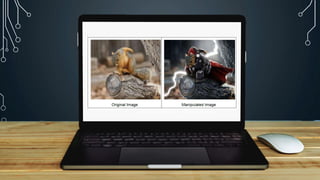
• Refers to a process of bringing changes to
a digitized image for transforming it to a
desired image.
• The changes are made possible by
resorting to image processing
Image Manipulation
Principles and
Techniques in
Image Manipulation
Cutting parts away to remove
distracting or irrelevant elements.
Cropping
https://blog.breathingcolor.com/wp-content/uploads/2015/07/BC-ArtofCropping-
Cover.jpg
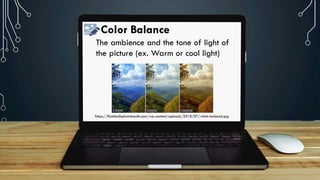
Color Balance
The ambience and the tone of light of
the picture (ex. Warm or cool light)
https://flashbulbphotobooth.com/wp-content/uploads/2018/07/white-balance.jpg
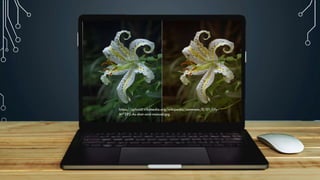
https://upload.wikimedia.org/wikipedia/commons/0/01/Lily-
M7292-As-shot-and-manual.jpg
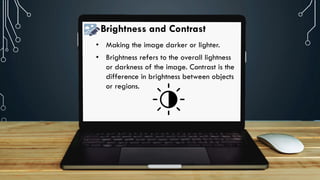
Brightness and Contrast
• Making the image darker or lighter.
• Brightness refers to the overall lightness
or darkness of the image. Contrast is the
difference in brightness between objects
or regions.
https://media.gcflearnfree.org/ctassets/topics/246/correct_brightness_noise.jpg
https://pippin.gimp.org/image-processing/gen_images/brightness_and_contrast.png
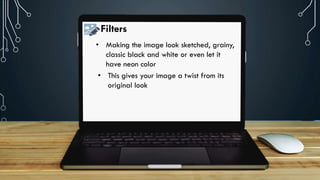
Filters
• Making the image look sketched, grainy,
classic black and white or even let it
have neon color
• This gives your image a twist from its
original look
https://cdn.shopify.com/s/files/1/0070/7032/files/image12.
png?format=jpg&quality=90&v=1536849472
https://cdn.shopify.com/s/files/1/0070/7032/files/image12.
png?format=jpg&quality=90&v=1536849472
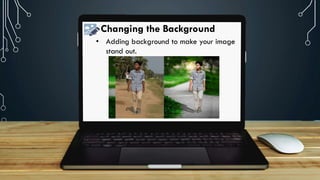
Changing the Background
• Adding background to make your image
stand out.
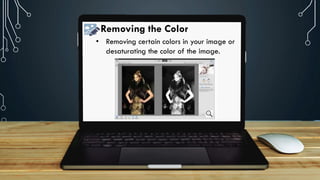
Removing the Color
• Removing certain colors in your image or
desaturating the color of the image.
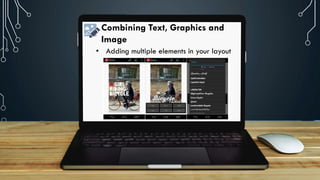
Combining Text, Graphics and
Image
• Adding multiple elements in your layout
https://cdn.shopify.com/s/files/1/0070/7032/files/image12.
png?format=jpg&quality=90&v=1536849472
Combining Text, Graphics and
Image
• Transparent shapes
• Fonts and Shapes
• Text and background
• Clean and clear background
https://cdn.shopify.com/s/files/1/0070/7032/files/image12.
png?format=jpg&quality=90&v=1536849472
https://cdn.shopify.com/s/files/1/0070/7032/files/image12.
png?format=jpg&quality=90&v=1536849472
https://cdn.shopify.com/s/files/1/0070/7032/files/image12.
png?format=jpg&quality=90&v=1536849472
https://cdn.shopify.com/s/files/1/0070/7032/files/image12.
png?format=jpg&quality=90&v=1536849472
https://cdn.shopify.com/s/files/1/0070/7032/files/image12.
png?format=jpg&quality=90&v=1536849472
• You have learned that image editing is an
enjoyable activity, but it entails a lot of
patience and creativity.
• As a photo editor, you must have an eye for
art.
• Bear in mind that the pictures you will come
up with support the idea that you wish to
convey.
https://cdn.shopify.com/s/files/1/0070/7032/files/image12.
png?format=jpg&quality=90&v=1536849472
Thank you!

EMPOWERMENT TECHNOLOGIES: Image Manipulation