Email Etiquette
Key to effective communication
- Nidhi
Learning Objective
 Importance of Email Etiquette
 Cultural Difference
 SCRAP Model
 Points to remember at Workplace
 Importance of Subject Line, Recipients Details
 Details of –
To, Cc, Bcc, Reply All, Sending Attachments, Out of Office
What is Email Etiquette
 In simple words – Code of Conduct for email communication.
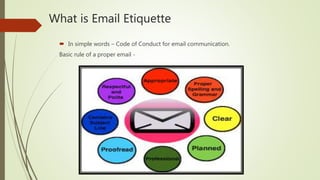
Basic rule of a proper email -
Importance of Email Etiquette
 Efficient emails get to the point and are more effective.
 It shows respect for your fellow email users.
 A proper email leaves a lasting impression especially to the company and brand
you are representing.
 Shows the readers that you are competent and professional.
 A clear and well composed e-mail that follows the basic principles of e-mail
etiquette is more likely to be understood and to inspire the desired response.
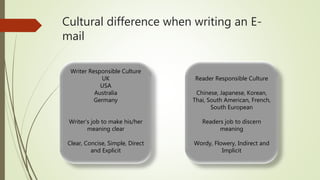
Cultural difference when writing an E-
mail
Writer Responsible Culture
UK
USA
Australia
Germany
Writer’s job to make his/her
meaning clear
Clear, Concise, Simple, Direct
and Explicit
Reader Responsible Culture
Chinese, Japanese, Korean,
Thai, South American, French,
South European
Readers job to discern
meaning
Wordy, Flowery, Indirect and
Implicit
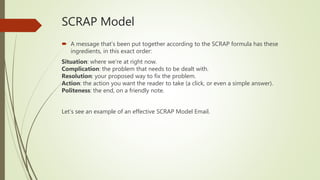
SCRAP Model
 A message that’s been put together according to the SCRAP formula has these
ingredients, in this exact order:
Situation: where we’re at right now.
Complication: the problem that needs to be dealt with.
Resolution: your proposed way to fix the problem.
Action: the action you want the reader to take (a click, or even a simple answer).
Politeness: the end, on a friendly note.
Let’s see an example of an effective SCRAP Model Email.
Scrap Model - Example
 John and Sameer are two random people who briefly met at a meetup. In this
email, Sameer is doing a classic networking follow-up and the SCRAP model fits
perfectly:
Hello John,
Lovely to meet you yesterday at the Product meetup! Glad we were able to chat before
the schedule got underway. ➡ SITUATION
I remember you mentioned [CHALLENGE], which is far too common in our industry. ➡
COMPLICATION
Since that’s exactly what our team does, I’d be really happy to have a chat with you
and explore ways to work together. ➡ RESOLUTION
It would be great to schedule a Skype call earlier next week. Does Monday 10AM work
for you? ➡ ACTION
Looking forward to hearing from you. ➡ POLITENESS
Regards,
Sameer
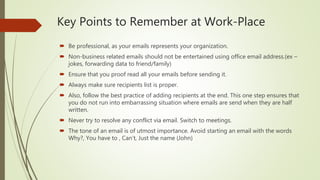
Key Points to Remember at Work-Place
 Be professional, as your emails represents your organization.
 Non-business related emails should not be entertained using office email address.(ex –
jokes, forwarding data to friend/family)
 Ensure that you proof read all your emails before sending it.
 Always make sure recipients list is proper.
 Also, follow the best practice of adding recipients at the end. This one step ensures that
you do not run into embarrassing situation where emails are send when they are half
written.
 Never try to resolve any conflict via email. Switch to meetings.
 The tone of an email is of utmost importance. Avoid starting an email with the words
Why?, You have to , Can’t, Just the name (John)
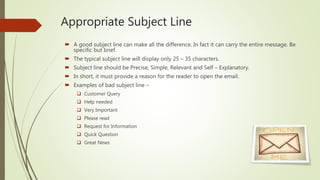
Appropriate Subject Line
 A good subject line can make all the difference. In fact it can carry the entire message. Be
specific but brief.
 The typical subject line will display only 25 – 35 characters.
 Subject line should be Precise, Simple, Relevant and Self – Explanatory.
 In short, it must provide a reason for the reader to open the email.
 Examples of bad subject line –
 Customer Query
 Help needed
 Very Important
 Please read
 Request for Information
 Quick Question
 Great News
‘To’, ‘Cc’, ‘Bcc’, ‘Reply all’
 The ‘To’ Field
When to use the ‘To’ field
 People directly affected by your email, such as when:
• you’re asking them a question
• you want them to do something
• you’re replying to their message
• they’re named in your greeting
 The ‘Cc’ Field
When to use the ‘Cc’ field
 Use this field when you’re not expecting the recipient to take any action in response to
your email.
 Rule of thumb
A good rule of thumb is to announce your use of the Cc to the email’s main recipient – for
example, by saying something like: ‘I’m cc’ing my colleague Dave, who’ll be handling the
design for the project’
‘To’, ‘Cc’, ‘Bcc’, ‘Reply all’– Contd.
 The ‘Bcc’ Field
When to use the ‘Bcc’ field
• When people shouldn’t be able to see the email addresses of all the other recipient – put
your own address in the ‘To’ field to keep everyone’s email secret.
• When you want to copy someone in on a sensitive message.
• When you want to Bcc your own manager or your HR team to keep them in the loop
without alarming the employee.
 Reply All
• Do not hit reply all unless every member on the email chain needs to know.
• Do not overuse Reply All
Sending attachments
 Attachments – best practice
• Attach it before you begin writing the email
• Mention that you’ve attached it in the body of the email
• Keep file size under 5MB
• Zip it or use a file transfer service if the file is above 5MB
• Watch your format. Use universal file types like .PDF, .RTF, and .JPG.
• Group attachments in separate emails
Out-of-office messages
 How to write a helpful out-of-office message
• Be specific with dates
• Checking in? Mention, but manage expectations .
• Provide your contact details if you’re happy to be contacted.
• Put them in touch with a colleague.
• Keep it professional!
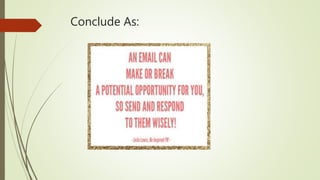
Conclude As:
Thank You !!
Questions??

Email etiquette

  • 1.
    Email Etiquette Key toeffective communication - Nidhi
  • 2.
    Learning Objective  Importanceof Email Etiquette  Cultural Difference  SCRAP Model  Points to remember at Workplace  Importance of Subject Line, Recipients Details  Details of – To, Cc, Bcc, Reply All, Sending Attachments, Out of Office
  • 3.
    What is EmailEtiquette  In simple words – Code of Conduct for email communication. Basic rule of a proper email -
  • 4.
    Importance of EmailEtiquette  Efficient emails get to the point and are more effective.  It shows respect for your fellow email users.  A proper email leaves a lasting impression especially to the company and brand you are representing.  Shows the readers that you are competent and professional.  A clear and well composed e-mail that follows the basic principles of e-mail etiquette is more likely to be understood and to inspire the desired response.
  • 5.
    Cultural difference whenwriting an E- mail Writer Responsible Culture UK USA Australia Germany Writer’s job to make his/her meaning clear Clear, Concise, Simple, Direct and Explicit Reader Responsible Culture Chinese, Japanese, Korean, Thai, South American, French, South European Readers job to discern meaning Wordy, Flowery, Indirect and Implicit
  • 6.
    SCRAP Model  Amessage that’s been put together according to the SCRAP formula has these ingredients, in this exact order: Situation: where we’re at right now. Complication: the problem that needs to be dealt with. Resolution: your proposed way to fix the problem. Action: the action you want the reader to take (a click, or even a simple answer). Politeness: the end, on a friendly note. Let’s see an example of an effective SCRAP Model Email.
  • 7.
    Scrap Model -Example  John and Sameer are two random people who briefly met at a meetup. In this email, Sameer is doing a classic networking follow-up and the SCRAP model fits perfectly: Hello John, Lovely to meet you yesterday at the Product meetup! Glad we were able to chat before the schedule got underway. ➡ SITUATION I remember you mentioned [CHALLENGE], which is far too common in our industry. ➡ COMPLICATION Since that’s exactly what our team does, I’d be really happy to have a chat with you and explore ways to work together. ➡ RESOLUTION It would be great to schedule a Skype call earlier next week. Does Monday 10AM work for you? ➡ ACTION Looking forward to hearing from you. ➡ POLITENESS Regards, Sameer
  • 8.
    Key Points toRemember at Work-Place  Be professional, as your emails represents your organization.  Non-business related emails should not be entertained using office email address.(ex – jokes, forwarding data to friend/family)  Ensure that you proof read all your emails before sending it.  Always make sure recipients list is proper.  Also, follow the best practice of adding recipients at the end. This one step ensures that you do not run into embarrassing situation where emails are send when they are half written.  Never try to resolve any conflict via email. Switch to meetings.  The tone of an email is of utmost importance. Avoid starting an email with the words Why?, You have to , Can’t, Just the name (John)
  • 9.
    Appropriate Subject Line A good subject line can make all the difference. In fact it can carry the entire message. Be specific but brief.  The typical subject line will display only 25 – 35 characters.  Subject line should be Precise, Simple, Relevant and Self – Explanatory.  In short, it must provide a reason for the reader to open the email.  Examples of bad subject line –  Customer Query  Help needed  Very Important  Please read  Request for Information  Quick Question  Great News
  • 10.
    ‘To’, ‘Cc’, ‘Bcc’,‘Reply all’  The ‘To’ Field When to use the ‘To’ field  People directly affected by your email, such as when: • you’re asking them a question • you want them to do something • you’re replying to their message • they’re named in your greeting  The ‘Cc’ Field When to use the ‘Cc’ field  Use this field when you’re not expecting the recipient to take any action in response to your email.  Rule of thumb A good rule of thumb is to announce your use of the Cc to the email’s main recipient – for example, by saying something like: ‘I’m cc’ing my colleague Dave, who’ll be handling the design for the project’
  • 11.
    ‘To’, ‘Cc’, ‘Bcc’,‘Reply all’– Contd.  The ‘Bcc’ Field When to use the ‘Bcc’ field • When people shouldn’t be able to see the email addresses of all the other recipient – put your own address in the ‘To’ field to keep everyone’s email secret. • When you want to copy someone in on a sensitive message. • When you want to Bcc your own manager or your HR team to keep them in the loop without alarming the employee.  Reply All • Do not hit reply all unless every member on the email chain needs to know. • Do not overuse Reply All
  • 12.
    Sending attachments  Attachments– best practice • Attach it before you begin writing the email • Mention that you’ve attached it in the body of the email • Keep file size under 5MB • Zip it or use a file transfer service if the file is above 5MB • Watch your format. Use universal file types like .PDF, .RTF, and .JPG. • Group attachments in separate emails
  • 13.
    Out-of-office messages  Howto write a helpful out-of-office message • Be specific with dates • Checking in? Mention, but manage expectations . • Provide your contact details if you’re happy to be contacted. • Put them in touch with a colleague. • Keep it professional!
  • 14.
  • 15.