Guidelines for Email
communication
Email Etiquette
Email is especially important in the
workplace because,
• It helps in quick communication
• It is PROFESSIONAL information
• Keep records for communication
What is etiquette?
The rules which indicate the “correct” way to behave in a
certain time and place.
Like any other modes of communication even Email
communication is guided by etiquettes to respect each other.
Email etiquettes is important because it is the communication
where your words & way of writing express your intention.
Let’s understand it.
5 Basic Email Etiquette Rules
Rule #1
Always include a subject and keep it
short
• Keep it short & to the point – most of the times recipient view this on
portable device or in compressed space and that cuts off after certain
number of characters / words.
• Why subject is important ?
Reader will 1st
read the subject line & decides to open the email or
not
It informs the recipient what the email is all about
• So, do not miss the subject line
Rule #2 Form a proper Email Body
• Use professional salutations like, Mr. / Ms. , Dear, Hello, Hi
• Use the recipient name in the greeting. For example, To Mr. ABC
• Avoid using nick names even if you know the recipient in person.
• Start the message with the reference if any. For example, “With
reference to discussion / in continuation with the earlier discussion..”
etc.
• Keep the message crisp and clear. Do not write a story.
• Be cautious with humour.
• Miscommunication can easily occur because of cultural differences,
especially in the writing form when we can't see one another's body
language. Tailor your message to the receiver's cultural background
or how well you know them.
• End the message with – a requesting response if expected, Thank you
note if you have raised any request / action. Leave the right
impression with your email sign-off
Rule #3 Take care with Abbreviations & Emoticons
 & Formatting of the content
• Save abbreviations like LOL (laugh out loud) or IDK
(I don’t know) for text messages among friends.
• Some may not understand your abbreviations
• Not professional
• Formatting of the text plays an important role.
Rule #4 Proper use of recipient list
• TO: Put the email address here if it is for their
attention and action
• CC (Carbon copy): Put the email address(es) here if
you are sending a copy for their information (and you
want everyone to explicitly see this)
• BCC : (Blind Carbon Copy) - Put the email address here
if you are sending them a Copy and you do not want
the other recipients to see that you sent it to this
contact
Tip: If you are sending an email to many people use Bcc
(so you don't give away everyone's email address to
everyone else)
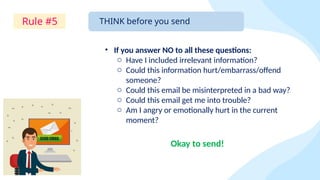
Rule #5 THINK before you send
• If you answer NO to all these questions:
o Have I included irrelevant information?
o Could this information hurt/embarrass/offend
someone?
o Could this email be misinterpreted in a bad way?
o Could this email get me into trouble?
o Am I angry or emotionally hurt in the current
moment?
Okay to send!
Sequence of
writing
1st
write the subject line
Start with email body – Address the recipient with
proper salutation, greetings & email message.
End the email with proper request / thank you note
Do not miss to add your professional signature
Spell check the entire content
At last write the recipient email address in To / cc / bcc
Few points to remember
 Keep your tone professional.
 Always use standard fonts and formatting. Do not use CAPITAL letters. Do not use
RED Color for words. Most likely used colors are – Black- text 1 & Blue- Accent 1-
Darker 50%. Keep your fonts classic. Mostly used alphabet format – Calibri (Body),
Times New Roman, Century Gothic (Body). Size of the words – Mostly to 11
 Practice good grammar
 Double check your recipient list
 Don’t use harsh words. Always use the words ‘please’, ‘kindly’, ‘thank you’, etc
 Respond in timely manner - If you have received an email which has a request for
action then reply immediately with acknowledgement
 Resist emojis in email
 When in doubt, leave it out. If you are angry / emotionally hurt, DO NOT Send your
email
 Always spell check / do proofreading your emails before sending.
REMEMBER
When you send an
email to someone,
they are getting a
copy that they can
keep…
forever. 
Tip: In case you have wrongly sent any email then use ‘Recall’ function.

Email Etiquette. Clear, professional msg

  • 1.
  • 2.
    Email is especiallyimportant in the workplace because, • It helps in quick communication • It is PROFESSIONAL information • Keep records for communication What is etiquette? The rules which indicate the “correct” way to behave in a certain time and place.
  • 3.
    Like any othermodes of communication even Email communication is guided by etiquettes to respect each other. Email etiquettes is important because it is the communication where your words & way of writing express your intention. Let’s understand it. 5 Basic Email Etiquette Rules
  • 4.
    Rule #1 Always includea subject and keep it short • Keep it short & to the point – most of the times recipient view this on portable device or in compressed space and that cuts off after certain number of characters / words. • Why subject is important ? Reader will 1st read the subject line & decides to open the email or not It informs the recipient what the email is all about • So, do not miss the subject line
  • 5.
    Rule #2 Forma proper Email Body • Use professional salutations like, Mr. / Ms. , Dear, Hello, Hi • Use the recipient name in the greeting. For example, To Mr. ABC • Avoid using nick names even if you know the recipient in person. • Start the message with the reference if any. For example, “With reference to discussion / in continuation with the earlier discussion..” etc. • Keep the message crisp and clear. Do not write a story. • Be cautious with humour. • Miscommunication can easily occur because of cultural differences, especially in the writing form when we can't see one another's body language. Tailor your message to the receiver's cultural background or how well you know them. • End the message with – a requesting response if expected, Thank you note if you have raised any request / action. Leave the right impression with your email sign-off
  • 6.
    Rule #3 Takecare with Abbreviations & Emoticons  & Formatting of the content • Save abbreviations like LOL (laugh out loud) or IDK (I don’t know) for text messages among friends. • Some may not understand your abbreviations • Not professional • Formatting of the text plays an important role.
  • 7.
    Rule #4 Properuse of recipient list • TO: Put the email address here if it is for their attention and action • CC (Carbon copy): Put the email address(es) here if you are sending a copy for their information (and you want everyone to explicitly see this) • BCC : (Blind Carbon Copy) - Put the email address here if you are sending them a Copy and you do not want the other recipients to see that you sent it to this contact Tip: If you are sending an email to many people use Bcc (so you don't give away everyone's email address to everyone else)
  • 8.
    Rule #5 THINKbefore you send • If you answer NO to all these questions: o Have I included irrelevant information? o Could this information hurt/embarrass/offend someone? o Could this email be misinterpreted in a bad way? o Could this email get me into trouble? o Am I angry or emotionally hurt in the current moment? Okay to send!
  • 9.
    Sequence of writing 1st write thesubject line Start with email body – Address the recipient with proper salutation, greetings & email message. End the email with proper request / thank you note Do not miss to add your professional signature Spell check the entire content At last write the recipient email address in To / cc / bcc
  • 10.
    Few points toremember  Keep your tone professional.  Always use standard fonts and formatting. Do not use CAPITAL letters. Do not use RED Color for words. Most likely used colors are – Black- text 1 & Blue- Accent 1- Darker 50%. Keep your fonts classic. Mostly used alphabet format – Calibri (Body), Times New Roman, Century Gothic (Body). Size of the words – Mostly to 11  Practice good grammar  Double check your recipient list  Don’t use harsh words. Always use the words ‘please’, ‘kindly’, ‘thank you’, etc  Respond in timely manner - If you have received an email which has a request for action then reply immediately with acknowledgement  Resist emojis in email  When in doubt, leave it out. If you are angry / emotionally hurt, DO NOT Send your email  Always spell check / do proofreading your emails before sending.
  • 11.
    REMEMBER When you sendan email to someone, they are getting a copy that they can keep… forever.  Tip: In case you have wrongly sent any email then use ‘Recall’ function.