Communication 
Etiquette 
For Information & Technology industry
What to expect? 
• Direct Communication 
• Email 
• Telephone 
• Skype 
• Facebook
Direct Communication 
Communication Etiquette
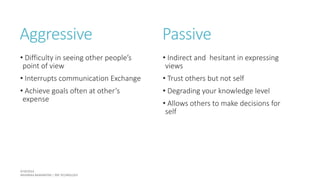
Aggressive 
• Difficulty in seeing other people’s 
point of view 
• Interrupts communication Exchange 
• Achieve goals often at other’s 
expense 
Passive 
• Indirect and hesitant in expressing 
views 
• Trust others but not self 
• Degrading your knowledge level 
• Allows others to make decisions for 
self
Assertive Communication 
• Express honestly and directly 
• Active listener 
• Consider other’s feelings 
• Confident on self 
• Flexible 
No one judges you on how right or wrong 
you are, but whether you exist or not!
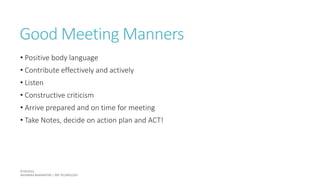
Good Meeting Manners 
• Positive body language 
• Contribute effectively and actively 
• Listen 
• Constructive criticism 
• Arrive prepared and on time for meeting 
• Take Notes, decide on action plan and ACT!
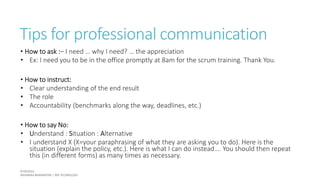
Tips for professional communication 
• How to ask :– I need … why I need? … the appreciation 
• Ex: I need you to be in the office promptly at 8am for the scrum training. Thank You. 
• How to instruct: 
• Clear understanding of the end result 
• The role 
• Accountability (benchmarks along the way, deadlines, etc.) 
• How to say No: 
• Understand : Situation : Alternative 
• I understand X (X=your paraphrasing of what they are asking you to do). Here is the 
situation (explain the policy, etc.). Here is what I can do instead…. You should then repeat 
this (in different forms) as many times as necessary.
Tips for professional communication 
• Responding to Criticism - AAA 
• Address the mistake (example: “You’re right….”) 
• Apologize (sincerely) 
• Accept responsibility (example: “It won’t happen again.”) 
• Showing Appreciation 
• Most important motivator for most employees is appreciation 
• Ex: I really appreciate the fact that you stayed late to help me finish this project. 
Thank you so much.
Email 
Communication Etiquette
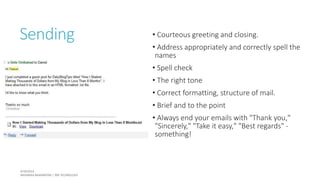
Sending • Courteous greeting and closing. 
• Address appropriately and correctly spell the 
names 
• Spell check 
• The right tone 
• Correct formatting, structure of mail. 
• Brief and to the point 
• Always end your emails with "Thank you," 
"Sincerely," "Take it easy," "Best regards" - 
something!
Sample Greetings 
• Could you please…… vs. Could you….. ,please? / Could you… 
• Would you be so kind as to… vs. I'd be grateful if you could…. 
• Kindly… vs. Could you… 
• Immediately / without further delay vs. 
• As this matter is urgent, I would appreciate a reply as soon as possible 
• I would be grateful for your prompt reply 
• I look forward to hearing from you as soon as possible 
• I look forward to hearing from you at your earliest convenience (Slightly old-fashioned.)
Formatting 
• No fancy fonts 
• Use emoticons sparingly to ensure your tone and intent are clear 
• Typing your emails in all small case gives the perception of lack of education or 
laziness
To, From, CC, BCC, RR, Subject 
• Meaningful subject line 
• To: field for those who you would like a response from 
• Cc: field for those who you are just FYI'ing 
• Use BCC when mailing to a group of people whom themselves don’t know personally 
(Ex. Registration form) 
• BCC your supervisor/lead when you send a mail outside of the company. (For 
customer project work or Uni Relation work)
Forwarding 
• No fun forwarding chains and hoaxes 
• If someone asks you to refrain from forwarding emails they have that right and you 
shouldn't get mad or take it personally 
• Don't forward anything without editing out all the forwarding (other email addresses, 
headers and commentary from all the other forwarders) 
• The sender should be okay with you forwarding
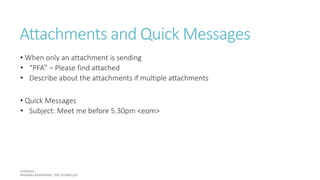
Attachments and Quick Messages 
• When only an attachment is sending 
• “PFA” – Please find attached 
• Describe about the attachments if multiple attachments 
• Quick Messages 
• Subject: Meet me before 5.30pm <eom>
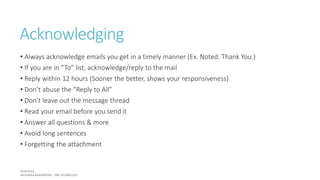
Acknowledging 
• Always acknowledge emails you get in a timely manner (Ex. Noted. Thank You.) 
• If you are in “To” list, acknowledge/reply to the mail 
• Reply within 12 hours (Sooner the better, shows your responsiveness) 
• Don’t abuse the “Reply to All” 
• Don’t leave out the message thread 
• Read your email before you send it 
• Answer all questions & more 
• Avoid long sentences 
• Forgetting the attachment
Mail Threads 
• When adding another person to the loop, add him and on top of the mail mention that you have 
added him/her. 
• Ex: Added Sarasi 
• In a group mail thread, if you are replying to one or few people mention that in the mail 
• Ex: Only to Harindu, Priyashani and Kosala 
• If you want to remove someone from the thread (if they asks you to do so personally or any other 
means) BCC him/her in the mail and mention that in the mail as well 
• Ex: BCC Amalka 
• If you want to address specific people use @. Ex: @Shanika/Vidura: Please send me your details 
ASAP. 
• When added to a email conversation, make at least a small contribution, however dumb you may think 
it be!
If You are on mobile
Telephone 
Communication Etiquette
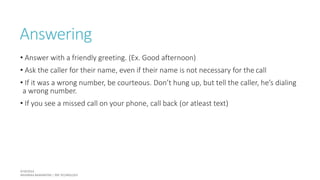
Answering 
• Answer with a friendly greeting. (Ex. Good afternoon) 
• Ask the caller for their name, even if their name is not necessary for the call 
• If it was a wrong number, be courteous. Don’t hung up, but tell the caller, he’s dialing 
a wrong number. 
• If you see a missed call on your phone, call back (or atleast text)
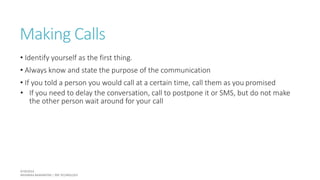
Making Calls 
• Identify yourself as the first thing. 
• Always know and state the purpose of the communication 
• If you told a person you would call at a certain time, call them as you promised 
• If you need to delay the conversation, call to postpone it or SMS, but do not make 
the other person wait around for your call
General 
• Keep a notepad when you call and make notes of the important things 
• Use oral cues (Use hmmm or yes every now and then) 
• Slow down and lower your voice 
• End strong with the conclusion (“Great, so I will finish configuring the server by 
Friday and if I need any clarifications, I will call you. Thank You.”) 
•Don’t place your phone on the table when meeting others
Skype 
Communication Etiquette
Day to day conversations 
• Don’t go on chatting until your contact acknowledges (Simple “Hi” would take you the long 
way) 
• Don’t send long messages (That’s what email are for) 
• Acknowledge interruptions (Phone call, visitor, stuck in the code) 
• Ask permission before start a video call 
• Make sure you have made all users aware of each other’s roles before inviting them to a 
group 
• Use emoticons sparingly (Simple  is okay with leads but keep (mooning) or (sheep) to your 
friends) 
• Test your voice and video 10 mins prior to skype video call with your customers
Facebook 
Communication Etiquette
General Tips 
• Be Careful Of Your Tone -  
• Be mindful of what you post – Shouting on FB is like shouting to an audience of 
<#friends> 
• Call rather than post personal news 
• Reply to comments especially if they are questions
General Tips 
• Properly identify yourself before making friend request to strangers 
• Don’t overshare yourself 
• DO RSVP promptly to event invites. 
• Don’t loose your coolness at any time 
• Positive self-promotion
I do whatever I feel to do. This is me and this is how I roll! 
And I don’t care what everyone else is thinking!!! 
But, 
While being yourself, you have to uphold the status of many; 
Parents, School, University, Organizations you work for and your 
Profession!
Respect cannot be demanded, 
but only be earned! 
Thank You!
Reference 
1) http://www.slideshare.net/orangecanton/communication-etiquette 
2) http://www.advantage-positioning.com/wp-content/ 
uploads/2013/06/23_Rules_of_Corporate_Email_Etiquette.pdf 
3) http://photos.state.gov/libraries/vietnam/8621/ppts/proskills_emailetiquette.pdf 
4) http://www.lehigh.edu/phones/phonevmetiquette.html 
5) http://www.businessinsider.com/professional-communication-etiquette-rules- 
2013-12 
6) http://www.levo.com/articles/career-advice/telephone-etiquette-tips 
7) http://www.tandemdigital.co.uk/professional-skype-etiquette-10-tips/

Professional Communication Etiquette

  • 1.
    Communication Etiquette ForInformation & Technology industry
  • 2.
    What to expect? • Direct Communication • Email • Telephone • Skype • Facebook
  • 3.
  • 4.
    Aggressive • Difficultyin seeing other people’s point of view • Interrupts communication Exchange • Achieve goals often at other’s expense Passive • Indirect and hesitant in expressing views • Trust others but not self • Degrading your knowledge level • Allows others to make decisions for self
  • 5.
    Assertive Communication •Express honestly and directly • Active listener • Consider other’s feelings • Confident on self • Flexible No one judges you on how right or wrong you are, but whether you exist or not!
  • 6.
    Good Meeting Manners • Positive body language • Contribute effectively and actively • Listen • Constructive criticism • Arrive prepared and on time for meeting • Take Notes, decide on action plan and ACT!
  • 7.
    Tips for professionalcommunication • How to ask :– I need … why I need? … the appreciation • Ex: I need you to be in the office promptly at 8am for the scrum training. Thank You. • How to instruct: • Clear understanding of the end result • The role • Accountability (benchmarks along the way, deadlines, etc.) • How to say No: • Understand : Situation : Alternative • I understand X (X=your paraphrasing of what they are asking you to do). Here is the situation (explain the policy, etc.). Here is what I can do instead…. You should then repeat this (in different forms) as many times as necessary.
  • 8.
    Tips for professionalcommunication • Responding to Criticism - AAA • Address the mistake (example: “You’re right….”) • Apologize (sincerely) • Accept responsibility (example: “It won’t happen again.”) • Showing Appreciation • Most important motivator for most employees is appreciation • Ex: I really appreciate the fact that you stayed late to help me finish this project. Thank you so much.
  • 9.
  • 10.
    Sending • Courteousgreeting and closing. • Address appropriately and correctly spell the names • Spell check • The right tone • Correct formatting, structure of mail. • Brief and to the point • Always end your emails with "Thank you," "Sincerely," "Take it easy," "Best regards" - something!
  • 11.
    Sample Greetings •Could you please…… vs. Could you….. ,please? / Could you… • Would you be so kind as to… vs. I'd be grateful if you could…. • Kindly… vs. Could you… • Immediately / without further delay vs. • As this matter is urgent, I would appreciate a reply as soon as possible • I would be grateful for your prompt reply • I look forward to hearing from you as soon as possible • I look forward to hearing from you at your earliest convenience (Slightly old-fashioned.)
  • 12.
    Formatting • Nofancy fonts • Use emoticons sparingly to ensure your tone and intent are clear • Typing your emails in all small case gives the perception of lack of education or laziness
  • 13.
    To, From, CC,BCC, RR, Subject • Meaningful subject line • To: field for those who you would like a response from • Cc: field for those who you are just FYI'ing • Use BCC when mailing to a group of people whom themselves don’t know personally (Ex. Registration form) • BCC your supervisor/lead when you send a mail outside of the company. (For customer project work or Uni Relation work)
  • 14.
    Forwarding • Nofun forwarding chains and hoaxes • If someone asks you to refrain from forwarding emails they have that right and you shouldn't get mad or take it personally • Don't forward anything without editing out all the forwarding (other email addresses, headers and commentary from all the other forwarders) • The sender should be okay with you forwarding
  • 15.
    Attachments and QuickMessages • When only an attachment is sending • “PFA” – Please find attached • Describe about the attachments if multiple attachments • Quick Messages • Subject: Meet me before 5.30pm <eom>
  • 16.
    Acknowledging • Alwaysacknowledge emails you get in a timely manner (Ex. Noted. Thank You.) • If you are in “To” list, acknowledge/reply to the mail • Reply within 12 hours (Sooner the better, shows your responsiveness) • Don’t abuse the “Reply to All” • Don’t leave out the message thread • Read your email before you send it • Answer all questions & more • Avoid long sentences • Forgetting the attachment
  • 17.
    Mail Threads •When adding another person to the loop, add him and on top of the mail mention that you have added him/her. • Ex: Added Sarasi • In a group mail thread, if you are replying to one or few people mention that in the mail • Ex: Only to Harindu, Priyashani and Kosala • If you want to remove someone from the thread (if they asks you to do so personally or any other means) BCC him/her in the mail and mention that in the mail as well • Ex: BCC Amalka • If you want to address specific people use @. Ex: @Shanika/Vidura: Please send me your details ASAP. • When added to a email conversation, make at least a small contribution, however dumb you may think it be!
  • 18.
    If You areon mobile
  • 19.
  • 20.
    Answering • Answerwith a friendly greeting. (Ex. Good afternoon) • Ask the caller for their name, even if their name is not necessary for the call • If it was a wrong number, be courteous. Don’t hung up, but tell the caller, he’s dialing a wrong number. • If you see a missed call on your phone, call back (or atleast text)
  • 21.
    Making Calls •Identify yourself as the first thing. • Always know and state the purpose of the communication • If you told a person you would call at a certain time, call them as you promised • If you need to delay the conversation, call to postpone it or SMS, but do not make the other person wait around for your call
  • 22.
    General • Keepa notepad when you call and make notes of the important things • Use oral cues (Use hmmm or yes every now and then) • Slow down and lower your voice • End strong with the conclusion (“Great, so I will finish configuring the server by Friday and if I need any clarifications, I will call you. Thank You.”) •Don’t place your phone on the table when meeting others
  • 23.
  • 24.
    Day to dayconversations • Don’t go on chatting until your contact acknowledges (Simple “Hi” would take you the long way) • Don’t send long messages (That’s what email are for) • Acknowledge interruptions (Phone call, visitor, stuck in the code) • Ask permission before start a video call • Make sure you have made all users aware of each other’s roles before inviting them to a group • Use emoticons sparingly (Simple  is okay with leads but keep (mooning) or (sheep) to your friends) • Test your voice and video 10 mins prior to skype video call with your customers
  • 25.
  • 26.
    General Tips •Be Careful Of Your Tone -  • Be mindful of what you post – Shouting on FB is like shouting to an audience of <#friends> • Call rather than post personal news • Reply to comments especially if they are questions
  • 27.
    General Tips •Properly identify yourself before making friend request to strangers • Don’t overshare yourself • DO RSVP promptly to event invites. • Don’t loose your coolness at any time • Positive self-promotion
  • 28.
    I do whateverI feel to do. This is me and this is how I roll! And I don’t care what everyone else is thinking!!! But, While being yourself, you have to uphold the status of many; Parents, School, University, Organizations you work for and your Profession!
  • 29.
    Respect cannot bedemanded, but only be earned! Thank You!
  • 30.
    Reference 1) http://www.slideshare.net/orangecanton/communication-etiquette 2) http://www.advantage-positioning.com/wp-content/ uploads/2013/06/23_Rules_of_Corporate_Email_Etiquette.pdf 3) http://photos.state.gov/libraries/vietnam/8621/ppts/proskills_emailetiquette.pdf 4) http://www.lehigh.edu/phones/phonevmetiquette.html 5) http://www.businessinsider.com/professional-communication-etiquette-rules- 2013-12 6) http://www.levo.com/articles/career-advice/telephone-etiquette-tips 7) http://www.tandemdigital.co.uk/professional-skype-etiquette-10-tips/

Editor's Notes

  • #17  Always acknowledge emails you get in a timely manner (Ex. Noted. Thank You.) If you are in “To” list, acknowledge/reply to the mail Reply within 12 hours (Sooner the better, shows your responsiveness) Don’t abuse the “Reply to All” – Ex. Company mail on birthday. Send only to sender if its just an acknowledge/but then again it depends. Don’t leave out the message thread Read your email before you send it – Something happens to me all the time. (In 99X I don’t know if you can but in Gmail make the setting as wait 30 seconds to undo the mail you just sent) Answer all questions & more Avoid long sentences Forgetting the attachment – Before mail, attach them. http://www.advantage-positioning.com/wp-content/uploads/2013/06/23_Rules_of_Corporate_Email_Etiquette.pdf http://photos.state.gov/libraries/vietnam/8621/ppts/proskills_emailetiquette.pdf
  • #19 There could be unavoidable typos due to auto correction and formatting issues. So you should better mention it.