E-Mail
EtiquetteBy: Dina El Menshawy
Jan 2016
“Subject should be clear”
The Subject field is an indication whether your e-mail will be opened or not ,
and explains the content
Examples:
"Meeting date changed," "Quick question about your presentation," or
"Suggestions for the proposal."
Subject Line:
It must match the message. If you are in a long thread and the context of the
message has changed, you can either mention in the email that you will open a
new thread for the new topic or change the subject.
SUBJECT
Image source: Google
Fields
TO:, From:, BCc, Cc
Make sure the right contact persons are added to the right placement. The people that will need
to take action should be added to the TO: with their correct naming.
When to use CC:
There are topics where associated people needs to be aligned on a specific topic.
When to use BCC:
When e-mailing a group of contacts who do not personally know each other (Privacy issue) ex:
Used for newsletter.
Also if there is a long thread and there are a lot of none concerned people of the chain, to avoid
spamming their e-mails you can add them to the BCC, yet you have to mention that.
can make or break you:
Image source: Google
TYPOSAll caps or all small case can lend to an unprofessional
impression or that you may be spammer.
Image source: Google
Reply all
Think twice before hitting "reply all.“
Make sure that the subject of the email concerns
everyone on the list. You need your e-mail to be
read not to be ignored.
Image source: Google
Use professional salutations.
Don’t use “ Yo”, “Hey” “Hey Guys” “Hey Folks” etc..
use Hi or Hello instead.
Salutation
Image source: Google
Use Exclamation points cautiously
It’s not preferred to use exclamation marks/points as it
seems unprofessional, emotional and immature.
Exclamation
Image source: Google
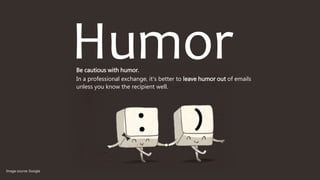
HumorBe cautious with humor.
In a professional exchange, it's better to leave humor out of emails
unless you know the recipient well.
Image source: Google
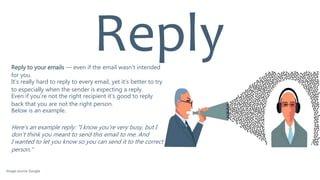
Reply to your emails — even if the email wasn't intended
for you.
It’s really hard to reply to every email, yet it’s better to try
to especially when the sender is expecting a reply.
Even if you’re not the right recipient it’s good to reply
back that you are not the right person.
Below is an example.
Here's an example reply: "I know you're very busy, but I
don't think you meant to send this email to me. And
I wanted to let you know so you can send it to the correct
person."
Reply
Image source: Google
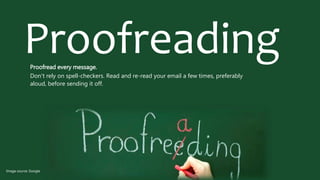
ProofreadingProofread every message.
Don't rely on spell-checkers. Read and re-read your email a few times, preferably
aloud, before sending it off.
Image source: Google
Add the email address last.
Sometimes people tends to send the messages before
they have finish writing or proof reading by coincidence.
You don’t want that to happen to you. Even if you are
replying it’s better to have the contacts after you write
your e-mail.
Add Address Last
Image source: Google
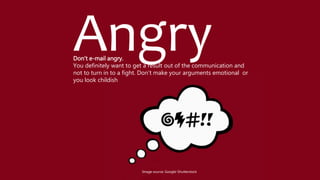
AngryDon't e-mail angry.
You definitely want to get a result out of the communication and
not to turn in to a fight. Don’t make your arguments emotional or
you look childish
Image source: Google-Shutterstock
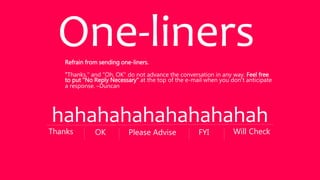
Refrain from sending one-liners.
"Thanks," and "Oh, OK" do not advance the conversation in any way. Feel free
to put "No Reply Necessary" at the top of the e-mail when you don't anticipate
a response. –Duncan
One-liners
hahahahahahahahahah
Will CheckThanks OK Please Advise FYI
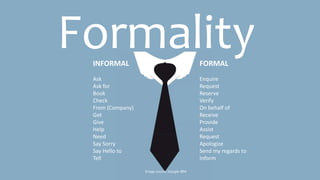
FormalityINFORMAL
Ask
Ask for
Book
Check
From (Company)
Get
Give
Help
Need
Say Sorry
Say Hello to
Tell
FORMAL
Enquire
Request
Reserve
Verify
On behalf of
Receive
Provide
Assist
Request
Apologize
Send my regards to
Inform
Image source: Google-IBM
ReferencesVery Good URL for Linguistics and common mistakes
http://www.hubspot.com/sales/email-etiquette-tips
Highly recommended to read
https://www.mindtools.com/CommSkll/EmailCommunication.htm
?
Sources:
http://www.businessinsider.com/email-etiquette-rules-everyone-
should-know-2014-9?op=1
http://www.businessemailetiquette.com/business-e-mail-
etiquette-basics/
http://www.inc.com/guides/2010/06/email-etiquette.html
Image source: Google

E mail etiquette

  • 1.
    E-Mail EtiquetteBy: Dina ElMenshawy Jan 2016
  • 2.
    “Subject should beclear” The Subject field is an indication whether your e-mail will be opened or not , and explains the content Examples: "Meeting date changed," "Quick question about your presentation," or "Suggestions for the proposal." Subject Line: It must match the message. If you are in a long thread and the context of the message has changed, you can either mention in the email that you will open a new thread for the new topic or change the subject. SUBJECT Image source: Google
  • 3.
    Fields TO:, From:, BCc,Cc Make sure the right contact persons are added to the right placement. The people that will need to take action should be added to the TO: with their correct naming. When to use CC: There are topics where associated people needs to be aligned on a specific topic. When to use BCC: When e-mailing a group of contacts who do not personally know each other (Privacy issue) ex: Used for newsletter. Also if there is a long thread and there are a lot of none concerned people of the chain, to avoid spamming their e-mails you can add them to the BCC, yet you have to mention that. can make or break you: Image source: Google
  • 4.
    TYPOSAll caps orall small case can lend to an unprofessional impression or that you may be spammer. Image source: Google
  • 5.
    Reply all Think twicebefore hitting "reply all.“ Make sure that the subject of the email concerns everyone on the list. You need your e-mail to be read not to be ignored. Image source: Google
  • 6.
    Use professional salutations. Don’tuse “ Yo”, “Hey” “Hey Guys” “Hey Folks” etc.. use Hi or Hello instead. Salutation Image source: Google
  • 7.
    Use Exclamation pointscautiously It’s not preferred to use exclamation marks/points as it seems unprofessional, emotional and immature. Exclamation Image source: Google
  • 8.
    HumorBe cautious withhumor. In a professional exchange, it's better to leave humor out of emails unless you know the recipient well. Image source: Google
  • 9.
    Reply to youremails — even if the email wasn't intended for you. It’s really hard to reply to every email, yet it’s better to try to especially when the sender is expecting a reply. Even if you’re not the right recipient it’s good to reply back that you are not the right person. Below is an example. Here's an example reply: "I know you're very busy, but I don't think you meant to send this email to me. And I wanted to let you know so you can send it to the correct person." Reply Image source: Google
  • 10.
    ProofreadingProofread every message. Don'trely on spell-checkers. Read and re-read your email a few times, preferably aloud, before sending it off. Image source: Google
  • 11.
    Add the emailaddress last. Sometimes people tends to send the messages before they have finish writing or proof reading by coincidence. You don’t want that to happen to you. Even if you are replying it’s better to have the contacts after you write your e-mail. Add Address Last Image source: Google
  • 12.
    AngryDon't e-mail angry. Youdefinitely want to get a result out of the communication and not to turn in to a fight. Don’t make your arguments emotional or you look childish Image source: Google-Shutterstock
  • 13.
    Refrain from sendingone-liners. "Thanks," and "Oh, OK" do not advance the conversation in any way. Feel free to put "No Reply Necessary" at the top of the e-mail when you don't anticipate a response. –Duncan One-liners hahahahahahahahahah Will CheckThanks OK Please Advise FYI
  • 14.
    FormalityINFORMAL Ask Ask for Book Check From (Company) Get Give Help Need SaySorry Say Hello to Tell FORMAL Enquire Request Reserve Verify On behalf of Receive Provide Assist Request Apologize Send my regards to Inform Image source: Google-IBM
  • 15.
    ReferencesVery Good URLfor Linguistics and common mistakes http://www.hubspot.com/sales/email-etiquette-tips Highly recommended to read https://www.mindtools.com/CommSkll/EmailCommunication.htm ? Sources: http://www.businessinsider.com/email-etiquette-rules-everyone- should-know-2014-9?op=1 http://www.businessemailetiquette.com/business-e-mail- etiquette-basics/ http://www.inc.com/guides/2010/06/email-etiquette.html Image source: Google