EMAIL ETIQUETTE
Dos and Don’ts of getting your
message across!
Why Email?
• The Fast lane life
• Short & Crisp
• Helps expression
• Helps reaction and thought
• Anytime, Anywhere
• Helps networking
Basics
• Format email-Wrap Text (70-80 Characters)
• Try to keep the email brief and to the point
• Return emails in the same day that you would a
phone call.
• Use capitalization and punctuation in the same way
that you would in any other document.
• Format your email to be sent in plain text rather than
HTML unless...........
• Write a salutation or greeting for each new subject
email. ***
• However, if you exchange several emails
over the same topic ...........
• Be sure to write appropriate and specific
“Subject Lines” that describes the
message content
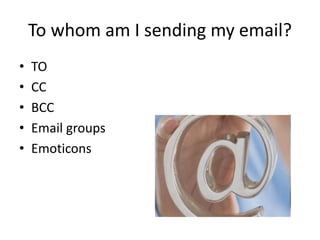
To whom am I sending my email?
• TO
• CC
• BCC
• Email groups
• Emoticons
Can I send attachments?
• Yes, if it is necessary and you are sure that
your recipient can receive them.
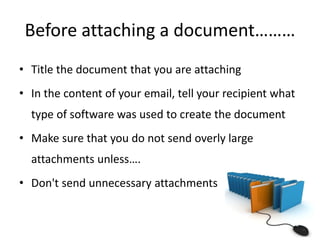
Before attaching a document………
• Title the document that you are attaching
• In the content of your email, tell your recipient what
type of software was used to create the document
• Make sure that you do not send overly large
attachments unless….
• Don't send unnecessary attachments
How long should my email be?
As brief as possible.
When you need to write a long email try to include
three essential elements at the top of the email:
(a) an executive summary,
(b) how soon a response is required and
(c) a table of contents.
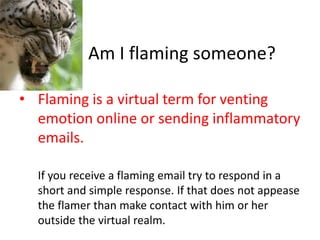
Am I flaming someone?
• Flaming is a virtual term for venting
emotion online or sending inflammatory
emails.
If you receive a flaming email try to respond in a
short and simple response. If that does not appease
the flamer than make contact with him or her
outside the virtual realm.
Ask before venting in email:
1. Would I say this to this person’s face?
2. Am I putting the receiver in awkward
position?
3. How would I feel if I got this email message?
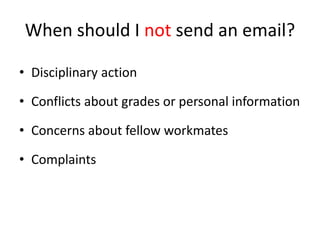
When should I not send an email?
• Disciplinary action
• Conflicts about grades or personal information
• Concerns about fellow workmates
• Complaints
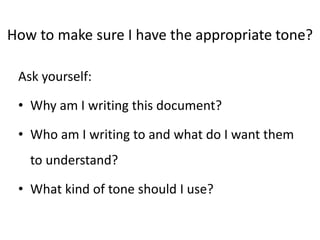
How to make sure I have the appropriate tone?
Ask yourself:
• Why am I writing this document?
• Who am I writing to and what do I want them
to understand?
• What kind of tone should I use?
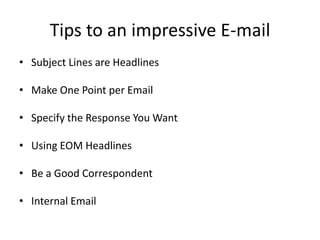
Tips to an impressive E-mail
• Subject Lines are Headlines
• Make One Point per Email
• Specify the Response You Want
• Using EOM Headlines
• Be a Good Correspondent
• Internal Email
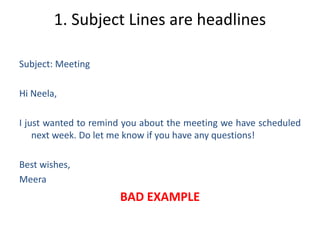
1. Subject Lines are headlines
Subject: Meeting
Hi Neela,
I just wanted to remind you about the meeting we have scheduled
next week. Do let me know if you have any questions!
Best wishes,
Meera
BAD EXAMPLE
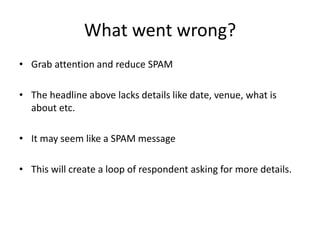
What went wrong?
• Grab attention and reduce SPAM
• The headline above lacks details like date, venue, what is
about etc.
• It may seem like a SPAM message
• This will create a loop of respondent asking for more details.
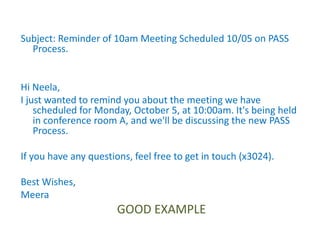
Subject: Reminder of 10am Meeting Scheduled 10/05 on PASS
Process.
Hi Neela,
I just wanted to remind you about the meeting we have
scheduled for Monday, October 5, at 10:00am. It's being held
in conference room A, and we'll be discussing the new PASS
Process.
If you have any questions, feel free to get in touch (x3024).
Best Wishes,
Meera
GOOD EXAMPLE
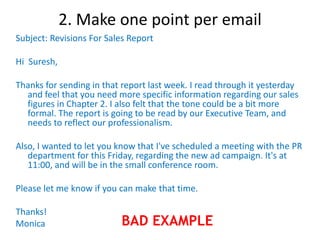
2. Make one point per email
Subject: Revisions For Sales Report
Hi Suresh,
Thanks for sending in that report last week. I read through it yesterday
and feel that you need more specific information regarding our sales
figures in Chapter 2. I also felt that the tone could be a bit more
formal. The report is going to be read by our Executive Team, and
needs to reflect our professionalism.
Also, I wanted to let you know that I've scheduled a meeting with the PR
department for this Friday, regarding the new ad campaign. It's at
11:00, and will be in the small conference room.
Please let me know if you can make that time.
Thanks!
Monica BAD EXAMPLE
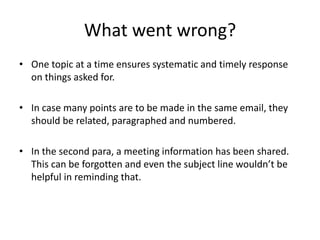
What went wrong?
• One topic at a time ensures systematic and timely response
on things asked for.
• In case many points are to be made in the same email, they
should be related, paragraphed and numbered.
• In the second para, a meeting information has been shared.
This can be forgotten and even the subject line wouldn’t be
helpful in reminding that.
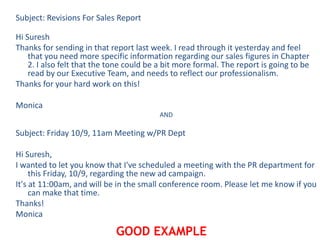
Subject: Revisions For Sales Report
Hi Suresh
Thanks for sending in that report last week. I read through it yesterday and feel
that you need more specific information regarding our sales figures in Chapter
2. I also felt that the tone could be a bit more formal. The report is going to be
read by our Executive Team, and needs to reflect our professionalism.
Thanks for your hard work on this!
Monica
AND
Subject: Friday 10/9, 11am Meeting w/PR Dept
Hi Suresh,
I wanted to let you know that I've scheduled a meeting with the PR department for
this Friday, 10/9, regarding the new ad campaign.
It's at 11:00am, and will be in the small conference room. Please let me know if you
can make that time.
Thanks!
Monica
GOOD EXAMPLE
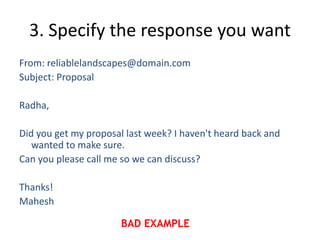
3. Specify the response you want
From: reliablelandscapes@domain.com
Subject: Proposal
Radha,
Did you get my proposal last week? I haven't heard back and
wanted to make sure.
Can you please call me so we can discuss?
Thanks!
Mahesh
BAD EXAMPLE
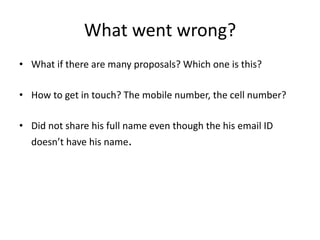
What went wrong?
• What if there are many proposals? Which one is this?
• How to get in touch? The mobile number, the cell number?
• Did not share his full name even though the his email ID
doesn’t have his name.
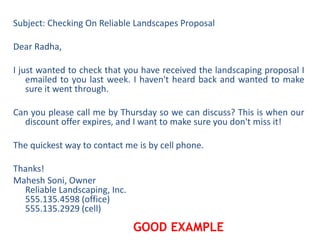
Subject: Checking On Reliable Landscapes Proposal
Dear Radha,
I just wanted to check that you have received the landscaping proposal I
emailed to you last week. I haven't heard back and wanted to make
sure it went through.
Can you please call me by Thursday so we can discuss? This is when our
discount offer expires, and I want to make sure you don't miss it!
The quickest way to contact me is by cell phone.
Thanks!
Mahesh Soni, Owner
Reliable Landscaping, Inc.
555.135.4598 (office)
555.135.2929 (cell)
GOOD EXAMPLE
4.Using EOM headlines
Subject: 10/5 Meeting, 10am, Conf. Rm. A, On PASS Procedure
EOM
Here the subject line is the message. If this is clarified at the
beginning, the recipient does not even have to open his email.
5. Be a Good Correspondent
• Go through your inbox and respond regularly and within time.
• If your reply entails a detailed answer and you do not have
the time for assembling information, send in a holding mail
acknowledging receipt and ensuring that work would be
delivered in a particular time frame.
• Always set out of office/In meeting with details of ways of
reaching you in case of an emergency.
6. Internal mail
• Should not be too informal
• Printable and viewable
• Avoid slang and use spell checker
What to keep in mind while emailing?
• Never write in CAPITAL+ BOLD unless otherwise intended to
get across a point.( No shouting)
• Keep it short and sweet .Save the story-Stick to facts.
• Fonts and formatting matter.
• Use simple English
• Come to the point quickly
What kind of tone should I use?
• Be confident.
• Be courteous and sincere.
• Use appropriate emphasis.
• Use non-discriminatory language.
• Write at an appropriate level of difficulty.
A Quick Review
• Be concise and to the point
• Answer all questions and pre-empt further questions
• Use proper spelling, grammar and punctuation where
needed
• Use templates for frequently used responses
• Answer swiftly
• Do not attach unnecessary files
• Do not overuse the high priority option
• Do not write in Capitals
• Read the email before you send
• Do not overuse “Reply to All”
• Be careful with formatting and HTML
• Don’t request delivery and read receipts unnecessarily
• Never use email to discuss confidential issues
• Use meaningful subject avoiding URGENT or IMPORTANT
• Don't forward any junk mail or chain letters
Email Etiquette.pdf

Email Etiquette.pdf

  • 1.
    EMAIL ETIQUETTE Dos andDon’ts of getting your message across!
  • 2.
    Why Email? • TheFast lane life • Short & Crisp • Helps expression • Helps reaction and thought • Anytime, Anywhere • Helps networking
  • 3.
    Basics • Format email-WrapText (70-80 Characters) • Try to keep the email brief and to the point • Return emails in the same day that you would a phone call.
  • 4.
    • Use capitalizationand punctuation in the same way that you would in any other document. • Format your email to be sent in plain text rather than HTML unless........... • Write a salutation or greeting for each new subject email. ***
  • 5.
    • However, ifyou exchange several emails over the same topic ........... • Be sure to write appropriate and specific “Subject Lines” that describes the message content
  • 6.
    To whom amI sending my email? • TO • CC • BCC • Email groups • Emoticons
  • 7.
    Can I sendattachments? • Yes, if it is necessary and you are sure that your recipient can receive them.
  • 8.
    Before attaching adocument……… • Title the document that you are attaching • In the content of your email, tell your recipient what type of software was used to create the document • Make sure that you do not send overly large attachments unless…. • Don't send unnecessary attachments
  • 9.
    How long shouldmy email be? As brief as possible. When you need to write a long email try to include three essential elements at the top of the email: (a) an executive summary, (b) how soon a response is required and (c) a table of contents.
  • 10.
    Am I flamingsomeone? • Flaming is a virtual term for venting emotion online or sending inflammatory emails. If you receive a flaming email try to respond in a short and simple response. If that does not appease the flamer than make contact with him or her outside the virtual realm.
  • 11.
    Ask before ventingin email: 1. Would I say this to this person’s face? 2. Am I putting the receiver in awkward position? 3. How would I feel if I got this email message?
  • 12.
    When should Inot send an email? • Disciplinary action • Conflicts about grades or personal information • Concerns about fellow workmates • Complaints
  • 13.
    How to makesure I have the appropriate tone? Ask yourself: • Why am I writing this document? • Who am I writing to and what do I want them to understand? • What kind of tone should I use?
  • 14.
    Tips to animpressive E-mail • Subject Lines are Headlines • Make One Point per Email • Specify the Response You Want • Using EOM Headlines • Be a Good Correspondent • Internal Email
  • 15.
    1. Subject Linesare headlines Subject: Meeting Hi Neela, I just wanted to remind you about the meeting we have scheduled next week. Do let me know if you have any questions! Best wishes, Meera BAD EXAMPLE
  • 16.
    What went wrong? •Grab attention and reduce SPAM • The headline above lacks details like date, venue, what is about etc. • It may seem like a SPAM message • This will create a loop of respondent asking for more details.
  • 17.
    Subject: Reminder of10am Meeting Scheduled 10/05 on PASS Process. Hi Neela, I just wanted to remind you about the meeting we have scheduled for Monday, October 5, at 10:00am. It's being held in conference room A, and we'll be discussing the new PASS Process. If you have any questions, feel free to get in touch (x3024). Best Wishes, Meera GOOD EXAMPLE
  • 18.
    2. Make onepoint per email Subject: Revisions For Sales Report Hi Suresh, Thanks for sending in that report last week. I read through it yesterday and feel that you need more specific information regarding our sales figures in Chapter 2. I also felt that the tone could be a bit more formal. The report is going to be read by our Executive Team, and needs to reflect our professionalism. Also, I wanted to let you know that I've scheduled a meeting with the PR department for this Friday, regarding the new ad campaign. It's at 11:00, and will be in the small conference room. Please let me know if you can make that time. Thanks! Monica BAD EXAMPLE
  • 19.
    What went wrong? •One topic at a time ensures systematic and timely response on things asked for. • In case many points are to be made in the same email, they should be related, paragraphed and numbered. • In the second para, a meeting information has been shared. This can be forgotten and even the subject line wouldn’t be helpful in reminding that.
  • 20.
    Subject: Revisions ForSales Report Hi Suresh Thanks for sending in that report last week. I read through it yesterday and feel that you need more specific information regarding our sales figures in Chapter 2. I also felt that the tone could be a bit more formal. The report is going to be read by our Executive Team, and needs to reflect our professionalism. Thanks for your hard work on this! Monica AND Subject: Friday 10/9, 11am Meeting w/PR Dept Hi Suresh, I wanted to let you know that I've scheduled a meeting with the PR department for this Friday, 10/9, regarding the new ad campaign. It's at 11:00am, and will be in the small conference room. Please let me know if you can make that time. Thanks! Monica GOOD EXAMPLE
  • 21.
    3. Specify theresponse you want From: reliablelandscapes@domain.com Subject: Proposal Radha, Did you get my proposal last week? I haven't heard back and wanted to make sure. Can you please call me so we can discuss? Thanks! Mahesh BAD EXAMPLE
  • 22.
    What went wrong? •What if there are many proposals? Which one is this? • How to get in touch? The mobile number, the cell number? • Did not share his full name even though the his email ID doesn’t have his name.
  • 23.
    Subject: Checking OnReliable Landscapes Proposal Dear Radha, I just wanted to check that you have received the landscaping proposal I emailed to you last week. I haven't heard back and wanted to make sure it went through. Can you please call me by Thursday so we can discuss? This is when our discount offer expires, and I want to make sure you don't miss it! The quickest way to contact me is by cell phone. Thanks! Mahesh Soni, Owner Reliable Landscaping, Inc. 555.135.4598 (office) 555.135.2929 (cell) GOOD EXAMPLE
  • 24.
    4.Using EOM headlines Subject:10/5 Meeting, 10am, Conf. Rm. A, On PASS Procedure EOM Here the subject line is the message. If this is clarified at the beginning, the recipient does not even have to open his email.
  • 25.
    5. Be aGood Correspondent • Go through your inbox and respond regularly and within time. • If your reply entails a detailed answer and you do not have the time for assembling information, send in a holding mail acknowledging receipt and ensuring that work would be delivered in a particular time frame. • Always set out of office/In meeting with details of ways of reaching you in case of an emergency.
  • 26.
    6. Internal mail •Should not be too informal • Printable and viewable • Avoid slang and use spell checker
  • 27.
    What to keepin mind while emailing? • Never write in CAPITAL+ BOLD unless otherwise intended to get across a point.( No shouting) • Keep it short and sweet .Save the story-Stick to facts. • Fonts and formatting matter. • Use simple English • Come to the point quickly
  • 28.
    What kind oftone should I use? • Be confident. • Be courteous and sincere. • Use appropriate emphasis. • Use non-discriminatory language. • Write at an appropriate level of difficulty.
  • 29.
    A Quick Review •Be concise and to the point • Answer all questions and pre-empt further questions • Use proper spelling, grammar and punctuation where needed • Use templates for frequently used responses • Answer swiftly
  • 30.
    • Do notattach unnecessary files • Do not overuse the high priority option • Do not write in Capitals • Read the email before you send • Do not overuse “Reply to All” • Be careful with formatting and HTML
  • 31.
    • Don’t requestdelivery and read receipts unnecessarily • Never use email to discuss confidential issues • Use meaningful subject avoiding URGENT or IMPORTANT • Don't forward any junk mail or chain letters