
◦ Professionalism.
◦ Efficiency.
◦ Security (Know your internal policies)
 Netiquette - network etiquette or Internet
etiquette
Difference: Levels of formality
Most people view email as more formal
than a phone call
less formal than a letter
 We all interact with printed word as though it is
personally and your personality makes your email
positive or negative impressions upon you.
 Its true that we interact more and more with the
written word all the time
 Your email document could be easily misinterpreted
by your reader, so it is crucial to follow basic rules of
etiquette to construct an appropriate tone.
 Email is still a formal correspondence
 Think twice about whether or not the content of your email is appropriate for
virtual correspondence - once you hit Send, anyone might be able to read it
 Use a professional font, not decorative
 Be cautious about sending personal information
 Be thoughtful and respectful on what you write
 Choose your words carefully
 Don’t assume reader might take it as a joke or sarcasm
 Assume everything you write is a public document
 Use proper grammar and sentence, avoid talking about other people on
emails.
 Do not expect or demand for immediate response
 If email is unclear, ask politely for clarification or suggest discussing the
matter in person.
 Don’t use message / chatting slangs
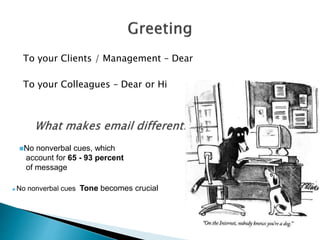
To your Clients / Management – Dear
To your Colleagues – Dear or Hi
No nonverbal cues, which
account for 65 - 93 percent
of message
 No nonverbal cues Tone becomes crucial
 Should be meaningful
 Should give your reader an idea of the
content of the email
 Should be appropriate, because anyone can
look at the subject, even if the recipient
chooses not to open the message
◦ For example: Confidential: Sale numbers for
October
 When changing the subject, start a new
message
 Respond in the same time frame you would
respond with a phone call
 Be conscious of responding to the sender or
Reply to all
◦ Do not overuse Reply to all
 Be conscious of your recipient
 Don’t expect an immediate response
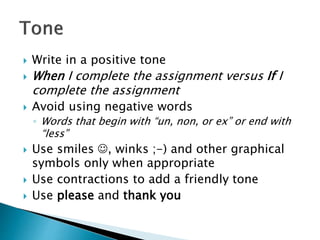
 Write in a positive tone
 When I complete the assignment versus If I
complete the assignment
 Avoid using negative words
◦ Words that begin with “un, non, or ex” or end with
“less”
 Use smiles , winks ;-) and other graphical
symbols only when appropriate
 Use contractions to add a friendly tone
 Use please and thank you
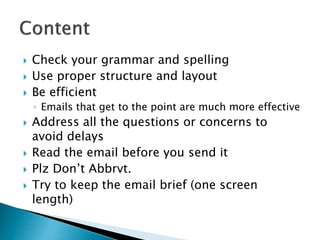
 Check your grammar and spelling
 Use proper structure and layout
 Be efficient
◦ Emails that get to the point are much more effective
 Address all the questions or concerns to
avoid delays
 Read the email before you send it
 Plz Don’t Abbrvt.
 Try to keep the email brief (one screen
length)
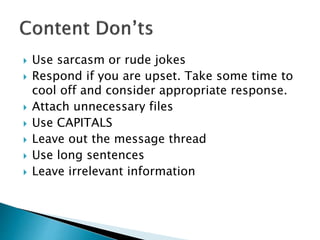
 Use sarcasm or rude jokes
 Respond if you are upset. Take some time to
cool off and consider appropriate response.
 Attach unnecessary files
 Use CAPITALS
 Leave out the message thread
 Use long sentences
 Leave irrelevant information
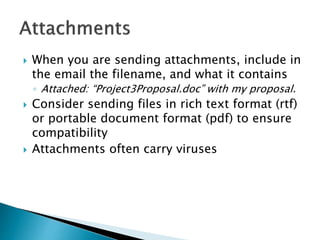
 When you are sending attachments, include in
the email the filename, and what it contains
◦ Attached: “Project3Proposal.doc” with my proposal.
 Consider sending files in rich text format (rtf)
or portable document format (pdf) to ensure
compatibility
 Attachments often carry viruses
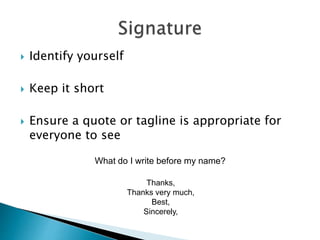
 Identify yourself
 Keep it short
 Ensure a quote or tagline is appropriate for
everyone to see
What do I write before my name?
Thanks,
Thanks very much,
Best,
Sincerely,
 Consider your first initial and last name
 First name, if you know them well
 Full name, if you don’t know them very well
 Don’t reply to spam
 Replying confirms that the address is ‘live’
 Schedule a few days in advance when
possible.
 Avoid writing “today” or “tomorrow.” You
don’t know when the end user views your
email
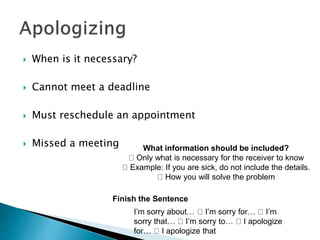
 When is it necessary?
 Cannot meet a deadline
 Must reschedule an appointment
 Missed a meeting What information should be included?
Only what is necessary for the receiver to know
Example: If you are sick, do not include the details.
How you will solve the problem
Finish the Sentence
I’m sorry about… I’m sorry for… I’m
sorry that… I’m sorry to… I apologize
for… I apologize that
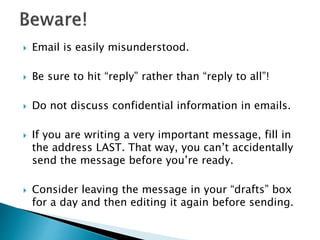
 Email is easily misunderstood.
 Be sure to hit “reply” rather than “reply to all”!
 Do not discuss confidential information in emails.
 If you are writing a very important message, fill in
the address LAST. That way, you can’t accidentally
send the message before you’re ready.
 Consider leaving the message in your “drafts” box
for a day and then editing it again before sending.
Email etiquette
Email etiquette

Email etiquette

  • 2.
    ◦ Professionalism. ◦ Efficiency. ◦Security (Know your internal policies)
  • 3.
     Netiquette -network etiquette or Internet etiquette Difference: Levels of formality Most people view email as more formal than a phone call less formal than a letter
  • 4.
     We allinteract with printed word as though it is personally and your personality makes your email positive or negative impressions upon you.  Its true that we interact more and more with the written word all the time  Your email document could be easily misinterpreted by your reader, so it is crucial to follow basic rules of etiquette to construct an appropriate tone.  Email is still a formal correspondence
  • 5.
     Think twiceabout whether or not the content of your email is appropriate for virtual correspondence - once you hit Send, anyone might be able to read it  Use a professional font, not decorative  Be cautious about sending personal information  Be thoughtful and respectful on what you write  Choose your words carefully  Don’t assume reader might take it as a joke or sarcasm  Assume everything you write is a public document  Use proper grammar and sentence, avoid talking about other people on emails.  Do not expect or demand for immediate response  If email is unclear, ask politely for clarification or suggest discussing the matter in person.  Don’t use message / chatting slangs
  • 6.
    To your Clients/ Management – Dear To your Colleagues – Dear or Hi No nonverbal cues, which account for 65 - 93 percent of message  No nonverbal cues Tone becomes crucial
  • 7.
     Should bemeaningful  Should give your reader an idea of the content of the email  Should be appropriate, because anyone can look at the subject, even if the recipient chooses not to open the message ◦ For example: Confidential: Sale numbers for October  When changing the subject, start a new message
  • 8.
     Respond inthe same time frame you would respond with a phone call  Be conscious of responding to the sender or Reply to all ◦ Do not overuse Reply to all  Be conscious of your recipient  Don’t expect an immediate response
  • 9.
     Write ina positive tone  When I complete the assignment versus If I complete the assignment  Avoid using negative words ◦ Words that begin with “un, non, or ex” or end with “less”  Use smiles , winks ;-) and other graphical symbols only when appropriate  Use contractions to add a friendly tone  Use please and thank you
  • 10.
     Check yourgrammar and spelling  Use proper structure and layout  Be efficient ◦ Emails that get to the point are much more effective  Address all the questions or concerns to avoid delays  Read the email before you send it  Plz Don’t Abbrvt.  Try to keep the email brief (one screen length)
  • 11.
     Use sarcasmor rude jokes  Respond if you are upset. Take some time to cool off and consider appropriate response.  Attach unnecessary files  Use CAPITALS  Leave out the message thread  Use long sentences  Leave irrelevant information
  • 12.
     When youare sending attachments, include in the email the filename, and what it contains ◦ Attached: “Project3Proposal.doc” with my proposal.  Consider sending files in rich text format (rtf) or portable document format (pdf) to ensure compatibility  Attachments often carry viruses
  • 13.
     Identify yourself Keep it short  Ensure a quote or tagline is appropriate for everyone to see What do I write before my name? Thanks, Thanks very much, Best, Sincerely,
  • 14.
     Consider yourfirst initial and last name  First name, if you know them well  Full name, if you don’t know them very well
  • 15.
     Don’t replyto spam  Replying confirms that the address is ‘live’
  • 16.
     Schedule afew days in advance when possible.  Avoid writing “today” or “tomorrow.” You don’t know when the end user views your email
  • 17.
     When isit necessary?  Cannot meet a deadline  Must reschedule an appointment  Missed a meeting What information should be included? Only what is necessary for the receiver to know Example: If you are sick, do not include the details. How you will solve the problem Finish the Sentence I’m sorry about… I’m sorry for… I’m sorry that… I’m sorry to… I apologize for… I apologize that
  • 18.
     Email iseasily misunderstood.  Be sure to hit “reply” rather than “reply to all”!  Do not discuss confidential information in emails.  If you are writing a very important message, fill in the address LAST. That way, you can’t accidentally send the message before you’re ready.  Consider leaving the message in your “drafts” box for a day and then editing it again before sending.