topic:electronicspreadsheet
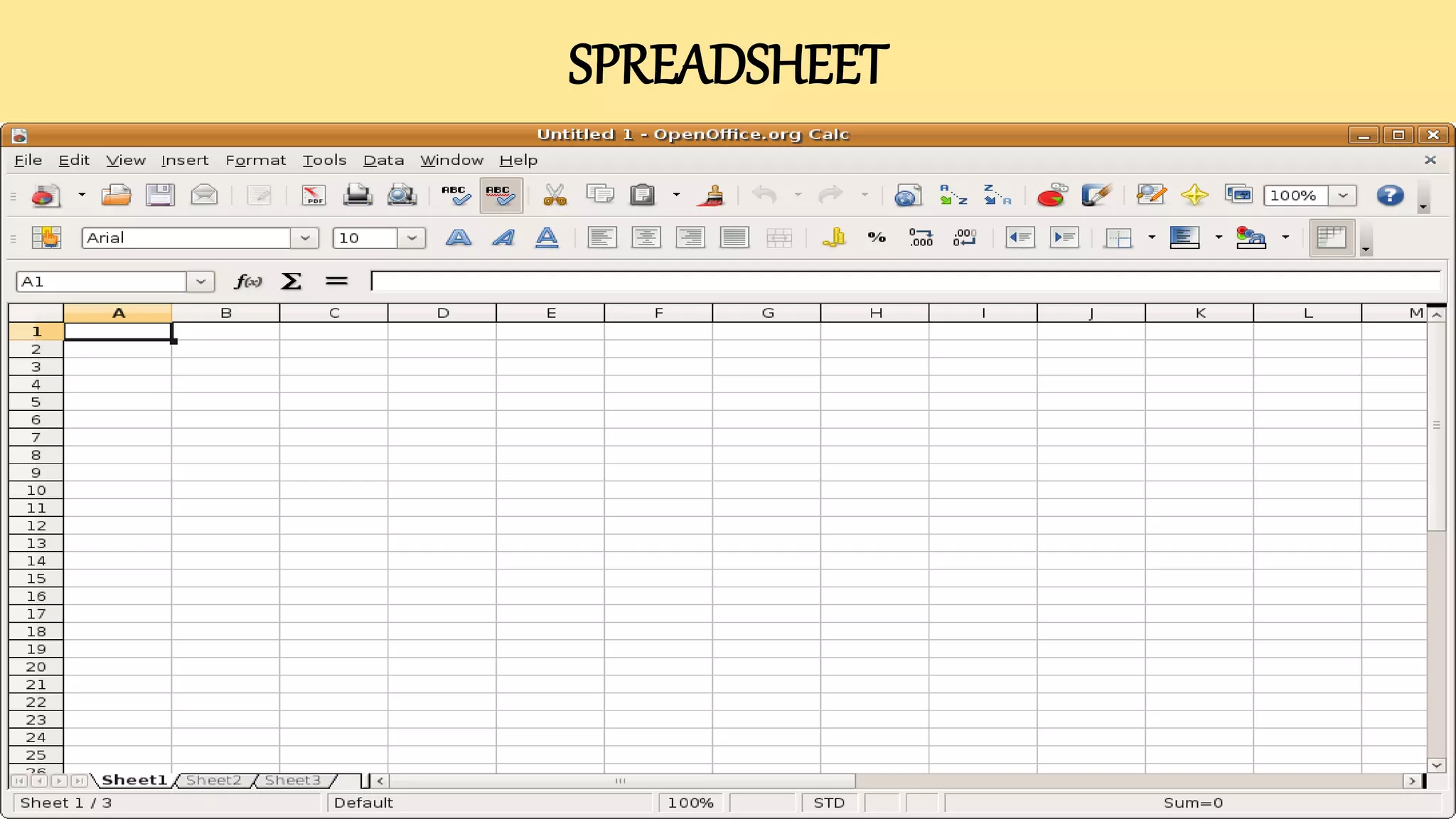
What is spreadsheet?
Spreadsheet program or spreadsheet software is used for
Calculation, it provides worksheet or a interface to the user
to enter data, allows you to make calculations, and saves
data for future use.
APPLICATIONOF SPREADSHEET
 It can be used to track profit and losses.
 Economists can generates growth graphs of country’s economy.
 Women can manage their household buget.
SPREADSHEET
ADVANTAGES OF SPREADSHEET
• It increases the ease speed of calculating.
• It makes it easy to modify information and recalculate
automatically.
• Displays numeric data as a chart or graphs.
disadvantages OF SPREADSHEET
• Spreadsheet can not process large volume of data.
• It doesn’t provide much programming facilities.
PARTSOF A SPREADSHEET
 Rows
 Columns
 Cells
 Ranges
 A row is a horizontal section of a spreadsheet.
 Rows run from left to right.
 Rows are labelled with number. ( 1 2 3 4 5 )
 There are 1,048,576 rows in an Excel Spreadsheet.
1. rows
Row Labels
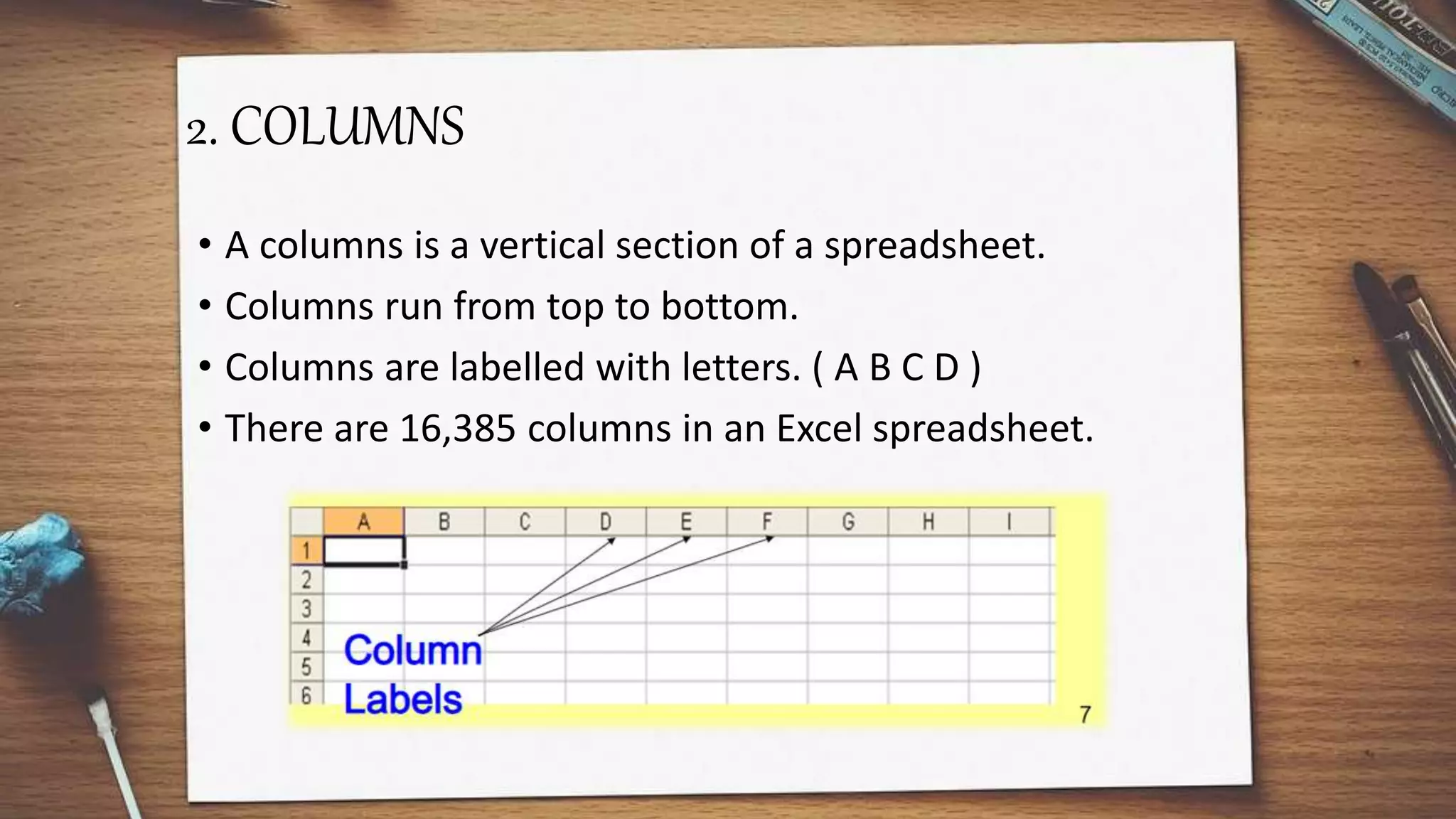
2. COLUMNS
• A columns is a vertical section of a spreadsheet.
• Columns run from top to bottom.
• Columns are labelled with letters. ( A B C D )
• There are 16,385 columns in an Excel spreadsheet.
3. cells
• A cell in where a row and a column meet or intersect. (the
intersection of a row and a column.)
• The smallest unit of the spreadsheet.
• The actual area where data is entered into the spreadsheet.
• Labelled with a letter and number. ( A1 B7 D12 AB978 IV892)
4.RANGES
• A range is any ADJACENT set of cells in a spreadsheet.
Adjacent means all of the cells are either side by side or up
and down from one another.
• Ranges are labelled as follows:
• First Cell in Range : Last Cell in Range
Example: A1:A8 D1:D12
A1:F1 G12:Z12
EXAMPLES OF RANGES
Electronic spreadsheet

Electronic spreadsheet

  • 1.
  • 2.
    What is spreadsheet? Spreadsheetprogram or spreadsheet software is used for Calculation, it provides worksheet or a interface to the user to enter data, allows you to make calculations, and saves data for future use.
  • 3.
    APPLICATIONOF SPREADSHEET  Itcan be used to track profit and losses.  Economists can generates growth graphs of country’s economy.  Women can manage their household buget.
  • 4.
  • 5.
    ADVANTAGES OF SPREADSHEET •It increases the ease speed of calculating. • It makes it easy to modify information and recalculate automatically. • Displays numeric data as a chart or graphs.
  • 6.
    disadvantages OF SPREADSHEET •Spreadsheet can not process large volume of data. • It doesn’t provide much programming facilities.
  • 7.
    PARTSOF A SPREADSHEET Rows  Columns  Cells  Ranges
  • 8.
     A rowis a horizontal section of a spreadsheet.  Rows run from left to right.  Rows are labelled with number. ( 1 2 3 4 5 )  There are 1,048,576 rows in an Excel Spreadsheet. 1. rows Row Labels
  • 9.
    2. COLUMNS • Acolumns is a vertical section of a spreadsheet. • Columns run from top to bottom. • Columns are labelled with letters. ( A B C D ) • There are 16,385 columns in an Excel spreadsheet.
  • 10.
    3. cells • Acell in where a row and a column meet or intersect. (the intersection of a row and a column.) • The smallest unit of the spreadsheet. • The actual area where data is entered into the spreadsheet. • Labelled with a letter and number. ( A1 B7 D12 AB978 IV892)
  • 11.
    4.RANGES • A rangeis any ADJACENT set of cells in a spreadsheet. Adjacent means all of the cells are either side by side or up and down from one another. • Ranges are labelled as follows: • First Cell in Range : Last Cell in Range Example: A1:A8 D1:D12 A1:F1 G12:Z12
  • 12.