1
Minola Technology
An SAP Mobile Apps & ABAP partner
Presentation
SAP Mobile App
Active Alerts
An early warning system for SAP issues
2
Use Cases
3
Use Cases
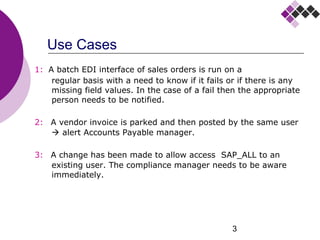
1: A batch EDI interface of sales orders is run on a
regular basis with a need to know if it fails or if there is any
missing field values. In the case of a fail then the appropriate
person needs to be notified.
2: A vendor invoice is parked and then posted by the same user
 alert Accounts Payable manager.
3: A change has been made to allow access SAP_ALL to an
existing user. The compliance manager needs to be aware
immediately.
4
Use Cases
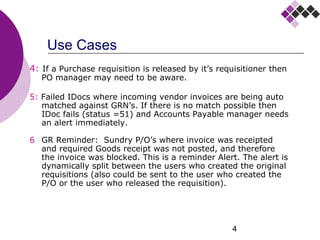
4: If a Purchase requisition is released by it’s requisitioner then
PO manager may need to be aware.
5: Failed IDocs where incoming vendor invoices are being auto
matched against GRN’s. If there is no match possible then
IDoc fails (status =51) and Accounts Payable manager needs
an alert immediately.
6 GR Reminder: Sundry P/O’s where invoice was receipted
and required Goods receipt was not posted, and therefore
the invoice was blocked. This is a reminder Alert. The alert is
dynamically split between the users who created the original
requisitions (also could be sent to the user who created the
P/O or the user who released the requisition).
5
Use Cases
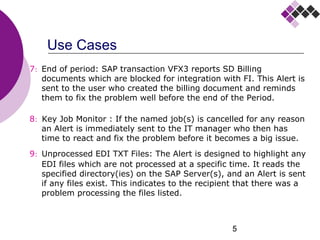
7: End of period: SAP transaction VFX3 reports SD Billing
documents which are blocked for integration with FI. This Alert is
sent to the user who created the billing document and reminds
them to fix the problem well before the end of the Period.
8: Key Job Monitor : If the named job(s) is cancelled for any reason
an Alert is immediately sent to the IT manager who then has
time to react and fix the problem before it becomes a big issue.
9: Unprocessed EDI TXT Files: The Alert is designed to highlight any
EDI files which are not processed at a specific time. It reads the
specified directory(ies) on the SAP Server(s), and an Alert is sent
if any files exist. This indicates to the recipient that there was a
problem processing the files listed.
6
Summary of problem & requirements
 A problem may arise or an event take place and nobody is
aware of it where action is needed quickly.
 This problem may be detected on tables, jobs, directories, other
 A control description call-to-action is required to resolve the
problem
 The call-to-action must be to the appropriate person/agent
 It must be “pushed” by email and/or Mobile
7
Minola Technology
An SAP Mobile Apps & ABAP partner
Overview
Active Alerts
8
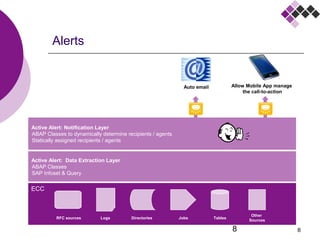
Active Alert: Data Extraction Layer
•
ABAP Classes
•
SAP Infoset & Query
Alerts
8
Active Alert: Notification Layer
•
ABAP Classes to dynamically determine recipients / agents
•
Statically assigned recipients / agents
TablesJobsDirectoriesLogs
Auto email Allow Mobile App manage
the call-to-action
RFC sources
Other
Sources
ECC
9
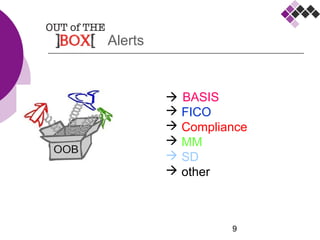
 BASIS
 FICO
 Compliance
 MM
 SD
 other
Alerts
10
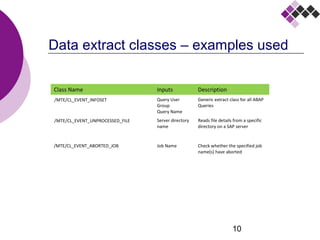
Data extract classes – examples used
Class Name Inputs Description
Query User
Group
Query Name
Generic extract class for all ABAP
Queries
Server directory
name
Reads file details from a specific
directory on a SAP server
/MTE/CL_EVENT_ABORTED_JOB Job Name Check whether the specified job
name(s) have aborted
/MTE/CL_EVENT_INFOSET
/MTE/CL_EVENT_UNPROCESSED_FILE
11
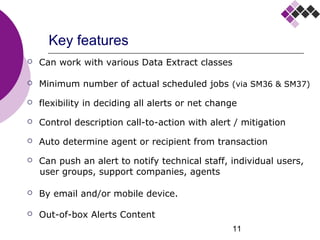
Key features
 Can work with various Data Extract classes
 Minimum number of actual scheduled jobs (via SM36 & SM37)
 flexibility in deciding all alerts or net change
 Control description call-to-action with alert / mitigation
 Auto determine agent or recipient from transaction
 Can push an alert to notify technical staff, individual users,
user groups, support companies, agents
 By email and/or mobile device.
 Out-of-box Alerts Content
12
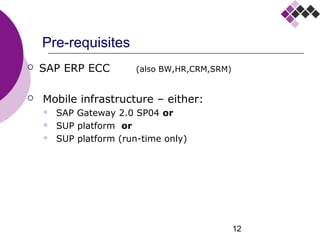
Pre-requisites
 SAP ERP ECC (also runs on BW,HR,CRM,SRM)
 Mobile infrastructure:
 SAP Gateway 2.0 SP04 and
 SMP* platform or
 SMP platform (run-time only)
 Device requirements:
 Google Android OS version 4.1.2 or higher
* SMP = SAP Mobile Platform (previously named SUP)
13
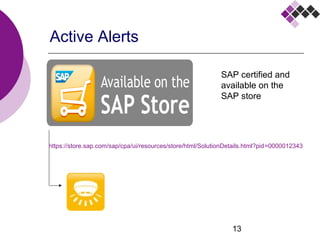
Active Alerts
https://www.sapstore.com/solutions/30005/Active-Alerts
SAP certified and
available on the
SAP store
14
Benefits – effort & cost savings
 Remove the need to remember what actions to take
 Immediate directing of problems to appropriate person for call-
to-action = less effort to do it manually
 reduce development costs of writing own automated checks
(e.g. using ABAP)
 Option to now include new automated alerts where previously
it would have been impractical to do so: (memory, time, effort)
e.g. on interfaces, IDocs, processes, compliance.
15
Benefits – pro-active support
 Pro-active approach to problem resolution
 Immediate directing of problems to appropriate person
 Help reduce affect on the business
 Ability to introduce additional automatic alerts for tighter
control
 Work better within Service Level Agreements
 A pro-active process which can be available on a 24 x 7 basis
16
Benefits – support during change
 Better ability to support business change
 Examples:
 The business process has changed
 In parallel with data migration
 In Parallel with data cleansing
 Pre go-live testing
 Go-live
 Introduction of new modifications involving data updates
 New business entities coming on stream
 New product launch
 New application go-live
 Migration to ERP ECC6
 Any other system changes
17
Benefits – IT dept
 IT function can become more pro-active  means less re-
action / fire-fighting
 reduce development costs of writing own automated checks
(e.g. using ABAP)
 IT can be become aware of issue before the business is aware
 Ability to tackle problems earlier / sooner
 Call-to-action auto routed to appropriate person – so
opportunity to balance the load on individuals.
 Also allows problem to be resolved faster (by having the
correct person involved)
 Option to increase / reduce number of checks
to reflect the level of business change
18
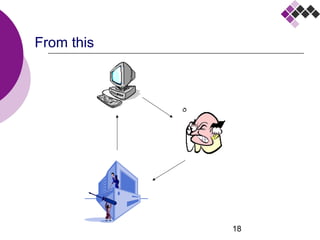
From this
19
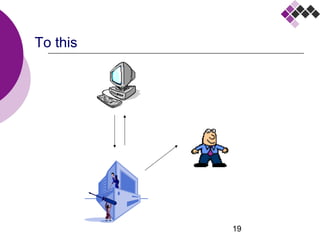
To this
20
Another similar & popular tool
What are the benefits of having a smoke detector & alarm?
21
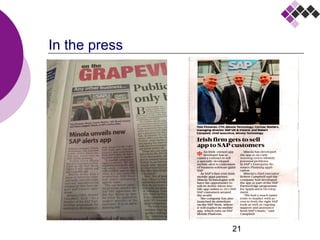
In the press
22
Details
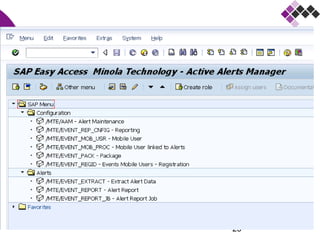
Main screens for Extract Class Infoset /Query
23
24
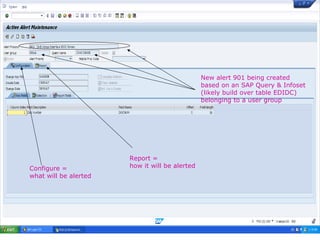
Main screens
New alert 901 being created
based on an SAP Query & Infoset
(likely build over table EDIDC)
belonging to a user group
Configure =
what will be alerted
Report =
how it will be alerted
25
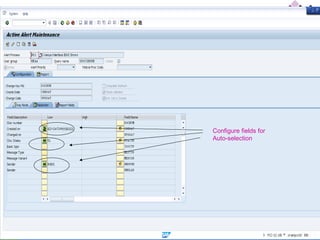
Configure fields for
Auto-selection
26
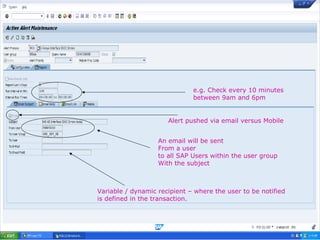
e.g. Check every 10 minutes
between 9am and 6pm
Alert pushed via email versus Mobile
An email will be sent
From a user
to all SAP Users within the user group
With the subject
Variable / dynamic recipient – where the user to be notified
is defined in the transaction.
27
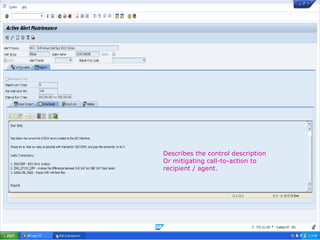
Describes the control description
Or mitigating call-to-action to
recipient / agent.
28
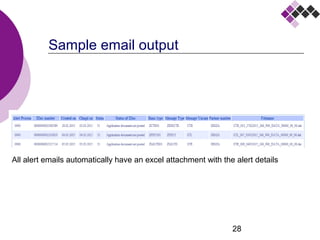
Sample email output
All alert emails automatically have an excel attachment with the alert details
29
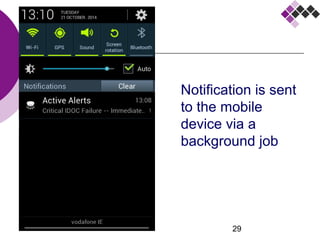
Notification is sent
to the mobile
device via a
background job
30
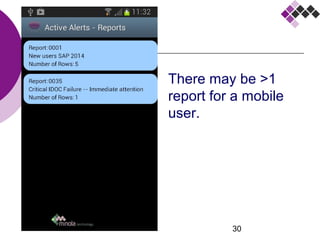
Main screens
There may be >1
report for a mobile
user.
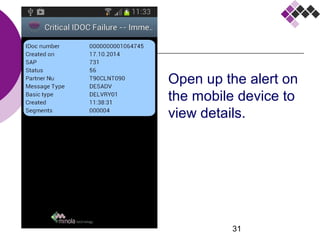
31
Open up the alert on
the mobile device to
view details.
32
Minola Technology
An SAP Mobile Apps & ABAP partner
Presentation
SAP Mobile App
Active Alerts
An early warning system for SAP issues

Early-warning Alerts on SAP issues

  • 1.
    1 Minola Technology An SAPMobile Apps & ABAP partner Presentation SAP Mobile App Active Alerts An early warning system for SAP issues
  • 2.
  • 3.
    3 Use Cases 1: Abatch EDI interface of sales orders is run on a regular basis with a need to know if it fails or if there is any missing field values. In the case of a fail then the appropriate person needs to be notified. 2: A vendor invoice is parked and then posted by the same user  alert Accounts Payable manager. 3: A change has been made to allow access SAP_ALL to an existing user. The compliance manager needs to be aware immediately.
  • 4.
    4 Use Cases 4: Ifa Purchase requisition is released by it’s requisitioner then PO manager may need to be aware. 5: Failed IDocs where incoming vendor invoices are being auto matched against GRN’s. If there is no match possible then IDoc fails (status =51) and Accounts Payable manager needs an alert immediately. 6 GR Reminder: Sundry P/O’s where invoice was receipted and required Goods receipt was not posted, and therefore the invoice was blocked. This is a reminder Alert. The alert is dynamically split between the users who created the original requisitions (also could be sent to the user who created the P/O or the user who released the requisition).
  • 5.
    5 Use Cases 7: Endof period: SAP transaction VFX3 reports SD Billing documents which are blocked for integration with FI. This Alert is sent to the user who created the billing document and reminds them to fix the problem well before the end of the Period. 8: Key Job Monitor : If the named job(s) is cancelled for any reason an Alert is immediately sent to the IT manager who then has time to react and fix the problem before it becomes a big issue. 9: Unprocessed EDI TXT Files: The Alert is designed to highlight any EDI files which are not processed at a specific time. It reads the specified directory(ies) on the SAP Server(s), and an Alert is sent if any files exist. This indicates to the recipient that there was a problem processing the files listed.
  • 6.
    6 Summary of problem& requirements  A problem may arise or an event take place and nobody is aware of it where action is needed quickly.  This problem may be detected on tables, jobs, directories, other  A control description call-to-action is required to resolve the problem  The call-to-action must be to the appropriate person/agent  It must be “pushed” by email and/or Mobile
  • 7.
    7 Minola Technology An SAPMobile Apps & ABAP partner Overview Active Alerts
  • 8.
    8 Active Alert: DataExtraction Layer • ABAP Classes • SAP Infoset & Query Alerts 8 Active Alert: Notification Layer • ABAP Classes to dynamically determine recipients / agents • Statically assigned recipients / agents TablesJobsDirectoriesLogs Auto email Allow Mobile App manage the call-to-action RFC sources Other Sources ECC
  • 9.
    9  BASIS  FICO Compliance  MM  SD  other Alerts
  • 10.
    10 Data extract classes– examples used Class Name Inputs Description Query User Group Query Name Generic extract class for all ABAP Queries Server directory name Reads file details from a specific directory on a SAP server /MTE/CL_EVENT_ABORTED_JOB Job Name Check whether the specified job name(s) have aborted /MTE/CL_EVENT_INFOSET /MTE/CL_EVENT_UNPROCESSED_FILE
  • 11.
    11 Key features  Canwork with various Data Extract classes  Minimum number of actual scheduled jobs (via SM36 & SM37)  flexibility in deciding all alerts or net change  Control description call-to-action with alert / mitigation  Auto determine agent or recipient from transaction  Can push an alert to notify technical staff, individual users, user groups, support companies, agents  By email and/or mobile device.  Out-of-box Alerts Content
  • 12.
    12 Pre-requisites  SAP ERPECC (also runs on BW,HR,CRM,SRM)  Mobile infrastructure:  SAP Gateway 2.0 SP04 and  SMP* platform or  SMP platform (run-time only)  Device requirements:  Google Android OS version 4.1.2 or higher * SMP = SAP Mobile Platform (previously named SUP)
  • 13.
  • 14.
    14 Benefits – effort& cost savings  Remove the need to remember what actions to take  Immediate directing of problems to appropriate person for call- to-action = less effort to do it manually  reduce development costs of writing own automated checks (e.g. using ABAP)  Option to now include new automated alerts where previously it would have been impractical to do so: (memory, time, effort) e.g. on interfaces, IDocs, processes, compliance.
  • 15.
    15 Benefits – pro-activesupport  Pro-active approach to problem resolution  Immediate directing of problems to appropriate person  Help reduce affect on the business  Ability to introduce additional automatic alerts for tighter control  Work better within Service Level Agreements  A pro-active process which can be available on a 24 x 7 basis
  • 16.
    16 Benefits – supportduring change  Better ability to support business change  Examples:  The business process has changed  In parallel with data migration  In Parallel with data cleansing  Pre go-live testing  Go-live  Introduction of new modifications involving data updates  New business entities coming on stream  New product launch  New application go-live  Migration to ERP ECC6  Any other system changes
  • 17.
    17 Benefits – ITdept  IT function can become more pro-active  means less re- action / fire-fighting  reduce development costs of writing own automated checks (e.g. using ABAP)  IT can be become aware of issue before the business is aware  Ability to tackle problems earlier / sooner  Call-to-action auto routed to appropriate person – so opportunity to balance the load on individuals.  Also allows problem to be resolved faster (by having the correct person involved)  Option to increase / reduce number of checks to reflect the level of business change
  • 18.
  • 19.
  • 20.
    20 Another similar &popular tool What are the benefits of having a smoke detector & alarm?
  • 21.
  • 22.
    22 Details Main screens forExtract Class Infoset /Query
  • 23.
  • 24.
    24 Main screens New alert901 being created based on an SAP Query & Infoset (likely build over table EDIDC) belonging to a user group Configure = what will be alerted Report = how it will be alerted
  • 25.
  • 26.
    26 e.g. Check every10 minutes between 9am and 6pm Alert pushed via email versus Mobile An email will be sent From a user to all SAP Users within the user group With the subject Variable / dynamic recipient – where the user to be notified is defined in the transaction.
  • 27.
    27 Describes the controldescription Or mitigating call-to-action to recipient / agent.
  • 28.
    28 Sample email output Allalert emails automatically have an excel attachment with the alert details
  • 29.
    29 Notification is sent tothe mobile device via a background job
  • 30.
    30 Main screens There maybe >1 report for a mobile user.
  • 31.
    31 Open up thealert on the mobile device to view details.
  • 32.
    32 Minola Technology An SAPMobile Apps & ABAP partner Presentation SAP Mobile App Active Alerts An early warning system for SAP issues

Editor's Notes

  • #9 <number> 10/05/15