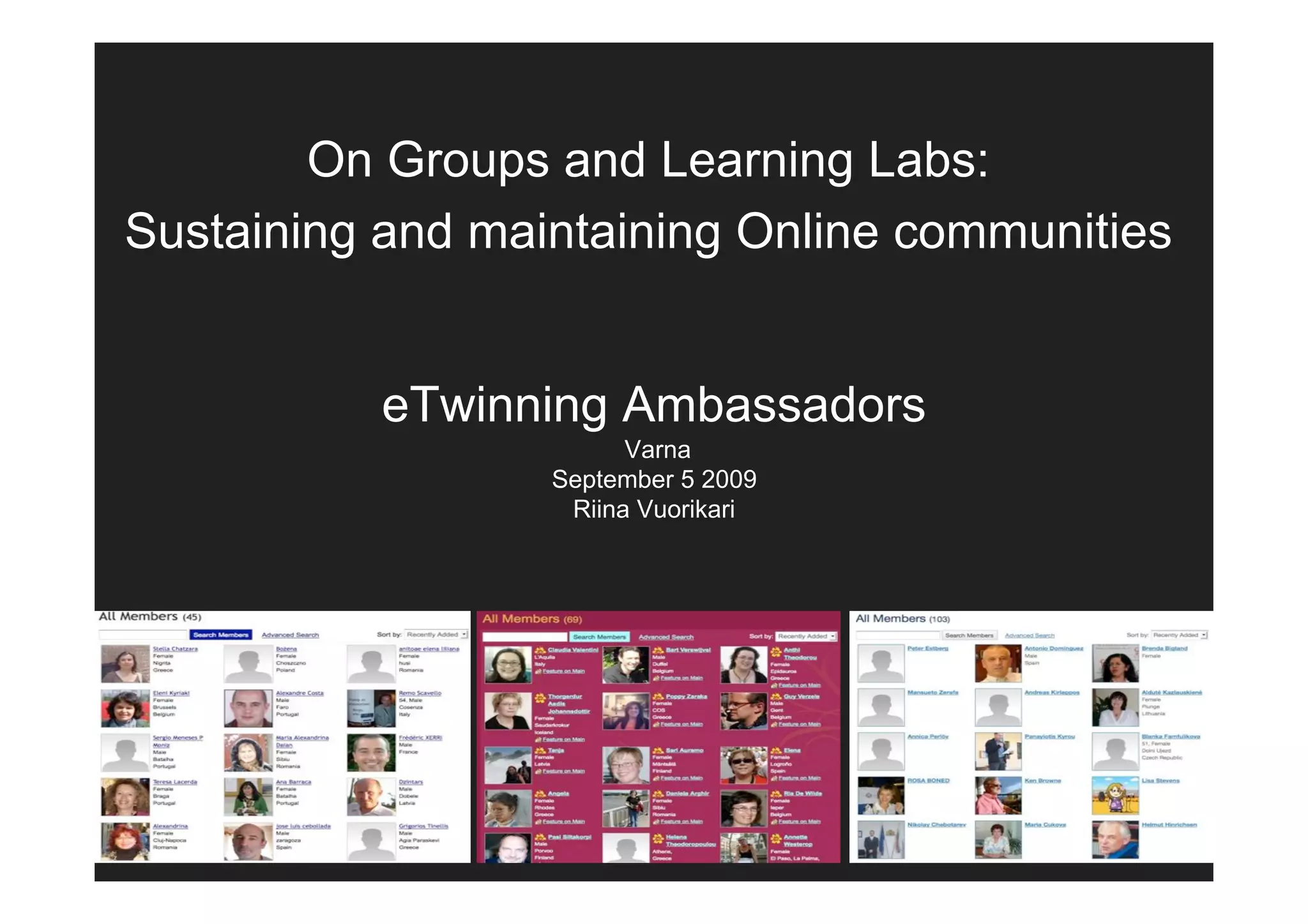
On Groups and Learning Labs:
Sustaining and maintaining Online communities

           eTwinning Ambassadors
                        Varna
                  September 5 2009
                   Riina Vuorikari
Today’s presentation
• Learning Labs and Group pilots
• Future plans:
  – Back to school-campaign. What can I as an
    Ambassador do?
  – New platform
• Online leadership and team skills
• Announce the New LLP project
Motivation for Groups and
             Labs
• Diversify the offer in eTwinning: new
  types of interactivity

• Test new models of activities

• Find ways to know what works and
  how?
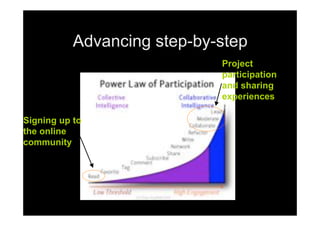
Advancing step-by-step
                             Project
                             participation
                             and sharing
                             experiences

Signing up to
the online
community
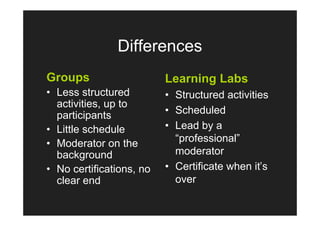
Differences
Groups                    Learning Labs
• Less structured         • Structured activities
  activities, up to
  participants            • Scheduled
• Little schedule         • Lead by a
• Moderator on the          “professional”
  background                moderator
• No certifications, no   • Certificate when it’s
  clear end                 over
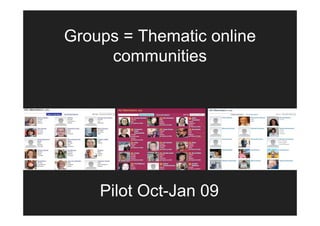
Groups = Thematic online
     communities


    Pilot Oct-Jan 09
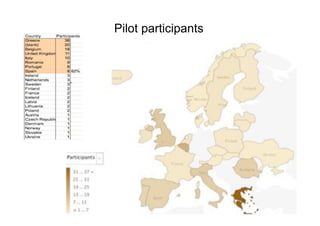
Pilot participants


  Countries
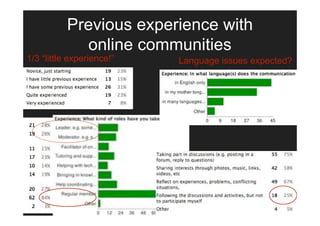
Previous experience with
             online communities
1/3 “little experience!”   Language issues expected?
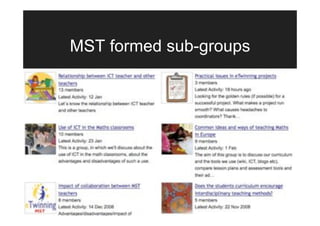
MST formed sub-groups
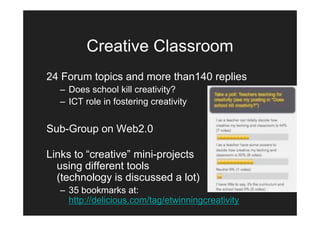
Creative Classroom
24 Forum topics and more than140 replies
  – Does school kill creativity?
  – ICT role in fostering creativity


Sub-Group on Web2.0

Links to “creative” mini-projects
  using different tools
  (technology is discussed a lot)
  – 35 bookmarks at:
    http://delicious.com/tag/etwinningcreativity
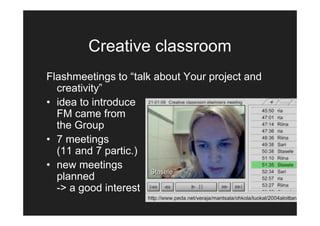
Creative classroom
Flashmeetings to “talk about Your project and
  creativity”
• idea to introduce
  FM came from
  the Group
• 7 meetings
  (11 and 7 partic.)
• new meetings
  planned
  -> a good interest
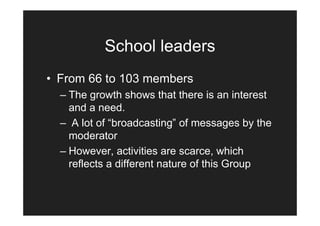
School leaders
• From 66 to 103 members
  – The growth shows that there is an interest
    and a need.
  – A lot of “broadcasting” of messages by the
    moderator
  – However, activities are scarce, which
    reflects a different nature of this Group
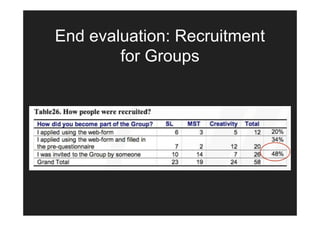
End evaluation: Recruitment
        for Groups
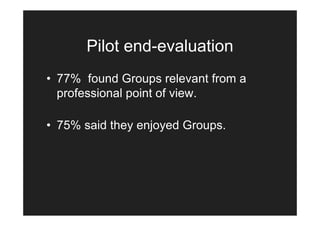
Pilot end-evaluation
• 77% found Groups relevant from a
  professional point of view.

• 75% said they enjoyed Groups.
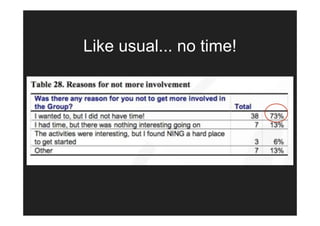
Like usual... no time!
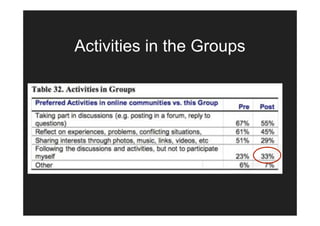
Activities in the Groups
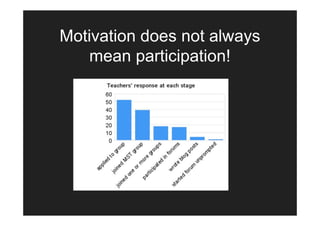
Motivation does not always
   mean participation!
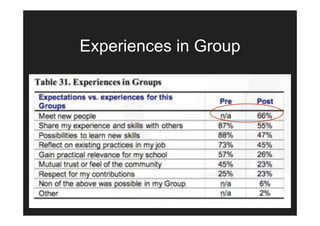
Experiences in Group
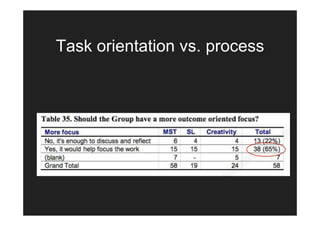
Task orientation vs. process
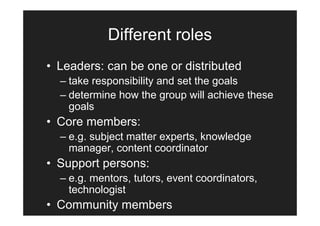
Different roles
• Leaders: can be one or distributed
  – take responsibility and set the goals
  – determine how the group will achieve these
    goals
• Core members:
  – e.g. subject matter experts, knowledge
    manager, content coordinator
• Support persons:
  – e.g. mentors, tutors, event coordinators,
    technologist
• Community members
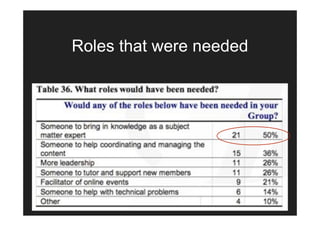
Roles that were needed
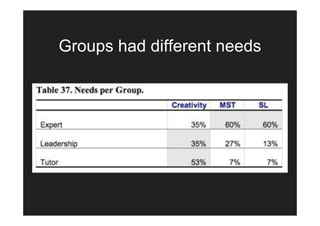
Groups had different needs
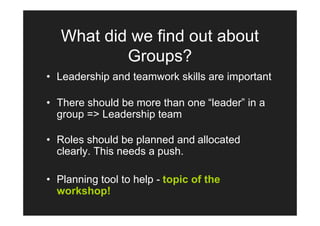
What did we find out about
           Groups?
• Leadership and teamwork skills are important

• There should be more than one “leader” in a
  group => Leadership team

• Roles should be planned and allocated
  clearly. This needs a push.

• Planning tool to help - topic of the
  workshop!
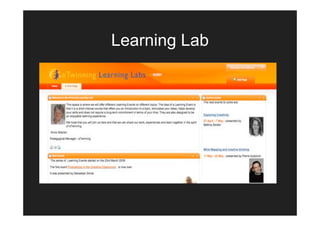
Learning Lab
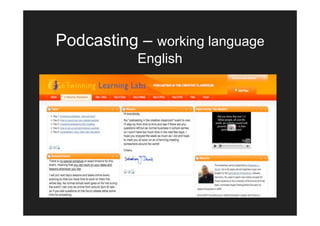
Podcasting – working language
           English
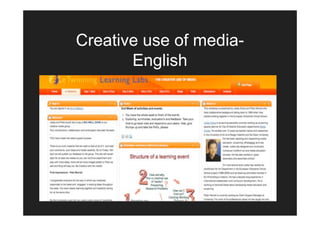
Creative use of media-
       English
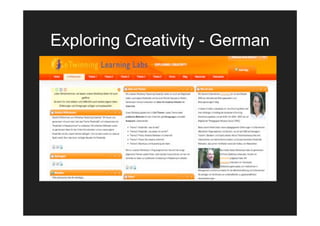
Exploring Creativity - German
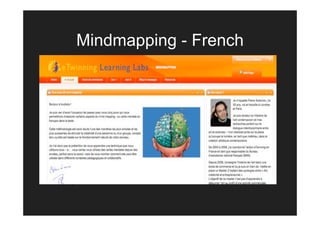
Mindmapping - French
Integrated Tools

•   Blog
•   Wiki
•   Document library
•   Photo gallery
•   Embedded video player
•   Messaging
•   Calendar
Other Tools used

• The main LL Platform
• Chat tool
• Elluminate synchronous discussion
  platform
• External – you tube, flicker, loudblog
  etc.
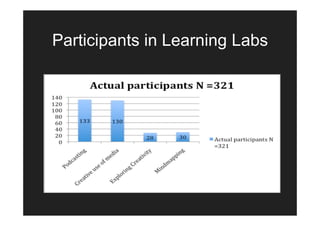
Participants in Learning Labs
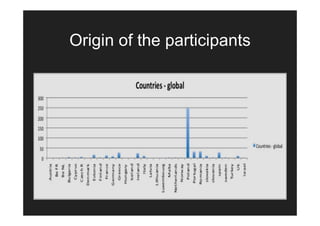
Origin of the participants
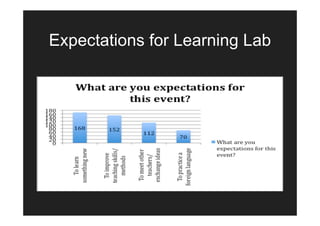
Expectations for Learning Lab
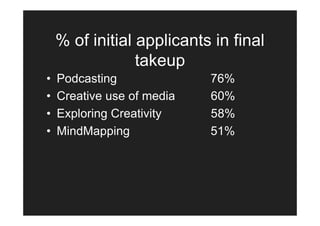
% of initial applicants in final
                 takeup
•   Podcasting              76%
•   Creative use of media   60%
•   Exploring Creativity    58%
•   MindMapping             51%
Evaluation

• Results based on exit polls for each
  event.
• Globally
  – 256 responses = 80% participants
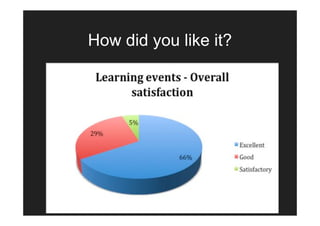
How did you like it?
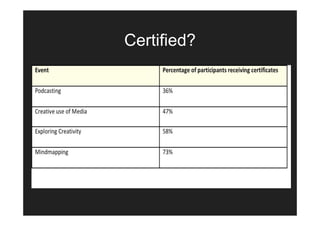
Certified?
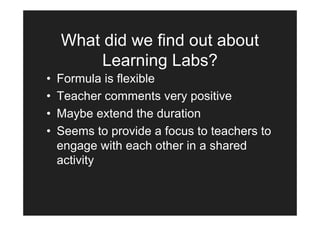
What did we find out about
         Learning Labs?
•   Formula is flexible
•   Teacher comments very positive
•   Maybe extend the duration
•   Seems to provide a focus to teachers to
    engage with each other in a shared
    activity
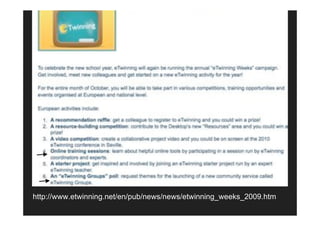
http://www.etwinning.net/en/pub/news/news/etwinning_weeks_2009.htm
A whole new platform!
• Platform called LifeRay
• Log-in with the same eTwinning username (to
  come)
• Everything in the same place
• Unified look and feel for branding
• More tools, e.g. wiki
• No advertisements
• Not blocked by school firewalls
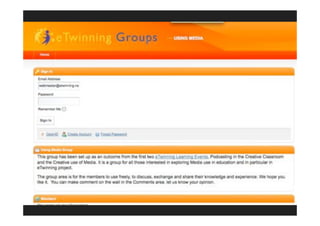
A whole new platform!
http://groups.etwinning.net/

       Peak in?
  Choose: Using Media
      Username:
webmaster@etwinning.net
      pw: demo
thanks! for your attention
        comments?
           questions?
      Check the slides avain?
http://www.slideshare.net/vuorikari
Building and sustaining online
         communities
          Riina Vuorikari
     CSS, European Schoolnet
       Varna Sept 5, 2009
What are online communities
         of practice?
• “ a community of practice is not really a thing, but
  rather a process in which social learning occurs
  because the people who participate in this process
  have a common interest in ..”

• “The product of this process is the sharing of ideas,
  the finding of solutions to common problems and the
  building of a repository of available and new
  knowledge and expertise.”

Kirschner & Lai (2007) Technology, Pedagogy and Education, 16, 2, pp. 127-131
Different sets of skills
• Online leadership and teamwork skills
   – “good leaders need good followers”
• Technical skills
   – use of ICTs in general and the platform in
     particular
• Skills in content and substance
   – the stuff teachers know the best!
• Different skills also needed for Ambassadors
Online leadership and
           teamwork skills
• Vision and action:
   – set and attain goals, take initiative, add your energy to the
     groups, solve problems
• Competences
   – assign roles and be clear when delegating

• “Expedition behaviour”:
   – pitch in, be positive, serve group goals, respect others, work
     as a team

• Building trust in an online community
Curious life of an online
            community
• Online communities form, grow, mature
  and terminate = lifecycle

• Each level has different issues and can
  be supported

Lai et al. (2006) Literature Review and Synthesis:
  Online Communities of Practice
Lifecycle of an online
           community
Phase 0: Planning.
• Determine the scope and purpose of
  the CoP
• Define roles of the CoP and
  assign/engage people
• Make a skeleton of a plan for the CoP
• Define how to evaluate whether the
  Group has been successful
Lifecycle of an online
             community
Phase 1: Formation of the CoP

• “CoPs should grow, not be implemented’
• Build trust by mandating “good profiles”
• Develop clear policies such as code of
  conduct, community governance, netiquette,
  copyright
• Plan activities that allow active participation,
  but also ‘lurking’
Lifecycle of an online
             community
Phase 2: Sustain and manage CoPs.
•   Attract a diverse membership
•   Mentor new members
•   Delegate leadership (leader of the day)
•   Turn lurkers into active participants
•   Think “Glocal”!
•   Evaluate purpose and direction
Lifecycle of an online
            community
Phase 3: Transformation or disengaging.
• Expansion or fading away?

• Evaluation of a CoP: on-going activity where
  the success is measured against its own
  goals (Phase 0)
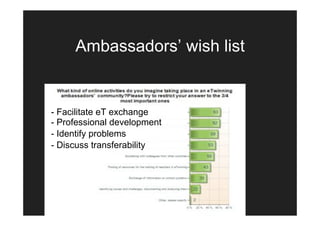
Ambassadors’ wish list


- Facilitate eT exchange
- Professional development
- Identify problems
- Discuss transferability
"Learning is not only
 experience, but reflection on
  experience (Dewey 1938)"
• In an online community, like that of
  Ambassadors on Ning or any other,
  what has been/is the biggest barrier for
  you to benefit from them?
  – write it on a post-it
• What would be your solution to fix that?
  – write it on a post-it
“Back to school” campaign
• CSS issued a "Call for proposals" to NSS
   – Topic of the Group
   – Volunteers for possible moderators
• Ambassadors: ideas and commitments for Groups?
• An “online poll” where eTwinners can vote for the
  suggestions, but also comment them.
• Series of Learning Labs repeated in Autumn
“Growing” new Groups
• A “tool” available to help and support
  the start of new Groups
• Based on the lifecycle and focus on
  different phases
• Before any Groups are formed, a plan
  has to be there!
• Will be made available to Varna group
  and others!
To study eT network more in
           details..
“aims to understand drivers and enabling
  factors for creating suitable conditions for
  teachers' professional development and
  spreading of innovations in a networked
  environment.”
• A new LLP project from December ‘09-’12
• Teachers' Lifelong Learning Networks
  (TeLLNet)
• Ambassadors’ network will be crucial!
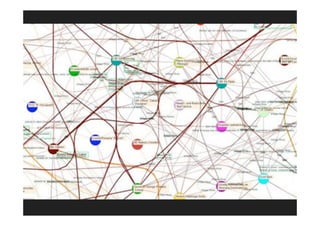
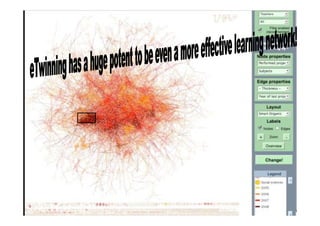
eTwinning as a learning
            network
• Consists of participants (e.g. people,
  organizations),
• Learning actions (projects, courses, blogs)
• Brought together by technology
• Multiple (often) overlapping communities and
  is specifically useful for non-formal learning,
  e.g. teachers’ professional development, like
  eTwinning
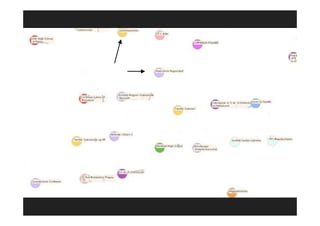
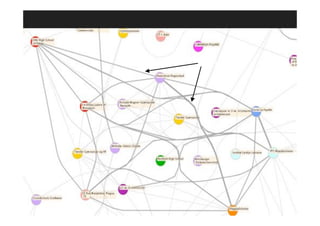
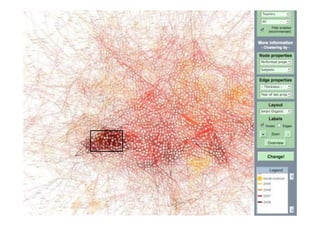
nodes
ties
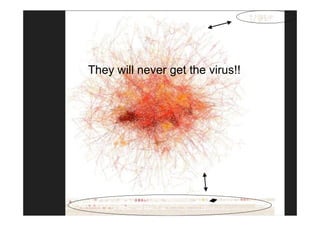
They will never get the virus!!
thanks! for your attention
        comments?
           questions?
 Want to check the slides again?
http://www.slideshare.net/vuorikari

E T Ambassadors Varna 09

  • 1.
    On Groups andLearning Labs: Sustaining and maintaining Online communities eTwinning Ambassadors Varna September 5 2009 Riina Vuorikari
  • 2.
    Today’s presentation • LearningLabs and Group pilots • Future plans: – Back to school-campaign. What can I as an Ambassador do? – New platform • Online leadership and team skills • Announce the New LLP project
  • 3.
    Motivation for Groupsand Labs • Diversify the offer in eTwinning: new types of interactivity • Test new models of activities • Find ways to know what works and how?
  • 4.
    Advancing step-by-step Project participation and sharing experiences Signing up to the online community
  • 5.
    Differences Groups Learning Labs • Less structured • Structured activities activities, up to participants • Scheduled • Little schedule • Lead by a • Moderator on the “professional” background moderator • No certifications, no • Certificate when it’s clear end over
  • 6.
    Groups = Thematiconline communities Pilot Oct-Jan 09
  • 7.
  • 8.
    Previous experience with online communities 1/3 “little experience!” Language issues expected?
  • 9.
  • 10.
    Creative Classroom 24 Forumtopics and more than140 replies – Does school kill creativity? – ICT role in fostering creativity Sub-Group on Web2.0 Links to “creative” mini-projects using different tools (technology is discussed a lot) – 35 bookmarks at: http://delicious.com/tag/etwinningcreativity
  • 11.
    Creative classroom Flashmeetings to“talk about Your project and creativity” • idea to introduce FM came from the Group • 7 meetings (11 and 7 partic.) • new meetings planned -> a good interest
  • 12.
    School leaders • From66 to 103 members – The growth shows that there is an interest and a need. – A lot of “broadcasting” of messages by the moderator – However, activities are scarce, which reflects a different nature of this Group
  • 13.
  • 14.
    Pilot end-evaluation • 77%found Groups relevant from a professional point of view. • 75% said they enjoyed Groups.
  • 15.
  • 16.
  • 17.
    Motivation does notalways mean participation!
  • 18.
  • 19.
  • 20.
    Different roles • Leaders:can be one or distributed – take responsibility and set the goals – determine how the group will achieve these goals • Core members: – e.g. subject matter experts, knowledge manager, content coordinator • Support persons: – e.g. mentors, tutors, event coordinators, technologist • Community members
  • 21.
  • 22.
  • 23.
    What did wefind out about Groups? • Leadership and teamwork skills are important • There should be more than one “leader” in a group => Leadership team • Roles should be planned and allocated clearly. This needs a push. • Planning tool to help - topic of the workshop!
  • 24.
  • 25.
    Podcasting – workinglanguage English
  • 26.
    Creative use ofmedia- English
  • 27.
  • 28.
  • 29.
    Integrated Tools • Blog • Wiki • Document library • Photo gallery • Embedded video player • Messaging • Calendar
  • 30.
    Other Tools used •The main LL Platform • Chat tool • Elluminate synchronous discussion platform • External – you tube, flicker, loudblog etc.
  • 31.
  • 32.
    Origin of theparticipants
  • 33.
  • 34.
    % of initialapplicants in final takeup • Podcasting 76% • Creative use of media 60% • Exploring Creativity 58% • MindMapping 51%
  • 35.
    Evaluation • Results basedon exit polls for each event. • Globally – 256 responses = 80% participants
  • 36.
    How did youlike it?
  • 37.
  • 38.
    What did wefind out about Learning Labs? • Formula is flexible • Teacher comments very positive • Maybe extend the duration • Seems to provide a focus to teachers to engage with each other in a shared activity
  • 39.
  • 40.
    A whole newplatform! • Platform called LifeRay • Log-in with the same eTwinning username (to come) • Everything in the same place • Unified look and feel for branding • More tools, e.g. wiki • No advertisements • Not blocked by school firewalls
  • 42.
    A whole newplatform! http://groups.etwinning.net/ Peak in? Choose: Using Media Username: webmaster@etwinning.net pw: demo
  • 43.
    thanks! for yourattention comments? questions? Check the slides avain? http://www.slideshare.net/vuorikari
  • 44.
    Building and sustainingonline communities Riina Vuorikari CSS, European Schoolnet Varna Sept 5, 2009
  • 45.
    What are onlinecommunities of practice? • “ a community of practice is not really a thing, but rather a process in which social learning occurs because the people who participate in this process have a common interest in ..” • “The product of this process is the sharing of ideas, the finding of solutions to common problems and the building of a repository of available and new knowledge and expertise.” Kirschner & Lai (2007) Technology, Pedagogy and Education, 16, 2, pp. 127-131
  • 46.
    Different sets ofskills • Online leadership and teamwork skills – “good leaders need good followers” • Technical skills – use of ICTs in general and the platform in particular • Skills in content and substance – the stuff teachers know the best! • Different skills also needed for Ambassadors
  • 47.
    Online leadership and teamwork skills • Vision and action: – set and attain goals, take initiative, add your energy to the groups, solve problems • Competences – assign roles and be clear when delegating • “Expedition behaviour”: – pitch in, be positive, serve group goals, respect others, work as a team • Building trust in an online community
  • 48.
    Curious life ofan online community • Online communities form, grow, mature and terminate = lifecycle • Each level has different issues and can be supported Lai et al. (2006) Literature Review and Synthesis: Online Communities of Practice
  • 49.
    Lifecycle of anonline community Phase 0: Planning. • Determine the scope and purpose of the CoP • Define roles of the CoP and assign/engage people • Make a skeleton of a plan for the CoP • Define how to evaluate whether the Group has been successful
  • 50.
    Lifecycle of anonline community Phase 1: Formation of the CoP • “CoPs should grow, not be implemented’ • Build trust by mandating “good profiles” • Develop clear policies such as code of conduct, community governance, netiquette, copyright • Plan activities that allow active participation, but also ‘lurking’
  • 51.
    Lifecycle of anonline community Phase 2: Sustain and manage CoPs. • Attract a diverse membership • Mentor new members • Delegate leadership (leader of the day) • Turn lurkers into active participants • Think “Glocal”! • Evaluate purpose and direction
  • 52.
    Lifecycle of anonline community Phase 3: Transformation or disengaging. • Expansion or fading away? • Evaluation of a CoP: on-going activity where the success is measured against its own goals (Phase 0)
  • 53.
    Ambassadors’ wish list -Facilitate eT exchange - Professional development - Identify problems - Discuss transferability
  • 54.
    "Learning is notonly experience, but reflection on experience (Dewey 1938)" • In an online community, like that of Ambassadors on Ning or any other, what has been/is the biggest barrier for you to benefit from them? – write it on a post-it • What would be your solution to fix that? – write it on a post-it
  • 55.
    “Back to school”campaign • CSS issued a "Call for proposals" to NSS – Topic of the Group – Volunteers for possible moderators • Ambassadors: ideas and commitments for Groups? • An “online poll” where eTwinners can vote for the suggestions, but also comment them. • Series of Learning Labs repeated in Autumn
  • 56.
    “Growing” new Groups •A “tool” available to help and support the start of new Groups • Based on the lifecycle and focus on different phases • Before any Groups are formed, a plan has to be there! • Will be made available to Varna group and others!
  • 57.
    To study eTnetwork more in details.. “aims to understand drivers and enabling factors for creating suitable conditions for teachers' professional development and spreading of innovations in a networked environment.” • A new LLP project from December ‘09-’12 • Teachers' Lifelong Learning Networks (TeLLNet) • Ambassadors’ network will be crucial!
  • 58.
    eTwinning as alearning network • Consists of participants (e.g. people, organizations), • Learning actions (projects, courses, blogs) • Brought together by technology • Multiple (often) overlapping communities and is specifically useful for non-formal learning, e.g. teachers’ professional development, like eTwinning
  • 59.
  • 60.
  • 65.
    They will neverget the virus!!
  • 66.
    thanks! for yourattention comments? questions? Want to check the slides again? http://www.slideshare.net/vuorikari