Distributed collaboration: Supporting Small Groups Online George Roberts July 2010 Directorate of  Human Resources
Before we begin When you return from the break, please organise yourselves into 3 small groups of about 4 people that as nearly as possible align with your department/School/discipline Each group should have a sheet or two of flip-chart paper and a pen
Identify groups Notice what happened Who spoke? How were they chosen? How might similar emergence occur in distributed groups? Choose a recorder
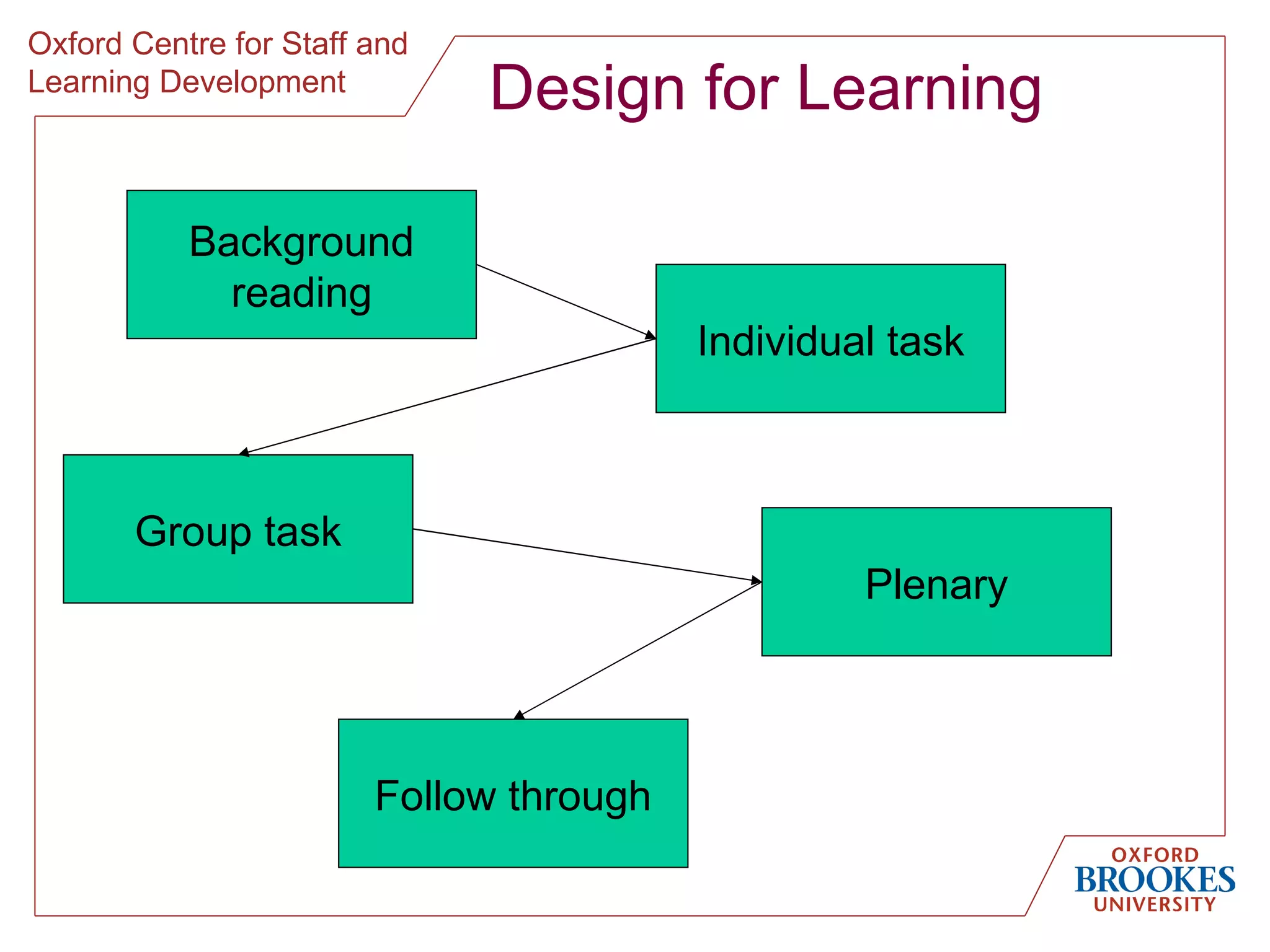
Design for Learning Background reading Individual task Group task Plenary Follow through
 
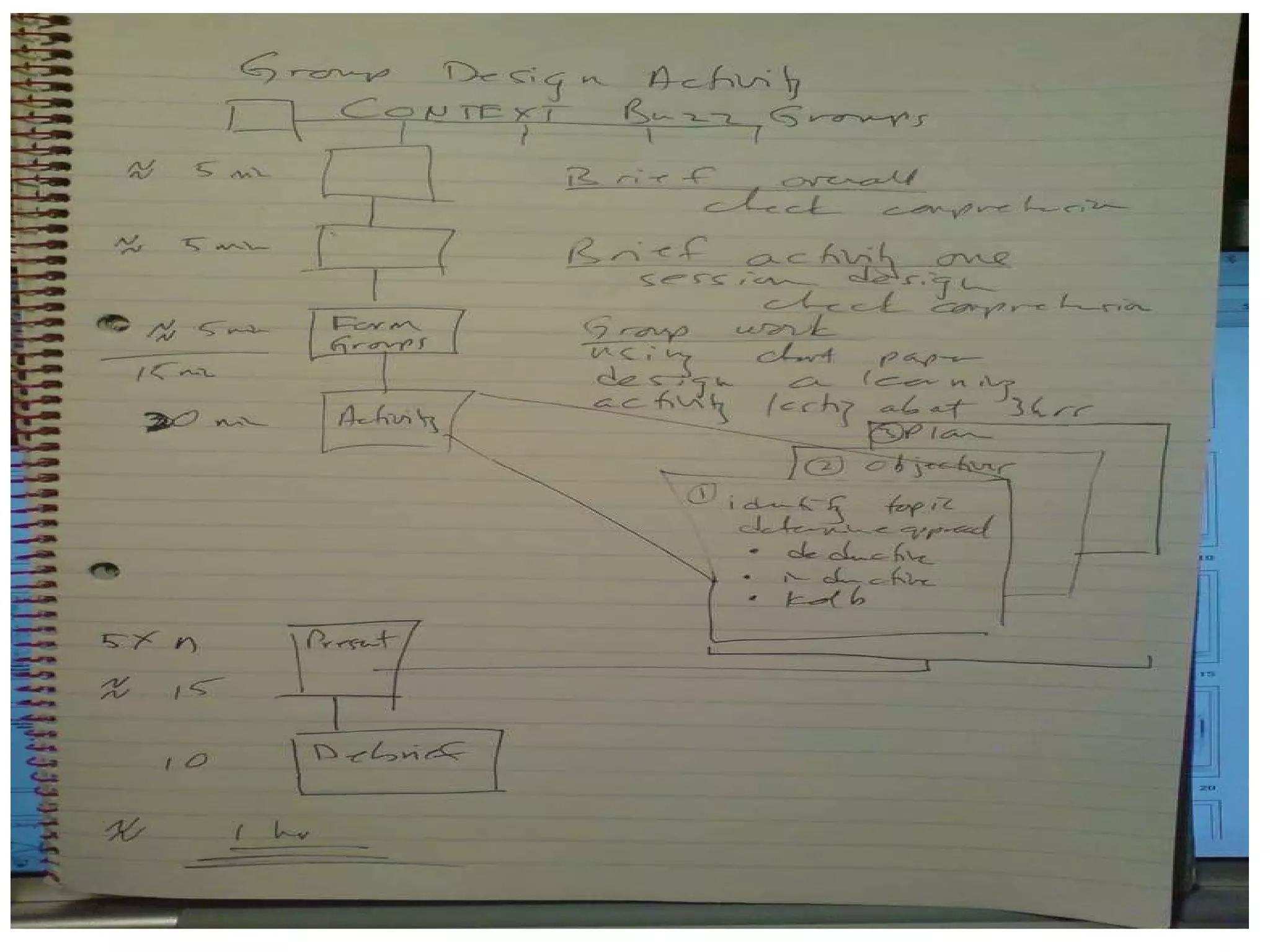
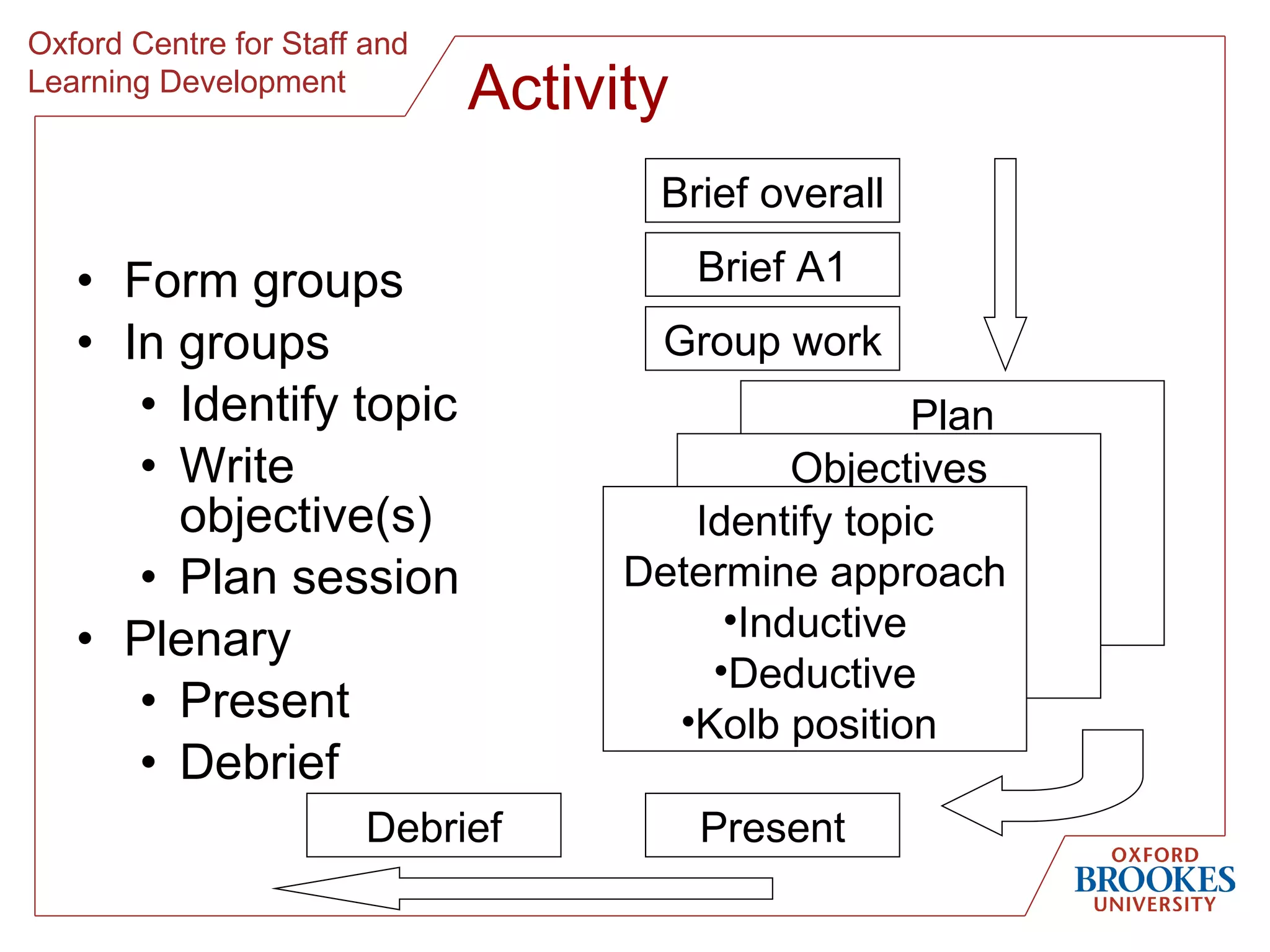
Activity  Form groups In groups Identify topic Write objective(s) Plan session Plenary Present Debrief Plan Brief overall Brief A1 Group work Objectives Identify topic Determine approach Inductive Deductive Kolb position  Present Debrief
Task In your groups develop a short online group activity and prepare a presentation of this activity using the flip chart paper.
Objectives At the end of this session you should be able to  Describe some similarities and differences between small group working online and in face-to-face situations Recognise and describe your context in which online groupwork will be used in terms of pedagogical approach, and sequence Apply the maxims of stance to setting up group work Identify roles that can be taken in group work and recognise issues that might arise for a moderator Produce an outline of an online small group activity that is relevant to your current practice
Feedback groups Channel? Relationship? Roles? Topic? Outcome? Task? Assessment?
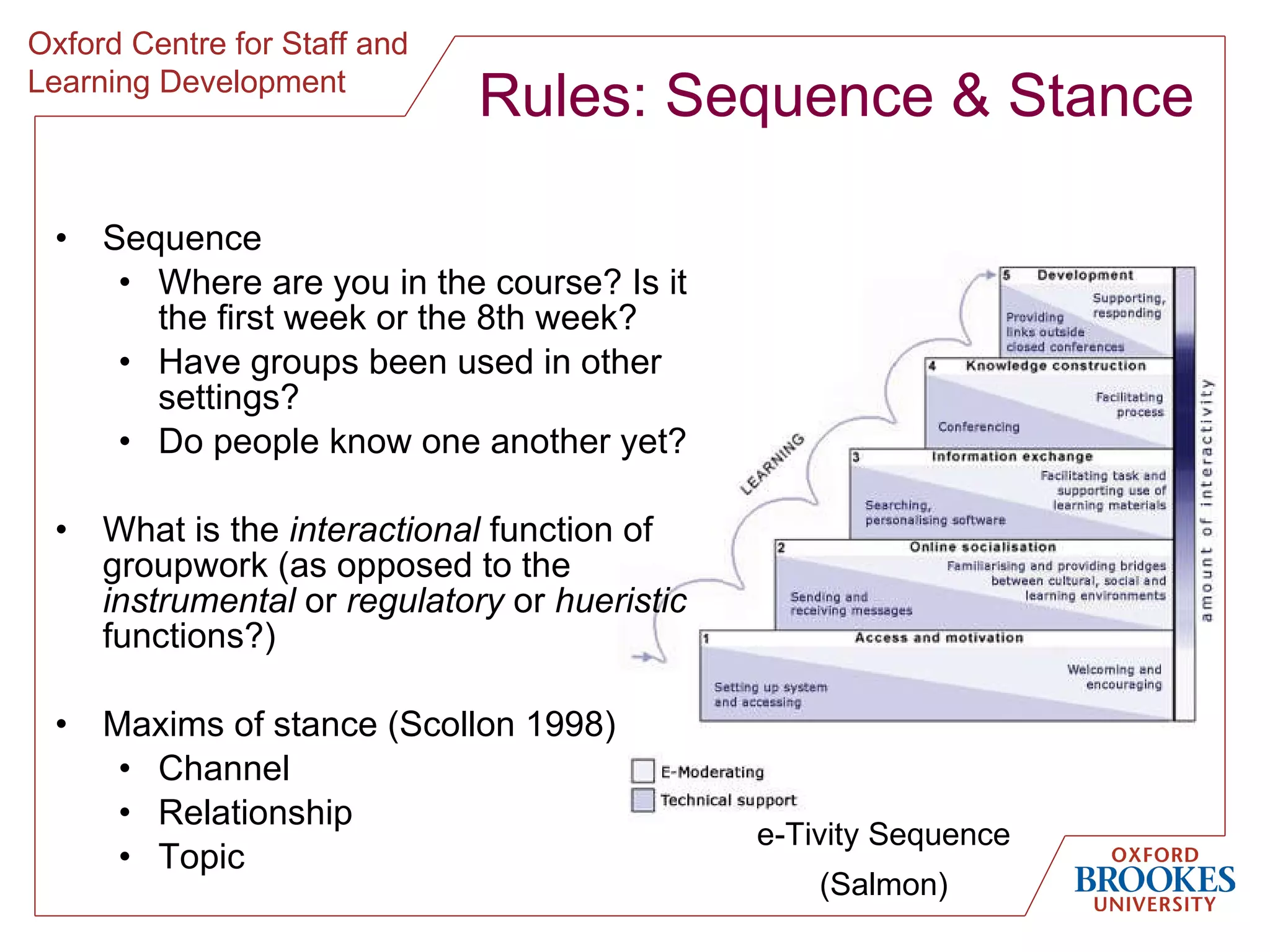
Rules: Sequence & Stance Sequence Where are you in the course? Is it the first week or the 8th week? Have groups been used in other settings? Do people know one another yet? What is the  interactional  function of groupwork (as opposed to the  instrumental  or  regulatory  or  hueristic  functions?) Maxims of stance (Scollon 1998) Channel Relationship Topic e-Tivity Sequence (Salmon)
Division of labour: Roles Such as: Initiator Researcher Recorder Summariser Reporter How are role assumed? Assigned Emergent Hybrid Responsibility? Moderation: issues for consideration
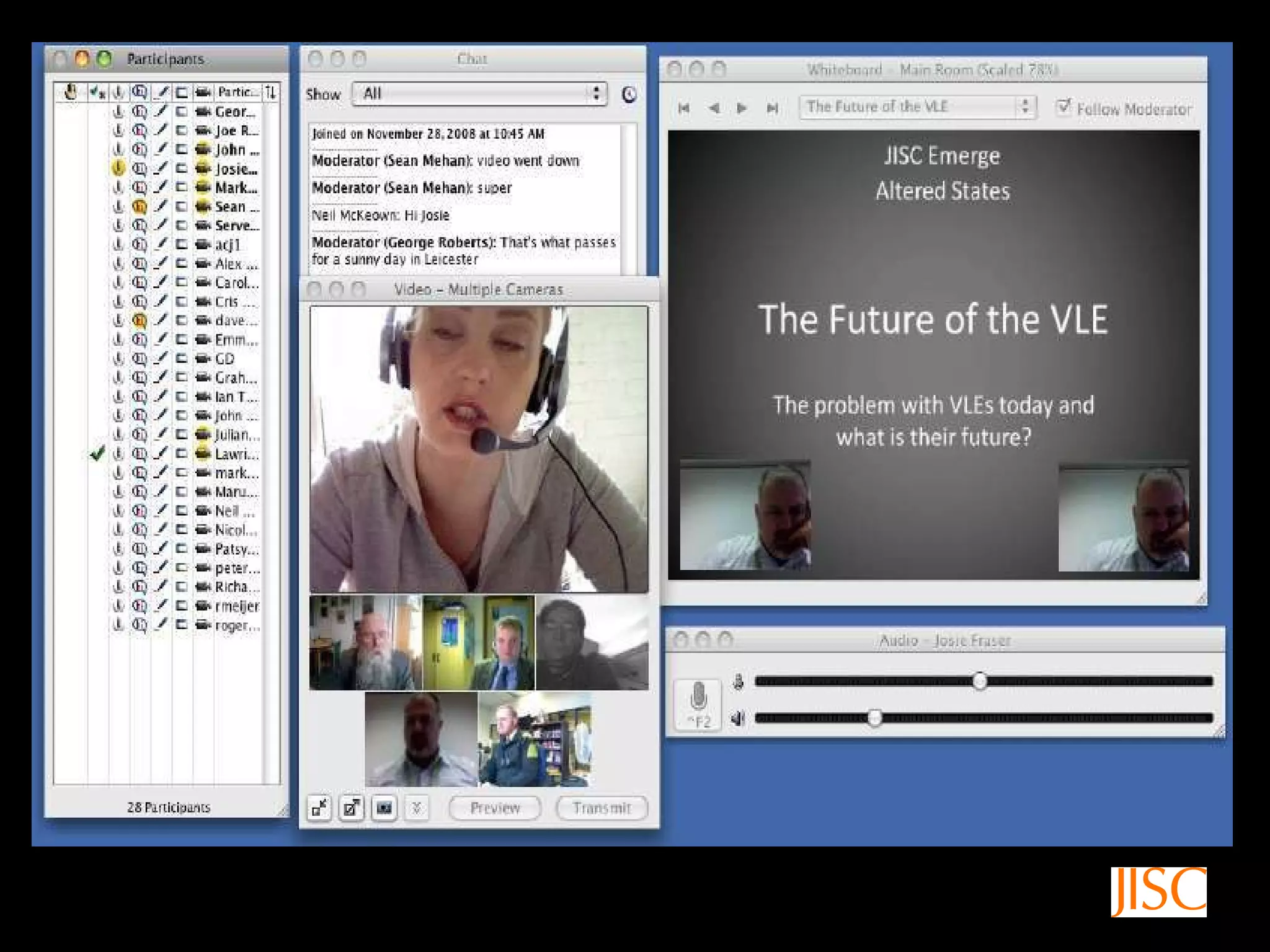
Tools Shared documents (Word; Google docs) e-Mail Discussion forums (in VLE; PHP bb) Instant messaging (MSM, Jabber, Skype) Virtual Learning Environments (VLE: e.g. Blackboard) Learning object repositories (Harvest Road HIVE, Merlot, Intralibrary) Audiographic systems (LiveClassroom, Elluminate, Instant Presenter) Blogs (Blogger, TypePad, WordPress) Wikis (MediaWiki, Confluence) e-Portfolios (PebblePad, OSP) Social networking (Elgg, mySpace, FaceBook) Knowledge management systems (Hyperwave)
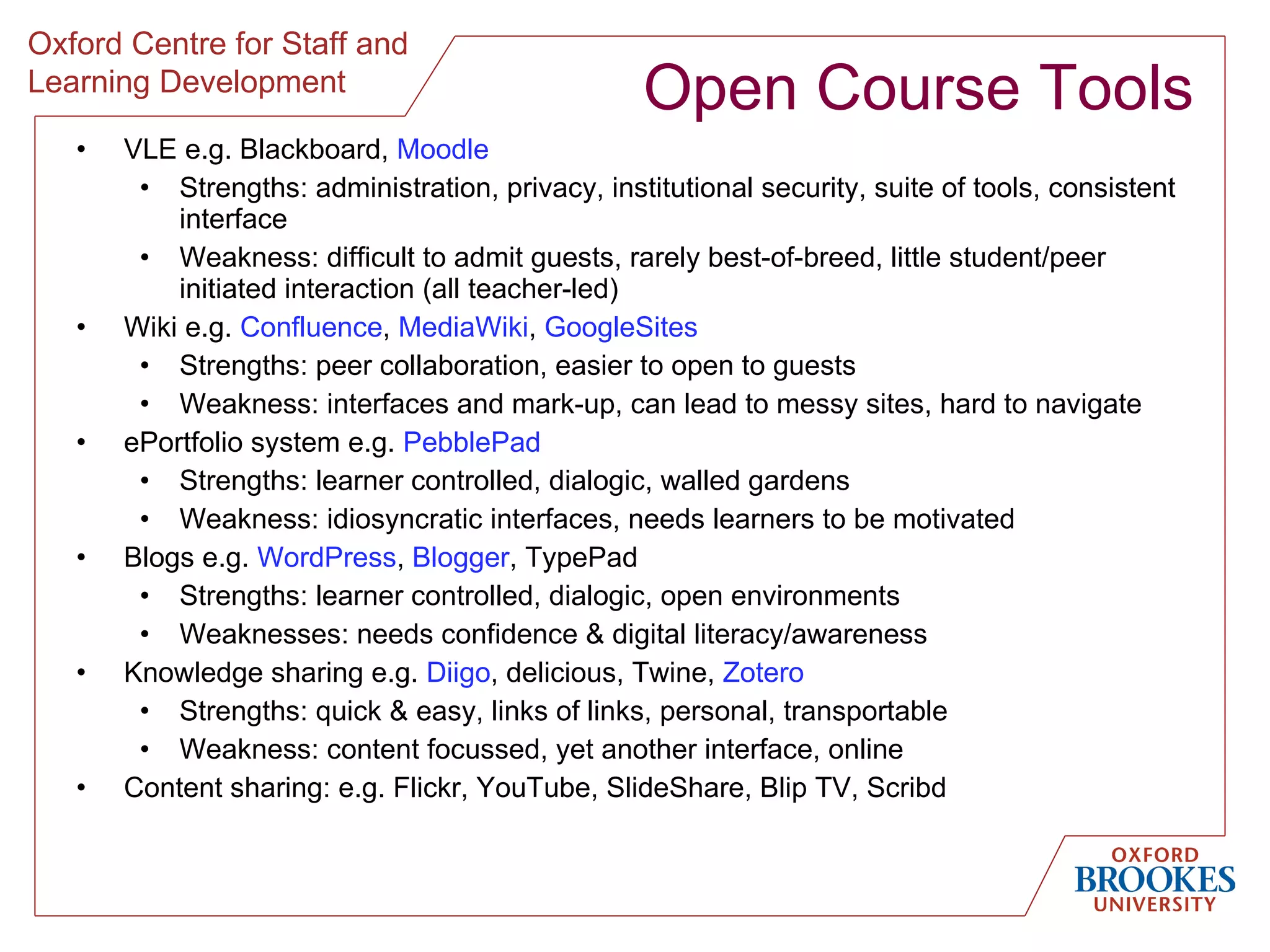
Open Course Tools VLE e.g. Blackboard,  Moodle Strengths: administration, privacy, institutional security, suite of tools, consistent interface Weakness: difficult to admit guests, rarely best-of-breed, little student/peer initiated interaction (all teacher-led) Wiki e.g.  Confluence ,  MediaWiki ,  GoogleSites Strengths: peer collaboration, easier to open to guests Weakness: interfaces and mark-up, can lead to messy sites, hard to navigate ePortfolio system e.g.  PebblePad Strengths: learner controlled, dialogic, walled gardens Weakness: idiosyncratic interfaces, needs learners to be motivated Blogs e.g.  WordPress ,  Blogger , TypePad Strengths: learner controlled, dialogic, open environments Weaknesses: needs confidence & digital literacy/awareness Knowledge sharing e.g.  Diigo , delicious, Twine,  Zotero Strengths: quick & easy, links of links, personal, transportable Weakness: content focussed, yet another interface, online Content sharing: e.g. Flickr, YouTube, SlideShare, Blip TV, Scribd
 
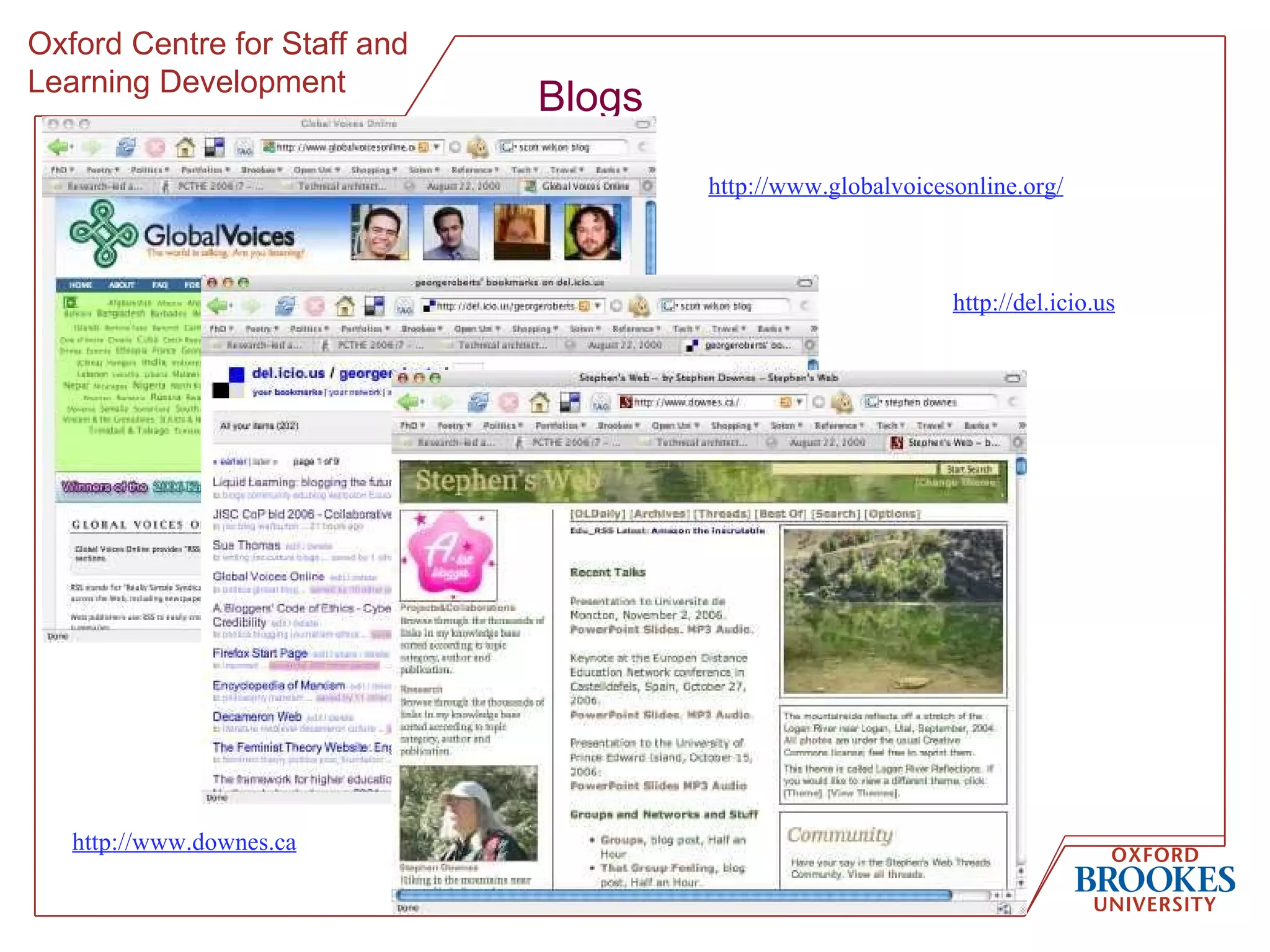
Blogs http://www.globalvoicesonline.org/   http://del.icio.us   http://www.downes.ca
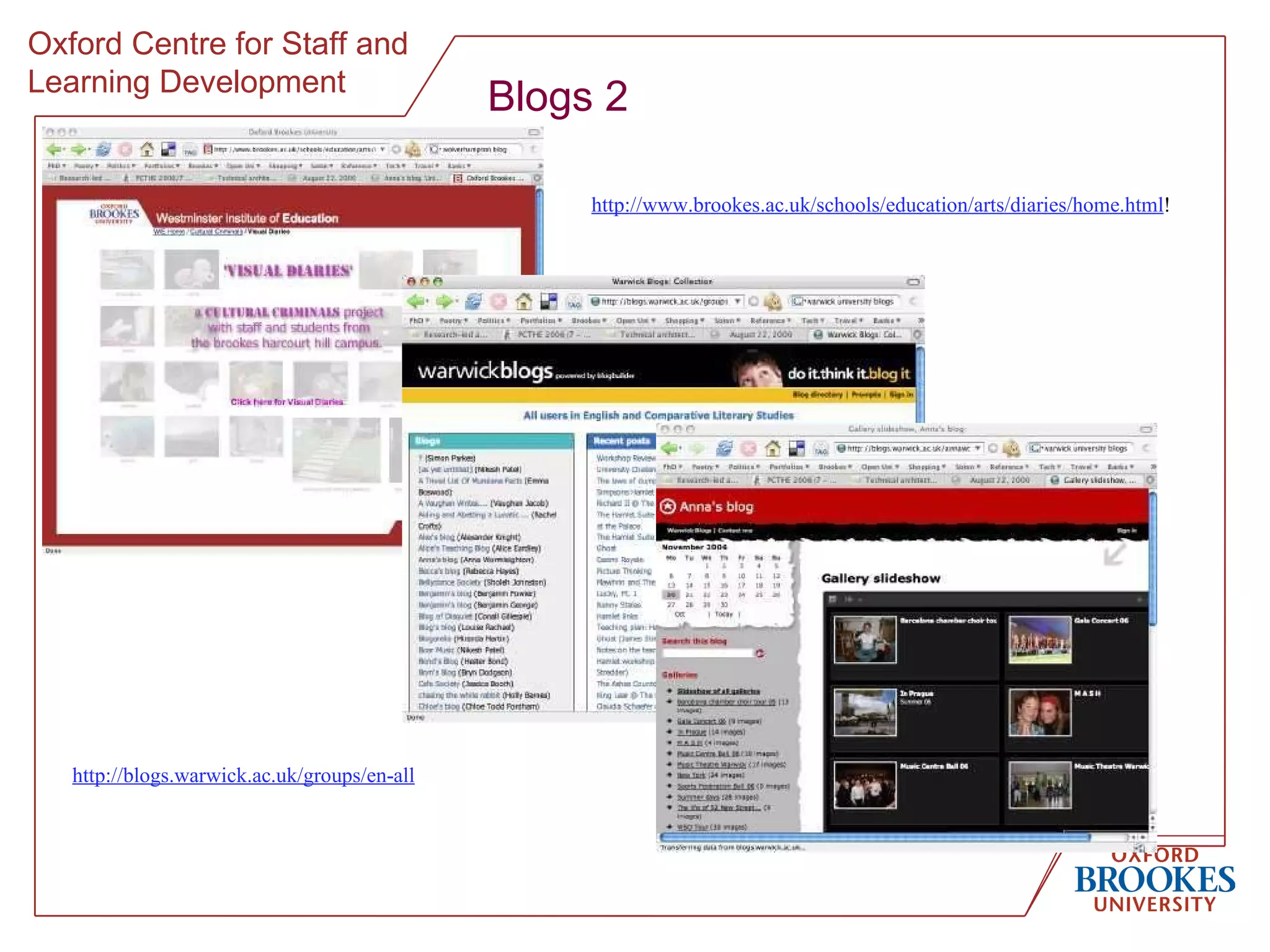
Blogs 2 http://www.brookes.ac.uk/schools/education/arts/diaries/home.html !  http://blogs.warwick.ac.uk/groups/en-all
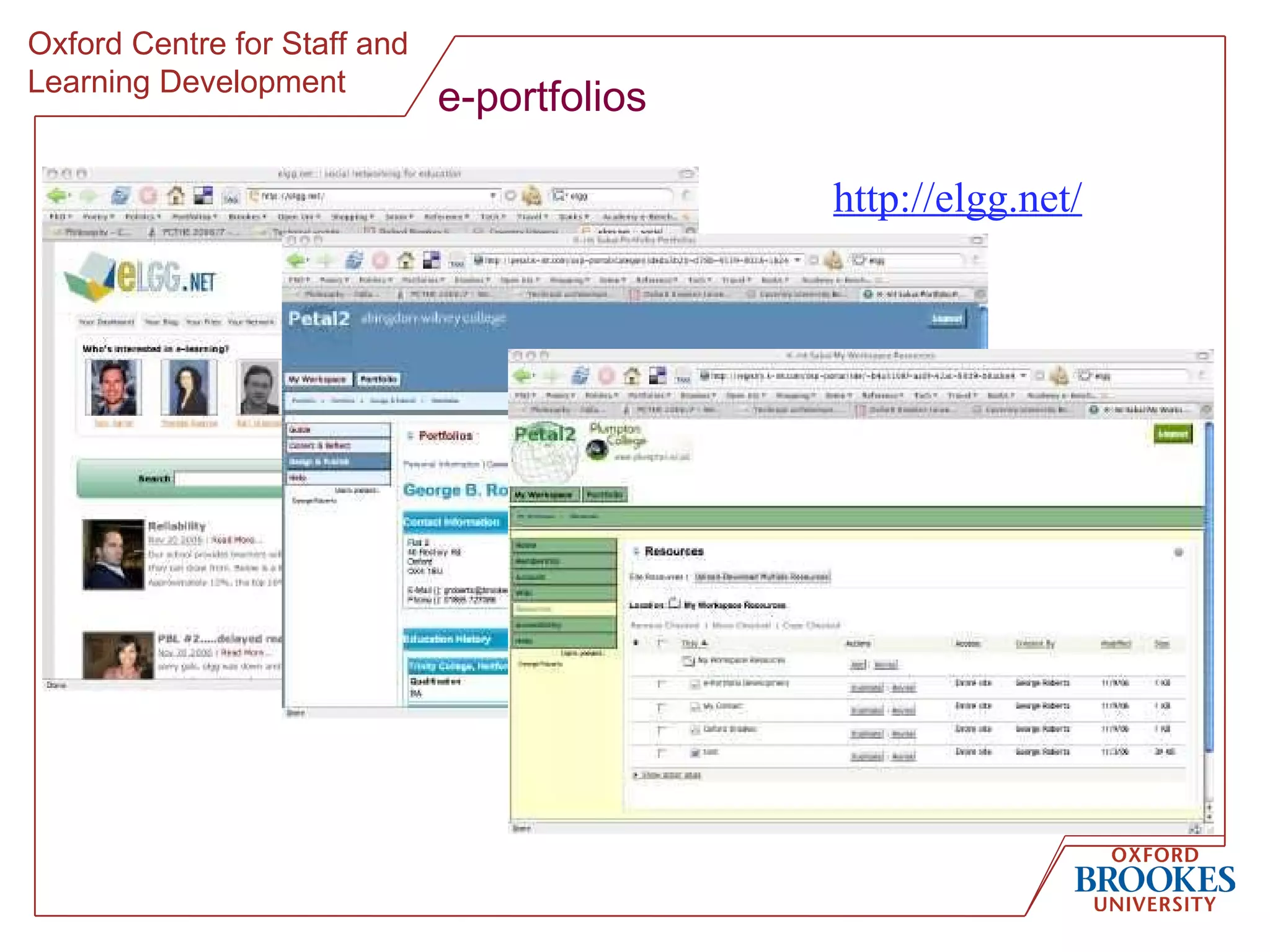
e-portfolios http://elgg.net/
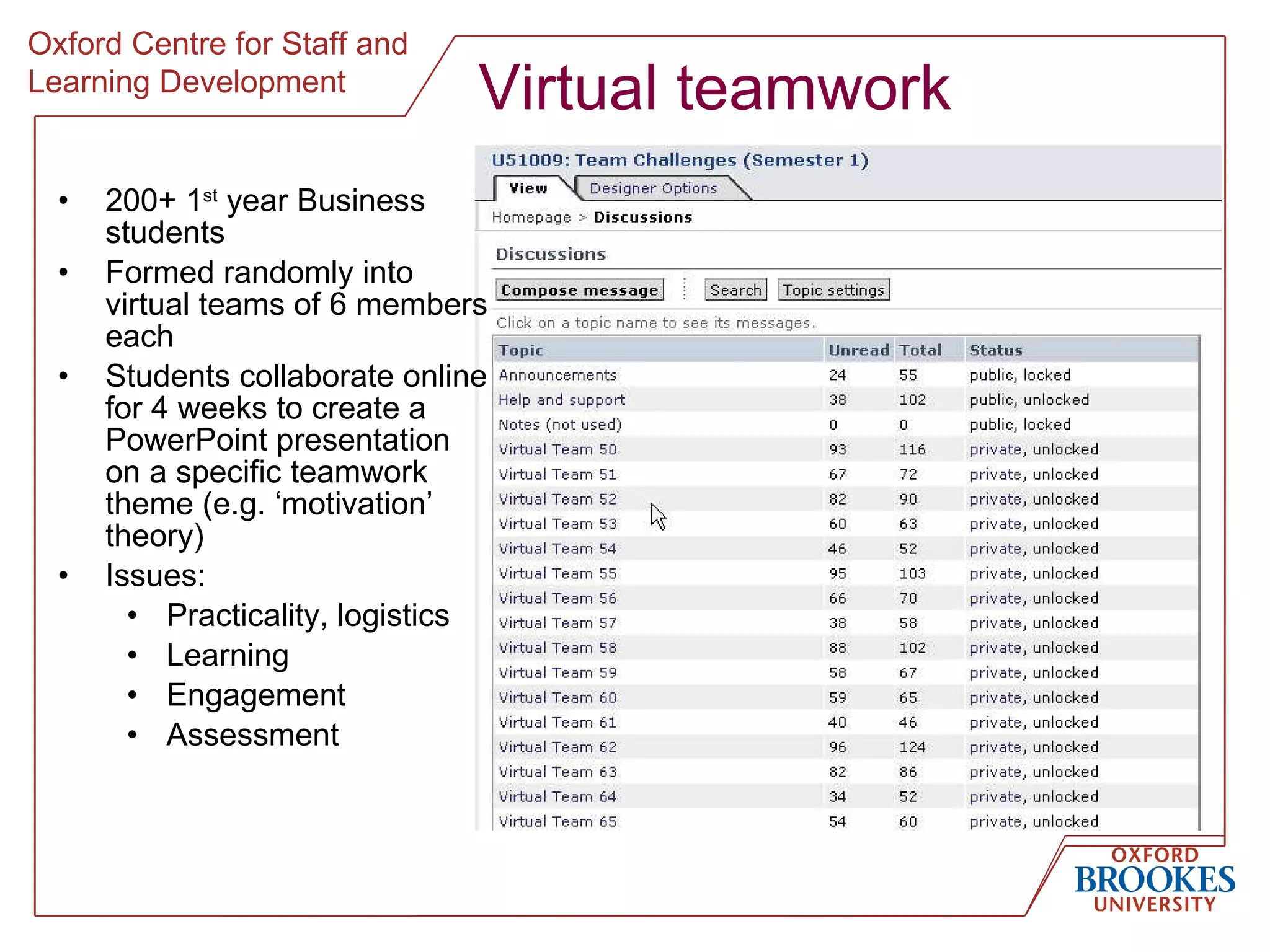
Virtual teamwork 200+ 1 st  year Business students Formed randomly into virtual teams of 6 members each Students collaborate online for 4 weeks to create a PowerPoint presentation on a specific teamwork theme (e.g. ‘motivation’ theory) Issues:  Practicality, logistics Learning  Engagement Assessment
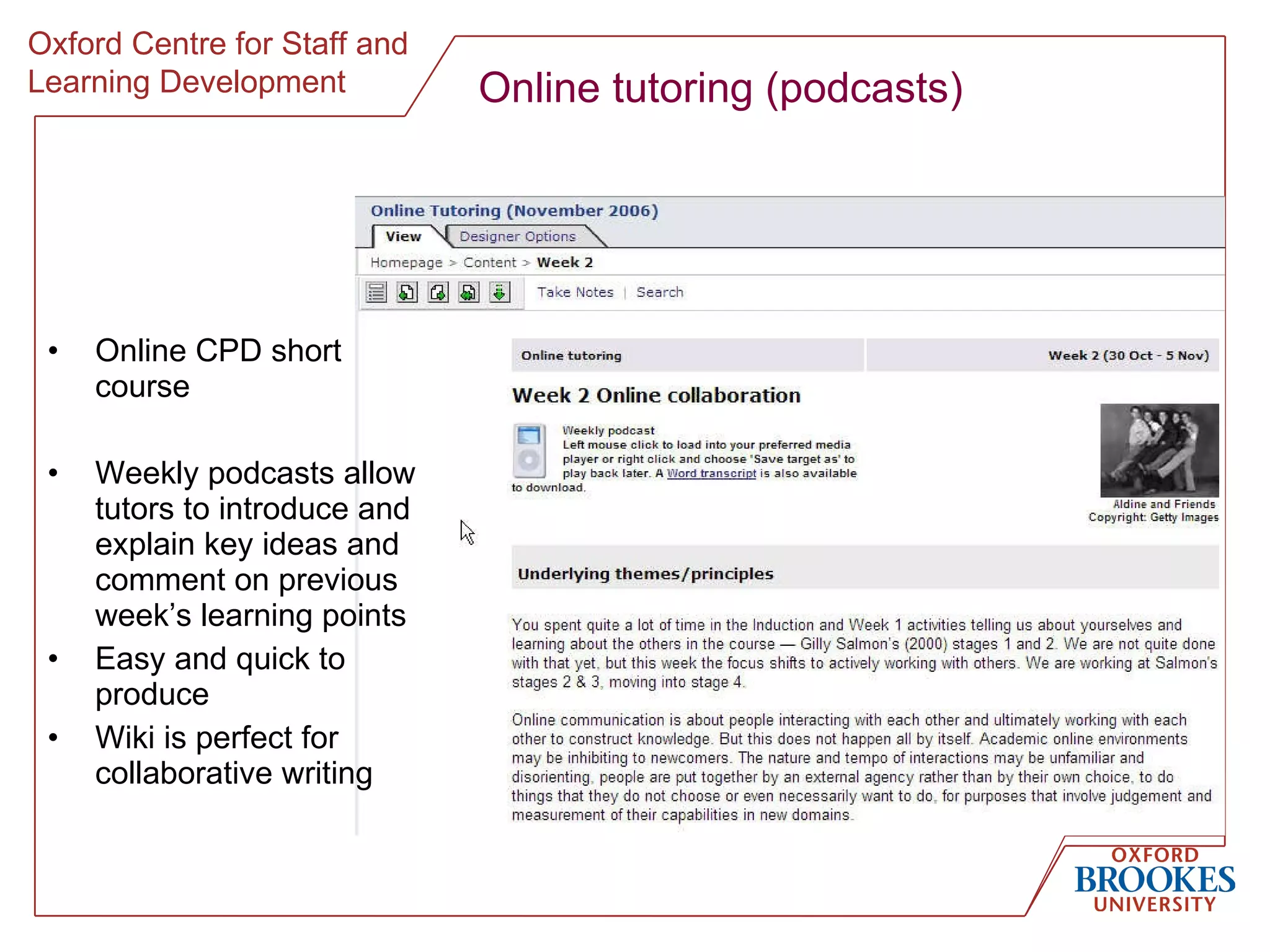
Online tutoring (podcasts) Online CPD short course Weekly podcasts allow tutors to introduce and explain key ideas and comment on previous week’s learning points Easy and quick to produce Wiki is perfect for  collaborative writing
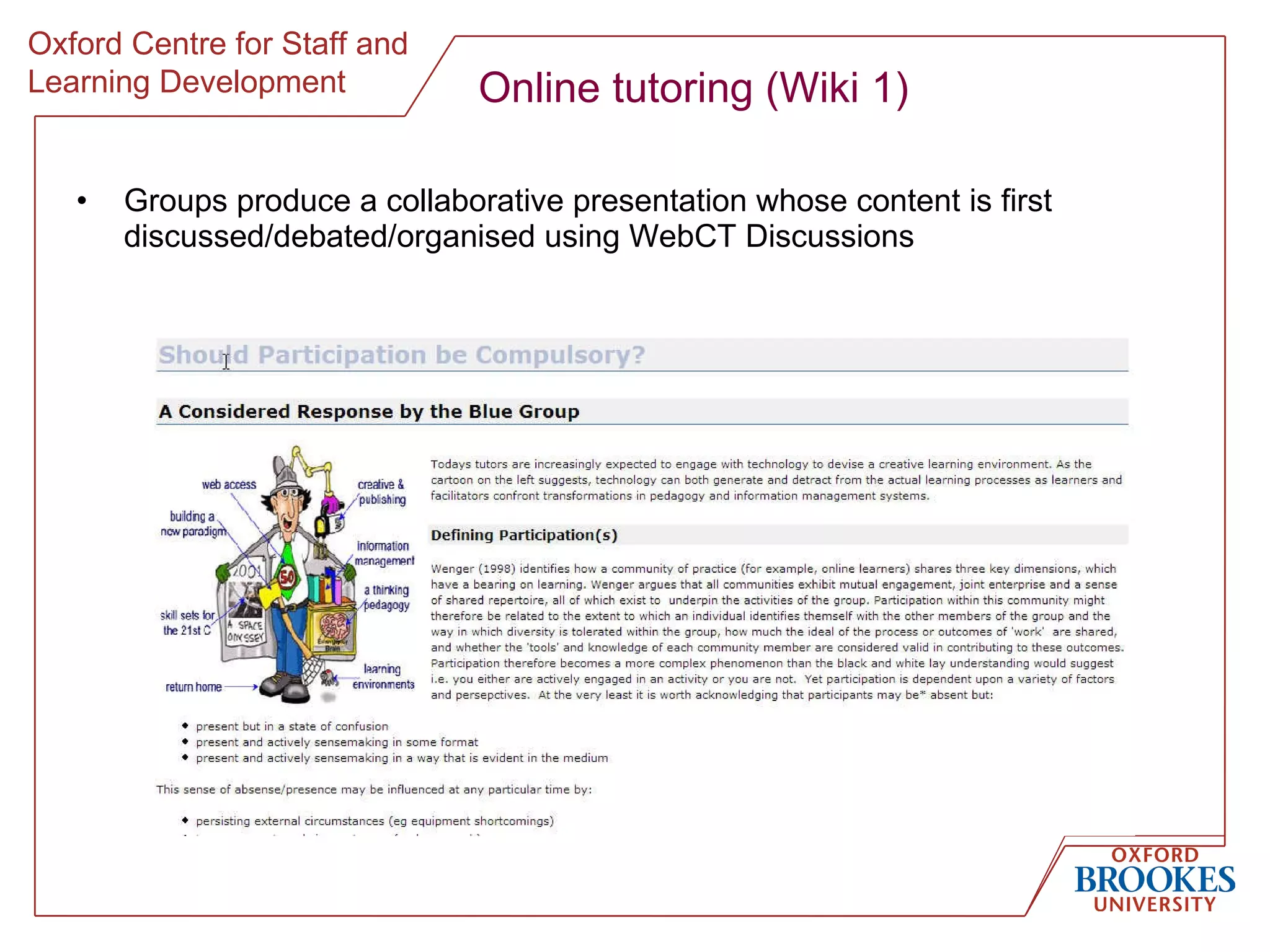
Online tutoring (Wiki 1) Groups produce a collaborative presentation whose content is first discussed/debated/organised using WebCT Discussions
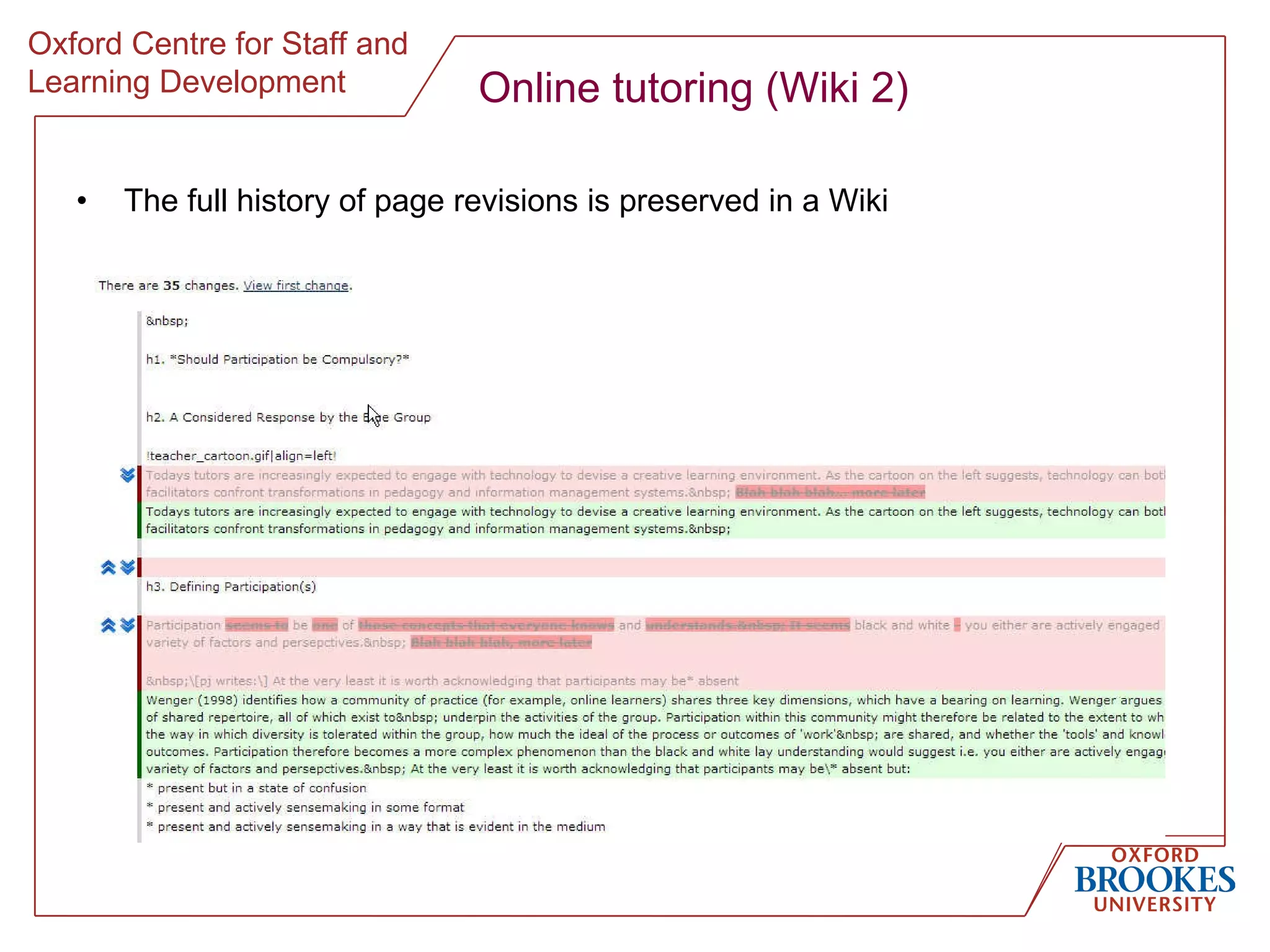
Online tutoring (Wiki 2) The full history of page revisions is preserved in a Wiki
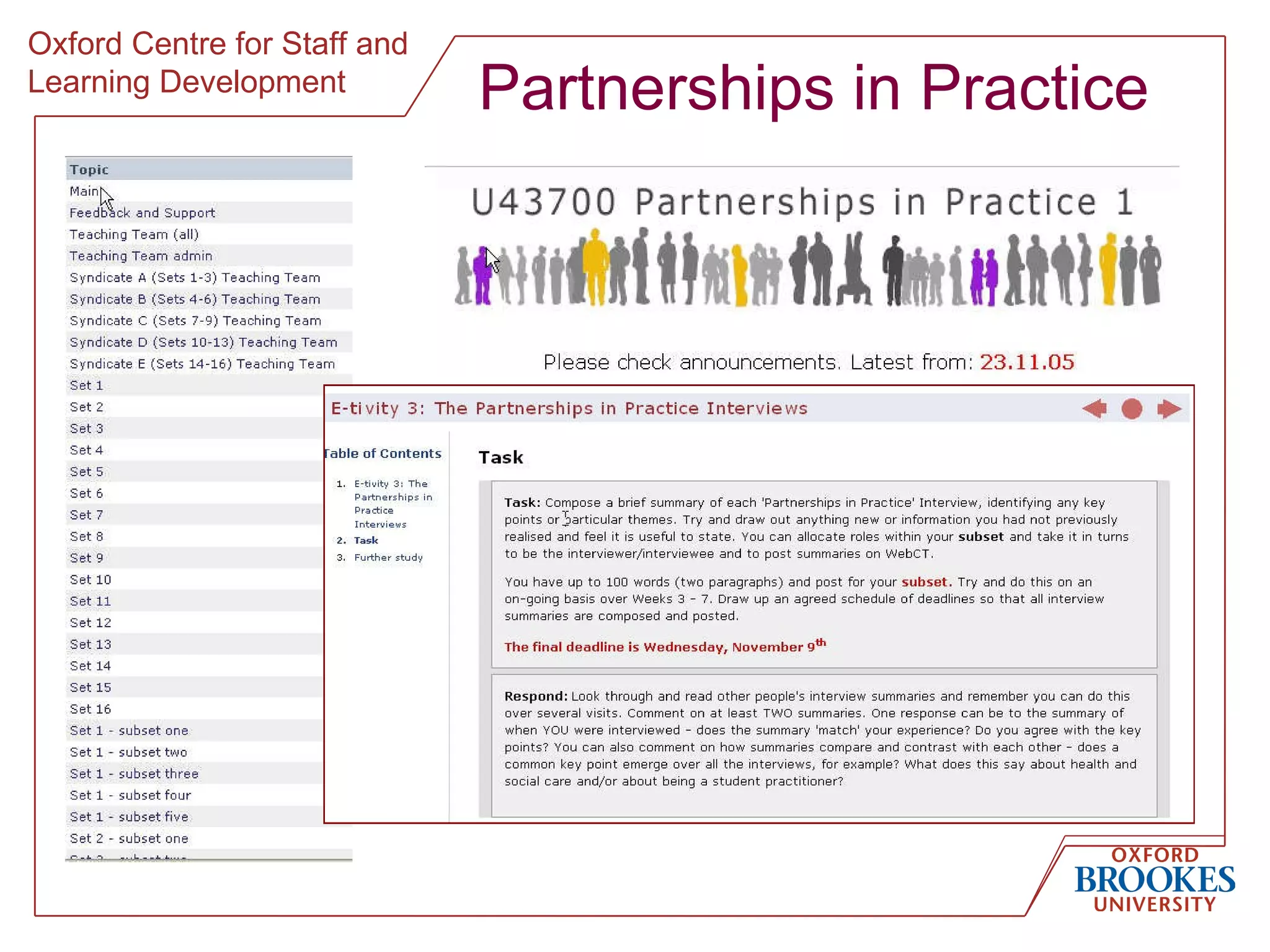
Partnerships in Practice
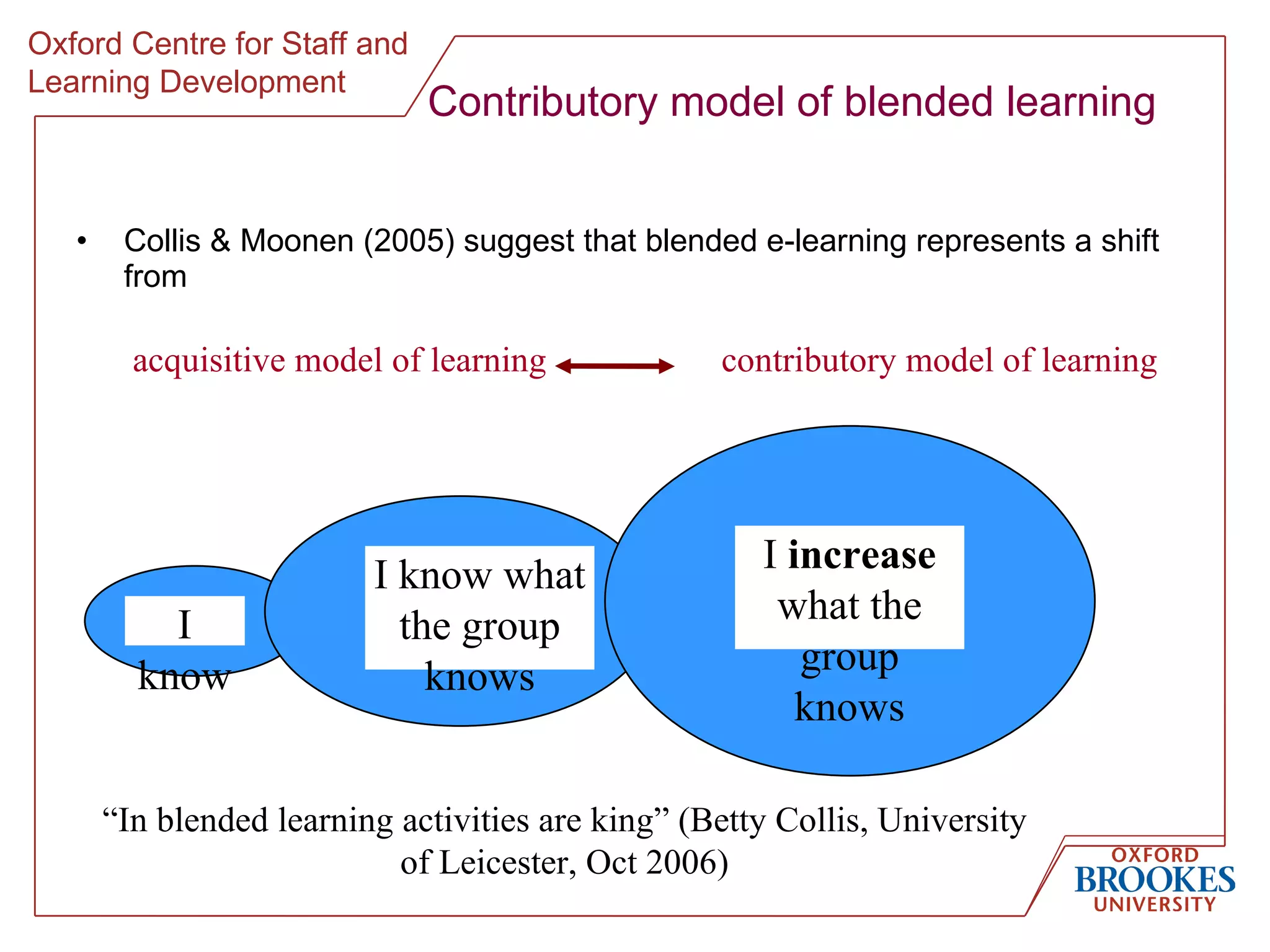
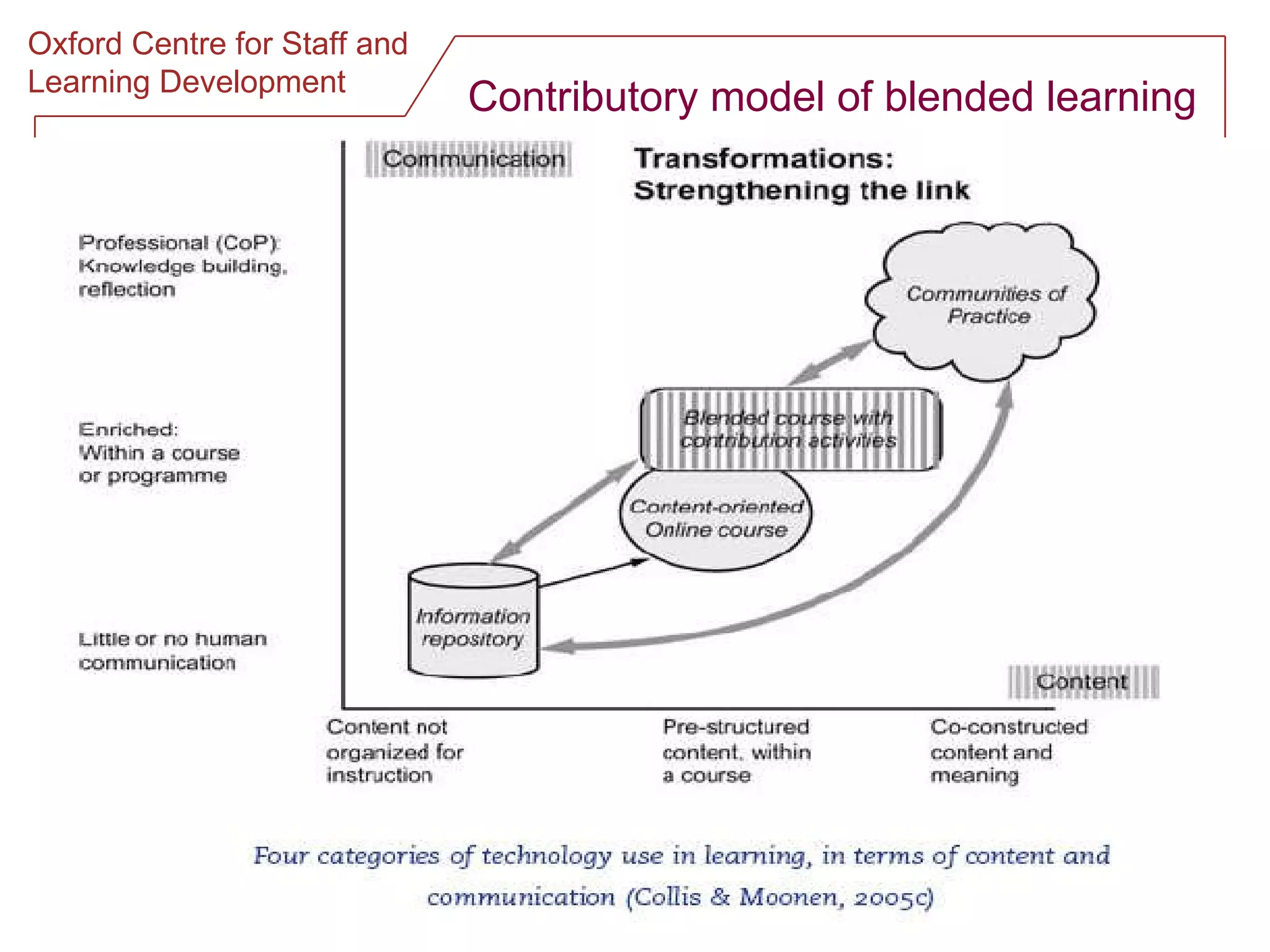
Contributory model of blended learning Collis & Moonen (2005) suggest that blended e-learning represents a shift from acquisitive model of learning contributory model of learning I know I know what the group knows I  increase  what the group knows “ In blended learning activities are king” (Betty Collis, University of Leicester, Oct 2006)
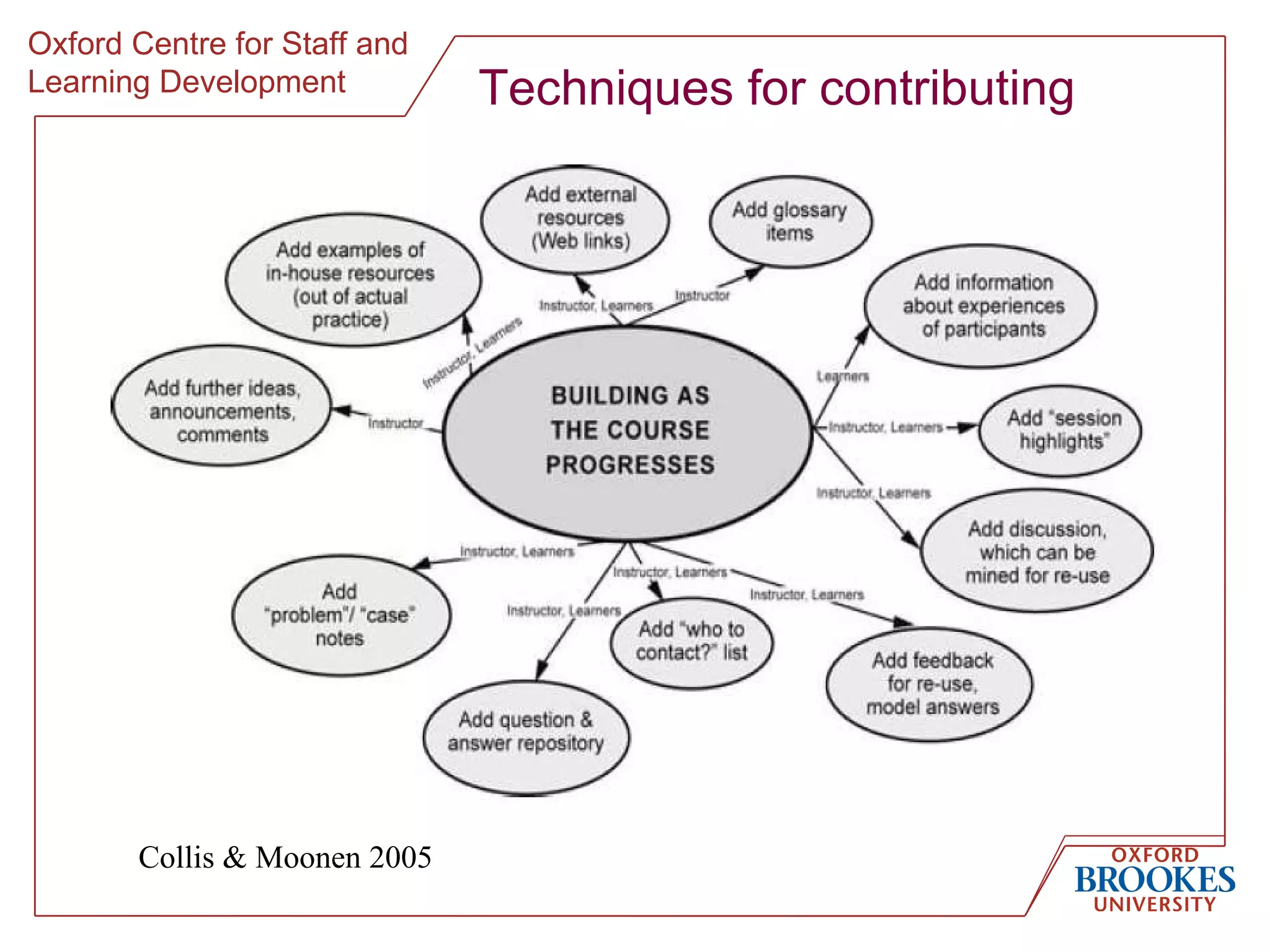
Techniques for contributing Collis & Moonen 2005
Contributory model of blended learning
Task In your groups develop a short online group activity and prepare a presentation of this activity using the flip chart paper.
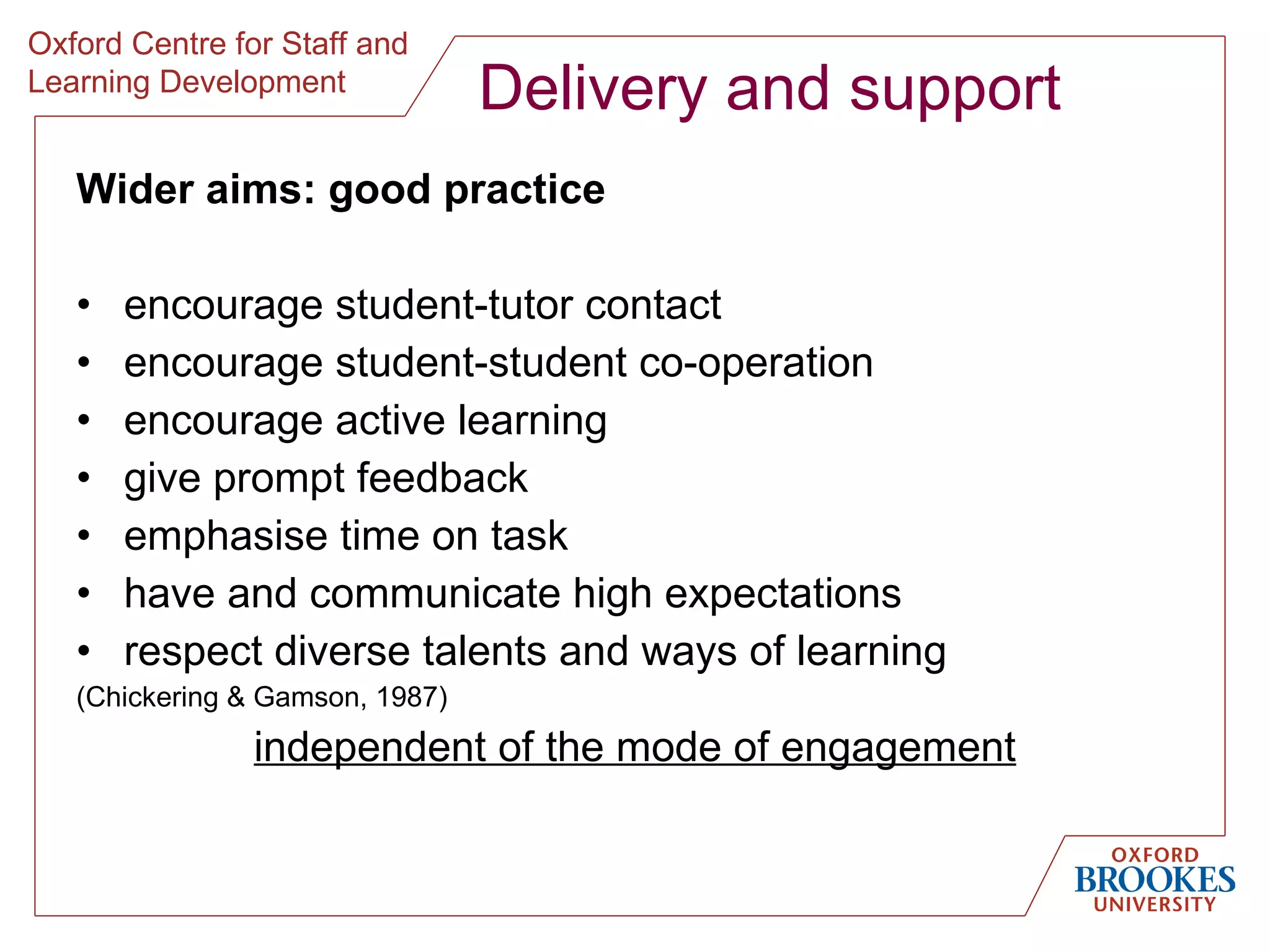
Delivery and support Wider aims: good practice encourage student-tutor contact encourage student-student co-operation encourage active learning give prompt feedback emphasise time on task have and communicate high expectations respect diverse talents and ways of learning (Chickering & Gamson, 1987) independent of the mode of engagement
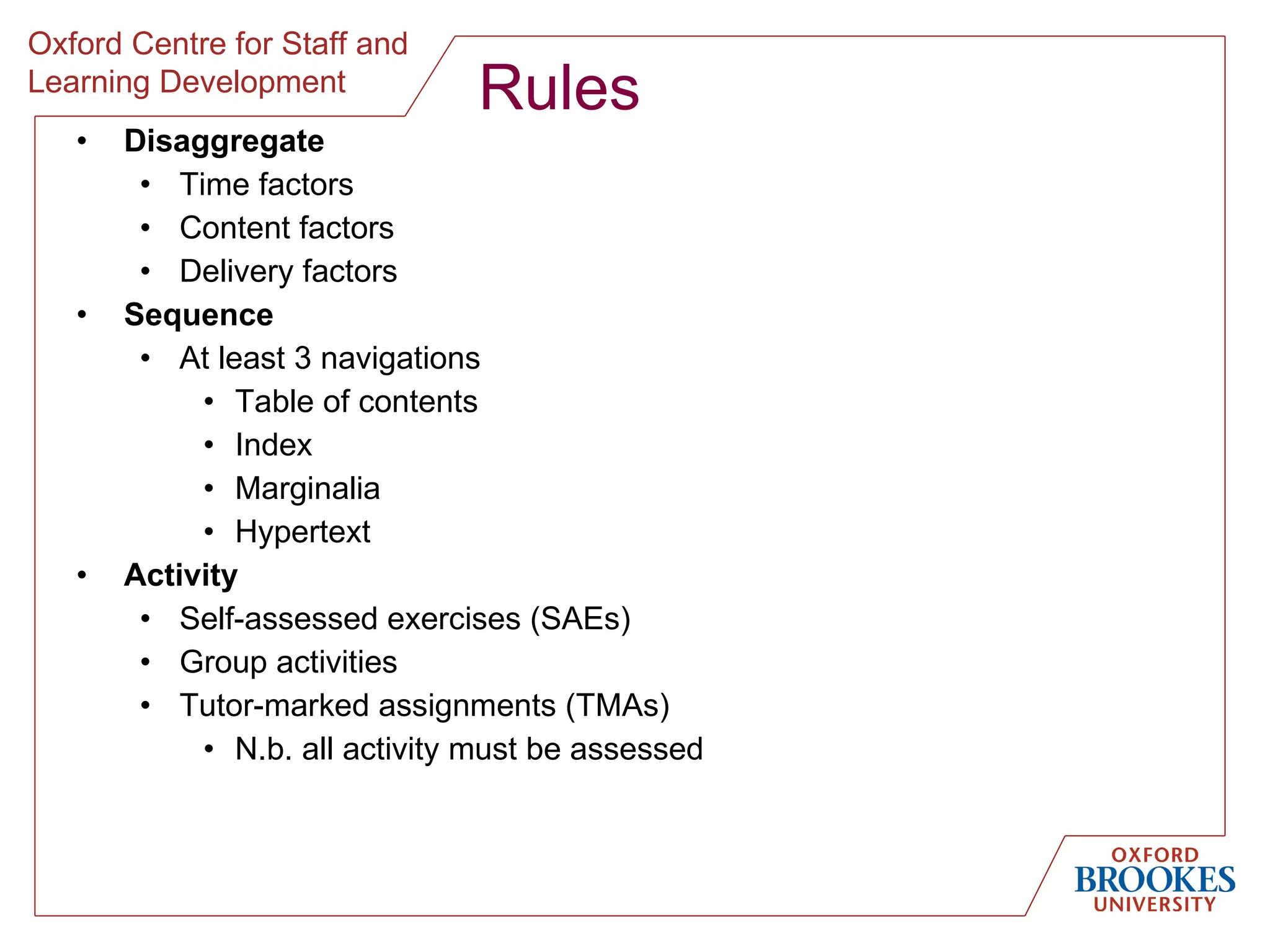
Rules Disaggregate Time factors Content factors Delivery factors Sequence At least 3 navigations Table of contents Index Marginalia Hypertext Activity  Self-assessed exercises (SAEs) Group activities Tutor-marked assignments (TMAs) N.b. all activity must be assessed
Rules Objectives Interactional, instrumental, regulatory, heuristic, imaginative, representational, personal Task/outputs/product Netiquette Response time Equal treatment
Participants’ experiences 1 Vicki: “ At the beginning of the task I typed something in, and then lost it, and couldn’t find where it had gone. And that was frustrating because I spent all that time typing it in and then just couldn’t find it ” Nick “ for people from other campuses or other universities, because they have firewall, network problems and security problems as well. That’s the only pitfall .”
Participants’ experiences 2 Vicki : “ I think you’re probably more careful about what you say. And also the fact that it’s printed, it’s there, you’re not going to say something that’s totally off the wall. Because it will be there and everybody else will know that you’ve said it, it was a daft idea. You’re not going to expose yourself in that way. ” Cathy: “ Well the fact that it is a permanent record reminds people sometimes that they have to think quite long and hard about what they put in there. So, whereas if you’re sitting in a group and you say something which is profoundly embarrassing you can laugh it off and say ‘Oh God!’ you know. Whereas if you’ve posted something on the WebCT site and everybody can read it you’re less likely to perhaps open up. ”

Cranfield small groups_online2010_v2

  • 1.
    Distributed collaboration: SupportingSmall Groups Online George Roberts July 2010 Directorate of Human Resources
  • 2.
    Before we beginWhen you return from the break, please organise yourselves into 3 small groups of about 4 people that as nearly as possible align with your department/School/discipline Each group should have a sheet or two of flip-chart paper and a pen
  • 3.
    Identify groups Noticewhat happened Who spoke? How were they chosen? How might similar emergence occur in distributed groups? Choose a recorder
  • 4.
    Design for LearningBackground reading Individual task Group task Plenary Follow through
  • 5.
  • 6.
    Activity Formgroups In groups Identify topic Write objective(s) Plan session Plenary Present Debrief Plan Brief overall Brief A1 Group work Objectives Identify topic Determine approach Inductive Deductive Kolb position Present Debrief
  • 7.
    Task In yourgroups develop a short online group activity and prepare a presentation of this activity using the flip chart paper.
  • 8.
    Objectives At theend of this session you should be able to Describe some similarities and differences between small group working online and in face-to-face situations Recognise and describe your context in which online groupwork will be used in terms of pedagogical approach, and sequence Apply the maxims of stance to setting up group work Identify roles that can be taken in group work and recognise issues that might arise for a moderator Produce an outline of an online small group activity that is relevant to your current practice
  • 9.
    Feedback groups Channel?Relationship? Roles? Topic? Outcome? Task? Assessment?
  • 10.
    Rules: Sequence &Stance Sequence Where are you in the course? Is it the first week or the 8th week? Have groups been used in other settings? Do people know one another yet? What is the interactional function of groupwork (as opposed to the instrumental or regulatory or hueristic functions?) Maxims of stance (Scollon 1998) Channel Relationship Topic e-Tivity Sequence (Salmon)
  • 11.
    Division of labour:Roles Such as: Initiator Researcher Recorder Summariser Reporter How are role assumed? Assigned Emergent Hybrid Responsibility? Moderation: issues for consideration
  • 12.
    Tools Shared documents(Word; Google docs) e-Mail Discussion forums (in VLE; PHP bb) Instant messaging (MSM, Jabber, Skype) Virtual Learning Environments (VLE: e.g. Blackboard) Learning object repositories (Harvest Road HIVE, Merlot, Intralibrary) Audiographic systems (LiveClassroom, Elluminate, Instant Presenter) Blogs (Blogger, TypePad, WordPress) Wikis (MediaWiki, Confluence) e-Portfolios (PebblePad, OSP) Social networking (Elgg, mySpace, FaceBook) Knowledge management systems (Hyperwave)
  • 13.
    Open Course ToolsVLE e.g. Blackboard, Moodle Strengths: administration, privacy, institutional security, suite of tools, consistent interface Weakness: difficult to admit guests, rarely best-of-breed, little student/peer initiated interaction (all teacher-led) Wiki e.g. Confluence , MediaWiki , GoogleSites Strengths: peer collaboration, easier to open to guests Weakness: interfaces and mark-up, can lead to messy sites, hard to navigate ePortfolio system e.g. PebblePad Strengths: learner controlled, dialogic, walled gardens Weakness: idiosyncratic interfaces, needs learners to be motivated Blogs e.g. WordPress , Blogger , TypePad Strengths: learner controlled, dialogic, open environments Weaknesses: needs confidence & digital literacy/awareness Knowledge sharing e.g. Diigo , delicious, Twine, Zotero Strengths: quick & easy, links of links, personal, transportable Weakness: content focussed, yet another interface, online Content sharing: e.g. Flickr, YouTube, SlideShare, Blip TV, Scribd
  • 14.
  • 15.
    Blogs http://www.globalvoicesonline.org/ http://del.icio.us http://www.downes.ca
  • 16.
  • 17.
  • 18.
    Virtual teamwork 200+1 st year Business students Formed randomly into virtual teams of 6 members each Students collaborate online for 4 weeks to create a PowerPoint presentation on a specific teamwork theme (e.g. ‘motivation’ theory) Issues: Practicality, logistics Learning Engagement Assessment
  • 19.
    Online tutoring (podcasts)Online CPD short course Weekly podcasts allow tutors to introduce and explain key ideas and comment on previous week’s learning points Easy and quick to produce Wiki is perfect for collaborative writing
  • 20.
    Online tutoring (Wiki1) Groups produce a collaborative presentation whose content is first discussed/debated/organised using WebCT Discussions
  • 21.
    Online tutoring (Wiki2) The full history of page revisions is preserved in a Wiki
  • 22.
  • 23.
    Contributory model ofblended learning Collis & Moonen (2005) suggest that blended e-learning represents a shift from acquisitive model of learning contributory model of learning I know I know what the group knows I increase what the group knows “ In blended learning activities are king” (Betty Collis, University of Leicester, Oct 2006)
  • 24.
    Techniques for contributingCollis & Moonen 2005
  • 25.
    Contributory model ofblended learning
  • 26.
    Task In yourgroups develop a short online group activity and prepare a presentation of this activity using the flip chart paper.
  • 27.
    Delivery and supportWider aims: good practice encourage student-tutor contact encourage student-student co-operation encourage active learning give prompt feedback emphasise time on task have and communicate high expectations respect diverse talents and ways of learning (Chickering & Gamson, 1987) independent of the mode of engagement
  • 28.
    Rules Disaggregate Timefactors Content factors Delivery factors Sequence At least 3 navigations Table of contents Index Marginalia Hypertext Activity Self-assessed exercises (SAEs) Group activities Tutor-marked assignments (TMAs) N.b. all activity must be assessed
  • 29.
    Rules Objectives Interactional,instrumental, regulatory, heuristic, imaginative, representational, personal Task/outputs/product Netiquette Response time Equal treatment
  • 30.
    Participants’ experiences 1Vicki: “ At the beginning of the task I typed something in, and then lost it, and couldn’t find where it had gone. And that was frustrating because I spent all that time typing it in and then just couldn’t find it ” Nick “ for people from other campuses or other universities, because they have firewall, network problems and security problems as well. That’s the only pitfall .”
  • 31.
    Participants’ experiences 2Vicki : “ I think you’re probably more careful about what you say. And also the fact that it’s printed, it’s there, you’re not going to say something that’s totally off the wall. Because it will be there and everybody else will know that you’ve said it, it was a daft idea. You’re not going to expose yourself in that way. ” Cathy: “ Well the fact that it is a permanent record reminds people sometimes that they have to think quite long and hard about what they put in there. So, whereas if you’re sitting in a group and you say something which is profoundly embarrassing you can laugh it off and say ‘Oh God!’ you know. Whereas if you’ve posted something on the WebCT site and everybody can read it you’re less likely to perhaps open up. ”