eSpeak TTS Engine:
                   Language Enhancement

                                Jerry Dimitriou, Singular Logic


28 November 2011        ÆGIS Conference, Brussels, Belgium
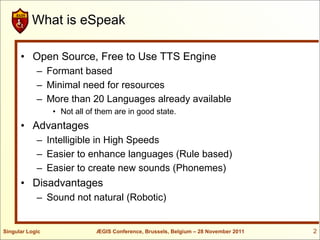
What is eSpeak

      • Open Source, Free to Use TTS Engine
            – Formant based
            – Minimal need for resources
            – More than 20 Languages already available
                 • Not all of them are in good state.
      • Advantages
            – Intelligible in High Speeds
            – Easier to enhance languages (Rule based)
            – Easier to create new sounds (Phonemes)
      • Disadvantages
            – Sound not natural (Robotic)


Singular Logic               ÆGIS Conference, Brussels, Belgium – 28 November 2011   2
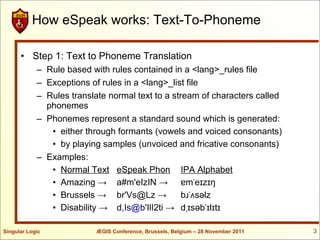
How eSpeak works: Text-To-Phoneme

      • Step 1: Text to Phoneme Translation
            – Rule based with rules contained in a <lang>_rules file
            – Exceptions of rules in a <lang>_list file
            – Rules translate normal text to a stream of characters called
              phonemes
            – Phonemes represent a standard sound which is generated:
               • either through formants (vowels and voiced consonants)
               • by playing samples (unvoiced and fricative consonants)
            – Examples:
               • Normal Text eSpeak Phon IPA Alphabet
               • Amazing → a#m'eIzIN → ɐmˈeɪzɪŋ
               • Brussels → br'Vs@Lz →            bɹˈʌsəlz
               • Disability → d,Is@b'IlI2ti → dˌɪsəbˈɪlɪtɪ

Singular Logic             ÆGIS Conference, Brussels, Belgium – 28 November 2011   3
How eSpeak works: Rules

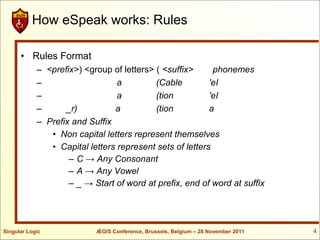
      • Rules Format
            – <prefix>) <group of letters> ( <suffix>      phonemes
            –                    a         (Cable         'eI
            –                    a         (tion          'eI
            –      _r)          a          (tion          a
            – Prefix and Suffix
               • Non capital letters represent themselves
               • Capital letters represent sets of letters
                    – C → Any Consonant
                    – A → Any Vowel
                    – _ → Start of word at prefix, end of word at suffix


Singular Logic             ÆGIS Conference, Brussels, Belgium – 28 November 2011   4
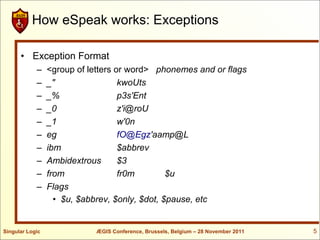
How eSpeak works: Exceptions

      • Exception Format
            –    <group of letters or word> phonemes and or flags
            –    _"                 kwoUts
            –    _%                 p3s'Ent
            –    _0                 z'i@roU
            –    _1                 w'0n
            –    eg                 fO@Egz'aamp@L
            –    ibm                $abbrev
            –    Ambidextrous       $3
            –    from               fr0m        $u
            –    Flags
                   • $u, $abbrev, $only, $dot, $pause, etc


Singular Logic              ÆGIS Conference, Brussels, Belgium – 28 November 2011   5
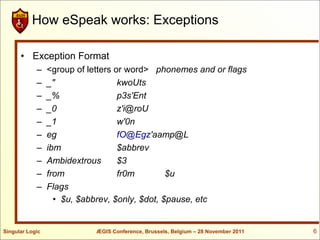
How eSpeak works: Exceptions

      • Exception Format
            –    <group of letters or word> phonemes and or flags
            –    _"                 kwoUts
            –    _%                 p3s'Ent
            –    _0                 z'i@roU
            –    _1                 w'0n
            –    eg                 fO@Egz'aamp@L
            –    ibm                $abbrev
            –    Ambidextrous       $3
            –    from               fr0m        $u
            –    Flags
                   • $u, $abbrev, $only, $dot, $pause, etc


Singular Logic              ÆGIS Conference, Brussels, Belgium – 28 November 2011   6
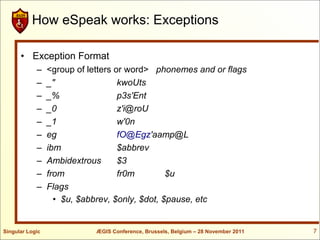
How eSpeak works: Exceptions

      • Exception Format
            –    <group of letters or word> phonemes and or flags
            –    _"                 kwoUts
            –    _%                 p3s'Ent
            –    _0                 z'i@roU
            –    _1                 w'0n
            –    eg                 fO@Egz'aamp@L
            –    ibm                $abbrev
            –    Ambidextrous       $3
            –    from               fr0m        $u
            –    Flags
                   • $u, $abbrev, $only, $dot, $pause, etc


Singular Logic              ÆGIS Conference, Brussels, Belgium – 28 November 2011   7
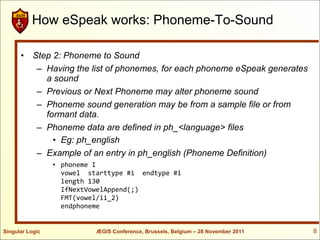
How eSpeak works: Phoneme-To-Sound

      • Step 2: Phoneme to Sound
         – Having the list of phonemes, for each phoneme eSpeak generates
           a sound
         – Previous or Next Phoneme may alter phoneme sound
         – Phoneme sound generation may be from a sample file or from
           formant data.
         – Phoneme data are defined in ph_<language> files
             • Eg: ph_english
         – Example of an entry in ph_english (Phoneme Definition)
                 • phoneme I
                   vowel starttype #i endtype #i
                   length 130
                   IfNextVowelAppend(;)
                   FMT(vowel/ii_2)
                   endphoneme


Singular Logic             ÆGIS Conference, Brussels, Belgium – 28 November 2011   8
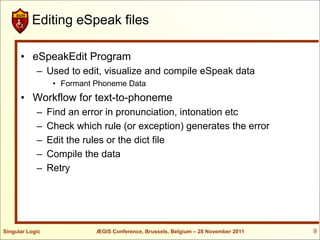
Editing eSpeak files

      • eSpeakEdit Program
            – Used to edit, visualize and compile eSpeak data
                  • Formant Phoneme Data
      • Workflow for text-to-phoneme
            –    Find an error in pronunciation, intonation etc
            –    Check which rule (or exception) generates the error
            –    Edit the rules or the dict file
            –    Compile the data
            –    Retry


Singular Logic              ÆGIS Conference, Brussels, Belgium – 28 November 2011   9
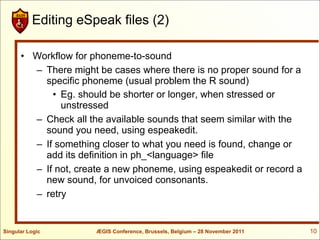
Editing eSpeak files (2)

      • Workflow for phoneme-to-sound
        – There might be cases where there is no proper sound for a
          specific phoneme (usual problem the R sound)
            • Eg. should be shorter or longer, when stressed or
              unstressed
        – Check all the available sounds that seem similar with the
          sound you need, using espeakedit.
        – If something closer to what you need is found, change or
          add its definition in ph_<language> file
        – If not, create a new phoneme, using espeakedit or record a
          new sound, for unvoiced consonants.
        – retry


Singular Logic        ÆGIS Conference, Brussels, Belgium – 28 November 2011   10
Editing Demonstration

      • Demo of language edit, using espeakedit


Singular Logic        ÆGIS Conference, Brussels, Belgium – 28 November 2011   11
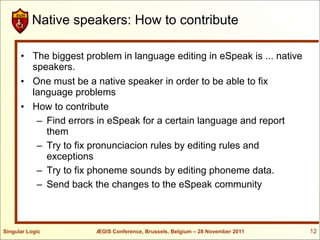
Native speakers: How to contribute

      • The biggest problem in language editing in eSpeak is ... native
        speakers.
      • One must be a native speaker in order to be able to fix
        language problems
      • How to contribute
         – Find errors in eSpeak for a certain language and report
           them
         – Try to fix pronunciacion rules by editing rules and
           exceptions
         – Try to fix phoneme sounds by editing phoneme data.
         – Send back the changes to the eSpeak community


Singular Logic         ÆGIS Conference, Brussels, Belgium – 28 November 2011   12
Espeak Language Enhancement


                        Thank you!


Singular Logic     ÆGIS Conference, Brussels, Belgium – 28 November 2011   13

E speak aegis-workshop

  • 1.
    eSpeak TTS Engine: Language Enhancement Jerry Dimitriou, Singular Logic 28 November 2011 ÆGIS Conference, Brussels, Belgium
  • 2.
    What is eSpeak • Open Source, Free to Use TTS Engine – Formant based – Minimal need for resources – More than 20 Languages already available • Not all of them are in good state. • Advantages – Intelligible in High Speeds – Easier to enhance languages (Rule based) – Easier to create new sounds (Phonemes) • Disadvantages – Sound not natural (Robotic) Singular Logic ÆGIS Conference, Brussels, Belgium – 28 November 2011 2
  • 3.
    How eSpeak works:Text-To-Phoneme • Step 1: Text to Phoneme Translation – Rule based with rules contained in a <lang>_rules file – Exceptions of rules in a <lang>_list file – Rules translate normal text to a stream of characters called phonemes – Phonemes represent a standard sound which is generated: • either through formants (vowels and voiced consonants) • by playing samples (unvoiced and fricative consonants) – Examples: • Normal Text eSpeak Phon IPA Alphabet • Amazing → a#m'eIzIN → ɐmˈeɪzɪŋ • Brussels → br'Vs@Lz → bɹˈʌsəlz • Disability → d,Is@b'IlI2ti → dˌɪsəbˈɪlɪtɪ Singular Logic ÆGIS Conference, Brussels, Belgium – 28 November 2011 3
  • 4.
    How eSpeak works:Rules • Rules Format – <prefix>) <group of letters> ( <suffix> phonemes – a (Cable 'eI – a (tion 'eI – _r) a (tion a – Prefix and Suffix • Non capital letters represent themselves • Capital letters represent sets of letters – C → Any Consonant – A → Any Vowel – _ → Start of word at prefix, end of word at suffix Singular Logic ÆGIS Conference, Brussels, Belgium – 28 November 2011 4
  • 5.
    How eSpeak works:Exceptions • Exception Format – <group of letters or word> phonemes and or flags – _" kwoUts – _% p3s'Ent – _0 z'i@roU – _1 w'0n – eg fO@Egz'aamp@L – ibm $abbrev – Ambidextrous $3 – from fr0m $u – Flags • $u, $abbrev, $only, $dot, $pause, etc Singular Logic ÆGIS Conference, Brussels, Belgium – 28 November 2011 5
  • 6.
    How eSpeak works:Exceptions • Exception Format – <group of letters or word> phonemes and or flags – _" kwoUts – _% p3s'Ent – _0 z'i@roU – _1 w'0n – eg fO@Egz'aamp@L – ibm $abbrev – Ambidextrous $3 – from fr0m $u – Flags • $u, $abbrev, $only, $dot, $pause, etc Singular Logic ÆGIS Conference, Brussels, Belgium – 28 November 2011 6
  • 7.
    How eSpeak works:Exceptions • Exception Format – <group of letters or word> phonemes and or flags – _" kwoUts – _% p3s'Ent – _0 z'i@roU – _1 w'0n – eg fO@Egz'aamp@L – ibm $abbrev – Ambidextrous $3 – from fr0m $u – Flags • $u, $abbrev, $only, $dot, $pause, etc Singular Logic ÆGIS Conference, Brussels, Belgium – 28 November 2011 7
  • 8.
    How eSpeak works:Phoneme-To-Sound • Step 2: Phoneme to Sound – Having the list of phonemes, for each phoneme eSpeak generates a sound – Previous or Next Phoneme may alter phoneme sound – Phoneme sound generation may be from a sample file or from formant data. – Phoneme data are defined in ph_<language> files • Eg: ph_english – Example of an entry in ph_english (Phoneme Definition) • phoneme I vowel starttype #i endtype #i length 130 IfNextVowelAppend(;) FMT(vowel/ii_2) endphoneme Singular Logic ÆGIS Conference, Brussels, Belgium – 28 November 2011 8
  • 9.
    Editing eSpeak files • eSpeakEdit Program – Used to edit, visualize and compile eSpeak data • Formant Phoneme Data • Workflow for text-to-phoneme – Find an error in pronunciation, intonation etc – Check which rule (or exception) generates the error – Edit the rules or the dict file – Compile the data – Retry Singular Logic ÆGIS Conference, Brussels, Belgium – 28 November 2011 9
  • 10.
    Editing eSpeak files(2) • Workflow for phoneme-to-sound – There might be cases where there is no proper sound for a specific phoneme (usual problem the R sound) • Eg. should be shorter or longer, when stressed or unstressed – Check all the available sounds that seem similar with the sound you need, using espeakedit. – If something closer to what you need is found, change or add its definition in ph_<language> file – If not, create a new phoneme, using espeakedit or record a new sound, for unvoiced consonants. – retry Singular Logic ÆGIS Conference, Brussels, Belgium – 28 November 2011 10
  • 11.
    Editing Demonstration • Demo of language edit, using espeakedit Singular Logic ÆGIS Conference, Brussels, Belgium – 28 November 2011 11
  • 12.
    Native speakers: Howto contribute • The biggest problem in language editing in eSpeak is ... native speakers. • One must be a native speaker in order to be able to fix language problems • How to contribute – Find errors in eSpeak for a certain language and report them – Try to fix pronunciacion rules by editing rules and exceptions – Try to fix phoneme sounds by editing phoneme data. – Send back the changes to the eSpeak community Singular Logic ÆGIS Conference, Brussels, Belgium – 28 November 2011 12
  • 13.
    Espeak Language Enhancement Thank you! Singular Logic ÆGIS Conference, Brussels, Belgium – 28 November 2011 13