DVWA
INDEX
• Introduction
• License &Warning
• Installation
• Vulnerabilities
• How to login (Steps for Solve the problem)
• Homepage (attacks)
• DVWA security
• User Security
• Usage
28-09-2017 Preapared By:Soham Kansodaria 2
Introduction
• DamnVulnerableWeb Application (DVWA) is a PHP/MySQL web application that is
damn vulnerable.
• Its main goals are to be an aid for security professionals to test their skills and tools
in a legal environment, help web developers better understand the processes of
securing web applications and aid teachers/students to teach/learn web application
security in a class room environment.
• The DVWA project started in December 2008 and has steadily grown in popularity.
• It is now used by thousands of security professionals, students and teachers world
wide.
• DVWA is now included in popular penetration testing Linux distributions such as
SamuraiWebTesting Framework and many others.
28-09-2017 Preapared By:Soham Kansodaria 3
License & Warning
• License
• DamnVulnerable Web Application (DVWA) is free software: you can
redistribute it and/or modify it under the terms of the GNU General
Public License.
• Warning
• DamnVulnerable Web App is damn vulnerable! Do not upload it to
your hosting provider's public html folder or any working web server
as it will be compromised.
• We recommend downloading and installing XAMPP onto a local
machine inside your LAN which is used solely for testing.
28-09-2017 Preapared By:Soham Kansodaria 4
Installation
• DVWA is a web application coded in PHP that uses a MySQL
back-end database.
• DVWA needs a web server, PHP and MySQL installed in order
to run.The easiest way to install DVWA is to download and
install 'XAMPP' if you do not already have a web server setup.
• XAMPP can be downloaded from:
http://www.apachefriends.org/en/xampp.html
• Then download DVWA from:
https://github.com/ethicalhack3r/DVWA/archive/master.zip
28-09-2017 Preapared By:Soham Kansodaria 5
Cont. Installation
• After download DVWA uncompressed it.
• Linux
• Now put the uncompressed folder DVWA into ʻ/opt/lampp/htdocs’.
Start Apache with the following command; ʻsudo /opt/lampp/lamp
start’.And then DVWA should be accessible from your browser at
http://127.0.0.1/dvwa.
• Windows
• Now put the uncompressed folder DVWA into ʻC:XAMPPhtdocs’.And
then DVWA should be accessible from your browser at
http://127.0.0.1/dvwa.
28-09-2017 Preapared By:Soham Kansodaria 6
Vulnerbilities
• DVWA as the name suggests is vulnerable to the most common
types of web application vulnerabilities.
• DVWA incorporates most of the Open Web Application Security
Project's (OWASP) top 10 web application security risks for
2010 as reported in the OWASPTOP 10 document.
• The OWASPTop 10 Web Application Security Risks for 2017 are
in next slide:
28-09-2017 Preapared By:Soham Kansodaria 7
OWASP top 10 2017
• A1 :SQL Injection
• A2 :Broken Authentication and Session Management
• A3 :Cross-Site Scripting (XSS)
• A4 :Broken Access Control
• A5 :Security Misconfiguration
• A6 :Sensitive Data Exposure
• A7 :Insufficient Attack Protection (+T10)
• A8 :Cross-Site Request Forgery (CSRF)
• A9 :Using Components with Known Vulnerabilities
• A10 :Underprotected APIs
• Find OWASP top 10 of 2017 at : https://github.com/OWASP/Top10/issues
28-09-2017 Preapared By:Soham Kansodaria 8
Vulnerbilities
Some of the web application vulnerabilities which DVWA contains;
• Brute Force: HTTP Form Brute Force login page; used to test password brute
force tools and show the insecurity of weak passwords.
• Command Execution: Executes commands on the underlying operating
system.
• Cross Site Request Forgery (CSRF): Enables an ʻattackerʼ to change the
applications admin password.
• File Inclusion: Allows an ʻattackerʼ to include remote/local files into the web
application.
• SQL Injection: Enables an ʻattackerʼ to inject SQL statements into an HTTP
form input box. DVWA includes Blind and Error based SQL injection.
• Insecure File Upload: Allows an ʻattackerʼ to upload malicious files on to the
web server.
• Cross Site Scripting (XSS): An ʻattackerʼ can inject their own scripts into the
web application/database. DVWA includes Reflected and Stored XSS.
• Easter eggs: Full path Disclosure,Authentication bypass and some others.
28-09-2017 Preapared By:Soham Kansodaria 9
How to Login
28-09-2017 Preapared By:Soham Kansodaria 10
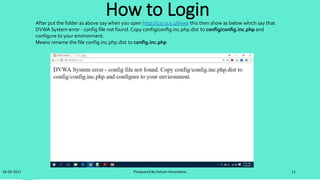
After put the folder as above say when you open http://127.0.0.1/dvwa this then show as below which say that
DVWA System error - config file not found. Copy config/config.inc.php.dist to config/config.inc.php and
configure to your environment.
Means rename the file config.inc.php.dist to config.inc.php
Cont. Login
28-09-2017 Preapared By:Soham Kansodaria 11
After rename the file again open http://127.0.0.1/dvwa then you find like this in your browser.So, now following the
below steps
Steps for Solve the problem
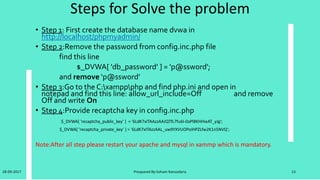
• Step 1: First create the database name dvwa in
http://localhost/phpmyadmin/
• Step 2:Remove the password from config.inc.php file
find this line
$_DVWA[ 'db_password' ] = 'p@ssword';
and remove ‘p@ssword’
• Step 3:Go to the C:xamppphp and find php.ini and open in
notepad and find this line: allow_url_include=Off and remove
Off and write On
• Step 4:Provide recaptcha key in config.inc.php
$_DVWA[ 'recaptcha_public_key' ] = '6LdK7xITAAzzAAJQTfL7fu6I-0aPl8KHHieAT_yJg';
$_DVWA[ 'recaptcha_private_key' ] = '6LdK7xITAzzAAL_uw9YXVUOPoIHPZLfw2K1n5NVQ';
Note:After all step please restart your apache and mysql in xammp which is mandatory.
28-09-2017 Preapared By:Soham Kansodaria 12
Login
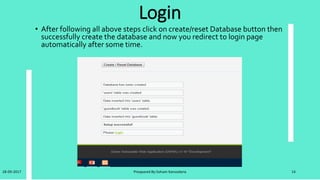
• After following all above steps click on create/reset Database button then
successfully create the database and now you redirect to login page
automatically after some time.
28-09-2017 Preapared By:Soham Kansodaria 13
Cont. Login
28-09-2017 Preapared By:Soham Kansodaria 14
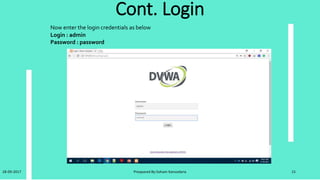
Now enter the login credentials as below
Login : admin
Password : password
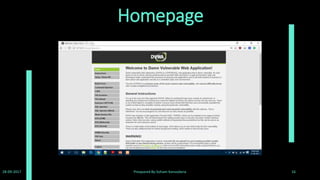
Homepage
28-09-2017 Preapared By:Soham Kansodaria 15
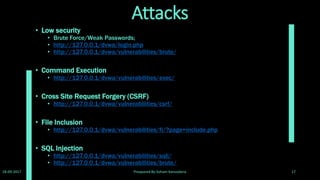
Attacks
• Low security
• Brute Force/Weak Passwords;
• http://127.0.0.1/dvwa/login.php
• http://127.0.0.1/dvwa/vulnerabilities/brute/
• Command Execution
• http://127.0.0.1/dvwa/vulnerabilities/exec/
• Cross Site Request Forgery (CSRF)
• http://127.0.0.1/dvwa/vulnerabilities/csrf/
• File Inclusion
• http://127.0.0.1/dvwa/vulnerabilities/fi/?page=include.php
• SQL Injection
• http://127.0.0.1/dvwa/vulnerabilities/sqli/
• http://127.0.0.1/dvwa/vulnerabilities/brute/
28-09-2017 Preapared By:Soham Kansodaria 16
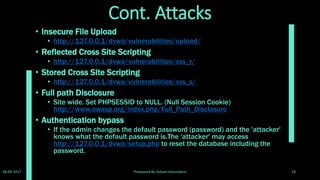
Cont. Attacks
• Insecure File Upload
• http://127.0.0.1/dvwa/vulnerabilities/upload/
• Reflected Cross Site Scripting
• http://127.0.0.1/dvwa/vulnerabilities/xss_r/
• Stored Cross Site Scripting
• http://127.0.0.1/dvwa/vulnerabilities/xss_s/
• Full path Disclosure
• Site wide. Set PHPSESSID to NULL. (Null Session Cookie)
http://www.owasp.org/index.php/Full_Path_Disclosure
• Authentication bypass
• If the admin changes the default password (password) and the 'attacker'
knows what the default password is.The 'attacker' may access
http://127.0.0.1/dvwa/setup.php to reset the database including the
password.
28-09-2017 Preapared By:Soham Kansodaria 17
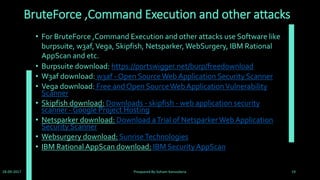
BruteForce ,Command Execution and other attacks
• For BruteForce ,Command Execution and other attacks use Software like
burpsuite, w3af,Vega, Skipfish, Netsparker, WebSurgery, IBM Rational
AppScan and etc.
• Burpsuite download: https://portswigger.net/burp/freedownload
• W3af download: w3af - Open SourceWeb Application Security Scanner
• Vega download: Free and Open SourceWeb ApplicationVulnerability
Scanner
• Skipfish download: Downloads - skipfish - web application security
scanner - Google Project Hosting
• Netsparker download: Download aTrial of NetsparkerWeb Application
Security Scanner
• Websurgery download: SunriseTechnologies
• IBM Rational AppScan download: IBM Security AppScan
28-09-2017 Preapared By:Soham Kansodaria 18
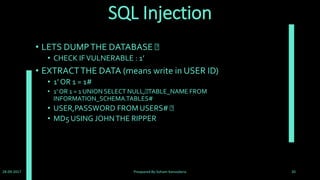
SQL Injection
• LETS DUMPTHE DATABASE
• CHECK IFVULNERABLE : 1’
• EXTRACTTHE DATA (means write in USER ID)
• 1’ OR 1 = 1#
• 1’ OR 1 = 1 UNION SELECT NULL, TABLE_NAME FROM
INFORMATION_SCHEMA.TABLES#
• USER,PASSWORD FROM USERS#
• MD5 USING JOHNTHE RIPPER
28-09-2017 Preapared By:Soham Kansodaria 19
DVWA Security
• As well as being vulnerable, DVWA has some other features
which aid in the teaching or learning of web application
security. DVWAs Security features can be divided into two
parts, one is the security levels and the other is PHP-IDS.
• The security levels are named low, medium and high. Each
level changes the vulnerability state of DVWA throughout the
application. By default when DVWA is loaded the security level
is set to High. Below is an explanation of each security level and
its purpose.
28-09-2017 Preapared By:Soham Kansodaria 20
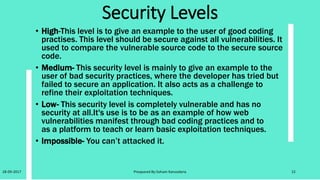
Security Levels
• High-This level is to give an example to the user of good coding
practises. This level should be secure against all vulnerabilities. It
used to compare the vulnerable source code to the secure source
code.
• Medium- This security level is mainly to give an example to the
user of bad security practices, where the developer has tried but
failed to secure an application. It also acts as a challenge to
refine their exploitation techniques.
• Low- This security level is completely vulnerable and has no
security at all.It's use is to be as an example of how web
vulnerabilities manifest through bad coding practices and to
as a platform to teach or learn basic exploitation techniques.
• Impossible- You can’t attacked it.
28-09-2017 Preapared By:Soham Kansodaria 21
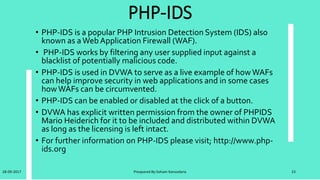
PHP-IDS
• PHP-IDS is a popular PHP Intrusion Detection System (IDS) also
known as aWebApplication Firewall (WAF).
• PHP-IDS works by filtering any user supplied input against a
blacklist of potentially malicious code.
• PHP-IDS is used in DVWA to serve as a live example of howWAFs
can help improve security in web applications and in some cases
howWAFs can be circumvented.
• PHP-IDS can be enabled or disabled at the click of a button.
• DVWA has explicit written permission from the owner of PHPIDS
Mario Heiderich for it to be included and distributed within DVWA
as long as the licensing is left intact.
• For further information on PHP-IDS please visit; http://www.php-
ids.org
28-09-2017 Preapared By:Soham Kansodaria 22
User Security
28-09-2017 Preapared By:Soham Kansodaria 23
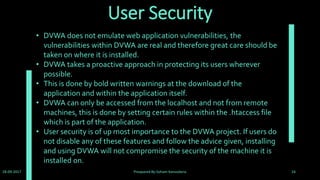
• DVWA does not emulate web application vulnerabilities, the
vulnerabilities within DVWA are real and therefore great care should be
taken on where it is installed.
• DVWA takes a proactive approach in protecting its users wherever
possible.
• This is done by bold written warnings at the download of the
application and within the application itself.
• DVWA can only be accessed from the localhost and not from remote
machines, this is done by setting certain rules within the .htaccess file
which is part of the application.
• User security is of up most importance to the DVWA project. If users do
not disable any of these features and follow the advice given, installing
and using DVWA will not compromise the security of the machine it is
installed on.
Usage
• DVWA can be used in a variety of ways. It can be used to teach web
application security by showing practical examples and setting challenges
for the students.
• It can be used as just a learning aid, DVWA is designed as such to be as
easy as possible to set up and use.
• There is plenty of information within DVWA to help the beginner get
started. DVWA can also be used as a reference to secure coding, if a
developer is not quite sure if they have protected their application against
XSS for example, they can view DVWAs source code as a reference.
• After all the DVWA source code has been peer reviewed by thousands of
security professionals and students.
28-09-2017 Preapared By:Soham Kansodaria 24
Refernce for learn DVWA
• dvwa video tutorial series:
• 1-installation of dvwa https://youtu.be/fc7nzhdrcui
• 2-bruteforce attack low | medium | high https://youtu.be/6h3nb7rwpvc
• 3-command injection low | medium | high https://youtu.be/0ln7nscqlai
• 4-file inclusion low | medium | high https://youtu.be/f9oxaenez_e
• 5-file upload low | medium | high https://youtu.be/zajcl2hdoey
• 6-sql injection low | medium | high https://youtu.be/q2ekwm9kfke
28-09-2017 Preapared By:Soham Kansodaria 25
THANK YOU
28-09-2017 Preapared By:Soham Kansodaria 26

DVWA(Damn Vulnerabilities Web Application)

  • 1.
  • 2.
    INDEX • Introduction • License&Warning • Installation • Vulnerabilities • How to login (Steps for Solve the problem) • Homepage (attacks) • DVWA security • User Security • Usage 28-09-2017 Preapared By:Soham Kansodaria 2
  • 3.
    Introduction • DamnVulnerableWeb Application(DVWA) is a PHP/MySQL web application that is damn vulnerable. • Its main goals are to be an aid for security professionals to test their skills and tools in a legal environment, help web developers better understand the processes of securing web applications and aid teachers/students to teach/learn web application security in a class room environment. • The DVWA project started in December 2008 and has steadily grown in popularity. • It is now used by thousands of security professionals, students and teachers world wide. • DVWA is now included in popular penetration testing Linux distributions such as SamuraiWebTesting Framework and many others. 28-09-2017 Preapared By:Soham Kansodaria 3
  • 4.
    License & Warning •License • DamnVulnerable Web Application (DVWA) is free software: you can redistribute it and/or modify it under the terms of the GNU General Public License. • Warning • DamnVulnerable Web App is damn vulnerable! Do not upload it to your hosting provider's public html folder or any working web server as it will be compromised. • We recommend downloading and installing XAMPP onto a local machine inside your LAN which is used solely for testing. 28-09-2017 Preapared By:Soham Kansodaria 4
  • 5.
    Installation • DVWA isa web application coded in PHP that uses a MySQL back-end database. • DVWA needs a web server, PHP and MySQL installed in order to run.The easiest way to install DVWA is to download and install 'XAMPP' if you do not already have a web server setup. • XAMPP can be downloaded from: http://www.apachefriends.org/en/xampp.html • Then download DVWA from: https://github.com/ethicalhack3r/DVWA/archive/master.zip 28-09-2017 Preapared By:Soham Kansodaria 5
  • 6.
    Cont. Installation • Afterdownload DVWA uncompressed it. • Linux • Now put the uncompressed folder DVWA into ʻ/opt/lampp/htdocs’. Start Apache with the following command; ʻsudo /opt/lampp/lamp start’.And then DVWA should be accessible from your browser at http://127.0.0.1/dvwa. • Windows • Now put the uncompressed folder DVWA into ʻC:XAMPPhtdocs’.And then DVWA should be accessible from your browser at http://127.0.0.1/dvwa. 28-09-2017 Preapared By:Soham Kansodaria 6
  • 7.
    Vulnerbilities • DVWA asthe name suggests is vulnerable to the most common types of web application vulnerabilities. • DVWA incorporates most of the Open Web Application Security Project's (OWASP) top 10 web application security risks for 2010 as reported in the OWASPTOP 10 document. • The OWASPTop 10 Web Application Security Risks for 2017 are in next slide: 28-09-2017 Preapared By:Soham Kansodaria 7
  • 8.
    OWASP top 102017 • A1 :SQL Injection • A2 :Broken Authentication and Session Management • A3 :Cross-Site Scripting (XSS) • A4 :Broken Access Control • A5 :Security Misconfiguration • A6 :Sensitive Data Exposure • A7 :Insufficient Attack Protection (+T10) • A8 :Cross-Site Request Forgery (CSRF) • A9 :Using Components with Known Vulnerabilities • A10 :Underprotected APIs • Find OWASP top 10 of 2017 at : https://github.com/OWASP/Top10/issues 28-09-2017 Preapared By:Soham Kansodaria 8
  • 9.
    Vulnerbilities Some of theweb application vulnerabilities which DVWA contains; • Brute Force: HTTP Form Brute Force login page; used to test password brute force tools and show the insecurity of weak passwords. • Command Execution: Executes commands on the underlying operating system. • Cross Site Request Forgery (CSRF): Enables an ʻattackerʼ to change the applications admin password. • File Inclusion: Allows an ʻattackerʼ to include remote/local files into the web application. • SQL Injection: Enables an ʻattackerʼ to inject SQL statements into an HTTP form input box. DVWA includes Blind and Error based SQL injection. • Insecure File Upload: Allows an ʻattackerʼ to upload malicious files on to the web server. • Cross Site Scripting (XSS): An ʻattackerʼ can inject their own scripts into the web application/database. DVWA includes Reflected and Stored XSS. • Easter eggs: Full path Disclosure,Authentication bypass and some others. 28-09-2017 Preapared By:Soham Kansodaria 9
  • 10.
    How to Login 28-09-2017Preapared By:Soham Kansodaria 10 After put the folder as above say when you open http://127.0.0.1/dvwa this then show as below which say that DVWA System error - config file not found. Copy config/config.inc.php.dist to config/config.inc.php and configure to your environment. Means rename the file config.inc.php.dist to config.inc.php
  • 11.
    Cont. Login 28-09-2017 PreaparedBy:Soham Kansodaria 11 After rename the file again open http://127.0.0.1/dvwa then you find like this in your browser.So, now following the below steps
  • 12.
    Steps for Solvethe problem • Step 1: First create the database name dvwa in http://localhost/phpmyadmin/ • Step 2:Remove the password from config.inc.php file find this line $_DVWA[ 'db_password' ] = 'p@ssword'; and remove ‘p@ssword’ • Step 3:Go to the C:xamppphp and find php.ini and open in notepad and find this line: allow_url_include=Off and remove Off and write On • Step 4:Provide recaptcha key in config.inc.php $_DVWA[ 'recaptcha_public_key' ] = '6LdK7xITAAzzAAJQTfL7fu6I-0aPl8KHHieAT_yJg'; $_DVWA[ 'recaptcha_private_key' ] = '6LdK7xITAzzAAL_uw9YXVUOPoIHPZLfw2K1n5NVQ'; Note:After all step please restart your apache and mysql in xammp which is mandatory. 28-09-2017 Preapared By:Soham Kansodaria 12
  • 13.
    Login • After followingall above steps click on create/reset Database button then successfully create the database and now you redirect to login page automatically after some time. 28-09-2017 Preapared By:Soham Kansodaria 13
  • 14.
    Cont. Login 28-09-2017 PreaparedBy:Soham Kansodaria 14 Now enter the login credentials as below Login : admin Password : password
  • 15.
  • 16.
    Attacks • Low security •Brute Force/Weak Passwords; • http://127.0.0.1/dvwa/login.php • http://127.0.0.1/dvwa/vulnerabilities/brute/ • Command Execution • http://127.0.0.1/dvwa/vulnerabilities/exec/ • Cross Site Request Forgery (CSRF) • http://127.0.0.1/dvwa/vulnerabilities/csrf/ • File Inclusion • http://127.0.0.1/dvwa/vulnerabilities/fi/?page=include.php • SQL Injection • http://127.0.0.1/dvwa/vulnerabilities/sqli/ • http://127.0.0.1/dvwa/vulnerabilities/brute/ 28-09-2017 Preapared By:Soham Kansodaria 16
  • 17.
    Cont. Attacks • InsecureFile Upload • http://127.0.0.1/dvwa/vulnerabilities/upload/ • Reflected Cross Site Scripting • http://127.0.0.1/dvwa/vulnerabilities/xss_r/ • Stored Cross Site Scripting • http://127.0.0.1/dvwa/vulnerabilities/xss_s/ • Full path Disclosure • Site wide. Set PHPSESSID to NULL. (Null Session Cookie) http://www.owasp.org/index.php/Full_Path_Disclosure • Authentication bypass • If the admin changes the default password (password) and the 'attacker' knows what the default password is.The 'attacker' may access http://127.0.0.1/dvwa/setup.php to reset the database including the password. 28-09-2017 Preapared By:Soham Kansodaria 17
  • 18.
    BruteForce ,Command Executionand other attacks • For BruteForce ,Command Execution and other attacks use Software like burpsuite, w3af,Vega, Skipfish, Netsparker, WebSurgery, IBM Rational AppScan and etc. • Burpsuite download: https://portswigger.net/burp/freedownload • W3af download: w3af - Open SourceWeb Application Security Scanner • Vega download: Free and Open SourceWeb ApplicationVulnerability Scanner • Skipfish download: Downloads - skipfish - web application security scanner - Google Project Hosting • Netsparker download: Download aTrial of NetsparkerWeb Application Security Scanner • Websurgery download: SunriseTechnologies • IBM Rational AppScan download: IBM Security AppScan 28-09-2017 Preapared By:Soham Kansodaria 18
  • 19.
    SQL Injection • LETSDUMPTHE DATABASE • CHECK IFVULNERABLE : 1’ • EXTRACTTHE DATA (means write in USER ID) • 1’ OR 1 = 1# • 1’ OR 1 = 1 UNION SELECT NULL, TABLE_NAME FROM INFORMATION_SCHEMA.TABLES# • USER,PASSWORD FROM USERS# • MD5 USING JOHNTHE RIPPER 28-09-2017 Preapared By:Soham Kansodaria 19
  • 20.
    DVWA Security • Aswell as being vulnerable, DVWA has some other features which aid in the teaching or learning of web application security. DVWAs Security features can be divided into two parts, one is the security levels and the other is PHP-IDS. • The security levels are named low, medium and high. Each level changes the vulnerability state of DVWA throughout the application. By default when DVWA is loaded the security level is set to High. Below is an explanation of each security level and its purpose. 28-09-2017 Preapared By:Soham Kansodaria 20
  • 21.
    Security Levels • High-Thislevel is to give an example to the user of good coding practises. This level should be secure against all vulnerabilities. It used to compare the vulnerable source code to the secure source code. • Medium- This security level is mainly to give an example to the user of bad security practices, where the developer has tried but failed to secure an application. It also acts as a challenge to refine their exploitation techniques. • Low- This security level is completely vulnerable and has no security at all.It's use is to be as an example of how web vulnerabilities manifest through bad coding practices and to as a platform to teach or learn basic exploitation techniques. • Impossible- You can’t attacked it. 28-09-2017 Preapared By:Soham Kansodaria 21
  • 22.
    PHP-IDS • PHP-IDS isa popular PHP Intrusion Detection System (IDS) also known as aWebApplication Firewall (WAF). • PHP-IDS works by filtering any user supplied input against a blacklist of potentially malicious code. • PHP-IDS is used in DVWA to serve as a live example of howWAFs can help improve security in web applications and in some cases howWAFs can be circumvented. • PHP-IDS can be enabled or disabled at the click of a button. • DVWA has explicit written permission from the owner of PHPIDS Mario Heiderich for it to be included and distributed within DVWA as long as the licensing is left intact. • For further information on PHP-IDS please visit; http://www.php- ids.org 28-09-2017 Preapared By:Soham Kansodaria 22
  • 23.
    User Security 28-09-2017 PreaparedBy:Soham Kansodaria 23 • DVWA does not emulate web application vulnerabilities, the vulnerabilities within DVWA are real and therefore great care should be taken on where it is installed. • DVWA takes a proactive approach in protecting its users wherever possible. • This is done by bold written warnings at the download of the application and within the application itself. • DVWA can only be accessed from the localhost and not from remote machines, this is done by setting certain rules within the .htaccess file which is part of the application. • User security is of up most importance to the DVWA project. If users do not disable any of these features and follow the advice given, installing and using DVWA will not compromise the security of the machine it is installed on.
  • 24.
    Usage • DVWA canbe used in a variety of ways. It can be used to teach web application security by showing practical examples and setting challenges for the students. • It can be used as just a learning aid, DVWA is designed as such to be as easy as possible to set up and use. • There is plenty of information within DVWA to help the beginner get started. DVWA can also be used as a reference to secure coding, if a developer is not quite sure if they have protected their application against XSS for example, they can view DVWAs source code as a reference. • After all the DVWA source code has been peer reviewed by thousands of security professionals and students. 28-09-2017 Preapared By:Soham Kansodaria 24
  • 25.
    Refernce for learnDVWA • dvwa video tutorial series: • 1-installation of dvwa https://youtu.be/fc7nzhdrcui • 2-bruteforce attack low | medium | high https://youtu.be/6h3nb7rwpvc • 3-command injection low | medium | high https://youtu.be/0ln7nscqlai • 4-file inclusion low | medium | high https://youtu.be/f9oxaenez_e • 5-file upload low | medium | high https://youtu.be/zajcl2hdoey • 6-sql injection low | medium | high https://youtu.be/q2ekwm9kfke 28-09-2017 Preapared By:Soham Kansodaria 25
  • 26.
    THANK YOU 28-09-2017 PreaparedBy:Soham Kansodaria 26