Building an Institutional Repository


Patricia Liebetrau
October 2012
University of Namibia
What we will cover


Repository Structure
Intro to metadata
Users and groups
Item submissions
Workflows
Copyright issues and embargos
RSS, Statistics
Information Management (eg controlled vocabularies)
Building UNAM context ie how to structure the IR for your
own purposes, your users and groups
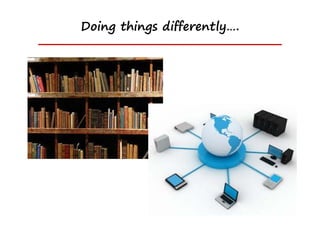
Doing things differently….
What is an Institutional Repository (IR)?


    An IR is a digital collection capturing,
    preserving and disseminating the
    intellectual output of a single
    university community
Institutional repository


“A university-based institutional repository is a set of services
   that a university offers to the members of its community
   for the management and dissemination of digital materials
   created by the institution and its community members.

It is most essentially an organisational commitment to the
    stewardship of these digital materials, including long-term
    preservation where appropriate, as well as organisation
    and access or distribution.”

Clifford A. Lynch. Institutional Repositories: Essential Infrastructure for
     Scholarship in the Digital Age ARL, no. 226 (February 2003): 1-7.
What content?


Research output from academic staff


Research output from students
Research output from University staff


    Academic research papers

    Journal articles

    Research data sets

    Conference papers
Research output from University students


       Theses and dissertations

       Research data
Repository structure


What is a repository?

What is it used for?

What goes into the repository?

Software required?

Skills required?
Easy to find resources


(1) “Beasts of Berlin” paper


(2) “Communal land and tenure security” thesis
IRs require…..


Defined needs

Defined purposes

Defined users
What is it for?


Make University’s intellectual (research) output visible

Facilitate global access
  Especially in geographically remote environments

Why based in the Library?
 Skills in information management, dissemination and access

University rankings
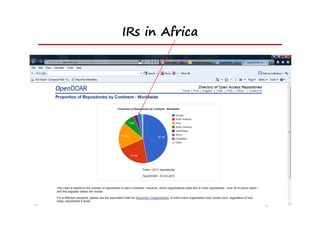
IRs in Africa
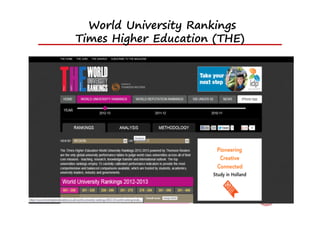
World University Rankings
Times Higher Education (THE)
Important elements of IRs


Institutionally defined

Scholarly and research purposes

Cumulative and perpetual

Open and interoperable
Many levels of repositories


Institutional repository
  Research output from an individual institutions
     • UKZN, DUT, Rhodes, Wits, Stellenbosch, Pretoria
National repository
  Research output from several individual institutions
     • NRF NETD project (SA)
     • ETHOS (UK)
International repository
  Research output from several national repositories
     • DRIVER
Implementation


STRUCTURED APPROACH – not ad hoc

Develop policies
Metadata for storage/presentation
Digital document identifiers (DOI’s) = handles
Author permissions and license agreements
Submission guidelines (staff and students)
Submission software training
Marketing concept to depositors – advocacy efforts
Software required


Pre-packaged open source software

 E-Prints

 D-Space – most commonly used in Africa
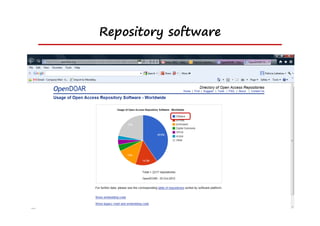
Repository software
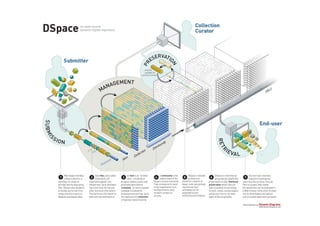
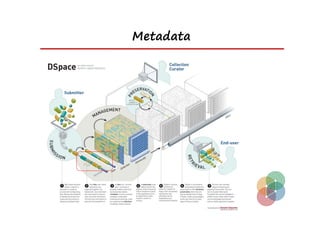
D-Space diagram
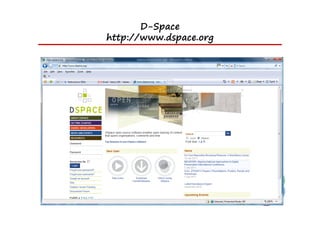
D-Space
http://www.dspace.org
DSpace technical guides
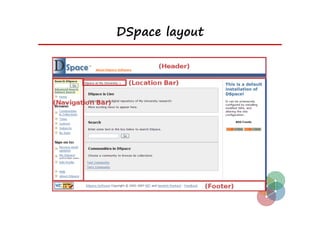
DSpace layout
UNAM DSpace


http://repository.unam.na

http://digital.unam.na
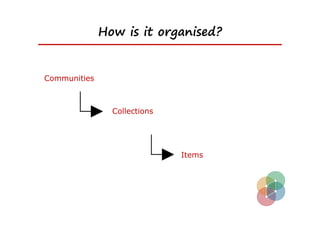
How is it organised?


Communities


                Collections


                              Items
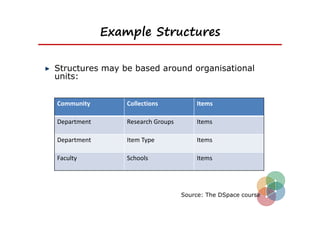
Example Structures

Structures may be based around organisational
units:


Community        Collections           Items

Department       Research Groups       Items

Department       Item Type             Items

Faculty          Schools               Items


                                   Source: The DSpace course
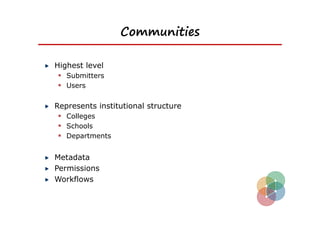
Communities

Highest level
  Submitters
  Users

Represents institutional structure
  Colleges
  Schools
  Departments

Metadata
Permissions
Workflows
Collections


Hierachical structure
  Represents a collection within a community

One community may have many collections
Items


Each item has several parts
  Metadata
  Items for upload
UNAM repository structure


DISCUSSION

  What will your repository structure look like?

  Who will create Communities and Collections?
   Requires administrative rights

  Who will have rights to submit items to Collections?

  Who will quality assure submissions?
Roles, skills required?

Repository Manager
  Policy development, advocacy, liaison with stakeholders,
   team leadership

Repository Administrator
  Managing metadata fields and quality, reports, statistics,
   training clients

Technical services
  Customisation, software upgrades

General support
  Data entry and general tasks
Metadata
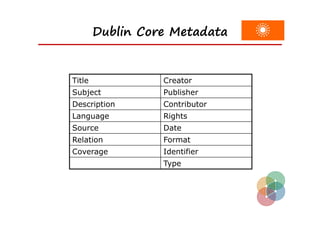
Dublin Core Metadata


Title             Creator
Subject           Publisher
Description       Contributor
Language          Rights
Source            Date
Relation          Format
Coverage          Identifier
                  Type
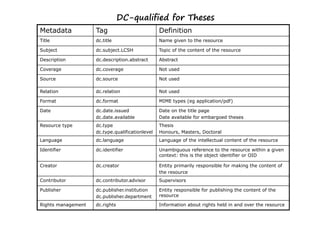
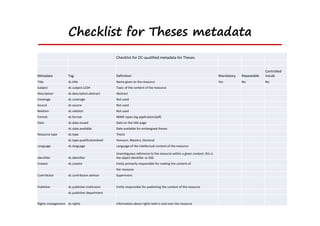
DC-qualified for Theses
Metadata            Tag                          Definition
Title               dc.title                     Name given to the resource

Subject             dc.subject.LCSH              Topic of the content of the resource

Description         dc.description.abstract      Abstract

Coverage            dc.coverage                  Not used

Source              dc.source                    Not used

Relation            dc.relation                  Not used

Format              dc.format                    MIME types (eg application/pdf)

Date                dc.date.issued               Date on the title page
                    dc.date.available            Date available for embargoed theses
Resource type       dc.type                      Thesis
                    dc.type.qualificationlevel   Honours, Masters, Doctoral
Language            dc.language                  Language of the intellectual content of the resource

Identifier          dc.identifier                Unambiguous reference to the resource within a given
                                                 context: this is the object identifier or OID

Creator             dc.creator                   Entity primarily responsible for making the content of
                                                 the resource
Contributor         dc.contributor.advisor       Supervisors

Publisher           dc.publisher.institution     Entity responsible for publishing the content of the
                    dc.publisher.department      resource

Rights management   dc.rights                    Information about rights held in and over the resource
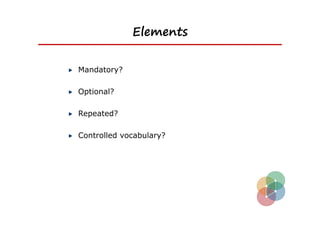
Elements


Mandatory?

Optional?

Repeated?

Controlled vocabulary?
Checklist for Theses metadata
                                                Checklist for DC‐qualified metadata for Theses


                                                                                                                                                  Controlled 
Metadata           Tag                          Definition                                                               Mandatory   Repeatable   Vocab
Title              dc.title                     Name given to the resource                                               Yes         No           No
Subject            dc.subject.LCSH              Topic of the content of the resource
Description        dc.description.abstract      Abstract
Coverage           dc.coverage                  Not used
Source             dc.source                    Not used
Relation           dc.relation                  Not used
Format             dc.format                    MIME types (eg application/pdf)
Date               dc.date.issued               Date on the title page
                   dc.date.available            Date available for embargoed theses
Resource type      dc.type                      Thesis 
                   dc.type.qualificationlevel   Honours, Masters, Doctoral
Language           dc.language                  Language of the intellectual content of the resource

                                                Unambiguous reference to the resource within a given context: this is 
Identifier         dc.identifier                the object identifier or OID
Creator            dc.creator                   Entity primarily responsible for making the content of
                                                the resource
Contributor        dc.contributor.advisor       Supervisors


Publisher          dc.publisher.institution     Entity responsible for publishing the content of the resource
                   dc.publisher.department


Rights management dc.rights                     Information about rights held in and over the resource
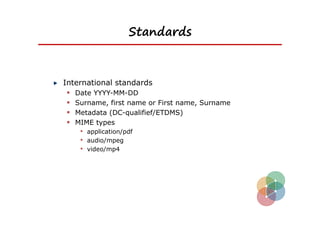
Standards


International standards
  Date YYYY-MM-DD
  Surname, first name or First name, Surname
  Metadata (DC-qualifief/ETDMS)
  MIME types
    • application/pdf
    • audio/mpeg
    • video/mp4
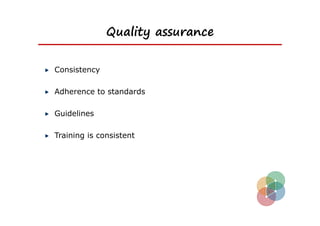
Quality assurance


Consistency

Adherence to standards

Guidelines

Training is consistent
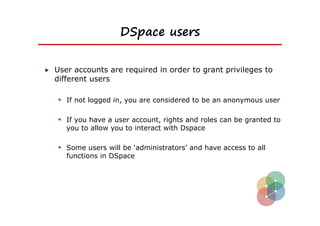
DSpace users


User accounts are required in order to grant privileges to
different users

 If not logged in, you are considered to be an anonymous user

 If you have a user account, rights and roles can be granted to
   you to allow you to interact with Dspace

 Some users will be ‘administrators’ and have access to all
   functions in DSpace
Rights


New users (e-people) have no rights

They have to be granted rights and roles
DSpace groups


Combine users into logical groups
  Assists with the management of users
  Assign privileges to groups not individuals
  Groups can be members of other groups

For example….
  Computer Science staff group
  Faculty staff group
  All staff group
Concept: Authentication and Authorization


  Two important concepts:

    Authentication
      • The process of establishing the identity of a user (eg LDAP)

    Authorization
      • The granting of privileges to a user to perform an action on a
         resource
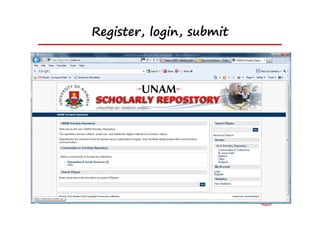
Item submissions


A typical submission:
  Choose a collection to submit to
  Answer some initial questions
  Enter some metadata
  Upload some files
  Verify the submission
  Agree to the deposit licence
Register, login, submit
Copyrights, embargoes etc


Who owns copyright of ….

  Theses (university/student)
  Journal articles (accepted version/publisher version)
  Conference Papers (published proceedings)
  Lecture presentations (university/lecturer)

  Pending patents - embargo
Openness


Open source
  software where the source code is available for modification

Open standards
  Specifications
  De facto standards

Open access
  access to resources made available without fees or cost
Degrees of openness


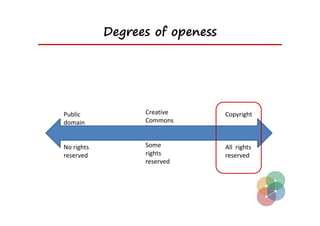
Copyrighted resources (all rights reserved) which
require permission


Creative Commons Licenses


Public Domain
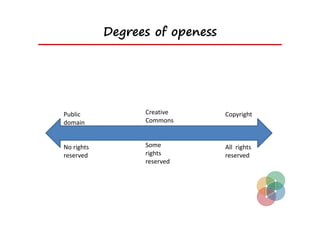
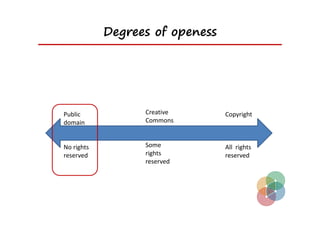
Degrees of openess


Public             Creative       Copyright
domain             Commons 


No rights          Some           All  rights 
reserved           rights         reserved 
                   reserved 
Degrees of openess


Public             Creative       Copyright
domain             Commons 


No rights          Some           All  rights 
reserved           rights         reserved 
                   reserved 
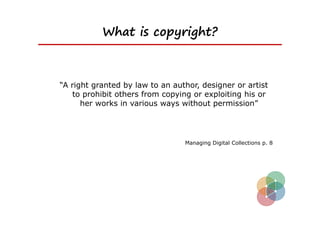
What is copyright?


“A right granted by law to an author, designer or artist
   to prohibit others from copying or exploiting his or
      her works in various ways without permission”


                                 Managing Digital Collections p. 8
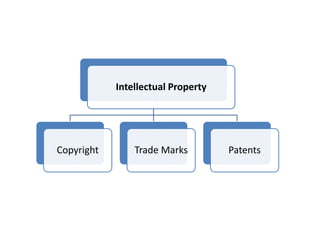
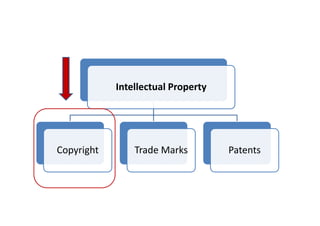
Intellectual Property


Copyright       Trade Marks         Patents
Intellectual Property 


Copyright       Trade Marks          Patents
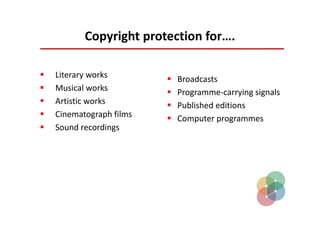
Copyright protection for….

   Literary works           Broadcasts
   Musical works            Programme‐carrying signals
   Artistic works           Published editions
   Cinematograph films      Computer programmes
   Sound recordings
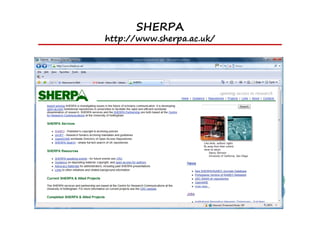
SHERPA
http://www.sherpa.ac.uk/
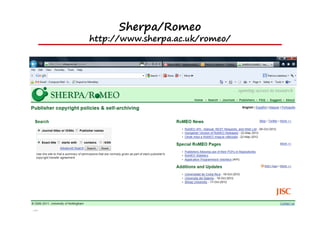
Sherpa/Romeo
http://www.sherpa.ac.uk/romeo/
Degrees of openess


Public             Creative       Copyright
domain             Commons 


No rights          Some           All  rights 
reserved           rights         reserved 
                   reserved 
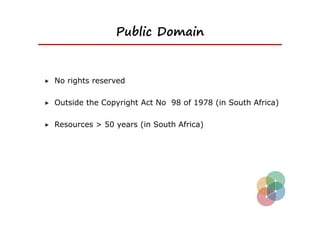
Public Domain


No rights reserved

Outside the Copyright Act No 98 of 1978 (in South Africa)

Resources > 50 years (in South Africa)
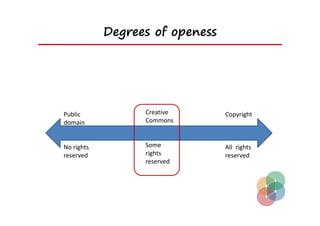
Degrees of openess


Public             Creative       Copyright
domain             Commons 


No rights          Some           All  rights 
reserved           rights         reserved 
                   reserved 
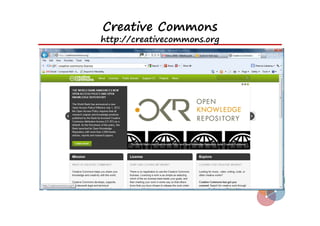
Creative Commons
http://creativecommons.org
Creative Commons Licences

    Retain copyright
      Allow others to copy/distribute
      Attribution/Credit

    License specifies
      Use/re-use
      Modify

    Options:
      Public domain, Attribution,
      Share-alike, non-commercial...

    Non-commercial purposes
RSS feeds


RSS feeds
  Site level (all new items)
  Community level (new items in all contained collections)
  Collection level (new items in that collection)

Can be read in modern web browsers

Can be subscribed to in news reader software
Alerts


Alerts
  Created by users
  Created for a collection
  Emails sent each day for new items
  Script must run daily:
     • [dspace]/bin/sub-daily
Collecting DSpace statistics


Statistics available from DSpace

Set up DSpace server for daily statistics  reports
(daily/monthly)

Access statistics by adding ‘/statistics’ to the end of the
Dspace URL

Can be made private (must be logged in) or public
What statistics do you get?


General overview metrics
  Numbers of items in repository; numbers of users
Archive
  List of how many of each type
Item views
  List of items and downloads of each
Actions
  Actions (eg browse) and numbers of each
Search terms
  Search terms used
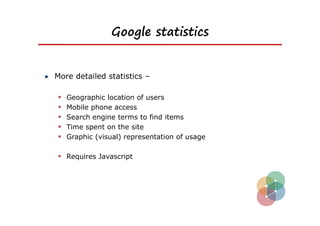
Google statistics


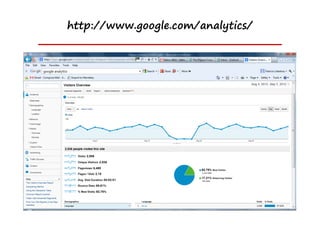
More detailed statistics –

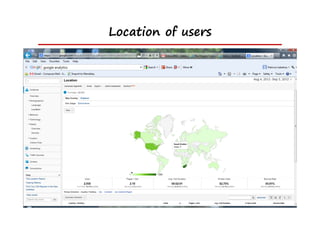
   Geographic location of users
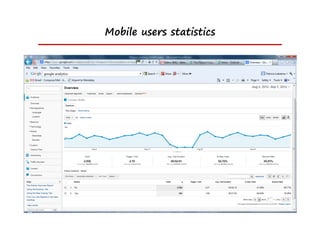
   Mobile phone access
   Search engine terms to find items
   Time spent on the site
   Graphic (visual) representation of usage

 Requires Javascript
http://www.google.com/analytics/
Mobile users statistics
Location of users
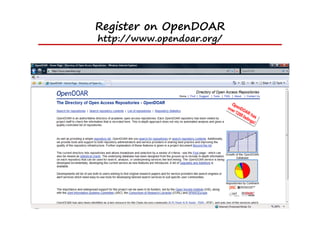
Register on OpenDOAR
http://www.opendoar.org/
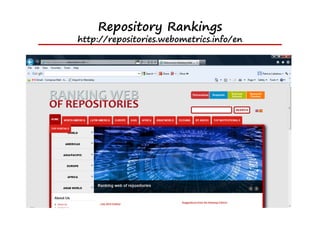
Repository Rankings
http://repositories.webometrics.info/en
This work was carried out with the aid of a grant from the
International Development Research Centre, Ottawa, Canada

DSpace Training Presentation

  • 1.
    Building an InstitutionalRepository Patricia Liebetrau October 2012 University of Namibia
  • 2.
    What we willcover Repository Structure Intro to metadata Users and groups Item submissions Workflows Copyright issues and embargos RSS, Statistics Information Management (eg controlled vocabularies) Building UNAM context ie how to structure the IR for your own purposes, your users and groups
  • 3.
  • 4.
    What is anInstitutional Repository (IR)? An IR is a digital collection capturing, preserving and disseminating the intellectual output of a single university community
  • 5.
    Institutional repository “A university-basedinstitutional repository is a set of services that a university offers to the members of its community for the management and dissemination of digital materials created by the institution and its community members. It is most essentially an organisational commitment to the stewardship of these digital materials, including long-term preservation where appropriate, as well as organisation and access or distribution.” Clifford A. Lynch. Institutional Repositories: Essential Infrastructure for Scholarship in the Digital Age ARL, no. 226 (February 2003): 1-7.
  • 6.
    What content? Research outputfrom academic staff Research output from students
  • 7.
    Research output fromUniversity staff Academic research papers Journal articles Research data sets Conference papers
  • 8.
    Research output fromUniversity students Theses and dissertations Research data
  • 9.
    Repository structure What isa repository? What is it used for? What goes into the repository? Software required? Skills required?
  • 10.
    Easy to findresources (1) “Beasts of Berlin” paper (2) “Communal land and tenure security” thesis
  • 11.
  • 12.
    What is itfor? Make University’s intellectual (research) output visible Facilitate global access  Especially in geographically remote environments Why based in the Library?  Skills in information management, dissemination and access University rankings
  • 13.
  • 14.
    World University Rankings TimesHigher Education (THE)
  • 15.
    Important elements ofIRs Institutionally defined Scholarly and research purposes Cumulative and perpetual Open and interoperable
  • 16.
    Many levels ofrepositories Institutional repository  Research output from an individual institutions • UKZN, DUT, Rhodes, Wits, Stellenbosch, Pretoria National repository  Research output from several individual institutions • NRF NETD project (SA) • ETHOS (UK) International repository  Research output from several national repositories • DRIVER
  • 17.
    Implementation STRUCTURED APPROACH –not ad hoc Develop policies Metadata for storage/presentation Digital document identifiers (DOI’s) = handles Author permissions and license agreements Submission guidelines (staff and students) Submission software training Marketing concept to depositors – advocacy efforts
  • 18.
    Software required Pre-packaged opensource software  E-Prints  D-Space – most commonly used in Africa
  • 19.
  • 20.
  • 21.
  • 22.
  • 23.
  • 24.
  • 25.
    How is itorganised? Communities Collections Items
  • 26.
    Example Structures Structures maybe based around organisational units: Community Collections Items Department Research Groups Items Department Item Type Items Faculty Schools Items Source: The DSpace course
  • 27.
    Communities Highest level Submitters  Users Represents institutional structure  Colleges  Schools  Departments Metadata Permissions Workflows
  • 28.
    Collections Hierachical structure Represents a collection within a community One community may have many collections
  • 29.
    Items Each item hasseveral parts  Metadata  Items for upload
  • 30.
    UNAM repository structure DISCUSSION What will your repository structure look like? Who will create Communities and Collections?  Requires administrative rights Who will have rights to submit items to Collections? Who will quality assure submissions?
  • 31.
    Roles, skills required? RepositoryManager  Policy development, advocacy, liaison with stakeholders, team leadership Repository Administrator  Managing metadata fields and quality, reports, statistics, training clients Technical services  Customisation, software upgrades General support  Data entry and general tasks
  • 32.
  • 33.
    Dublin Core Metadata Title Creator Subject Publisher Description Contributor Language Rights Source Date Relation Format Coverage Identifier Type
  • 34.
    DC-qualified for Theses Metadata Tag Definition Title dc.title Name given to the resource Subject dc.subject.LCSH Topic of the content of the resource Description dc.description.abstract Abstract Coverage dc.coverage Not used Source dc.source Not used Relation dc.relation Not used Format dc.format MIME types (eg application/pdf) Date dc.date.issued Date on the title page dc.date.available Date available for embargoed theses Resource type dc.type Thesis dc.type.qualificationlevel Honours, Masters, Doctoral Language dc.language Language of the intellectual content of the resource Identifier dc.identifier Unambiguous reference to the resource within a given context: this is the object identifier or OID Creator dc.creator Entity primarily responsible for making the content of the resource Contributor dc.contributor.advisor Supervisors Publisher dc.publisher.institution Entity responsible for publishing the content of the dc.publisher.department resource Rights management dc.rights Information about rights held in and over the resource
  • 35.
  • 36.
    Checklist for Thesesmetadata Checklist for DC‐qualified metadata for Theses Controlled  Metadata Tag Definition Mandatory Repeatable Vocab Title dc.title Name given to the resource Yes No  No Subject dc.subject.LCSH Topic of the content of the resource Description dc.description.abstract Abstract Coverage dc.coverage Not used Source dc.source Not used Relation dc.relation Not used Format dc.format MIME types (eg application/pdf) Date dc.date.issued Date on the title page dc.date.available Date available for embargoed theses Resource type dc.type Thesis  dc.type.qualificationlevel Honours, Masters, Doctoral Language dc.language Language of the intellectual content of the resource Unambiguous reference to the resource within a given context: this is  Identifier dc.identifier the object identifier or OID Creator dc.creator Entity primarily responsible for making the content of the resource Contributor dc.contributor.advisor Supervisors Publisher dc.publisher.institution Entity responsible for publishing the content of the resource dc.publisher.department Rights management dc.rights Information about rights held in and over the resource
  • 37.
    Standards International standards Date YYYY-MM-DD  Surname, first name or First name, Surname  Metadata (DC-qualifief/ETDMS)  MIME types • application/pdf • audio/mpeg • video/mp4
  • 38.
    Quality assurance Consistency Adherence tostandards Guidelines Training is consistent
  • 39.
    DSpace users User accountsare required in order to grant privileges to different users  If not logged in, you are considered to be an anonymous user  If you have a user account, rights and roles can be granted to you to allow you to interact with Dspace  Some users will be ‘administrators’ and have access to all functions in DSpace
  • 40.
    Rights New users (e-people)have no rights They have to be granted rights and roles
  • 41.
    DSpace groups Combine usersinto logical groups  Assists with the management of users  Assign privileges to groups not individuals  Groups can be members of other groups For example….  Computer Science staff group  Faculty staff group  All staff group
  • 42.
    Concept: Authentication andAuthorization Two important concepts:  Authentication • The process of establishing the identity of a user (eg LDAP)  Authorization • The granting of privileges to a user to perform an action on a resource
  • 43.
    Item submissions A typicalsubmission:  Choose a collection to submit to  Answer some initial questions  Enter some metadata  Upload some files  Verify the submission  Agree to the deposit licence
  • 44.
  • 45.
    Copyrights, embargoes etc Whoowns copyright of …. Theses (university/student) Journal articles (accepted version/publisher version) Conference Papers (published proceedings) Lecture presentations (university/lecturer) Pending patents - embargo
  • 46.
    Openness Open source software where the source code is available for modification Open standards  Specifications  De facto standards Open access  access to resources made available without fees or cost
  • 47.
    Degrees of openness Copyrightedresources (all rights reserved) which require permission Creative Commons Licenses Public Domain
  • 48.
    Degrees of openess Public  Creative  Copyright domain Commons  No rights  Some  All  rights  reserved  rights  reserved  reserved 
  • 49.
    Degrees of openess Public  Creative  Copyright domain Commons  No rights  Some  All  rights  reserved  rights  reserved  reserved 
  • 50.
    What is copyright? “Aright granted by law to an author, designer or artist to prohibit others from copying or exploiting his or her works in various ways without permission” Managing Digital Collections p. 8
  • 51.
  • 52.
  • 53.
    Copyright protection for….  Literary works  Broadcasts  Musical works  Programme‐carrying signals  Artistic works  Published editions  Cinematograph films  Computer programmes  Sound recordings
  • 54.
  • 55.
  • 56.
    Degrees of openess Public  Creative  Copyright domain Commons  No rights  Some  All  rights  reserved  rights  reserved  reserved 
  • 57.
    Public Domain No rightsreserved Outside the Copyright Act No 98 of 1978 (in South Africa) Resources > 50 years (in South Africa)
  • 58.
    Degrees of openess Public  Creative  Copyright domain Commons  No rights  Some  All  rights  reserved  rights  reserved  reserved 
  • 59.
  • 60.
    Creative Commons Licences Retain copyright  Allow others to copy/distribute  Attribution/Credit License specifies  Use/re-use  Modify Options:  Public domain, Attribution,  Share-alike, non-commercial... Non-commercial purposes
  • 61.
    RSS feeds RSS feeds  Site level (all new items)  Community level (new items in all contained collections)  Collection level (new items in that collection) Can be read in modern web browsers Can be subscribed to in news reader software
  • 62.
    Alerts Alerts  Createdby users  Created for a collection  Emails sent each day for new items  Script must run daily: • [dspace]/bin/sub-daily
  • 63.
    Collecting DSpace statistics Statisticsavailable from DSpace Set up DSpace server for daily statistics  reports (daily/monthly) Access statistics by adding ‘/statistics’ to the end of the Dspace URL Can be made private (must be logged in) or public
  • 64.
    What statistics doyou get? General overview metrics  Numbers of items in repository; numbers of users Archive  List of how many of each type Item views  List of items and downloads of each Actions  Actions (eg browse) and numbers of each Search terms  Search terms used
  • 65.
    Google statistics More detailedstatistics –  Geographic location of users  Mobile phone access  Search engine terms to find items  Time spent on the site  Graphic (visual) representation of usage  Requires Javascript
  • 66.
  • 67.
  • 68.
  • 69.
  • 70.
  • 71.
    This work wascarried out with the aid of a grant from the International Development Research Centre, Ottawa, Canada