Albert Szilvasy, Autodesk
Abhishek Singhal, Risersoft
Ben O'Donnell, BIMobject
Drawings! Drawings! Everywhere!
Agenda
• Overview of Design Automation API
• Demo
• Clients
• Risersoft
• Bimobjects
AutoCAD.IO
Design Automation API
Forge DAA
Nicely captures the simplicity of this API
As in: It is simple!
The problem
• There are billions of DWG files “out there”
• Lot of people want DWG files
• You need AutoCAD to access/create DWGs
• Requires HW, license, personnel to maintain
Solution: Design Automation API
• A simple DWG processing service
• Simple:
• Input url(s) + output urls(s) + autocad commands
• Service:
• no license, no hw, no maintance
• Available since November 2014
• Daily volume of over 50,000 dwgs
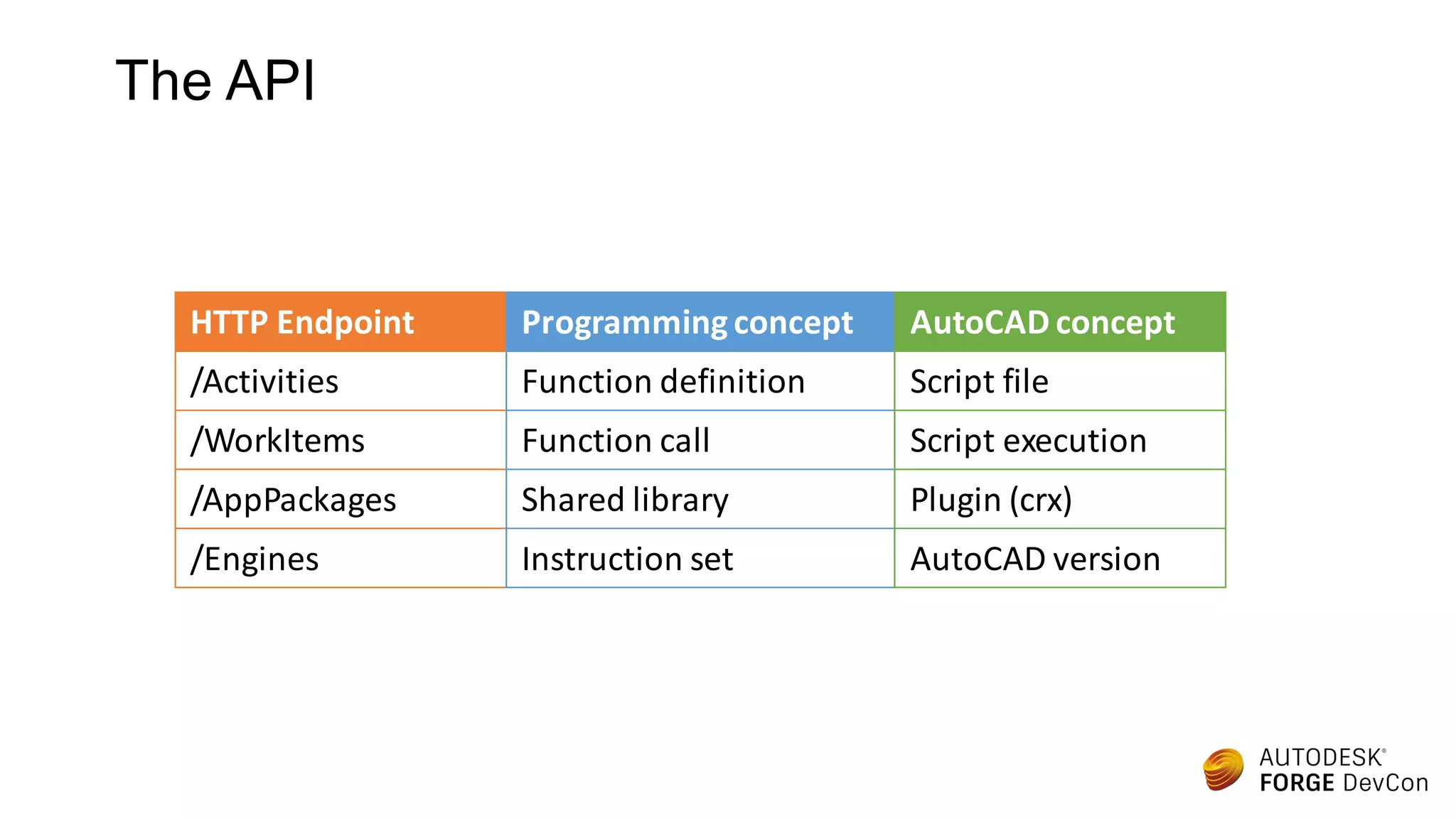
The API
HTTP Endpoint
/Activities
/WorkItems
/AppPackages
/Engines
Programmingconcept
Function definition
Function call
Shared library
Instruction set
AutoCAD concept
Script file
Script execution
Plugin (crx)
AutoCAD version
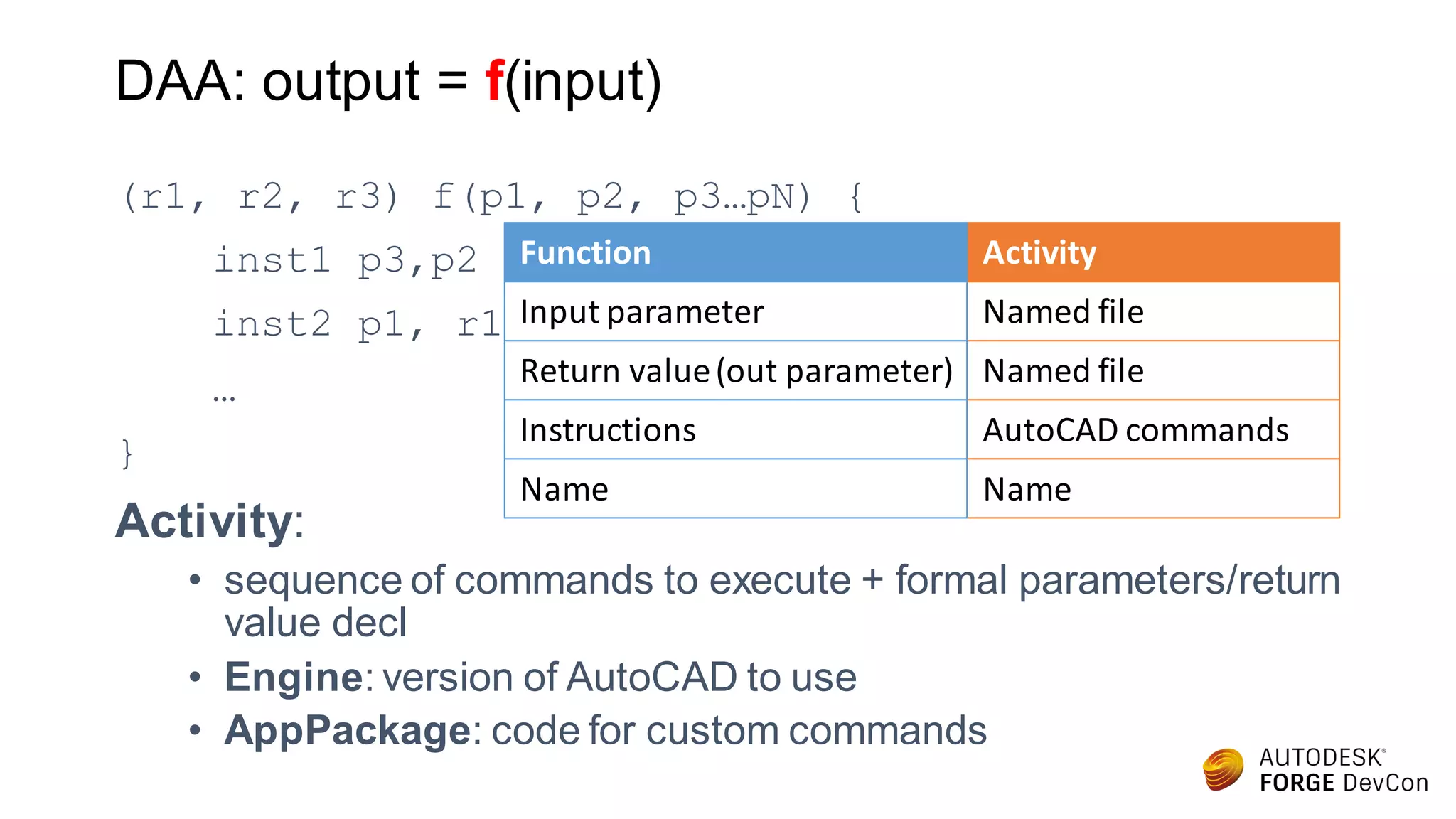
DAA: output = f(input)
(r1, r2, r3) f(p1, p2, p3…pN) {
inst1 p3,p2
inst2 p1, r1
…
}
Activity:
• sequence of commands to execute + formal parameters/return
value decl
• Engine: version of AutoCAD to use
• AppPackage: code for custom commands
Activity
Named file
Named file
AutoCAD commands
Name
Function
Input parameter
Return value(out parameter)
Instructions
Name
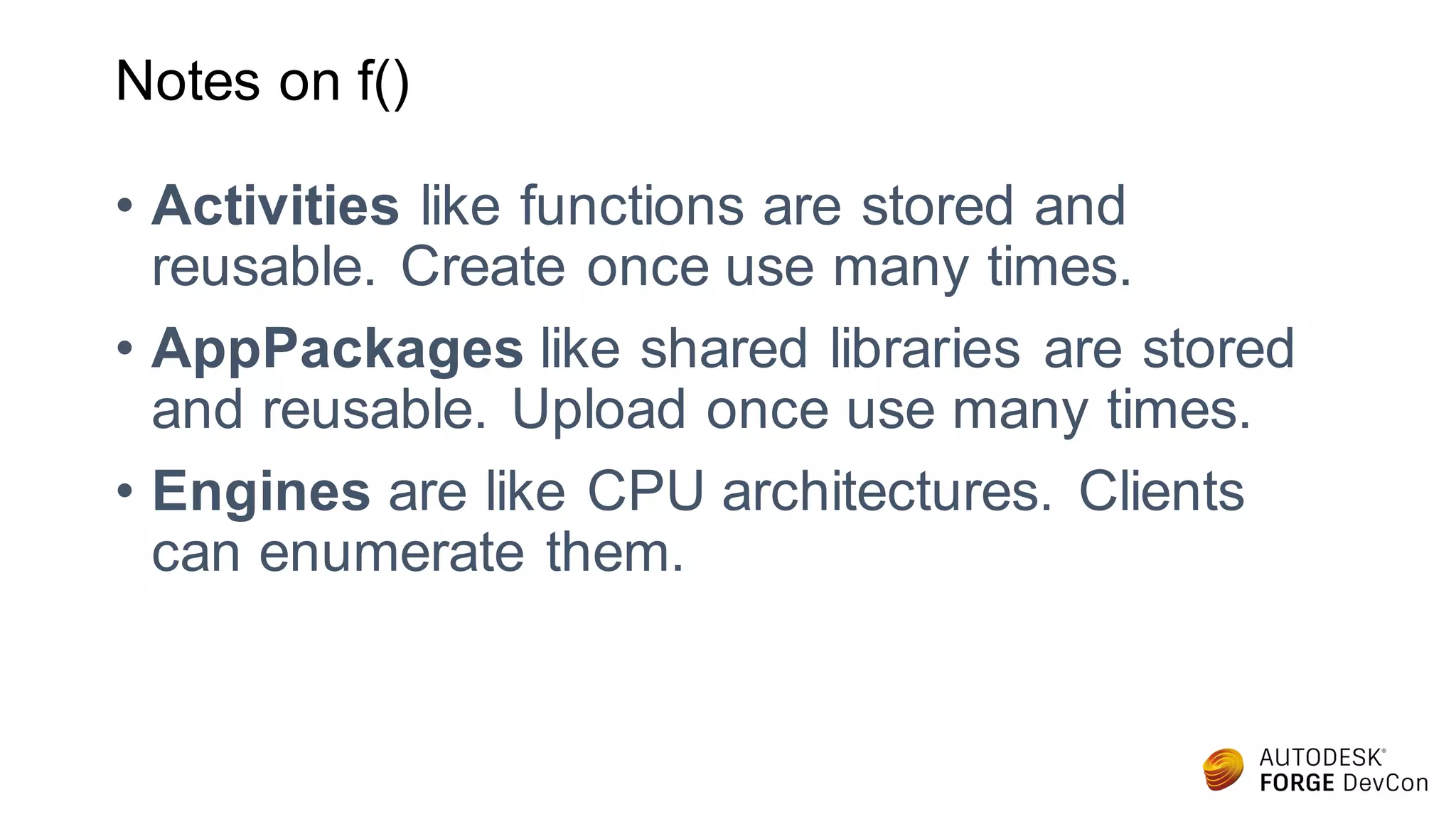
Notes on f()
• Activities like functions are stored and
reusable. Create once use many times.
• AppPackages like shared libraries are stored
and reusable. Upload once use many times.
• Engines are like CPU architectures. Clients
can enumerate them.
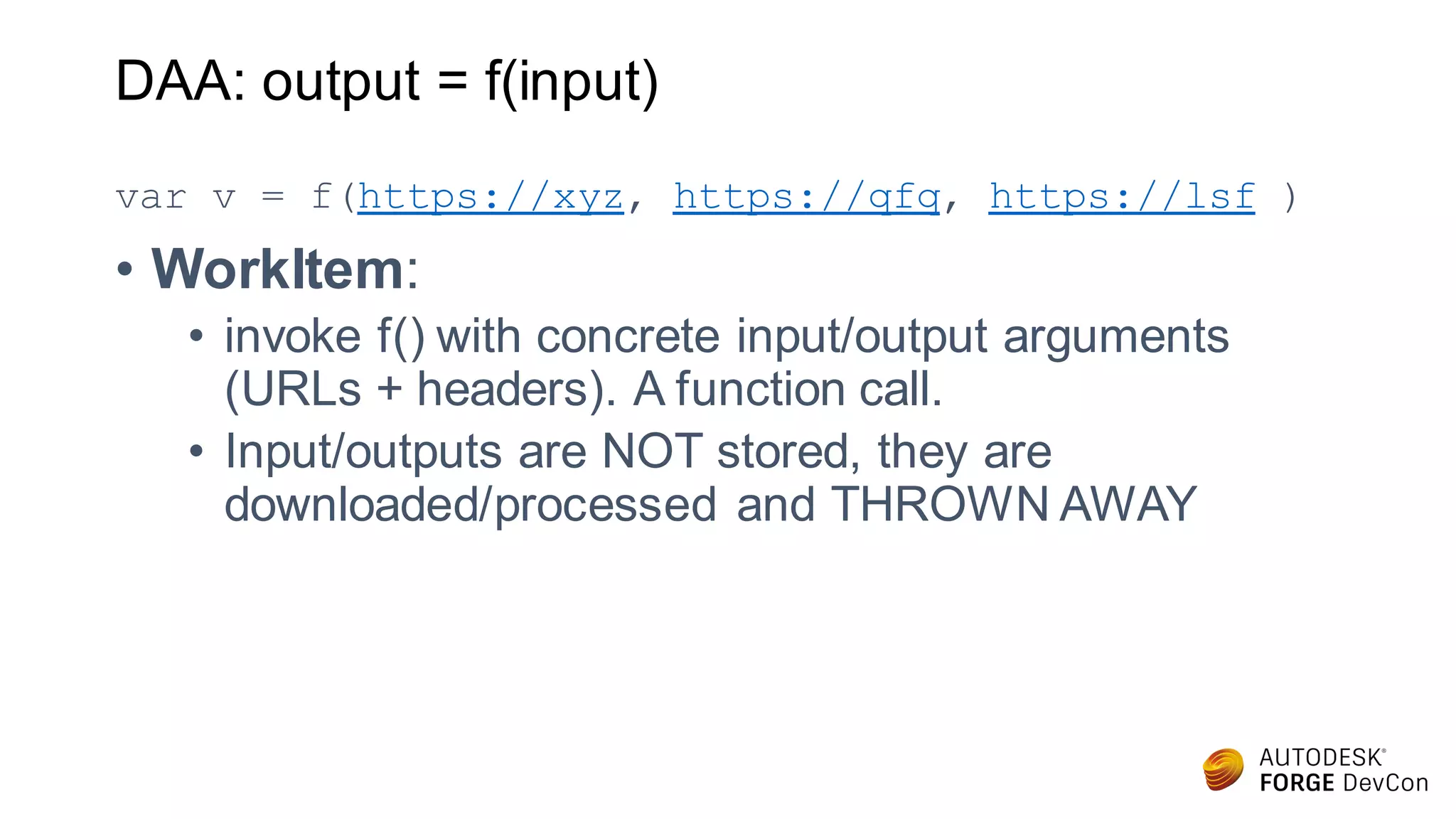
DAA: output = f(input)
var v = f(https://xyz, https://qfq, https://lsf )
• WorkItem:
• invoke f() with concrete input/output arguments
(URLs + headers). A function call.
• Input/outputs are NOT stored, they are
downloaded/processed and THROWN AWAY
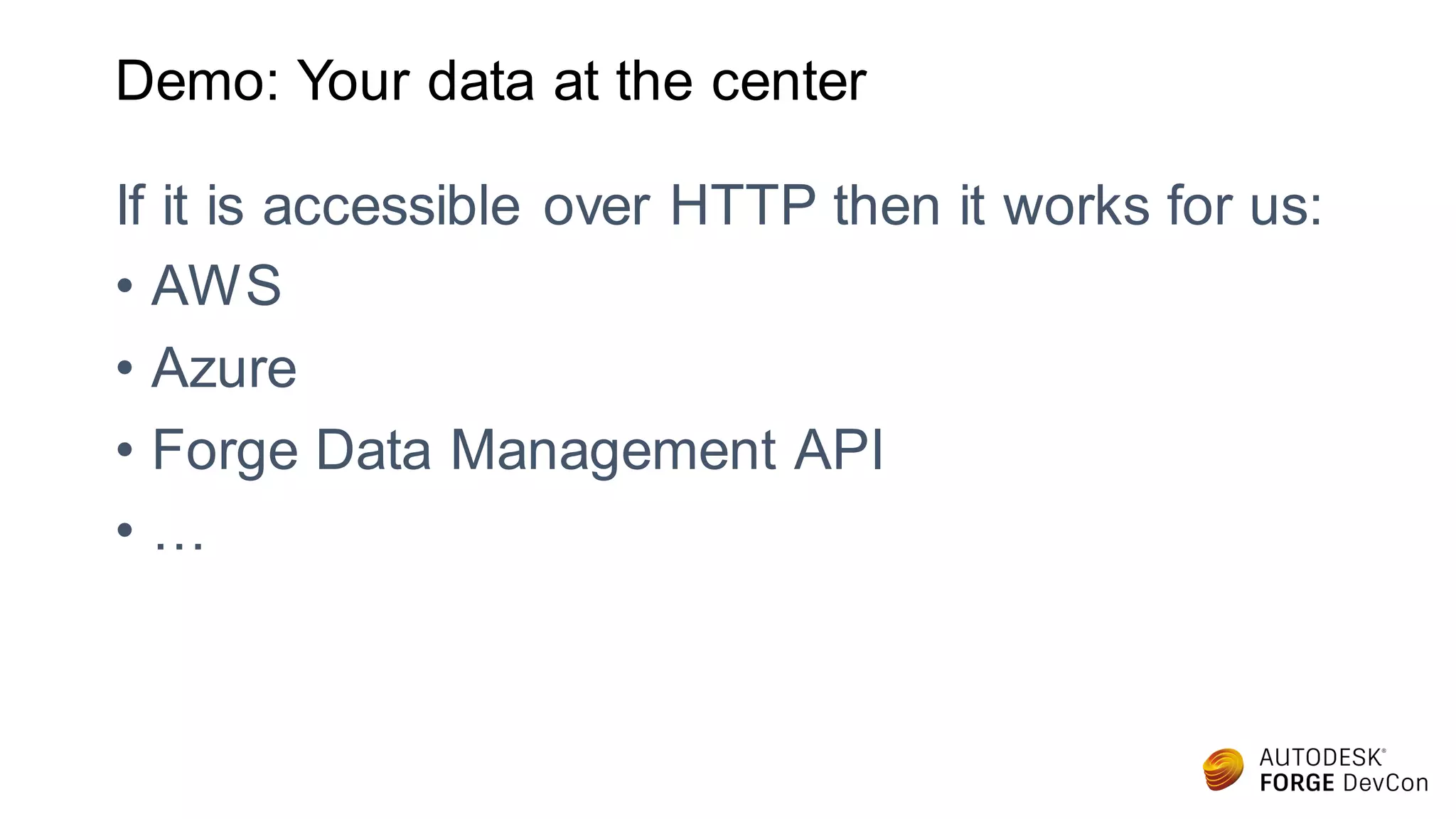
Demo: Your data at the center
If it is accessible over HTTP then it works for us:
• AWS
• Azure
• Forge Data Management API
• …
Abhishek Singhal
CEO, Risersoft
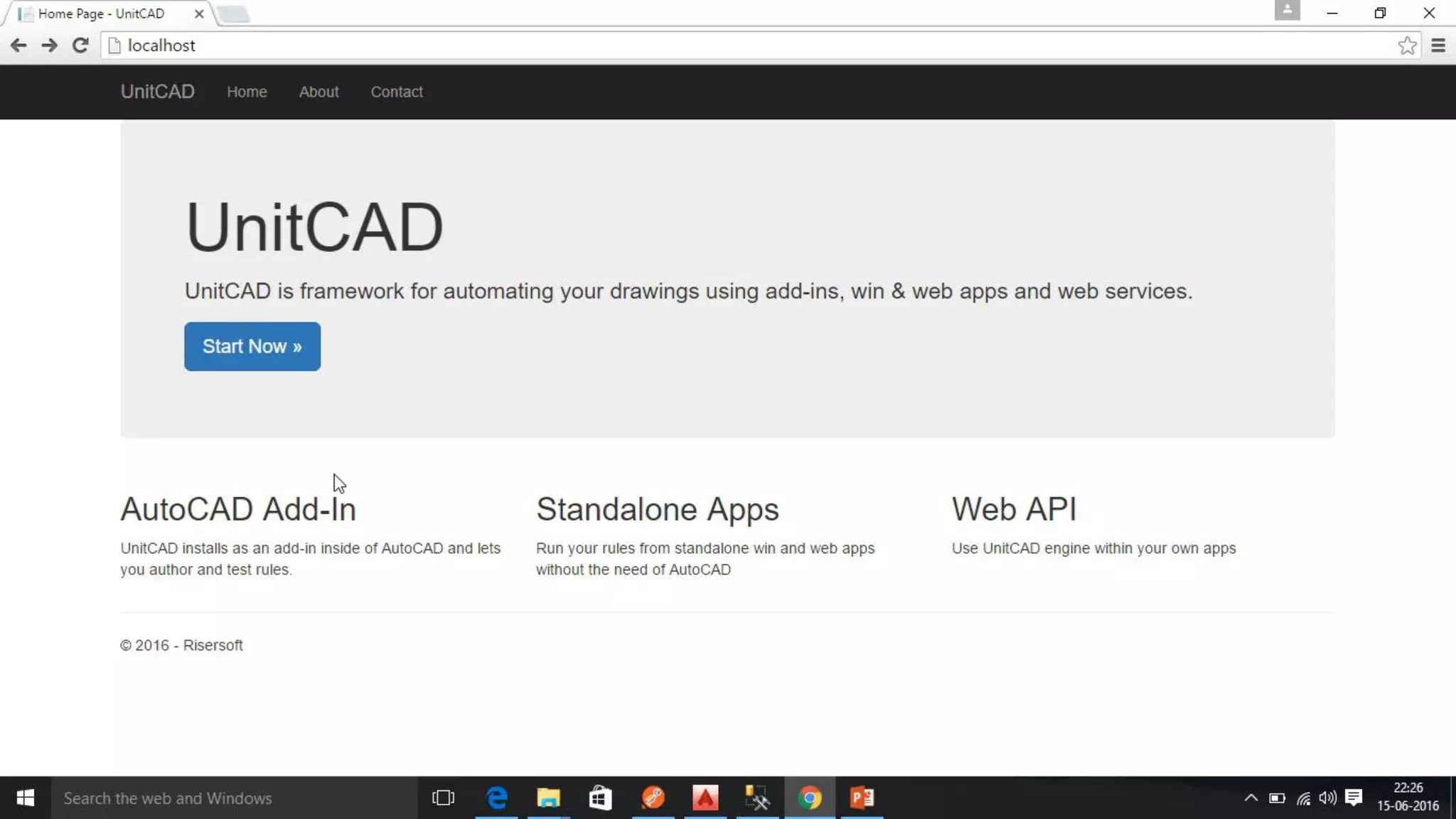
UnitCAD
Automate your drawings
About Risersoft
Engineering and Manufacturing Solutions
© 2016 Autodesk
Parametric
Enterprise
Jet-Set-Go
With Cloud
Engineering
Driven
Manufacturing
Enquiry to
Cash
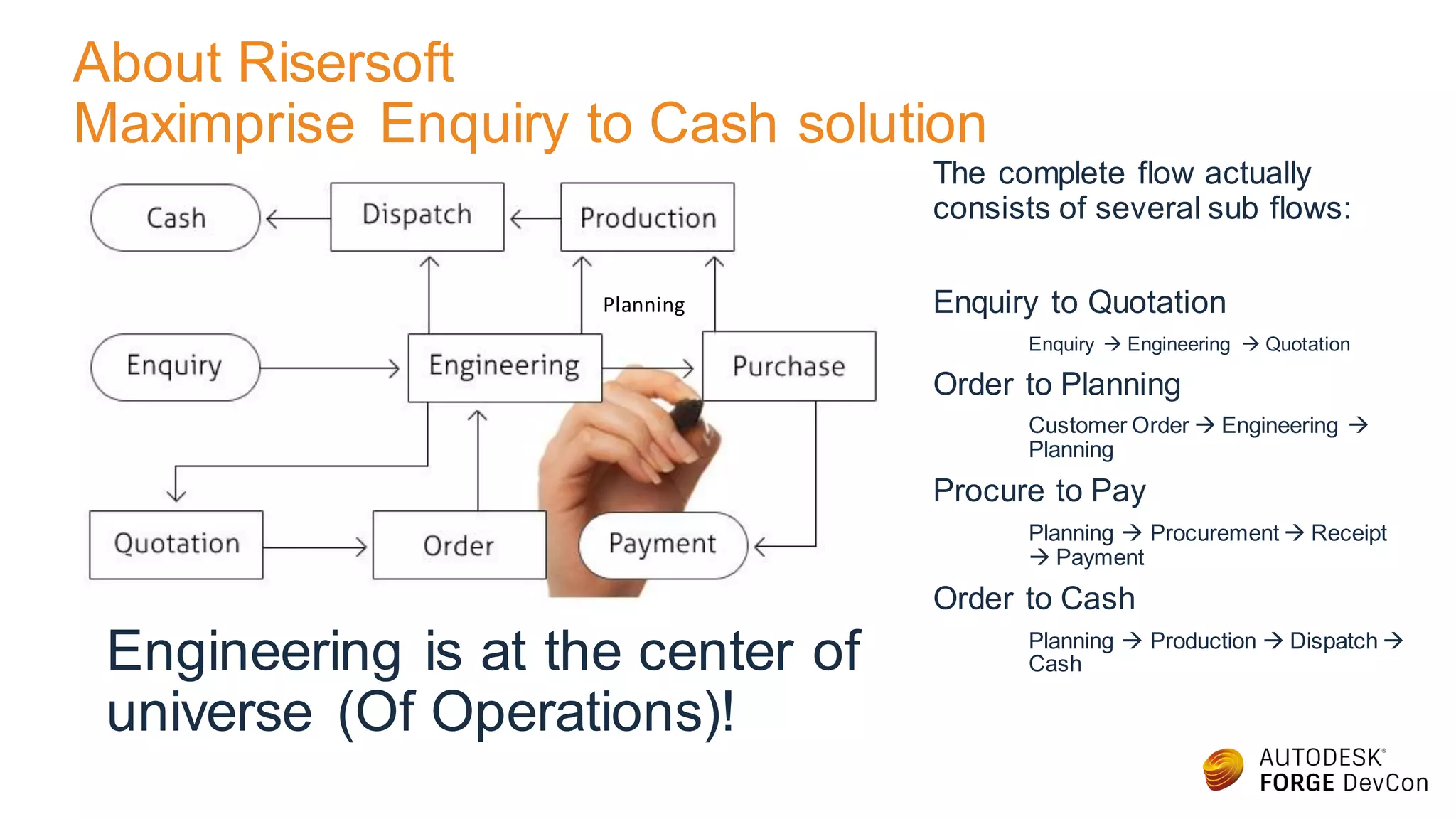
About Risersoft
Maximprise Enquiry to Cash solution
The complete flow actually
consists of several sub flows:
Enquiry to Quotation
Enquiry  Engineering  Quotation
Order to Planning
Customer Order  Engineering 
Planning
Procure to Pay
Planning  Procurement  Receipt
 Payment
Order to Cash
Planning  Production  Dispatch 
CashEngineering is at the center of
universe (Of Operations)!
Planning
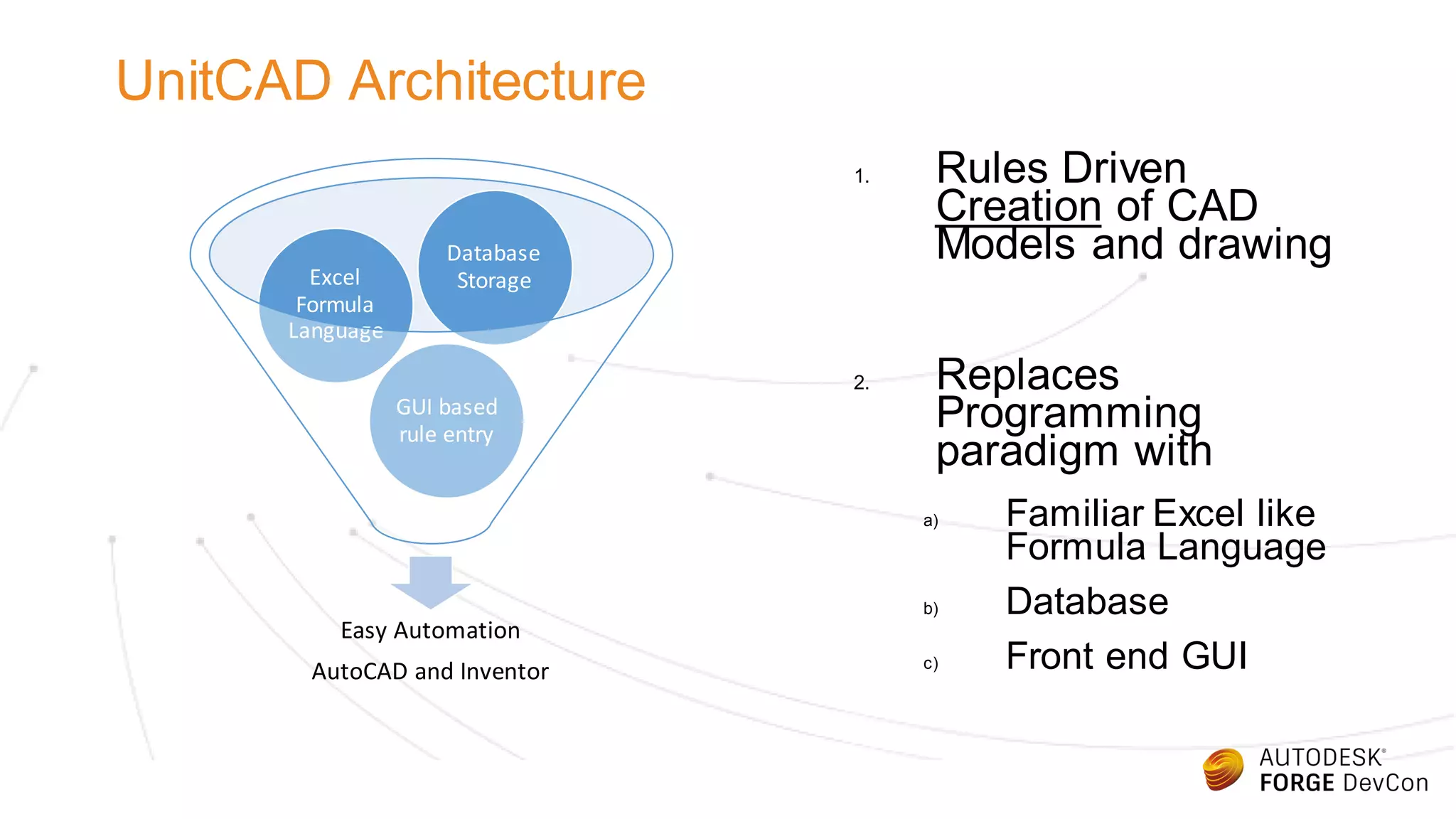
UnitCAD Architecture
Easy Automation
AutoCAD and Inventor
GUI based
rule entry
Excel
Formula
Language
Database
Storage
1. Rules Driven
Creation of CAD
Models and drawing
2. Replaces
Programming
paradigm with
a) Familiar Excel like
Formula Language
b) Database
c) Front end GUI
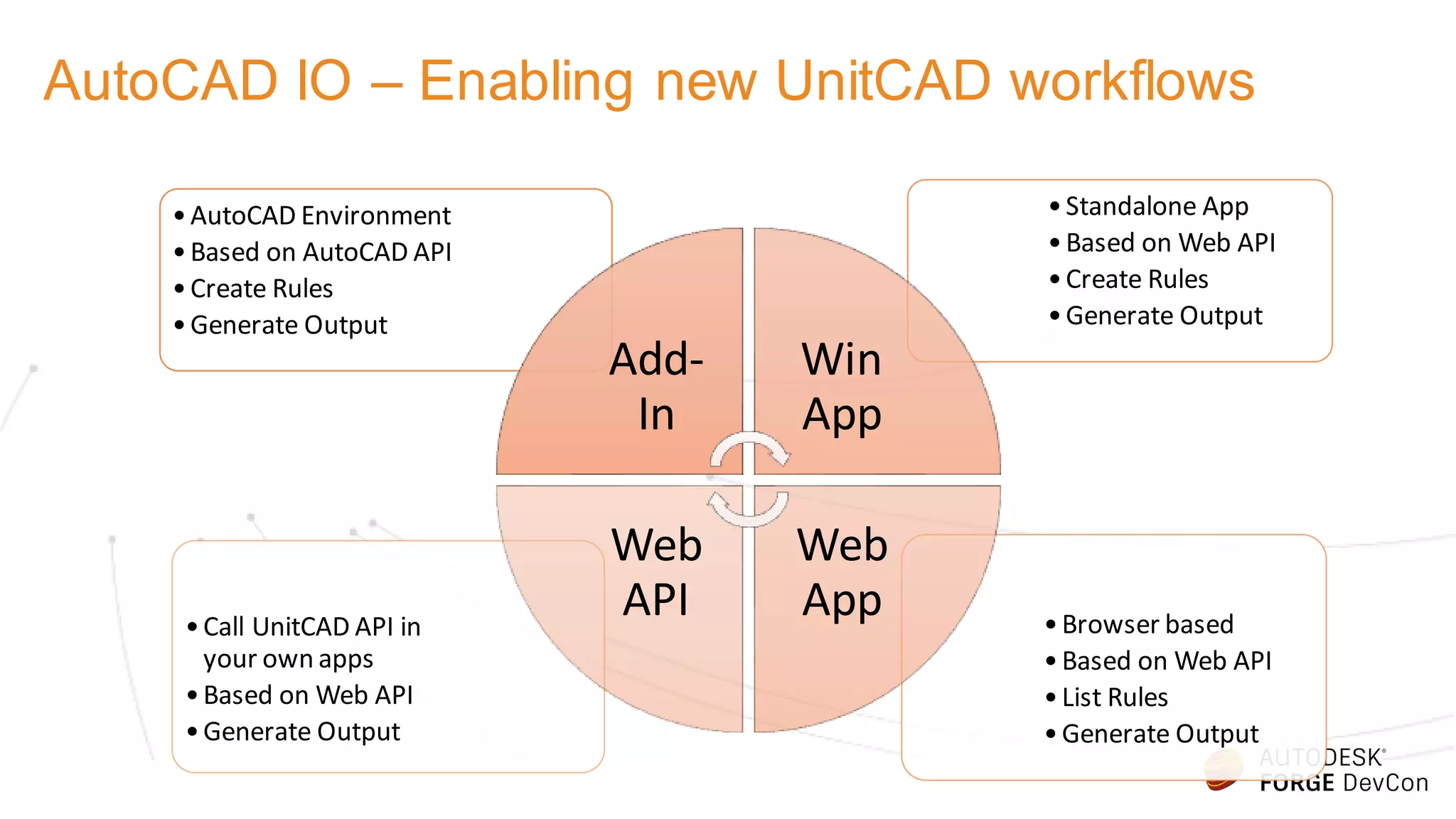
AutoCAD IO – Enabling new UnitCAD workflows
•Browser based
•Based on Web API
•List Rules
•Generate Output
•Call UnitCAD API in
your own apps
•Based on Web API
•Generate Output
•Standalone App
•Based on Web API
•Create Rules
•Generate Output
•AutoCAD Environment
•Based on AutoCAD API
•Create Rules
•Generate Output
Add-
In
Win
App
Web
App
Web
API
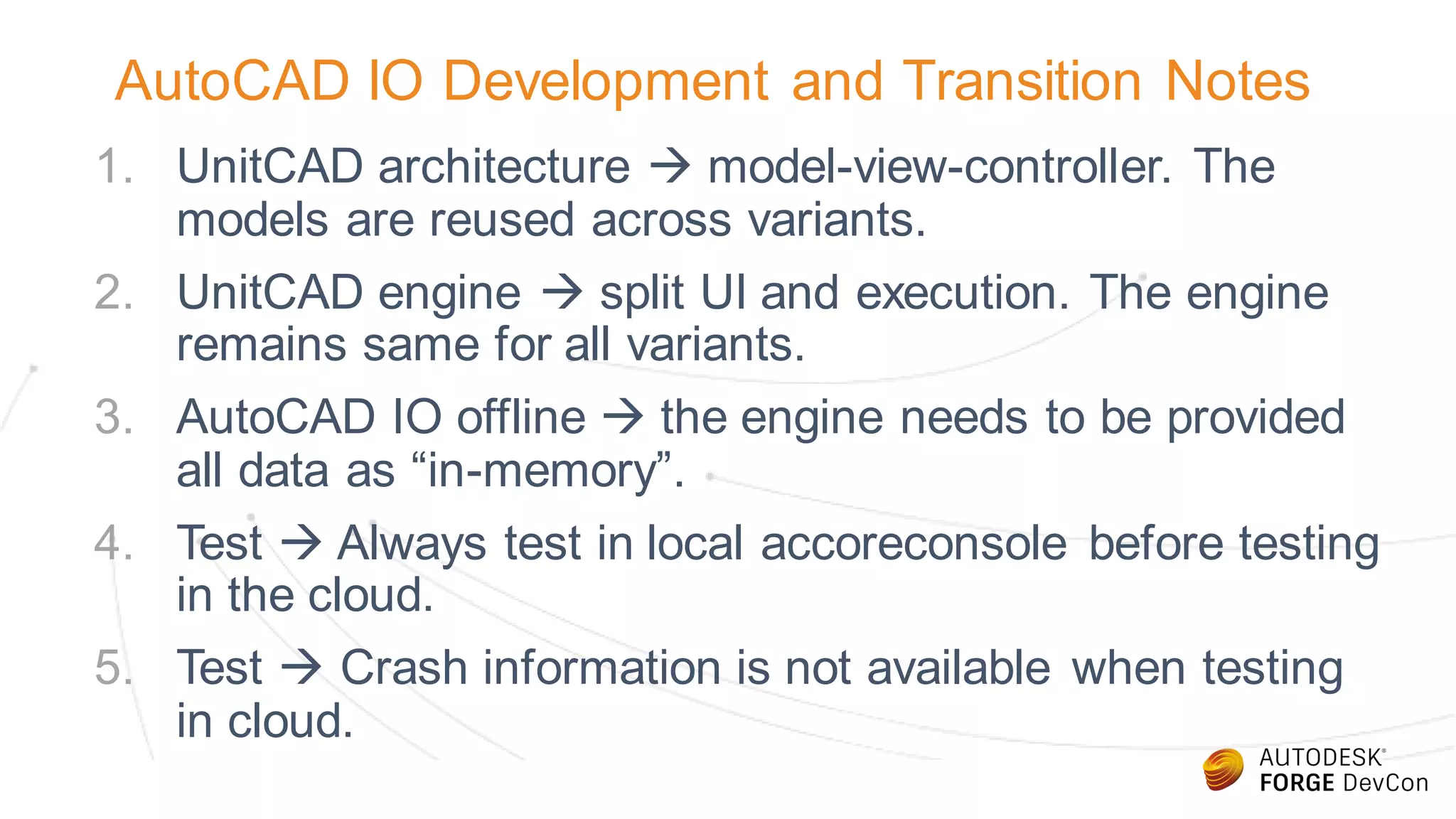
AutoCAD IO Development and Transition Notes
1. UnitCAD architecture  model-view-controller. The
models are reused across variants.
2. UnitCAD engine  split UI and execution. The engine
remains same for all variants.
3. AutoCAD IO offline  the engine needs to be provided
all data as “in-memory”.
4. Test  Always test in local accoreconsole before testing
in the cloud.
5. Test  Crash information is not available when testing
in cloud.
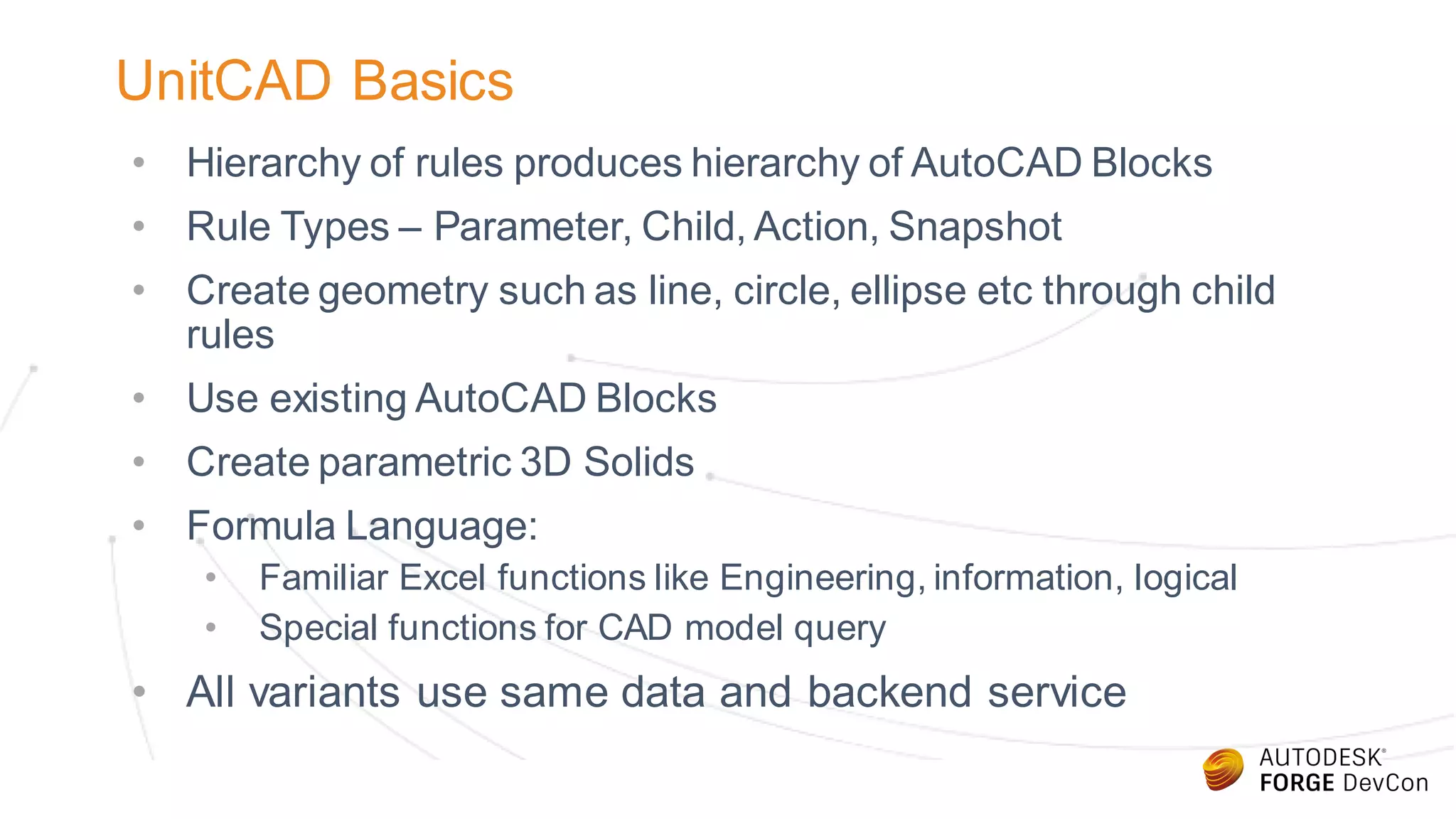
UnitCAD Basics
• Hierarchy of rules produces hierarchy of AutoCAD Blocks
• Rule Types – Parameter, Child, Action, Snapshot
• Create geometry such as line, circle, ellipse etc through child
rules
• Use existing AutoCAD Blocks
• Create parametric 3D Solids
• Formula Language:
• Familiar Excel functions like Engineering, information, logical
• Special functions for CAD model query
• All variants use same data and backend service
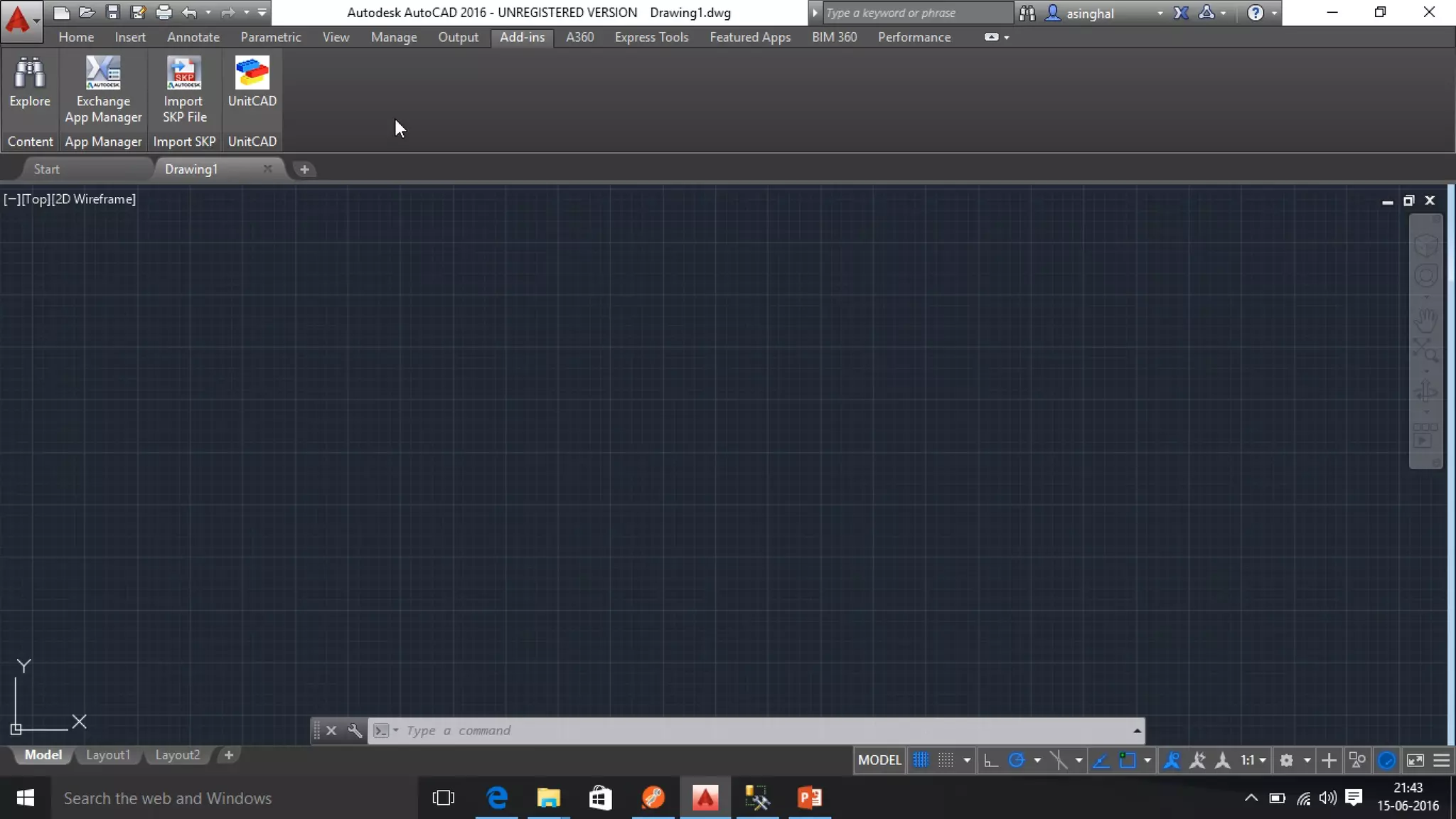
1. Add-In
2. Win App
3. Web App
Demo
Welcome to Office Mix
WATCH
CREATE
SHARE
Delete this slide (Delete key) and open a new slide (Ctrl + M) when you are ready to createyour first Mix
1
2
3
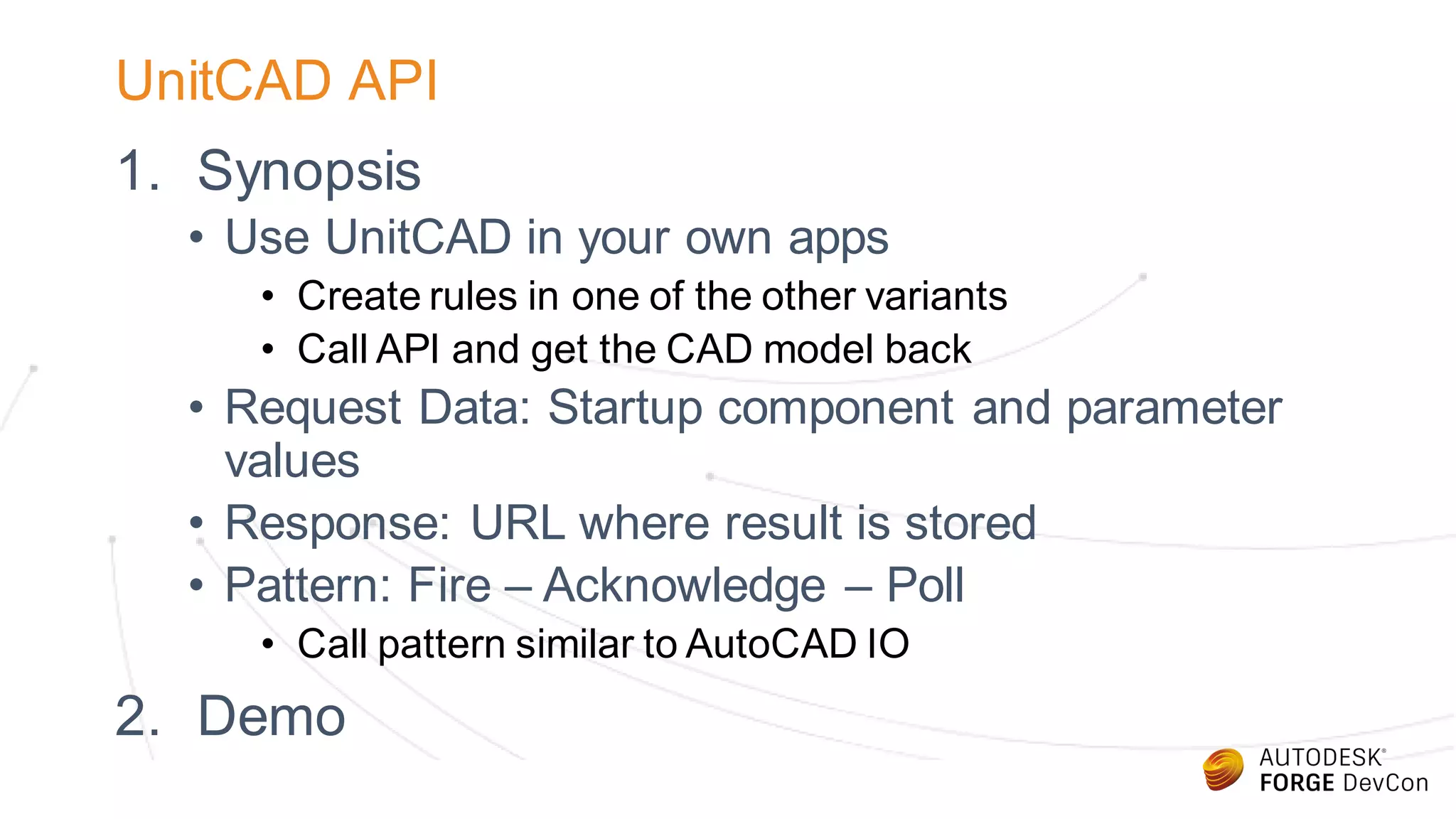
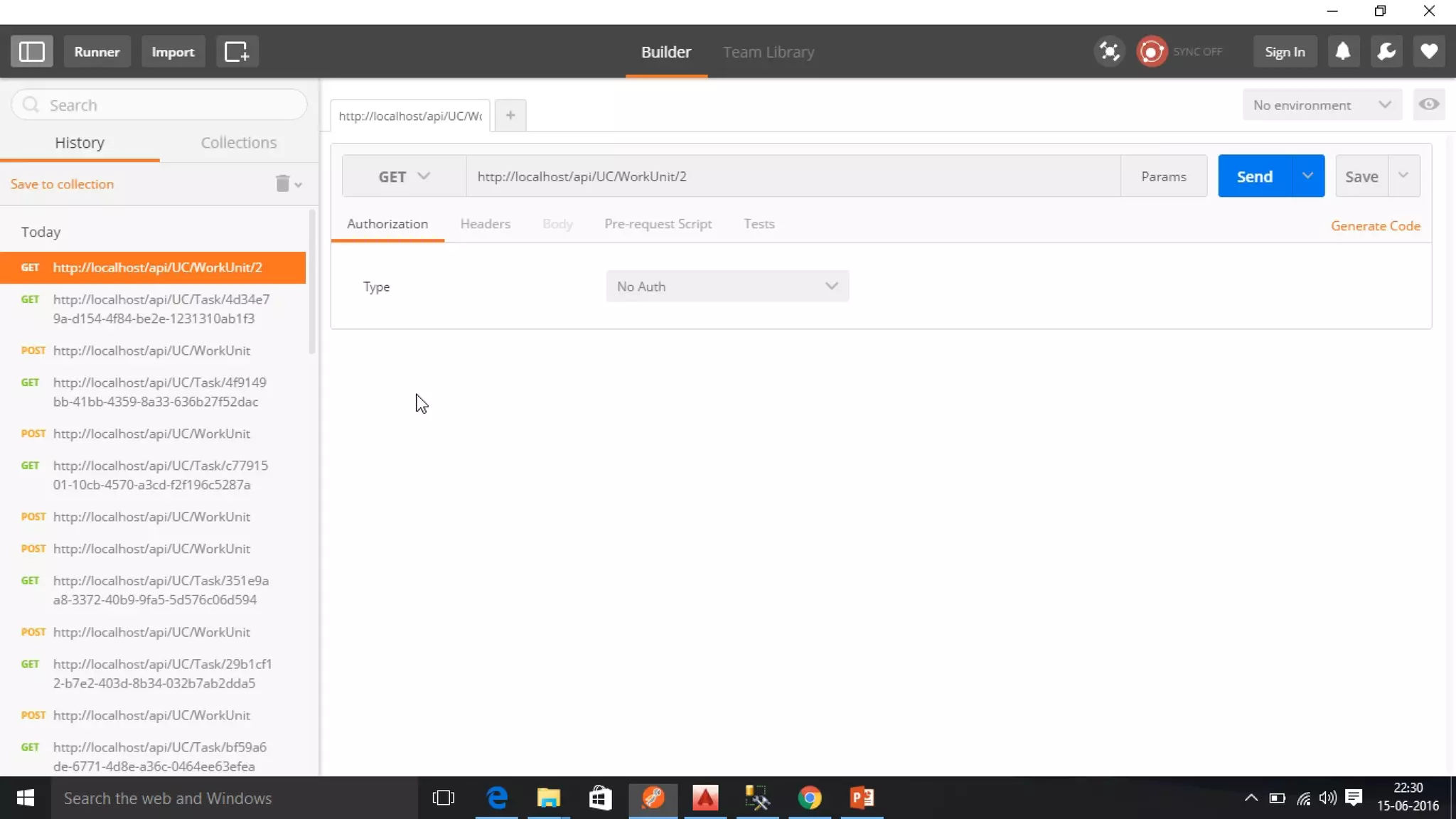
UnitCAD API
1. Synopsis
• Use UnitCAD in your own apps
• Create rules in one of the other variants
• Call API and get the CAD model back
• Request Data: Startup component and parameter
values
• Response: URL where result is stored
• Pattern: Fire – Acknowledge – Poll
• Call pattern similar to AutoCAD IO
2. Demo
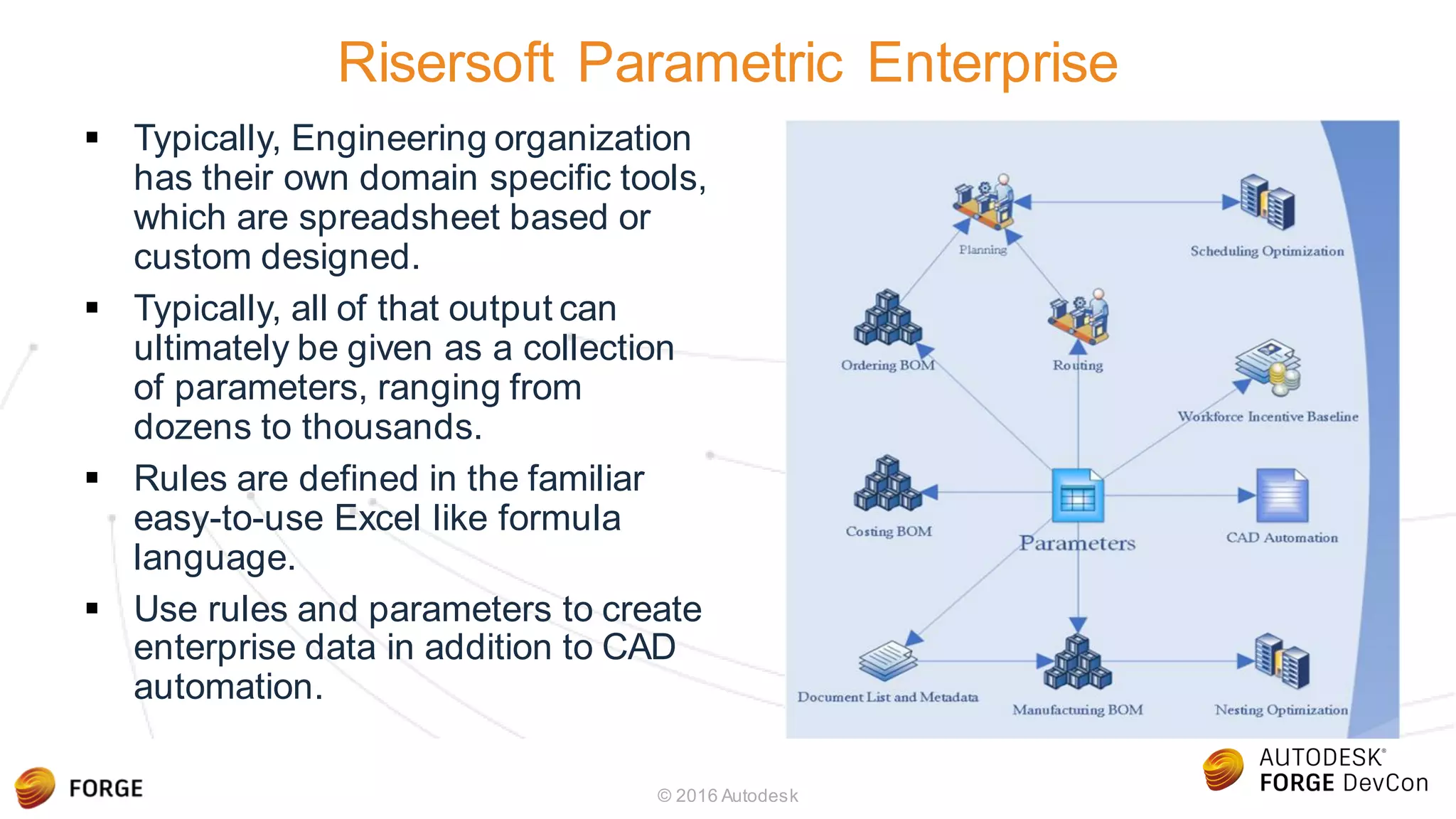
Risersoft Parametric Enterprise
 Typically, Engineering organization
has their own domain specific tools,
which are spreadsheet based or
custom designed.
 Typically, all of that output can
ultimately be given as a collection
of parameters, ranging from
dozens to thousands.
 Rules are defined in the familiar
easy-to-use Excel like formula
language.
 Use rules and parameters to create
enterprise data in addition to CAD
automation.
© 2016 Autodesk
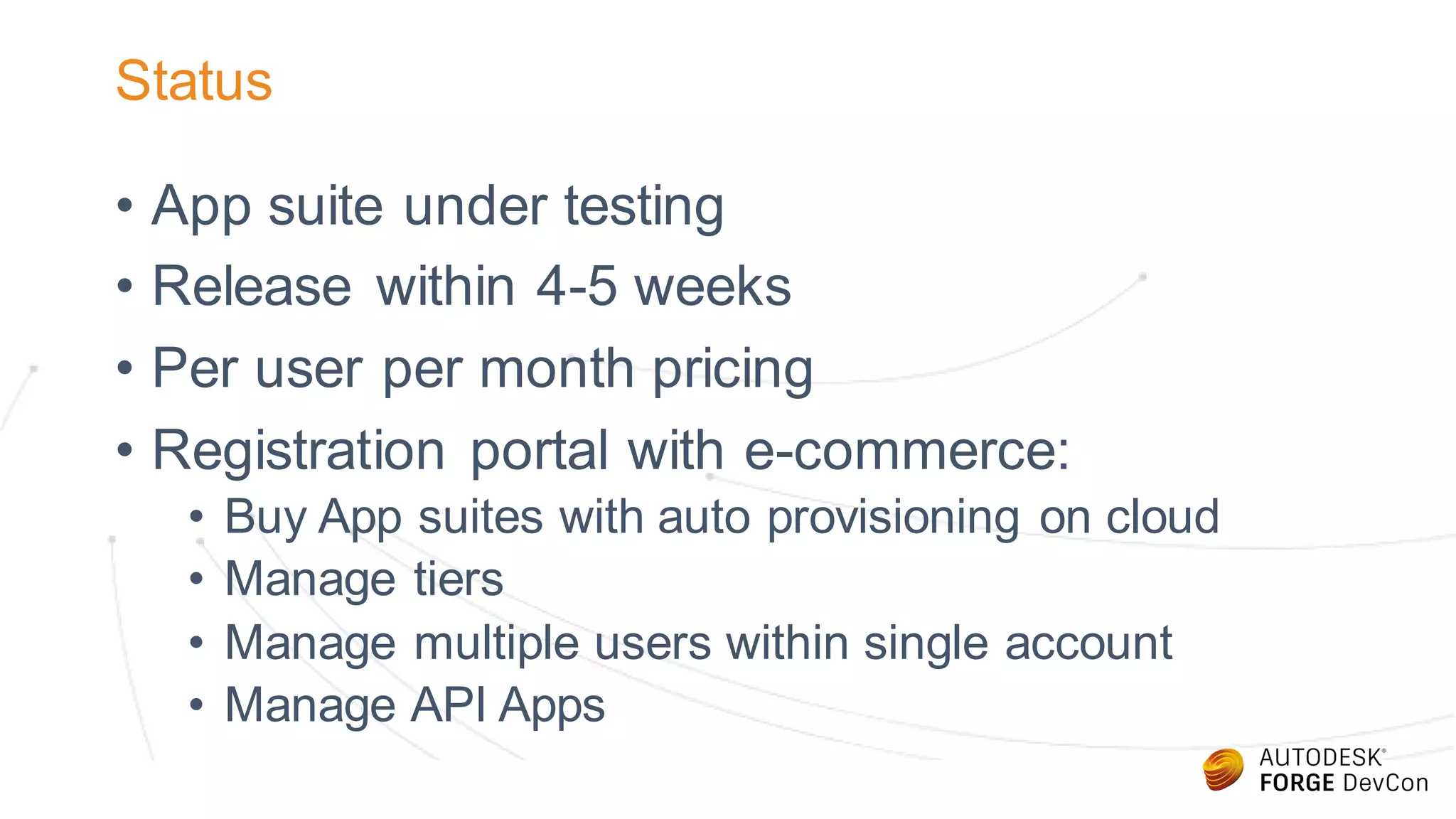
Status
• App suite under testing
• Release within 4-5 weeks
• Per user per month pricing
• Registration portal with e-commerce:
• Buy App suites with auto provisioning on cloud
• Manage tiers
• Manage multiple users within single account
• Manage API Apps
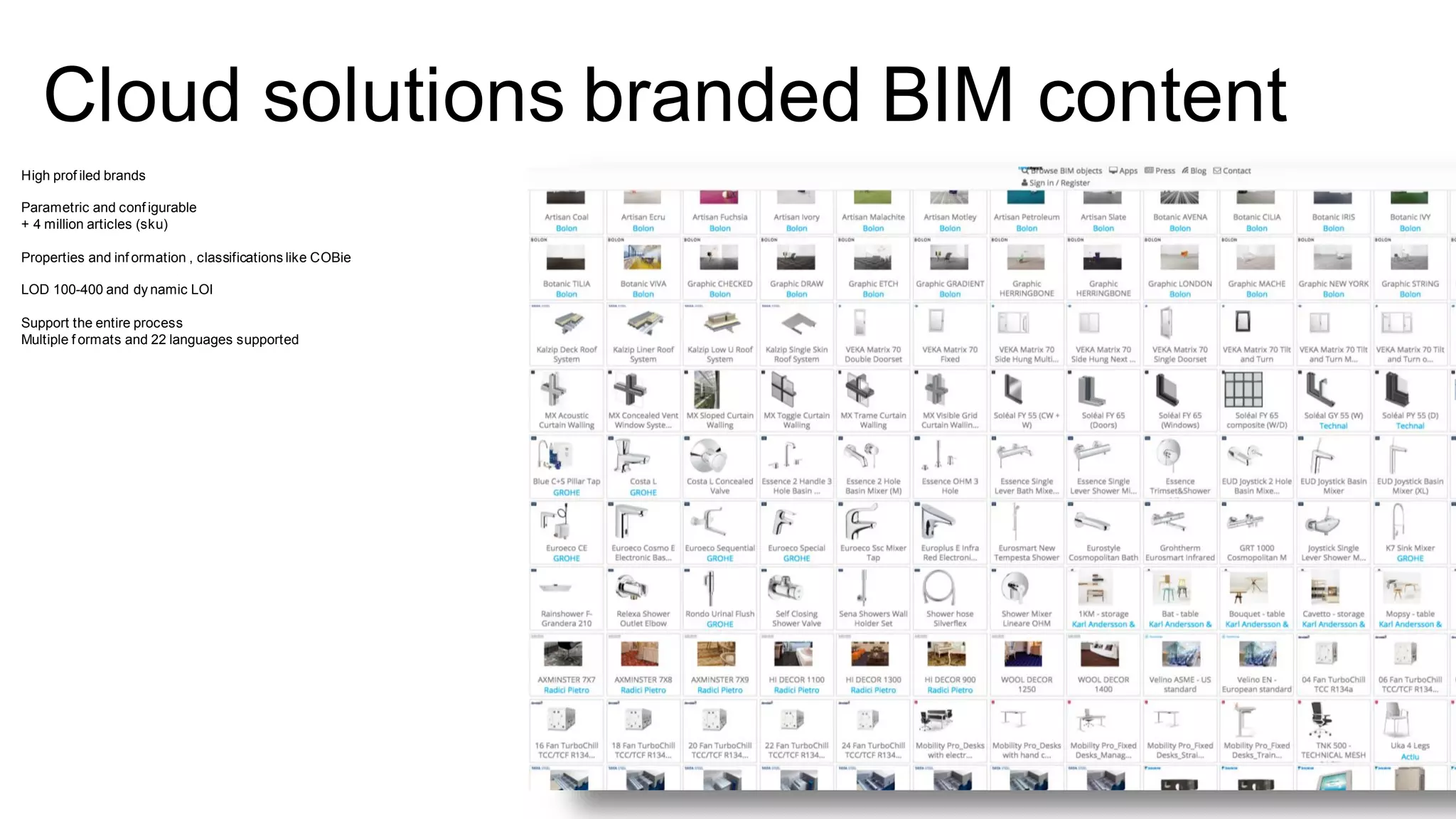
Cloud solutions branded BIM content
High prof iled brands
Parametric and conf igurable
+ 4 million articles (sku)
Properties and inf ormation , classifications like COBie
LOD 100-400 and dy namic LOI
Support the entire process
Multiple f ormats and 22 languages supported
Mass production of BIM content
Industrialise the creation
processes
Create an unbroken , information
chain
BIMobject.com
BIMscript®
An open developer script
that enables smart objects in
a cloud environment and
single source of truth
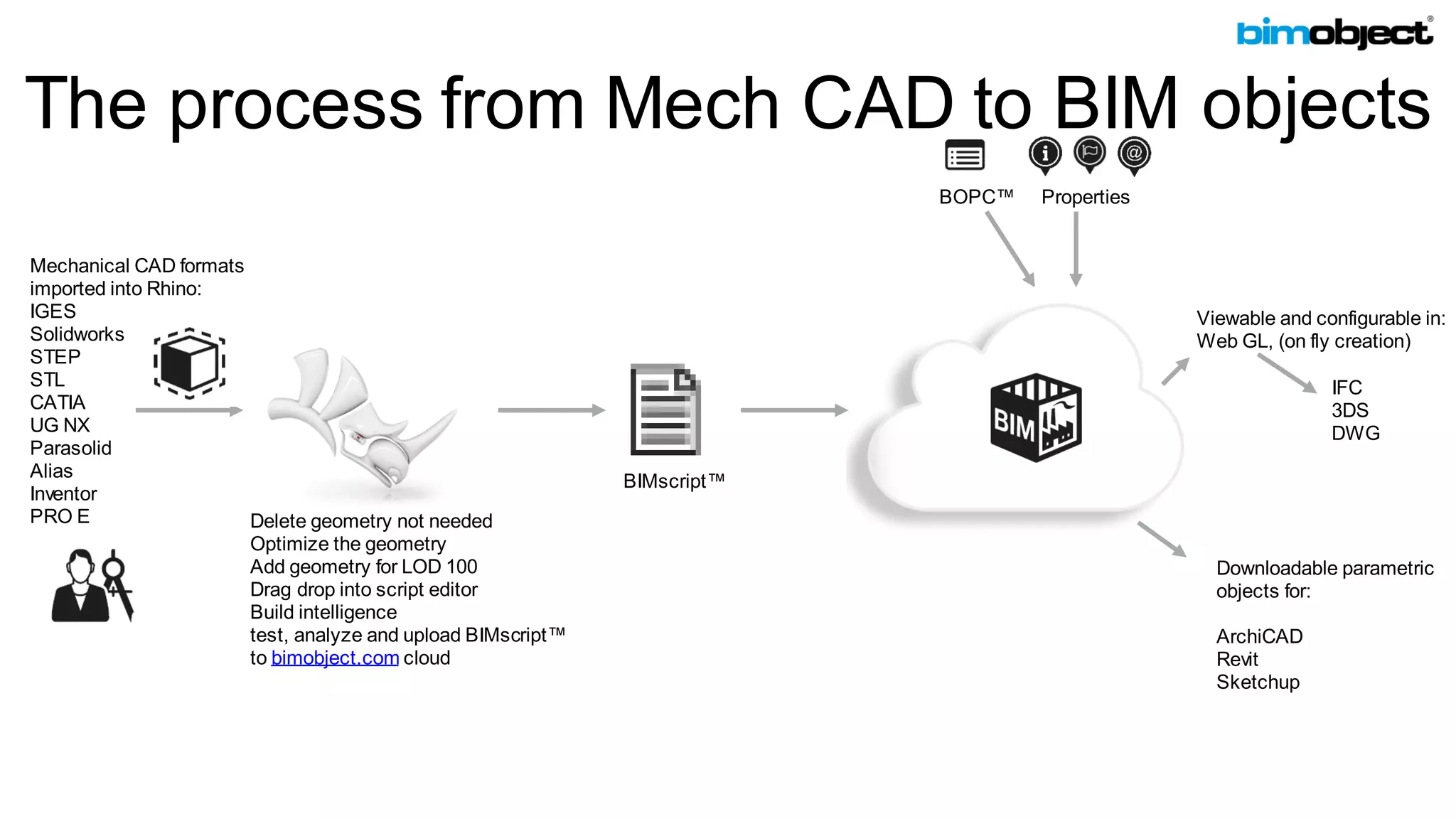
The process from Mech CAD to BIM objects
BOPC™ Properties
Downloadable parametric
objects for:
ArchiCAD
Revit
Sketchup
Viewable and configurable in:
Web GL, (on fly creation)
Mechanical CAD formats
imported into Rhino:
IGES
Solidworks
STEP
STL
CATIA
UG NX
Parasolid
Alias
Inventor
PRO E Delete geometry not needed
Optimize the geometry
Add geometry for LOD 100
Drag drop into script editor
Build intelligence
test, analyze and upload BIMscript™
to bimobject.com cloud
IFC
3DS
DWG
BIMscript™
User
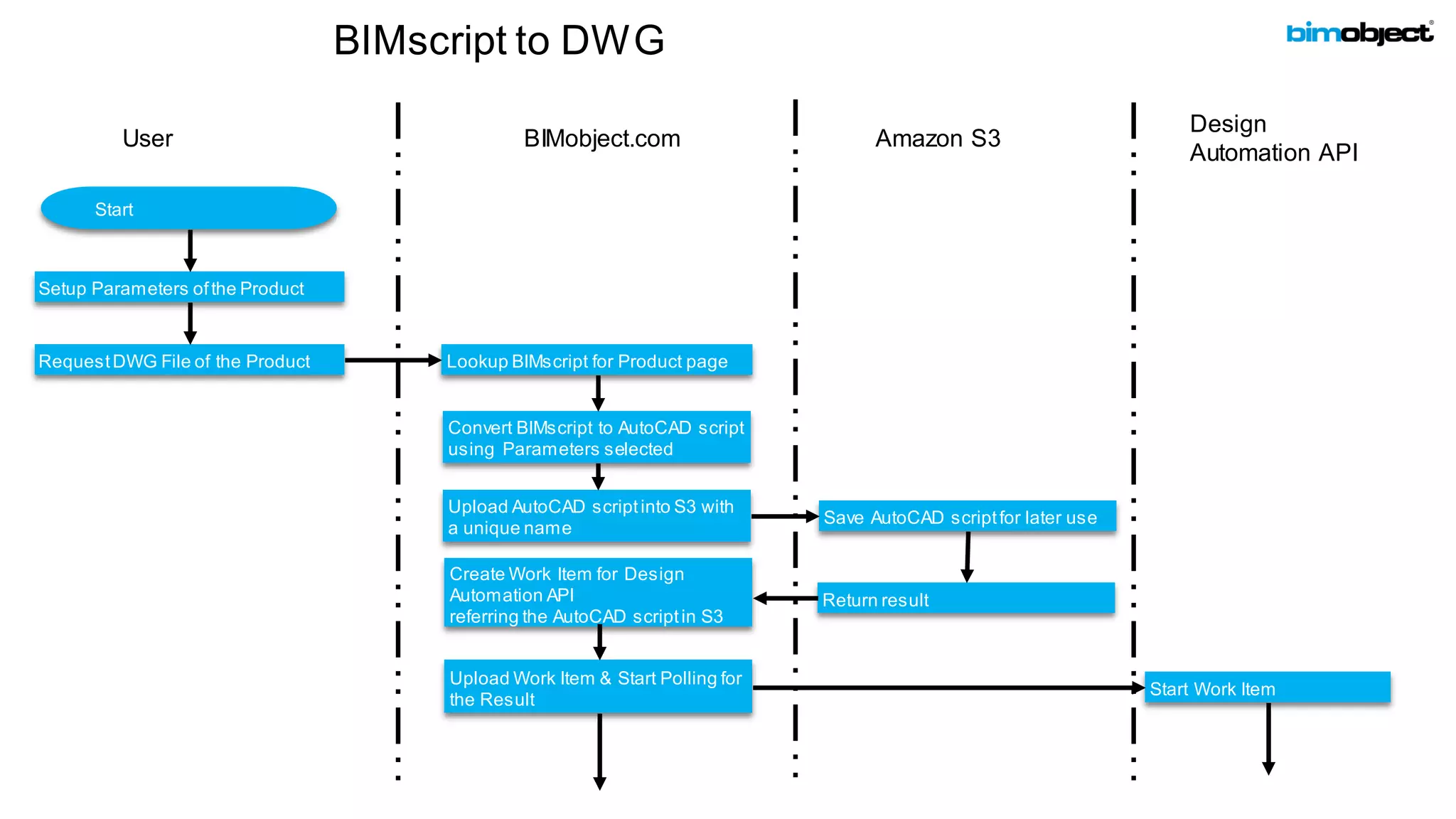
BIMscript to DWG
BIMobject.com
Design
Automation API
Start
Lookup BIMscript for Product page
Setup Parameters ofthe Product
RequestDWG File of the Product
Convert BIMscript to AutoCAD script
using Parameters selected
Amazon S3
Upload AutoCAD scriptinto S3 with
a unique name
Save AutoCAD scriptfor later use
Return result
Create Work Item for Design
Automation API
referring the AutoCAD scriptin S3
Upload Work Item & Start Polling for
the Result
Start Work Item
User
BIMscript to DWG
BIMobject.com
Design
Automation API
Finish polling & RequestResult
Extract DWG file & Return Result
Amazon S3
Save DWG file
Lookup AutoCAD script
Return Result
RequestAutoCAD script
Execute AutoCAD script
resulting DWGfile
Return result
Lookup Work Item Result
End
Forge.Autodesk.com
@AutodeskForge
Get Started
Forge - DevCon 2016: Drawings! Drawings! Everywhere!

Forge - DevCon 2016: Drawings! Drawings! Everywhere!

  • 1.
    Albert Szilvasy, Autodesk AbhishekSinghal, Risersoft Ben O'Donnell, BIMobject Drawings! Drawings! Everywhere!
  • 2.
    Agenda • Overview ofDesign Automation API • Demo • Clients • Risersoft • Bimobjects
  • 3.
    AutoCAD.IO Design Automation API ForgeDAA Nicely captures the simplicity of this API As in: It is simple!
  • 4.
    The problem • Thereare billions of DWG files “out there” • Lot of people want DWG files • You need AutoCAD to access/create DWGs • Requires HW, license, personnel to maintain
  • 5.
    Solution: Design AutomationAPI • A simple DWG processing service • Simple: • Input url(s) + output urls(s) + autocad commands • Service: • no license, no hw, no maintance • Available since November 2014 • Daily volume of over 50,000 dwgs
  • 6.
    The API HTTP Endpoint /Activities /WorkItems /AppPackages /Engines Programmingconcept Functiondefinition Function call Shared library Instruction set AutoCAD concept Script file Script execution Plugin (crx) AutoCAD version
  • 7.
    DAA: output =f(input) (r1, r2, r3) f(p1, p2, p3…pN) { inst1 p3,p2 inst2 p1, r1 … } Activity: • sequence of commands to execute + formal parameters/return value decl • Engine: version of AutoCAD to use • AppPackage: code for custom commands Activity Named file Named file AutoCAD commands Name Function Input parameter Return value(out parameter) Instructions Name
  • 8.
    Notes on f() •Activities like functions are stored and reusable. Create once use many times. • AppPackages like shared libraries are stored and reusable. Upload once use many times. • Engines are like CPU architectures. Clients can enumerate them.
  • 9.
    DAA: output =f(input) var v = f(https://xyz, https://qfq, https://lsf ) • WorkItem: • invoke f() with concrete input/output arguments (URLs + headers). A function call. • Input/outputs are NOT stored, they are downloaded/processed and THROWN AWAY
  • 10.
    Demo: Your dataat the center If it is accessible over HTTP then it works for us: • AWS • Azure • Forge Data Management API • …
  • 11.
  • 12.
    About Risersoft Engineering andManufacturing Solutions © 2016 Autodesk Parametric Enterprise Jet-Set-Go With Cloud Engineering Driven Manufacturing Enquiry to Cash
  • 13.
    About Risersoft Maximprise Enquiryto Cash solution The complete flow actually consists of several sub flows: Enquiry to Quotation Enquiry  Engineering  Quotation Order to Planning Customer Order  Engineering  Planning Procure to Pay Planning  Procurement  Receipt  Payment Order to Cash Planning  Production  Dispatch  CashEngineering is at the center of universe (Of Operations)! Planning
  • 14.
    UnitCAD Architecture Easy Automation AutoCADand Inventor GUI based rule entry Excel Formula Language Database Storage 1. Rules Driven Creation of CAD Models and drawing 2. Replaces Programming paradigm with a) Familiar Excel like Formula Language b) Database c) Front end GUI
  • 15.
    AutoCAD IO –Enabling new UnitCAD workflows •Browser based •Based on Web API •List Rules •Generate Output •Call UnitCAD API in your own apps •Based on Web API •Generate Output •Standalone App •Based on Web API •Create Rules •Generate Output •AutoCAD Environment •Based on AutoCAD API •Create Rules •Generate Output Add- In Win App Web App Web API
  • 16.
    AutoCAD IO Developmentand Transition Notes 1. UnitCAD architecture  model-view-controller. The models are reused across variants. 2. UnitCAD engine  split UI and execution. The engine remains same for all variants. 3. AutoCAD IO offline  the engine needs to be provided all data as “in-memory”. 4. Test  Always test in local accoreconsole before testing in the cloud. 5. Test  Crash information is not available when testing in cloud.
  • 17.
    UnitCAD Basics • Hierarchyof rules produces hierarchy of AutoCAD Blocks • Rule Types – Parameter, Child, Action, Snapshot • Create geometry such as line, circle, ellipse etc through child rules • Use existing AutoCAD Blocks • Create parametric 3D Solids • Formula Language: • Familiar Excel functions like Engineering, information, logical • Special functions for CAD model query • All variants use same data and backend service
  • 18.
    1. Add-In 2. WinApp 3. Web App Demo
  • 19.
    Welcome to OfficeMix WATCH CREATE SHARE Delete this slide (Delete key) and open a new slide (Ctrl + M) when you are ready to createyour first Mix 1 2 3
  • 22.
    UnitCAD API 1. Synopsis •Use UnitCAD in your own apps • Create rules in one of the other variants • Call API and get the CAD model back • Request Data: Startup component and parameter values • Response: URL where result is stored • Pattern: Fire – Acknowledge – Poll • Call pattern similar to AutoCAD IO 2. Demo
  • 24.
    Risersoft Parametric Enterprise Typically, Engineering organization has their own domain specific tools, which are spreadsheet based or custom designed.  Typically, all of that output can ultimately be given as a collection of parameters, ranging from dozens to thousands.  Rules are defined in the familiar easy-to-use Excel like formula language.  Use rules and parameters to create enterprise data in addition to CAD automation. © 2016 Autodesk
  • 25.
    Status • App suiteunder testing • Release within 4-5 weeks • Per user per month pricing • Registration portal with e-commerce: • Buy App suites with auto provisioning on cloud • Manage tiers • Manage multiple users within single account • Manage API Apps
  • 28.
    Cloud solutions brandedBIM content High prof iled brands Parametric and conf igurable + 4 million articles (sku) Properties and inf ormation , classifications like COBie LOD 100-400 and dy namic LOI Support the entire process Multiple f ormats and 22 languages supported
  • 30.
    Mass production ofBIM content Industrialise the creation processes Create an unbroken , information chain
  • 31.
    BIMobject.com BIMscript® An open developerscript that enables smart objects in a cloud environment and single source of truth
  • 32.
    The process fromMech CAD to BIM objects BOPC™ Properties Downloadable parametric objects for: ArchiCAD Revit Sketchup Viewable and configurable in: Web GL, (on fly creation) Mechanical CAD formats imported into Rhino: IGES Solidworks STEP STL CATIA UG NX Parasolid Alias Inventor PRO E Delete geometry not needed Optimize the geometry Add geometry for LOD 100 Drag drop into script editor Build intelligence test, analyze and upload BIMscript™ to bimobject.com cloud IFC 3DS DWG BIMscript™
  • 34.
    User BIMscript to DWG BIMobject.com Design AutomationAPI Start Lookup BIMscript for Product page Setup Parameters ofthe Product RequestDWG File of the Product Convert BIMscript to AutoCAD script using Parameters selected Amazon S3 Upload AutoCAD scriptinto S3 with a unique name Save AutoCAD scriptfor later use Return result Create Work Item for Design Automation API referring the AutoCAD scriptin S3 Upload Work Item & Start Polling for the Result Start Work Item
  • 35.
    User BIMscript to DWG BIMobject.com Design AutomationAPI Finish polling & RequestResult Extract DWG file & Return Result Amazon S3 Save DWG file Lookup AutoCAD script Return Result RequestAutoCAD script Execute AutoCAD script resulting DWGfile Return result Lookup Work Item Result End
  • 36.