William Sterbenz and Hagay Dvir
Cloud PDM Demystified – The Future of File
Management
@AutodeskForge
#ForgeDevCon
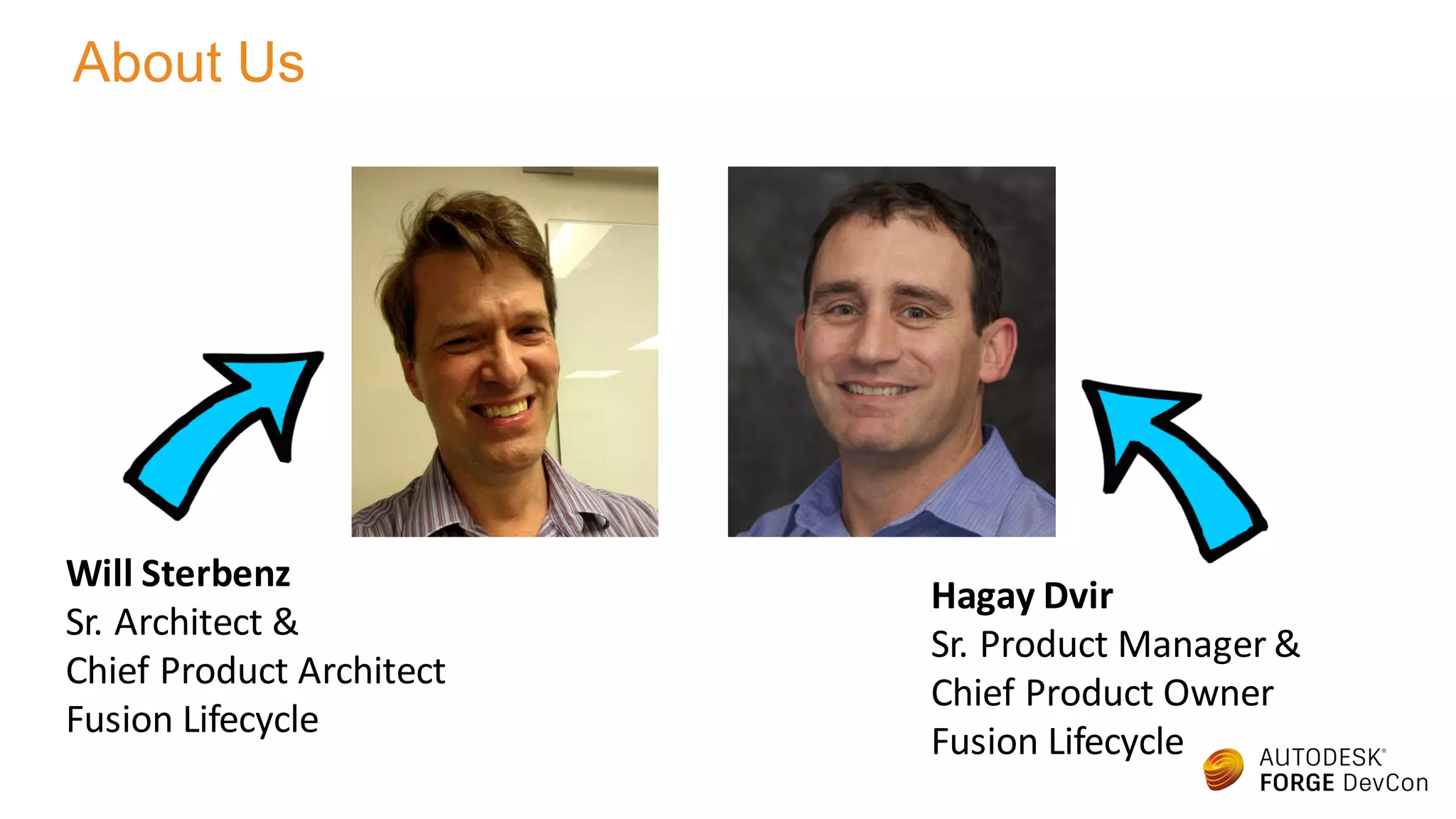
Hagay Dvir
Sr. Product Manager &
Chief Product Owner
Fusion Lifecycle
Will Sterbenz
Sr. Architect &
Chief Product Architect
Fusion Lifecycle
About Us
About The Class
• Data management is especially important for
Product Lifecycle Management (PLM) solutions
as means to manage Product Data (PDM)
• In this class we will introduce you to Fusion
Lifecycle, Autodesk’s PLM solution, and
discuss Data Management in that context
• Due to the nature of the class, Fusion Lifecycle
will be covered only briefly. Prior experience
with Fusion Lifecycle will be beneficial
Safe Harbor Statement
This presentation contains forward looking statements about future results,
performance or achievements, financial and otherwise. These statements reflect
management’s current expectations, estimates and assumptions based on the
information currently available to Autodesk. These forward-looking statements are
not guarantees of future performance and involve risks, uncertainties and other
factors that may cause Autodesk’s actual results, performance or achievements to be
materially different from results, performance or achievements expressed or implied
by the forward-looking statements contained in this presentation. A discussion of the
factors that may affect future results is contained in Autodesk’s most recent SEC
filings, including descriptions of the risk factors that may impact Autodesk and the
forward-looking statements made in this presentation. The forward-looking
statements made in this presentation are being made as of the time and date of its
live presentation. If this presentation is reviewed after the time and date of its live
presentation, even if it subsequently is made available by Autodesk, on its Web site
or otherwise, this presentation may not contain current or accurate information.
Autodesk disclaims any obligation to update or revise any forward-looking statement
based on new information, future events or otherwise.
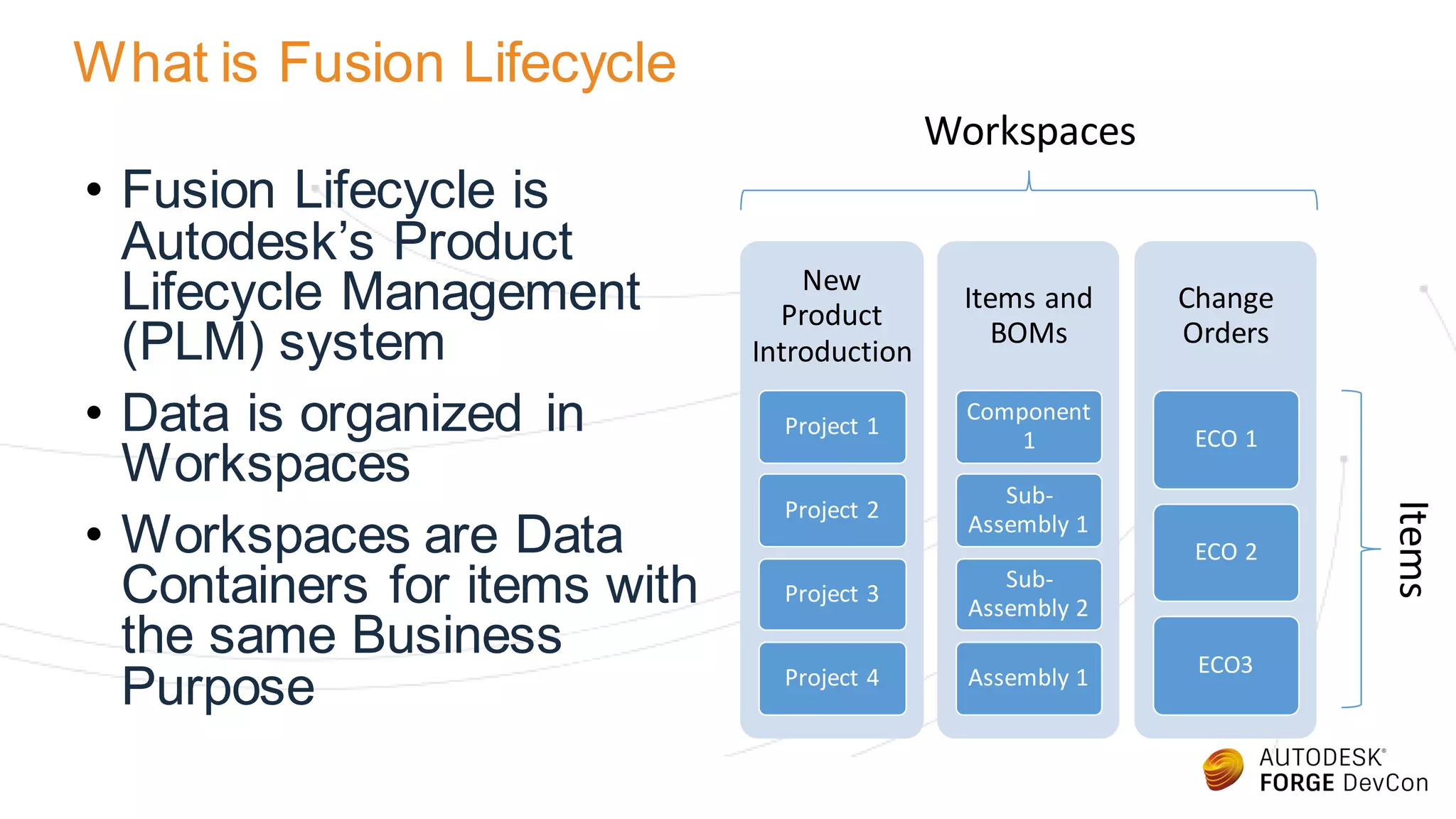
What is Fusion Lifecycle
• Fusion Lifecycle is
Autodesk’s Product
Lifecycle Management
(PLM) system
• Data is organized in
Workspaces
• Workspaces are Data
Containers for items with
the same Business
Purpose
New
Product
Introduction
Project 1
Project 2
Project 3
Project 4
Items and
BOMs
Component
1
Sub-
Assembly 1
Sub-
Assembly 2
Assembly 1
Change
Orders
ECO 1
ECO 2
ECO3
Workspaces
Items
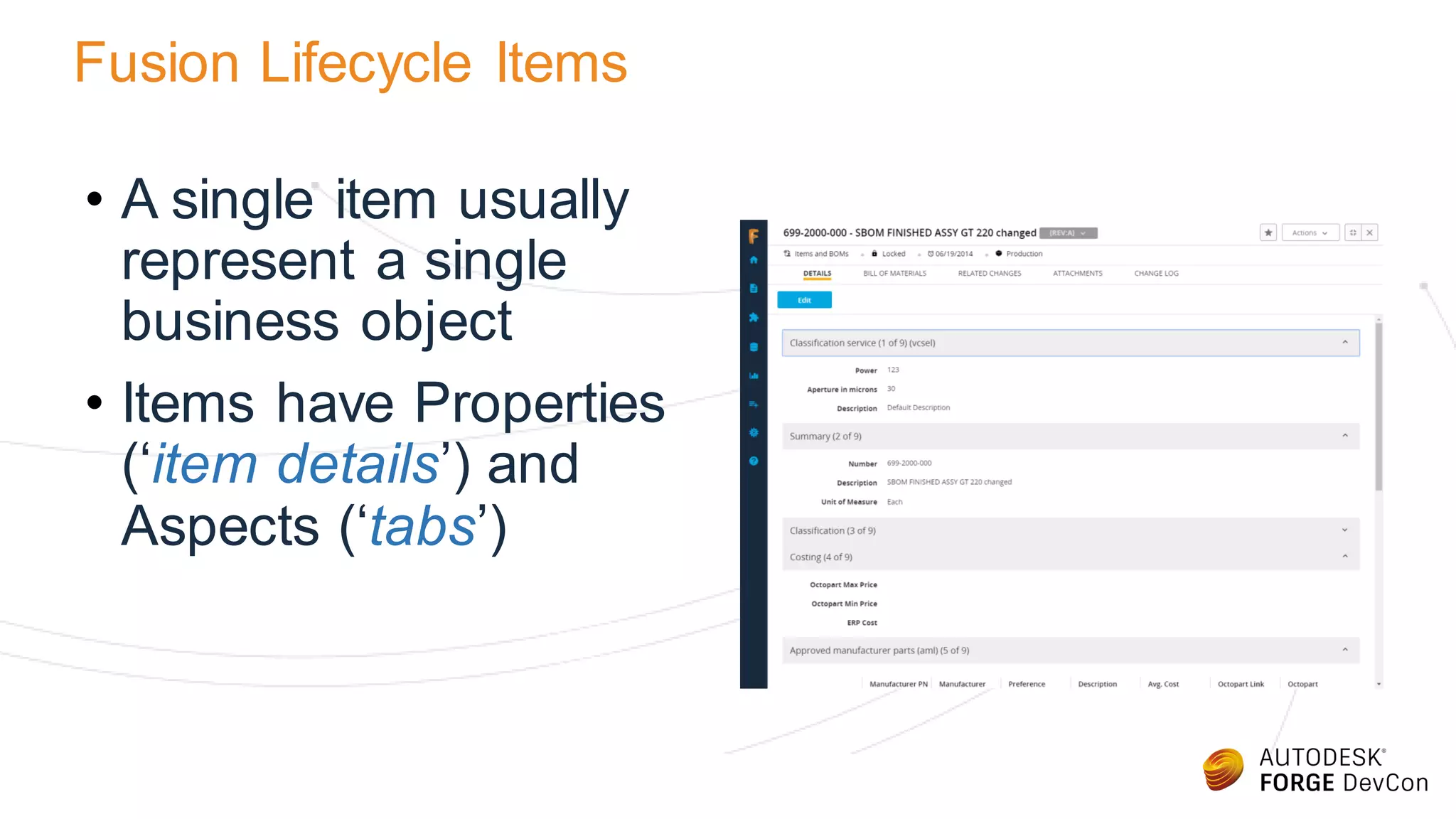
Fusion Lifecycle Items
• A single item usually
represent a single
business object
• Items have Properties
(‘item details’) and
Aspects (‘tabs’)
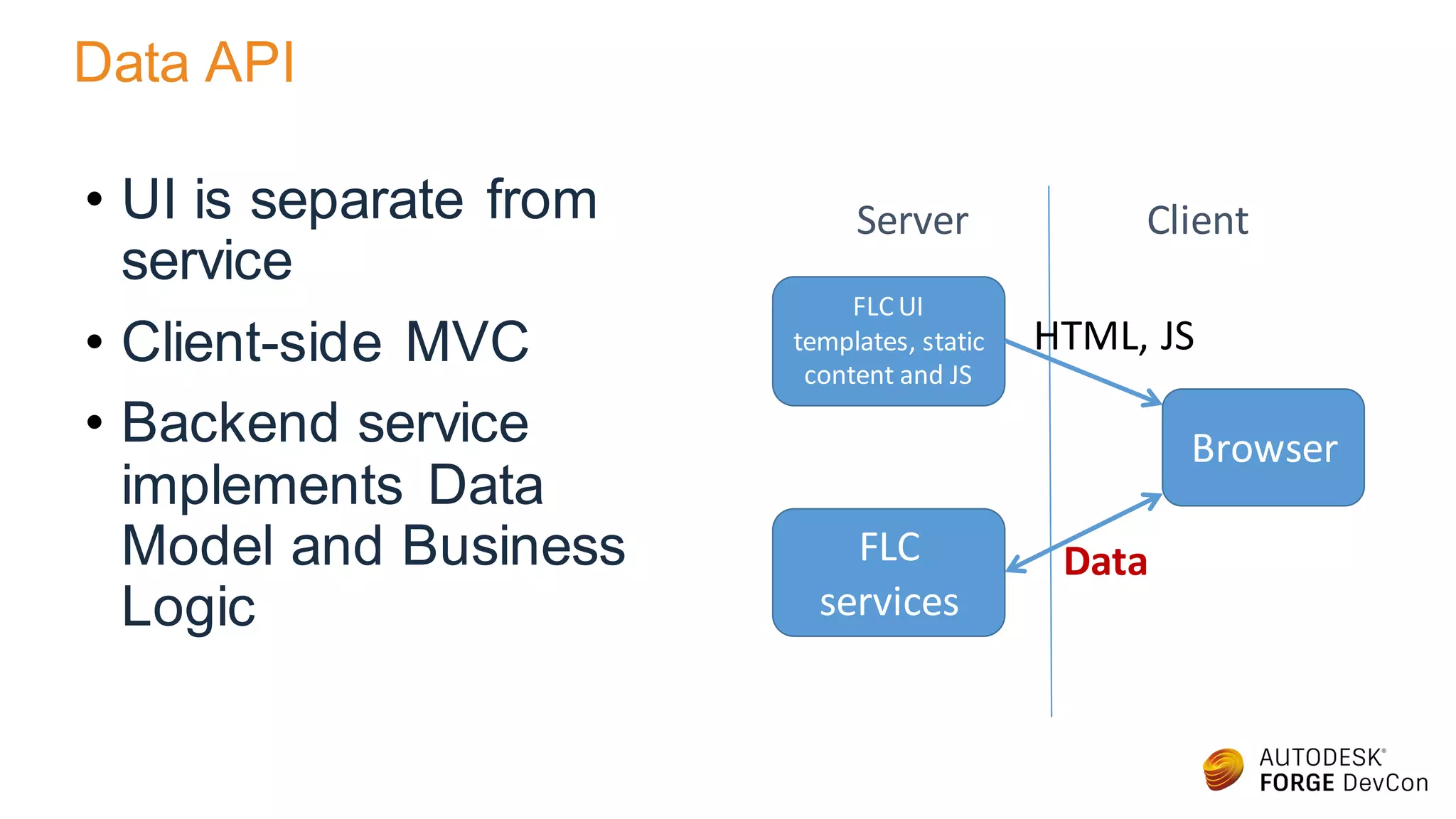
Data API
• UI is separate from
service
• Client-side MVC
• Backend service
implements Data
Model and Business
Logic
FLC UI
templates, static
content and JS
Browser
FLC
services
Server Client
Data
HTML, JS
Get Workspace Content
• GET
https://<tenant>/api/v3/workspaces/<id>/items
• Unbounded, Paged collection
• Each element in the collection has:
• Title (name)
• URN
• Link
• Version (because it is integral to the name)
GET Item Details
• GET https://<tenant>/api/v3/workspaces/<id>/items/<id>
• Key/Value pairs
• Each element in the collection has:
• Title (name)
• URN
• Link
• Version (because it is integral to the name)
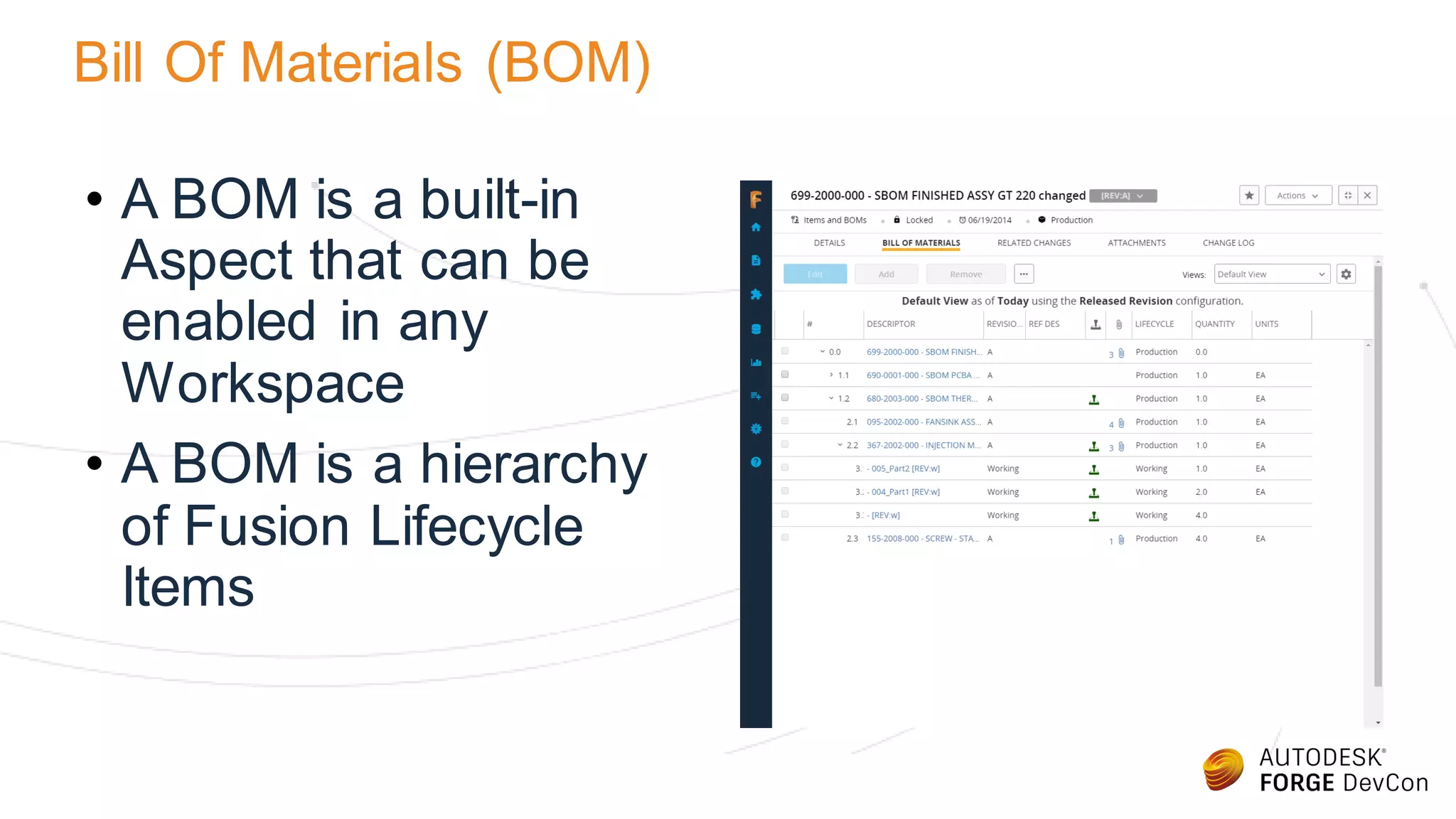
Bill Of Materials (BOM)
• A BOM is a built-in
Aspect that can be
enabled in any
Workspace
• A BOM is a hierarchy
of Fusion Lifecycle
Items
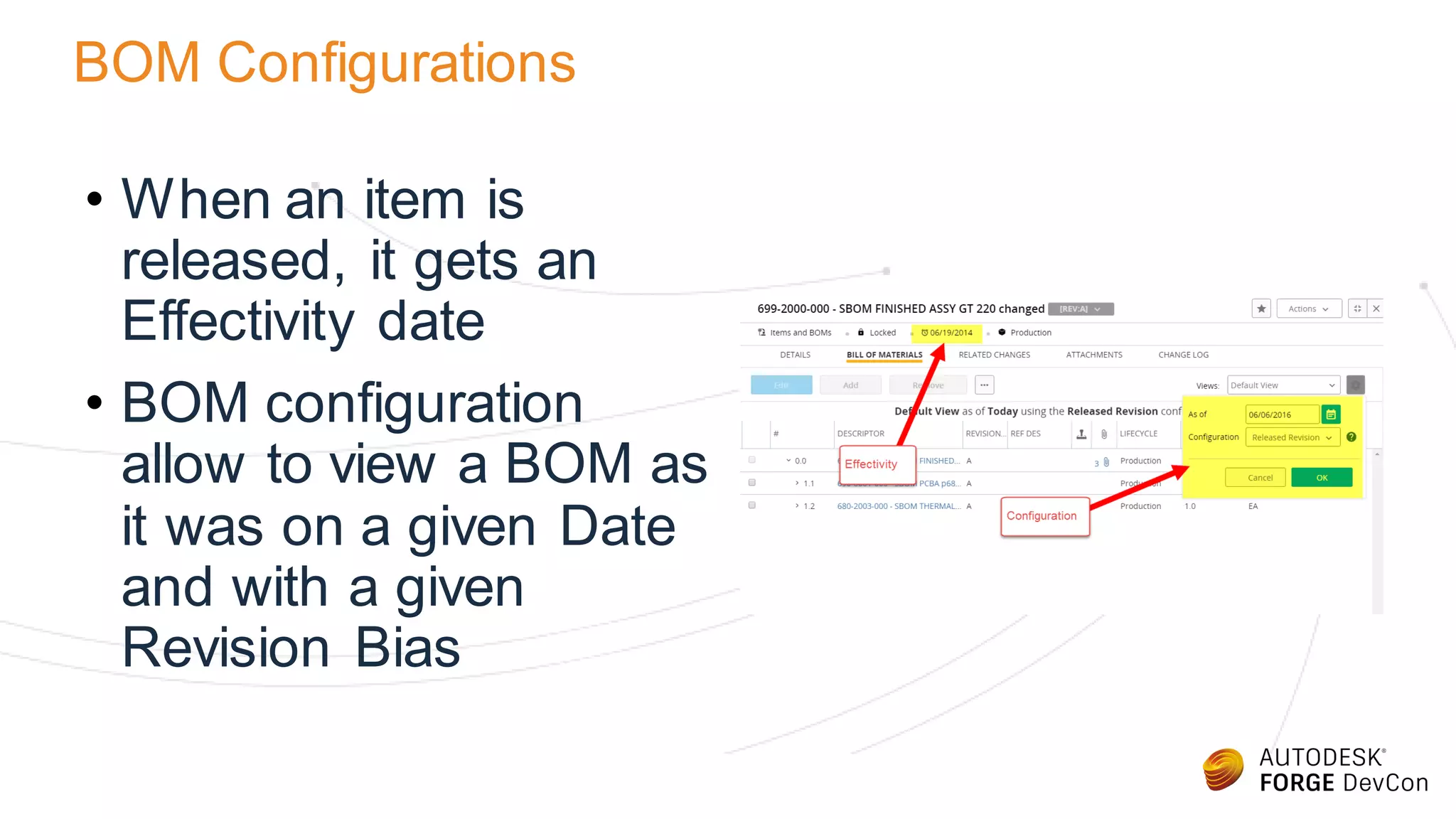
BOM Configurations
• When an item is
released, it gets an
Effectivity date
• BOM configuration
allow to view a BOM as
it was on a given Date
and with a given
Revision Bias
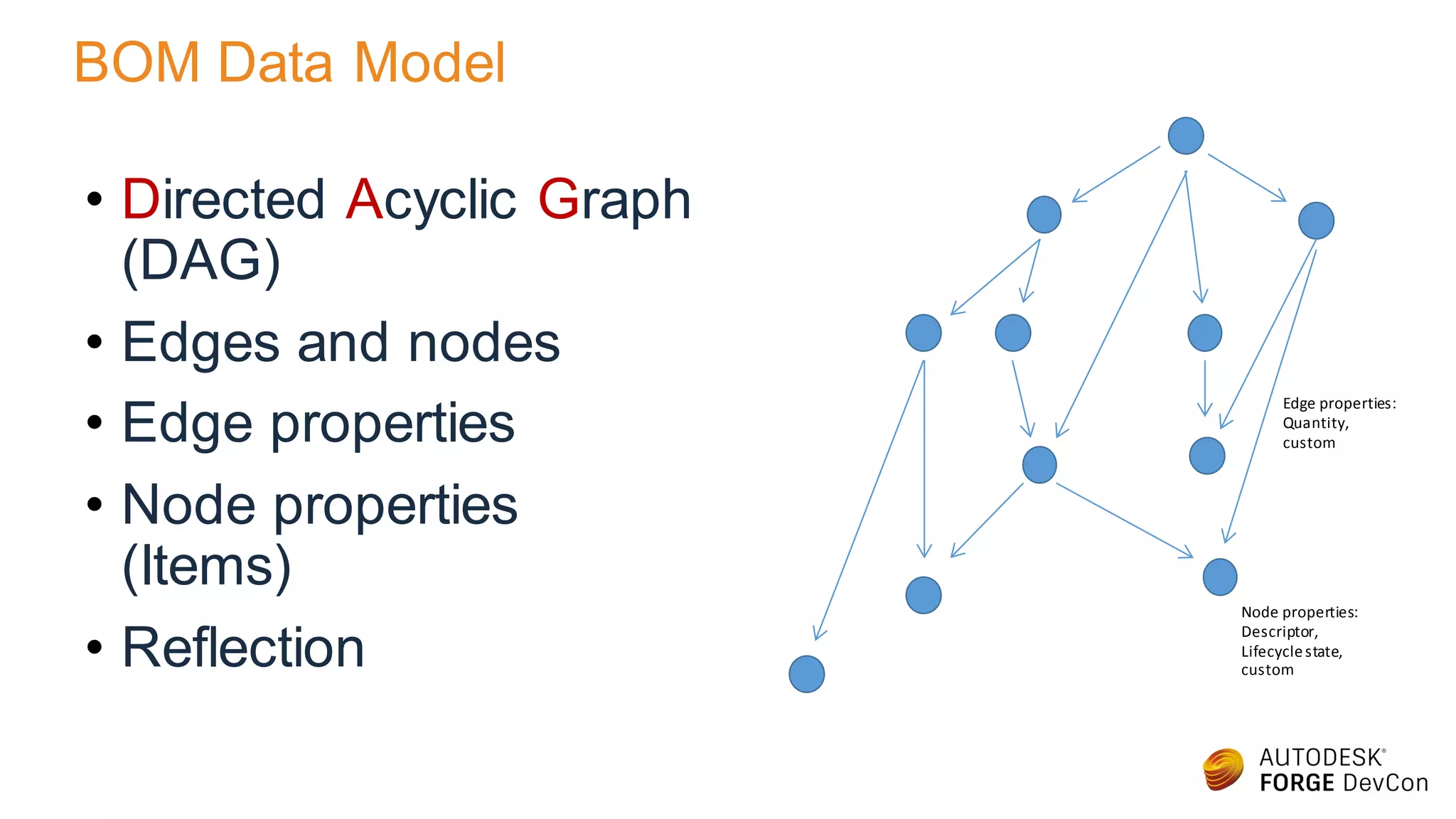
BOM Data Model
• Directed Acyclic Graph
(DAG)
• Edges and nodes
• Edge properties
• Node properties
(Items)
• Reflection
Edge properties:
Quantity,
custom
Node properties:
Descriptor,
Lifecyclestate,
custom
Attachments
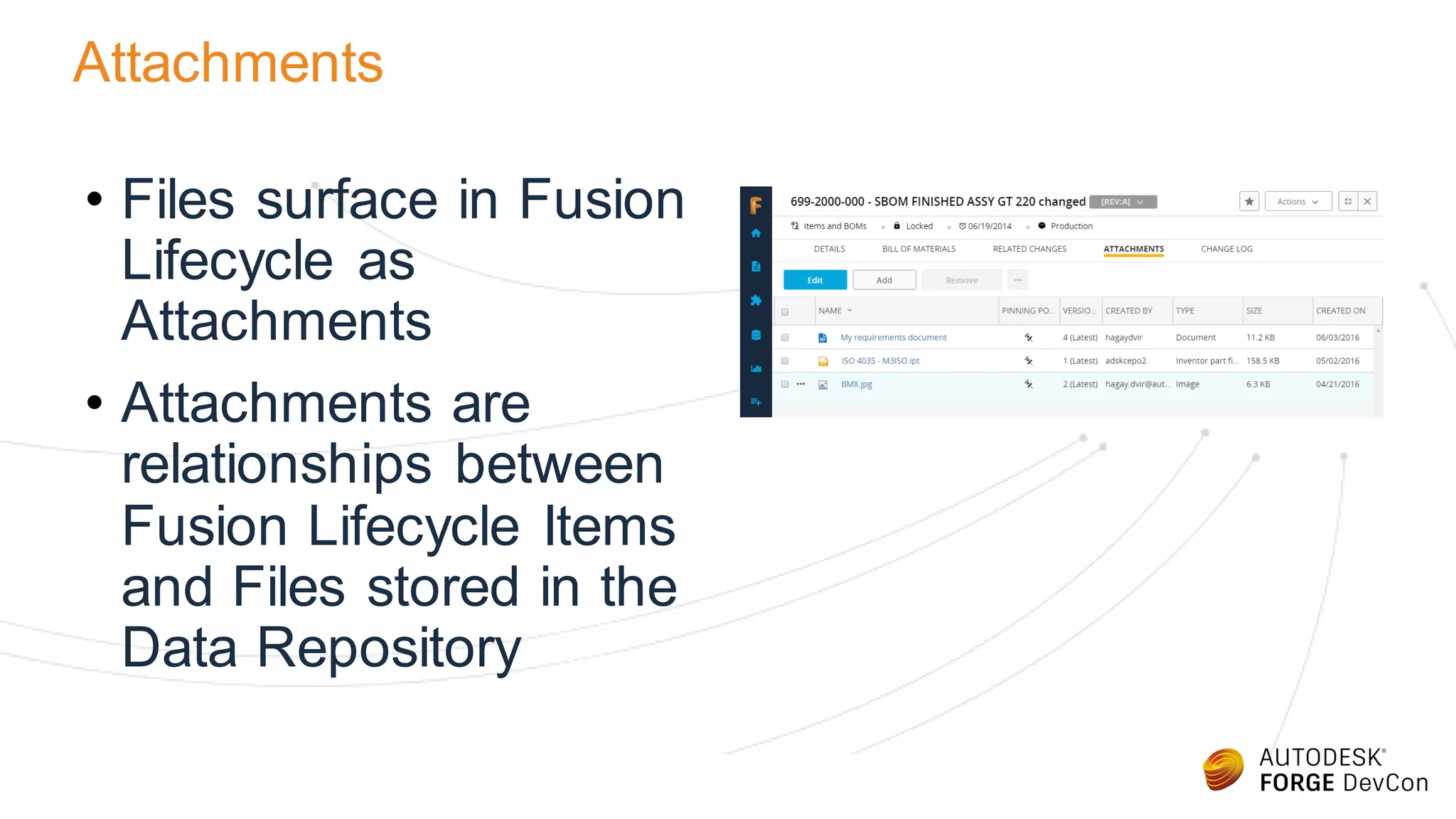
• Files surface in Fusion
Lifecycle as
Attachments
• Attachments are
relationships between
Fusion Lifecycle Items
and Files stored in the
Data Repository
Data Repository
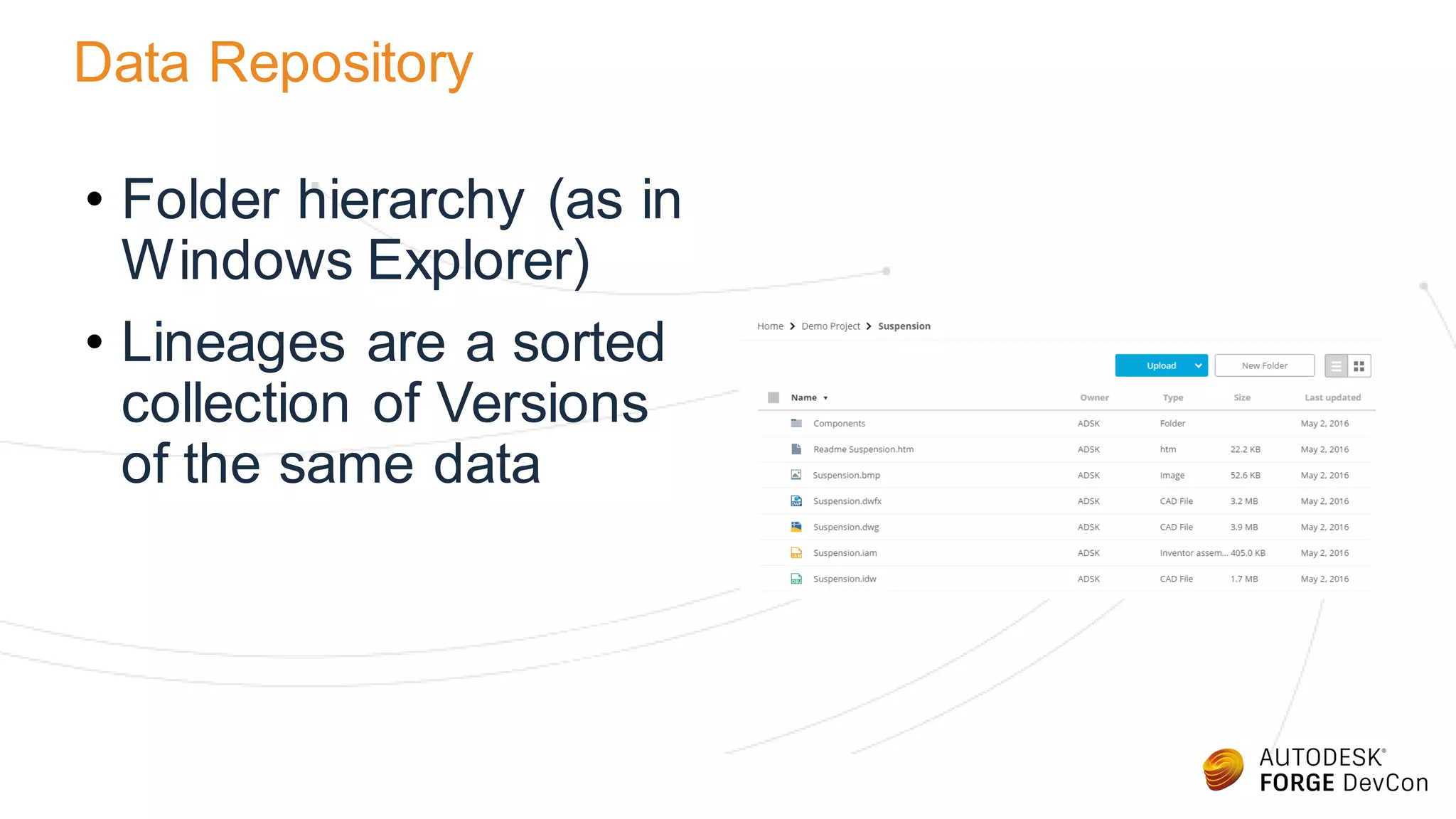
• Folder hierarchy (as in
Windows Explorer)
• Lineages are a sorted
collection of Versions
of the same data
Attachments Data Model
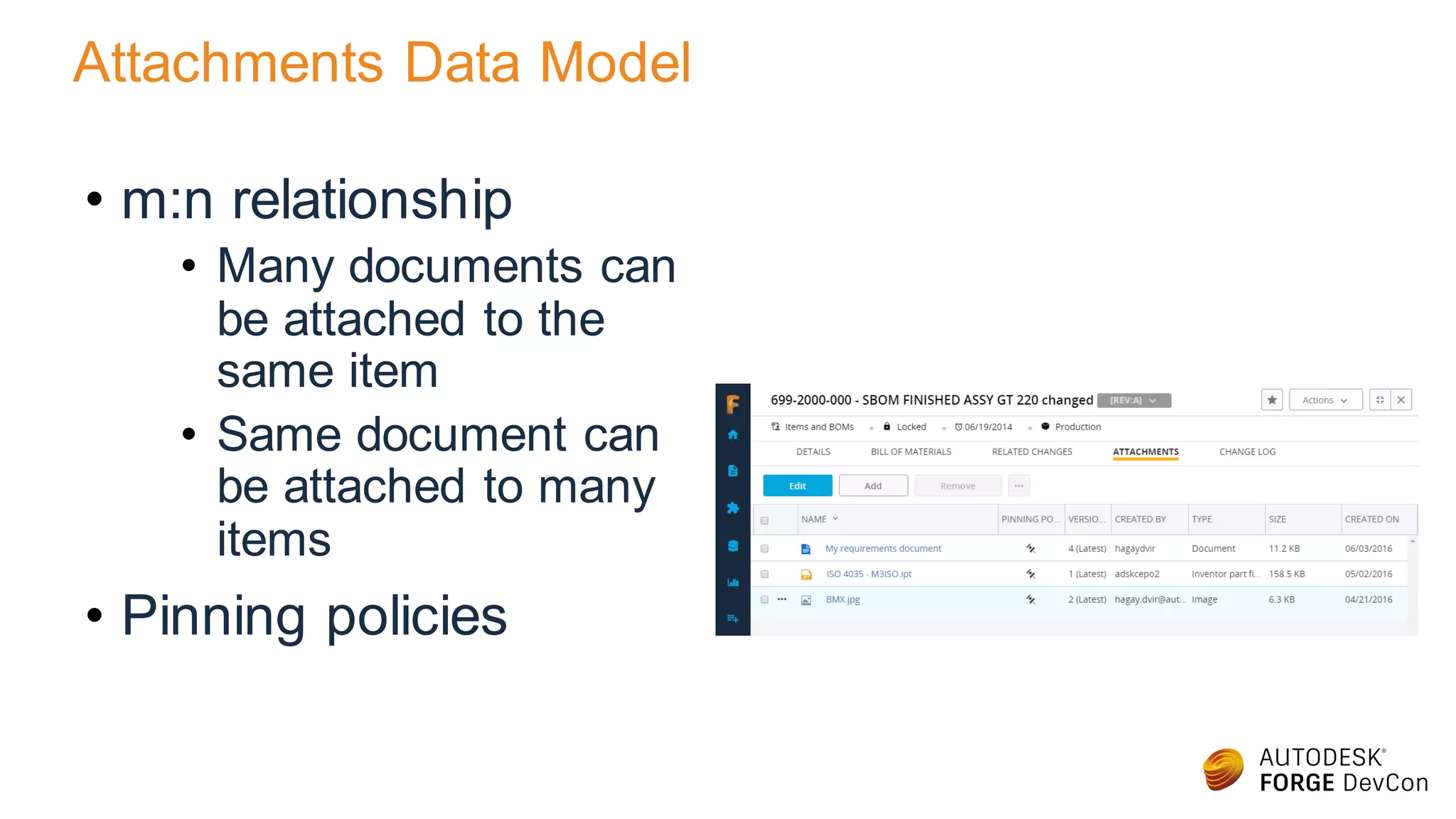
• m:n relationship
• Many documents can
be attached to the
same item
• Same document can
be attached to many
items
• Pinning policies
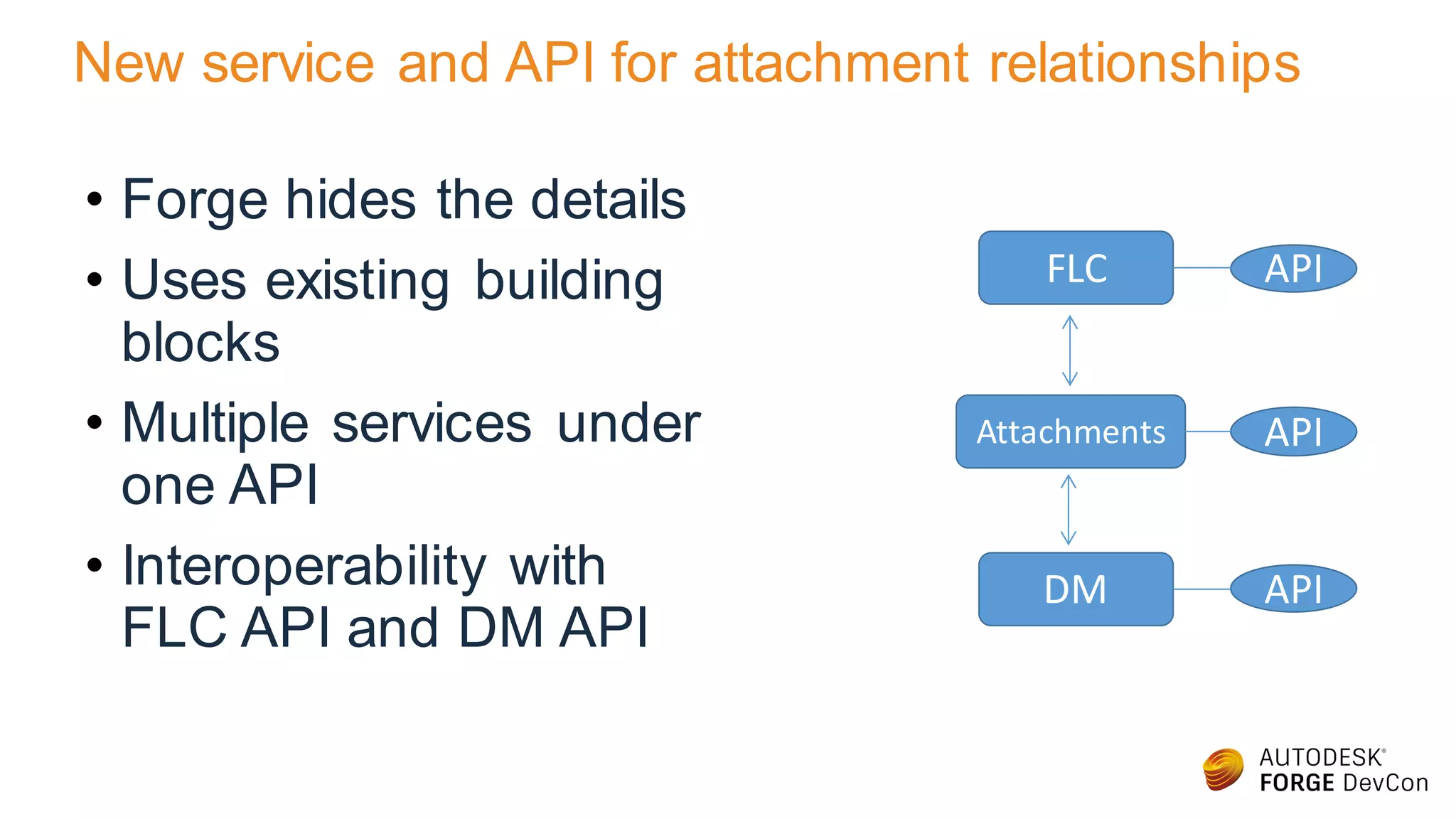
New service and API for attachment relationships
• Forge hides the details
• Uses existing building
blocks
• Multiple services under
one API
• Interoperability with
FLC API and DM API
FLC
Attachments
DM
API
API
API
Real World Example
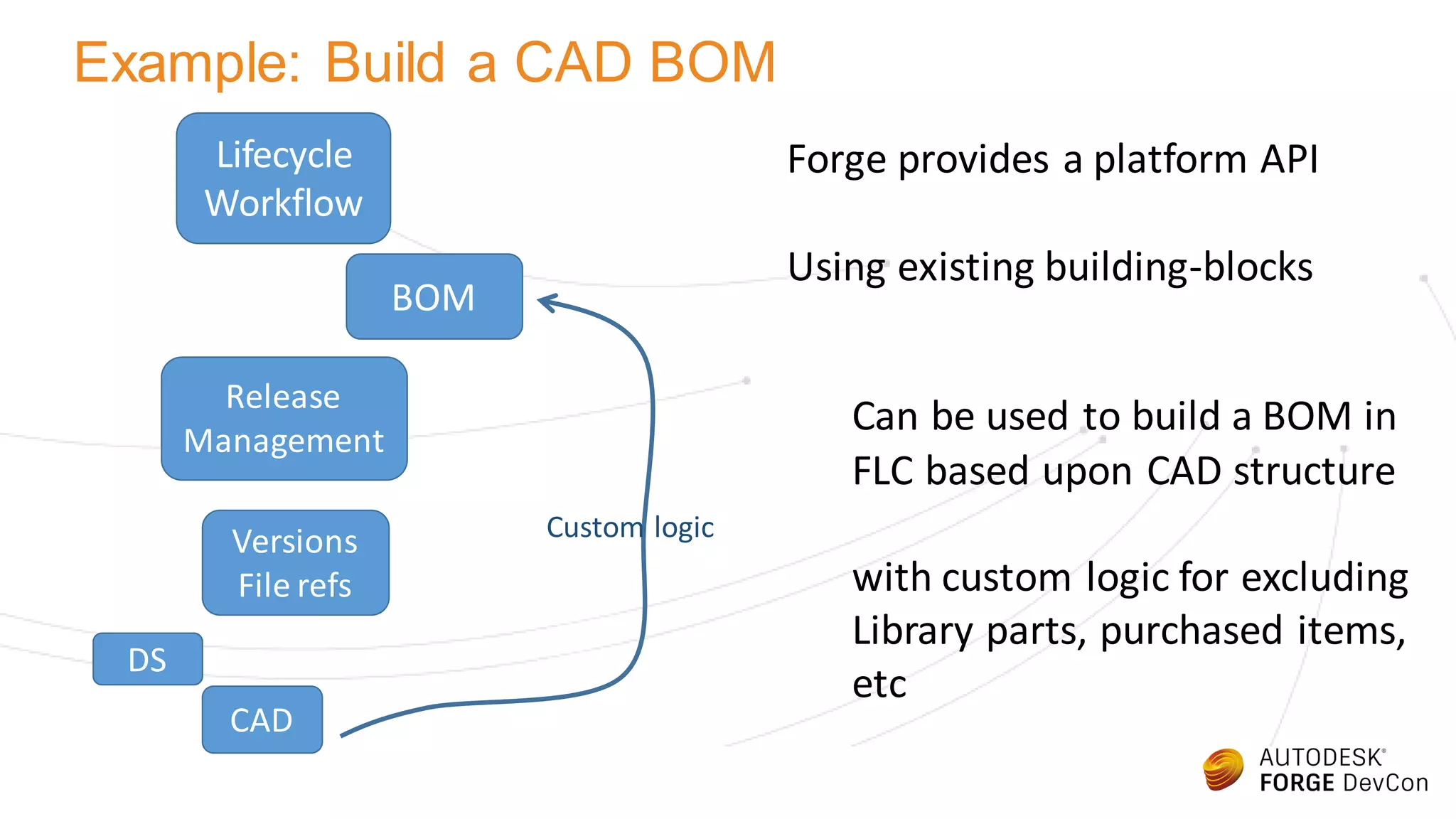
Example: Build a CAD BOM
Lifecycle
Workflow
Release
Management
Versions
File refs
BOM
CAD
DS
Forge provides a platform API
Using existing building-blocks
Can be used to build a BOM in
FLC based upon CAD structure
with custom logic for excluding
Library parts, purchased items,
etc
Custom logic
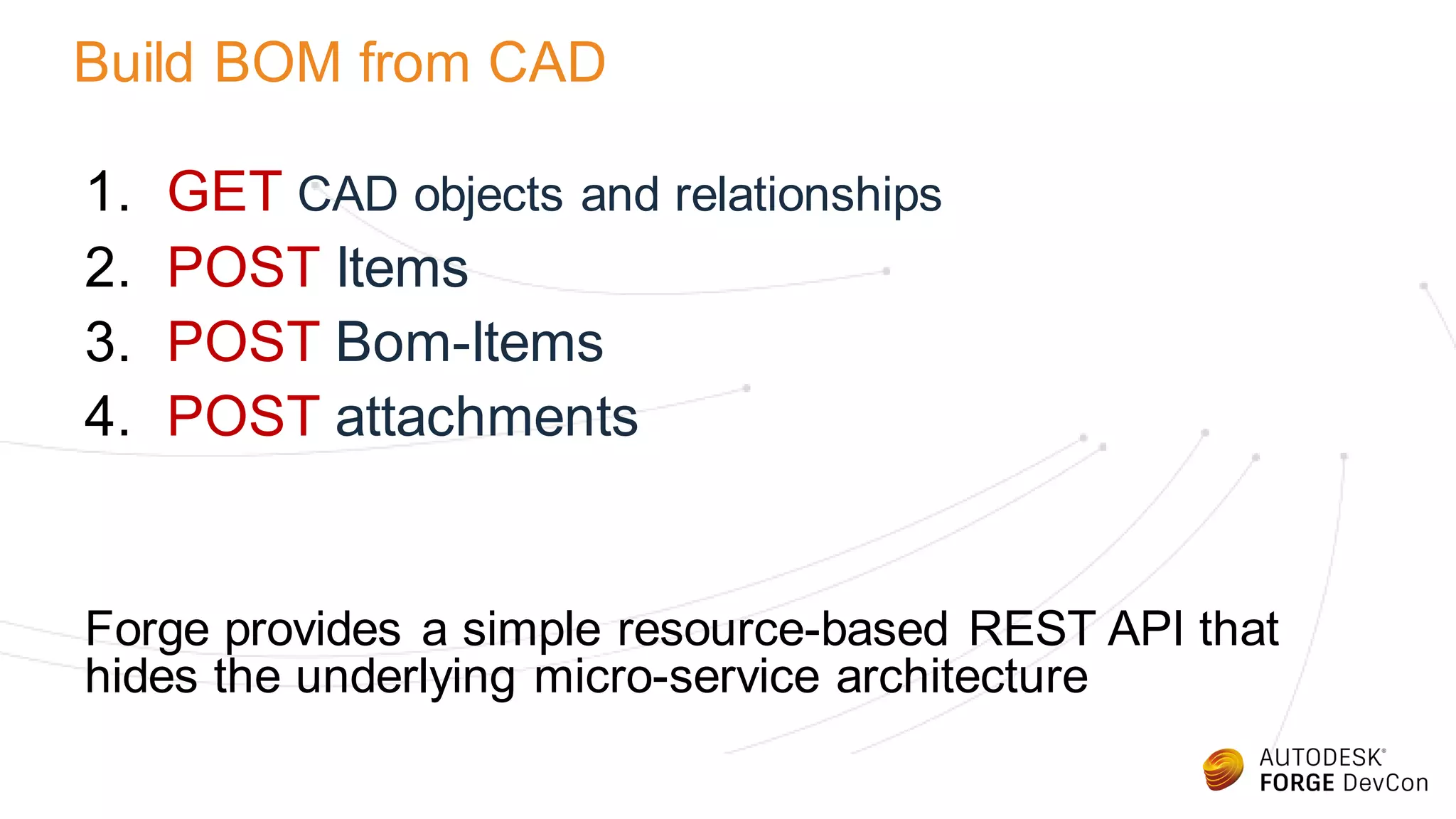
Build BOM from CAD
1. GET CAD objects and relationships
2. POST Items
3. POST Bom-Items
4. POST attachments
Forge provides a simple resource-based REST API that
hides the underlying micro-service architecture
Step 1: read CAD from Forge DM
POST https://developer-stg.api.autodesk.com/wipdata-serv-qa/storage/v3/entities/get
["urn:adsk.wipqa:dm.lineage:-w295kWRTZ-Nbf9PrSFRBA"]
{"versionedFiles": [
{ "lineage": {
"urn": "urn:adsk.wipqa:dm.lineage:-w295kWRTZ-Nbf9PrSFRBA",
"createTime": "2016-06-10T19:43:46+0000",
"lastModifiedTime": "2016-06-10T19:43:48+0000",
"lastModifiedUserId": "38SCJGX4R4PV",
"lastModifiedUserName": "bot@autodesk360.com",
"createUserName": "bot@autodesk360.com",
"createSortableName": "Bot Staging bot@autodesk360.com",
"parentFolderUrn": "urn:adsk.wipqa:fs.folder:co.ekykwQljTHKJiTjLXKFJ1Q",
"tipVersionUrn": "urn:adsk.wipqa:fs.file:vf.-w295kWRTZ-Nbf9PrSFRBA?version=1",
"title": "Sports Car.dwfx",
"hidden": false
}]}
Filter out unmanaged parts
(e.g. library components)
Step 2: create Item in FLC
POST https://alphaforgecpdmclass3.autodeskplm.com/api/v3/workspaces/57/items
{
"sections":[
{
"link":"/api/v 3/workspaces/57/sections/233",
"f ields":[
{ "__self __":"/api/v 3/workspaces/57/views/1/fields/ROHS",
"v alue":"f alse"
},
{ "__self __":"/api/v 3/workspaces/57/v iews/1/fields/REACH",
"v alue":"f alse"
},
{ "__self __":"/api/v 3/workspaces/57/views/1/fields/CONFLICT_MINERALS",
"v alue":"f alse"
}
]
},
}
Copy meta-data from Forge
DM to FLC (e.g. description)
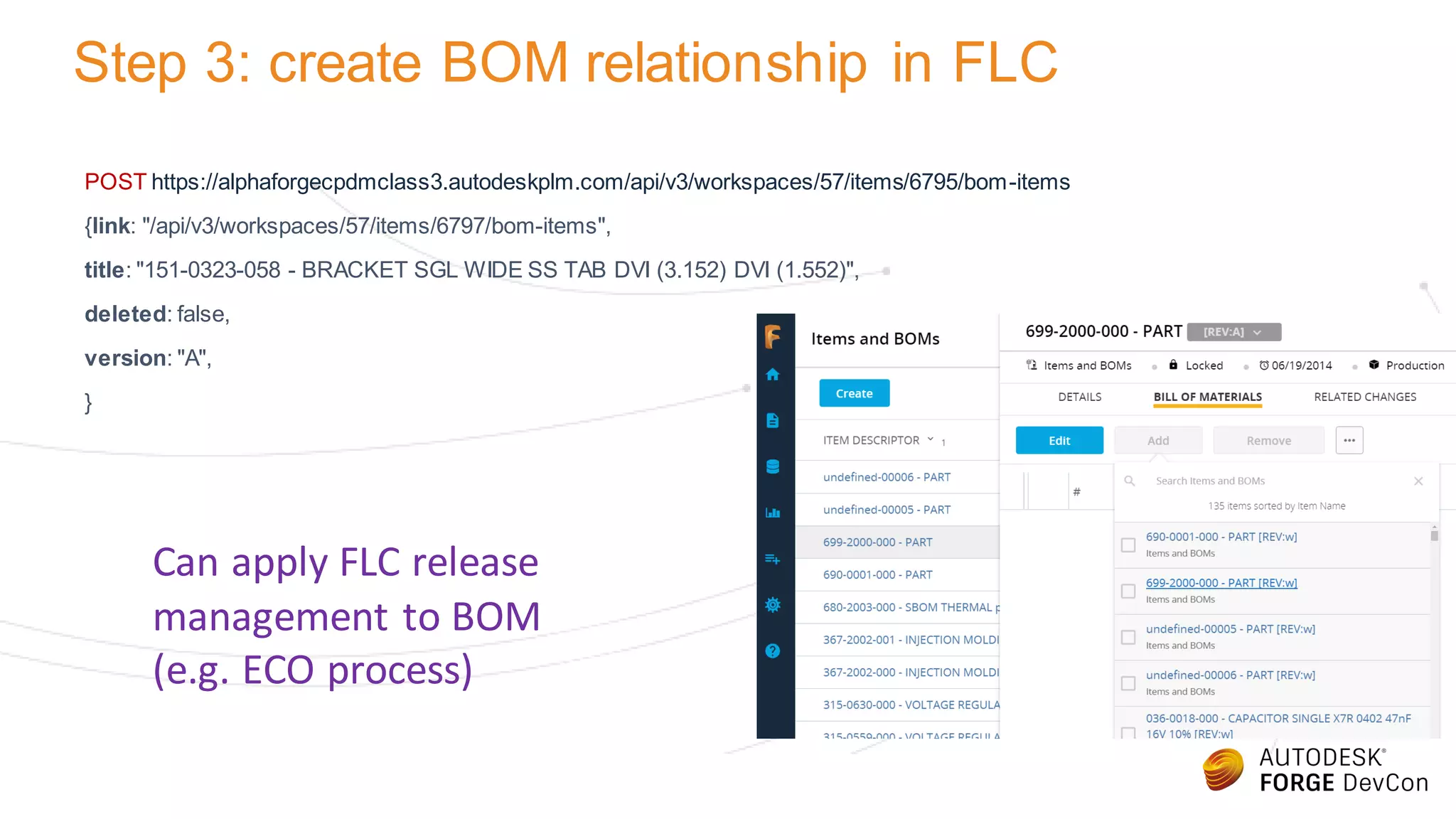
Step 3: create BOM relationship in FLC
POST https://alphaforgecpdmclass3.autodeskplm.com/api/v3/workspaces/57/items/6795/bom-items
{link: "/api/v3/workspaces/57/items/6797/bom-items",
title: "151-0323-058 - BRACKET SGL WIDE SS TAB DVI (3.152) DVI (1.552)",
deleted: false,
version: "A",
}
Can apply FLC release
management to BOM
(e.g. ECO process)
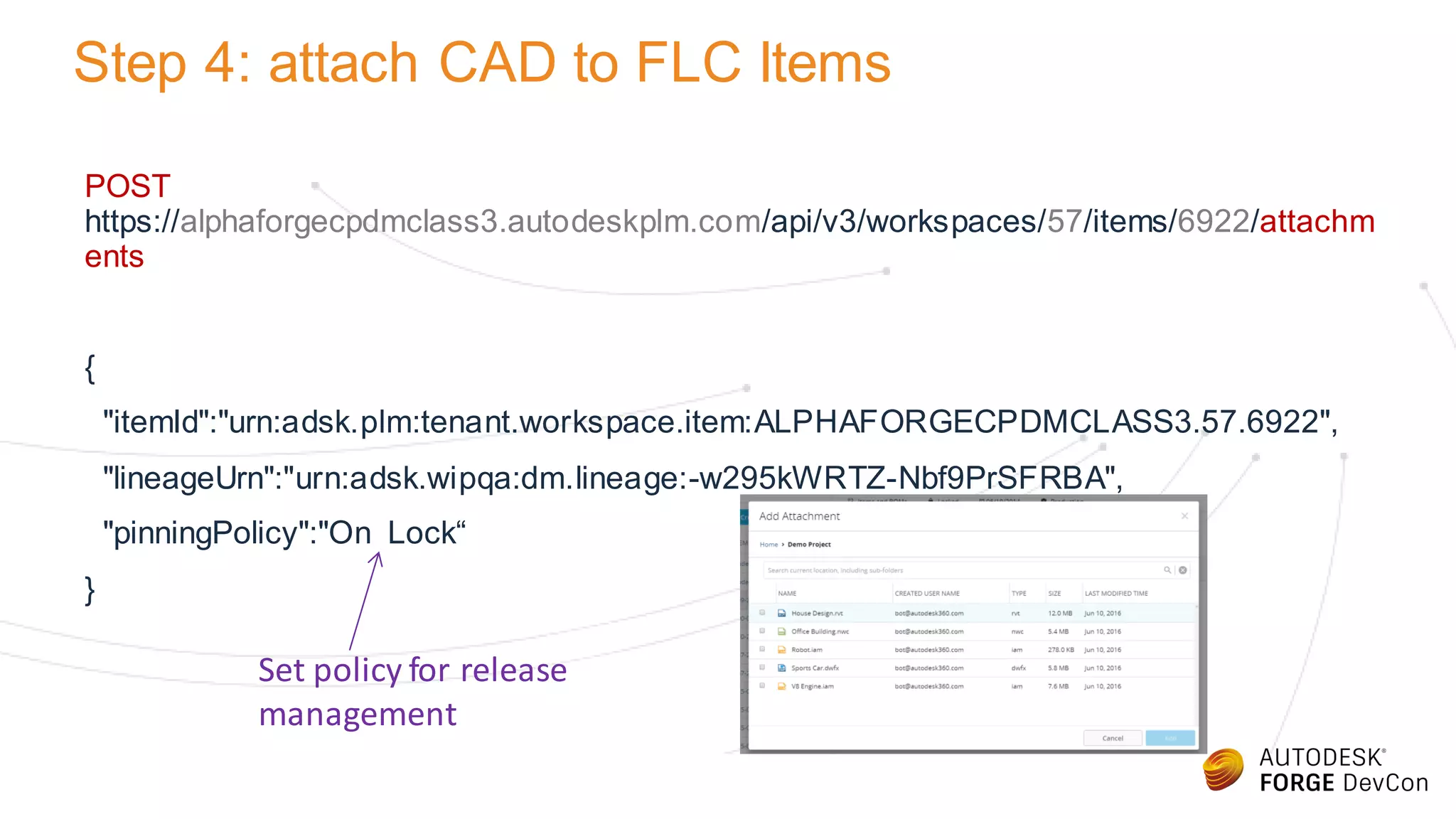
Step 4: attach CAD to FLC Items
POST
https://alphaforgecpdmclass3.autodeskplm.com/api/v3/workspaces/57/items/6922/attachm
ents
{
"itemId":"urn:adsk.plm:tenant.workspace.item:ALPHAFORGECPDMCLASS3.57.6922",
"lineageUrn":"urn:adsk.wipqa:dm.lineage:-w295kWRTZ-Nbf9PrSFRBA",
"pinningPolicy":"On Lock“
}
Set policy for release
management
Forge Platform API for Cloud PDM
FLC product is being built on Forge data platform
Combining Forge DM with FLC product API…
will provide platform API for Cloud PDM
Disclaimer: the FLC API and attachments API are not yet released
Forge - DevCon 2016: Cloud PDM Demystified – The Future of File Management

Forge - DevCon 2016: Cloud PDM Demystified – The Future of File Management

  • 1.
    William Sterbenz andHagay Dvir Cloud PDM Demystified – The Future of File Management
  • 2.
  • 3.
    Hagay Dvir Sr. ProductManager & Chief Product Owner Fusion Lifecycle Will Sterbenz Sr. Architect & Chief Product Architect Fusion Lifecycle About Us
  • 4.
    About The Class •Data management is especially important for Product Lifecycle Management (PLM) solutions as means to manage Product Data (PDM) • In this class we will introduce you to Fusion Lifecycle, Autodesk’s PLM solution, and discuss Data Management in that context • Due to the nature of the class, Fusion Lifecycle will be covered only briefly. Prior experience with Fusion Lifecycle will be beneficial
  • 5.
    Safe Harbor Statement Thispresentation contains forward looking statements about future results, performance or achievements, financial and otherwise. These statements reflect management’s current expectations, estimates and assumptions based on the information currently available to Autodesk. These forward-looking statements are not guarantees of future performance and involve risks, uncertainties and other factors that may cause Autodesk’s actual results, performance or achievements to be materially different from results, performance or achievements expressed or implied by the forward-looking statements contained in this presentation. A discussion of the factors that may affect future results is contained in Autodesk’s most recent SEC filings, including descriptions of the risk factors that may impact Autodesk and the forward-looking statements made in this presentation. The forward-looking statements made in this presentation are being made as of the time and date of its live presentation. If this presentation is reviewed after the time and date of its live presentation, even if it subsequently is made available by Autodesk, on its Web site or otherwise, this presentation may not contain current or accurate information. Autodesk disclaims any obligation to update or revise any forward-looking statement based on new information, future events or otherwise.
  • 6.
    What is FusionLifecycle • Fusion Lifecycle is Autodesk’s Product Lifecycle Management (PLM) system • Data is organized in Workspaces • Workspaces are Data Containers for items with the same Business Purpose New Product Introduction Project 1 Project 2 Project 3 Project 4 Items and BOMs Component 1 Sub- Assembly 1 Sub- Assembly 2 Assembly 1 Change Orders ECO 1 ECO 2 ECO3 Workspaces Items
  • 7.
    Fusion Lifecycle Items •A single item usually represent a single business object • Items have Properties (‘item details’) and Aspects (‘tabs’)
  • 8.
    Data API • UIis separate from service • Client-side MVC • Backend service implements Data Model and Business Logic FLC UI templates, static content and JS Browser FLC services Server Client Data HTML, JS
  • 9.
    Get Workspace Content •GET https://<tenant>/api/v3/workspaces/<id>/items • Unbounded, Paged collection • Each element in the collection has: • Title (name) • URN • Link • Version (because it is integral to the name)
  • 10.
    GET Item Details •GET https://<tenant>/api/v3/workspaces/<id>/items/<id> • Key/Value pairs • Each element in the collection has: • Title (name) • URN • Link • Version (because it is integral to the name)
  • 11.
    Bill Of Materials(BOM) • A BOM is a built-in Aspect that can be enabled in any Workspace • A BOM is a hierarchy of Fusion Lifecycle Items
  • 12.
    BOM Configurations • Whenan item is released, it gets an Effectivity date • BOM configuration allow to view a BOM as it was on a given Date and with a given Revision Bias
  • 13.
    BOM Data Model •Directed Acyclic Graph (DAG) • Edges and nodes • Edge properties • Node properties (Items) • Reflection Edge properties: Quantity, custom Node properties: Descriptor, Lifecyclestate, custom
  • 14.
    Attachments • Files surfacein Fusion Lifecycle as Attachments • Attachments are relationships between Fusion Lifecycle Items and Files stored in the Data Repository
  • 15.
    Data Repository • Folderhierarchy (as in Windows Explorer) • Lineages are a sorted collection of Versions of the same data
  • 16.
    Attachments Data Model •m:n relationship • Many documents can be attached to the same item • Same document can be attached to many items • Pinning policies
  • 17.
    New service andAPI for attachment relationships • Forge hides the details • Uses existing building blocks • Multiple services under one API • Interoperability with FLC API and DM API FLC Attachments DM API API API
  • 18.
  • 19.
    Example: Build aCAD BOM Lifecycle Workflow Release Management Versions File refs BOM CAD DS Forge provides a platform API Using existing building-blocks Can be used to build a BOM in FLC based upon CAD structure with custom logic for excluding Library parts, purchased items, etc Custom logic
  • 20.
    Build BOM fromCAD 1. GET CAD objects and relationships 2. POST Items 3. POST Bom-Items 4. POST attachments Forge provides a simple resource-based REST API that hides the underlying micro-service architecture
  • 21.
    Step 1: readCAD from Forge DM POST https://developer-stg.api.autodesk.com/wipdata-serv-qa/storage/v3/entities/get ["urn:adsk.wipqa:dm.lineage:-w295kWRTZ-Nbf9PrSFRBA"] {"versionedFiles": [ { "lineage": { "urn": "urn:adsk.wipqa:dm.lineage:-w295kWRTZ-Nbf9PrSFRBA", "createTime": "2016-06-10T19:43:46+0000", "lastModifiedTime": "2016-06-10T19:43:48+0000", "lastModifiedUserId": "38SCJGX4R4PV", "lastModifiedUserName": "bot@autodesk360.com", "createUserName": "bot@autodesk360.com", "createSortableName": "Bot Staging bot@autodesk360.com", "parentFolderUrn": "urn:adsk.wipqa:fs.folder:co.ekykwQljTHKJiTjLXKFJ1Q", "tipVersionUrn": "urn:adsk.wipqa:fs.file:vf.-w295kWRTZ-Nbf9PrSFRBA?version=1", "title": "Sports Car.dwfx", "hidden": false }]} Filter out unmanaged parts (e.g. library components)
  • 22.
    Step 2: createItem in FLC POST https://alphaforgecpdmclass3.autodeskplm.com/api/v3/workspaces/57/items { "sections":[ { "link":"/api/v 3/workspaces/57/sections/233", "f ields":[ { "__self __":"/api/v 3/workspaces/57/views/1/fields/ROHS", "v alue":"f alse" }, { "__self __":"/api/v 3/workspaces/57/v iews/1/fields/REACH", "v alue":"f alse" }, { "__self __":"/api/v 3/workspaces/57/views/1/fields/CONFLICT_MINERALS", "v alue":"f alse" } ] }, } Copy meta-data from Forge DM to FLC (e.g. description)
  • 23.
    Step 3: createBOM relationship in FLC POST https://alphaforgecpdmclass3.autodeskplm.com/api/v3/workspaces/57/items/6795/bom-items {link: "/api/v3/workspaces/57/items/6797/bom-items", title: "151-0323-058 - BRACKET SGL WIDE SS TAB DVI (3.152) DVI (1.552)", deleted: false, version: "A", } Can apply FLC release management to BOM (e.g. ECO process)
  • 24.
    Step 4: attachCAD to FLC Items POST https://alphaforgecpdmclass3.autodeskplm.com/api/v3/workspaces/57/items/6922/attachm ents { "itemId":"urn:adsk.plm:tenant.workspace.item:ALPHAFORGECPDMCLASS3.57.6922", "lineageUrn":"urn:adsk.wipqa:dm.lineage:-w295kWRTZ-Nbf9PrSFRBA", "pinningPolicy":"On Lock“ } Set policy for release management
  • 25.
    Forge Platform APIfor Cloud PDM FLC product is being built on Forge data platform Combining Forge DM with FLC product API… will provide platform API for Cloud PDM Disclaimer: the FLC API and attachments API are not yet released