DIGITAL IMAGE PROCESSING
Presented by:
Dr. Moe Moe Myint
Information Technology Department
Technological University (Kyaukse),
Myanmar
moemoemyint@moemyanmar.ml
www.slideshare.net/MoeMoeMyint
DIGITAL IMAGE PROCESSING
USING MATLAB
(LAB 09)
Presented by
Dr Moe Moe Myint
AL, Department of IT
Technological University (Kyaukse)
LINEAR FILTERING AND TRANSFORMS
 Linear Filtering Convolution, N-D filtering, and
predefined 2-D filters
 Linear 2-D Filter Design 2-D FIR filters
 Image Transforms Fourier, Discrete Cosine, Radon,
and Fan- beam transforms
Objectives
 To use 2-D discrete cosine transform
 To use 2-D inverse discrete cosine transform
Required Equipment
 Computers with MATLAB software and Projector
Practical Procedures
 Use the dct2 and idct2 matlab command
 To compute the discrete cosine transform for the
autumn image and show the result
 To create a DCT matrix by using inverse DCT
IMAGE TRANSFORMS
 dct2 2-D discrete cosine transform
 idct2 2-D inverse discrete cosine
transform
2-D DISCRETE COSINE TRANSFORM
 Syntax
B = dct2(A)
 Description
B = dct2(A) returns the two-dimensional
discrete cosine transform of A. The matrix B is
the same size as A and contains the discrete
cosine transform coefficients B(k1, k2).
2-D INVERSE DISCRETE COSINE TRANSFORM
 Syntax
B = idct2(A)
 Description
B = idct2(A) returns the two-dimensional
inverse discrete cosine transform (DCT) of A.
EXAMPLES
The commands below compute the discrete
cosine transform for the autumn image.
Notice that most of the energy is in the
upper left corner.
RGB = imread('autumn.tif');
I = rgb2gray(RGB);
J = dct2(I);
imshow(log(abs(J)),[]), title('dct‘), colormap(jet(64)),
colorbar
%Now set values less than magnitude 10 in
the DCT matrix to zero, and then
reconstruct the image using the inverse
DCT function idct2.
J(abs(J) < 10) = 0;
K = idct2(J);
figure, imshow(K,[0 255]); title('inverse dct');
DIGITAL IMAGE PROCESSING
USING MATLAB
(LAB 10)
Presented by
Dr Moe Moe Myint
AL, Department of IT
Technological University (Kyaukse)
Objectives
 To use the morphologically close image and
dilate image
 To erode a binary image with a disk structuring
element
Required Equipment
 Computers with MATLAB software and Projector
Practical Procedures
 Read the image
 Use the imclose command
 Use the imdilate command
 Use the imerode command
 Display the results
INTENSITY AND BINARY IMAGES
 imclose Morphologically close
image
 imdilate Dilate image
 imerode Erode image
IMCLOSE
 Morphologically close image
Syntax
IM2 = imclose(IM,SE)
IM2 = imclose(IM,NHOOD)
Description
IM2 = imclose(IM,SE) performs morphological
closing on the grayscale or binary image IM,
returning the closed image, IM2.
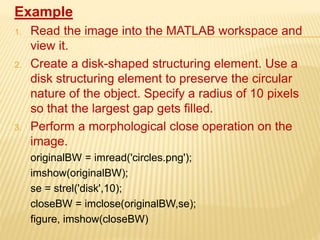
Example
1. Read the image into the MATLAB workspace and
view it.
2. Create a disk-shaped structuring element. Use a
disk structuring element to preserve the circular
nature of the object. Specify a radius of 10 pixels
so that the largest gap gets filled.
3. Perform a morphological close operation on the
image.
originalBW = imread('circles.png');
imshow(originalBW);
se = strel('disk',10);
closeBW = imclose(originalBW,se);
figure, imshow(closeBW)
DILATE IMAGE
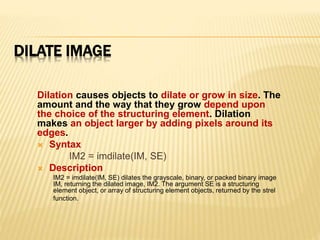
Dilation causes objects to dilate or grow in size. The
amount and the way that they grow depend upon
the choice of the structuring element. Dilation
makes an object larger by adding pixels around its
edges.
 Syntax
IM2 = imdilate(IM, SE)
 Description
IM2 = imdilate(IM, SE) dilates the grayscale, binary, or packed binary image
IM, returning the dilated image, IM2. The argument SE is a structuring
element object, or array of structuring element objects, returned by the strel
function.
EXAMPLES
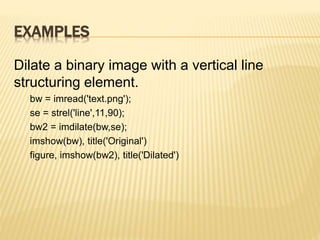
Dilate a binary image with a vertical line
structuring element.
bw = imread('text.png');
se = strel('line',11,90);
bw2 = imdilate(bw,se);
imshow(bw), title('Original')
figure, imshow(bw2), title('Dilated')
CONT…
Dilate a grayscale image with a rolling ball
structuring element.
I = imread('cameraman.tif');
se = strel('ball',5,5);
I2 = imdilate(I,se);
imshow(I), title('Original')
figure, imshow(I2), title('Dilated')
ERODE IMAGE
Erosion causes objects to shrink. The
amount of the way that they shrink depends
upon the choice of the structuring element.
Erosion makes an object smaller by removing
or eroding a way the pixels on its edges.
 Syntax
IM2 = imerode(IM,SE)
 Description
IM2 = imerode(IM,SE) erodes the grayscale, binary, or packed
binary image IM, returning the eroded image IM2. The argument SE
is a structuring element object or array of structuring element
objects returned by the strel function.
EXAMPLES
 Erode a binary image with a disk structuring
element.
originalBW = imread('circles.png');
se = strel('disk',11);
erodedBW = imerode(originalBW,se);
imshow(originalBW), figure, imshow(erodedBW)
CONT…
 Erode a grayscale image with a rolling ball.
I = imread('cameraman.tif');
se = strel('ball',5,5);
I2 = imerode(I,se);
imshow(I), title('Original')
figure, imshow(I2), title('Eroded')
Questions
?

Digital Image Processing (Lab 09 and 10)

  • 1.
    DIGITAL IMAGE PROCESSING Presentedby: Dr. Moe Moe Myint Information Technology Department Technological University (Kyaukse), Myanmar moemoemyint@moemyanmar.ml www.slideshare.net/MoeMoeMyint
  • 2.
    DIGITAL IMAGE PROCESSING USINGMATLAB (LAB 09) Presented by Dr Moe Moe Myint AL, Department of IT Technological University (Kyaukse)
  • 3.
    LINEAR FILTERING ANDTRANSFORMS  Linear Filtering Convolution, N-D filtering, and predefined 2-D filters  Linear 2-D Filter Design 2-D FIR filters  Image Transforms Fourier, Discrete Cosine, Radon, and Fan- beam transforms
  • 4.
    Objectives  To use2-D discrete cosine transform  To use 2-D inverse discrete cosine transform Required Equipment  Computers with MATLAB software and Projector Practical Procedures  Use the dct2 and idct2 matlab command  To compute the discrete cosine transform for the autumn image and show the result  To create a DCT matrix by using inverse DCT
  • 5.
    IMAGE TRANSFORMS  dct22-D discrete cosine transform  idct2 2-D inverse discrete cosine transform
  • 6.
    2-D DISCRETE COSINETRANSFORM  Syntax B = dct2(A)  Description B = dct2(A) returns the two-dimensional discrete cosine transform of A. The matrix B is the same size as A and contains the discrete cosine transform coefficients B(k1, k2).
  • 7.
    2-D INVERSE DISCRETECOSINE TRANSFORM  Syntax B = idct2(A)  Description B = idct2(A) returns the two-dimensional inverse discrete cosine transform (DCT) of A.
  • 8.
    EXAMPLES The commands belowcompute the discrete cosine transform for the autumn image. Notice that most of the energy is in the upper left corner. RGB = imread('autumn.tif'); I = rgb2gray(RGB); J = dct2(I); imshow(log(abs(J)),[]), title('dct‘), colormap(jet(64)), colorbar %Now set values less than magnitude 10 in the DCT matrix to zero, and then reconstruct the image using the inverse DCT function idct2. J(abs(J) < 10) = 0; K = idct2(J); figure, imshow(K,[0 255]); title('inverse dct');
  • 9.
    DIGITAL IMAGE PROCESSING USINGMATLAB (LAB 10) Presented by Dr Moe Moe Myint AL, Department of IT Technological University (Kyaukse)
  • 10.
    Objectives  To usethe morphologically close image and dilate image  To erode a binary image with a disk structuring element Required Equipment  Computers with MATLAB software and Projector Practical Procedures  Read the image  Use the imclose command  Use the imdilate command  Use the imerode command  Display the results
  • 11.
    INTENSITY AND BINARYIMAGES  imclose Morphologically close image  imdilate Dilate image  imerode Erode image
  • 12.
    IMCLOSE  Morphologically closeimage Syntax IM2 = imclose(IM,SE) IM2 = imclose(IM,NHOOD) Description IM2 = imclose(IM,SE) performs morphological closing on the grayscale or binary image IM, returning the closed image, IM2.
  • 13.
    Example 1. Read theimage into the MATLAB workspace and view it. 2. Create a disk-shaped structuring element. Use a disk structuring element to preserve the circular nature of the object. Specify a radius of 10 pixels so that the largest gap gets filled. 3. Perform a morphological close operation on the image. originalBW = imread('circles.png'); imshow(originalBW); se = strel('disk',10); closeBW = imclose(originalBW,se); figure, imshow(closeBW)
  • 14.
    DILATE IMAGE Dilation causesobjects to dilate or grow in size. The amount and the way that they grow depend upon the choice of the structuring element. Dilation makes an object larger by adding pixels around its edges.  Syntax IM2 = imdilate(IM, SE)  Description IM2 = imdilate(IM, SE) dilates the grayscale, binary, or packed binary image IM, returning the dilated image, IM2. The argument SE is a structuring element object, or array of structuring element objects, returned by the strel function.
  • 15.
    EXAMPLES Dilate a binaryimage with a vertical line structuring element. bw = imread('text.png'); se = strel('line',11,90); bw2 = imdilate(bw,se); imshow(bw), title('Original') figure, imshow(bw2), title('Dilated')
  • 16.
    CONT… Dilate a grayscaleimage with a rolling ball structuring element. I = imread('cameraman.tif'); se = strel('ball',5,5); I2 = imdilate(I,se); imshow(I), title('Original') figure, imshow(I2), title('Dilated')
  • 17.
    ERODE IMAGE Erosion causesobjects to shrink. The amount of the way that they shrink depends upon the choice of the structuring element. Erosion makes an object smaller by removing or eroding a way the pixels on its edges.  Syntax IM2 = imerode(IM,SE)  Description IM2 = imerode(IM,SE) erodes the grayscale, binary, or packed binary image IM, returning the eroded image IM2. The argument SE is a structuring element object or array of structuring element objects returned by the strel function.
  • 18.
    EXAMPLES  Erode abinary image with a disk structuring element. originalBW = imread('circles.png'); se = strel('disk',11); erodedBW = imerode(originalBW,se); imshow(originalBW), figure, imshow(erodedBW)
  • 19.
    CONT…  Erode agrayscale image with a rolling ball. I = imread('cameraman.tif'); se = strel('ball',5,5); I2 = imerode(I,se); imshow(I), title('Original') figure, imshow(I2), title('Eroded')
  • 20.

Editor's Notes

  • #15 Dilation: grow image regions
  • #18 Erosion : Shrink image regions