DIGITAL EYE STRAIN
BY
DR. SAFAA REFAAT
FRCS Ophth., M.Sc., MBBS.
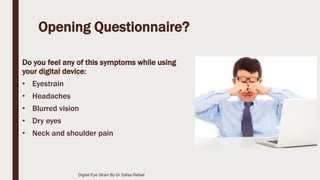
Opening Questionnaire?
Do you feel any of this symptoms while using
your digital device:
• Eyestrain
• Headaches
• Blurred vision
• Dry eyes
• Neck and shoulder pain
Digital Eye Strain By Dr Safaa Refaat
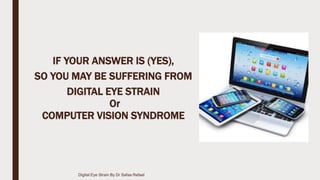
IF YOUR ANSWER IS (YES),
SO YOU MAY BE SUFFERING FROM
DIGITAL EYE STRAIN
Or
COMPUTER VISION SYNDROME
Digital Eye Strain By Dr Safaa Refaat
Let’s Face It ;
■ Whether you use a computer for work or at home (or both), you’re more
than likely spending at least 2 hours at a time staring at the screen.
■ Computers and smart digital devices, have bought so much enrichment
into our lives as well as increased productivity.
■ The problem is that This digital age has come to put a greater stress on our
eyes.
■ Our eyes can’t tolerate such close activity for hours, and as a result,
Computer Vision Syndrome or digital Eye Strain has become a very
common complaint.
Digital Eye Strain By Dr Safaa Refaat
Definition:
■ Computer Vision Syndrome, also referred to as Digital Eye Strain:
is the physical eye discomfort after two or more hours in front of a digital
screen.
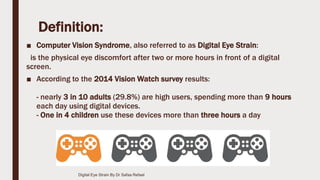
■ According to the 2014 Vision Watch survey results:
- nearly 3 in 10 adults (29.8%) are high users, spending more than 9 hours
each day using digital devices.
- One in 4 children use these devices more than three hours a day
Digital Eye Strain By Dr Safaa Refaat
COMMON SYMPTOMS
Digital Eye Strain By Dr Safaa Refaat
These Symptoms May Be Caused By:
• Poor lighting
• Glare on a digital screen
• Improper viewing distances
• Poor seating posture
• Uncorrected vision problems
• In addition, recently, there is increased concern
by the eye care providers by the effect of excess
exposure to the Blue Light or the high-energy
visible light wavelengths.
Digital Eye Strain By Dr Safaa Refaat
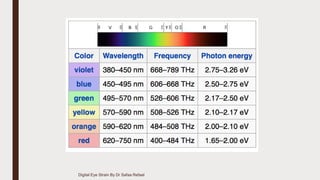
WHAT IS BLUE LIGHT?
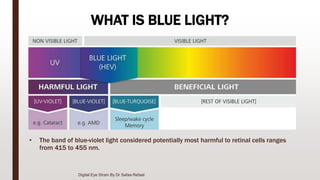
• The band of blue-violet light considered potentially most harmful to retinal cells ranges
from 415 to 455 nm.
Digital Eye Strain By Dr Safaa Refaat
Sources of Blue Light?
■ Blue light emanates from: Indoor Lighting, Computer screens, Mobile
Devices and even the Sun.
■ Light that appears white can have a large blue light component, exposing
the eye to hidden spikes in intensity at wavelengths within the blue portion
of the spectrum. these wavelengths range from 380 to 500 (nm).
Digital Eye Strain By Dr Safaa Refaat
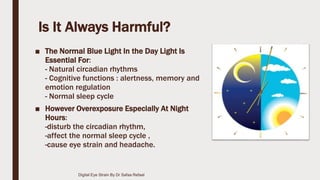
Is It Always Harmful?
■ The Normal Blue Light In the Day Light Is
Essential For:
- Natural circadian rhythms
- Cognitive functions : alertness, memory and
emotion regulation
- Normal sleep cycle
■ However Overexposure Especially At Night
Hours:
-disturb the circadian rhythm,
-affect the normal sleep cycle ,
-cause eye strain and headache.
Digital Eye Strain By Dr Safaa Refaat
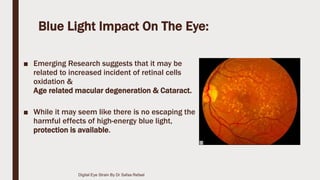
Blue Light Impact On The Eye:
■ Emerging Research suggests that it may be
related to increased incident of retinal cells
oxidation &
Age related macular degeneration & Cataract.
■ While it may seem like there is no escaping the
harmful effects of high-energy blue light,
protection is available.
Digital Eye Strain By Dr Safaa Refaat
HOW TO RELEIF ?
Digital Eye Strain By Dr Safaa Refaat
10 Tips to Relief DIGITAL EYE STRAIN
Digital Eye Strain By Dr Safaa Refaat
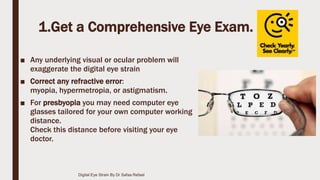
1.Get a Comprehensive Eye Exam.
■ Any underlying visual or ocular problem will
exaggerate the digital eye strain
■ Correct any refractive error:
myopia, hypermetropia, or astigmatism.
■ For presbyopia you may need computer eye
glasses tailored for your own computer working
distance.
Check this distance before visiting your eye
doctor.
Digital Eye Strain By Dr Safaa Refaat
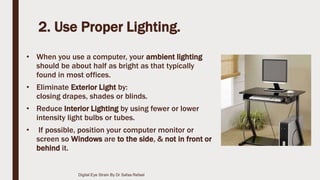
2. Use Proper Lighting.
• When you use a computer, your ambient lighting
should be about half as bright as that typically
found in most offices.
• Eliminate Exterior Light by:
closing drapes, shades or blinds.
• Reduce Interior Lighting by using fewer or lower
intensity light bulbs or tubes.
• If possible, position your computer monitor or
screen so Windows are to the side, & not in front or
behind it.
Digital Eye Strain By Dr Safaa Refaat
3. Minimize Glare.
■ If you wear glasses, choose lenses with:
- anti-reflective (AR) ,
- & amber - yellow coating.
■ This minimizing the amount of light
reflecting off the front and back surfaces
of your eyeglass lenses. & block the
excess blue light
Digital Eye Strain By Dr Safaa Refaat
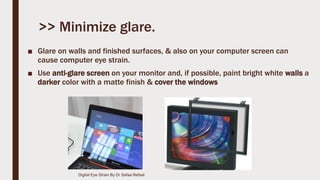
>> Minimize glare.
■ Glare on walls and finished surfaces, & also on your computer screen can
cause computer eye strain.
■ Use anti-glare screen on your monitor and, if possible, paint bright white walls a
darker color with a matte finish & cover the windows
Digital Eye Strain By Dr Safaa Refaat
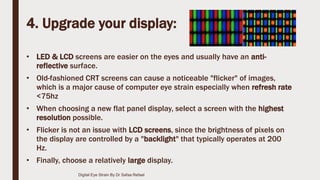
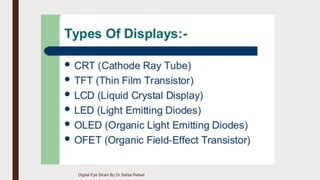
4. Upgrade your display:
• LED & LCD screens are easier on the eyes and usually have an anti-
reflective surface.
• Old-fashioned CRT screens can cause a noticeable "flicker" of images,
which is a major cause of computer eye strain especially when refresh rate
<75hz
• When choosing a new flat panel display, select a screen with the highest
resolution possible.
• Flicker is not an issue with LCD screens, since the brightness of pixels on
the display are controlled by a "backlight" that typically operates at 200
Hz.
• Finally, choose a relatively large display.
Digital Eye Strain By Dr Safaa Refaat
5. Adjust Your Device Display Settings.
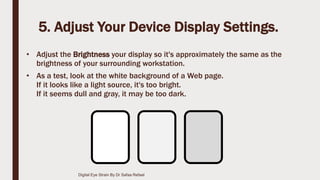
• Adjust the Brightness your display so it's approximately the same as the
brightness of your surrounding workstation.
• As a test, look at the white background of a Web page.
If it looks like a light source, it's too bright.
If it seems dull and gray, it may be too dark.
Digital Eye Strain By Dr Safaa Refaat
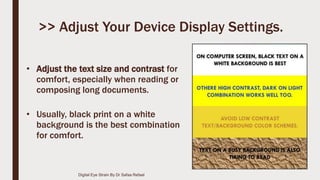
• Adjust the text size and contrast for
comfort, especially when reading or
composing long documents.
• Usually, black print on a white
background is the best combination
for comfort.
>> Adjust Your Device Display Settings.
Digital Eye Strain By Dr Safaa Refaat
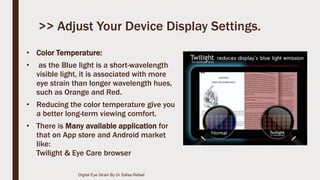
• Color Temperature:
• as the Blue light is a short-wavelength
visible light, it is associated with more
eye strain than longer wavelength hues,
such as Orange and Red.
• Reducing the color temperature give you
a better long-term viewing comfort.
• There is Many available application for
that on App store and Android market
like:
Twilight & Eye Care browser
>> Adjust Your Device Display Settings.
Digital Eye Strain By Dr Safaa Refaat
6. Blink more often.
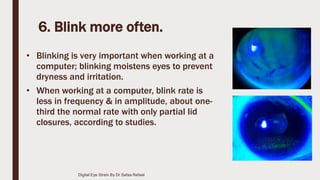
• Blinking is very important when working at a
computer; blinking moistens eyes to prevent
dryness and irritation.
• When working at a computer, blink rate is
less in frequency & in amplitude, about one-
third the normal rate with only partial lid
closures, according to studies.
Digital Eye Strain By Dr Safaa Refaat
• Tears coating the eye evaporate more
rapidly during long non-blinking
phases & this will exaggerate dry eye
symptoms.
• If there is any dry eye symptoms, we
can prescribe artificial tears eye
drops.
>> Blink more often.
Digital Eye Strain By Dr Safaa Refaat
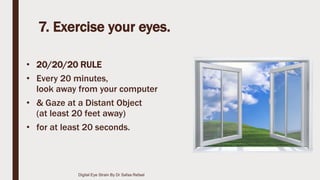
7. Exercise your eyes.
• 20/20/20 RULE
• Every 20 minutes,
look away from your computer
• & Gaze at a Distant Object
(at least 20 feet away)
• for at least 20 seconds.
Digital Eye Strain By Dr Safaa Refaat
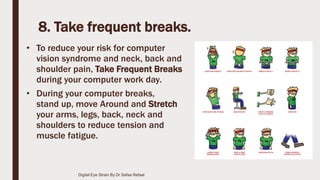
8. Take frequent breaks.
• To reduce your risk for computer
vision syndrome and neck, back and
shoulder pain, Take Frequent Breaks
during your computer work day.
• During your computer breaks,
stand up, move Around and Stretch
your arms, legs, back, neck and
shoulders to reduce tension and
muscle fatigue.
Digital Eye Strain By Dr Safaa Refaat
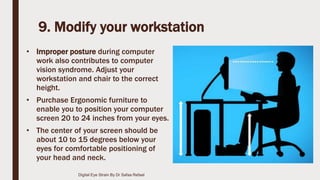
9. Modify your workstation
• Improper posture during computer
work also contributes to computer
vision syndrome. Adjust your
workstation and chair to the correct
height.
• Purchase Ergonomic furniture to
enable you to position your computer
screen 20 to 24 inches from your eyes.
• The center of your screen should be
about 10 to 15 degrees below your
eyes for comfortable positioning of
your head and neck.
Digital Eye Strain By Dr Safaa Refaat
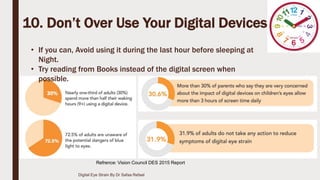
10. Don’t Over Use Your Digital Devices
• If you can, Avoid using it during the last hour before sleeping at
Night.
• Try reading from Books instead of the digital screen when
possible.
Digital Eye Strain By Dr Safaa Refaat
Refrence: Vision Council DES 2015 Report
Thank you
Digital Eye Strain By Dr Safaa Refaat

Digital eye strain

  • 1.
    DIGITAL EYE STRAIN BY DR.SAFAA REFAAT FRCS Ophth., M.Sc., MBBS.
  • 2.
    Opening Questionnaire? Do youfeel any of this symptoms while using your digital device: • Eyestrain • Headaches • Blurred vision • Dry eyes • Neck and shoulder pain Digital Eye Strain By Dr Safaa Refaat
  • 3.
    IF YOUR ANSWERIS (YES), SO YOU MAY BE SUFFERING FROM DIGITAL EYE STRAIN Or COMPUTER VISION SYNDROME Digital Eye Strain By Dr Safaa Refaat
  • 4.
    Let’s Face It; ■ Whether you use a computer for work or at home (or both), you’re more than likely spending at least 2 hours at a time staring at the screen. ■ Computers and smart digital devices, have bought so much enrichment into our lives as well as increased productivity. ■ The problem is that This digital age has come to put a greater stress on our eyes. ■ Our eyes can’t tolerate such close activity for hours, and as a result, Computer Vision Syndrome or digital Eye Strain has become a very common complaint. Digital Eye Strain By Dr Safaa Refaat
  • 5.
    Definition: ■ Computer VisionSyndrome, also referred to as Digital Eye Strain: is the physical eye discomfort after two or more hours in front of a digital screen. ■ According to the 2014 Vision Watch survey results: - nearly 3 in 10 adults (29.8%) are high users, spending more than 9 hours each day using digital devices. - One in 4 children use these devices more than three hours a day Digital Eye Strain By Dr Safaa Refaat
  • 6.
    COMMON SYMPTOMS Digital EyeStrain By Dr Safaa Refaat
  • 7.
    These Symptoms MayBe Caused By: • Poor lighting • Glare on a digital screen • Improper viewing distances • Poor seating posture • Uncorrected vision problems • In addition, recently, there is increased concern by the eye care providers by the effect of excess exposure to the Blue Light or the high-energy visible light wavelengths. Digital Eye Strain By Dr Safaa Refaat
  • 8.
    WHAT IS BLUELIGHT? • The band of blue-violet light considered potentially most harmful to retinal cells ranges from 415 to 455 nm. Digital Eye Strain By Dr Safaa Refaat
  • 9.
    Digital Eye StrainBy Dr Safaa Refaat
  • 10.
    Sources of BlueLight? ■ Blue light emanates from: Indoor Lighting, Computer screens, Mobile Devices and even the Sun. ■ Light that appears white can have a large blue light component, exposing the eye to hidden spikes in intensity at wavelengths within the blue portion of the spectrum. these wavelengths range from 380 to 500 (nm). Digital Eye Strain By Dr Safaa Refaat
  • 11.
    Is It AlwaysHarmful? ■ The Normal Blue Light In the Day Light Is Essential For: - Natural circadian rhythms - Cognitive functions : alertness, memory and emotion regulation - Normal sleep cycle ■ However Overexposure Especially At Night Hours: -disturb the circadian rhythm, -affect the normal sleep cycle , -cause eye strain and headache. Digital Eye Strain By Dr Safaa Refaat
  • 12.
    Blue Light ImpactOn The Eye: ■ Emerging Research suggests that it may be related to increased incident of retinal cells oxidation & Age related macular degeneration & Cataract. ■ While it may seem like there is no escaping the harmful effects of high-energy blue light, protection is available. Digital Eye Strain By Dr Safaa Refaat
  • 13.
    HOW TO RELEIF? Digital Eye Strain By Dr Safaa Refaat
  • 14.
    10 Tips toRelief DIGITAL EYE STRAIN Digital Eye Strain By Dr Safaa Refaat
  • 15.
    1.Get a ComprehensiveEye Exam. ■ Any underlying visual or ocular problem will exaggerate the digital eye strain ■ Correct any refractive error: myopia, hypermetropia, or astigmatism. ■ For presbyopia you may need computer eye glasses tailored for your own computer working distance. Check this distance before visiting your eye doctor. Digital Eye Strain By Dr Safaa Refaat
  • 16.
    2. Use ProperLighting. • When you use a computer, your ambient lighting should be about half as bright as that typically found in most offices. • Eliminate Exterior Light by: closing drapes, shades or blinds. • Reduce Interior Lighting by using fewer or lower intensity light bulbs or tubes. • If possible, position your computer monitor or screen so Windows are to the side, & not in front or behind it. Digital Eye Strain By Dr Safaa Refaat
  • 17.
    3. Minimize Glare. ■If you wear glasses, choose lenses with: - anti-reflective (AR) , - & amber - yellow coating. ■ This minimizing the amount of light reflecting off the front and back surfaces of your eyeglass lenses. & block the excess blue light Digital Eye Strain By Dr Safaa Refaat
  • 18.
    >> Minimize glare. ■Glare on walls and finished surfaces, & also on your computer screen can cause computer eye strain. ■ Use anti-glare screen on your monitor and, if possible, paint bright white walls a darker color with a matte finish & cover the windows Digital Eye Strain By Dr Safaa Refaat
  • 19.
    4. Upgrade yourdisplay: • LED & LCD screens are easier on the eyes and usually have an anti- reflective surface. • Old-fashioned CRT screens can cause a noticeable "flicker" of images, which is a major cause of computer eye strain especially when refresh rate <75hz • When choosing a new flat panel display, select a screen with the highest resolution possible. • Flicker is not an issue with LCD screens, since the brightness of pixels on the display are controlled by a "backlight" that typically operates at 200 Hz. • Finally, choose a relatively large display. Digital Eye Strain By Dr Safaa Refaat
  • 20.
    Digital Eye StrainBy Dr Safaa Refaat
  • 21.
    5. Adjust YourDevice Display Settings. • Adjust the Brightness your display so it's approximately the same as the brightness of your surrounding workstation. • As a test, look at the white background of a Web page. If it looks like a light source, it's too bright. If it seems dull and gray, it may be too dark. Digital Eye Strain By Dr Safaa Refaat
  • 22.
    • Adjust thetext size and contrast for comfort, especially when reading or composing long documents. • Usually, black print on a white background is the best combination for comfort. >> Adjust Your Device Display Settings. Digital Eye Strain By Dr Safaa Refaat
  • 23.
    • Color Temperature: •as the Blue light is a short-wavelength visible light, it is associated with more eye strain than longer wavelength hues, such as Orange and Red. • Reducing the color temperature give you a better long-term viewing comfort. • There is Many available application for that on App store and Android market like: Twilight & Eye Care browser >> Adjust Your Device Display Settings. Digital Eye Strain By Dr Safaa Refaat
  • 24.
    6. Blink moreoften. • Blinking is very important when working at a computer; blinking moistens eyes to prevent dryness and irritation. • When working at a computer, blink rate is less in frequency & in amplitude, about one- third the normal rate with only partial lid closures, according to studies. Digital Eye Strain By Dr Safaa Refaat
  • 25.
    • Tears coatingthe eye evaporate more rapidly during long non-blinking phases & this will exaggerate dry eye symptoms. • If there is any dry eye symptoms, we can prescribe artificial tears eye drops. >> Blink more often. Digital Eye Strain By Dr Safaa Refaat
  • 26.
    7. Exercise youreyes. • 20/20/20 RULE • Every 20 minutes, look away from your computer • & Gaze at a Distant Object (at least 20 feet away) • for at least 20 seconds. Digital Eye Strain By Dr Safaa Refaat
  • 27.
    8. Take frequentbreaks. • To reduce your risk for computer vision syndrome and neck, back and shoulder pain, Take Frequent Breaks during your computer work day. • During your computer breaks, stand up, move Around and Stretch your arms, legs, back, neck and shoulders to reduce tension and muscle fatigue. Digital Eye Strain By Dr Safaa Refaat
  • 28.
    9. Modify yourworkstation • Improper posture during computer work also contributes to computer vision syndrome. Adjust your workstation and chair to the correct height. • Purchase Ergonomic furniture to enable you to position your computer screen 20 to 24 inches from your eyes. • The center of your screen should be about 10 to 15 degrees below your eyes for comfortable positioning of your head and neck. Digital Eye Strain By Dr Safaa Refaat
  • 29.
    10. Don’t OverUse Your Digital Devices • If you can, Avoid using it during the last hour before sleeping at Night. • Try reading from Books instead of the digital screen when possible. Digital Eye Strain By Dr Safaa Refaat Refrence: Vision Council DES 2015 Report
  • 30.
    Thank you Digital EyeStrain By Dr Safaa Refaat